instrument cluster AUDI TT ROADSTER 2014 Owner's Manual
[x] Cancel search | Manufacturer: AUDI, Model Year: 2014, Model line: TT ROADSTER, Model: AUDI TT ROADSTER 2014Pages: 244, PDF Size: 60.87 MB
Page 144 of 244
142 Intelligent technology
Intelligent technology
Notice about data
recorded by vehicle
control modules
Your vehicle is not equipped with an Event Da
ta Recorder (EDR), installed by some manu
facturers fo r the express purpose of capturing
data for retrieval after an accident or crash
event . EDR's are sometimes ca lled "crash re
corders".
Some state laws restrict the retr ieval or down
loading of data stored by EDR's that were in
stalled in a vehicle for the express purpose of
retrieving data after an accident or crash
event without the owner's consent.
A lthough your vehicle is not equipped with an
EDR, it is equipped with a number of electron
ic control modules for various vehicle systems
such as, for examp le, eng ine function, em is
sion control, as well as for the airbags and
safety belts.
These electronic contro l modules also record
vehicle-re lated data during normal vehicle op
eration for diagnostic and repair purposes.
The recording capacity of the electronic con
trol modules is limited to data (no sound is re
corded) and only a small amount of data is ac
tually recorded over a very limited pe riod of
time and stored when a system fault or other
condition is sensed by a control unit. Some of
the data then stored may relate to vehicle
speed, direction, braking as we ll as restraint
system use and performance in the event of a
crash or other condition. Stored data can only
be read and downloaded with special equip
ment.
Electronic Stabilization
Control (ESC)
Description
ESC helps to improve road holding and vehicle
dynamics to help reduce the probability of
skidd ing and loss of vehicle control. It works
only when the engine is running. ESC detects certain difficult driving situat
ions, including
when the vehicle is beginning to spin (yaw)
out of control and helps you to get the veh icle
back under control by se lectively braking the
wheels, and/or reducing engine power and
providing steering assistance to help hold the
vehicle on the driver's intended course. The in
dicator light
G) in the instrument cluster
blinks when ESC is taking action to help you
control the vehicle.
ESC has limitations.
It is important to remem
ber that ESC cannot overcome the laws of
physics. It wi ll not always be able to help out
under all conditions you may come up against.
For example, ESC may not always be able to
help you master situations where there is a
sudden change in the coefficient of friction of
the road surface. When there is a section of
dry road that is suddenly covered with water,
slush or snow, ESC cannot perform the same
way it wou ld on the dry surface . If the vehicle
hydroplanes (rides on a cushion of water in
stead of the road surface), ESC will not be
able to help you steer the vehicle because con
tact with the pavement has been interrupted
and the vehicle cannot be braked or steered.
During fast cornering, particularly on winding
roads, ESC cannot always deal as effectively
with difficult driving situations as at lower
speeds.
Always adjust your speed and driving style to
road , traffic §&and weather conditions. ESC
cannot override the vehicle's physical limits,
increase the available traction, or keep a vehi
cle on the road if road departure is a result of
driver inattention . Instead, ESC improves the
poss ibility of keeping the vehicle under con
t rol and on the road dur ing extreme maneu
vers by using the driver's steering inputs to
help keep the vehicle go ing in the intended di
rection . If you are traveling at a speed that
causes you to run off the road before ESC can
provide any assistance, you may not experi
ence the benefits of ESC.
ESC includes and/or works togethe r with the
anti- lock brake system (ABS), brake assist sys-
tem and anti-slip regu lation (ASR). ESC is .,..
Page 150 of 244
148 Intelligent technology
Battery diagnosi s
Battery diagnosis continuously determines
the state of the battery. Sensors determine
battery voltage, battery current and battery
temperature. This determines the current
state of charge and the power of the battery.
Idling current management
I dling current management reduces energy
consumption while the vehicle is standing.
With the ignition switched off, it controls the
energy supply to the various electrical compo
nents. Data from battery diagnosis is consid
ered.
Depending on the battery's state of charge,
individual consumers are gradually turned off
to prevent excessive discharge of the battery
and thus maintain starting capability.
Dynamic energy management
While the vehicle is being driven, dynamic en
ergy management distributes the energy gen
erated according to the needs of the individu
al components. It regulates consumption, so
that more electrical energy is not being used
than is being generated and ensures an opti
mal state of charge for the battery .
(D Tips
-But even energy management cannot
negate the limits of physics. Consider
that the power and life of a battery are
limited .
- If starting ability is threatened, you are informed by a warning
~page 149,
Driver notification in the instrument
cluster display.
What you should know
The highest priority is given to maintaining
starting capability .
The battery is severely taxed in short -distance
driving, in city traffic and during the cold time
of year. Abundant electrical energy is re
quired, but only a little is generated.
It is also
critical if the engine is not running and electri- cal components are turned on.
In this in
stance energy is being consumed but none is
being generated.
It is in precisely these situations that you will
notice energy management actively regulat
ing the distribution of energy.
Vehicle stands for an extended period
If you do not drive your vehicle over a period
of several days or weeks , electrical compo
nents are gradually cut back or switched off .
This reduces energy consumption and main
tains starting capability over a longer period.
Take into consideration that when you unlock
your vehicle, some convenience functions ,
such as the remote key or power seat adjust
ment, may not be available. The convenience
functions will be available again when you
turn on the ignition and start the engine.
With the engine turned off
If you listen to the radio, for example, with
the engine turned off, the battery is being dis
charged.
If starting capability is jeopardized due to en
ergy consumption, a message appears in the
driver information display.
You have to start the engine to charge the
battery.
With the engine running
Although electrical energy is generated when
the vehicle is being driven, the battery can be
come discharged. This happens mostly when
little energy is being generated and a great
deal consumed and the battery's state of
charge is not optimal.
To bring the energy balance back into equili
brium, consumers which require especially
large amounts of energy are temporarily cut
back or switched off . Heating systems in par
ticular require a great deal of energy. If you
notice, for example, that the heated seats* or
the heated rear window are not heating, they
have been temporarily cut back or switched .,.
Page 151 of 244
off. These systems will be avai lable again as
soon as the energy ba lance has bee n restored.
You will also notice that engine idle speed has
been increased s lightly. This is normal and not
a cause for concern. By increasing engine idle
speed the additiona l energy required is gener
ated and the battery is charged .
Driver notification in the instrument
cluster display
If battery power drops into the range where it
can lim it the ab ility of the engine to start, th is
i s shown in the inst rument cluster display
with the following driver message:
(•) Low battery charge : battery will be
charged while driving
This notification reminds you that the starting
capability of the engine may be l imited. As
soon as you start driving aga in, the battery
w ill be recharged and the notification will go
out.
Driver notification appears and goes out
again
If th is driver notification appears after the ig
nition is turned on or while driving and it goes
out again after a wh ile, the battery has been
adequately recharged.
Driver notification appears and does not
go out again
If this driver notification appears after the ig
n ition is turned on or while driving and does
not go out again, the battery's state of charge
is not in the optimal range. Starting ability is
restr icted. Have the battery checked as soon
as possible by an author ized Audi dealer or
qualified workshop.
Intelligent technology 149
•
•
Page 171 of 244
Detergent additives in the oil will make fresh
oil look dark after the engine has been run
n ing for a short time . This is norma l and is not
a reason to change the o il more often than
recommended.
D amage o r m alfu nctions due to lac k of
m ainten ance
It is essen tial that yo u change your oil at the
recommended inte rva ls using only engine oil
that complies with A udi oil standard
VW 502 00 . Your Lim ited New Vehicle War
ranty does not cover damage or malfunctions
due to failure to follow recommended mainte nance and use requ ireme nts as set forth in
the Audi Owner 's Manual and Warranty
&
Maintenance book let . Your dea ler will have to
deny warranty coverage u nless you p resent to
the dea ler proof in the form of Serv ice or Re
pa ir Orde rs that all scheduled maintenance
was performed in a timely manner.
Engine oil consumption
The engine in your vehicle depends on an ade
quate amount of oil to lubricate and cool all
of its moving ports.
I n o rder to prov ide effective l ubr ication and
cooling of internal engine components, a ll in
ternal comb ustion engines consume a certain
amo unt of oi l. Oi l cons umption varies from
engine to engine and may change significantly
over the life of the eng ine . Typ ically, eng ines
with a specified break-in per iod (see
¢ page 150) consume more o il during the
break-in per iod than they consume after oil
consumption has stab ilized .
Under normal conditions, the rate of oil con
sumpt io n depends on the quality and viscosity
of the oil, the RPM (revolutions per m inute) at
which the engine is ope rated, the ambient
temperature and road condi tions. Furt her fac
tors are the amo unt of oil d ilution from wate r
condensation or fuel residue and the oxida
tion level of the oi l. As any engine is subject to
wear as mileage bui lds up, the oil consump
tion may increase over time until rep lacement
of worn components may become necessary.
Checkin g and fillin g 169
With a ll these variab les coming into p lay, no
standard rate of oil consumption can be es
tab lished or spec ified . There is no alte rnative
to regular and frequent check ing of the o il lev
el, see
Note .
If the yellow engine oil leve l warning symbo l
in the instrument cluster
Ill li ghts up, you
sho uld check the oil leve l as soon as possib le
with the oil dipstick¢ page 170. Top off the
o il at your earliest convenience ¢
page 170 .
A WARNING
Before you check anything i n the engine
compartment, always read and heed a ll
WAR NINGS ¢
& in Working in the engine
compor tment on page 165.
(D Note
D riving w it h an insufficient o il level is like
l y to cause severe damage to the engine.
© Tips
- The oil pr essur e warn ing display. is
not an indicator of th e oil level. Do not
rely on it . Instead, che ck the oil level in
your engine at regu lar int ervals, pr ef
erably e ach time you r efuel, and always
before going on a long trip .
-If you have the impression yo ur engi ne
cons umes excess ive amoun ts of oil, we
recommend that you consu lt your Aud i
dea ler to have the cause of your concern
properly d iagnosed. Keep in mind that
the accurate meas urement of o il con
sumption requires great care and may
take some t ime . Your Audi dea ler has in
st ruct ions about how to measure oil con
sumption acc urately.
-
•
•
Page 190 of 244
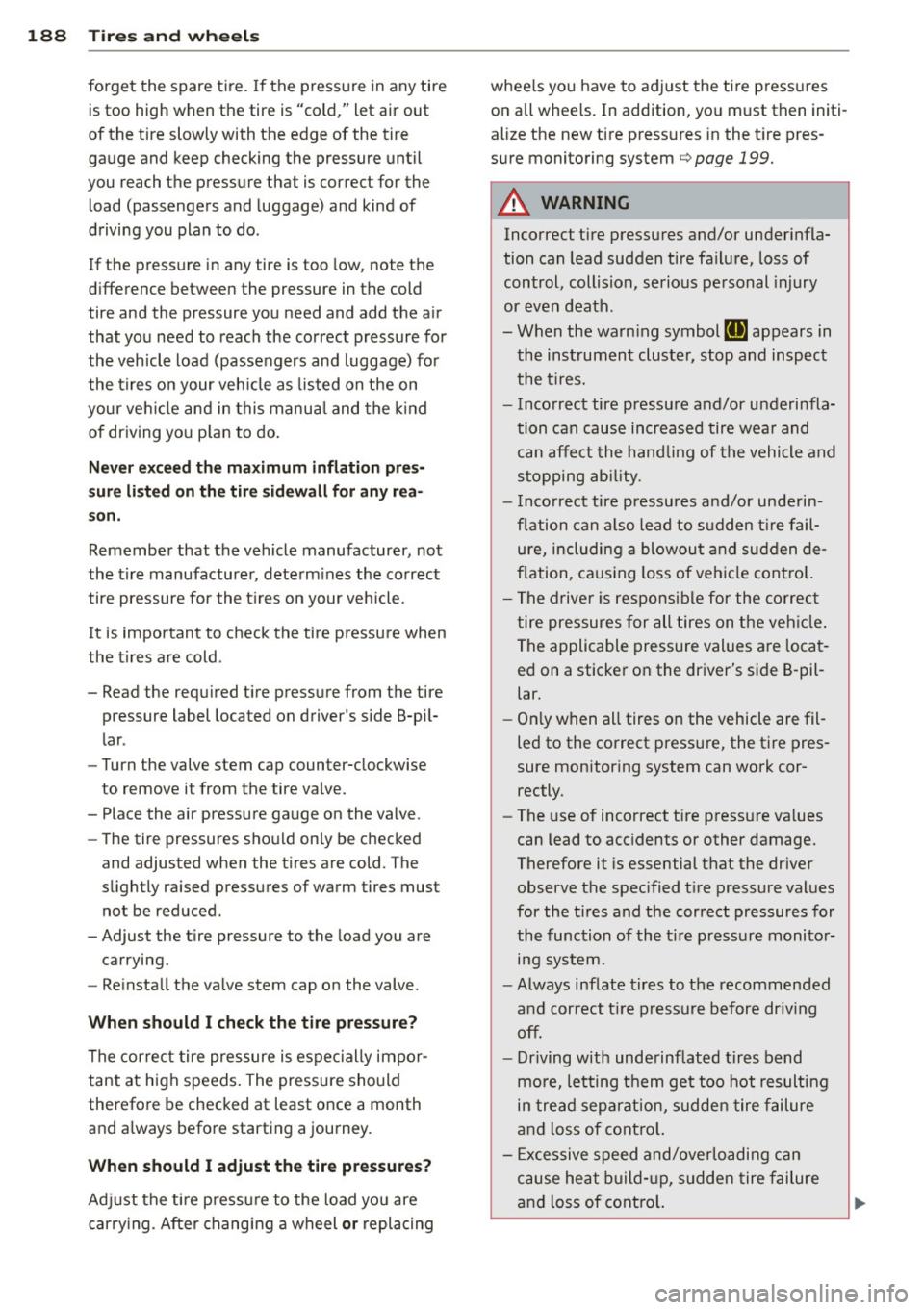
188 Tire s and wheel s
forget the spare tire. If the pressure in any tire
is too high when the tire is "cold," let air out
of the tire slowly with the edge of the tire
ga uge and keep checking the pressure until
you reach the pressure that is correct for the
load (passengers and luggage) and kind of
driving you plan to do.
If the pressure in any tire is too low, note the
d ifference between the pressure in the cold
tire and the pressure you need and add the air
that you need to reach the correct pressure for
the vehicle load (passengers and luggage) for
the tires on your veh icle as listed on the on
your ve hicle and in this manua l and the kind
of dr iving you p lan to do .
Never exc eed th e maximum inflati on pres
sure listed on th e tir e s idewall for any rea
s on.
Remembe r that the vehicle manufacturer, not
the t ire manufactu rer, determ ines the correct
tire pressure for the t ires on your vehicle.
It is important to check the tire pressure when
the t ires a re cold .
- Read the requ ired tire press ure from the tire
pressure label located on driver's side B-pil
lar .
- Turn the valve stem cap counter-clockwise
to remove it from the tire valve.
- Place the air pressure gauge on the valve.
- The tire pressures sho uld only be checked
and adjusted when the tires are cold. The
slightly raised pressures of warm tires must
not be reduced.
- Adjust the tire pressure to the load you are
carrying.
- Re insta ll the valve stem cap on the valve.
Wh en should I check the tir e pr essure?
The correct tire pressure is espe cially impor
tant at high speeds . The pressure should
therefore be checked at least once a month
and a lways before starting a journey.
When should I ad ju st the tire pressures?
Adj ust the t ire p ressu re to the load yo u are
carry ing . After changing a wheel
or replacing whee
ls you have to adjust the tire p ressures
o n all whee ls. In addition, yo u m ust then initi
alize the new tire press ures in the t ire pres
s u re monitoring system¢
page 199.
A WARNING
Incorrect tire pressures and/or underinfla
tion can lead sudden tire fa ilure, loss of
control, collision, serious pe rsonal injury
or even death.
- When the warn ing symbol
RI] appears in
the instrument cluster, stop and inspect
the t ires.
- Incorrect tire pressure and/or underinfla
tion can cause increased tire wea r and
can affect the handling of the vehicle and
s topping ability.
- I nco rrect tire pressures and/or underin
f lation can a lso lead to s udden t ire fail
ure, including a blowout and su dden de
flation, ca using loss of veh icle cont ro l.
- The drive r is responsible for the co rrec t
tire pressures for all tires on the veh icle .
The applicable pressure values are loca t
ed on a sticker on the driver's side B -pil
lar.
- On ly when all tires on the vehicle are fil
led to the correct pressu re, the tire pres
sure mon itor ing system can work cor
rectly.
- The use of incorrect tire pressu re va lues
can lead to acc idents or other damage.
Therefore it is essential that the driver
observe the spec ified t ire pressure values
for the tires and the correct pressures for
the function of the t i re p ress ure monito r
ing system.
- Always inf late tires to the recommended
and correct t ire pressure before dr iv ing
off.
- Driving with unde rinf lated tires bend
mo re, letting them get too hot resulting
in tre ad separation, sudden tire failure
and loss of cont ro l.
- Excessive speed and/overloading can
cause heat b uild- up, sudden tire failure
and loss of cont ro l.
Page 202 of 244
200 Tires and wheels
remain continuo usly illuminated . This se
quence will continue upon subsequent vehicle
start-ups as long as the ma lfunction ex ists.
When the malfunction indicator is illuminat
ed, the system may not be able to detect or
signal low tire pressure as intended. TPMS
malfunctions may occur for a variety of rea
sons, including the installation of replace ment or alternate tires or wheels on the vehi
cle that prevent the TPMS from functioning properly . Always check the TPMS malfunction
tellta le after replacing one or more t ires or
wheels on your veh icle to ensure that the re
placement or alternate tires and wheels allow
the TPMS to continue to function properly.
Tire pressure indicator appears
Applies to vehicles: with tire pressure monitoring system
The tire pressure indicator in the instrument
cluster informs you if the tire pressure is too
low or if there is a system malfunction.
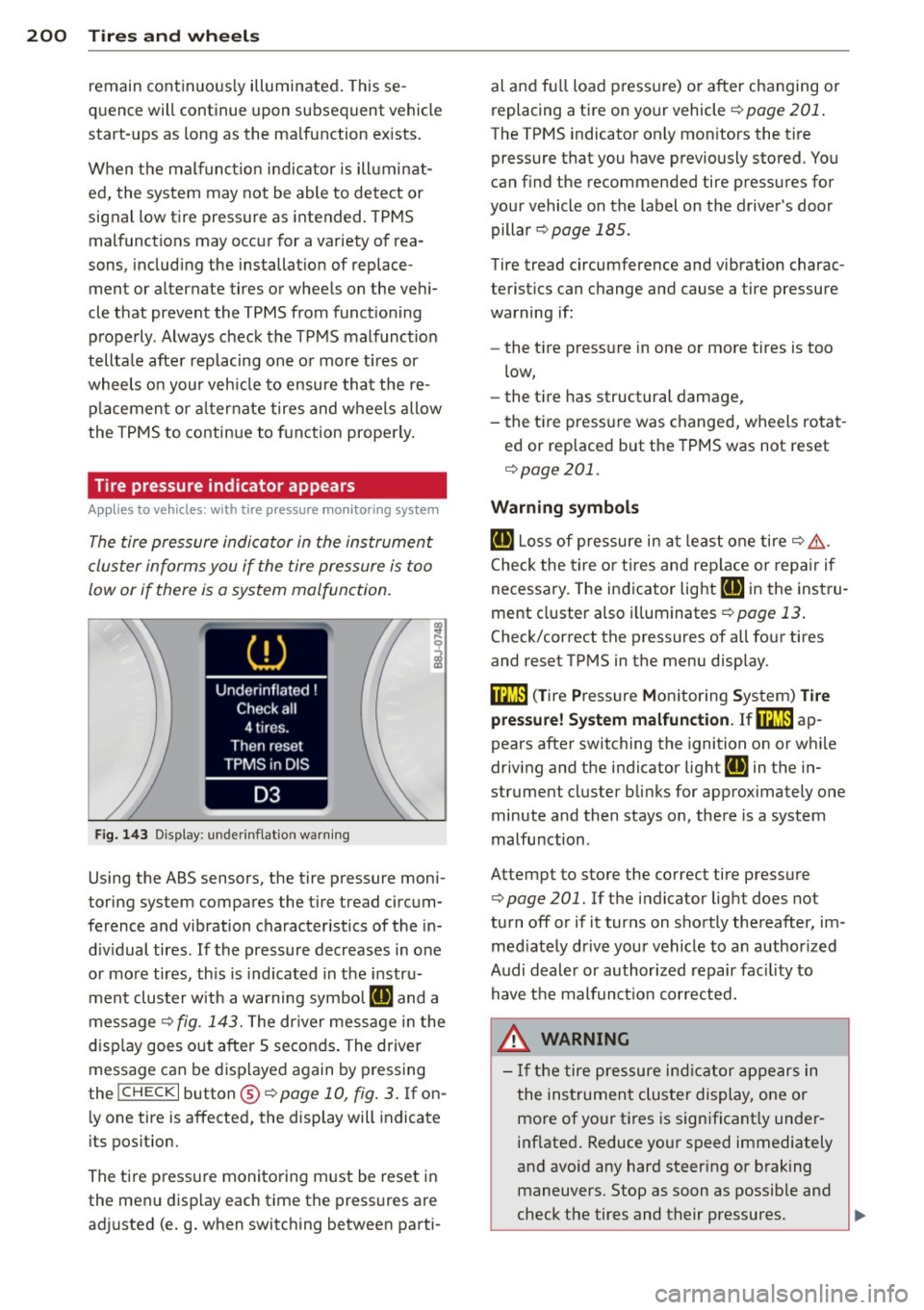
F ig. 143 Display : underi nflat io n warn ing
Using the ABS sensors, the tire pressure moni
toring sys tem compares the t ire tread circum
ference and vibration characteristics of the in
d iv idual tires . If the pressure decreases in one
or more tires, th is is indicated in the instru
ment clus ter with a warning symbo l
ail and a
message<>
fig. 143. The dr iver message in the
display goes out after 5 seconds . The driver
message can be displayed again by pressing
the
! CHECK I button @¢ page 10, fig . 3 . If on
l y one tire is affected, the display will indicate
its pos ition.
The tire press ure monitoring m ust be reset in
the menu display each time the pressures are
ad justed (e.g. when switching between parti- al and fu
ll load pressure) or after changing or
replacing a tire on your vehicle<>
page 201.
The TPMS indicator only mon itors the t ire
pressure that you have previously stored . You
can find the recommended tire pressures for
your vehicle on the label on the driver's door
pillar
¢ page 185.
Tire tread circumference and vibration charac
teristics can change and cause a tire pressure
warning if:
- the t ire pressure in one or more tires is too
low,
- the tire has structural damage,
- the tire pressure was changed, wheels rotat -
ed or replaced but the TPMS was not reset
¢ page 201.
Warning symbols
ail Loss of pressure in at least one tire¢& .
Check the tire or tires and replace or repa ir if
necessary . The indicator light
HE in the instru
ment cluster also illuminates
<>page 13.
Check/correct the pressures of all four tires
and reset TPMS in the menu display .
ffim (T ire Pressure Monitoring System) Tire
pressure! System malfunction. Ifffim
ap
pears after switching the ignition on or while
driv ing and the indicator lig ht
HE in the in
strument cluster blinks for approx ima tely one
minute and then stays on, there is a system
malfunction .
At tempt to store the correct tire pressure
¢ page 201. Ifthe indicator light does not
turn
off or if it turns on shortly thereafter, im
med iate ly drive your vehicle to an author ized
Audi dealer or author ized repair facility to
have the malfunction corrected.
_&. WARNING
-
- If the tire pressure indicat or appears in
the instrument cluster display, one or
more of your tires is significant ly under
inflated . Reduce your speed immediately
and avoid any hard steer ing or braking
maneuvers. Stop as soon as possible and
check the tires and their pressures.
IJJ,,
Page 215 of 244
Fuses and bulbs
Electrical fuses
Replacing fuses
Fuses that have blown will have metal strips
that have burned through.
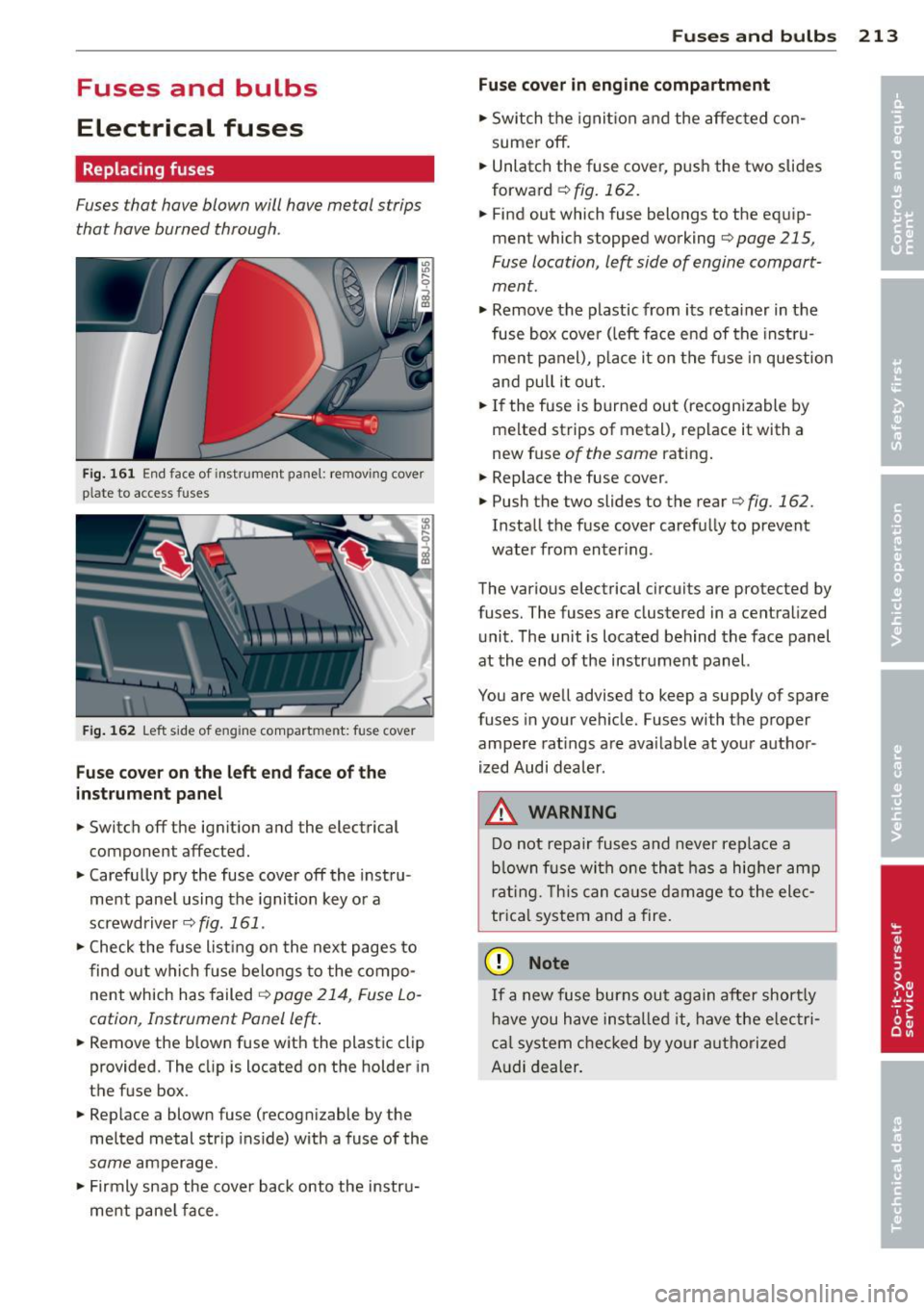
Fig. 161 End face of instrument panel: removing cover
p la te to access fuses
Fig . 162 Left side of eng ine compart ment: fuse cove r
Fuse cover on the left end face of the
instrument panel
.. Switch off the ignition and the electrical
component affected.
.. Carefully pry the fuse cover off the instru
ment panel using the ignition key or a
screwdriver
~ fig. 161 .
.. Check the fuse list ing on the next pages to
find out which f use belongs to the compo
nent which has failed
¢ page 214, Fuse Lo
cation, Instrument Panel left .
.. Remove the blown fuse with the plastic clip
provided. The clip is located on the holder in
t he fuse box .
.. Replace a blown fuse (recognizable by the
melted metal str ip inside) with a fuse of the
same amperage .
.. Firmly snap the cover back onto the instru
ment pane l face .
Fuses and bulbs 213
Fuse cover in engine compartment
.. Switch the ignit ion and the affected con
sumer off .
.. Unlatch the fuse cover, p ush the two slides
forward
~ fig. 162.
.. Fi nd out which fuse belongs to the equip
ment which stopped working
~page 215,
Fuse location, le~ side of engine compart
ment.
.. Remove the plastic from its retainer in the
fuse box cove r (left face end of the instru
ment panel), place it on the f use in question
and pull it out .
.. If the fuse is burned out (recogni zable by
melted strips of metal), replace it with a
new fuse
of the same rating .
.. Replace the fuse cover .
.. Push the two slides to the rear
¢ fig. 162.
Insta ll the fuse cover carefully to prevent
water from enter ing .
The various electrical circuits are protected by
fuses. The fuses are clustered in a centralized
unit. The unit is located behind the face panel
at the end of the instrument panel.
You are well advised to keep a supply of spare
fuses in your vehicle. Fuses with the proper
ampere ratings are available at your author
ized Audi dealer.
A WARNING
-
Do not repair fuses and never replace a
b lown fuse with one that has a higher amp
rating. This can cause damage to the elec
trica l system and a fire.
(D Note
If a new fuse burns out again after short ly
have you have installed it, have the electri
ca l system checked by your authorized
Audi dealer.
Page 217 of 244
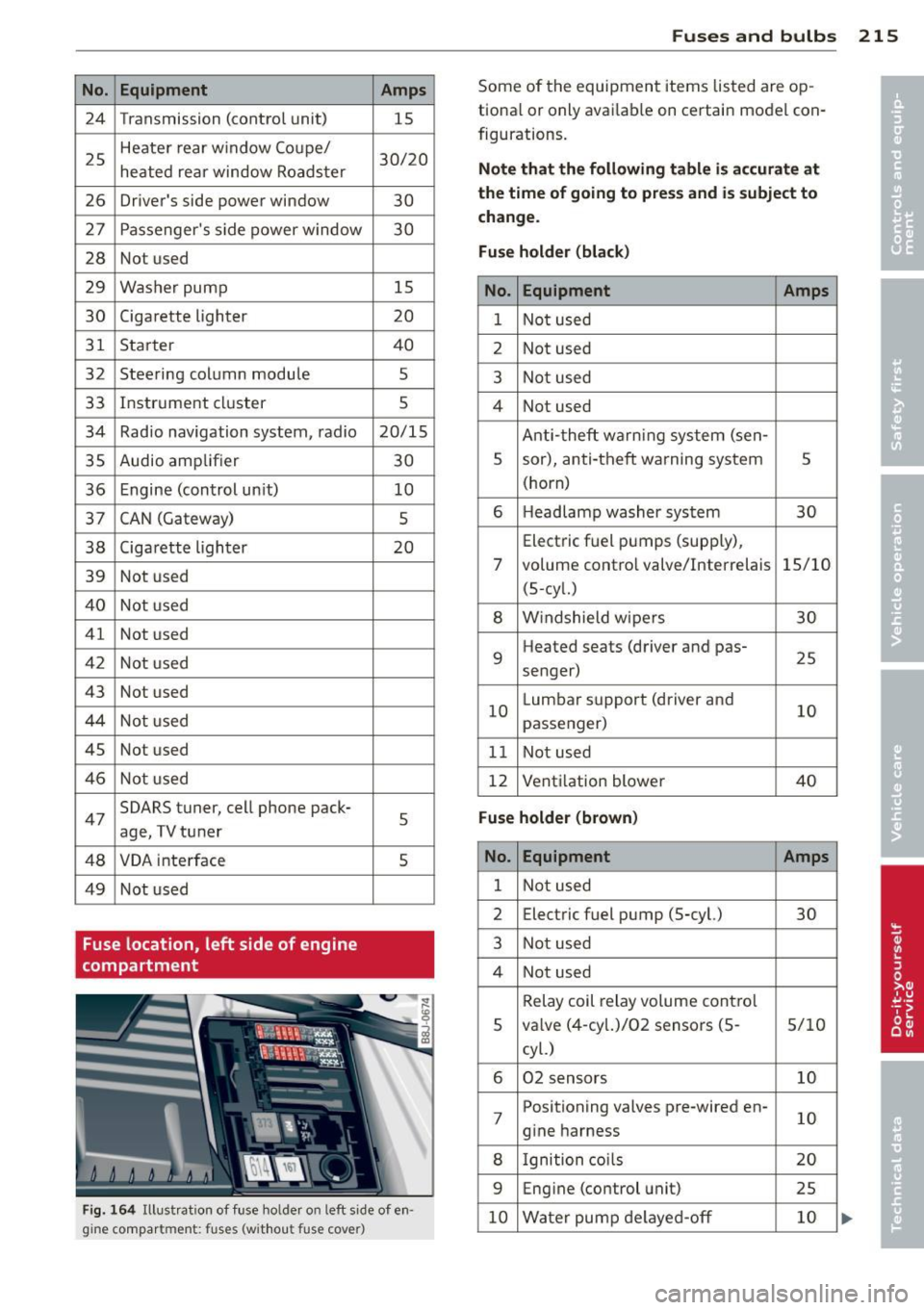
No. Equipment 24 Transmission (control unit)
25 Heater rear window Coupe/
heated rear window Roadster
26 Driver's side power window
27 Passenger's s ide power window
28 Not used
29 Washer pump
30 Cigarette lighter
31 Starter
32 Steering column module
33 Instrument cluster
34 Radio navigation system, radio
35 Audio amplifier
36 Engine (control un it)
37 CAN (Gateway)
38 Cigarette lighter
39 Not used
40 Not used
41 Not used
42 Not used
43 Not used
44 Not used
45 Not used
46 Not used
47 SOARS
tuner, cell phone pack-
age, TV tuner
48 VOA inte rface
49 Not used
Fuse location, left side of engine
compartment Amps
15
30/20
30
30
15
20
40
5
5
20/15
30 10
5
20
5
5
Fig. 164 Illustrat ion of fuse ho lder on left side of en
gine compart ment: fuses (without fuse cover)
Fuse s and bulb s 215
Some of the equipment items listed are op
tiona l or only avai lab le on certain model con
figurations.
Note th at the foll owing t abl e is ac cur ate at
the time of going t o pre ss and i s subject to
ch ang e.
Fus e holder (bla ck )
No. Equipment Amps
1 Not used
2 Not used
3 Not used
4 Not used
Anti-theft warning system (sen-
5 sor), anti-theft warning system
5
(horn)
6 H
eadlamp washer system
30
Electric f uel pumps (supp ly),
7 volume contro l valve/Interrelais 15/10
(5-cy l.)
8 W indshield w ipers 30
9 Heated
seats (driver and pas-
25
senger)
10 L
umbar support (driver and
10
passenger)
11 Not used
12 Vent
ilation blower
40
Fu se holder (brown )
No. Equipment Amps
1 Not used
2 Electric
fuel pump (5-cyl.)
30
3 Not used
4 Not used
Relay coil relay volume cont ro l
5 va
lve (4-cy l.)/02 sensors (5 -
5/10
cyl.)
6 02 sensors 10
7 Positioning valves pre-wired en-
10
g ine harness
8 Ignition coi ls 20
9 Eng
ine (control unit)
25
10 Water pump de layed-off 10
Page 237 of 244
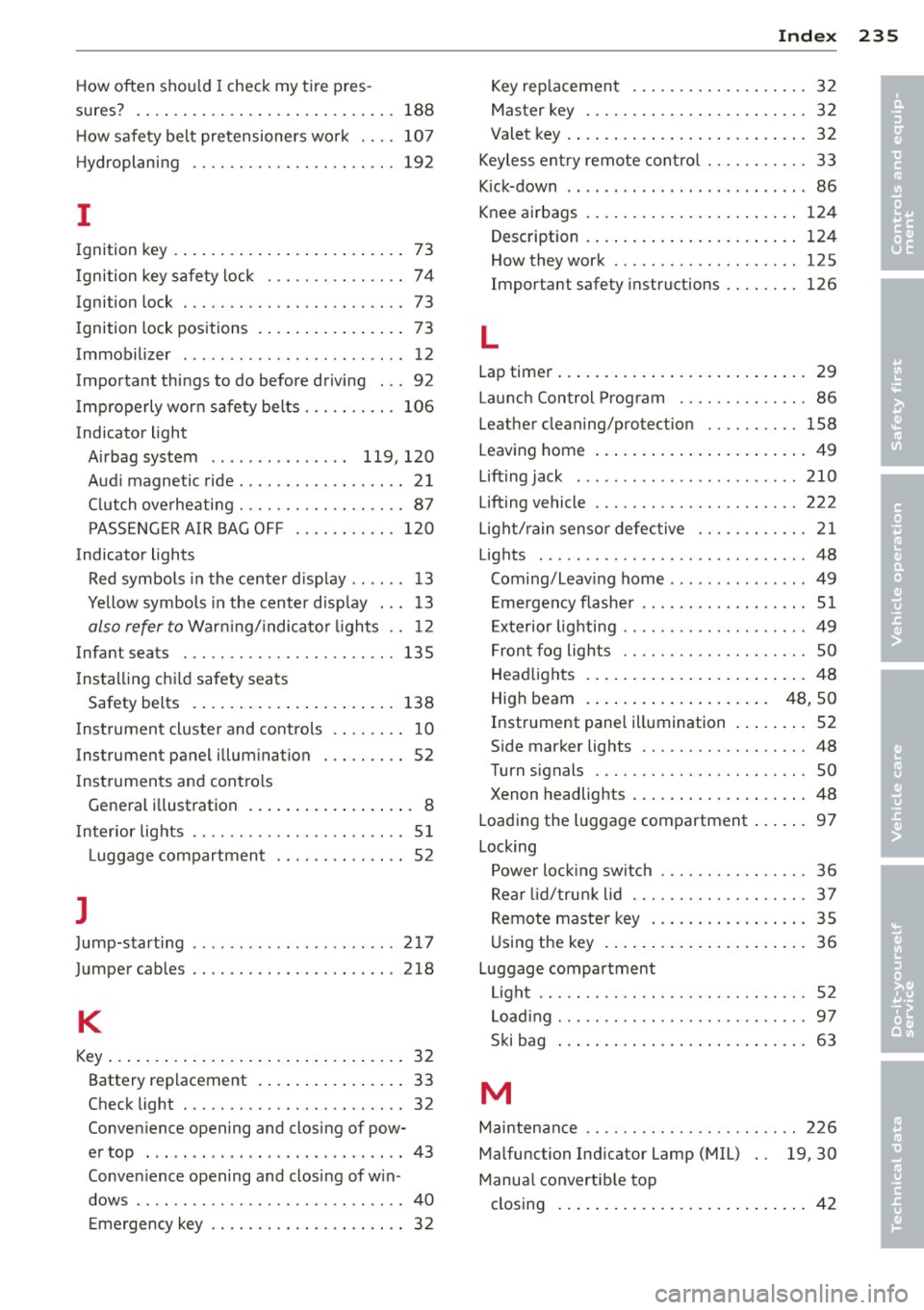
How often should I check my tire pres-
sures? .... .. .. ... ... .... ... .. .. ...
188
H ow safety belt pretensioners wo rk . .. . 107
Hydroplaning .. ........... .. .. .. ... 192
I
Ignition key . . . . . . . . . . . . . . . . . . . . . . . . . 73
I gnition key safety lock . . . . . . . . . . . . . . . 7 4
Ignition lock . . . . . . . . . . . . . . . . . . . . . . . . 73
I gnition lock pos itions ... ... .. .. .. .. .. 73
Immobilizer . . . . . . . . . . . . . . . . . . . . . . . . 12
Important things to do before driving . . . 92
I mp roperly wor n safety be lts . .. .. .. .. . 106
Indicator light Airbag system . . . . . . . . . . . . . . . 119, 120
Aud i magnetic ride .................. 21
C lut ch ove rheati ng ........ .. .. .. .. ..
87
PASSENG ER AIR BAG O FF .. .. .. .. .. . 120
Indicator lights Red symbols in the center d isplay .. .. .. 13
Yellow symbols in the center d isp lay . .. 13
also refer to War ning/ indica to r li ghts .. 12
Infant seats . ............. .... .. ...
135
Instal ling ch ild safety sea ts
Safety belts . . . . . . . . . . . . . . . . . . . . . . 138
I nst rumen t cluster and contro ls .. .. .. .. 10
Instrument panel illum ination . .. .. .. .. 52
I nstrumen ts and con tro ls
Gene ral i llustration .... ... .. .. .. .. ...
8
Inter ior lights . . . . . . . . . . . . . . . . . . . . . . . 51
Luggage compartmen t .............. 52
]
Ju mp-starting 217
J umper cables .. ........... .. .. .. ... 218
K
Key ... .... .. .. .. ... . .... ... .. .. .... 32
Battery replacement ... ... .. .. .. .. .. 33
Check light . .. ........... .. .. .. .. .. 32
Conve nience opening and closing of pow-
e r top ... .. .... .......... ..... .... 43
Conven ience opening and clos ing of w in -
dows .. .. ... .................. .. .. 4 0
E me rgency key ........... .. .. .. .. .. 3 2
Inde x 235
Key rep lacement . . . . . . . . . . . . . . . . . . . 32
Master key . . . . . . . . . . . . . . . . . . . . . . . . 32
Valet key . . . . . . . . . . . . . . . . . . . . . . . . . . 32
Keyless ent ry remote cont ro l . . . . . . . . . . . 33
K ick-down . . . . . . . . . . . . . . . . . . . . . . . . . .
86
Knee a irbags . ....... . .. .. ..... ... .. 124
Description . ... .. .. . ... ...... ... .. 124
How they work . .. .... ............. 125
Important safety instructions ........ 126
L
Lap timer ... .. .. .... . ... ...... ... .. . 29
Lau nch Control Prog ram ..............
86
Leathe r cleaning/protect ion .......... 158
Leaving home ... .. .. . ... ...... ... .. . 49
Lift ing jack ........ ................ 210
Lifting vehicle . .. .. .... ............. 222
L igh t/ rain senso r defec tive ............ 21
Lights ........ ... .. ................
48
Coming/Leav ing home .. .. ... ..... .. . 49
E mergency flashe r .. .......... ... ...
51
Exte rior lig hti ng .. .. . .............. . 49
F ron t fog lights . . . . . . . . . . . . . . . . . . . .
50
Head lights . ..... .. . .. .. ..... ... .. . 4 8
Hig h beam . . . . . . . . . . . . . . . . . . . . 48 , SO
Instrument pane l illumination ... .. .. . 52
S ide marker lights ............. .... .
48
Turn signals ... .. ................. . 50
Xenon headlights ........... ...... .. 48
Loading the luggage compartment ... .. . 97
Lock ing
Power lo ckin g sw it ch ........... .. .. .
36
Rea r lid /trun k lid ................ .. . 37
Remote maste r key ... ...... ... .. .. .
35
U sing the key . ..... . .. .. ..... ... .. . 36
Luggage compartm ent
Li gh t ..... .. .. .. .. .. ........... .. . 52
L oad ing . .. .. .. .. .. ............... . 97
S ki bag ... .. .... .. . .. ... .... ... .. .
63
M
Maintenan ce .. .. .. .. .. ........... .. 226
Malfunction Indicator Lamp (MIL) 19, 30
Manua l convertib le top
closing ... .. .... ... .. .. ..... ... .. . 42
•
•