lane assist AUDI TT ROADSTER 2016 User Guide
[x] Cancel search | Manufacturer: AUDI, Model Year: 2016, Model line: TT ROADSTER, Model: AUDI TT ROADSTER 2016Pages: 306, PDF Size: 31.82 MB
Page 96 of 306
Downloaded from www.Manualslib.com manuals search engine Driver
assist systems
This message is displayed when the camera is no
longer functional after the system has continu
ously failed to detect the lane markings. This can
have the following causes:
- The outside of the camera window¢ page 93,
Fig. 95 is dirty or frosted. Remove dirt or ice
from this area of the windscreen.
- The inside of the camera window is misted up.
In this case, wait for the camera window to de
mist before switching on the active lane assist
system again.
- Due to the road conditions, the system has not
been able to detect the lane markings for a
long period. Do not switch the active lane assist
system on again before the lane markings are
discernible.
Audi active lane assist: currently unavailable.
See owner's manual
A temporary fault is preventing the active lane
assist system from being switched on. Try switch
ing on the active lane assist system again later.
Audi active lane assist: fault. See owner's man
ual
Drive to a qualified workshop soon and have the
fault rectified.
Audi active lane assist: please take over steering
This message will appear if you do not steer the
vehicle yourself. In this case, the active lane as
sist will switch to "not ready for warning" but will
not be deactivated completely. The system can
assist you to keep the vehicle in the lane. Howev
er it is your own responsibility to steer and con
trol the vehicle.
A WARNING
Please note that the messages only appear
with a delay or are not displayed at all on
vehicles with additional equipment (such as
steering wheel knobs) fitted on the steering
wheel. Always keep your hands on the steer
ing wheel.
l l
The steering input function is not available on all export
versions.
94 Setting
the steering input time and
vibration warning
Applies to: vehicles with Audi active lane assist
You can change the active Lane assist settings on
the infotainment system to suit your individual
preferences.
Select the following
on the infotainment system:
!MENU! button> Car > left control button> Driv
er assist > Audi active lane assist.
Steering input1
)
early: If this setting is selected, a continuous
steering input assists the driver to keep the vehi
cle in the middle of the lane.
late: If this setting is selected, the steering is not
corrected until just before a wheel touches a de
tected lane marking.
Vibration warning
You can switch the additional steering wheel vi
bration warning on/off.
(Q'j) Note
Your personal settings are stored automati
cally and assigned to the remote control key
which is being used (only applies to some
countries).
Lap timer
Introduction
Applies to: vehicles with lap timer
Lap timer
You can use the lap timer in the display to record
and evaluate lap times. The times are recorded in
minutes, seconds and tenths of a second. The
hour will appear in the display and the tenths of a
second will disappear if the session lasts for over
60 minutes.
Individual lap times stop automatically after
99 hours 59 minutes and 59 seconds. A new lap
will then start automatically.
�
Page 99 of 306
Downloaded from www.Manualslib.com manuals search engine 0
N
,.....
N
......
0
,.....
Vl
CX) G
meter
The G meter shows the Lateral and Longitudinal
forces generated. The maximum values meas
ured are stored and displayed when the vehicle is
stationary.
� To reset the stored values, select the following
on the multi-function steering wheel: right con
trol button > Reset values.
Engine data
The engine data display shows the current power
and torque Levels.
Tyre pressure display
The tyre pressure display shows the current infla
tion pressures and temperature. Also refer to
¢ page 260, Tyre pressure monitoring system.
Audi side assist (Lane
change assist feature)
Description
Applies to: vehicles with Audi side assist
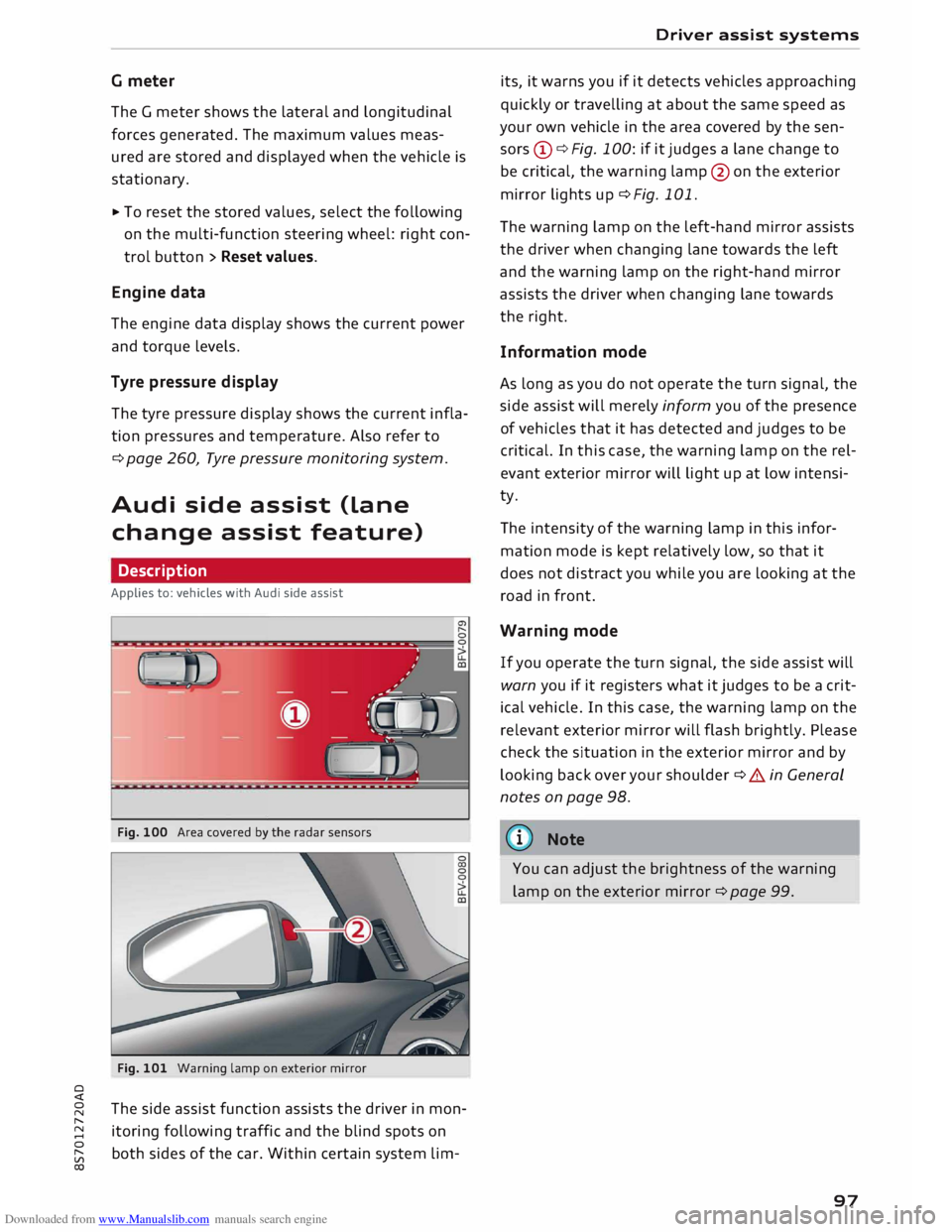
Fig. 100 Area covered by the radar sensors
Fig. 101 Warning lamp on exterior mirror
The side assist function assists the driver in mon
itoring following traffic and the blind spots on
both sides of the car. Within certain system Lim- Driver
assist systems
its, it warns you if it detects vehicles approaching
quickly or travelling at about the same speed as
your own vehicle in the area covered by the sen
sors (!)¢ Fig. 100: if it judges a Lane change to
be critical, the warning Lamp@on the exterior
mirror Lights up¢ Fig. 101.
The warning Lamp on the Left-hand mirror assists
the driver when changing Lane towards the Left
and the warning Lamp on the right-hand mirror
assists the driver when changing Lane towards
the right.
Information mode
As Long as you do not operate the turn signal, the
side assist will merely inform you of the presence
of vehicles that it has detected and judges to be
critical. In this case, the warning Lamp on the rel
evant exterior mirror will Light up at Low intensi
ty.
The intensity of the warning Lamp in this infor
mation mode is kept relatively Low, so that it
does not distract you while you are Looking at the
road in front.
Warning mode
If you operate the turn signal, the side assist will
warn you if it registers what it judges to be a crit
ical vehicle. In this case, the warning Lamp on the
relevant exterior mirror will flash brightly. Please
check the situation in the exterior mirror and by
Looking back over your shoulder¢ A in General
notes on page 98.
((1)) Note
You can adjust the brightness of the warning
Lamp on the exterior mirror¢ page 99.
97
Page 100 of 306
Downloaded from www.Manualslib.com manuals search engine Driver
assist systems
General notes
Applies to: vehicles with Audi side assist
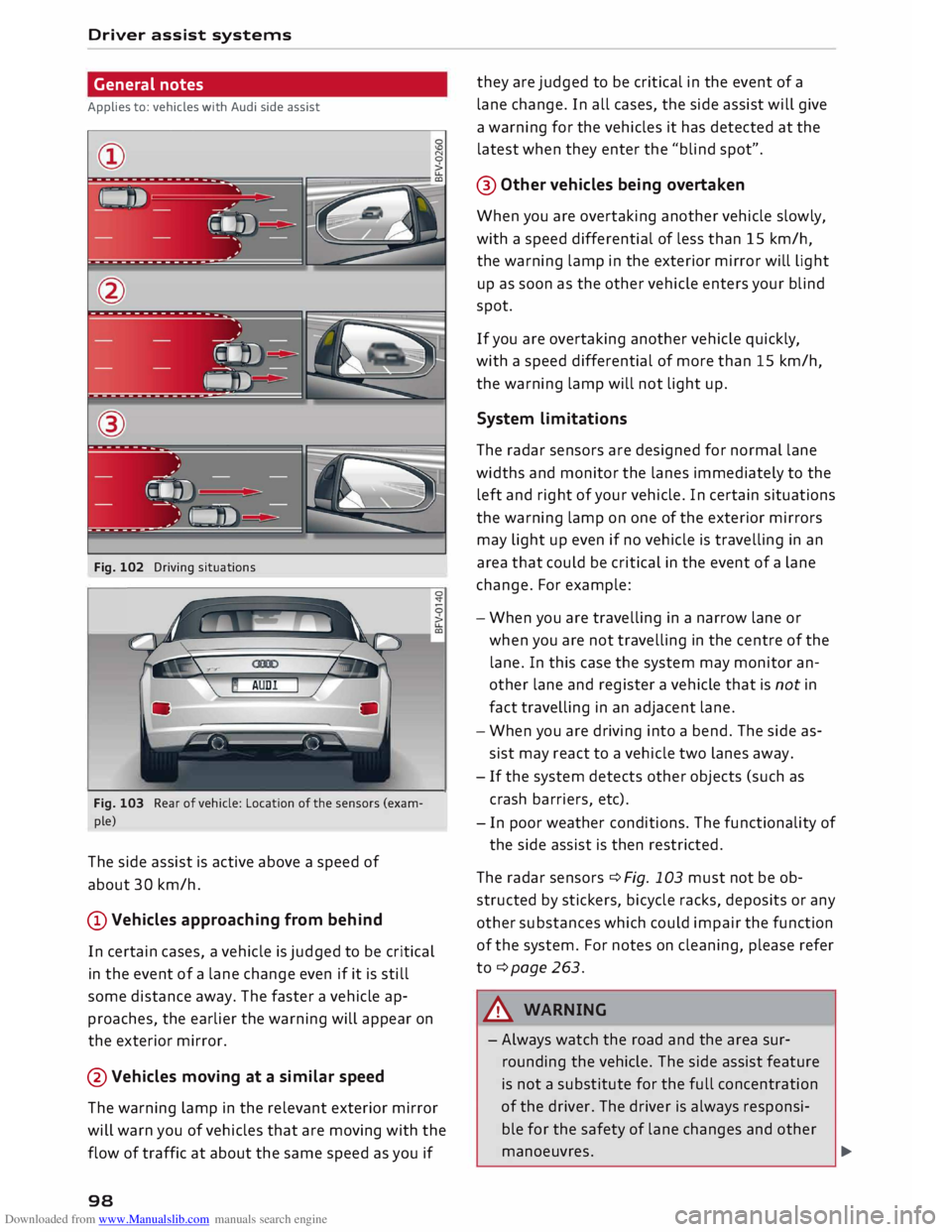
Fig. 102 Driving situations
--'(; --1 ) --
Fig. 103 Rear of vehicle: Location of the sensors (exam
ple)
The side assist is active above a speed of
about 30 km/h.
@Vehicles approaching from behind
In certain cases, a vehicle is judged to be critical
in the event of a lane change even if it is still
some distance away. The faster a vehicle ap
proaches, the earlier the warning will appear on
the exterior mirror.
@Vehicles moving at a similar speed
The warning lamp in the relevant exterior mirror
will warn you of vehicles that are moving with the
flow of traffic at about the same speed as you if
98 they
are judged to be critical in the event of a
lane change. In all cases, the side assist will give
a warning for the vehicles it has detected at the
latest when they enter the "blind spot".
@ Other vehicles being overtaken
When you are overtaking another vehicle slowly,
with a speed differential of less than 15 km/h,
the warning lamp in the exterior mirror will light
up as soon as the other vehicle enters your blind
spot.
If you are overtaking another vehicle quickly,
with a speed differential of more than 15 km/h,
the warning lamp will not light up.
System limitations
The radar sensors are designed for normal lane
widths and monitor the lanes immediately to the
left and right of your vehicle. In certain situations
the warning lamp on one of the exterior mirrors
may light up even if no vehicle is travelling in an
area that could be critical in the event of a lane
change. For example:
- When you are travelling in a narrow lane or
when you a re not travelling in the centre of the
lane. In this case the system may monitor an
other lane and register a vehicle that is not in
fact travelling in an adjacent lane.
- When you are driving into a bend. The side as
sist may react to a vehicle two lanes away.
- If the system detects other objects (such as
crash barriers, etc).
- In poor weather conditions. The functionality of
the side assist is then restricted.
The radar sensors ¢ Fig. 103 must not be ob
structed by stickers, bicycle racks, deposits or any
other substances which could impair the function
of the system. For notes on cleaning, please refer
to ¢page 263.
A WARNING
- Always watch the road and the area sur
rounding the vehicle. The side assist feature
is not a substitute for the full concentration
of the driver. The driver is always responsi
ble for the safety of lane changes and other
manoeuvres. �
Page 101 of 306
Downloaded from www.Manualslib.com manuals search engine 0
N
,.....
N
......
0
,.....
Vl
CX) -
In certain situations, the system may not
function properly, or the functionality of the
system may be restricted. For example:
- If other vehicles are approaching very
quickly, or if you are overtaking other
vehicles quickly. The warning lamp may
not light up in time.
- In poor weather conditions, such as heavy
rain, snow or road spray.
- If you are travelling in very wide lanes, in
tight bends or over crests. The system
may not detect vehicles in the adjacent
lane because they are outside the area
covered by the sensors.
CD CAUTION
Impacts or damage to the bumper, wheel
arches or underbody can cause misalignment
of the sensors. This can impair the functional
ity of the system. Have the systems checked
by a qualified workshop.
(D} Note
The warning lamps on the exterior mirrors
may not be properly visible if tinted foil is af
fixed to the side windows on the driver's or
passenger's side.
Switching on and off
Applies to: vehicles with Audi side assist
The system can be switched on and off on the in
fotainment system.
"' Select the following on the infotainment sys
tem: I MENU I button >Car> left control button
> Driver assist> Audi side assist.
The warning lamps in the exterior mirrors light
up briefly each time the ignition is switched on to
indicate that the system is activated. Driver
assist systems
Adjusting brightness of warning lamp
Applies to: vehicles with Audi side assist
The brightness of the warning lamp can be ad
justed on the infotainment system.
"' Select the following on the infotainment sys
tem: I MENU I button >Car> left control button
> Driver assist> Audi side assist.
The brightness of the warning lamp in both the
information and warning modes is regulated au
tomatically according to the ambient light level.
If you are in very dark or very light surroundings
when you adjust the brightness of the warning
lamp, the automatic brightness control may al
ready have reached the lowest or the brightest
setting. In such a case it is possible that you
won't notice a difference while you are adjusting
the brightness or that you will only notice it once
the light surroundings have changed.
Please adjust the brightness of the warning lamp
for the information mode so that it does not dis
tract you while you are looking at the road in
front. When you change the brightness, the
warning lamp on the exterior mirror will light up
briefly with the intensity set for the information
mode. The intensity of the lamp in the warning
mode is linked to the intensity in the information
mode and is adjusted automatically.
(CD) Note
- The side assist is not active while the set
tings are being adjusted.
- Your personal settings are stored automati
cally and assigned to the remote control key
which is being used.
Driver messages
Applies to: vehicles with Audi side assist
Should the side assist be deactivated automati
cally, a driver message will appear on the info
tainment display.
@j Audi
side assist: currently unavailable.
Sensor view restricted due to surroundi ngs.
See owner's manual
The radar sensors are blocked. The area in front
of the sensors must not be obstructed by bicycle
..,..
99
Page 292 of 306
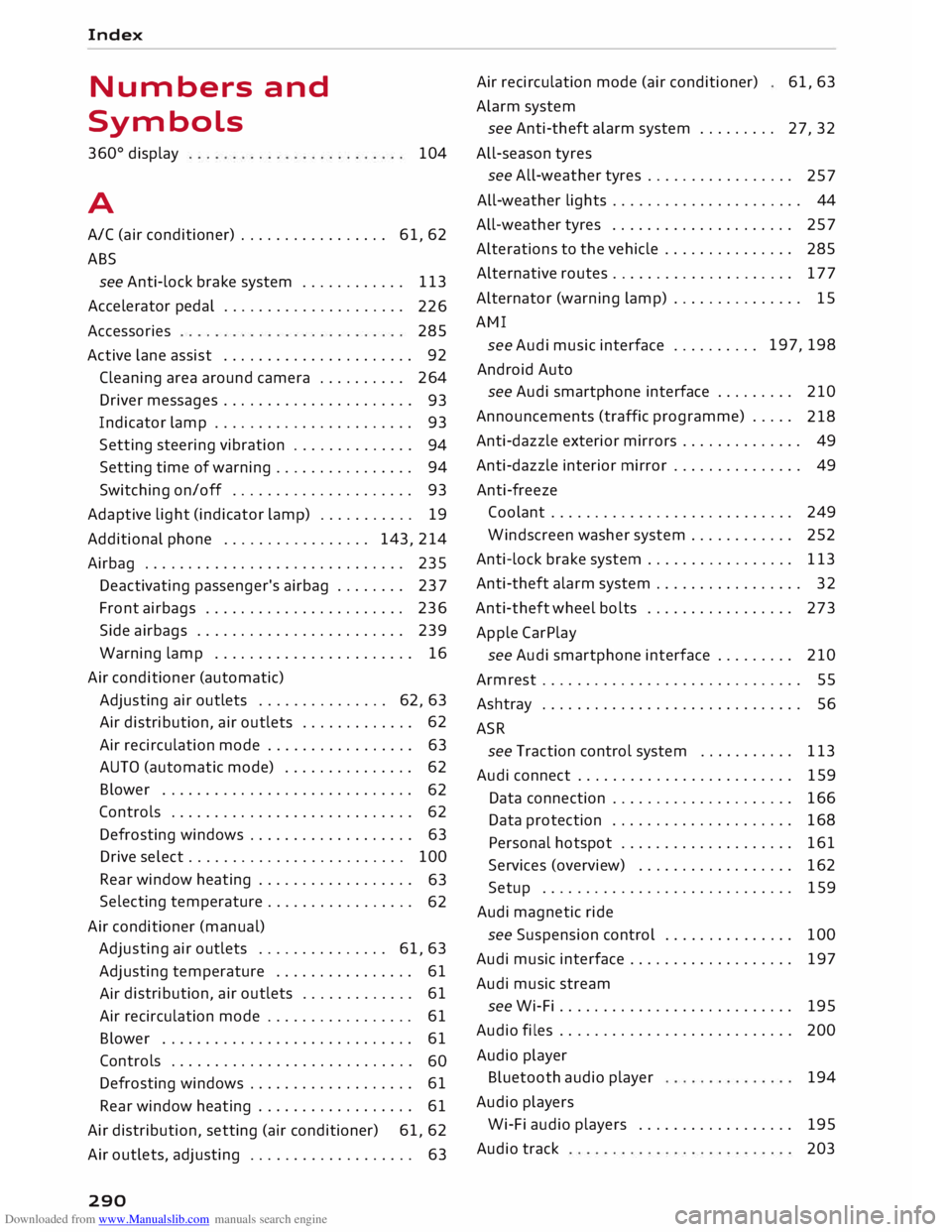
Downloaded from www.Manualslib.com manuals search engine Index
Numbers and
Symbols
360 °
display
A 104
A/C (air conditioner) . . . . . . . . . . . . . . . . . 61, 62
ABS see Anti-lock brake system . . . . . . . . . . . .
113
Accelerator pedal . . . . . . . . . . . . . . . . . . . . .
226
Accessories 285
Active lane assist . . . . . . . . . . . . . . . . . . . . . . 92
Cleaning area around camera . . . . . . . . . . 264
Driver messages . . . . . . . . . . . . . . . . . . . . . .
93
Indicator lamp . . . . . . . . . . . . . . . . . . . . . . .
93
Setting steering vibration . . . . . . . . . . . . . .
94
Setting time of warning . . . . . . . . . . . . . . . .
94
Switching on/off . . . . . . . . . . . . . . . . . . . . . 93
Adaptive light (indicator lamp) . . . . . . . . . . . 19
Additional phone ................. 143,214
Airbag . . . . . . . . . . . . . . . . . . . . . . . . . . . . . .
235
Deactivating passenger's airbag . . . . . . . .
237
Front airbags . . . . . . . . . . . . . . . . . . . . . . .
236
Side airbags . . . . . . . . . . . . . . . . . . . . . . . .
239
Warning lamp . . . . . . . . . . . . . . . . . . . . . . . 16
Air conditioner (automatic)
Adjusting air outlets . . . . . . . . . . . . . . . 62, 63
Air distribution, air outlets . . . . . . . . . . . . . 62
Air recirculation mode . . . . . . . . . . . . . . . . . 63
AUTO (automatic mode) . . . . . . . . . . . . . . . 62
Blower . . . . . . . . . . . . . . . . . . . . . . . . . . . . .
62
Controls . . . . . . . . . . . . . . . . . . . . . . . . . . . .
62
Defrosting windows . . . . . . . . . . . . . . . . . . .
63
Drive select . . . . . . . . . . . . . . . . . . . . . . . . . 100
Rear window heating . . . . . . . . . . . . . . . . . .
63
Selecting temperature . . . . . . . . . . . . . . . . .
62
Air conditioner (manual)
Adjusting air outlets . . . . . . . . . . . . . . . 61, 63
Adjusting temperature . . . . . . . . . . . . . . . . 61
Air distribution,
air outlets . . . . . . . . . . . . .
61
Air recirculation mode . . . . . . . . . . . . . . . . . 61
Blower . . . . . . . . . . . . . . . . . . . . . . . . . . . . .
61
Controls . . . . . . . . . . . . . . . . . . . . . . . . . . . .
60
Defrosting windows . . . . . . . . . . . . . . . . . . .
61
Rear window heating . . . . . . . . . . . . . . . . . . 61
Air distribution, setting (air conditioner) 61, 62
Air outlets, adjusting . . . . . . . . . . . . . . . . . . . 63
290 Air
recirculation mode (air conditioner)
Alarm system 61,63
see Anti-theft alarm system . . . . . . . . . 27, 32
All-season tyres
see All-weather tyres . . . . . . . . . . . . . . . . .
257
All-weather lights . . . . . . . . . . . . . . . . . . . . . . 44
All-weather tyres . . . . . . . . . . . . . . . . . . . . . 257
Alterations to the vehicle . . . . . . . . . . . . . . .
285
Alternative routes . . . . . . . . . . . . . . . . . . . . . 177
Alternator (warning lamp) . . . . . . . . . . . . . . . 15
AMI see Audi music interface .......... 197,
198
Android Auto
see Audi smartphone interface . . . . . . . . .
210
Announcements (traffic programme) . . . . .
218
Anti-dazzle exterior mirrors . . . . . . . . . . . . . . 49
Anti-dazzle interior mirror . . . . . . . . . . . . . . . 49
Anti-freeze Coolant . . . . . . . . . . . . . . . . . . . . . . . . . . . . 249
Windscreen washer system . . . . . . . . . . . .
252
Anti-lock brake system . . . . . . . . . . . . . . . . .
113
Anti-theft alarm system . . . . . . . . . . . . . . . . . 32
Anti-theft wheel bolts . . . . . . . . . . . . . . . . . 273
Apple CarPlay
see Audi smartphone interface . . . . . . . . . 210
Armrest . . . . . . . . . . . . . . . . . . . . . . . . . . . . . .
55
Ashtray . . . . . . . . . . . . . . . . . . . . . . . . . . . . . .
56
ASR see Traction control system .......... .
Audi connect ........................ .
Data connection .................... .
Data protection .................... . 113
159
166
168
Personal hotspot . . . . . . . . . . . . . . . . . . . . 161
Services (overview) . . . . . . . . . . . . . . . . . . 162
Setup . . . . . . . . . . . . . . . . . . . . . . . . . . . . . 159
Audi magnetic ride
see Suspension control . . . . . . . . . . . . . . .
100
Audi music interface . . . . . . . . . . . . . . . . . . .
197
Audi music stream
see Wi-Fi . . . . . . . . . . . . . . . . . . . . . . . . . . .
195
Audio files . . . . . . . . . . . . . . . . . . . . . . . . . . . 200
Audio player
Bluetooth audio player
194
Audio players
Wi-Fi audio players . . . . . . . . . . . . . . . . . .
195
Audio track 203
Page 298 of 306
Downloaded from www.Manualslib.com manuals search engine Index
Key fob with vehicle code . . . . . . . . . . . . . . 28
Locking and unlocking the vehicle . 29, 30, 32
No key identified . . . . . . . . . . . . . . . . . . . . .
71
Replacement keys . . . . . . . . . . . . . . . . . . . .
27
Replacing the battery . . . . . . . . . . . . . . . . .
29
Kick-down Automatic gearbox . . . . . . . . . . . . . . . . . . .
81
L
Lamp failure (indicator lamp) . . . . . . . . . . . . 18
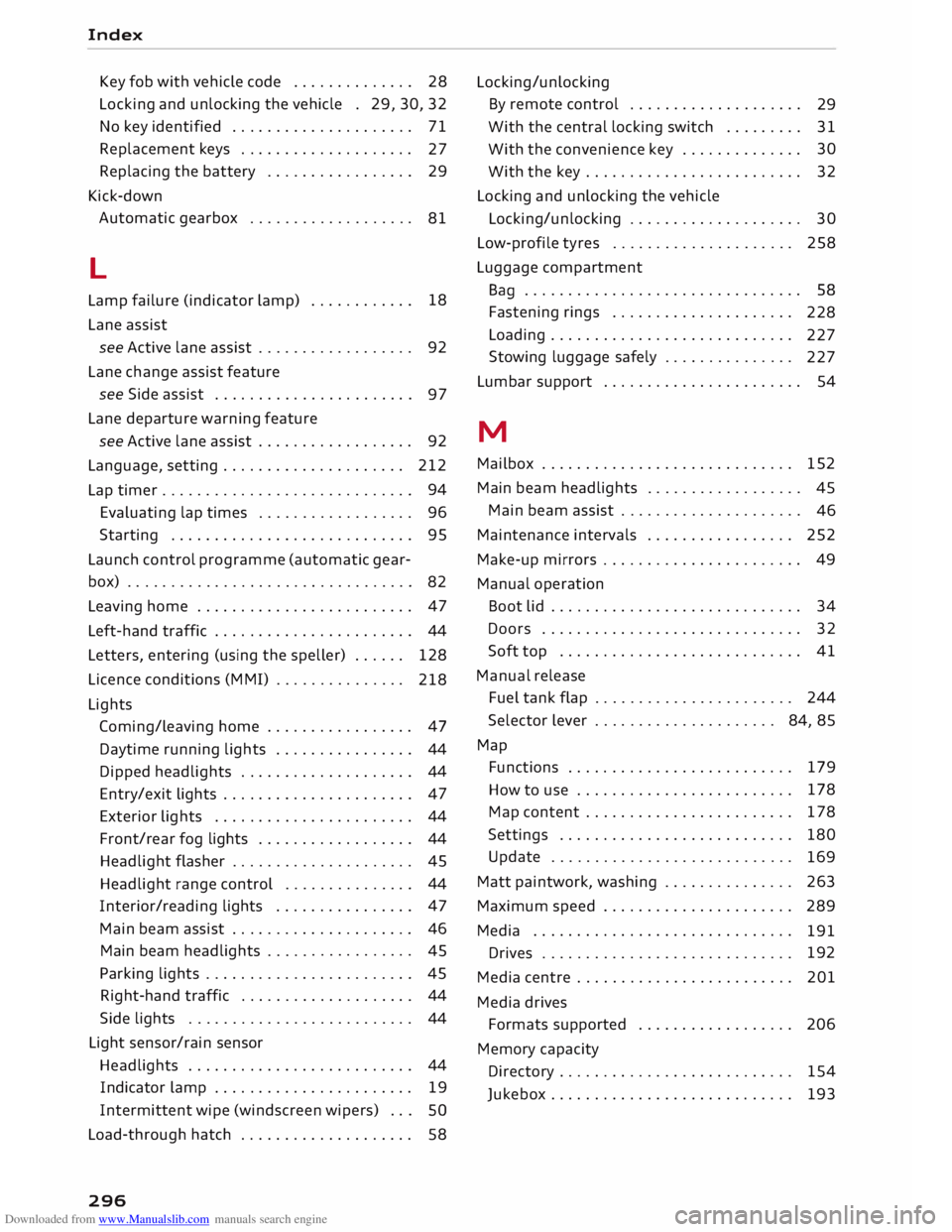
Lane assist
see Active lane assist . . . . . . . . . . . . . . . . . . 92
Lane change assist feature
see Side assist . . . . . . . . . . . . . . . . . . . . . . .
97
Lane departure warning feature
see Active lane assist . . . . . . . . . . . . . . . . . . 92
Language, setting..................... 212
Lap timer . . . . . . . . . . . . . . . . . . . . . . . . . . . . . 94
Evaluating lap times . . . . . . . . . . . . . . . . . .
96
Starting . . . . . . . . . . . . . . . . . . . . . . . . . . . . 95
Launch control programme (automatic gear-
box) . . . . . . . . . . . . . . . . . . . . . . . . . . . . . . . . .
82
Leaving home . . . . . . . . . . . . . . . . . . . . . . . . .
47
Left-hand traffic . . . . . . . . . . . . . . . . . . . . . . .
44
Letters, entering (using the speller) . . . . . .
128
Licence conditions (MMI) . . . . . . . . . . . . . . .
218
Lights Coming/leaving home . . . . . . . . . . . . . . . . . 47
Daytime running lights . . . . . . . . . . . . . . . . 44
Dipped headlights . . . . . . . . . . . . . . . . . . . . 44
Entry/exit lights . . . . . . . . . . . . . . . . . . . . . . 47
Exterior lights . . . . . . . . . . . . . . . . . . . . . . . 44
Front/rear fog lights . . . . . . . . . . . . . . . . . . 44
Headlight flasher . . . . . . . . . . . . . . . . . . . . . 45
Headlight range control . . . . . . . . . . . . . . . 44
Interior/reading lights . . . . . . . . . . . . . . . . 47
Main beam assist . . . . . . . . . . . . . . . . . . . . . 46
Main beam headlights . . . . . . . . . . . . . . . . . 45
Parking lights . . . . . . . . . . . . . . . . . . . . . . . . 45
Right-hand traffic . . . . . . . . . . . . . . . . . . . .
44
Side lights . . . . . . . . . . . . . . . . . . . . . . . . . . 44
Light sensor/rain sensor
Headlights . . . . . . . . . . . . . . . . . . . . . . . . . . 44
Indicator lamp . . . . . . . . . . . . . . . . . . . . . . .
19
Intermittent wipe (windscreen wipers) . . .
SO
Load-through hatch . . . . . . . . . . . . . . . . . . . . 58
296 Locking/unlocking
By remote control . . . . . . . . . . . . . . . . . . . .
29
With the central locking switch . . . . . . . . .
31
With the convenience key . . . . . . . . . . . . . . 30
With the key . . . . . . . . . . . . . . . . . . . . . . . . . 32
Locking and unlocking the vehicle
Locking/unlocking . . . . . . . . . . . . . . . . . . . . 30
Low-profile tyres . . . . . . . . . . . . . . . . . . . . . 258
Luggage compartment
Ba g
. . . . . . . . . . . . . . . . . . . . . . . . . . . . . . . . 58
Fastening rings . . . . . . . . . . . . . . . . . . . . .
228
Loading . . . . . . . . . . . . . . . . . . . . . . . . . . . .
227
Stowing luggage safely . . . . . . . . . . . . . . .
227
Lumbar support . . . . . . . . . . . . . . . . . . . . . . . 54
M
Mailbox . . . . . . . . . . . . . . . . . . . . . . . . . . . . .
152
Main beam headlights . . . . . . . . . . . . . . . . . .
45
Main beam assist . . . . . . . . . . . . . . . . . . . . .
46
Maintenance intervals . . . . . . . . . . . . . . . . . 252
Make-up mirrors . . . . . . . . . . . . . . . . . . . . . . . 49
Manual operation
Boot lid . . . . . . . . . . . . . . . . . . . . . . . . . . . . . 34
Doors . . . . . . . . . . . . . . . . . . . . . . . . . . . . . .
32
Soft top . . . . . . . . . . . . . . . . . . . . . . . . . . . .
41
Manual release
Fuel tank flap . . . . . . . . . . . . . . . . . . . . . . . 244
Selector lever . . . . . . . . . . . . . . . . . . . . . 84, 85
Map Functions . . . . . . . . . . . . . . . . . . . . . . . . . . 179
How to use . . . . . . . . . . . . . . . . . . . . . . . . . 178
Map content . . . . . . . . . . . . . . . . . . . . . . . .
178
Settings . . . . . . . . . . . . . . . . . . . . . . . . . . .
180
Update . . . . . . . . . . . . . . . . . . . . . . . . . . . .
169
Matt paintwork, washing . . . . . . . . . . . . . . .
263
Maximum speed . . . . . . . . . . . . . . . . . . . . . .
289
Media . . . . . . . . . . . . . . . . . . . . . . . . . . . . . .
191
Drives . . . . . . . . . . . . . . . . . . . . . . . . . . . . . 192
Media centre . . . . . . . . . . . . . . . . . . . . . . . . . 201
Media drives
Formats supported . . . . . . . . . . . . . . . . . . 206
Memory capacity
Directory . . . . . . . . . . . . . . . . . . . . . . . . . . . 154
Jukebox . . . . . . . . . . . . . . . . . . . . . . . . . . . .
193