service indicator AUDI TT ROADSTER 2018 User Guide
[x] Cancel search | Manufacturer: AUDI, Model Year: 2018, Model line: TT ROADSTER, Model: AUDI TT ROADSTER 2018Pages: 310, PDF Size: 46.95 MB
Page 235 of 310
Cl co .... N ,....
N .... 0 ,....
Vl co
Emissions control
systems
Catal ytic conve rt er
The vehicle may on ly be driven with unleaded
gasoline, otherwise the catalyt ic converter will be
destroyed.
Never drive until the tank is completely empty.
The irregular supply of f uel that results from that
can cause engine m isfires. Uncombusted fuel will
enter the exhaust system, wh ich can cause over
heat ing and damage to the catalyt ic converter .
A WARNING
The temperature of the exhaust system is
high, both when d riving and after stopping
the engine.
-
- Never touch the exhaust tail pipes once they
have become ho t. This could result in bu rns.
- Do not park your vehicle ove r flammable
materials such as g rass or leaves because
the high temperat ure of the em iss ions con
trol system co uld s tart a fire.
- Do not apply underbody p rotectant in the
exha ust system area, because this inc reases
the risk of fi re.
On Board Diagnostic
System (OBD)
The On -Board Diagnostic System monitors the
engine and transmission components that influ
ence emissions.
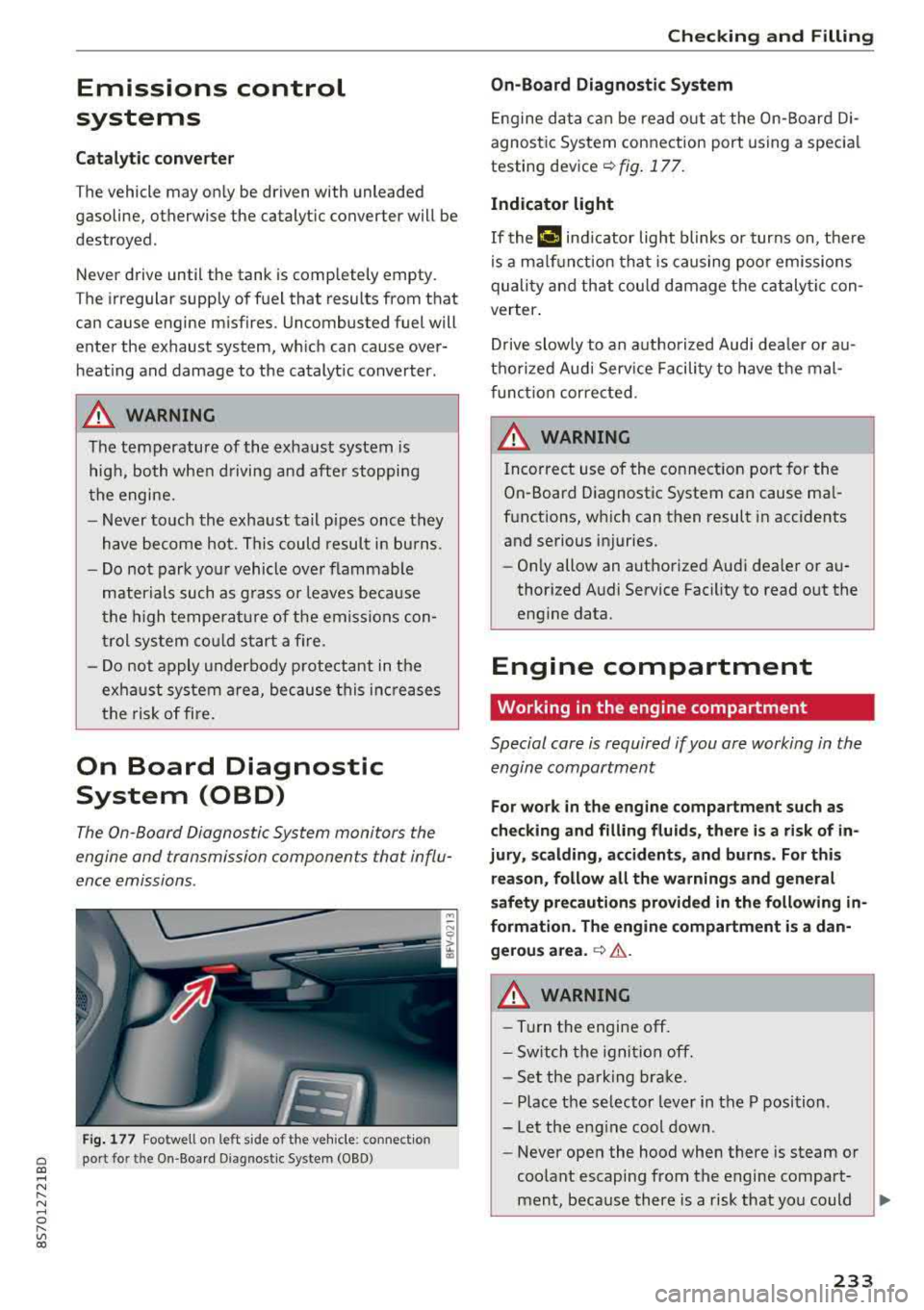
F ig . 177 Footwell on left side of the vehicle : connect ion
port for the On-Board Diagnostic System (OBD)
Chec king and Filling
On -Board Diagnostic System
Engine da ta can be read out at the On-Board Di
agnost ic System connection port using a spec ia l
testing
dev ice~ fig. 177 .
Indicator light
If thP ¢'4 ind icator light blinks or turns on, there
is a ma lf u nction that is caus ing poo r emissions
quality and that cou ld damage the catalytic con
verter .
Drive slowly to an a uthorized Aud i dea ler or au
t h orized Audi Serv ice Facili ty to have t he mal
f unct ion corrected.
A WARNING ..
Incorrect use of the connection port for the
On-Board D iagnostic System can cause ma l
f u nctions, which can then result in accidents
and serious injuries.
- Only allow an authorized Audi dea ler or au
thor ized Audi Service Fac ility to read out the
engine data.
Engine compartment
Working in the engine compartment
Special care is required if you are working in the
engine compartment
-
F o r work in the engine compa rtment such as
checking and fill ing fl uids , there i s a risk of in
jury , scalding, accident s, and b urn s. For thi s
re ason , follow all the warnings and general
safety pre cautions prov ided in the following
in
formati on. The engine compartm ent i s a dan
gerou s area .
~ .&..
A WARNING
-----Turn the engine off.
- Sw itch the igni tio n off.
- Set the parking brake.
- P lace the se lector lever in the P position.
-Let the eng ine cool down.
-Never open the hood when there is steam or
coolant escaping from the engine compart
ment, because there is a risk that you could
233
Page 245 of 310
Cl 00 .-< N r-N .-< 0 r-Vl 00
authorized Audi Service Facility for more in
formation.
- Do not connect or disconnect the charging
cable while charging because this increases
the risk of an exp losion.
(D Tips
- Only charge the vehicle battery through the
connections in the engine compartment.
- Read all of the manufacturer's instructions
for the charger before charging the vehicle
battery.
Windshield washer system
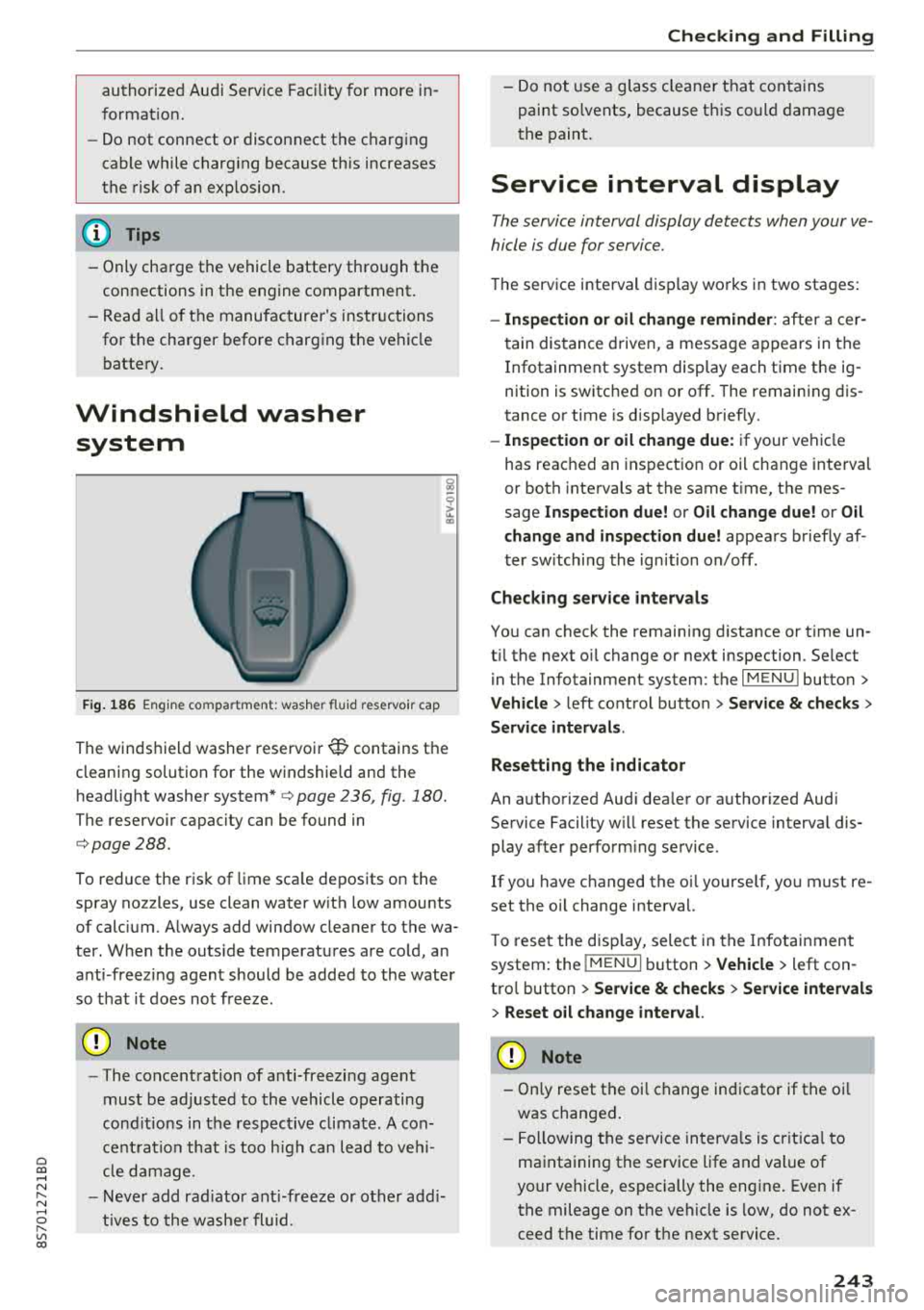
Fig. 186 Engine compa rtment: washer flu id reservo ir cap
The windshield washer reservoir W contains the
cleaning solution for the windshie ld and the
headlight washer
system* ¢ page 236, fig . 180.
The reservoir capacity can be found in
¢page 288.
To reduce the risk of lime sca le deposits on the
spray nozzles, use clean water with low amounts
of calc ium. A lways add window cleaner to the wa
ter. When the outs ide temperatures are cold, an
anti -freezing agent should be added to the water
so that it does not freeze.
@ Note
-The concentration of anti-freezing agent
must be adjusted to the vehicle operating
cond itions in the respective climate. A con
ce ntrat ion that is too high can lead to vehi
cl e damage.
- Never add radiator anti-freeze or other addi
tives to the washer fluid.
Checking and Filling
- Do not use a glass cleaner that contains
paint so lvents, because t his could damage
the paint.
Service interval display
The service interval display detects when your ve
hicle is due for service .
The service interval display works in two stages:
-Inspection or oil change reminder : after a cer-
tain distance driven, a message appears in the
In fotainment system display each time the ig
nition is switched on or off. The remaining dis
tance or time is disp layed briefly.
- Inspection or oil change due: if your vehicle
has reached an inspection or oil change interval
or both intervals at the same t ime, the mes
sage
Inspection due! or Oil change due! or Oil
change and inspection due!
appears briefly af
ter switching the ignition on/off .
Checking service intervals
You can check the remaining distance or time un
t il the next oil change or next inspection. Se lect
in the Infotainment system: the
I MENU I button>
Vehicle > left control button > Service & checks >
Service intervals .
Resetting the indicator
An authorized Audi dea ler or authorized Audi
Service Facility w ill reset the service interval dis
play after performing service.
If you have ch anged the oi l yourse lf, you must re
set the oil change interval.
T o reset the disp lay, select in the Infotainment
system: the
I MENUI button> Vehicle> left con
trol button >
Service & checks > Service intervals
> Reset oil change interval.
@ Note
-Only reset the oil change indicator if the oi l
was changed.
- Following the service intervals is crit ica l to
maintaining the service life and value of
your vehicle, especially the engi ne. Even if
the mileage on the vehicle is low, do not ex
ceed the time for the next service.
243
Page 255 of 310
0 a, .... N
Tire wear/damage
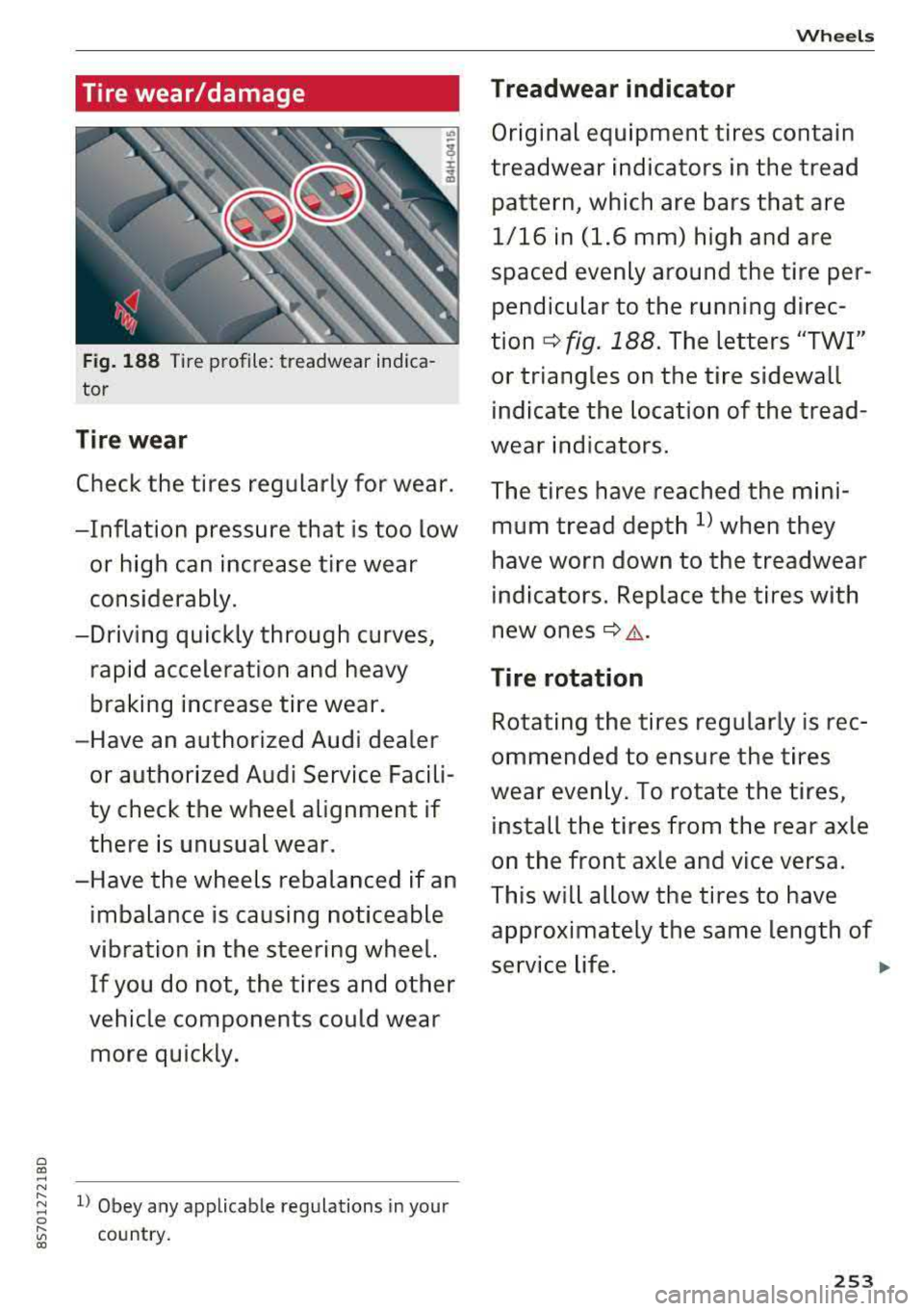
Fig. 188 Tire profile: treadwear indica
tor
Tire wear
Check the tires regular ly for wear.
-Inflation pressure that is too low
or high can increase tire wear
considerably.
-Driving quickly through curves, rapid acceleration and heavy
braking increase tire wear.
-Have an authorized Audi dea ler
or authorized Audi Service Facili
ty check the wheel alignment if
there is unusual wear.
-Have the wheels rebalanced if an imbalance is causing noticeable
vibration in the steering wheel.
If you do not, the tire s and other
vehicle components could wear more quickly.
~ l) Obey any applicable regulations in your 0
[;:; country. 00
Wheels
Treadwear indicator
Original equipment tires contain
treadwear indicators in the tread
pattern, which are bars that are 1/16 in (1.6 mm) high and are
spaced evenly around the tire per pendicular to the running direc
tion
c:> fig. 188. The letters "TWI"
or triangles on the tire sidewall indicate the location of the tread
wear indicators.
The tires have reached the mini
mum tread depth
l) when they
have worn down to the treadwear
indicators. Replace the tires with
new ones
c:> ..1,,. .
Tire rotation
Rotating the tires regularly is rec
ommended to ensure the tires
wear evenly. To rotate the tires, install the tires from the rear axle
on the front axle and vice versa.
This w ill allow the tires to have
approximately the same length of
service life.
..,.
253
Page 264 of 310
Wheels
store the pressure again in the Infotainment sys
tem
i::> page 262 .
mm (Tir e Pr essure Monitoring System) Tire
pressure: malfunction! See owner's manual -
if
mm appears after switching on the ignition or
while driving and then the
[DJ indicator light in
the instrument cluster also starts to blink for
about one minute and then stays on permanen t
ly, there is a system malfunction. Try to store the
correct tire pressures
<=:> page 262 . If the indica
tor light does turn off or turns on again after a
short period of time, drive to an authorized Audi
dealer or authorized Aud i Serv ice Facility immedi
ately to have the malfunction corrected .
_& WARNING
-If the tire pressure indicator appears in the
display, reduce your speed immediately and
avoid any hard steering or braking maneu
vers. Stop as soon as possible and check the
tires and their pressure.
- The driver is responsible for maintaining the
correct tire pressures. You must check the
tire pressures regularly.
-Under certain conditions (such as a sporty
driving style, winter conditions or unpaved
roads), the pressure monitor indicator may
be delayed .
- Do not use run-flat tires on your vehicle. Us
ing them when not permitted can lead to
vehicle damage or accidents .
(D Tips
- The tire pressure monitoring system can al
so stop working when there is an ESC mal
function.
- Using snow chains may result in a system
malfunction.
- The tires with the identification
"AO"
¢page 251 have been matched with your
Audi tire pressure monitoring system . Using
these tires is recommended.
262
Storing tire pressures
Applies to: vehicles with Tire P ressure Monitoring System in
dicator
If the t ire pr essure chang es or a tire is replaced ,
it must be confirmed in the Infotainment sys
tem.
.,. Make sure before storing that the tire pressures
of all four tires meet the specified values and
a re adapted to the load
<=:>page 253.
.,. Switch the ignition on.
.,. Select in the Infotainment system : the!M ENUI
button > Vehicle > left control button > Service
& checks> Tire pressure monitoring .
(D Tips
Do not store the tire pressures if snow chains
are installed .
Tire pressure monitoring
system
ill General notes
Each tire, including the spare (if provided),
should be checked monthly when cold and inflat
ed to the inflation pressure recommended by the
vehicle manufacturer on the vehicle placard or
tire inflation pressure label. (If your vehicle has
tires of a different size than the size indicated on
the vehicle placard or tir e inflation pr essure la
bel, you should determine the proper tire infla
tion pressure for those tires).
As an added safety feature, your vehicle has been
equipped with a tire pressure monitoring system
( T PMS) that illuminates a low tire pressure tell
tale when one or more of you r tires is significant
ly under-inflated. Accordingly, when the low tire
pressure telltale illuminates, you should stop and
check your tires as soon as possible, and inflate
them to the proper pressure . Driving on a signifi
cant ly under-inflated t ire causes the tire to over
heat and can lead to tire failur e. Under-inflation
also reduces fuel efficiency and tire tread life,
and may affect the vehicle's handling and stop-
ping ability.
..,.
Page 265 of 310
Cl 00 .-< N r-N .-< 0 r-Vl 00
Please note that the TPMS is not a substitute for
proper tire maintenance, and it is the driver's re
sponsibility to maintain correct tire pressure,
even if under-inflation has not reached the level
to trigger illumination of the TPMS low tire pres
sure telltale .
Your vehicle has also been equipped with a TPMS malfunction indicator to indicate when the sys
tem is not operating properly. The TPMS mal
function indicator is combined with the low tire pressure telltale. When the system detects a
malfunction, the telltale will flash for approxi
mately one minute and then remain continuously
illuminated. This sequence will continue upon
subsequent vehicle start-ups as long as the mal
function exists.
When the malfunction indicator is illuminated,
the system may not be able to detect or signal
low tire pressure as intended. TPMS malfunctions
may occur for a variety of reasons, including the
installation of replacement or alternate tires or
wheels on the vehicle that prevent the TPMS
from functioning properly . Always check the
TPMS malfunction telltale after replacing one or
more tires or wheels on your vehicle to ensure
that the replacement or alternate tires and
wheels allow the TPMS to continue to function
properly.
Description
Applies to: vehicles with tire pressure monitor ing system
The tire pressure monitoring system monitors
the pressure in the four tires when driving.
T he system uses sensors that measure the tem
perature and pressure in the tires . The data is
sent from these sensors to the control module by radio frequency.
T he tire pressure monitoring system shows the
current pressures and temperatures of the tires
in the Infotainment system while driving
¢ page 264. It also compares the current tire
pressures with the stored tire pressures and
gives a warning if the tire pressure is different
from what is stored
¢ page 264 .
Wheels
The system does not detect if the stored tire
pressures match the recommended tire pres
sures. You must store the tire pressures again
¢ page 264:
- every time the tire pressures change, for exam
ple when the load in the vehicle changes,
- after replacing a tire, or
- if wheels with new wheel sensors are used.
_& WARNING
- The tire pressure monitoring system assists
the driver in monitoring tire pressures. The
driver is responsible for having the tires in
flated to the correct pressure.
- Do not change the tire pressure when the
temperature of the tire is extremely high.
This could result in serious damage to the
tire and even cause the tire to burst, in
creasing the risk of an accident.
- A tire with low pressure flexes more. This heats the tire up too much. This could cause
the tread to separate and even cause the
tire to burst, increasing the risk of an acci
dent.
- The tire pressure monitoring system does not warn about damage or defects in the
tire construction that could cause the tire to
burst, for example. Inspect your tires regu
larly.
(D Tips
- If tires are replaced, the sensors/valves do
not need to be removed or replaced . Just re
placed the valve stem and, if necessary, the
valve and the wheel electronics. If you have questions, see an authorized Audi dealer or
authorized Audi Service Facility.
- An incorrect display or a malfunction in the
tire pressure monitoring system can occur
after using the tire mobility kit. Have the
sensors replaced by an authorized Audi
dealer or authori zed Audi Service Facility.
- For an explanation on conformity with the
FCC regulations in the United States and the
Industry Canada regulations, see
¢ page 293.
263
Page 266 of 310
Wheels
Displaying tire pressures/temperatures
Applies to: vehicles with tire pressure monitoring system
Requirement: you must be d rivi ng the veh icle .
"'Se lect in the Infotainment system: IMENU I but
ton
> Service & checks > Tire pre ssur e monitor
ing > Di splay tire pressure.
- Green:
the current tire pressure and the speci
fied t ire pressure are approximately the same .
-Yellow: the current tire pressure is too low
compared to the specified tire pressure .
The specified tire press ure is the last tire pres
sure that was stored
c> page 264.
Note that t he tire p ressure also de pends on the
temperature of the tire . The tire press ure in
creases as the engine becomes wa rmer whi le
driving.
A WARNING
Read and follow the important information
and notes
c> page 263.
(D Tips
The tire pressure or temperature is not d is
played while the veh icle is stationary and in
adaptation mode. Dashes --.--are shown in
place of the pressu re and temperature.
(D Tire pressure loss
Applies to: vehicles with tire pressure monitoring system
-
If the Rt] indicato r light turns on, the p ressure in
at least one t ire is too low o r new sensors we re
not adapted :
[I] indicator lights turns on after turning the
ignition on
The tire pressure is too low compared to the
specified p ressure.
"' Check and store the t ire pressure(s) the next
time it is poss ible
c> page 264 .
[I] indicator light turns on while dri ving
Wheels with new sensors were not adapted or
the t ire pressure has reached a critical leve l com
pared to the specified pressure .
264
"'Avoid unnecessary steering and brak ing maneu -
vers .
"'Adapt your dr iving sty le to the s ituation.
"' Stop as soon as possible and check the tire(s).
"'If it is possib le to continue driv ing, see an au-
thorized Audi dealer or authorized Aud i Service
Facility immediately and have your tire(s) re
pa ired o r rep laced .
A WARNING
Read and fo llow the impo rtant info rmation
and n otes
c>page 263.
Storing new tire pressures
Applies to: vehicles with tire pressure monitoring system
Correctly stored tire pressure specifications are
necessary for reliable tire pressure monitoring.
-
It is always necessary to store the t ire pressures
whe n the t ire pressu res a re modified, fo r exam
ple d ue to a change in load . o r when new senso rs
a re installed.
"' Before storing the t ire pressures, make su re the
tire pressures of all four t ires meet the spec i
fied va lues and are adapted to t he load
c::> page 254, fig. 190 . Only correct and store
the pressure in tires whose temperature is ap
proximate ly the same as the ambient tempera
t u re . If the temperature of the tire is higher
than the ambient air temperature, the tire pressure must be increased approximately
3.0 PSI (0.2 bar) above the value on the st icker.
"' Switch the ignit ion on .
"'Select in the Infotainment system : IMENU! but
ton
> Service & checks > Tire pressure monitor
ing > Store tire pre ssure > Ye s, store now .
Af
ter storing the t ire pressures, the t ire press ure
mon itor ing system measures the c urrent pres
sures while driving and stores them as the new
specified pressures .
"'If the changed tire pressures are not displayed
in the Infotainment system, drive the vehicle
for approximately 10 minutes so that the sen sor signa l from the wheels is received again .
During this adaptation phase, -- .- - is d isplayed
for the pressure and temperature and the tire pressure monitoring system is on ly partially
Page 296 of 310
Index
A
A/C (climate control system) . . . . . . . . . . . . . 52
Accessories . . . . . . . . . . . . . . . . . . . . . . . . . . 292
Active lane assist . . . . . . . . . . . . . . . . . . . . . . 72
Activating vibration warning . . . . . . . . . . . . 75
Adjusting steering time . . . . . . . . . . . . . . . . 75
Cleaning the camera area . . . . . . . . . . . . . 267
Indicator l ight . . . . . . . . . . . . . . . . . . . . . . . 73
Messages . . . . . . . . . . . . . . . . . . . . . . . . . . . 74
Switching on/off . . . . . . . . . . . . . . . . . . . . . 73
Adaptive light . . . . . . . . . . . . . . . . . . . . . . . . . 78
Adaptive light (indicator light) . . . . . . . . . . . 16
Adjusting the air d istr ibut ion (climate control
system) . . . . . . . . . . . . . . . . . . . . . . . . . . . . . . 52
Adjusting the air vents . . . . . . . . . . . . . . . . . . 53
Adjusting the center console lighting . . . . . . 41
Adjusting the sound . . . . . . . . . . . . . . . . . . . 177
Adjusting the temperature (climate contro l
system) . . . . . . . . . . . . . . . . . . . . . . . . . . . . . . 52
Advanced Airbag System Children
....... .. .............. ....
Components ...... .............. ... .
Front airbags ..... .............. ... .
How the components work together ... .
Ai rba g .. .. .. .. .. ............. .. .. .. .
I ndicator light .... .............. .... .
Airbag system .. .. .. .............. ... .
Advanced Airbag System ....... .. .. .. .
Care
. . .. .. .. .. ............. .. .. .. .
Ch ild rest raints .............. .... .. .
Components (front airbags) .......... .
Danger of fitting a child safety seat on the
front passenger seat ................ .
Disposal ... .. .. ............. .... .. .
Front airbags ... ............. .... .. .
H ow do the front airbags work? . .. .. .. .
H ow many airbags does my vehicle have?
Important information .............. .
I mportant safety instructions on the knee
airbag system . .. ............. .. .. .. .
Knee airbags .. .. ............. .... .. .
Monitoring ....... .............. ... .
PASSENGER AIR BAG light ........... .
Repairs
Safety instructions ................ .. .
Side airbags .. .. ............. .... .. .
294
218
201
199
202
194 14
213 198
208
218
201
195
208 198
203 201
194
211
210
205
206 208
207
212 Warning/Indicator
lights . . . . . . . . . . . . . 205
When must the system be inspected? . . . 205
Ala rm system
refer to Anti-theft ala rm system . . . . . . 22, 27
Alignment pin (tire change) . . . . . . . . . . . . . 272
All-weather lights . . . . . . . . . . . . . . . . . . . . . . 38
All season tires . . . . . . . . . . . . . . . . . . . . . . . 259
All wheel drive . . . . . . . . . . . . . . . . . . . . . . . . 89
Alte rnative routes . . . . . . . . . . . . . . . . . . . . . 141
Ambient lighting . . . . . . . . . . . . . . . . . . . . . . 40
AMI
refer to Audi music interface . . . . . . . 160, 161
Android Auto
refer to Audi smartphone interface . . . . . 171
Announcements (sett ings)
refer to Voice guidance . . . . . . . . . . . . . . . 141
Anti-freeze Windshield washer system . . . . . . . . . . . . 243
Anti- lock braking system (ABS) . . . . . . . . . . . 86
Ant i-slip regulat ion . . . . . . . . . . . . . . . . . . . . 86
Anti-theft alarm system . . . . . . . . . . . . . . . . . 27
Apple CarPlay
refer to Audi smartphone interface . . . . . 171
Armrest . . . . . . . . . . . . . . . . . . . . . . . . . . . . . . 47
Ashtray . . . . . . . . . . . . . . . . . . . . . . . . . . . . . . 47
Aspect ratio (video) . . . . . . . . . . . . . . . . . . . 165
Audi connect . . . . . . . . . . . . . . . . . . . . . . . . . 124
Data connection . . . . . . . . . . . . . . . . . . . . . 130
Data protection . . . . . . . . . . . . . . . . . . . . . 132
Services (overview) . . . . . . . . . . . . . . . . . . 126
Setup . . . . . . . . . . . . . . . . . . . . . . . . . . . . . 124
Audi magnetic ride
refer to Suspension control . . . . . . . . . . . . . 78
Audi music interface . . . . . . . . . . . . . . . . . . . 160
Audi music stream
refer to Wi-Fi . . . . . . . . . . . . . . . . . . . . . . . 158
Audio files . . . . . . . . . . . . . . . . . . . . . . . . . . . 162
Audio player
B luetooth audio player . . . . . . . . . . . . . . . 157
Wi-Fi audio player . . . . . . . . . . . . . . . . . . . 158
Audio track . . . . . . . . . . . . . . . . . . . . . . . . . . 165
Audi Service Repair Manuals and Literature 290
Audi smartphone interface ......... 171,175
Audi virtual cockpit (instrument cluster) . . . . 8
Page 299 of 310
Convertible locking retractor
Activating . . . . . . . . . . . . . . . . . . . . . . . . . . 226
Deactivating . . . . . . . . . . . . . . . . . . . . . . . . 227
Using to secure a child safety seat . . . . . . 226
Cooling mode (climate control system) . . . . 52
Cooling system Adding coolant . . . . . . . . . . . . . . . . . . . . . . 240
Coolant . . . . . . . . . . . . . . . . . . . . . . . . . . . . 239
Coolant level checking . . . . . . . . . . . . . . . . 240
Coolant temperature indicator . . . . . . . . . . . 8
I ndicator light . . . . . . . . . . . . . . . . . . . . . . . 12
Crank (power top emergency operation) . . . . 36
Crash data recorder ( EDR) . . . . . . . . . . . . . . . 91
Crosshairs . . . . . . . . . . . . . . . . . . . . . . . . . . . 136
Cruise control system Changing speed . . . . . . . . . . . . . . . . . . . . . . 72
Preselecting speed . . . . . . . . . . . . . . . . . . . . 72
Switching off . . . . . . . . . . . . . . . . . . . . . . . . 72
Switching on.. ............. .. .. .. .. .. 71
Cup holders . . . . . . . . . . . . . . . . . . . . . . . . . . . 48
Current fuel consumption . . . . . . . . . . . . . . . 21
D
Data connection . . . . . . . . . . . . . . . . . . . . . . 130
Data protection . . . . . . . . . . . . . . . . . . . . . . . 132
Data recorder . . . . . . . . . . . . . . . . . . . . . . . . . 91
Date .. .. .. .. .. ............. .. .. .. .. . 173
Date display . . . . . . . . . . . . . . . . . . . . . . . . . 173
Daytime running light . . . . . . . . . . . . . . . . . . 38
Declaration of compliance . . . . . . . . . . . . . . 293
Defrosting (windows) . . . . . . . . . . . . . . . . . . . 53
DEF (instrument cluster) . . . . . . . . . . . . . . . . 21
Deluxe automatic climate control
refer to Climate control system (automatic) .S2
Determining correct load limit . . . . . . . . . . 257
Digital compass . . . . . . . . . . . . . . . . . . . . . . . 44
Digital Rights Management . . . . . . . . . . . . . 154
Dimensions . . . . . . . . . . . . . . . . . . . . . . . . . . 288
Dimming the rearview mirror . . . . . . . . . . . . 42
Directory
refer to Contacts . . . . . . . . . . . . . . . . . . . . 119
Display
c refer to Audi virtua l cockpit (instrument 00
;::: cluster) . . . . . . . . . . . . . . . . . . . . . . . . . . 18, 20 r--
~ Distance driven . . . . . . . . . . . . . . . . . . . . . . . . 21 0 r--Vl 00
Index
Driver information system . . . . . . . . . . . . 18 , 20
Indicator lights . . . . . . . . . . . . . . . . . . . . . . . 9
Messages . . . . . . . . . . . . . . . . . . . . . . . . . . . . 9
On -board computer . . . . . . . . . . . . . . . . . . . 21
Outside temperature display. . . . . . . . . . . . 17
Service interval display . . . . . . . . . . . . . . . 243
Drives
refer to Media . . . . . . . . . . . . . . . . . . 154, 162
Drive select . . . . . . . . . . . . . . . . . . . . . . . . . . . 78
Driving economically . . . . . . . . . . . . . . . . . . . 56
Driving safely . . . . . . . . . . . . . . . . . . . . . . . . 179
Driving through water . . . . . . . . . . . . . . . . . . 56
Driving time . . . . . . . . . . . . . . . . . . . . . . . . . . 21
Dust filter
refer to Pollutant filter
DVD drive (media drives)
Dynamic volume 51
155
refer to System volume . . . . . . . . . . . . . . . 177
E
E-mail
117
Economical route . . . . . . . . . . . . . . . . . . . . . 141
Electromechanical parking brake . . . . . . . . . 61
Electromechanical steering . . . . . . . . . . . . . . 89
Indicator light . . . . . . . . . . . . . . . . . . . . . . . 89
Electronic differentia l lock . . . . . . . . . . . . . . . 86
Electronic immobili zer . . . . . . . . . . . . . . . . . . 22
Electronic stabilization control (ESC) . . . . . . 86
Indicator light . . . . . . . . . . . . . . . . . . . . . . . 13
Sport mode . . . . . . . . . . . . . . . . . . . . . . . . . 87
Emergency assistance . . . . . . . . . . . . . . . . . 272
Emergency braking function . . . . . . . . . . . . . 61
Emergency flashers . . . . . . . . . . . . . . . . . . . . 40
Emergency fueling . . . . . . . . . . . . . . . . . . . . 232
Emergency operation Fuel filler door . . . . . . . . . . . . . . . . . . . . . . 232
Luggage compartment lid . . . . . . . . . . . . . . 28
Power top . . . . . . . . . . . . . . . . . . . . . . . . . . . 36
Emergency release
Se lector lever . . . . . . . . . . . . . . . . . . . . . . . . 69
Emergency starting . . . . . . . . . . . . . . . . . . . 283
Emissions control system Catalytic converter . . . . . . . . . . . . . . . . . . . 233
Energy managem ent . . . . . . . . . . . . . . . . . . . 91
297
Page 303 of 310
Cl 00 ... N r-N ... 0 r-Vl 00
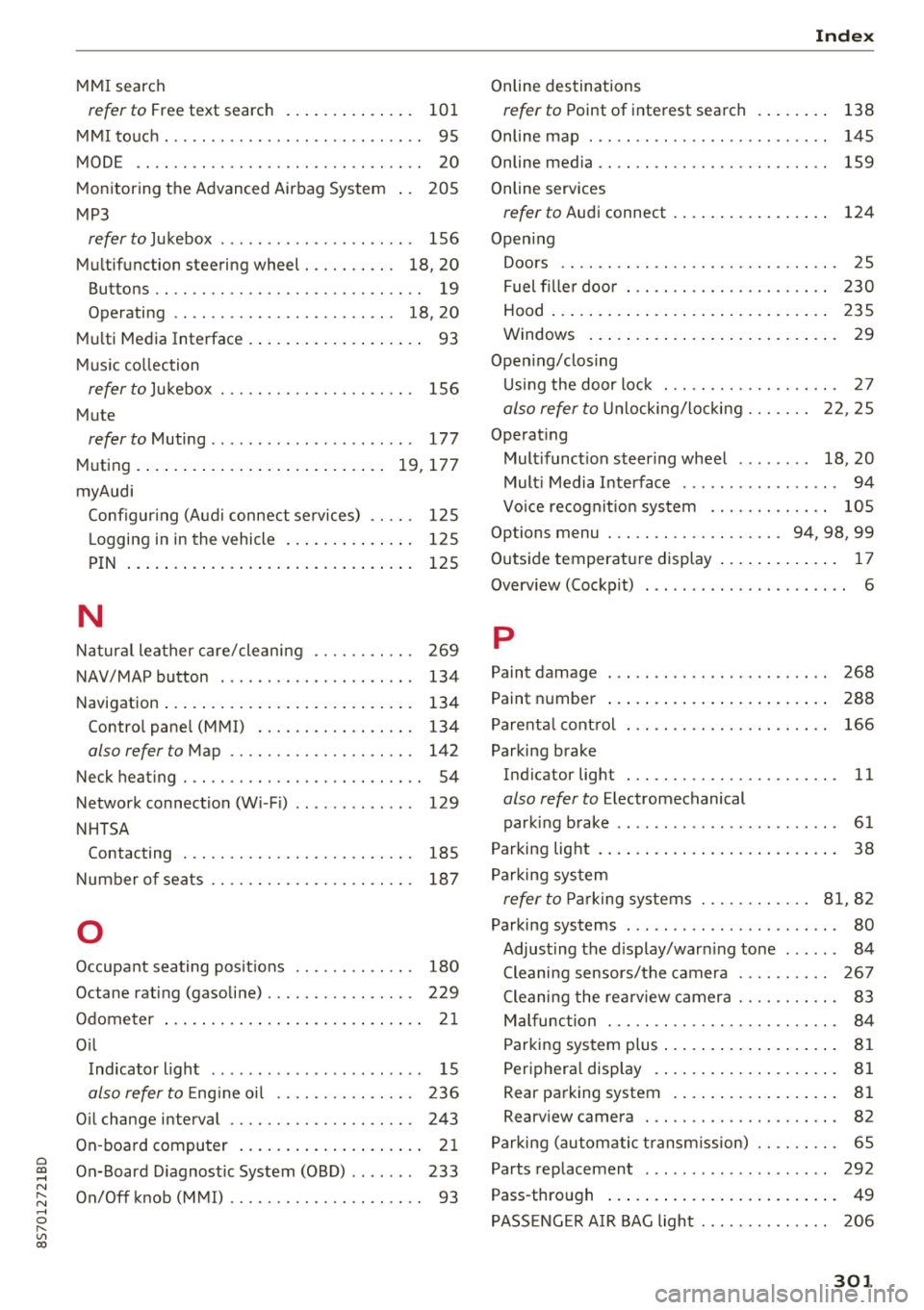
MMI search
refer to Free text search . . . . . . . . . . . . . . 101
MMI touch . . . . . . . . . . . . . . . . . . . . . . . . . . . . 95
MODE .. .. .. .. ............... .. .. .. .. 20
Monitoring the Advanced Airbag System 205
MP3
refer to Jukebox . . . . . . . . . . . . . . . . . . . . . 156
Multifunction steering wheel . . . . . . . . . . 18, 20
Buttons . . . . . . . . . . . . . . . . . . . . . . . . . . . . . 19
Operating . . . . . . . . . . . . . . . . . . . . . . . . 18, 20
Multi Media Interface . . . . . . . . . . . . . . . . . . . 93
Music collection
refer to Jukebox . . . . . . . . . . . . . . . . . . . . . 156
Mute
refer to Muting . . . . . . . . . . . . . . . . . . . . . . 177
Muting .. .... .. ................ ... 19, 177
myAudi Configur ing (Audi connect services) . . . . . 125
L ogging in in the vehicle . . . . . . . . . . . . . . 125
PIN . . . . . . . . . . . . . . . . . . . . . . . . . . . . . . . 125
N
Natural leather care/cleaning . . . . . . . . . . . 269
NAV/MAP button . . . . . . . . . . . . . . . . . . . . . 134
Navigation . . . . . . . . . . . . . . . . . . . . . . . . . . . 134
Control pane l (MMI) . . . . . . . . . . . . . . . . . 134
also refer to Map . . . . . . . . . . . . . . . . . . . . 142
Neck heating . . . . . . . . . . . . . . . . . . . . . . . . . . 54
Network connection (Wi -Fi) . . . . . . . . . . . . . 129
NHTSA Contacting . . . . . . . . . . . . . . . . . . . . . . . . . 185
Number of seats . . . . . . . . . . . . . . . . . . . . . . 187
0
Occupant seating posit ions . . . . . . . . . . . . . 180
Octane rating (gasoline) . . . . . . . . . . . . . . . . 229
Odometer . . . . . . . . . . . . . . . . . . . . . . . . . . . . 21
Oil Indicator light . . . . . . . . . . . . . . . . . . . . . . . 15
also refer to Eng ine oi l . . . . . . . . . . . . . . . 236
Oil change interval . . . . . . . . . . . . . . . . . . . . 243
On-board computer . . . . . . . . . . . . . . . . . . . . 21
On-Board Diagnostic System (OBD) . . . . . . . 233
On/Off knob (MMI) . . . . . . . . . . . . . . . . . . . . . 93
Index
Online destinations
refer to Point of interest search
138
Online map . . . . . . . . . . . . . . . . . . . . . . . . . . 145
Online media . . . . . . . . . . . . . . . . . . . . . . . . . 159
Online services
refer to Audi connect . . . . . . . . . . . . . . . . . 124
Opening Doors . . . . . . . . . . . . . . . . . . . . . . . . . . . . . . 25
Fuel filler door . . . . . . . . . . . . . . . . . . . . . . 230
Hood . . . . . . . . . . . . . . . . . . . . . . . . . . . . . . 235
Windows ........................... 29
Opening/closing Using the door lock . . . . . . . . . . . . . . . . . . . 27
also refer to Unlocking/locking . . . . . . . 22, 25
Operating Multifunction steering wheel . . . . . . . . 18, 20
Multi Media Interface . . . . . . . . . . . . . . . . . 94
Vo ice recognit ion system . . . . . . . . . . . . . 105
Options menu . . . . . . . . . . . . . . . . . . . 94, 98, 99
Outside temperature display . . . . . . . . . . . . . 17
Overview (Cockpit) . . . . . . . . . . . . . . . . . . . . . . 6
p
Paint damage
Paint number 268
288
Parenta l control . . . . . . . . . . . . . . . . . . . . . . 166
Parking brake Indicator light . . . . . . . . . . . . . . . . . . . . . . . 11
also refer to Electromechanical
parking brake . . . . . . . . . . . . . . . . . . . . . . . . 61
Parking light . . . . . . . . . . . . . . . . . . . . . . . . . . 38
Parking system
refer to Parking systems . . . . . . . . . . . . 81, 82
Parking systems . . . . . . . . . . . . . . . . . . . . . . . 80
Adjusting the display/warning tone . . . . . . 84
Cleaning sensors/the camera . . . . . . . . . . 267
Cleaning the rearview camera . . . . . . . . . . . 83
Malfunction . . . . . . . . . . . . . . . . . . . . . . . . . 84
Parking system plus . . . . . . . . . . . . . . . . . . . 81
Peripheral disp lay . . . . . . . . . . . . . . . . . . . . 81
R ear parking system . . . . . . . . . . . . . . . . . . 81
Rearview camera . . . . . . . . . . . . . . . . . . . . . 82
Parking (automatic transm ission) . . . . . . . . . 65
Parts replacement . . . . . . . . . . . . . . . . . . . . 292
Pass-through . . . . . . . . . . . . . . . . . . . . . . . . . 49
PASSENGER AIR BAG light . . . . . . . . . . . . . . 206
301
Page 305 of 310
Cl 00 .-< N r-N .-< 0 r-Vl 00
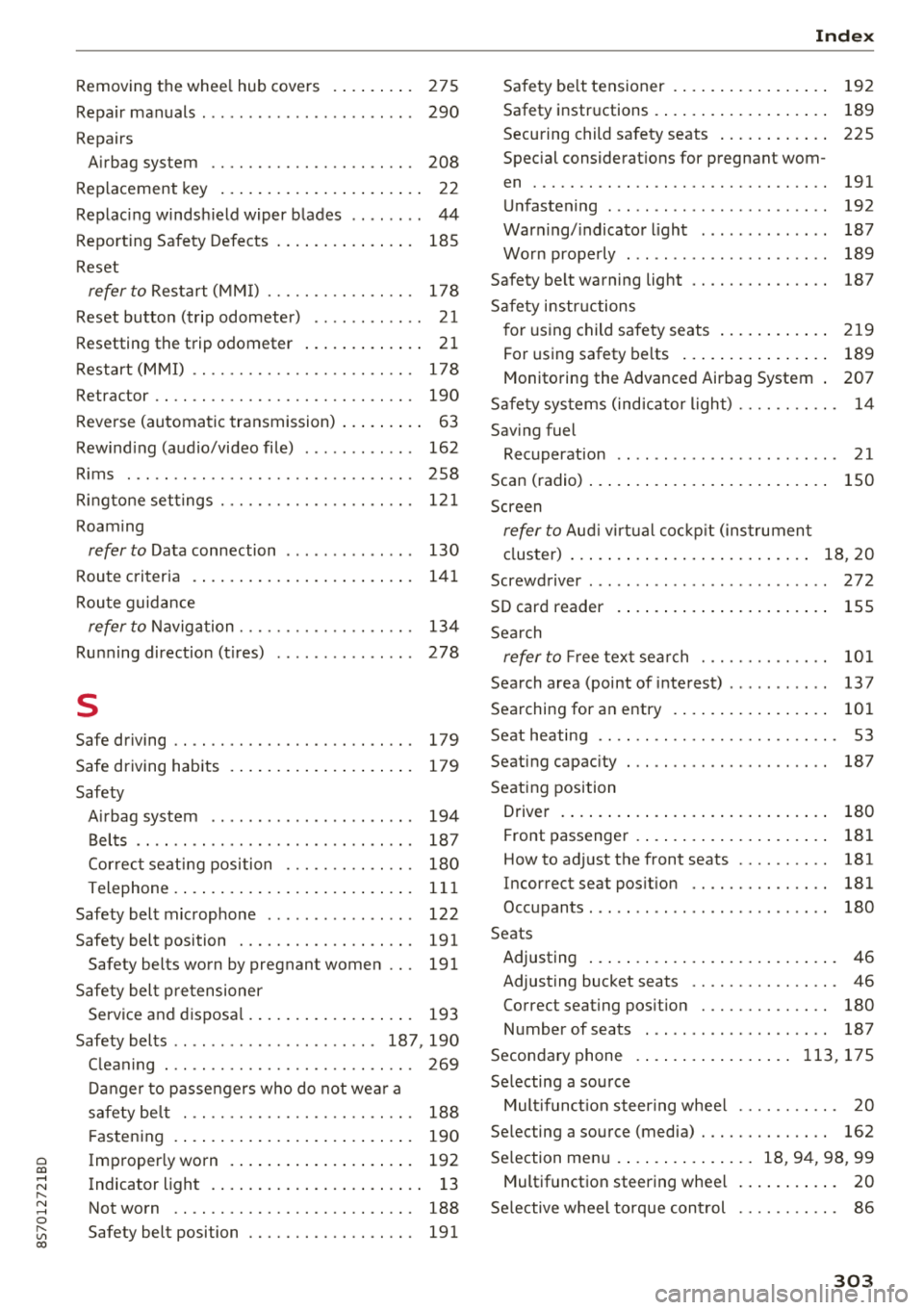
Removing the wheel hub covers . . . . . . . . . 275
Repair manuals . . . . . . . . . . . . . . . . . . . . . . . 290
Repairs Airbag system 208
Replacement key . . . . . . . . . . . . . . . . . . . . . . 22
Replacing windshield wiper blades . . . . . . . . 44
Reporting Safety Defects . . . . . . . . . . . . . . . 185
Reset refertoRestart(MMI) ......... .. .. .. . 178
Reset button (trip odometer) . . . . . . . . . . . . 21
Resetting the trip odometer . . . . . . . . . . . . . 21
Restart (MMI) . . . . . . . . . . . . . . . . . . . . . . . . 178
Retractor . . . . . . . . . . . . . . . . . . . . . . . . . . . . 190
Reverse (automatic transmission) . . . . . . . . . 63
Rewinding (audio/video file) . . . . . . . . . . . . 162
Rims . .. .. .. .. ............... .. .. .. . 258
R. t t . ing one se tings ............ .. .. .. .. . 121
Roaming
refer to Data connection . . . . . . . . . . . . . . 130
Route crit eria 141
Route guidance
refer to Navigation . . . . . . . . . . . . . . . . . . . 134
Running direction (tires) . . . . . . . . . . . . . . . 278
s
Safe driving . . . . . . . . . . . . . . . . . . . . . . . . . . 179
Safe driving habits
Safety 179
Airbag system . . . . . . . . . . . . . . . . . . . . . . 194
Belts . . . . . . . . . . . . . . . . . . . . . . . . . . . . . . 187
Correct seating position . . . . . . . . . . . . . . 180
Telephone . . . . . . . . . . . . . . . . . . . . . . . . . . 111
Safety belt microphone . . . . . . . . . . . . . . . . 122
Safety belt position . . . . . . . . . . . . . . . . . . . 191
Safety belts worn by pregnant women . . . 191
Safety belt pretensioner Service and disposal. . . . . . . . . . . . . . . . . . 193
Safety belts .. .. ................ .. 187, 190
C leaning . . . . . . . . . . . . . . . . . . . . . . . . . . . 269
Danger to passengers who do not wear a
safety belt . . . . . . . . . . . . . . . . . . . . . . . . . 188
Fastening . . . . . . . . . . . . . . . . . . . . . . . . . . 190
Improperly worn . . . . . . . . . . . . . . . . . . . . 192
Indicator light . . . . . . . . . . . . . . . . . . . . . . . 13
Not worn . . . . . . . . . . . . . . . . . . . . . . . . . . 188
Safety belt position . . . . . . . . . . . . . . . . . . 191
Index
Safety belt tensioner . . . . . . . . . . . . . . . . . 192
Safety instructions . . . . . . . . . . . . . . . . . . . 189
Securing child safety seats . . . . . . . . . . . . 225
Special considerations for pregnant wom-
en . . . . . . . . . . . . . . . . . . . . . . . . . . . . . . . . 191
Unfastening . . . . . . . . . . . . . . . . . . . . . . . . 192
Warning/indicator light . . . . . . . . . . . . . . 187
Worn properly . . . . . . . . . . . . . . . . . . . . . . 189
Safety be lt warning light . . . . . . . . . . . . . . . 187
Safety instructions
for using child safety seats . . . . . . . . . . . . 219
For using safety belts . . . . . . . . . . . . . . . . 189
Monitoring the Advanced Airbag System . 207
Safety systems (indicator light) . . . . . . . . . . . 14
Saving fuel Recuperation . . . . . . . . . . . . . . . . . . . . . . . . 21
Scan (radio) . . . . . . . . . . . . . . . . . . . . . . . . . . 150
Screen
refer to Aud i virtual cockp it (instrument
cluster) . . . . . . . . . . . . . . . . . . . . . . . . . . 18, 20
Screwdriver . . . . . . . . . . . . . . . . . . . . . . . . . . 272
SD card reader . . . . . . . . . . . . . . . . . . . . . . . 155
Search
refer to Fr ee text search . . . . . . . . . . . . . . 101
Search area (point of interest) . . . . . . . . . . . 137
Searching for an entry . . . . . . . . . . . . . . . . . 101
Seat heating . . . . . . . . . . . . . . . . . . . . . . . . . . 53
Seating capacity
Seating position 187
Driver . . . . . . . . . . . . . . . . . . . . . . . . . . . . . 180
Front passenger . . . . . . . . . . . . . . . . . . . . . 181
How to adjust the front seats . . . . . . . . . . 181
Incorrect seat position . . . . . . . . . . . . . . . 181
Occupants. . . . . . . . . . . . . . . . . . . . . . . . . . 180
Seats Adjusting . . . . . . . . . . . . . . . . . . . . . . . . . . . 46
Adjusting bucket seats . . . . . . . . . . . . . . . . 46
Correct seating position . . . . . . . . . . . . . . 180
Number of seats . . . . . . . . . . . . . . . . . . . . 187
Secondary phone .... ............. 113, 175
Selecting a source Mult ifunct ion steering wheel . . . . . . . . . . . 20
Selecting a source (media) . . . . . . . . . . . . . . 162
Selection menu . . . . . . . . . . . . . . . 18, 94, 98 , 99
Multifunction steering wheel . . . . . . . . . . . 20
Selective wheel torque control . . . . . . . . . . . 86
303