mirror AUDI TT ROADSTER 2019 User Guide
[x] Cancel search | Manufacturer: AUDI, Model Year: 2019, Model line: TT ROADSTER, Model: AUDI TT ROADSTER 2019Pages: 304, PDF Size: 80.77 MB
Page 79 of 304

8S8012721BA
Assist systems
If the system is activated, the displays in the ex-
terior mirrors will turn on briefly when the igni-
tion is switched on.
Adjusting the display brightness
Applies to: vehicles with Audi side assist
The display brightness can be adjusted in the In-
fotainment system.
> Select in the Infotainment system: [MENU] but-
ton > Vehicle > left control button >Driver as-
sistance > Audi side assist
The display brightness adjusts automatically to
the brightness of the surroundings, both in the
information and in the warning stage. In very
dark or very bright surroundings, the automatic
adjustment will set the display to the minimum
or maximum level. In such cases, you may notice
no change when adjusting the brightness, or the
change may only be noticeable once the sur-
roundings change.
Adjust the brightness to a level where the display
in the information stage will not disrupt your
view ahead. If you change the brightness, the dis-
play in the exterior mirror will briefly show the
brightness level in the information stage. The
brightness of the warning stage is linked to the
brightness in the information stage and is adjust-
ed along with the information stage.
G@) Tips
— Side assist is not active while you are mak-
ing the adjustment.
— Your settings are automatically stored and
assigned to the remote control key being
used.
Messages
Applies to: vehicles with Audi side assist
If the side assist switches off automatically, a
message appears in the Infotainment system dis-
play.
Audi side assist: currently unavailable.
Sensor vision restricted due to surroundings.
See owner's manual
The radar sensor vision is impaired. Do not cover
the area in front of the sensors with bike wheels,
stickers, dirt or other objects. Clean the area cov-
ering the sensors, if necessary > page 75, fig. 81.
Audi side assist: currently unavailable.
See owner's manual
Side assist cannot be switched on at this time be-
cause there is a malfunction (for example, the
battery charge level may be too low).
Audi side assist: malfunction! Please
contact Service
The system cannot guarantee that it will detect
vehicles correctly and it has switched off. The
sensors have been moved or are faulty. Have the
system checked by an authorized Audi dealer or
authorized Audi Service Facility soon.
Audi drive select (drive
settings)
Introduction
Applies to: vehicles with Audi drive select
Drive select makes it possible to experience dif-
ferent types of vehicle characteristics in one vehi-
cle. The driver can select from three modes,
Comfort,
Auto, and Dynamic, using the sist but-
ton in the center console or by using the Infotain-
ment system. This allows you to switch between
a sporty and a comfortable driving mode, for ex-
ample. In the Individual mode, the settings can
be adjusted to your personal preferences. This
makes it possible to combine settings such as a
sporty engine setting with light steering.
Z\ WARNING
Using Audi drive select incorrectly can lead to
collisions, other accidents and serious inju-
ries.
77
Page 85 of 304
8S8012721BA
Parking aid
General information
Applies to: vehicles with rearview camera
oO m q
2 > z
oO
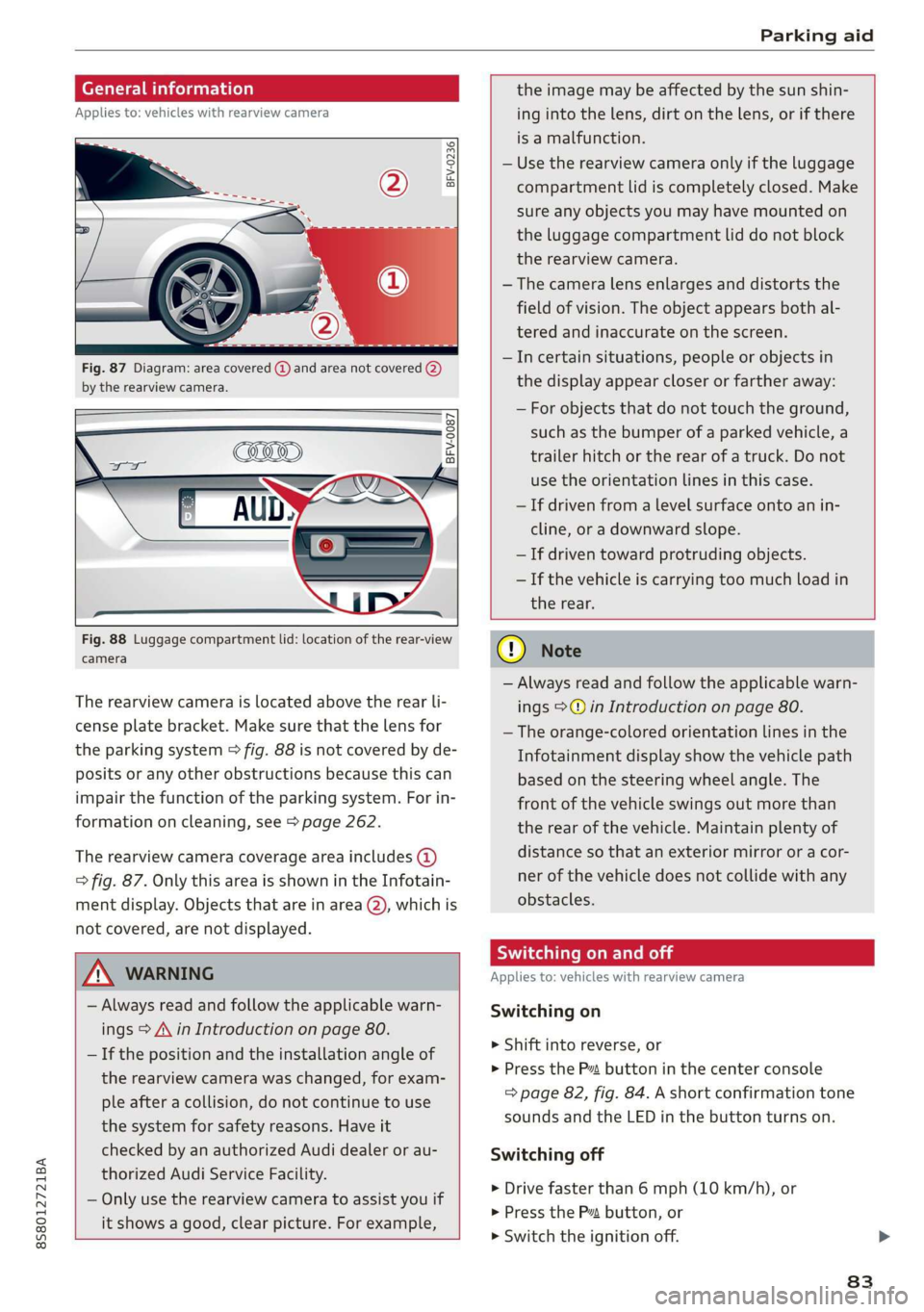
Fig. 87 Diagram: area covered @) and area not covered (2)
by the rearview camera.
BFV-0087
the image may be affected by the sun shin-
ing into the lens, dirt on the lens, or if there
is a malfunction.
— Use the rearview camera only if the luggage
compartment lid is completely closed. Make
sure any objects you may have mounted on
the luggage compartment lid do not block
the rearview camera.
— The camera lens enlarges and distorts the
field of vision. The object appears both al-
tered and inaccurate on the screen.
—Incertain situations, people or objects in
the display appear closer or farther away:
— For objects that do not touch the ground,
such as the bumper of a parked vehicle, a
trailer hitch or the rear of a truck. Do not
use the
orientation lines in this case.
—If driven from a level surface onto an in-
cline, or a downward slope.
— If driven toward protruding objects.
— If the vehicle is carrying too much load in
Fig. 88 Luggage compartment lid: location of the rear-view
camera
The rearview camera is located above the rear li-
cense plate bracket. Make sure that the lens for
the parking system > fig. 88 is not covered by de-
posits or any other obstructions because this can
impair the function of the parking system. For in-
formation on cleaning, see > page 262.
The rearview camera coverage area includes (4)
=> fig. 87. Only this area is shown in the Infotain-
ment display. Objects that are in area (2), which is
not covered, are not displayed.
ZA\ WARNING
— Always read and follow the applicable warn-
ings > A\ in Introduction on page 80.
— If the position and the installation angle of
the rearview camera was changed, for exam-
ple after a collision, do not continue to use
the system for safety reasons. Have it
checked by an authorized Audi dealer or au-
thorized Audi Service Facility.
— Only use the rearview camera to assist you if
it shows a good, clear picture. For example,
the rear.
CG) Note
— Always read and follow the applicable warn-
ings >@ in Introduction on page 80.
— The orange-colored orientation lines in the
Infotainment display show the vehicle path
based on the steering wheel angle. The
front
of the vehicle swings out more than
the rear of the vehicle. Maintain plenty of
distance so that an exterior mirror or a cor-
ner of the vehicle does not collide with any
obstacles.
Scale Le molal
Applies to: vehicles with rearview camera
Switching on
> Shift into reverse, or
> Press the P™ button in the center console
=> page 82, fig. 84. A short confirmation tone
sounds and the LED in the button turns on.
Switching off
>» Drive faster than 6 mph (10 km/h), or
> Press the Pv button, or
>» Switch the ignition off.
83
Page 179 of 304
8S8012721BA
Safe driving
Safe driving
Basics
SER Nails mali
Please remember - safety first!
The individual safety features of your vehicle can
work together as a system to help protect you
and
your passengers in a wide range of accidents.
These features cannot work as a system if they
are not always correctly adjusted and correctly
used.
This chapter contains important information,
tips, instructions and warnings that you need to
read and observe for your own safety, the safety
of your passengers and others. We have summar-
ized here what you need to know about safety
belts, airbags, child restraints as well as child
safety. Your safety is for us priority number 1. Al-
ways observe the information and warnings in
this section - for your own safety as well as that
of your passengers.
The information in this section applies to all
model versions of your vehicle. Some of the fea-
tures described in this sections may be standard
equipment on some models, or may be optional
equipment on others. If you are not sure, ask
your authorized Audi dealer.
ZA WARNING
— Always make sure that you follow the in-
structions and heed the WARNINGS in this
Manual. It is in your interest and in the in-
terest of your passengers.
— Always keep the complete Owner's Litera-
ture in your Audi when you lend or sell your
vehicle so that this important information
will always be available to the driver and
passengers.
— Always keep the Owner's literature handy so
that you can find it easily if you have ques-
tions.
Important things to do before driving
Safety is everybody's job! Vehicle and occupant
safety always depends on the informed and care-
ful driver.
For your safety and the safety of your passenger,
before driving always:
> Make sure that all lights and signals are operat-
ing correctly.
> Make sure that the tire pressure is correct.
> Make sure that all windows are clean and afford
good visibility to the outside.
> Secure all luggage and other items carefully
= page 50, > page 49.
> Make sure that nothing can interfere with the
pedals.
> Adjust seat and mirrors correctly for your
height.
> Make sure to use the right child restraint cor-
rectly to protect children > page 210, Child
safety.
> Sit properly in your seat and make sure that
your passenger do the same © page 46, Front
seats.
> Fasten your safety belt and wear it properly. Al-
so instruct your passenger to fasten his safety
belt properly > page 182.
What impairs driving safety?
Safe driving is directly related to the condition of
the vehicle, the driver as well as the driver’s abili-
ty to concentrate on the road without being dis-
tracted.
The driver is responsible for the safety of the ve-
hicle and all of its occupants. If your ability to
drive is impaired, safety risks for everybody in the
vehicle increase and you also become a hazard to
everyone else on the road > /\. Therefore:
> Do not let yourself be distracted by passenger
or by using a cellular telephone.
> NEVER drive when your driving ability is im-
paired (by medications, alcohol, drugs, etc.).
> Observe all traffic laws, rules of the road and
speed limits and plain common sense.
> ALWAYS adjust your speed to road, traffic and
weather conditions.
177
>
Page 265 of 304
8S8012721BA
Care and cleaning
—To reduce the risk of cuts, protect yourself
from sharp metal components when wash-
ing the underbody or the inside of the wheel
housings.
— After washing the vehicle, the braking effect
may be delayed due to moisture on the
brake rotors or ice in the winter. This in-
creases the risk of an accident. The brakes
must be dried with a few careful brake appli-
cations.
@) Note
— If you wash the vehicle in an automatic car
wash, you must retract the extendable rear
spoiler* if necessary, and fold the exterior
mirrors in to reduce the risk of damage.
Power folding exterior mirrors* must only
be folded in and out using the power folding
function.
—To reduce the risk of paint damage, do not
wash the vehicle in direct sunlight.
—To reduce the risk of damage, do not wash —To
reduce the risk of damage, do not wash
the power top with a pressure washer.
—To reduce the risk of damage to the surface,
do not use insect removing sponges, kitchen
sponges, or similar items.
— When washing matte finish painted vehicle
components:
— To reduce the risk of damage to the sur-
face, do not use polishing agents or hard
wax.
— Never use protective wax. It can destroy
the matte finish effect.
— Do not place any stickers or magnetic
signs on vehicle components painted with
matte finish paint. The paint could be
damaged when the stickers or magnets
are removed.
@) For the sake of the environment
Only wash the vehicle in facilities specially de-
signed for that purpose. This will reduce the
risk of dirty water contaminated with oil from
decorative decals* with a pressure washer.
Cleaning and care information
When cleaning and caring for individual vehicle
components, refer to the following tables. The
information contained there is simply recommen-
dations. For questions or for components that
Exterior cleaning
entering the sewer system.
are not listed, consult an authorized Audi dealer
or authorized Audi Service Facility. Also follow
the information found in > A.
Component Situation Solution
Windshield wiper | Deposits Soft cloth with glass cleaner, > page 43
blades
Headlights/ Deposits Soft sponge with a mild soap solution®
Tail lights
Sensors/ Deposits Sensors: soft cloth with solvent-free cleaning solution
Camera lenses Camera lenses: soft cloth with alcohol-free cleaning solu-
tion
Snow/ice Hand brush/solvent-free de-icing spray
Wheels Road salt Water
Brake dust Acid-free special cleaning solution
Exhaust tail pipes | Road salt Water, cleaning solution suitable for stainless steel, if nec-
essary
263
Page 268 of 304
Care and cleaning
— Wheels
— Never use any paint polish or other abra-
sive materials.
— Damage to the protective layer on the
rims, such as stone chips or scratches,
must be repaired immediately.
— Camera lenses
— Never use warm or hot water to remove
snow or ice from the camera lens. This
could cause the lens to crack.
— Never use abrasive cleaning materials or
alcohol to clean the camera lens. This
could cause scratches and cracks.
— Power top
— Remove bird droppings immediately.
— Never use gasoline, spot remover, ben-
zene, paint thinner or other solvents to re-
move.
— Door windows
— Remove snow and ice on windows and ex-
terior mirrors with a plastic scraper. To re-
duce the risk of scratches, move the scra-
per only in one direction and not back and
forth.
— Never remove snow or ice from door win-
dows and mirrors using warm or hot water
because this could cause cracks to form.
—To reduce the risk of damage to the rear
window defogger, do not apply any stick-
ers on the heating wires on the inside of
the window.
— Decorative parts and trim
— Never use chrome care or cleaning prod-
ucts.
— Paint
— To reduce the risk of scratches, the vehicle
must be free of dirt and dust before pol-
ishing or waxing.
—To prevent paint damage, do not polish or
wax the vehicle in direct sunlight.
—To reduce the risk of paint damage, do not
polish away rust spots.
— Remove cosmetics and sunscreen immedi-
ately because they could damage the
paint.
— Decorative decals
266
— To reduce the risk of damage, do not use
any rough powder or abrasive cleaning
products.
— To reduce the risk of damage, do not pol-
ish decorative decals that have a matte or
printed finish.
— Due to the risk of damage, do not use an
ice scraper to remove snow and ice on win-
dows with decorative decals on them.
— Instrument cluster
— Make sure that the instrument cluster is
switched off and has cooled off before
cleaning it.
— The instrument cluster and the trim sur-
rounding it must not be cleaned with dry
cleaning methods because they could get
scratched.
— Make sure no fluids enter the spaces be-
tween the instrument cluster and the
trim, because that could cause damage.
— Controls
— Make sure that no fluids enter the con-
trols, because this could cause damage.
— Safety belts
— Do not remove the safety belts to clean
them.
— Never clean safety belts or their compo-
nents with chemicals or with corrosive flu-
ids or solvents and never allow sharp ob-
jects to come into contact with the safety
belts. This could cause damage to the belt
webbing.
— If there is damage to the webbing, the
connections, the retractors, or the buck-
les, have them replaced by an authorized
Audi dealer or authorized Audi Service Fa-
cility.
— Textiles, artificial leather, and Alcantara
— Never treat artificial leather or Alcantara
with leather care products, solvents, floor
polish, shoe polish, spot remover, or simi-
lar products.
— Have a cleaning specialist remove stub-
born stains to reduce the risk of damage.
— Never use steam cleaners, brushes, hard
sponges, etc. when cleaning.
Page 280 of 304
![AUDI TT ROADSTER 2019 User Guide Fuses and bulbs
Interior fuse assignment
ft
pl Bel Fe
» BEBE ERED
Poo
ns
[24] 25) rao) 27) Fe Ra
23 |
Fsacsomeemr STE 42)
eases eres] b
ro Wa a i ee
1F52) FOL
Re
B8V-0217](/img/6/57667/w960_57667-279.png "AUDI TT ROADSTER 2019 User Guide Fuses and bulbs
Interior fuse assignment
ft
pl Bel Fe
» BEBE ERED
Poo
ns
[24] 25) rao) 27) Fe Ra
23 |
Fsacsomeemr STE 42)
eases eres] b
ro Wa a i ee
1F52) FOL
Re
B8V-0217")
Fuses and bulbs
Interior fuse assignment
ft
pl Bel Fe
» BEBE ERED
Poo
ns
[24] 25) rao) 27) Fe Ra
23 |
Fsacsomeemr STE 42)
eases eres] b
ro Wa a i ee
1F52) FOL
Re
B8V-0217
No. | Equipment
F20 | Power lumbar support adjustment
Front passenger's side neck heating (Road-
F22
ster)
Right vehicle electrical system control
F24
module
F25 | Driver side door
F26 | Seat heating
Vehicle electrical system control module
Fae (terminal 30)
F28 | AMI High media port
F29 | Vehicle electrical system control module
F32 | Driver assistance systems
F33 | Airbag
Sockets, interior sound, tail light switch,
F34 | temperature sensor, oil level sensor, neck
heating, garage door opener
Fig. 202 Vehicle interior: fuse assignment
No. Equipment
Diagnosis, headlight range control, air
quality sensor, automatic dimming rear-
view mirror, center instrument panel
switch module
F35
F4 Central computer processor (MIB-2) F36 | Right cornering light / right LED headlight
FS Gateway (diagnostics) F37 | Left cornering light / left LED headlight
Fo Selector lever (automatic transmission)
F7
Climate control system controls, rear win-
dow defogger, tire pressure monitoring
Engine control module, ESC control mod-
F38
ule
F39 | Front passenger side door
F8
Switch for the electromechanical parking
brake, light switch, rain/light sensor, inte-
rior lighting, diagnostic connector, roof
electronics F40
| Cigarette lighter, sockets
F41 | Fuel tank diagnosis
F42 | Central locking area
FQ Steering column switch module
F44 | All wheel drive clutch control module
F10 Vehicle positioning
F45 | Power adjustable driver's side seat
Fll
All wheel drive clutch, left vehicle electri-
cal system control module
F46 | Driver's side neck heating (Roadster)
F49 | Engine start, clutch sensor
F12 Infotainment components
F52 | Control module for suspension control
F1l4 Climate control system blower fan
F53 | Rear window defogger
Fis Electronic steering column lock
F16
Infotainment system components, safety
belt microphone
F17 Instrument cluster
F18 Rearview camera
F19
Convenience access control module
278
The power seats* are protected via circuit break-
ers that automatically switch on after a few sec-
onds after the overload has been reduced.
Page 291 of 304
8S58012721BA
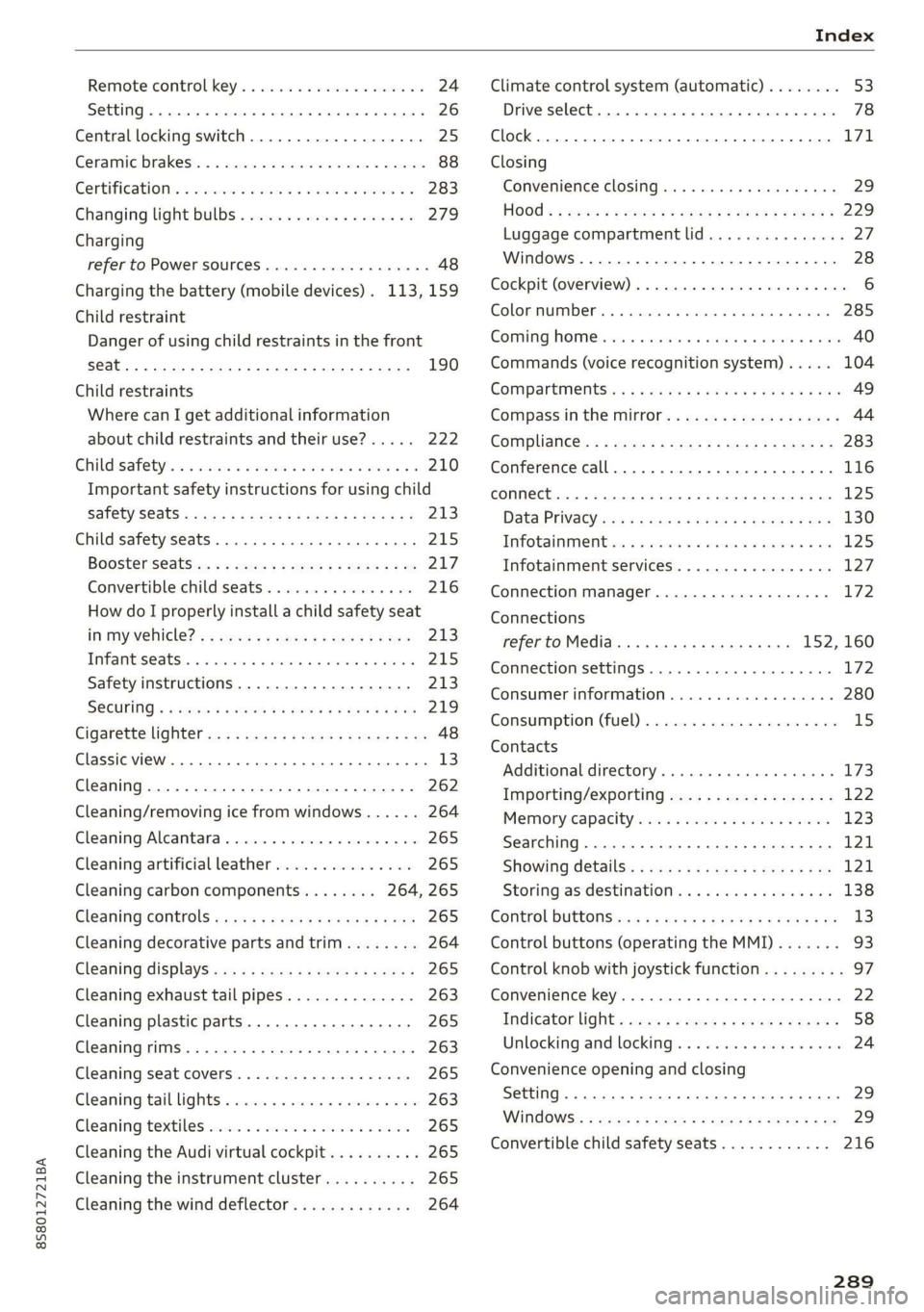
Remote control key............---0 eee 24
Setting... 2... cece eee 26
Central locking switch..............00-0. 25
Ceramic brakes......... 00020-00002 eae 88
Gertifications: = + ccs 2 waver « cece =o anesees 3 283
Changing light bulbs................... 279
Charging
refer to Power sourceS.........2--0000-- 48
Charging the battery (mobile devices). 113, 159
Child restraint
Danger of using child restraints in the front
Child restraints
Where can I get additional information
about child restraints and their use?..... 222
Child:safety:s + & scvis ss ows 2 2 reson oe vem vo 210
Important safety instructions for using child
SAfetySGats s wacas x x sees go eeeE so eR YY 213
Child safety seats... 0.00... cece eee eee 215
Booster Seats... + «isu ss ews ev paws soe 217
Convertible child seats.............0.0. 216
How do I properly install a child safety seat
in my vehicle? s = sees « ¢ sews so ees so es 213
Tinfantiseatsis i osseous a x cviaina a o canams ao xaos 215
Safety instructions.............-..00. 213
SOCUFING & exis x o ees xe eis xe dew ee oH 219
Cigarette lighter a: < s eens + 8 ees ose 5 oe 48
Classic view
Cleaning......... 02.
Cleaning/removing ice from windows...... 264
Cleaning Alcantara...............00000. 265
Cleaning artificial leather............... 265
Cleaning carbon components........ 264, 265
Cleaning controls ........0..scceeeeeees 265
Cleaning decorative parts andtrim........ 264
Cleaning displays «os i esas si eee ot ve ws 265
Cleaning exhaust tail pipes.............. 263
Cleaning plastic parts..............000. 265
Cleaning rims..............0 02.20 e ee eee 263
Cleaning seat covers.............000005 265
Cleaning taillights « ice <2 cece 6 a emacs xe oe 263
Cleaning textiles ove. ss sccan vs evn oe eves 265
Cleaning the Audi virtual cockpit.......... 265
Cleaning the instrument cluster.......... 265
Cleaning the wind deflector............. 264
Climate control system (automatic)........ 53
Drive select... 0... cece eee eee 78
Clock... eee eee eee eee L71
Closing
Convenience closing. ..........ese eres 29
HOG « 2 wey + y seus: 8 5 ees ¢ 9 eee es wR 229
Luggage compartment lid............... 27
Windows ..... 0.0.0.0 c cece eee eee eee 28
Cockpit (overview) ...... 6.0.0 c cece eee ee 6
GolommUMBer a. « siasnse sv cvavane ew ogsuwre + o oxesnse 285
GOMING HOME aici 2 6 sensi av eymree w H arwere a + anave 40
Commands (voice recognition system) ..... 104
Compartments: as ss ssw sv sews sv eaves y 6 eae 49
Compass inthe mirror...............0005 44
Complianicé:: = » eece x x sews 5 s wees 5 v eee os 283
Conference call...................20005 116
CONNECE. 2... eee eee 125
Data Privacy ews < ¢ ces se nes & ¢ pete 5 ¥ eee 130
Infotainmenticn 2 = ciao a 2 cxivaus « eoeseas 6 2 we 125
Infotainment services............00005 127
Connection manager................... 172
Connections
referto Media..............e eee 152, 160
Connection settings .................00. 172
Consumer information................55 280
Consumption (Fuel) . . srerice o ccasese wo yess « 6 ave 15
Contacts
Additional directory.......... 0.0 eevee 173
Importing/exporting.................. 122
Memiory:capacityisicca: asc ss sesese © evans 123
Searching.......... 02. see eee eee eee 121
SHOWiniG UStailS!: « aeas x 2 eames ¢ 5 seem Ee 121
Storing
as destination................. 138
Control BUTCONSio08 x s mews 2 x gow = qamey o 9 we 13
Control buttons (operating the MMI)....... 93
Control knob with joystick function......... 97
Convenience key...... 0.02.00 ee eee eee 22
Indicator light ; sacs se ceca ss pees ee reese 58
Unlocking and locking..............0005 24
Convenience opening and closing
Setting... 0.0... c eee 29
WIRKOWS% = zur: ¢ 2 were x x ces go ee sox 29
Convertible child safety seats............ 216
289
Page 292 of 304
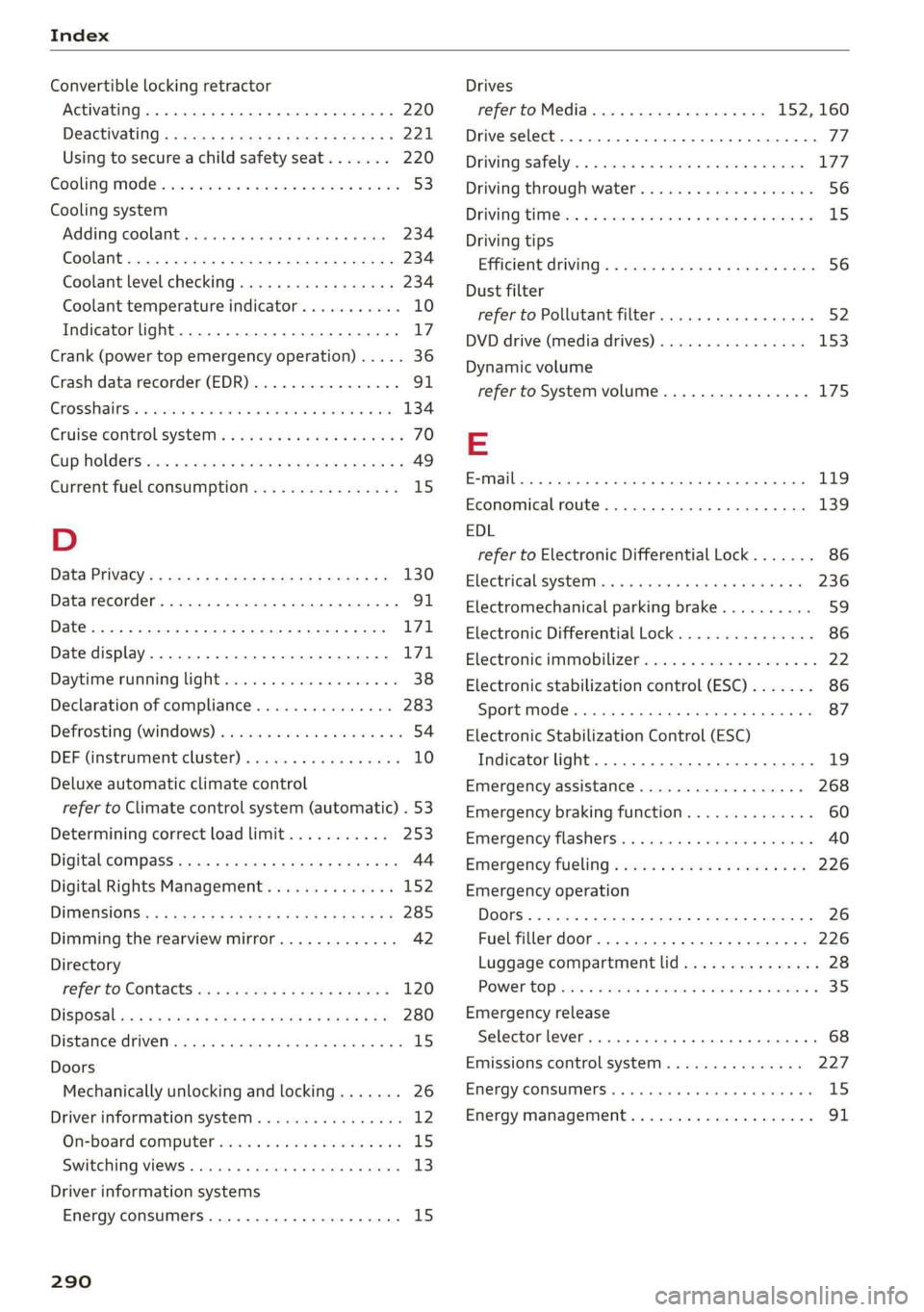
Index
Convertible locking retractor
Activating ..... 0... c cece eee eee 220
DESCtivating « x wsee 2 cee ss meme ee REE ee 221
Using to secure a child safety seat....... 220
Gooling Mod ei: « «acre sa meee se eee oe oe 53
Cooling system
Adding coolants. sssies = « cesses % seevene a # see 234
Coolant.................00000 2c eee 234
Coolant level checking saws ss news « x gee s 234
Coolant temperature indicator........... 10
Indicator light............. 000.0022. 17
Crank (power top emergency operation) ..... 36
Crash data recorder (EDR)................ 91
EnOSSHALRS!: cisions x wecxawe ov ecwoe wo aecnoe a a 134
Cruise control system. ......... 00 eee eae 70
Cup holdersices 5 « casis so qaws + cores & & wees 8 49
Current fuel consumption................ 15
D
Data Privacy’: = sacs ss geass eee y omen se 130
Datarecorder............02020222220005 91
Date... eee cee eee eee 171
Date display.................000 22 e ee 171
Daytime running light................00. 38
Declaration of compliance............... 283
Defrosting (windows) .................005 54
DEF (instrumment:cluster) « was s ¢ sews sv eves 10
Deluxe automatic climate control
refer to Climate control system (automatic) . 53
Determining correct load limit........... 253
Digital’cOMpass saws + ¢ sees ce ce en ve oases 44
Digital Rights Management.............. 152
DIMENSIONS s « = aes st ees ay ee ee eee 285
Dimming the rearview mirror............. 42
Directory
Peer £0 CONLACES wes ss ees ee Sew se ee 120
DiSpOSalens « 2 sews x ¢ eens 4 ¢ eee Ee wee ge 280
Distance driven. ........ 0.0 cece eee eee 15
Doors
Mechanically unlocking and locking....... 26
Driver information system................ 12
On-board computer..............--.00. 15
Switching VieWS........ 00... cee eee eee 13
Driver information systems
Energy consumers.............--.--00- 15
290
Drives
refer to Media.............000 eee
Drive select. ..... 0.0... eee cee eee eee
Driving safely........... 2.0... ee eee eee
Driving through water............-....--
DriViNG CIM k ais oo seco 3 sei ws acsene we eoREOM &
Driving tips
Efficient Ariviing s « camecs 5 2 cron 0 x amen a 2 sine
Dust filter
refer to Pollutant filter.............0005
DVD drive (media drives)................
Dynamic volume
refer to System volume............0005
EDL
refer to Electronic Differential Lock.......
Electrical system... .. ccc eee eee eee
Electromechanical parking brake..........
Electronic Differential Lock...............
Electronic immobilizer...................
Electronic stabilization control (ESC).......
Sport mode....... 2... ce eee eee eee eee
Electronic Stabilization Control (ESC)
Indicator light.................-00 0005
Emergency assistance..................
Emergency braking function..............
Emergency flashers.........00.eeeeeeeee
Emergency fueling « sie ss cove se uma a 0 one
Emergency operation
Luggage compartment lid...............
POWEPtOPisis: © crcasee we © stsitei 8 ween oe ree 4
Emergency release
Selector lever... .... cee eee cece eee eee
Emissions control system..............
EMErgy COMSUMMENSIoys + sean ¥ ene e & maven We &
Energy management............. 0000005
77
Page 293 of 304
8S58012721BA
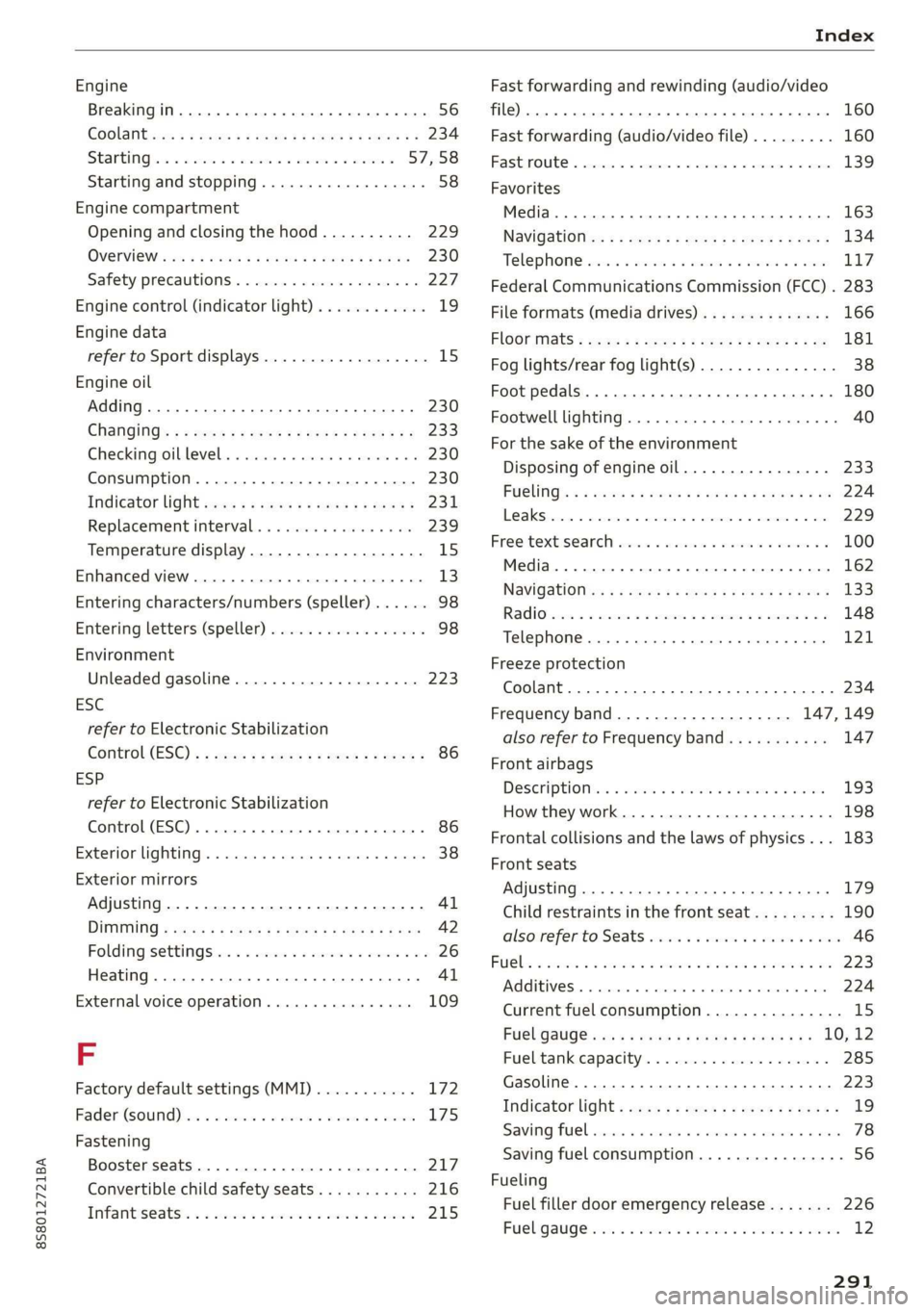
Index
Engine
Breakingin..... 2... cece cece 56
GOolaiitevwes: « 2 waem « 2 wees gz eeNeE Ee EE EE 234
StAGEING ia = canes co memes oo memes vo ereees © 57,58
Starting and stopping................05 58
Engine compartment
Opening and closing the hood.......... 229
OVEN OWias « + wang sy wane 5 ¥ een x e eR 230
Safety precautions.................-0. 227
Engine control (indicator light)............ 19
Engine data
refer to Sport displays.................. 15
Engine oil
Adding... 06... cece eee eens 230
Changing’: = = aesu = 2 mews ce eps s sawn 233
Checkingioiblevelss scssss x 6 cminis « sevusse oo 230
Consumption...................-000- 230
Indicator Wight swe. » = sews + » eewe « o ewes 231
Replacement interval................. 239
Temperature display.............-...-. 15
Enhanced view...............0e0 eee e eee 13)
Entering characters/numbers (speller)...... 98
Entering letters (speller) ................4 98
Environment
Unleaded gasoline.................... 223
ESC
refer to Electronic Stabilization
Control(ESE) « « sear: 2 says oo sete Fx Rees 2 86
ESP
refer to Electronic Stabilization
Control (ESC) ..... 6.6... cece eee eee eee 86
Exterior lighting. ...............0e eee eee 38
Exterior mirrors
Adjusting. ......... 0... cee ee eee eee 41
DIMMING « sacs s & saves & & aes + ¥ Hee < Hee 42
Folding settingSte:: + «comes + 2 sews ve mes ow 26
Heating... 0.6... cece eee Al
External voice operation...............5 109
F
Factory default settings (MMI) ........... 172
Fader Gourd) bss: 2 o swsine = a1 asoweins w wecuses 6 weir 175
Fastening
Booster seats .......... 0.0 eee ee eee 217
Convertible child safety seats........... 216
Infantis@ats:. «2 onnsne xo seine © 2 secsnin 2 2 seaman 215
Fast forwarding and rewinding (audio/video
File) eee 160
Fast forwarding (audio/video file)......... 160
FASEMOULC « ccc x x commer 5 2 meee 9 x orate 6 o Hens 139
Favorites
Media... ... cece eee eee eee eee 163
NaVidatioticc: s = saw 3s geen se meee s pee E 134
Telephone rsisxi + aaa « + aise «eames sv eee 117
Federal Communications Commission (FCC) . 283
File formats (media drives) .............. 166
FlOOr Mats = esas ¢ ews g ewes go wee ee oe 181
Fog lights/rear fog light(s)............... 38
Foot pedals.......... 0. cece eee ee eee 180
Footwell lighting...............0.-.0 eee 40
For the sake of the environment
Disposing of engine oil................ 233
FUCLING!s s & sree 2 ¢ nemne & 2 coos & s eauae @ oe 224
Leaks... 2... eee eee eee ee 229
Free: textsSe@arely ces < werersin ¥ esemene we esenene © 100
Media... ... cece eee 162
NAVIGStIOl in: « + anew 2 = cea 4 x eoee 2 Rae 133
RAG iis < aru wv cette a a cmnemes a a amo Wo 148
Telephone ........... eee eee eee eee 121
Freeze protection
Coolant...... 2... eee eee eee eee 234
Frequency band................... 147,149
also refer to Frequency band........... 147
Front airbags
Deseriptioniins = wisn 4 6 ween 6 + waa © + wae 193
How they work. ...........00000 eee eee 198
Frontal collisions and the laws of physics... 183
Front seats
Adjusting .......... 6.6 c cee eee eee eee 179
Child restraints in the front seat......... 190
alsocreferto. Seats oscaa sx woe se ewan se ees 46
Fd@bs 2 cena oo swam oo wens 0 enews 2 maceme © i 223
TAGGIGIVESr « succens «0 snerein oo seamen © stcenoae co 6 wae 224
Current fuel consumption............... 15
Fuel gauge sis ss esos si shies x aeons vee 10, 12
Fuel tank capacity................00-. 285
Gasoline... 1... 2... eee eee eee 223
Indicator light « aes ¢ = ceca se news se pees « 19
Sawing Fitel ccs a x wos 2 ence a ene oc 78
Saving fuel consumption................ 56
Fueling
Fuel filler door emergency release....... 226
Fueligaugeieiin « + acne so mam 6 + comme ve waves 12
Page 296 of 304
Index
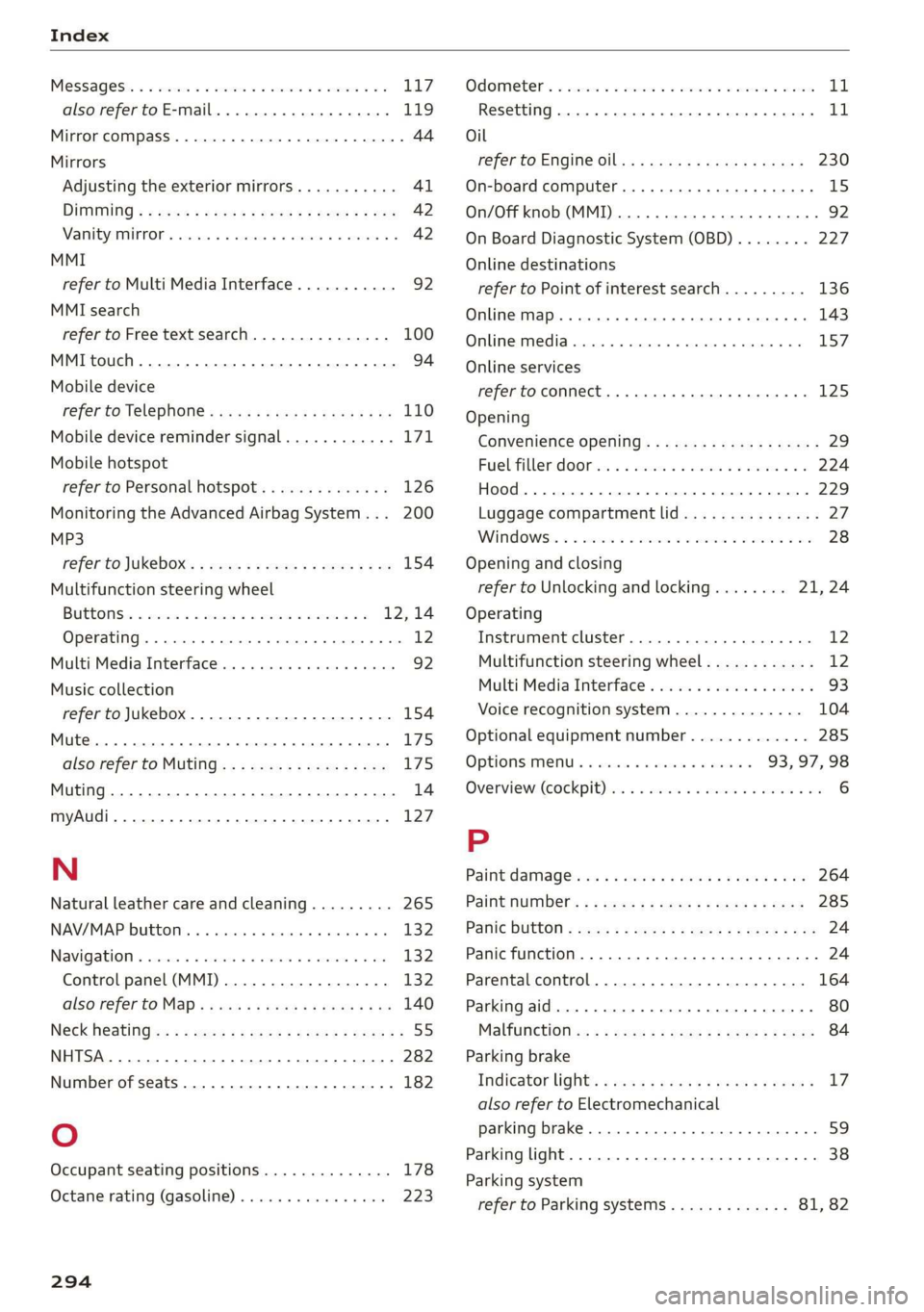
Messages: « « sss 2 0 ssiswes «4 cannes @ o sneies ¥ 8 3 LL7
also refer to E-mail.............-00 eee 119
Mirror compass............0 20.0 2.0200005 44
Mirrors
Adjusting the exterior mirrors........... 4l
DIMMING = s sees + sees 5 eee 5 2 ees x ee 42
ManityMirrOr’s scscine © o sesvene «0 sasese © 0 avezens + © 42
MMI
refer to Multi Media Interface........... 92
MMI search
refer to Free text search............... 100
MMI touch........ 0... cece eee eee ee 94
Mobile device
refer to Telephone...........-.000e00 110
Mobile device reminder signal............ 171
Mobile hotspot
refer to Personal hotspot.............. 126
Monitoring the Advanced Airbag System... 200
MP3
refer to Jukebox: ¢ eee. se evys se eee gee 154
Multifunction steering wheel
BU GEONS wx = esos x = cosseme © 2 vamene © onsaene © = 2 12,14
Operating ......... 2... cee ee eee eee ee 12
Multi Media Interface.............000005 92
Music collection
refer to Jukebox. ............--000 eee 154
Mute... . cece cece eee 175
alsovréfer to. MUTING .« < cae « + same & 2 wo 175
Muting...............0 000.0020 0. eee 14
myAudi... 2... eee eee eee 127
N
Natural leather care and cleaning......... 265
NAV/MAP button ......... 000 eee eee 132
Navigation 5. suis so snags a 6 onus wo arenas aH ani 132
Control panel (MMI)................-. 132
also'réfer tO. Map « sass ss noms x yep sx 08 140
Neck Heating: < « ames = » seme : sees 5 Meme « 55
SY 282
Number of seats............2....2.20005 182
Oo
Occupant seating positions.............. 178
Octane rating (gasoline)................ 223
294
Odometer’. = ssccom x ssenses 6 aes ow aman © stato 11
Resetting... 6... cece eee eee eee 1
Oil
referto Engine oil............0eeeeeee 230
On-board computer.............0 eee eee TS
On/Off knob (MMI)... 0.0.22... 92
On Board Diagnostic System (OBD)........ 227
Online destinations
refer to Point of interest search......... 136
Online Map... .... eee eee eee 143
Online media.................02.0000. 157
Online services
refer toconnect.......... eee eee ee eee 125
Opening
Convenience opening..................5 29
Fuel filler:doOr ios ss wsona s x mace @ ewe a 6 224
Hood... .. cee ee 229
Luggage compartment lid............... 2p
WINdOWS§: « = aoscnw 2s mien oo eon 2 ae + 8 28
Opening and closing
refer to Unlocking and locking........ 21,24
Operating
Instrument cluster...............0005- 12
Multifunction steering wheel............ 12
MultiMedia Interface . oii. sci e ewes 93
Voice recognition system.............. 104
Optional equipment number............. 285
OptionSmeny « & esse sc sonar so saves 93,97,98
Overview (Cockpit) sss: ss vases ¥ o aes @ 8 sean a we 6
P
Paint Camag@ees « « ewws ¢ «ewe ov ees s ees 264
Paint number’: « « sees ¢ = eyes 5 e ewes 2 ees 285
Pailie BUtHOM 2 seus = x wean so wee 2s some 2 oe 24
Panic
function. ...............0 cece ee eee 24
Parental control.....................-5 164
Parking aid... .... eee eee eee ee 80
Ma lfitictionis « = saen = : savse sp eeu 2 2 cee 84
Parking brake
Indicator light:: s caws + ens as yew ao ewes 17
also refer to Electromechanical
parking brake.......... eee eee eee 59
Parking light. .......... 00. e cece cece eee 38
Parking system
refer to Parking systems............. 81, 82