display BMW 1 SERIES 2010 Service Manual
[x] Cancel search | Manufacturer: BMW, Model Year: 2010, Model line: 1 SERIES, Model: BMW 1 SERIES 2010Pages: 166, PDF Size: 5.31 MB
Page 121 of 166
Reference
At a glance
Controls
Driving tips
Mobility
119
Socket for Onboard
Diagnosis OBD
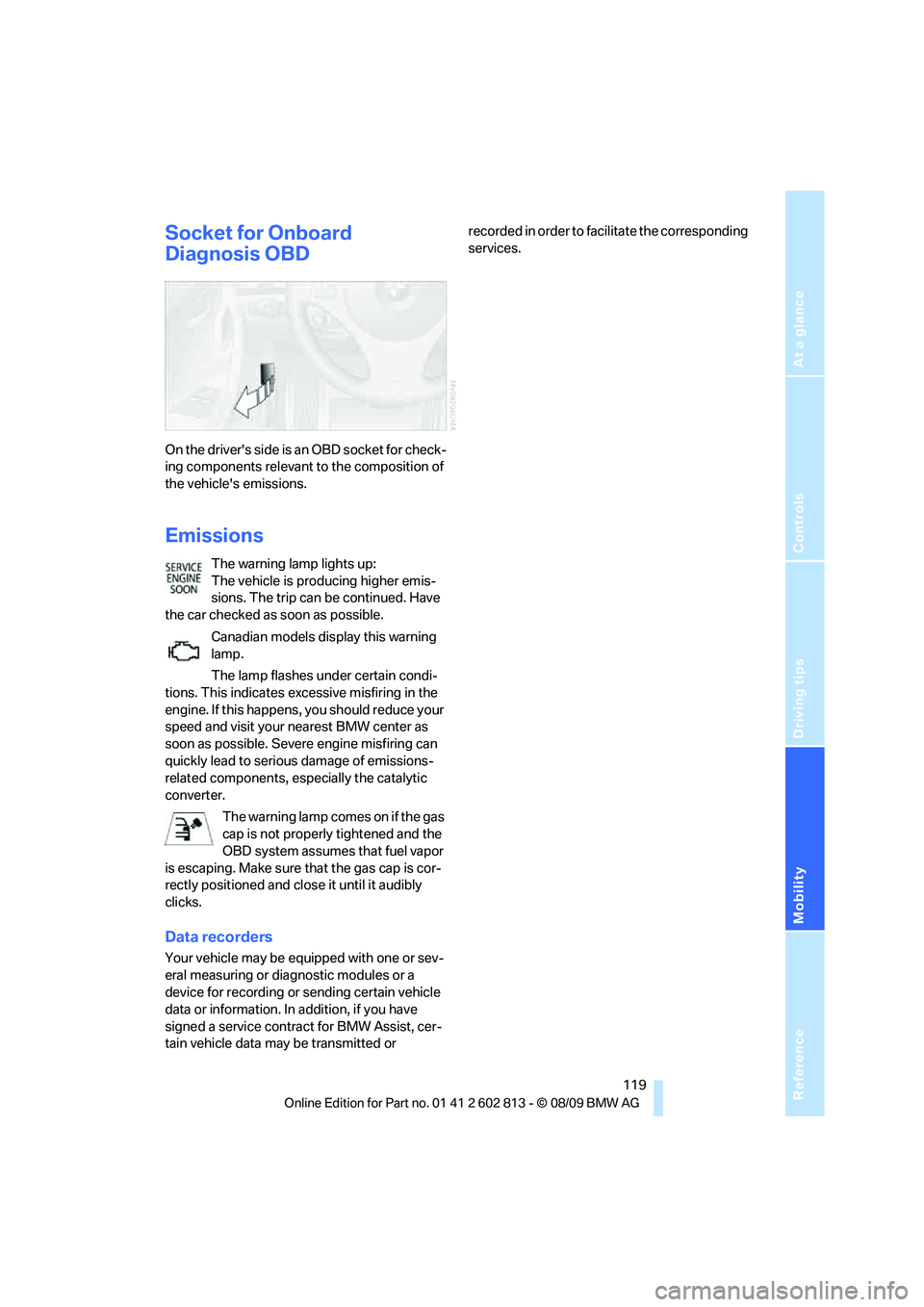
On the driver's side is an OBD socket for check-
ing components relevant to the composition of
the vehicle's emissions.
Emissions
The warning lamp lights up:
The vehicle is producing higher emis-
sions. The trip can be continued. Have
the car checked as soon as possible.
Canadian models display this warning
lamp.
The lamp flashes under certain condi-
tions. This indicates excessive misfiring in the
engine. If this happens, you should reduce your
speed and visit your nearest BMW center as
soon as possible. Severe engine misfiring can
quickly lead to serious damage of emissions-
related components, especially the catalytic
converter.
The warning lamp comes on if the gas
cap is not properly tightened and the
OBD system assumes that fuel vapor
is escaping. Make sure that the gas cap is cor-
rectly positioned and close it until it audibly
clicks.
Data recorders
Your vehicle may be equipped with one or sev-
eral measuring or diagnostic modules or a
device for recording or sending certain vehicle
data or information. In addition, if you have
signed a service contract for BMW Assist, cer-
tain vehicle data may be transmitted or recorded in order to facilitate the corresponding
services.
Page 125 of 166
Reference
At a glance
Controls
Driving tips
Mobility
123
Lint on the floor mats occurs for technical rea-
sons and can be removed by vacuuming
repeatedly.
Interior plastic parts
>Imitation leather surfaces
>Lamp glasses
>Display pane of instrument cluster
>Matte parts
Clean with water and solvent-free plastic
cleaner if necessary.
Fine wood parts
Clean fine wood trim and fine wood parts with a
damp cloth. Wipe dry with a soft cloth.
Safety belts
Dirty belt straps impede the reeling action and
thus have a negative impact on safety.
Do not clean chemically, as this may
destroy the webbing.<
Interior sensors/cameras
To clean interior sensors and cameras, e.g. of
the high-beam assistant, use a lint-free cloth
moistened with glass cleaner.
Displays
To clean displays, e.g. of the radio or instrument
cluster, use a cleaning cloth for displays or a
soft, non-abrasive, lint-free cloth.
Avoid applying excessive pressure when
cleaning the displays; otherwise, damage
may occur.<
Do not use chemical or abrasive house-
hold cleaning agents. Keep all types of
fluid away from the device. Otherwise, surfaces
or electrical components may be corroded or
damaged.<
CD/DVD drives
Do not use a cleaning CD, as it may dam-
age parts of the drive.<
Vehicle storage
If your vehicle is to be decommissioned for
longer than three months, your BMW center or
a workshop that operates according to BMW
specifications will be glad to advise you.
Page 126 of 166
Replacing components
124
Replacing components
Onboard vehicle tool kit
The onboard vehicle tool kit is stored below the
floor mat in the cargo area.
Wiper blades
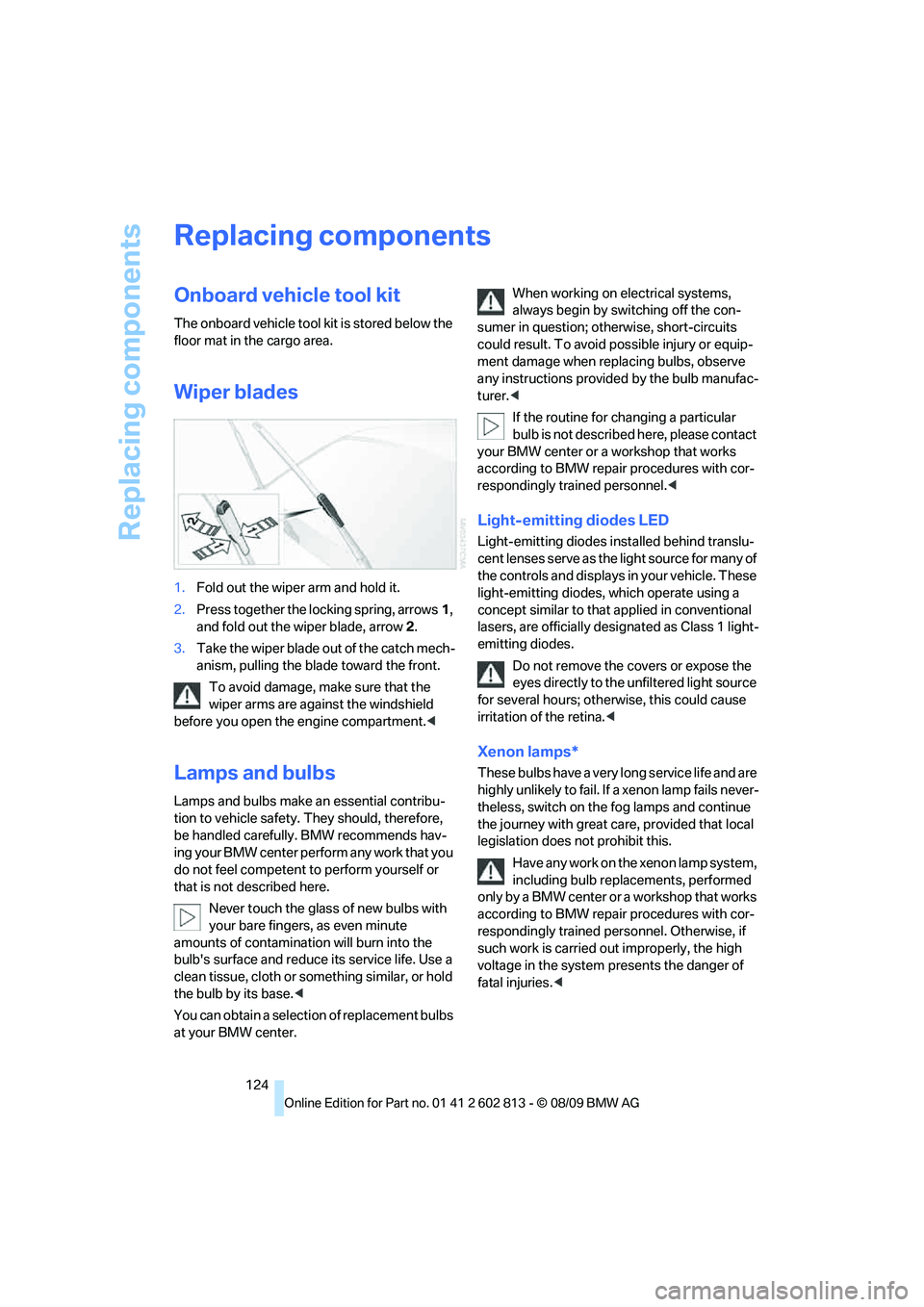
1.Fold out the wiper arm and hold it.
2.Press together the locking spring, arrows1,
and fold out the wiper blade, arrow2.
3.Take the wiper blade out of the catch mech-
anism, pulling the blade toward the front.
To avoid damage, make sure that the
wiper arms are against the windshield
before you open the engine compartment.<
Lamps and bulbs
Lamps and bulbs make an essential contribu-
tion to vehicle safety. They should, therefore,
be handled carefully. BMW recommends hav-
ing your BMW center perform any work that you
do not feel competent to perform yourself or
that is not described here.
Never touch the glass of new bulbs with
your bare fingers, as even minute
amounts of contamination will burn into the
bulb's surface and reduce its service life. Use a
clean tissue, cloth or something similar, or hold
the bulb by its base.<
You can obtain a selection of replacement bulbs
at your BMW center.When working on electrical systems,
always begin by switching off the con-
sumer in question; otherwise, short-circuits
could result. To avoid possible injury or equip-
ment damage when replacing bulbs, observe
any instructions provided by the bulb manufac-
turer.<
If the routine for changing a particular
bulb is not described here, please contact
your BMW center or a workshop that works
according to BMW repair procedures with cor-
respondingly trained personnel.<
Light-emitting diodes LED
Light-emitting diodes installed behind translu-
cent lenses serve as the light source for many of
the controls and displays in your vehicle. These
light-emitting diodes, which operate using a
concept similar to that applied in conventional
lasers, are officially designated as Class 1 light-
emitting diodes.
Do not remove the covers or expose the
eyes directly to the unfiltered light source
for several hours; otherwise, this could cause
irritation of the retina.<
Xenon lamps*
These bulbs have a very long service life and are
highly unlikely to fail. If a xenon lamp fails never-
theless, switch on the fog lamps and continue
the journey with great care, provided that local
legislation does not prohibit this.
Have any work on the xenon lamp system,
including bulb replacements, performed
o nl y b y a BM W c e n t er o r a w o r k s h o p t h a t w o rk s
according to BMW repair procedures with cor-
respondingly trained personnel. Otherwise, if
such work is carried out improperly, the high
voltage in the system presents the danger of
fatal injuries.<
Page 128 of 166
Replacing components
126 4.Attach the connector, insert the bulb and
turn it all the way in the opposite direction.
5.Attach the headlamp cover.
Corner-illuminating lamps
H3 bulb, 55 watts
The figure shows the right-hand headlamp.
1.Remove the top headlamp cover, using the
screwdriver to push the detents to one side.
2.Turn the bulb holder, see arrow, and
remove it.
3.Slide the bulb out of the holder and pull off
the connector.
4.Replace the bulb and attach the connector.
5.Insert the bulb holder and turn it all the way
in the opposite direction.
6.Attach the headlamp cover.
Turn signals, front
PY21W bulb, 21 watts
The turn signal bulb can be changed via a cover
in the wheel arch.1.Turn the respective wheel inwards.
2.Using a coin, turn both locks of the cover all
the way to the left, arrows 1, and remove the
cover.
3.Turn the bulb holder to the left and remove
it, arrow2.
4.Apply gentle pressure to the bulb while
turning it to the right for removal and
replacement.
5.Insert the bulb holder and lock it by turning
it to the right.
6.Attach the cover by positioning the bottom
edge first and then turning both locks all the
way to the right.
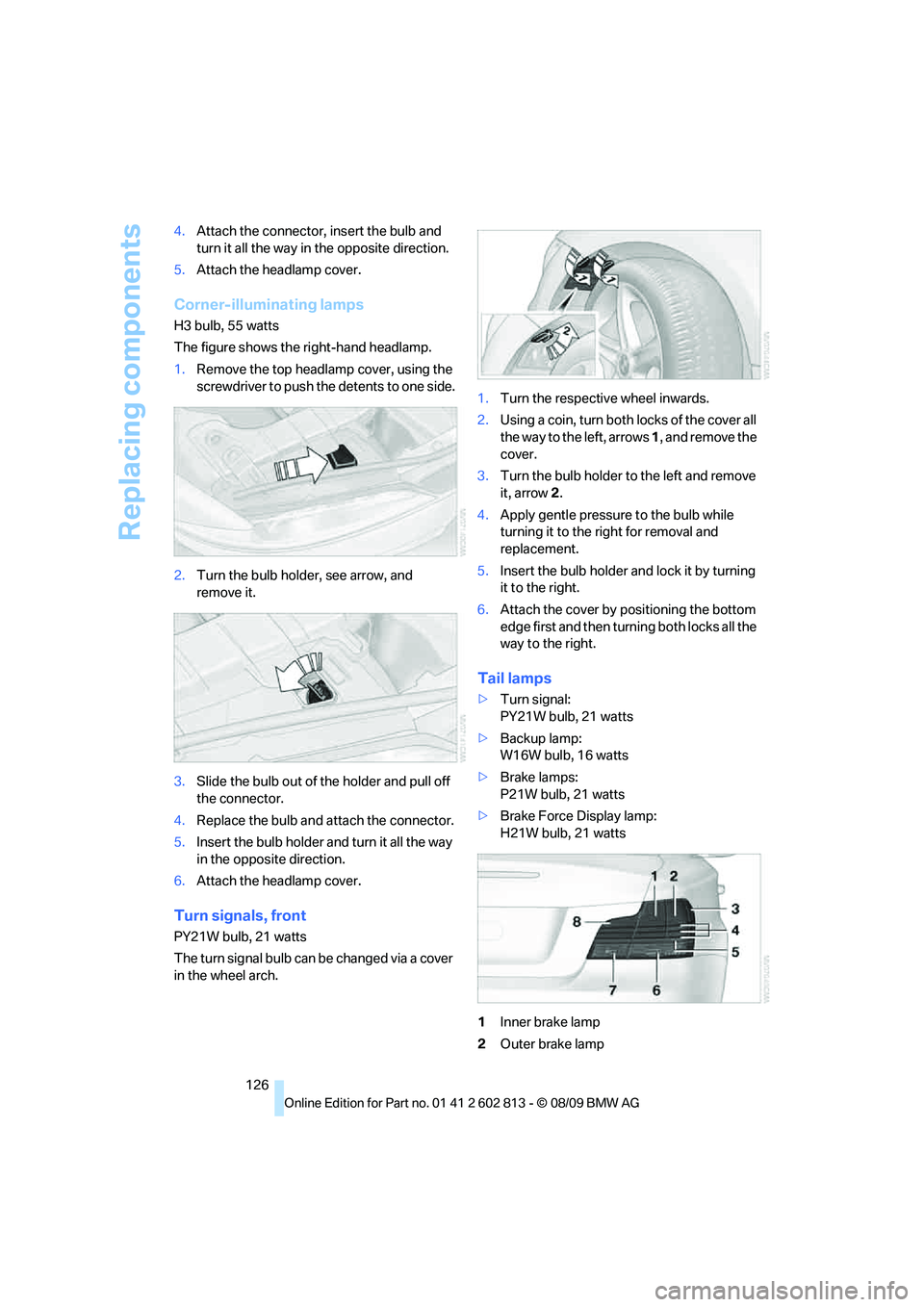
Tail lamps
>Turn signal:
PY21W bulb, 21 watts
>Backup lamp:
W16W bulb, 16 watts
>Brake lamps:
P21W bulb, 21 watts
>Brake Force Display lamp:
H21W bulb, 21 watts
1Inner brake lamp
2Outer brake lamp
Page 129 of 166
Reference
At a glance
Controls
Driving tips
Mobility
127
3Lateral reflector
4Roadside parking lamp and tail lamp LED
5Reflector
6Turn signal
7Backup lamp
8Brake Force Display lamp
Replacing tail lamps
Outer brake lamp
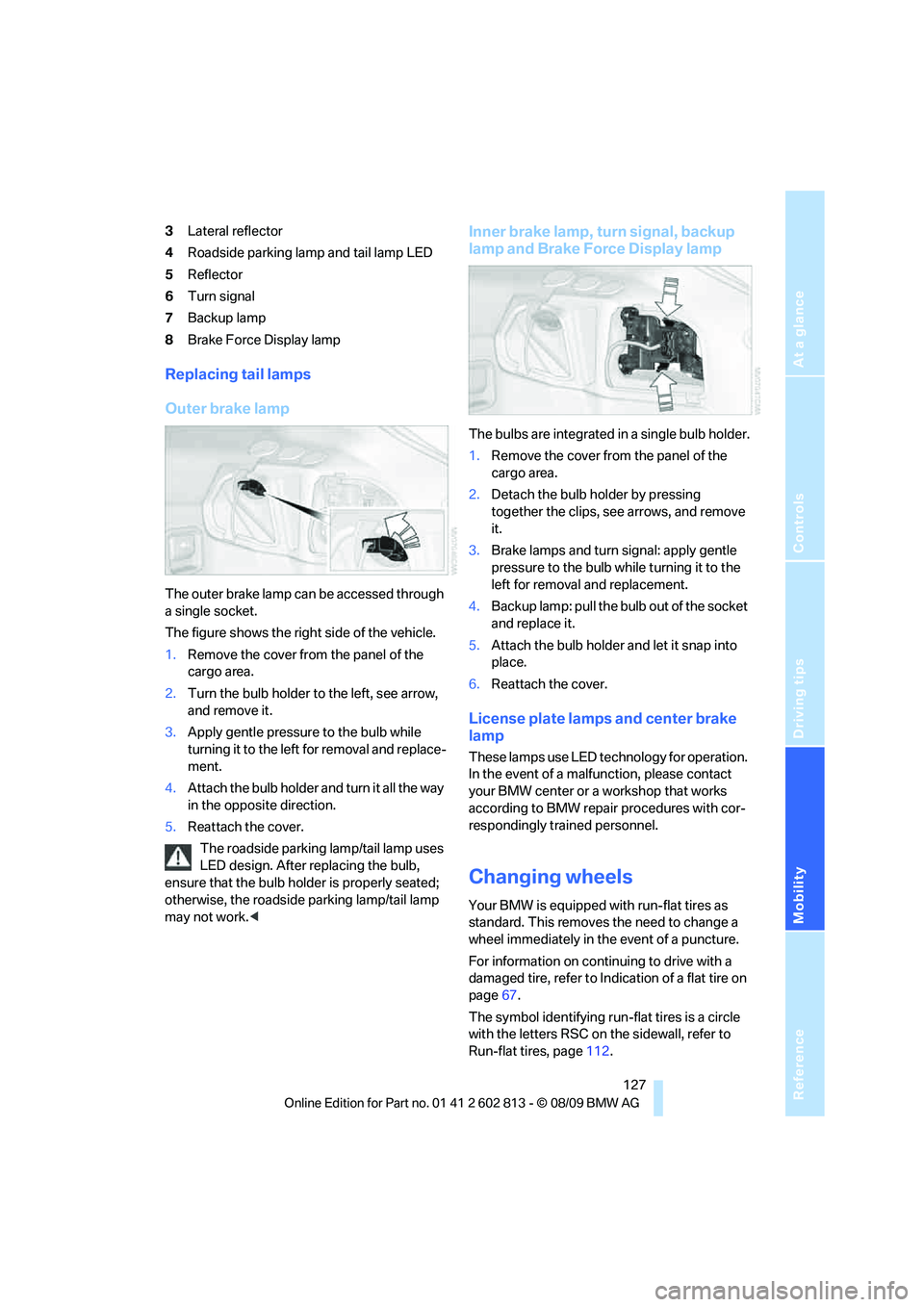
The outer brake lamp can be accessed through
a single socket.
The figure shows the right side of the vehicle.
1.Remove the cover from the panel of the
cargo area.
2.Turn the bulb holder to the left, see arrow,
and remove it.
3.Apply gentle pressure to the bulb while
turning it to the left for removal and replace-
ment.
4.Attach the bulb holder and turn it all the way
in the opposite direction.
5.Reattach the cover.
The roadside parking lamp/tail lamp uses
LED design. After replacing the bulb,
ensure that the bulb holder is properly seated;
otherwise, the roadside parking lamp/tail lamp
may not work.<
Inner brake lamp, turn signal, backup
lamp and Brake Force Display lamp
The bulbs are integrated in a single bulb holder.
1.Remove the cover from the panel of the
cargo area.
2.Detach the bulb holder by pressing
together the clips, see arrows, and remove
it.
3.Brake lamps and turn signal: apply gentle
pressure to the bulb while turning it to the
left for removal and replacement.
4.Backup lamp: pull the bulb out of the socket
and replace it.
5.Attach the bulb holder and let it snap into
place.
6.Reattach the cover.
License plate lamps and center brake
lamp
These lamps use LED technology for operation.
In the event of a malfunction, please contact
your BMW center or a workshop that works
according to BMW repair procedures with cor-
respondingly trained personnel.
Changing wheels
Your BMW is equipped with run-flat tires as
standard. This removes the need to change a
wheel immediately in the event of a puncture.
For information on continuing to drive with a
damaged tire, refer to Indication of a flat tire on
page67.
The symbol identifying run-flat tires is a circle
with the letters RSC on the sidewall, refer to
Run-flat tires, page112.
Page 136 of 166
Indicator and warning lamps
134
Indicator and warning lamps
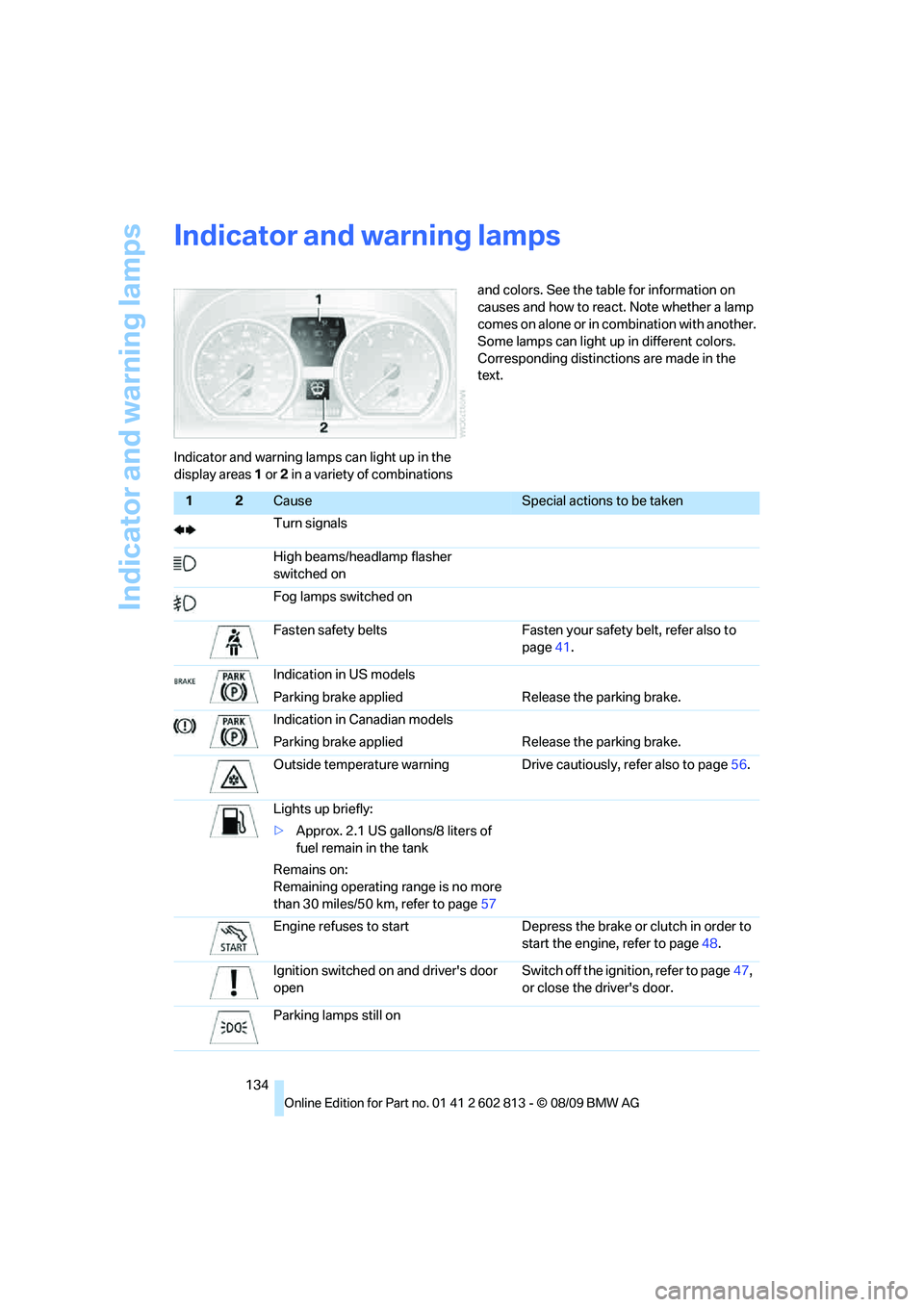
Indicator and warning lamps can light up in the
display areas 1 or 2 in a variety of combinations and colors. See the table for information on
causes and how to react. Note whether a lamp
comes on alone or in combination with another.
Some lamps can light up in different colors.
Corresponding distinctions are made in the
text.
12Cause Special actions to be taken
Turn signals
High beams/headlamp flasher
switched on
Fog lamps switched on
Fasten safety belts Fasten your safety belt, refer also to
page41.
Indication in US models
Parking brake applied Release the parking brake.
Indication in Canadian models
Parking brake applied Release the parking brake.
Outside temperature warning Drive cautiously, refer also to page56.
Lights up briefly:
>Approx. 2.1 US gallons/8 liters of
fuel remain in the tank
Remains on:
Remaining operating range is no more
than 30 miles/50 km, refer to page57
Engine refuses to start Depress the brake or clutch in order to
start the engine, refer to page48.
Ignition switched on and driver's door
openSwitch off the ignition, refer to page47,
or close the driver's door.
Parking lamps still on
Page 155 of 166
Reference
At a glance
Controls
Driving tips
Mobility
153
Blower, refer to Air
volume80,83
BMW
– car shampoo123
BMW Maintenance
System118
Bottle holders, refer to
Cupholders89
Brake Assist, refer to Dynamic
Brake Control65
Brake fluid
– service requirements61
Brake Force Display70
Brake lamps
– Brake Force Display70
– replacing bulb127
Brake pads, breaking in96
Brake rotors98
– brakes96
– breaking in96
Brakes
– ABS65
– BMW Maintenance
System118
– braking safely98
– breaking in96
– parking brake49
– service requirements61
Brake system96
– BMW Maintenance
System118
– breaking in96
– disc brakes98
Breakdown services, refer to
Roadside Assistance130
Breaking in the clutch96
Break-in period96
Bulb changing, refer to Lamps
and bulbs124
Bulbs, changing124
Button for starting the
engine47
Buttons on the steering
wheel11
C
California Proposition 65
warning5Can holders, refer to
Cupholders89
Capacities150
Capacity of the cargo area149
Car battery, refer to Vehicle
battery128
Car care, refer to Care120
Care120
– automatic car washes120
– care products120
– carpets122
– CD/DVD drives123
– chrome parts122
– convertible top121
– displays123
– exterior120
– fine wood parts123
– headlamps121
– high-pressure washer121
– interior122
– leather122
– light-alloy wheels122
– paintwork121
– plastic parts123
– rubber seals122
– safety belts123
– sensors and cameras123
– upholstery and cloth
trim122
– washing the car
manually121
– windows121
Cargo, securing100
Cargo area
– capacity149
– Comfort Access26
– enlarging, refer to Through-
loading system91
– lamp, refer to Interior
lamps78
– lid, refer to Trunk lid23
– opening from outside23
Cargo area lid, refer to Trunk
lid23
Cargo area net, refer to
Securing cargo100Cargo loading99
– securing cargo100
– stowing cargo99
– vehicle98
Car jack
– jacking points128
Car key, refer to Integrated
key/remote control18
Car phone
– installation location, refer to
Center armrest88
– refer to separate Owner's
Manual
Car shampoo123
Car wash120
– with Comfort Access48
Catalytic converter, refer to
Hot exhaust system97
Center armrest88
Center brake lamp, replacing
bulb127
Center console, refer to
Around the center
console14
Central key, refer to Integrated
key/remote control18
Central locking
– from inside22
– from outside19
Central locking system19
– Comfort Access26
Changes, technical, refer to
For your own safety5
Changing wheels127
Chassis number, refer to
Engine compartment115
Check Control62
Checking oil level115
Child restraint fixing system
LATCH45
Child restraint systems44
Child seats44
Chrome parts123
Chrome polish123
Cigarette lighter90
Cleaning headlamps53
– washer fluid53
Cleaning your BMW, refer to
Care120
Page 156 of 166
Everything from A to Z
154 Clock56
– 12h/24h format60
– setting time62
Closing
– from inside22
– from outside19
Clothes hooks89
Cold start, refer to Starting the
engine48
Combination instrument, refer
to Instrument cluster12
Comfort Access26
– in a car wash48
– replacing the battery27
Comfort access, refer to
Comfort Access26
Comfort area, refer to Around
the center console14
Compartment for remote
control, refer to Ignition
lock47
Compass87
Computer57
Condensation, refer to When
the vehicle is parked98
Condition Based Service
CBS118
Configuring settings, refer to
Personal Profile18
Confirmation signals for
locking/unlocking the
vehicle20
Connecting vacuum cleaner,
refer to Connecting
electrical appliances90
Consumption, refer to
Average fuel
consumption58
Controls and displays10
Convenient operation
– windows20
– windows with Comfort
Access26
– with Comfort Access26
Convenient starting, refer to
Starting the engine48Convertible
– rollover protection
system72
– top30
– wind deflector33
Convertible top
– Convenient opening20
Convertible top care121
Coolant117
– checking level117
– filling117
Coolant temperature57
Cooling, maximum82
Cooling fluid, refer to
Coolant117
Copyright2
Corner-illuminating lamps76
Corner-illuminating lamps,
refer to Adaptive light
control76
Cornering lamps, refer to
Adaptive light control76
Courtesy lamps78
Cruise control54
Cruising range58
Cupholders89
Curb weight, refer to
Weights149
Current fuel consumption58
D
Dashboard, refer to
Cockpit10
Dashboard lighting, refer to
Instrument lighting78
Data
– dimensions147
– sizes147
Data, technical146
– capacities150
– engine146
– weights149
Date
– setting62
– setting format60
Daytime running lights, switch
positions75DBC Dynamic Brake
Control65
Deactivating front passenger
airbags71
Deadlocking, refer to
Locking20
Decommissioning the vehicle,
refer to Caring for your
vehicle
Defect
– door lock22
– fuel filler flap104
– glass roof30
Defogging windows81,84
Defrosting the
windows81,84
Defrosting windows and
removing
condensation81,84
Defrosting windshield, refer to
Defrosting windows81,84
Defrost position, refer to
Defrosting windows81,84
Differential, breaking in96
Digital clock56
Digital compass87
Dimensions147
Directional indicators, refer to
Turn signals51
Displacement, refer to Engine
data146
Display lighting, refer to
Instrument lighting78
Displays, refer to Instrument
cluster12
Displays and controls10
Disposal
– of coolant117
– remote control battery27
– vehicle battery128
Distance remaining to service,
refer to Service
requirements
61
Distance warning, refer to
Park Distance Control
PDC64
Door key, refer to Integrated
key/remote control18
Door lock22
Page 158 of 166
Everything from A to Z
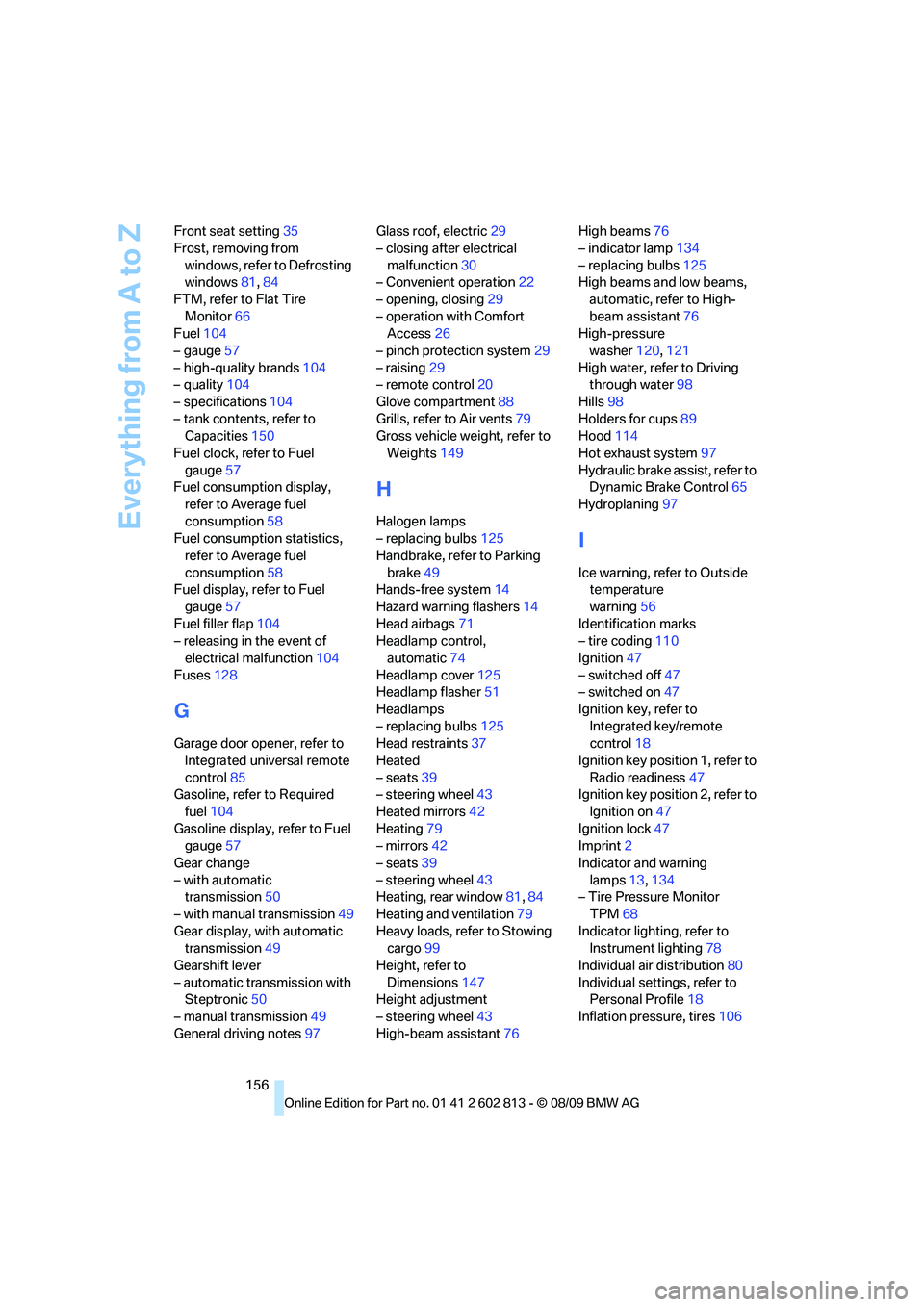
156 Front seat setting35
Frost, removing from
windows, refer to Defrosting
windows81,84
FTM, refer to Flat Tire
Monitor66
Fuel104
– gauge57
– high-quality brands104
– quality104
– specifications104
– tank contents, refer to
Capacities150
Fuel clock, refer to Fuel
gauge57
Fuel consumption display,
refer to Average fuel
consumption58
Fuel consumption statistics,
refer to Average fuel
consumption58
Fuel display, refer to Fuel
gauge57
Fuel filler flap104
– releasing in the event of
electrical malfunction104
Fuses128
G
Garage door opener, refer to
Integrated universal remote
control85
Gasoline, refer to Required
fuel104
Gasoline display, refer to Fuel
gauge57
Gear change
– with automatic
transmission50
– with manual transmission49
Gear display, with automatic
transmission49
Gearshift lever
– automatic transmission with
Steptronic50
– manual transmission49
General driving notes97Glass roof, electric29
– closing after electrical
malfunction30
– Convenient operation22
– opening, closing29
– operation with Comfort
Access26
– pinch protection system29
– raising29
– remote control20
Glove compartment88
Grills, refer to Air vents79
Gross vehicle weight, refer to
Weights149
H
Halogen lamps
– replacing bulbs125
Handbrake, refer to Parking
brake49
Hands-free system14
Hazard warning flashers14
Head airbags71
Headlamp control,
automatic74
Headlamp cover125
Headlamp flasher51
Headlamps
– replacing bulbs125
Head restraints37
Heated
– seats39
– steering wheel43
Heated mirrors42
Heating79
– mirrors42
– seats39
– steering wheel43
Heating, rear window81,84
Heating and ventilation79
Heavy loads, refer to Stowing
cargo99
Height, refer to
Dimensions147
Height adjustment
– steering wheel43
High-beam assistant76High beams76
– indicator lamp134
– replacing bulbs125
High beams and low beams,
automatic, refer to High-
beam assistant76
High-pressure
washer120,121
High water, refer to Driving
through water98
Hills98
Holders for cups89
Hood114
Hot exhaust system97
Hydraulic brake assist, refer to
Dynamic Brake Control65
Hydroplaning97
I
Ice warning, refer to Outside
temperature
warning56
Identification marks
– tire coding110
Ignition47
– switched off47
– switched on47
Ignition key, refer to
Integrated key/remote
control18
Ignition key position 1, refer to
Radio readiness47
Ignition key position 2, refer to
Ignition on47
Ignition lock47
Imprint2
Indicator and warning
lamps13,134
– Tire Pressure Monitor
TPM68
Indicator lighting, refer to
Instrument lighting78
Individual air distribution80
Individual settings, refer to
Personal Profile18
Inflation pressure, tires106
Page 160 of 166
Everything from A to Z
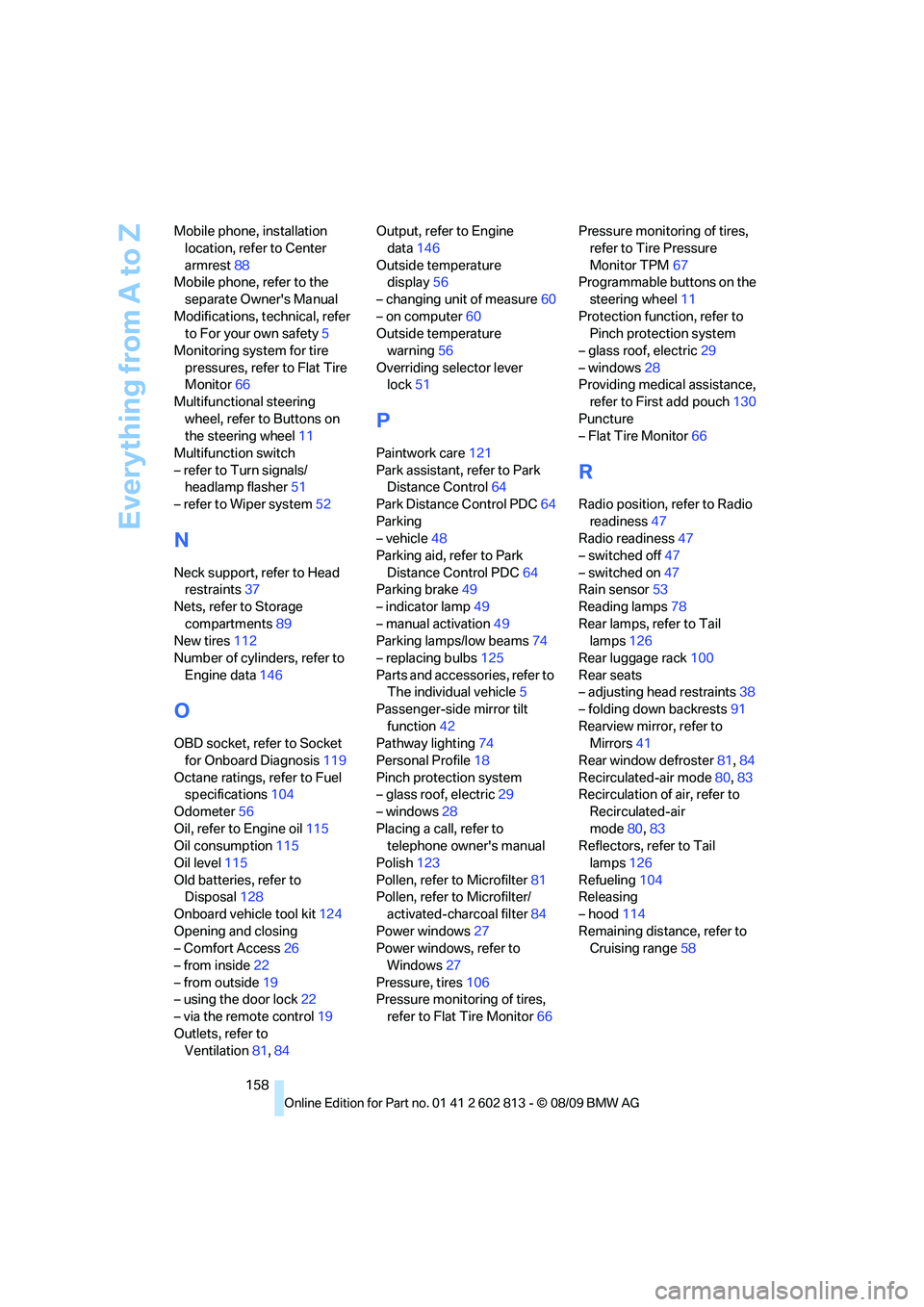
158 Mobile phone, installation
location, refer to Center
armrest88
Mobile phone, refer to the
separate Owner's Manual
Modifications, technical, refer
to For your own safety5
Monitoring system for tire
pressures, refer to Flat Tire
Monitor66
Multifunctional steering
wheel, refer to Buttons on
the steering wheel11
Multifunction switch
– refer to Turn signals/
headlamp flasher51
– refer to Wiper system52
N
Neck support, refer to Head
restraints37
Nets, refer to Storage
compartments89
New tires112
Number of cylinders, refer to
Engine data146
O
OBD socket, refer to Socket
for Onboard Diagnosis119
Octane ratings, refer to Fuel
specifications104
Odometer56
Oil, refer to Engine oil115
Oil consumption115
Oil level115
Old batteries, refer to
Disposal128
Onboard vehicle tool kit124
Opening and closing
– Comfort Access26
– from inside22
– from outside19
– using the door lock22
– via the remote control19
Outlets, refer to
Ventilation81,84Output, refer to Engine
data146
Outside temperature
display56
– changing unit of measure60
– on computer60
Outside temperature
warning56
Overriding selector lever
lock51
P
Paintwork care121
Park assistant, refer to Park
Distance Control64
Park Distance Control PDC64
Parking
– vehicle48
Parking aid, refer to Park
Distance Control PDC64
Parking brake49
– indicator lamp49
– manual activation49
Parking lamps/low beams74
– replacing bulbs125
Parts and accessories, refer to
The individual vehicle5
Passenger-side mirror tilt
function42
Pathway lighting74
Personal Profile18
Pinch protection system
– glass roof, electric29
– windows28
Placing a call, refer to
telephone owner's manual
Polish123
Pollen, refer to Microfilter81
Pollen, refer to Microfilter/
activated-charcoal filter84
Power windows27
Power windows, refer to
Windows27
Pressure, tires106
Pressure monitoring of tires,
refer to Flat Tire Monitor66Pressure monitoring of tires,
refer to Tire Pressure
Monitor TPM67
Programmable buttons on the
steering wheel11
Protection function, refer to
Pinch protection system
– glass roof, electric29
– windows28
Providing medical assistance,
refer to First add pouch130
Puncture
– Flat Tire Monitor66
R
Radio position, refer to Radio
readiness47
Radio readiness47
– switched off47
– switched on47
Rain sensor53
Reading lamps78
Rear lamps, refer to Tail
lamps126
Rear luggage rack100
Rear seats
– adjusting head restraints38
– folding down backrests91
Rearview mirror, refer to
Mirrors41
Rear window defroster81,84
Recirculated-air mode80,83
Recirculation of air, refer to
Recirculated-air
mode80,83
Reflectors, refer to Tail
lamps126
Refueling104
Releasing
– hood114
Remaining distance, refer to
Cruising range58