alarm BMW 1 SERIES 2010 Owners Manual
[x] Cancel search | Manufacturer: BMW, Model Year: 2010, Model line: 1 SERIES, Model: BMW 1 SERIES 2010Pages: 166, PDF Size: 5.31 MB
Page 7 of 166
Reference
At a glance
Controls
Driving tips
Mobility
5
The individual vehicle
When you ordered your BMW, you chose vari-
ous items of equipment. This Owner's Manual
describes the entire array of options and equip-
ment available with a specific BMW model.
Please bear in mind that the manual may con-
tain information on accessories and equipment
that you have not specified for your own vehicle.
Sections describing options and special equip-
ment are marked by asterisks
* to assist you in
identifying possible differences between the
descriptions in this manual and your own vehi-
cle's equipment.
If equipment in your BMW is not described in
this Owner's Manual, please refer to the accom-
panying Supplementary Owner's Manuals.
Editorial notice
BMW pursues a policy of continuous, ongoing
development that is conceived to ensure that
our vehicles continue to embody the highest
quality and safety standards combined with
advanced, state-of-the-art technology. For this
reason, it is possible in exceptional cases that
features described in this Owner's Manual
could differ from those on your vehicle.
For your own safety
Maintenance and repair
Advanced technology, e.g. the use of
modern materials and powerful electron-
ics, requires specially adapted maintenance
and repair methods. You should therefore have
the corresponding work on your vehicle per-
formed only by your BMW center or at a work-
shop that works according to BMW repair pro-
cedures with correspondingly trained
personnel. If this work is not carried out prop-
erly, there is a danger of subsequent damage
and related safety hazards.<
Parts and accessories
For your own safety, use genuine parts
and accessories approved by BMW.
When you purchase accessories tested and
approved by BMW and Original BMW Parts, you
simultaneously acquire the assurance that they
have been thoroughly tested by BMW to ensure
optimum performance when installed on your
vehicle.
BMW warrants these parts to be free from
defects in material and workmanship.
BMW will not accept any liability for damage
resulting from installation of parts and accesso-
ries not approved by BMW.
BMW cannot test every product made by other
manufacturers to verify if it can be used on a
BMW safely and without risk to either the vehi-
cle, its operation, or its occupants.
Original BMW Parts, BMW Accessories and
other products approved by BMW, together
with professional advice on using these items,
are available from all BMW centers.
Installation and operation of accessories not
approved by BMW, such as alarms, radios,
amplifiers, radar detectors, wheels, suspension
components, brake dust shields, telephones,
including operation of any mobile phone from
within the vehicle without using an externally
mounted antenna, or transceiver equipment, for
instance, CBs, walkie-talkies, ham radio or sim-
ilar accessories, may cause extensive damage
to the vehicle, compromise its safety, interfere
with the vehicle's electrical system or affect the
validity of the BMW Limited Warranty. See your
BMW center for additional information.<
Maintenance, replacement, or repair of
the emission control devices and sys-
tems may be performed by any automotive
repair establishment or individual using any cer-
tified automotive part.<
California Proposition 65 warning
California law requires us to issue the following
warning:
Engine exhaust and a wide variety of
automobile components and parts,
Page 21 of 166
Reference
At a glance
Controls
Driving tips
Mobility
19
>Settings for the display in the instrument
cluster:
>12h/24h format of the clock, refer to
page60
>Date format, refer to page60
>Units of measure for fuel consumption,
distance covered/remaining distances,
and temperature, refer to page60
>Light settings:
>Pathway lighting, refer to page74
>Daytime running lights, refer to page75
>High-beam assistant
*, refer to page76
>Automatic climate control
*: AUTO pro-
gram, cooling function and automatic recir-
culated-air control activation/deactivation,
temperature, air volume and distribution,
refer to page82
>Entertainment:
>Speed-dependent volume control, refer
to separate Owner's Manual
Central locking system
The concept
The central locking system functions when the
driver's door is closed.
The system simultaneously engages and
releases the locks on the following:
>Doors
>Trunk lid
>Fuel filler flap
Operating from outside
>Via the remote control
>Via the door lock
*
>In cars with Comfort Access*, via the han-
dles on the driver's and front passenger
doors
In addition, if the remote control is used, the
welcome lamps
*, interior lamps and the door's
courtesy lamps
* are switched on or off. The
alarm system
* is also armed or disarmed.For further details on the alarm system
*, refer
to page24.
Operating from inside
By means of the button for central locking, refer
to page22.
In the event of a sufficiently severe accident, the
central locking system unlocks automatically. In
addition, the hazard warning flashers and inte-
rior lamps come on.
Opening and closing:
Using the remote control
Persons or animals in a parked vehicle
could lock the doors from the inside. You
should therefore take the remote control with
you when you leave the vehicle so that the latter
can be opened from outside.<
Convertible: to operate the convertible
top with the remote control, the doors and
trunk lid must be closed and the cargo area par-
tition must be folded down and engaged on
both sides. Refer also to page32.<
Unlocking
Press the button.
The interior lamps, the courtesy lamps
* and the
welcome lamps come on.
Setting unlocking characteristics
You can set whether only the driver's door or
the entire vehicle is to be unlocked when the
button is pressed for the first time.
For operating principle refer to page59.
1.Switch on the ignition, refer to page47.
2.Lightly push button1 in the turn indicator
lever up or down repeatedly until the sym-
bol appears in the display accompanied by
the word "SET".
Page 23 of 166
Reference
At a glance
Controls
Driving tips
Mobility
21
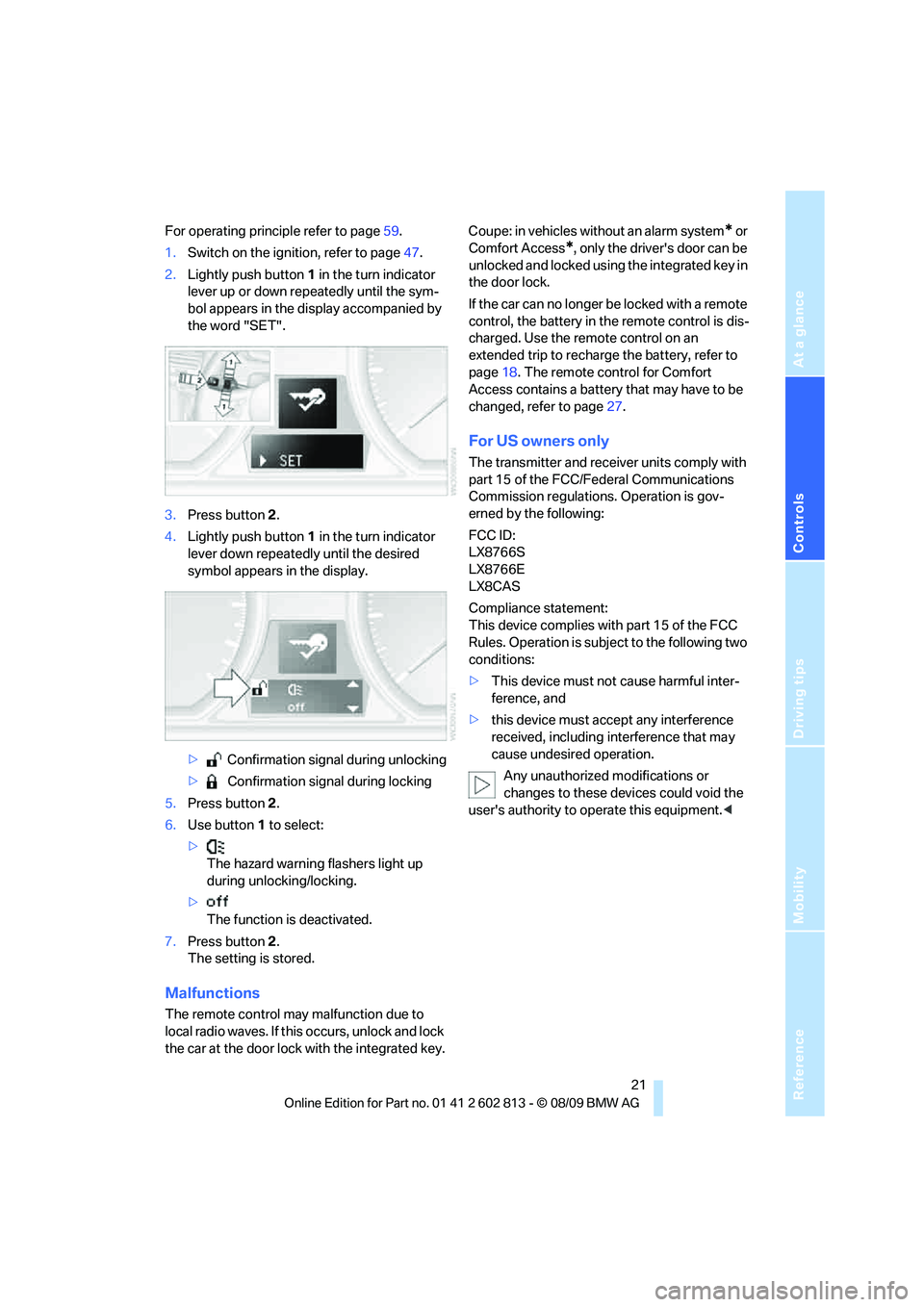
For operating principle refer to page59.
1.Switch on the ignition, refer to page47.
2.Lightly push button1 in the turn indicator
lever up or down repeatedly until the sym-
bol appears in the display accompanied by
the word "SET".
3.Press button 2.
4.Lightly push button1 in the turn indicator
lever down repeatedly until the desired
symbol appears in the display.
> Confirmation signal during unlocking
> Confirmation signal during locking
5.Press button 2.
6.Use button 1 to select:
>
The hazard warning flashers light up
during unlocking/locking.
>
The function is deactivated.
7.Press button 2.
The setting is stored.
Malfunctions
The remote control may malfunction due to
local radio waves. If this occurs, unlock and lock
the car at the door lock with the integrated key.Coupe: in vehicles without an alarm system
* or
Comfort Access
*, only the driver's door can be
unlocked and locked using the integrated key in
the door lock.
If the car can no longer be locked with a remote
control, the battery in the remote control is dis-
charged. Use the remote control on an
extended trip to recharge the battery, refer to
page18. The remote control for Comfort
Access contains a battery that may have to be
changed, refer to page27.
For US owners only
The transmitter and receiver units comply with
part 15 of the FCC/Federal Communications
Commission regulations. Operation is gov-
erned by the following:
FCC ID:
LX8766S
LX8766E
LX8CAS
Compliance statement:
This device complies with part 15 of the FCC
Rules. Operation is subject to the following two
conditions:
>This device must not cause harmful inter-
ference, and
>this device must accept any interference
received, including interference that may
cause undesired operation.
Any unauthorized modifications or
changes to these devices could void the
user's authority to operate this equipment.<
Page 24 of 166
Opening and closing
22
Opening and closing:
Using the door lock
You can set the way in which the car is
unlocked, refer to page19.
Coupe
In vehicles without an alarm system* or
Comfort Access
*, only the driver's door
can be locked via the door lock.<
To lock both doors, the fuel filler flap and the
trunk lid together:
1.With the doors closed, lock the vehicle
using the button for the central locking sys-
tem in the interior, refer to page22.
2.Unlock and open the driver's or front pas-
senger door, refer to page23.
3.Lock the vehicle.
>Lock the driver's door using the inte-
grated key in the door lock, or
>press down the lock button of the front
passenger door and close the door from
the outside.
Convenient operation*
Coupe: if the vehicle is equipped with an alarm
system
* or Comfort Access*, you can also
operate the windows and glass roof
* via the
door lock.
Convertible: you can operate the windows and
convertible top via the door lock.
Hold the key in the position for unlocking or
locking.
During each closing procedure, and when
opening the convertible top, watch the
process and ensure that no one becomes trapped. Releasing the key stops the opera-
tion.<
Manual operation
In the event of an electrical malfunction, you can
lock and unlock the driver's door by turning the
integrated key to the corresponding limit posi-
tions in the door lock.
Opening and closing:
From inside
This button serves to unlock or lock doors and
the trunk lid, but does not activate the anti-theft
system. The fuel filler flap remains unlocked.
Automatic locking
You can also set the situations in which the car
locks:
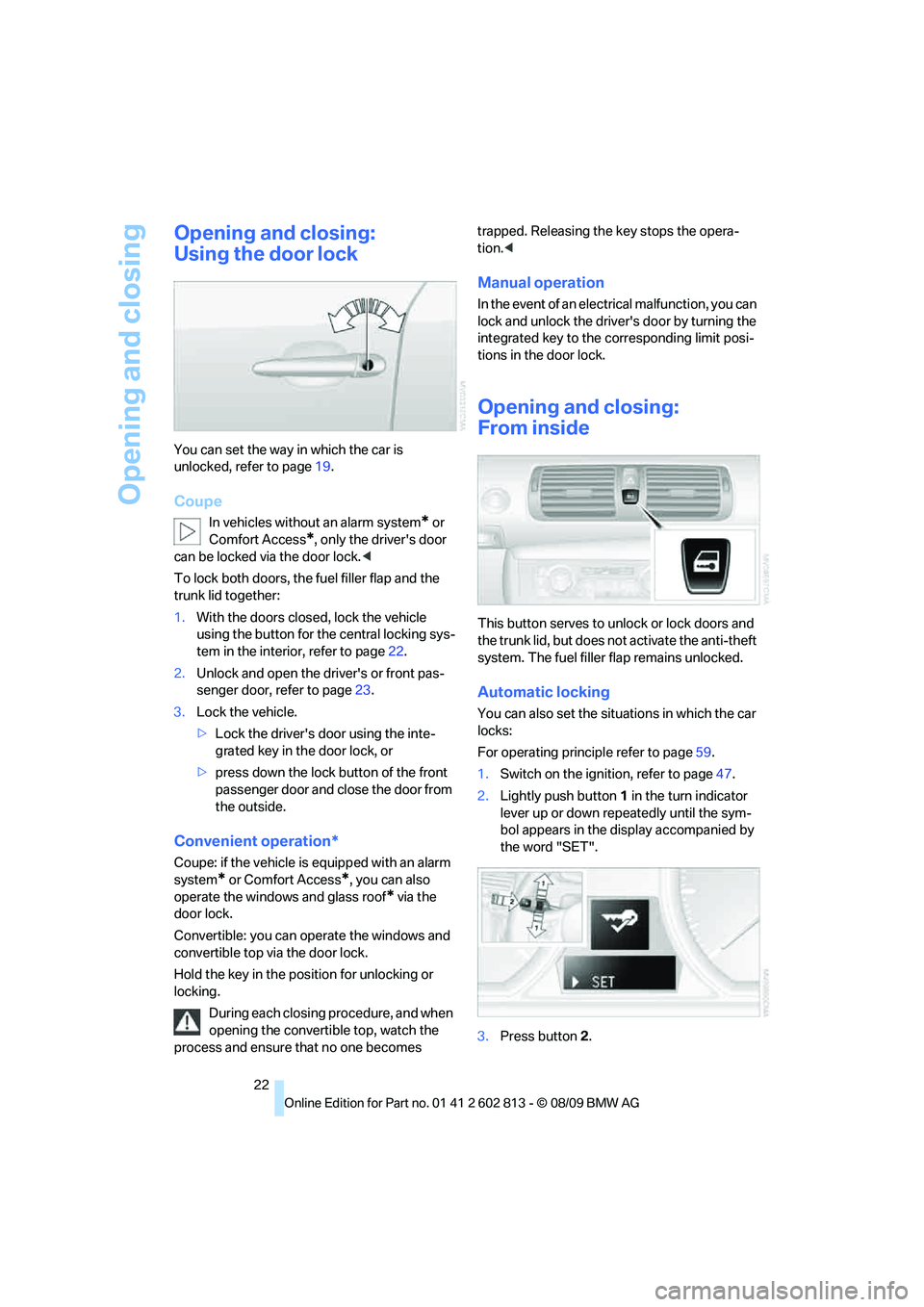
For operating principle refer to page59.
1.Switch on the ignition, refer to page47.
2.Lightly push button1 in the turn indicator
lever up or down repeatedly until the sym-
bol appears in the display accompanied by
the word "SET".
3.Press button 2.
Page 26 of 166
Opening and closing
24 trunk lid opens slightly and can be swung
upward.
In the event of a malfunction, please con-
tact your BMW center or a workshop that
works according to BMW repair procedures
with correspondingly trained personnel.<
Locking or unlocking separately
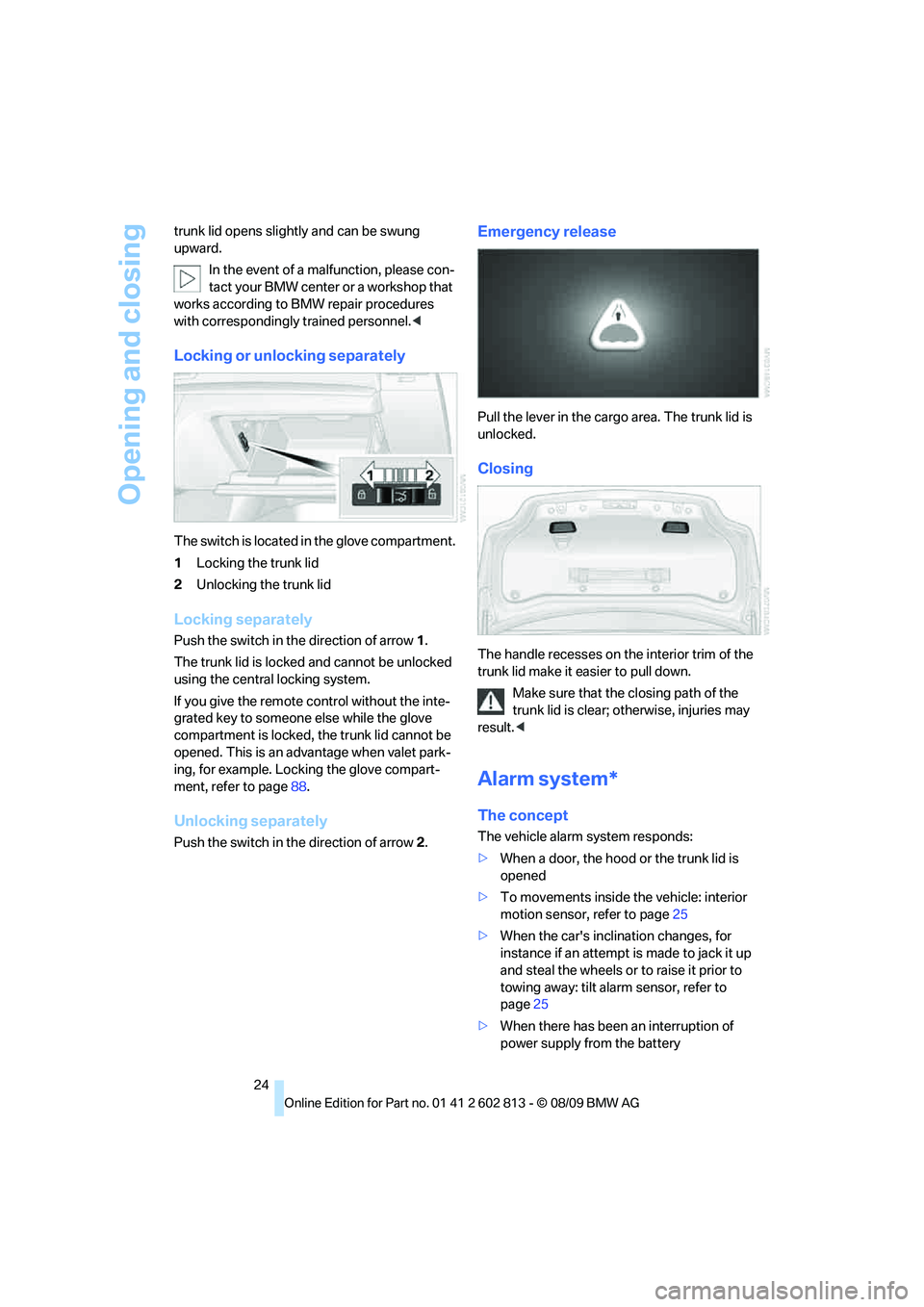
The switch is located in the glove compartment.
1Locking the trunk lid
2Unlocking the trunk lid
Locking separately
Push the switch in the direction of arrow 1.
The trunk lid is locked and cannot be unlocked
using the central locking system.
If you give the remote control without the inte-
grated key to someone else while the glove
compartment is locked, the trunk lid cannot be
opened. This is an advantage when valet park-
ing, for example. Locking the glove compart-
ment, refer to page88.
Unlocking separately
Push the switch in the direction of arrow 2.
Emergency release
Pull the lever in the cargo area. The trunk lid is
unlocked.
Closing
The handle recesses on the interior trim of the
trunk lid make it easier to pull down.
Make sure that the closing path of the
trunk lid is clear; otherwise, injuries may
result.<
Alarm system*
The concept
The vehicle alarm system responds:
>When a door, the hood or the trunk lid is
opened
>To movements inside the vehicle: interior
motion sensor, refer to page25
>When the car's inclination changes, for
instance if an attempt is made to jack it up
and steal the wheels or to raise it prior to
towing away: tilt alarm sensor, refer to
page25
>When there has been an interruption of
power supply from the battery
Page 27 of 166
Reference
At a glance
Controls
Driving tips
Mobility
25
Depending on the market-specific version, the
alarm system briefly signals unauthorized entry
attempts by:
>An acoustic alarm
>Switching on
* the hazard warning flashers
Arming and disarming
When you lock or unlock the vehicle, either with
the remote control or at the door lock, the alarm
system is armed or disarmed at the same time.
You can open the trunk lid using the button
of the remote control even if the alarm system is
armed, refer to page20. The lid is locked and
monitored again as soon as it is closed.
Panic mode
You can trigger the alarm system if you find
yourself in a dangerous situation.
Press the button for at least three seconds.
To switch off the alarm: press any button.
Switching off an alarm
>Unlock the car with the remote control, refer
to page19, or
>insert the remote control all the way into the
ignition lock.
Indicator lamp displays
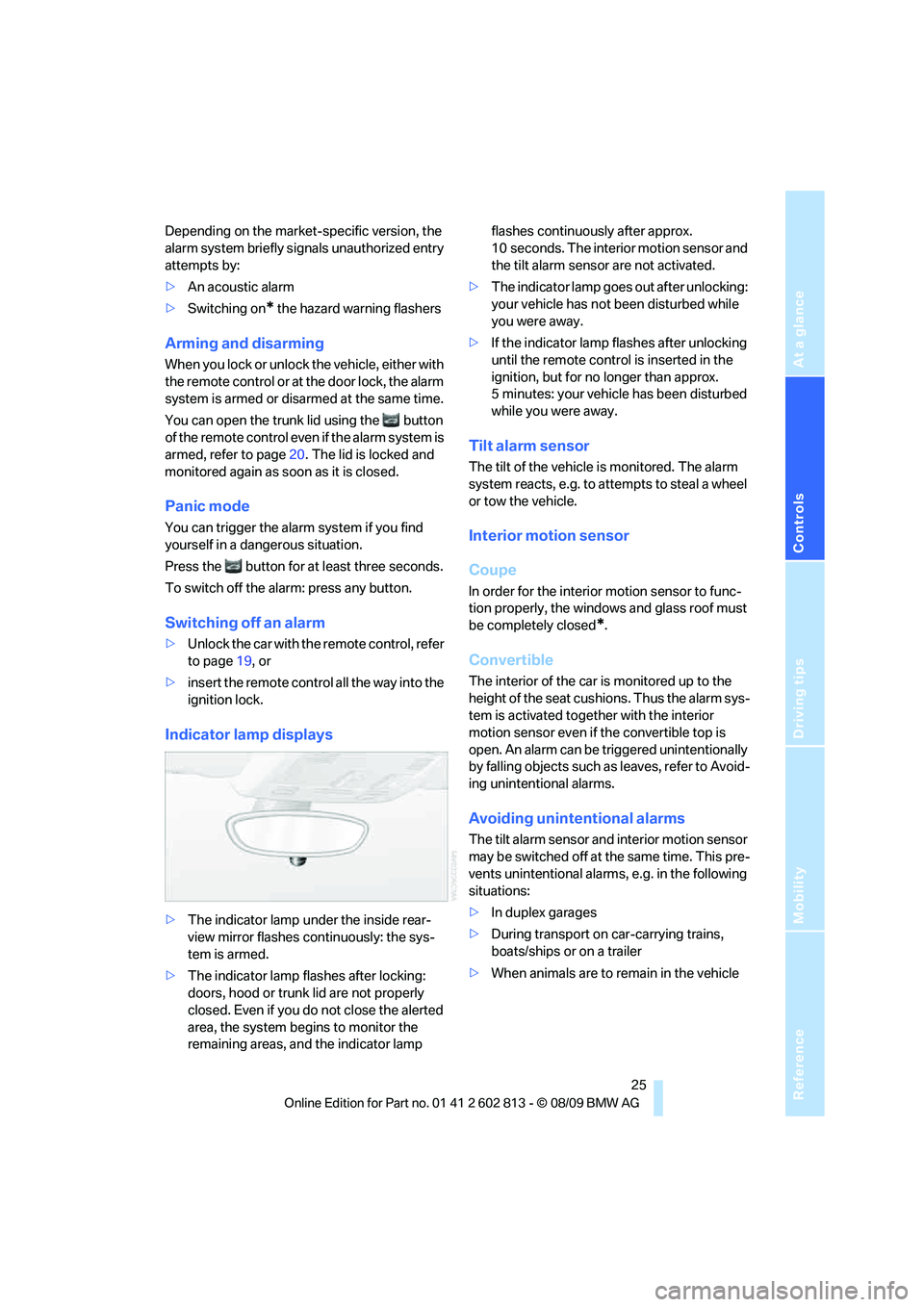
>The indicator lamp under the inside rear-
view mirror flashes continuously: the sys-
tem is armed.
>The indicator lamp flashes after locking:
doors, hood or trunk lid are not properly
closed. Even if you do not close the alerted
area, the system begins to monitor the
remaining areas, and the indicator lamp flashes continuously after approx.
10 seconds. The interior motion sensor and
the tilt alarm sensor are not activated.
>The indicator lamp goes out after unlocking:
your vehicle has not been disturbed while
you were away.
>If the indicator lamp flashes after unlocking
until the remote control is inserted in the
ignition, but for no longer than approx.
5 minutes: your vehicle has been disturbed
while you were away.
Tilt alarm sensor
The tilt of the vehicle is monitored. The alarm
system reacts, e.g. to attempts to steal a wheel
or tow the vehicle.
Interior motion sensor
Coupe
In order for the interior motion sensor to func-
tion properly, the windows and glass roof must
be completely closed
*.
Convertible
The interior of the car is monitored up to the
height of the seat cushions. Thus the alarm sys-
tem is activated together with the interior
motion sensor even if the convertible top is
open. An alarm can be triggered unintentionally
by falling objects such as leaves, refer to Avoid-
ing unintentional alarms.
Avoiding unintentional alarms
The tilt alarm sensor and interior motion sensor
may be switched off at the same time. This pre-
vents unintentional alarms, e.g. in the following
situations:
>In duplex garages
>During transport on car-carrying trains,
boats/ships or on a trailer
>When animals are to remain in the vehicle
Page 28 of 166
Opening and closing
26
Switching off tilt alarm sensor and
interior motion sensor
Press the button on the remote control
again as soon as the vehicle is locked.
The indicator lamp lights up briefly and then
flashes continuously. The tilt alarm sensor and
the interior motion sensor are switched off until
the next time the vehicle is unlocked and subse-
quently locked again.
Comfort Access*
Comfort Access enables you to enter your vehi-
cle without needing to hold the remote control
in your hand. All you need to do is wear the
remote control close to your body, e.g. in your
jacket pocket. The vehicle detects the corre-
sponding remote control within the immediate
vicinity or in the passenger compartment.
Comfort Access supports the following func-
tions:
>Unlocking/locking the vehicle
>Unlocking the trunk lid separately
>Engine starting
>Convenient closing
Functional requirement
>The vehicle or the trunk lid can only be
locked when the vehicle detects that the
remote control currently in use is outside of
the vehicle.
>The vehicle cannot be locked or unlocked
again until after approx. 2 seconds.
>The engine can only be started when the
vehicle detects that the remote control cur-
rently in use is inside the vehicle.
Comparison to the standard remote
control
In general, there is no difference between using
Comfort Access or pressing the buttons on the
remote control to carry out the functions men-
tioned above. You should therefore first famil-
iarize yourself with the instructions on opening
and closing starting on page18.Special features regarding the use of Comfort
Access are described below.
If you notice a brief delay while opening or
closing windows, the glass roof or the
convertible top, the system is checking whether
a remote control is inside the vehicle. Please
repeat the opening or closing procedure, if nec-
essary.<
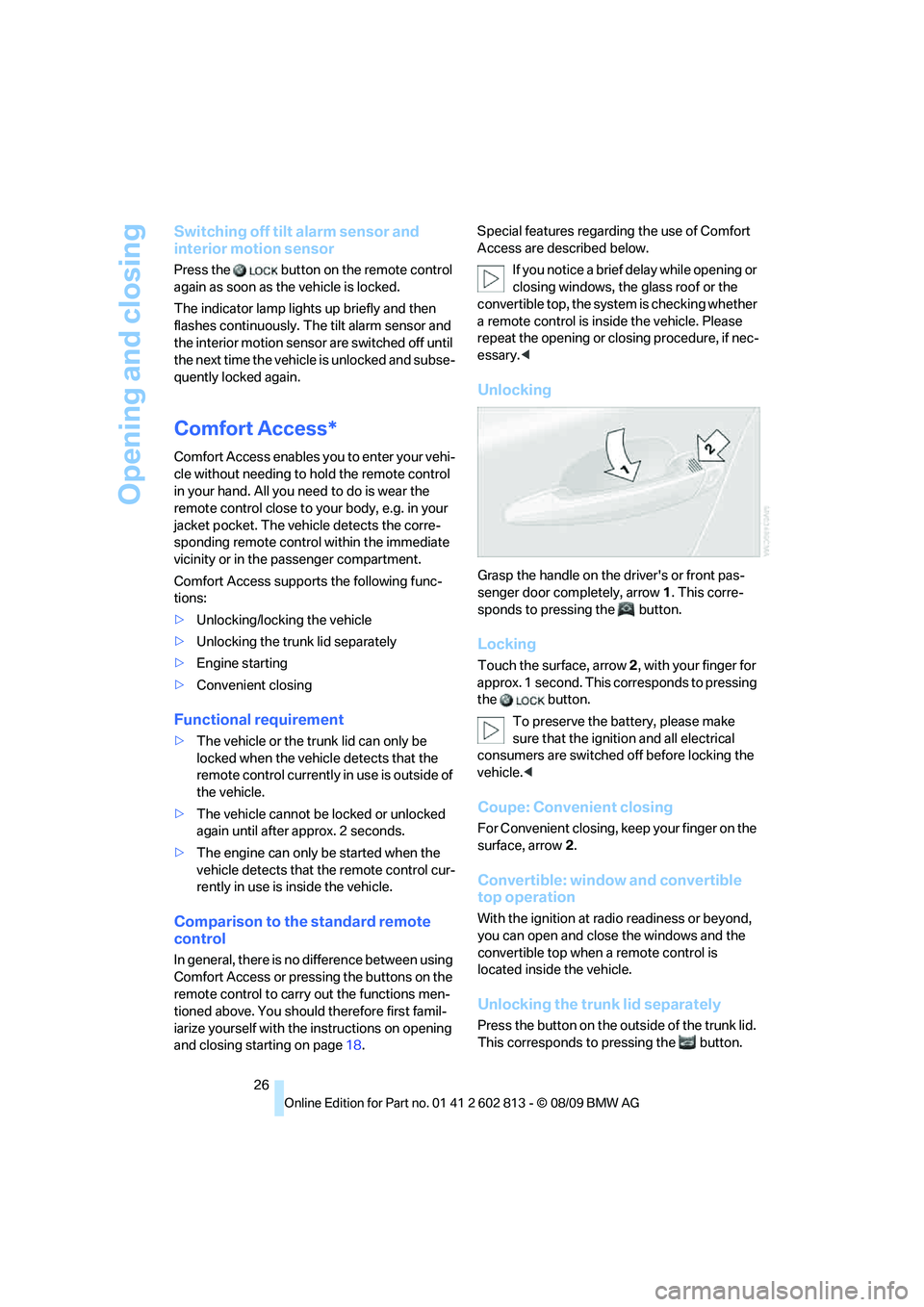
Unlocking
Grasp the handle on the driver's or front pas-
senger door completely, arrow 1. This corre-
sponds to pressing the button.
Locking
Touch the surface, arrow 2, with your finger for
approx. 1 second. This corresponds to pressing
the button.
To preserve the battery, please make
sure that the ignition and all electrical
consumers are switched off before locking the
vehicle.<
Coupe: Convenient closing
For Convenient closing, keep your finger on the
surface, arrow 2.
Convertible: window and convertible
top operation
With the ignition at radio readiness or beyond,
you can open and close the windows and the
convertible top when a remote control is
located inside the vehicle.
Unlocking the trunk lid separately
Press the button on the outside of the trunk lid.
This corresponds to pressing the button.
Page 154 of 166
Everything from A to Z
152
Everything from A to Z
Index
A
ABS Antilock Brake
System64
Accessories, refer to The
individual vehicle5
Accident, reporting, refer to
Emergency Request130
Activated-charcoal filter84
Active steering70
Adaptive light control76
Additives
– coolant117
– engine oil116
Airbags71
– sitting safely35
– warning lamp72
Air conditioner79
Air distribution
– automatic83
– individual80
Airing, refer to
Ventilation81,84
Air outlets, refer to Air
vents79
Air pressure, checking, refer
to Tire inflation
pressure106
Air recirculation, refer to
Recirculated-air
mode80,83
Air vents79
Air volume80,83
AKI, refer to Fuel
specifications104
Alarm system24
– avoiding unintentional
alarms25
– interior motion sensor25
– switching off an alarm25
– tilt alarm sensor25
ALL program83All-season tires, refer to
Winter tires113
Ambient air, refer to
Recirculated-air
mode80,83
Antifreeze
– coolant117
– washer fluid53
Antilock Brake System
ABS64
Anti-theft alarm system, refer
to Alarm system24
Anti-theft system19
Approved axle loads, refer to
Weights149
Approved gross vehicle
weight, refer to Weights149
Armrest, refer to Center
armrest
88
Ashtray90
Assistance systems, refer to
Dynamic Stability Control
DSC65
AUC Automatic recirculated-
air control83
Automatic
– air distribution83
– air volume83
– cruise control54
– headlamp control74
Automatic car washes120
Automatic climate control79
– automatic air distribution83
Automatic curb monitor42
Automatic high beams and
low beams, refer to High-
beam assistant76
Automatic lamps
– refer to Welcome lamps74
Automatic recirculated-air
control AUC83Automatic transmission with
Steptronic49
– selector lever lock50
– shiftlock50
– towing132
– tow-starting132
AUTO program for automatic
climate control83
Average fuel consumption58
– setting the units60
Average speed58
Avoiding unintentional
alarms25
Axle loads, refer to
Weights149
B
Backrests, refer to Seats36
Backrest width adjustment37
Back seats, refer to Rear seats
– adjusting head restraints38
Backup lamp, replacing
bulb127
Bag for skis, refer to Ski
bag92
Band-aids, refer to First-aid
pouch130
Bar, refer to Tow-starting,
towing away133
Battery128
– charging128
– disposal27,128
– jump-starting131
– temporary power failure128
Battery renewal
– remote control for vehicle27
Being towed132
Belts, refer to Safety belts41
Belt tensioner, refer to Safety
belts41
Beverage holders, refer to
Cupholders89
Page 157 of 166
Reference
At a glance
Controls
Driving tips
Mobility
155
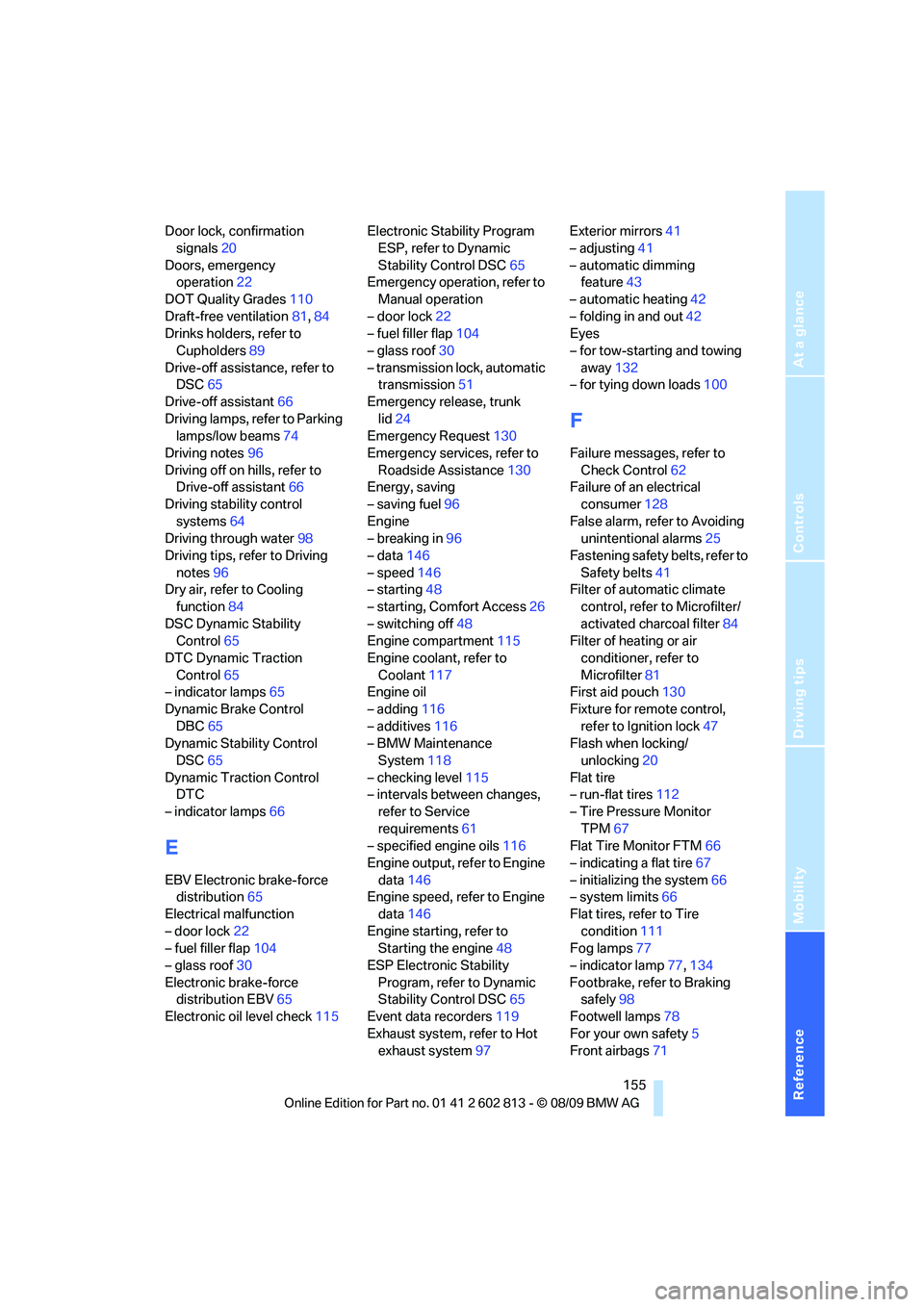
Door lock, confirmation
signals20
Doors, emergency
operation22
DOT Quality Grades110
Draft-free ventilation81,84
Drinks holders, refer to
Cupholders89
Drive-off assistance, refer to
DSC65
Drive-off assistant66
Driving lamps, refer to Parking
lamps/low beams74
Driving notes96
Driving off on hills, refer to
Drive-off assistant66
Driving stability control
systems64
Driving through water98
Driving tips, refer to Driving
notes96
Dry air, refer to Cooling
function84
DSC Dynamic Stability
Control65
DTC Dynamic Traction
Control65
– indicator lamps65
Dynamic Brake Control
DBC65
Dynamic Stability Control
DSC65
Dynamic Traction Control
DTC
– indicator lamps66
E
EBV Electronic brake-force
distribution65
Electrical malfunction
– door lock22
– fuel filler flap104
– glass roof30
Electronic brake-force
distribution EBV65
Electronic oil level check115Electronic Stability Program
ESP, refer to Dynamic
Stability Control DSC65
Emergency operation, refer to
Manual operation
– door lock22
– fuel filler flap104
– glass roof30
– transmission lock, automatic
transmission51
Emergency release, trunk
lid24
Emergency Request130
Emergency services, refer to
Roadside Assistance130
Energy, saving
– saving fuel96
Engine
– breaking in96
– data146
– speed146
– starting48
– starting, Comfort Access26
– switching off48
Engine compartment115
Engine coolant, refer to
Coolant117
Engine oil
– adding116
– additives116
– BMW Maintenance
System118
– checking level115
– intervals between changes,
refer to Service
requirements61
– specified engine oils116
Engine output, refer to Engine
data146
Engine speed, refer to Engine
data146
Engine starting, refer to
Starting the engine48
ESP Electronic Stability
Program, refer to Dynamic
Stability Control DSC65
Event data recorders119
Exhaust system, refer to Hot
exhaust system97Exterior mirrors41
– adjusting41
– automatic dimming
feature43
– automatic heating42
– folding in and out42
Eyes
– for tow-starting and towing
away132
– for tying down loads100
F
Failure messages, refer to
Check Control62
Failure of an electrical
consumer128
False alarm, refer to Avoiding
unintentional alarms25
Fastening safety belts, refer to
Safety belts41
Filter of automatic climate
control, refer to Microfilter/
activated charcoal filter84
Filter of heating or air
conditioner, refer to
Microfilter81
First aid pouch130
Fixture for remote control,
refer to Ignition lock47
Flash when locking/
unlocking20
Flat tire
– run-flat tires112
– Tire Pressure Monitor
TPM67
Flat Tire Monitor FTM66
– indicating a flat tire67
– initializing the system66
– system limits66
Flat tires, refer to Tire
condition111
Fog lamps77
– indicator lamp77,134
Footbrake, refer to Braking
safely98
Footwell lamps78
For your own safety5
Front airbags71
Page 162 of 166
Everything from A to Z
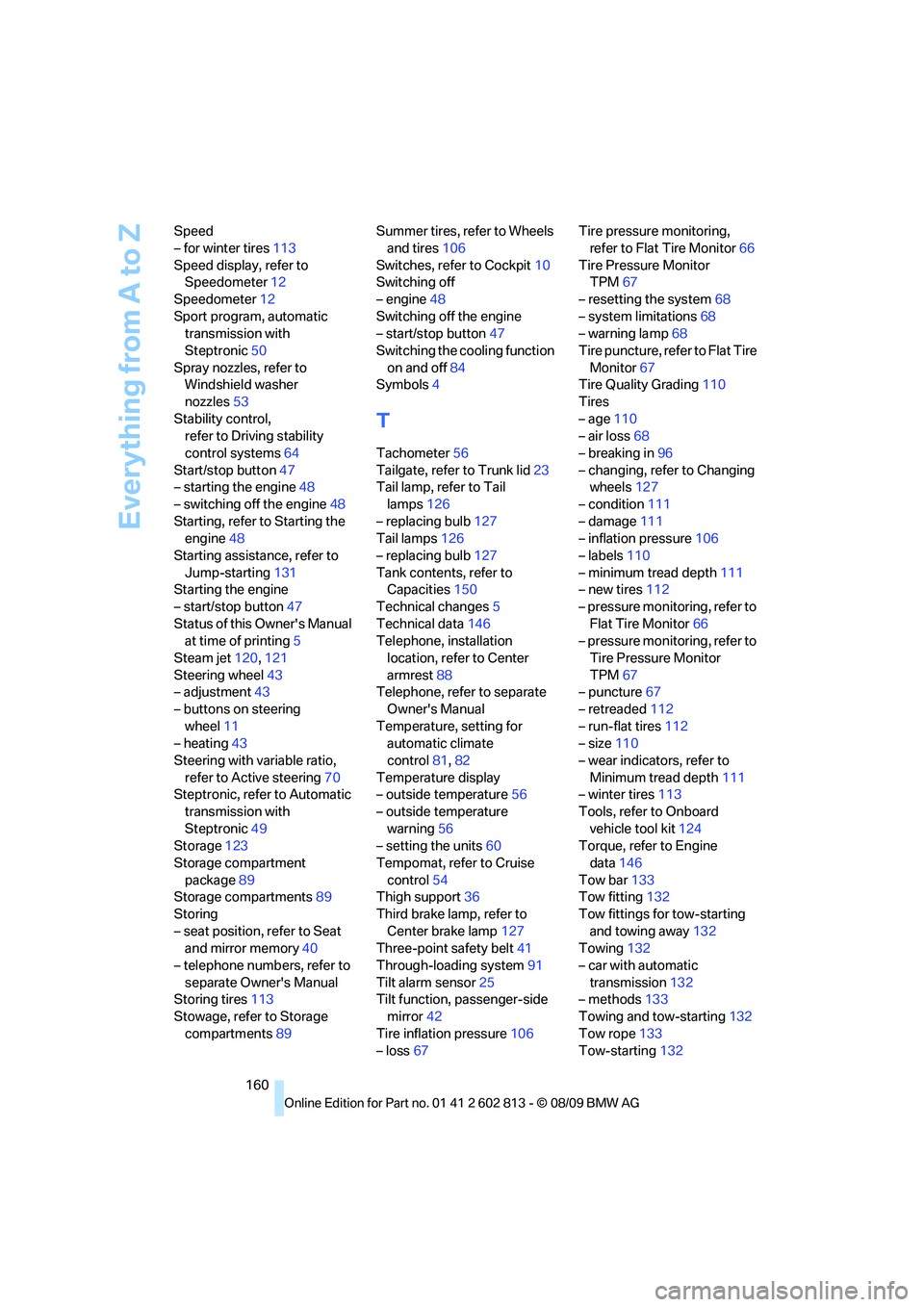
160 Speed
– for winter tires113
Speed display, refer to
Speedometer12
Speedometer12
Sport program, automatic
transmission with
Steptronic50
Spray nozzles, refer to
Windshield washer
nozzles53
Stability control,
refer to Driving stability
control systems64
Start/stop button47
– starting the engine48
– switching off the engine48
Starting, refer to Starting the
engine48
Starting assistance, refer to
Jump-starting131
Starting the engine
– start/stop button47
Status of this Owner's Manual
at time of printing5
Steam jet120,121
Steering wheel43
– adjustment43
– buttons on steering
wheel11
– heating43
Steering with variable ratio,
refer to Active steering70
Steptronic, refer to Automatic
transmission with
Steptronic49
Storage123
Storage compartment
package89
Storage compartments89
Storing
– seat position, refer to Seat
and mirror memory40
– telephone numbers, refer to
separate Owner's Manual
Storing tires113
Stowage, refer to Storage
compartments89Summer tires, refer to Wheels
and tires106
Switches, refer to Cockpit10
Switching off
– engine48
Switching off the engine
– start/stop button47
Switching the cooling function
on and off84
Symbols4
T
Tachometer56
Tailgate, refer to Trunk lid23
Tail lamp, refer to Tail
lamps126
– replacing bulb127
Tail lamps126
– replacing bulb127
Tank contents, refer to
Capacities150
Technical changes5
Technical data146
Telephone, installation
location, refer to Center
armrest88
Telephone, refer to separate
Owner's Manual
Temperature, setting for
automatic climate
control81,82
Temperature display
– outside temperature56
– outside temperature
warning56
– setting the units60
Tempomat, refer to Cruise
control54
Thigh support36
Third brake lamp, refer to
Center brake lamp127
Three-point safety belt41
Through-loading system91
Tilt alarm sensor25
Tilt function, passenger-side
mirror42
Tire inflation pressure106
– loss67Tire pressure monitoring,
refer to Flat Tire Monitor66
Tire Pressure Monitor
TPM67
– resetting the system68
– system limitations68
– warning lamp68
Tire puncture, refer to Flat Tire
Monitor67
Tire Quality Grading110
Tires
– age110
– air loss68
– breaking in96
– changing, refer to Changing
wheels127
– condition111
– damage111
– inflation pressure106
– labels110
– minimum tread depth111
– new tires112
– pressure monitoring, refer to
Flat Tire Monitor66
– pressure monitoring, refer to
Tire Pressure Monitor
TPM67
– puncture67
– retreaded112
– run-flat tires112
– size110
– wear indicators, refer to
Minimum tread depth111
– winter tires113
Tools, refer to Onboard
vehicle tool kit124
Torque, refer to Engine
data146
Tow bar133
Tow fitting132
Tow fittings for tow-starting
and towing away132
Towing132
– car with automatic
transmission132
– methods133
Towing and tow-starting132
Tow rope133
Tow-starting132