Oil BMW 1 SERIES 2013 E82 User Guide
[x] Cancel search | Manufacturer: BMW, Model Year: 2013, Model line: 1 SERIES, Model: BMW 1 SERIES 2013 E82Pages: 288, PDF Size: 6.73 MB
Page 239 of 288
234
MobilityEngine compartment
2.Press button 2.
The oil level is checked and the reading
displayed.
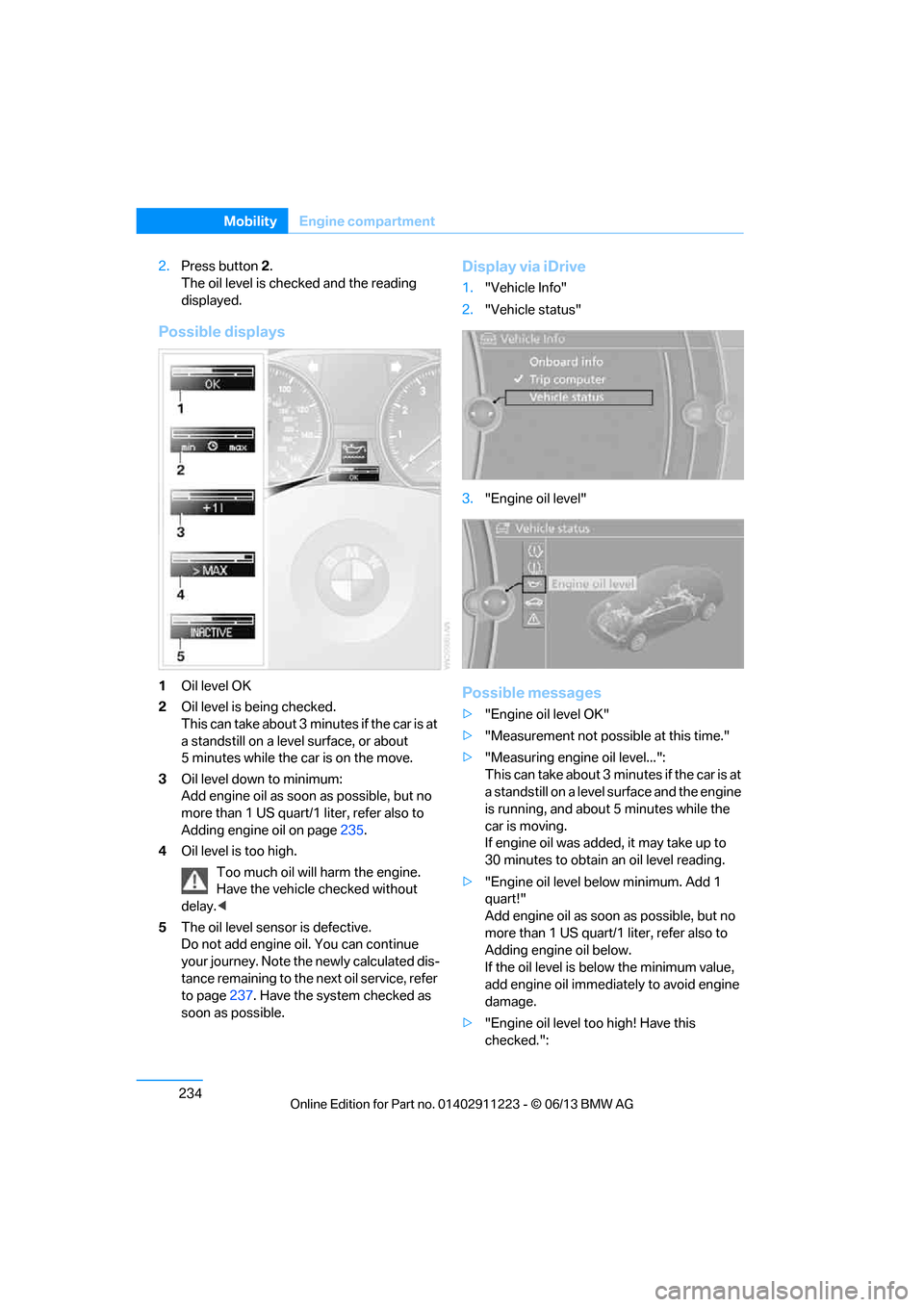
Possible displays
1 Oil level OK
2 Oil level is being checked.
This can take about 3 min utes if the car is at
a standstill on a level surface, or about
5 minutes while the car is on the move.
3 Oil level down to minimum:
Add engine oil as soon as possible, but no
more than 1 US quart/1 liter, refer also to
Adding engine oil on page 235.
4 Oil level is too high.
Too much oil will harm the engine.
Have the vehicle checked without
delay. <
5 The oil level sensor is defective.
Do not add engine oil. You can continue
your journey. Note the newly calculated dis-
tance remaining to the ne xt oil service, refer
to page 237. Have the system checked as
soon as possible.
Display via iDrive
1. "Vehicle Info"
2. "Vehicle status"
3. "Engine oil level"
Possible messages
>"Engine oil level OK"
> "Measurement not possible at this time."
> "Measuring engine oil level...":
This can take about 3 min utes if the car is at
a standstill on a level surface and the engine
is running, and about 5 minutes while the
car is moving.
If engine oil was added, it may take up to
30 minutes to obtain an oil level reading.
> "Engine oil level below minimum. Add 1
quart!"
Add engine oil as soon as possible, but no
more than 1 US quart/1 liter, refer also to
Adding engine oil below.
If the oil level is be low the minimum value,
add engine oil immediately to avoid engine
damage.
> "Engine oil level too high! Have this
checked.":
00320051004F004C00510048000300280047004C0057004C005200510003
Page 240 of 288
235
Engine compartment
Mobility
Have the vehicle checked immedi-
ately; otherwise, the excess oil may
lead to engine damage. <
> "Measurement inactive. Have this
checked.":
Do not add engine oil. Before continuing to
drive, note the recalc ulated remaining mile-
age until the next oil ch ange service, refer to
Service requirements on page 80. Have the
system checked as soon as possible.
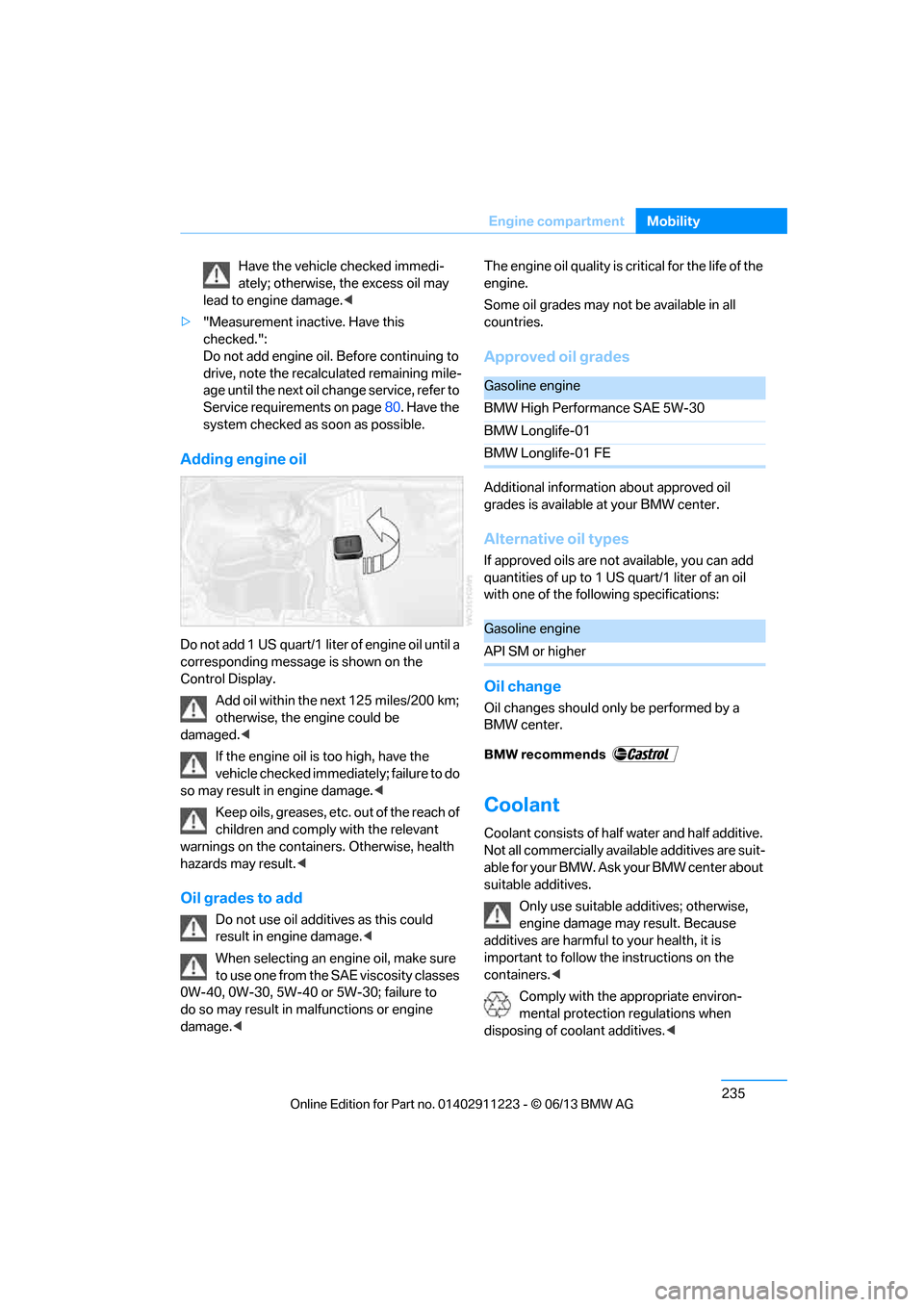
Adding engine oil
Do not add 1 US quart/1 liter of engine oil until a
corresponding message is shown on the
Control Display.
Add oil within the next 125 miles/200 km;
otherwise, the engine could be
damaged. <
If the engine oil is too high, have the
vehicle checked immediately; failure to do
so may result in engine damage. <
Keep oils, greases, etc. out of the reach of
children and comply with the relevant
warnings on the containers. Otherwise, health
hazards may result.<
Oil grades to add
Do not use oil additives as this could
result in engine damage. <
When selecting an engi ne oil, make sure
to use one from the SAE viscosity classes
0W-40, 0W-30, 5W-40 or 5W-30; failure to
do so may result in ma lfunctions or engine
damage. < The engine oil quality is critical for the life of the
engine.
Some oil grades may not be available in all
countries.
Approved oil grades
Additional information about approved oil
grades is available at your BMW center.
Alternative oil types
If approved oils are not available, you can add
quantities of up to 1 US quart/1 liter of an oil
with one of the following specifications:
Oil change
Oil changes should only be performed by a
BMW center.
Coolant
Coolant consists of half
water and half additive.
Not all commercially availa ble additives are suit-
able for your BMW. Ask your BMW center about
suitable additives.
Only use suitable a dditives; otherwise,
engine damage may result. Because
additives are harmful to your health, it is
important to follow the instructions on the
containers. <
Comply with the appropriate environ-
mental protection regulations when
disposing of coolant additives. <
Gasoline engine
BMW High Performance SAE 5W-30
BMW Longlife-01
BMW Longlife-01 FE
Gasoline engine
API SM or higher
00320051004F004C00510048000300280047004C0057004C005200510003
Page 242 of 288
237
Maintenance
Mobility
Maintenance
Vehicle equipment
In this chapter, all production, country, and
optional equipment that is offered in the model
range is described. For this reason, descrip-
tions will be given of some equipment that may
not be available in a vehi
cle, for example due to
the special options or national-market version
selected. This also app lies to safety related
functions and systems.
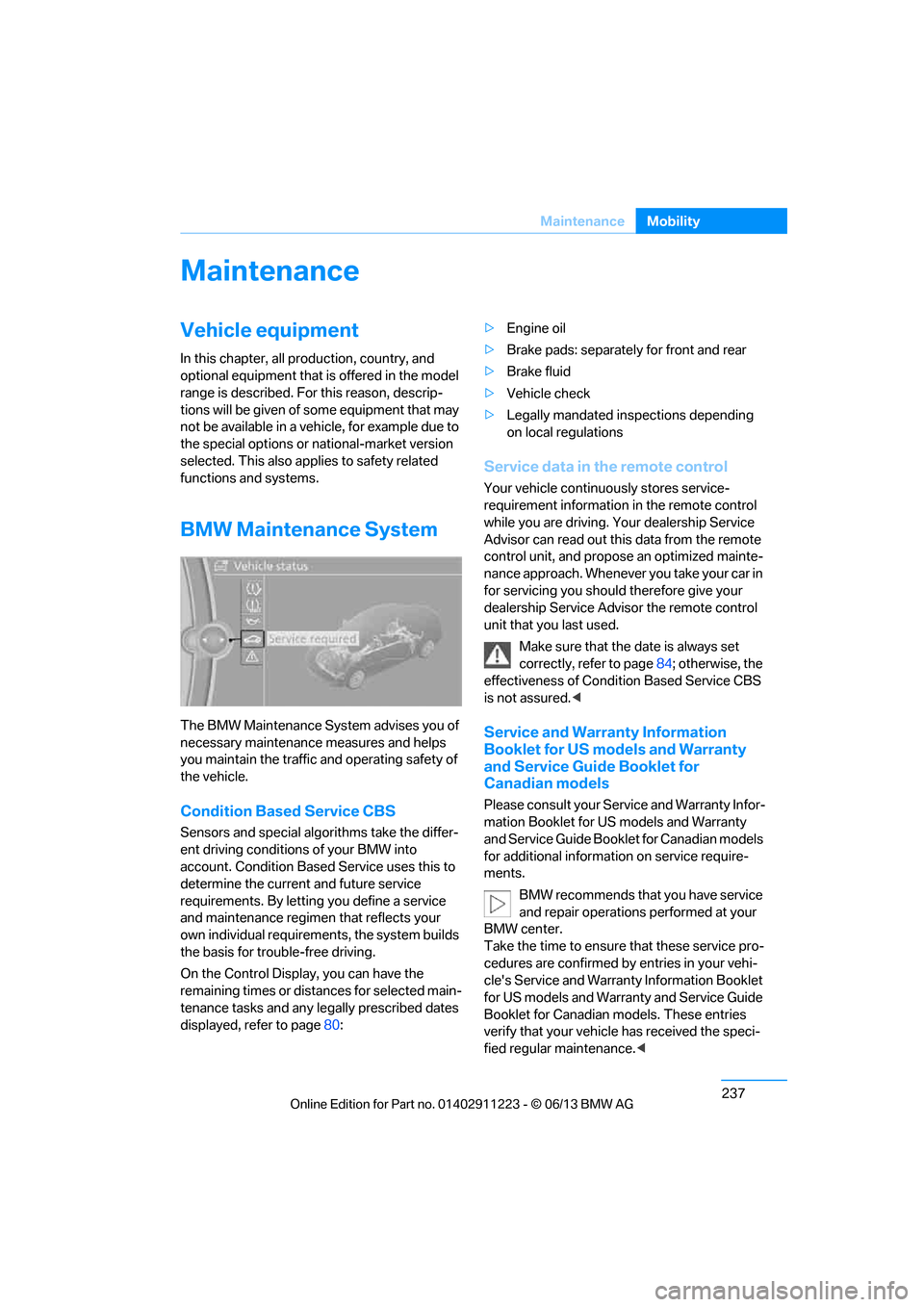
BMW Maintenance System
The BMW Maintenance System advises you of
necessary maintenance measures and helps
you maintain the traffic and operating safety of
the vehicle.
Condition Based Service CBS
Sensors and special algo rithms take the differ-
ent driving conditions of your BMW into
account. Condition Based Service uses this to
determine the current and future service
requirements. By letting you define a service
and maintenance regimen that reflects your
own individual requirements, the system builds
the basis for trouble-free driving.
On the Control Display, you can have the
remaining times or distan ces for selected main-
tenance tasks and any le gally prescribed dates
displayed, refer to page 80: >
Engine oil
> Brake pads: separately for front and rear
> Brake fluid
> Vehicle check
> Legally mandated in spections depending
on local regulations
Service data in the remote control
Your vehicle continuously stores service-
requirement information in the remote control
while you are driving. Your dealership Service
Advisor can read out this data from the remote
control unit, and propose an optimized mainte-
nance approach. Whenever you take your car in
for servicing you should therefore give your
dealership Service Advisor the remote control
unit that you last used.
Make sure that the date is always set
correctly, refer to page 84; otherwise, the
effectiveness of Condit ion Based Service CBS
is not assured. <
Service and Warranty Information
Booklet for US models and Warranty
and Service Guide Booklet for
Canadian models
Please consult your Service and Warranty Infor-
mation Booklet for US models and Warranty
and Service Guide Booklet for Canadian models
for additional information on service require-
ments.
BMW recommends that you have service
and repair operations performed at your
BMW center.
Take the time to ensure that these service pro-
cedures are confirmed by entries in your vehi-
cle's Service and Warranty Information Booklet
for US models and Warranty and Service Guide
Booklet for Canadian models. These entries
verify that your vehicle has received the speci-
fied regular maintenance. <
00320051004F004C00510048000300280047004C0057004C005200510003
Page 244 of 288
239
Care
Mobility
Care
Vehicle equipment
In this chapter, all production, country, and
optional equipment that is offered in the model
range is described. For this reason, descrip-
tions will be given of some equipment that may
not be available in a vehi
cle, for example due to
the special options or national-market version
selected. This also app lies to safety related
functions and systems.
Washing the vehicle
Notes
When using steam cleaners or high-pres-
sure cleaning jets, make sure to maintain
a sufficient distance and stay below a maximum
temperature of 140 7/60 6.
Too close a distance, too high a pressure, or too
high a temperature may cause damage or
preliminary damage that can then lead to long-
term damage.
Follow the operating inst ructions for the steam
jet or high-pressure washer. <
When using high-pressure washers, do
not spray the sensors, e.g. of the Park
Distance Control, for an extended period and
maintain a distance of at least 1 ft/30 cm from
them. <
Regularly remove foreign objects, e.g. leaves, in
the vicinity of the windsh ield when the hood is
open.
Wash the vehicle more frequently, particularly
in winter.
Heavy soiling and road salt can lead to vehicle
damage.
Automatic car washes
Notes
In car washes with high pressures and
nozzle positions, wate r may drip into the
vehicle around the windows. <
Please note the following:
> Give preference to car washes that use
cloth or soft brushes in order to avoid paint
damage.
> Wheels and tires must not be damaged by
transport devices.
> Fold in exterior mirror, refer to page 55; oth-
erwise, they can be damaged due to the
width of the vehicle.
> Deactivate the rain sensor, refer to page 72,
to prevent undesired wiper operation.
> In the convertible, do not treat the top with
wax. Ensure that a program is available that
does not apply wax or is designed specifi-
cally for Convertibles.
> Move rear wiper into its wiper park position,
deactivate it, and protect it from damage.
Ask the car wash operator about suitable
protective measures.
> Remove additional add-on parts, e.g. spoil-
ers or phone antennas, if they could be
damaged.
> Unscrew the rod antenna.
> Leave the remote cont rol in the ignition
lock.
Avoid car washes with guide rail heights
over 4 in/10 cm; otherwise, there is the
danger of damaging chassis parts. <
00320051004F004C00510048000300280047004C0057004C005200510003
Page 245 of 288
240
MobilityCare
Driving into an automatic car wash
Perform the following steps to ensure that the
vehicle can roll:
Manual transmission:
1.Shift into neutral.
2. Release parking brake, refer to page 63.
3. Switch off the engine.
4. Leave the remote control in the ignition
lock.
Automatic transmission:
1. Insert the remote cont rol into the ignition
lock, even with Comfort Access.
2. Shift selector lever into position N.
3. Release parking brake, refer to page 63.
4. Switch off the engine.
5. Leave the remote control in the ignition
lock.
Sport automatic transmission with double
clutch:
1. Insert the remote cont rol into the ignition
lock, even with Comfort Access.
2. Shift selector lever into position N.
3. Release parking brake, refer to page 63.
4. Switch off the engine.
5. Leave the remote control in the ignition
lock.
The transmission is switched into position P:
> Automatically after approx. 30 minutes
> If you remove the infrared remote control
from the ignition lock
Headlamps
Do not rub them dry and do not use abrasive or
corrosive cleaning agents.
Loosen dirt, e.g. insects, with shampoo and
rinse away with water.
Thaw ice with a de-icer and do not use an ice
scraper.
After washing the vehicle
After washing the vehicle, apply the
brakes briefly to dry them; otherwise,
water can reduce braking efficiency over the
short term and the brake discs can corrode. <
R e m o v e r e s i d u e s o n t h e windows completely in
order to prevent impaired vision due to smear
formation and to reduce wiper noise and wiper
blade wear.
Vehicle care
Care products
BMW recommends using BMW cleaning and
care products since they have been tested and
approved for this purpose.
Follow the instructions on the packaging.
When cleaning inside the vehicle, always
open the doors and windows. Only use prod-
ucts designed for cleaning vehicles. Cleaning
agents can contain substa nces that are danger-
ous or hazardous to your health. <
Vehicle paintwork
Regular care contributes to driving safety and
value retention. Environmental influences in
regions with elevated levels of air pollution or
natural contaminants such as tree sap or pollen
can impact vehicle paintwork. The frequency
and scope of car care should be adapted
accordingly.
Immediately remove particularly corrosive sub-
stances such as spilled fuel, oil, grease, or bird
droppings to prevent damage to the paintwork.
Leather care
Frequently remove dust from the leather using
a cloth or vacuum cleaner.
Otherwise, dust and road grit in the pores and
folds of the leather will otherwise have an abra-
sive effect, resulting in increased wear and
causing the leather surf ace to become brittle
prematurely.
00320051004F004C00510048000300280047004C0057004C005200510003
Page 247 of 288
242
MobilityCare
Carpet and floor mats
Keep floor mats, carpet, and other objects
out of the movement range of the pedals;
otherwise, they may inhi bit the function of the
pedals during driving.
Do not place additional floor mats onto an
existing one or onto other objects.
Only use floor mats that have been approved for
the vehicle and can be appropriately fastened.
Make sure that the floo r mats are securely fas-
tened again after they ha ve been removed, e.g.
for cleaning. <
Floor mats can be removed for the cleaning of
the passenger compartment.
When inserting the floor mats, secure them
again to prevent slippage.
When carpets are heavily soiled, clean with a
microfibre cloth and water or textile cleaner.
When doing so, rub back and forth in the direc-
tion of travel; otherwise, the carpet may
become matted.
Sensors/cameras
Use a microfibre cloth moistened with some
glass cleaner for cleani ng sensors or cameras.
Displays/screens
Use an antistatic microfibre cloth for cleaning
displays.
Do not use chemical or abrasive house-
hold cleaning agents. Keep all types of
fluid and moisture away from the device. Other-
wise, surfaces or electrical components may be
corroded or damaged. When cleaning, avoid
excessive pressure and do not use abrasive
materials; otherwise, you may damage them. <
Convertible top care
The appearance and service life of the convert-
ible top largely depends on its proper care and
operation.
Please follow these instructions:
>Never attempt to fold and stow the convert-
ible top in the convertible compartment
when the top is wet or frozen. Otherwise,
water stains, mildew, and chafe marks may
occur.
> If water spots occur on the inside headliner
despite precautions, remove them using a
microfiber cloth and interior cleaner.
> If the vehicle is parked in an enclosed area
for a longer period of time, make sure that
there is sufficient ventilation.
> Remove any bird droppings immediately,
since they have corrosive properties which
will corrode the conver tible top and damage
the rubber seals.
To remove stains from the convertible
top, do not use stain removers, paint thin-
ners, solvents, benzine or similar substances.
These cleaners may damage the rubber seals.
The improper care or cleaning methods may
cause the convertible top and its seams to
leak. <
To remove heavy soiling, use a special convert-
ible top cleaner.
Always read and follow the manufacturer's
instructions.
After washing the convertible top three to five
times, treat it with an impregnating agent.
Vehicle storage
Your BMW center will be happy to advise you on
preparatory steps for parking the vehicle for
more than three months.
00320051004F004C00510048000300280047004C0057004C005200510003
Page 273 of 288
268
ReferenceEverything from A to Z
Everything from A to Z
Index
A
ABS Antilock Brake
System 89
Acceleration assistant, refer to Launch Control 70
Accessories, refer to Vehicle equipment 5
Accident, reporting, refer to
Emergency Request 250
Activated-charcoal filter 109
Active steering 96
Adaptive Light Control 101
Additives
– coolant 235
– engine oil 235
Address, entering 134,140
Address for navigation
– entering 134
Adjusting temperature 107
Airbags 97
– sitting safely 49
– warning lamp 98
Air conditioner 106
Air distribution
– automatic 107
Airing, refer to Ventilation 109
Air outlets, refer to Air vents 106
Air pressure, checking, refer to Tire inflation
pressure 223
Air recirculation, refer to Recirculated air mode 108
Air vents 106
Air volume 108
AKI, refer to Fuel grade 221Alarm system
38
– avoiding unintentional alarms 40
– interior motion sensor 39
– switching off an alarm 39
– tilt alarm sensor 39
Albums in music collection 175
ALL program 108
All-season tires, refer to Winter tires 231
AM, waveband 157
Ambient air, refer to Recirculated air mode 108
Antifreeze
– coolant 235
– washer fluid 72
Antilock Brake System
ABS 89
Anti-theft alarm system, refer
to Alarm system 38
Appointments, refer to Calendar 207
Approved axle loads, refer to Weights 259
Approved engine oils 235
Approved gross vehicle weight, refer to W
eights259
Apps 216
Armrest, refer to Center armrest 115
Arrival time
– computer 78
Ashtray 116
Assistance systems, refer to
Dynamic Stability Control
DSC 89 AUC Automatic recirculated
air control 108
Audible instructions, refer to
Voice instructions 145
Audio 154
– controls 154
– switching on/off 154
– tone control 155
– volume 155
Automatic
– air distribution 107
– air volume 107
– cruise control 73
– headlamp control 100
Automatic car washes 239
Automatic climate control 106
Automatic curb monitor 56
Automatic high beams and
low beams, refer to High-
beam Assistant 102
Automatic lamps
– refer to Welcome lamps 101
Automatic recirculated air
control AUC 108
Automatic Service Request 215
Automatic transmission with Steptronic 64
– selector lever lock 64
– shiftlock 64
– towing 252
– tow-starting 252
AUTO program for automatic climate control 107
AUX-In connection 177
Available services 216
Average fuel consumption 77
– setting the units 80
00320051004F004C00510048000300280047004C0057004C005200510003
Page 277 of 288
272
ReferenceEverything from A to Z
Directory for navigation, refer
to Address book 136
Display, refer to Control Display 20
Displaying contact
pictures 203
Display lighting, refer to Instrument lighting 104
Displays, refer to Instrument cluster 14
Displays and controls 12
Disposal
– of coolant 235
– remote control battery 42
– vehicle battery 249
Distance, refer to
Computer 78
Distance remaining to service, refer to Service
requirements 80
Distance to destination, refer to Computer 78
Distance warning, refer to Park Distance Control
PDC 88
Door key, refer to Integrated key/remote control 32
Door lock 36
Door lock, confirmation signals 35
Doors, manual operation 36
DOT Quality Grades 228
Draft-free ventilation 109
Drinks holders, refer to
Cupholders 116
Drive mode 68
Drive-off assistance, refer to
DSC 89
Drive-off assistant 90
Driving dynamics control 69
Driving lamps, refer to Parking lamps/low beams 100
Driving notes 124
Driving off on hills, refer to Drive-off assistant 90Driving stability control
systems 89
Driving through water 126
Driving tips, refer to Driving notes 124
Dry air, refer to Air conditioning 109
DSC Dynamic Stability
Control 89
DTC Dynamic Traction Control 90
– indicator lamps 90
DVD
– country codes 168
– settings 169
– video playback 168
DVD menu 169
DVD player, refer to CD player 166
DVD video 168
D y
namic Brake Control
DBC 89
Dynamic destination guidance 149
Dynamic Stability Control
DSC 89
Dynamic Traction Control DTC 90
– indicator lamps 90
E
EBV Electronic brake-force
distribution 89
Eject button, see buttons on the CD/DVD player 154
Electrical defect
– 7-gear Sport automatic transmission with double
clutch 69
Electrical malfunction
– door lock 36
– fuel filler flap 221
Electronic brake-force distribution EBV 89Electronic oil level check
233
Electronic Stability Program
ESP, refer to Dynamic
Stability Control DSC 89
E-mail 206
Emergency operation, refer to Manual operation
– door lock 36
– fuel filler flap 221
– transmission lock, automatic transmission 66
Emergency release, trunk lid 38
Emergency Request 250
Emergency services, refer to Roadside Assistance 251
Energy, saving
– saving fuel 124
Engine
– breaking in 124
– starting 62
– starting, Comfort Access 40
– switching off 63
Engine compartment 232
Engine coolant, refer to
Coolant 235
Engine oil
– adding 235
– additives 235
– alternative oil types 235
– approved engine oils 235
– BMW Maintenance System 237
– checking level 233
– intervals between changes, refer to Service
requirements 80
Engine oil level, checking 233
Engine starting, refer to Starting the engine 62
Entering the postal code for navigation 135
Entry map for destination 139
Equalizer, tone control 155
00320051004F004C00510048000300280047004C0057004C005200510003
Page 281 of 288
276
ReferenceEverything from A to Z
Mobile phone, installation
location, refer to Center
armrest 115
Mobile phone, refer to Telephone 188
Modifications, te chnical, refer
to For your own safety 5
Monitor, refer to iDrive 20
Monitoring system for tire pressures, refer to Flat Tire
Monitor 91
Multi-channel playback 156
Multifunctional steering wheel, refer to Buttons on
the steering wheel 13
Multifunction switch
– refer to Turn signals/ headlamp flasher 71
– refer to Wiper system 71
Music collection 172
– backing up 176
– deleting 176
– random sequence 175
– restoring 176
Music interface for
smartphones 178
Music search 174
My Info 205
N
Navigation
– starting destination
guidance after entering a
destination 136
– storing current position 136
– voice activation 140
Navigation announcements, refer to Switching voice
instructions on/off 145
Navigation data 132 Navigation system
132
– address book 136
– bypassing a route section 144
– continuing destination
guidance 143
– destination entry 134
– dynamic destination
guidance 149
– entering a destination by voice 140
– entering a destination manually 134
– frequently asked
questions 151
– gas station
recommendations 145
– planning a trip 141
– route list 144
– selecting destination via map 139
– selecting route criteria 143
– special destinations 137
– starting destination guidance 143
– terminating destination guidance 143
– traffic bulletins 147
– voice instructions 145
– volume adjustment 145
Neck support, refer to Head
restraints 52
Nets, refer to Storage compartments 116
Neutral 67
New tires 230
Next Service indicator, refer to
Condition Based Service
CBS 237
North-facing map 145
Notes 208
O
OBD socket, refer to Socket
for Onboard Diagnosis 238
Octane ratings, refer to Fuel
specifications 221
Odometer 75
Office 201
– current office 201
– what to do if…. 209
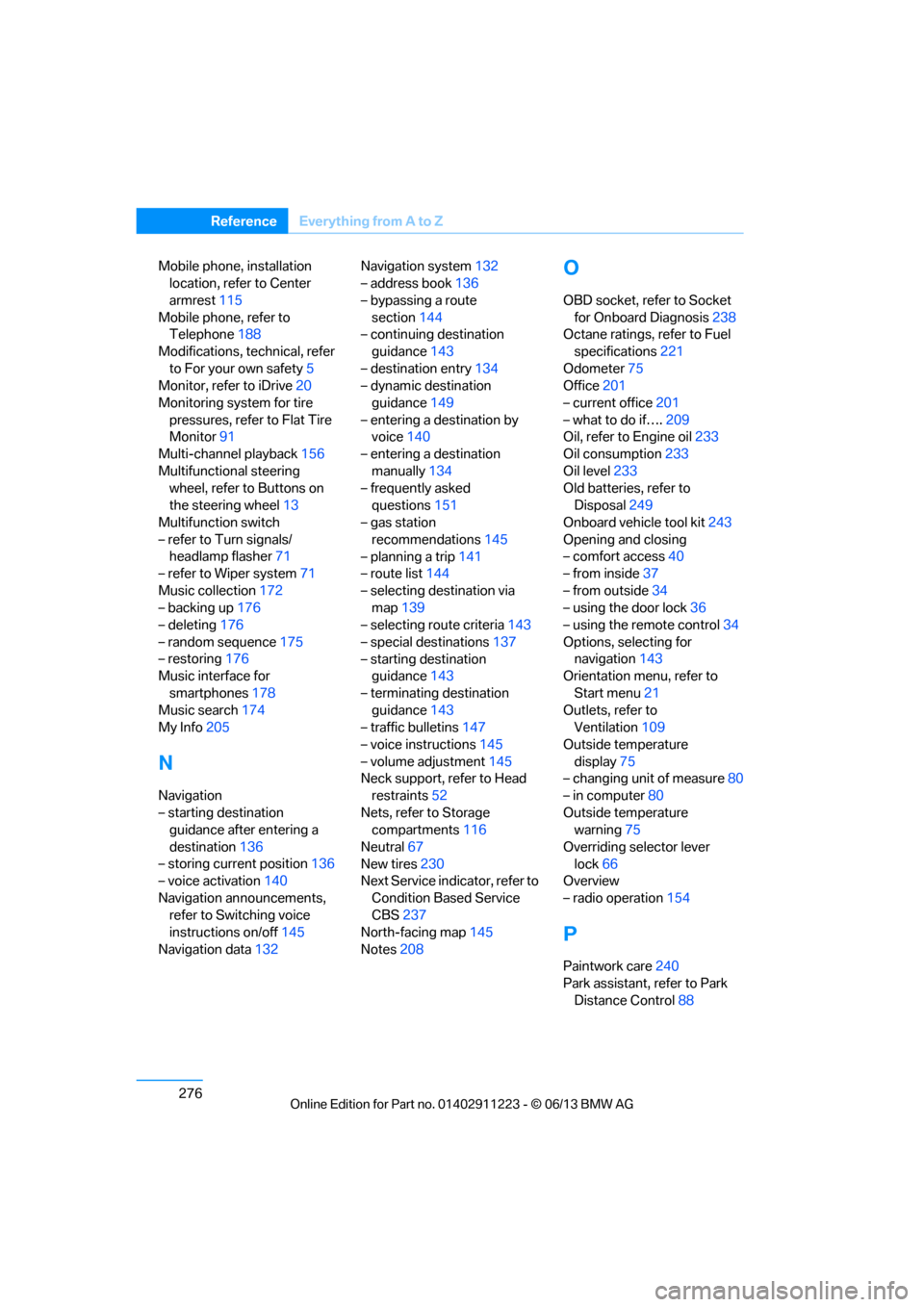
Oil, refer to Engine oil 233
Oil consumption 233
Oil level 233
Old batteries, refer to
Disposal 249
Onboard vehicle tool kit 243
Opening and closing
– comfort access 40
– from inside 37
– from outside 34
– using the door lock 36
– using the remote control 34
Options, selecting for navigation 143
Orientation menu, refer to
Start menu 21
Outlets, refer to Ventilation 109
Outside temperature display 75
– changing unit of measure 80
– in computer 80
Outside temperature warning 75
Overriding selector lever lock 66
Overview
– radio operation 154
P
Paintwork care240
Park assistant, refer to Park
Distance Control 88
00320051004F004C00510048000300280047004C0057004C005200510003
Page 284 of 288
279
Everything from A to Z
Reference
Shifting gears with automatic
transmission with
Steptronic 65
Shift into a drive position, refer to selector lever
positions 67
Shiftlock, refer to Changing selector lever positions 64
Shift paddles on the steering wheel 68
Short commands for the voice
activation system 260
Short route in navigation, refer to Selecting route 143
Side airbags 97
Side windows, refer to
Windows 42
Signal horn, refer to Horn 12
Sitting safely 49
– airbags 49
– safety belts 49
Ski bag 118
Sliding/tilt sunroof, refer to Glass roof, electric 43
Slot for remote control 61
Smokers' package, refer to Ashtray 116,117
Snap-in adapter 188
– inserting/removing 199
Snap-in adapter, refer to Center armrest 115
Snow chains 231
Socket, refer to Connecting electrical appliances 117
Socket for Onboard Diagnosis OBD 238
Software update 184
Spare fuses 249
Special destinations 137
Special destinations,
displaying 139
Special oils, refer to Approved engine oils 235
Specified engine oils, refer to Approved engine oils 235Speed
– for winter tires
231
Speed limit warning, refer to Speed limit 86
Speedo, refer to
Speedometer 14
Speedometer 14
Speed Volume 156
Split screen content, refer to Selecting the display for the
split screen content 24
Sport automatic transmission with double clutch 66
– driving dynamics control 69
– kickdown 68
– launch control 70
– manually unlocking parking lock 69
– n eu
tral 67
– reverse gear 67
Sport program, automatic transmission with
Steptronic 65
Sport program with 7-gear Sport automatic
transmission with double
clutch 68
Stability control, refer to
Driving stability control
systems 89
Start/Stop button 61
– starting the engine 62
– switching off the engine 63
Starting, refer to Starting the
engine 62
Starting assistance, refer to Jump starting 251
Starting the engine
– start/stop button 61
Start menu 21
State/province, for navigation 134
Status information on the
Control Display 23
Status of this Owner's Manual at time of printing 5Steam jet
239
Steering wheel 57
– adjustment 57
– buttons on steering wheel 13
– heating 57
– shift paddles 68
Steering wheel buttons, refer
to Shift paddles 68
Steering with variable ratio, refer to Active steering 96
Steptronic, refer to Automatic transmission with
Steptronic 64
Storage 242
Storage compartment
package 116
Storage compartments 116
Stored trip, calling up 142
Storing
– seat position, refer to Seat and mirror memory 54
Storing a destination in the address book 136
Storing music 172
Storing tires 231
Stowage, refer to Storage compartments 116
Street, entering, navigation 135
Suitable mobile phones 188
Summer tires, refer to Wheels and tires 223
Surround 156
SVCD 168
SW , wav
eband 157
Switches, refer to Cockpit 12
Switching off
– engine 63
Switching off the engine
– start/stop button 61
Switching on
– audio 154
– CD player 154
– radio 154
00320051004F004C00510048000300280047004C0057004C005200510003