i drive BMW 1 SERIES 2013 E82 User Guide
[x] Cancel search | Manufacturer: BMW, Model Year: 2013, Model line: 1 SERIES, Model: BMW 1 SERIES 2013 E82Pages: 288, PDF Size: 6.73 MB
Page 31 of 288
26
At a glanceiDrive
Entry comparison
Entry of names and addresses: the selection is
narrowed down every ti me a letter is entered
and letters may be added automatically.
The entries are continuously compared to the
data stored in the vehicle.
> During entry, only letters for which there are
data are offered.
> Destination search: town/city names can be
entered with th e spelling used in any of the
languages available on the Control Display.
00320051004F004C00510048000300280047004C0057004C005200510003
Page 32 of 288
27
Voice activation system
At a glance
Voice activation system
Vehicle equipment
In this chapter, all production, country, and
optional equipment that is offered in the model
range is described. For this reason, descrip-
tions will be given of some equipment that may
not be available in a vehi
cle, for example due to
the special options or national-market version
selected. This also app lies to safety related
functions and systems.
The concept
> The voice activation system can be used
to control most functions by spoken
commands.
> Functions that can only used when the vehi-
cle is stopped cannot be operated using the
voice activation system.
> The system includes a special microphone
on the driver's side.
> In the Owner's Manual, {...} indicates com-
mands for the voice activation system.
> In the Owner's Manual, {{...}} indicates the
answers from the voice activation system.
Prerequisite
On the Control Display, set a language that is
also supported by the vo ice activation system
to permit identification of the commands to be
spoken.
Setting the langua ge, refer to page87.
Saying commands
Activating voice activation system
1.Press the button on the steering wheel.
2. Wait for the acoustic signal.
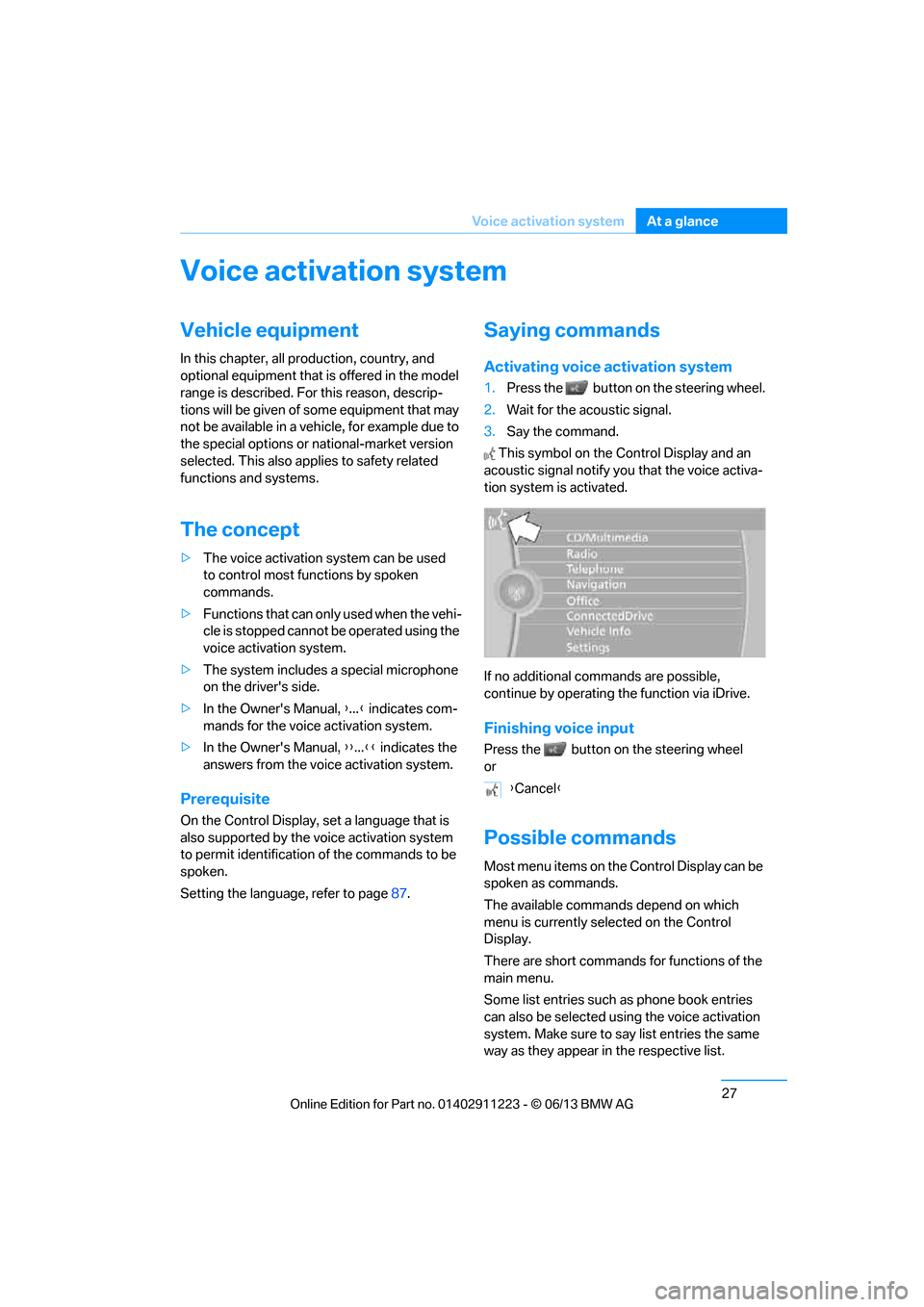
3. Say the command.
This symbol on the Control Display and an
acoustic signal notify yo u that the voice activa-
tion system is activated.
If no additional commands are possible,
continue by operating the function via iDrive.
Finishing voice input
Press the button on the steering wheel
or
Possible commands
Most menu items on the Control Display can be
spoken as commands.
The available commands depend on which
menu is currently selected on the Control
Display.
There are short commands for functions of the
main menu.
Some list entries such as phone book entries
can also be selected using the voice activation
system. Make sure to say list entries the same
way as they appear in the respective list. {
Cancel }
00320051004F004C00510048000300280047004C0057004C005200510003
Page 33 of 288
28
At a glanceVoice activation system
Having the possible commands read
aloud
To have the available commands read aloud:
For example, if the "Settings" menu is dis-
played, the commands relating to settings are
read aloud.
Performing functions using short
commands
Functions from the main menu can be per-
formed directly by means of short commands,
essentially regardless of which menu item is
selected, e.g. { Vehicle status}.
List of short command of the voice activation
system, refer to page 260.
Help dialog for voice activation system
Accessing help:
Other commands for the help dialog:
>{Help with examples }: information about
the current control options and the most
important commands relating to them are
read aloud.
> {Help with voice activation }: information
about the principle operation of the voice
activation system is read aloud.
Example: playing back a CD
Via the main menu
1. If necessary, switch on entertainment audio
output.
2. Press the button on the steering wheel.
Via short commands
The CD playback can also be started via a short
command.
1.If necessary, switch on entertainment audio
output.
2. Press the button on the steering wheel.
{
Voice commands }
{ Help }
3.{C D and multimedia }
The system plays the last media played.
4. {C D }
5. {C D drive}
The CD is played.
6. Press the button on the steering
wheel again in order to select the
particular track.
7. {Track … } e.g. CD track 4.
3. {C D drive Track … } e.g. CD track 4.
00320051004F004C00510048000300280047004C0057004C005200510003
Page 37 of 288
32
ControlsOpening and closing
Opening and closing
Vehicle equipment
In this chapter, all pr oduction, country, and
optional equipment that is offered in the model
range is described. For this reason, descrip-
tions will be given of some equipment that may
not be available in a vehi cle, for example due to
the special options or national-market version
selected. This also app lies to safety related
functions and systems.
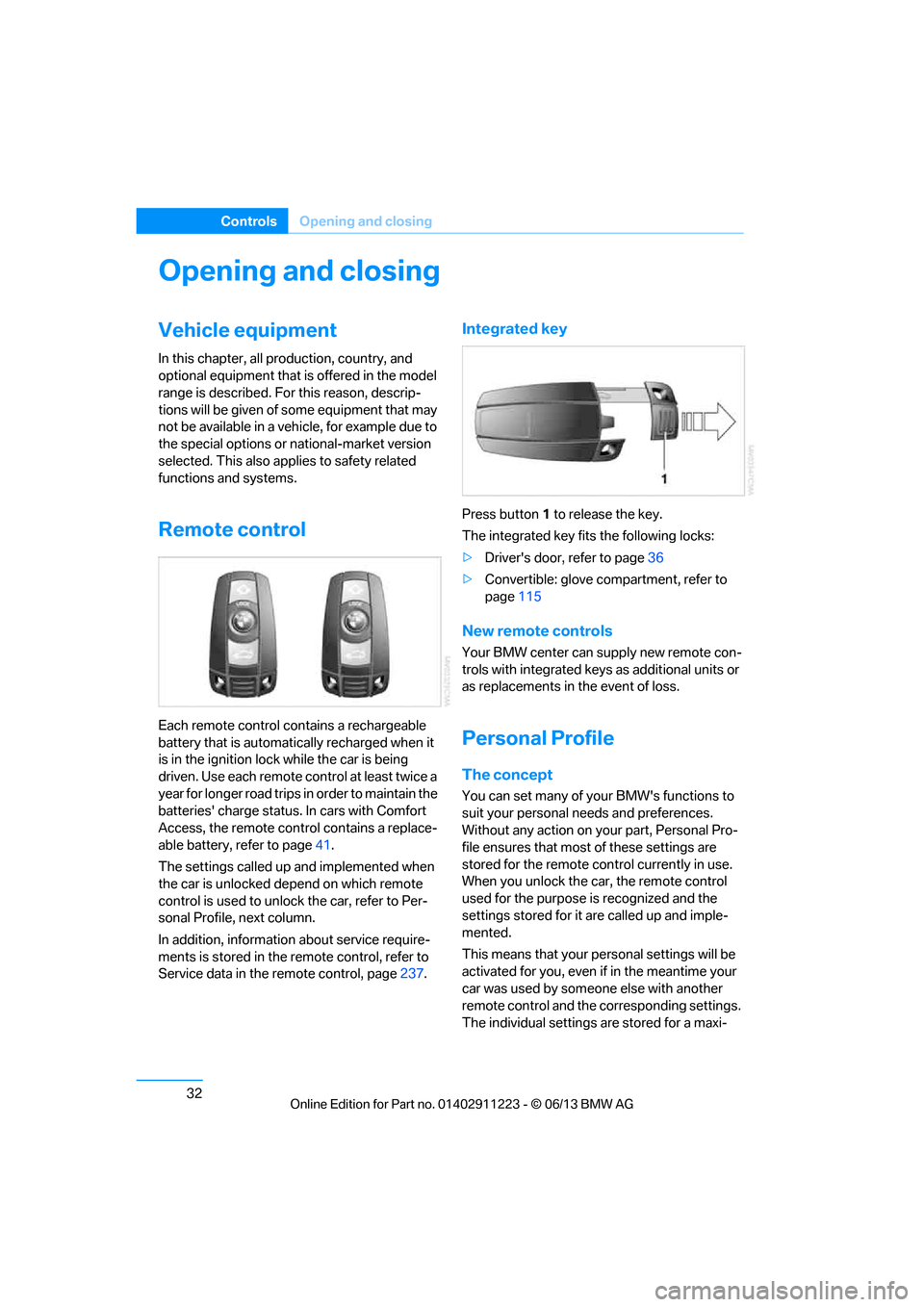
Remote control
Each remote control contains a rechargeable
battery that is automatically recharged when it
is in the ignition lock while the car is being
driven. Use each remote control at least twice a
year for longer road trips in order to maintain the
batteries' charge status. In cars with Comfort
Access, the remote control contains a replace-
able battery, refer to page 41.
The settings called up and implemented when
the car is unlocked de pend on which remote
control is used to unlock the car, refer to Per-
sonal Profile, next column.
In addition, informatio n about service require-
ments is stored in the remote control, refer to
Service data in the remote control, page 237.
Integrated key
Press button1 to release the key.
The integrated key fits the following locks:
> Driver's door, refer to page 36
> Convertible: glove compartment, refer to
page 115
New remote controls
Your BMW center can supply new remote con-
trols with integrated keys as additional units or
as replacements in the event of loss.
Personal Profile
The concept
You can set many of yo ur BMW's functions to
suit your personal needs and preferences.
Without any action on yo ur part, Personal Pro-
file ensures that most of these settings are
stored for the remote control currently in use.
When you unlock the car, the remote control
used for the purpose is recognized and the
settings stored for it are called up and imple-
mented.
This means that your pe rsonal settings will be
activated for you, even if in the meantime your
car was used by someone else with another
remote control and the corresponding settings.
The individual settings are stored for a maxi-
00320051004F004C00510048000300280047004C0057004C005200510003
Page 38 of 288
33
Opening and closing
Controls
mum of four remote cont
rols. They are stored
for two remote controls if Comfort Access is in
use.
Personal Profile settings
For more information on specific settings, refer
to the specified pages.
> Programming the Programmable memory
keys, refer to page 25
> Response of the central locking system
when the car is unlocked, refer to page 34
> Automatic locking of th e vehicle, refer to
page 37
> Automatic call-up of th e driver's seat posi-
tion, refer to page 54
> Triple turn signal activation, refer to
page 71
> Settings for the display on the Control
Display and in the instrument cluster:
>12h/24h format of the clock, refer to
page 82
> Date format, refer to page 84
> Brightness of the Control Display, refer
to page 87
> Language of the Contro l Display, refer to
page 87
> Units of measure for fuel consumption,
distance covered/remaining distances,
and temperature, refer to page 80
> Show visual warning for Park Distance
Control PDC, refer to page 88
> Light settings:
>Welcome lamps, refer to page 101
> Pathway lighting, refer to page 101
> Daytime running lights, refer to
page 101
> High-beam Assistant, refer to page 102
> Automatic climate control: activating/deac-
tivating AUTO program, air conditioning
and automatic recirculated air control,
setting temperature, air volume and
distribution, refer to page 107 ff>
Entertainment:
>Tone control, refer to page 155
> Speed-dependent volume control, refer
to page 156
Central locking system
The concept
The central locking system functions when the
driver's door is closed.
The system simultaneously engages and
releases the locks on the following:
>Doors
> Trunk lid
> Fuel filler flap
Operating from outside
>Via the remote control
> Using the door lock
> In cars with Comfort Access, via the handles
on the driver's door or the front passenger
door
At the same time as locking and unlocking via
the remote control:
> Welcome lights, the inte rior light, and the
courtesy lighting are switched on or off.
> Alarm system, refer to page 38, is armed or
disarmed.
Operating from inside
By means of the button fo r central locking, refer
to page 37.
In the event of a sufficien tly severe accident, the
central locking system unlocks automatically. In
addition, the hazard warning flashers and inte-
rior lamps come on.
00320051004F004C00510048000300280047004C0057004C005200510003
Page 39 of 288
34
ControlsOpening and closing
Opening and closing:
Using the remote control
Persons or animals in a parked vehicle
could lock the doors from the inside. You
should therefore take th e remote control with
you when you leave the vehicle so that the latter
can be opened from outside. <
Convertible: to operate the convertible
top with the remote co ntrol, the doors and
trunk lid must be closed and the trunk partition
must be folded down and engaged on both
sides. Refer also to page 46.<
Unlocking
Press the button.
The interior lamps, the courtesy lighting of the
doors, and the welcome lamps come on.
Setting unlocking characteristics
You can set whether only the driver's door or
the entire vehicle is to be unlocked when the
button is pressed for the first time.
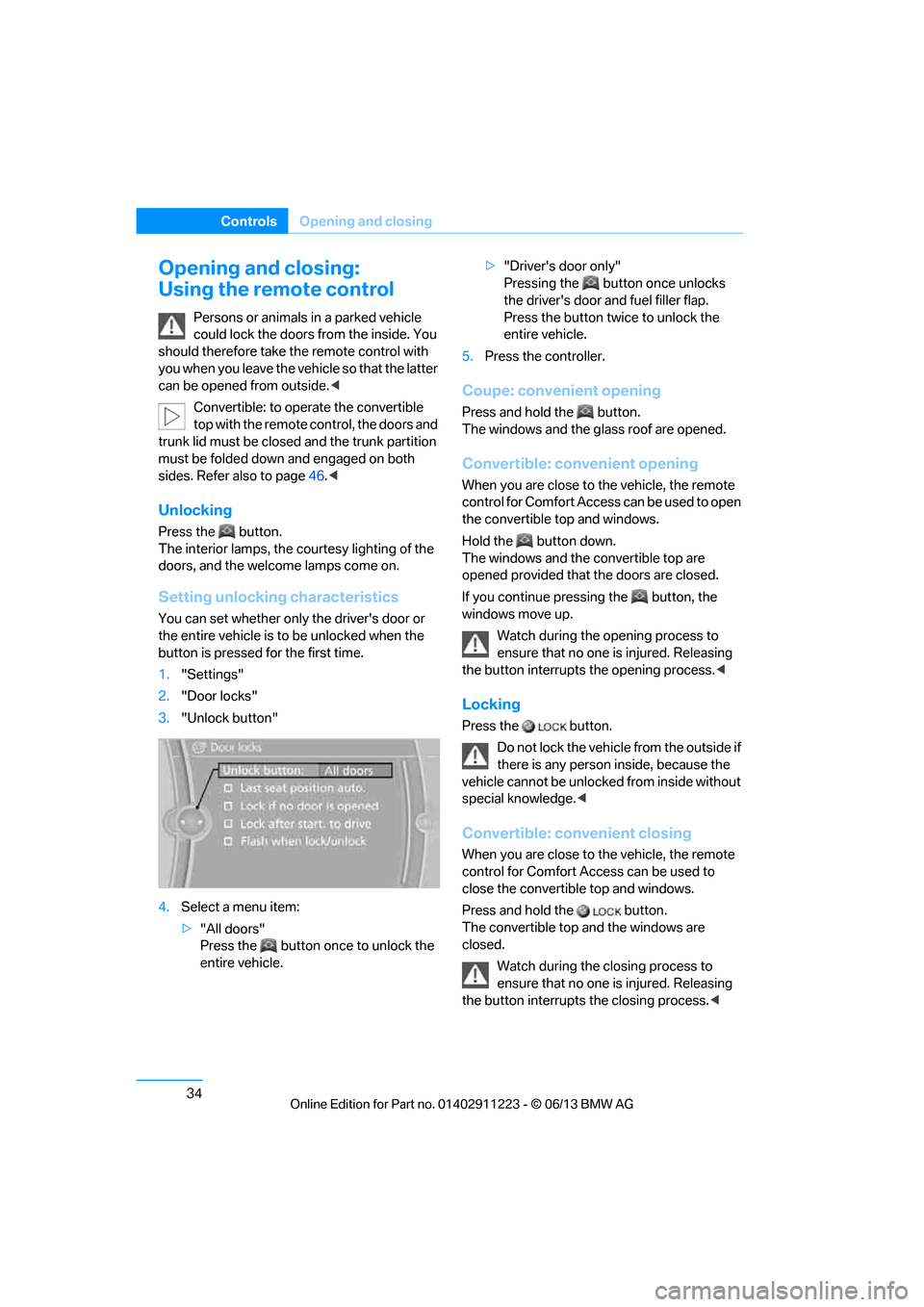
1. "Settings"
2. "Door locks"
3. "Unlock button"
4. Select a menu item:
>"All doors"
Press the button once to unlock the
entire vehicle. >
"Driver's door only"
Pressing the button once unlocks
the driver's door and fuel filler flap.
Press the button twic e to unlock the
entire vehicle.
5. Press the controller.
Coupe: convenient opening
Press and hold the button.
The windows and the glass roof are opened.
Convertible: convenient opening
When you are close to the vehicle, the remote
control for Comfort Access can be used to open
the convertible top and windows.
Hold the button down.
The windows and the convertible top are
opened provided that the doors are closed.
If you continue pressing the button, the
windows move up.
Watch during the opening process to
ensure that no one is injured. Releasing
the button interrupts the opening process. <
Locking
Press the button.
Do not lock the vehicl e from the outside if
there is any person inside, because the
vehicle cannot be unlocked from inside without
special knowledge. <
Convertible: convenient closing
When you are close to the vehicle, the remote
control for Comfort Access can be used to
close the convertible top and windows.
Press and hold the button.
The convertible top and the windows are
closed.
Watch during the closing process to
ensure that no one is injured. Releasing
the button interrupts the closing process. <
00320051004F004C00510048000300280047004C0057004C005200510003
Page 40 of 288
35
Opening and closing
Controls
Switching on interior lamps
While the car is locked:
Press the button.
You can also use this fu
nction to locate your
vehicle in parking garages etc.
Unlocking the trunk lid
Press the button for about 1 second and
then release it.
The trunk lid opens a short distance, regardless
of whether it was locked or unlocked.
The trunk lid swings backward and up
when opened. Make sure that adequate
clearance is available before opening.
To avoid locking yourself out by accident, do
not place the remote control in the trunk.
A previously locked trun k lid is locked again
after closing.
Before and after each tr ip, check that the trunk
lid has not been inad vertently unlocked.<
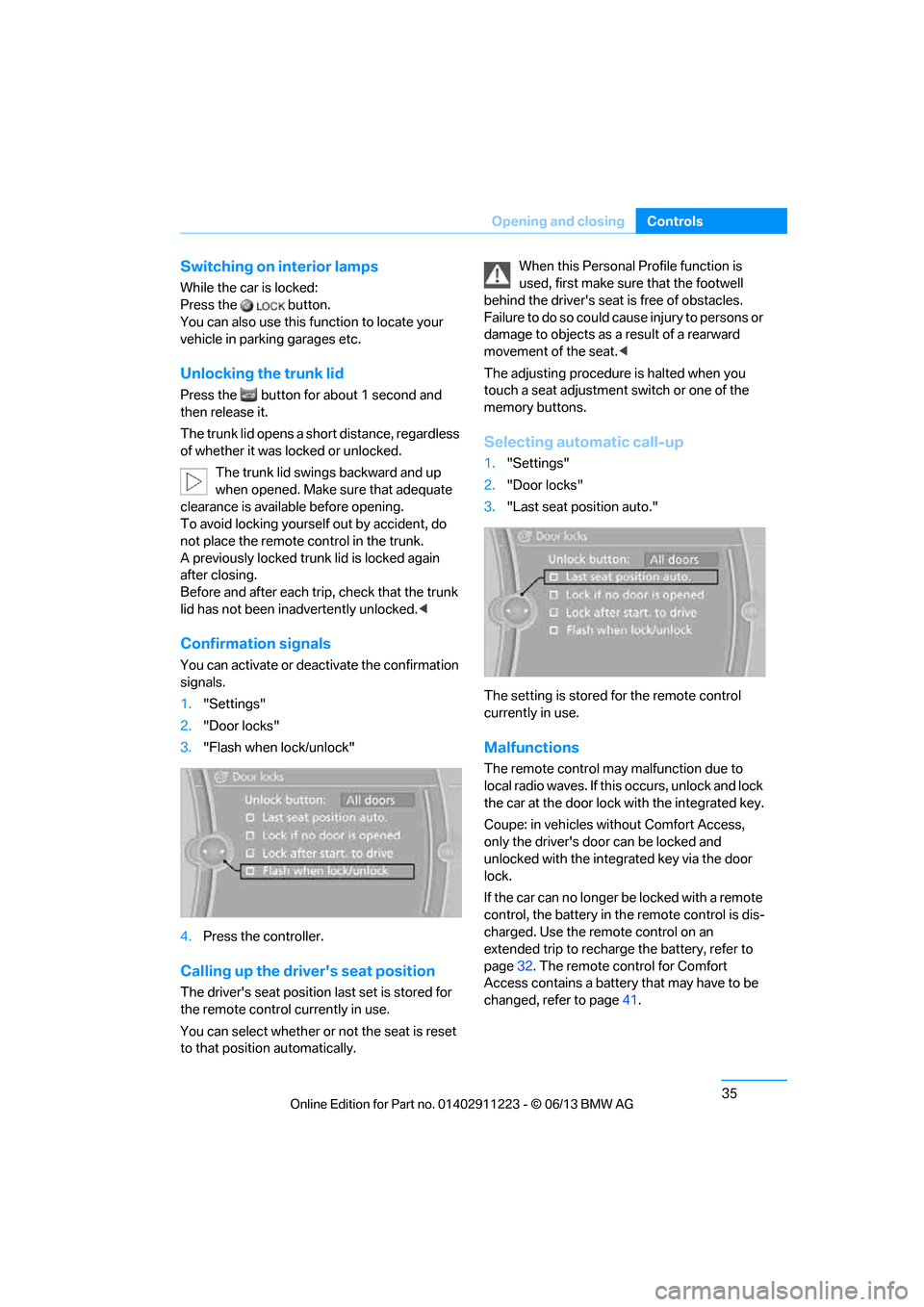
Confirmation signals
You can activate or deac tivate the confirmation
signals.
1. "Settings"
2. "Door locks"
3. "Flash when lock/unlock"
4. Press the controller.
Calling up the driver's seat position
The driver's seat position last set is stored for
the remote control currently in use.
You can select whether or not the seat is reset
to that position automatically. When this Personal Profile function is
used, first make sure
that the footwell
behind the driver's seat is free of obstacles.
Failure to do so could ca use injury to persons or
damage to objects as a result of a rearward
movement of the seat. <
The adjusting procedure is halted when you
touch a seat adjustment switch or one of the
memory buttons.
Selecting automatic call-up
1. "Settings"
2. "Door locks"
3. "Last seat position auto."
The setting is stored for the remote control
currently in use.
Malfunctions
The remote control ma y malfunction due to
local radio waves. If this occurs, unlock and lock
the car at the door lock with the integrated key.
Coupe: in vehicles without Comfort Access,
only the driver's door can be locked and
unlocked with the integr ated key via the door
lock.
If the car can no longer be locked with a remote
control, the battery in th e remote control is dis-
charged. Use the remote control on an
extended trip to recharge the battery, refer to
page 32. The remote control for Comfort
Access contains a battery that may have to be
changed, refer to page 41.
00320051004F004C00510048000300280047004C0057004C005200510003
Page 41 of 288
36
ControlsOpening and closing
For US owners only
The transmitter and receiv er units comply with
part 15 of the FCC/Federal Communications
Commission regulations. Operation is gov-
erned by the following:
FCC ID:
LX8766S
LX8766E
LX8CAS
Compliance statement:
This device complies wi th part 15 of the FCC
Rules. Operation is subject to the following two
conditions:
> This device must no t cause harmful inter-
ference, and
> this device must accept any interference
received, including in terference that may
cause undesired operation.
Any unauthorized modifications or
changes to these devi ces could void the
user's authority to operate this equipment. <
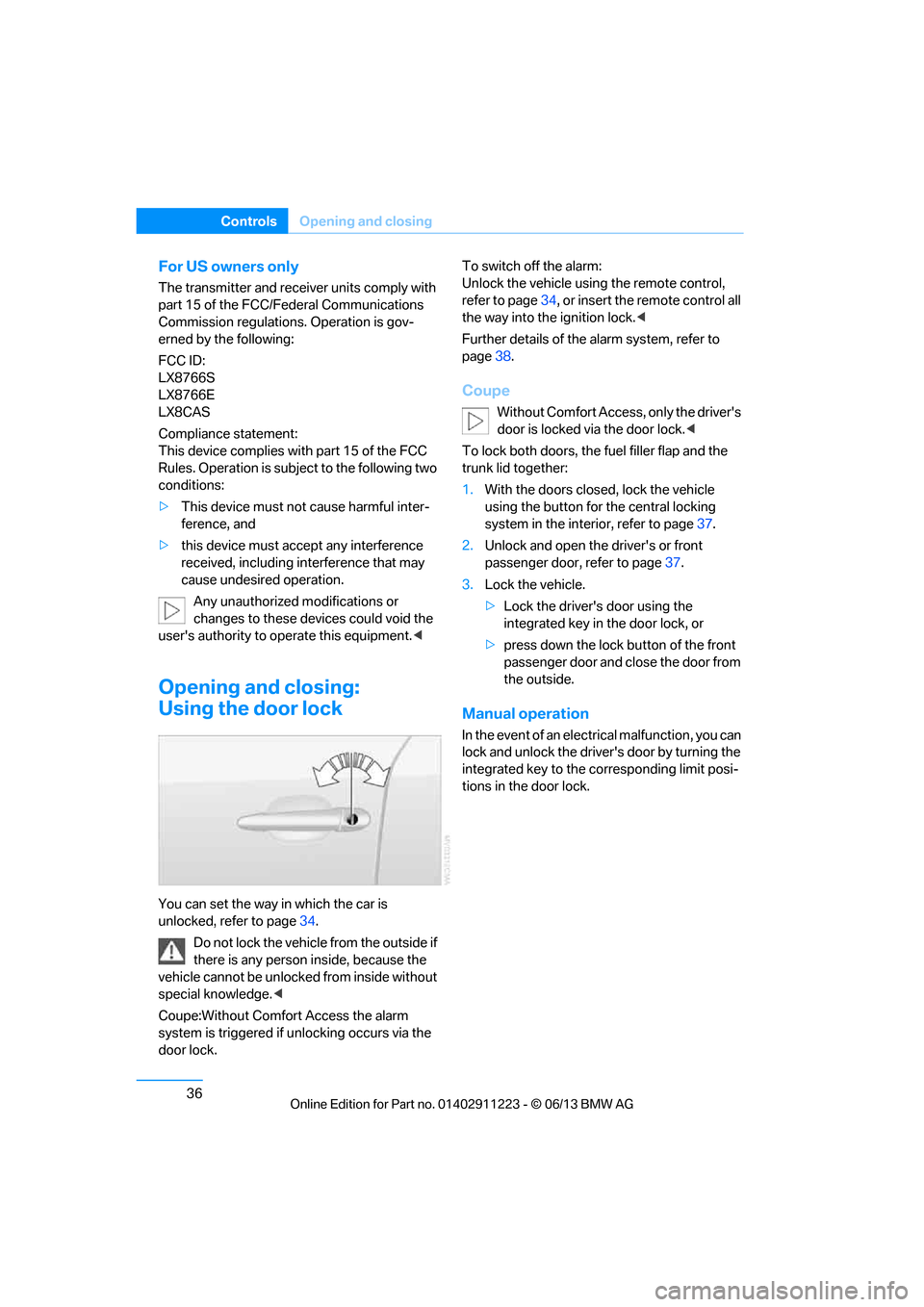
Opening and closing:
Using the door lock
You can set the way in which the car is
unlocked, refer to page34.
Do not lock the vehicl e from the outside if
there is any person inside, because the
vehicle cannot be unlocked from inside without
special knowledge. <
Coupe:Without Comfort Access the alarm
system is triggered if unlocking occurs via the
door lock. To switch off the alarm:
Unlock the vehicle using the remote control,
refer to page
34, or insert the remote control all
the way into the ignition lock. <
Further details of the alarm system, refer to
page 38.
Coupe
Without Comfort Access, only the driver's
door is locked vi a the door lock.<
To lock both doors, the fuel filler flap and the
trunk lid together:
1. With the doors closed, lock the vehicle
using the button for the central locking
system in the interior, refer to page 37.
2. Unlock and open the driver's or front
passenger door, refer to page 37.
3. Lock the vehicle.
>Lock the driver's door using the
integrated key in the door lock, or
> press down the lock button of the front
passenger door and close the door from
the outside.
Manual operation
In the event of an electrical malfunction, you can
lock and unlock the driver's door by turning the
integrated key to the corresponding limit posi-
tions in the door lock.
00320051004F004C00510048000300280047004C0057004C005200510003
Page 42 of 288
37
Opening and closing
Controls
Opening and closing:
From inside
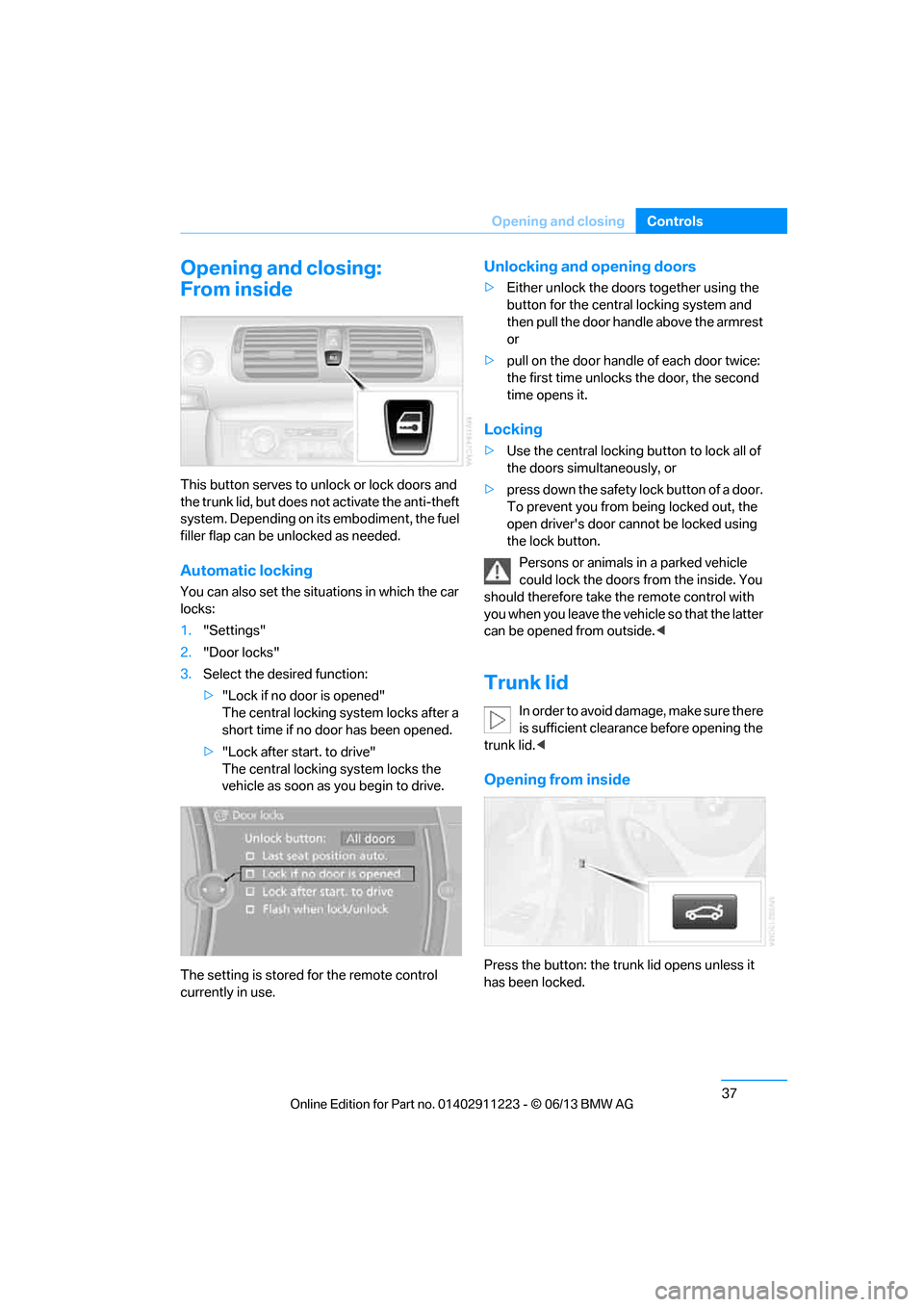
This button serves to unlock or lock doors and
the trunk lid, but does not
activate the anti-theft
system. Depending on its embodiment, the fuel
filler flap can be un locked as needed.
Automatic locking
You can also set the situ ations in which the car
locks:
1. "Settings"
2. "Door locks"
3. Select the desired function:
>"Lock if no door is opened"
The central locking system locks after a
short time if no door has been opened.
> "Lock after start. to drive"
The central locking system locks the
vehicle as soon as you begin to drive.
The setting is stored for the remote control
currently in use.
Unlocking and opening doors
> Either unlock the doors together using the
button for the central locking system and
then pull the door handle above the armrest
or
> pull on the door handle of each door twice:
the first time unlocks the door, the second
time opens it.
Locking
> Use the central locking button to lock all of
the doors simultaneously, or
> press down the safety lock button of a door.
To prevent you from being locked out, the
open driver's door cannot be locked using
the lock button.
Persons or animals in a parked vehicle
could lock the doors from the inside. You
should therefore take th e remote control with
you when you leave the ve hicle so that the latter
can be opened from outside. <
Trunk lid
In order to avoid damage, make sure there
is sufficient clearance before opening the
trunk lid. <
Opening from inside
Press the button: the trunk lid opens unless it
has been locked.
00320051004F004C00510048000300280047004C0057004C005200510003
Page 45 of 288
40
ControlsOpening and closing
Avoiding uninten tional alarms
The tilt sensor and interior motion sensor can
be deactivated together , for example in the
following situations:
> In car washes
> In stacking garages
> During transport on car-carrying trains,
boats/ships or on a trailer
> When leaving animals in the vehicle
Switching off tilt alarm sensor and
interior motion sensor
Once the vehicle is locked, press the
button on the remote control again
within approx. 10 seconds.
The indicator lamp light s up briefly and then
begins flashing again. Th e tilt alarm sensor and
the interior motion sensor are switched off until
the next time the vehicle is unlocked and subse-
quently locked again.
Comfort Access
The concept
It is possible to access the vehicle without actu-
ating the remote control. It is sufficient to have
the remote control with you, for example in your
jacket pocket. The vehicle automatically
detects the remote control in the vicinity or in
the passenger compartment.
Comfort Access supports the following func-
tions:
> Unlocking/locking the vehicle
> Convenient closing
> Unlocking the trunk lid separately
> Engine starting
Functional requirement
>There are no external sources of interfer-
ence in the vicinity.
> The remote control mu st be outside the
vehicle to lock it. >
The next unlocking and locking cycle is not
possible until after approx. 2 seconds.
> It is only possible to start the engine if the
remote control is inside the vehicle.
Comparison with ordinary remote
control
The above functions can be controlled by
pressing the remote control buttons or by using
Comfort Access.
If you notice a brief delay while opening or
closing windows, the glass roof or the
convertible top, the system is checking whether
a remote control is inside the vehicle. Please
repeat the opening or closing procedure, if
necessary. <
Unlocking
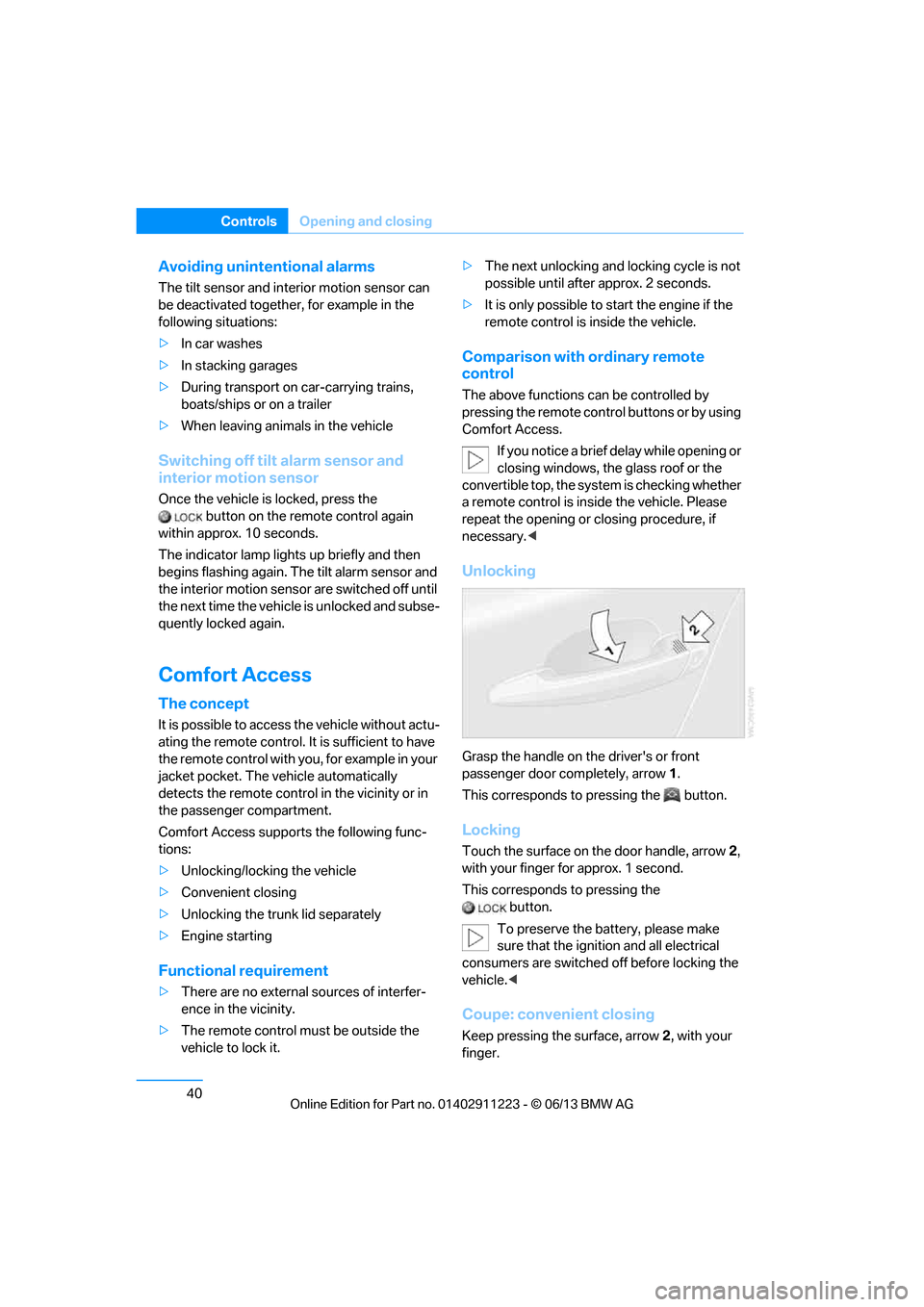
Grasp the handle on the driver's or front
passenger door completely, arrow 1.
This corresponds to pressing the button.
Locking
Touch the surface on the door handle, arrow 2,
with your finger for approx. 1 second.
This corresponds to pressing the button.
To preserve the battery, please make
sure that the ignition and all electrical
consumers are switched off before locking the
vehicle. <
Coupe: convenient closing
Keep pressing the surface, arrow 2, with your
finger.
00320051004F004C00510048000300280047004C0057004C005200510003