radio controls BMW 1 SERIES 2013 E82 User Guide
[x] Cancel search | Manufacturer: BMW, Model Year: 2013, Model line: 1 SERIES, Model: BMW 1 SERIES 2013 E82Pages: 288, PDF Size: 6.73 MB
Page 109 of 288
104
ControlsLamps
The parking lamps or low beams must
be switched on for the fog lamps to
operate. The green indicator lamp in
the instrument cluster lights up whenever the
fog lamps are on.
The fog lamps are switched off while you acti-
vate the headlamp flasher or switch on the high
beams.
If the automatic headla mp control is acti-
vated, the low beams will come on auto-
matically when you swit ch on the fog lamps.<
Instrument lighting
You can adjust the brightness of the instrument
lighting only when the parking lamps or the low
beams are switched on.
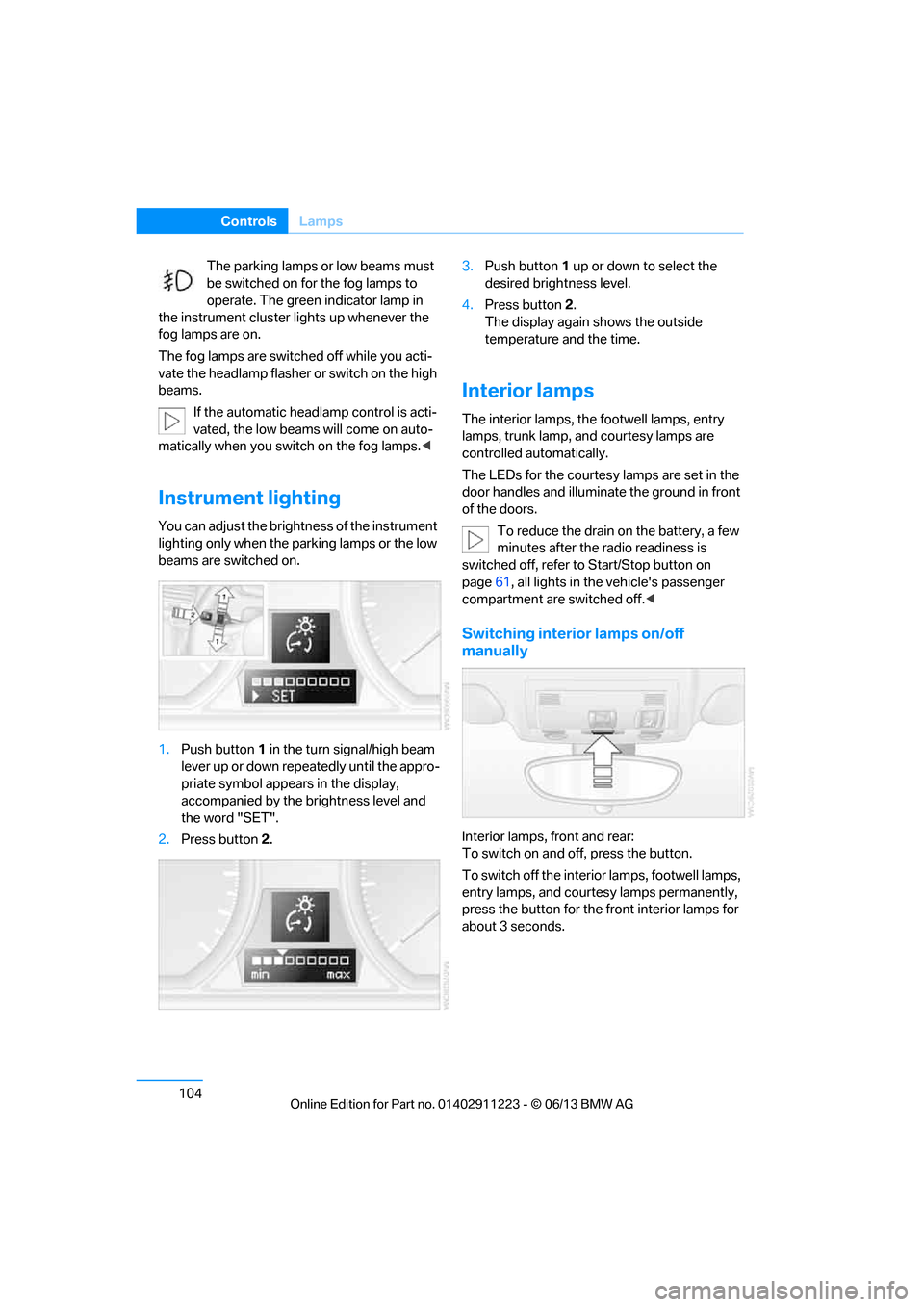
1.Push button 1 in the turn signal/high beam
lever up or down repe atedly until the appro-
priate symbol appear s in the display,
accompanied by the brightness level and
the word "SET".
2. Press button 2. 3.
Push button 1 up or down to select the
desired brightness level.
4. Press button 2.
The display again shows the outside
temperature and the time.
Interior lamps
The interior lamps, the footwell lamps, entry
lamps, trunk lamp, and courtesy lamps are
controlled automatically.
The LEDs for the courtesy lamps are set in the
door handles and illuminate the ground in front
of the doors.
To reduce the drain on the battery, a few
minutes after the radio readiness is
switched off, refer to Start/Stop button on
page 61, all lights in the vehicle's passenger
compartment are switched off. <
Switching interior lamps on/off
manually
Interior lamps, front and rear:
To switch on and off, press the button.
To switch off the interior lamps, footwell lamps,
entry lamps, and courtesy lamps permanently,
press the button for the front interior lamps for
about 3 seconds.
00320051004F004C00510048000300280047004C0057004C005200510003
Page 118 of 288
113
Practical interior accessories
Controls
Canada: if the LED does not flash rapidly
after approx. 60 seconds, alter the distance
and repeat this step or, if the programming
by means of the hand-held transmitter was
interrupted, hold down the button on the
inside mirror and then press and release the
button on the hand-held transmitter several
times, holding it down for 2 seconds each
time.
Operation
To prevent possible
damage or injury,
before programming or using the inte-
grated universal remote control to operate a
device, always inspect the immediate area to
make certain that no people, animals or objects
are within the pivoting or travel range of the
device being operated.
Also follow the safety in structions supplied with
the hand-held transmitter. <
The button on the inside mirror can be used to
operate the device, for example the garage
door, if the engine is running or the ignition is
switched on. To do so , within the reception
range of the device, pr ess the button of the
device until the function is triggered. The LED
on the inside mirror remains lit during transmis-
sion of the radio signal.
Deleting stored functions
Simultaneously hold down the right and left
buttons on the inside mirror for approx. 20 sec-
onds until the LED on the inside mirror flashes
rapidly. All stored functions are deleted. The
functions cannot be de leted individually.
Digital compass
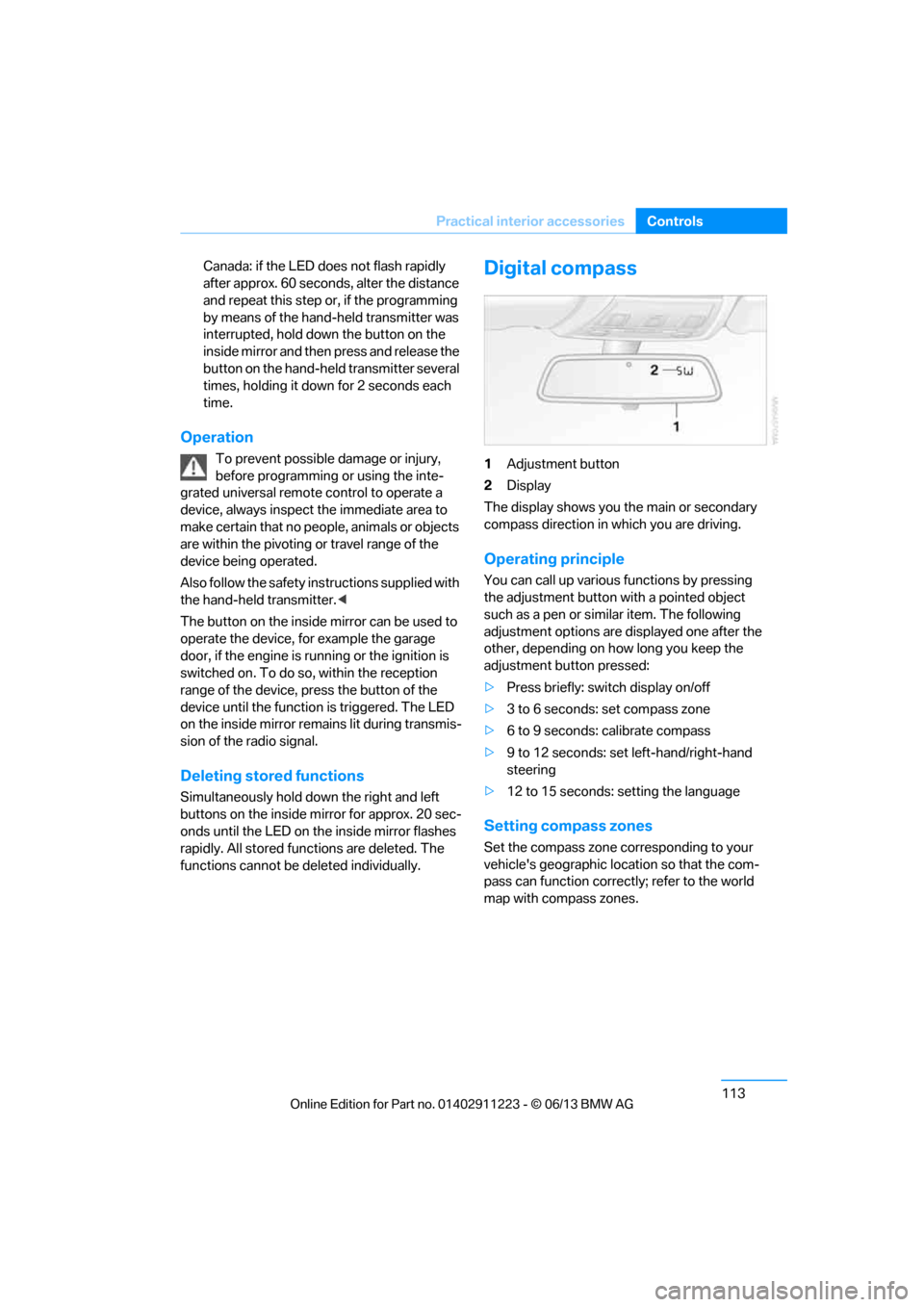
1Adjustment button
2 Display
The display shows you the main or secondary
compass direction in which you are driving.
Operating principle
You can call up various functions by pressing
the adjustment button wi th a pointed object
such as a pen or similar item. The following
adjustment options are displayed one after the
other, depending on how long you keep the
adjustment button pressed:
> Press briefly: switch display on/off
> 3 to 6 seconds: set compass zone
> 6 to 9 seconds: calibrate compass
> 9 to 12 seconds: set left-hand/right-hand
steering
> 12 to 15 seconds: setting the language
Setting compass zones
Set the compass zone co rresponding to your
vehicle's geographic location so that the com-
pass can function correct ly; refer to the world
map with compass zones.
00320051004F004C00510048000300280047004C0057004C005200510003
Page 159 of 288
154
EntertainmentOn/off and tone
On/off and tone
Vehicle equipment
In this chapter, all pr oduction, country, and
optional equipment that is offered in the model
range is described. Equipment is also described
that is not available because of, for example,
selected options or country version. This also
applies to safety related functions and systems.
General information
The following audio and video sources share
the same control elements and adjustments:
> Radio
> CD/DVD player
> Video
> External devices, e.g. MP3 player
Controls
The audio and video sources can be controlled
using the:
>Buttons near th e CD/DVD player
> iDrive
> Buttons on the steering wheel, refer to
page 13
> Programmable memory keys, refer to
page 25
> Voice activation system
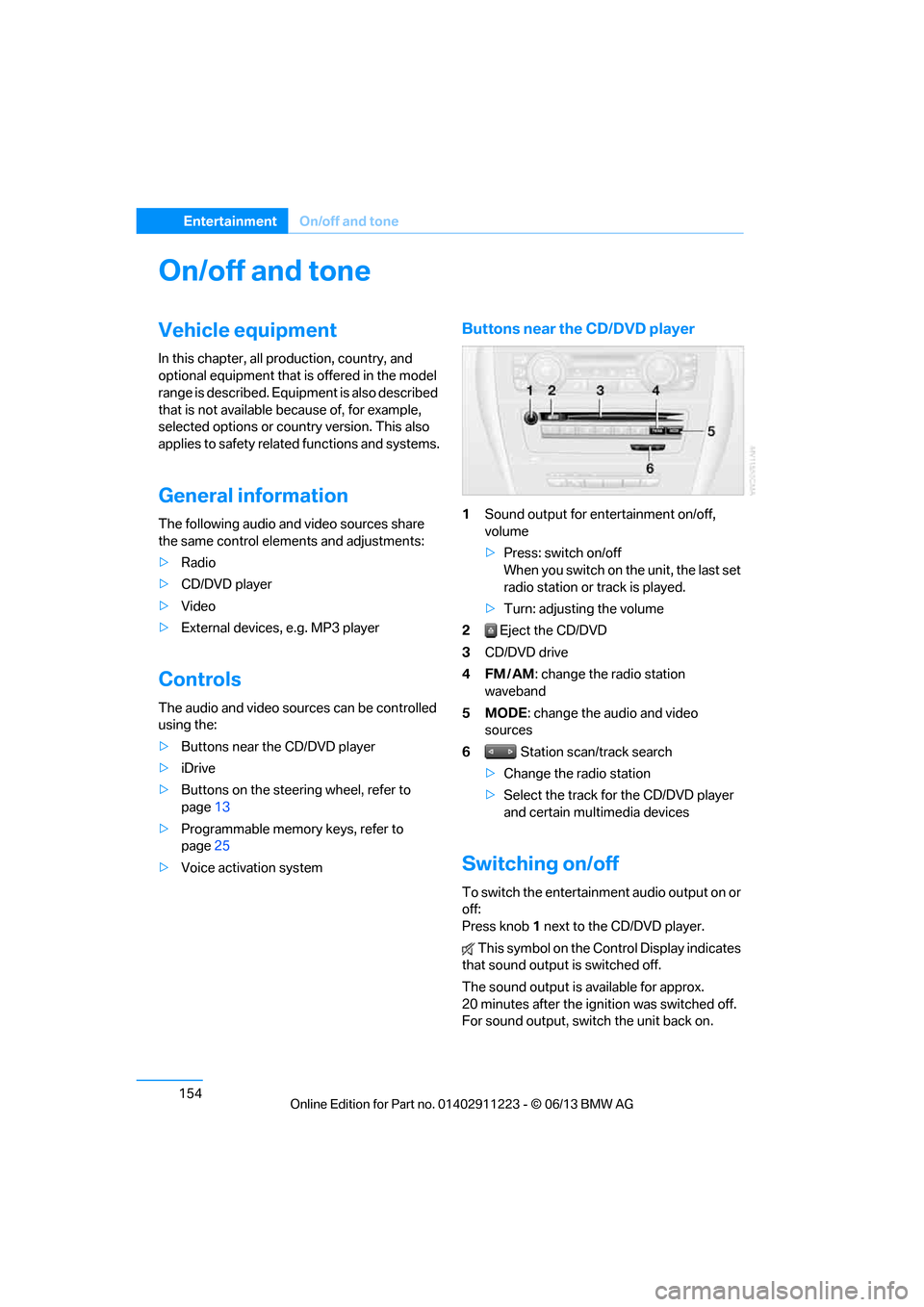
Buttons near the CD/DVD player
1Sound output for entertainment on/off,
volume
>Press: switch on/off
When you switch on the unit, the last set
radio station or track is played.
> Turn: adjusting the volume
2 Eject the CD/DVD
3 CD/DVD drive
4FM/AM : change the radio station
waveband
5MODE : change the audio and video
sources
6 Station scan/track search
> Change the radio station
> Select the track for the CD/DVD player
and certain multimedia devices
Switching on/off
To switch the entertainment audio output on or
off:
Press knob 1 next to the CD/DVD player.
This symbol on the Co ntrol Display indicates
that sound output is switched off.
The sound output is available for approx.
20 minutes after the ignition was switched off.
For sound output, switch the unit back on.
00320051004F004C00510048000300280047004C0057004C005200510003
Page 160 of 288
155
On/off and tone
Entertainment
Adjusting volume
Turn knob
1 next to the CD/DVD player until the
desired volume is obtained.
You can also adjust the volume with buttons on
the steering wheel, refer to page 13.
Setting tone controls
You can alter various tone settings, e.g. treble
and bass or the speed-dependent volume
increase.
The tone settings are set for all audio sources at
once.
The settings are stored for the remote control
currently in use.
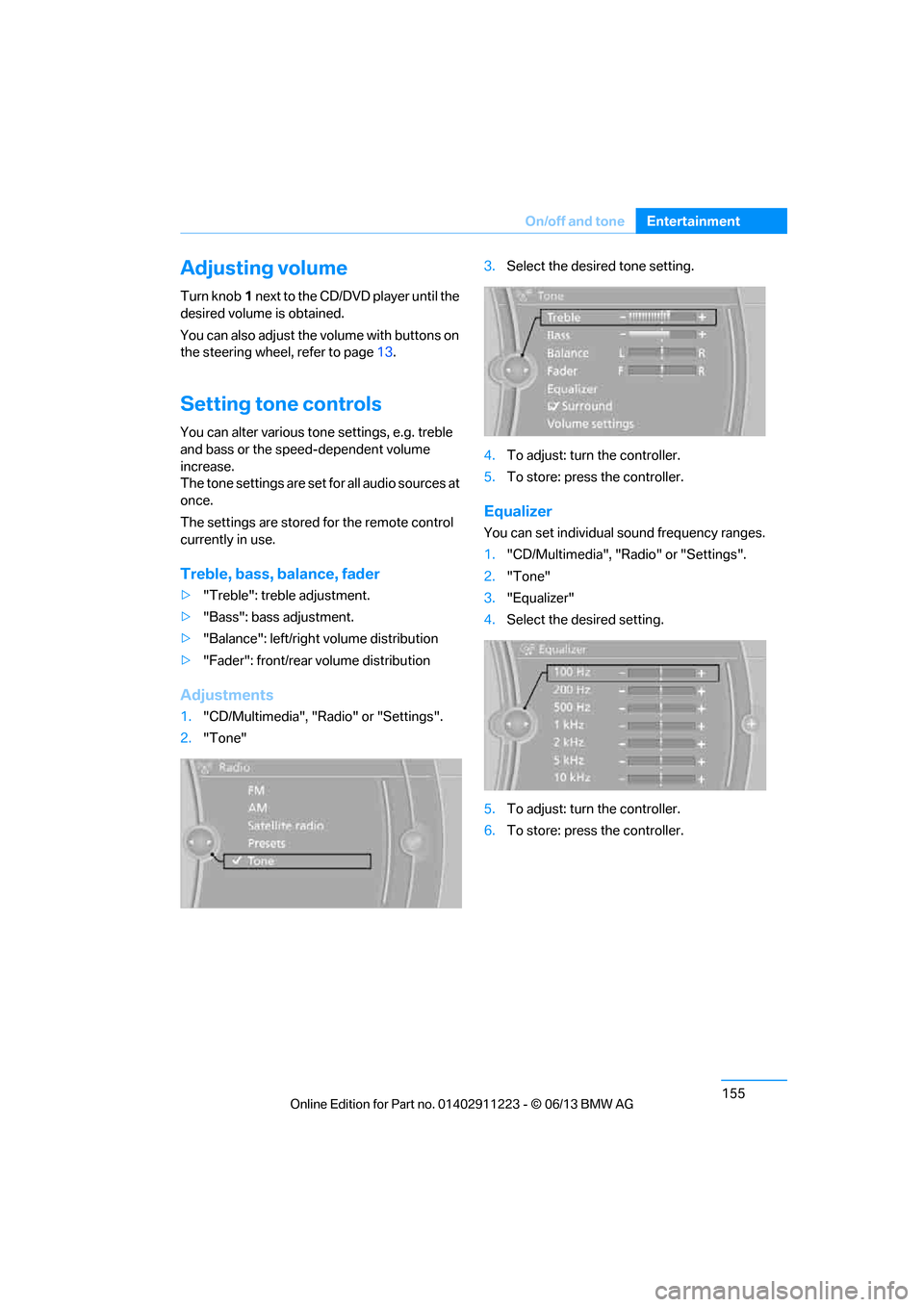
Treble, bass, balance, fader
> "Treble": treble adjustment.
> "Bass": bass adjustment.
> "Balance": left/right volume distribution
> "Fader": front/rear volume distribution
Adjustments
1."CD/Multimedia", "Radio" or "Settings".
2. "Tone" 3.
Select the desired tone setting.
4. To adjust: turn the controller.
5. To store: press the controller.
Equalizer
You can set individual sound frequency ranges.
1."CD/Multimedia", "Radio" or "Settings".
2. "Tone"
3. "Equalizer"
4. Select the desired setting.
5. To adjust: turn the controller.
6. To store: press the controller.
00320051004F004C00510048000300280047004C0057004C005200510003
Page 275 of 288
270
ReferenceEverything from A to Z
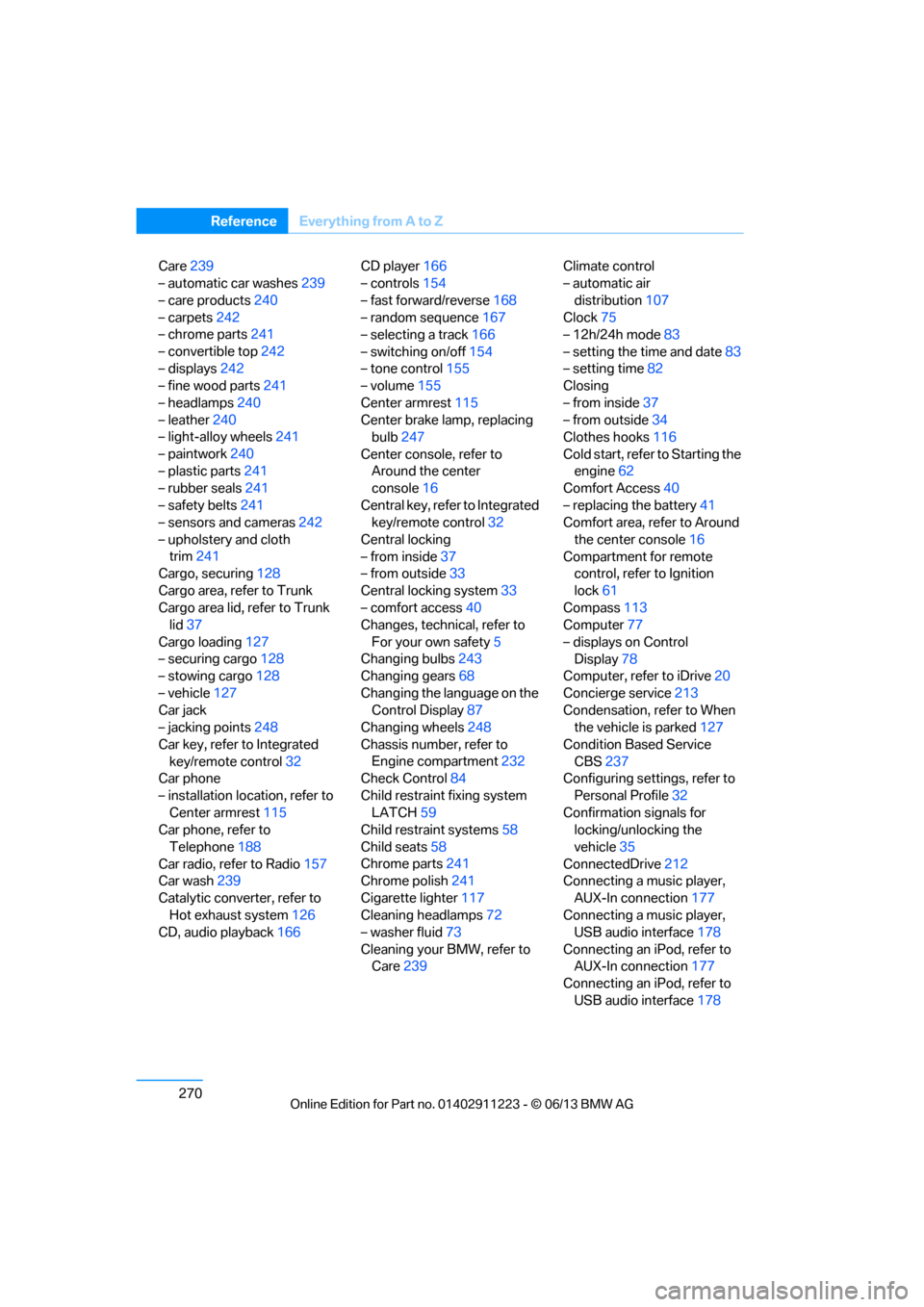
Care239
– automatic car washes 239
– care products 240
– carpets 242
– chrome parts 241
– convertible top 242
– displays 242
– fine wood parts 241
– headlamps 240
– leather 240
– light-alloy wheels 241
– paintwork 240
– plastic parts 241
– rubber seals 241
– safety belts 241
– sensors and cameras 242
– upholstery and cloth trim 241
Cargo, securing 128
Cargo area, refer to Trunk
Cargo area lid, refer to Trunk lid 37
Cargo loading 127
– securing cargo 128
– stowing cargo 128
– vehicle 127
Car jack
– jacking points 248
Car key, refer to Integrated key/remote control 32
Car phone
– installation location, refer to Center armrest 115
Car phone, refer to
Telephone 188
Car radio, refer to Radio 157
Car wash 239
Catalytic converter, refer to Hot exhaust system 126
CD, audio playback 166CD player
166
– controls 154
– fast forward/reverse 168
– random sequence 167
– selecting a track 166
– switching on/off 154
– tone control 155
– volume 155
Center armrest 115
Center brake lamp, replacing bulb 247
Center console, refer to Around the center
console 16
Central key, refer to Integrated key/remote control 32
Central locking
– from inside 37
– from outside 33
Central lo cking
system33
– comfort access 40
Changes, technical, refer to
For your own safety 5
Changing bulbs 243
Changing gears 68
Changing the language on the Control Display 87
Changing wheels 248
Chassis number, refer to Engine compartment 232
Check Control 84
Child restraint fixing system LATCH 59
Child restraint systems 58
Child seats 58
Chrome parts 241
Chrome polish 241
Cigarette lighter 117
Cleaning headlamps 72
– washer fluid 73
Cleaning your BMW, refer to Care 239 Climate control
– automatic air
distribution 107
Clock 75
– 12h/24h mode 83
– setting the time and date 83
– setting time 82
Closing
– from inside 37
– from outside 34
Clothes hooks 116
Cold start, refer to Starting the engine 62
Comfort Access 40
– replacing the battery 41
Comfort area, refer to Around
the center console 16
Compartment for remote control, refer to Ignition
lock 61
Compass 113
Computer 77
– displays on Control Display 78
Computer, refer to iDrive 20
Concierge service 213
Condensation, refer to When the vehicle is parked 127
Condition Based Service CBS 237
Configuring settings, refer to
Personal Profile 32
Confirmation signals for locking/unlocking the
vehicle 35
ConnectedDrive 212
Con n
ecting a music player,
AUX-In connection 177
Connecting a music player, USB audio interface 178
Connecting an iPod, refer to AUX-In connection 177
Connecting an iPod, refer to
USB audio interface 178
00320051004F004C00510048000300280047004C0057004C005200510003
Page 276 of 288
271
Everything from A to Z
Reference
Connecting an MP3 player,
refer to AUX-In
connection 177
Connecting an MP3 player, refer to USB audio
interface 178
Connecting vacuum cleaner, refer to Connecting
electrical appliances 117
Consumption, refer to Average fuel
consumption 77
Contacts 202
– deleting 204,211
– exporting/importing 211
– new contact 203
Control Center, refer to iDrive 20
Control Display 20,21
Control Display, refer to iDrive
– switching on/off 21
Controller, refer to iDrive 20
Controls and displays 12
Convenient opening and closing
– windows 34
– windows with Comfort Access 40
– with Comfort Access 40
Convenient start, refer to Starting the engine 62
Convertible
– rollover protection system 99
– top 44
– wind deflector 47
Convertible top
– convenient opening 34
Convertible top care 242
Coolant 235
– checking level 236
– filling 236
Coolant temperature 236
Cooling, maximum 107Cooling fluid, refer to
Coolant 235
Corner-illuminating lamps 102
Cornering light, refer to
Adaptive Light Control 101
Courtesy lamps 104
Criteria for route 143
Cross-hairs in navigation139
Cruise control 73
Cruising range 77
Cupholders 116
Curb weight, refer to Weights 259
Current fuel consumption 77
Cu rrent playback
– e
xternal devices 180
– in music collection 174
Customer Relations 215
D
Dashboard, refer to
Cockpit 12
Dashboard lighting, refer to
Instrument lighting 104
Data, technical
– capacities 259
– dimensions 258
– weights 259
Data memory 7
Data transfer 216
Date
– setting 84
– setting format 84
Daytime running lights, switch positions 101
DBC Dynamic Brake Control 89
Deactivating front passenger
airbags 97
Deadlocking, refer to Locking 34 Defect
– door lock
36
– fuel filler flap 221
Defining a home address 203
Defogging windows 109
Defrosting windows 109
Defrosting windows and removing condensation 109
Defrosting windshield, refer to Defrosting windows 109
Defrost position, refer to
Defrosting windows 109
Destination, entering by town/ city name 134
Destination address
– entering 134,140
Destination entry via BMW Assist 139
Destination for navigation
– entering by voice 140
– entering via map 139
– entry 134
– home address 137
– manual entry 134
Destination guidance 143
– bypassing a route section 144
– changing specified
route 143
– continuing 143
– starting 143
– voice instructions 145
– volume of voice instructions 145
Differential, breaking in 124
Digital clock 75,82
Digital compass 113
Digital radio, refer to HD Radio 159
Dime nsion
s258
Directional indicators, refer to Turn signals 71
Direction instructions, refer to
Voice instructions 145
00320051004F004C00510048000300280047004C0057004C005200510003
Page 282 of 288
277
Everything from A to Z
Reference
Park Distance Control PDC
88
Parked car ventilation 110
– preselecting switch-on times 110
– switching on and off
directly 110
Parking
– vehicle 63
Parking aid, refer to Park Distance Control PDC 88
Parking brake 63
– indicator lamp 63
Parking lamps/low beams 100
– replacing bulbs 245
Parts and accessories, refer to Vehicle equipment 5
Passenger side mirror tilt function 56
Pathway lighting 101
Personal information, refer to Office 201
Personal Profile 32
Phone numbers
– dialing 194
Phone reception level, refer to
Status information 23
Pinch protection system
– glass roof, electric 44
– windows 43
Playing music 174
Polish 241
Pollen, refer to Microfilter/ activated-charcoal filter 109
Power windows 42
Power windows, refer to Windows 42
Pressure, tires 223
Pressure monitoring of tires, refer to Flat Tire Monitor 91
Pressure monitoring of tires,
refer to Tire Pressure
Monitor TPM 92
Programmable buttons on the
steering wheel 13 Programmable memory
keys 25
Protection function, refer to Pinch protection system
– glass roof, electric 44
– windows 43
Providing medical assistance, refer to First aid pouch 251
Puncture
– flat tire monitor 91
R
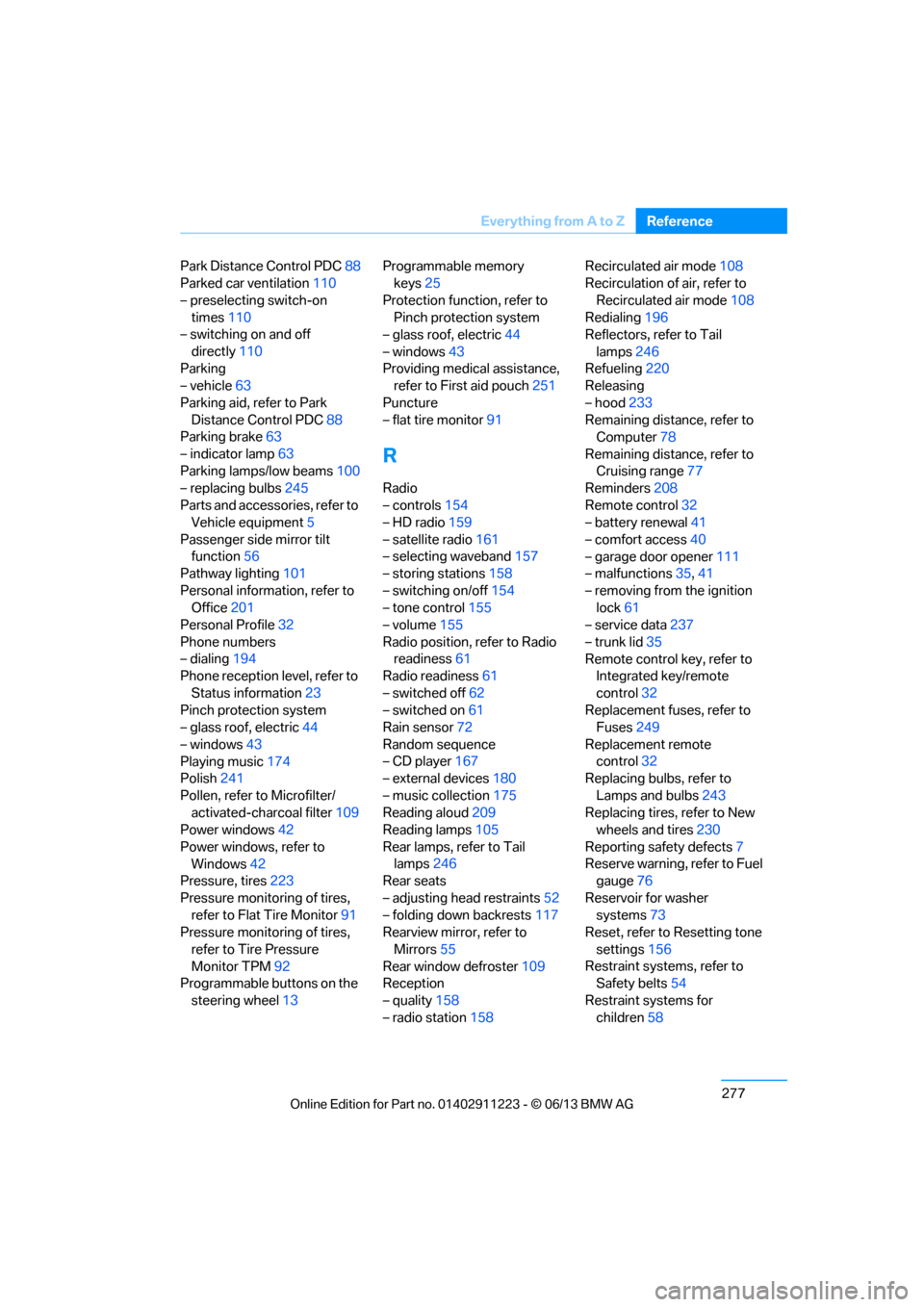
Radio
– controls154
– HD radio 159
– satellite radio 161
– selecting waveband 157
– storing stations 158
– switching on/off 154
– tone control 155
– volume 155
Radio position, refer to Radio readiness 61
Radio readiness 61
– switched off 62
– switched on 61
Rain sensor 72
Random sequence
– CD player 167
– external devices 180
– music collection 175
Reading aloud 209
Reading lamps 105
Rear lamps, refer to Tail lamps 246
Rear seats
– adjusting head restraints 52
– folding down backrests 117
Rearview mirror, refer to
Mirrors 55
Rear window defroster 109
Reception
– quality 158
– radio station 158 Recirculated air mode
108
Recirculation of air, refer to
Recirculated air mode 108
Redialing 196
Reflectors, refer to Tail
lamps 246
Refueling 220
Releasing
– hood 233
Remaining distance, refer to Computer 78
Remaining distance, refer to Cruising range 77
Reminders 208
Remote control 32
– battery renewal 41
– comfort access 40
– garage door opener 111
– malfunctions 35,41
– removing from the ignition lock 61
– service data 237
– trunk lid 35
Remote control key, refer to Integrated key/remote
control 32
Re plac
ement fuses, refer to
Fuses 249
Replacement remote control 32
Replacing bulbs, refer to
Lamps and bulbs 243
Replacing tires, refer to New wheels and tires 230
Reporting safety defects 7
Reserve warning, refer to Fuel gauge 76
Reservoir for washer systems 73
Reset, refer to Resetting tone
settings 156
Restraint systems, refer to Safety belts 54
Restraint systems for children 58
00320051004F004C00510048000300280047004C0057004C005200510003