radio BMW 128I 2009 E88 User Guide
[x] Cancel search | Manufacturer: BMW, Model Year: 2009, Model line: 128I, Model: BMW 128I 2009 E88Pages: 166, PDF Size: 5.01 MB
Page 71 of 166
Reference
At a glance
Controls
Driving tips
Mobility
69
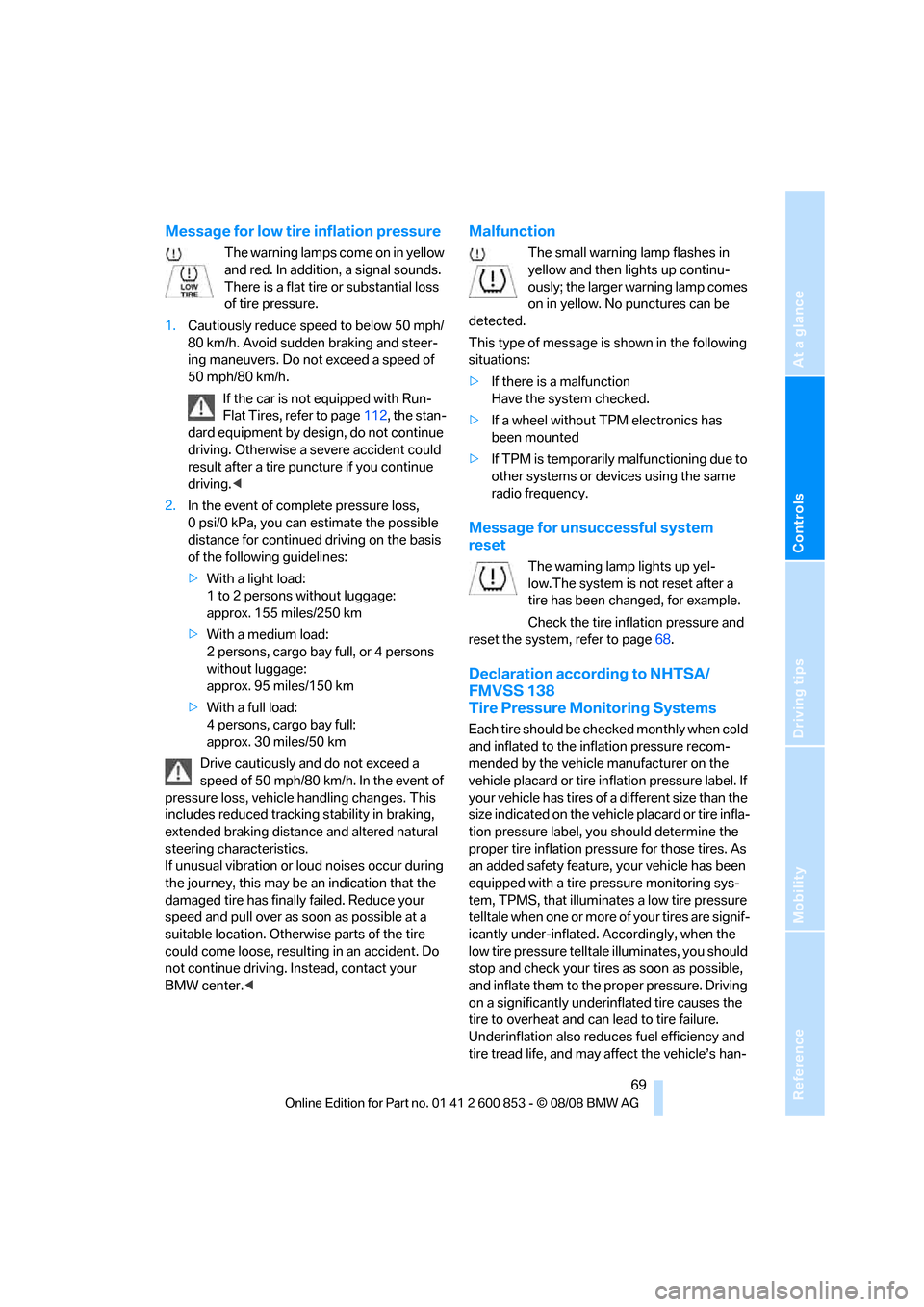
Message for low tire inflation pressure
The warning lamps come on in yellow
and red. In addition, a signal sounds.
There is a flat tire or substantial loss
of tire pressure.
1.Cautiously reduce speed to below 50 mph/
80 km/h. Avoid sudden braking and steer-
ing maneuvers. Do not exceed a speed of
50 mph/80 km/h.
If the car is not equipped with Run-
Flat Tires, refer to page112, the stan-
dard equipment by design, do not continue
driving. Otherwise a severe accident could
result after a tire puncture if you continue
driving.<
2.In the event of complete pressure loss,
0 psi/0 kPa, you can estimate the possible
distance for continued driving on the basis
of the following guidelines:
>With a light load:
1 to 2 persons without luggage:
approx. 155 miles/250 km
>With a medium load:
2 persons, cargo bay full, or 4 persons
without luggage:
approx. 95 miles/150 km
>With a full load:
4 persons, cargo bay full:
approx. 30 miles/50 km
Drive cautiously and do not exceed a
speed of 50 mph/80 km/h. In the event of
pressure loss, vehicle handling changes. This
includes reduced tracking stability in braking,
extended braking distance and altered natural
steering characteristics.
If unusual vibration or loud noises occur during
the journey, this may be an indication that the
damaged tire has finally failed. Reduce your
speed and pull over as soon as possible at a
suitable location. Otherwise parts of the tire
could come loose, resulting in an accident. Do
not continue driving. Instead, contact your
BMW center.<
Malfunction
The small warning lamp flashes in
yellow and then lights up continu-
ously; the larger warning lamp comes
on in yellow. No punctures can be
detected.
This type of message is shown in the following
situations:
>If there is a malfunction
Have the system checked.
>If a wheel without TPM electronics has
been mounted
>If TPM is temporarily malfunctioning due to
other systems or devices using the same
radio frequency.
Message for unsuccessful system
reset
The warning lamp lights up yel-
low.The system is not reset after a
tire has been changed, for example.
Check the tire inflation pressure and
reset the system, refer to page68.
Declaration according to NHTSA/
FMVSS 138
Tire Pressure Monitoring Systems
Each tire should be checked monthly when cold
and inflated to the inflation pressure recom-
mended by the vehicle manufacturer on the
vehicle placard or tire inflation pressure label. If
your vehicle has tires of a different size than the
size indicated on the vehicle placard or tire infla-
tion pressure label, you should determine the
proper tire inflation pressure for those tires. As
an added safety feature, your vehicle has been
equipped with a tire pressure monitoring sys-
tem, TPMS, that illuminates a low tire pressure
telltale when one or more of your tires are signif-
icantly under-inflated. Accordingly, when the
low tire pressure telltale illuminates, you should
stop and check your tires as soon as possible,
and inflate them to the proper pressure. Driving
on a significantly underinflated tire causes the
tire to overheat and can lead to tire failure.
Underinflation also reduces fuel efficiency and
tire tread life, and may affect the vehicle’s han-
Page 74 of 166
Technology for driving comfort and safety
72 Before transporting a child on the front
passenger seat, read the safety precau-
tions and handling instructions under Trans-
porting children safely, refer to page44.
The front and side airbags can also be deacti-
vated by adolescents and adults sitting in cer-
tain positions; the indicator lamp for the front
passenger airbags comes on. In such cases, the
passenger should change his or her sitting
position so that the front passenger airbags are
activated and the indicator lamp goes out. If the
desired airbag status cannot be achieved by
changing the sitting position, transport the rele-
vant passenger on a rear seat. Do not attach
seat covers, seat cushion padding, ball mats or
other items to the front passenger seat unless
they are specifically recommended by BMW.
Do not place any items under the seat which
could press against the seat from below. Other-
wise a correct analysis of the seat cushion is not
ensured.<
Status of front passenger airbags
The indicator lamp for the front passenger air-
bags shows the functional status of the front
passenger's front and side airbags in accor-
dance with whether and how the front passen-
ger seat is occupied. The indicator lamp shows
whether the front passenger airbags are acti-
vated or deactivated.
>The indicator lamp lights up when a child in
a specially designated child-restraint sys-
tem is detected, as intended, on the seat.
The front and side airbags for the front pas-
senger are not activated.
Most child seats are detected by the
system, especially child seats
required by the NHTSA at the time of vehi-cle production. After mounting a child seat,
ensure that the indicator lamp for the front
passenger airbag is lit. It indicates that the
child seat has been detected and that the
front passenger airbags are deactivated.<
>The indicator lamp does not come on as
long as a person of sufficient size and in a
correct sitting position is detected on the
seat.
The front and side airbags for the front pas-
senger are activated.
>The indicator lamp does not come on if the
seat is empty.
The front and side airbags for the front pas-
senger are not activated.
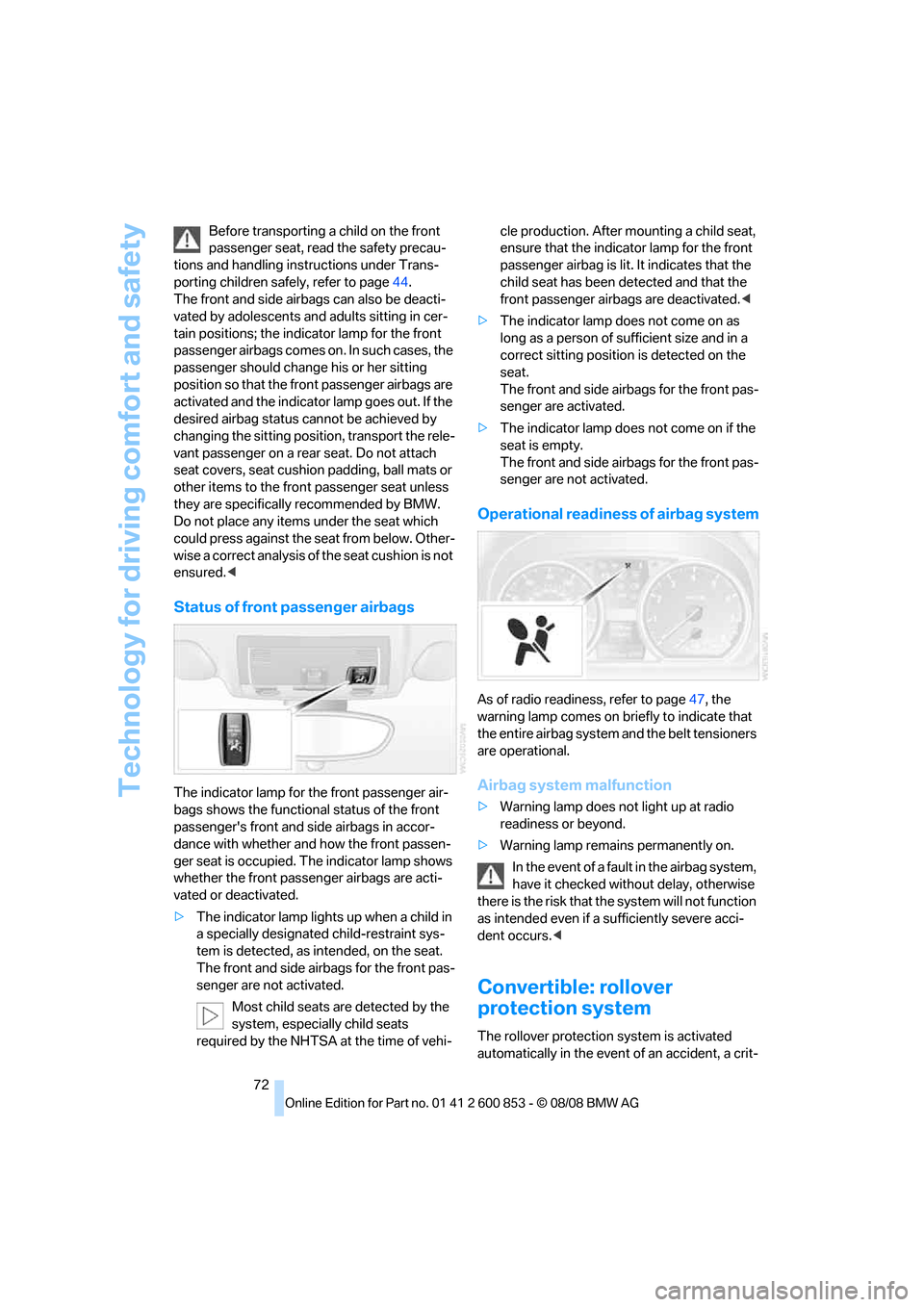
Operational readiness of airbag system
As of radio readiness, refer to page47, the
warning lamp comes on briefly to indicate that
the entire airbag system and the belt tensioners
are operational.
Airbag system malfunction
>Warning lamp does not light up at radio
readiness or beyond.
>Warning lamp remains permanently on.
In the event of a fault in the airbag system,
have it checked without delay, otherwise
there is the risk that the system will not function
as intended even if a sufficiently severe acci-
dent occurs.<
Convertible: rollover
protection system
The rollover protection system is activated
automatically in the event of an accident, a crit-
Page 86 of 166
Climate
84 The function can be switched on when the fol-
lowing conditions are met:
>Up to 15 minutes after the engine has been
switched off
>While the engine is at operating tempera-
ture
>As long as battery voltage is sufficient
>At an outside temperature below 777/
256
The LED is lit when the function is on.
As of radio readiness, you can set the interior
temperature, air flow rate and air distribution.
Windows, defrosting and removing
condensation
Quickly removes ice and conden-
sation from the windshield and
front side windows.
Switch on the cooling function as well.
Switching cooling function on/off
The cooling function cools and
dehumidifies the incoming air
before reheating it as required,
according to the temperature setting. This
function is only available while the engine is
running.
The cooling function helps prevent condensa-
tion on the windows or removes it quickly.
Depending on the weather, the windshield may
fog over briefly when the engine is started.
The cooling function is automatically switched
on along with the AUTO program.
Rear window defroster
The defroster is switched off auto-
matically after a certain time.
Depending on your vehicle's
equipment, the upper wires serve
as an antenna and are not part of the rear win-
dow defroster.
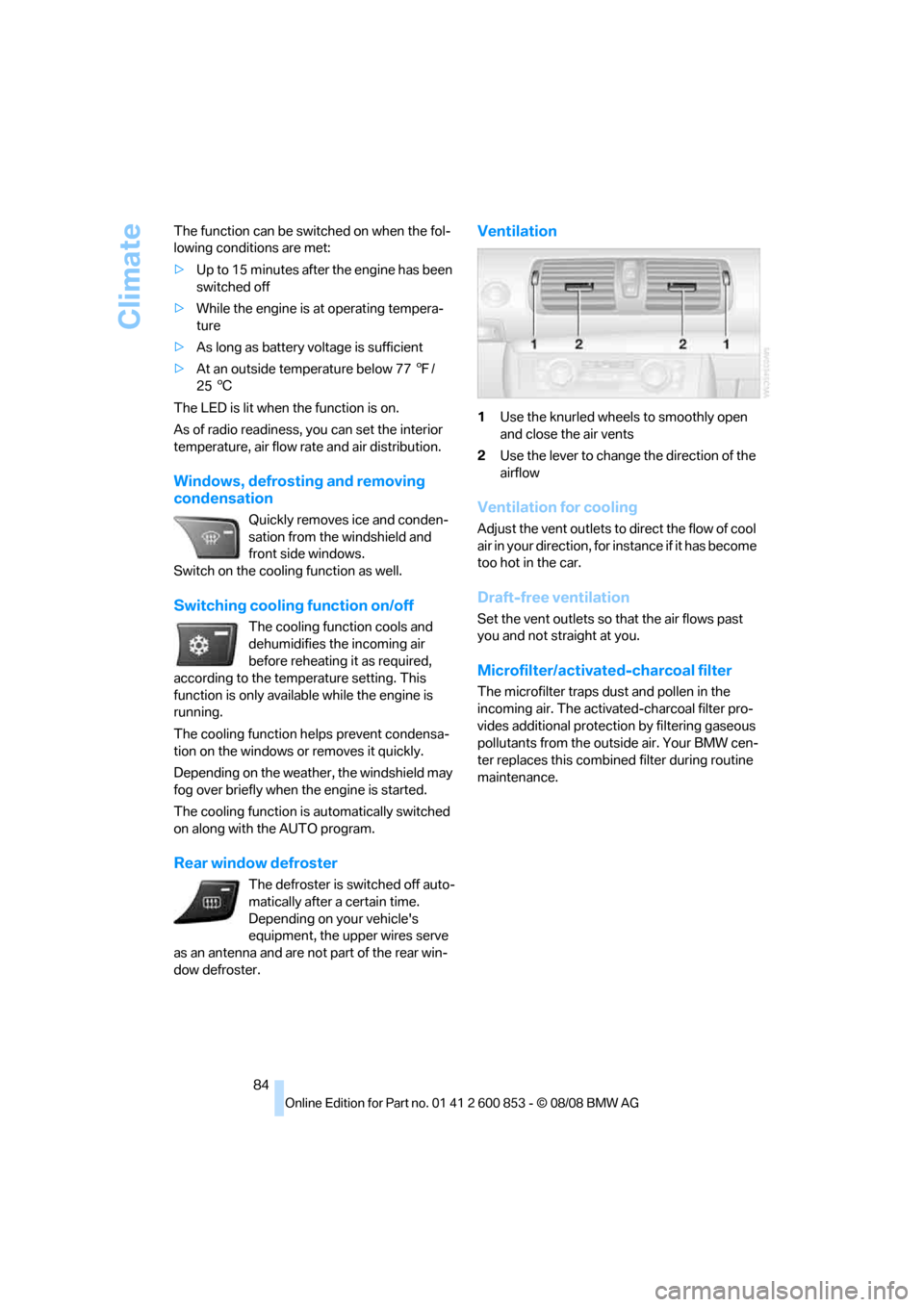
Ventilation
1Use the knurled wheels to smoothly open
and close the air vents
2Use the lever to change the direction of the
airflow
Ventilation for cooling
Adjust the vent outlets to direct the flow of cool
air in your direction, for instance if it has become
too hot in the car.
Draft-free ventilation
Set the vent outlets so that the air flows past
you and not straight at you.
Microfilter/activated-charcoal filter
The microfilter traps dust and pollen in the
incoming air. The activated-charcoal filter pro-
vides additional protection by filtering gaseous
pollutants from the outside air. Your BMW cen-
ter replaces this combined filter during routine
maintenance.
Page 87 of 166
Reference
At a glance
Controls
Driving tips
Mobility
85
Practical interior accessories
Integrated universal remote
control*
The concept
The integrated universal remote control can
replace as many as three hand-held transmit-
ters for various remote-controlled devices,
such as garage doors and gates or lighting sys-
tems. The integrated universal remote control
registers and stores signals from the original
hand-held transmitters.
The signal of an original hand-held transmitter
can be programmed on one of the three mem-
ory buttons1. After this, the programmed
memory button1 will operate the system in
question. The LED2 flashes to confirm trans-
mission of the signal.
Should you sell your vehicle one day, be sure to
delete the stored programs beforehand for your
safety, refer to page86.
To prevent possible damage or injury,
before programming or using the inte-
grated universal remote control, always inspect
the immediate area to make certain that no peo-
ple, animals or objects are within the pivoting or
travel range of the device being operated. Com-
ply also with the safety instructions supplied
with the original hand-held transmitter.<
Checking compatibility
If this symbol appears on the package
or in the instructions supplied with the
original hand-held transmitter, you can
assume that the radio remote control device will
be compatible with the integrated universal
remote control.
For additional information, please contact your
BMW center or call: 1-800-355-3515.
You can also obtain information on the Internet
at:
www.bmwusa.com or
www.homelink.com. HomeLink is a registered trademark of Johnson
Controls, Inc.
Programming
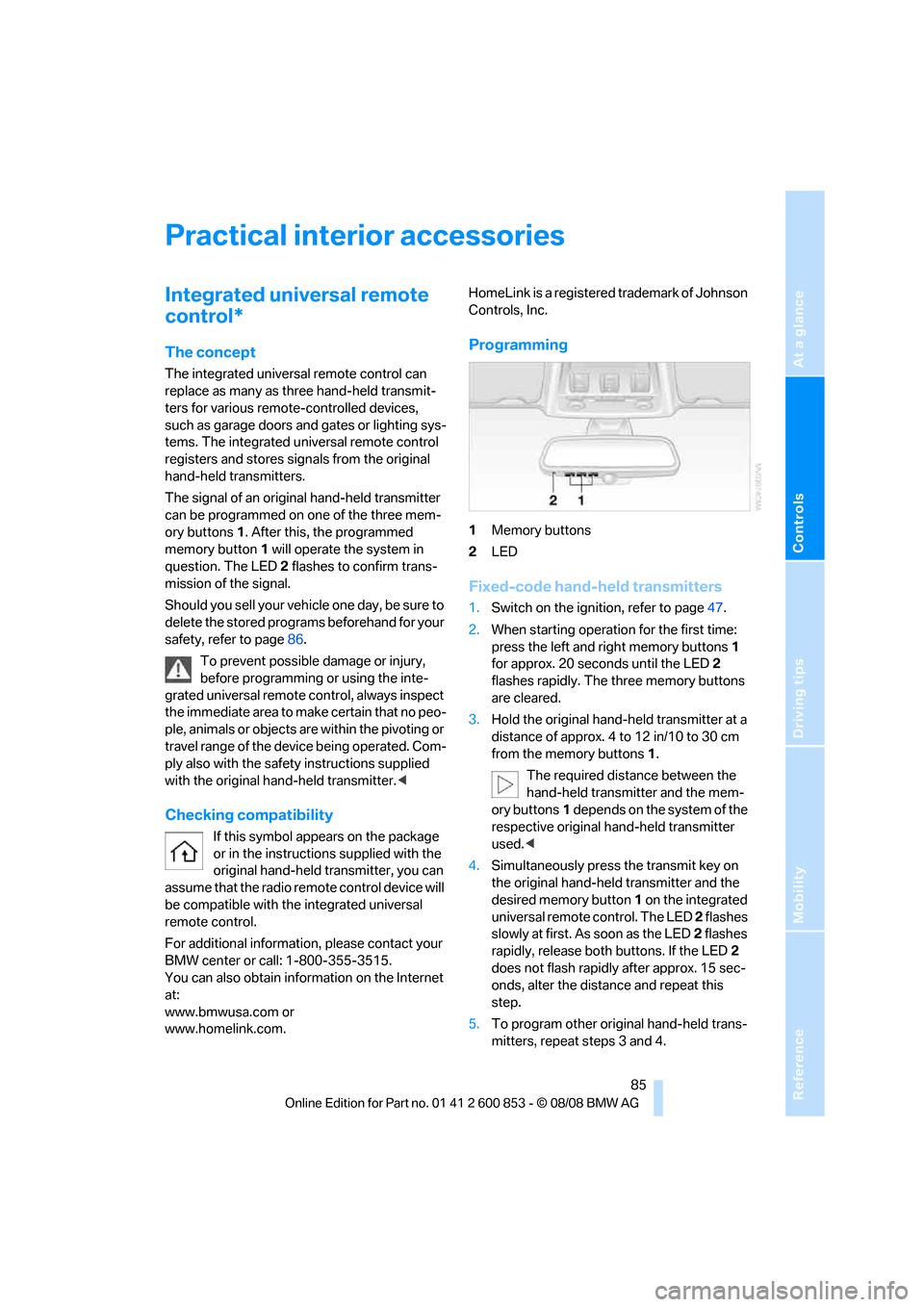
1Memory buttons
2LED
Fixed-code hand-held transmitters
1.Switch on the ignition, refer to page47.
2.When starting operation for the first time:
press the left and right memory buttons1
for approx. 20 seconds until the LED2
flashes rapidly. The three memory buttons
are cleared.
3.Hold the original hand-held transmitter at a
distance of approx. 4 to 12 in/10 to 30 cm
from the memory buttons1.
The required distance between the
hand-held transmitter and the mem-
ory buttons1 depends on the system of the
respective original hand-held transmitter
used.<
4.Simultaneously press the transmit key on
the original hand-held transmitter and the
desired memory button 1 on the integrated
universal remote control. The LED 2 flashes
slowly at first. As soon as the LED2 flashes
rapidly, release both buttons. If the LED2
does not flash rapidly after approx. 15 sec-
onds, alter the distance and repeat this
step.
5.To program other original hand-held trans-
mitters, repeat steps 3 and 4.
Page 91 of 166
Reference
At a glance
Controls
Driving tips
Mobility
89
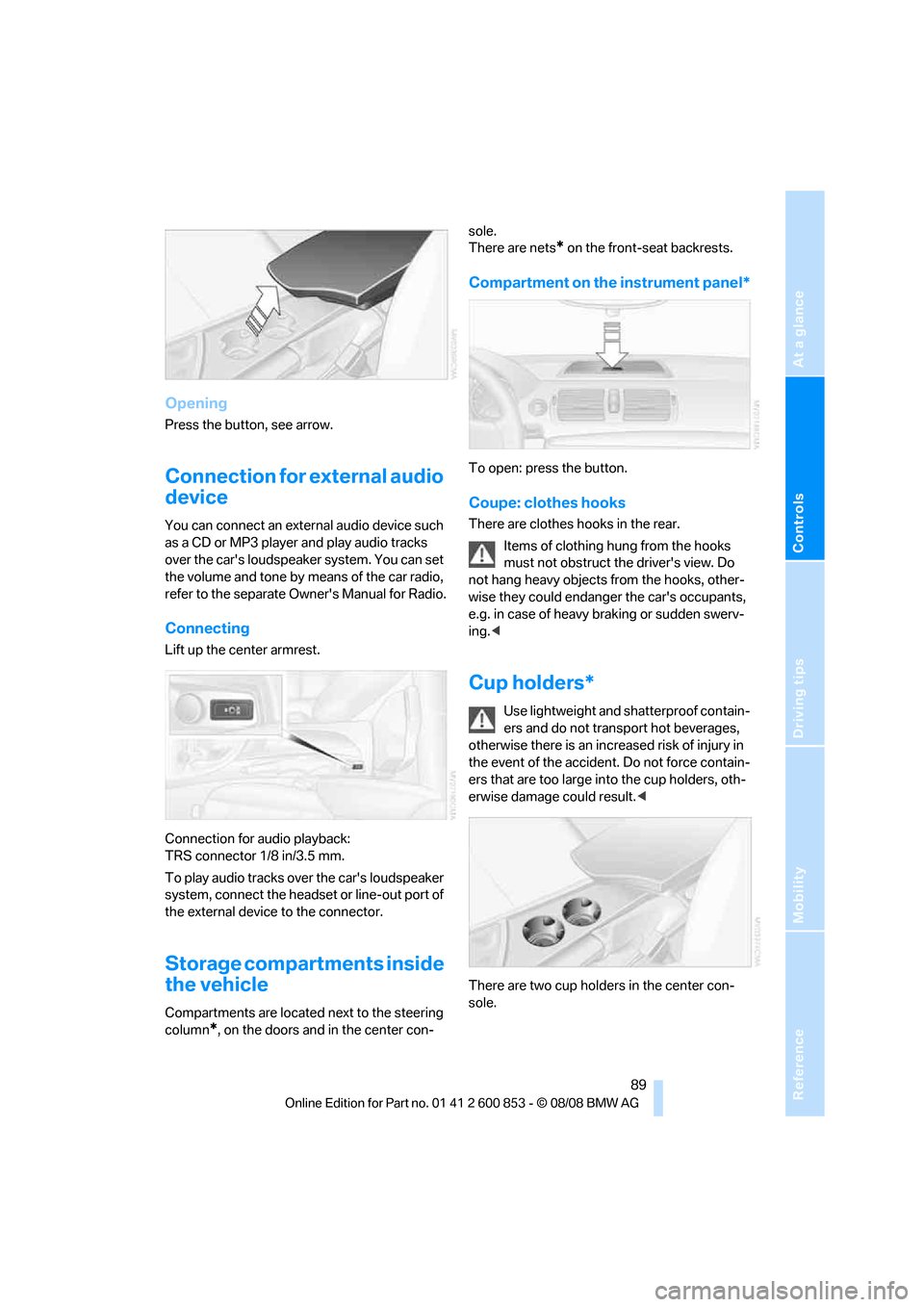
Opening
Press the button, see arrow.
Connection for external audio
device
You can connect an external audio device such
as a CD or MP3 player and play audio tracks
over the car's loudspeaker system. You can set
the volume and tone by means of the car radio,
refer to the separate Owner's Manual for Radio.
Connecting
Lift up the center armrest.
Connection for audio playback:
TRS connector 1/8 in/3.5 mm.
To play audio tracks over the car's loudspeaker
system, connect the headset or line-out port of
the external device to the connector.
Storage compartments inside
the vehicle
Compartments are located next to the steering
column
*, on the doors and in the center con-sole.
There are nets
* on the front-seat backrests.
Compartment on the instrument panel*
To open: press the button.
Coupe: clothes hooks
There are clothes hooks in the rear.
Items of clothing hung from the hooks
must not obstruct the driver's view. Do
not hang heavy objects from the hooks, other-
wise they could endanger the car's occupants,
e.g. in case of heavy braking or sudden swerv-
ing.<
Cup holders*
Use lightweight and shatterproof contain-
ers and do not transport hot beverages,
otherwise there is an increased risk of injury in
the event of the accident. Do not force contain-
ers that are too large into the cup holders, oth-
erwise damage could result.<
There are two cup holders in the center con-
sole.
Page 125 of 166
Reference
At a glance
Controls
Driving tips
Mobility
123
Interior plastic parts
>Imitation leather surfaces
>Lamp glasses
>Display pane of instrument cluster
>Matt parts
Clean with water and solvent-free plastic
cleaner if necessary.
Fine wood parts
Clean fine wood trim and fine wood parts with a
damp cloth. Wipe dry with a soft cloth.
Safety belts
Do not clean with cleaning agents as
these may destroy the fabric.<
Interior sensors / cameras
To clean interior sensors and cameras, e.g. of
the High-Beam Assistant, use a lint-free cloth
moistened with glass cleaner.
Displays
To clean the displays, e.g. of the radio or instru-
ment cluster, use a display cleaning cloth or a
soft, non-abrasive, lint-free cloth.
Avoid applying excessive pressure when
cleaning the displays, otherwise damage
may occur.<
Do not use chemical or abrasive house-
hold cleaning agents. Keep all types of
fluid away from the device. Otherwise, surfaces
or electrical components may be corroded or
damaged.<
CD/DVD drives
Do not use a cleaning CD, as it may dam-
age parts of the drive.<
Vehicle storage
If your vehicle is to be decommissioned for
longer than three months, your BMW center or
a workshop that operates according to BMW
specifications will be glad to advise you.
Page 130 of 166
Replacing components
128 When mounting new tires or changing over
from summer to winter tires and vice versa,
mount Run-Flat Tires for your own safety. In the
event of a flat, no spare wheel is available. Your
BMW center will be glad to advise you. Refer
also to New wheels and tires, page112.
The tools for changing wheels are avail-
able as optional accessories from your
BMW center.<
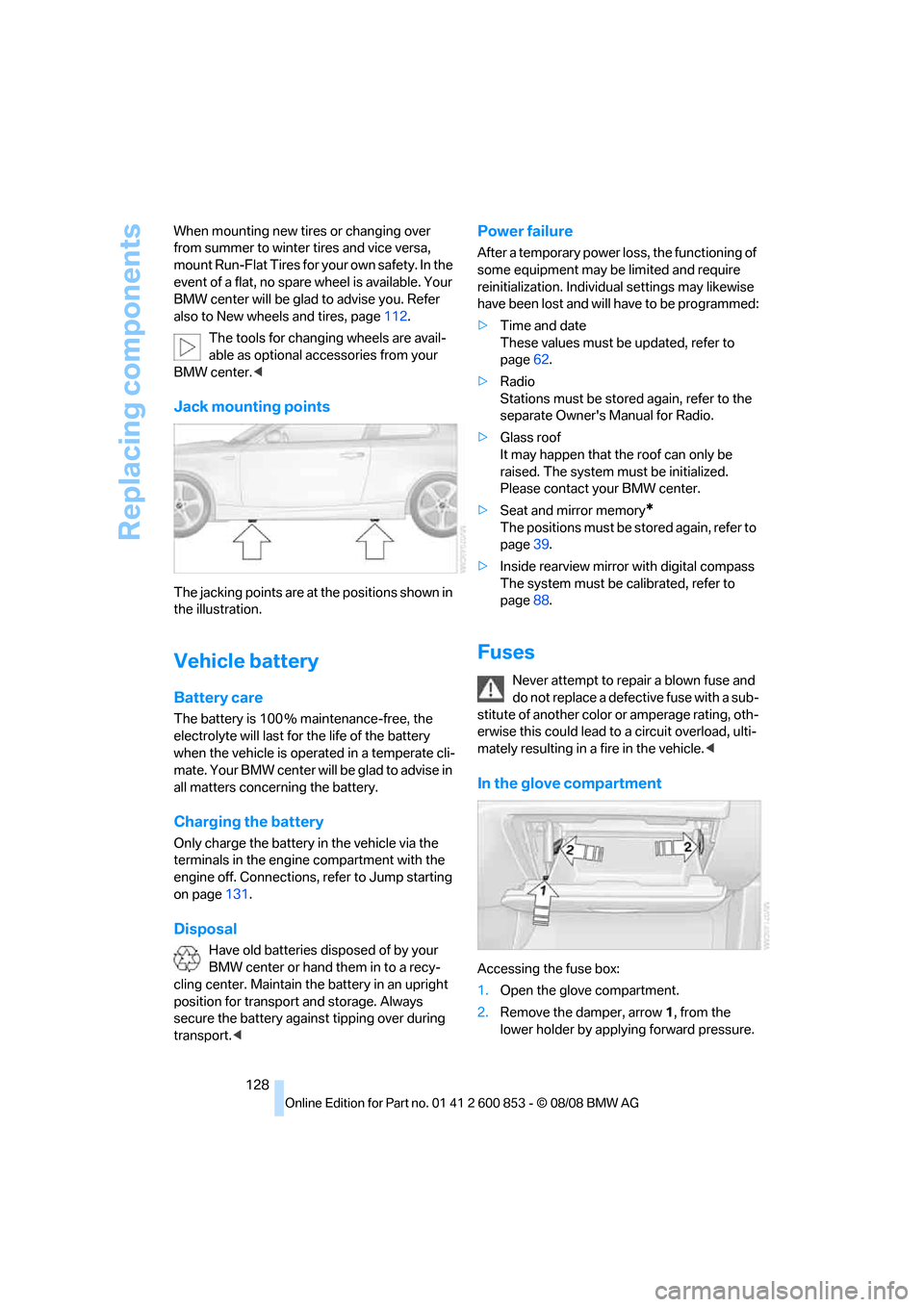
Jack mounting points
The jacking points are at the positions shown in
the illustration.
Vehicle battery
Battery care
The battery is 100 % maintenance-free, the
electrolyte will last for the life of the battery
when the vehicle is operated in a temperate cli-
mate. Your BMW center will be glad to advise in
all matters concerning the battery.
Charging the battery
Only charge the battery in the vehicle via the
terminals in the engine compartment with the
engine off. Connections, refer to Jump starting
on page131.
Disposal
Have old batteries disposed of by your
BMW center or hand them in to a recy-
cling center. Maintain the battery in an upright
position for transport and storage. Always
secure the battery against tipping over during
transport.<
Power failure
After a temporary power loss, the functioning of
some equipment may be limited and require
reinitialization. Individual settings may likewise
have been lost and will have to be programmed:
>Time and date
These values must be updated, refer to
page62.
>Radio
Stations must be stored again, refer to the
separate Owner's Manual for Radio.
>Glass roof
It may happen that the roof can only be
raised. The system must be initialized.
Please contact your BMW center.
>Seat and mirror memory
*
The positions must be stored again, refer to
page39.
>Inside rearview mirror with digital compass
The system must be calibrated, refer to
page88.
Fuses
Never attempt to repair a blown fuse and
do not replace a defective fuse with a sub-
stitute of another color or amperage rating, oth-
erwise this could lead to a circuit overload, ulti-
mately resulting in a fire in the vehicle.<
In the glove compartment
Accessing the fuse box:
1.Open the glove compartment.
2.Remove the damper, arrow1, from the
lower holder by applying forward pressure.
Page 132 of 166
Giving and receiving assistance
130
Giving and receiving assistance
Emergency Request*
Conditions for an Emergency Request:
>Full preparation package mobile phone: this
equipment makes it possible to send an
Emergency Request even if no mobile
phone is paired with the vehicle.
>Radio readiness is on.
>BMW Assist is activated. Activating
BMW Assist, refer to separate Owner's
Manual.
>The BMW Assist system is logged on to a
mobile phone network.
>The Emergency Request system is opera-
ble.
Once your service contract for BMW Assist
expires, the BMW Assist system can be deacti-
vated by a BMW center without you having to
visit a workshop. Once the BMW Assist system
has been deactivated, Emergency Requests
are not possible. The BMW Assist system can
be reactivated by a BMW center after a new
contract has been signed.
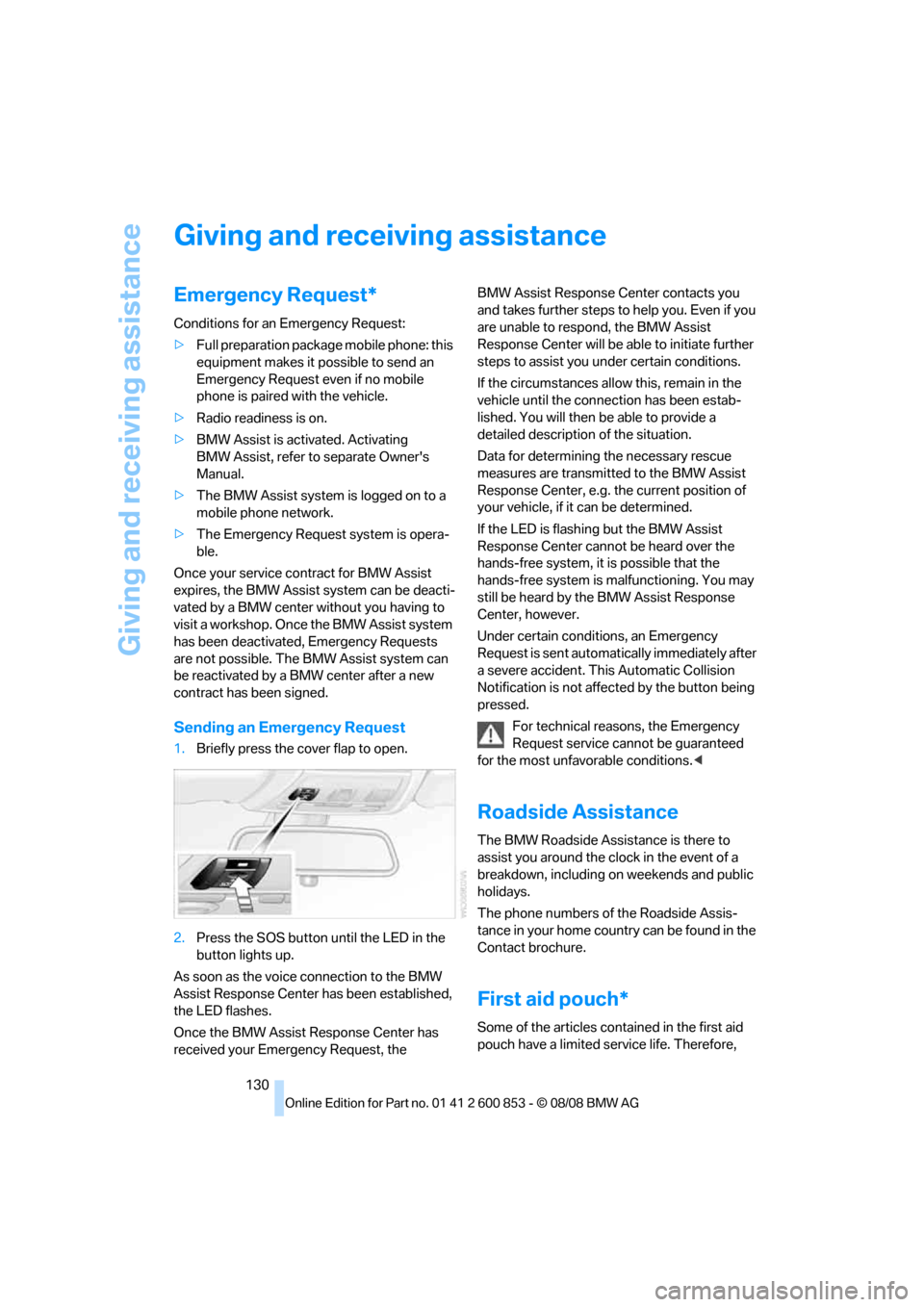
Sending an Emergency Request
1.Briefly press the cover flap to open.
2.Press the SOS button until the LED in the
button lights up.
As soon as the voice connection to the BMW
Assist Response Center has been established,
the LED flashes.
Once the BMW Assist Response Center has
received your Emergency Request, the BMW Assist Response Center contacts you
and takes further steps to help you. Even if you
are unable to respond, the BMW Assist
Response Center will be able to initiate further
steps to assist you under certain conditions.
If the circumstances allow this, remain in the
vehicle until the connection has been estab-
lished. You will then be able to provide a
detailed description of the situation.
Data for determining the necessary rescue
measures are transmitted to the BMW Assist
Response Center, e.g. the current position of
your vehicle, if it can be determined.
If the LED is flashing but the BMW Assist
Response Center cannot be heard over the
hands-free system, it is possible that the
hands-free system is malfunctioning. You may
still be heard by the BMW Assist Response
Center, however.
Under certain conditions, an Emergency
Request is sent automatically immediately after
a severe accident. This Automatic Collision
Notification is not affected by the button being
pressed.
For technical reasons, the Emergency
Request service cannot be guaranteed
for the most unfavorable conditions.<
Roadside Assistance
The BMW Roadside Assistance is there to
assist you around the clock in the event of a
breakdown, including on weekends and public
holidays.
The phone numbers of the Roadside Assis-
tance in your home country can be found in the
Contact brochure.
First aid pouch*
Some of the articles contained in the first aid
pouch have a limited service life. Therefore,
Page 158 of 166
Everything from A to Z
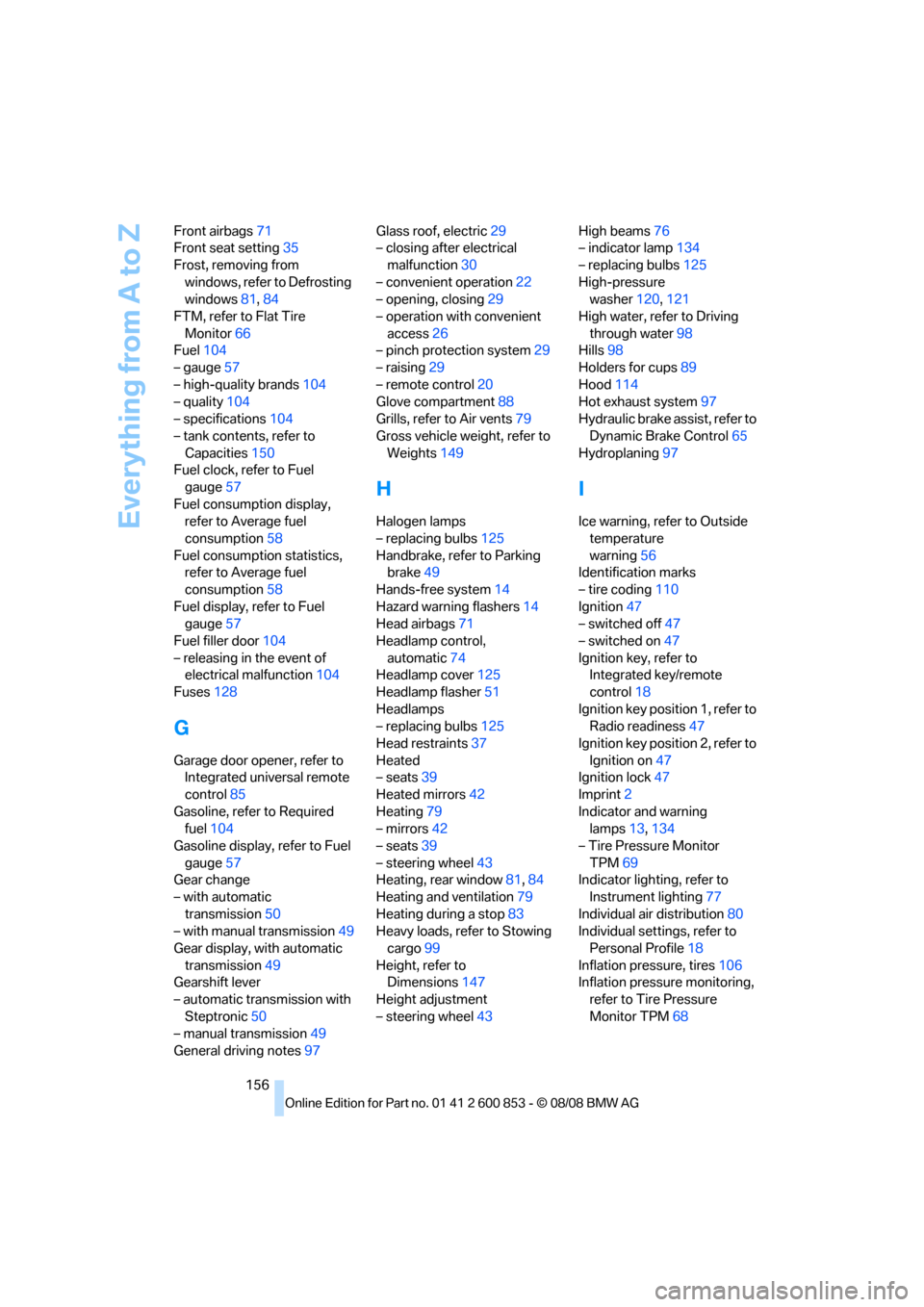
156 Front airbags71
Front seat setting35
Frost, removing from
windows, refer to Defrosting
windows81,84
FTM, refer to Flat Tire
Monitor66
Fuel104
– gauge57
– high-quality brands104
– quality104
– specifications104
– tank contents, refer to
Capacities150
Fuel clock, refer to Fuel
gauge57
Fuel consumption display,
refer to Average fuel
consumption58
Fuel consumption statistics,
refer to Average fuel
consumption58
Fuel display, refer to Fuel
gauge57
Fuel filler door104
– releasing in the event of
electrical malfunction104
Fuses128
G
Garage door opener, refer to
Integrated universal remote
control85
Gasoline, refer to Required
fuel104
Gasoline display, refer to Fuel
gauge57
Gear change
– with automatic
transmission50
– with manual transmission49
Gear display, with automatic
transmission49
Gearshift lever
– automatic transmission with
Steptronic50
– manual transmission49
General driving notes97Glass roof, electric29
– closing after electrical
malfunction30
– convenient operation22
– opening, closing29
– operation with convenient
access26
– pinch protection system29
– raising29
– remote control20
Glove compartment88
Grills, refer to Air vents79
Gross vehicle weight, refer to
Weights149
H
Halogen lamps
– replacing bulbs125
Handbrake, refer to Parking
brake49
Hands-free system14
Hazard warning flashers14
Head airbags71
Headlamp control,
automatic74
Headlamp cover125
Headlamp flasher51
Headlamps
– replacing bulbs125
Head restraints37
Heated
– seats39
Heated mirrors42
Heating79
– mirrors42
– seats39
– steering wheel43
Heating, rear window81,84
Heating and ventilation79
Heating during a stop83
Heavy loads, refer to Stowing
cargo99
Height, refer to
Dimensions147
Height adjustment
– steering wheel43High beams76
– indicator lamp134
– replacing bulbs125
High-pressure
washer120,121
High water, refer to Driving
through water98
Hills98
Holders for cups89
Hood114
Hot exhaust system97
Hydraulic brake assist, refer to
Dynamic Brake Control65
Hydroplaning97
I
Ice warning, refer to Outside
temperature
warning56
Identification marks
– tire coding110
Ignition47
– switched off47
– switched on47
Ignition key, refer to
Integrated key/remote
control18
Ignition key position 1, refer to
Radio readiness47
Ignition key position 2, refer to
Ignition on47
Ignition lock47
Imprint2
Indicator and warning
lamps13,134
– Tire Pressure Monitor
TPM69
Indicator lighting, refer to
Instrument lighting77
Individual air distribution80
Individual settings, refer to
Personal Profile18
Inflation pressure, tires106
Inflation pressure monitoring,
refer to Tire Pressure
Monitor TPM68
Page 160 of 166
Everything from A to Z
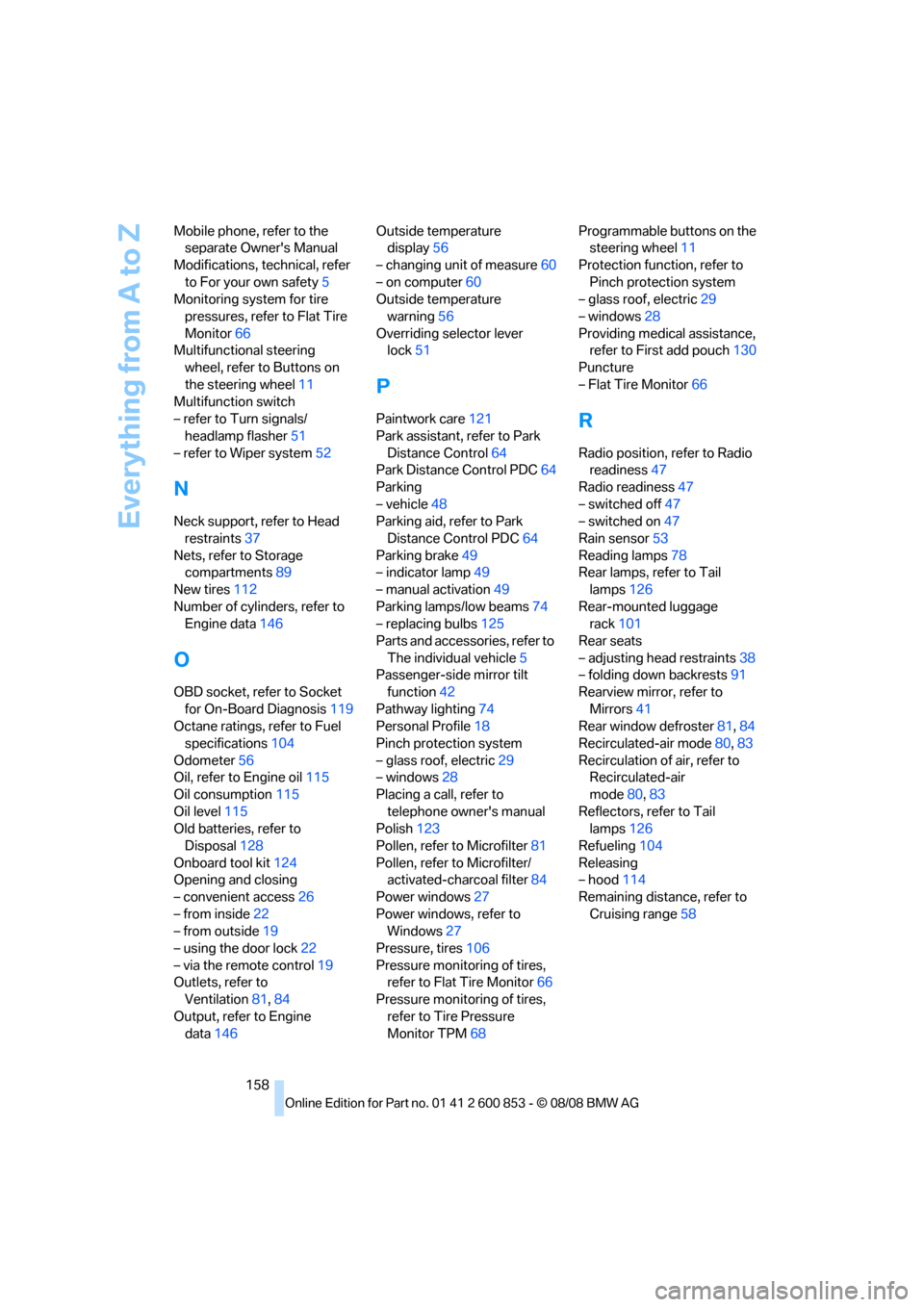
158 Mobile phone, refer to the
separate Owner's Manual
Modifications, technical, refer
to For your own safety5
Monitoring system for tire
pressures, refer to Flat Tire
Monitor66
Multifunctional steering
wheel, refer to Buttons on
the steering wheel11
Multifunction switch
– refer to Turn signals/
headlamp flasher51
– refer to Wiper system52
N
Neck support, refer to Head
restraints37
Nets, refer to Storage
compartments89
New tires112
Number of cylinders, refer to
Engine data146
O
OBD socket, refer to Socket
for On-Board Diagnosis119
Octane ratings, refer to Fuel
specifications104
Odometer56
Oil, refer to Engine oil115
Oil consumption115
Oil level115
Old batteries, refer to
Disposal128
Onboard tool kit124
Opening and closing
– convenient access26
– from inside22
– from outside19
– using the door lock22
– via the remote control19
Outlets, refer to
Ventilation81,84
Output, refer to Engine
data146Outside temperature
display56
– changing unit of measure60
– on computer60
Outside temperature
warning56
Overriding selector lever
lock51
P
Paintwork care121
Park assistant, refer to Park
Distance Control64
Park Distance Control PDC64
Parking
– vehicle48
Parking aid, refer to Park
Distance Control PDC64
Parking brake49
– indicator lamp49
– manual activation49
Parking lamps/low beams74
– replacing bulbs125
Parts and accessories, refer to
The individual vehicle5
Passenger-side mirror tilt
function42
Pathway lighting74
Personal Profile18
Pinch protection system
– glass roof, electric29
– windows28
Placing a call, refer to
telephone owner's manual
Polish123
Pollen, refer to Microfilter81
Pollen, refer to Microfilter/
activated-charcoal filter84
Power windows27
Power windows, refer to
Windows27
Pressure, tires106
Pressure monitoring of tires,
refer to Flat Tire Monitor66
Pressure monitoring of tires,
refer to Tire Pressure
Monitor TPM68Programmable buttons on the
steering wheel11
Protection function, refer to
Pinch protection system
– glass roof, electric29
– windows28
Providing medical assistance,
refer to First add pouch130
Puncture
– Flat Tire Monitor66R
Radio position, refer to Radio
readiness47
Radio readiness47
– switched off47
– switched on47
Rain sensor53
Reading lamps78
Rear lamps, refer to Tail
lamps126
Rear-mounted luggage
rack101
Rear seats
– adjusting head restraints38
– folding down backrests91
Rearview mirror, refer to
Mirrors41
Rear window defroster81,84
Recirculated-air mode80,83
Recirculation of air, refer to
Recirculated-air
mode80,83
Reflectors, refer to Tail
lamps126
Refueling104
Releasing
– hood114
Remaining distance, refer to
Cruising range58