battery BMW 128I 2010 E81 User Guide
[x] Cancel search | Manufacturer: BMW, Model Year: 2010, Model line: 128I, Model: BMW 128I 2010 E81Pages: 250, PDF Size: 8.24 MB
Page 95 of 250
Controls
93Reference
At a glance
Driving tips
Communications
Navigation
Entertainment
Mobility
automatic climate control is optimized for driv-
ing with the convertible top down. In addition,
the air volume is increased as vehicle speed
increases.
The effectiveness of the Convertible pro-
gram can be enhanced considerably by
installing the wind deflector.<
Adjusting air volume manually
To be able to manually adjust the air volume,
switch off the AUTO program first.
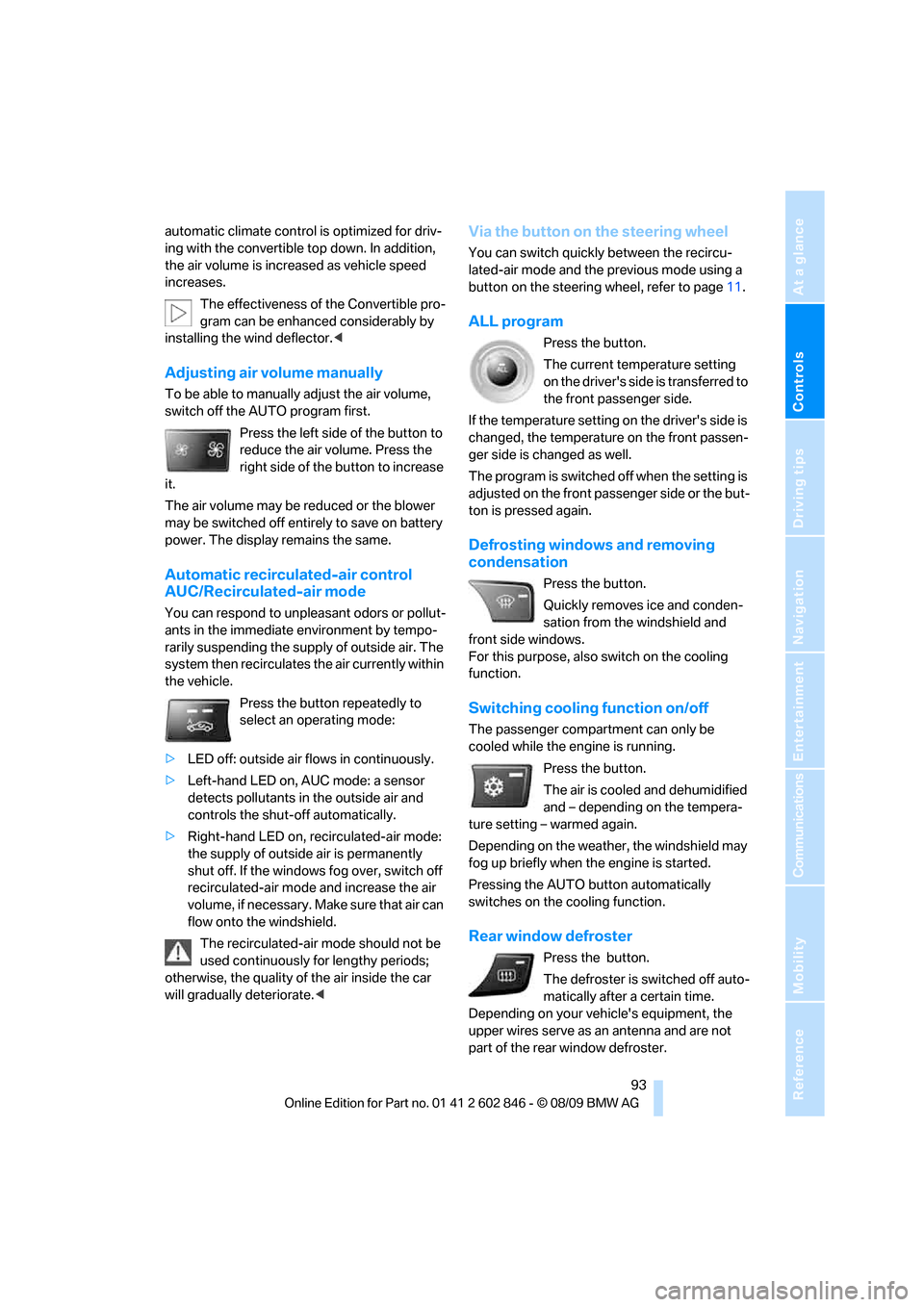
Press the left side of the button to
reduce the air volume. Press the
right side of the button to increase
it.
The air volume may be reduced or the blower
may be switched off entirely to save on battery
power. The display remains the same.
Automatic recirculated-air control
AUC/Recirculated-air mode
You can respond to unpleasant odors or pollut-
ants in the immediate environment by tempo-
rarily suspending the supply of outside air. The
system then recirculates the air currently within
the vehicle.
Press the button repeatedly to
select an operating mode:
>LED off: outside air flows in continuously.
>Left-hand LED on, AUC mode: a sensor
detects pollutants in the outside air and
controls the shut-off automatically.
>Right-hand LED on, recirculated-air mode:
the supply of outside air is permanently
shut off. If the windows fog over, switch off
recirculated-air mode and increase the air
volume, if necessary. Make sure that air can
flow onto the windshield.
The recirculated-air mode should not be
used continuously for lengthy periods;
otherwise, the quality of the air inside the car
will gradually deteriorate.<
Via the button on the steering wheel
You can switch quickly between the recircu-
lated-air mode and the previous mode using a
button
on the steering wheel, refer to page11.
ALL program
Press the button.
The current temperature setting
on the driver's side is transferred to
the front passenger side.
If the temperature setting on the driver's side is
changed, the temperature on the front passen-
ger side is changed as well.
The program is switched off when the setting is
adjusted on the front passenger side or the but-
ton is pressed again.
Defrosting windows and removing
condensation
Press the button.
Quickly removes ice and conden-
sation from the windshield and
front side windows.
For this purpose, also switch on the cooling
function.
Switching cooling function on/off
The passenger compartment can only be
cooled while the engine is running.
Press the button.
The air is cooled and dehumidified
and – depending on the tempera-
ture setting – warmed again.
Depending on the weather, the windshield may
fog up briefly when the engine is started.
Pressing the AUTO button automatically
switches on the cooling function.
Rear window defroster
Press the button.
The defroster is switched off auto-
matically after a certain time.
Depending on your vehicle's equipment, the
upper wires serve as an antenna and are not
part of the rear window defroster.
Page 96 of 250
Climate
94
Switching the system on/off
Switching off
With the blower at its lowest set-
ting, press the left side of the but-
ton to switch off the automatic cli-
mate control.
All displays are cleared except for the rear win-
dow defroster if it is switched on.
The outside air supply is blocked when
the automatic climate control is switched
off. If the air quality deteriorates or the window
fogs over, switch the system back on and
increase the air volume.<
Switching on
Press any button except the ALL or the rear
window defroster button to reactivate the auto-
matic climate control.
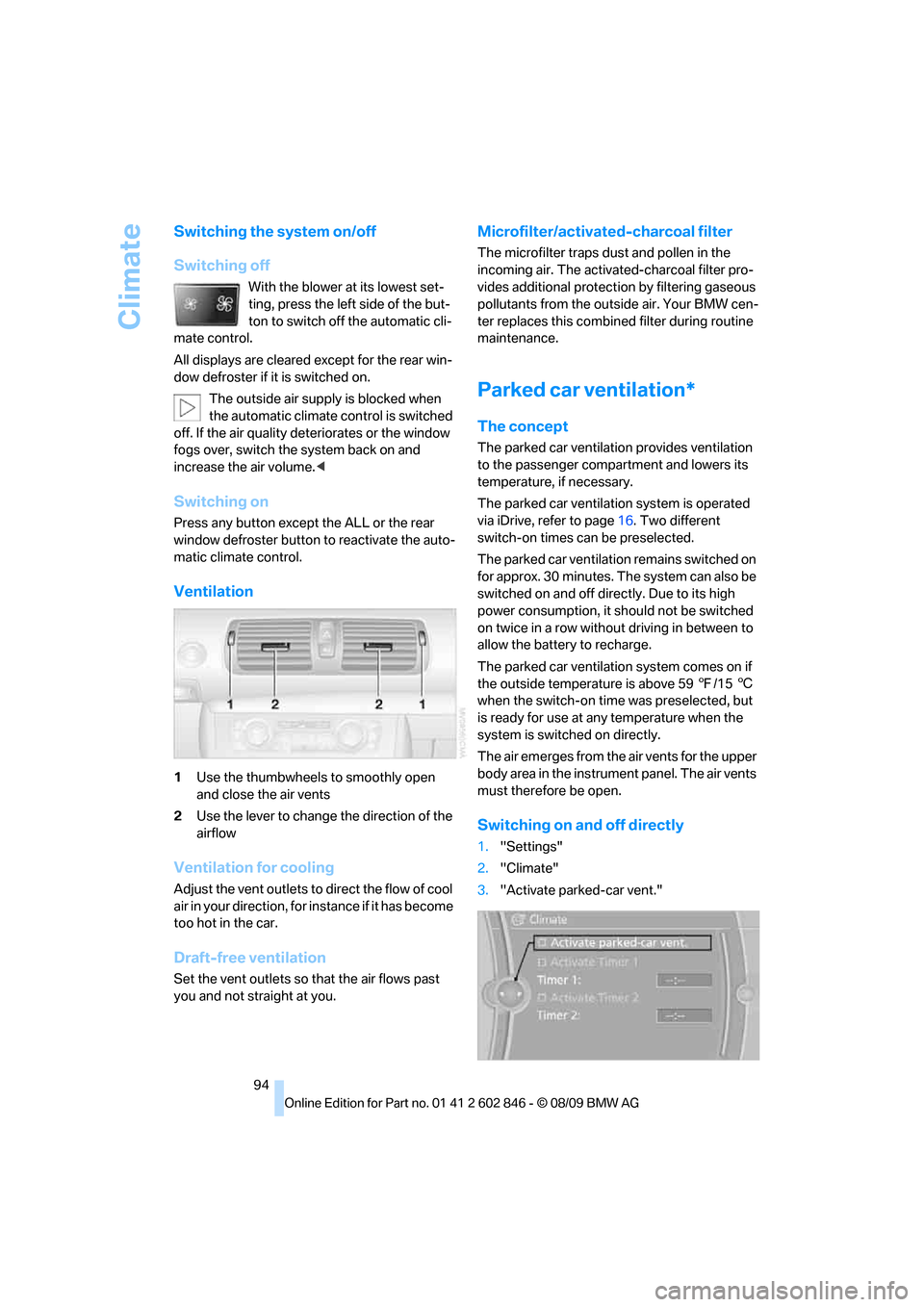
Ventilation
1Use the thumbwheels to smoothly open
and close the air vents
2Use the lever to change the direction of the
airflow
Ventilation for cooling
Adjust the vent outlets to direct the flow of cool
air in your direction, for instance if it has become
too hot in the car.
Draft-free ventilation
Set the vent outlets so that the air flows past
you and not straight at you.
Microfilter/activated-charcoal filter
The microfilter traps dust and pollen in the
incoming air. The activated-charcoal filter pro-
vides additional protection by filtering gaseous
pollutants from the outside air. Your BMW cen-
ter replaces this combined filter during routine
maintenance.
Parked car ventilation*
The concept
The parked car ventilation provides ventilation
to the passenger compartment and lowers its
temperature, if necessary.
The parked car ventilation system is operated
via iDrive, refer to page16. Two different
switch-on times can be preselected.
The parked car ventilation remains switched on
for approx. 30 minutes. The system can also be
switched on and off directly. Due to its high
power consumption, it should not be switched
on twice in a row without driving in between to
allow the battery to recharge.
The parked car ventilation system comes on if
the outside temperature is above 597/156
when the switch-on time was preselected, but
is ready for use at any temperature when the
system is switched on directly.
The air emerges from the air vents for the upper
body area in the instrument panel. The air vents
must therefore be open.
Switching on and off directly
1."Settings"
2."Climate"
3."Activate parked-car vent."
Page 168 of 250
Telephone
166
Telephone
The concept
Your BMW is equipped with a full preparation
package mobile phone. After pairing a suitable
mobile phone with the vehicle once, you can
operate the mobile phone via the iDrive, the
buttons on the steering wheel or using voice
commands
*.
Once a mobile phone has been paired with your
vehicle, it is automatically recognized as soon
as it is inside the vehicle while the engine is run-
ning or the ignition is switched on. You can
store the pairing data for up to four mobile
phones simultaneously. If several mobile
phones are detected at the same time, the
mobile phone last paired can be operated via
the vehicle.
Using the telephone inside
the vehicle
Using the snap-in adapter*
The so-called snap-in adapter, a holder for
mobile phones, allows you to charge the mobile
phone's battery and connect the mobile phone
to your vehicle's outside antenna. This ensures
better network reception and consistent repro-
duction quality. Please contact your
BMW center to find out for which mobile
phones there are snap-in adapters available.
For your safety
A car phone makes life more convenient in
many ways, and can even save lives in an emer-
gency. While you should consult your mobile
phone's separate operating instructions for a
detailed description of safety precautions and
information, we request that you direct your
particular attention to the following:
Only make entries when the traffic situa-
tion allows you to do so. Do not hold the
mobile phone in your hand while you are driving;
use the hands-free system instead. If you do not observe this precaution, your being dis-
tracted can endanger vehicle occupants and
other road users.<
Suitable mobile phones
Please ask your BMW center which mobile
phones with Bluetooth interface are supported
by the mobile phone preparation package and
which mobile phones are compatible with the
snap-in adapter. By virtue of their particular
software versions, these mobile phones sup-
port the functions described in this Owner's
Manual. Malfunctions may occur with other
mobile phones.
Operating options
You can operate the mobile phone using:
>Buttons on the steering wheel, refer to
page10
>iDrive, refer to page16
>Voice commands
*, refer to page173
>Programmable memory keys, refer to
page20
Avoid operating a mobile phone recognized by
the vehicle via the mobile phone's keypad; oth-
erwise, malfunctions may result.
Start-up
Pairing the mobile phone with the
vehicle
The following prerequisites must be met:
>Compatible mobile phone: the mobile
phone is supported by the full preparation
package mobile phone. You can obtain
information on the Internet at:
www.bmw.com/bluetooth
>The mobile phone is ready to operate.
*
Page 179 of 250
177
Entertainment
Reference
At a glance
Controls
Driving tips Communications
Navigation
Mobility
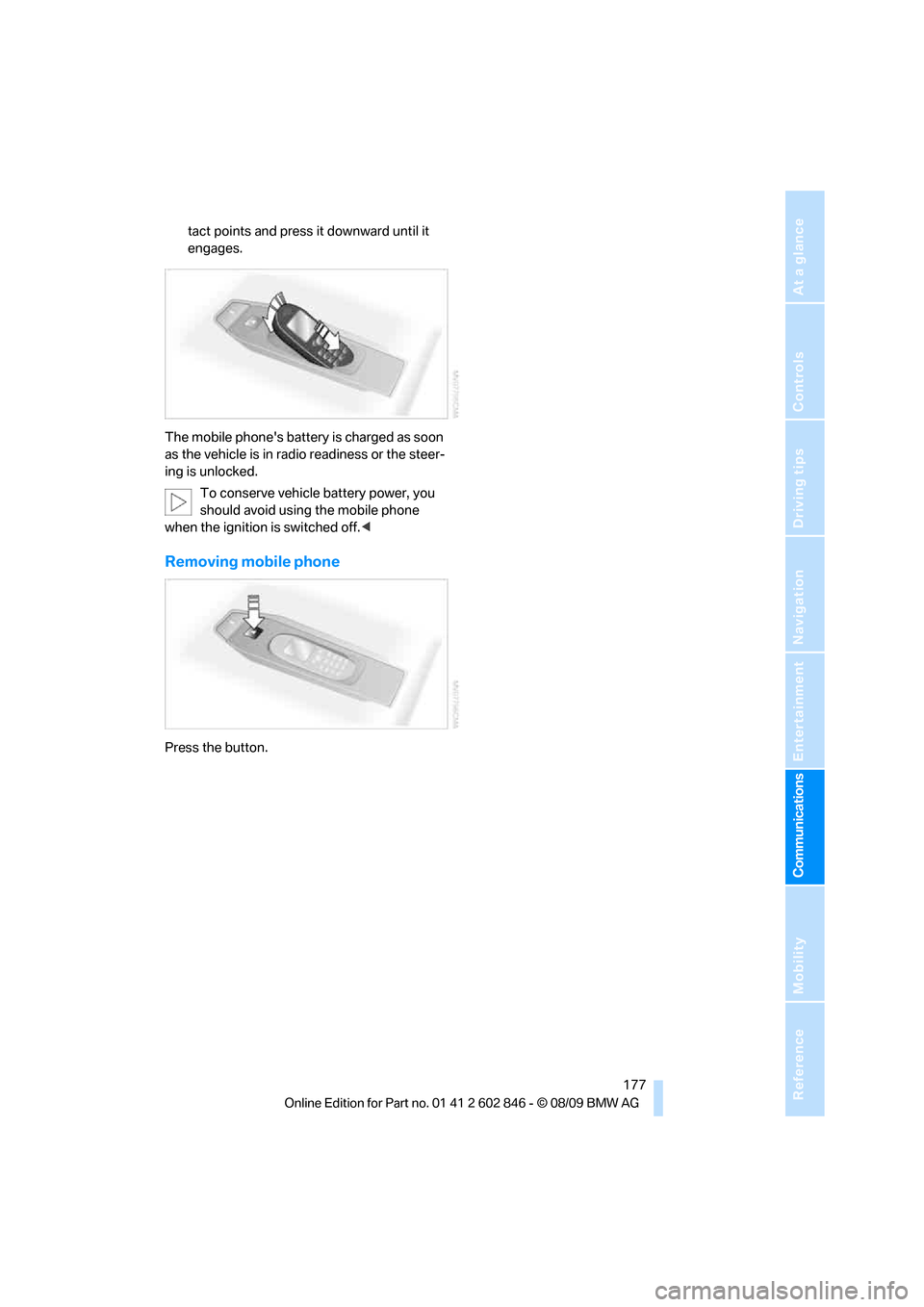
tact points and press it downward until it
engages.
The mobile phone's battery is charged as soon
as the vehicle is in radio readiness or the steer-
ing is unlocked.
To conserve vehicle battery power, you
should avoid using the mobile phone
when the ignition is switched off.<
Removing mobile phone
Press the button.
Page 215 of 250
Mobility
213Reference
At a glance
Controls
Driving tips
Communications
Navigation
Entertainment
When mounting new tires or changing over
from summer to winter tires and vice versa,
mount run-flat tires for your own safety. In the
event of a flat, no spare wheel is available. Your
BMW center will be glad to advise you. Refer
also to New wheels and tires, page196.
The tools for changing wheels are avail-
able as optional accessories from your
BMW center.<
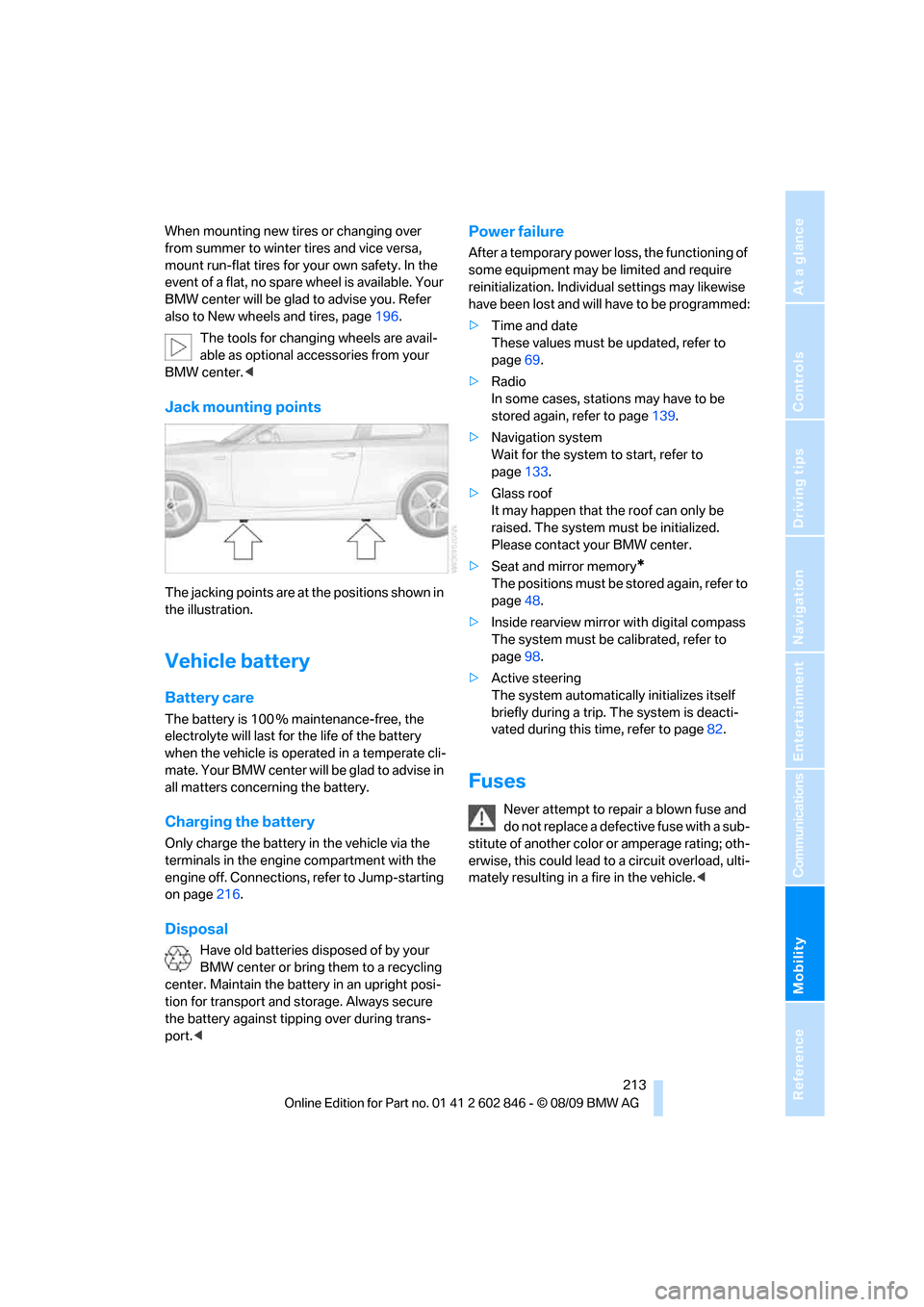
Jack mounting points
The jacking points are at the positions shown in
the illustration.
Vehicle battery
Battery care
The battery is 100 % maintenance-free, the
electrolyte will last for the life of the battery
when the vehicle is operated in a temperate cli-
mate. Your BMW center will be glad to advise in
all matters concerning the battery.
Charging the battery
Only charge the battery in the vehicle via the
terminals in the engine compartment with the
engine off. Connections, refer to Jump-starting
on page216.
Disposal
Have old batteries disposed of by your
BMW center or bring them to a recycling
center. Maintain the battery in an upright posi-
tion for transport and storage. Always secure
the battery against tipping over during trans-
port.<
Power failure
After a temporary power loss, the functioning of
some equipment may be limited and require
reinitialization. Individual settings may likewise
have been lost and will have to be programmed:
>Time and date
These values must be updated, refer to
page69.
>Radio
In some cases, stations may have to be
stored again, refer to page139.
>Navigation system
Wait for the system to start, refer to
page133.
>Glass roof
It may happen that the roof can only be
raised. The system must be initialized.
Please contact your BMW center.
>Seat and mirror memory
*
The positions must be stored again, refer to
page48.
>Inside rearview mirror with digital compass
The system must be calibrated, refer to
page98.
>Active steering
The system automatically initializes itself
briefly during a trip. The system is deacti-
vated during this time, refer to page82.
Fuses
Never attempt to repair a blown fuse and
do not replace a defective fuse with a sub-
stitute of another color or amperage rating; oth-
erwise, this could lead to a circuit overload, ulti-
mately resulting in a fire in the vehicle.<
Page 218 of 250
Giving and receiving assistance
216 ularly and replace any items in good time, if nec-
essary.
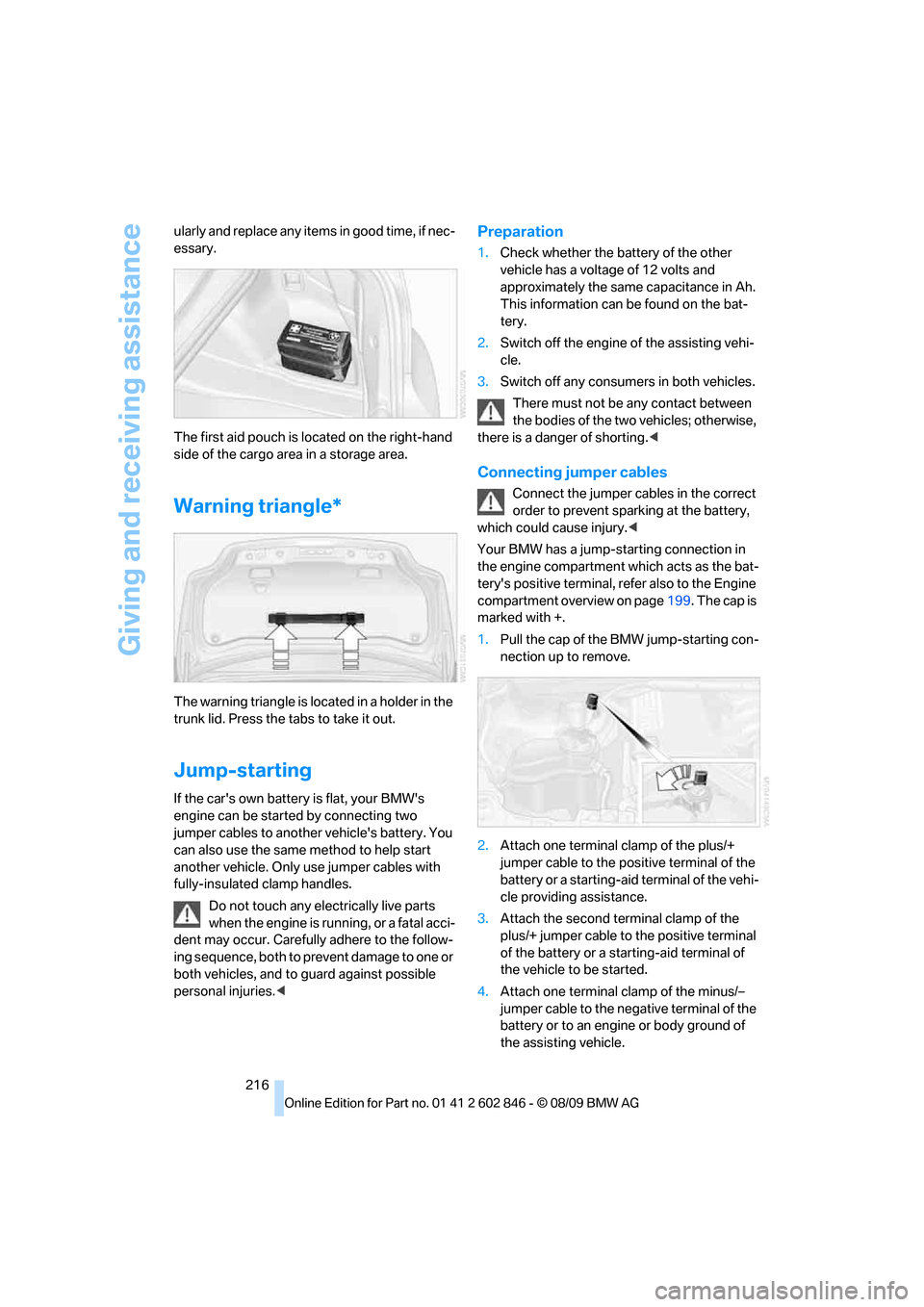
The first aid pouch is located on the right-hand
side of the cargo area in a storage area.
Warning triangle*
The warning triangle is located in a holder in the
trunk lid. Press the tabs to take it out.
Jump-starting
If the car's own battery is flat, your BMW's
engine can be started by connecting two
jumper cables to another vehicle's battery. You
can also use the same method to help start
another vehicle. Only use jumper cables with
fully-insulated clamp handles.
Do not touch any electrically live parts
when the engine is running, or a fatal acci-
dent may occur. Carefully adhere to the follow-
ing sequence, both to prevent damage to one or
both vehicles, and to guard against possible
personal injuries.<
Preparation
1.Check whether the battery of the other
vehicle has a voltage of 12 volts and
approximately the same capacitance in Ah.
This information can be found on the bat-
tery.
2.Switch off the engine of the assisting vehi-
cle.
3.Switch off any consumers in both vehicles.
There must not be any contact between
the bodies of the two vehicles; otherwise,
there is a danger of shorting.<
Connecting jumper cables
Connect the jumper cables in the correct
order to prevent sparking at the battery,
which could cause injury.<
Your BMW has a jump-starting connection in
the engine compartment which acts as the bat-
tery's positive terminal, refer also to the Engine
compartment overview on page199. The cap is
marked with +.
1.Pull the cap of the BMW jump-starting con-
nection up to remove.
2.Attach one terminal clamp of the plus/+
jumper cable to the positive terminal of the
battery or a starting-aid terminal of the vehi-
cle providing assistance.
3.Attach the second terminal clamp of the
plus/+ jumper cable to the positive terminal
of the battery or a starting-aid terminal of
the vehicle to be started.
4.Attach one terminal clamp of the minus/–
jumper cable to the negative terminal of the
battery or to an engine or body ground of
the assisting vehicle.
Page 219 of 250
Mobility
217Reference
At a glance
Controls
Driving tips
Communications
Navigation
Entertainment
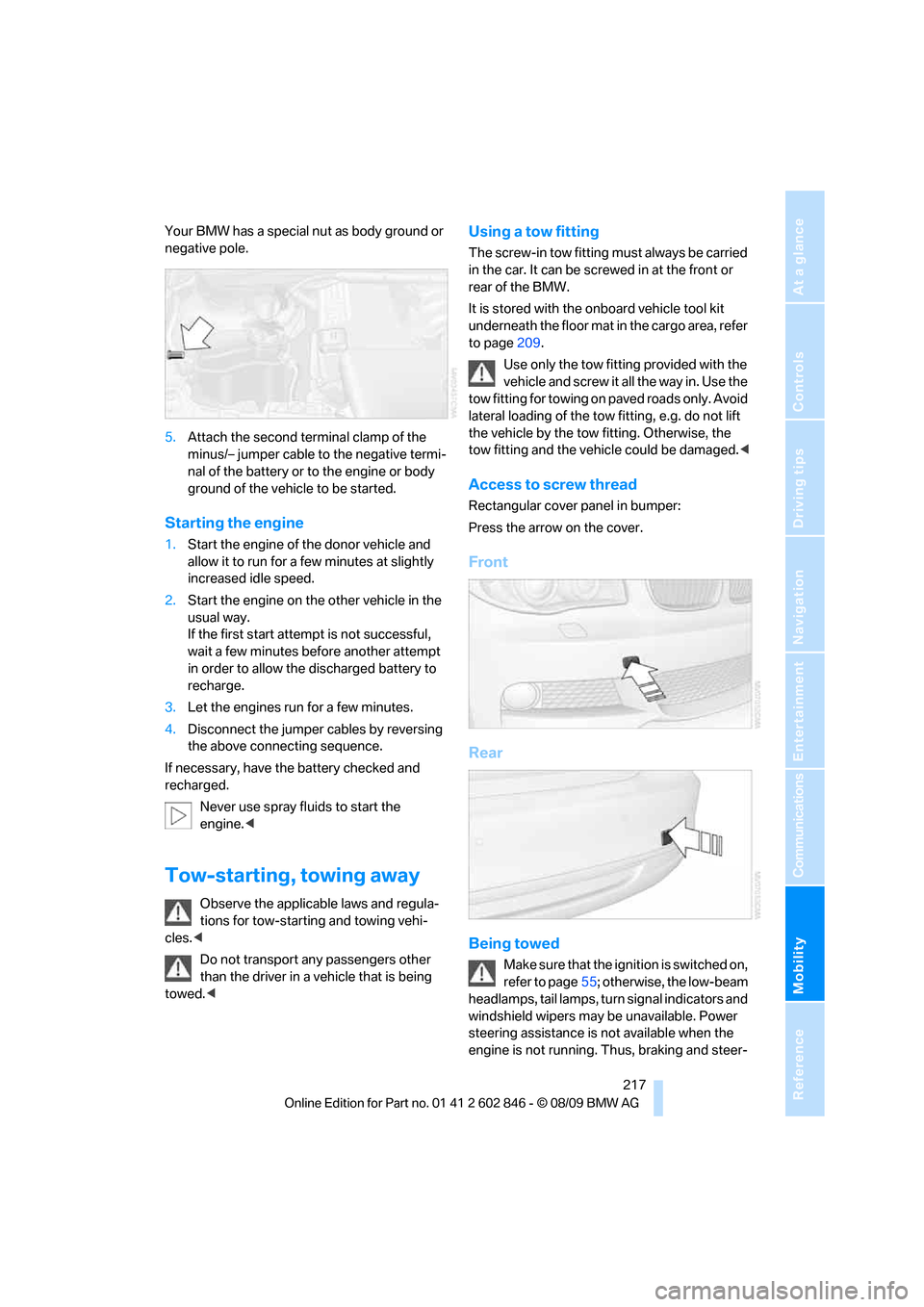
Your BMW has a special nut as body ground or
negative pole.
5.Attach the second terminal clamp of the
minus/– jumper cable to the negative termi-
nal of the battery or to the engine or body
ground of the vehicle to be started.
Starting the engine
1.Start the engine of the donor vehicle and
allow it to run for a few minutes at slightly
increased idle speed.
2.Start the engine on the other vehicle in the
usual way.
If the first start attempt is not successful,
wait a few minutes before another attempt
in order to allow the discharged battery to
recharge.
3.Let the engines run for a few minutes.
4.Disconnect the jumper cables by reversing
the above connecting sequence.
If necessary, have the battery checked and
recharged.
Never use spray fluids to start the
engine.<
Tow-starting, towing away
Observe the applicable laws and regula-
tions for tow-starting and towing vehi-
cles.<
Do not transport any passengers other
than the driver in a vehicle that is being
towed.<
Using a tow fitting
The screw-in tow fitting must always be carried
in the car. It can be screwed in at the front or
rear of the BMW.
It is stored with the onboard vehicle tool kit
underneath the floor mat in the cargo area, refer
to page209.
Use only the tow fitting provided with the
vehicle and screw it all the way in. Use the
tow fitting for towing on paved roads only. Avoid
lateral loading of the tow fitting, e.g. do not lift
the vehicle by the tow fitting. Otherwise, the
tow fitting and the vehicle could be damaged.<
Access to screw thread
Rectangular cover panel in bumper:
Press the arrow on the cover.
Front
Rear
Being towed
Make sure that the ignition is switched on,
refer to page55; otherwise, the low-beam
headlamps, tail lamps, turn signal indicators and
windshield wipers may be unavailable. Power
steering assistance is not available when the
engine is not running. Thus, braking and steer-
Page 235 of 250
Reference 233
At a glance
Controls
Driving tips
Communications
Navigation
Entertainment
Mobility
Base plate for telephone or
mobile phone
– refer to Snap-in adapter176
Bass, tone setting136
Battery213
– charging213
– disposal35,213
– jump-starting216
– temporary power failure213
Battery for mobile phone177
Battery renewal
– remote control for vehicle34
Being towed217
Belts, refer to Safety belts49
Belt tensioner, refer to Safety
belts49
Beverage holders, refer to
Cupholders100
Blower, refer to Air volume93
Bluetooth, activating/
deactivating168
BMW
– car shampoo208
BMW Assist,
activating182,184
BMW Assist180
BMW Maintenance
System203
BMW Search182
Bottle holders, refer to
Cupholders100
Brake Assist, refer to Dynamic
Brake Control76
Brake fluid
– service requirements67
Brake Force Display82
Brake lamps
– Brake Force Display82
– replacing bulb212
Brake pads, breaking in108
Brake rotors110
– brakes108
– breaking in108Brakes
– ABS76
– BMW Maintenance
System203
– braking safely110
– breaking in108
– parking brake57
– service requirements67
Brake system108
– BMW Maintenance
System203
– breaking in108
– disc brakes110
Breakdown services, refer to
Roadside Assistance
215
Breaking in the clutch108
Break-in period108
Bulb changing, refer to Lamps
and bulbs209
Bulbs, changing209
Button for starting the
engine55
Buttons on the steering
wheel11
C
California Proposition 65
warning5
Call
– accepting169
– ending170
– rejecting170
Calling, refer to Phone
numbers, dialing170
Can holders, refer to
Cupholders100
Capacities226
Capacity of the cargo area225
Car battery, refer to Vehicle
battery213
Car care, refer to Care205Care205
– automatic car washes205
– care products205
– carpets207
– CD/DVD drives208
– chrome parts207
– convertible top206
– displays208
– exterior205
– fine wood parts208
– headlamps206
– high-pressure washer206
– interior207
– leather207
– light-alloy wheels207
– paintwork206
– plastic parts208
– rubber seals207
– safety belts208
– sensors and cameras208
– upholstery and cloth
trim207
– washing the car
manually206
– windows206
Cargo, securing112
Cargo area
– capacity225
– Comfort Access34
– enlarging, refer to Through-
loading system102
– lamp, refer to Interior
lamps90
– lid, refer to Trunk lid30
– opening from outside31
Cargo area lid, refer to Trunk
lid30
Cargo area net, refer to
Securing cargo112
Cargo loading111
– securing cargo112
– stowing cargo
111
– vehicle110
Car jack
– jacking points213
Car key, refer to Integrated
key/remote control26
Page 236 of 250
Everything from A - Z
234 Car phone
– installation location, refer to
Center armrest100
– refer to separate Owner's
Manual
Car phone, refer to
Telephone166
Car radio, refer to Radio139
Car shampoo208
Car wash205
– with Comfort Access56
Catalytic converter, refer to
Hot exhaust system109
CD, audio playback147
CD changer147,151
– controls136
– fast forward/reverse149
– filling or emptying the
magazine152
– random play sequence148
– selecting a track147
– switching on/off136
– tone control136
– volume136
CD player147
– controls136
– fast forward/reverse149
– random play sequence148
– selecting a track147
– switching on/off136
– tone control136
– volume136
Center armrest100
Center brake lamp, replacing
bulb212
Center console, refer to
Around the center
console14
Central key, refer to Integrated
key/remote control26
Central locking
– from inside30
– from outside27
Central locking system27
– Comfort Access33
Changes, technical, refer to
For your own safety5
Changing the language on the
Control Display73Changing wheels212
Chassis number, refer to
Engine compartment199
Check Control71
Checking oil level199
Child restraint fixing system
LATCH53
Child restraint systems52
Child seats
52
Chrome parts208
Chrome polish208
Cigarette lighter101
Cleaning headlamps61
– washer fluid61
Cleaning your BMW, refer to
Care205
Clock63
– 12h/24h mode70
– setting the time and date70
– setting time69
Closing
– from inside30
– from outside27
Clothes hooks100
Cold start, refer to Starting the
engine56
Combination instrument, refer
to Instrument cluster12
Comfort Access33
– in a car wash56
– replacing the battery34
Comfort access, refer to
Comfort Access33
Comfort area, refer to Around
the center console14
Compartment for remote
control, refer to Ignition
lock55
Compass98
Computer64
– displays on Control
Display65
Computer, refer to iDrive16
Concierge service181
Condensation, refer to When
the vehicle is parked110
Condition Based Service
CBS203Configuring settings, refer to
Personal Profile26
Confirmation signals for
locking/unlocking the
vehicle28
Congestion
– refer to Route, bypassing
sections127
Connecting vacuum cleaner,
refer to Connecting
electrical appliances101
Consumption, refer to
Average fuel
consumption65
Contacts
– creating178
Control Center, refer to
iDrive16
Control Display16
Control Display, refer to iDrive
– switching on/off19
Controller, refer to iDrive16
Controls and displays10
Convenient operation
– windows28
– windows with Comfort
Access34
– with Comfort Access34
Convenient starting, refer to
Starting the engine56
Convertible
– rollover protection
system84
– top38
– wind deflector41
Convertible top
– Convenient opening28
Convertible top care206
Coolant201
– checking level202
– filling202
Coolant temperature64
Cooling, maximum92
Cooling fluid, refer to
Coolant201
Copyright2
Corner-illuminating lamps87
Page 237 of 250
Reference 235
At a glance
Controls
Driving tips
Communications
Navigation
Entertainment
Mobility
Corner-illuminating lamps,
refer to Adaptive light
control87
Cornering lamps, refer to
Adaptive light control87
Country codes DVD149
Courtesy lamps90
Criteria for route126
Cross-hairs in navigation122
Cruise control61
Cruising range65
Cupholders100
Curb weight, refer to
Weights225
Current fuel consumption65
Current playback
– external devices161
– of music collection156
Customer Relations183
D
Dashboard, refer to
Cockpit10
Dashboard lighting, refer to
Instrument lighting89
Data
– dimensions223
– sizes223
Data, technical222
– capacities226
– engine222
– weights225
Data transfer184
Date
– setting70
– setting format71
Daytime running lights, switch
positions87
DBC Dynamic Brake
Control76
Deactivating front passenger
airbags83
Deadlocking, refer to
Locking28
Decommissioning the vehicle,
refer to Caring for your
vehicleDefect
– door lock30
– fuel filler flap188
– glass roof37
Defogging windows93
Defrosting the windows93
Defrosting windows and
removing condensation93
Defrosting windshield, refer to
Defrosting windows93
Defrost position, refer to
Defrosting windows93
Destination, entering by town/
city name117
Destination address
– entering117,123
Destination entry via BMW
Assist121
Destination for navigation
– entering by voice123
– entering via map122
– entry117
– home address120
– manual entry117
Destination guidance126
– bypassing a route
section127
– changing specified
route126
– continuing126
– starting126
– voice instructions127
– volume of voice
instructions128
Differential, breaking in108
Digital clock
63
Digital compass98
Digital radio, refer to HD
Radio140
Dimensions223
Directional indicators, refer to
Turn signals59
Direction instructions, refer to
Voice instructions127
Directory for navigation, refer
to Address book119
Displacement, refer to Engine
data222Display, refer to Control
Display16
Display lighting, refer to
Instrument lighting89
Displays, refer to Instrument
cluster12
Displays and controls10
Disposal
– of coolant201
– remote control battery35
– vehicle battery213
Distance, refer to
Computer65
Distance remaining to service,
refer to Service
requirements67
Distance to destination, refer
to Computer65
Distance warning, refer to
Park Distance Control
PDC75
Door key, refer to Integrated
key/remote control26
Door lock29
Door lock, confirmation
signals28
Doors, emergency
operation30
DOT Quality Grades194
Draft-free ventilation94
Drinks holders, refer to
Cupholders100
Drive-off assistance, refer to
DSC76
Drive-off assistant77
Driving lamps, refer to Parking
lamps/low beams86
Driving notes108
Driving off on hills, refer to
Drive-off assistant77
Driving stability control
systems76
Driving through water110
Driving tips, refer to Driving
notes108
Dry air, refer to Cooling
function93
DSC Dynamic Stability
Control76