door lock BMW 128I 2010 E81 User Guide
[x] Cancel search | Manufacturer: BMW, Model Year: 2010, Model line: 128I, Model: BMW 128I 2010 E81Pages: 250, PDF Size: 8.24 MB
Page 50 of 250
Adjustments
48
Heated seats*
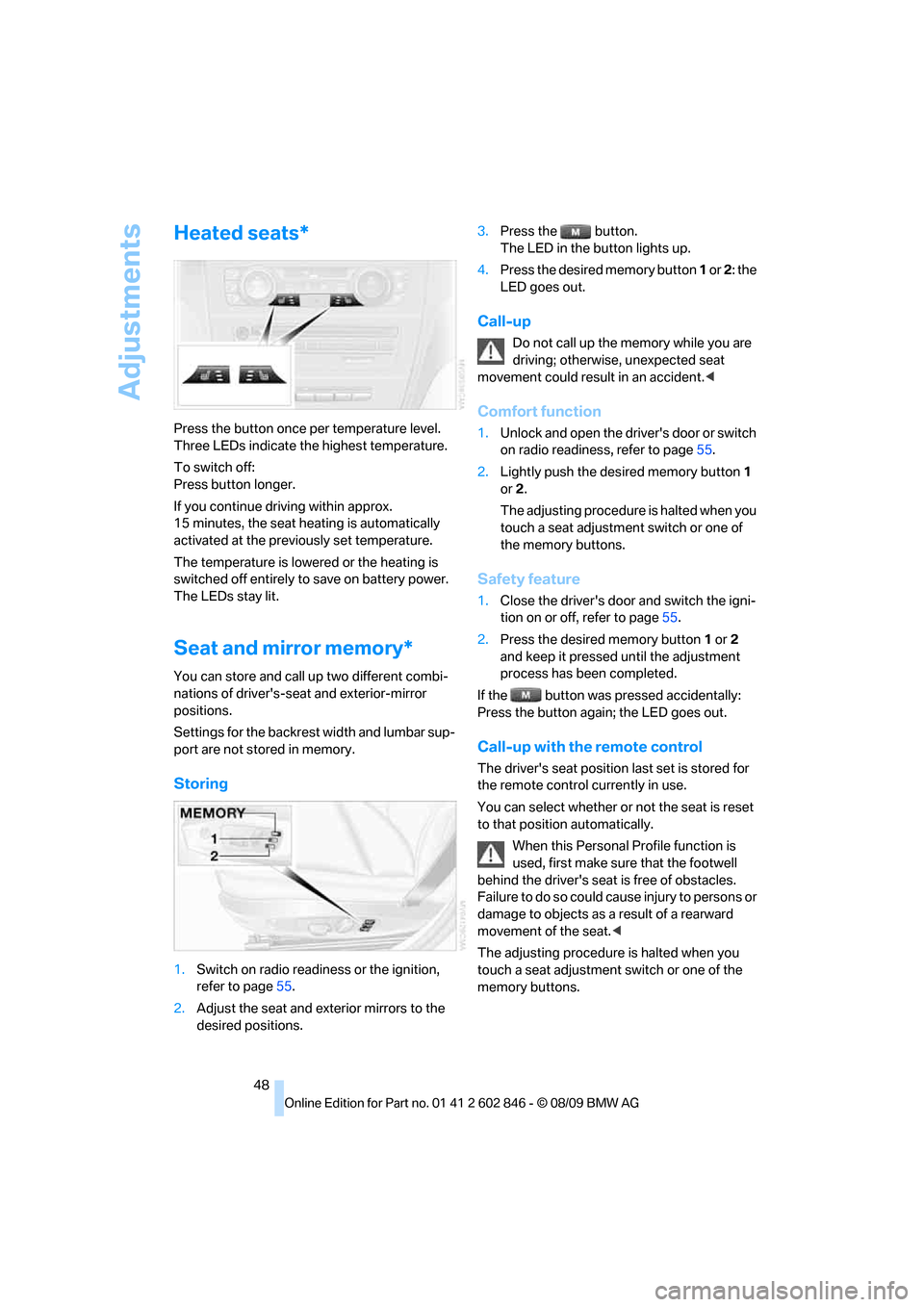
Press the button once per temperature level.
Three LEDs indicate the highest temperature.
To switch off:
Press button longer.
If you continue driving within approx.
15 minutes, the seat heating is automatically
activated at the previously set temperature.
The temperature is lowered or the heating is
switched off entirely to save on battery power.
The LEDs stay lit.
Seat and mirror memory*
You can store and call up two different combi-
nations of driver's-seat and exterior-mirror
positions.
Settings for the backrest width and lumbar sup-
port are not stored in memory.
Storing
1.Switch on radio readiness or the ignition,
refer to page55.
2.Adjust the seat and exterior mirrors to the
desired positions.3.Press the button.
The LED in the button lights up.
4.Press the desired memory button 1 or 2: the
LED goes out.
Call-up
Do not call up the memory while you are
driving; otherwise, unexpected seat
movement could result in an accident.<
Comfort function
1.Unlock and open the driver's door or switch
on radio readiness, refer to page55.
2.Lightly push the desired memory button1
or 2.
The adjusting procedure is halted when you
touch a seat adjustment switch or one of
the memory buttons.
Safety feature
1.Close the driver's door and switch the igni-
tion on or off, refer to page55.
2.Press the desired memory button1 or2
and keep it pressed until the adjustment
process has been completed.
If the button was pressed accidentally:
Press the button again; the LED goes out.
Call-up with the remote control
The driver's seat position last set is stored for
the remote control currently in use.
You can select whether or not the seat is reset
to that position automatically.
When this Personal Profile function is
used, first make sure that the footwell
behind the driver's seat is free of obstacles.
Failure to do so could cause injury to persons or
damage to objects as a result of a rearward
movement of the seat.<
The adjusting procedure is halted when you
touch a seat adjustment switch or one of the
memory buttons.
Page 51 of 250
Controls
49Reference
At a glance
Driving tips
Communications
Navigation
Entertainment
Mobility
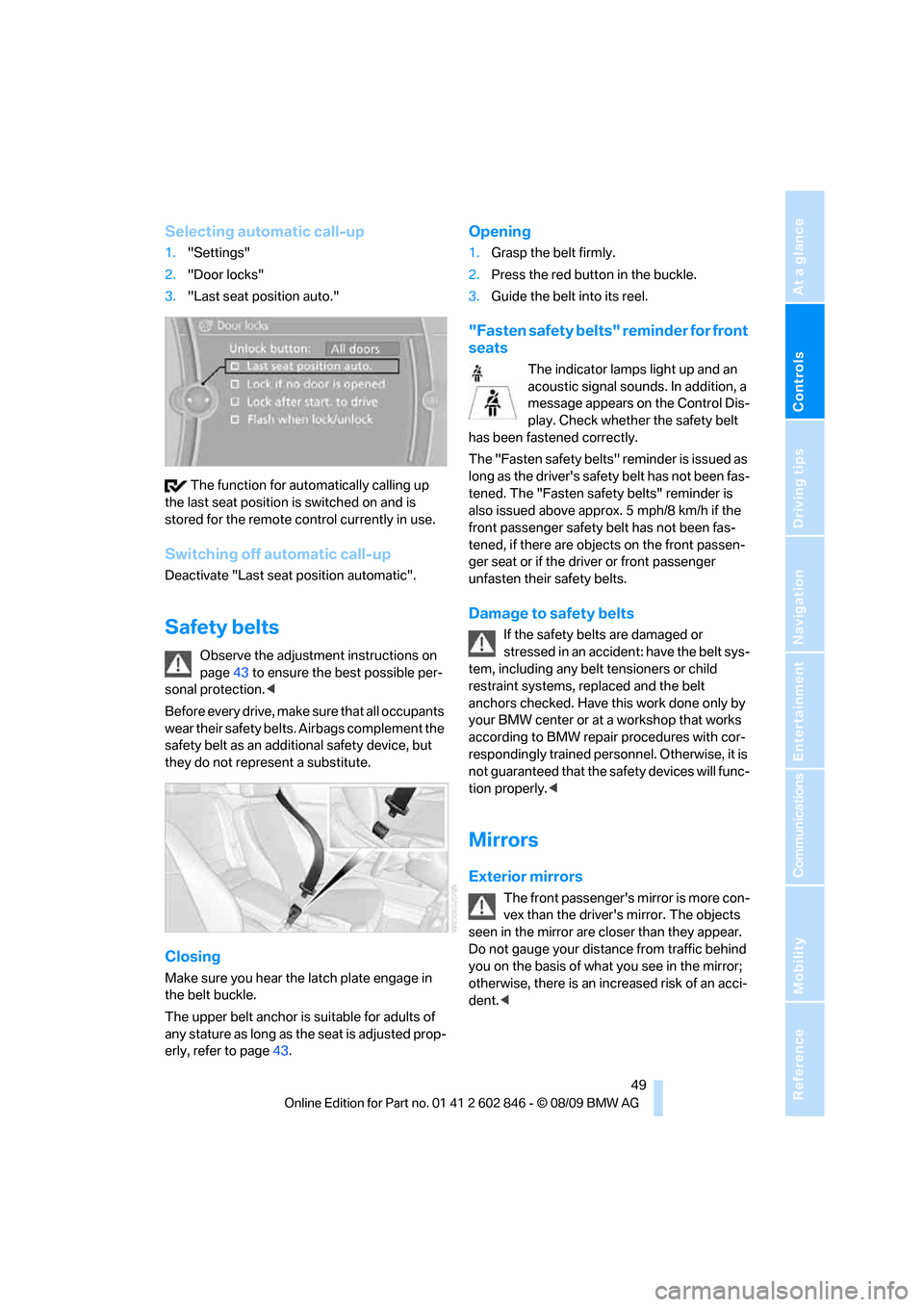
Selecting automatic call-up
1."Settings"
2."Door locks"
3."Last seat position auto."
The function for automatically calling up
the last seat position is switched on and is
stored for the remote control currently in use.
Switching off automatic call-up
Deactivate "Last seat position automatic".
Safety belts
Observe the adjustment instructions on
page43 to ensure the best possible per-
sonal protection.<
Before every drive, make sure that all occupants
wear their safety belts. Airbags complement the
safety belt as an additional safety device, but
they do not represent a substitute.
Closing
Make sure you hear the latch plate engage in
the belt buckle.
The upper belt anchor is suitable for adults of
any stature as long as the seat is adjusted prop-
erly, refer to page43.
Opening
1.Grasp the belt firmly.
2.Press the red button in the buckle.
3.Guide the belt into its reel.
"Fasten safety belts" reminder for front
seats
The indicator lamps light up and an
acoustic signal sounds. In addition, a
message appears on the Control Dis-
play. Check whether the safety belt
has been fastened correctly.
The "Fa sten safety belts " reminder is iss ued a s
long as the driver's safety belt has not been fas-
tened. The "Fasten safety belts" reminder is
also issued above approx. 5 mph/8 km/h if the
front passenger safety belt has not been fas-
tened, if there are objects on the front passen-
ger seat or if the driver or front passenger
unfasten their safety belts.
Damage to safety belts
If the safety belts are damaged or
stressed in an accident: have the belt sys-
tem, including any belt tensioners or child
restraint systems, replaced and the belt
anchors checked. Have this work done only by
your BMW center or at a workshop that works
according to BMW repair procedures with cor-
respondingly trained personnel. Otherwise, it is
not guaranteed that the safety devices will func-
tion properly.<
Mirrors
Exterior mirrors
The front passenger's mirror is more con-
vex than the driver's mirror. The objects
seen in the mirror are closer than they appear.
Do not gauge your distance from traffic behind
you on the basis of what you see in the mirror;
otherwise, there is an increased risk of an acci-
dent.<
Page 57 of 250
Controls
55Reference
At a glance
Driving tips
Communications
Navigation
Entertainment
Mobility
Driving
Ignition lock
Insert the remote control into the
ignition lock
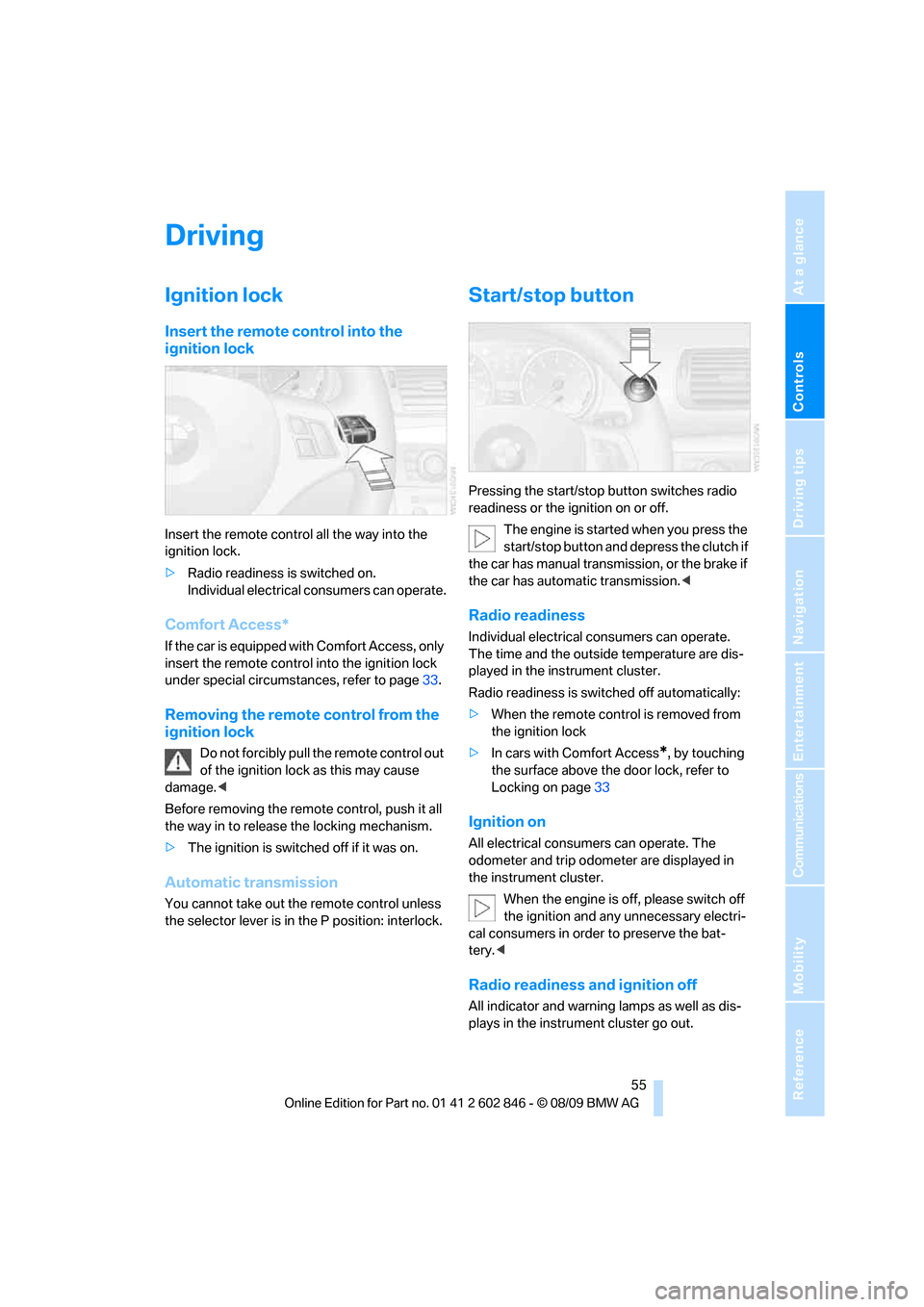
Insert the remote control all the way into the
ignition lock.
>Radio readiness is switched on.
Individual electrical consumers can operate.
Comfort Access*
If the car is equipped with Comfort Access, only
insert the remote control into the ignition lock
under special circumstances, refer to page33.
Removing the remote control from the
ignition lock
Do not forcibly pull the remote control out
of the ignition lock as this may cause
damage.<
Before removing the remote control, push it all
the way in to release the locking mechanism.
>The ignition is switched off if it was on.
Automatic transmission
You cannot take out the remote control unless
the selector lever is in the P position: interlock.
Start/stop button
Pressing the start/stop button switches radio
readiness or the ignition on or off.
The engine is started when you press the
start/stop button and depress the clutch if
the car has manual transmission, or the brake if
the car has automatic transmission.<
Radio readiness
Individual electrical consumers can operate.
The time and the outside temperature are dis-
played in the instrument cluster.
Radio readiness is switched off automatically:
>When the remote control is removed from
the ignition lock
>In cars with Comfort Access
*, by touching
the surface above the door lock, refer to
Locking on page33
Ignition on
All electrical consumers can operate. The
odometer and trip odometer are displayed in
the instrument cluster.
When the engine is off, please switch off
the ignition and any unnecessary electri-
cal consumers in order to preserve the bat-
tery.<
Radio readiness and ignition off
All indicator and warning lamps as well as dis-
plays in the instrument cluster go out.
Page 88 of 250
Lamps
86
Lamps
Parking lamps/low beams
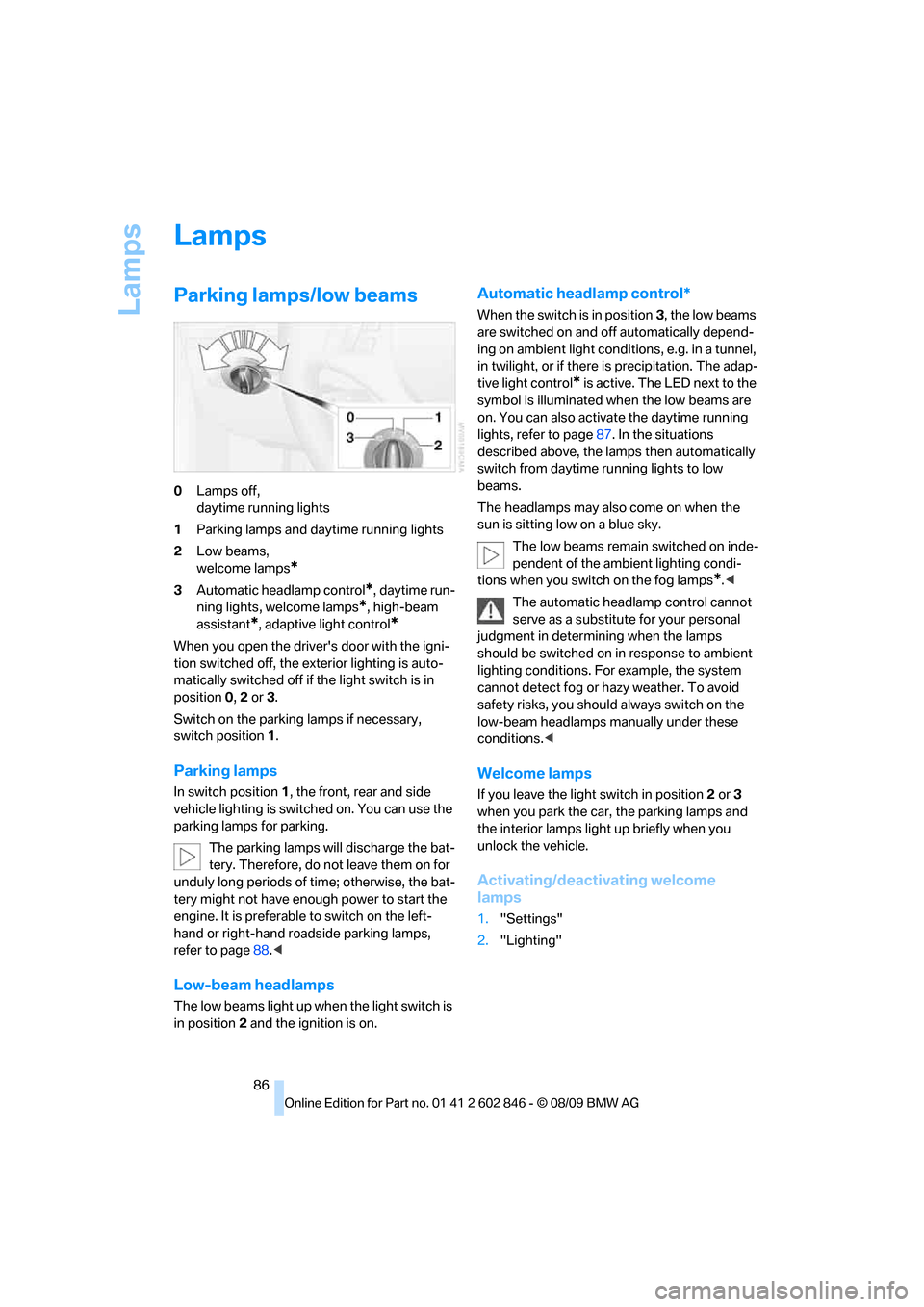
0Lamps off,
daytime running lights
1Parking lamps and daytime running lights
2Low beams,
welcome lamps
*
3Automatic headlamp control*, daytime run-
ning lights, welcome lamps
*, high-beam
assistant
*, adaptive light control*
When you open the driver's door with the igni-
tion switched off, the exterior lighting is auto-
matically switched off if the light switch is in
position 0, 2 or 3.
Switch on the parking lamps if necessary,
switch position 1.
Parking lamps
In switch position1, the front, rear and side
vehicle lighting is switched on. You can use the
parking lamps for parking.
The parking lamps will discharge the bat-
tery. Therefore, do not leave them on for
unduly long periods of time; otherwise, the bat-
tery might not have enough power to start the
engine. It is preferable to switch on the left-
hand or right-hand roadside parking lamps,
refer to page88.<
Low-beam headlamps
The low beams light up when the light switch is
in position 2 and the ignition is on.
Automatic headlamp control*
When the switch is in position3, the low beams
are switched on and off automatically depend-
ing on ambient light conditions, e.g. in a tunnel,
in twilight, or if there is precipitation. The adap-
tive light control
* is active. The LED next to the
symbol is illuminated when the low beams are
on. You can also activate the daytime running
lights, refer to page87. In the situations
described above, the lamps then automatically
switch from daytime running lights to low
beams.
The headlamps may also come on when the
sun is sitting low on a blue sky.
The low beams remain switched on inde-
pendent of the ambient lighting condi-
tions when you switch on the fog lamps
*.<
The automatic headlamp control cannot
serve as a substitute for your personal
judgment in determining when the lamps
should be switched on in response to ambient
lighting conditions. For example, the system
cannot detect fog or hazy weather. To avoid
safety risks, you should always switch on the
low-beam headlamps manually under these
conditions.<
Welcome lamps
If you leave the light switch in position 2 or 3
when you park the car, the parking lamps and
the interior lamps light up briefly when you
unlock the vehicle.
Activating/deactivating welcome
lamps
1."Settings"
2."Lighting"
Page 182 of 250
BMW Assist
180
BMW Assist
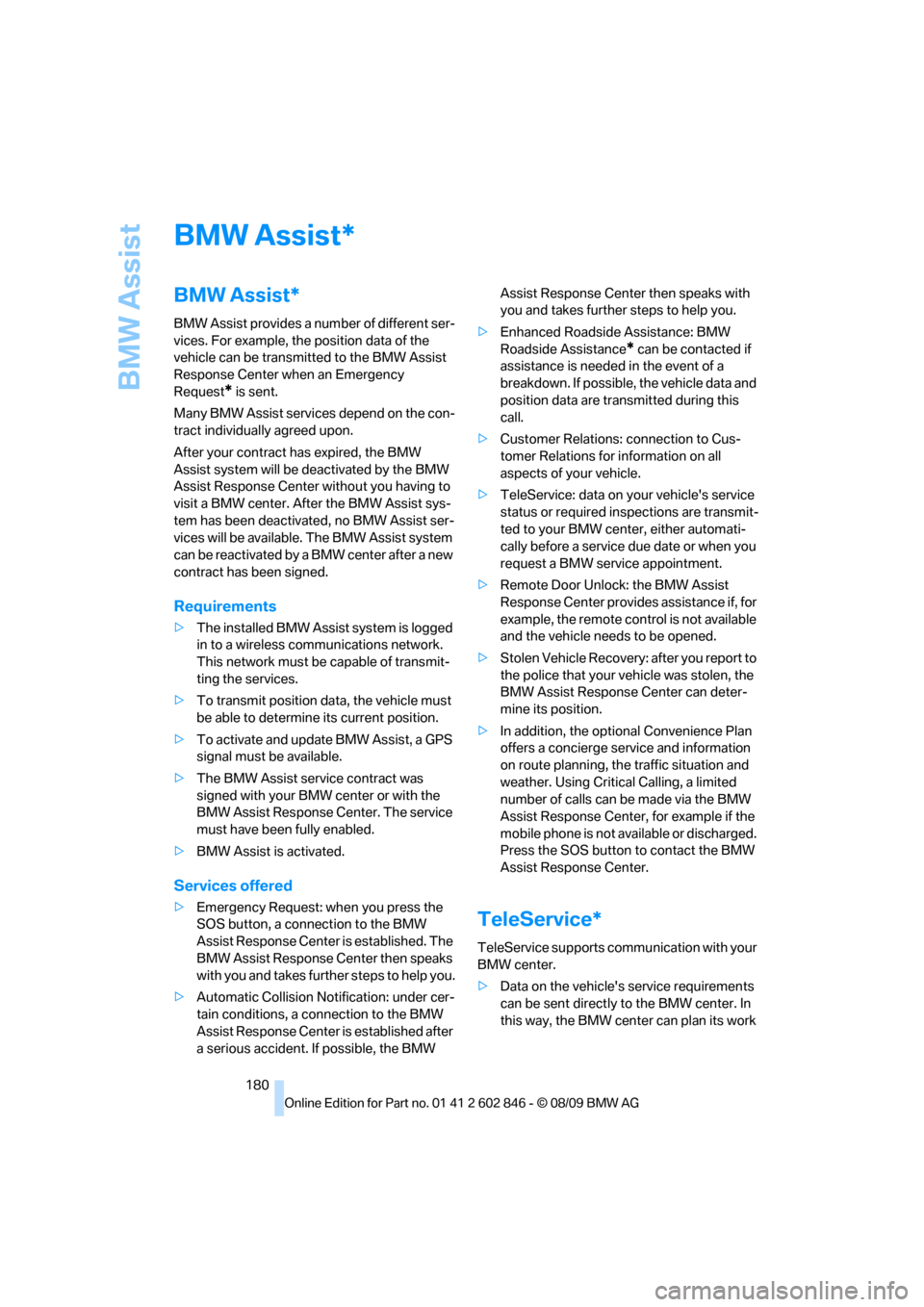
BMW Assist*
BMW Assist provides a number of different ser-
vices. For example, the position data of the
vehicle can be transmitted to the BMW Assist
Response Center when an Emergency
Request
* is sent.
Many BMW Assist services depend on the con-
tract individually agreed upon.
After your contract has expired, the BMW
Assist system will be deactivated by the BMW
Assist Response Center without you having to
visit a BMW center. After the BMW Assist sys-
tem has been deactivated, no BMW Assist ser-
vices will be available. The BMW Assist system
can be reactivated by a BMW center after a new
contract has been signed.
Requirements
>The installed BMW Assist system is logged
in to a wireless communications network.
This network must be capable of transmit-
ting the services.
>To transmit position data, the vehicle must
be able to determine its current position.
>To activate and update BMW Assist, a GPS
signal must be available.
>The BMW Assist service contract was
signed with your BMW center or with the
BMW Assist Response Center. The service
must have been fully enabled.
>BMW Assist is activated.
Services offered
>Emergency Request: when you press the
SOS button, a connection to the BMW
Assist Response Center is established. The
BMW Assist Response Center then speaks
with you and takes further steps to help you.
>Automatic Collision Notification: under cer-
tain conditions, a connection to the BMW
Assist Response Center is established after
a serious accident. If possible, the BMW Assist Response Center then speaks with
you and takes further steps to help you.
>Enhanced Roadside Assistance: BMW
Roadside Assistance
* can be contacted if
assistance is needed in the event of a
breakdown. If possible, the vehicle data and
position data are transmitted during this
call.
>Customer Relations: connection to Cus-
tomer Relations for information on all
aspects of your vehicle.
>TeleService: data on your vehicle's service
status or required inspections are transmit-
ted to your BMW center, either automati-
cally before a service due date or when you
request a BMW service appointment.
>Remote Door Unlock: the BMW Assist
Response Center provides assistance if, for
example, the remote control is not available
and the vehicle needs to be opened.
>Stolen Vehicle Recovery: after you report to
the police that your vehicle was stolen, the
BMW Assist Response Center can deter-
mine its position.
>In addition, the optional Convenience Plan
offers a concierge service and information
on route planning, the traffic situation and
weather. Using Critical Calling, a limited
number of calls can be made via the BMW
Assist Response Center, for example if the
mobile phone is not available or discharged.
Press the SOS button to contact the BMW
Assist Response Center.
TeleService*
TeleService supports communication with your
BMW center.
>Data on the vehicle's service requirements
can be sent directly to the BMW center. In
this way, the BMW center can plan its work
*
Page 207 of 250
Mobility
205Reference
At a glance
Controls
Driving tips
Communications
Navigation
Entertainment
Care
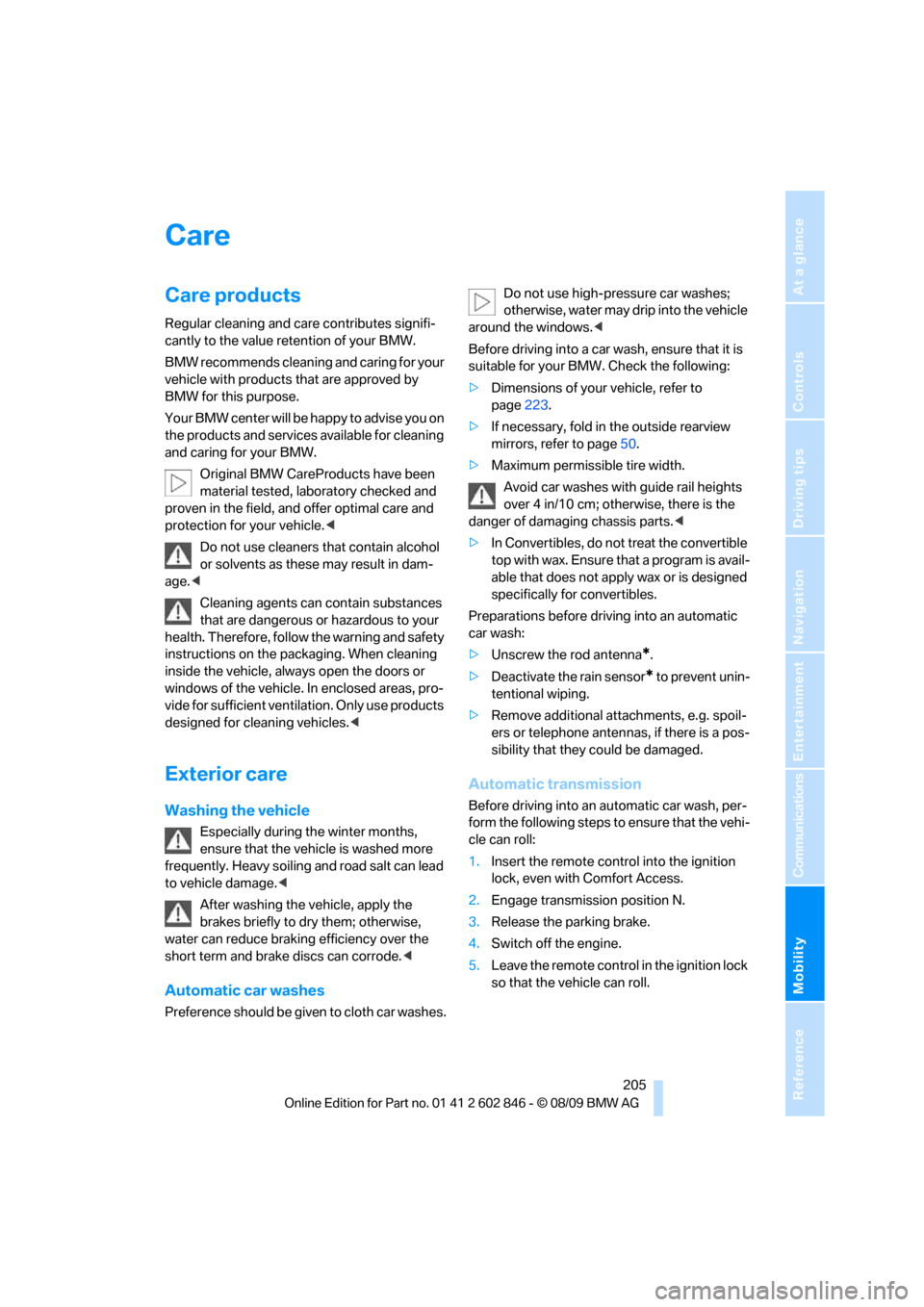
Care products
Regular cleaning and care contributes signifi-
cantly to the value retention of your BMW.
BMW recommends cleaning and caring for your
vehicle with products that are approved by
BMW for this purpose.
Your BMW center will be happy to advise you on
the products and services available for cleaning
and caring for your BMW.
Original BMW CareProducts have been
material tested, laboratory checked and
proven in the field, and offer optimal care and
protection for your vehicle.<
Do not use cleaners that contain alcohol
or solvents as these may result in dam-
age.<
Cleaning agents can contain substances
that are dangerous or hazardous to your
health. Therefore, follow the warning and safety
instructions on the packaging. When cleaning
inside the vehicle, always open the doors or
windows of the vehicle. In enclosed areas, pro-
vide for sufficient ventilation. Only use products
designed for cleaning vehicles.<
Exterior care
Washing the vehicle
Especially during the winter months,
ensure that the vehicle is washed more
frequently. Heavy soiling and road salt can lead
to vehicle damage.<
After washing the vehicle, apply the
brakes briefly to dry them; otherwise,
water can reduce braking efficiency over the
short term and brake discs can corrode.<
Automatic car washes
Preference should be given to cloth car washes.Do not use high-pressure car washes;
otherwise, water may drip into the vehicle
around the windows.<
Before driving into a car wash, ensure that it is
suitable for your BMW. Check the following:
>Dimensions of your vehicle, refer to
page223.
>If necessary, fold in the outside rearview
mirrors, refer to page50.
>Maximum permissible tire width.
Avoid car washes with guide rail heights
over 4 in/10 cm; otherwise, there is the
danger of damaging chassis parts.<
>In Convertibles, do not treat the convertible
top with wax. Ensure that a program is avail-
able that does not apply wax or is designed
specifically for convertibles.
Preparations before driving into an automatic
car wash:
>Unscrew the rod antenna
*.
>Deactivate the rain sensor
* to prevent unin-
tentional wiping.
>Remove additional attachments, e.g. spoil-
ers or telephone antennas, if there is a pos-
sibility that they could be damaged.
Automatic transmission
Before driving into an automatic car wash, per-
form the following steps to ensure that the vehi-
cle can roll:
1.Insert the remote control into the ignition
lock, even with Comfort Access.
2.Engage transmission position N.
3.Release the parking brake.
4.Switch off the engine.
5.Leave the remote control in the ignition lock
so that the vehicle can roll.
Page 233 of 250
Reference 231
At a glance
Controls
Driving tips
Communications
Navigation
Entertainment
Mobility
Contacts
BMW Assist
Vehicle information
Settings
Vehicle
Equipment
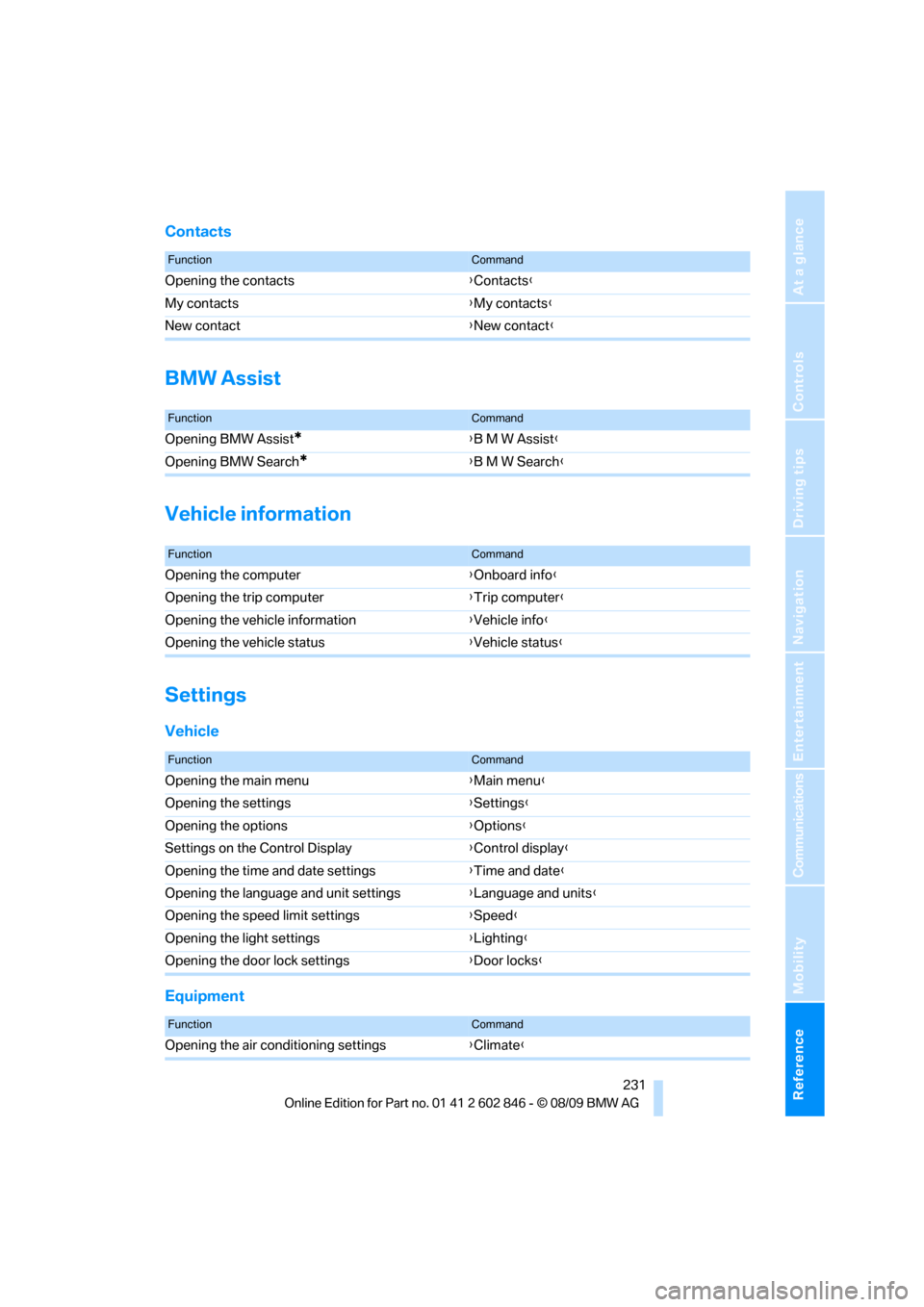
FunctionCommand
Opening the contacts{Contacts}
My contacts{My contacts}
New contact{New contact}
FunctionCommand
Opening BMW Assist*{B M W Assist}
Opening BMW Search
*{B M W Search}
FunctionCommand
Opening the computer{Onboard info}
Opening the trip computer{Trip computer}
Opening the vehicle information{Vehicle info}
Opening the vehicle status{Vehicle status}
FunctionCommand
Opening the main menu{Main menu}
Opening the settings{Settings}
Opening the options{Options}
Settings on the Control Display{Control display}
Opening the time and date settings{Time and date}
Opening the language and unit settings{Language and units}
Opening the speed limit settings{Speed}
Opening the light settings{Lighting}
Opening the door lock settings{Door locks}
FunctionCommand
Opening the air conditioning settings{Climate}
Page 237 of 250
Reference 235
At a glance
Controls
Driving tips
Communications
Navigation
Entertainment
Mobility
Corner-illuminating lamps,
refer to Adaptive light
control87
Cornering lamps, refer to
Adaptive light control87
Country codes DVD149
Courtesy lamps90
Criteria for route126
Cross-hairs in navigation122
Cruise control61
Cruising range65
Cupholders100
Curb weight, refer to
Weights225
Current fuel consumption65
Current playback
– external devices161
– of music collection156
Customer Relations183
D
Dashboard, refer to
Cockpit10
Dashboard lighting, refer to
Instrument lighting89
Data
– dimensions223
– sizes223
Data, technical222
– capacities226
– engine222
– weights225
Data transfer184
Date
– setting70
– setting format71
Daytime running lights, switch
positions87
DBC Dynamic Brake
Control76
Deactivating front passenger
airbags83
Deadlocking, refer to
Locking28
Decommissioning the vehicle,
refer to Caring for your
vehicleDefect
– door lock30
– fuel filler flap188
– glass roof37
Defogging windows93
Defrosting the windows93
Defrosting windows and
removing condensation93
Defrosting windshield, refer to
Defrosting windows93
Defrost position, refer to
Defrosting windows93
Destination, entering by town/
city name117
Destination address
– entering117,123
Destination entry via BMW
Assist121
Destination for navigation
– entering by voice123
– entering via map122
– entry117
– home address120
– manual entry117
Destination guidance126
– bypassing a route
section127
– changing specified
route126
– continuing126
– starting126
– voice instructions127
– volume of voice
instructions128
Differential, breaking in108
Digital clock
63
Digital compass98
Digital radio, refer to HD
Radio140
Dimensions223
Directional indicators, refer to
Turn signals59
Direction instructions, refer to
Voice instructions127
Directory for navigation, refer
to Address book119
Displacement, refer to Engine
data222Display, refer to Control
Display16
Display lighting, refer to
Instrument lighting89
Displays, refer to Instrument
cluster12
Displays and controls10
Disposal
– of coolant201
– remote control battery35
– vehicle battery213
Distance, refer to
Computer65
Distance remaining to service,
refer to Service
requirements67
Distance to destination, refer
to Computer65
Distance warning, refer to
Park Distance Control
PDC75
Door key, refer to Integrated
key/remote control26
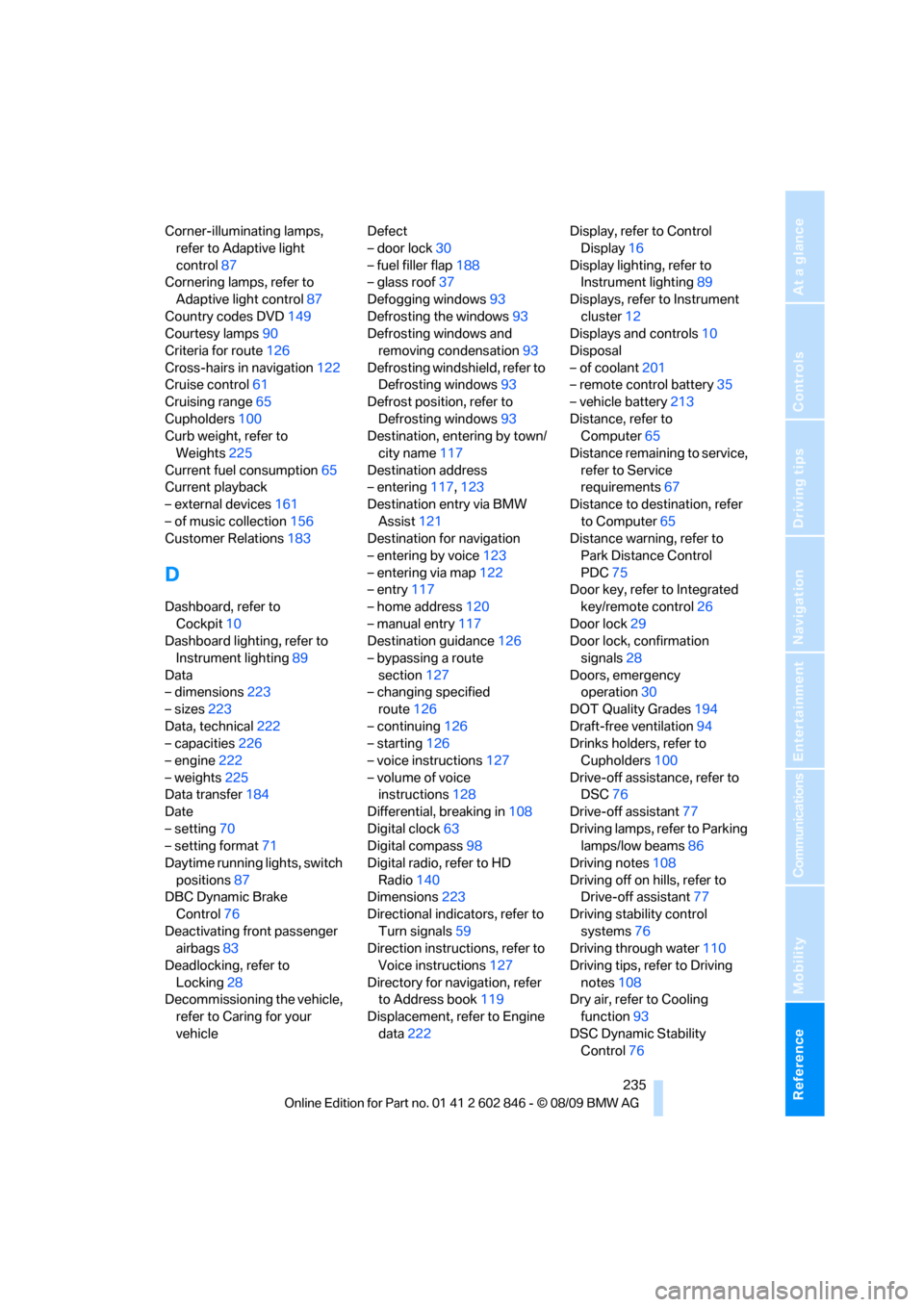
Door lock29
Door lock, confirmation
signals28
Doors, emergency
operation30
DOT Quality Grades194
Draft-free ventilation94
Drinks holders, refer to
Cupholders100
Drive-off assistance, refer to
DSC76
Drive-off assistant77
Driving lamps, refer to Parking
lamps/low beams86
Driving notes108
Driving off on hills, refer to
Drive-off assistant77
Driving stability control
systems76
Driving through water110
Driving tips, refer to Driving
notes108
Dry air, refer to Cooling
function93
DSC Dynamic Stability
Control76
Page 238 of 250
Everything from A - Z
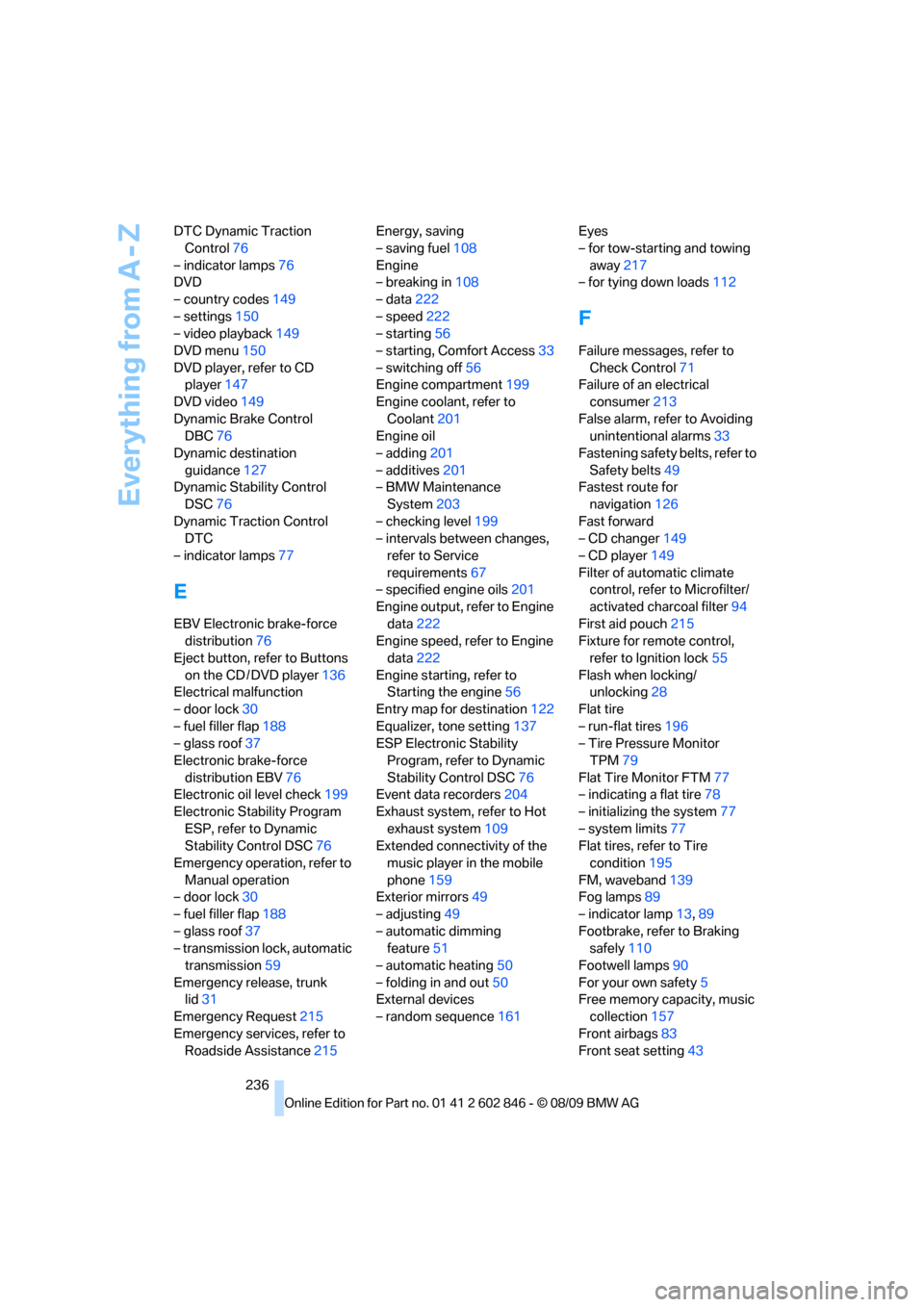
236 DTC Dynamic Traction
Control76
– indicator lamps76
DVD
– country codes149
– settings150
– video playback149
DVD menu150
DVD player, refer to CD
player147
DVD video149
Dynamic Brake Control
DBC76
Dynamic destination
guidance127
Dynamic Stability Control
DSC76
Dynamic Traction Control
DTC
– indicator lamps77
E
EBV Electronic brake-force
distribution76
Eject button, refer to Buttons
on the CD / DVD player136
Electrical malfunction
– door lock30
– fuel filler flap188
– glass roof37
Electronic brake-force
distribution EBV76
Electronic oil level check199
Electronic Stability Program
ESP, refer to Dynamic
Stability Control DSC76
Emergency operation, refer to
Manual operation
– door lock30
– fuel filler flap188
– glass roof37
– transmission lock, automatic
transmission59
Emergency release, trunk
lid31
Emergency Request215
Emergency services, refer to
Roadside Assistance215Energy, saving
– saving fuel108
Engine
– breaking in108
– data222
– speed222
– starting56
– starting, Comfort Access33
– switching off56
Engine compartment199
Engine coolant, refer to
Coolant201
Engine oil
– adding201
– additives201
– BMW Maintenance
System203
– checking level199
– intervals between changes,
refer to Service
requirements67
– specified engine oils201
Engine output, refer to Engine
data222
Engine speed, refer to Engine
data222
Engine starting, refer to
Starting the engine56
Entry map for destination122
Equalizer, tone setting137
ESP Electronic Stability
Program, refer to Dynamic
Stability Control DSC76
Event data recorders204
Exhaust system, refer to Hot
exhaust system109
Extended connectivity of the
music player in the mobile
phone159
Exterior mirrors49
– adjusting49
– automatic dimming
feature51
– automatic heating50
– folding in and out50
External devices
– random sequence161Eyes
– for tow-starting and towing
away217
– for tying down loads112
F
Failure messages, refer to
Check Control71
Failure of an electrical
consumer213
False alarm, refer to Avoiding
unintentional alarms33
Fastening safety belts, refer to
Safety belts49
Fastest route for
navigation126
Fast forward
– CD changer149
– CD player149
Filter of automatic climate
control, refer to Microfilter/
activated charcoal filter94
First aid pouch215
Fixture for remote control,
refer to Ignition lock55
Flash when locking/
unlocking28
Flat tire
– run-flat tires196
– Tire Pressure Monitor
TPM79
Flat Tire Monitor FTM77
– indicating a flat tire78
– initializing the system77
– system limits77
Flat tires, refer to Tire
condition195
FM, waveband139
Fog lamps89
– indicator lamp13,89
Footbrake, refer to Braking
safely110
Footwell lamps90
For your own safety5
Free memory capacity, music
collection157
Front airbags83
Front seat setting43
Page 239 of 250
Reference 237
At a glance
Controls
Driving tips
Communications
Navigation
Entertainment
Mobility
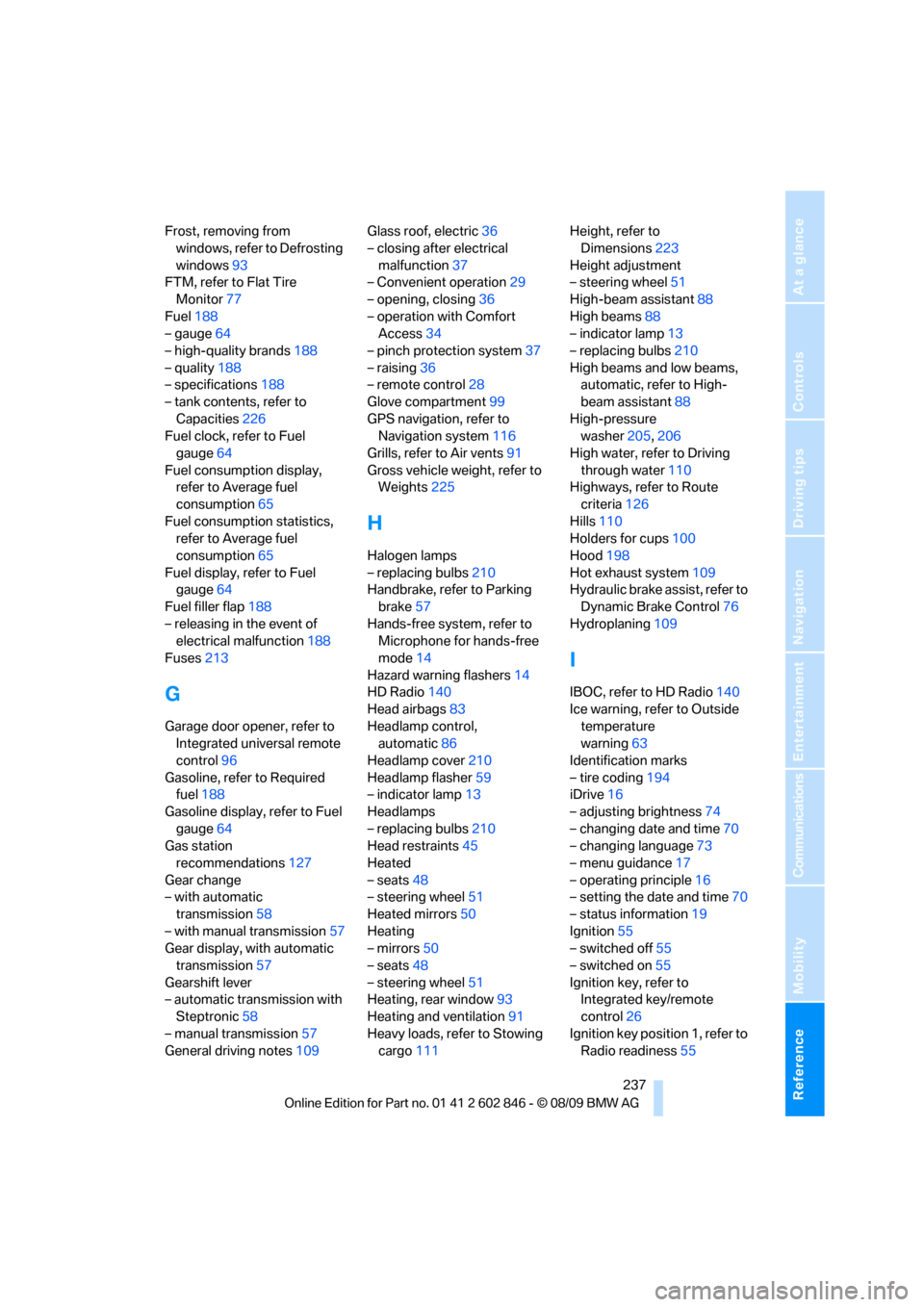
Frost, removing from
windows, refer to Defrosting
windows93
FTM, refer to Flat Tire
Monitor77
Fuel188
– gauge64
– high-quality brands188
– quality188
– specifications188
– tank contents, refer to
Capacities226
Fuel clock, refer to Fuel
gauge64
Fuel consumption display,
refer to Average fuel
consumption65
Fuel consumption statistics,
refer to Average fuel
consumption65
Fuel display, refer to Fuel
gauge64
Fuel filler flap188
– releasing in the event of
electrical malfunction188
Fuses213
G
Garage door opener, refer to
Integrated universal remote
control96
Gasoline, refer to Required
fuel188
Gasoline display, refer to Fuel
gauge64
Gas station
recommendations127
Gear change
– with automatic
transmission58
– with manual transmission57
Gear display, with automatic
transmission57
Gearshift lever
– automatic transmission with
Steptronic58
– manual transmission57
General driving notes109Glass roof, electric36
– closing after electrical
malfunction37
– Convenient operation29
– opening, closing36
– operation with Comfort
Access34
– pinch protection system37
– raising36
– remote control28
Glove compartment99
GPS navigation, refer to
Navigation system116
Grills, refer to Air vents91
Gross vehicle weight, refer to
Weights225
H
Halogen lamps
– replacing bulbs210
Handbrake, refer to Parking
brake57
Hands-free system, refer to
Microphone for hands-free
mode14
Hazard warning flashers14
HD Radio140
Head airbags83
Headlamp control,
automatic86
Headlamp cover210
Headlamp flasher59
– indicator lamp13
Headlamps
– replacing bulbs210
Head restraints45
Heated
– seats48
– steering wheel51
Heated mirrors50
Heating
– mirrors50
– seats48
– steering wheel51
Heating, rear window93
Heating and ventilation91
Heavy loads, refer to Stowing
cargo111Height, refer to
Dimensions223
Height adjustment
– steering wheel51
High-beam assistant88
High beams88
– indicator lamp13
– replacing bulbs210
High beams and low beams,
automatic, refer to High-
beam assistant88
High-pressure
washer205,206
High water, refer to Driving
through water110
Highways, refer to Route
criteria126
Hills110
Holders for cups100
Hood198
Hot exhaust system109
Hydraulic brake assist, refer to
Dynamic Brake Control76
Hydroplaning109
I
IBOC, refer to HD Radio140
Ice warning, refer to Outside
temperature
warning63
Identification marks
– tire coding194
iDrive16
– adjusting brightness74
– changing date and time70
– changing language73
– menu guidance17
– operating principle16
– setting the date and time70
– status information19
Ignition55
– switched off55
– switched on55
Ignition key, refer to
Integrated key/remote
control26
Ignition key position 1, refer to
Radio readiness55