tow BMW 128I 2010 E81 Owner's Guide
[x] Cancel search | Manufacturer: BMW, Model Year: 2010, Model line: 128I, Model: BMW 128I 2010 E81Pages: 250, PDF Size: 8.24 MB
Page 127 of 250
Navigation
Driving tips
125Reference
At a glance
Controls
Communications
Entertainment
Mobility
The trip is stored in the trip list under the
entered name.
Starting a stored trip
1."Navigation"
2."Stored trips"
3.Select the desired trip.
4."Start guidance"
Changing trips
Changing the trip direction
Intermediate destinations can be displayed in
reverse order after destination guidance is
started.
1."Map"
2."Guidance"
3.Open "Options".
4."Reverse order of trip dest."
Rearranging the intermediate
destinations
1."Map"
2."Guidance"
3."Display all trip dest."
4.Select an intermediate destination.
5."Reposition dest. in the trip"
Deleting an intermediate destination
1."Map"
2."Guidance"
3."Display all trip dest."
4.Select an intermediate destination.
5."Delete dest. in the trip"
Deleting a trip
1."Navigation"
2."Stored trips"
3.Select the desired trip.
4.Open "Options".
5."Delete all trips" or "Delete trip".
Word-matching principle
The system's word-matching principle makes it
easier for you to enter the names of towns or
streets. The system runs ongoing checks, com-
paring your destination entries with the data
stored in the vehicle as the basis for instant
response. The benefits for you include:
>Names of towns entered may differ from the
official versions if you are using a spelling
that is customary in another country.
Example:
Instead of the German spelling "München"
you can also enter the English spelling
"Munich" or the Italian spelling "Monaco".
>When you are entering the names of towns
and streets the system will complete them
automatically as soon as enough letters are
available to ensure unambiguous identifica-
tion.
>The system offers only those letters for
selection of name entries that are stored in
the vehicle. Thus, entry of erroneous or
unregistered names is impossible.
Page 129 of 250
Navigation
Driving tips
127Reference
At a glance
Controls
Communications
Entertainment
Mobility
Dynamic destination guidance
"Dynamic guidance" is switched on:
The route is automatically changed in the event
of traffic obstructions. The system does not
point out traffic obstructions along the original
route.
Depending on the type of road and the nature
and length of the traffic obstruction, the route
can also be calculated so that you travel
through the traffic obstruction.
1."Navigation"
2.Open "Options".
3."Dynamic guidance"
If the "Avoid highways", "Avoid toll roads"
or "Avoid ferries" route criteria are
selected, route calculation may take longer.<
Route
General information
Depending on the equipment in your vehicle,
various views of the route are available during
destination guidance.
>List of streets and towns/cities
>Map view, refer to page128
Displaying a list of the streets or towns/
cities on the route
When destination guidance is started, a list of
the streets and towns/cities on the route is dis-
played. The driving distances and traffic bulle-
tins are displayed for each route section.
1."Navigation"
2."Route information"
3.Highlight a section.
The section is displayed in the preview map.
Bypassing a section of the route
During destination guidance, you can revise the
navigation system's route recommendations to
avoid particular stretches of road. Enter the
number of miles/kilometers that you want to
travel before returning to the original route.1."Navigation"
2."Route information"
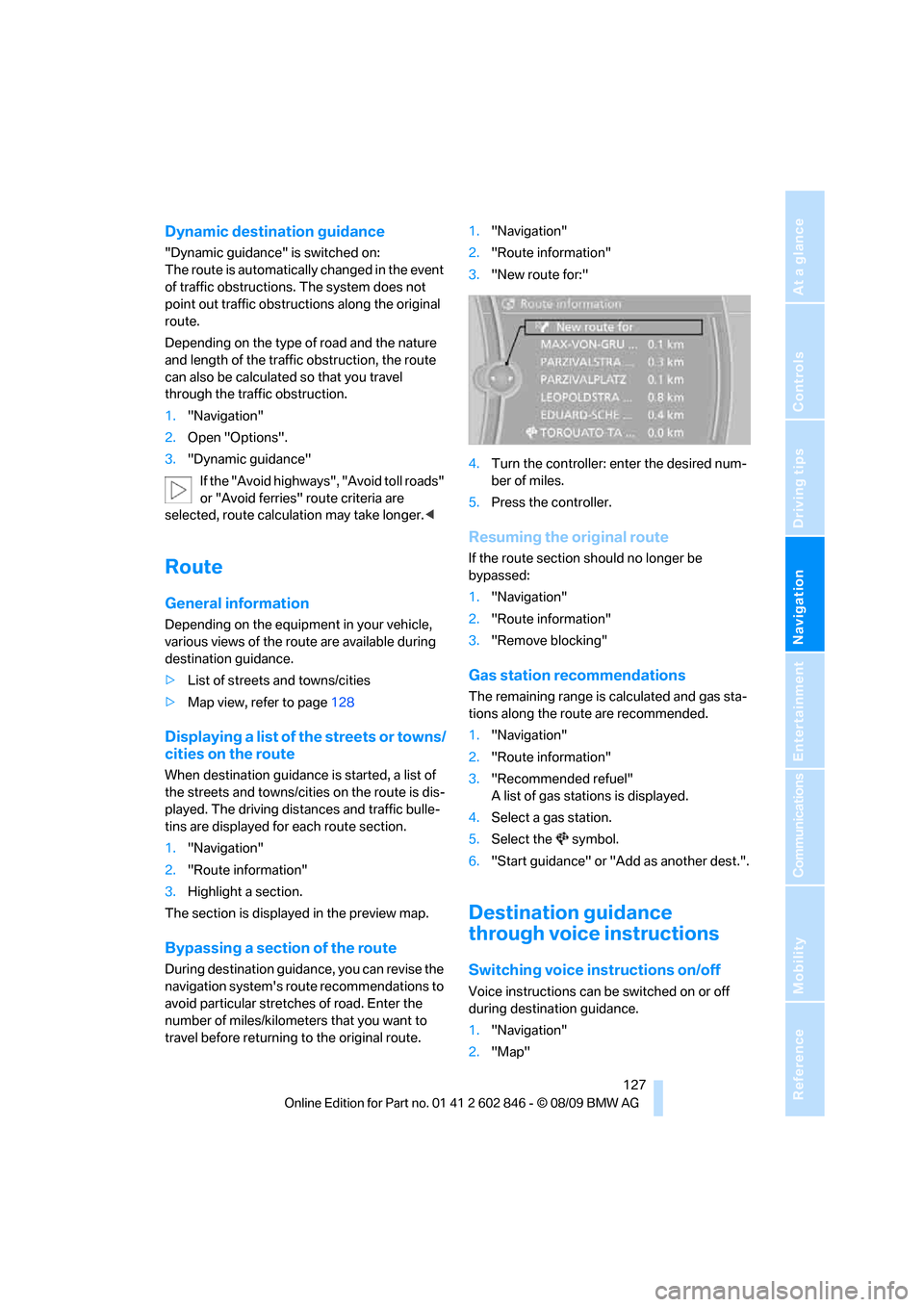
3."New route for:"
4.Turn the controller: enter the desired num-
ber of miles.
5.Press the controller.
Resuming the original route
If the route section should no longer be
bypassed:
1."Navigation"
2."Route information"
3."Remove blocking"
Gas station recommendations
The remaining range is calculated and gas sta-
tions along the route are recommended.
1."Navigation"
2."Route information"
3."Recommended refuel"
A list of gas stations is displayed.
4.Select a gas station.
5.Select the symbol.
6."Start guidance" or "Add as another dest.".
Destination guidance
through voice instructions
Switching voice instructions on/off
Voice instructions can be switched on or off
during destination guidance.
1."Navigation"
2."Map"
Page 135 of 250
Navigation
Driving tips
133Reference
At a glance
Controls
Communications
Entertainment
Mobility
What to do if …
What to do if …
>The current position cannot be displayed?
The position is in an unrecognized region, in
a poor reception area, or the system is in the
process of determining the position.
Reception is generally available when you
are in the open.
>The destination guidance does not accept
an address without the street name?
A downtown area cannot be determined for
the town or city that has been entered. Input
any street in the selected town/city and
start destination guidance.
>The destination guidance does not accept a
destination?
The destination data is not contained in the
navigation data. Choose a destination as
close as possible to the original one.
>The letters for a destination cannot be
selected during destination entry?
The stored data do not contain the data of
the destination. Select a destination that is
as close as possible to the original.
>The map view is displayed in grayscale?
When the traffic bulletin map is activated,
the Control Display changes to a grayscale
display. This enables a better view of the
traffic bulletins.
>Voice instructions are no longer issued
before intersections during destination
guidance?
The area has not been fully recorded yet, or
you have left the recommended route and
the system requires a few seconds to calcu-
late a new route suggestion.
Page 178 of 250
Telephone
176
Selecting an entry
The connection to the phone number of the
selected entry is established.
Notes
Notes on Emergency Requests
Do not use the voice activation system to ini-
tiate an Emergency Request. In stressful situa-
tions, the voice and vocal pitch can change.
This can unnecessarily delay the establishment
of a telephone connection. Use the SOS but-
ton
* instead, refer to page215.
Important for voice commands
For voice commands, bear in mind the follow-
ing:
>Say the commands, numbers and letters
smoothly and with normal volume, empha-
sis and speed.
>Always say commands in the language of
the voice activation system.
>Keep the doors, windows, glass sunroof
* or
convertible top
* closed to prevent interfer-
ence from ambient noise.
>Avoid ambient noise in the vehicle while
speaking.
Inserting/removing the snap-
in adapter*
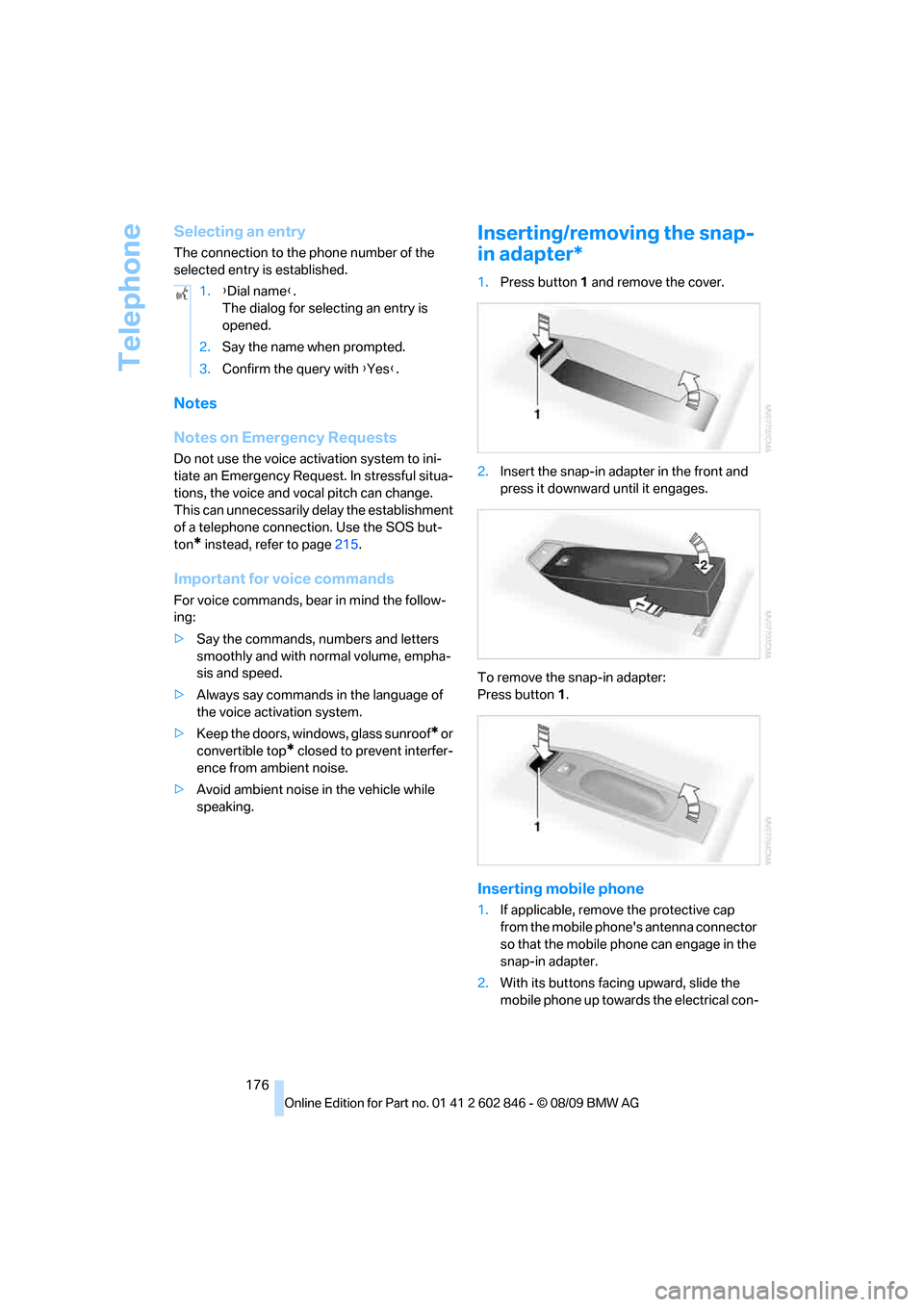
1.Press button1 and remove the cover.
2.Insert the snap-in adapter in the front and
press it downward until it engages.
To remove the snap-in adapter:
Press button 1.
Inserting mobile phone
1.If applicable, remove the protective cap
from the mobile phone's antenna connector
so that the mobile phone can engage in the
snap-in adapter.
2.With its buttons facing upward, slide the
mobile phone up towards the electrical con- 1.{Dial name}.
The dialog for selecting an entry is
opened.
2.Say the name when prompted.
3.Confirm the query with {Yes}.
Page 197 of 250
Mobility
195Reference
At a glance
Controls
Driving tips
Communications
Navigation
Entertainment
heat when tested under controlled conditions
on a specified indoor laboratory test wheel.
Sustained high temperature can cause the
material of the tire to degenerate and reduce
tire life, and excessive temperature can lead to
sudden tire failure. The grade C corresponds to
a level of performance which all passenger car
tires must meet under the Federal Motor Vehi-
cle Safety Standard No. 109. Grades B and A
represent higher levels of performance on the
laboratory test wheel than the minimum
required by law.
The temperature grade for this tire is
established for a tire that is properly
inflated and not overloaded. Excessive speed,
underinflation, or excessive loading, either sep-
arately or in combination, can cause heat
buildup and possible tire failure.<
RSC – run-flat tires
You will recognize run-flat tires by a circular
symbol containing the letters RSC on the side
of the tire, refer to page196.
M+S
Winter and all-season tires.
These have better winter properties than sum-
mer tires.
XL
Designation for specially reinforced tires.
Tire condition
Inspect your tires frequently for tread wear,
signs of damage and for foreign objects lodged
in the tread. Check the tread depth.
Minimum tread depth
The tread depth should not drop below 1/8 in/
3 mm, although, for example, European legisla-
tion only specifies a minimum tread depth of
1/16 in/1.6 mm. At tread depths below 1/8 in/
3 mm there is an increased risk of high-speed
hydroplaning, even when only small amounts of
water are present on the road surface.
When winter tires wear down past a tread depth of 1/6 in/4 mm, they become perceptibly less
suitable for winter conditions. In the interest of
safety, new tires should be installed.
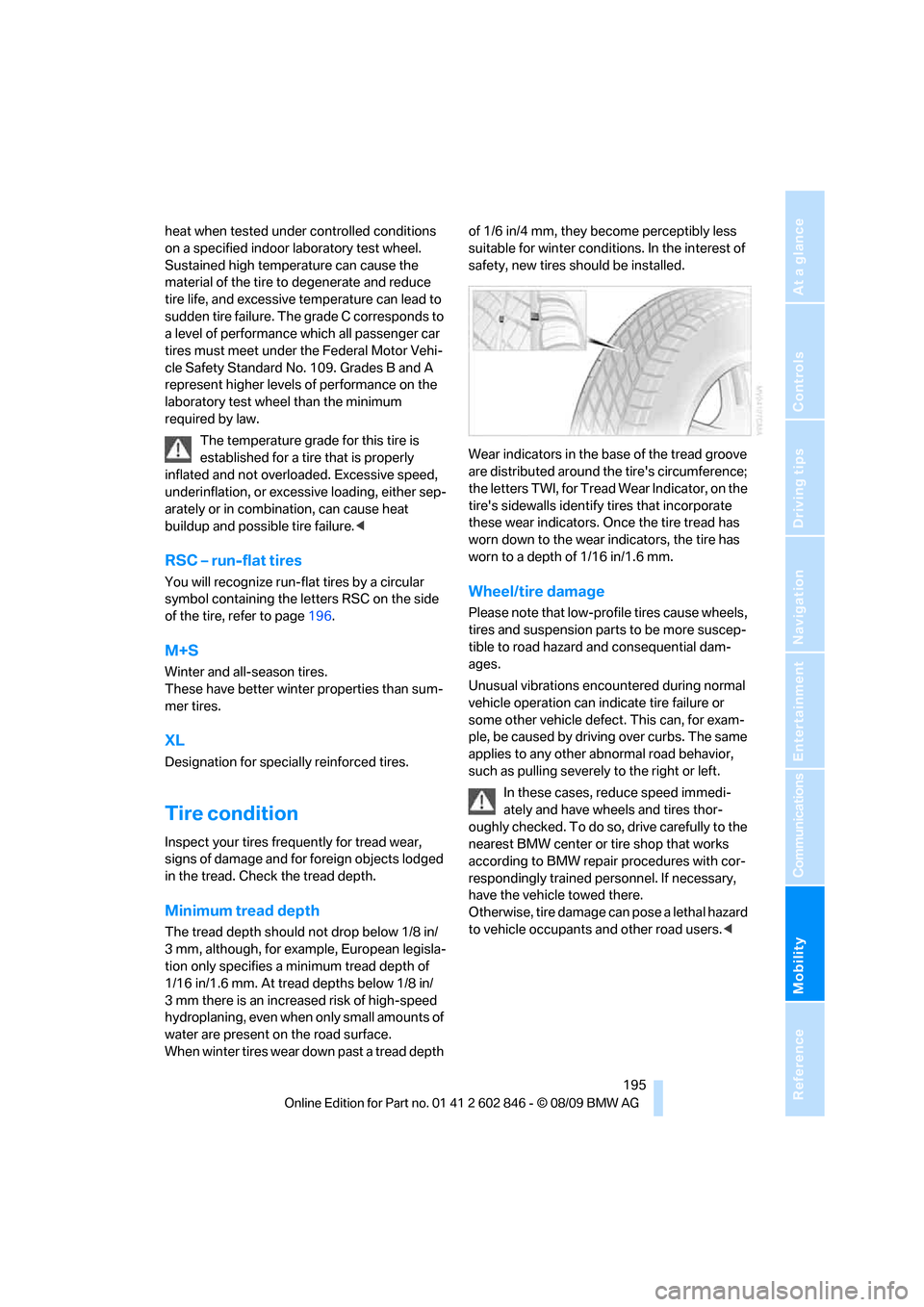
Wear indicators in the base of the tread groove
are distributed around the tire's circumference;
the letters TWI, for Tread Wear Indicator, on the
tire's sidewalls identify tires that incorporate
these wear indicators. Once the tire tread has
worn down to the wear indicators, the tire has
worn to a depth of 1/16 in/1.6 mm.
Wheel/tire damage
Please note that low-profile tires cause wheels,
tires and suspension parts to be more suscep-
tible to road hazard and consequential dam-
ages.
Unusual vibrations encountered during normal
vehicle operation can indicate tire failure or
some other vehicle defect. This can, for exam-
ple, be caused by driving over curbs. The same
applies to any other abnormal road behavior,
such as pulling severely to the right or left.
In these cases, reduce speed immedi-
ately and have wheels and tires thor-
oughly checked. To do so, drive carefully to the
nearest BMW center or tire shop that works
according to BMW repair procedures with cor-
respondingly trained personnel. If necessary,
have the vehicle towed there.
Otherwise, tire damage can pose a lethal hazard
to vehicle occupants and other road users.<
Page 211 of 250
Mobility
209Reference
At a glance
Controls
Driving tips
Communications
Navigation
Entertainment
Replacing components
Onboard vehicle tool kit
The onboard vehicle tool kit is stored below the
floor mat in the cargo area.
Wiper blades
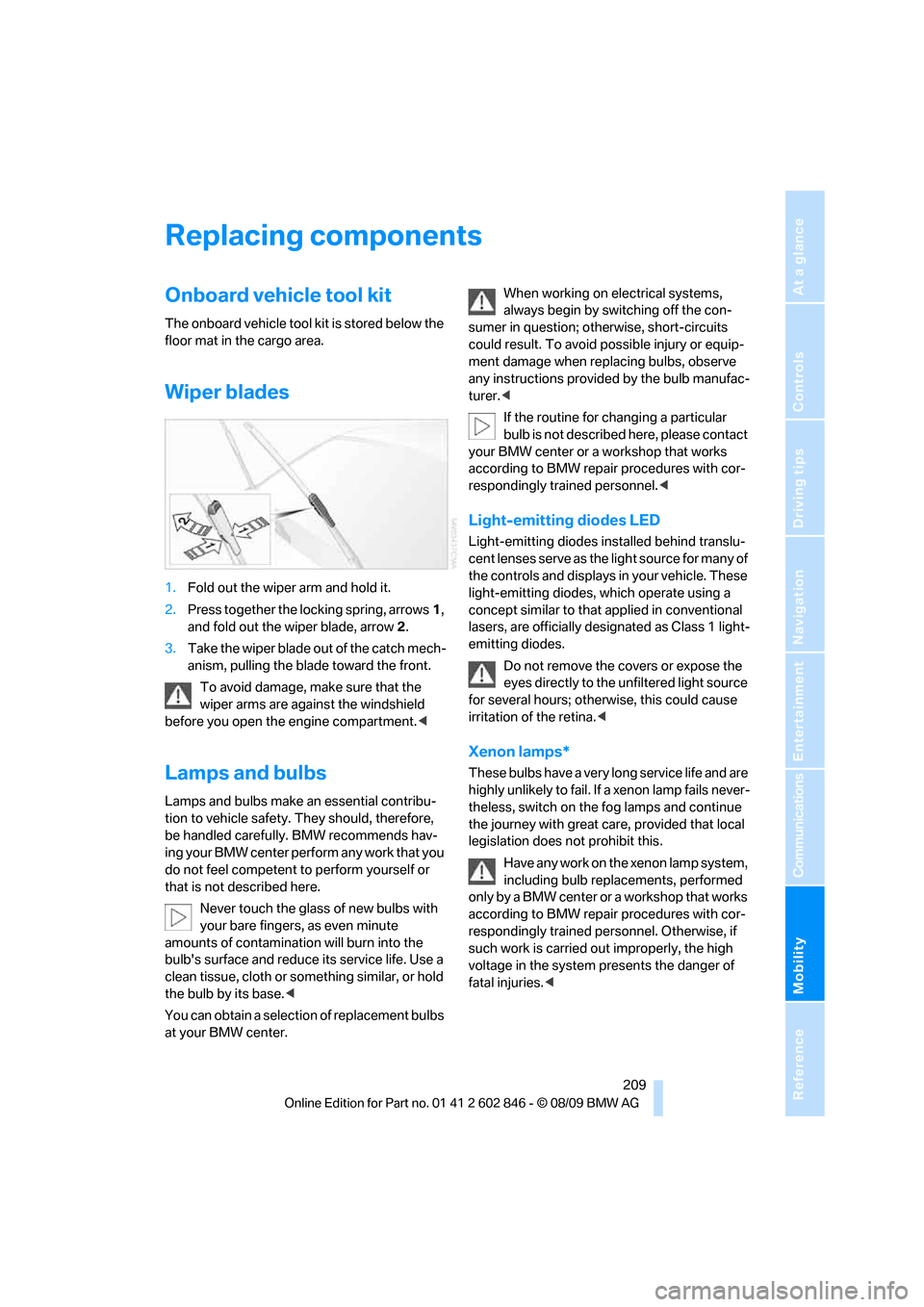
1.Fold out the wiper arm and hold it.
2.Press together the locking spring, arrows1,
and fold out the wiper blade, arrow2.
3.Take the wiper blade out of the catch mech-
anism, pulling the blade toward the front.
To avoid damage, make sure that the
wiper arms are against the windshield
before you open the engine compartment.<
Lamps and bulbs
Lamps and bulbs make an essential contribu-
tion to vehicle safety. They should, therefore,
be handled carefully. BMW recommends hav-
ing your BMW center perform any work that you
do not feel competent to perform yourself or
that is not described here.
Never touch the glass of new bulbs with
your bare fingers, as even minute
amounts of contamination will burn into the
bulb's surface and reduce its service life. Use a
clean tissue, cloth or something similar, or hold
the bulb by its base.<
You can obtain a selection of replacement bulbs
at your BMW center.When working on electrical systems,
always begin by switching off the con-
sumer in question; otherwise, short-circuits
could result. To avoid possible injury or equip-
ment damage when replacing bulbs, observe
any instructions provided by the bulb manufac-
turer.<
If the routine for changing a particular
bulb is not described here, please contact
your BMW center or a workshop that works
according to BMW repair procedures with cor-
respondingly trained personnel.<
Light-emitting diodes LED
Light-emitting diodes installed behind translu-
cent lenses serve as the light source for many of
the controls and displays in your vehicle. These
light-emitting diodes, which operate using a
concept similar to that applied in conventional
lasers, are officially designated as Class 1 light-
emitting diodes.
Do not remove the covers or expose the
eyes directly to the unfiltered light source
for several hours; otherwise, this could cause
irritation of the retina.<
Xenon lamps*
These bulbs have a very long service life and are
highly unlikely to fail. If a xenon lamp fails never-
theless, switch on the fog lamps and continue
the journey with great care, provided that local
legislation does not prohibit this.
Have any work on the xenon lamp system,
including bulb replacements, performed
only by a BMW center or a workshop that works
according to BMW repair procedures with cor-
respondingly trained personnel. Otherwise, if
such work is carried out improperly, the high
voltage in the system presents the danger of
fatal injuries.<
Page 219 of 250
Mobility
217Reference
At a glance
Controls
Driving tips
Communications
Navigation
Entertainment
Your BMW has a special nut as body ground or
negative pole.
5.Attach the second terminal clamp of the
minus/– jumper cable to the negative termi-
nal of the battery or to the engine or body
ground of the vehicle to be started.
Starting the engine
1.Start the engine of the donor vehicle and
allow it to run for a few minutes at slightly
increased idle speed.
2.Start the engine on the other vehicle in the
usual way.
If the first start attempt is not successful,
wait a few minutes before another attempt
in order to allow the discharged battery to
recharge.
3.Let the engines run for a few minutes.
4.Disconnect the jumper cables by reversing
the above connecting sequence.
If necessary, have the battery checked and
recharged.
Never use spray fluids to start the
engine.<
Tow-starting, towing away
Observe the applicable laws and regula-
tions for tow-starting and towing vehi-
cles.<
Do not transport any passengers other
than the driver in a vehicle that is being
towed.<
Using a tow fitting
The screw-in tow fitting must always be carried
in the car. It can be screwed in at the front or
rear of the BMW.
It is stored with the onboard vehicle tool kit
underneath the floor mat in the cargo area, refer
to page209.
Use only the tow fitting provided with the
vehicle and screw it all the way in. Use the
tow fitting for towing on paved roads only. Avoid
lateral loading of the tow fitting, e.g. do not lift
the vehicle by the tow fitting. Otherwise, the
tow fitting and the vehicle could be damaged.<
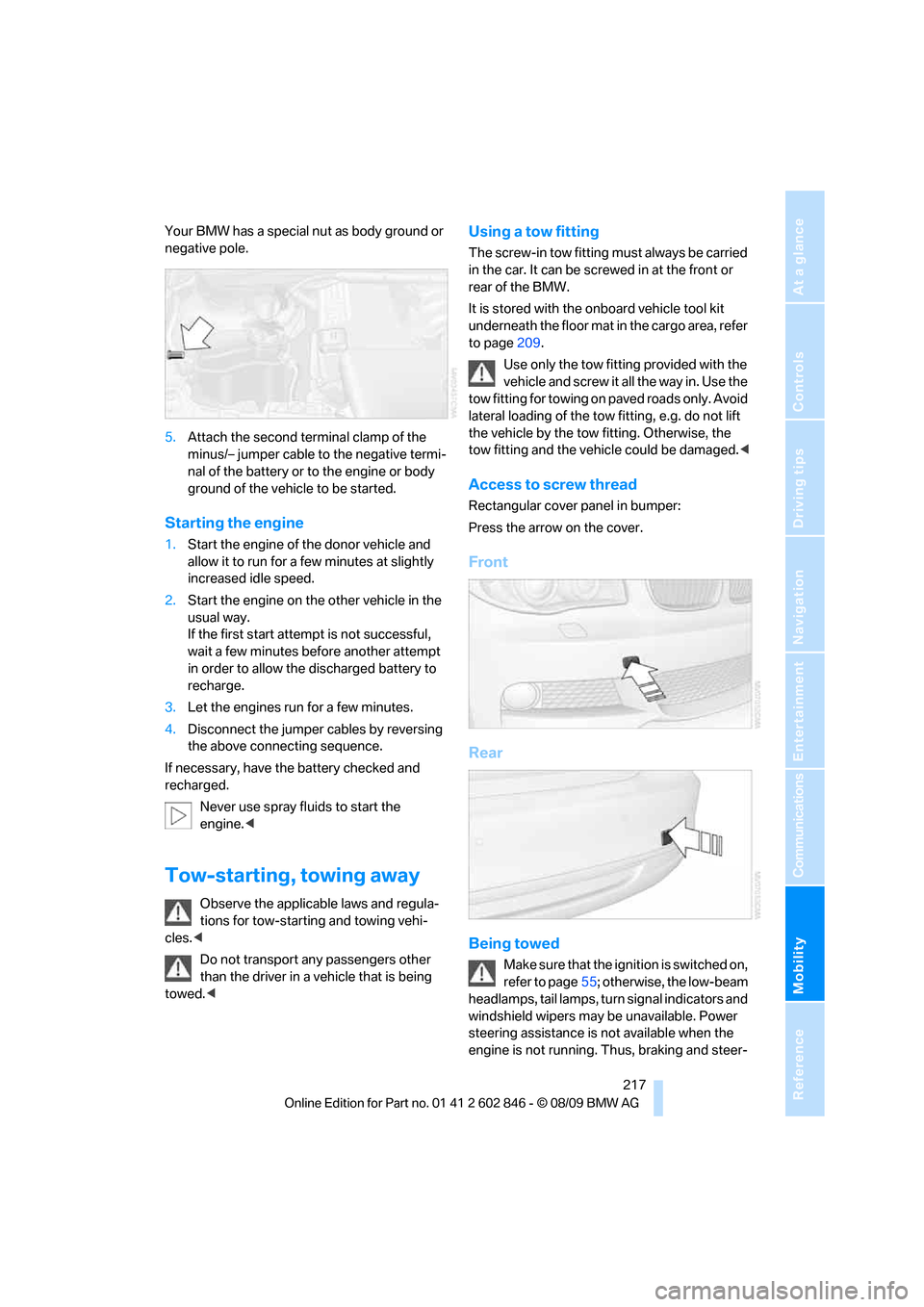
Access to screw thread
Rectangular cover panel in bumper:
Press the arrow on the cover.
Front
Rear
Being towed
Make sure that the ignition is switched on,
refer to page55; otherwise, the low-beam
headlamps, tail lamps, turn signal indicators and
windshield wipers may be unavailable. Power
steering assistance is not available when the
engine is not running. Thus, braking and steer-
Page 220 of 250
Giving and receiving assistance
218 ing will require increased effort. Active steering
is not active and it will be necessary to turn the
steering wheel further.<
Manual transmission
Gearshift lever in neutral position.
Automatic transmission
Selector lever in position N.
Changing the selector lever position, refer to
page58.
Do not exceed a towing speed of 45 mph/
70 km/h and a towing distance of
90 miles/150 km; otherwise, the automatic
transmission may be damaged.<
Towing methods
Do not lift the vehicle by a tow fitting or
body and chassis parts; otherwise, dam-
age may result.<
With a tow bar
The towing vehicle must not be lighter
than the towed vehicle; otherwise, it may
be impossible to maintain control.<
The tow fittings used should be on the same
side on both vehicles. Should it prove impossi-
ble to avoid mounting the tow bar at an angle,
please observe the following:
>Clearance and maneuvering capability will
be sharply limited during cornering.
>The tow bar will generate lateral forces if it is
attached offset.
Attach the tow bar to the tow fittings only,
as attaching it to other parts of the vehicle
could result in damage.<
With a tow rope
When starting off in the towing vehicle, make
sure that the tow rope is taut.
To avoid jerking and the associated
stresses on vehicle components when
towing, always use nylon ropes or nylon straps.
Attach the tow rope to the tow fittings only, as
attaching it to other parts of the vehicle could
result in damage.<
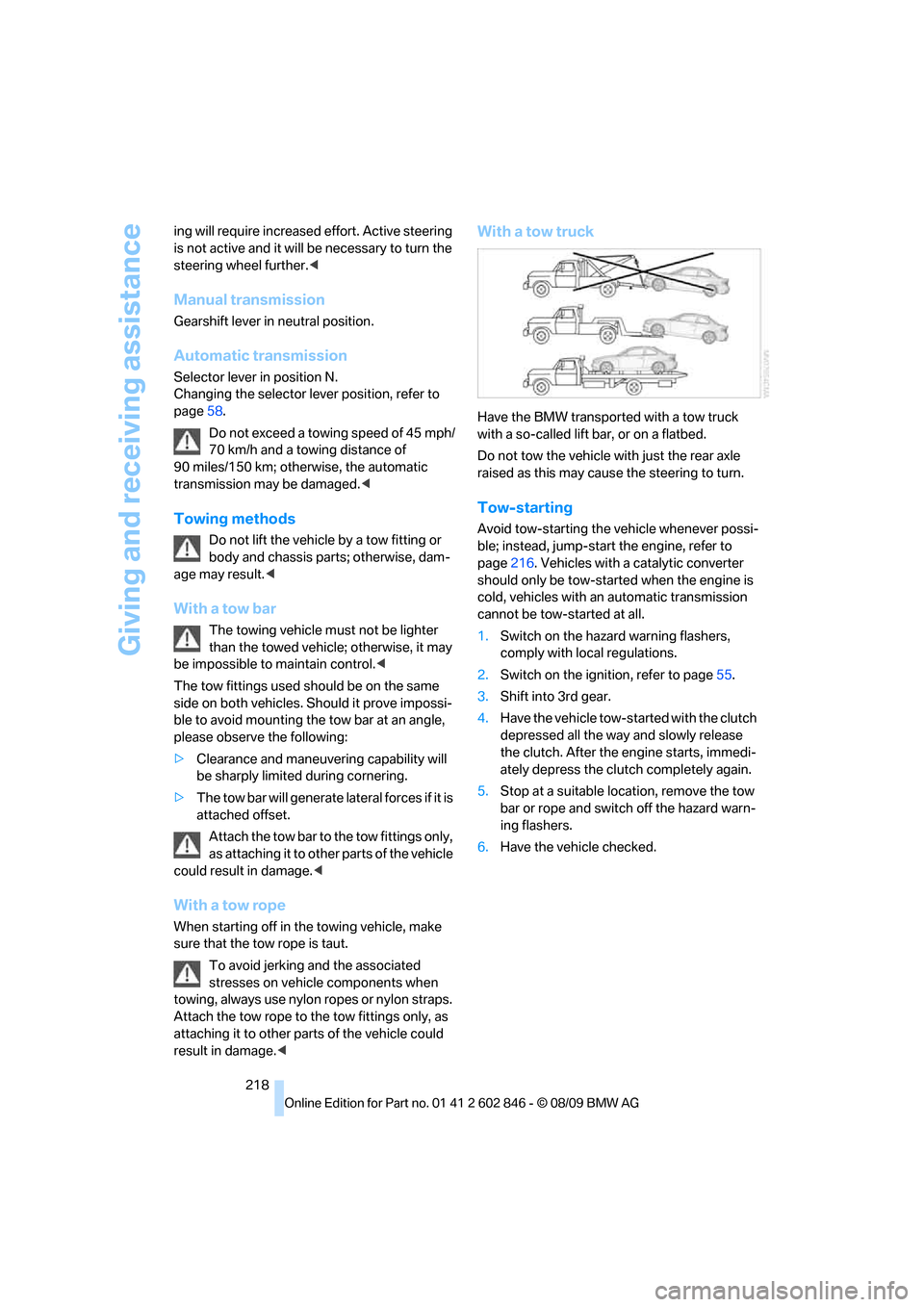
With a tow truck
Have the BMW transported with a tow truck
with a so-called lift bar, or on a flatbed.
Do not tow the vehicle with just the rear axle
raised as this may cause the steering to turn.
Tow-starting
Avoid tow-starting the vehicle whenever possi-
ble; instead, jump-start the engine, refer to
page216. Vehicles with a catalytic converter
should only be tow-started when the engine is
cold, vehicles with an automatic transmission
cannot be tow-started at all.
1.Switch on the hazard warning flashers,
comply with local regulations.
2.Switch on the ignition, refer to page55.
3.Shift into 3rd gear.
4.Have the vehicle tow-started with the clutch
depressed all the way and slowly release
the clutch. After the engine starts, immedi-
ately depress the clutch completely again.
5.Stop at a suitable location, remove the tow
bar or rope and switch off the hazard warn-
ing flashers.
6.Have the vehicle checked.
Page 234 of 250
Everything from A - Z
232
Everything from A - Z
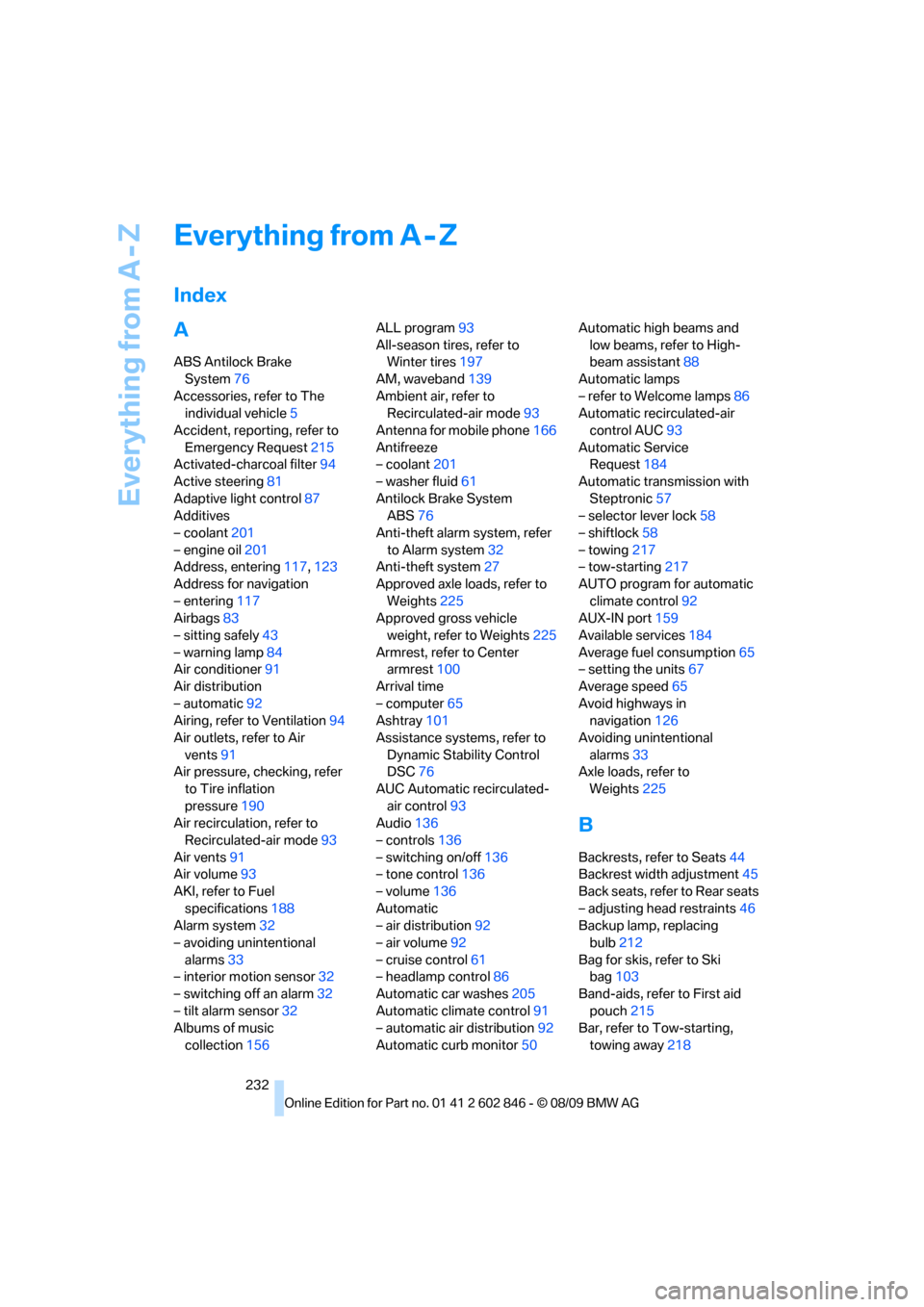
Index
A
ABS Antilock Brake
System76
Accessories, refer to The
individual vehicle5
Accident, reporting, refer to
Emergency Request215
Activated-charcoal filter94
Active steering81
Adaptive light control87
Additives
– coolant201
– engine oil201
Address, entering117,123
Address for navigation
– entering117
Airbags83
– sitting safely43
– warning lamp84
Air conditioner91
Air distribution
– automatic92
Airing, refer to Ventilation94
Air outlets, refer to Air
vents91
Air pressure, checking, refer
to Tire inflation
pressure190
Air recirculation, refer to
Recirculated-air mode93
Air vents91
Air volume93
AKI, refer to Fuel
specifications188
Alarm system32
– avoiding unintentional
alarms33
– interior motion sensor32
– switching off an alarm32
– tilt alarm sensor32
Albums of music
collection156ALL program93
All-season tires, refer to
Winter tires197
AM, waveband139
Ambient air, refer to
Recirculated-air mode93
Antenna for mobile phone166
Antifreeze
– coolant201
– washer fluid61
Antilock Brake System
ABS76
Anti-theft alarm system, refer
to Alarm system32
Anti-theft system27
Approved axle loads, refer to
Weights225
Approved gross vehicle
weight, refer to Weights225
Armrest, refer to Center
armrest
100
Arrival time
– computer65
Ashtray101
Assistance systems, refer to
Dynamic Stability Control
DSC76
AUC Automatic recirculated-
air control93
Audio136
– controls136
– switching on/off136
– tone control136
– volume136
Automatic
– air distribution92
– air volume92
– cruise control61
– headlamp control86
Automatic car washes205
Automatic climate control91
– automatic air distribution92
Automatic curb monitor50Automatic high beams and
low beams, refer to High-
beam assistant88
Automatic lamps
– refer to Welcome lamps86
Automatic recirculated-air
control AUC93
Automatic Service
Request184
Automatic transmission with
Steptronic57
– selector lever lock58
– shiftlock58
– towing217
– tow-starting217
AUTO program for automatic
climate control92
AUX-IN port159
Available services184
Average fuel consumption65
– setting the units67
Average speed65
Avoid highways in
navigation126
Avoiding unintentional
alarms33
Axle loads, refer to
Weights225
B
Backrests, refer to Seats44
Backrest width adjustment45
Back seats, refer to Rear seats
– adjusting head restraints46
Backup lamp, replacing
bulb212
Bag for skis, refer to Ski
bag103
Band-aids, refer to First aid
pouch215
Bar, refer to Tow-starting,
towing away218
Page 235 of 250
Reference 233
At a glance
Controls
Driving tips
Communications
Navigation
Entertainment
Mobility
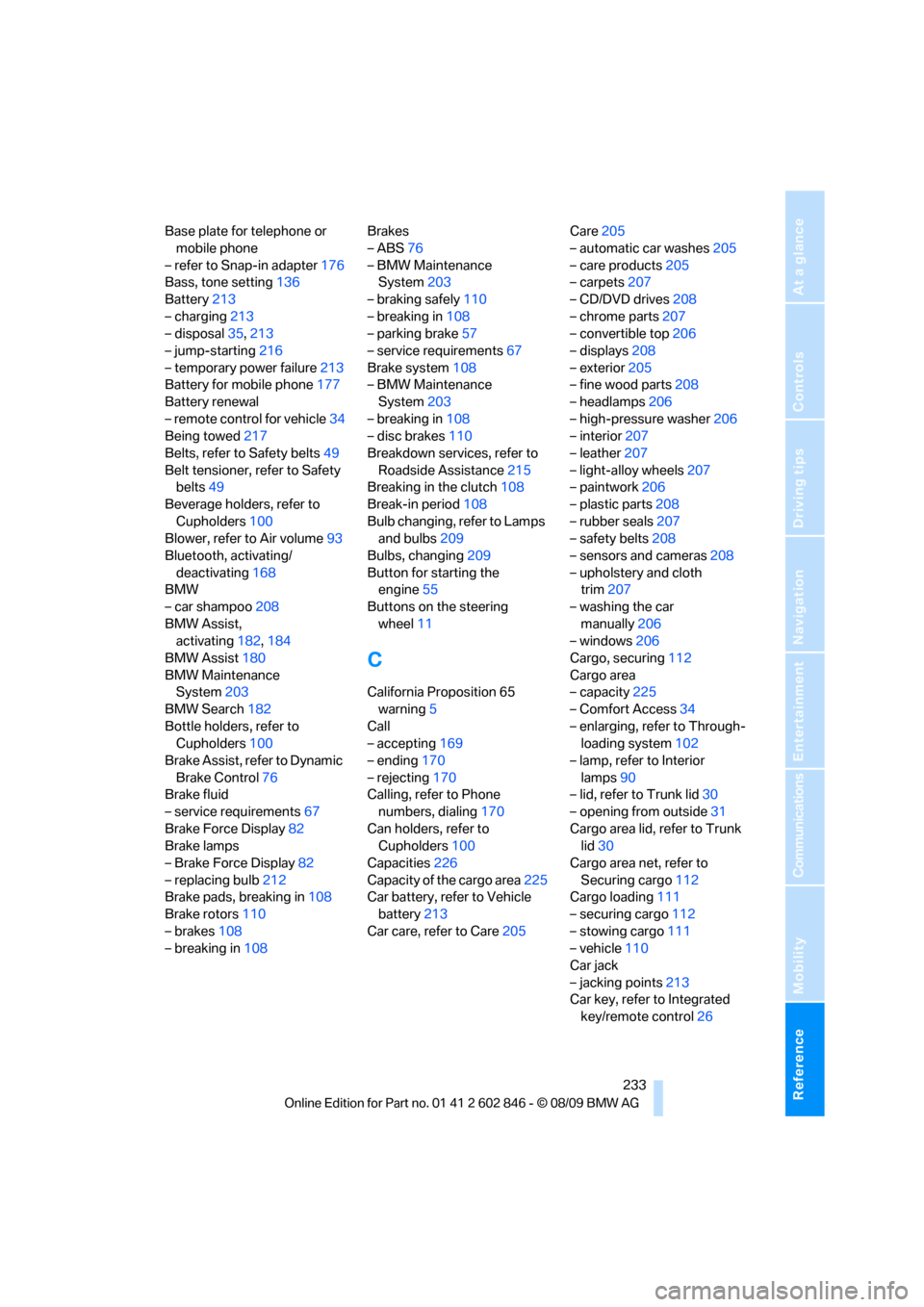
Base plate for telephone or
mobile phone
– refer to Snap-in adapter176
Bass, tone setting136
Battery213
– charging213
– disposal35,213
– jump-starting216
– temporary power failure213
Battery for mobile phone177
Battery renewal
– remote control for vehicle34
Being towed217
Belts, refer to Safety belts49
Belt tensioner, refer to Safety
belts49
Beverage holders, refer to
Cupholders100
Blower, refer to Air volume93
Bluetooth, activating/
deactivating168
BMW
– car shampoo208
BMW Assist,
activating182,184
BMW Assist180
BMW Maintenance
System203
BMW Search182
Bottle holders, refer to
Cupholders100
Brake Assist, refer to Dynamic
Brake Control76
Brake fluid
– service requirements67
Brake Force Display82
Brake lamps
– Brake Force Display82
– replacing bulb212
Brake pads, breaking in108
Brake rotors110
– brakes108
– breaking in108Brakes
– ABS76
– BMW Maintenance
System203
– braking safely110
– breaking in108
– parking brake57
– service requirements67
Brake system108
– BMW Maintenance
System203
– breaking in108
– disc brakes110
Breakdown services, refer to
Roadside Assistance
215
Breaking in the clutch108
Break-in period108
Bulb changing, refer to Lamps
and bulbs209
Bulbs, changing209
Button for starting the
engine55
Buttons on the steering
wheel11
C
California Proposition 65
warning5
Call
– accepting169
– ending170
– rejecting170
Calling, refer to Phone
numbers, dialing170
Can holders, refer to
Cupholders100
Capacities226
Capacity of the cargo area225
Car battery, refer to Vehicle
battery213
Car care, refer to Care205Care205
– automatic car washes205
– care products205
– carpets207
– CD/DVD drives208
– chrome parts207
– convertible top206
– displays208
– exterior205
– fine wood parts208
– headlamps206
– high-pressure washer206
– interior207
– leather207
– light-alloy wheels207
– paintwork206
– plastic parts208
– rubber seals207
– safety belts208
– sensors and cameras208
– upholstery and cloth
trim207
– washing the car
manually206
– windows206
Cargo, securing112
Cargo area
– capacity225
– Comfort Access34
– enlarging, refer to Through-
loading system102
– lamp, refer to Interior
lamps90
– lid, refer to Trunk lid30
– opening from outside31
Cargo area lid, refer to Trunk
lid30
Cargo area net, refer to
Securing cargo112
Cargo loading111
– securing cargo112
– stowing cargo
111
– vehicle110
Car jack
– jacking points213
Car key, refer to Integrated
key/remote control26