door lock BMW 128I 2013 User Guide
[x] Cancel search | Manufacturer: BMW, Model Year: 2013, Model line: 128I, Model: BMW 128I 2013Pages: 284, PDF Size: 6.93 MB
Page 45 of 284
44
ControlsOpening and closing
After switching off the ignition
When the remote control is removed or the igni-
tion is switched off, you can still operate the roof
for approx. 1 minute as long as no door has
been opened.
Pinch protection system
If the glass roof encounters an obstruction dur-
ing closing from approximately the middle of
the opening in the roof, or during closing from
the tilted position, the closing movement is
interrupted and the glass roof is opened again
slightly.
Despite the pinch protection system
check and clear the roof's travel path prior
to closing it; otherwise, the safety system might
fail to detect certain kinds of obstructions, such
as very thin objects, and the roof would con-
tinue closing. <
Closing without pinch protection
If there is an external danger, press the switch
forward past the resistan ce point and hold it
there. The roof closes without pinch protection.
Following interruptions in electrical
power supply
After a power failure, there is a possibility that
the glass roof can only be tilted. The system
must be initialized. BMW recommends having
this work performed at your BMW center.
Convertible: convertible top
The fully automatic top combines reliable
weather protection with simple and easy-to-
use operation.
The following tips will enhance your driving
pleasure in your Convertible:
> It is recommended that you close the con-
vertible top whenever the vehicle is parked.
The closed convertible top not only pro-
tects the vehicle interior from damage due
to unforeseen bad we ather, but also pro- vides a certain degree of protection against
theft. However, even when the top is
closed, valuables should
only be stored in
the locked trunk.
> Do not mount any roof rack systems on the
convertible top.
> If the top is opened while it is wet, e.g. after
driving in the rain, water may drip into the
trunk. If necessary, remove items from the
trunk beforehand to av oid water stains or
soiling.
At temperatures below +14 7/–10 6, do
not move the convertible top as this could
result in damage.
Do not keep the convertible top in the convert-
ible top box for longer than one day if it is wet;
otherwise, the moistu re may cause damage.
Do not place objects on the convertible top, as
otherwise they may fall off when you operate
the convertible top and cause damage or injury.
Never move the converti ble top when the roll-
over protection system is in the activated
position.
Always completely finish the operation of the
convertible top. Driving with the convertible top
incompletely opened or closed can result in
damage or injury.
Do not reach into the mechanism during the
opening or closing procedure. Keep children
away from the opening/closing path of the
convertible top.
For safety reasons, only operate the convertible
top while the vehicle is standing. <
While opening and closing, the convert-
ible top pivots upward. When operating
the convertible top in a garage, under a bridge,
etc., ensure that there are at least 6.5 ft/2 m of
headroom; otherwise, the vehicle may be
damaged. <
00320051004F004C00510048000300280047004C0057004C005200510003
Page 55 of 284
54
ControlsAdjustments
Seat heating
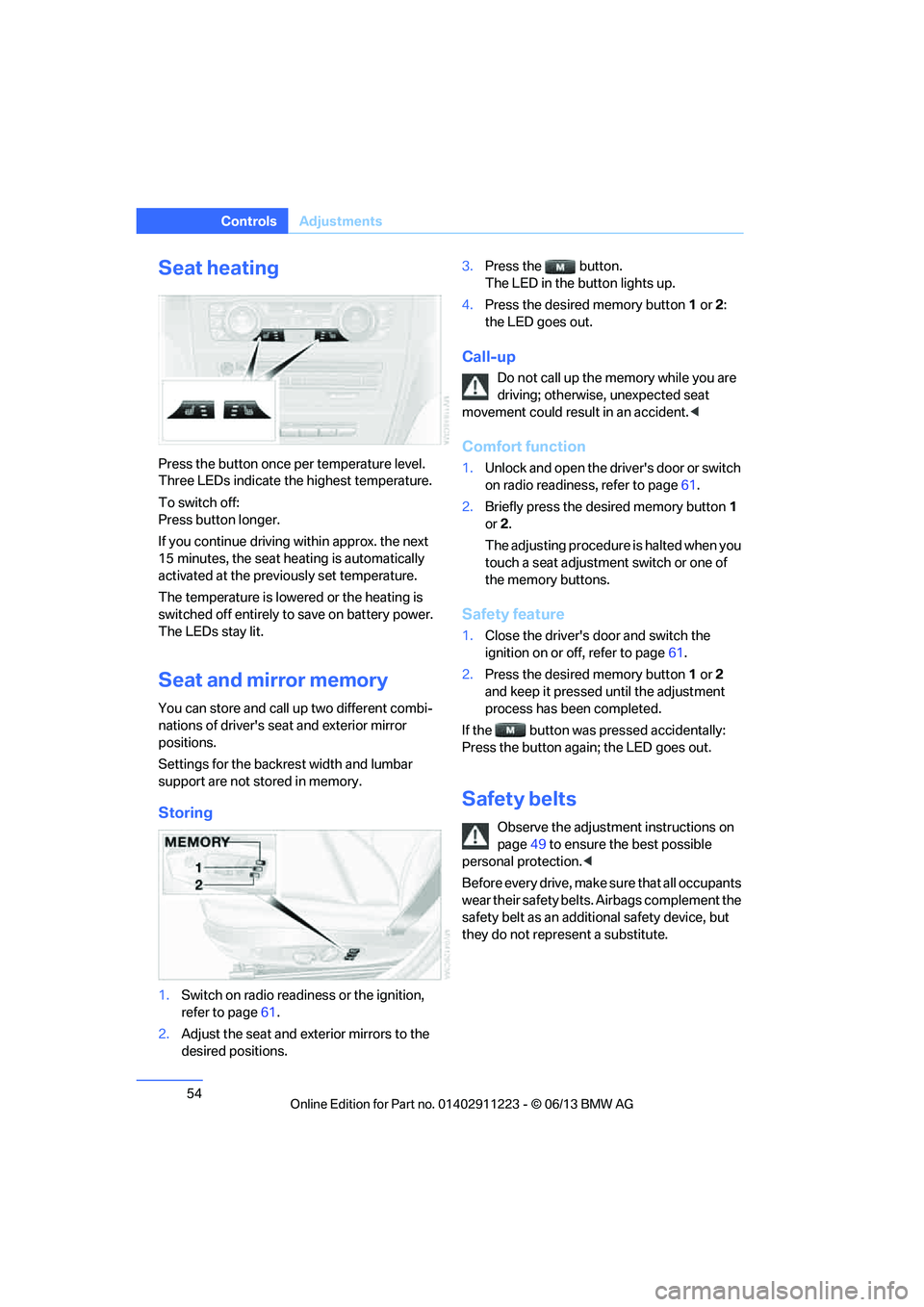
Press the button once per temperature level.
Three LEDs indicate the highest temperature.
To switch off:
Press button longer.
If you continue driving within approx. the next
15 minutes, the seat he ating is automatically
activated at the previously set temperature.
The temperature is lowered or the heating is
switched off entirely to save on battery power.
The LEDs stay lit.
Seat and mirror memory
You can store and call up two different combi-
nations of driver's seat and exterior mirror
positions.
Settings for the backrest width and lumbar
support are not stored in memory.
Storing
1. Switch on radio readin ess or the ignition,
refer to page 61.
2. Adjust the seat and exterior mirrors to the
desired positions. 3.
Press the button.
The LED in the button lights up.
4. Press the desired memory button 1 or 2:
the LED goes out.
Call-up
Do not call up the me mory while you are
driving; otherwise, unexpected seat
movement could result in an accident. <
Comfort function
1.Unlock and open the driver's door or switch
on radio readiness, refer to page 61.
2. Briefly press the desired memory button 1
or 2.
The adjusting procedure is halted when you
touch a seat adjustment switch or one of
the memory buttons.
Safety feature
1. Close the driver's door and switch the
ignition on or off, refer to page 61.
2. Press the desired memory button 1 or 2
and keep it pressed until the adjustment
process has been completed.
If the button was pr essed accidentally:
Press the button again; the LED goes out.
Safety belts
Observe the adjustment instructions on
page 49 to ensure the best possible
personal protection. <
Before every drive, make sure that all occupants
wear their safety belts. Airbags complement the
safety belt as an additi onal safety device, but
they do not repres ent a substitute.
00320051004F004C00510048000300280047004C0057004C005200510003
Page 62 of 284
61
Driving
Controls
Driving
Vehicle equipment
In this chapter, all production, country, and
optional equipment that is offered in the model
range is described. For this reason, descrip-
tions will be given of some equipment that may
not be available in a vehi
cle, for example due to
the special options or national-market version
selected. This also app lies to safety related
functions and systems.
Ignition lock
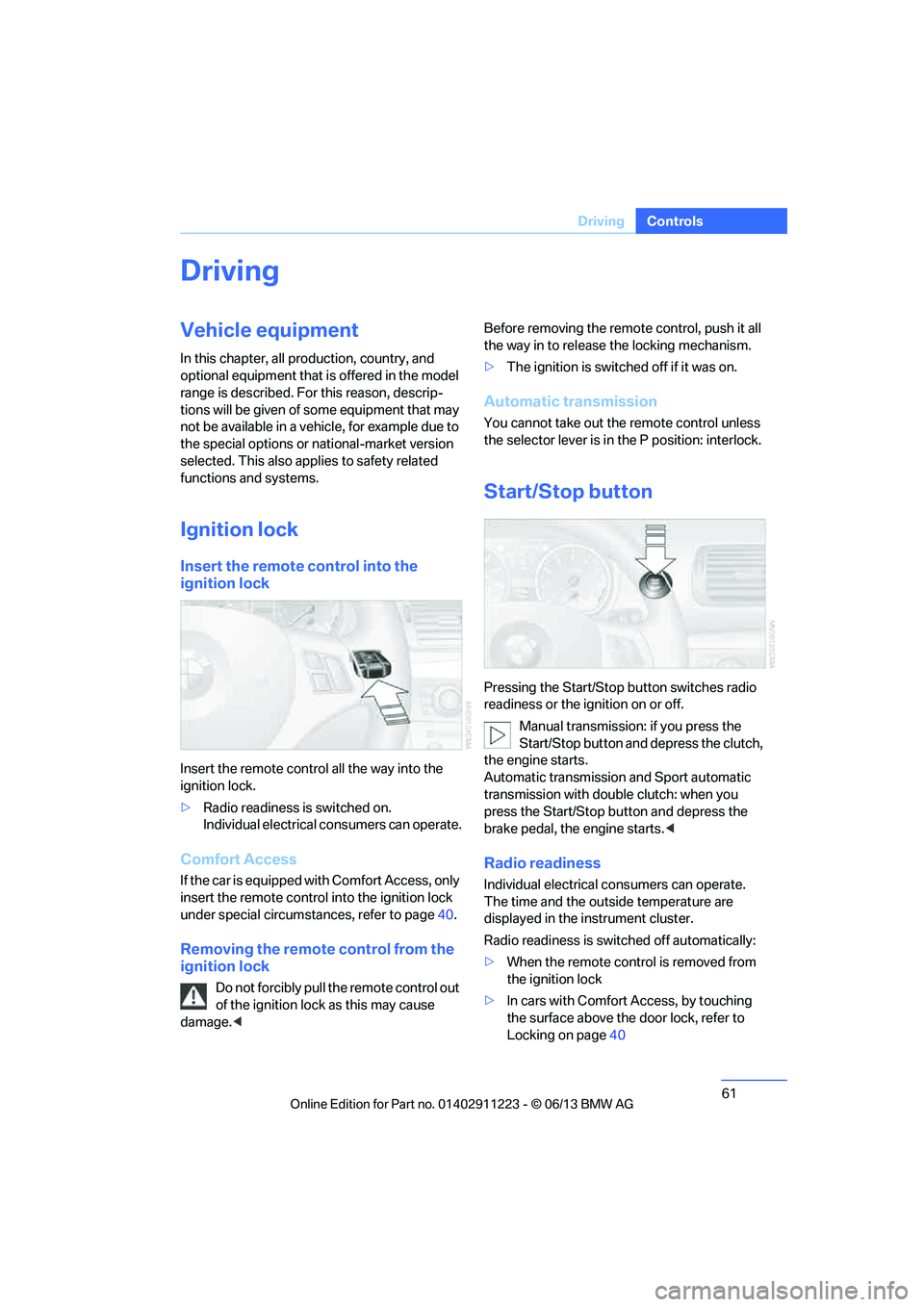
Insert the remote control into the
ignition lock
Insert the remote contro l all the way into the
ignition lock.
> Radio readiness is switched on.
Individual electrical consumers can operate.
Comfort Access
If the car is equipped with Comfort Access, only
insert the remote control into the ignition lock
under special circumstances, refer to page 40.
Removing the remote control from the
ignition lock
Do not forcibly pull the remote control out
of the ignition lock as this may cause
damage. < Before removing the remote control, push it all
the way in to release
the locking mechanism.
> The ignition is switched off if it was on.
Automatic transmission
You cannot take out the remote control unless
the selector lever is in the P position: interlock.
Start/Stop button
Pressing the Start/Stop button switches radio
readiness or the ignition on or off.
Manual transmission: if you press the
Start/Stop button and depress the clutch,
the engine starts.
Automatic transmission and Sport automatic
transmission with doub le clutch: when you
press the Start/Stop button and depress the
brake pedal, the engine starts. <
Radio readiness
Individual electrical consumers can operate.
The time and the outside temperature are
displayed in the instrument cluster.
Radio readiness is switched off automatically:
> When the remote control is removed from
the ignition lock
> In cars with Comfort Access, by touching
the surface above the door lock, refer to
Locking on page 40
00320051004F004C00510048000300280047004C0057004C005200510003
Page 213 of 284
212
CommunicationsConnectedDrive
ConnectedDrive
Vehicle equipment
In this chapter, all production, country, and
optional equipment that is offered in the model
range is described. Equipment is also described
that is not available because of, for example,
selected options or country version. This also
applies to safety related functions and systems.
BMW Assist
General information
BMW Assist provides a number of different ser-
vices. For example, the position data of the
vehicle can be transmitted to the BMW Assist
Response Center when an Emergency Request
is sent.
Many BMW Assist services depend on the
contract individually agreed upon.
After the contract has expired, the BMW Assist
system will be deactivated by the BMW Assist
Response Center without you having to visit a
BMW center. After the BMW Assist system has
been deactivated, no BM W Assist services will
be available. The BMW Assist system can be
reactivated by a BMW center after a new
contract has been signed.
Requirements
> The installed BMW Assist system is logged
into a mobile phone network. This network
must be capable of transmitting the
services.
> To transmit position data, the vehicle must
be able to determine its current position.
> To activate and update BMW Assist, a GPS
signal must be available. >
The BMW Assist service contract was
signed with your BMW center or with the
BMW Assist Response Center. The service
must have been fully enabled.
> BMW Assist is activated.
Services offered
>Emergency Request: when you press the
SOS button, a connection to the BMW
Assist Response Center is established. The
BMW Assist Response Center then speaks
with you and takes further steps to help you.
> Automatic Emergency Request: under cer-
tain conditions, a connection to the BMW
Assist Response Center is established after
a serious accident. If possible, the BMW
Assist Response Center then speaks with
you and takes further steps to help you.
> Enhanced Roadside Assistance: BMW
Roadside Assistance can be contacted if
assistance is needed in the event of a
breakdown. If possible, the vehicle data and
position data are tran smitted during this
call.
> Customer Relations: connection to
Customer Relations for information on all
aspects of your vehicle.
> BMW TeleService: the data on your vehi-
cle's service status or required inspections
are transmitted to your BMW center, either
automatically before a service due date or
when you request a service appointment.
> Remote Door Unlock: the BMW Assist
Response Center provides assistance if, for
example, the remote control is not available
and the vehicle needs to be opened.
> Stolen Vehicle Recovery: after you report to
the police that your vehicle was stolen, the
BMW Assist Response Center can deter-
mine its position.
00320051004F004C00510048000300280047004C0057004C005200510003
Page 241 of 284
240
MobilityCare
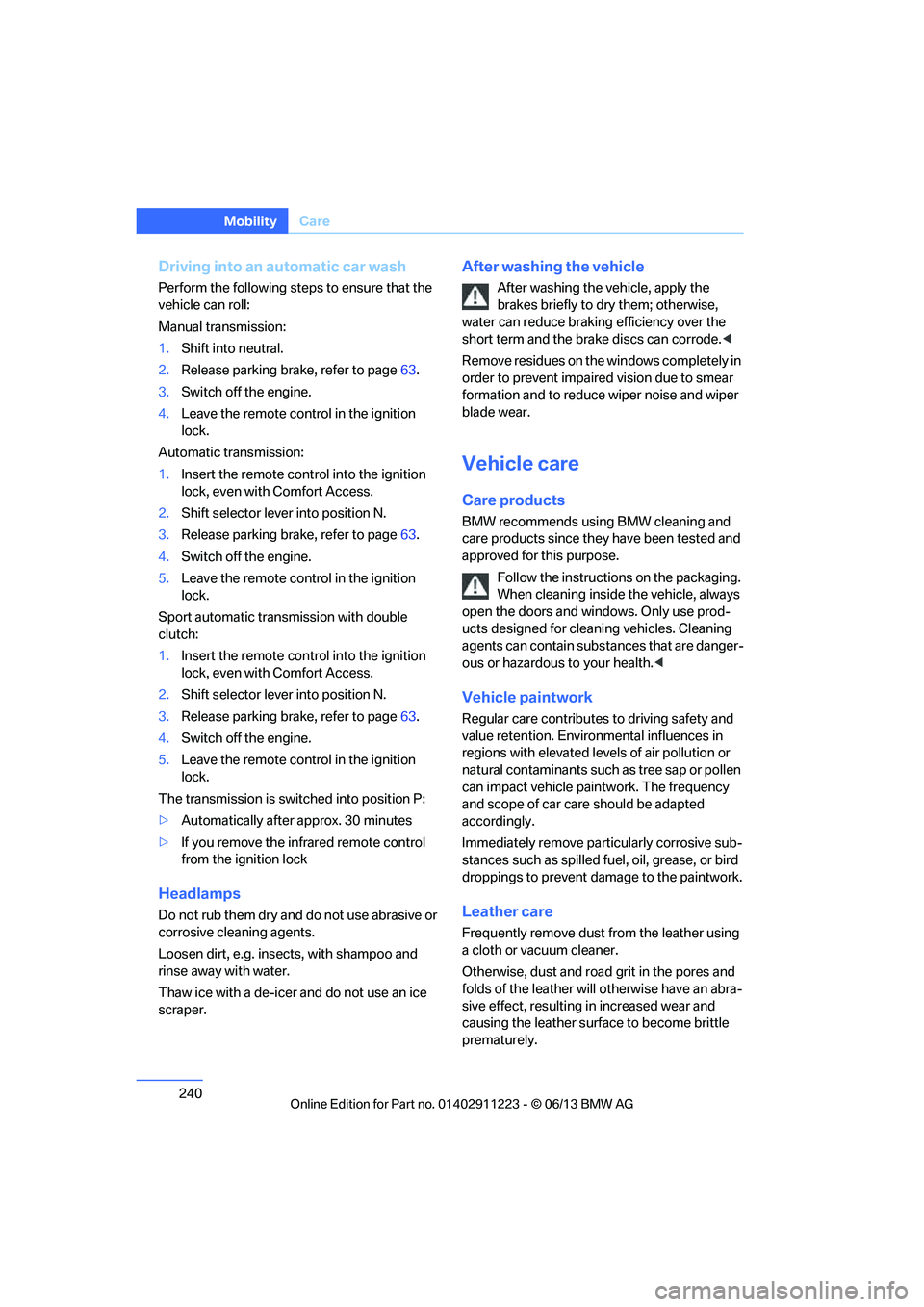
Driving into an automatic car wash
Perform the following steps to ensure that the
vehicle can roll:
Manual transmission:
1.Shift into neutral.
2. Release parking brake, refer to page 63.
3. Switch off the engine.
4. Leave the remote control in the ignition
lock.
Automatic transmission:
1. Insert the remote cont rol into the ignition
lock, even with Comfort Access.
2. Shift selector lever into position N.
3. Release parking brake, refer to page 63.
4. Switch off the engine.
5. Leave the remote control in the ignition
lock.
Sport automatic transmission with double
clutch:
1. Insert the remote cont rol into the ignition
lock, even with Comfort Access.
2. Shift selector lever into position N.
3. Release parking brake, refer to page 63.
4. Switch off the engine.
5. Leave the remote control in the ignition
lock.
The transmission is switched into position P:
> Automatically after approx. 30 minutes
> If you remove the infrared remote control
from the ignition lock
Headlamps
Do not rub them dry and do not use abrasive or
corrosive cleaning agents.
Loosen dirt, e.g. insects, with shampoo and
rinse away with water.
Thaw ice with a de-icer and do not use an ice
scraper.
After washing the vehicle
After washing the vehicle, apply the
brakes briefly to dry them; otherwise,
water can reduce braking efficiency over the
short term and the brake discs can corrode. <
R e m o v e r e s i d u e s o n t h e windows completely in
order to prevent impaired vision due to smear
formation and to reduce wiper noise and wiper
blade wear.
Vehicle care
Care products
BMW recommends using BMW cleaning and
care products since they have been tested and
approved for this purpose.
Follow the instructions on the packaging.
When cleaning inside the vehicle, always
open the doors and windows. Only use prod-
ucts designed for cleaning vehicles. Cleaning
agents can contain substa nces that are danger-
ous or hazardous to your health. <
Vehicle paintwork
Regular care contributes to driving safety and
value retention. Environmental influences in
regions with elevated levels of air pollution or
natural contaminants such as tree sap or pollen
can impact vehicle paintwork. The frequency
and scope of car care should be adapted
accordingly.
Immediately remove particularly corrosive sub-
stances such as spilled fuel, oil, grease, or bird
droppings to prevent damage to the paintwork.
Leather care
Frequently remove dust from the leather using
a cloth or vacuum cleaner.
Otherwise, dust and road grit in the pores and
folds of the leather will otherwise have an abra-
sive effect, resulting in increased wear and
causing the leather surf ace to become brittle
prematurely.
00320051004F004C00510048000300280047004C0057004C005200510003
Page 267 of 284
266
ReferenceShort commands for the voice activation system
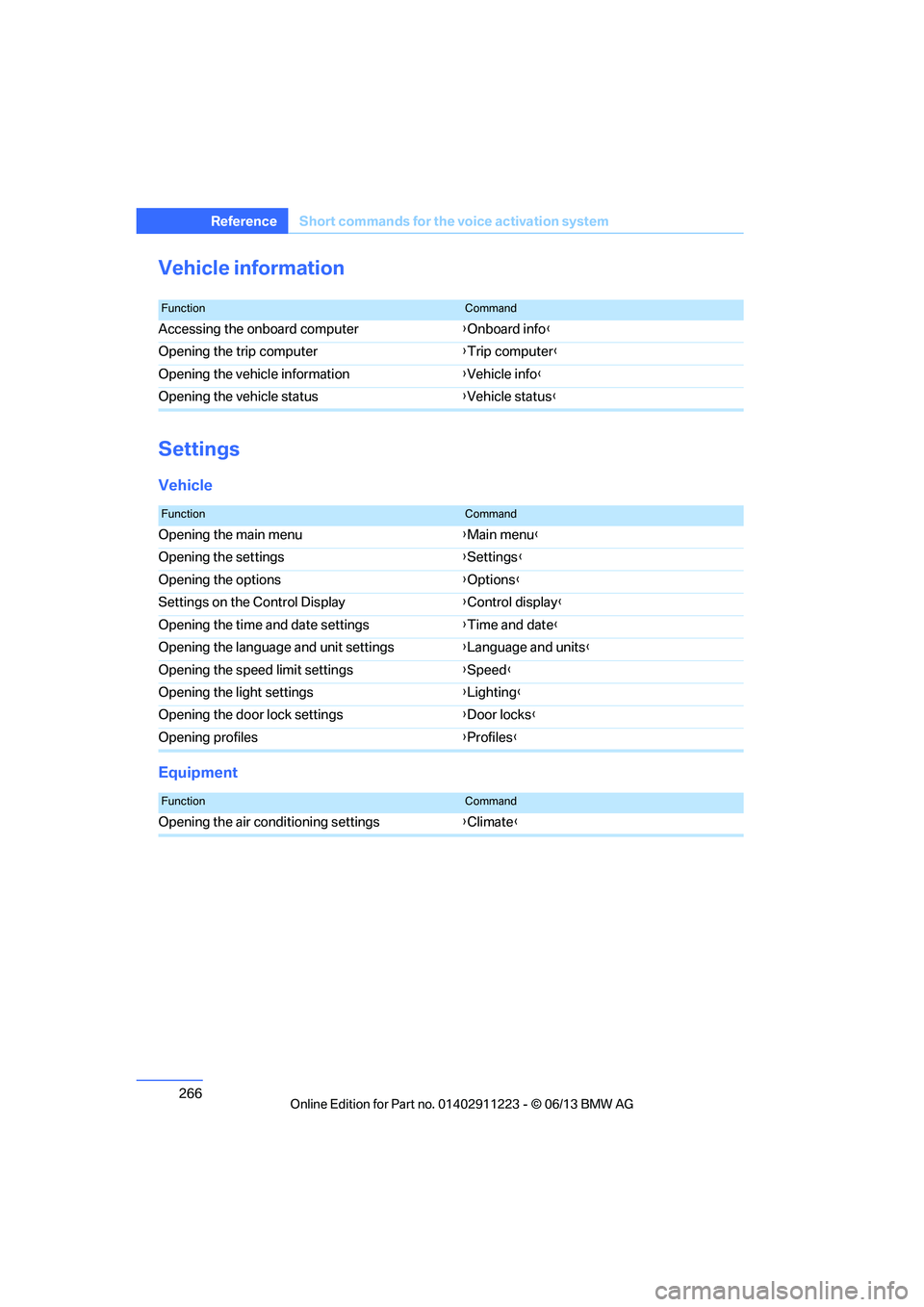
Vehicle information
Settings
Vehicle
Equipment
FunctionCommand
Accessing the onboard computer {Onboard info }
Opening the trip computer {Trip computer }
Opening the vehicle information {Vehicle info }
Opening the vehicle status {Vehicle status }
FunctionCommand
Opening the main menu {Main menu }
Opening the settings {Settings }
Opening the options {Options }
Settings on the Control Display {Control display }
Opening the time and date settings {Time and date }
Opening the language and unit settings {Language and units }
Opening the speed limit settings {Speed }
Opening the light settings {Lighting }
Opening the door lock settings {Door locks }
Opening profiles {Profiles }
FunctionCommand
Opening the air conditioning settings {Climate }
00320051004F004C00510048000300280047004C0057004C005200510003
Page 272 of 284
271
Everything from A to Z
Reference
Connecting an MP3 player,
refer to AUX-In
connection 177
Connecting an MP3 player, refer to USB audio
interface 178
Connecting vacuum cleaner, refer to Connecting
electrical appliances 117
Consumption, refer to Average fuel
consumption 77
Contacts 202
– deleting 204,211
– exporting/importing 211
– new contact 203
Control Center, refer to iDrive 20
Control Display 20,21
Control Display, refer to iDrive
– switching on/off 21
Controller, refer to iDrive 20
Controls and displays 12
Convenient opening and closing
– windows 34
– windows with Comfort Access 40
– with Comfort Access 40
Convenient start, refer to Starting the engine 62
Convertible
– rollover protection system 99
– top 44
– wind deflector 47
Convertible top
– convenient opening 34
Convertible top care 242
Coolant 235
– checking level 236
– filling 236
Coolant temperature 236
Cooling, maximum 107Cooling fluid, refer to
Coolant 235
Corner-illuminating lamps 102
Cornering light, refer to
Adaptive Light Control 101
Courtesy lamps 104
Criteria for route 143
Cross-hairs in navigation139
Cruise control 73
Cruising range 77
Cupholders 116
Curb weight, refer to Weights 259
Current fuel consumption 77
Cu rrent playback
– e
xternal devices 180
– in music collection 174
Customer Relations 215
D
Dashboard, refer to
Cockpit 12
Dashboard lighting, refer to
Instrument lighting 104
Data, technical
– capacities 259
– dimensions 258
– weights 259
Data memory 7
Data transfer 216
Date
– setting 84
– setting format 84
Daytime running lights, switch positions 101
DBC Dynamic Brake Control 89
Deactivating front passenger
airbags 97
Deadlocking, refer to Locking 34 Defect
– door lock
36
– fuel filler flap 221
Defining a home address 203
Defogging windows 109
Defrosting windows 109
Defrosting windows and removing condensation 109
Defrosting windshield, refer to Defrosting windows 109
Defrost position, refer to
Defrosting windows 109
Destination, entering by town/ city name 134
Destination address
– entering 134,140
Destination entry via BMW Assist 139
Destination for navigation
– entering by voice 140
– entering via map 139
– entry 134
– home address 137
– manual entry 134
Destination guidance 143
– bypassing a route section 144
– changing specified
route 143
– continuing 143
– starting 143
– voice instructions 145
– volume of voice instructions 145
Differential, breaking in 124
Digital clock 75,82
Digital compass 113
Digital radio, refer to HD Radio 159
Dime nsion
s258
Directional indicators, refer to Turn signals 71
Direction instructions, refer to
Voice instructions 145
00320051004F004C00510048000300280047004C0057004C005200510003
Page 273 of 284
272
ReferenceEverything from A to Z
Directory for navigation, refer
to Address book 136
Display, refer to Control Display 20
Displaying contact
pictures 203
Display lighting, refer to Instrument lighting 104
Displays, refer to Instrument cluster 14
Displays and controls 12
Disposal
– of coolant 235
– remote control battery 42
– vehicle battery 249
Distance, refer to
Computer 78
Distance remaining to service, refer to Service
requirements 80
Distance to destination, refer to Computer 78
Distance warning, refer to Park Distance Control
PDC 88
Door key, refer to Integrated key/remote control 32
Door lock 36
Door lock, confirmation signals 35
Doors, manual operation 36
DOT Quality Grades 228
Draft-free ventilation 109
Drinks holders, refer to
Cupholders 116
Drive mode 68
Drive-off assistance, refer to
DSC 89
Drive-off assistant 90
Driving dynamics control 69
Driving lamps, refer to Parking lamps/low beams 100
Driving notes 124
Driving off on hills, refer to Drive-off assistant 90Driving stability control
systems 89
Driving through water 126
Driving tips, refer to Driving notes 124
Dry air, refer to Air conditioning 109
DSC Dynamic Stability
Control 89
DTC Dynamic Traction Control 90
– indicator lamps 90
DVD
– country codes 168
– settings 169
– video playback 168
DVD menu 169
DVD player, refer to CD player 166
DVD video 168
D y
namic Brake Control
DBC 89
Dynamic destination guidance 149
Dynamic Stability Control
DSC 89
Dynamic Traction Control DTC 90
– indicator lamps 90
E
EBV Electronic brake-force
distribution 89
Eject button, see buttons on the CD/DVD player 154
Electrical defect
– 7-gear Sport automatic transmission with double
clutch 69
Electrical malfunction
– door lock 36
– fuel filler flap 221
Electronic brake-force distribution EBV 89Electronic oil level check
233
Electronic Stability Program
ESP, refer to Dynamic
Stability Control DSC 89
E-mail 206
Emergency operation, refer to Manual operation
– door lock 36
– fuel filler flap 221
– transmission lock, automatic transmission 66
Emergency release, trunk lid 38
Emergency Request 250
Emergency services, refer to Roadside Assistance 251
Energy, saving
– saving fuel 124
Engine
– breaking in 124
– starting 62
– starting, Comfort Access 40
– switching off 63
Engine compartment 232
Engine coolant, refer to
Coolant 235
Engine oil
– adding 235
– additives 235
– alternative oil types 235
– approved engine oils 235
– BMW Maintenance System 237
– checking level 233
– intervals between changes, refer to Service
requirements 80
Engine oil level, checking 233
Engine starting, refer to Starting the engine 62
Entering the postal code for navigation 135
Entry map for destination 139
Equalizer, tone control 155
00320051004F004C00510048000300280047004C0057004C005200510003
Page 274 of 284
273
Everything from A to Z
Reference
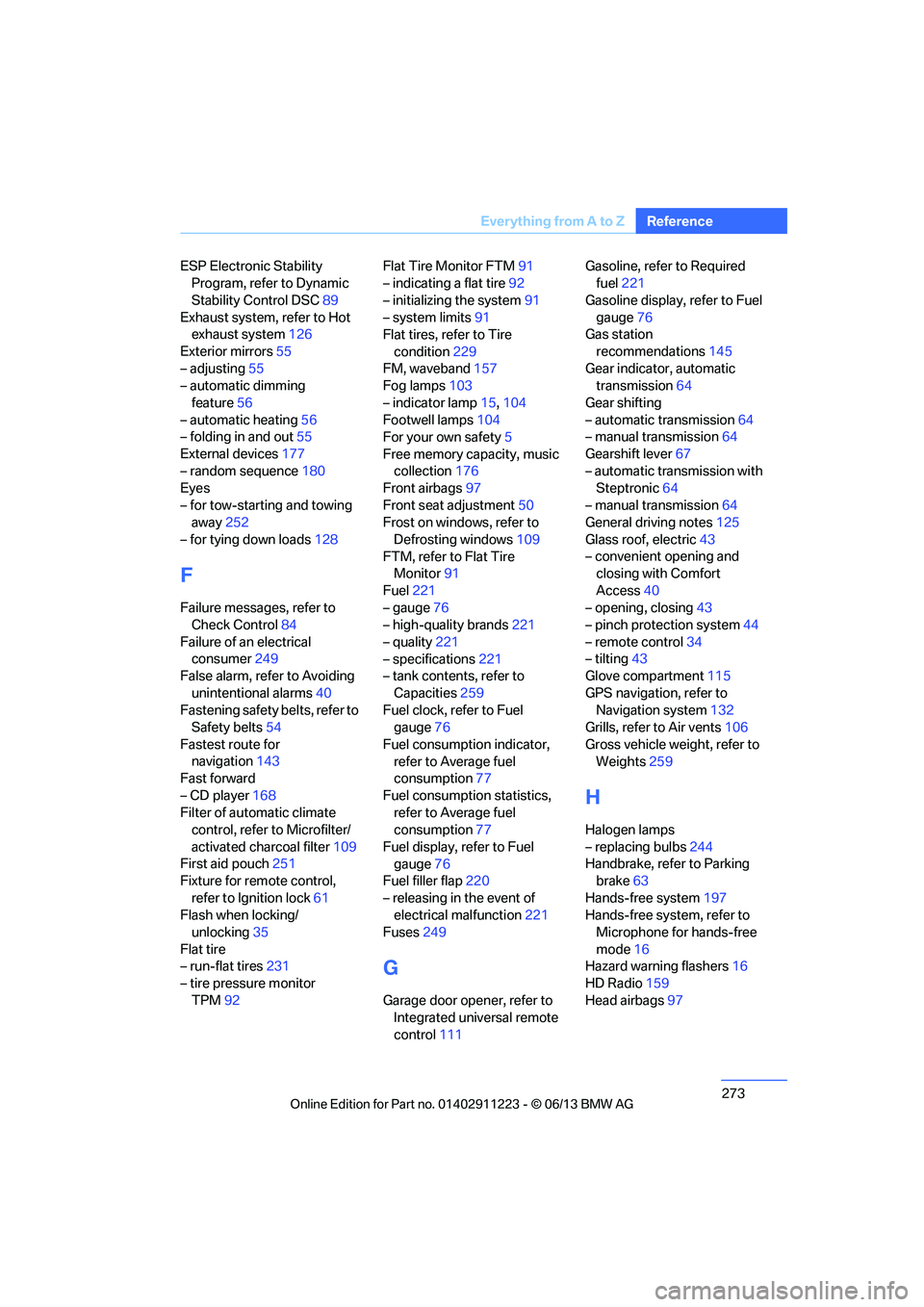
ESP Electronic Stability
Program, refer to Dynamic
Stability Control DSC 89
Exhaust system, refer to Hot exhaust system 126
Exterior mirrors 55
– adjusting 55
– automatic dimming
feature 56
– automatic heating 56
– folding in and out 55
External devices 177
– random sequence 180
Eyes
– for tow-starting and towing away 252
– for tying down loads 128
F
Failure messages, refer to
Check Control 84
Failure of an electrical consumer 249
False alarm, refer to Avoiding
unintentional alarms 40
Fastening safety belts, refer to Safety belts 54
Fastest route for navigation 143
Fast forward
– CD player 168
Filter of automatic climate control, refer to Microfilter/
activated charcoal filter 109
First aid pouch 251
Fixture for remote control,
refer to Ignition lock 61
Flash when locking/ unlocking 35
Flat tire
– run-flat tires 231
– tire pressure monitor
TPM 92 Flat Tire Monitor FTM
91
– indicating a flat tire 92
– initializing the system 91
– system limits 91
Flat tires, refer to Tire
condition 229
FM, waveband 157
Fog lamps 103
– indicator lamp 15,104
Footwell lamps 104
For your own safety 5
Free memory capacity, music collection 176
Front airbags 97
Front seat adjustment 50
Frost on windows, refer to
Defrosting windows 109
FTM, refer to Flat Tire Monitor 91
Fuel 221
– gauge 76
– high-quality brands 221
– quality 221
– specifications 221
– tank contents, refer to
Capacities 259
Fuel clock, refer to Fuel gauge 76
Fuel consumption indicator, refer to Average fuel
consumption 77
Fuel consumption statistics, refer to Average fuel
consumption 77
Fuel display, refer to Fuel gauge 76
Fuel filler flap 220
– releasing in the event of electrical malfunction 221
Fuses 249
G
Garage door opener, refer to
Integrated universal remote
control 111 Gasoline, refer to Required
fuel 221
Gasoline display, refer to Fuel gauge 76
Gas station
recommendations 145
Gear indicator, automatic transmission 64
Gear shifting
– automatic transmission 64
– manual transmission 64
Gearshift lever 67
– automatic transmission with Steptronic 64
– manual transmission 64
General driving notes 125
Glass roof, electric 43
– convenient opening and closing with Comfort
Access 40
– opening, closing 43
– pinch protection system 44
– remote control 34
– tilting 43
Glove compartment 115
GPS navigation, refer to Navigation system 132
Grills, refer to Air vents 106
Gross vehicle weight, refer to Weights 259
H
Halogen lamps
– replacing bulbs 244
Handbrake, refer to Parking brake 63
Hands-free system 197
Hands-free system, refer to Microphone for hands-free
mode 16
Hazard warning flashers 16
HD Radio 159
Head airbags 97
00320051004F004C00510048000300280047004C0057004C005200510003
Page 276 of 284
275
Everything from A to Z
Reference
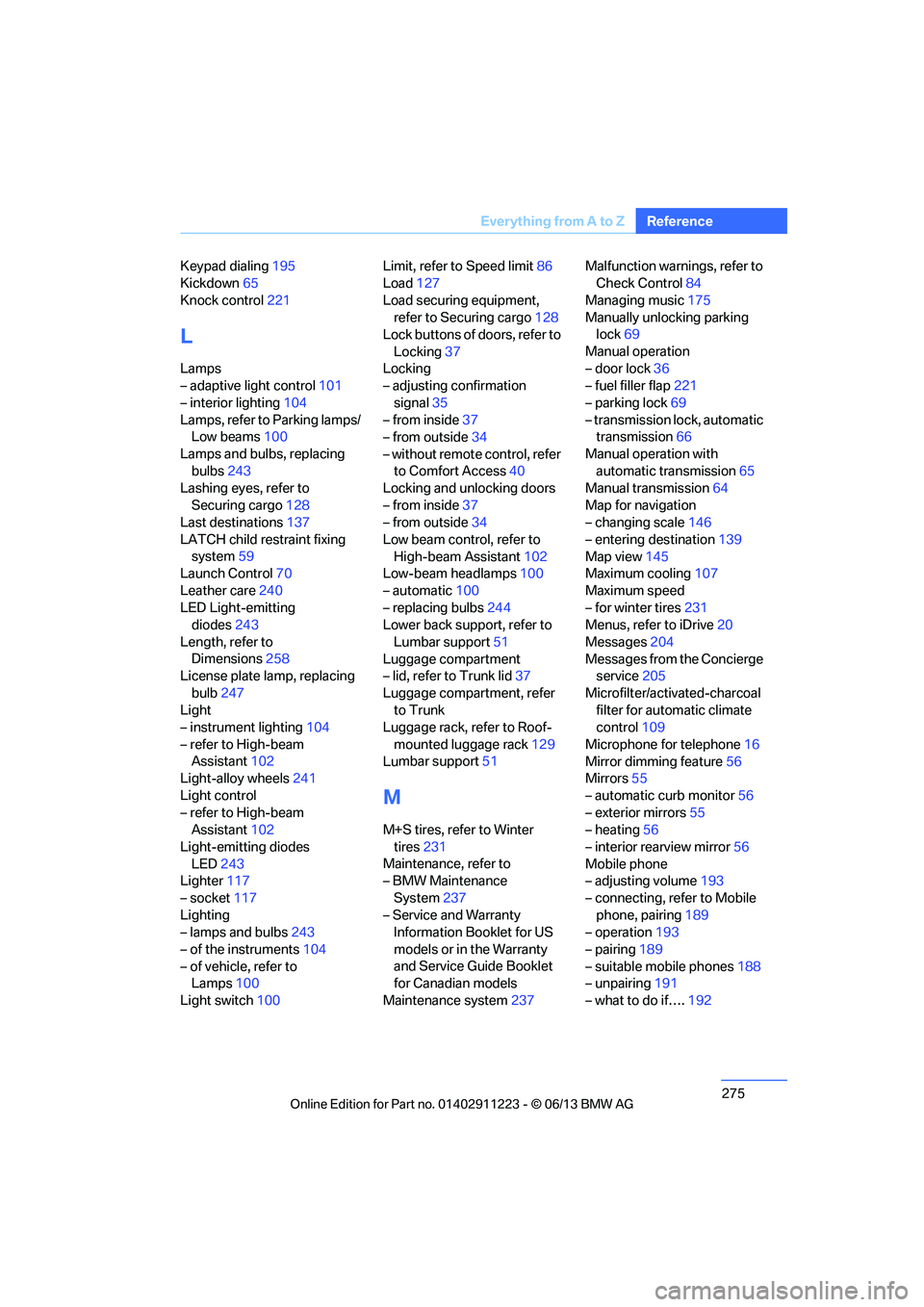
Keypad dialing
195
Kickdown 65
Knock control 221
L
Lamps
– adaptive light control 101
– interior lighting 104
Lamps, refer to Parking lamps/ Low beams 100
Lamps and bulbs, replacing bulbs 243
Lashing eyes, refer to
Securing cargo 128
Last destinations 137
LATCH child restraint fixing system 59
Launch Control 70
Leather care 240
LED Light-emitting diodes 243
Length, refer to Dimensions 258
License plate lamp, replacing
bulb 247
Light
– instrument lighting 104
– refer to High-beam Assistant 102
Light-alloy wheels 241
Light control
– refer to High-beam Assistant 102
Light-emitting diodes LED 243
Lighter 117
– socket 117
Lighting
– lamps and bulbs 243
– of the instruments 104
– of vehicle, refer to Lamps 100
Light switch 100 Limit, refer to Speed limit
86
Load 127
Load securing equipment, refer to Securing cargo 128
Lock buttons of doors, refer to
Locking 37
Locking
– adjusting confirmation
signal 35
– from inside 37
– from outside 34
– without remote control, refer to Comfort Access 40
Locking and unlocking doors
– from inside 37
– from outside 34
Low beam control, refer to High-beam Assistant 102
Low-beam headlamps 100
– automatic 100
– replacing bulbs 244
Lower back support, refer to
Lumbar support 51
Luggage compartment
– lid, refer to Trunk lid 37
Luggage compartment, refer to Trunk
Luggage rack, refer to Roof-
mounted luggage rack 129
Lu mbar su
pport51
M
M+S tires, refer to Winter
tires 231
Maintenance, refer to
– BMW Maintenance
System 237
– Service and Warranty Information Booklet for US
models or in the Warranty
and Service Guide Booklet
for Canadian models
Maintenance system 237Malfunction warnings, refer to
Check Control 84
Managing music 175
Manually unlocking parking lock 69
Manual operation
– door lock 36
– fuel filler flap 221
– parking lock 69
– transmission lock, automatic transmission 66
Manual operation with automatic transmission 65
Manual transmission 64
Map for navigation
– changing scale 146
– entering destination 139
Map view 145
Maximum cooling 107
Maximum speed
– for winter tires 231
Menus, refer to iDrive 20
Messages 204
Messages from the Concierge service 205
Microfilter/activated-charcoal filter for automatic climate
control 109
Microphone for telephone 16
Mirror dimming feature 56
Mirrors 55
– automatic curb monitor 56
– exterior mirrors 55
– heating 56
– interior rearview mirror 56
Mobile phone
– adjusting volume 193
– connecting, refer to Mobile phone, pairing 189
– operation 193
– pairing 189
– suitable mobile phones 188
– unpairing 191
– what to do if…. 192
00320051004F004C00510048000300280047004C0057004C005200510003