mirror controls BMW 128I 2013 User Guide
[x] Cancel search | Manufacturer: BMW, Model Year: 2013, Model line: 128I, Model: BMW 128I 2013Pages: 284, PDF Size: 6.93 MB
Page 114 of 284
113
Practical interior accessories
Controls
Canada: if the LED does not flash rapidly
after approx. 60 seconds, alter the distance
and repeat this step or, if the programming
by means of the hand-held transmitter was
interrupted, hold down the button on the
inside mirror and then press and release the
button on the hand-held transmitter several
times, holding it down for 2 seconds each
time.
Operation
To prevent possible
damage or injury,
before programming or using the inte-
grated universal remote control to operate a
device, always inspect the immediate area to
make certain that no people, animals or objects
are within the pivoting or travel range of the
device being operated.
Also follow the safety in structions supplied with
the hand-held transmitter. <
The button on the inside mirror can be used to
operate the device, for example the garage
door, if the engine is running or the ignition is
switched on. To do so , within the reception
range of the device, pr ess the button of the
device until the function is triggered. The LED
on the inside mirror remains lit during transmis-
sion of the radio signal.
Deleting stored functions
Simultaneously hold down the right and left
buttons on the inside mirror for approx. 20 sec-
onds until the LED on the inside mirror flashes
rapidly. All stored functions are deleted. The
functions cannot be de leted individually.
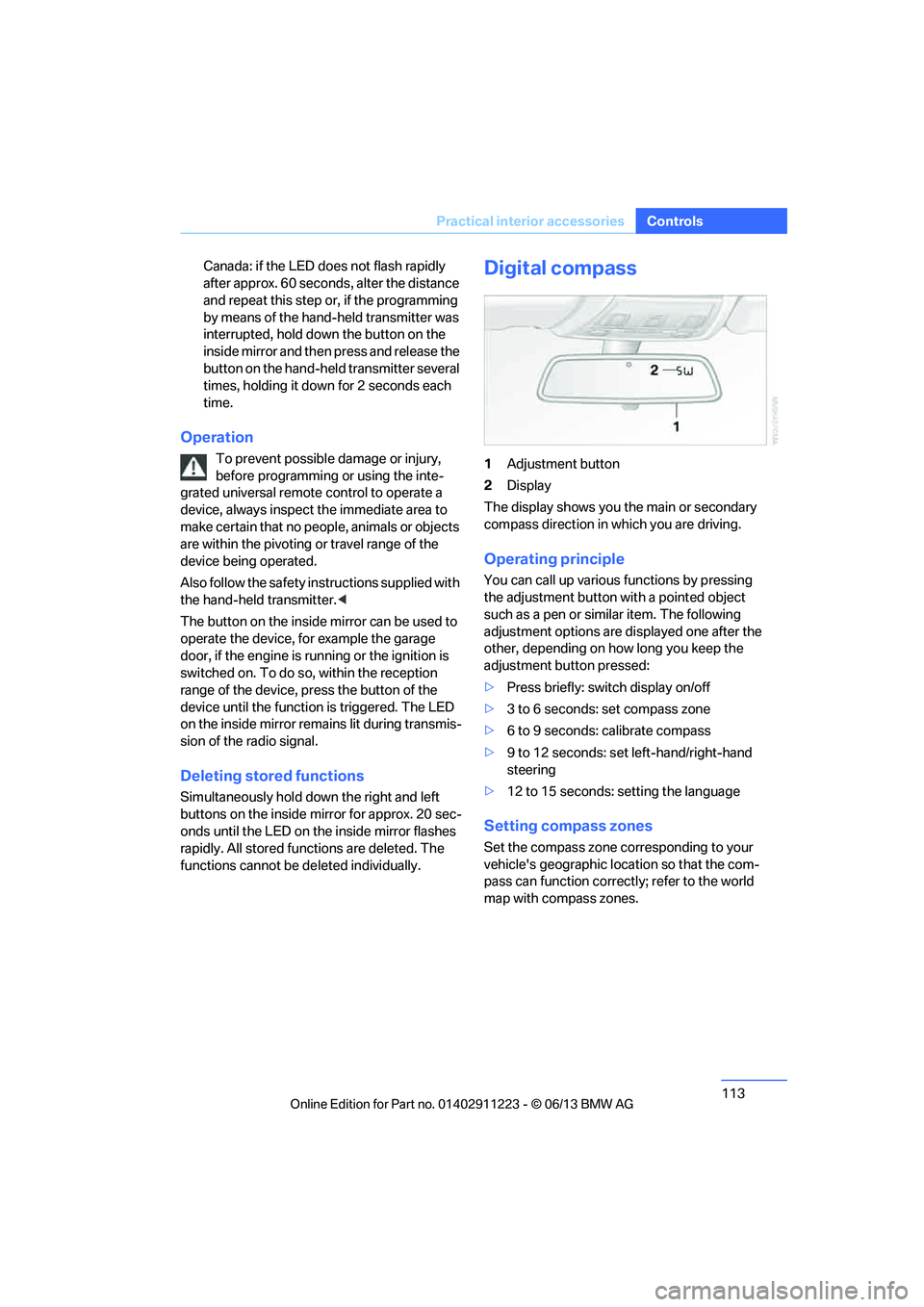
Digital compass
1Adjustment button
2 Display
The display shows you the main or secondary
compass direction in which you are driving.
Operating principle
You can call up various functions by pressing
the adjustment button wi th a pointed object
such as a pen or similar item. The following
adjustment options are displayed one after the
other, depending on how long you keep the
adjustment button pressed:
> Press briefly: switch display on/off
> 3 to 6 seconds: set compass zone
> 6 to 9 seconds: calibrate compass
> 9 to 12 seconds: set left-hand/right-hand
steering
> 12 to 15 seconds: setting the language
Setting compass zones
Set the compass zone co rresponding to your
vehicle's geographic location so that the com-
pass can function correct ly; refer to the world
map with compass zones.
00320051004F004C00510048000300280047004C0057004C005200510003
Page 278 of 284
277
Everything from A to Z
Reference
Park Distance Control PDC
88
Parked car ventilation 110
– preselecting switch-on times 110
– switching on and off
directly 110
Parking
– vehicle 63
Parking aid, refer to Park Distance Control PDC 88
Parking brake 63
– indicator lamp 63
Parking lamps/low beams 100
– replacing bulbs 245
Parts and accessories, refer to Vehicle equipment 5
Passenger side mirror tilt function 56
Pathway lighting 101
Personal information, refer to Office 201
Personal Profile 32
Phone numbers
– dialing 194
Phone reception level, refer to
Status information 23
Pinch protection system
– glass roof, electric 44
– windows 43
Playing music 174
Polish 241
Pollen, refer to Microfilter/ activated-charcoal filter 109
Power windows 42
Power windows, refer to Windows 42
Pressure, tires 223
Pressure monitoring of tires, refer to Flat Tire Monitor 91
Pressure monitoring of tires,
refer to Tire Pressure
Monitor TPM 92
Programmable buttons on the
steering wheel 13 Programmable memory
keys 25
Protection function, refer to Pinch protection system
– glass roof, electric 44
– windows 43
Providing medical assistance, refer to First aid pouch 251
Puncture
– flat tire monitor 91
R
Radio
– controls154
– HD radio 159
– satellite radio 161
– selecting waveband 157
– storing stations 158
– switching on/off 154
– tone control 155
– volume 155
Radio position, refer to Radio readiness 61
Radio readiness 61
– switched off 62
– switched on 61
Rain sensor 72
Random sequence
– CD player 167
– external devices 180
– music collection 175
Reading aloud 209
Reading lamps 105
Rear lamps, refer to Tail lamps 246
Rear seats
– adjusting head restraints 52
– folding down backrests 117
Rearview mirror, refer to
Mirrors 55
Rear window defroster 109
Reception
– quality 158
– radio station 158 Recirculated air mode
108
Recirculation of air, refer to
Recirculated air mode 108
Redialing 196
Reflectors, refer to Tail
lamps 246
Refueling 220
Releasing
– hood 233
Remaining distance, refer to Computer 78
Remaining distance, refer to Cruising range 77
Reminders 208
Remote control 32
– battery renewal 41
– comfort access 40
– garage door opener 111
– malfunctions 35,41
– removing from the ignition lock 61
– service data 237
– trunk lid 35
Remote control key, refer to Integrated key/remote
control 32
Re plac
ement fuses, refer to
Fuses 249
Replacement remote control 32
Replacing bulbs, refer to
Lamps and bulbs 243
Replacing tires, refer to New wheels and tires 230
Reporting safety defects 7
Reserve warning, refer to Fuel gauge 76
Reservoir for washer systems 73
Reset, refer to Resetting tone
settings 156
Restraint systems, refer to Safety belts 54
Restraint systems for children 58
00320051004F004C00510048000300280047004C0057004C005200510003