parking brake BMW 128I 2013 User Guide
[x] Cancel search | Manufacturer: BMW, Model Year: 2013, Model line: 128I, Model: BMW 128I 2013Pages: 284, PDF Size: 6.93 MB
Page 181 of 284
180
EntertainmentExternal devices
Current playback
List of tracks currently being played.
1."CD/Multimedia"
2. "External devices"
3. Select the or symbol.
4. "Current playback"
Random play sequence
The current list of tracks is played in random
sequence.
1. "CD/Multimedia"
2. "External devices"
3. Open "Options".
4. "Random"
Fast forward/reverse
Press and hold the button.
Video playback
Overview
Video playback possible via snap-in adapter.
They can be operated via iDrive. Sound is
output over the vehicle speakers.
Playback
For your own safety, the video image is only dis-
played up to approx. 2 mph/3 km/h and in some
market-specific versions, only with the parking
brake engaged or the selector lever of the auto-
matic transmission is in the park position.
1. "CD/Multimedia"
2. "External devices"
3. Select the symbol.
4. "Video"
5. Select the directory, if necessary.
To change to a higher level directory: move
the controller to the left.
6. Select the desired video file to begin
playback.
Video menu
Notes
Do not expose the audio device to extreme
environmental conditions, e.g. very high tem-
peratures, refer to the operating instructions of
the audio device.
Depending on the configuration of the audio
files, e.g. bit rates greater than 256 Kbit/s,
proper playback cannot always be ensured.
Information on connection
>The connected audio device is supplied
with a max. power of 500 mA if supported
by the device. For this reason, do not con-
nect the device to a charging socket in the
vehicle; otherwise, it may not be possible to
ensure proper playback.
> Do not use force when plugging the con-
nector into the USB interface.
> Do not connect devices such as fans or
lamps to the USB audio interface.
> Do not connect USB hard drives.
> Do not use the USB audio interface to
recharge external devices.
Bluetooth audio
Overview
>It is possible to use Bluetooth to play music
files from external devices, e.g. audio
devices or mobile phones.
Using a mobile phone as an audio source,
refer to page 178.
> Bluetooth® is a registered trademark of
Bluetooth® SIG, Inc.
SymbolFormat
Next video file
Previous video file
It may be necessary to click the
symbol twice in order to play the
previous video file.
00320051004F004C00510048000300280047004C0057004C005200510003
Page 241 of 284
240
MobilityCare
Driving into an automatic car wash
Perform the following steps to ensure that the
vehicle can roll:
Manual transmission:
1.Shift into neutral.
2. Release parking brake, refer to page 63.
3. Switch off the engine.
4. Leave the remote control in the ignition
lock.
Automatic transmission:
1. Insert the remote cont rol into the ignition
lock, even with Comfort Access.
2. Shift selector lever into position N.
3. Release parking brake, refer to page 63.
4. Switch off the engine.
5. Leave the remote control in the ignition
lock.
Sport automatic transmission with double
clutch:
1. Insert the remote cont rol into the ignition
lock, even with Comfort Access.
2. Shift selector lever into position N.
3. Release parking brake, refer to page 63.
4. Switch off the engine.
5. Leave the remote control in the ignition
lock.
The transmission is switched into position P:
> Automatically after approx. 30 minutes
> If you remove the infrared remote control
from the ignition lock
Headlamps
Do not rub them dry and do not use abrasive or
corrosive cleaning agents.
Loosen dirt, e.g. insects, with shampoo and
rinse away with water.
Thaw ice with a de-icer and do not use an ice
scraper.
After washing the vehicle
After washing the vehicle, apply the
brakes briefly to dry them; otherwise,
water can reduce braking efficiency over the
short term and the brake discs can corrode. <
R e m o v e r e s i d u e s o n t h e windows completely in
order to prevent impaired vision due to smear
formation and to reduce wiper noise and wiper
blade wear.
Vehicle care
Care products
BMW recommends using BMW cleaning and
care products since they have been tested and
approved for this purpose.
Follow the instructions on the packaging.
When cleaning inside the vehicle, always
open the doors and windows. Only use prod-
ucts designed for cleaning vehicles. Cleaning
agents can contain substa nces that are danger-
ous or hazardous to your health. <
Vehicle paintwork
Regular care contributes to driving safety and
value retention. Environmental influences in
regions with elevated levels of air pollution or
natural contaminants such as tree sap or pollen
can impact vehicle paintwork. The frequency
and scope of car care should be adapted
accordingly.
Immediately remove particularly corrosive sub-
stances such as spilled fuel, oil, grease, or bird
droppings to prevent damage to the paintwork.
Leather care
Frequently remove dust from the leather using
a cloth or vacuum cleaner.
Otherwise, dust and road grit in the pores and
folds of the leather will otherwise have an abra-
sive effect, resulting in increased wear and
causing the leather surf ace to become brittle
prematurely.
00320051004F004C00510048000300280047004C0057004C005200510003
Page 247 of 284
246
MobilityReplacing components
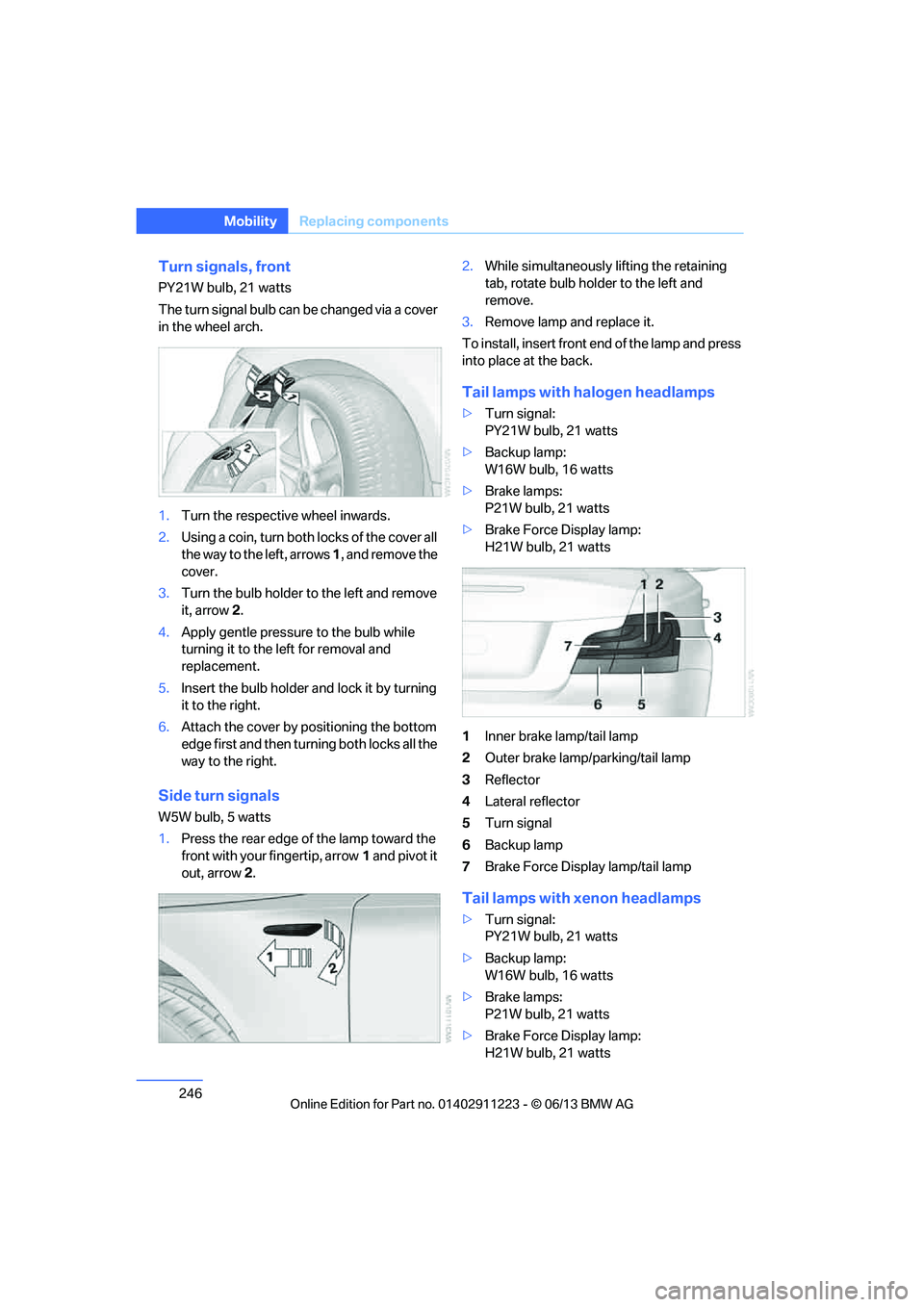
Turn signals, front
PY21W bulb, 21 watts
The turn signal bulb can be changed via a cover
in the wheel arch.
1.Turn the respecti ve wheel inwards.
2. Using a coin, turn both locks of the cover all
the way to the left, arrows 1, and remove the
cover.
3. Turn the bulb holder to the left and remove
it, arrow 2.
4. Apply gentle pressure to the bulb while
turning it to the left for removal and
replacement.
5. Insert the bulb holder and lock it by turning
it to the right.
6. Attach the cover by positioning the bottom
edge first and then turn ing both locks all the
way to the right.
Side turn signals
W5W bulb, 5 watts
1. Press the rear edge of the lamp toward the
front with your fingertip, arrow 1 and pivot it
out, arrow 2. 2.
While simultaneously lifting the retaining
tab, rotate bulb hold er to the left and
remove.
3. Remove lamp and replace it.
To install, insert front end of the lamp and press
into place at the back.
Tail lamps with halogen headlamps
> Turn signal:
PY21W bulb, 21 watts
> Backup lamp:
W16W bulb, 16 watts
> Brake lamps:
P21W bulb, 21 watts
> Brake Force Display lamp:
H21W bulb, 21 watts
1 Inner brake lamp/tail lamp
2 Outer brake lamp/parking/tail lamp
3 Reflector
4 Lateral reflector
5 Turn signal
6 Backup lamp
7 Brake Force Display lamp/tail lamp
Tail lamps with xenon headlamps
>Turn signal:
PY21W bulb, 21 watts
> Backup lamp:
W16W bulb, 16 watts
> Brake lamps:
P21W bulb, 21 watts
> Brake Force Display lamp:
H21W bulb, 21 watts
00320051004F004C00510048000300280047004C0057004C005200510003
Page 248 of 284
247
Replacing components
Mobility
1
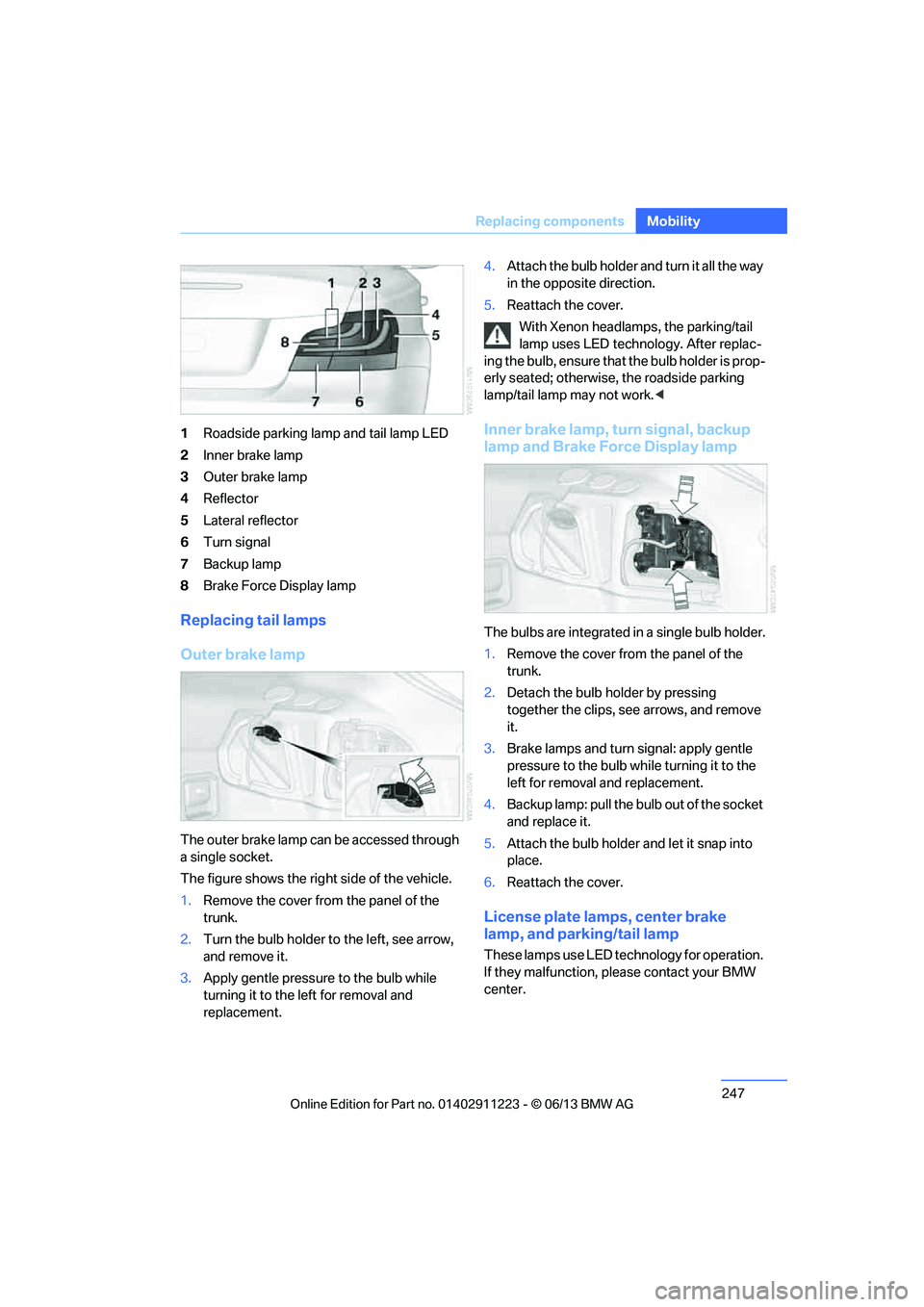
Roadside parking lamp and tail lamp LED
2 Inner brake lamp
3 Outer brake lamp
4 Reflector
5 Lateral reflector
6 Turn signal
7 Backup lamp
8 Brake Force Display lamp
Replacing tail lamps
Outer brake lamp
The outer brake lamp can be accessed through
a single socket.
The figure shows the right side of the vehicle.
1.Remove the cover from the panel of the
trunk.
2. Turn the bulb holder to the left, see arrow,
and remove it.
3. Apply gentle pressure to the bulb while
turning it to the left for removal and
replacement. 4.
Attach the bulb holder and turn it all the way
in the opposite direction.
5. Reattach the cover.
With Xenon headlamps, the parking/tail
lamp uses LED techno logy. After replac-
ing the bulb, ensure that the bulb holder is prop-
erly seated; otherwise, the roadside parking
lamp/tail lamp may not work. <
Inner brake lamp, turn signal, backup
lamp and Brake Force Display lamp
The bulbs are integrated in a single bulb holder.
1.Remove the cover from the panel of the
trunk.
2. Detach the bulb holder by pressing
together the clips, see arrows, and remove
it.
3. Brake lamps and turn signal: apply gentle
pressure to the bulb wh ile turning it to the
left for removal and replacement.
4. Backup lamp: pull the bulb out of the socket
and replace it.
5. Attach the bulb holder and let it snap into
place.
6. Reattach the cover.
License plate lamps, center brake
lamp, and parking/tail lamp
These lamps use LED technology for operation.
If they malfunction, please contact your BMW
center.
00320051004F004C00510048000300280047004C0057004C005200510003
Page 270 of 284
269
Everything from A to Z
Reference
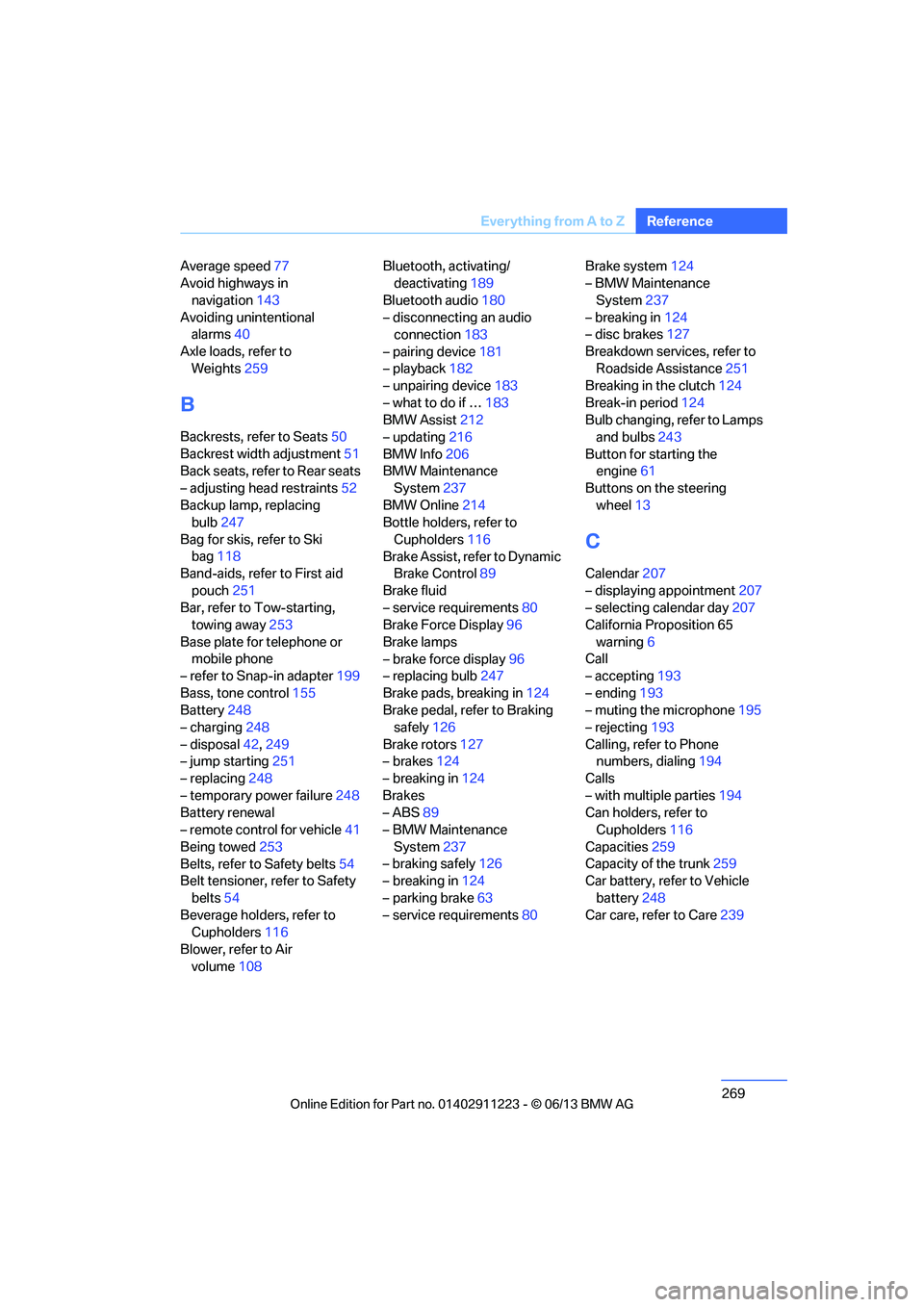
Average speed
77
Avoid highways in
navigation 143
Avoiding unintentional alarms 40
Axle loads, refer to Weights 259
B
Backrests, refer to Seats 50
Backrest width adjustment 51
Back seats, refer to Rear seats
– adjusting head restraints 52
Backup lamp, replacing bulb 247
Bag for skis, refer to Ski bag 118
Band-aids, refer to First aid
pouch 251
Bar, refer to Tow-starting, towing away 253
Base plate for telephone or mobile phone
– refer to Snap-in adapter 199
Bass, tone control 155
Battery 248
– charging 248
– disposal 42,249
– jump starting 251
– replacing 248
– temporary power failure 248
Battery renewal
– remote control for vehicle 41
Being towed 253
Belts, refer to Safety belts 54
Belt tensioner, refer to Safety
belts 54
Beverage holders, refer to Cupholders 116
Blower, refer to Air volume 108 Bluetooth, activating/
deactivating 189
Bluetooth audio 180
– disconnecting an audio connection 183
– pairing device 181
– playback 182
– unpairing device 183
– what to do if … 183
BMW Assist 212
– updating 216
BMW Info 206
BMW Maintenance System 237
BMW Online 214
Bottle holders, refer to
Cupholders 116
Brake Assist, refer to Dynamic Brake Control 89
Brake fluid
– service requirements 80
Brake Force Display 96
Brake lamps
– brake force display 96
– replacing bulb 247
Brake pads, breaking in 124
Brake pedal, refer to Braking safely 126
Bra k
e rotors 127
– brakes 124
– breaking in 124
Brakes
– ABS 89
– BMW Maintenance
System 237
– braking safely 126
– breaking in 124
– parking brake 63
– service requirements 80Brake system
124
– BMW Maintenance
System 237
– breaking in 124
– disc brakes 127
Breakdown services, refer to Roadside Assistance 251
Breaking in the clutch 124
Break-in period 124
Bulb changing, refer to Lamps and bulbs 243
Button for starting the engine 61
Buttons on the steering
wheel 13
C
Calendar 207
– displaying appointment 207
– selecting calendar day 207
California Proposition 65
warning 6
Call
– accepting 193
– ending 193
– muting the microphone 195
– rejecting 193
Calling, refer to Phone numbers, dialing 194
Calls
– with multiple parties 194
Can holders, refer to Cupholders 116
Capacities 259
Capacity of the trunk 259
Car battery, refer to Vehicle
battery 248
Car care, refer to Care 239
00320051004F004C00510048000300280047004C0057004C005200510003
Page 273 of 284
272
ReferenceEverything from A to Z
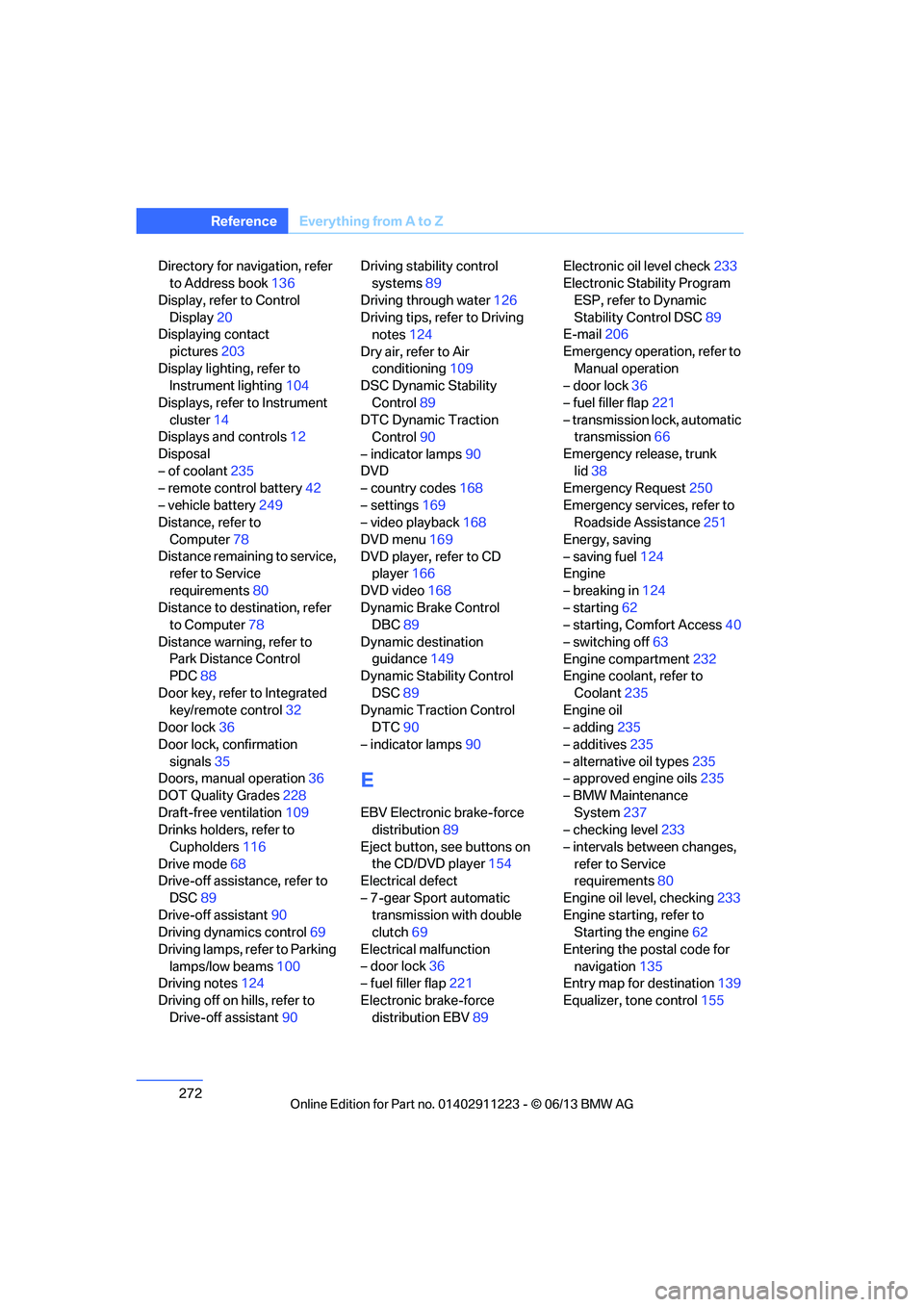
Directory for navigation, refer
to Address book 136
Display, refer to Control Display 20
Displaying contact
pictures 203
Display lighting, refer to Instrument lighting 104
Displays, refer to Instrument cluster 14
Displays and controls 12
Disposal
– of coolant 235
– remote control battery 42
– vehicle battery 249
Distance, refer to
Computer 78
Distance remaining to service, refer to Service
requirements 80
Distance to destination, refer to Computer 78
Distance warning, refer to Park Distance Control
PDC 88
Door key, refer to Integrated key/remote control 32
Door lock 36
Door lock, confirmation signals 35
Doors, manual operation 36
DOT Quality Grades 228
Draft-free ventilation 109
Drinks holders, refer to
Cupholders 116
Drive mode 68
Drive-off assistance, refer to
DSC 89
Drive-off assistant 90
Driving dynamics control 69
Driving lamps, refer to Parking lamps/low beams 100
Driving notes 124
Driving off on hills, refer to Drive-off assistant 90Driving stability control
systems 89
Driving through water 126
Driving tips, refer to Driving notes 124
Dry air, refer to Air conditioning 109
DSC Dynamic Stability
Control 89
DTC Dynamic Traction Control 90
– indicator lamps 90
DVD
– country codes 168
– settings 169
– video playback 168
DVD menu 169
DVD player, refer to CD player 166
DVD video 168
D y
namic Brake Control
DBC 89
Dynamic destination guidance 149
Dynamic Stability Control
DSC 89
Dynamic Traction Control DTC 90
– indicator lamps 90
E
EBV Electronic brake-force
distribution 89
Eject button, see buttons on the CD/DVD player 154
Electrical defect
– 7-gear Sport automatic transmission with double
clutch 69
Electrical malfunction
– door lock 36
– fuel filler flap 221
Electronic brake-force distribution EBV 89Electronic oil level check
233
Electronic Stability Program
ESP, refer to Dynamic
Stability Control DSC 89
E-mail 206
Emergency operation, refer to Manual operation
– door lock 36
– fuel filler flap 221
– transmission lock, automatic transmission 66
Emergency release, trunk lid 38
Emergency Request 250
Emergency services, refer to Roadside Assistance 251
Energy, saving
– saving fuel 124
Engine
– breaking in 124
– starting 62
– starting, Comfort Access 40
– switching off 63
Engine compartment 232
Engine coolant, refer to
Coolant 235
Engine oil
– adding 235
– additives 235
– alternative oil types 235
– approved engine oils 235
– BMW Maintenance System 237
– checking level 233
– intervals between changes, refer to Service
requirements 80
Engine oil level, checking 233
Engine starting, refer to Starting the engine 62
Entering the postal code for navigation 135
Entry map for destination 139
Equalizer, tone control 155
00320051004F004C00510048000300280047004C0057004C005200510003
Page 274 of 284
273
Everything from A to Z
Reference
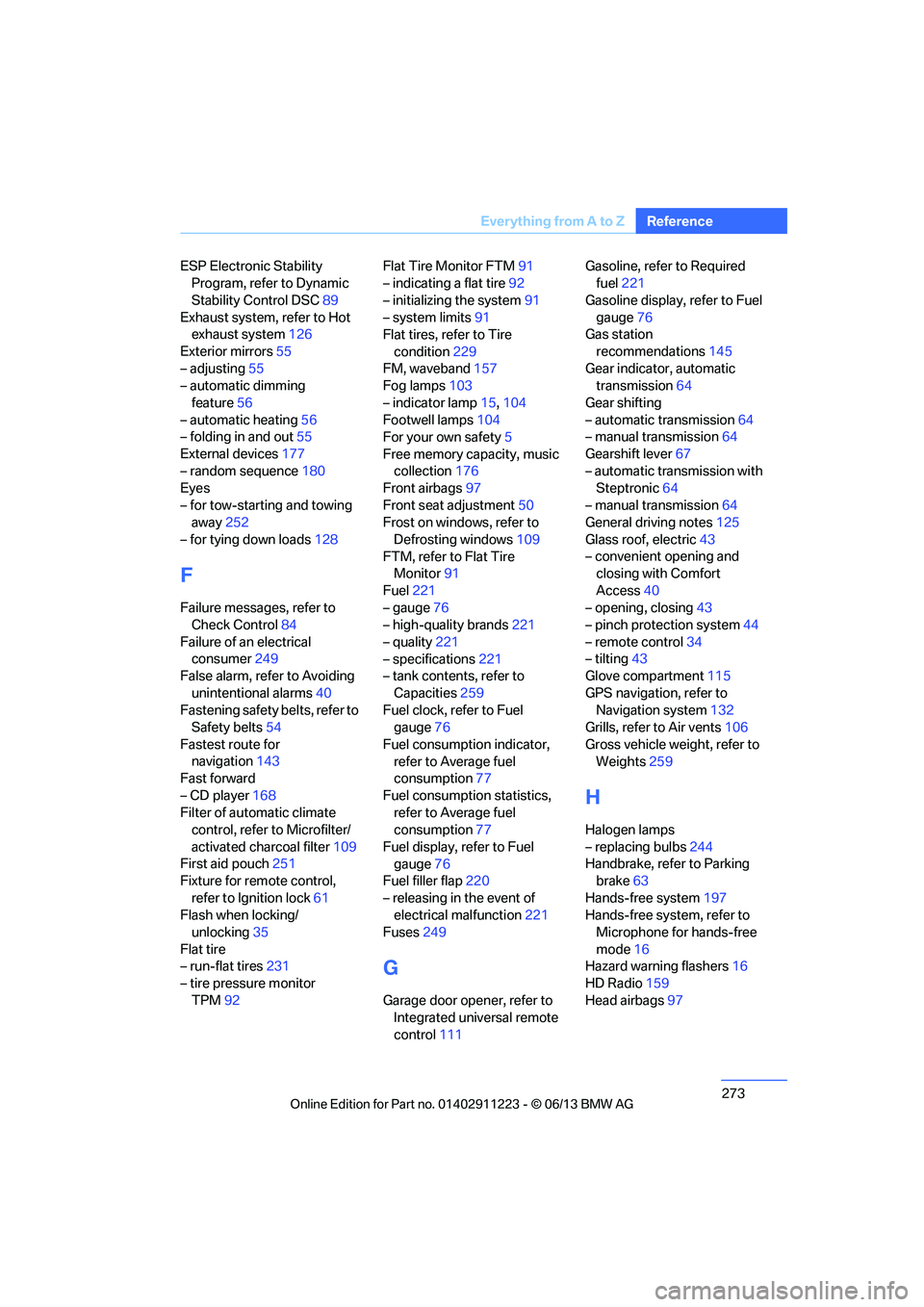
ESP Electronic Stability
Program, refer to Dynamic
Stability Control DSC 89
Exhaust system, refer to Hot exhaust system 126
Exterior mirrors 55
– adjusting 55
– automatic dimming
feature 56
– automatic heating 56
– folding in and out 55
External devices 177
– random sequence 180
Eyes
– for tow-starting and towing away 252
– for tying down loads 128
F
Failure messages, refer to
Check Control 84
Failure of an electrical consumer 249
False alarm, refer to Avoiding
unintentional alarms 40
Fastening safety belts, refer to Safety belts 54
Fastest route for navigation 143
Fast forward
– CD player 168
Filter of automatic climate control, refer to Microfilter/
activated charcoal filter 109
First aid pouch 251
Fixture for remote control,
refer to Ignition lock 61
Flash when locking/ unlocking 35
Flat tire
– run-flat tires 231
– tire pressure monitor
TPM 92 Flat Tire Monitor FTM
91
– indicating a flat tire 92
– initializing the system 91
– system limits 91
Flat tires, refer to Tire
condition 229
FM, waveband 157
Fog lamps 103
– indicator lamp 15,104
Footwell lamps 104
For your own safety 5
Free memory capacity, music collection 176
Front airbags 97
Front seat adjustment 50
Frost on windows, refer to
Defrosting windows 109
FTM, refer to Flat Tire Monitor 91
Fuel 221
– gauge 76
– high-quality brands 221
– quality 221
– specifications 221
– tank contents, refer to
Capacities 259
Fuel clock, refer to Fuel gauge 76
Fuel consumption indicator, refer to Average fuel
consumption 77
Fuel consumption statistics, refer to Average fuel
consumption 77
Fuel display, refer to Fuel gauge 76
Fuel filler flap 220
– releasing in the event of electrical malfunction 221
Fuses 249
G
Garage door opener, refer to
Integrated universal remote
control 111 Gasoline, refer to Required
fuel 221
Gasoline display, refer to Fuel gauge 76
Gas station
recommendations 145
Gear indicator, automatic transmission 64
Gear shifting
– automatic transmission 64
– manual transmission 64
Gearshift lever 67
– automatic transmission with Steptronic 64
– manual transmission 64
General driving notes 125
Glass roof, electric 43
– convenient opening and closing with Comfort
Access 40
– opening, closing 43
– pinch protection system 44
– remote control 34
– tilting 43
Glove compartment 115
GPS navigation, refer to Navigation system 132
Grills, refer to Air vents 106
Gross vehicle weight, refer to Weights 259
H
Halogen lamps
– replacing bulbs 244
Handbrake, refer to Parking brake 63
Hands-free system 197
Hands-free system, refer to Microphone for hands-free
mode 16
Hazard warning flashers 16
HD Radio 159
Head airbags 97
00320051004F004C00510048000300280047004C0057004C005200510003
Page 278 of 284
277
Everything from A to Z
Reference
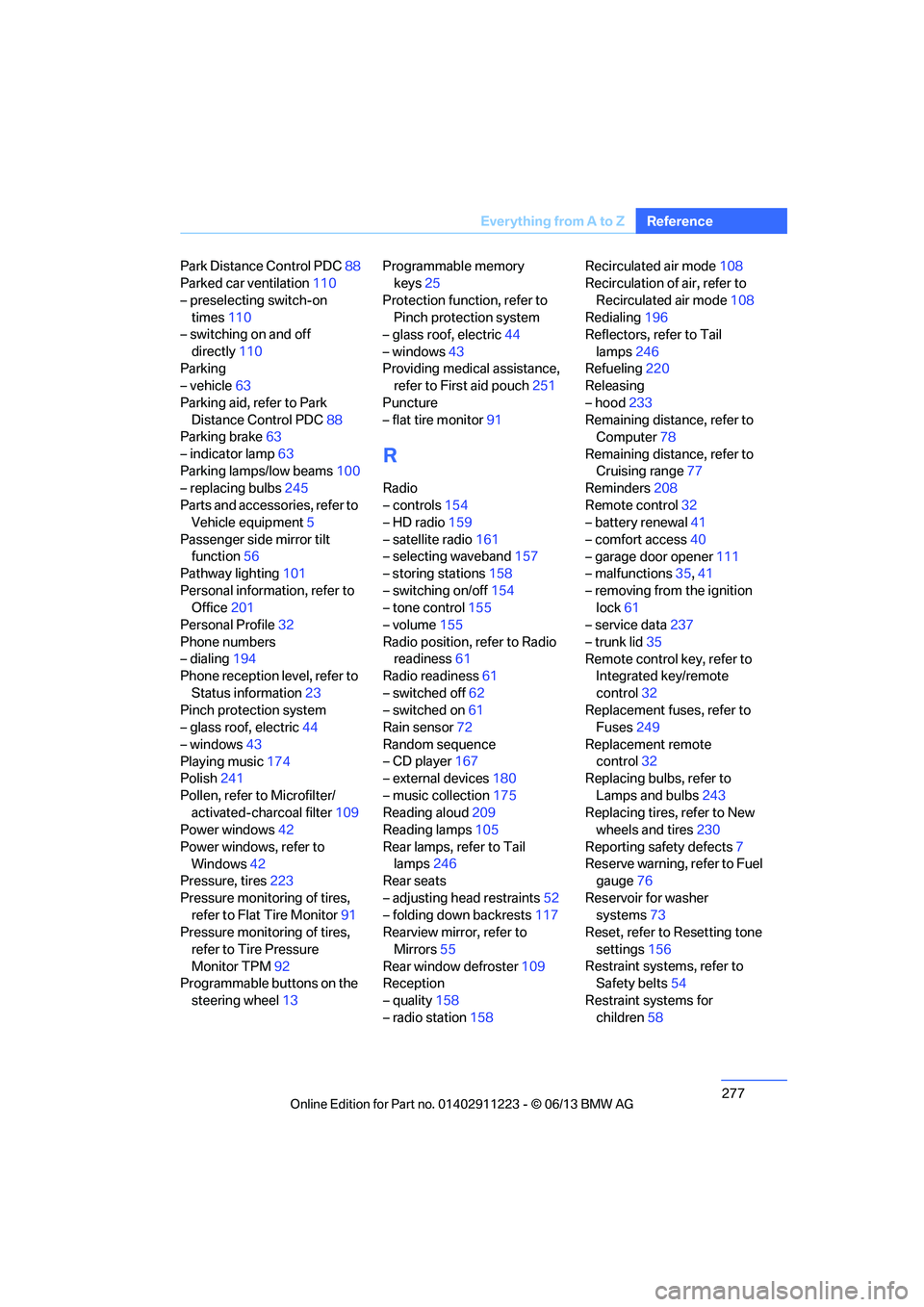
Park Distance Control PDC
88
Parked car ventilation 110
– preselecting switch-on times 110
– switching on and off
directly 110
Parking
– vehicle 63
Parking aid, refer to Park Distance Control PDC 88
Parking brake 63
– indicator lamp 63
Parking lamps/low beams 100
– replacing bulbs 245
Parts and accessories, refer to Vehicle equipment 5
Passenger side mirror tilt function 56
Pathway lighting 101
Personal information, refer to Office 201
Personal Profile 32
Phone numbers
– dialing 194
Phone reception level, refer to
Status information 23
Pinch protection system
– glass roof, electric 44
– windows 43
Playing music 174
Polish 241
Pollen, refer to Microfilter/ activated-charcoal filter 109
Power windows 42
Power windows, refer to Windows 42
Pressure, tires 223
Pressure monitoring of tires, refer to Flat Tire Monitor 91
Pressure monitoring of tires,
refer to Tire Pressure
Monitor TPM 92
Programmable buttons on the
steering wheel 13 Programmable memory
keys 25
Protection function, refer to Pinch protection system
– glass roof, electric 44
– windows 43
Providing medical assistance, refer to First aid pouch 251
Puncture
– flat tire monitor 91
R
Radio
– controls154
– HD radio 159
– satellite radio 161
– selecting waveband 157
– storing stations 158
– switching on/off 154
– tone control 155
– volume 155
Radio position, refer to Radio readiness 61
Radio readiness 61
– switched off 62
– switched on 61
Rain sensor 72
Random sequence
– CD player 167
– external devices 180
– music collection 175
Reading aloud 209
Reading lamps 105
Rear lamps, refer to Tail lamps 246
Rear seats
– adjusting head restraints 52
– folding down backrests 117
Rearview mirror, refer to
Mirrors 55
Rear window defroster 109
Reception
– quality 158
– radio station 158 Recirculated air mode
108
Recirculation of air, refer to
Recirculated air mode 108
Redialing 196
Reflectors, refer to Tail
lamps 246
Refueling 220
Releasing
– hood 233
Remaining distance, refer to Computer 78
Remaining distance, refer to Cruising range 77
Reminders 208
Remote control 32
– battery renewal 41
– comfort access 40
– garage door opener 111
– malfunctions 35,41
– removing from the ignition lock 61
– service data 237
– trunk lid 35
Remote control key, refer to Integrated key/remote
control 32
Re plac
ement fuses, refer to
Fuses 249
Replacement remote control 32
Replacing bulbs, refer to
Lamps and bulbs 243
Replacing tires, refer to New wheels and tires 230
Reporting safety defects 7
Reserve warning, refer to Fuel gauge 76
Reservoir for washer systems 73
Reset, refer to Resetting tone
settings 156
Restraint systems, refer to Safety belts 54
Restraint systems for children 58
00320051004F004C00510048000300280047004C0057004C005200510003
Page 279 of 284
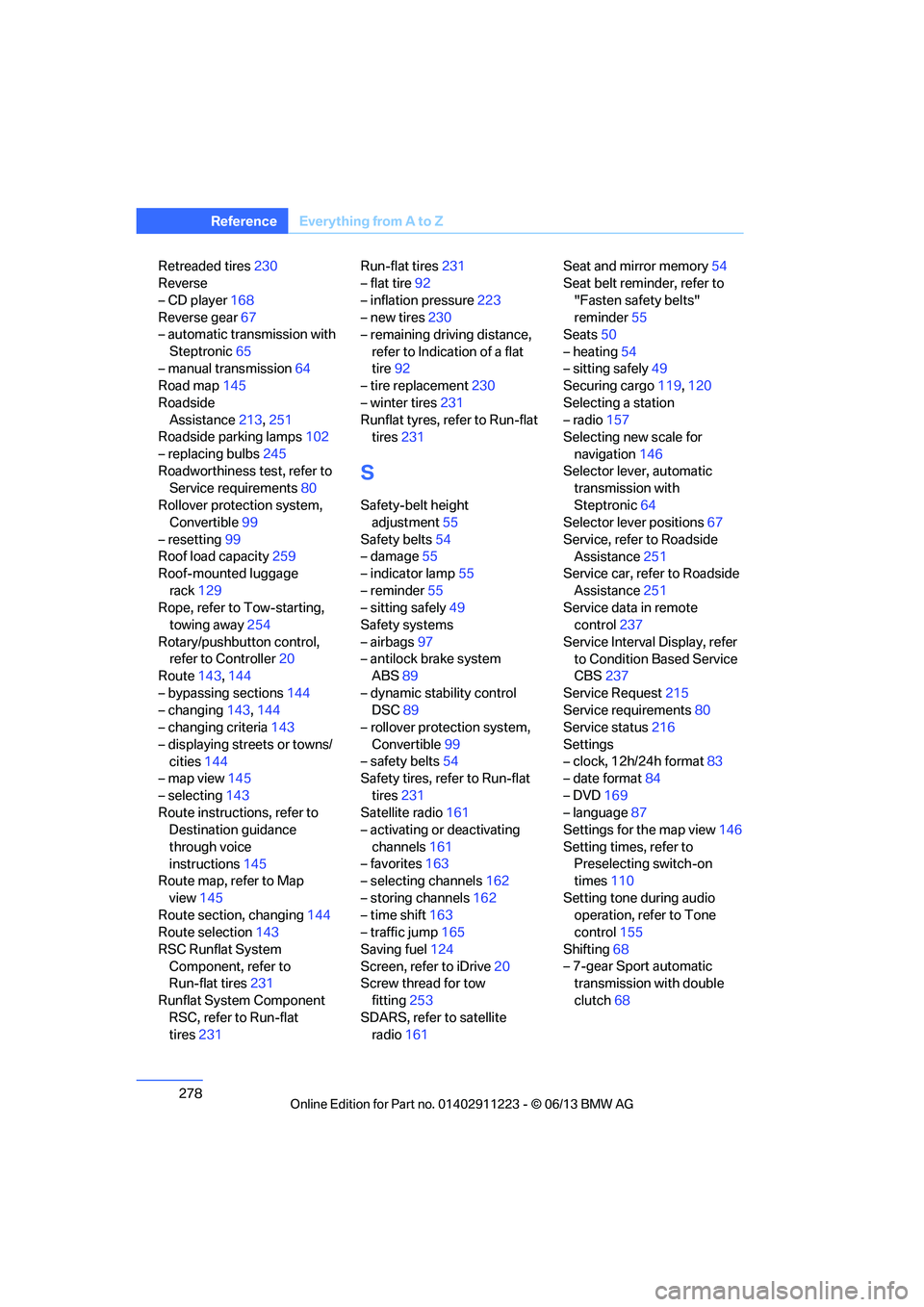
278
ReferenceEverything from A to Z
Retreaded tires 230
Reverse
– CD player 168
Reverse gear 67
– automatic transmission with
Steptronic 65
– manual transmission 64
Road map 145
Roadside Assistance 213,251
Roadside parking lamps 102
– replacing bulbs 245
Roadworthiness test, refer to Service requirements 80
Rollover protection system, Convertible 99
– resetting 99
Roof load capacity 259
Roof-mounted luggage
rack 129
Rope, refer to Tow-starting, towing away 254
Rotary/pushbutton control, refer to Controller 20
Route 143,144
– bypassing sections 144
– changing 143,144
– changing criteria 143
– displaying streets or towns/ cities 144
– map view 145
– selecting 143
Route instructions, refer to Destination guidance
through voice
instructions 145
Route map, refer to Map
view 145
Route section, changing 144
Route selection 143
RSC Runflat System Component, refer to
Run-flat tires 231
Runflat System Component RSC, refer to Run-flat
tires 231 Run-flat tires
231
– flat tire 92
– inflation pressure 223
– new tires 230
– remaining driving distance,
refer to Indication of a flat
tire 92
– tire replacement 230
– winter tires 231
Runflat tyres, refer to Run-flat tires 231
S
Safety-belt height
adjustment 55
Safety belts 54
– damage 55
– indicator lamp 55
– reminder 55
– sitting safely 49
Safety systems
– airbags 97
– antilock brake system ABS 89
– dynamic stability control DSC 89
– rollover protection system,
Convertible 99
– safety belts 54
Safety tires, re fer to Run-flat
tires 231
Satellite radio 161
– activating or deactivating
channels 161
– favorites 163
– selecting channels 162
– storing channels 162
– time shift 163
– traffic jump 165
Saving fuel 124
Screen, refer to iDrive 20
Screw thread for tow
fitting 253
SDARS, refer to satellite radio 161 Seat and mirror memory
54
Seat belt reminder, refer to
"Fasten safety belts"
reminder 55
Seats 50
– heating 54
– sitting safely 49
Securing cargo 119,120
Selecting a station
– radio 157
Selecting new scale for
navigation 146
Selector lever, automatic transmission with
Steptronic 64
Selector lever positions 67
Service, refer to Roadside Assistance 251
Service car, refer to Roadside
Assistance 251
Service data in remote control 237
Service Interval Display, refer to Condition Based Service
CBS 237
Service Request 215
Service requirements 80
Service status 216
Settings
– clock,
12h/24h format 83
– date format 84
– DVD 169
– language 87
Settings for the map view 146
Setting times, refer to Preselecting switch-on
times 110
Setting tone during audio operation, refer to Tone
control 155
Shifting 68
– 7-gear Sport automatic transmission with double
clutch 68
00320051004F004C00510048000300280047004C0057004C005200510003