language BMW 128I COUPE 2010 User Guide
[x] Cancel search | Manufacturer: BMW, Model Year: 2010, Model line: 128I COUPE, Model: BMW 128I COUPE 2010Pages: 250, PDF Size: 8.24 MB
Page 152 of 250
CD/DVD player and CD changer
150
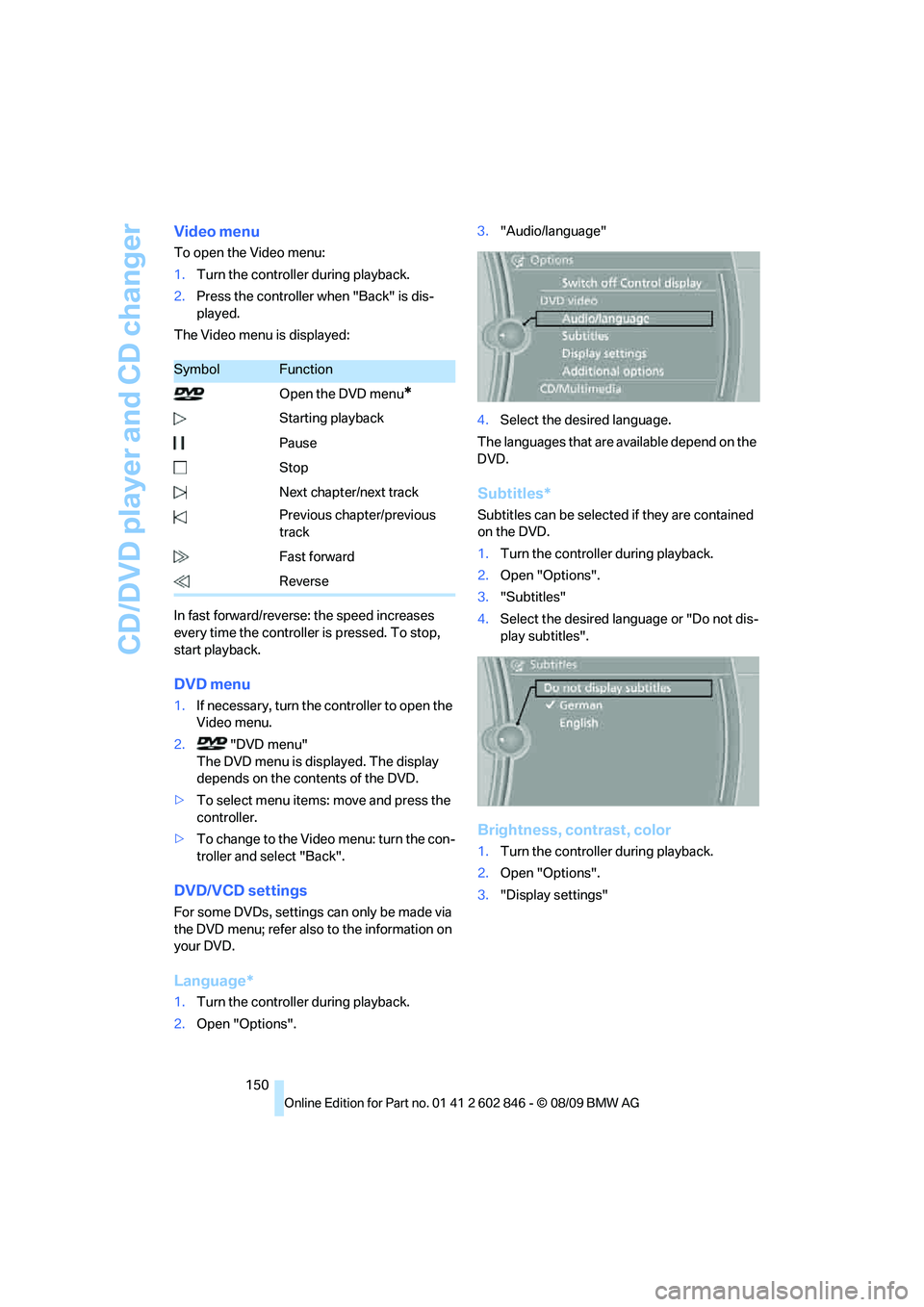
Video menu
To open the Video menu:
1.Turn the controller during playback.
2.Press the controller when "Back" is dis-
played.
The Video menu is displayed:
In fast forward/reverse: the speed increases
every time the controller is pressed. To stop,
start playback.
DVD menu
1.If necessary, turn the controller to open the
Video menu.
2. "DVD menu"
The DVD menu is displayed. The display
depends on the contents of the DVD.
>To select menu items: move and press the
controller.
>To change to the Video menu: turn the con-
troller and select "Back".
DVD/VCD settings
For some DVDs, settings can only be made via
the DVD menu; refer also to the information on
your DVD.
Language*
1.Turn the controller during playback.
2.Open "Options".3."Audio/language"
4.Select the desired language.
The languages that are available depend on the
DVD.
Subtitles*
Subtitles can be selected if they are contained
on the DVD.
1.Turn the controller during playback.
2.Open "Options".
3."Subtitles"
4.Select the desired language or "Do not dis-
play subtitles".
Brightness, contrast, color
1.Turn the controller during playback.
2.Open "Options".
3."Display settings"
SymbolFunction
Open the DVD menu
*
Starting playback
Pause
Stop
Next chapter/next track
Previous chapter/previous
track
Fast forward
Reverse
Page 178 of 250
Telephone
176
Selecting an entry
The connection to the phone number of the
selected entry is established.
Notes
Notes on Emergency Requests
Do not use the voice activation system to ini-
tiate an Emergency Request. In stressful situa-
tions, the voice and vocal pitch can change.
This can unnecessarily delay the establishment
of a telephone connection. Use the SOS but-
ton
* instead, refer to page215.
Important for voice commands
For voice commands, bear in mind the follow-
ing:
>Say the commands, numbers and letters
smoothly and with normal volume, empha-
sis and speed.
>Always say commands in the language of
the voice activation system.
>Keep the doors, windows, glass sunroof
* or
convertible top
* closed to prevent interfer-
ence from ambient noise.
>Avoid ambient noise in the vehicle while
speaking.
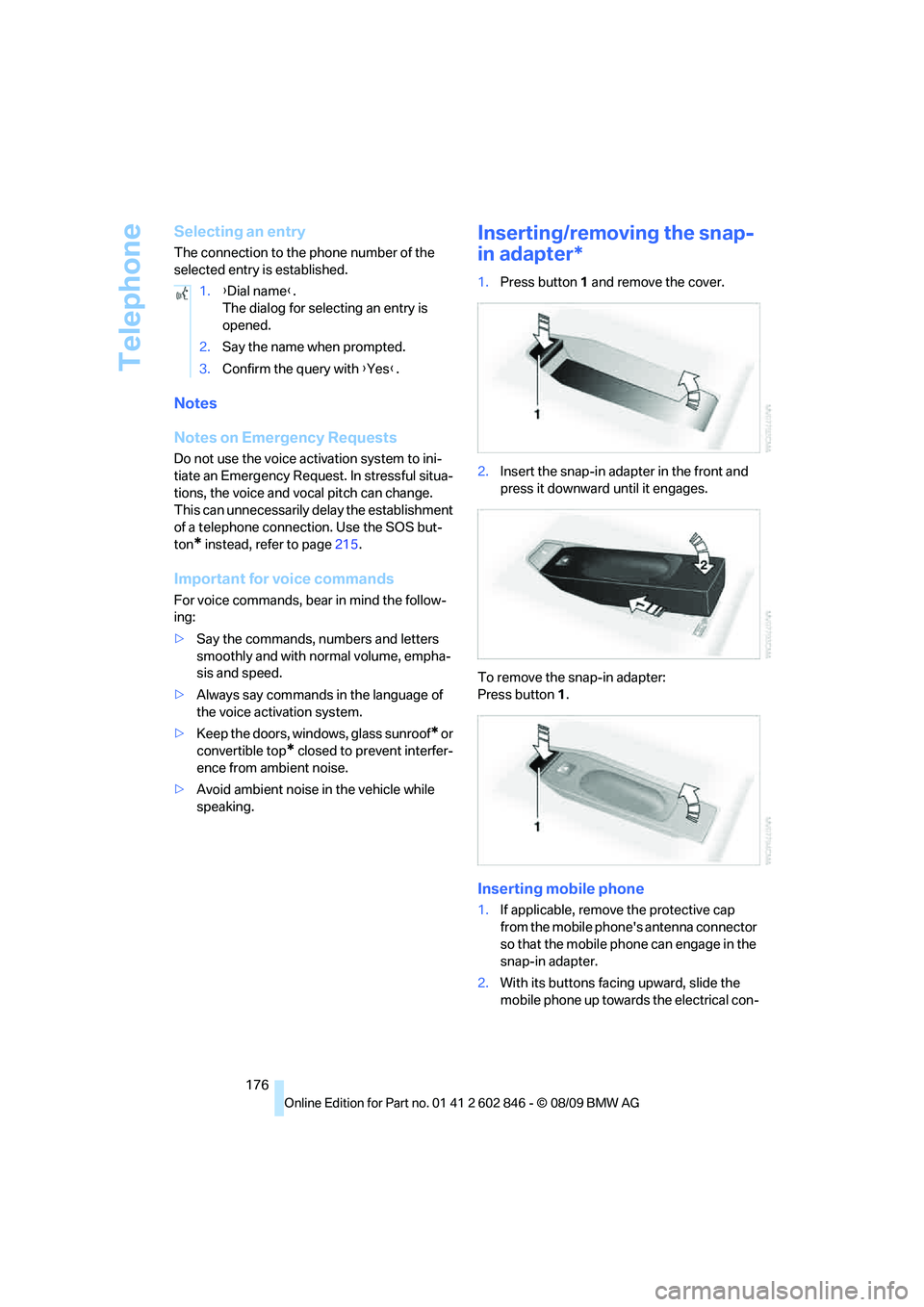
Inserting/removing the snap-
in adapter*
1.Press button1 and remove the cover.
2.Insert the snap-in adapter in the front and
press it downward until it engages.
To remove the snap-in adapter:
Press button 1.
Inserting mobile phone
1.If applicable, remove the protective cap
from the mobile phone's antenna connector
so that the mobile phone can engage in the
snap-in adapter.
2.With its buttons facing upward, slide the
mobile phone up towards the electrical con- 1.{Dial name}.
The dialog for selecting an entry is
opened.
2.Say the name when prompted.
3.Confirm the query with {Yes}.
Page 233 of 250
Reference 231
At a glance
Controls
Driving tips
Communications
Navigation
Entertainment
Mobility
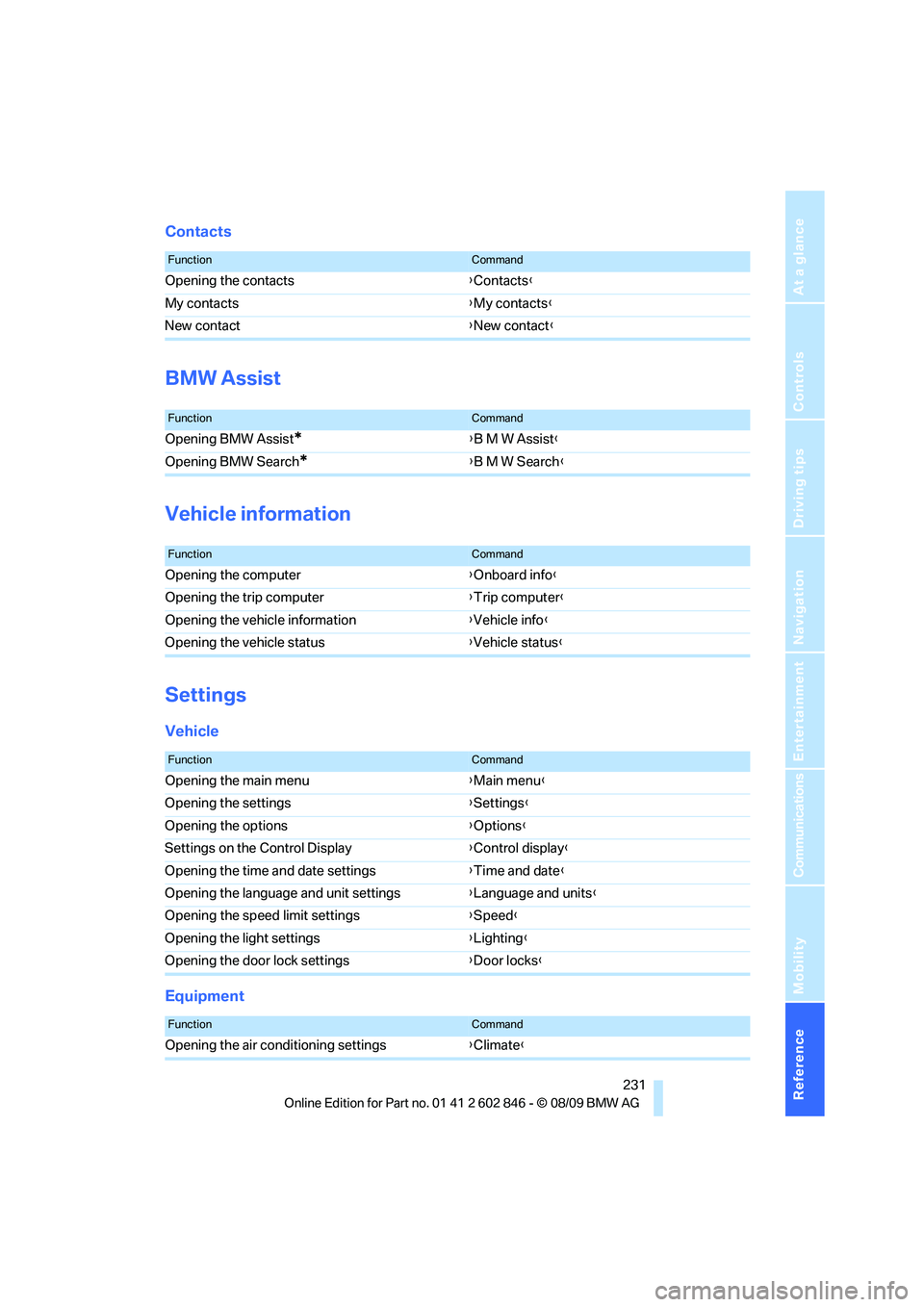
Contacts
BMW Assist
Vehicle information
Settings
Vehicle
Equipment
FunctionCommand
Opening the contacts{Contacts}
My contacts{My contacts}
New contact{New contact}
FunctionCommand
Opening BMW Assist*{B M W Assist}
Opening BMW Search
*{B M W Search}
FunctionCommand
Opening the computer{Onboard info}
Opening the trip computer{Trip computer}
Opening the vehicle information{Vehicle info}
Opening the vehicle status{Vehicle status}
FunctionCommand
Opening the main menu{Main menu}
Opening the settings{Settings}
Opening the options{Options}
Settings on the Control Display{Control display}
Opening the time and date settings{Time and date}
Opening the language and unit settings{Language and units}
Opening the speed limit settings{Speed}
Opening the light settings{Lighting}
Opening the door lock settings{Door locks}
FunctionCommand
Opening the air conditioning settings{Climate}
Page 236 of 250
Everything from A - Z
234 Car phone
– installation location, refer to
Center armrest100
– refer to separate Owner's
Manual
Car phone, refer to
Telephone166
Car radio, refer to Radio139
Car shampoo208
Car wash205
– with Comfort Access56
Catalytic converter, refer to
Hot exhaust system109
CD, audio playback147
CD changer147,151
– controls136
– fast forward/reverse149
– filling or emptying the
magazine152
– random play sequence148
– selecting a track147
– switching on/off136
– tone control136
– volume136
CD player147
– controls136
– fast forward/reverse149
– random play sequence148
– selecting a track147
– switching on/off136
– tone control136
– volume136
Center armrest100
Center brake lamp, replacing
bulb212
Center console, refer to
Around the center
console14
Central key, refer to Integrated
key/remote control26
Central locking
– from inside30
– from outside27
Central locking system27
– Comfort Access33
Changes, technical, refer to
For your own safety5
Changing the language on the
Control Display73Changing wheels212
Chassis number, refer to
Engine compartment199
Check Control71
Checking oil level199
Child restraint fixing system
LATCH53
Child restraint systems52
Child seats
52
Chrome parts208
Chrome polish208
Cigarette lighter101
Cleaning headlamps61
– washer fluid61
Cleaning your BMW, refer to
Care205
Clock63
– 12h/24h mode70
– setting the time and date70
– setting time69
Closing
– from inside30
– from outside27
Clothes hooks100
Cold start, refer to Starting the
engine56
Combination instrument, refer
to Instrument cluster12
Comfort Access33
– in a car wash56
– replacing the battery34
Comfort access, refer to
Comfort Access33
Comfort area, refer to Around
the center console14
Compartment for remote
control, refer to Ignition
lock55
Compass98
Computer64
– displays on Control
Display65
Computer, refer to iDrive16
Concierge service181
Condensation, refer to When
the vehicle is parked110
Condition Based Service
CBS203Configuring settings, refer to
Personal Profile26
Confirmation signals for
locking/unlocking the
vehicle28
Congestion
– refer to Route, bypassing
sections127
Connecting vacuum cleaner,
refer to Connecting
electrical appliances101
Consumption, refer to
Average fuel
consumption65
Contacts
– creating178
Control Center, refer to
iDrive16
Control Display16
Control Display, refer to iDrive
– switching on/off19
Controller, refer to iDrive16
Controls and displays10
Convenient operation
– windows28
– windows with Comfort
Access34
– with Comfort Access34
Convenient starting, refer to
Starting the engine56
Convertible
– rollover protection
system84
– top38
– wind deflector41
Convertible top
– Convenient opening28
Convertible top care206
Coolant201
– checking level202
– filling202
Coolant temperature64
Cooling, maximum92
Cooling fluid, refer to
Coolant201
Copyright2
Corner-illuminating lamps87
Page 239 of 250
Reference 237
At a glance
Controls
Driving tips
Communications
Navigation
Entertainment
Mobility
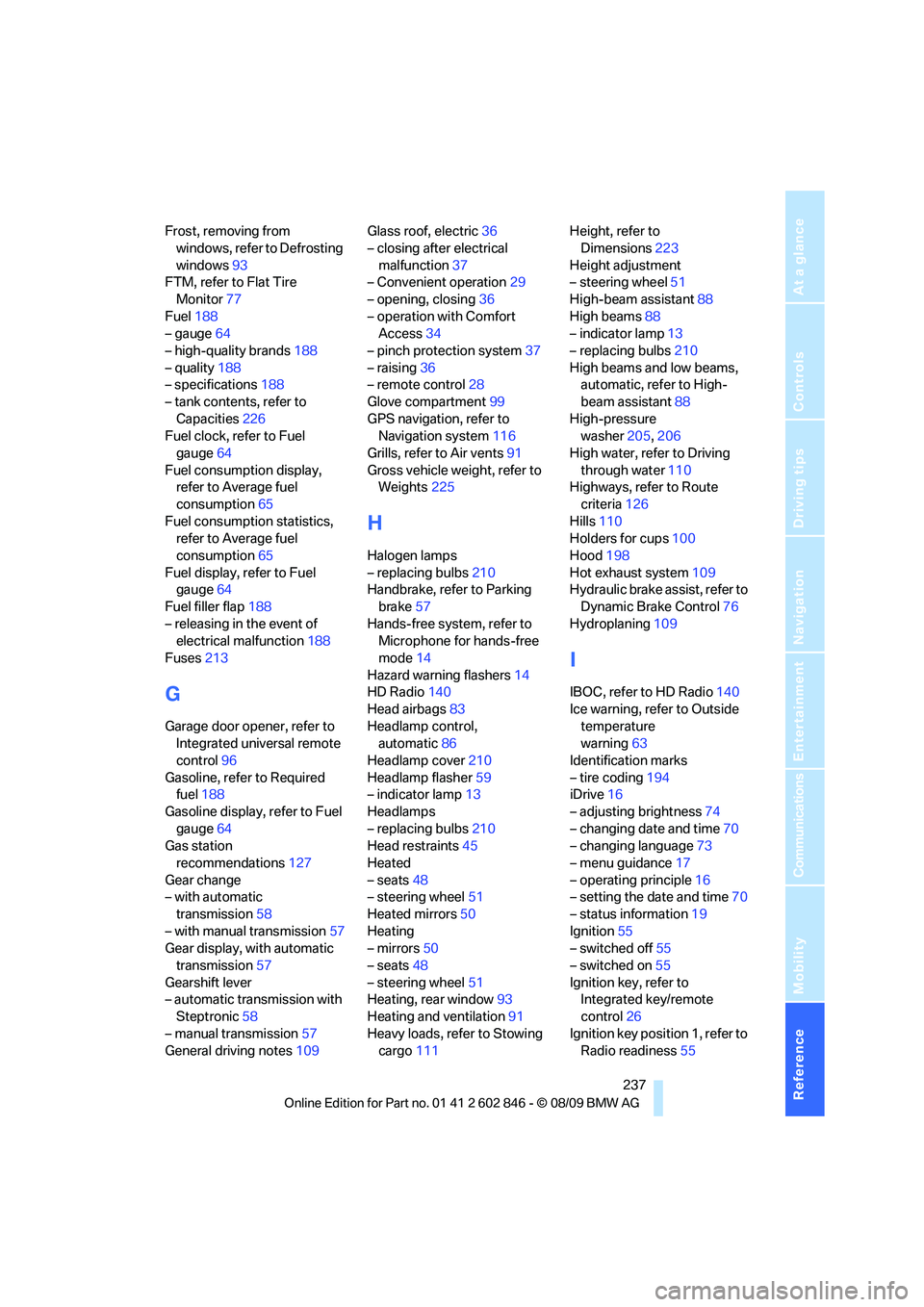
Frost, removing from
windows, refer to Defrosting
windows93
FTM, refer to Flat Tire
Monitor77
Fuel188
– gauge64
– high-quality brands188
– quality188
– specifications188
– tank contents, refer to
Capacities226
Fuel clock, refer to Fuel
gauge64
Fuel consumption display,
refer to Average fuel
consumption65
Fuel consumption statistics,
refer to Average fuel
consumption65
Fuel display, refer to Fuel
gauge64
Fuel filler flap188
– releasing in the event of
electrical malfunction188
Fuses213
G
Garage door opener, refer to
Integrated universal remote
control96
Gasoline, refer to Required
fuel188
Gasoline display, refer to Fuel
gauge64
Gas station
recommendations127
Gear change
– with automatic
transmission58
– with manual transmission57
Gear display, with automatic
transmission57
Gearshift lever
– automatic transmission with
Steptronic58
– manual transmission57
General driving notes109Glass roof, electric36
– closing after electrical
malfunction37
– Convenient operation29
– opening, closing36
– operation with Comfort
Access34
– pinch protection system37
– raising36
– remote control28
Glove compartment99
GPS navigation, refer to
Navigation system116
Grills, refer to Air vents91
Gross vehicle weight, refer to
Weights225
H
Halogen lamps
– replacing bulbs210
Handbrake, refer to Parking
brake57
Hands-free system, refer to
Microphone for hands-free
mode14
Hazard warning flashers14
HD Radio140
Head airbags83
Headlamp control,
automatic86
Headlamp cover210
Headlamp flasher59
– indicator lamp13
Headlamps
– replacing bulbs210
Head restraints45
Heated
– seats48
– steering wheel51
Heated mirrors50
Heating
– mirrors50
– seats48
– steering wheel51
Heating, rear window93
Heating and ventilation91
Heavy loads, refer to Stowing
cargo111Height, refer to
Dimensions223
Height adjustment
– steering wheel51
High-beam assistant88
High beams88
– indicator lamp13
– replacing bulbs210
High beams and low beams,
automatic, refer to High-
beam assistant88
High-pressure
washer205,206
High water, refer to Driving
through water110
Highways, refer to Route
criteria126
Hills110
Holders for cups100
Hood198
Hot exhaust system109
Hydraulic brake assist, refer to
Dynamic Brake Control76
Hydroplaning109
I
IBOC, refer to HD Radio140
Ice warning, refer to Outside
temperature
warning63
Identification marks
– tire coding194
iDrive16
– adjusting brightness74
– changing date and time70
– changing language73
– menu guidance17
– operating principle16
– setting the date and time70
– status information19
Ignition55
– switched off55
– switched on55
Ignition key, refer to
Integrated key/remote
control26
Ignition key position 1, refer to
Radio readiness55
Page 244 of 250
Everything from A - Z
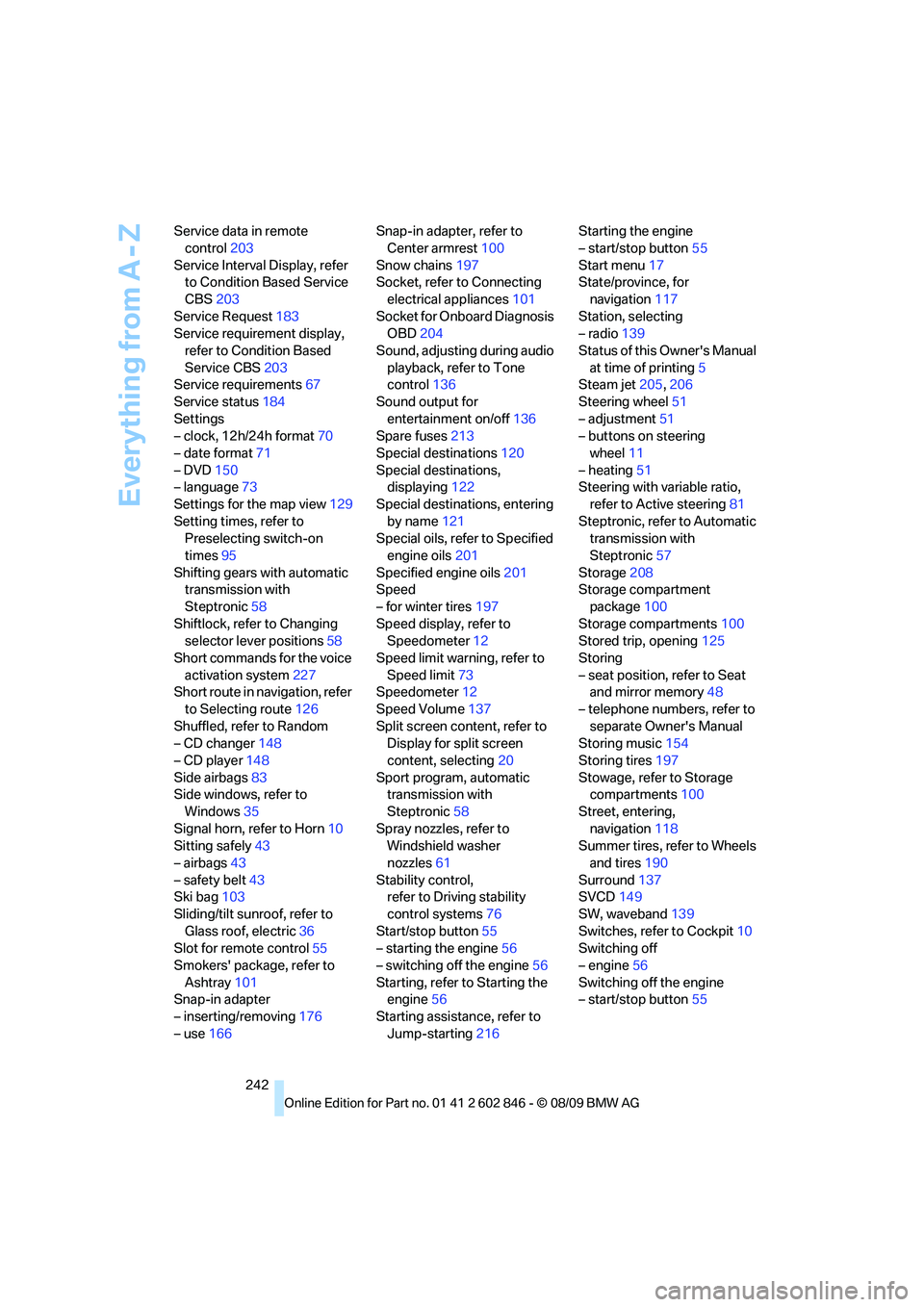
242 Service data in remote
control203
Service Interval Display, refer
to Condition Based Service
CBS203
Service Request183
Service requirement display,
refer to Condition Based
Service CBS203
Service requirements67
Service status184
Settings
– clock, 12h/24h format70
– date format71
– DVD150
– language73
Settings for the map view129
Setting times, refer to
Preselecting switch-on
times95
Shifting gears with automatic
transmission with
Steptronic58
Shiftlock, refer to Changing
selector lever positions58
Short commands for the voice
activation system227
Short route in navigation, refer
to Selecting route126
Shuffled, refer to Random
– CD changer148
– CD player148
Side airbags83
Side windows, refer to
Windows35
Signal horn, refer to Horn10
Sitting safely43
– airbags43
– safety belt43
Ski bag103
Sliding/tilt sunroof, refer to
Glass roof, electric36
Slot for remote control55
Smokers' package, refer to
Ashtray101
Snap-in adapter
– inserting/removing176
– use166Snap-in adapter, refer to
Center armrest100
Snow chains197
Socket, refer to Connecting
electrical appliances101
Socket for Onboard Diagnosis
OBD204
Sound, adjusting during audio
playback, refer to Tone
control136
Sound output for
entertainment on/off136
Spare fuses213
Special destinations120
Special destinations,
displaying122
Special destinations, entering
by name121
Special oils, refer to Specified
engine oils201
Specified engine oils201
Speed
– for winter tires197
Speed display, refer to
Speedometer12
Speed limit warning, refer to
Speed limit73
Speedometer12
Speed Volume137
Split screen content, refer to
Display for split screen
content, selecting20
Sport program, automatic
transmission with
Steptronic58
Spray nozzles, refer to
Windshield washer
nozzles61
Stability control,
refer to Driving stability
control systems76
Start/stop button55
– starting the engine56
– switching off the engine56
Starting, refer to Starting the
engine56
Starting assistance, refer to
Jump-starting216Starting the engine
– start/stop button55
Start menu17
State/province, for
navigation117
Station, selecting
– radio139
Status of this Owner's Manual
at time of printing5
Steam jet205,206
Steering wheel51
– adjustment51
– buttons on steering
wheel11
– heating51
Steering with variable ratio,
refer to Active steering81
Steptronic, refer to Automatic
transmission with
Steptronic57
Storage208
Storage compartment
package100
Storage compartments100
Stored trip, opening125
Storing
– seat position, refer to Seat
and mirror memory48
– telephone numbers, refer to
separate Owner's Manual
Storing music154
Storing tires197
Stowage, refer to Storage
compartments100
Street, entering,
navigation118
Summer tires, refer to Wheels
and tires190
Surround137
SVCD149
SW, waveband139
Switches, refer to Cockpit10
Switching off
– engine56
Switching off the engine
– start/stop button55