USB BMW 135I 2012 E88 User Guide
[x] Cancel search | Manufacturer: BMW, Model Year: 2012, Model line: 135I, Model: BMW 135I 2012 E88Pages: 272, PDF Size: 8.49 MB
Page 174 of 272
External devices
172 Is the device no longer responding? Switch
the device off and back on again.
Repeat the pairing procedure.
>No music can be played.
Start the program for playing music files on
the device and if necessary, select a track
via the device.
Activate and deactivate the radio mute on
the radio control panel.
>Music files only play quietly.
Adjust volume settings on the device.
>Playback is interrupted by the press of a
button or other messages on the device.
Switch off key tones and other acoustic sig-
nal on the device.
>Playback is interrupted by a phone call or
traffic report and does not automatically
continue.
Activate and deactivate the radio mute on
the radio control panel.
>Playback is not possible when the mobile
phone is connected via Bluetooth audio and
at the same time via the extended connec-
tivity of the music player in the mobile
phone
*.
Disconnect one of the two connections, e.g.
the audio connection, refer to page171,
and start playback again.
If you have gone through all items in the list and
still cannot activate the desired function please
contact Customer Relations or a BMW center.
Software update*
The vehicle supports various external devices,
depending on the software it is currently using.
A software update can enable the vehicle to
support new mobile phones or new external
devices, for example.
Software updates and associated, up-to-date
instructions are available on the web page
www.bmwusa.com/update.
Displaying current version
The currently installed software is displayed.
1."Settings"
2."Software update"
3."Show current version"
Select the desired version
* to display additional
information
*.
Updating software by USB*
The software update can only be performed
when stopped.
1.Save the file for the software update in the
main directory of a USB data storage
device.
2.Connect the USB data storage device to the
USB interface of the USB audio interface in
the center armrest. It is not possible to per-
form the update using the USB interface in
the glove compartment.
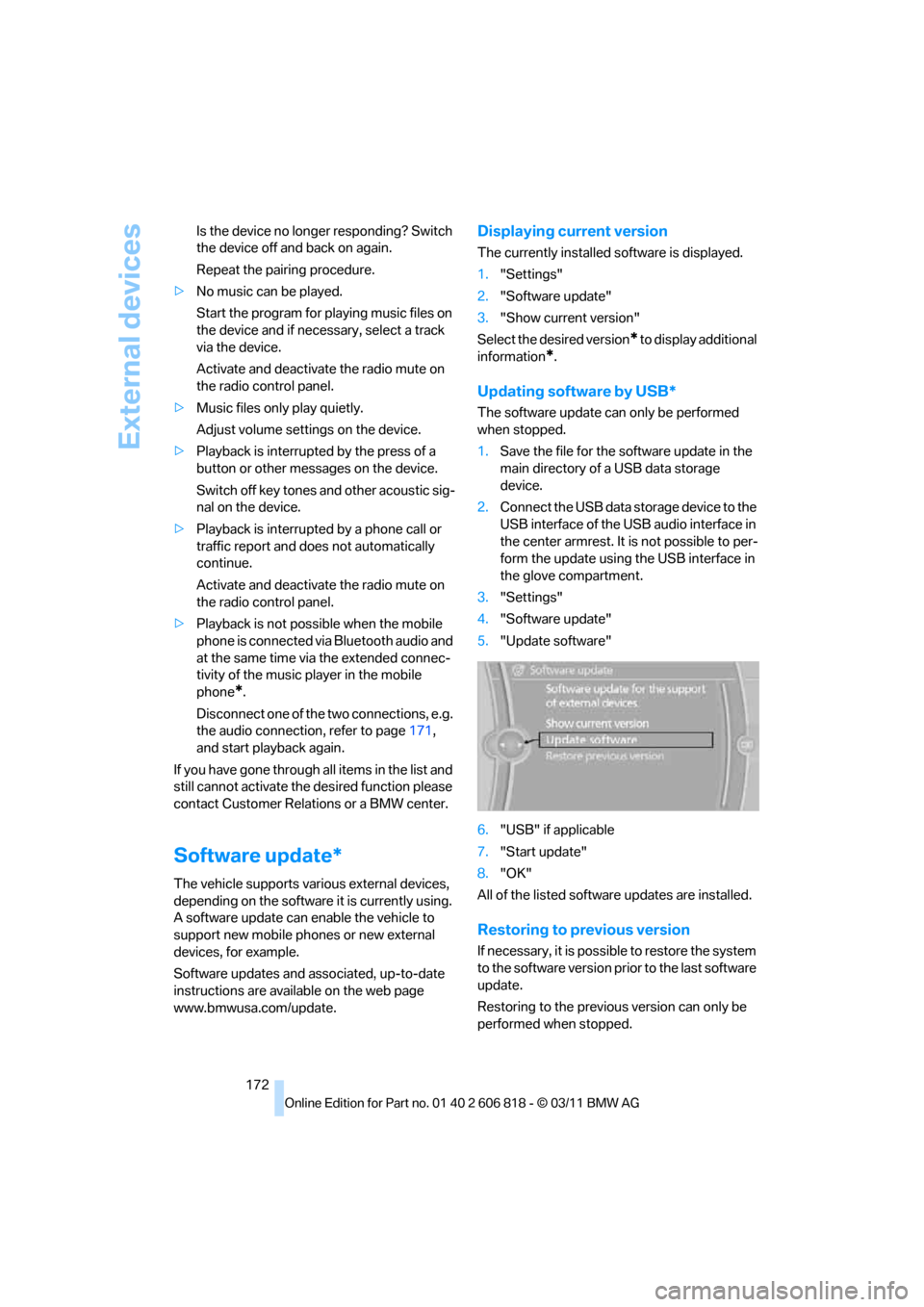
3."Settings"
4."Software update"
5."Update software"
6."USB" if applicable
7."Start update"
8."OK"
All of the listed software updates are installed.
Restoring to previous version
If necessary, it is possible to restore the system
to the software version prior to the last software
update.
Restoring to the previous version can only be
performed when stopped.
Page 189 of 272
187
Entertainment
Reference
At a glance
Controls
Driving tips Communications
Navigation
Mobility
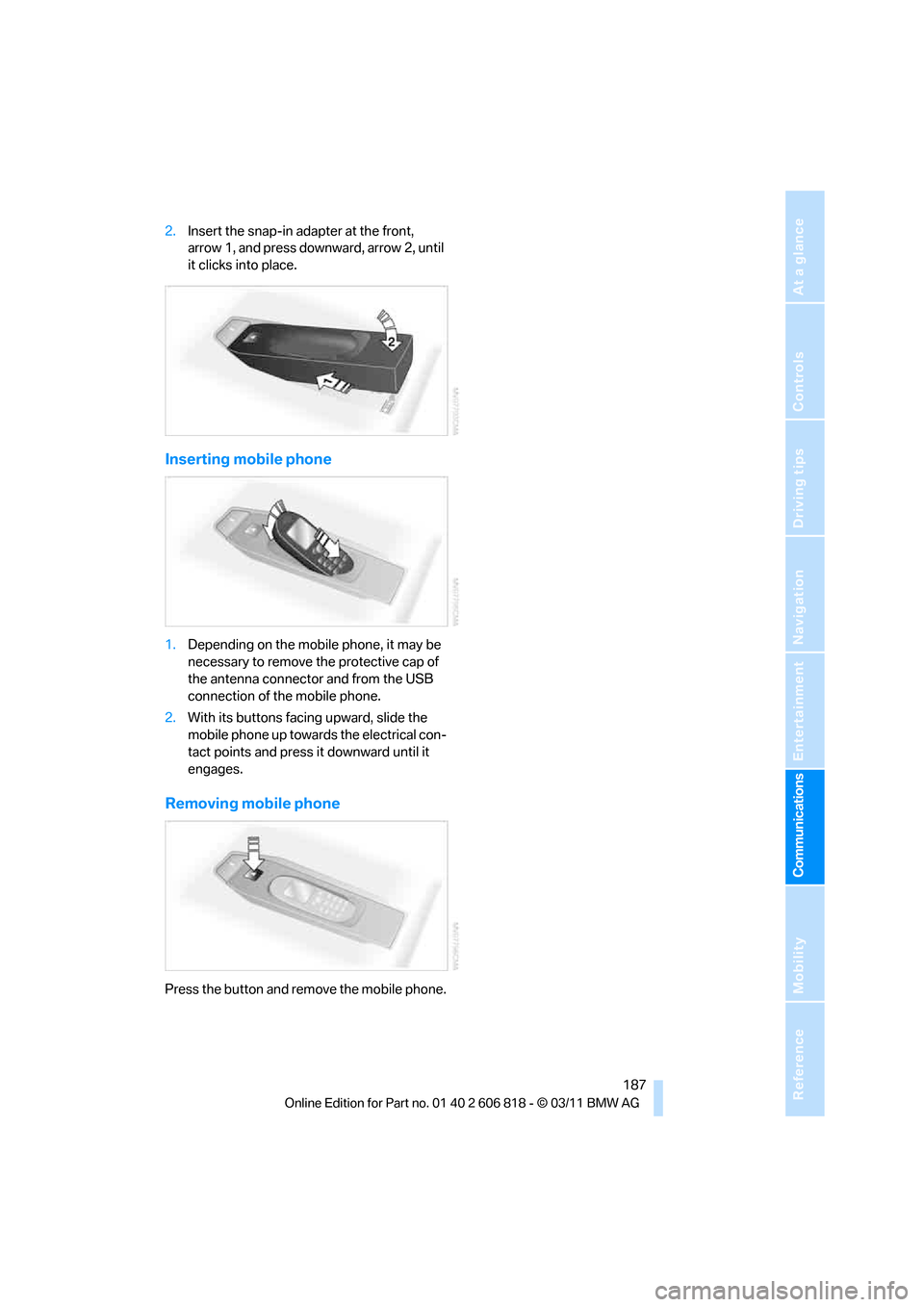
2.Insert the snap-in adapter at the front,
arrow 1, and press downward, arrow 2, until
it clicks into place.
Inserting mobile phone
1.Depending on the mobile phone, it may be
necessary to remove the protective cap of
the antenna connector and from the USB
connection of the mobile phone.
2.With its buttons facing upward, slide the
mobile phone up towards the electrical con-
tact points and press it downward until it
engages.
Removing mobile phone
Press the button and remove the mobile phone.
Page 205 of 272
203
Entertainment
Reference
At a glance
Controls
Driving tips Communications
Navigation
Mobility
Information about suitable mobile phones,
available software applications, and their instal-
lation can be found at www.bmw.com/connec-
tivity or at your BMW center.
Only make entries when traffic conditions
permit. Otherwise, you may endanger
vehicle occupants and other road users by
being distracted.
For safety reasons, some software applications
can only be used when the vehicle is stopped.<
To avoid malfunctions, only use software
applications approved by BMW.<
Using apps
1.Connect the mobile phone using the snap-
in adapter or the USB audio interface.
2."ConnectedDrive"
3.Select the desired software application.
Displaying status
You can display information about the currently
available software applications.
1."ConnectedDrive"
2."BMW apps"
Plugin*
Selected functions of the mobile phone are dis-
played on the Control Display. They can be
operated via iDrive.
1.Connect the mobile phone using the snap-
in adapter.
2."ConnectedDrive"
3."PlugIn"
4."Activate PlugIn"
5.Use the controller to navigate in the dis-
played functions and select the desired cat-
egory or track, for example.
Press the button to move one level up or
back within the functions of the mobile
phone.
Press the button twice to switch back to
the main menu.
Notes
>The range of apps that are displayed in the
Control Display depends on the range of
software applications installed on the
mobile phone.
>The data transfer of the software applica-
tions from the mobile phone to the vehicle
may take some time. Some software appli-
cations are dependent on the speed of the
available Internet connection of the mobile
phone.
>Certain versions of the mobile phone used
and the software they use may not permit
apps to be used at the same time as the
Bluetooth hands-free system.
If necessary, restart the software applica-
tion on the mobile phone after completing a
call.
Page 262 of 272
Everything from A to Z
260
I
IBOC, refer to HD Radio148
Ice warning, refer to Outside
temperature warning70
Identification marks
– tire coding212
iDrive16
– adjusting brightness81
– changing date and time77
– changing language81
– menu guidance17
– operating principle16
– status information19
Ignition57
– switched off58
– switched on57
Ignition key, refer to
Integrated key/remote
control28
Ignition key position 1, refer to
Radio readiness57
Ignition key position 2, refer to
Ignition on57
Ignition lock57
Imprint2
Incoming call180
Indicator and warning
lamps13
– Tire Pressure Monitor
TPM87
Individual settings, refer to
Personal Profile28
Inflation pressure monitoring,
refer to Tire Pressure
Monitor TPM86
Initializing
– compass, refer to
Calibrating107
– radio, refer to Station,
storing147
– refer to Setting the time and
date77
Initializing, Flat Tire Monitor
FTM85
Instructions for navigation
system, refer to Voice
instructions136Instrument cluster12
Instrument combination, refer
to Instrument cluster12
Instrument lighting98
Integrated key28
Integrated universal remote
control104
Interactive map130
Interior lamps98
– remote control30
Interior motion sensor35
Interior rearview mirror52
– automatic dimming
feature52
– compass106
Intermittent mode of the
wipers67
Intersection, entering,
navigation126
iPod, connecting, refer to
AUX-IN port166
iPod, connecting, refer to USB
audio interface166
J
Jacking points232
Jets, refer to Air vents99
Jets, refer to Window washer
nozzles68
Joystick, refer to iDrive16
Jumpering, refer to Jump-
starting235
Jump-starting235
K
Key, refer to Integrated key/
remote control28
Keyless go, refer to Comfort
Access35
Keyless opening and closing,
refer to Comfort Access35
Key Memory, refer to Personal
Profile28
Keypad dialing182
Kickdown60
Knock control207
L
Lamps
– Adaptive Light Control95
– interior lighting98
Lamps, refer to Parking lamps/
Low beams94
Lamps and bulbs, replacing
bulbs227
Lashing eyes, refer to
Securing cargo120
Last destinations128
LATCH child restraint fixing
system55
Launch Control66
Leather care225
LED Light-emitting
diodes227
Length, refer to
Dimensions243
License plate lamp, replacing
bulb231
Light
– instrument lighting98
– refer to High-beam
Assistant96
Light-alloy wheels225
Light control
– refer to High-beam
Assistant96
Light-emitting diodes
LED227
Lighter109
– socket109
Lighting
– lamps and bulbs227
– of the instruments98
– of vehicle, refer to Lamps94
Light switch94
Limit, refer to Speed limit80
Load119
Load securing equipment,
refer to Securing cargo120
Lock buttons of doors, refer to
Locking33
Page 263 of 272
Reference 261
At a glance
Controls
Driving tips
Communications
Navigation
Entertainment
Mobility
Locking
– adjusting confirmation
signal30
– from inside33
– from outside30
– without remote control, refer
to Comfort Access35
Locking and unlocking doors
– from inside32
– from outside29
Low beam control, refer to
High-beam Assistant96
Low-beam headlamps94
– automatic94
– replacing bulbs228
Lower back support, refer to
Lumbar support47
Luggage compartment, refer
to Cargo area
Luggage rack, refer to Roof-
mounted luggage rack120
Lumbar support47
M
M+S tires, refer to Winter
tires215
Maintenance, refer to
– BMW Maintenance
System221
– Service and Warranty
Information Booklet for US
models or in the Warranty
and Service Guide Booklet
for Canadian models
Maintenance system221
Malfunction warnings, refer to
Check Control78
Manual car wash224
Manually unlocking parking
lock65Manual operation
– door lock32
– fuel filler flap206
– glass roof40
– parking lock65
– transmission lock, automatic
transmission61
Manual operation with
automatic transmission61
Manual transmission59
Map for navigation
– changing scale137
– entering destination130
Map view136
Maximum cooling100
Maximum speed
– for winter tires215
Menus, refer to iDrive16
Messages190
Messages from the Concierge
service192
Microfilter/activated-charcoal
filter for automatic climate
control102
Microphone for telephone14
Mirror dimming feature52
Mirrors51
– automatic curb monitor52
– exterior mirrors51
– heating52
– interior rearview mirror52
Mobile phone
– adjusting volume180
– connecting, refer to Mobile
phone, pairing176
– operation180
– pairing176
– suitable mobile phones176
– unpairing179
– What to do if…179
Mobile phone, installation
location, refer to Center
armrest108
Mobile phone, refer to
Telephone176
Mobile phone, refer to the
separate Owner's ManualMobile phone audio
interface
166
Modifications, technical, refer
to For your own safety5
Monitor, refer to iDrive16
Monitoring system for tire
pressures, refer to Flat Tire
Monitor84
MP3 player, connecting, refer
to AUX-IN port166
MP3 player, connecting, refer
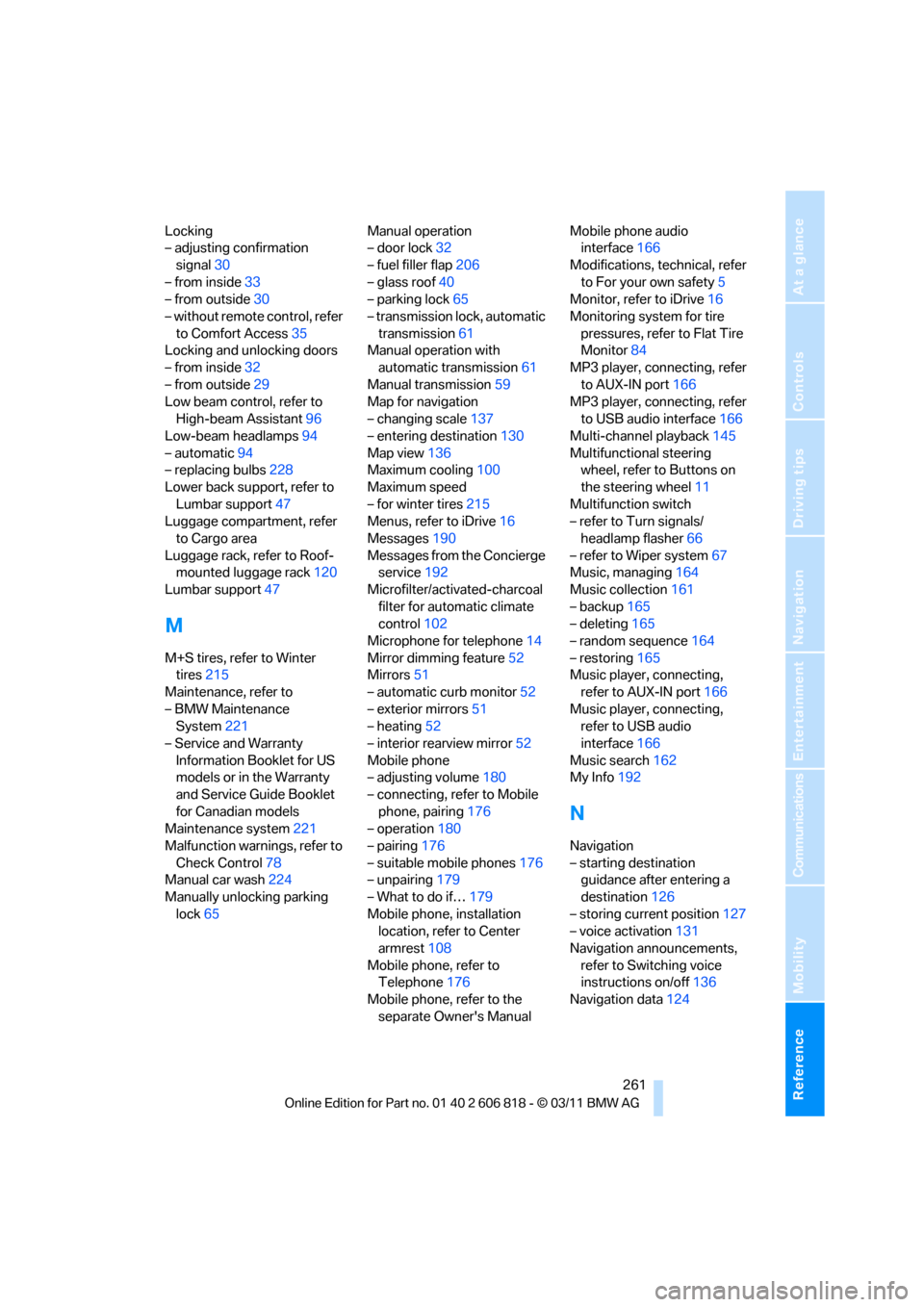
to USB audio interface166
Multi-channel playback145
Multifunctional steering
wheel, refer to Buttons on
the steering wheel11
Multifunction switch
– refer to Turn signals/
headlamp flasher66
– refer to Wiper system67
Music, managing164
Music collection161
– backup165
– deleting165
– random sequence164
– restoring165
Music player, connecting,
refer to AUX-IN port166
Music player, connecting,
refer to USB audio
interface166
Music search162
My Info192
N
Navigation
– starting destination
guidance after entering a
destination126
– storing current position127
– voice activation131
Navigation announcements,
refer to Switching voice
instructions on/off136
Navigation data124
Page 268 of 272
Everything from A to Z
266 Tires
– age212
– air loss87
– breaking in116
– changing, refer to Changing
wheels231
– condition213
– damage213
– inflation pressure208
– labels212
– minimum tread depth213
– new tires214
– pressure monitoring, refer to
Flat Tire Monitor84
– pressure monitoring, refer to
Tire Pressure Monitor
TPM86
– puncture85
– retreaded214
– size212
– wear indicators, refer to
Minimum tread depth213
– winter tires215
TMC station, refer to Traffic
bulletins138
Tone
– control144
– middle setting146
Tools, refer to Onboard
vehicle tool kit227
Top 50 of music
collection163
Torque, refer to Engine
data242
Tow bar237
Tow fitting236
Tow fittings for tow-starting
and towing away236
Towing236
– car with automatic
transmission236
– methods237
– with 7-gear Sport automatic
transmission with double
clutch237
Towing and tow-starting236
Town/city, for navigation125
Tow rope237Tow-starting236
TPM, refer to Tire Pressure
Monitor86
Track
– selecting on CD155
Traction control, refer to
Dynamic Stability Control
DSC83
Traffic bulletins
– categories139
Traffic bulletins, filtering139
Traffic bulletins for
navigation138
– during destination
guidance140
Traffic bulletins in navigation
– screen display in the map
view139
Traffic congestion
– displaying traffic
bulletins138
– refer to Route, bypassing
segments135
Transmission
– 7-gear Sport automatic
transmission with double
clutch62
– automatic transmission with
Steptronic59
– idle position63
– Launch Control66
– manually unlocking parking
lock65
– manual transmission59
– reverse gear63
Transporting children
safely54
Transport securing devices,
refer to Securing cargo120
Tread depth, refer to Minimum
tire tread213
Trip, deleting133
Trip, storing132
Trip-distance counter, refer to
Trip odometer70
Triple turn signal activation66
Trip odometer70
Trips, changing133Trunk, refer to Cargo area
Trunk lid33
– Comfort Access36
– emergency release34
– opening from outside33
– unlocking with remote
control30
Turning circle, refer to
Dimensions243
Turn signal66
– indicator lamp12
Turn signals
– replacing bulbs229
– triple turn signal66
Tying down loads, refer to
Cargo loading120
U
Underbody protection, refer to
Caring for your vehicle223
Uniform Tire Quality Grading/
UTQR212
Units
– average consumption74
Units of measure
– temperature74
Universal garage door opener,
refer to Integrated universal
remote control104
Unlatching, refer to
Unlocking29
Unlocking
– from inside33
– from outside29
– trunk lid36
– without remote control, refer
to Comfort Access35
Unlocking without a key, refer
to Comfort Access35
Updating the navigation
data124
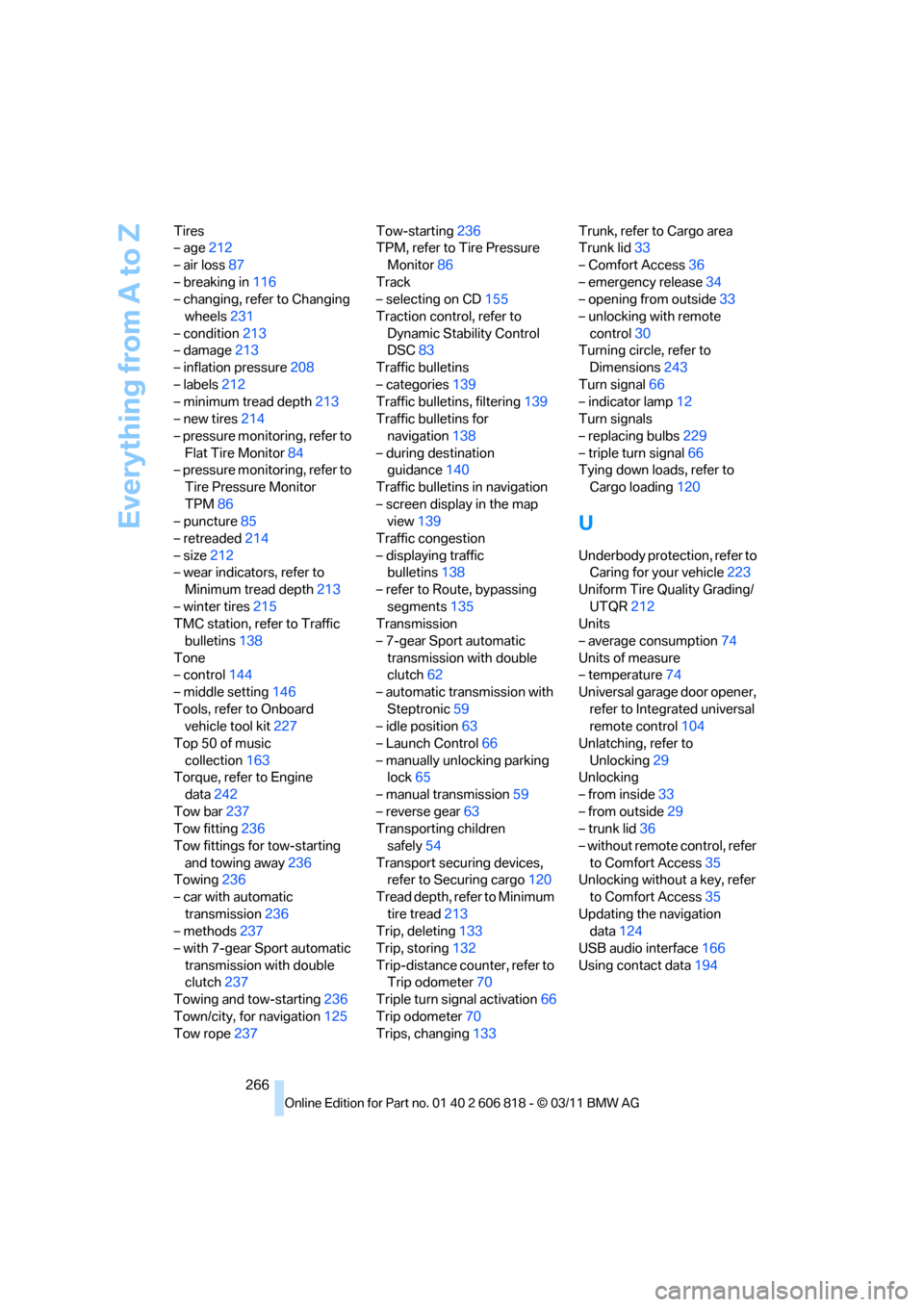
USB audio interface166
Using contact data194