roof BMW 135I CONVERTIBLE 2008 E88 User Guide
[x] Cancel search | Manufacturer: BMW, Model Year: 2008, Model line: 135I CONVERTIBLE, Model: BMW 135I CONVERTIBLE 2008 E88Pages: 264, PDF Size: 8.68 MB
Page 109 of 264
Controls
107Reference
At a glance
Driving tips
Communications
Navigation
Entertainment
Mobility
Center armrest
Storage compartment
The center armrest between the front seats
contains a credit card holder and, depending on
the equipment version, a compartment or a
snap-in adapter
*.
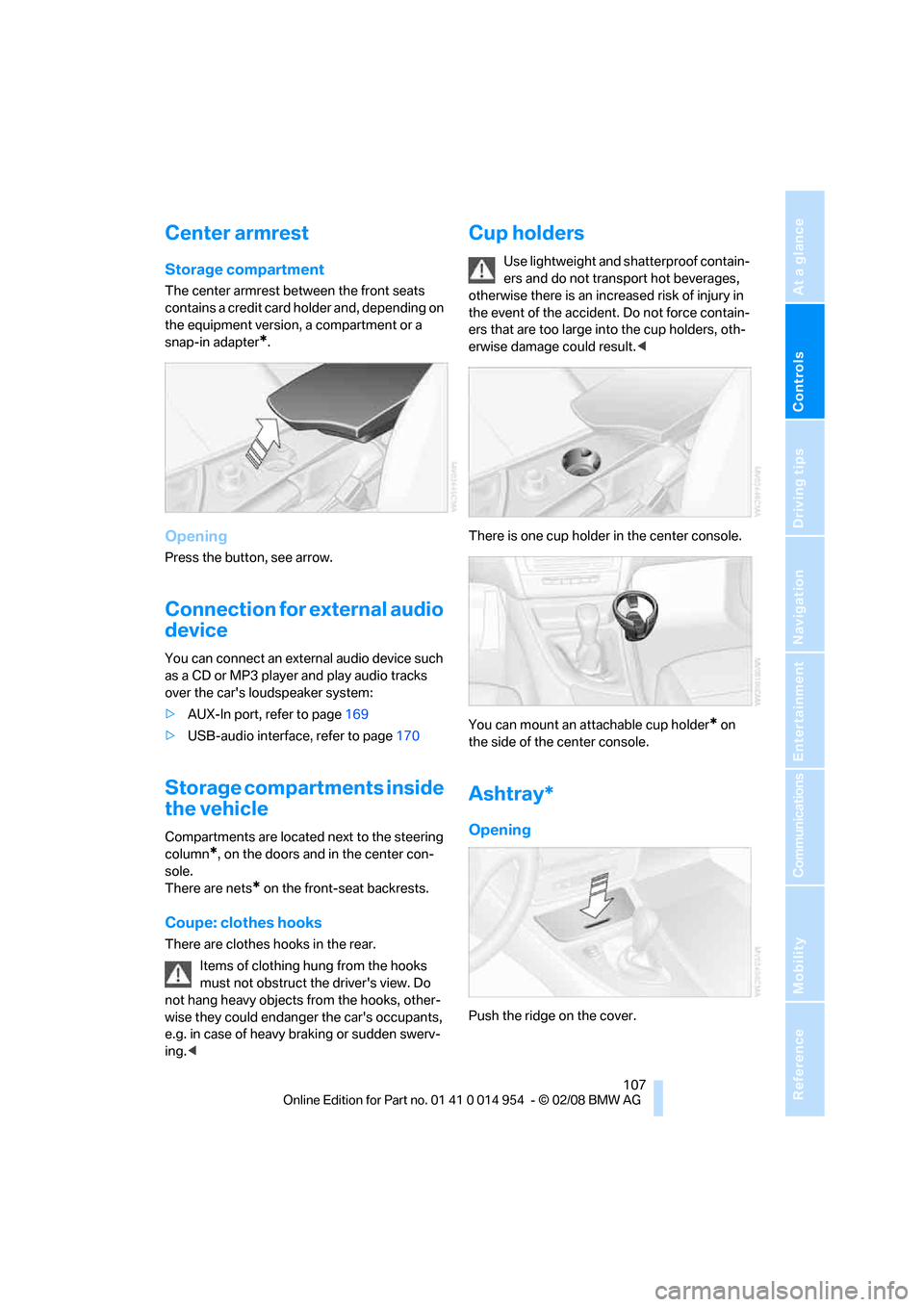
Opening
Press the button, see arrow.
Connection for external audio
device
You can connect an external audio device such
as a CD or MP3 player and play audio tracks
over the car's loudspeaker system:
>AUX-In port, refer to page169
>USB-audio interface, refer to page170
Storage compartments inside
the vehicle
Compartments are located next to the steering
column
*, on the doors and in the center con-
sole.
There are nets
* on the front-seat backrests.
Coupe: clothes hooks
There are clothes hooks in the rear.
Items of clothing hung from the hooks
must not obstruct the driver's view. Do
not hang heavy objects from the hooks, other-
wise they could endanger the car's occupants,
e.g. in case of heavy braking or sudden swerv-
ing.<
Cup holders
Use lightweight and shatterproof contain-
ers and do not transport hot beverages,
otherwise there is an increased risk of injury in
the event of the accident. Do not force contain-
ers that are too large into the cup holders, oth-
erwise damage could result.<
There is one cup holder in the center console.
You can mount an attachable cup holder
* on
the side of the center console.
Ashtray*
Opening
Push the ridge on the cover.
Page 116 of 264
Things to remember when driving
114
Things to remember when driving
Break-in period
Moving parts need breaking-in time to adjust to
each other. Please follow the instructions below
in order to achieve the optimal service life and
economy of operation for your vehicle.
Engine and differential
Always obey all official speed limits.
Up to 1,200 miles/2,000 km
Drive at varying engine and road speeds, but do
not exceed an engine speed of 4500 rpm or a
road speed of 100 mph/160 km/h.
Avoid full-throttle operation and use of the
transmission's kick-down mode.
After driving 1,200 miles/2,000 km
Engine and vehicle speeds can be gradually
increased.
Tires
Due to technical factors associated with their
manufacture, tires do not achieve their full trac-
tion potential until after an initial break-in
period. Therefore, drive cautiously during the
first 200 miles/300 km.
Brake system
Brakes require an initial break-in period of
approx. 300 miles/500 km to achieve optimized
contact and wear patterns between brake pads
and rotors. Drive cautiously during this break-in
period.
Clutch
The function of the clutch reaches its optimal
level only after a distance driven of approx.
300 miles/500 km. During this break-in period,
engage the clutch gently.
Following part replacement
The same break-in procedures should be
observed if any of the components mentioned
above have to be renewed in the course of the
vehicle's operating life.
Saving fuel
The fuel consumption of your vehicle depends
on several factors. You can lower fuel consump-
tion and the environmental impact by taking
certain measures, adjusting your driving style
and having the vehicle serviced regularly.
Remove any unneeded cargo
Additional weight increases fuel consumption.
Remove any mounted parts after you
have finished using them
Remove unneeded additional mirrors, the roof
rack and the rear luggage rack after use.
Mounted parts affect the vehicle's aerodynam-
ics and increase fuel consumption.
Close the windows and glass roof
An open glass roof or window causes higher air
resistance and thus increases fuel consump-
tion.
Check tire inflation pressure regularly
Check the tire inflation pressure at least twice a
month and before embarking on a long journey,
and correct it if necessary.
Low tire inflation pressure causes higher rolling
resistance and thus increases fuel consumption
and tire wear.
Set off immediately
Do not let the engine warm up while the car is
still standing, but set off immediately at moder-
ate engine speed. This is the fastest way for the
cold engine to reach its operating temperature.
Page 117 of 264
Driving tips
115Reference
At a glance
Controls
Communications
Navigation
Entertainment
Mobility
Drive defensively
Avoid unnecessary acceleration and braking
maneuvers. To do so, keep an adequate dis-
tance to the forward vehicle. A defensive and
smooth driving style keeps fuel consumption
down.
Avoid high engine speeds
Only use first gear when setting off. In second
and higher gears, accelerate without hesitation
or pauses. When accelerating, shift up before
reaching high engine speeds.
When you reach the desired speed, shift into
the highest applicable gear and drive with the
engine speed as low as possible and at a con-
stant speed.
As a rule: driving at low engine speeds lowers
fuel consumption and reduces wear.
Coasting
When approaching a red light, take your foot off
the accelerator and coast to a stop in the high-
est applicable gear.
O n a d o w n h il l s lo p e , t a k e y o u r f o o t o f f t h e a c c el -
erator and coast in a suitable gear.
The fuel supply is interrupted when coasting.
Switch off the engine during lengthy
stops
Switch off the engine when stopping for lengthy
periods, e.g. at traffic lights, railroad crossings
or in traffic congestions. You achieve fuel sav-
ings even if standing time is as short as approx.
4 seconds.
Switch off functions you do not need at
the moment
Functions such as the air conditioner and the
seat or rear window heating draw large amounts
of power and consume additional fuel. Espe-
cially in city traffic and in stop-and-go driving
they have a considerable impact. Therefore,
switch these functions off when they are not
really needed.
Have the vehicle serviced
Have the vehicle serviced regularly to achieve
good economy and a long vehicle life. BMW
recommends having the vehicle serviced at a
BMW center. Also note the BMW service sys-
tem, refer to page217.
General driving notes
Close the luggage compartment lid
Operate the vehicle only when the lug-
gage compartment lid is closed. Other-
wise, exhaust fumes could enter the interior of
the vehicle.<
If the vehicle must be driven with the luggage
compartment lid open:
1.Close all windows and the glass roof.
2.Greatly increase the air volume of the auto-
matic climate control system, refer to
page99.
Hot exhaust system
In all vehicles, extremely high tempera-
tures are generated in the exhaust sys-
tem. Do not remove the heat shields installed in
its vicinity, and never apply undercoating to
them. When driving, standing at idle and while
parking, take care to avoid possible contact
between the hot exhaust system and any highly
flammable materials such as hay, leaves, grass,
etc. Such contact could lead to a fire, with the
risk of serious personal injuries and property
damage. Do not touch hot exhaust tail pipes.
Otherwise there is a risk of burns.<
Hydroplaning
When driving on wet or slushy roads,
reduce road speed. If you do not, a wedge
of water can form between tires and road sur-
face. This situation, known as hydroplaning,
means that the tire can completely lose contact
with the road surface, so that neither the car can
be steered nor the brake be properly applied.<
Page 120 of 264
Things to remember when driving
118
Convertible
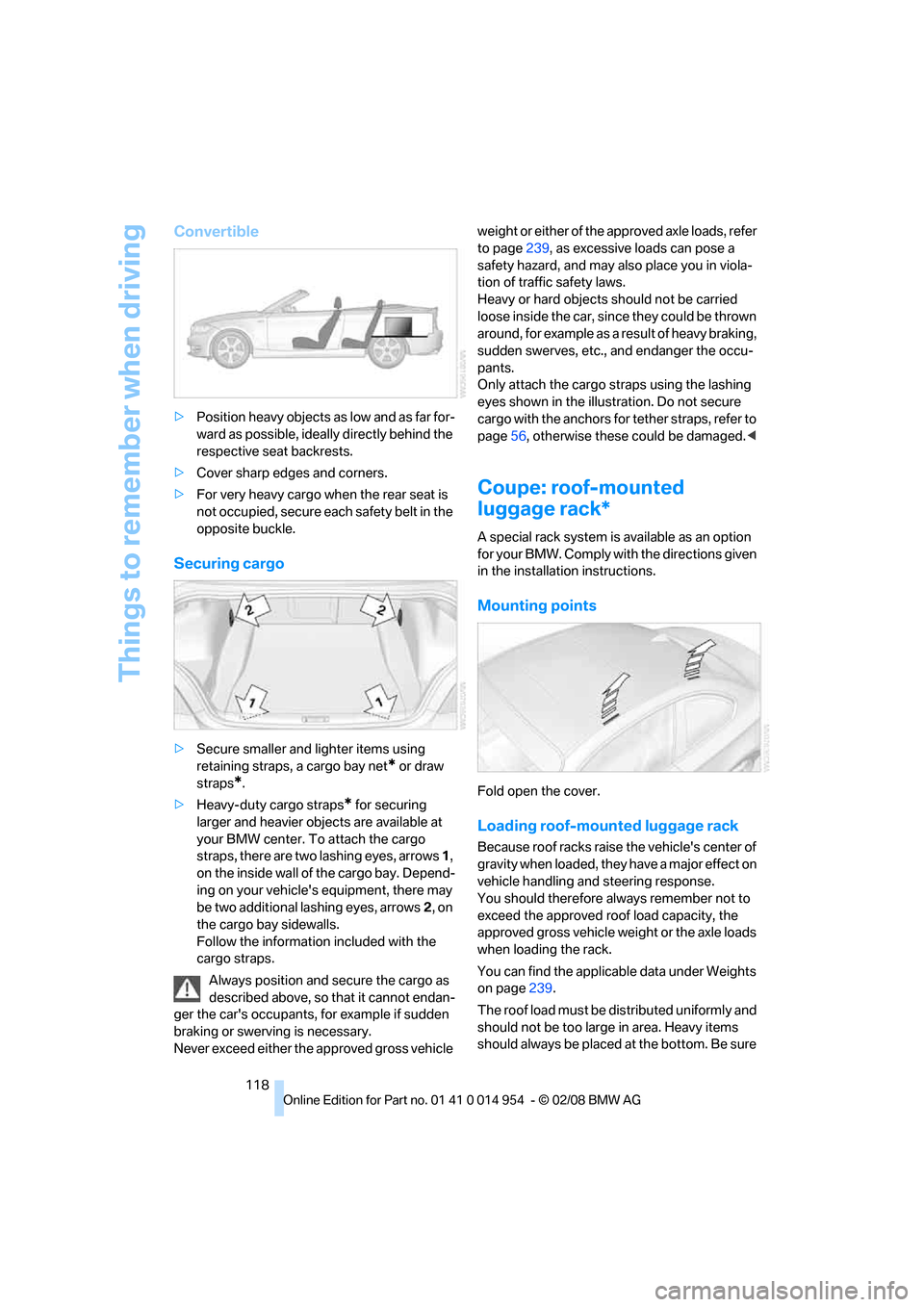
>Position heavy objects as low and as far for-
ward as possible, ideally directly behind the
respective seat backrests.
>Cover sharp edges and corners.
>For very heavy cargo when the rear seat is
not occupied, secure each safety belt in the
opposite buckle.
Securing cargo
>Secure smaller and lighter items using
retaining straps, a cargo bay net
* or draw
straps
*.
>Heavy-duty cargo straps
* for securing
larger and heavier objects are available at
your BMW center. To attach the cargo
straps, there are two lashing eyes, arrows 1,
on the inside wall of the cargo bay. Depend-
ing on your vehicle's equipment, there may
be two additional lashing eyes, arrows2, on
the cargo bay sidewalls.
Follow the information included with the
cargo straps.
Always position and secure the cargo as
described above, so that it cannot endan-
ger the car's occupants, for example if sudden
braking or swerving is necessary.
Never exceed either the approved gross vehicle weight or either of the approved axle loads, refer
to page239, as excessive loads can pose a
safety hazard, and may also place you in viola-
tion of traffic safety laws.
Heavy or hard objects should not be carried
loose inside the car, since they could be thrown
around, for example as a result of heavy braking,
sudden swerves, etc., and endanger the occu-
pants.
Only attach the cargo straps using the lashing
eyes shown in the illustration. Do not secure
cargo with the anchors for tether straps, refer to
page56, otherwise these could be damaged.<
Coupe: roof-mounted
luggage rack*
A special rack system is available as an option
f o r y o u r B M W . C o m p l y w i t h t h e d i r e c t i o n s g i v e n
in the installation instructions.
Mounting points
Fold open the cover.
Loading roof-mounted luggage rack
Because roof racks raise the vehicle's center of
gravity when loaded, they have a major effect on
vehicle handling and steering response.
You should therefore always remember not to
exceed the approved roof load capacity, the
approved gross vehicle weight or the axle loads
when loading the rack.
You can find the applicable data under Weights
on page239.
The roof load must be distributed uniformly and
should not be too large in area. Heavy items
should always be placed at the bottom. Be sure
Page 121 of 264
Driving tips
119Reference
At a glance
Controls
Communications
Navigation
Entertainment
Mobility
that adequate clearance is maintained for rais-
ing the glass roof, and that objects do not
project into the opening path of the luggage
compartment lid.
Fasten roof-mounted cargo correctly and
securely to prevent it from shifting or falling off
during the trip.
Drive smoothly. Avoid sudden acceleration and
braking maneuvers. Take corners gently.
Rear-mounted luggage rack*
A rear-mounted luggage rack is available as a
special accessory for your BMW. Comply with
the directions given in the installation instruc-
tions.
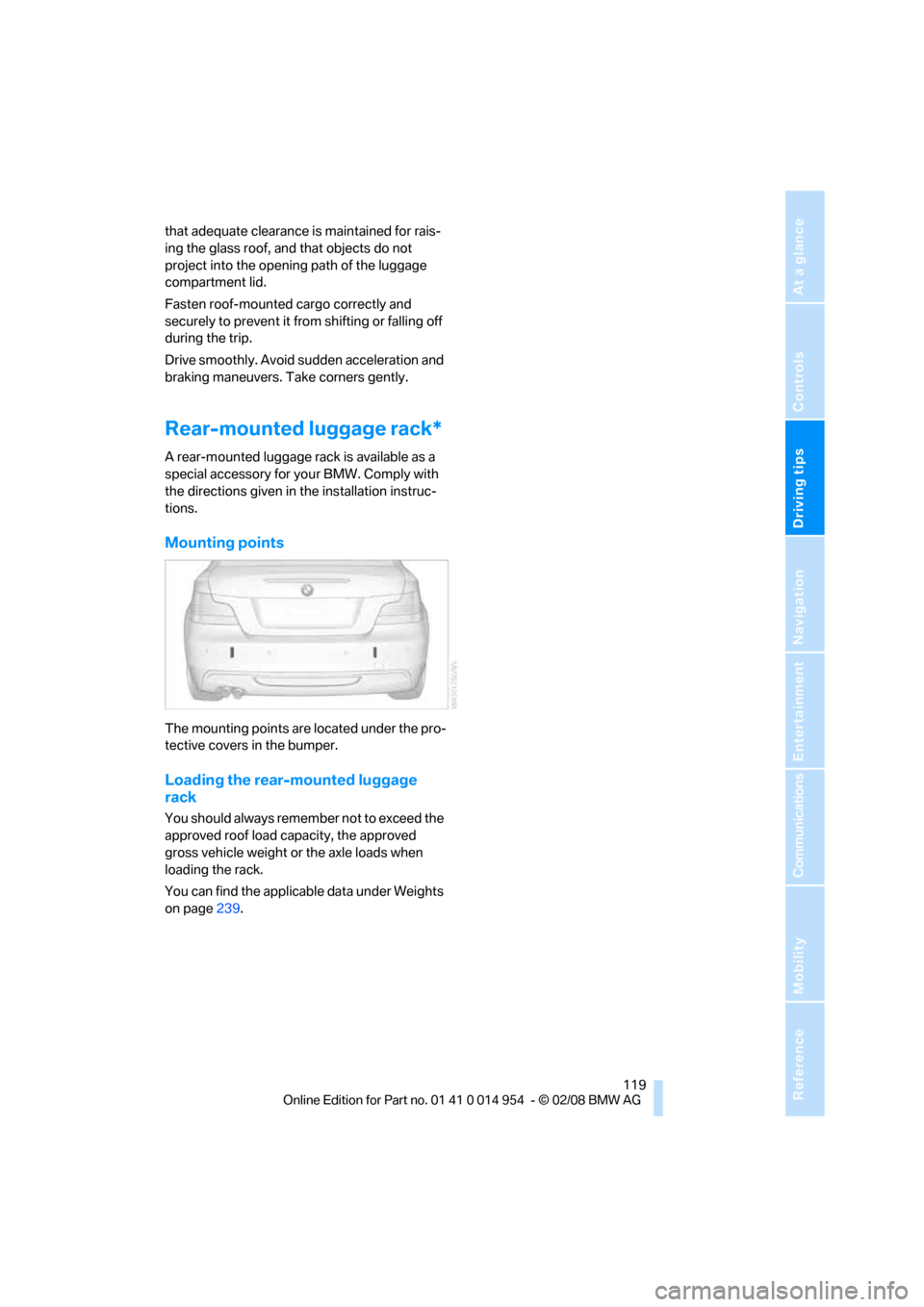
Mounting points
The mounting points are located under the pro-
tective covers in the bumper.
Loading the rear-mounted luggage
rack
You should always remember not to exceed the
approved roof load capacity, the approved
gross vehicle weight or the axle loads when
loading the rack.
You can find the applicable data under Weights
on page239.
Page 190 of 264
189
Entertainment
Reference
At a glance
Controls
Driving tips Communications
Navigation
Mobility
Notes
Important for voice commands
For voice commands, bear in mind the follow-
ing:
>Pronounce the commands smoothly and at
normal volume, avoiding excessive empha-
ses and pauses.
>Keep the doors, windows and glass roof
closed to prevent interference from outside
noise.
>Avoid ambient noise in the vehicle while
speaking.
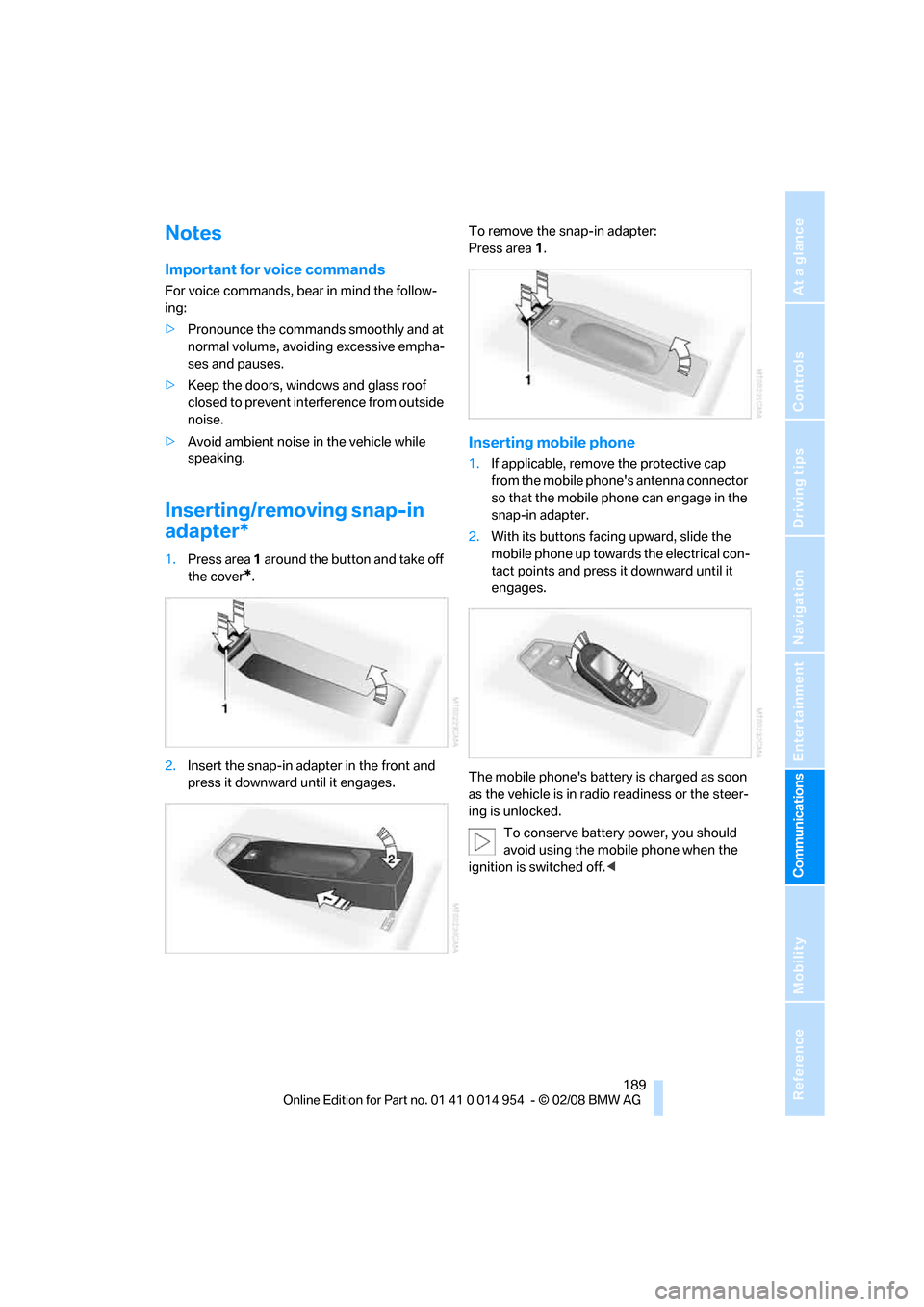
Inserting/removing snap-in
adapter*
1.Press area 1 around the button and take off
the cover
*.
2.Insert the snap-in adapter in the front and
press it downward until it engages.To remove the snap-in adapter:
Press area 1.
Inserting mobile phone
1.If applicable, remove the protective cap
from the mobile phone's antenna connector
so that the mobile phone can engage in the
snap-in adapter.
2.With its buttons facing upward, slide the
mobile phone up towards the electrical con-
tact points and press it downward until it
engages.
The mobile phone's battery is charged as soon
as the vehicle is in radio readiness or the steer-
ing is unlocked.
To conserve battery power, you should
avoid using the mobile phone when the
ignition is switched off.<
Page 229 of 264
Mobility
227Reference
At a glance
Controls
Driving tips
Communications
Navigation
Entertainment
When mounting new tires or changing over
from summer to winter tires and vice versa,
mount Run-Flat Tires for your own safety. In the
event of a flat, no spare wheel is available. Your
BMW center will be glad to advise you. Refer
also to New wheels and tires, page210.
The tools for changing wheels are avail-
able as optional accessories from your
BMW center.<
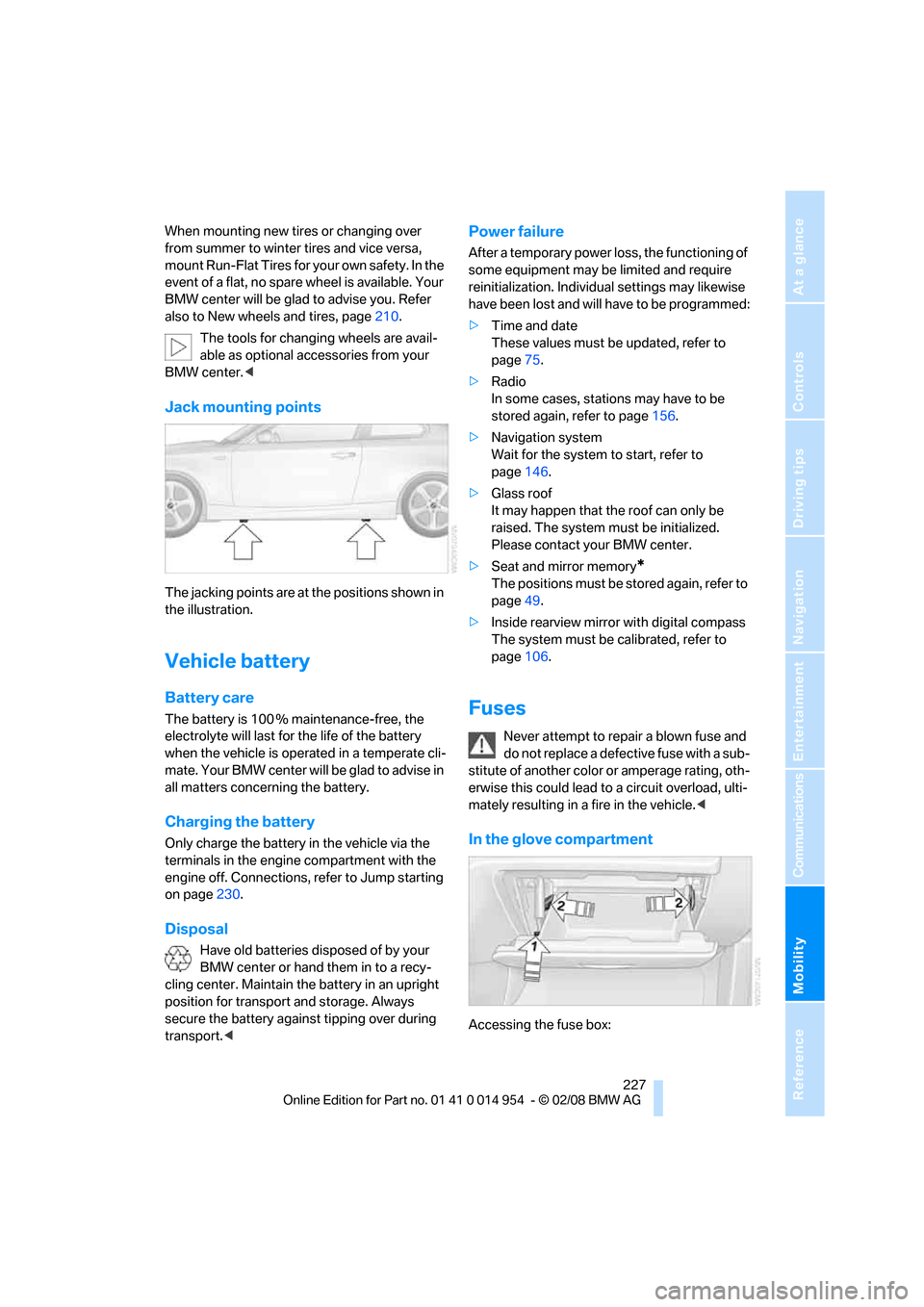
Jack mounting points
The jacking points are at the positions shown in
the illustration.
Vehicle battery
Battery care
The battery is 100 % maintenance-free, the
electrolyte will last for the life of the battery
when the vehicle is operated in a temperate cli-
mate. Your BMW center will be glad to advise in
all matters concerning the battery.
Charging the battery
Only charge the battery in the vehicle via the
terminals in the engine compartment with the
engine off. Connections, refer to Jump starting
on page230.
Disposal
Have old batteries disposed of by your
BMW center or hand them in to a recy-
cling center. Maintain the battery in an upright
position for transport and storage. Always
secure the battery against tipping over during
transport.<
Power failure
After a temporary power loss, the functioning of
some equipment may be limited and require
reinitialization. Individual settings may likewise
have been lost and will have to be programmed:
>Time and date
These values must be updated, refer to
page75.
>Radio
In some cases, stations may have to be
stored again, refer to page156.
>Navigation system
Wait for the system to start, refer to
page146.
>Glass roof
It may happen that the roof can only be
raised. The system must be initialized.
Please contact your BMW center.
>Seat and mirror memory
*
The positions must be stored again, refer to
page49.
>Inside rearview mirror with digital compass
The system must be calibrated, refer to
page106.
Fuses
Never attempt to repair a blown fuse and
do not replace a defective fuse with a sub-
stitute of another color or amperage rating, oth-
erwise this could lead to a circuit overload, ulti-
mately resulting in a fire in the vehicle.<
In the glove compartment
Accessing the fuse box:
Page 241 of 264
Reference 239
At a glance
Controls
Driving tips
Communications
Navigation
Entertainment
Mobility
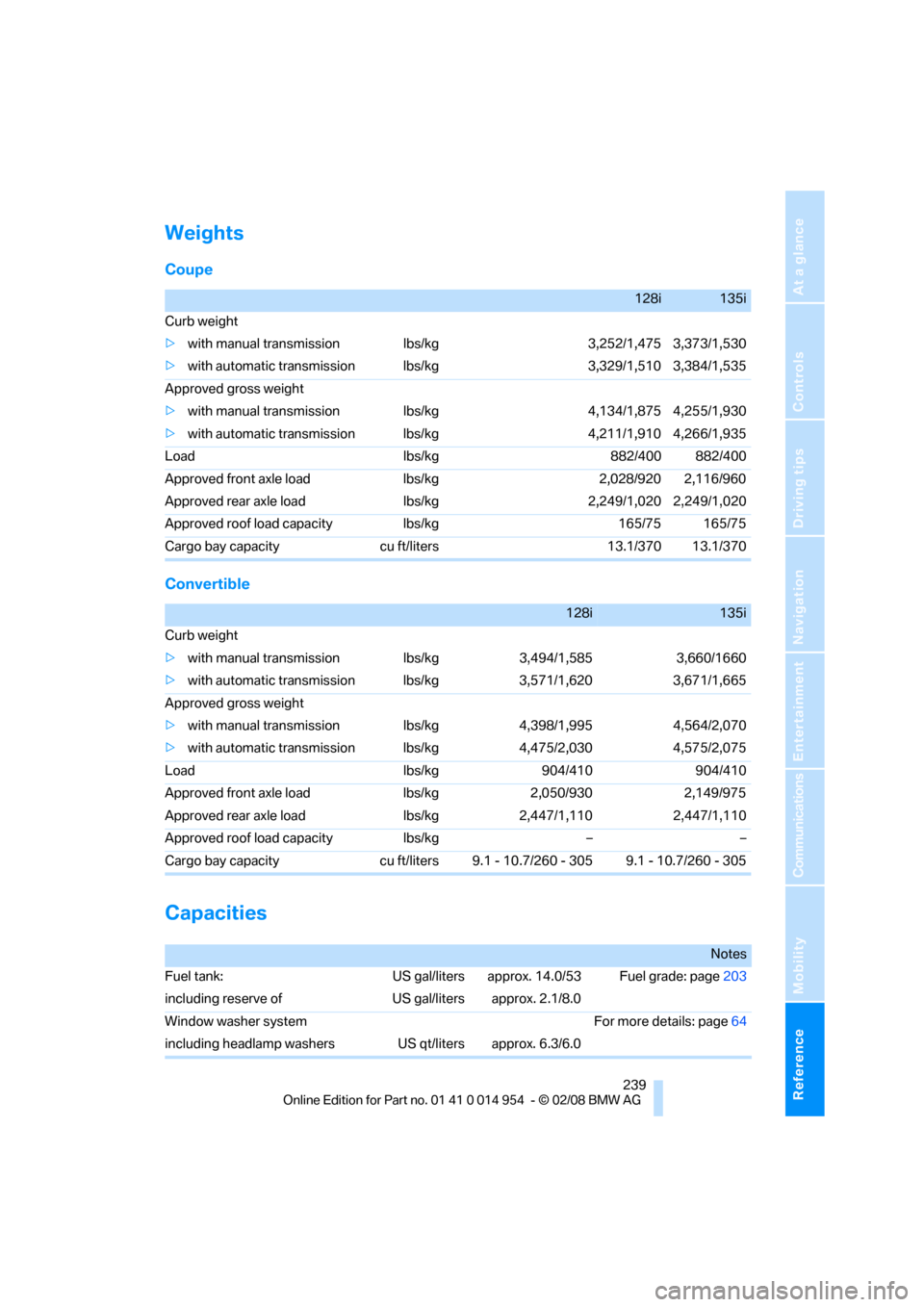
Weights
Coupe
Convertible
Capacities
128i135i
Curb weight
>with manual transmission lbs/kg 3,252/1,475 3,373/1,530
>with automatic transmission lbs/kg 3,329/1,510 3,384/1,535
Approved gross weight
>with manual transmission lbs/kg 4,134/1,875 4,255/1,930
>with automatic transmission lbs/kg 4,211/1,910 4,266/1,935
Load lbs/kg 882/400 882/400
Approved front axle load lbs/kg 2,028/920 2,116/960
Approved rear axle load lbs/kg 2,249/1,020 2,249/1,020
Approved roof load capacity lbs/kg 165/75 165/75
Cargo bay capacity cu ft/liters 13.1/370 13.1/370
128i135i
Curb weight
>with manual transmission lbs/kg 3,494/1,585 3,660/1660
>with automatic transmission lbs/kg 3,571/1,620 3,671/1,665
Approved gross weight
>with manual transmission lbs/kg 4,398/1,995 4,564/2,070
>with automatic transmission lbs/kg 4,475/2,030 4,575/2,075
Load lbs/kg 904/410 904/410
Approved front axle load lbs/kg 2,050/930 2,149/975
Approved rear axle load lbs/kg 2,447/1,110 2,447/1,110
Approved roof load capacity lbs/kg – –
Cargo bay capacity cu ft/liters 9.1 - 10.7/260 - 305 9.1 - 10.7/260 - 305
Notes
Fuel tank: US gal/liters approx. 14.0/53 Fuel grade: page203
including reserve of US gal/liters approx. 2.1/8.0
Window washer system For more details: page64
including headlamp washers US qt/liters approx. 6.3/6.0
Page 249 of 264
Reference 247
At a glance
Controls
Driving tips
Communications
Navigation
Entertainment
Mobility
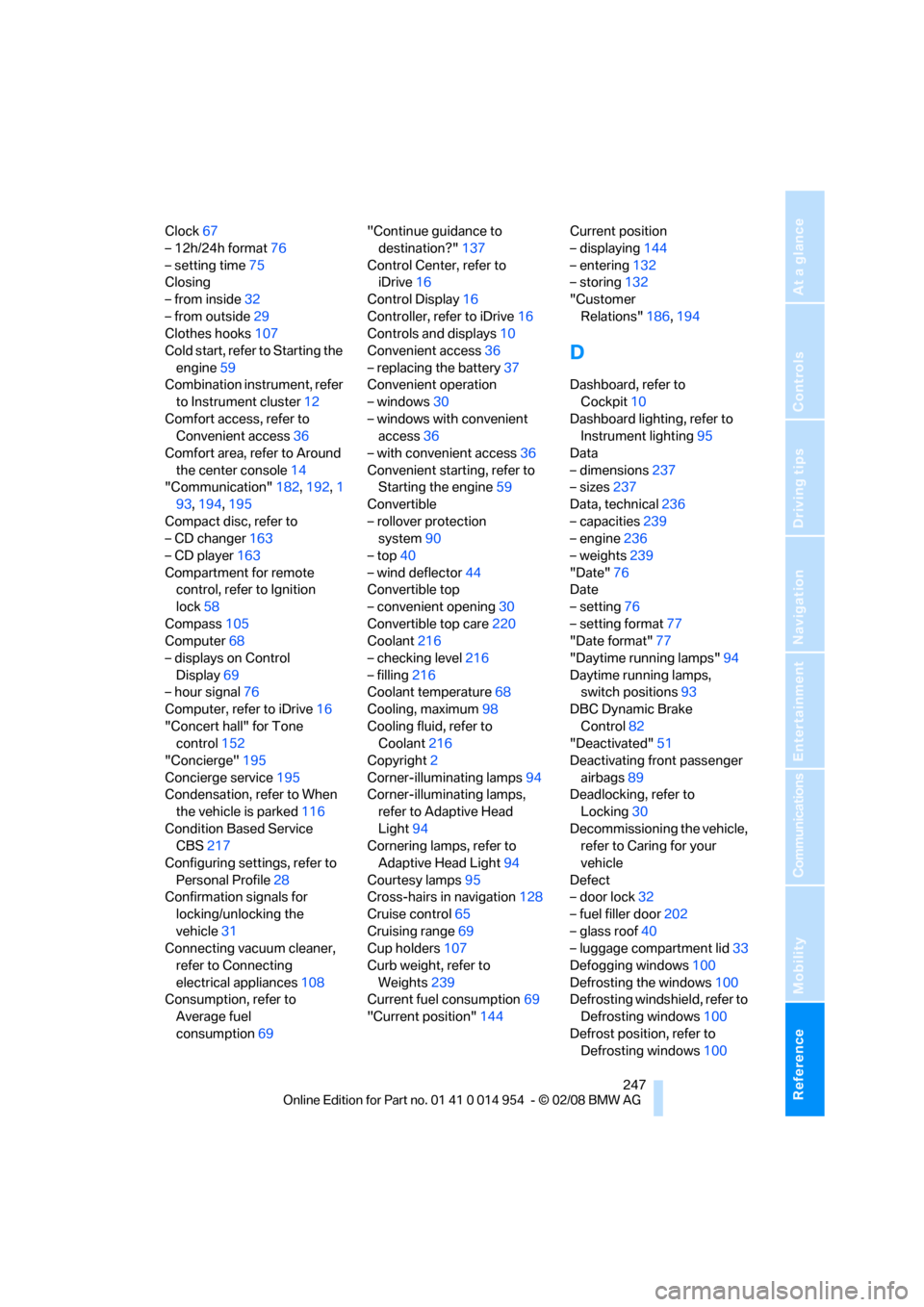
Clock67
– 12h/24h format76
– setting time75
Closing
– from inside32
– from outside29
Clothes hooks107
Cold start, refer to Starting the
engine59
Combination instrument, refer
to Instrument cluster12
Comfort access, refer to
Convenient access36
Comfort area, refer to Around
the center console14
"Communication"182,192,1
93,194,195
Compact disc, refer to
– CD changer163
– CD player163
Compartment for remote
control, refer to Ignition
lock58
Compass105
Computer68
– displays on Control
Display69
– hour signal76
Computer, refer to iDrive16
"Concert hall" for Tone
control152
"Concierge"195
Concierge service195
Condensation, refer to When
the vehicle is parked116
Condition Based Service
CBS217
Configuring settings, refer to
Personal Profile28
Confirmation signals for
locking/unlocking the
vehicle31
Connecting vacuum cleaner,
refer to Connecting
electrical appliances108
Consumption, refer to
Average fuel
consumption69"Continue guidance to
destination?"137
Control Center, refer to
iDrive16
Control Display16
Controller, refer to iDrive16
Controls and displays10
Convenient access36
– replacing the battery37
Convenient operation
– windows30
– windows with convenient
access36
– with convenient access36
Convenient starting, refer to
Starting the engine59
Convertible
– rollover protection
system90
– top40
– wind deflector44
Convertible top
– convenient opening30
Convertible top care220
Coolant216
– checking level216
– filling216
Coolant temperature68
Cooling, maximum98
Cooling fluid, refer to
Coolant216
Copyright2
Corner-illuminating lamps94
Corner-illuminating lamps,
refer to Adaptive Head
Light94
Cornering lamps, refer to
Adaptive Head Light94
Courtesy lamps95
Cross-hairs in navigation128
Cruise control65
Cruising range69
Cup holders107
Curb weight, refer to
Weights239
Current fuel consumption69
"Current position"144Current position
– displaying144
– entering132
– storing132
"Customer
Relations"186,194
D
Dashboard, refer to
Cockpit10
Dashboard lighting, refer to
Instrument lighting95
Data
– dimensions237
– sizes237
Data, technical236
– capacities239
– engine236
– weights239
"Date"76
Date
– setting76
– setting format77
"Date format"77
"Daytime running lamps"94
Daytime running lamps,
switch positions93
DBC Dynamic Brake
Control82
"Deactivated"51
Deactivating front passenger
airbags89
Deadlocking, refer to
Locking30
Decommissioning the vehicle,
refer to Caring for your
vehicle
Defect
– door lock32
– fuel filler door202
– glass roof40
– luggage compartment lid33
Defogging windows100
Defrosting the windows100
Defrosting windshield, refer to
Defrosting windows100
Defrost position, refer to
Defrosting windows100
Page 250 of 264
Everything from A - Z
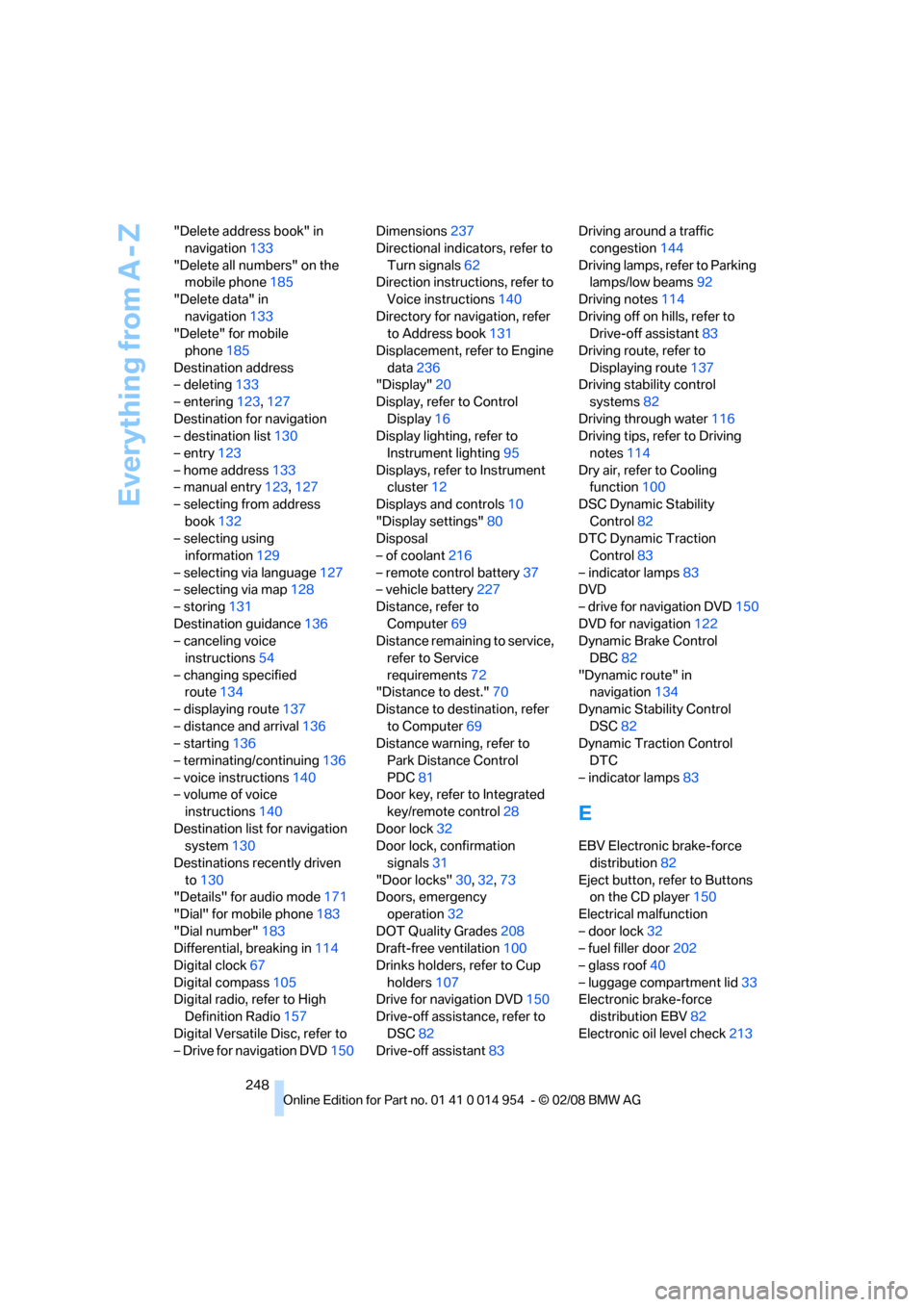
248 "Delete address book" in
navigation133
"Delete all numbers" on the
mobile phone185
"Delete data" in
navigation133
"Delete" for mobile
phone185
Destination address
– deleting133
– entering123,127
Destination for navigation
– destination list130
– entry123
– home address133
– manual entry123,127
– selecting from address
book132
– selecting using
information129
– selecting via language127
– selecting via map128
– storing131
Destination guidance136
– canceling voice
instructions54
– changing specified
route134
– displaying route137
– distance and arrival136
– starting136
– terminating/continuing136
– voice instructions140
– volume of voice
instructions140
Destination list for navigation
system130
Destinations recently driven
to130
"Details" for audio mode171
"Dial" for mobile phone183
"Dial number"183
Differential, breaking in114
Digital clock67
Digital compass105
Digital radio, refer to High
Definition Radio157
Digital Versatile Disc, refer to
– Drive for navigation DVD150Dimensions237
Directional indicators, refer to
Turn signals62
Direction instructions, refer to
Voice instructions140
Directory for navigation, refer
to Address book131
Displacement, refer to Engine
data
236
"Display"20
Display, refer to Control
Display16
Display lighting, refer to
Instrument lighting95
Displays, refer to Instrument
cluster12
Displays and controls10
"Display settings"80
Disposal
– of coolant216
– remote control battery37
– vehicle battery227
Distance, refer to
Computer69
Distance remaining to service,
refer to Service
requirements72
"Distance to dest."70
Distance to destination, refer
to Computer69
Distance warning, refer to
Park Distance Control
PDC81
Door key, refer to Integrated
key/remote control28
Door lock32
Door lock, confirmation
signals31
"Door locks"30,32,73
Doors, emergency
operation32
DOT Quality Grades208
Draft-free ventilation100
Drinks holders, refer to Cup
holders107
Drive for navigation DVD150
Drive-off assistance, refer to
DSC82
Drive-off assistant83Driving around a traffic
congestion144
Driving lamps, refer to Parking
lamps/low beams92
Driving notes114
Driving off on hills, refer to
Drive-off assistant83
Driving route, refer to
Displaying route137
Driving stability control
systems82
Driving through water116
Driving tips, refer to Driving
notes114
Dry air, refer to Cooling
function100
DSC Dynamic Stability
Control82
DTC Dynamic Traction
Control83
– indicator lamps83
DVD
– drive for navigation DVD150
DVD for navigation122
Dynamic Brake Control
DBC82
"Dynamic route" in
navigation134
Dynamic Stability Control
DSC82
Dynamic Traction Control
DTC
– indicator lamps83
E
EBV Electronic brake-force
distribution82
Eject button, refer to Buttons
on the CD player150
Electrical malfunction
– door lock32
– fuel filler door202
– glass roof40
– luggage compartment lid33
Electronic brake-force
distribution EBV82
Electronic oil level check213