high beam BMW 135I COUPE 2011 E82 User Guide
[x] Cancel search | Manufacturer: BMW, Model Year: 2011, Model line: 135I COUPE, Model: BMW 135I COUPE 2011 E82Pages: 256, PDF Size: 8.41 MB
Page 78 of 256
Controls overview
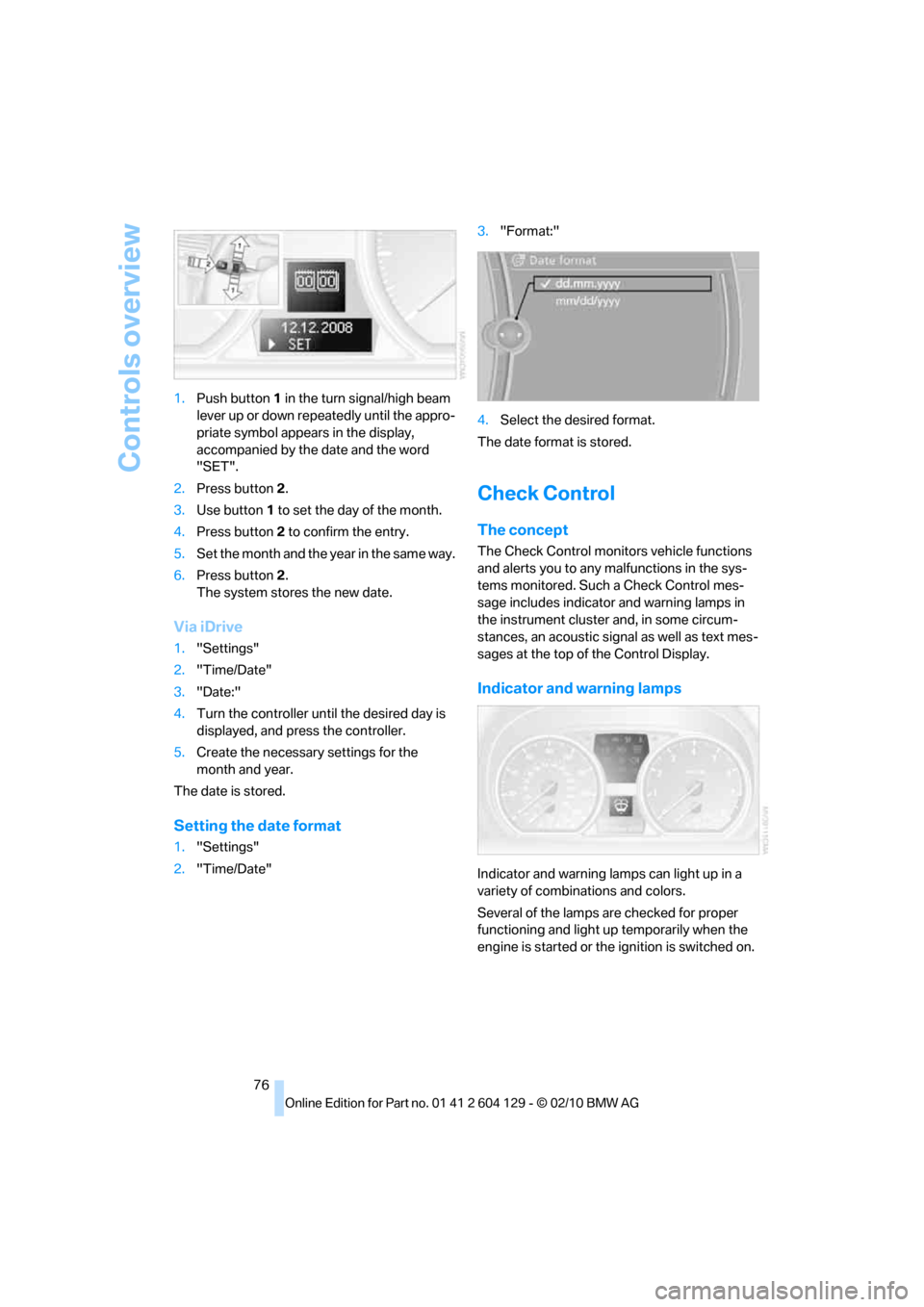
76 1.Push button 1 in the turn signal/high beam
lever up or down repeatedly until the appro-
priate symbol appears in the display,
accompanied by the date and the word
"SET".
2.Press button2.
3.Use button 1 to set the day of the month.
4.Press button2 to confirm the entry.
5.Set the month and the year in the same way.
6.Press button2.
The system stores the new date.
Via iDrive
1."Settings"
2."Time/Date"
3."Date:"
4.Turn the controller until the desired day is
displayed, and press the controller.
5.Create the necessary settings for the
month and year.
The date is stored.
Setting the date format
1."Settings"
2."Time/Date"3."Format:"
4.Select the desired format.
The date format is stored.
Check Control
The concept
The Check Control monitors vehicle functions
and alerts you to any malfunctions in the sys-
tems monitored. Such a Check Control mes-
sage includes indicator and warning lamps in
the instrument cluster and, in some circum-
stances, an acoustic signal as well as text mes-
sages at the top of the Control Display.
Indicator and warning lamps
Indicator and warning lamps can light up in a
variety of combinations and colors.
Several of the lamps are checked for proper
functioning and light up temporarily when the
engine is started or the ignition is switched on.
Page 79 of 256
Controls
77Reference
At a glance
Driving tips
Communications
Navigation
Entertainment
Mobility
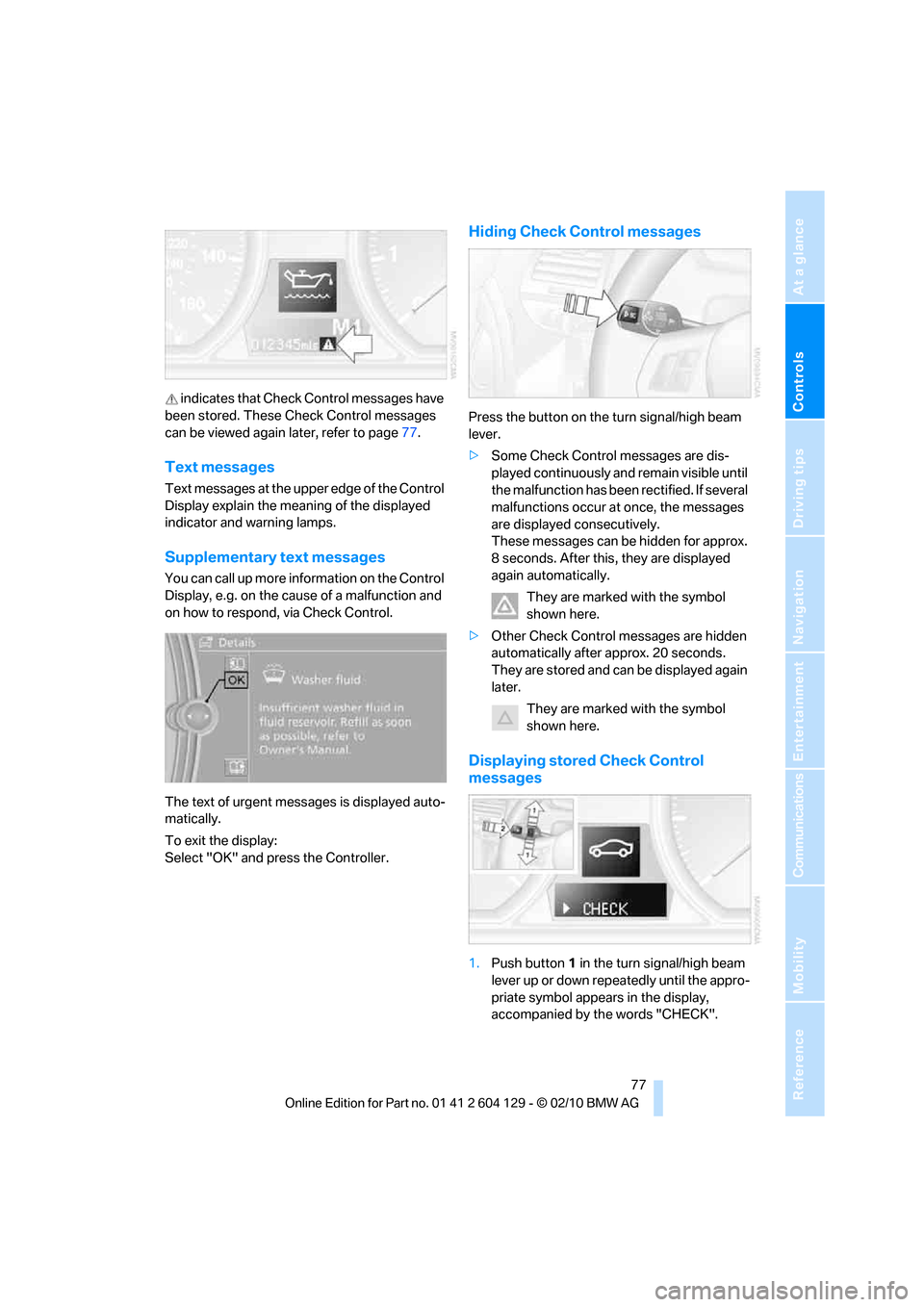
indicates that Check Control messages have
been stored. These Check Control messages
can be viewed again later, refer to page77.
Text messages
Text messages at the upper edge of the Control
Display explain the meaning of the displayed
indicator and warning lamps.
Supplementary text messages
You can call up more information on the Control
Display, e.g. on the cause of a malfunction and
on how to respond, via Check Control.
The text of urgent messages is displayed auto-
matically.
To exit the display:
Select "OK" and press the Controller.
Hiding Check Control messages
Press the button on the turn signal/high beam
lever.
>Some Check Control messages are dis-
played continuously and remain visible until
the malfunction has been rectified. If several
malfunctions occur at once, the messages
are displayed consecutively.
These messages can be hidden for approx.
8 seconds. After this, they are displayed
again automatically.
They are marked with the symbol
shown here.
>Other Check Control messages are hidden
automatically after approx. 20 seconds.
They are stored and can be displayed again
later.
They are marked with the symbol
shown here.
Displaying stored Check Control
messages
1.Push button 1 in the turn signal/high beam
lever up or down repeatedly until the appro-
priate symbol appears in the display,
accompanied by the words "CHECK".
Page 93 of 256
Controls
91Reference
At a glance
Driving tips
Communications
Navigation
Entertainment
Mobility
Lamps
Parking lamps/low beams
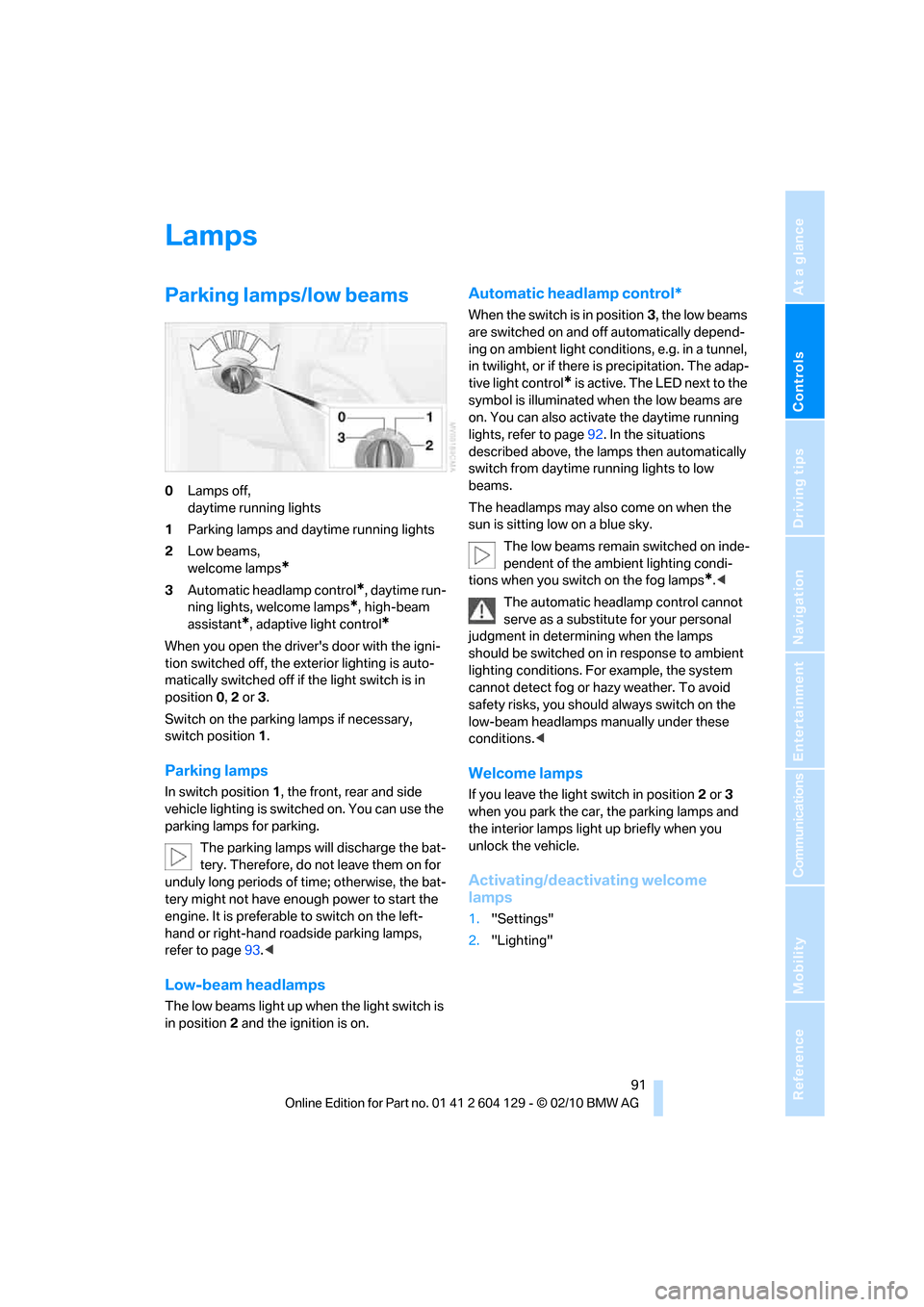
0Lamps off,
daytime running lights
1Parking lamps and daytime running lights
2Low beams,
welcome lamps
*
3Automatic headlamp control*, daytime run-
ning lights, welcome lamps
*, high-beam
assistant
*, adaptive light control*
When you open the driver's door with the igni-
tion switched off, the exterior lighting is auto-
matically switched off if the light switch is in
position 0, 2 or 3.
Switch on the parking lamps if necessary,
switch position 1.
Parking lamps
In switch position1, the front, rear and side
vehicle lighting is switched on. You can use the
parking lamps for parking.
The parking lamps will discharge the bat-
tery. Therefore, do not leave them on for
unduly long periods of time; otherwise, the bat-
tery might not have enough power to start the
engine. It is preferable to switch on the left-
hand or right-hand roadside parking lamps,
refer to page93.<
Low-beam headlamps
The low beams light up when the light switch is
in position 2 and the ignition is on.
Automatic headlamp control*
When the switch is in position3, the low beams
are switched on and off automatically depend-
ing on ambient light conditions, e.g. in a tunnel,
in twilight, or if there is precipitation. The adap-
tive light control
* is active. The LED next to the
symbol is illuminated when the low beams are
on. You can also activate the daytime running
lights, refer to page92. In the situations
described above, the lamps then automatically
switch from daytime running lights to low
beams.
The headlamps may also come on when the
sun is sitting low on a blue sky.
The low beams remain switched on inde-
pendent of the ambient lighting condi-
tions when you switch on the fog lamps
*.<
The automatic headlamp control cannot
serve as a substitute for your personal
judgment in determining when the lamps
should be switched on in response to ambient
lighting conditions. For example, the system
cannot detect fog or hazy weather. To avoid
safety risks, you should always switch on the
low-beam headlamps manually under these
conditions.<
Welcome lamps
If you leave the light switch in position 2 or 3
when you park the car, the parking lamps and
the interior lamps light up briefly when you
unlock the vehicle.
Activating/deactivating welcome
lamps
1."Settings"
2."Lighting"
Page 95 of 256
Controls
93Reference
At a glance
Driving tips
Communications
Navigation
Entertainment
Mobility
Malfunction
The LED next to the symbol for automatic head-
lamp control flashes. Adaptive light control is
malfunctioning or has failed. Have the system
checked as soon as possible.
High beams/roadside parking
lamps*
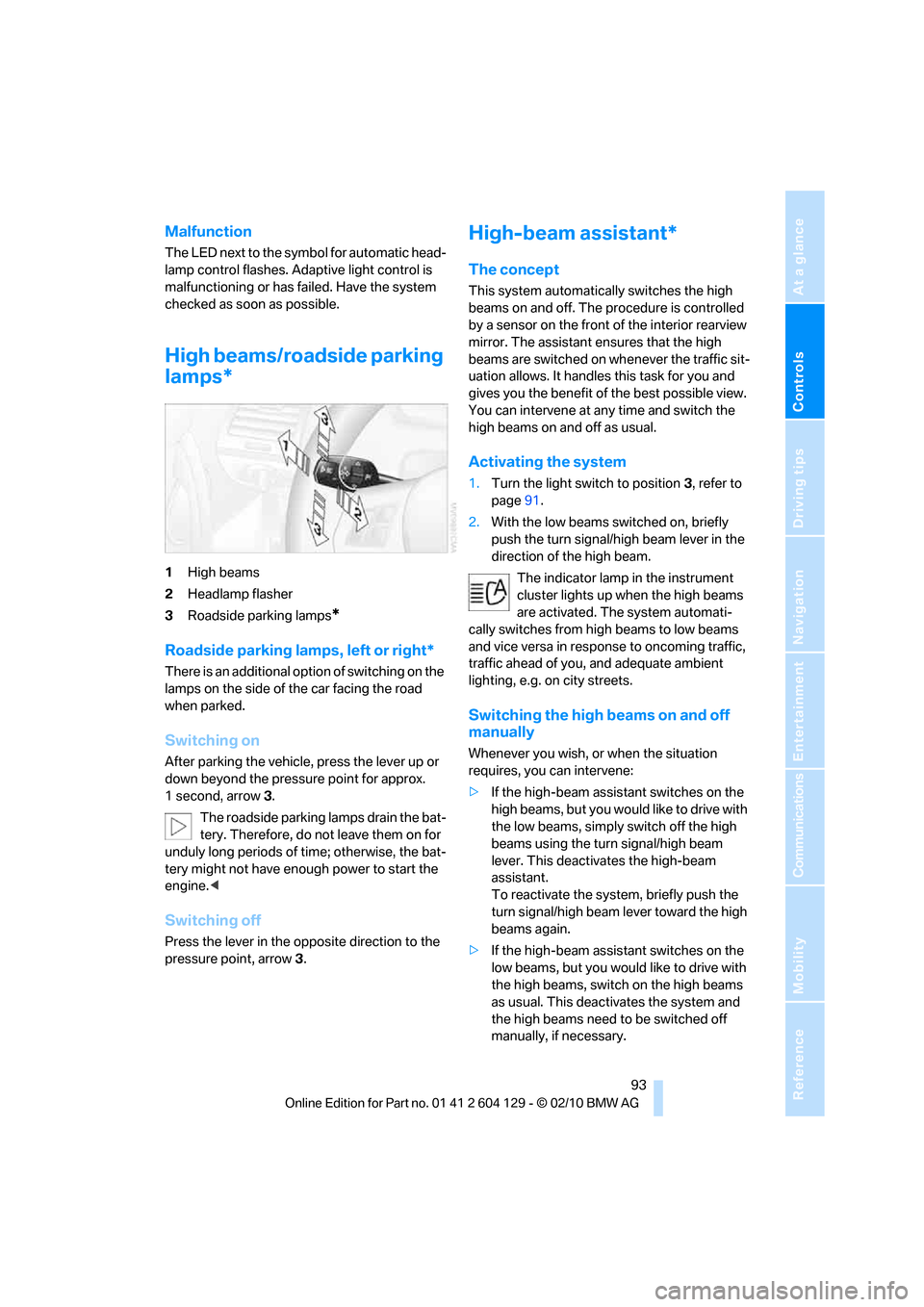
1High beams
2Headlamp flasher
3Roadside parking lamps
*
Roadside parking lamps, left or right*
There is an additional option of switching on the
lamps on the side of the car facing the road
when parked.
Switching on
After parking the vehicle, press the lever up or
down beyond the pressure point for approx.
1 second, arrow 3.
The roadside parking lamps drain the bat-
tery. Therefore, do not leave them on for
unduly long periods of time; otherwise, the bat-
tery might not have enough power to start the
engine.<
Switching off
Press the lever in the opposite direction to the
pressure point, arrow 3.
High-beam assistant*
The concept
This system automatically switches the high
beams on and off. The procedure is controlled
by a sensor on the front of the interior rearview
mirror. The assistant ensures that the high
beams are switched on whenever the traffic sit-
uation allows. It handles this task for you and
gives you the benefit of the best possible view.
You can intervene at any time and switch the
high beams on and off as usual.
Activating the system
1.Turn the light switch to position3, refer to
page91.
2.With the low beams switched on, briefly
push the turn signal/high beam lever in the
direction of the high beam.
The indicator lamp in the instrument
cluster lights up when the high beams
are activated. The system automati-
cally switches from high beams to low beams
and vice versa in response to oncoming traffic,
traffic ahead of you, and adequate ambient
lighting, e.g. on city streets.
Switching the high beams on and off
manually
Whenever you wish, or when the situation
requires, you can intervene:
>If the high-beam assistant switches on the
high beams, but you would like to drive with
the low beams, simply switch off the high
beams using the turn signal/high beam
lever. This deactivates the high-beam
assistant.
To reactivate the system, briefly push the
turn signal/high beam lever toward the high
beams again.
>If the high-beam assistant switches on the
low beams, but you would like to drive with
the high beams, switch on the high beams
as usual. This deactivates the system and
the high beams need to be switched off
manually, if necessary.
Page 96 of 256
Lamps
94 To reactivate the system, briefly push the
turn signal/high beam lever toward the high
beams again.
>Use the headlamp flasher as usual with the
low beams switched on.
System limitations
The high-beam assistant cannot serve as
a substitute for the driver's personal judg-
ment of when to use the high beams. Therefore,
manually switch off the high beams in situations
where this is required to avoid a safety risk.<
The system is not fully functional in situations
such as the following, and driver intervention
may be necessary:
>In very unfavorable weather conditions,
such as fog or heavy precipitation
>In detecting poorly-lit road users, such as
pedestrians, cyclists, horseback riders and
wagons; when driving close to train or ship
traffic; and at animal crossings
>In tight curves, on hilltops or in depressions,
in cross traffic or half-obscured oncoming
traffic on highways
>In poorly lit towns and cities and in the pres-
ence of highly reflective signs
>At low speeds
>When the windshield in front of the interior
rearview mirror is fogged over, dirty or cov-
ered with stickers, etc.
>If the sensor is dirty. Clean the sensor on
the front of the interior rearview mirror using
a cloth moistened with a small amount of
glass cleaner.
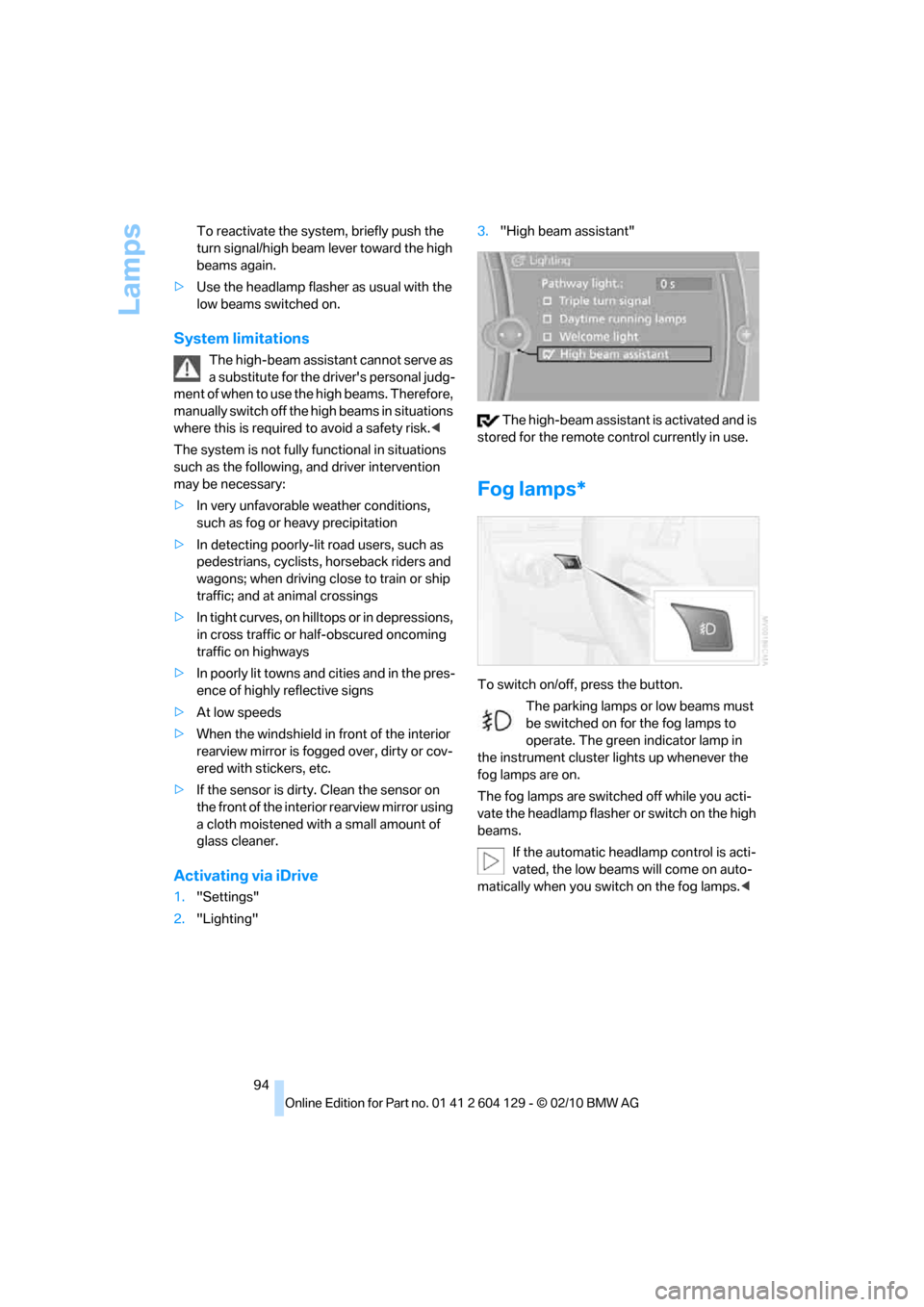
Activating via iDrive
1."Settings"
2."Lighting"3."High beam assistant"
The high-beam assistant is activated and is
stored for the remote control currently in use.
Fog lamps*
To switch on/off, press the button.
The parking lamps or low beams must
be switched on for the fog lamps to
operate. The green indicator lamp in
the instrument cluster lights up whenever the
fog lamps are on.
The fog lamps are switched off while you acti-
vate the headlamp flasher or switch on the high
beams.
If the automatic headlamp control is acti-
vated, the low beams will come on auto-
matically when you switch on the fog lamps.<
Page 97 of 256
Controls
95Reference
At a glance
Driving tips
Communications
Navigation
Entertainment
Mobility
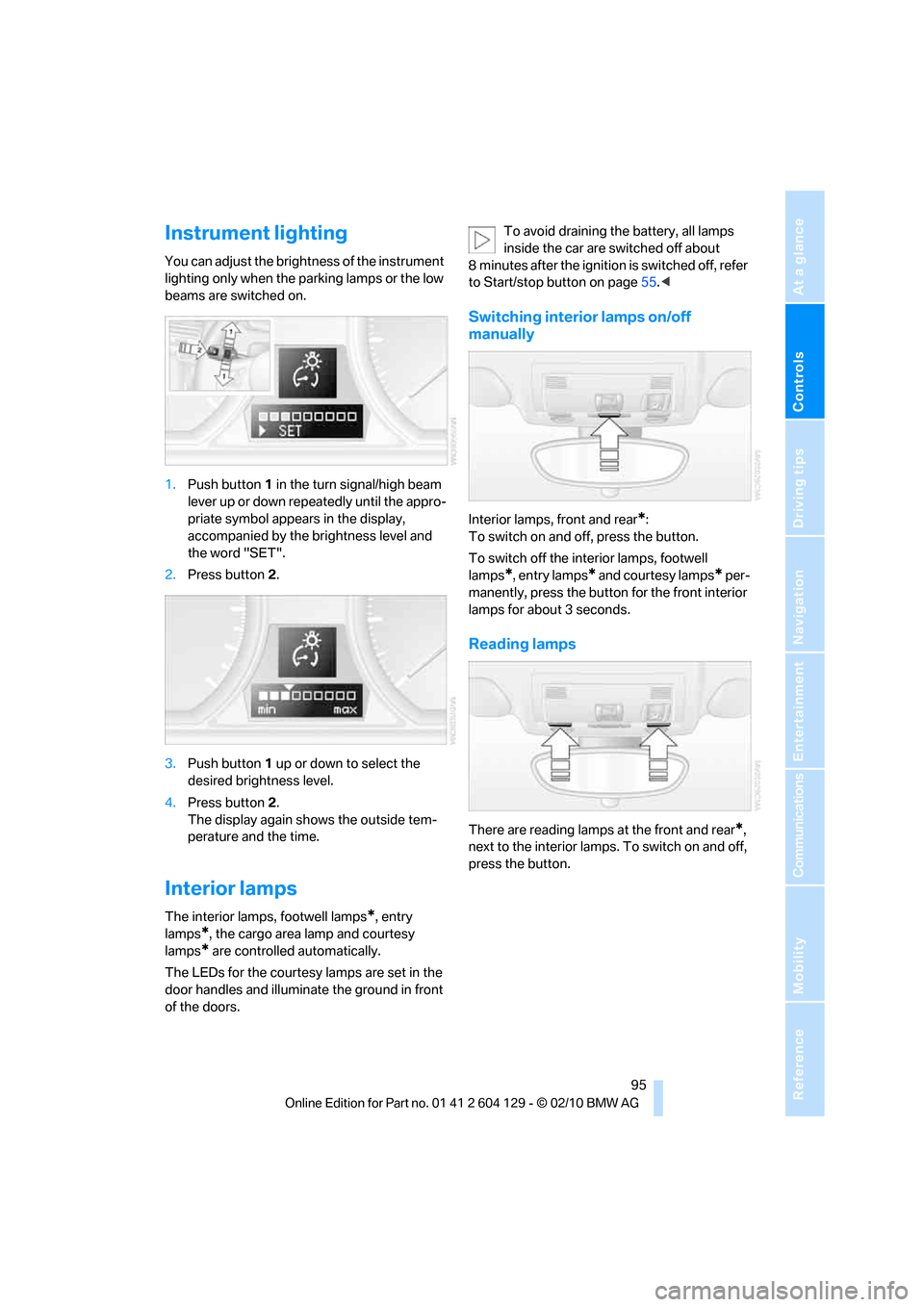
Instrument lighting
You can adjust the brightness of the instrument
lighting only when the parking lamps or the low
beams are switched on.
1.Push button1 in the turn signal/high beam
lever up or down repeatedly until the appro-
priate symbol appears in the display,
accompanied by the brightness level and
the word "SET".
2.Press button2.
3.Push button 1 up or down to select the
desired brightness level.
4.Press button2.
The display again shows the outside tem-
perature and the time.
Interior lamps
The interior lamps, footwell lamps*, entry
lamps
*, the cargo area lamp and courtesy
lamps
* are controlled automatically.
The LEDs for the courtesy lamps
are set in the
door handles and illuminate the ground in front
of the doors.To avoid draining the battery, all lamps
inside the car are switched off about
8 minutes after the ignition is switched off, refer
to Start/stop button on page55.<
Switching interior lamps on/off
manually
Interior lamps, front and rear*:
To switch on and off, press the button.
To switch off the interior lamps, footwell
lamps
*, entry lamps* and courtesy lamps* per-
manently, press the button for the front interior
lamps for about 3 seconds.
Reading lamps
There are reading lamps at the front and rear*,
next to the interior lamps. To switch on and off,
press the button.
Page 214 of 256
Care
212 Clean light-colored leather more frequently as
dust and dirt are more noticeable.
Treat the leather at least once every two
months using a leather lotion as dirt and grease
will gradually attack the leather's protective
layer.
Carpet/floor mats*
The floor mats can be removed for cleaning.
When heavily soiled, clean carpets with a
microfiber cloth and water or textile cleaner.
Rub back and forth in the direction of travel; oth-
erwise, the carpet may become matted.
Interior plastic parts
>Imitation leather surfaces
>Lamp glasses
>Display pane of instrument cluster
>Matte parts
Clean with water and solvent-free plastic
cleaner if necessary.
Fine wood parts
Clean fine wood trim and fine wood parts with a
damp cloth. Wipe dry with a soft cloth.
Safety belts
Dirty belt straps impede the reeling action and
thus have a negative impact on safety.
Do not clean chemically, as this may
destroy the webbing.<
Interior sensors/cameras
To clean interior sensors and cameras, e.g. of
the high-beam assistant, use a lint-free cloth
moistened with glass cleaner.
Displays
To clean displays, e.g. of the radio or instrument
cluster, use a cleaning cloth for displays or a
soft, non-abrasive, lint-free cloth.
Avoid applying excessive pressure when
cleaning the displays; otherwise, damage
may occur.
fluid away from the device. Otherwise, surfaces
or electrical components may be corroded or
damaged.<
CD/DVD drives
Do not use a cleaning CD, as it may dam-
age parts of the drive.<
Vehicle storage
If your vehicle is to be decommissioned for
longer than three months, your BMW center or
a workshop that operates according to BMW
specifications will be glad to advise you.
Page 216 of 256
Replacing components
214
Xenon lamps*
These bulbs have a very long service life and are
highly unlikely to fail. If a xenon lamp fails never-
theless, switch on the fog lamps and continue
the journey with great care, provided that local
legislation does not prohibit this.
Have any work on the xenon lamp system,
including bulb replacements, performed
o n ly b y a BM W c e n t e r o r a w o r k s h o p t h a t w o r k s
according to BMW repair procedures with cor-
respondingly trained personnel. Otherwise, if
such work is carried out improperly, the high
voltage in the system presents the danger of
fatal injuries.<
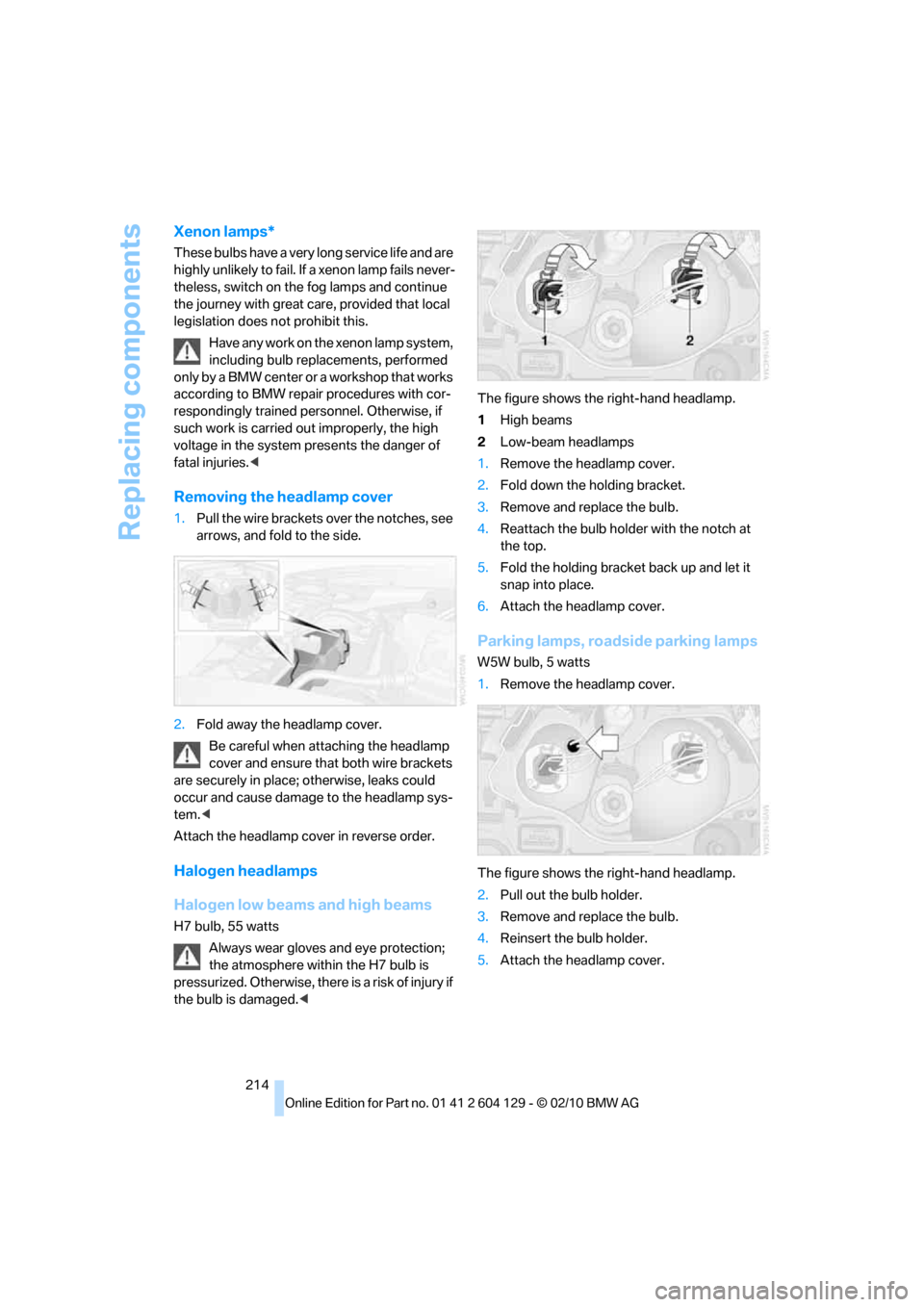
Removing the headlamp cover
1.Pull the wire brackets over the notches, see
arrows, and fold to the side.
2.Fold away the headlamp cover.
Be careful when attaching the headlamp
cover and ensure that both wire brackets
are securely in place; otherwise, leaks could
occur and cause damage to the headlamp sys-
tem.<
Attach the headlamp cover in reverse order.
Halogen headlamps
Halogen low beams and high beams
H7 bulb, 55 watts
Always wear gloves and eye protection;
the atmosphere within the H7 bulb is
pressurized. Otherwise, there is a risk of injury if
the bulb is damaged.
2Low-beam headlamps
1.Remove the headlamp cover.
2.Fold down the holding bracket.
3.Remove and replace the bulb.
4.Reattach the bulb holder with the notch at
the top.
5.Fold the holding bracket back up and let it
snap into place.
6.Attach the headlamp cover.
Parking lamps, roadside parking lamps
W5W bulb, 5 watts
1.Remove the headlamp cover.
The figure shows the right-hand headlamp.
2.Pull out the bulb holder.
3.Remove and replace the bulb.
4.Reinsert the bulb holder.
5.Attach the headlamp cover.
Page 240 of 256
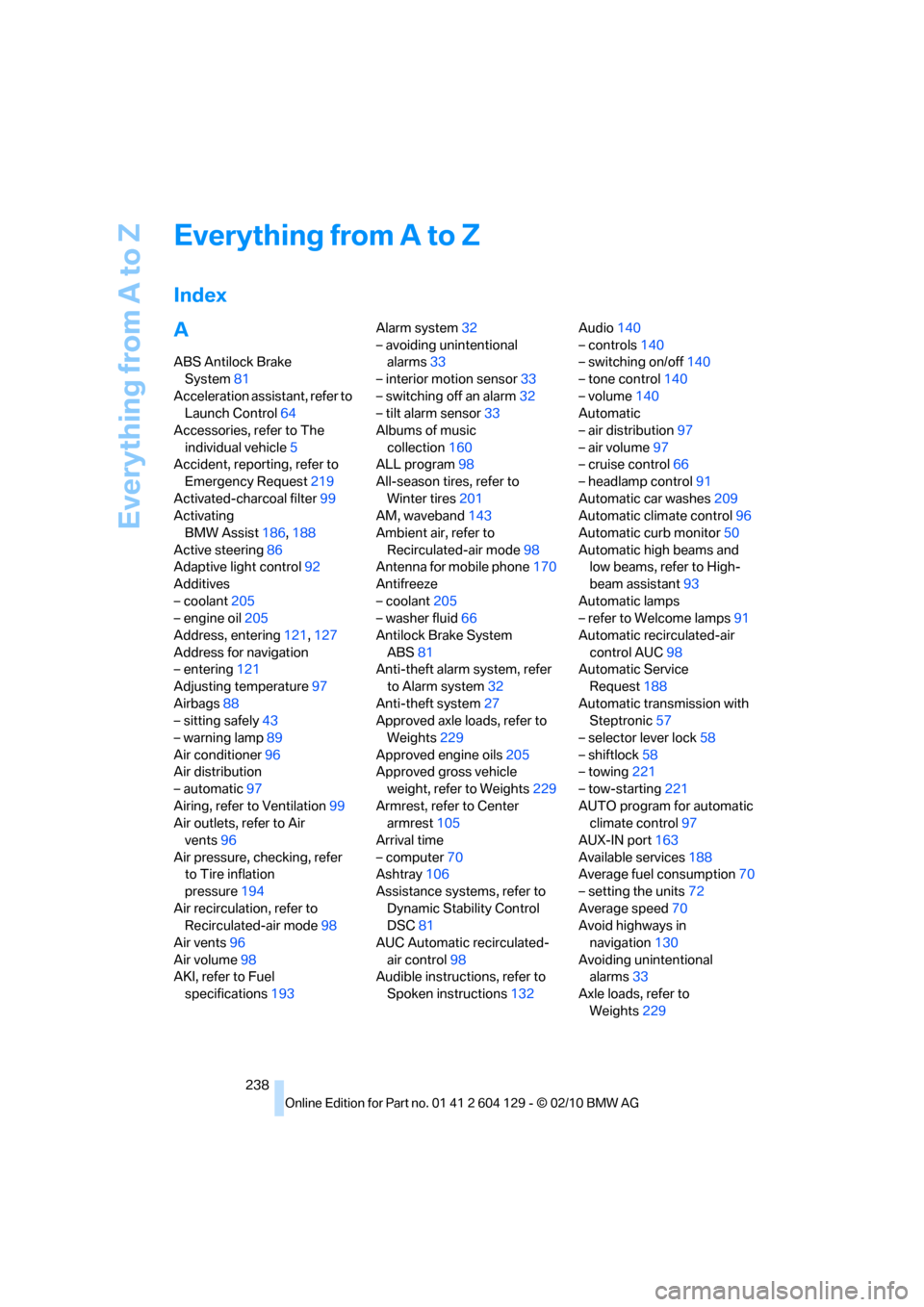
Everything from A to Z
238
Everything from A to Z
Index
A
ABS Antilock Brake
System81
Acceleration assistant, refer to
Launch Control64
Accessories, refer to The
individual vehicle5
Accident, reporting, refer to
Emergency Request219
Activated-charcoal filter99
Activating
BMW Assist186,188
Active steering86
Adaptive light control92
Additives
– coolant205
– engine oil205
Address, entering121,127
Address for navigation
– entering121
Adjusting temperature97
Airbags88
– sitting safely43
– warning lamp89
Air conditioner96
Air distribution
– automatic97
Airing, refer to Ventilation99
Air outlets, refer to Air
vents96
Air pressure, checking, refer
to Tire inflation
pressure194
Air recirculation, refer to
Recirculated-air mode98
Air vents96
Air volume98
AKI, refer to Fuel
specifications193Alarm system32
– avoiding unintentional
alarms33
– interior motion sensor33
– switching off an alarm32
– tilt alarm sensor33
Albums of music
collection160
ALL program98
All-season tires, refer to
Winter tires201
AM, waveband143
Ambient air, refer to
Recirculated-air mode98
Antenna for mobile phone170
Antifreeze
– coolant205
– washer fluid66
Antilock Brake System
ABS81
Anti-theft alarm system, refer
to Alarm system
32
Anti-theft system27
Approved axle loads, refer to
Weights229
Approved engine oils205
Approved gross vehicle
weight, refer to Weights229
Armrest, refer to Center
armrest105
Arrival time
– computer70
Ashtray106
Assistance systems, refer to
Dynamic Stability Control
DSC81
AUC Automatic recirculated-
air control98
Audible instructions, refer to
Spoken instructions132Audio140
– controls140
– switching on/off140
– tone control140
– volume140
Automatic
– air distribution97
– air volume97
– cruise control66
– headlamp control91
Automatic car washes209
Automatic climate control96
Automatic curb monitor50
Automatic high beams and
low beams, refer to High-
beam assistant93
Automatic lamps
– refer to Welcome lamps91
Automatic recirculated-air
control AUC98
Automatic Service
Request188
Automatic transmission with
Steptronic57
– selector lever lock58
– shiftlock58
– towing221
– tow-starting221
AUTO program for automatic
climate control97
AUX-IN port163
Available services188
Average fuel consumption70
– setting the units72
Average speed70
Avoid highways in
navigation130
Avoiding unintentional
alarms33
Axle loads, refer to
Weights229
Page 245 of 256
Reference 243
At a glance
Controls
Driving tips
Communications
Navigation
Entertainment
Mobility
Fog lamps94
– indicator lamp13,94
Footbrake, refer to Braking
safely114
Footwell lamps95
For your own safety5
Free memory capacity, music
collection161
Front airbags88
Front seat setting44
Frost, removing from
windows, refer to Defrosting
windows98
FTM, refer to Flat Tire
Monitor82
Fuel193
– gauge69
– high-quality brands193
– quality193
– specifications193
– tank contents, refer to
Capacities230
Fuel clock, refer to Fuel
gauge69
Fuel consumption indicator,
refer to Average fuel
consumption70
Fuel consumption statistics,
refer to Average fuel
consumption70
Fuel display, refer to Fuel
gauge69
Fuel filler flap192
– releasing in the event of
electrical malfunction192
Fuses218
G
Garage door opener, refer to
Integrated universal remote
control101
Gasoline, refer to Required
fuel193
Gasoline display, refer to Fuel
gauge69Gas station
recommendations131
Gear change
– with automatic
transmission58
– with manual transmission57
Gear display, with automatic
transmission58
Gear shifting62
Gearshift lever60
– automatic transmission with
Steptronic58
– manual transmission57
General driving notes113
Glass roof, electric36
– closing after electrical
malfunction37
– convenient operation30
– opening, closing37
– operation with Comfort
Access34
– pinch protection system37
– raising36
– remote control28
Glove compartment104
GPS navigation, refer to
Navigation system120
Grills, refer to Air vents96
Gross vehicle weight, refer to
Weights229
H
Halogen lamps
– replacing bulbs214
Handbrake, refer to Parking
brake57
Hands-free system, refer to
Microphone for hands-free
mode14
Hazard warning flashers14
HD Radio144
Head airbags88
Headlamp control,
automatic91
Headlamp cover214
Headlamp flasher64
– indicator lamp13Headlamps
– replacing bulbs214
Head restraints46
Heated
– seats48
– steering wheel51
Heated mirrors50
Heating
– mirrors50
– seats48
– steering wheel51
Heating, rear window98
Heating and ventilation96
Heavy loads, refer to Stowing
cargo115
Height, refer to
Dimensions227
Height adjustment
– steering wheel51
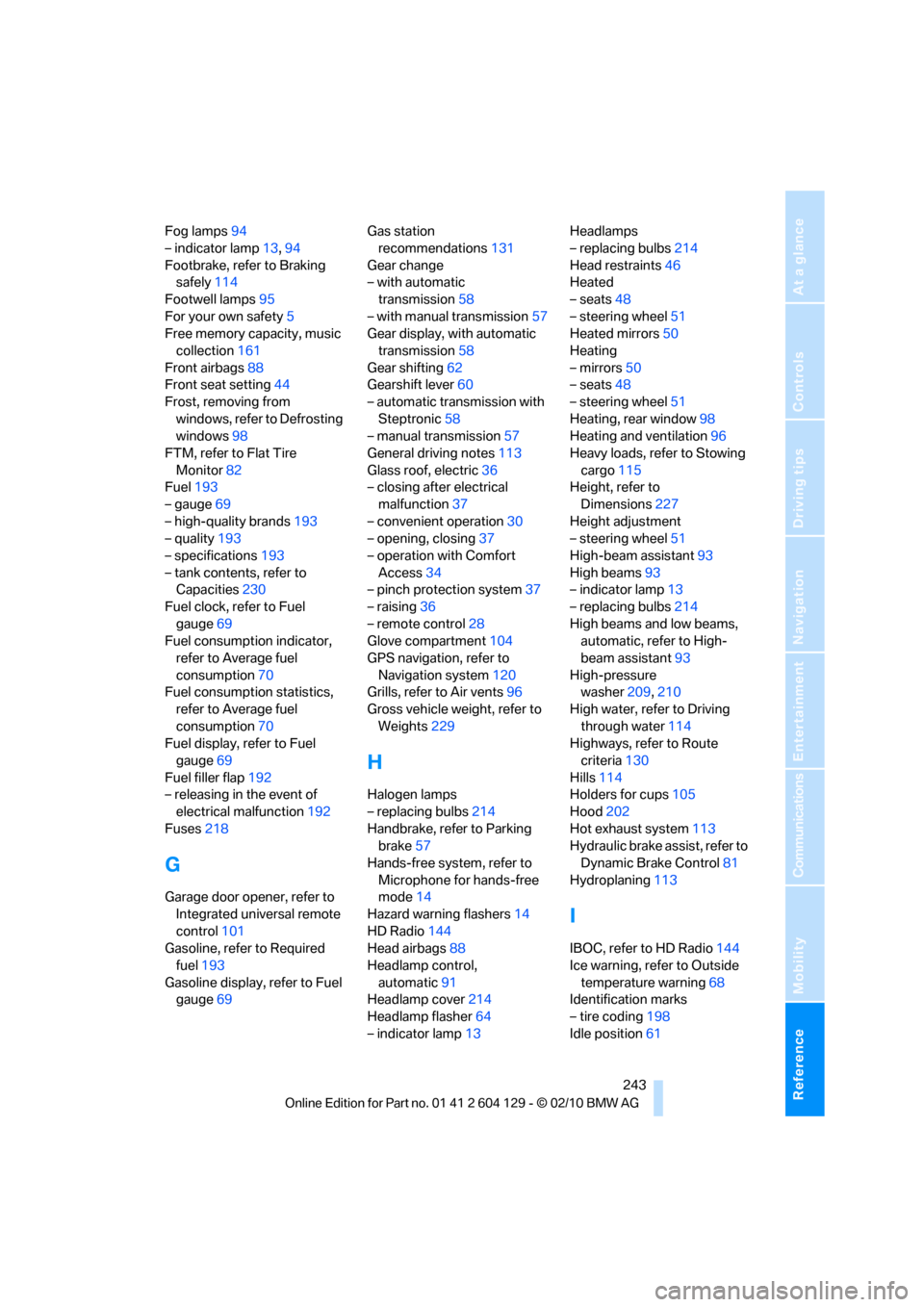
High-beam assistant93
High beams93
– indicator lamp13
– replacing bulbs214
High beams and low beams,
automatic, refer to High-
beam assistant93
High-pressure
washer209,210
High water, refer to Driving
through water114
Highways, refer to Route
criteria130
Hills114
Holders for cups105
Hood202
Hot exhaust system113
Hydraulic brake assist, refer to
Dynamic Brake Control81
Hydroplaning113
I
IBOC, refer to HD Radio144
Ice warning, refer to Outside
temperature warning68
Identification marks
– tire coding198
Idle position61