Start car BMW 135I COUPE 2011 E82 Owner's Guide
[x] Cancel search | Manufacturer: BMW, Model Year: 2011, Model line: 135I COUPE, Model: BMW 135I COUPE 2011 E82Pages: 256, PDF Size: 8.41 MB
Page 222 of 256
Giving and receiving assistance
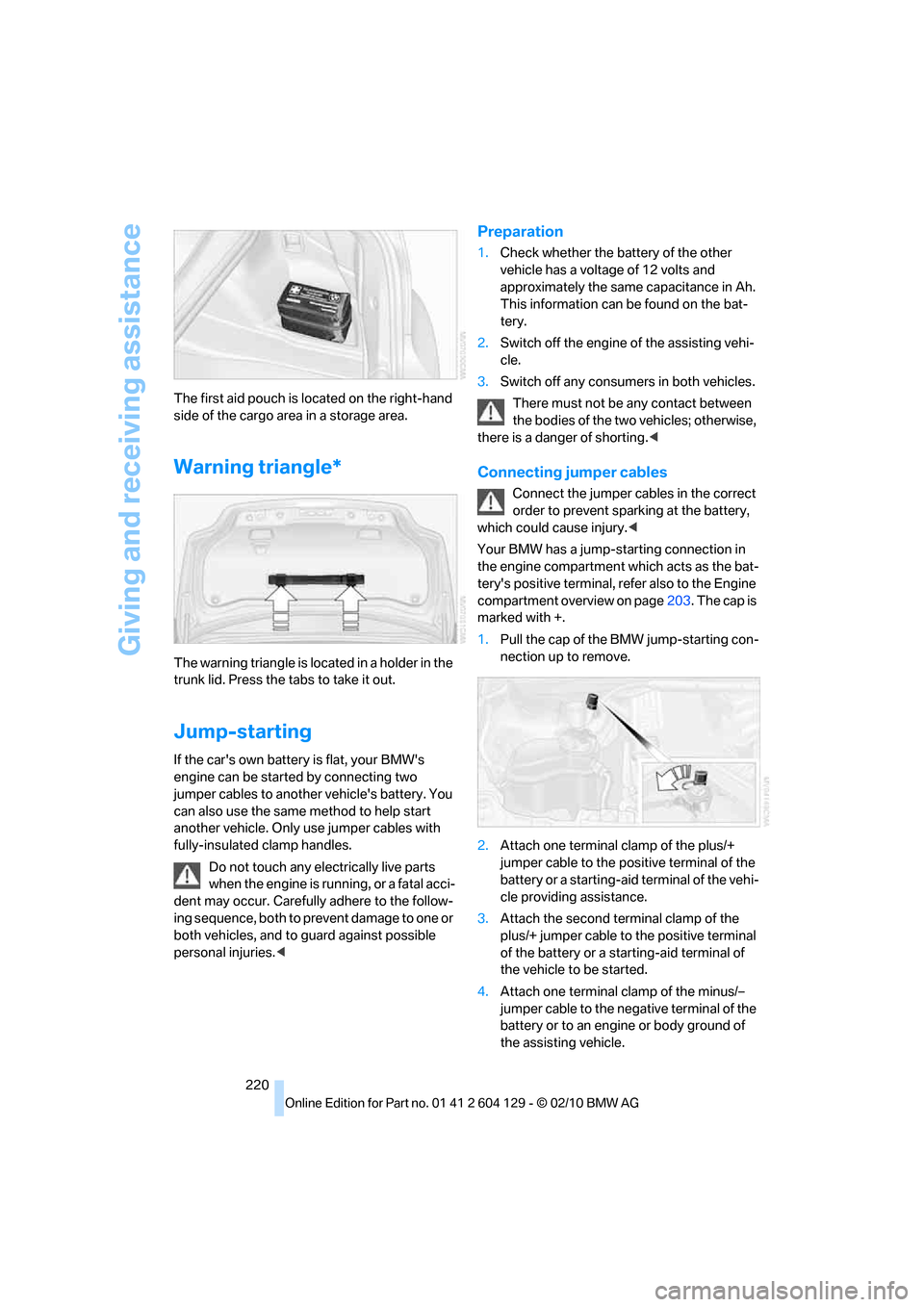
220 The first aid pouch is located on the right-hand
side of the cargo area in a storage area.
Warning triangle*
The warning triangle is located in a holder in the
trunk lid. Press the tabs to take it out.
Jump-starting
If the car's own battery is flat, your BMW's
engine can be started by connecting two
jumper cables to another vehicle's battery. You
can also use the same method to help start
another vehicle. Only use jumper cables with
fully-insulated clamp handles.
Do not touch any electrically live parts
when the engine is running, or a fatal acci-
dent may occur. Carefully adhere to the follow-
ing sequence, both to prevent damage to one or
both vehicles, and to guard against possible
personal injuries.<
Preparation
1.Check whether the battery of the other
vehicle has a voltage of 12 volts and
approximately the same capacitance in Ah.
This information can be found on the bat-
tery.
2.Switch off the engine of the assisting vehi-
cle.
3.Switch off any consumers in both vehicles.
There must not be any contact between
the bodies of the two vehicles; otherwise,
there is a danger of shorting.<
Connecting jumper cables
Connect the jumper cables in the correct
order to prevent sparking at the battery,
which could cause injury.<
Your BMW has a jump-starting connection in
the engine compartment which acts as the bat-
tery's positive terminal, refer also to the Engine
compartment overview on page203. The cap is
marked with +.
1.Pull the cap of the BMW jump-starting con-
nection up to remove.
2.Attach one terminal clamp of the plus/+
jumper cable to the positive terminal of the
battery or a starting-aid terminal of the vehi-
cle providing assistance.
3.Attach the second terminal clamp of the
plus/+ jumper cable to the positive terminal
of the battery or a starting-aid terminal of
the vehicle to be started.
4.Attach one terminal clamp of the minus/–
jumper cable to the negative terminal of the
battery or to an engine or body ground of
the assisting vehicle.
Page 223 of 256
Mobility
221Reference
At a glance
Controls
Driving tips
Communications
Navigation
Entertainment
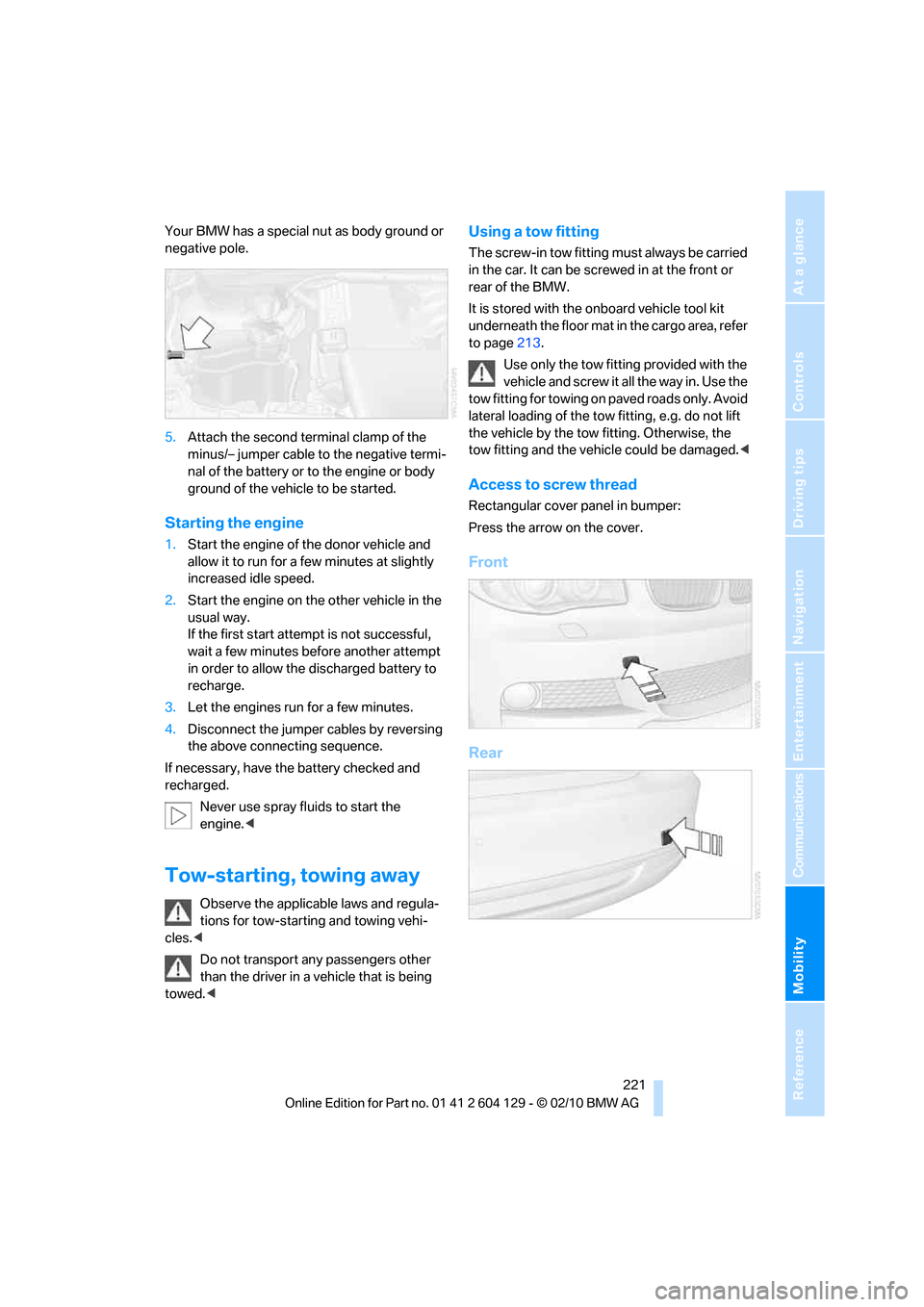
Your BMW has a special nut as body ground or
negative pole.
5.Attach the second terminal clamp of the
minus/– jumper cable to the negative termi-
nal of the battery or to the engine or body
ground of the vehicle to be started.
Starting the engine
1.Start the engine of the donor vehicle and
allow it to run for a few minutes at slightly
increased idle speed.
2.Start the engine on the other vehicle in the
usual way.
If the first start attempt is not successful,
wait a few minutes before another attempt
in order to allow the discharged battery to
recharge.
3.Let the engines run for a few minutes.
4.Disconnect the jumper cables by reversing
the above connecting sequence.
If necessary, have the battery checked and
recharged.
Never use spray fluids to start the
engine.<
Tow-starting, towing away
Observe the applicable laws and regula-
tions for tow-starting and towing vehi-
cles.<
Do not transport any passengers other
than the driver in a vehicle that is being
towed.<
Using a tow fitting
The screw-in tow fitting must always be carried
in the car. It can be screwed in at the front or
rear of the BMW.
It is stored with the onboard vehicle tool kit
underneath the floor mat in the cargo area, refer
to page213.
Use only the tow fitting provided with the
vehicle and screw it all the way in. Use the
tow fitting for towing on paved roads only. Avoid
lateral loading of the tow fitting, e.g. do not lift
the vehicle by the tow fitting. Otherwise, the
tow fitting and the vehicle could be damaged.<
Access to screw thread
Rectangular cover panel in bumper:
Press the arrow on the cover.
Front
Rear
Page 224 of 256
Giving and receiving assistance
222
Being towed
Make sure that the ignition is switched on,
refer to page55; otherwise, the low-beam
headlamps, tail lamps, turn signal indicators and
windshield wipers may be unavailable. Power
steering assistance is not available when the
engine is not running. Thus, braking and steer-
ing will require increased effort. Active steering
is not active and it will be necessary to turn the
steering wheel further.<
Manual transmission
Gearshift lever in neutral position.
Automatic transmission
Selector lever in position N.
Changing selector lever position, refer to
page58.
Do not exceed a towing speed of 45 mph/
70 km/h and a towing distance of
90 miles/150 km; otherwise, the automatic
transmission may be damaged.<
Sports automatic transmission with
double clutch
Make sure that the parking lock P is not
engaged; otherwise, the rear wheels are
immobilized.
When using the car wash function, refer to
page210, make sure that after approx.
30 minutes, the parking lock P is automatically
engaged and thus immobilizes the rear wheels.
In the event of an electrical malfunction or if the
vehicle must be towed for more than approx.
20 minutes, unlock the parking lock manually,
refer to page63.<
When towing, do not exceed a maximum
speed of 30 mph or 50 km/h and a maxi-
mum distance traveled of 30 miles/50 km; oth-
erwise, the transmission may be damaged.<
BMW recommends transporting the vehicle on
a tow truck with a flatbed or towing with the rear
axle raised.
Towing methods
Do not lift the vehicle by a tow fitting or
body and chassis parts; otherwise, dam-
age may result.<
With a tow bar
The towing vehicle must not be lighter
than the towed vehicle; otherwise, it may
be impossible to maintain control.<
The tow fittings used should be on the same
side on both vehicles. Should it prove impossi-
ble to avoid mounting the tow bar at an angle,
please observe the following:
>Clearance and maneuvering capability will
be sharply limited during cornering.
>The tow bar will generate lateral forces if it is
attached offset.
Attach the tow bar to the tow fittings only,
as attaching it to other parts of the vehicle
could result in damage.<
With a tow rope
When starting off in the towing vehicle, make
sure that the tow rope is taut.
To avoid jerking and the associated
stresses on vehicle components when
towing, always use nylon ropes or nylon straps.
Attach the tow rope to the tow fittings only, as
attaching it to other parts of the vehicle could
result in damage.<
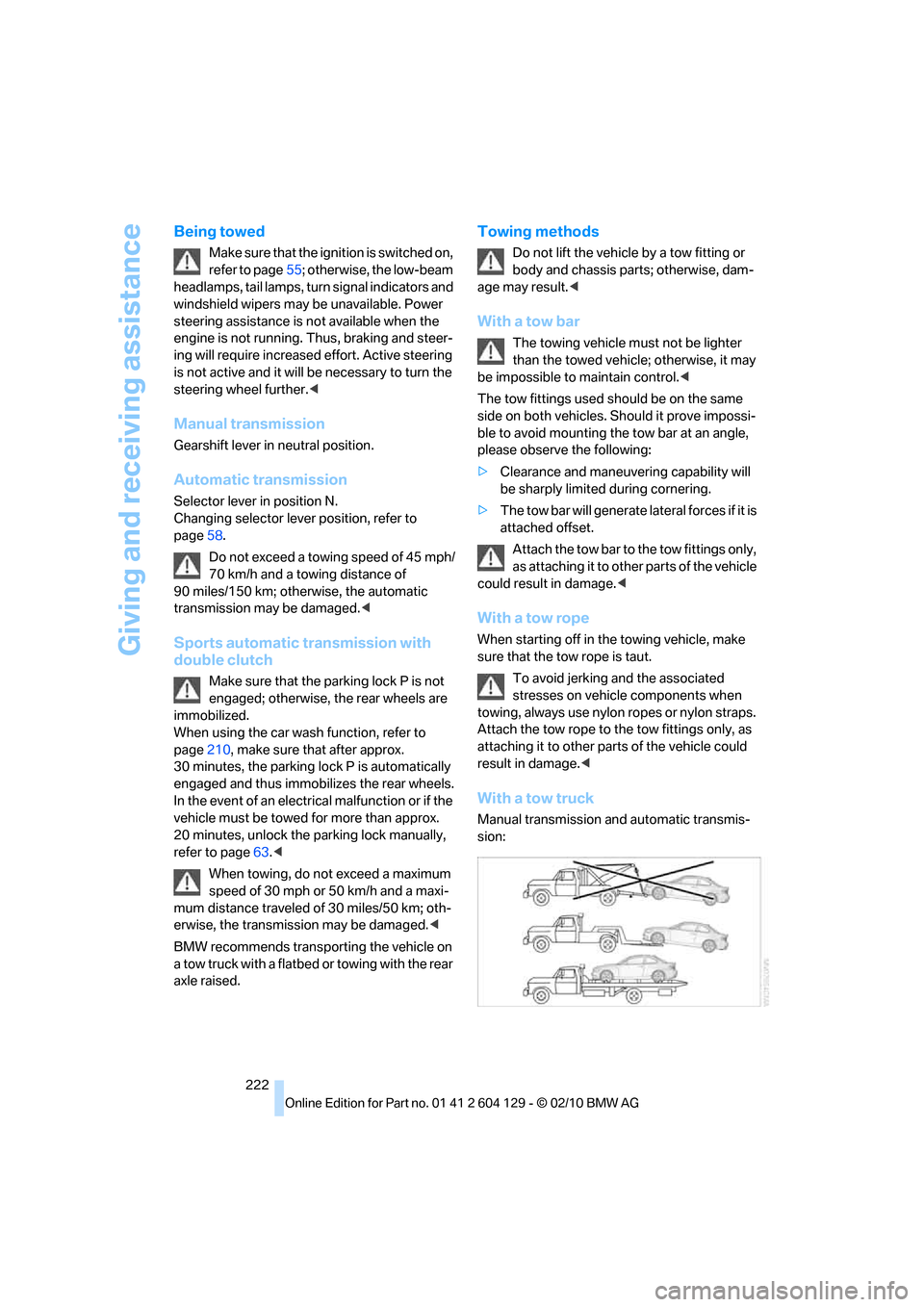
With a tow truck
Manual transmission and automatic transmis-
sion:
Page 240 of 256
Everything from A to Z
238
Everything from A to Z
Index
A
ABS Antilock Brake
System81
Acceleration assistant, refer to
Launch Control64
Accessories, refer to The
individual vehicle5
Accident, reporting, refer to
Emergency Request219
Activated-charcoal filter99
Activating
BMW Assist186,188
Active steering86
Adaptive light control92
Additives
– coolant205
– engine oil205
Address, entering121,127
Address for navigation
– entering121
Adjusting temperature97
Airbags88
– sitting safely43
– warning lamp89
Air conditioner96
Air distribution
– automatic97
Airing, refer to Ventilation99
Air outlets, refer to Air
vents96
Air pressure, checking, refer
to Tire inflation
pressure194
Air recirculation, refer to
Recirculated-air mode98
Air vents96
Air volume98
AKI, refer to Fuel
specifications193Alarm system32
– avoiding unintentional
alarms33
– interior motion sensor33
– switching off an alarm32
– tilt alarm sensor33
Albums of music
collection160
ALL program98
All-season tires, refer to
Winter tires201
AM, waveband143
Ambient air, refer to
Recirculated-air mode98
Antenna for mobile phone170
Antifreeze
– coolant205
– washer fluid66
Antilock Brake System
ABS81
Anti-theft alarm system, refer
to Alarm system
32
Anti-theft system27
Approved axle loads, refer to
Weights229
Approved engine oils205
Approved gross vehicle
weight, refer to Weights229
Armrest, refer to Center
armrest105
Arrival time
– computer70
Ashtray106
Assistance systems, refer to
Dynamic Stability Control
DSC81
AUC Automatic recirculated-
air control98
Audible instructions, refer to
Spoken instructions132Audio140
– controls140
– switching on/off140
– tone control140
– volume140
Automatic
– air distribution97
– air volume97
– cruise control66
– headlamp control91
Automatic car washes209
Automatic climate control96
Automatic curb monitor50
Automatic high beams and
low beams, refer to High-
beam assistant93
Automatic lamps
– refer to Welcome lamps91
Automatic recirculated-air
control AUC98
Automatic Service
Request188
Automatic transmission with
Steptronic57
– selector lever lock58
– shiftlock58
– towing221
– tow-starting221
AUTO program for automatic
climate control97
AUX-IN port163
Available services188
Average fuel consumption70
– setting the units72
Average speed70
Avoid highways in
navigation130
Avoiding unintentional
alarms33
Axle loads, refer to
Weights229
Page 241 of 256
Reference 239
At a glance
Controls
Driving tips
Communications
Navigation
Entertainment
Mobility
B
Backrests, refer to Seats44
Backrest width adjustment45
Back seats, refer to Rear seats
– adjusting head restraints46
Backup lamp, replacing
bulb216
Bag for skis, refer to Ski
bag107
Band-aids, refer to First aid
pouch219
Bar, refer to Tow-starting,
towing away222
Base plate for telephone or
mobile phone
– refer to Snap-in adapter180
Bass, tone setting140
Battery217
– charging218
– disposal35,218
– jump-starting220
– replacing217
– temporary power failure218
Battery for mobile phone181
Battery renewal
– remote control for vehicle35
Being towed222
Belts, refer to Safety belts49
Belt tensioner, refer to Safety
belts49
Beverage holders, refer to
Cupholders105
Blower, refer to Air volume98
Bluetooth, activating/
deactivating172
BMW
– car shampoo210
BMW Assist184
BMW Maintenance
System207
BMW Search186
Bottle holders, refer to
Cupholders105
Brake Assist, refer to Dynamic
Brake Control81
Brake fluid
– service requirements72
Brake Force Display87Brake lamps
– Brake Force Display87
– replacing bulb216
Brake pads, breaking in112
Brake rotors114
– brakes112
– breaking in112
Brakes
– ABS81
– BMW Maintenance
System207
– braking safely114
– breaking in112
– parking brake57
– service requirements72
Brake system112
– BMW Maintenance
System207
– breaking in112
– disc brakes114
Breakdown services, refer to
Roadside Assistance219
Breaking in the clutch112
Break-in period112
Bulb changing, refer to Lamps
and bulbs213
Bulbs, changing213
Button for starting the
engine55
Buttons on the steering
wheel11
C
California Proposition 65
warning6
Call
– accepting173
– ending174
– rejecting174
Calling, refer to Phone
numbers, dialing174
Calling, refer to Telephone
owner's manual
Can holders, refer to
Cupholders105
Capacities230
Capacity of the cargo area229Car battery, refer to Vehicle
battery217
Car care, refer to Care209
Care209
– automatic car washes209
– care products209
– carpets212
– CD/DVD drives212
– chrome parts211
– convertible top210
– displays212
– exterior209
– fine wood parts212
– headlamps210
– high-pressure washer210
– interior211
– leather211
– light-alloy wheels211
– paintwork211
– plastic parts212
– rubber seals211
– safety belts212
– sensors and cameras212
– upholstery and cloth
trim211
– washing the car
manually210
– windows210
Cargo, securing116
Cargo area
– capacity229
– Comfort Access34
– enlarging, refer to Through-
loading system106
– lamp, refer to Interior
lamps95
– lid, refer to Trunk lid31
– opening from outside31
Cargo area lid, refer to Trunk
lid31
Cargo area net, refer to
Securing cargo116
Cargo loading115
– securing cargo
116
– stowing cargo115
– vehicle114
Car jack
– jacking points217
Page 242 of 256
Everything from A to Z
240 Car key, refer to Integrated
key/remote control26
Car phone
– installation location, refer to
Center armrest105
– refer to separate Owner's
Manual
Car phone, refer to
Telephone170
Car radio, refer to Radio143
Car shampoo210
Car wash209
Catalytic converter, refer to
Hot exhaust system113
CD, audio playback151
CD changer151,155
– controls140
– fast forward/reverse153
– filling or emptying the
magazine156
– random play sequence152
– selecting a track151
– switching on/off140
– tone control140
– volume140
CD player151
– controls140
– fast forward/reverse153
– random play sequence152
– selecting a track151
– switching on/off140
– tone control140
– volume140
Center armrest105
Center brake lamp, replacing
bulb217
Center console, refer to
Around the center
console14
Central key, refer to Integrated
key/remote control26
Central locking
– from inside30
– from outside27
Central locking system27
– Comfort Access33
Changes, technical, refer to
For your own safety5Changing the language on the
Control Display79
Changing wheels217
Chassis number, refer to
Engine compartment203
Check Control76
Checking oil level203
Child restraint fixing system
LATCH53
Child restraint systems52
Child seats52
Chrome parts211
Chrome polish211
Cigarette lighter106
Cleaning headlamps65
– washer fluid66
Cleaning your BMW, refer to
Care209
Climate control
– automatic air distribution97
Clock68
– 12h/24h mode75
– setting the time and date75
– setting time74
Closing
– from inside30
– from outside27
clothes hooks105
Cold start, refer to Starting the
engine56
Comfort Access33
– replacing the battery35
Comfort access, refer to
Comfort Access33
Comfort area, refer to Around
the center console14
Compartment for remote
control, refer to Ignition
lock55
Compass103
Computer69
– displays on Control
Display70
Computer, refer to iDrive16
Concierge service185
Condensation, refer to When
the vehicle is parked114
Condition Based Service
CBS207Configuring settings, refer to
Personal Profile26
Confirmation signals for
locking/unlocking the
vehicle28
Congestion
– refer to Route, bypassing
sections131
Connecting vacuum cleaner,
refer to Connecting
electrical appliances106
Consumption, refer to
Average fuel
consumption70
Contacts
– creating182
Control Center, refer to
iDrive16
Control Display16
Control Display, refer to iDrive
– switching on/off19
Controller, refer to iDrive16
Controls and displays10
Convenient operation
– windows
28
– windows with Comfort
Access34
– with Comfort Access34
Convenient starting, refer to
Starting the engine56
Convertible
– rollover protection
system90
– top38
– wind deflector41
Convertible top
– convenient opening28
Convertible top care210
Coolant205
– checking level206
– filling206
Coolant temperature69
Cooling, maximum97
Cooling fluid, refer to
Coolant205
Copyright2
Corner-illuminating lamps92
Page 246 of 256
Everything from A to Z
244 iDrive16
– adjusting brightness79
– changing date and time75
– changing language79
– menu guidance17
– operating principle16
– status information19
Ignition55
– switched off56
– switched on55
Ignition key, refer to
Integrated key/remote
control26
Ignition key position 1, refer to
Radio readiness55
Ignition key position 2, refer to
Ignition on55
Ignition lock55
Imprint2
Indicator and warning
lamps13
– Tire Pressure Monitor
TPM85
Individual settings, refer to
Personal Profile26
Inflation pressure, tires194
Inflation pressure monitoring,
refer to Tire Pressure
Monitor TPM84
Initializing
– compass, refer to
Calibrating104
– radio, refer to Station,
storing143
– refer to Setting the time and
date75
Initializing, Flat Tire Monitor
FTM83
Instructions for navigation
system, refer to Voice
instructions132
Instrument cluster12
Instrument combination, refer
to Instrument cluster12
Instrument lighting95
Integrated key26
Integrated universal remote
control101
Interactive map126Interior lamps95
– remote control28
Interior motion sensor33
Interior rearview mirror50
– automatic dimming
feature51
– compass103
Intermittent mode of the
wipers65
Intersection, entering,
navigation122
iPod, connecting, refer to
AUX-IN port163
iPod, connecting, refer to USB
audio interface163
J
Jacking points217
Jets, refer to Air vents96
Joystick, refer to iDrive16
Jumpering, refer to Jump-
starting220
Jump-starting220
K
Key, refer to Integrated key/
remote control26
Keyless go, refer to Comfort
Access33
Keyless opening and closing,
refer to Comfort Access33
Key Memory, refer to Personal
Profile26
Kickdown58
Knock control193
L
Lamps
– adaptive light control92
– interior lighting95
Lamps, refer to Parking lamps/
low beams91
Lamps and bulbs, replacing
bulbs213
Lashing eyes, refer to
Securing cargo116Last destinations124
LATCH child restraint fixing
system53
Launch Control64
Leather care211
LED Light-emitting
diodes213
Length, refer to
Dimensions227
License plate lamp, replacing
bulb217
Light
– instrument lighting95
– refer to High-beam
assistant93
Light-alloy wheels211
Light control
– refer to High-beam
assistant93
Light-emitting diodes
LED213
Lighter106
– socket106
Lighting
– lamps and bulbs213
– of instruments95
– of vehicle, refer to Lamps91
Light switch91
Limit, refer to Speed limit78
Load115
Load securing equipment,
refer to Securing cargo116
Lock buttons of doors, refer to
Locking30
Locking
– adjusting confirmation
signal28
– from inside30
– from outside28
– without remote control, refer
to Comfort Access33
Locking and unlocking doors
– from inside30
– from outside27
Low beam control, refer to
High-beam assistant93
Low-beam headlamps91
– automatic91
– replacing bulbs214
Page 247 of 256
Reference 245
At a glance
Controls
Driving tips
Communications
Navigation
Entertainment
Mobility
Lower back support, refer to
Lumbar support45
Luggage compartment, refer
to Cargo area
Luggage rack, refer to Roof-
mounted luggage rack116
Lumbar support45
M
M+S tires, refer to Winter
tires201
Maintenance, refer to
– BMW Maintenance
System207
– Service booklet
Maintenance system207
Malfunction warnings, refer to
Check Control76
Manual car wash210
Manually unlocking parking
lock63
Manual operation
– door lock30
– fuel filler flap192
– glass roof37
– parking lock63
– transmission lock, automatic
transmission59
Manual operation with
automatic transmission59
Manual transmission57
Map for navigation
– changing scale133
– entering destination126
Map view132
Maximum cooling97
Maximum speed
– for winter tires201
Menus, refer to iDrive16
Messages176
Messages from the concierge
service177
Microfilter/activated-charcoal
filter for automatic climate
control99
Microphone for telephone14
Mirror dimming feature51Mirrors49
– automatic curb monitor50
– exterior mirrors49
– heating50
– interior rearview mirror50
Mobile phone
– adjusting volume173
– connecting, refer to Mobile
phone, pairing170
– operation via iDrive173
– pairing170
Mobile phone, installation
location, refer to Center
armrest105
Mobile phone, refer to
Telephone170
Mobile phone, refer to the
separate Owner's Manual
Modifications, technical, refer
to For your own safety5
Monitor, refer to iDrive16
Monitoring system for tire
pressures, refer to Flat Tire
Monitor82
MP3 player, connecting, refer
to AUX-IN port163
MP3 player, connecting, refer
to USB audio interface163
Multi-channel playback141
Multifunctional steering
wheel, refer to Buttons on
the steering wheel11
Multifunction switch
– refer to Turn signals/
headlamp flasher64
– refer to Wiper system65
Music, managing161
Music collection158
– backup162
– deleting162
– random sequence161
– restoring162
Music player, connecting,
refer to AUX-IN port163
Music player, connecting,
refer to USB audio
interface163
Music search159
My Info177
N
Navigation
– starting destination
guidance after entering a
destination123
– storing current position123
– voice activation127
Navigation announcements,
refer to Switching voice
instructions on/off132
Navigation data120
Navigation system120
– address book123
– bypassing a route
section131
– continuing destination
guidance130
– destination entry121
– dynamic destination
guidance131
– entering a destination by
voice127
– entering a destination
manually121
– frequently asked
questions137
– gas station
recommendations131
– planning a trip128
– route list131
– selecting destination via
map126
– selecting route criteria130
– special destinations124
– starting destination
guidance130
– terminating destination
guidance130
– traffic bulletins133
– voice instructions132
– volume adjustment132
Neck support, refer to Head
restraints46
Nets, refer to Storage
compartments105
New tires200
Page 248 of 256
Everything from A to Z
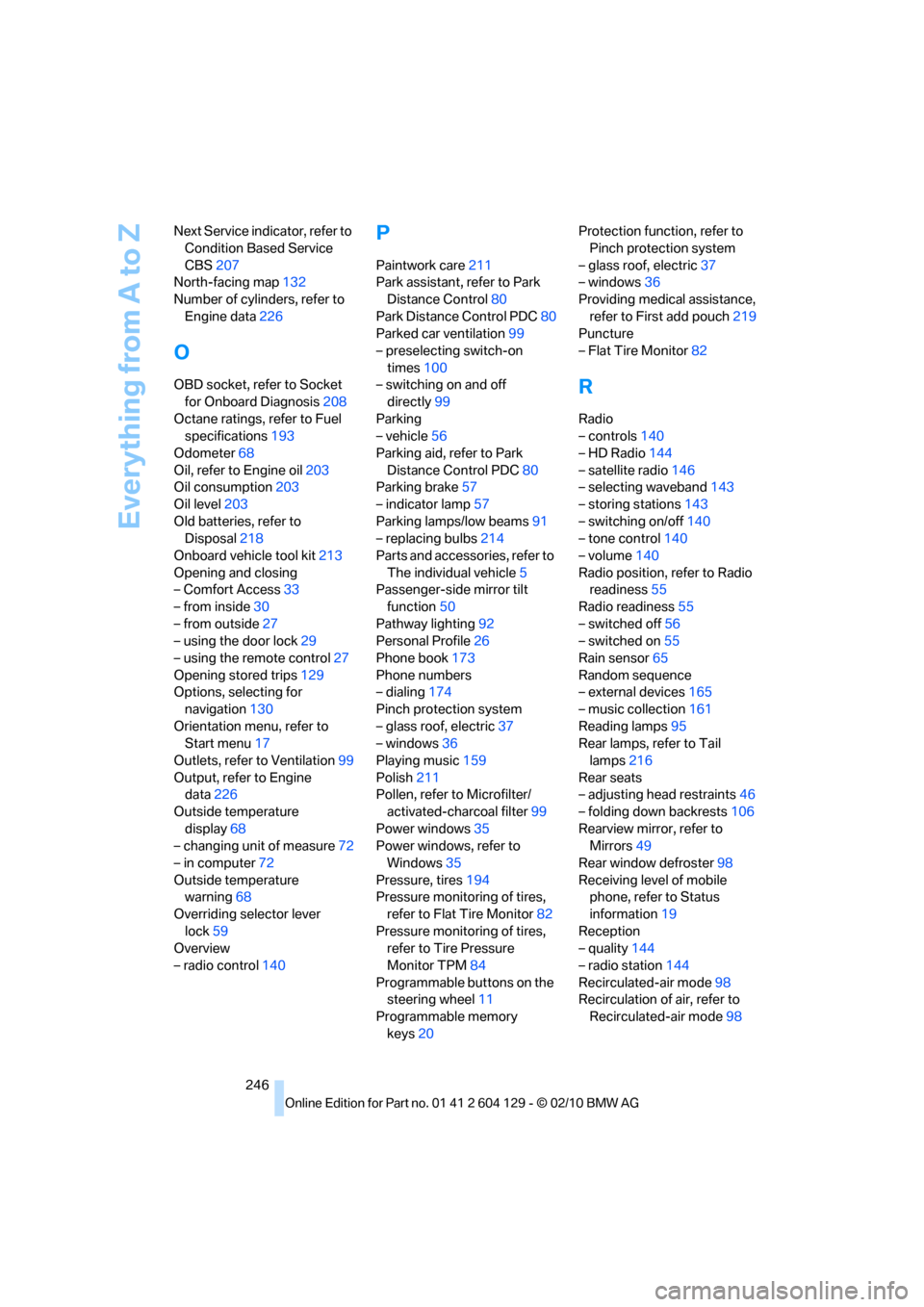
246 Next Service indicator, refer to
Condition Based Service
CBS207
North-facing map132
Number of cylinders, refer to
Engine data226
O
OBD socket, refer to Socket
for Onboard Diagnosis208
Octane ratings, refer to Fuel
specifications193
Odometer68
Oil, refer to Engine oil203
Oil consumption203
Oil level203
Old batteries, refer to
Disposal218
Onboard vehicle tool kit213
Opening and closing
– Comfort Access33
– from inside30
– from outside27
– using the door lock29
– using the remote control27
Opening stored trips129
Options, selecting for
navigation130
Orientation menu, refer to
Start menu17
Outlets, refer to Ventilation99
Output, refer to Engine
data226
Outside temperature
display68
– changing unit of measure72
– in computer72
Outside temperature
warning68
Overriding selector lever
lock59
Overview
– radio control140
P
Paintwork care211
Park assistant, refer to Park
Distance Control80
Park Distance Control PDC80
Parked car ventilation99
– preselecting switch-on
times100
– switching on and off
directly99
Parking
– vehicle56
Parking aid, refer to Park
Distance Control PDC80
Parking brake57
– indicator lamp57
Parking lamps/low beams91
– replacing bulbs214
Parts and accessories, refer to
The individual vehicle5
Passenger-side mirror tilt
function50
Pathway lighting92
Personal Profile26
Phone book173
Phone numbers
– dialing174
Pinch protection system
– glass roof, electric37
– windows36
Playing music159
Polish211
Pollen, refer to Microfilter/
activated-charcoal filter99
Power windows35
Power windows, refer to
Windows35
Pressure, tires194
Pressure monitoring of tires,
refer to Flat Tire Monitor82
Pressure monitoring of tires,
refer to Tire Pressure
Monitor TPM84
Programmable buttons on the
steering wheel11
Programmable memory
keys20Protection function, refer to
Pinch protection system
– glass roof, electric37
– windows36
Providing medical assistance,
refer to First add pouch219
Puncture
– Flat Tire Monitor82
R
Radio
– controls140
– HD Radio144
– satellite radio146
– selecting waveband143
– storing stations143
– switching on/off140
– tone control140
– volume140
Radio position, refer to Radio
readiness55
Radio readiness55
– switched off56
– switched on55
Rain sensor65
Random sequence
– external devices165
– music collection161
Reading lamps95
Rear lamps, refer to Tail
lamps216
Rear seats
– adjusting head restraints46
– folding down backrests106
Rearview mirror, refer to
Mirrors49
Rear window defroster98
Receiving level of mobile
phone, refer to Status
information19
Reception
– quality144
– radio station144
Recirculated-air mode98
Recirculation of air, refer to
Recirculated-air mode98
Page 249 of 256
Reference 247
At a glance
Controls
Driving tips
Communications
Navigation
Entertainment
Mobility
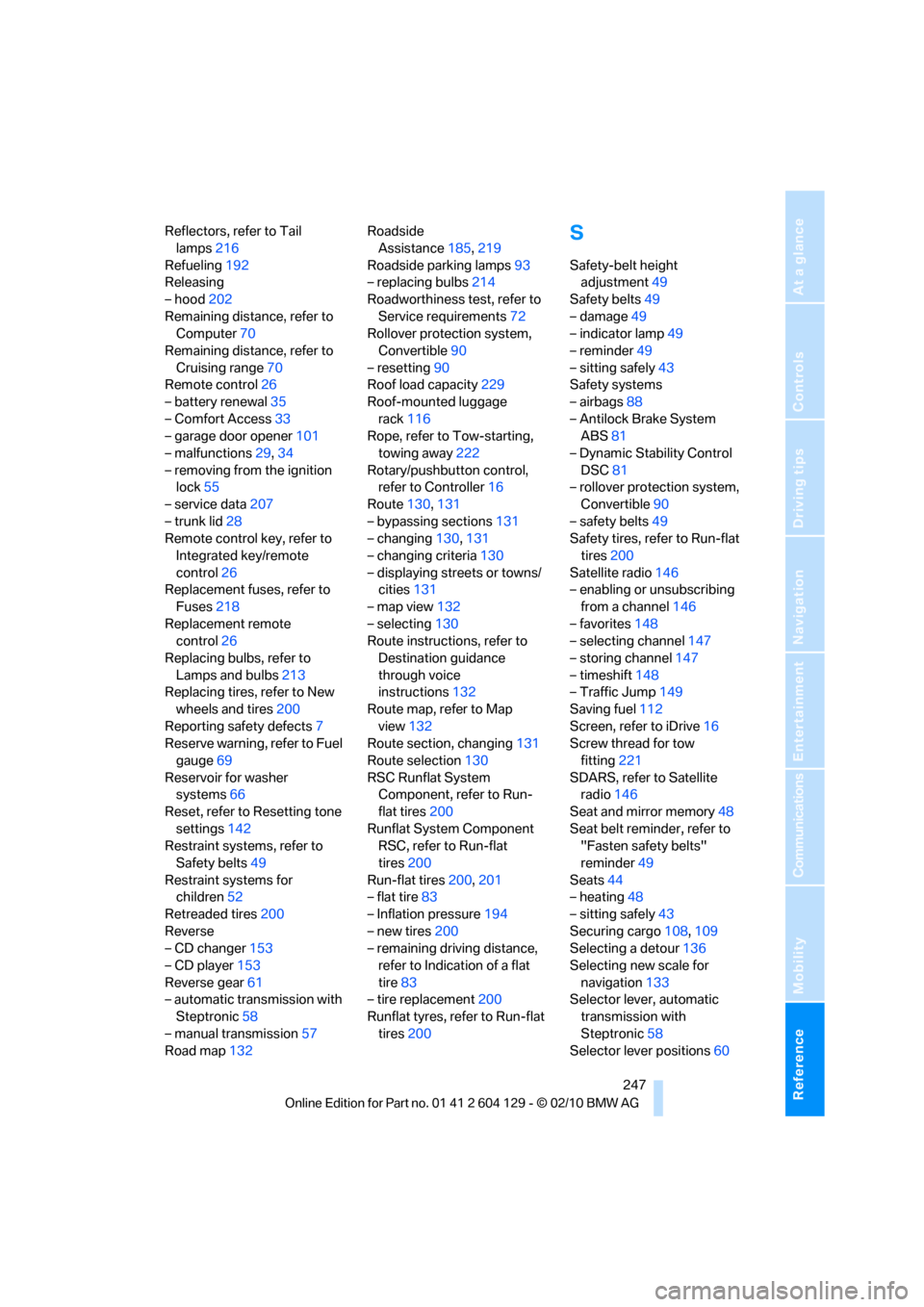
Reflectors, refer to Tail
lamps216
Refueling192
Releasing
– hood202
Remaining distance, refer to
Computer70
Remaining distance, refer to
Cruising range70
Remote control26
– battery renewal35
– Comfort Access33
– garage door opener101
– malfunctions29,34
– removing from the ignition
lock55
– service data207
– trunk lid28
Remote control key, refer to
Integrated key/remote
control26
Replacement fuses, refer to
Fuses218
Replacement remote
control26
Replacing bulbs, refer to
Lamps and bulbs213
Replacing tires, refer to New
wheels and tires200
Reporting safety defects7
Reserve warning, refer to Fuel
gauge69
Reservoir for washer
systems66
Reset, refer to Resetting tone
settings142
Restraint systems, refer to
Safety belts49
Restraint systems for
children52
Retreaded tires200
Reverse
– CD changer153
– CD player153
Reverse gear61
– automatic transmission with
Steptronic58
– manual transmission57
Road map132Roadside
Assistance185,219
Roadside parking lamps93
– replacing bulbs214
Roadworthiness test, refer to
Service requirements72
Rollover protection system,
Convertible90
– resetting90
Roof load capacity229
Roof-mounted luggage
rack116
Rope, refer to Tow-starting,
towing away222
Rotary/pushbutton control,
refer to Controller16
Route130,131
– bypassing sections131
– changing130,131
– changing criteria130
– displaying streets or towns/
cities131
– map view132
– selecting130
Route instructions, refer to
Destination guidance
through voice
instructions132
Route map, refer to Map
view132
Route section, changing131
Route selection130
RSC Runflat System
Component, refer to Run-
flat tires200
Runflat System Component
RSC, refer to Run-flat
tires200
Run-flat tires200,201
– flat tire83
– Inflation pressure194
– new tires200
– remaining driving distance,
refer to Indication of a flat
tire83
– tire replacement200
Runflat tyres, refer to Run-flat
tires200
S
Safety-belt height
adjustment49
Safety belts49
– damage49
– indicator lamp49
– reminder49
– sitting safely43
Safety systems
– airbags88
– Antilock Brake System
ABS81
– Dynamic Stability Control
DSC81
– rollover protection system,
Convertible90
– safety belts49
Safety tires, refer to Run-flat
tires200
Satellite radio146
– enabling or unsubscribing
from a channel146
– favorites148
– selecting channel147
– storing channel147
– timeshift148
– Traffic Jump149
Saving fuel112
Screen, refer to iDrive16
Screw thread for tow
fitting221
SDARS, refer to Satellite
radio146
Seat and mirror memory48
Seat belt reminder, refer to
"Fasten safety belts"
reminder49
Seats44
– heating48
– sitting safely43
Securing cargo108,109
Selecting a detour136
Selecting new scale for
navigation133
Selector lever, automatic
transmission with
Steptronic58
Selector lever positions60