power BMW 135I COUPE 2011 E82 Owner's Guide
[x] Cancel search | Manufacturer: BMW, Model Year: 2011, Model line: 135I COUPE, Model: BMW 135I COUPE 2011 E82Pages: 256, PDF Size: 8.41 MB
Page 160 of 256
Music collection
158
Music collection
Storing music
The music tracks from CDs, DVDs and USB
devices can be stored in the music collection in
the vehicle and played from there.
>Audio CD: tracks are converted into a com-
pressed audio format when they are stored.
If available, information on the album, such
as the artist, is stored as well.
>CD / DVD or USB device with compressed
audio files: the entire content of the CD /
DVD or the USB device is stored in the vehi-
cle as an album. After storing, the tracks and
directories can be deleted individually. Files
are only stored in the WMA, MP3, and AAC
formats.
Tracks with DRM copy protection can be
stored in the vehicle but cannot be played
back.
Regularly back up the music data; other-
wise, it could be lost if there is a fault on
the hard disk.<
Music recognition technology and
related data are provided by
Gracenote®. Gracenote® is the industry stan-
dard in music recognition technology and
related content delivery. For more information,
please visit www.gracenote.com.
CD and music-related data from Gracenote,
Inc., copyright © 2000-2009 Gracenote.
Gracenote Software, copyright © 2000-2009
Gracenote. This product and service may make
use of one or more of the following U.S. Patents:
5,987,525; 6,061,680; 6,154,773; 6,161,132;
6,230,192; 6,230,207; 6,240,459 and
6,330,593 as well as other granted or pending
patents. Some services supplied under license
from Open Globe, Inc. for U.S. Patent:
#6,304,523.
Gracenote and CDDB are registered trade-
marks of Gracenote. The Gracenote logo and
logotype, and the "Powered by Gracenote"
logo are trademarks of Gracenote.
Storing files from CDs/DVDs
CDs / DVDs can only be stored from the CD/
DVD player.
1.Insert a CD / DVD into the CD/DVD player.
2."CD/Multimedia"
3."CD/DVD"
4. Select the symbol for the CD/DVD
player.
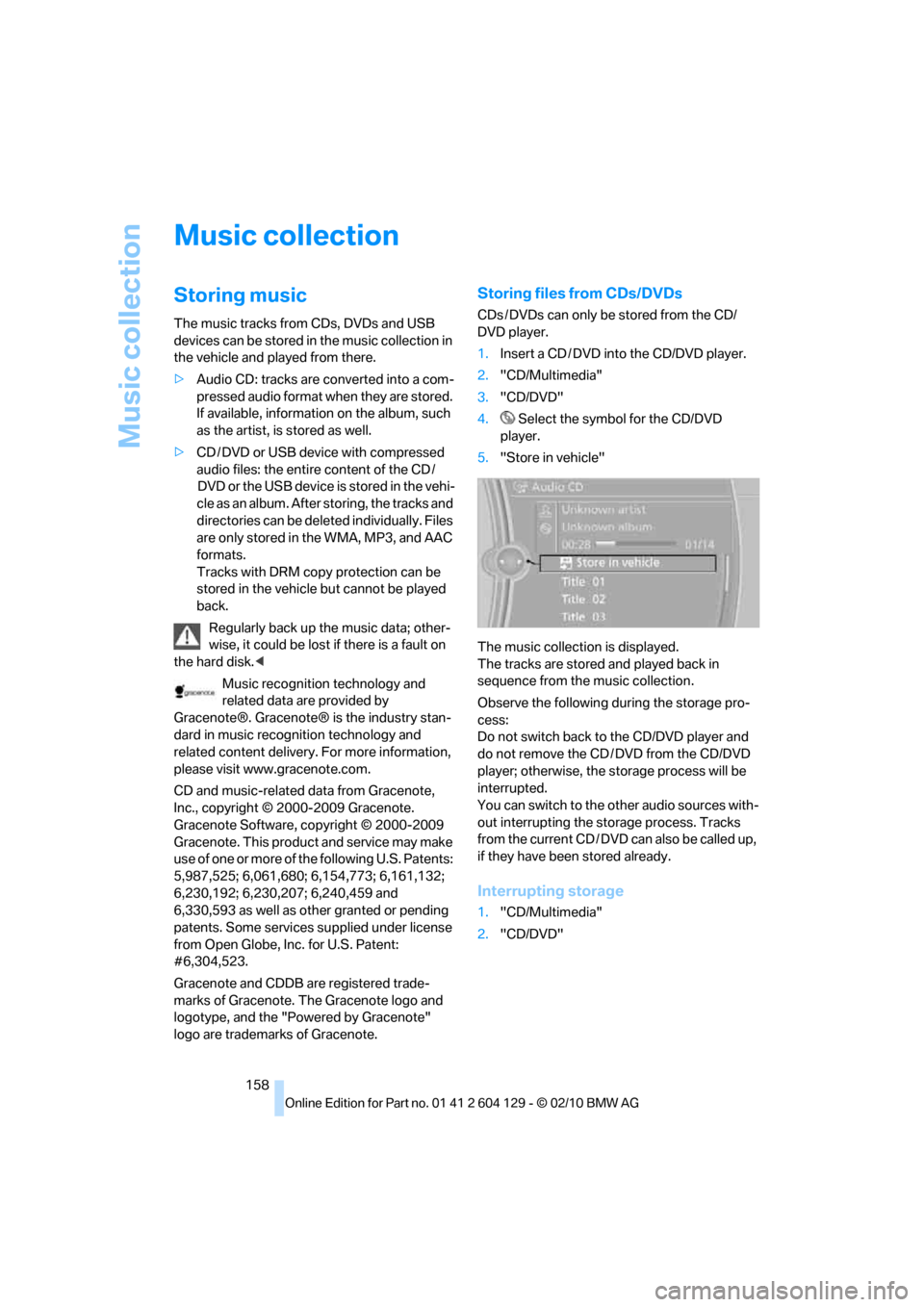
5."Store in vehicle"
The music collection is displayed.
The tracks are stored and played back in
sequence from the music collection.
Observe the following during the storage pro-
cess:
Do not switch back to the CD/DVD player and
do not remove the CD / DVD from the CD/DVD
player; otherwise, the storage process will be
interrupted.
You can switch to the other audio sources with-
out interrupting the storage process. Tracks
from the current CD / DVD can also be called up,
if they have been stored already.
Interrupting storage
1."CD/Multimedia"
2."CD/DVD"
Page 168 of 256
External devices
166
Notes
Do not expose the audio device to
extreme environmental conditions, e.g.
very high temperatures, refer to the operating
instructions of the audio device. Otherwise, the
audio device may become damaged, which
could compromise safety while driving.<
Depending on the configuration of the audio
files, e.g. bit rates greater than 256 KBit/s, the
files may not play back correctly in every case.
Notes on connecting
>The connected audio device is supplied
with a current of max. 500 mA, if the device
supports this. Therefore, do not connect
the device to the power socket in the vehi-
cle.
>Do not forcibly connect the plug to the USB
interface.
>Do not connect devices such as fans or
lamps to the USB audio interface.
>Do not connect USB hard drives.
>Do not use the USB audio interface to
charge external devices.
Page 173 of 256
171
Entertainment
Reference
At a glance
Controls
Driving tips Communications
Navigation
Mobility
>Bluetooth has been activated in the vehicle,
refer to page172, and on the mobile phone.
>Depending on the mobile phone, certain
settings may be necessary on the mobile
phone, e.g. via the following menu items:
>Bluetooth switched on
>Connection must be allowed without
requiring further confirmation
>Reconnection
>Depending on the mobile phone type, the
power-saving mode setting, for example,
may result in a paired mobile phone not
being detected by the vehicle.
>For pairing purposes, define any 4 to 16-
digit number as a Bluetooth passkey,
e.g. 25081107. A long and complex number
offers the best protection against unautho-
rized access. This Bluetooth passkey is no
longer required after pairing is successful.
>The ignition is switched on.
Pair the mobile phone with the vehicle
only when the car is stationary, to avoid
endangering the car's occupants and other
road users by being distracted.<
Switch on ignition
1.Insert remote control all the way into the
ignition lock.
2.Switch on ignition without operating the
brake or clutch or pressing the start/stop
button.
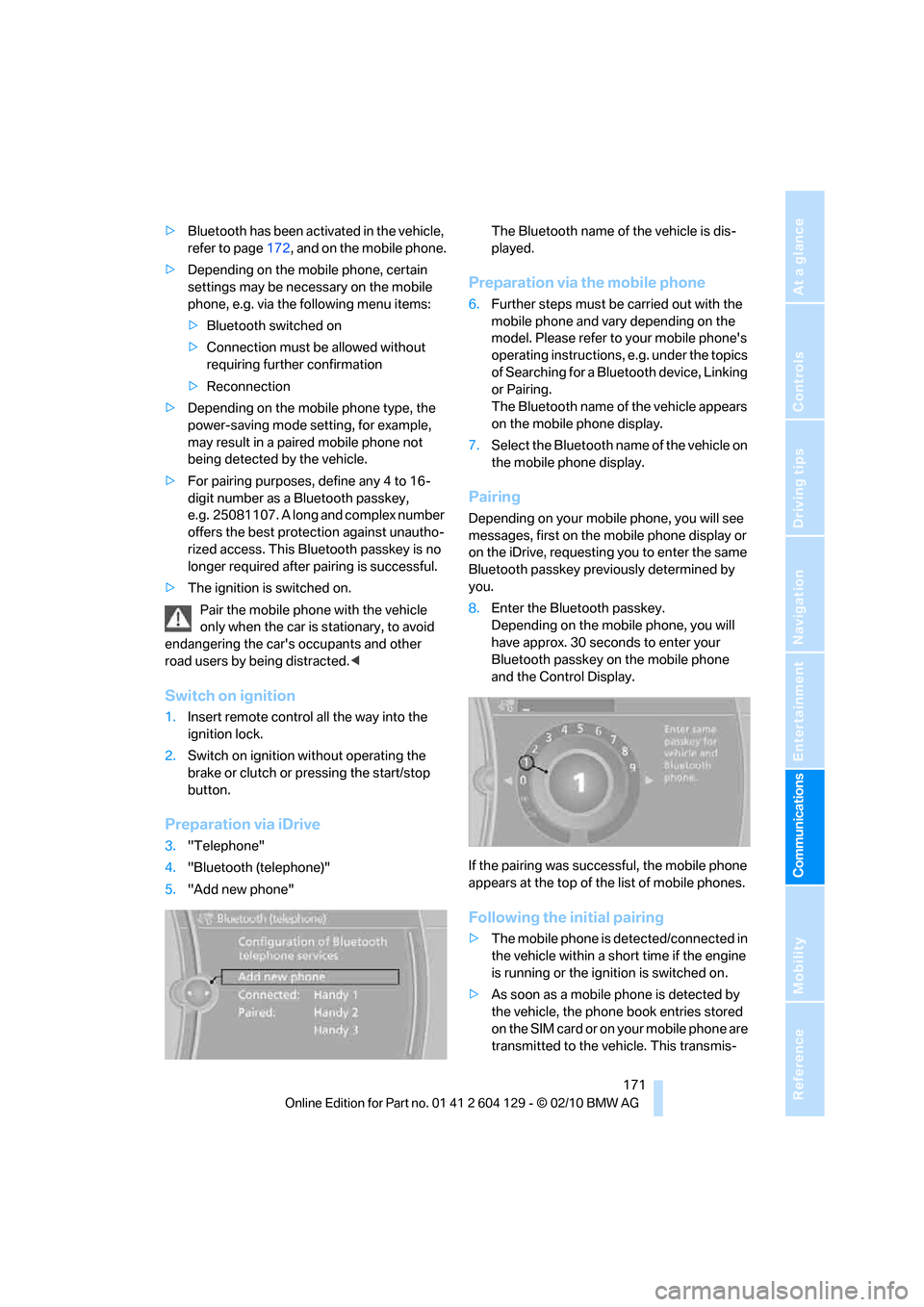
Preparation via iDrive
3."Telephone"
4."Bluetooth (telephone)"
5."Add new phone"The Bluetooth name of the vehicle is dis-
played.
Preparation via the mobile phone
6.Further steps must be carried out with the
mobile phone and vary depending on the
model. Please refer to your mobile phone's
operating instructions, e.g. under the topics
of Searching for a Bluetooth device, Linking
or Pairing.
The Bluetooth name of the vehicle appears
on the mobile phone display.
7.Select the Bluetooth name of the vehicle on
the mobile phone display.
Pairing
Depending on your mobile phone, you will see
messages, first on the mobile phone display or
on the iDrive, requesting you to enter the same
Bluetooth passkey previously determined by
you.
8.Enter the Bluetooth passkey.
Depending on the mobile phone, you will
have approx. 30 seconds to enter your
Bluetooth passkey on the mobile phone
and the Control Display.
If the pairing was successful, the mobile phone
appears at the top of the list of mobile phones.
Following the initial pairing
>The mobile phone is detected/connected in
the vehicle within a short time if the engine
is running or the ignition is switched on.
>As soon as a mobile phone is detected by
the vehicle, the phone book entries stored
on the SIM card or on your mobile phone are
transmitted to the vehicle. This transmis-
Page 174 of 256
Telephone
172 sion is dependent on your mobile phone,
refer to the operating instructions of the
mobile phone if necessary, and can take
several minutes.
>Four mobile phones can be paired.
>Specific settings may be necessary in some
mobile phones, e.g. authorization or a
secure connection, refer to the mobile
phone operating instructions.
If not all phone book entries are displayed:
>Transfer all phone book entries from the
SIM card to the mobile phone, if necessary.
>Phone book entries with special characters
may not be displayed.
Checks to perform if pairing is
unsuccessful
>Is the mobile phone supported by the
mobile phone preparation package? You
can obtain information on the Internet at:
www.bmw.com/bluetooth
>Do the Bluetooth passkeys on the mobile
phone and vehicle match? The same Blue-
tooth passkey must be entered on the
mobile phone's display and via iDrive.
>Did it take you more than 30 seconds to
enter the Bluetooth passkey? Then repeat
the pairing procedure.
>Are too many Bluetooth devices connected
to the mobile phone? If so, delete the con-
nections with other devices on the mobile
phone.
>Is the mobile phone no longer responding?
Switch the mobile phone off and on or
briefly disconnect the power supply.
>Repeat the pairing procedure.
>If all items on the list have been checked
and the mobile phone still cannot be paired,
please contact Customer Relations.
Connecting a particular mobile phone
If more than one mobile phone is detected by
the vehicle, the mobile phone at the top of the
list is connected. A different mobile phone can
be connected by selecting it.1."Telephone"
2."Bluetooth (telephone)"
3.Select the desired mobile phone.
Unpairing the mobile phone from the
vehicle
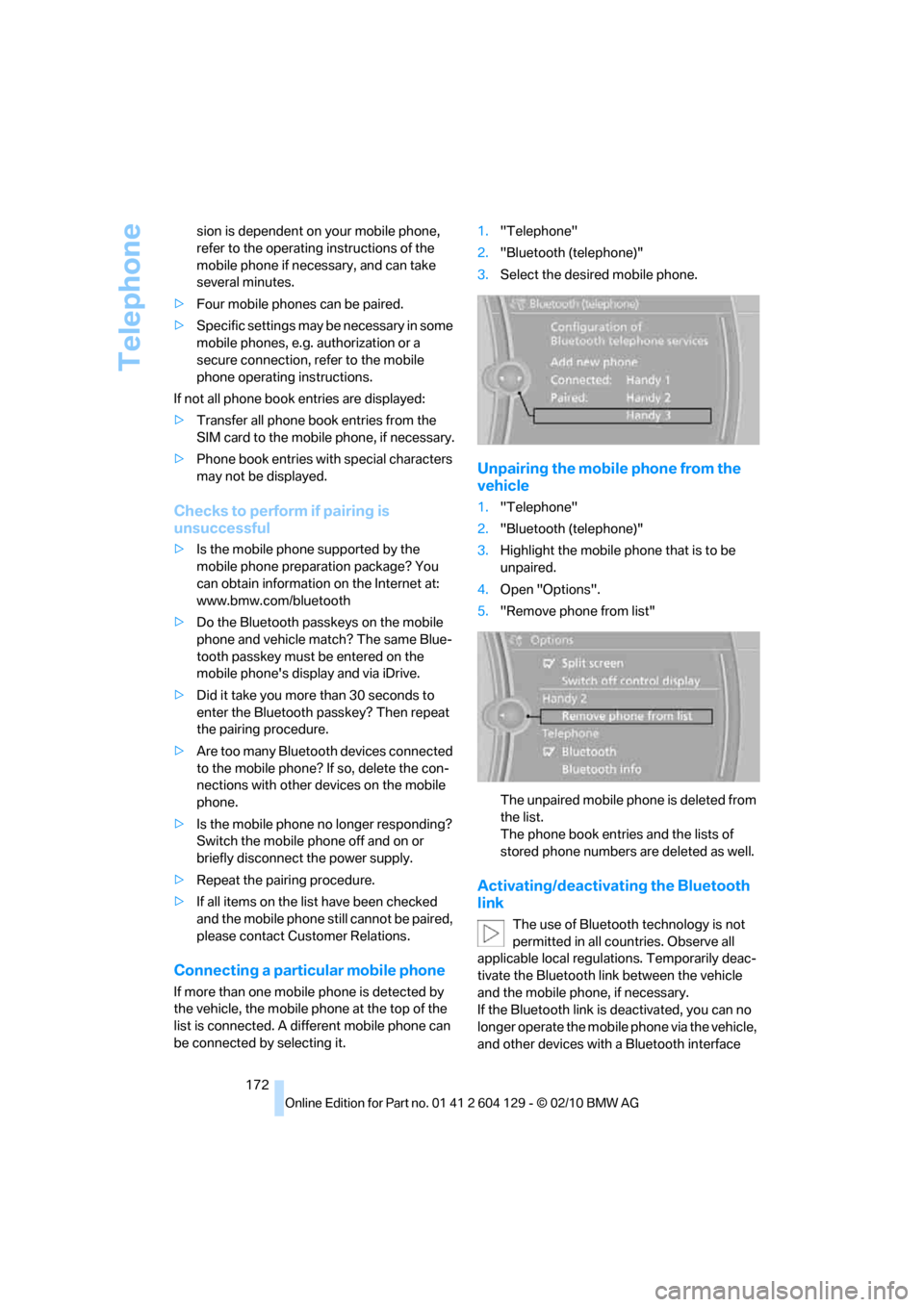
1."Telephone"
2."Bluetooth (telephone)"
3.Highlight the mobile phone that is to be
unpaired.
4.Open "Options".
5."Remove phone from list"
The unpaired mobile phone is deleted from
the list.
The phone book entries and the lists of
stored phone numbers are deleted as well.
Activating/deactivating the Bluetooth
link
The use of Bluetooth technology is not
permitted in all countries. Observe all
applicable local regulations. Temporarily deac-
tivate the Bluetooth link between the vehicle
and the mobile phone, if necessary.
If the Bluetooth link is deactivated, you can no
longer operate the mobile phone via the vehicle,
and other devices with a Bluetooth interface
Page 183 of 256
181
Entertainment
Reference
At a glance
Controls
Driving tips Communications
Navigation
Mobility
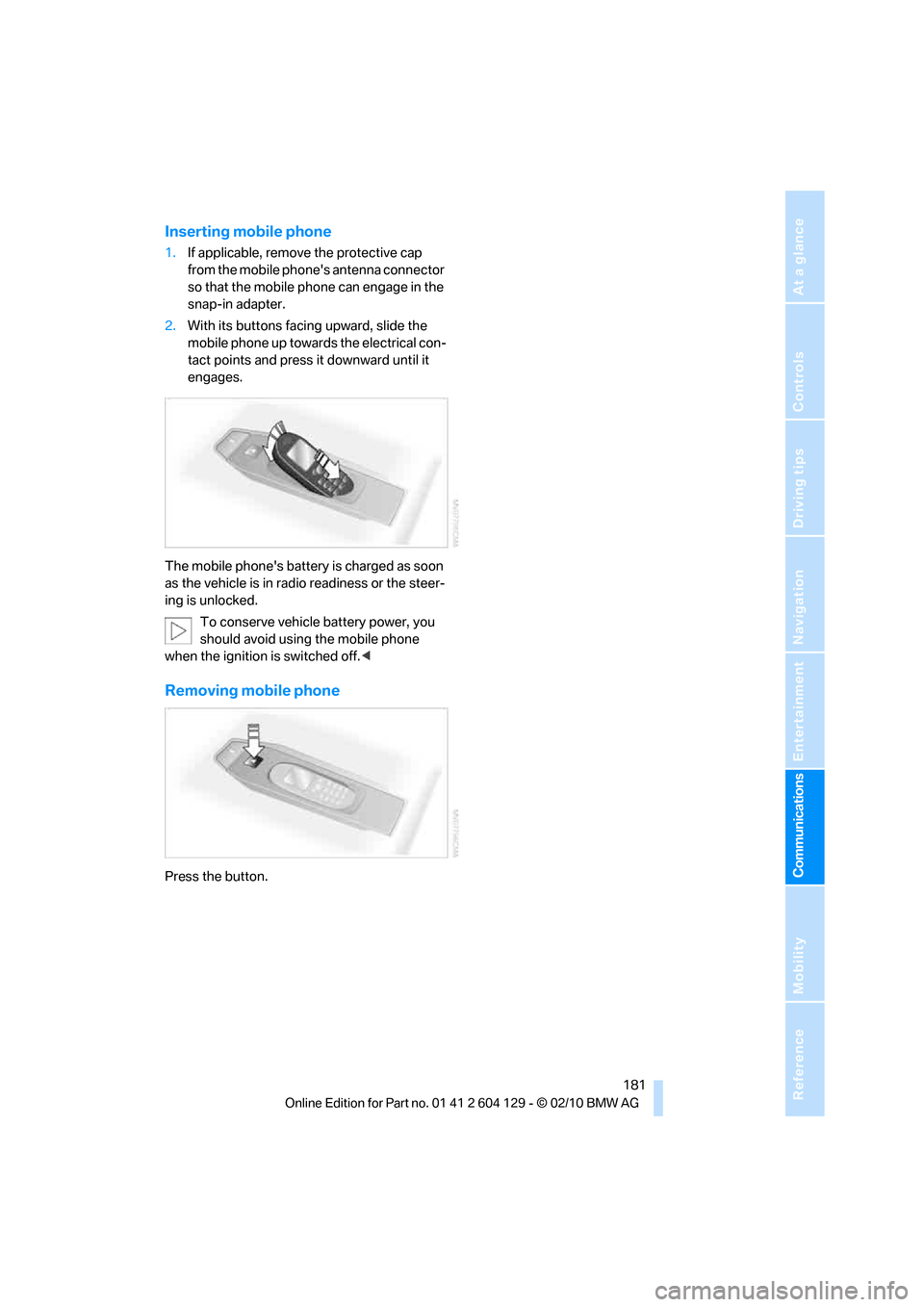
Inserting mobile phone
1.If applicable, remove the protective cap
from the mobile phone's antenna connector
so that the mobile phone can engage in the
snap-in adapter.
2.With its buttons facing upward, slide the
mobile phone up towards the electrical con-
tact points and press it downward until it
engages.
The mobile phone's battery is charged as soon
as the vehicle is in radio readiness or the steer-
ing is unlocked.
To conserve vehicle battery power, you
should avoid using the mobile phone
when the ignition is switched off.<
Removing mobile phone
Press the button.
Page 220 of 256
Replacing components
218
Charging the battery
Only charge the battery in the vehicle via the
terminals in the engine compartment with the
engine off. Connections, refer to Jump-starting
on page220.
Disposal
Have old batteries disposed of by your
BMW center or bring them to a recycling
center. Maintain the battery in an upright posi-
tion for transport and storage. Always secure
the battery against tipping over during trans-
port.<
Power failure
After a temporary power loss, the functioning of
some equipment may be limited and require
reinitialization. Individual settings may likewise
have been lost and will have to be programmed:
>Time and date
These values must be updated, refer to
page74.
>Radio
In some cases, stations may have to be
stored again, refer to page143.
>Navigation system
Wait for the system to start, refer to
page137.
>Glass roof
It may happen that the roof can only be
raised. The system must be initialized.
Please contact your BMW center.
>Seat and mirror memory
*
The positions must be stored again, refer to
page48.
>Inside rearview mirror with digital compass
The system must be calibrated, refer to
page104.
>Active steering
The system automatically initializes itself
briefly during a trip. The system is deacti-
vated during this time, refer to page87.
Fuses
Never attempt to repair a blown fuse and
do not replace a defective fuse with a sub-
stitute of another color or amperage rating; oth-
erwise, this could lead to a circuit overload, ulti-
mately resulting in a fire in the vehicle.<
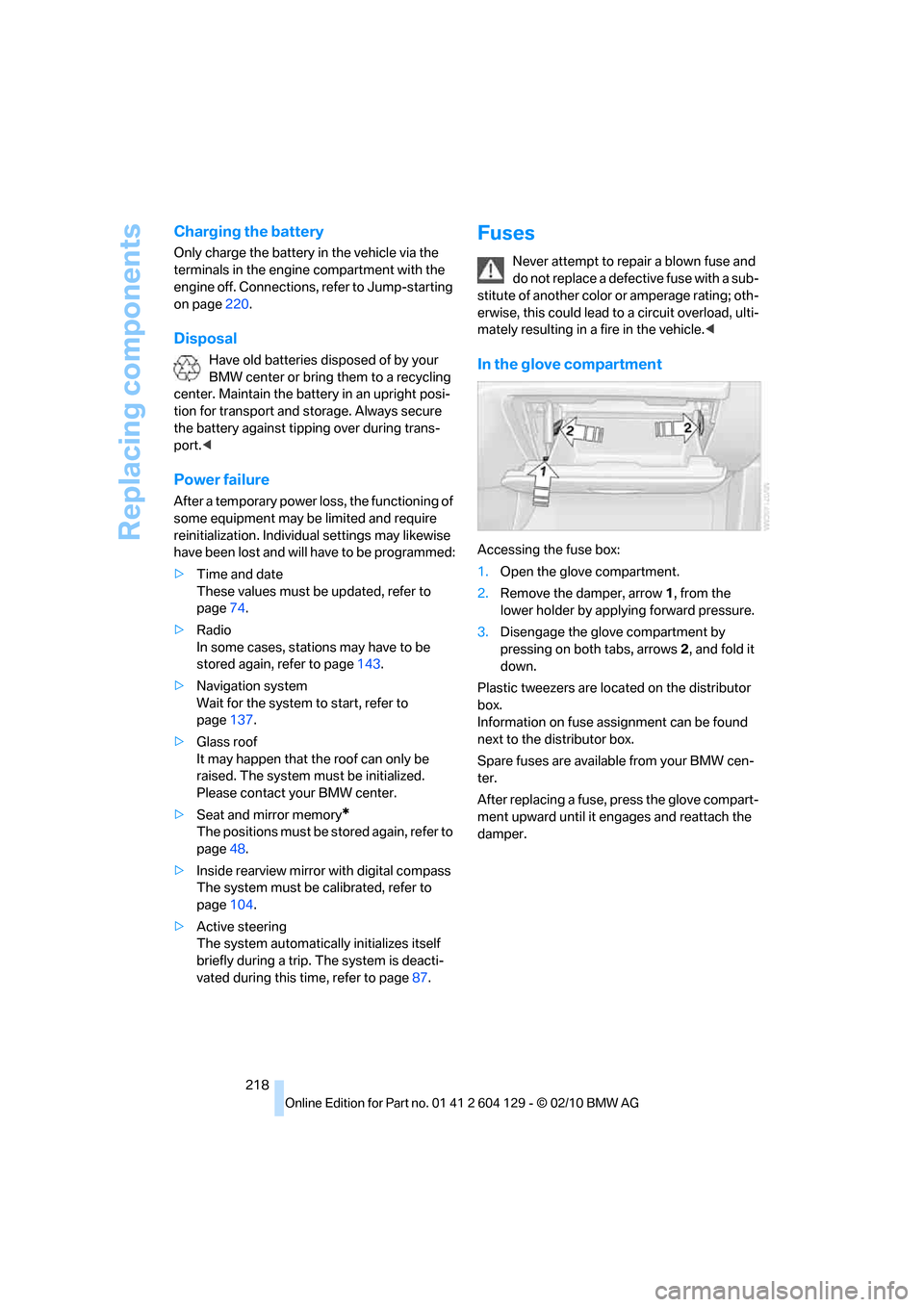
In the glove compartment
Accessing the fuse box:
1.Open the glove compartment.
2.Remove the damper, arrow1, from the
lower holder by applying forward pressure.
3.Disengage the glove compartment by
pressing on both tabs, arrows 2, and fold it
down.
Plastic tweezers are located on the distributor
box.
Information on fuse assignment can be found
next to the distributor box.
Spare fuses are available from your BMW cen-
ter.
After replacing a fuse, press the glove compart-
ment upward until it engages and reattach the
damper.
Page 224 of 256
Giving and receiving assistance
222
Being towed
Make sure that the ignition is switched on,
refer to page55; otherwise, the low-beam
headlamps, tail lamps, turn signal indicators and
windshield wipers may be unavailable. Power
steering assistance is not available when the
engine is not running. Thus, braking and steer-
ing will require increased effort. Active steering
is not active and it will be necessary to turn the
steering wheel further.<
Manual transmission
Gearshift lever in neutral position.
Automatic transmission
Selector lever in position N.
Changing selector lever position, refer to
page58.
Do not exceed a towing speed of 45 mph/
70 km/h and a towing distance of
90 miles/150 km; otherwise, the automatic
transmission may be damaged.<
Sports automatic transmission with
double clutch
Make sure that the parking lock P is not
engaged; otherwise, the rear wheels are
immobilized.
When using the car wash function, refer to
page210, make sure that after approx.
30 minutes, the parking lock P is automatically
engaged and thus immobilizes the rear wheels.
In the event of an electrical malfunction or if the
vehicle must be towed for more than approx.
20 minutes, unlock the parking lock manually,
refer to page63.<
When towing, do not exceed a maximum
speed of 30 mph or 50 km/h and a maxi-
mum distance traveled of 30 miles/50 km; oth-
erwise, the transmission may be damaged.<
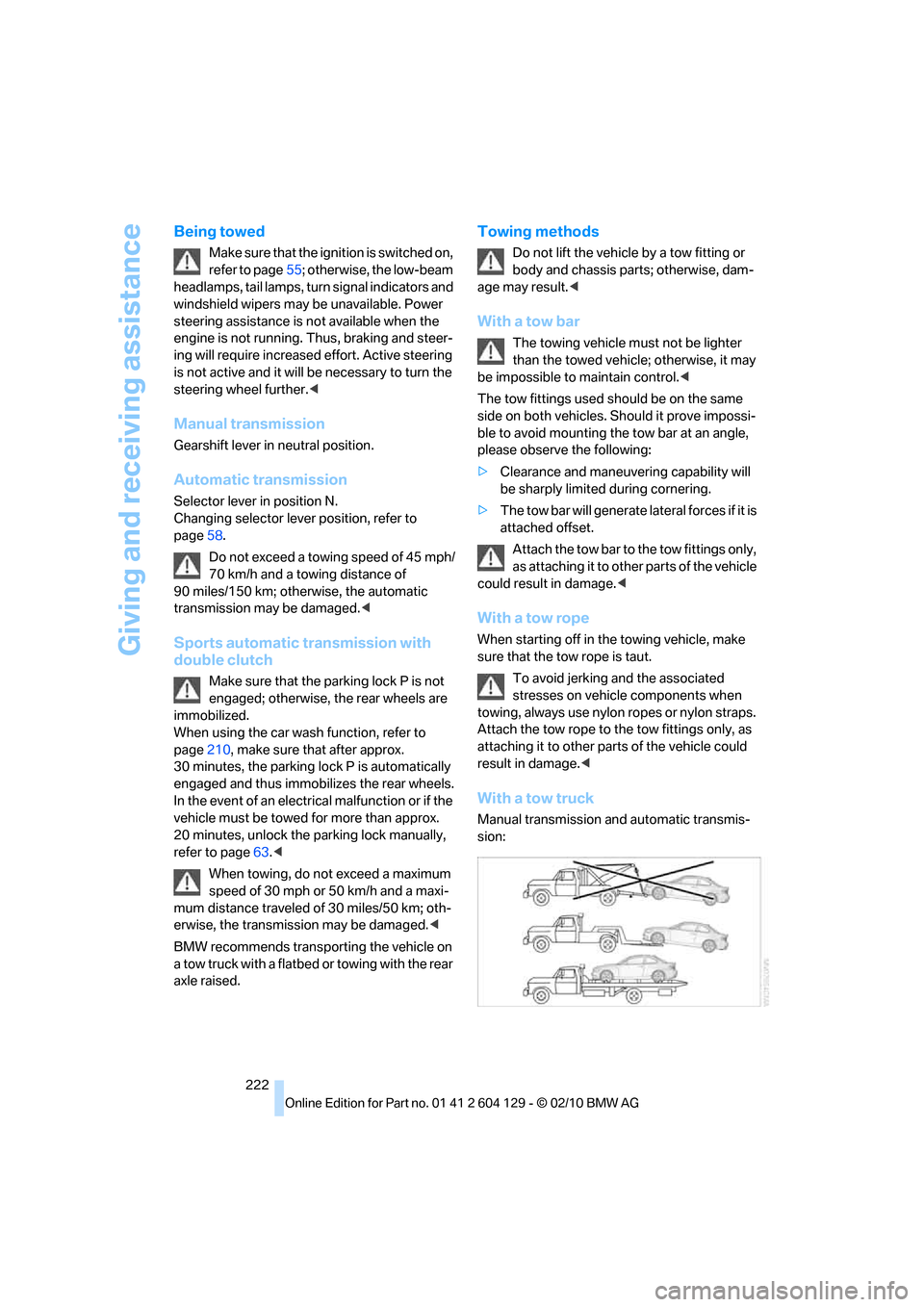
BMW recommends transporting the vehicle on
a tow truck with a flatbed or towing with the rear
axle raised.
Towing methods
Do not lift the vehicle by a tow fitting or
body and chassis parts; otherwise, dam-
age may result.<
With a tow bar
The towing vehicle must not be lighter
than the towed vehicle; otherwise, it may
be impossible to maintain control.<
The tow fittings used should be on the same
side on both vehicles. Should it prove impossi-
ble to avoid mounting the tow bar at an angle,
please observe the following:
>Clearance and maneuvering capability will
be sharply limited during cornering.
>The tow bar will generate lateral forces if it is
attached offset.
Attach the tow bar to the tow fittings only,
as attaching it to other parts of the vehicle
could result in damage.<
With a tow rope
When starting off in the towing vehicle, make
sure that the tow rope is taut.
To avoid jerking and the associated
stresses on vehicle components when
towing, always use nylon ropes or nylon straps.
Attach the tow rope to the tow fittings only, as
attaching it to other parts of the vehicle could
result in damage.<
With a tow truck
Manual transmission and automatic transmis-
sion:
Page 228 of 256
Technical data
226
Technical data
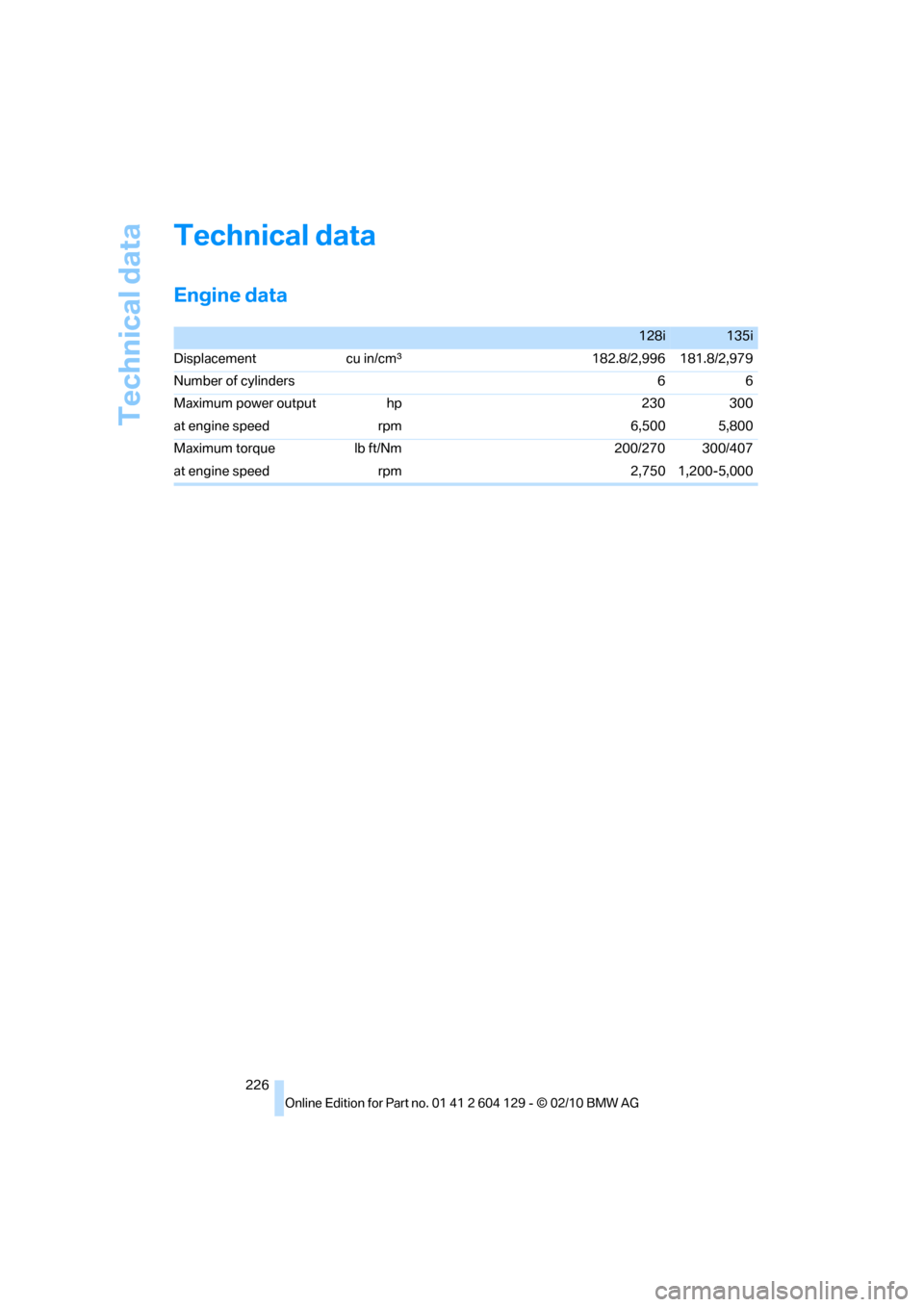
Engine data
128i135i
Displacement cu in/cmμ182.8/2,996 181.8/2,979
Number of cylinders 6 6
Maximum power output hp 230 300
at engine speed rpm 6,500 5,800
Maximum torque lb ft/Nm 200/270 300/407
at engine speed rpm 2,750 1,200-5,000
Page 241 of 256
Reference 239
At a glance
Controls
Driving tips
Communications
Navigation
Entertainment
Mobility
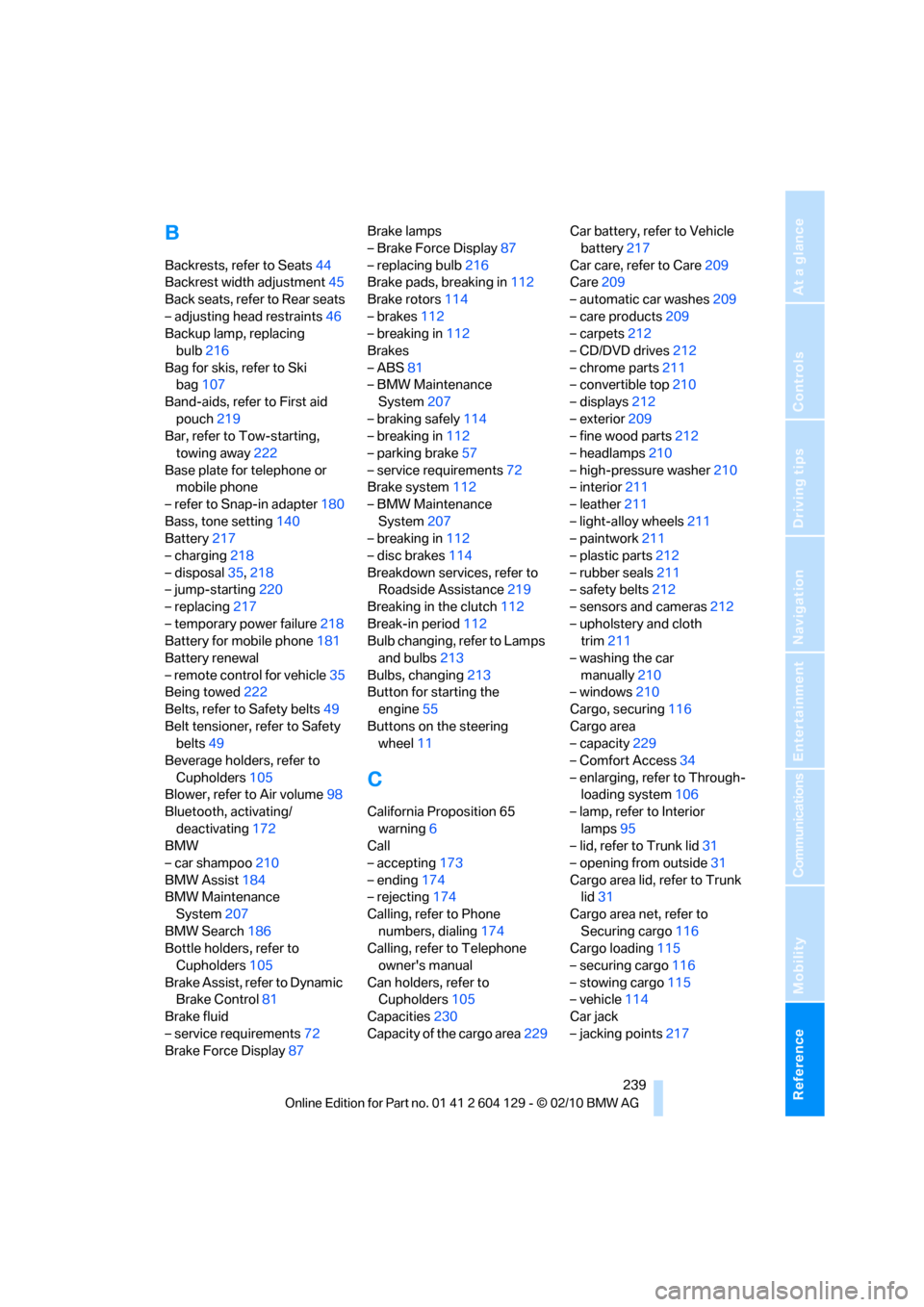
B
Backrests, refer to Seats44
Backrest width adjustment45
Back seats, refer to Rear seats
– adjusting head restraints46
Backup lamp, replacing
bulb216
Bag for skis, refer to Ski
bag107
Band-aids, refer to First aid
pouch219
Bar, refer to Tow-starting,
towing away222
Base plate for telephone or
mobile phone
– refer to Snap-in adapter180
Bass, tone setting140
Battery217
– charging218
– disposal35,218
– jump-starting220
– replacing217
– temporary power failure218
Battery for mobile phone181
Battery renewal
– remote control for vehicle35
Being towed222
Belts, refer to Safety belts49
Belt tensioner, refer to Safety
belts49
Beverage holders, refer to
Cupholders105
Blower, refer to Air volume98
Bluetooth, activating/
deactivating172
BMW
– car shampoo210
BMW Assist184
BMW Maintenance
System207
BMW Search186
Bottle holders, refer to
Cupholders105
Brake Assist, refer to Dynamic
Brake Control81
Brake fluid
– service requirements72
Brake Force Display87Brake lamps
– Brake Force Display87
– replacing bulb216
Brake pads, breaking in112
Brake rotors114
– brakes112
– breaking in112
Brakes
– ABS81
– BMW Maintenance
System207
– braking safely114
– breaking in112
– parking brake57
– service requirements72
Brake system112
– BMW Maintenance
System207
– breaking in112
– disc brakes114
Breakdown services, refer to
Roadside Assistance219
Breaking in the clutch112
Break-in period112
Bulb changing, refer to Lamps
and bulbs213
Bulbs, changing213
Button for starting the
engine55
Buttons on the steering
wheel11
C
California Proposition 65
warning6
Call
– accepting173
– ending174
– rejecting174
Calling, refer to Phone
numbers, dialing174
Calling, refer to Telephone
owner's manual
Can holders, refer to
Cupholders105
Capacities230
Capacity of the cargo area229Car battery, refer to Vehicle
battery217
Car care, refer to Care209
Care209
– automatic car washes209
– care products209
– carpets212
– CD/DVD drives212
– chrome parts211
– convertible top210
– displays212
– exterior209
– fine wood parts212
– headlamps210
– high-pressure washer210
– interior211
– leather211
– light-alloy wheels211
– paintwork211
– plastic parts212
– rubber seals211
– safety belts212
– sensors and cameras212
– upholstery and cloth
trim211
– washing the car
manually210
– windows210
Cargo, securing116
Cargo area
– capacity229
– Comfort Access34
– enlarging, refer to Through-
loading system106
– lamp, refer to Interior
lamps95
– lid, refer to Trunk lid31
– opening from outside31
Cargo area lid, refer to Trunk
lid31
Cargo area net, refer to
Securing cargo116
Cargo loading115
– securing cargo
116
– stowing cargo115
– vehicle114
Car jack
– jacking points217
Page 248 of 256
Everything from A to Z
246 Next Service indicator, refer to
Condition Based Service
CBS207
North-facing map132
Number of cylinders, refer to
Engine data226
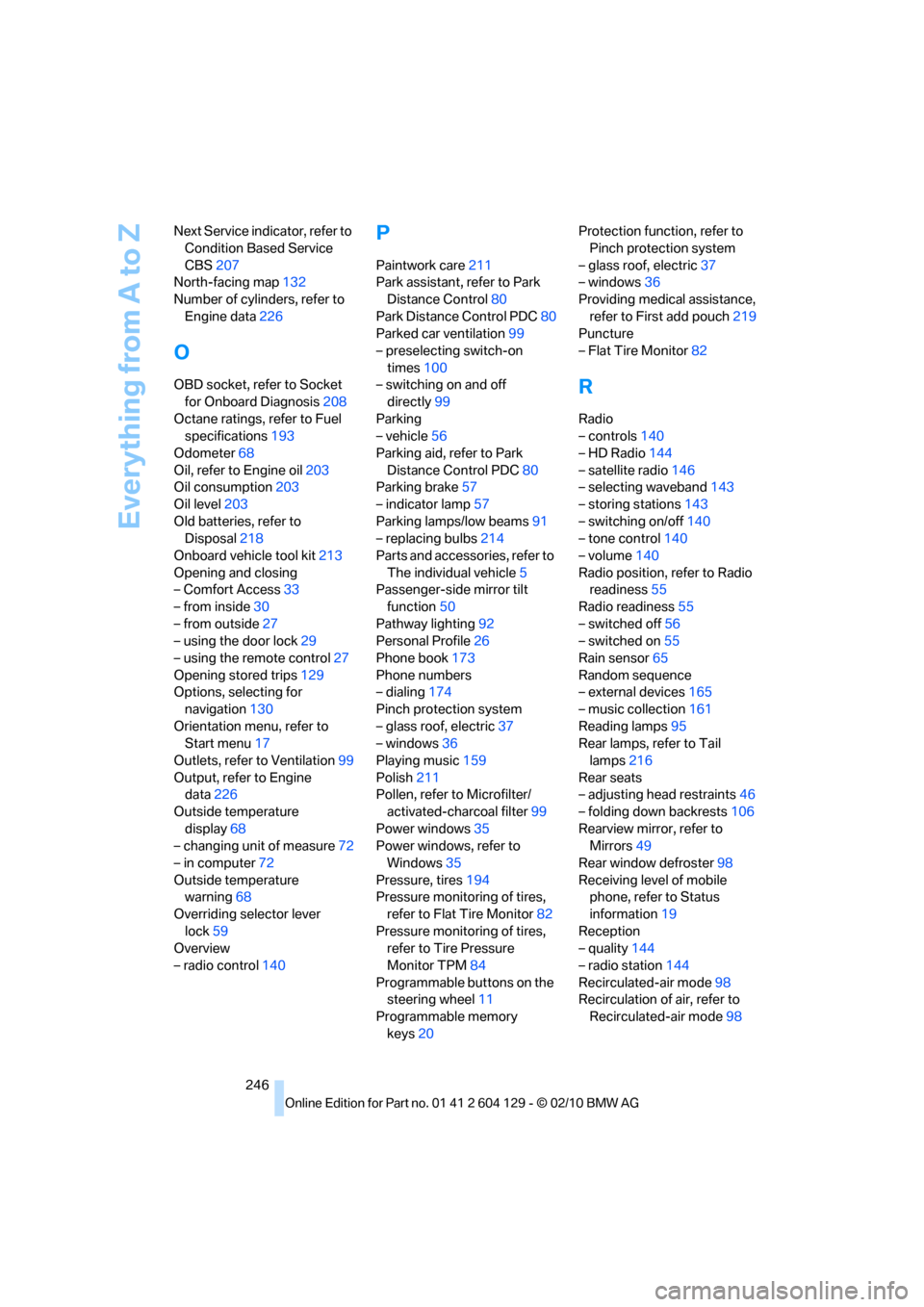
O
OBD socket, refer to Socket
for Onboard Diagnosis208
Octane ratings, refer to Fuel
specifications193
Odometer68
Oil, refer to Engine oil203
Oil consumption203
Oil level203
Old batteries, refer to
Disposal218
Onboard vehicle tool kit213
Opening and closing
– Comfort Access33
– from inside30
– from outside27
– using the door lock29
– using the remote control27
Opening stored trips129
Options, selecting for
navigation130
Orientation menu, refer to
Start menu17
Outlets, refer to Ventilation99
Output, refer to Engine
data226
Outside temperature
display68
– changing unit of measure72
– in computer72
Outside temperature
warning68
Overriding selector lever
lock59
Overview
– radio control140
P
Paintwork care211
Park assistant, refer to Park
Distance Control80
Park Distance Control PDC80
Parked car ventilation99
– preselecting switch-on
times100
– switching on and off
directly99
Parking
– vehicle56
Parking aid, refer to Park
Distance Control PDC80
Parking brake57
– indicator lamp57
Parking lamps/low beams91
– replacing bulbs214
Parts and accessories, refer to
The individual vehicle5
Passenger-side mirror tilt
function50
Pathway lighting92
Personal Profile26
Phone book173
Phone numbers
– dialing174
Pinch protection system
– glass roof, electric37
– windows36
Playing music159
Polish211
Pollen, refer to Microfilter/
activated-charcoal filter99
Power windows35
Power windows, refer to
Windows35
Pressure, tires194
Pressure monitoring of tires,
refer to Flat Tire Monitor82
Pressure monitoring of tires,
refer to Tire Pressure
Monitor TPM84
Programmable buttons on the
steering wheel11
Programmable memory
keys20Protection function, refer to
Pinch protection system
– glass roof, electric37
– windows36
Providing medical assistance,
refer to First add pouch219
Puncture
– Flat Tire Monitor82
R
Radio
– controls140
– HD Radio144
– satellite radio146
– selecting waveband143
– storing stations143
– switching on/off140
– tone control140
– volume140
Radio position, refer to Radio
readiness55
Radio readiness55
– switched off56
– switched on55
Rain sensor65
Random sequence
– external devices165
– music collection161
Reading lamps95
Rear lamps, refer to Tail
lamps216
Rear seats
– adjusting head restraints46
– folding down backrests106
Rearview mirror, refer to
Mirrors49
Rear window defroster98
Receiving level of mobile
phone, refer to Status
information19
Reception
– quality144
– radio station144
Recirculated-air mode98
Recirculation of air, refer to
Recirculated-air mode98