transmission BMW 135IS COUPE 2013 Owner's Manual
[x] Cancel search | Manufacturer: BMW, Model Year: 2013, Model line: 135IS COUPE, Model: BMW 135IS COUPE 2013Pages: 284, PDF Size: 6.93 MB
Page 179 of 284
178
EntertainmentExternal devices
4."Volume"
5. Turn the controller until the desired volume
is set and then press the controller.
USB audio interface/Music
interface for smartphones
Overview
It is possible to connect external audio devices.
They can be operated via iDrive. Sound is out-
put over the vehicle speakers.
Options for connecting external
devices
> Connection via USB audio interface: Apple
iPod/iPhone, USB devices, e. g. MP3 player,
USB flash drive, or mobile phones that are
supported by the USB audio interface.
> Connection via snap-in adapter if the vehi-
cle is equipped with a music interface for
smartphones: Apple iPhone or mobile
phones. Playback ma y only be possible
when no device is connected to the AUX-IN
port.
Because of the large number of audio devices
available on the market, an operation via the
vehicle cannot be guaranteed for every audio
device/mobile phone.
Ask your BMW center for suitable audio
devices/mobile phones.
File systems
Popular file systems for USB devices are sup-
ported. The format FAT 32 is recommended.
Audio files
Playback of standard audio files is possible:
> MP3
> WMA
> WAV (PCM)
> AAC, M4A
> Playback lists: M3U, WPL, PLS
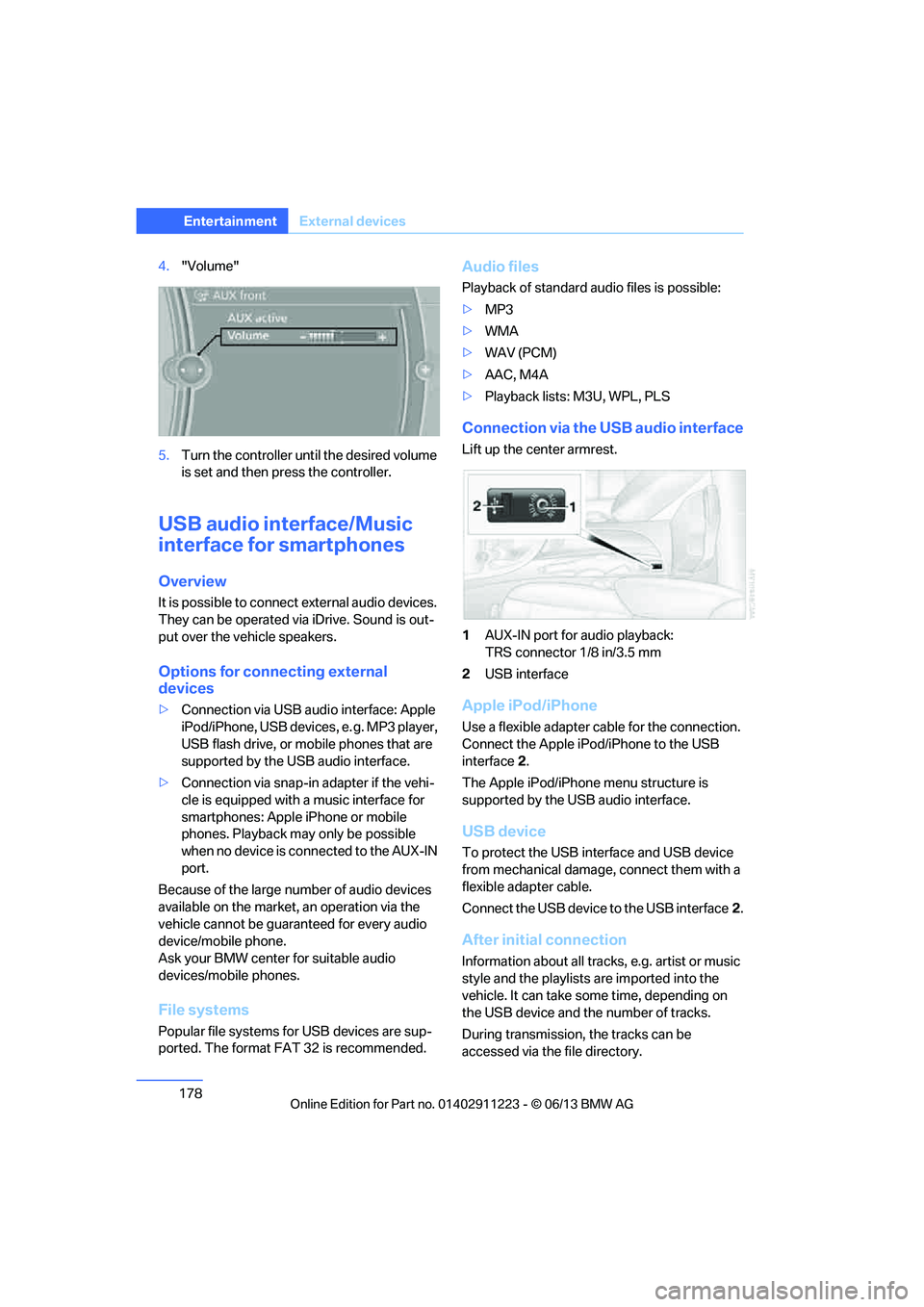
Connection via the USB audio interface
Lift up the center armrest.
1AUX-IN port for audio playback:
TRS connector 1/8 in/3.5 mm
2 USB interface
Apple iPod/iPhone
Use a flexible adapter cable for the connection.
Connect the Apple iPod /iPhone to the USB
interface 2.
The Apple iPod/iPhone menu structure is
supported by the USB audio interface.
USB device
To protect the USB interface and USB device
from mechanical damage, connect them with a
flexible adapter cable.
Connect the USB device to the USB interface 2.
After initial connection
Information about all tracks, e.g. artist or music
style and the playlists are imported into the
vehicle. It can take some time, depending on
the USB device and the number of tracks.
During transmission, the tracks can be
accessed via the file directory.
00320051004F004C00510048000300280047004C0057004C005200510003
Page 181 of 284
180
EntertainmentExternal devices
Current playback
List of tracks currently being played.
1."CD/Multimedia"
2. "External devices"
3. Select the or symbol.
4. "Current playback"
Random play sequence
The current list of tracks is played in random
sequence.
1. "CD/Multimedia"
2. "External devices"
3. Open "Options".
4. "Random"
Fast forward/reverse
Press and hold the button.
Video playback
Overview
Video playback possible via snap-in adapter.
They can be operated via iDrive. Sound is
output over the vehicle speakers.
Playback
For your own safety, the video image is only dis-
played up to approx. 2 mph/3 km/h and in some
market-specific versions, only with the parking
brake engaged or the selector lever of the auto-
matic transmission is in the park position.
1. "CD/Multimedia"
2. "External devices"
3. Select the symbol.
4. "Video"
5. Select the directory, if necessary.
To change to a higher level directory: move
the controller to the left.
6. Select the desired video file to begin
playback.
Video menu
Notes
Do not expose the audio device to extreme
environmental conditions, e.g. very high tem-
peratures, refer to the operating instructions of
the audio device.
Depending on the configuration of the audio
files, e.g. bit rates greater than 256 Kbit/s,
proper playback cannot always be ensured.
Information on connection
>The connected audio device is supplied
with a max. power of 500 mA if supported
by the device. For this reason, do not con-
nect the device to a charging socket in the
vehicle; otherwise, it may not be possible to
ensure proper playback.
> Do not use force when plugging the con-
nector into the USB interface.
> Do not connect devices such as fans or
lamps to the USB audio interface.
> Do not connect USB hard drives.
> Do not use the USB audio interface to
recharge external devices.
Bluetooth audio
Overview
>It is possible to use Bluetooth to play music
files from external devices, e.g. audio
devices or mobile phones.
Using a mobile phone as an audio source,
refer to page 178.
> Bluetooth® is a registered trademark of
Bluetooth® SIG, Inc.
SymbolFormat
Next video file
Previous video file
It may be necessary to click the
symbol twice in order to play the
previous video file.
00320051004F004C00510048000300280047004C0057004C005200510003
Page 205 of 284
204
CommunicationsOffice
4."Configure Bluetooth®"
5. "Show images"
The display of all contact pictures is activated or
deactivated.
Deleting contacts
Only contacts that are stored in the vehicle are
deleted. The contacts on the mobile phone
cannot be deleted.
1. "Office"
2. "Contacts"
3. Highlight the contact.
4. "Options"
5. "Delete contact" or "Delete all contacts".
Messages
General information
The displaying of text messages and emails
from the mobile phone depends on whether the
mobile phone supports transmission into the
vehicle from the mobile phone. Text messages
and e-mails may not be supported by the ser-
vice provider or the fu nction may have to be
separately activated. Af ter a mobile phone is
paired for the first time, the transmission may
take several minutes. Messages are only dis-
played completely when the vehicle is stopped.
Messages from the auxiliary phone are not
transmitted.
To display various messages:
> Text messages.
> Messages from My info.
> Messages from the BMW Concierge
service.
> Messages from BMW Info.
> Emails from the mobile phone.
Displaying messages
1."Office"
2. "Messages"
Message type
A symbol indicates the type of message.
Read message.
Unread message.
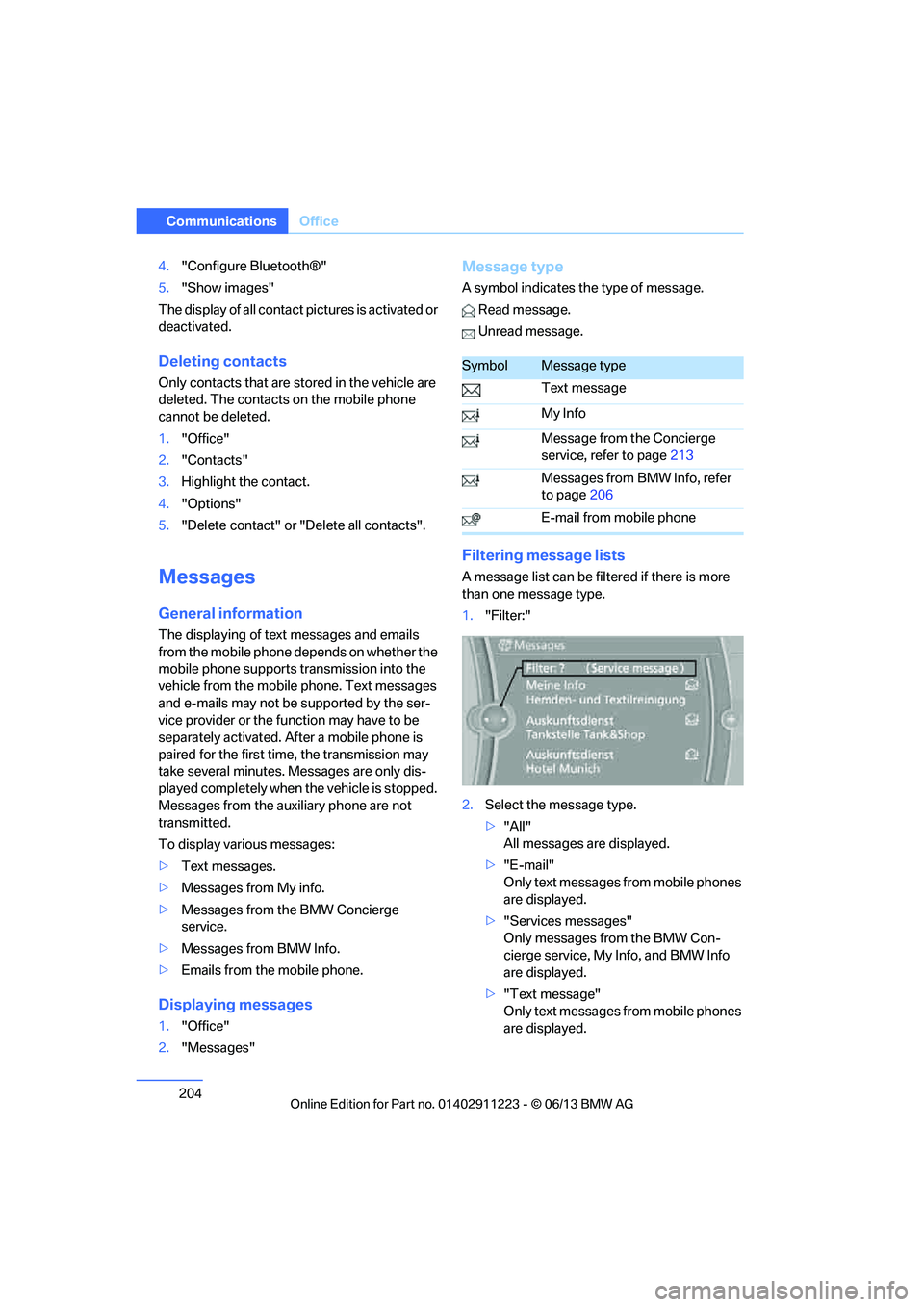
Filtering me ssage lists
A message list can be filtered if there is more
than one message type.
1."Filter:"
2. Select the message type.
>"All"
All messages are displayed.
> "E-mail"
Only text messages from mobile phones
are displayed.
> "Services messages"
Only messages from the BMW Con-
cierge service, My Info, and BMW Info
are displayed.
> "Text message"
Only text messages from mobile phones
are displayed.
SymbolMessage type
Text message
My Info
Message from the Concierge
service, refer to page 213
Messages from BMW Info, refer
to page 206
E-mail from mobile phone
00320051004F004C00510048000300280047004C0057004C005200510003
Page 215 of 284
214
CommunicationsConnectedDrive
Starting BMW Roadside Assistance
without BMW Assist or TeleService
1."BMW Assist" or "ConnectedDrive"
2. "Roadside Assistance"
The Roadside Assistance number is dis-
played. If a mobile phone is paired, a con-
nection to BMW Roadside Assistance is
established.
Starting BMW Road side Assistance
with BMW Assist or TeleService
In a vehicle with TeleServ ice, assistance is first
offered through the TeleService Diagnosis and
then if necessary, th rough the TeleService
Help.
1. "BMW Assist" or "ConnectedDrive"
2. "Roadside Assistance"
3. "Start service"
BMW TeleService Diagnosis
Teleservice Diagnosis enables the wireless
transmission of detailed vehicle data that are
critical to vehicle diag nosis. These data are
automatically transmitted.
After transmission of the data, a voice connec-
tion is established to Roadside Assistance.
BMW Online
Overview
You can use BMW Online to search the yellow
pages.
License conditions:
This product contains NetFront Browser soft-
ware of ACCESS Co., Ltd. Copyright © 2007
ACCESS Co., Ltd. All rights reserved.
NetFront is a trademark or registered trademark
of ACCESS Co., Ltd., in Japan and other
countries.
T h i s s o f t w a r e i s b a s e d i n p a r t o n t h e w o r k o f t h e
Independent JPEG Group.
Requirements
> Subscription to the optional Convenience
Plan.
> The vehicle is located within wireless
network coverage.
> The date setting on th e Control Display is
current.
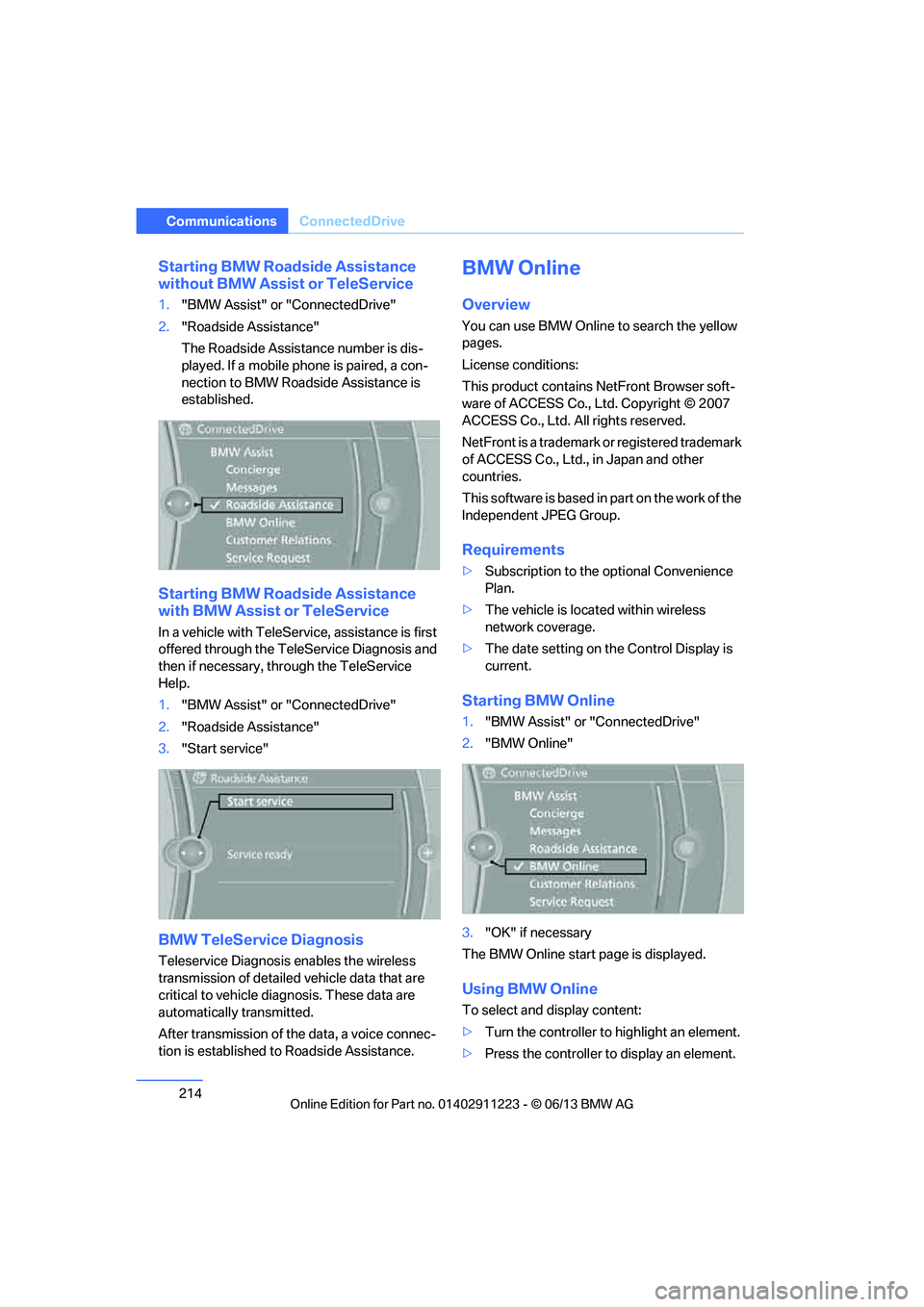
Starting BMW Online
1. "BMW Assist" or "ConnectedDrive"
2. "BMW Online"
3. "OK" if necessary
The BMW Online start page is displayed.
Using BMW Online
To select and display content:
> Turn the controller to highlight an element.
> Press the controller to display an element.
00320051004F004C00510048000300280047004C0057004C005200510003
Page 241 of 284
240
MobilityCare
Driving into an automatic car wash
Perform the following steps to ensure that the
vehicle can roll:
Manual transmission:
1.Shift into neutral.
2. Release parking brake, refer to page 63.
3. Switch off the engine.
4. Leave the remote control in the ignition
lock.
Automatic transmission:
1. Insert the remote cont rol into the ignition
lock, even with Comfort Access.
2. Shift selector lever into position N.
3. Release parking brake, refer to page 63.
4. Switch off the engine.
5. Leave the remote control in the ignition
lock.
Sport automatic transmission with double
clutch:
1. Insert the remote cont rol into the ignition
lock, even with Comfort Access.
2. Shift selector lever into position N.
3. Release parking brake, refer to page 63.
4. Switch off the engine.
5. Leave the remote control in the ignition
lock.
The transmission is switched into position P:
> Automatically after approx. 30 minutes
> If you remove the infrared remote control
from the ignition lock
Headlamps
Do not rub them dry and do not use abrasive or
corrosive cleaning agents.
Loosen dirt, e.g. insects, with shampoo and
rinse away with water.
Thaw ice with a de-icer and do not use an ice
scraper.
After washing the vehicle
After washing the vehicle, apply the
brakes briefly to dry them; otherwise,
water can reduce braking efficiency over the
short term and the brake discs can corrode. <
R e m o v e r e s i d u e s o n t h e windows completely in
order to prevent impaired vision due to smear
formation and to reduce wiper noise and wiper
blade wear.
Vehicle care
Care products
BMW recommends using BMW cleaning and
care products since they have been tested and
approved for this purpose.
Follow the instructions on the packaging.
When cleaning inside the vehicle, always
open the doors and windows. Only use prod-
ucts designed for cleaning vehicles. Cleaning
agents can contain substa nces that are danger-
ous or hazardous to your health. <
Vehicle paintwork
Regular care contributes to driving safety and
value retention. Environmental influences in
regions with elevated levels of air pollution or
natural contaminants such as tree sap or pollen
can impact vehicle paintwork. The frequency
and scope of car care should be adapted
accordingly.
Immediately remove particularly corrosive sub-
stances such as spilled fuel, oil, grease, or bird
droppings to prevent damage to the paintwork.
Leather care
Frequently remove dust from the leather using
a cloth or vacuum cleaner.
Otherwise, dust and road grit in the pores and
folds of the leather will otherwise have an abra-
sive effect, resulting in increased wear and
causing the leather surf ace to become brittle
prematurely.
00320051004F004C00510048000300280047004C0057004C005200510003
Page 254 of 284
253
Giving and receiving assistance
Mobility
Use only the tow fitting provided with the
vehicle and screw it a
ll the way in. Use the
tow fitting for towing on paved roads only. Avoid
lateral loading of the tow fitting, e.g. do not lift
the vehicle by the tow fitting. Otherwise, the
tow fitting and the vehicle could be damaged. <
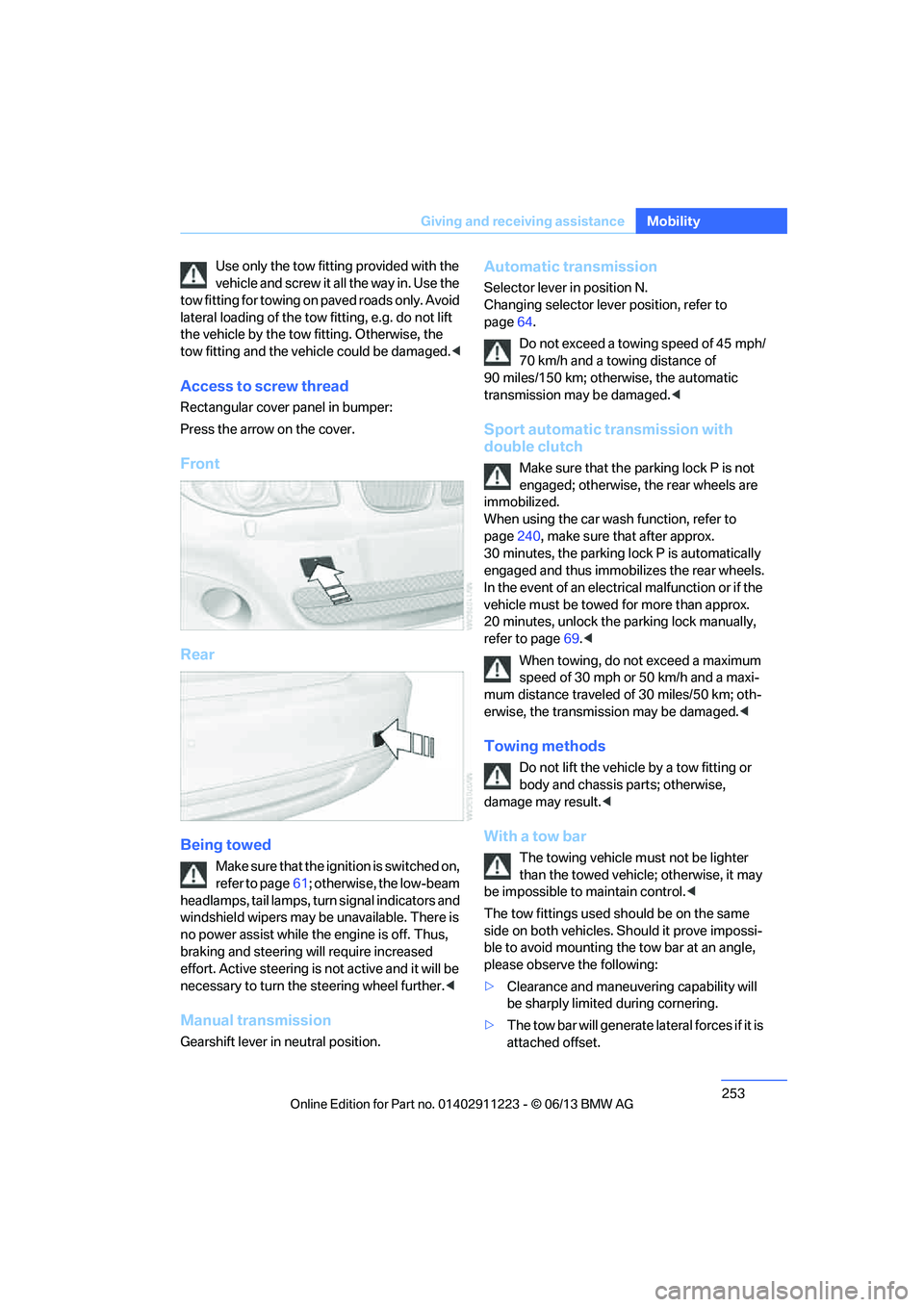
Access to screw thread
Rectangular cover panel in bumper:
Press the arrow on the cover.
Front
Rear
Being towed
Make sure that the ignition is switched on,
refer to page61; otherwise, the low-beam
headlamps, tail lamps, turn signal indicators and
windshield wipers may be unavailable. There is
no power assist while the engine is off. Thus,
braking and steering will require increased
effort. Active steering is not active and it will be
necessary to tu rn the steering wheel further. <
Manual transmission
Gearshift lever in neutral position.
Automatic transmission
Selector lever in position N.
Changing selector lever position, refer to
page 64.
Do not exceed a towing speed of 45 mph/
70 km/h and a towing distance of
90 miles/150 km; otherwise, the automatic
transmission may be damaged. <
Sport automatic transmission with
double clutch
Make sure that the parking lock P is not
engaged; otherwise, the rear wheels are
immobilized.
When using the car wash function, refer to
page 240, make sure that after approx.
30 minutes, the parking lock P is automatically
engaged and thus immobilizes the rear wheels.
In the event of an electrical malfunction or if the
vehicle must be towed for more than approx.
20 minutes, unlock the parking lock manually,
refer to page 69.<
When towing, do not exceed a maximum
speed of 30 mph or 50 km/h and a maxi-
mum distance traveled of 30 miles/50 km; oth-
erwise, the transmission may be damaged. <
Towing methods
Do not lift the vehicle by a tow fitting or
body and chassis parts; otherwise,
damage may result. <
With a tow bar
The towing vehicle must not be lighter
than the towed vehicle; otherwise, it may
be impossible to maintain control.<
The tow fittings used sh ould be on the same
side on both vehicles. Should it prove impossi-
ble to avoid mounting the tow bar at an angle,
please observe the following:
> Clearance and maneuvering capability will
be sharply limited during cornering.
> The tow bar will ge nerate lateral forces if it is
attached offset.
00320051004F004C00510048000300280047004C0057004C005200510003
Page 255 of 284
254
MobilityGiving and receiving assistance
Attach the tow bar to the tow fittings only,
as attaching it to othe r parts of the vehicle
could result in damage.<
With a tow rope
When starting off in the towing vehicle, make
sure that the tow rope is taut.
To avoid jerking and the associated
stresses on vehicle components when
towing, always use nylon ropes or nylon straps.
Attach the tow rope to the tow fittings only, as
attaching it to other parts of the vehicle could
result in damage. <
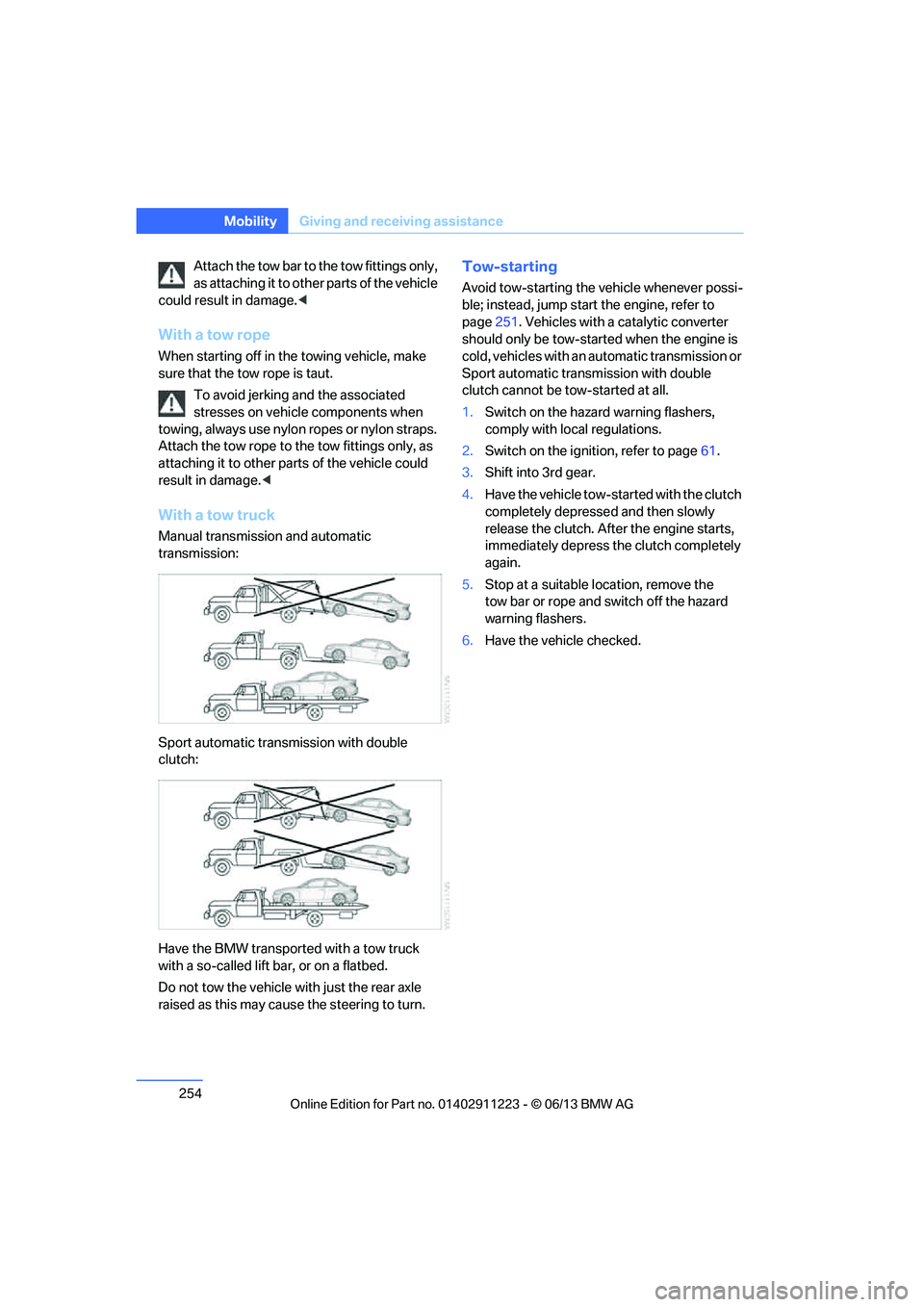
With a tow truck
Manual transmission and automatic
transmission:
Sport automatic transmission with double
clutch:
Have the BMW transported with a tow truck
with a so-called lift bar, or on a flatbed.
Do not tow the vehicle wi th just the rear axle
raised as this may cause the steering to turn.
Tow-starting
Avoid tow-starting the vehicle whenever possi-
ble; instead, jump start the engine, refer to
page 251. Vehicles with a catalytic converter
should only be tow-started when the engine is
cold, vehicles with an automatic transmission or
Sport automatic transmission with double
clutch cannot be tow-started at all.
1. Switch on the hazard warning flashers,
comply with local regulations.
2. Switch on the ignition, refer to page 61.
3. Shift into 3rd gear.
4. Have the vehicle tow-started with the clutch
completely depresse d and then slowly
release the clutch. Afte r the engine starts,
immediately depress the clutch completely
again.
5. Stop at a suitable location, remove the
tow bar or rope and switch off the hazard
warning flashers.
6. Have the vehicle checked.
00320051004F004C00510048000300280047004C0057004C005200510003
Page 260 of 284
259
Te c h n i c a l d a t a
Reference
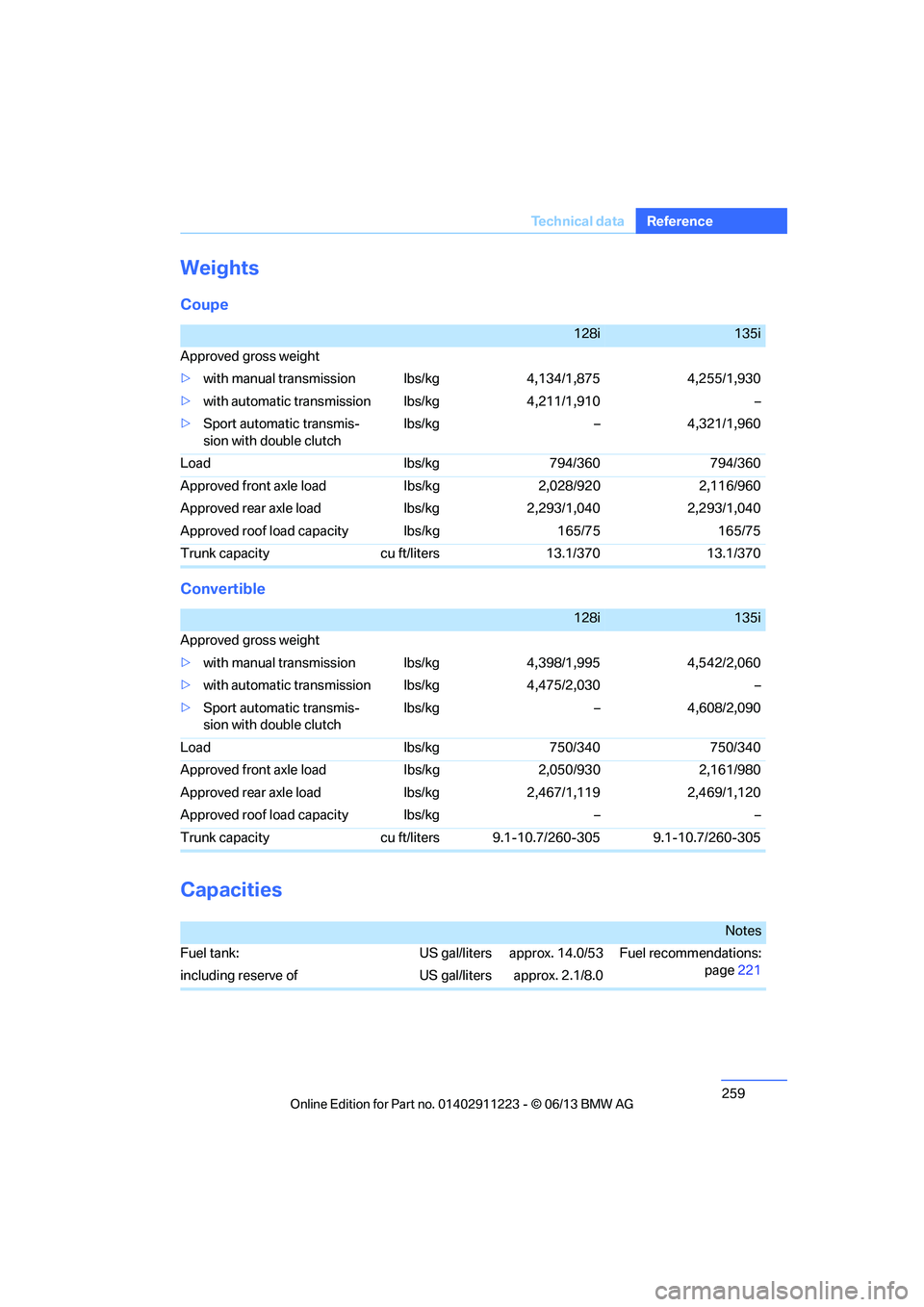
Weights
Coupe
Convertible
Capacities
128i135i
Approved gross weight
> with manual transmission lbs/kg 4,134/1,875 4,255/1,930
> with automatic transmi ssion lbs/kg 4,211/1,910 –
> Sport automatic transmis-
sion with double clutch lbs/kg – 4,321/1,960
Load lbs/kg 794/360 794/360
Approved front axle load lbs/kg 2,028/920 2,116/960
Approved rear axle load lbs/kg 2,293/1,040 2,293/1,040
Approved roof load capacity lbs/kg 165/75 165/75
Trunk capacity cu ft/liters 13.1/370 13.1/370
128i135i
Approved gross weight
> with manual transmission lbs/kg 4,398/1,995 4,542/2,060
> with automatic transmi ssion lbs/kg 4,475/2,030 –
> Sport automatic transmis-
sion with double clutch lbs/kg – 4,608/2,090
Load lbs/kg 750/340 750/340
Approved front axle load lbs/kg 2,050/930 2,161/980
Approved rear axle load lbs/kg 2,467/1,119 2,469/1,120
Approved roof load capacity lbs/kg – –
Trunk capacity cu ft/liters 9.1-10.7/260-305 9.1-10.7/260-305
Notes
Fuel tank: US gal/liters approx. 14.0/53 Fuel recommendations: page221
including reserve of US gal/liters approx. 2.1/8.0
00320051004F004C00510048000300280047004C0057004C005200510003
Page 269 of 284
268
ReferenceEverything from A to Z
Everything from A to Z
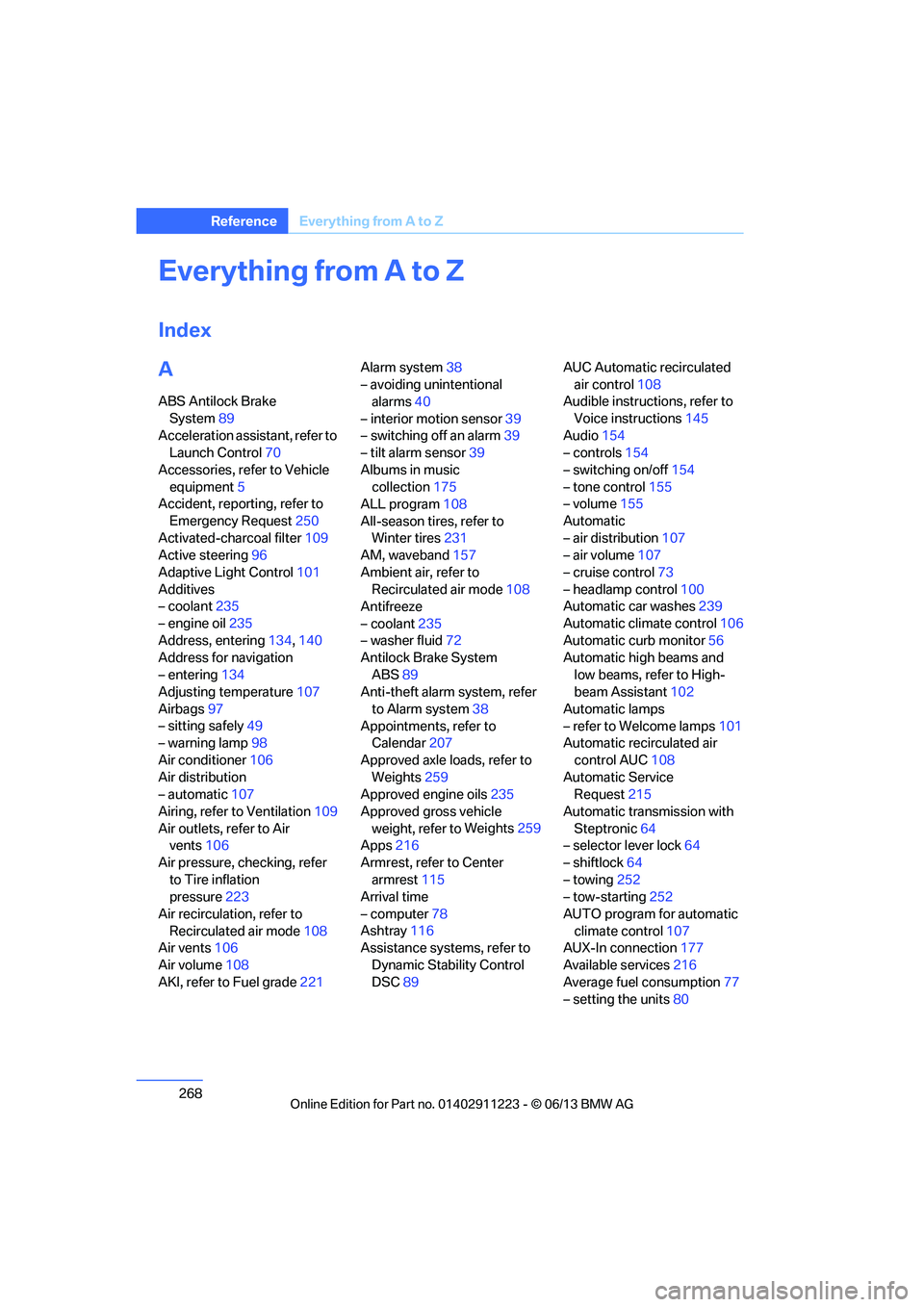
Index
A
ABS Antilock Brake
System 89
Acceleration assistant, refer to Launch Control 70
Accessories, refer to Vehicle equipment 5
Accident, reporting, refer to
Emergency Request 250
Activated-charcoal filter 109
Active steering 96
Adaptive Light Control 101
Additives
– coolant 235
– engine oil 235
Address, entering 134,140
Address for navigation
– entering 134
Adjusting temperature 107
Airbags 97
– sitting safely 49
– warning lamp 98
Air conditioner 106
Air distribution
– automatic 107
Airing, refer to Ventilation 109
Air outlets, refer to Air vents 106
Air pressure, checking, refer to Tire inflation
pressure 223
Air recirculation, refer to Recirculated air mode 108
Air vents 106
Air volume 108
AKI, refer to Fuel grade 221Alarm system
38
– avoiding unintentional alarms 40
– interior motion sensor 39
– switching off an alarm 39
– tilt alarm sensor 39
Albums in music collection 175
ALL program 108
All-season tires, refer to Winter tires 231
AM, waveband 157
Ambient air, refer to Recirculated air mode 108
Antifreeze
– coolant 235
– washer fluid 72
Antilock Brake System
ABS 89
Anti-theft alarm system, refer
to Alarm system 38
Appointments, refer to Calendar 207
Approved axle loads, refer to Weights 259
Approved engine oils 235
Approved gross vehicle weight, refer to W
eights259
Apps 216
Armrest, refer to Center armrest 115
Arrival time
– computer 78
Ashtray 116
Assistance systems, refer to
Dynamic Stability Control
DSC 89 AUC Automatic recirculated
air control 108
Audible instructions, refer to
Voice instructions 145
Audio 154
– controls 154
– switching on/off 154
– tone control 155
– volume 155
Automatic
– air distribution 107
– air volume 107
– cruise control 73
– headlamp control 100
Automatic car washes 239
Automatic climate control 106
Automatic curb monitor 56
Automatic high beams and
low beams, refer to High-
beam Assistant 102
Automatic lamps
– refer to Welcome lamps 101
Automatic recirculated air
control AUC 108
Automatic Service Request 215
Automatic transmission with Steptronic 64
– selector lever lock 64
– shiftlock 64
– towing 252
– tow-starting 252
AUTO program for automatic climate control 107
AUX-In connection 177
Available services 216
Average fuel consumption 77
– setting the units 80
00320051004F004C00510048000300280047004C0057004C005200510003
Page 273 of 284
272
ReferenceEverything from A to Z
Directory for navigation, refer
to Address book 136
Display, refer to Control Display 20
Displaying contact
pictures 203
Display lighting, refer to Instrument lighting 104
Displays, refer to Instrument cluster 14
Displays and controls 12
Disposal
– of coolant 235
– remote control battery 42
– vehicle battery 249
Distance, refer to
Computer 78
Distance remaining to service, refer to Service
requirements 80
Distance to destination, refer to Computer 78
Distance warning, refer to Park Distance Control
PDC 88
Door key, refer to Integrated key/remote control 32
Door lock 36
Door lock, confirmation signals 35
Doors, manual operation 36
DOT Quality Grades 228
Draft-free ventilation 109
Drinks holders, refer to
Cupholders 116
Drive mode 68
Drive-off assistance, refer to
DSC 89
Drive-off assistant 90
Driving dynamics control 69
Driving lamps, refer to Parking lamps/low beams 100
Driving notes 124
Driving off on hills, refer to Drive-off assistant 90Driving stability control
systems 89
Driving through water 126
Driving tips, refer to Driving notes 124
Dry air, refer to Air conditioning 109
DSC Dynamic Stability
Control 89
DTC Dynamic Traction Control 90
– indicator lamps 90
DVD
– country codes 168
– settings 169
– video playback 168
DVD menu 169
DVD player, refer to CD player 166
DVD video 168
D y
namic Brake Control
DBC 89
Dynamic destination guidance 149
Dynamic Stability Control
DSC 89
Dynamic Traction Control DTC 90
– indicator lamps 90
E
EBV Electronic brake-force
distribution 89
Eject button, see buttons on the CD/DVD player 154
Electrical defect
– 7-gear Sport automatic transmission with double
clutch 69
Electrical malfunction
– door lock 36
– fuel filler flap 221
Electronic brake-force distribution EBV 89Electronic oil level check
233
Electronic Stability Program
ESP, refer to Dynamic
Stability Control DSC 89
E-mail 206
Emergency operation, refer to Manual operation
– door lock 36
– fuel filler flap 221
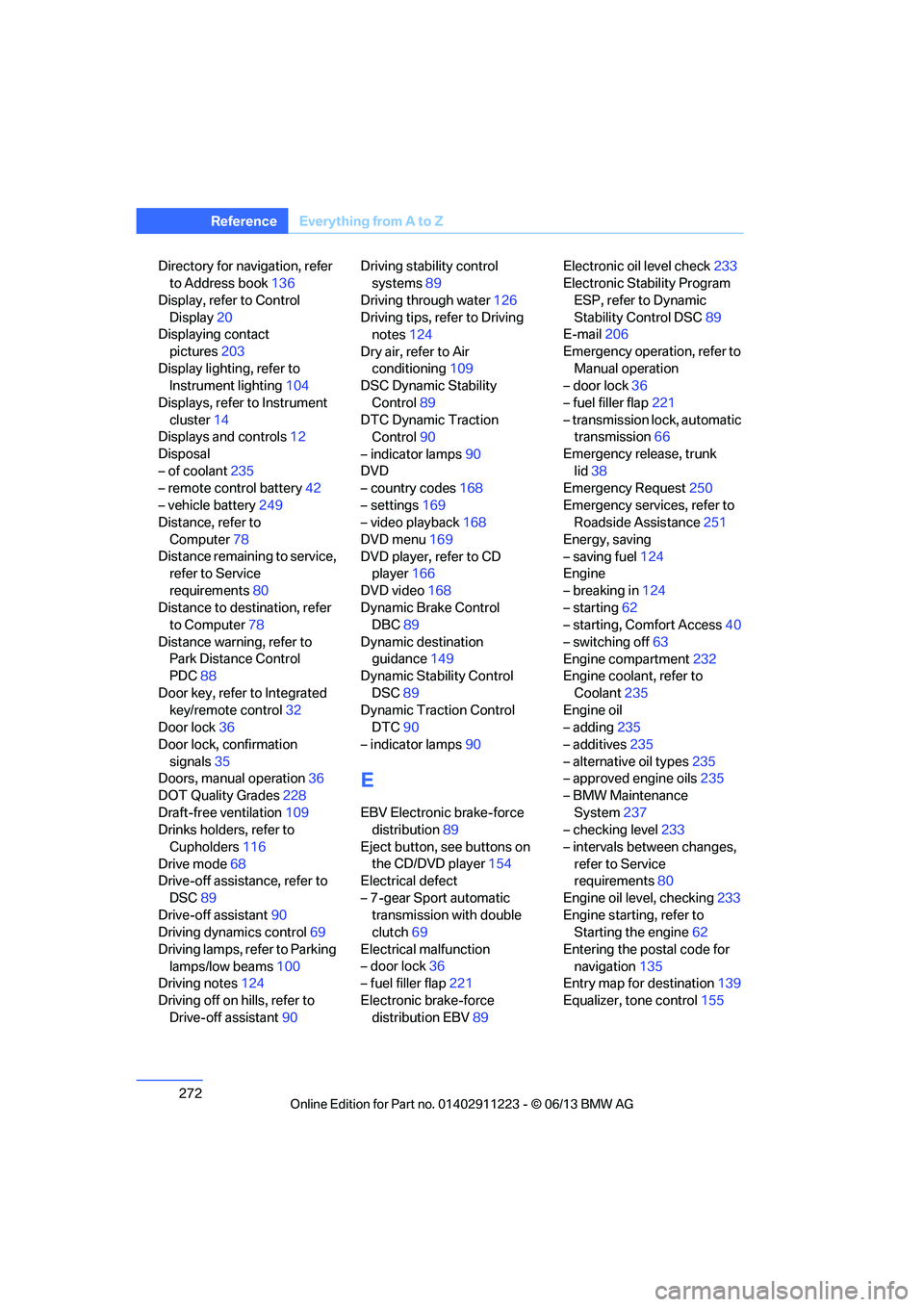
– transmission lock, automatic transmission 66
Emergency release, trunk lid 38
Emergency Request 250
Emergency services, refer to Roadside Assistance 251
Energy, saving
– saving fuel 124
Engine
– breaking in 124
– starting 62
– starting, Comfort Access 40
– switching off 63
Engine compartment 232
Engine coolant, refer to
Coolant 235
Engine oil
– adding 235
– additives 235
– alternative oil types 235
– approved engine oils 235
– BMW Maintenance System 237
– checking level 233
– intervals between changes, refer to Service
requirements 80
Engine oil level, checking 233
Engine starting, refer to Starting the engine 62
Entering the postal code for navigation 135
Entry map for destination 139
Equalizer, tone control 155
00320051004F004C00510048000300280047004C0057004C005200510003