park assist BMW 2 SERIES 2014 F22 User Guide
[x] Cancel search | Manufacturer: BMW, Model Year: 2014, Model line: 2 SERIES, Model: BMW 2 SERIES 2014 F22Pages: 228, PDF Size: 5.73 MB
Page 128 of 228
System limits
Detection of objects
Very low obstacles as well as high, protruding
objects such as ledges may not be detected by
the system.
Assistance functions also take into account
data of the PDC.
Follow instructions in the PDC chapter, refer to
page 119.
The objects displayed on the Control Display
under certain circumstances are closer than
they appear. Do not estimate the distance from
the objects on the display.
Parking assistant The concept
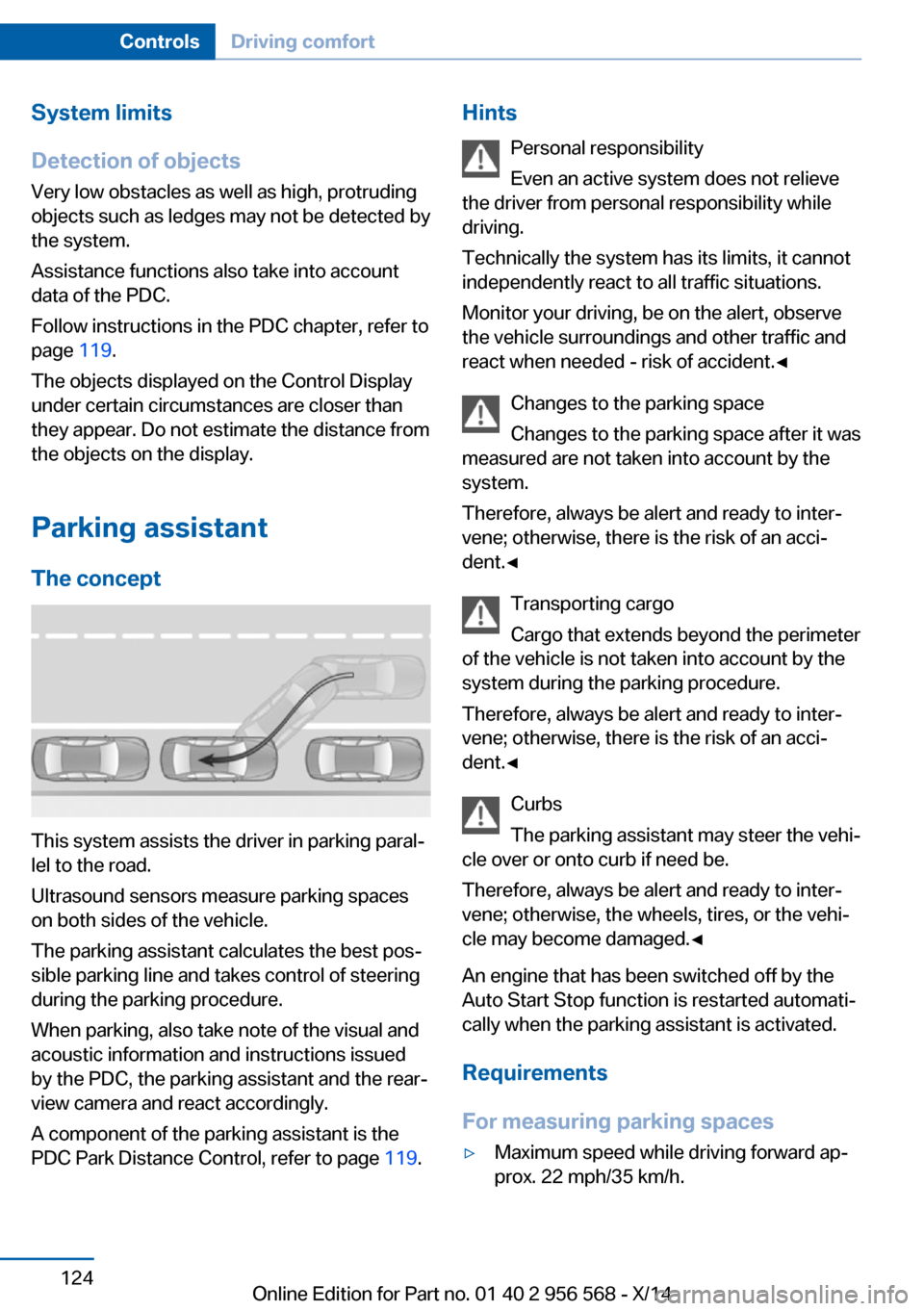
This system assists the driver in parking paral‐
lel to the road.
Ultrasound sensors measure parking spaces
on both sides of the vehicle.
The parking assistant calculates the best pos‐
sible parking line and takes control of steering
during the parking procedure.
When parking, also take note of the visual and
acoustic information and instructions issued
by the PDC, the parking assistant and the rear‐
view camera and react accordingly.
A component of the parking assistant is the
PDC Park Distance Control, refer to page 119.
Hints
Personal responsibility
Even an active system does not relieve
the driver from personal responsibility while
driving.
Technically the system has its limits, it cannot
independently react to all traffic situations.
Monitor your driving, be on the alert, observe
the vehicle surroundings and other traffic and
react when needed - risk of accident.◀
Changes to the parking space
Changes to the parking space after it was
measured are not taken into account by the system.
Therefore, always be alert and ready to inter‐
vene; otherwise, there is the risk of an acci‐
dent.◀
Transporting cargo
Cargo that extends beyond the perimeter
of the vehicle is not taken into account by the
system during the parking procedure.
Therefore, always be alert and ready to inter‐
vene; otherwise, there is the risk of an acci‐
dent.◀
Curbs
The parking assistant may steer the vehi‐
cle over or onto curb if need be.
Therefore, always be alert and ready to inter‐
vene; otherwise, the wheels, tires, or the vehi‐
cle may become damaged.◀
An engine that has been switched off by the
Auto Start Stop function is restarted automati‐
cally when the parking assistant is activated.
Requirements
For measuring parking spaces▷Maximum speed while driving forward ap‐
prox. 22 mph/35 km/h.Seite 124ControlsDriving comfort124
Online Edition for Part no. 01 40 2 956 568 - X/14
Page 129 of 228
▷Maximum distance to row of parked vehi‐
cles: 5 ft/1.5 m.
Suitable parking space
▷Gap between two objects with a minimum
length of approx. 5 ft/1.5 m.▷Min. length of gap between two objects:
your vehicle's length plus approx.
4 ft/1.2 m.▷Minimum depth: approx. 5 ft/1.5 m.
Regarding the parking procedure
▷Doors and trunk lid closed.▷Parking brake released.▷When parking in parking spaces on the
driver's side, the corresponding turn signal
must be set where applicable.
At a glance
Button in the vehicle
Parking assistant
Ultrasound sensors
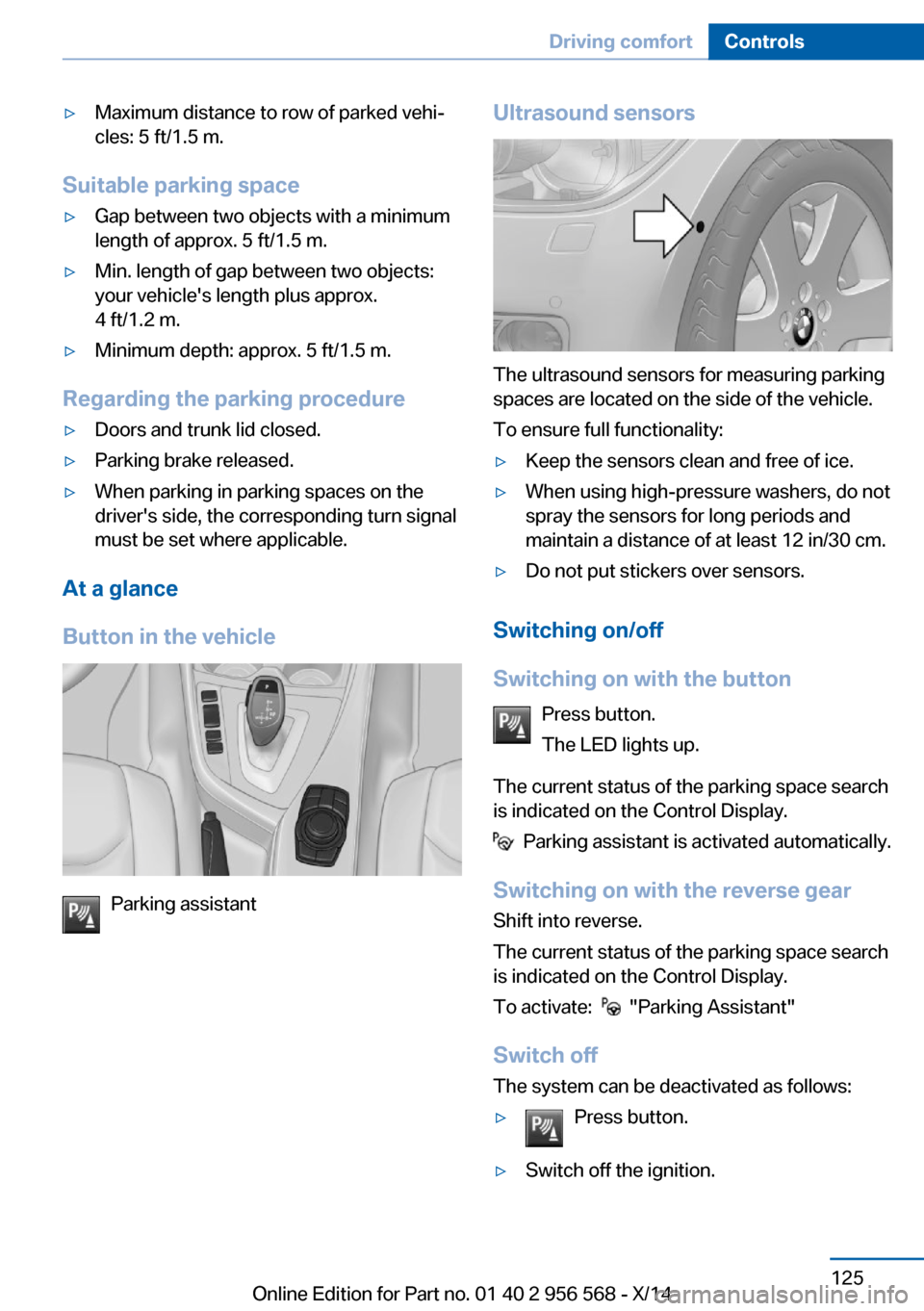
The ultrasound sensors for measuring parking
spaces are located on the side of the vehicle.
To ensure full functionality:
▷Keep the sensors clean and free of ice.▷When using high-pressure washers, do not
spray the sensors for long periods and
maintain a distance of at least 12 in/30 cm.▷Do not put stickers over sensors.
Switching on/off
Switching on with the button Press button.
The LED lights up.
The current status of the parking space search
is indicated on the Control Display.
Parking assistant is activated automatically.
Switching on with the reverse gear
Shift into reverse.
The current status of the parking space search
is indicated on the Control Display.
To activate:
"Parking Assistant"
Switch off
The system can be deactivated as follows:
▷Press button.▷Switch off the ignition.Seite 125Driving comfortControls125
Online Edition for Part no. 01 40 2 956 568 - X/14
Page 130 of 228
Display on the Control Display
System activated/deactivatedSymbolMeaning Gray: the system is not available.
White: the system is available but
not activated. The system is activated.
System status
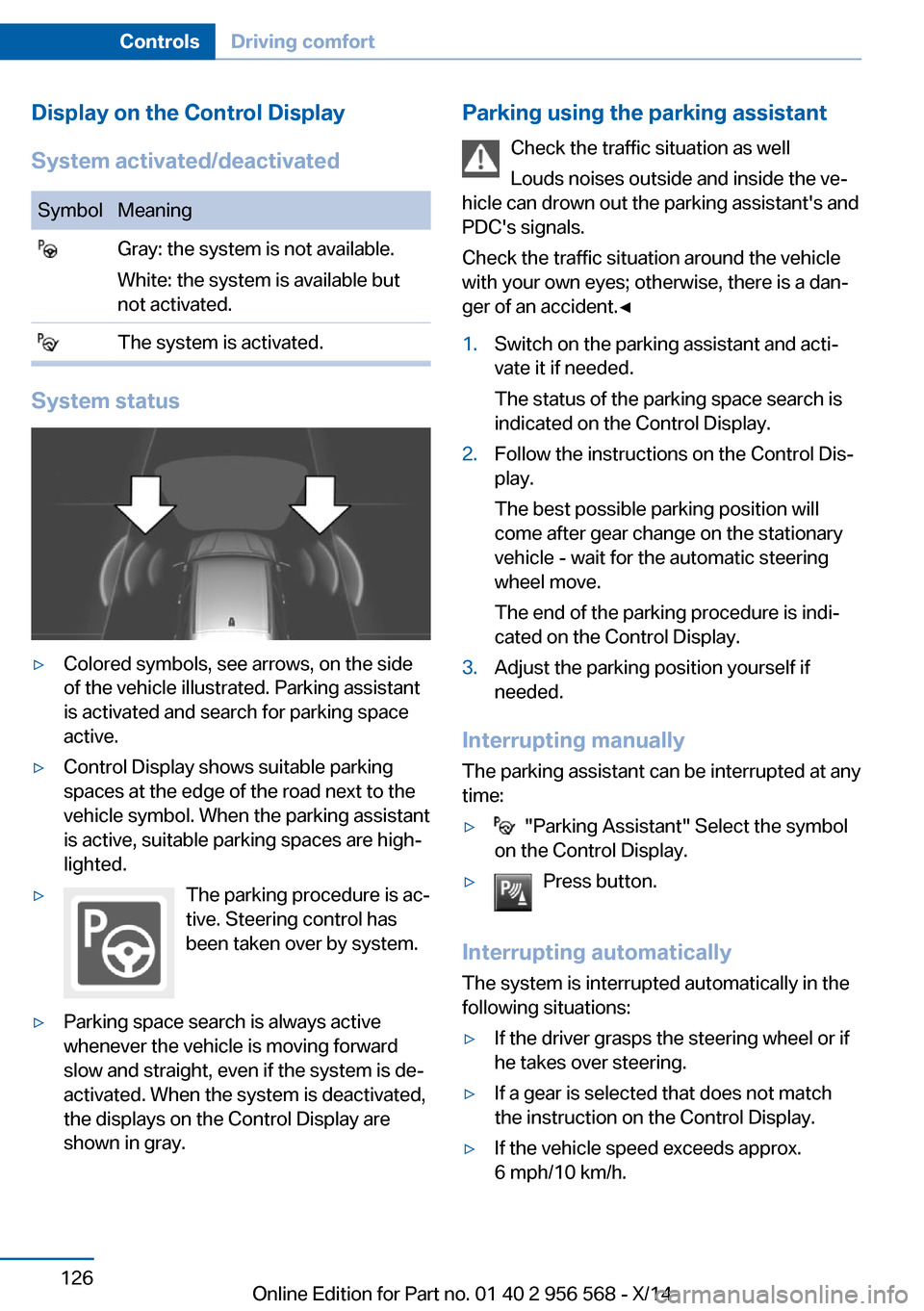
▷Colored symbols, see arrows, on the side
of the vehicle illustrated. Parking assistant
is activated and search for parking space
active.▷Control Display shows suitable parking
spaces at the edge of the road next to the
vehicle symbol. When the parking assistant
is active, suitable parking spaces are high‐
lighted.▷The parking procedure is ac‐
tive. Steering control has
been taken over by system.▷Parking space search is always active
whenever the vehicle is moving forward
slow and straight, even if the system is de‐
activated. When the system is deactivated,
the displays on the Control Display are
shown in gray.Parking using the parking assistant
Check the traffic situation as well
Louds noises outside and inside the ve‐
hicle can drown out the parking assistant's and
PDC's signals.
Check the traffic situation around the vehicle
with your own eyes; otherwise, there is a dan‐
ger of an accident.◀1.Switch on the parking assistant and acti‐
vate it if needed.
The status of the parking space search is
indicated on the Control Display.2.Follow the instructions on the Control Dis‐
play.
The best possible parking position will
come after gear change on the stationary
vehicle - wait for the automatic steering
wheel move.
The end of the parking procedure is indi‐
cated on the Control Display.3.Adjust the parking position yourself if
needed.
Interrupting manually
The parking assistant can be interrupted at any
time:
▷ "Parking Assistant" Select the symbol
on the Control Display.▷Press button.
Interrupting automatically
The system is interrupted automatically in the
following situations:
▷If the driver grasps the steering wheel or if
he takes over steering.▷If a gear is selected that does not match
the instruction on the Control Display.▷If the vehicle speed exceeds approx.
6 mph/10 km/h.Seite 126ControlsDriving comfort126
Online Edition for Part no. 01 40 2 956 568 - X/14
Page 131 of 228
▷Possible on snow-covered or slippery road
surfaces.▷When there are obstacles that are hard to
overcome, such as curbs.▷When there are obstacles that suddenly
arise.▷If the Park Distance Control PDC displays
clearances that are too small.▷If a maximum number of parking attempts
or the time taken for parking is exceeded.▷If a turn signal has been actuated contrary
to the desired side for parking.▷When switching to another function on the
Control Display.
A Check Control message is displayed.
Resume An interrupted parking procedure can be con‐
tinued if needed.
Follow the instructions on the Control Display
to do this.
System limits
No parking assistance
The parking assistant does not offer assis‐
tance in the following situations:
▷In tight curves.
Functional limitations
The system may not be fully functional in the
following situations:
▷On bumpy road surfaces such as gravel
roads.▷On slippery ground.▷On steep uphill or downhill grades.▷With accumulations of leaves/snow in the
parking space.
Limits of ultrasonic measurement
Ultrasonic measuring might not function under
the following circumstances:
▷For small children and animals.▷For persons with certain clothing, e.g.
coats.▷With external interference of the ultra‐
sound, e.g. from passing vehicles or loud
machines.▷When sensors are dirty, iced over, dam‐
aged or out of position.▷Under certain weather conditions such as
high relative humidity, rain, snowfall, ex‐
treme heat or strong wind.▷With tow bars and trailer couplings of other
vehicles.▷With thin or wedge-shaped objects.▷With moving objects.▷With elevated, protruding objects such as
ledges or cargo.▷With objects with corners and sharp edges.▷With objects with a fine surface structure
such as fences.▷For objects with porous surfaces.
Low objects already displayed, e.g., curbs, can
move into the blind area of the sensors before
or after a continuous tone sounds.
The parking assistant may identify parking
spaces that are not suitable for parking.
Malfunction
A Check Control message is displayed.
The parking assistant failed. Have the system
checked.
Seite 127Driving comfortControls127
Online Edition for Part no. 01 40 2 956 568 - X/14
Page 156 of 228
Driving in wet conditionsWhen roads are wet, salted, or in heavy rain,
press brake pedal ever so gently every few
miles.
Ensure that this action does not endanger
other traffic.
The heat generated in this process helps dry
the brake discs and pads.
In this way braking efficiency will be available
when you need it.
Hills Avoid stressing the brakes
Avoid placing excessive stress on the
brake system. Light but consistent brake pres‐
sure can lead to high temperatures, brakes
wearing out and possibly even brake failure.◀
Do not drive in neutral
Do not drive in neutral or with the engine
stopped, as doing so disables engine braking.
In addition, steering and brake assist are un‐
available with the engine stopped.◀
Drive long or steep downhill gradients in the
gear that requires least braking efforts. Other‐
wise the brakes may overheat and reduce
brake efficiency.
You can increase the engine's braking effect
by shifting down, going all the way to first gear,
if needed.
Brake disc corrosion
Brake disc corrosion and contamination of the
brake pads are favored by:▷Low mileage.▷Extended periods when the vehicle is not
used at all.▷Infrequent use of the brakes.
Corrosion will built up when the maximum
pressure applied to the brake pads during
braking is not reached - thus discs don't get
cleaned.
Corrosion buildup on the brake discs will cause
a pulsating effect on the brakes in their re‐
sponse - generally that cannot be corrected.
Condensation under the parked
vehicle
When using the automatic climate control,
condensation water develops collecting under‐
neath the vehicle.
These traces of water under the vehicle are
normal.Seite 152Driving tipsThings to remember when driving152
Online Edition for Part no. 01 40 2 956 568 - X/14
Page 221 of 228
F
Failure message, see Check Control 77
False alarm, refer to Uninten‐ tional alarm 44
Fan, refer to Air flow 129, 132
Filler neck for engine oil 182
Fine wood, care 205
First aid kit 198
Fitting for towing, see tow fit‐ ting 201
Flat tire, changing wheels 193
Flat Tire Monitor FTM 100
Flat tire, Tire Pressure Moni‐ tor TPM 97
Flat tire, warning lamp 98, 101
Flooding 151
Floor carpet, care 206
Floor mats, care 206
Fogged up windows 129
Fold down the rear seat back‐ rest, see Though-loading
system 141
Fold-out position, wiper 70
Foot brake 151
Front airbags 94
Front-end collision warning with City Braking func‐
tion 103
Front fog lights 92
Front fog lights, front, bulb re‐ placement 191
Front lights 188
front-seat passenger airbags, automatic deactivation 96
Front-seat passenger airbags, indicator lamp 96
FTM Flat Tire Monitor 100
Fuel 168
Fuel consumption, current 81 Fuel consumption, refer to
Average fuel consump‐
tion 86
Fuel filler flap 166
Fuel gauge 80
Fuel lid 166
Fuel quality 168
Fuel recommendation 168
Fuel, tank capacity 212
Fuse 195
G Garage door opener, refer to Universal Integrated Remote
Control 135
Gasoline 168
Gear change, Steptronic transmission 72
Gear shift indicator 82
General driving notes 150
Glare shield 139
Glass sunroof, powered 46
Glove compartment 143
Gross vehicle weight, ap‐ proved 211
H Halogen headlights, bulb re‐ placement 188
Handbrake, refer to parking brake 67
Hand-held transmitter, alter‐ nating code 136
Hazard warning flashers 197
Head airbags 94
Headlight control, auto‐ matic 90
Headlight courtesy delay fea‐ ture 89
Headlight flasher 68
Headlight flasher, bulb re‐ placement 190
Headlight glass 188
Headlights 188 Headlights, care 204
Headlight washer system 68
Head restraints 48
Head restraints, front 53
Head restraints, rear 54
Heavy cargo, stowing 154
High-beam Assistant 91
High beams 68
High beams/low beams, refer to High-beam Assistant 91
High beams, bulb replace‐ ment 190
Hills 152
Hill start assistant, refer to Drive-off assistant 115
Hints 6
Holder for beverages 145
Hood 180
Horn 14
Hotel function, trunk lid 40
Hot exhaust system 151
Hydroplaning 151
I Ice warning, see External temperature warning 81
Icy roads, see External tem‐ perature warning 81
Identification marks, tires 174
Identification number, see ve‐ hicle identification num‐
ber 9
iDrive 18
Ignition key, refer to Remote control 34
Ignition off 63
Ignition on 63
Indication of a flat tire 98, 101
Indicator and alarm lamps, see Check Control 77
Indicator lamp, see Check Control 77
Individual air distribu‐ tion 129, 132 Seite 217Everything from A to ZReference217
Online Edition for Part no. 01 40 2 956 568 - X/14
Page 222 of 228
Individual settings, refer toPersonal Profile 35
Inflation pressure, tires 170
Inflation pressure warning, tires 100
Info display, refer to Com‐ puter 85
Initialize, Tire Pressure Moni‐ tor TPM 98
Initializing, Flat Tire Monitor FTM 101
Instrument cluster 76
Instrument cluster, electronic displays 76
Instrument lighting 92
Integrated key 34
Integrated Owner's Manual in the vehicle 29
Intelligent Emergency Re‐ quest 197
Intelligent Safety 102
Intensity, AUTO pro‐ gram 131
Interior equipment 135
Interior lights 92
Interior lights via remote con‐ trol 37
Interior motion sensor 44
Interior rearview mirror, auto‐ matic dimming feature 57
Interior rearview mirror, com‐ pass 137
Interior rearview mirror, man‐ ually dimmable 57
Interval display, service re‐ quirements 81
J Jacking points for the vehicle jack 194
Joystick, Steptronic transmis‐ sion 72
Jump-starting 198 K
Key/remote control 34
Keyless Go, refer to Comfort Access 41
Key Memory, refer to Per‐ sonal Profile 35
Kickdown, Steptronic trans‐ mission 71
Knee airbag 94
L
Lamp replacement 187
Lamp replacement, front 188
Lamp replacement, rear 192
Lane departure warning 108
Lane margin, warning 108
Language on Control Dis‐ play 88
Lashing eyes, securing cargo 154
LATCH child restraint sys‐ tem 60
Launch Control 74
Leather, care 205
LEDs, light-emitting di‐ odes 188
Letters and numbers, enter‐ ing 25
Light alloy wheels, care 205
Light control 90
Light-emitting diodes, LEDs 188
Lighter 139
Lighting 89
Lighting via remote con‐ trol 37
Light reel 89
Lights 89
Lights and bulbs 187
Load 154
Loading 153
Lock, door 38
Locking/unlocking via door lock 38 Locking/unlocking with re‐
mote control 37
Locking, automatic 43
Locking, settings 42
Locking via trunk lid 40
Low beams 89
Low beams, automatic, refer to High-beam Assistant 91
Lower back support 50
Luggage rack, see Roof- mounted luggage rack 155
Lumbar support 50
M
Maintenance 185
Maintenance require‐ ments 185
Maintenance, service require‐ ments 81
Maintenance system, BMW 185
Make-up mirror 139
Malfunction displays, see Check Control 77
Manual air distribu‐ tion 129, 132
Manual air flow 129, 132
Manual mode, Steptronic transmission 72
Manual operation, door lock 38
Manual operation, exterior mirrors 56
Manual operation, fuel filler flap 166
Manual operation, Park Dis‐ tance Control PDC 120
Manual operation, rearview camera 122
Manual transmission 71
Marking on approved tires 177
Marking, run-flat tires 178
Master key, refer to Remote control 34 Seite 218ReferenceEverything from A to Z218
Online Edition for Part no. 01 40 2 956 568 - X/14
Page 223 of 228
Maximum cooling 131
Maximum speed, display 83
Maximum speed, winter tires 177
Measure, units of 88
Medical kit 198
Memory, seat, mirror 55
Menu, EfficientDynamics 160
Menu in instrument clus‐ ter 84
Menus, operating, iDrive 18
Menus, refer to iDrive operat‐ ing concept 20
Messages, see Check Con‐ trol 77
Microfilter 130, 133
Minimum tread, tires 176
Mirror 55
Mirror memory 55
Mobile communication devi‐ ces in the vehicle 151
Modifications, technical, refer to Safety 7
Moisture in headlight 188
Monitor, refer to Control Dis‐ play 18
Mounting of child restraint systems 59
Multifunction steering wheel, buttons 14
N Navigation, see user's manual for Navigation, Entertain‐
ment and Communication
Neck restraints, front, refer to Head restraints 53
Neck restraints, rear, refer to Head restraints 54
Neutral cleaner, see wheel cleaner 205
New wheels and tires 176
Nylon rope for tow-starting/ towing 201 O
OBD Onboard Diagnosis 185
OBD, see OBD Onboard Di‐ agnosis 185
Obstacle marking, rearview camera 123
Octane rating, refer to Rec‐ ommended fuel grade 168
Odometer 80
Office, see user's manual for Navigation, Entertainment
and Communication
Oil 181
Oil, adding 182
Oil additives 182
Oil change 183
Oil change interval, service requirements 81
Oil filler neck 182
Oil types, alternative 183
Oil types, approved 183
Old batteries, disposal 194
Onboard monitor, refer to Control Display 18
Onboard vehicle tool kit 187
Opening/closing via door lock 38
Opening and closing 34
Opening and closing, without remote control 38
Opening and closing, with re‐ mote control 37
Operating concept, iDrive 18
Optional equipment, standard equipment 6
Outside air, refer to Auto‐ matic recirculated-air con‐
trol 132
Overheating of engine, refer to Coolant temperature 80
P Paint, vehicle 204
Parallel parking assistant 124 Park Distance Control
PDC 119
Parked-car ventilation 134
Parked vehicle, condensa‐ tion 152
Parking aid, refer to PDC 119
Parking assistant 124
Parking brake 67
Parking lights 89
Passenger side mirror, tilting downward 56
Pathway lines, rearview cam‐ era 122
PDC Park Distance Con‐ trol 119
Pedestrian warning with city braking function 106
Personal Profile 35
Personal Profile, exporting profiles 36
Personal Profile, importing profiles 36
Pinch protection system, glass sunroof 46
Pinch protection system, win‐ dows 45
Plastic, care 205
Power failure 194
Power sunroof, glass 46
Power windows 45
Pressure, tire air pres‐ sure 170
Pressure warning, tires 100
Profile, refer to Personal Pro‐ file 35
Programmable memory but‐ tons, iDrive 24
Protective function, glass sunroof 46
Protective function, win‐ dows 45
Push-and-turn reel, refer to Controller 18, 19 Seite 219Everything from A to ZReference219
Online Edition for Part no. 01 40 2 956 568 - X/14
Page 225 of 228
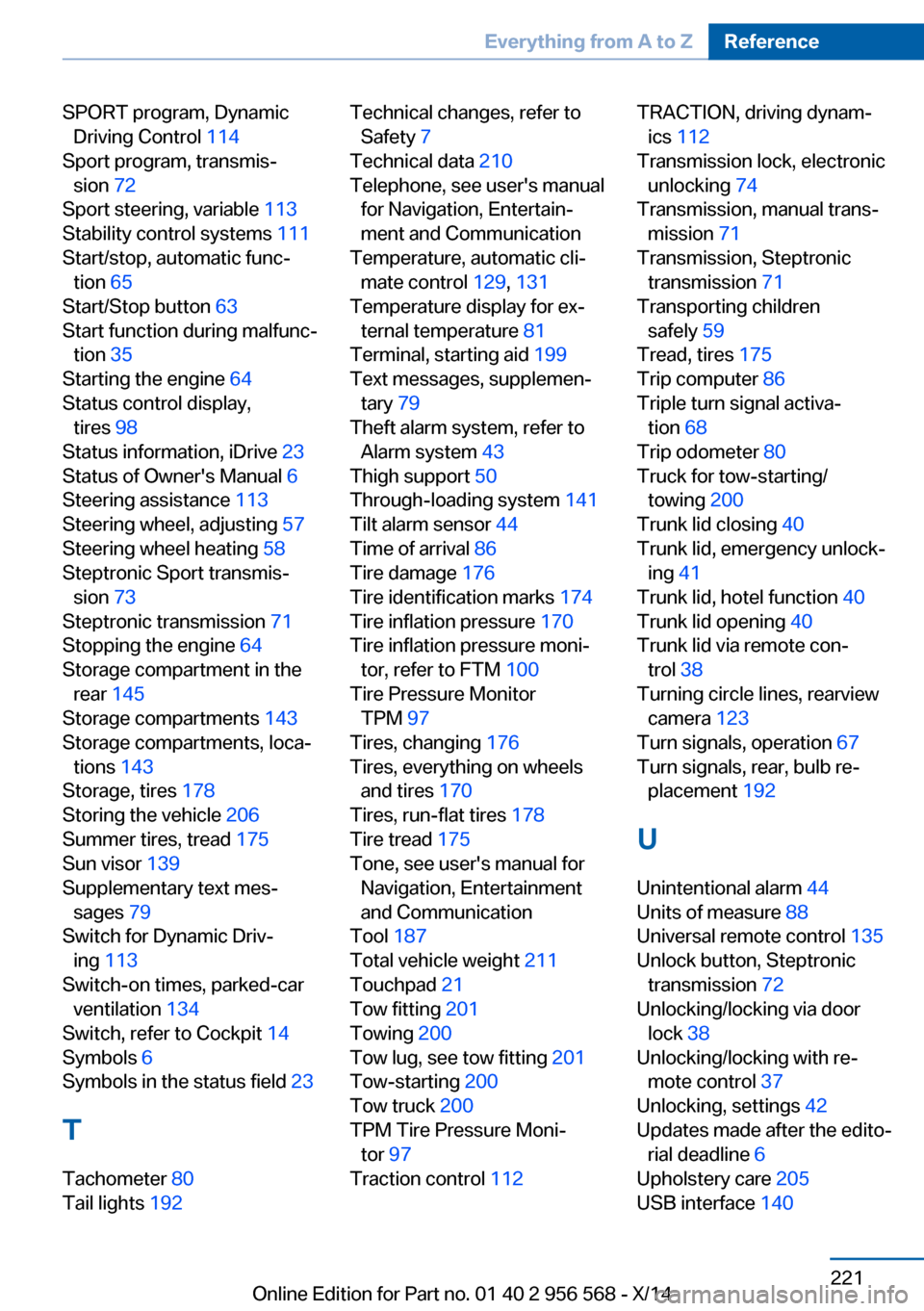
SPORT program, DynamicDriving Control 114
Sport program, transmis‐ sion 72
Sport steering, variable 113
Stability control systems 111
Start/stop, automatic func‐ tion 65
Start/Stop button 63
Start function during malfunc‐ tion 35
Starting the engine 64
Status control display, tires 98
Status information, iDrive 23
Status of Owner's Manual 6
Steering assistance 113
Steering wheel, adjusting 57
Steering wheel heating 58
Steptronic Sport transmis‐ sion 73
Steptronic transmission 71
Stopping the engine 64
Storage compartment in the rear 145
Storage compartments 143
Storage compartments, loca‐ tions 143
Storage, tires 178
Storing the vehicle 206
Summer tires, tread 175
Sun visor 139
Supplementary text mes‐ sages 79
Switch for Dynamic Driv‐ ing 113
Switch-on times, parked-car ventilation 134
Switch, refer to Cockpit 14
Symbols 6
Symbols in the status field 23
T Tachometer 80
Tail lights 192 Technical changes, refer to
Safety 7
Technical data 210
Telephone, see user's manual for Navigation, Entertain‐
ment and Communication
Temperature, automatic cli‐ mate control 129, 131
Temperature display for ex‐ ternal temperature 81
Terminal, starting aid 199
Text messages, supplemen‐ tary 79
Theft alarm system, refer to Alarm system 43
Thigh support 50
Through-loading system 141
Tilt alarm sensor 44
Time of arrival 86
Tire damage 176
Tire identification marks 174
Tire inflation pressure 170
Tire inflation pressure moni‐ tor, refer to FTM 100
Tire Pressure Monitor TPM 97
Tires, changing 176
Tires, everything on wheels and tires 170
Tires, run-flat tires 178
Tire tread 175
Tone, see user's manual for Navigation, Entertainment
and Communication
Tool 187
Total vehicle weight 211
Touchpad 21
Tow fitting 201
Towing 200
Tow lug, see tow fitting 201
Tow-starting 200
Tow truck 200
TPM Tire Pressure Moni‐ tor 97
Traction control 112 TRACTION, driving dynam‐
ics 112
Transmission lock, electronic unlocking 74
Transmission, manual trans‐ mission 71
Transmission, Steptronic transmission 71
Transporting children safely 59
Tread, tires 175
Trip computer 86
Triple turn signal activa‐ tion 68
Trip odometer 80
Truck for tow-starting/ towing 200
Trunk lid closing 40
Trunk lid, emergency unlock‐ ing 41
Trunk lid, hotel function 40
Trunk lid opening 40
Trunk lid via remote con‐ trol 38
Turning circle lines, rearview camera 123
Turn signals, operation 67
Turn signals, rear, bulb re‐ placement 192
U
Unintentional alarm 44
Units of measure 88
Universal remote control 135
Unlock button, Steptronic transmission 72
Unlocking/locking via door lock 38
Unlocking/locking with re‐ mote control 37
Unlocking, settings 42
Updates made after the edito‐ rial deadline 6
Upholstery care 205
USB interface 140 Seite 221Everything from A to ZReference221
Online Edition for Part no. 01 40 2 956 568 - X/14