clock BMW 228I 2014 User Guide
[x] Cancel search | Manufacturer: BMW, Model Year: 2014, Model line: 228I, Model: BMW 228I 2014Pages: 218, PDF Size: 6.6 MB
Page 209 of 218
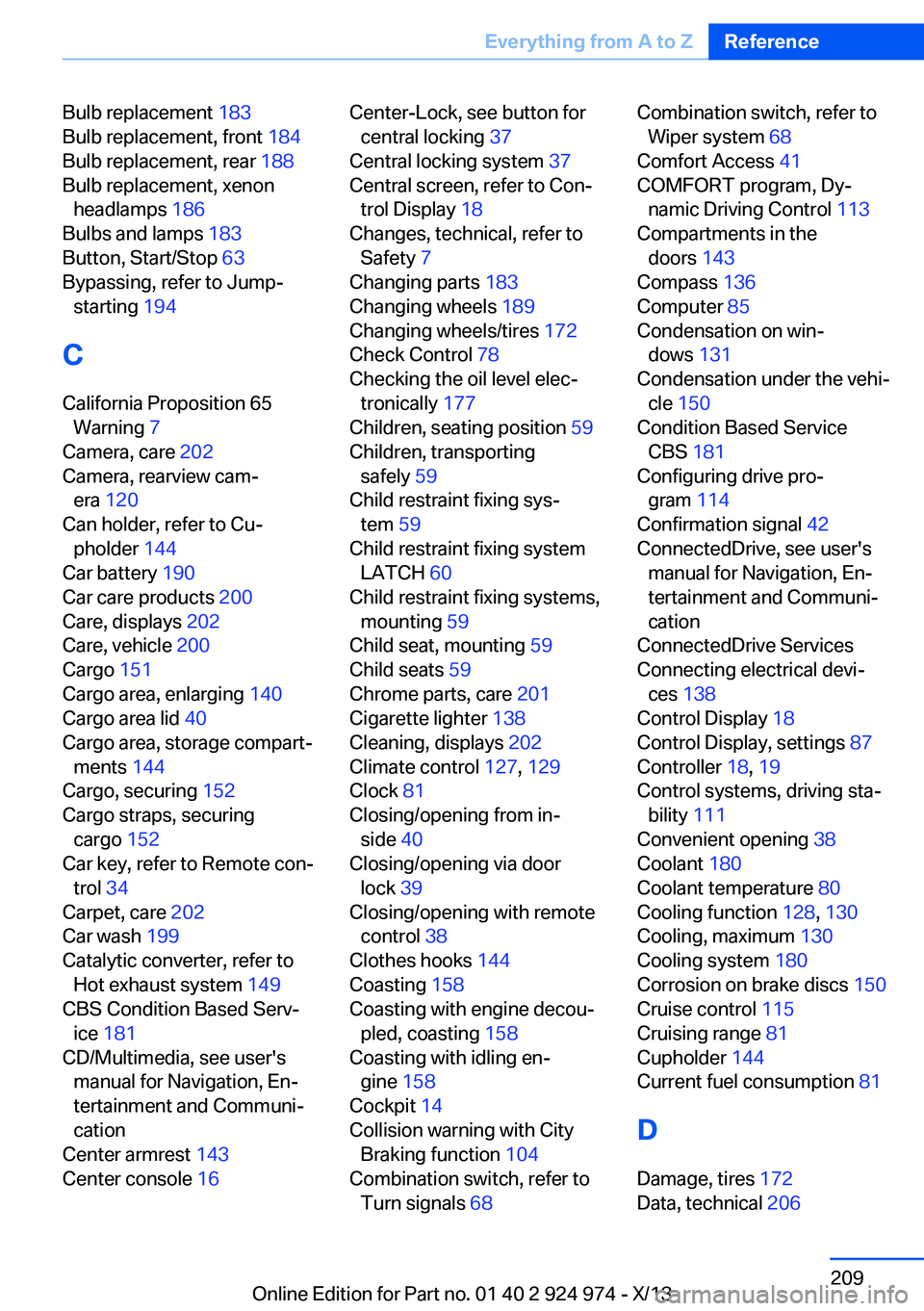
Bulb replacement 183
Bulb replacement, front 184
Bulb replacement, rear 188
Bulb replacement, xenon headlamps 186
Bulbs and lamps 183
Button, Start/Stop 63
Bypassing, refer to Jump- starting 194
C
California Proposition 65 Warning 7
Camera, care 202
Camera, rearview cam‐ era 120
Can holder, refer to Cu‐ pholder 144
Car battery 190
Car care products 200
Care, displays 202
Care, vehicle 200
Cargo 151
Cargo area, enlarging 140
Cargo area lid 40
Cargo area, storage compart‐ ments 144
Cargo, securing 152
Cargo straps, securing cargo 152
Car key, refer to Remote con‐ trol 34
Carpet, care 202
Car wash 199
Catalytic converter, refer to Hot exhaust system 149
CBS Condition Based Serv‐ ice 181
CD/Multimedia, see user's manual for Navigation, En‐
tertainment and Communi‐
cation
Center armrest 143
Center console 16 Center-Lock, see button for
central locking 37
Central locking system 37
Central screen, refer to Con‐ trol Display 18
Changes, technical, refer to Safety 7
Changing parts 183
Changing wheels 189
Changing wheels/tires 172
Check Control 78
Checking the oil level elec‐ tronically 177
Children, seating position 59
Children, transporting safely 59
Child restraint fixing sys‐ tem 59
Child restraint fixing system LATCH 60
Child restraint fixing systems, mounting 59
Child seat, mounting 59
Child seats 59
Chrome parts, care 201
Cigarette lighter 138
Cleaning, displays 202
Climate control 127, 129
Clock 81
Closing/opening from in‐ side 40
Closing/opening via door lock 39
Closing/opening with remote control 38
Clothes hooks 144
Coasting 158
Coasting with engine decou‐ pled, coasting 158
Coasting with idling en‐ gine 158
Cockpit 14
Collision warning with City Braking function 104
Combination switch, refer to Turn signals 68 Combination switch, refer to
Wiper system 68
Comfort Access 41
COMFORT program, Dy‐ namic Driving Control 113
Compartments in the doors 143
Compass 136
Computer 85
Condensation on win‐ dows 131
Condensation under the vehi‐ cle 150
Condition Based Service CBS 181
Configuring drive pro‐ gram 114
Confirmation signal 42
ConnectedDrive, see user's manual for Navigation, En‐
tertainment and Communi‐
cation
ConnectedDrive Services
Connecting electrical devi‐ ces 138
Control Display 18
Control Display, settings 87
Controller 18, 19
Control systems, driving sta‐ bility 111
Convenient opening 38
Coolant 180
Coolant temperature 80
Cooling function 128, 130
Cooling, maximum 130
Cooling system 180
Corrosion on brake discs 150
Cruise control 115
Cruising range 81
Cupholder 144
Current fuel consumption 81
D
Damage, tires 172
Data, technical 206 Seite 209Everything from A to ZReference209
Online Edition for Part no. 01 40 2 924 974 - X/13
Page 210 of 218
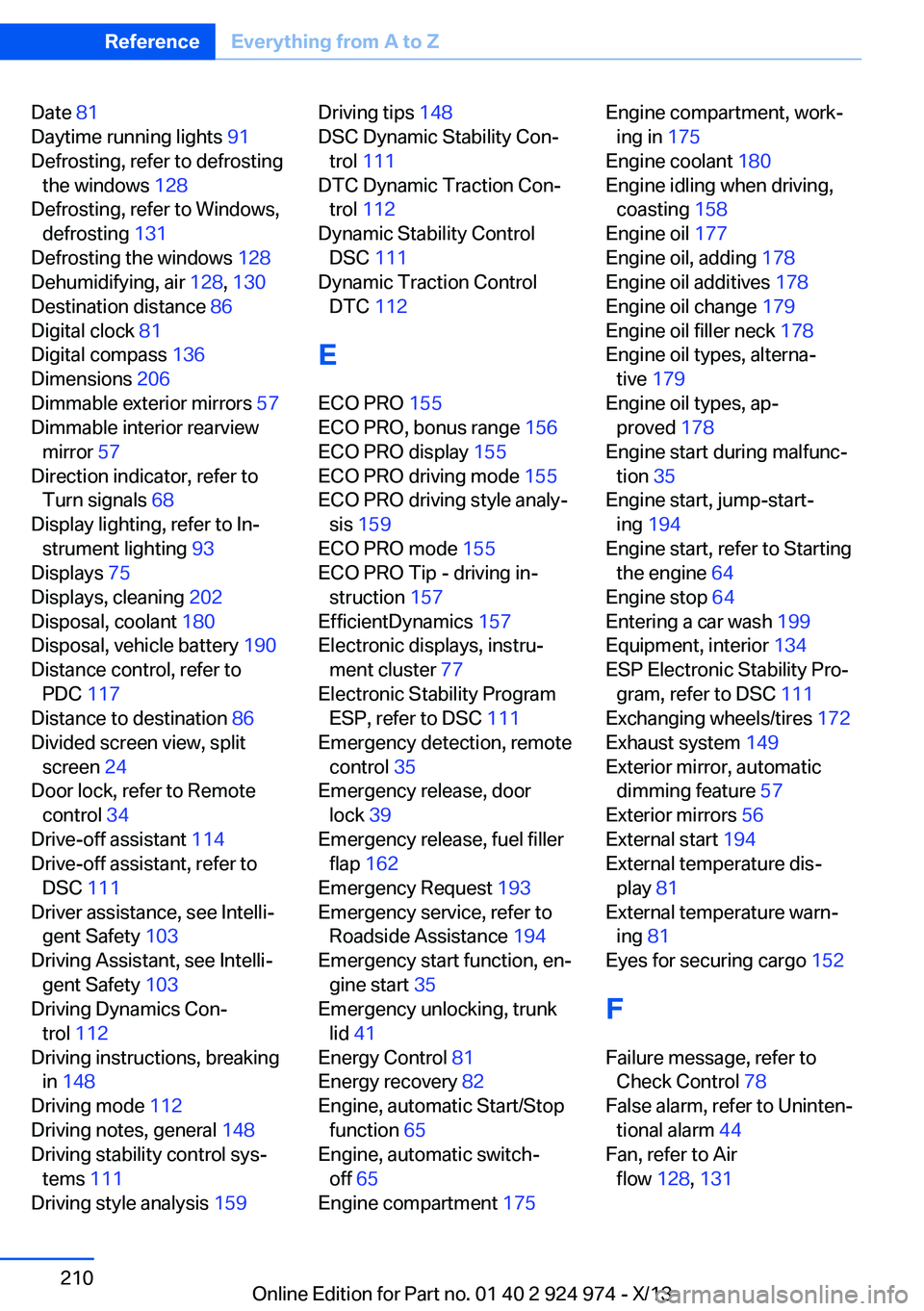
Date 81
Daytime running lights 91
Defrosting, refer to defrosting the windows 128
Defrosting, refer to Windows, defrosting 131
Defrosting the windows 128
Dehumidifying, air 128, 130
Destination distance 86
Digital clock 81
Digital compass 136
Dimensions 206
Dimmable exterior mirrors 57
Dimmable interior rearview mirror 57
Direction indicator, refer to Turn signals 68
Display lighting, refer to In‐ strument lighting 93
Displays 75
Displays, cleaning 202
Disposal, coolant 180
Disposal, vehicle battery 190
Distance control, refer to PDC 117
Distance to destination 86
Divided screen view, split screen 24
Door lock, refer to Remote control 34
Drive-off assistant 114
Drive-off assistant, refer to DSC 111
Driver assistance, see Intelli‐ gent Safety 103
Driving Assistant, see Intelli‐ gent Safety 103
Driving Dynamics Con‐ trol 112
Driving instructions, breaking in 148
Driving mode 112
Driving notes, general 148
Driving stability control sys‐ tems 111
Driving style analysis 159 Driving tips 148
DSC Dynamic Stability Con‐ trol 111
DTC Dynamic Traction Con‐ trol 112
Dynamic Stability Control DSC 111
Dynamic Traction Control DTC 112
E
ECO PRO 155
ECO PRO, bonus range 156
ECO PRO display 155
ECO PRO driving mode 155
ECO PRO driving style analy‐ sis 159
ECO PRO mode 155
ECO PRO Tip - driving in‐ struction 157
EfficientDynamics 157
Electronic displays, instru‐ ment cluster 77
Electronic Stability Program ESP, refer to DSC 111
Emergency detection, remote control 35
Emergency release, door lock 39
Emergency release, fuel filler flap 162
Emergency Request 193
Emergency service, refer to Roadside Assistance 194
Emergency start function, en‐ gine start 35
Emergency unlocking, trunk lid 41
Energy Control 81
Energy recovery 82
Engine, automatic Start/Stop function 65
Engine, automatic switch- off 65
Engine compartment 175 Engine compartment, work‐
ing in 175
Engine coolant 180
Engine idling when driving, coasting 158
Engine oil 177
Engine oil, adding 178
Engine oil additives 178
Engine oil change 179
Engine oil filler neck 178
Engine oil types, alterna‐ tive 179
Engine oil types, ap‐ proved 178
Engine start during malfunc‐ tion 35
Engine start, jump-start‐ ing 194
Engine start, refer to Starting the engine 64
Engine stop 64
Entering a car wash 199
Equipment, interior 134
ESP Electronic Stability Pro‐ gram, refer to DSC 111
Exchanging wheels/tires 172
Exhaust system 149
Exterior mirror, automatic dimming feature 57
Exterior mirrors 56
External start 194
External temperature dis‐ play 81
External temperature warn‐ ing 81
Eyes for securing cargo 152
F
Failure message, refer to Check Control 78
False alarm, refer to Uninten‐ tional alarm 44
Fan, refer to Air flow 128, 131 Seite 210ReferenceEverything from A to Z210
Online Edition for Part no. 01 40 2 924 974 - X/13