instrument cluster BMW 228I 2014 Owner's Guide
[x] Cancel search | Manufacturer: BMW, Model Year: 2014, Model line: 228I, Model: BMW 228I 2014Pages: 218, PDF Size: 6.6 MB
Page 157 of 218
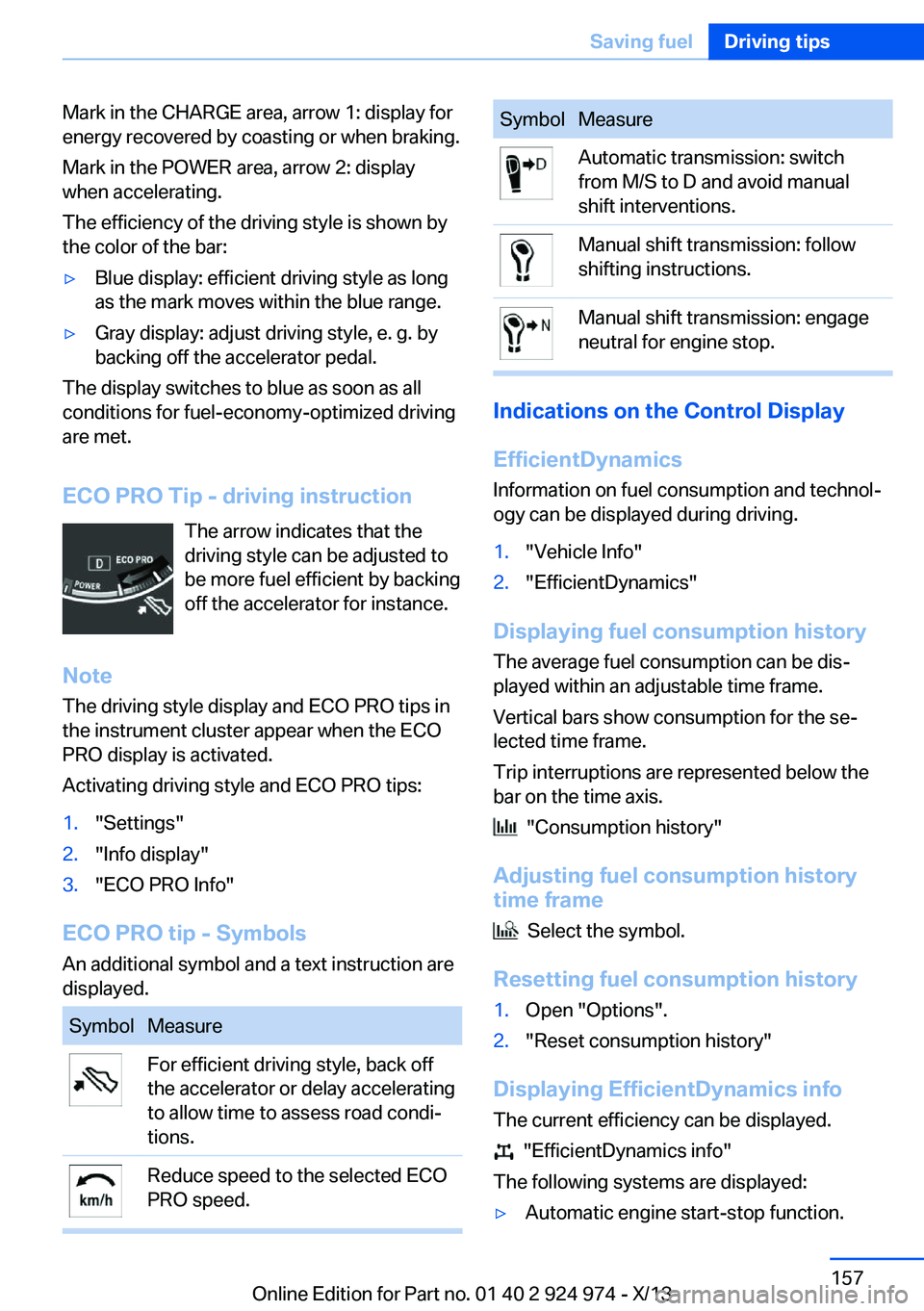
Mark in the CHARGE area, arrow 1: display for
energy recovered by coasting or when braking.
Mark in the POWER area, arrow 2: display
when accelerating.
The efficiency of the driving style is shown by
the color of the bar:▷Blue display: efficient driving style as long
as the mark moves within the blue range.▷Gray display: adjust driving style, e. g. by
backing off the accelerator pedal.
The display switches to blue as soon as all
conditions for fuel-economy-optimized driving
are met.
ECO PRO Tip - driving instruction The arrow indicates that the
driving style can be adjusted to
be more fuel efficient by backing off the accelerator for instance.
Note The driving style display and ECO PRO tips in
the instrument cluster appear when the ECO
PRO display is activated.
Activating driving style and ECO PRO tips:
1."Settings"2."Info display"3."ECO PRO Info"
ECO PRO tip - Symbols An additional symbol and a text instruction are
displayed.
SymbolMeasureFor efficient driving style, back off
the accelerator or delay accelerating
to allow time to assess road condi‐
tions.Reduce speed to the selected ECO
PRO speed.SymbolMeasureAutomatic transmission: switch
from M/S to D and avoid manual
shift interventions.Manual shift transmission: follow
shifting instructions.Manual shift transmission: engage
neutral for engine stop.
Indications on the Control Display
EfficientDynamics Information on fuel consumption and technol‐
ogy can be displayed during driving.
1."Vehicle Info"2."EfficientDynamics"
Displaying fuel consumption history
The average fuel consumption can be dis‐
played within an adjustable time frame.
Vertical bars show consumption for the se‐
lected time frame.
Trip interruptions are represented below the
bar on the time axis.
"Consumption history"
Adjusting fuel consumption history time frame
Select the symbol.
Resetting fuel consumption history
1.Open "Options".2."Reset consumption history"
Displaying EfficientDynamics info
The current efficiency can be displayed.
"EfficientDynamics info"
The following systems are displayed:
▷Automatic engine start-stop function.Seite 157Saving fuelDriving tips157
Online Edition for Part no. 01 40 2 924 974 - X/13
Page 158 of 218
▷Energy recovery.▷Climate control output.▷Coasting.
Display ECO PRO tips
"ECO PRO Tips"
The setting is stored for the profile currently in
use.
Coasting
The concept
The system helps to conserve fuel.
To do this, under certain conditions the engine
is automatically decoupled from the transmis‐
sion when transmission position D is engaged.
The vehicle continues traveling with the engine
idling to reduce fuel consumption. Transmis‐
sion position D remains engaged.
This driving condition is referred to as coast‐
ing.
As soon as the brake or accelerator pedal is
depressed, the engine is automatically coupled
to the transmission again.
Hints Coasting is a component of the ECO PRO, re‐
fer to page 155, driving mode.
Coasting is automatically activated when ECO
PRO mode is called via the Driving Dynamics
Control.
The function is available in a certain speed
range.
A forward-looking driving style helps the driver
to use the function as often as possible and supports the fuel-conserving effect of coast‐
ing.
Safety mode
The function is not available if one of the fol‐ lowing conditions is satisfied.
▷DSC OFF or TRACTION activated.▷Driving in the dynamic limit range and on
steep uphill or downhill grades.▷Battery charge status temporarily too low
or vehicle electrical system drawing exces‐
sive current.▷Cruise control activated.
Functional requirements
In ECO PRO mode, this function is available in
a speed range from approximately 30 mph, ap‐
prox. 50 km/h to 100 mph, approx. 160 km/h, if
the following conditions are satisfied:
▷Accelerator pedal and brake pedal are not
operated.▷The selector lever is in transmission posi‐
tion D.▷Engine and transmission are at operating
temperature.
Display
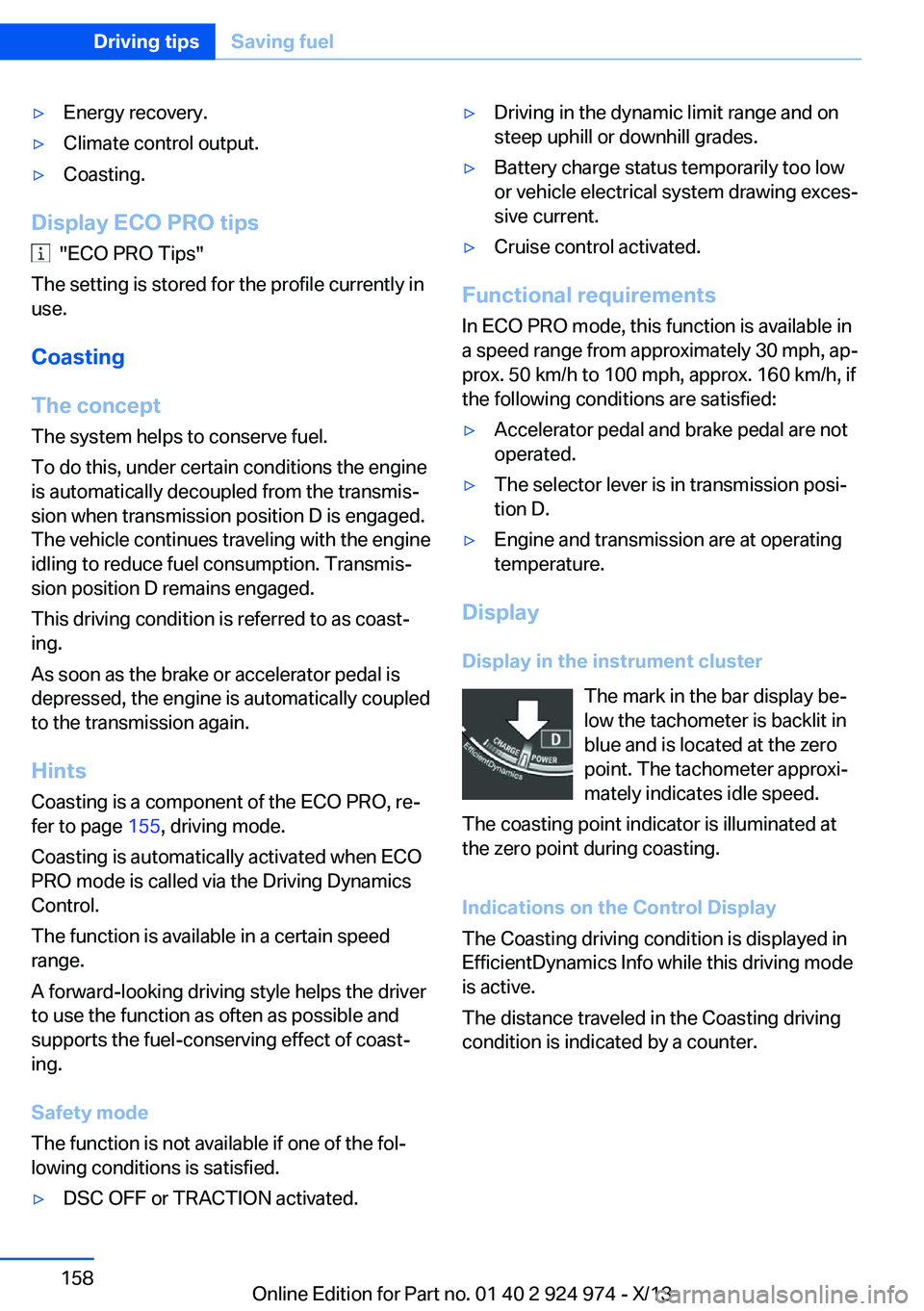
Display in the instrument cluster The mark in the bar display be‐
low the tachometer is backlit in
blue and is located at the zero
point. The tachometer approxi‐
mately indicates idle speed.
The coasting point indicator is illuminated at
the zero point during coasting.
Indications on the Control Display
The Coasting driving condition is displayed in
EfficientDynamics Info while this driving mode
is active.
The distance traveled in the Coasting driving
condition is indicated by a counter.
Seite 158Driving tipsSaving fuel158
Online Edition for Part no. 01 40 2 924 974 - X/13
Page 159 of 218
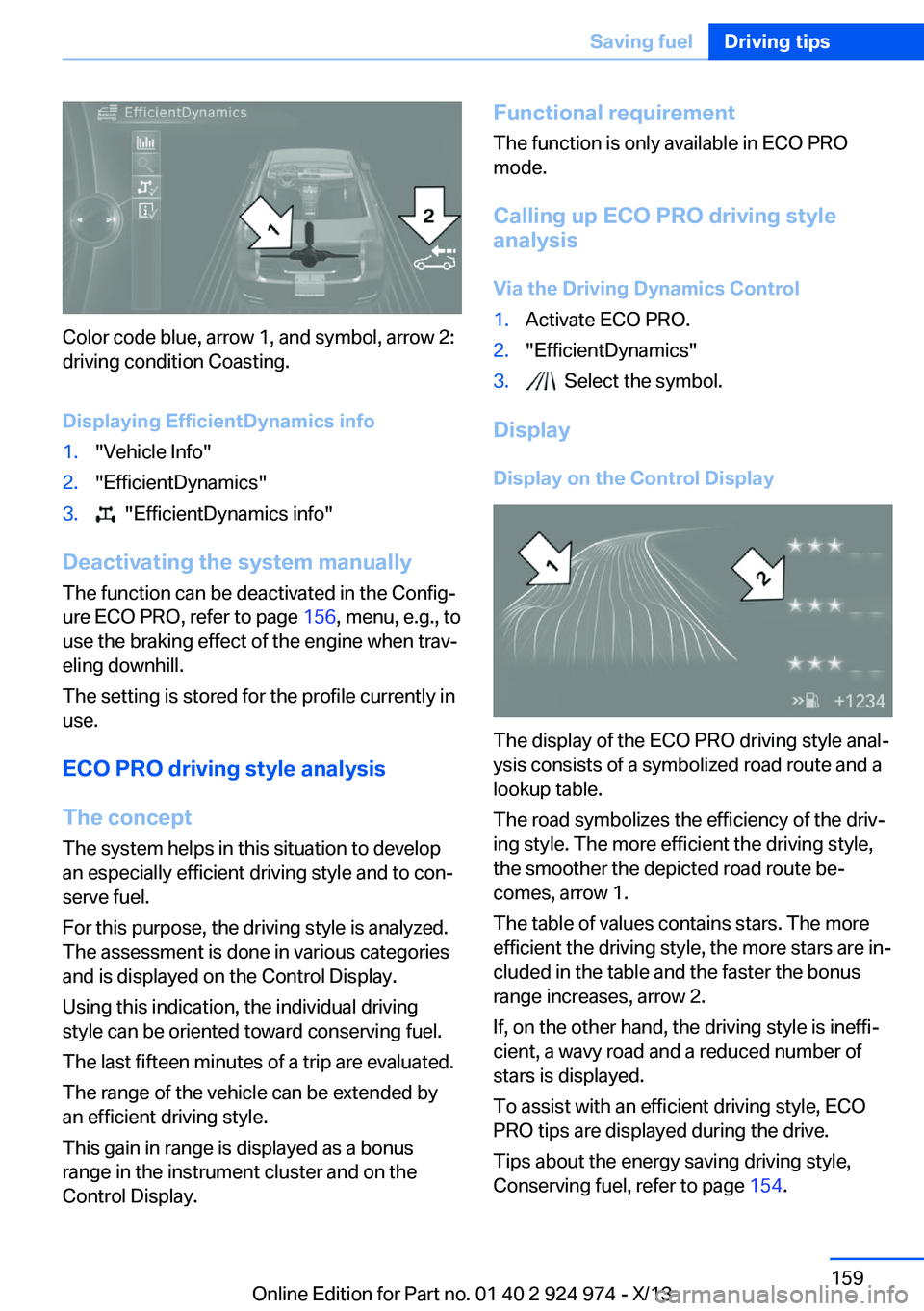
Color code blue, arrow 1, and symbol, arrow 2:
driving condition Coasting.
Displaying EfficientDynamics info
1."Vehicle Info"2."EfficientDynamics"3. "EfficientDynamics info"
Deactivating the system manually The function can be deactivated in the Config‐
ure ECO PRO, refer to page 156, menu, e.g., to
use the braking effect of the engine when trav‐
eling downhill.
The setting is stored for the profile currently in
use.
ECO PRO driving style analysis
The concept
The system helps in this situation to develop
an especially efficient driving style and to con‐
serve fuel.
For this purpose, the driving style is analyzed.
The assessment is done in various categories
and is displayed on the Control Display.
Using this indication, the individual driving
style can be oriented toward conserving fuel.
The last fifteen minutes of a trip are evaluated.
The range of the vehicle can be extended by
an efficient driving style.
This gain in range is displayed as a bonus
range in the instrument cluster and on the
Control Display.
Functional requirement
The function is only available in ECO PRO
mode.
Calling up ECO PRO driving style
analysis
Via the Driving Dynamics Control1.Activate ECO PRO.2."EfficientDynamics"3. Select the symbol.
Display
Display on the Control Display
The display of the ECO PRO driving style anal‐
ysis consists of a symbolized road route and a
lookup table.
The road symbolizes the efficiency of the driv‐
ing style. The more efficient the driving style,
the smoother the depicted road route be‐
comes, arrow 1.
The table of values contains stars. The more
efficient the driving style, the more stars are in‐
cluded in the table and the faster the bonus
range increases, arrow 2.
If, on the other hand, the driving style is ineffi‐
cient, a wavy road and a reduced number of
stars is displayed.
To assist with an efficient driving style, ECO
PRO tips are displayed during the drive.
Tips about the energy saving driving style,
Conserving fuel, refer to page 154.
Seite 159Saving fuelDriving tips159
Online Edition for Part no. 01 40 2 924 974 - X/13
Page 201 of 218
To guard against discoloration, such as from
clothing, provide leather care roughly every
two months.
Clean light-colored leather more frequently be‐
cause soiling on such surfaces is substantially
more visible.
Use leather care products; otherwise, dirt and
grease will gradually break down the protective
layer of the leather surface.
Suitable care products are available from the
service center.
Upholstery material care Vacuum regularly with a vacuum cleaner.
If they are very dirty, e.g., beverage stains, use
a soft sponge or microfiber cloth with a suita‐
ble interior cleaner.
Clean the upholstery down to the seams using
large sweeping motions. Avoid rubbing the
material vigorously.
Damage from Velcro® fasteners
Open Velcro® fasteners on pants or
other articles of clothing can damage the seat
covers. Ensure that any Velcro® fasteners are
closed.◀
Caring for special components
Light-alloy wheels When cleaning the vehicle, use only neutral
wheel cleaners having a pH value from 5 to 9.
Do not use abrasive cleaning agents or steam
jets above 140 ℉/60 ℃. Follow the manufac‐
turer's instructions.
Aggressive, acidic or alkaline cleaning agents
can destroy the protective layer of adjacent
components, such as the brake disk.
Chrome surfaces Carefully clean components such as the radia‐
tor grille or door handles with an ample supply of water, possibly with shampoo added, partic‐ularly when they have been exposed to road
salt.
Rubber components Aside from water, treat only with rubber
cleansers.
When cleaning rubber seals, do not use any
silicon-containing car care products in order to
avoid damage or reduced noise damping.
Fine wood parts Clean fine wood facing and fine wood compo‐
nents only with a moist rag. Then dry with a
soft cloth.
Plastic components
These include:▷Imitation leather surfaces.▷Headliner.▷Lamp lenses.▷Instrument cluster cover.▷Matte black spray-coated components.▷Painted parts in the interior.
Clean with a microfiber cloth.
Lightly dampen the cloth with water.
Do not soak the headliner.
Do not use cleansers that contain alcohol
or solvents
Do not use cleansers that contain alcohol or
solvents, such as lacquer thinners, heavy-duty
grease removers, fuel, or such; this could lead
to surface damage.◀
Safety belts
Dirty belt straps impede the reeling action and
thus have a negative impact on safety.
Chemical cleaning
Do not clean chemically; this can destroy
the webbing.◀
Seite 201CareMobility201
Online Edition for Part no. 01 40 2 924 974 - X/13
Page 211 of 218
Fault displays, refer to CheckControl 78
Filler neck for engine oil 178
Fine wood, care 201
First aid kit 194
Fitting for towing, refer to Tow fitting 197
Flat tire, changing wheels 189
Flat Tire Monitor FTM 101
Flat tire, Tire Pressure Moni‐ tor TPM 98
Flat tire, warning lamp 99, 102
Flooding 149
Floor carpet, care 202
Floor mats, care 202
Fogged up windows 128
Fold down the rear seat back‐ rest, see Though-loading
system 140
Fold-out position, windshield wipers 70
Foot brake 149
Front airbags 95
Front fog lamps 93
Front fog lamps, front, bulb replacement 187
Front lamps 184
Front passenger airbags, au‐ tomatic deactivation 97
Front passenger airbags, indi‐ cator lamp 97
FTM Flat Tire Monitor 101
Fuel 164
Fuel cap 162
Fuel consumption, current 81
Fuel consumption, refer to Average fuel consump‐
tion 86
Fuel filler flap 162
Fuel gauge 80
Fuel quality 164
Fuel recommendation 164
Fuel, tank capacity 207
Fuse 191 G
Garage door opener, refer to Universal garage door
opener 134
Gasoline 164
Gasoline quality 164
Gear change, automatic transmission 72
Gear shift indicator 83
General driving notes 148
Glass sunroof, powered 46
Glove compartment 142
Gross vehicle weight, ap‐ proved 206
H
Halogen headlamps 184
Handbrake, refer to parking brake 67
Hand-held transmitter, alter‐ nating code 135
Hazard warning flashers 193
Head airbags 95
Headlamp control, auto‐ matic 91
Headlamp courtesy delay fea‐ ture 90
Headlamp flasher 68
Headlamp glass 184
Headlamps 184
Headlamps, care 200
Headlamp washer system 68
Headliner 17
Head restraints 48
Head restraints, front 53
Head restraints, rear 54
Heavy cargo, stowing 152
High-beam Assistant 92
High beams 68
High beams/low beams, refer to High-beam Assistant 92
Hills 150
Hill start assistant, refer to Drive-off assistant 114 Hints 6
Holder for beverages 144
Homepage 6
Hood 175
Horn 14
Hotel function, trunk lid 41
Hot exhaust system 149
Hydroplaning 149
I Ice warning, refer to External temperature warning 81
Icy roads, refer to External temperature warning 81
Identification marks, tires 170
Identification number, refer to Important features in the en‐
gine compartment 175
iDrive 18
Ignition key, refer to Remote control 34
Ignition off 63
Ignition on 63
Indication of a flat tire 99, 102
Indicator and warning lamps 78
Individual air distribu‐ tion 128, 131
Individual settings, refer to Personal Profile 35
Inflation pressure, tires 166
Inflation pressure warning, tires 101
Info display, refer to Com‐ puter 85
Initialize, Tire Pressure Moni‐ tor TPM 99
Initializing, Flat Tire Monitor FTM 102
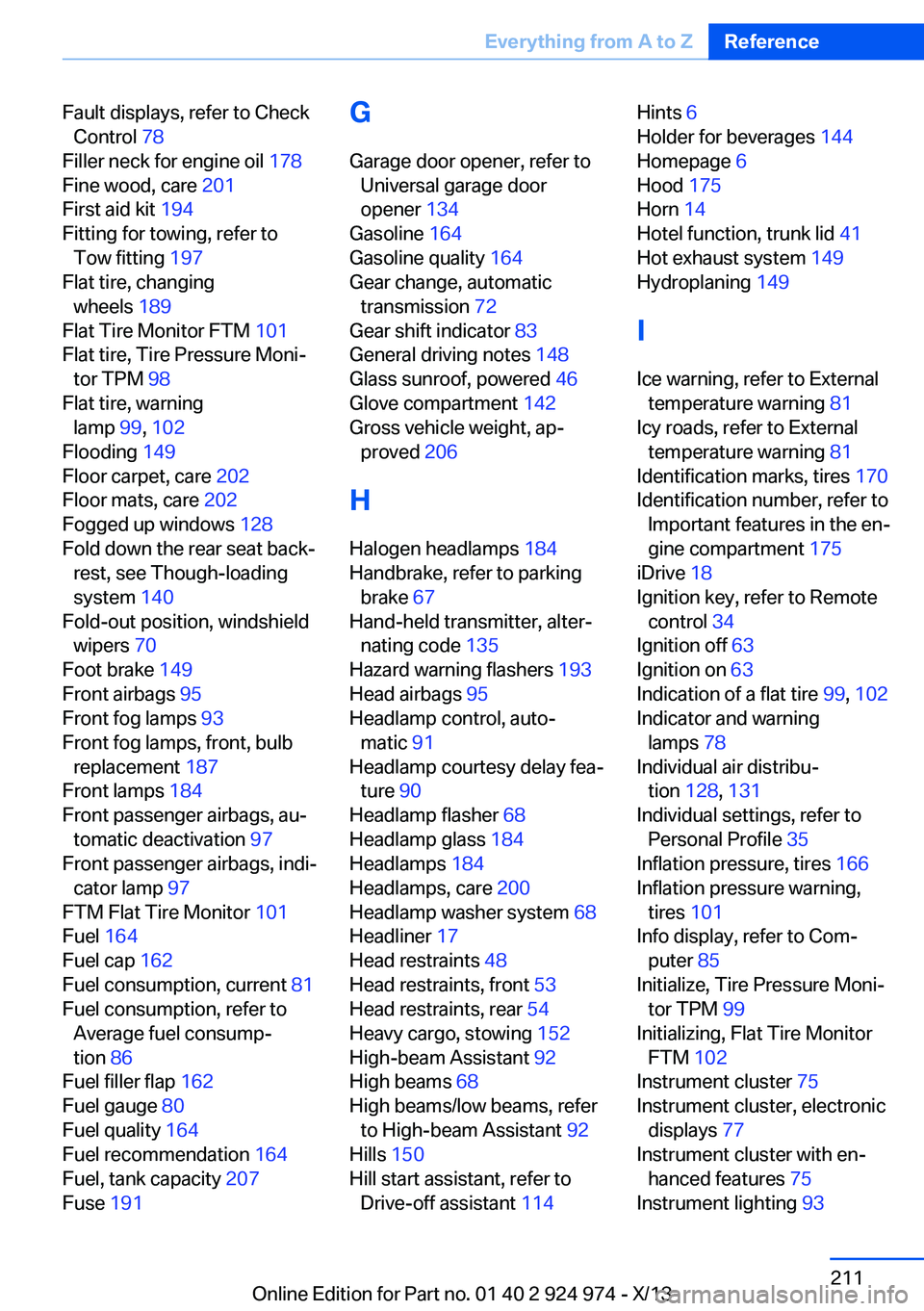
Instrument cluster 75
Instrument cluster, electronic displays 77
Instrument cluster with en‐ hanced features 75
Instrument lighting 93 Seite 211Everything from A to ZReference211
Online Edition for Part no. 01 40 2 924 974 - X/13
Page 214 of 218
Refueling 162
Remaining range 81
Remote control/key 34
Remote control, malfunc‐ tion 38
Remote control, univer‐ sal 134
Replacement fuse 191
Replacing parts 183
Replacing wheels/tires 172
Reporting safety defects 9
Reserve warning, refer to Range 81
Reset, Tire Pressure Monitor TPM 99
Retaining straps, securing cargo 152
Retreaded tires 173
Roadside parking lamps 91
RON gasoline quality 164
Roof load capacity 206
Roof-mounted luggage rack 153
Rope for tow-starting/ towing 197
RSC Run Flat System Com‐ ponent, refer to Run-flat
tires 174
Rubber components, care 201
Run-flat tires 174
S Safe braking 149
Safety 7
Safety belt reminder for driv‐ er's seat and front passen‐
ger seat 53
Safety belts 52
Safety belts, care 201
Safety systems, airbags 95
Saving fuel 154
Screen, refer to Control Dis‐ play 18
Screwdriver 183 Screw thread for tow fit‐
ting 198
Seat and mirror memory 55
Seat belts, refer to Safety belts 52
Seat heating, front 52
Seating position for chil‐ dren 59
Seats 48
Selection list in instrument cluster 84
Selector lever, automatic transmission 72
Sensors, care 202
Service and warranty 8
Service requirements, Condi‐ tion Based Service
CBS 181
Service requirements, dis‐ play 82
Service, Roadside Assis‐ tance 194
Services, ConnectedDrive
Settings, locking/unlock‐ ing 42
Settings on Control Dis‐ play 87
Settings, storing for seat, mir‐ ror 55
Shifting, automatic transmis‐ sion 71
Shifting, manual transmis‐ sion 71
Shift paddles on steering wheel 73
Side airbags 95
Signaling, horn 14
Signals when unlocking 42
Sitting safely 48
Size 206
Slide/tilt glass roof 46
Snow chains 174
Socket 138
Socket, OBD Onboard Diag‐ nostics 181
SOS button 193 Spare fuse 191
Specified engine oil types 178
Speed, average 86
Speed limit detection, on‐ board computer 86
Speed limiter, display 83
Speed Limit Information 83
Speed limit in the com‐ puter 86
Split screen 24
SPORT+ - program, Dynamic Driving Control 113
Sport automatic transmis‐ sion 73
Sport displays, torque dis‐ play, performance dis‐
play 87
SPORT program, Dynamic Driving Control 113
Sport program, transmis‐ sion 72
Sport steering, variable 112
Stability control systems 111
Start/stop, automatic func‐ tion 65
Start/Stop button 63
Start function during malfunc‐ tion 35
Starting the engine 64
Status display, tires 98
Status information, iDrive 23
Status of Owner's Manual 6
Steering wheel, adjusting 57
Steering wheel heating 58
Steptronic, automatic trans‐ mission 71
Stopping the engine 64
Storage compartment in the rear 143
Storage compartments 142
Storage compartments, loca‐ tions 142
Storage, tires 173
Storing the vehicle 202
Summer tires, tread 171 Seite 214ReferenceEverything from A to Z214
Online Edition for Part no. 01 40 2 924 974 - X/13