trunk BMW 228I 2016 User Guide
[x] Cancel search | Manufacturer: BMW, Model Year: 2016, Model line: 228I, Model: BMW 228I 2016Pages: 234, PDF Size: 5.93 MB
Page 52 of 234
Safety informationDo not open convertible top at low tem‐
peratures
With temperatures below +14 ℉/-10 ℃ do not
open the convertible top; otherwise damages
could result.◀
Allow wet convertible top to dry
Do not leave the open convertible top in
the convertible top well longer than one day
while the top is still wet; otherwise, damage
could result due to moisture.◀
Note the swivel range of the convertible
top
The convertible top pivots up during opening
and closing. When the top is moved, e.g., in
garages, make sure that there is a minimum
height of 79 inches/2 meters; otherwise, it
damages may result.◀
Do not place objects on the convertible
top
Do not place any objects on the convertible
top, otherwise, they could fall and cause dam‐
age or injuries.◀
No convertible top movement when roll‐
over protection is activated
Do not move the convertible top when rollover
protection is activated; otherwise, it may result
in damage to the convertible top.◀
Open and close convertible top com‐
pletely
Always open or close the convertible top com‐ pletely. Convertible top and convertible top
well storage cover are locked in the final posi‐
tions. Driving with the convertible top or
convertible top well storage cover unlocked
can result in damage.◀
Do not reach into the convertible top
mechanism
Do not reach into the convertible top mecha‐
nism during the opening and closing operation.Keep children away from the opening path of
the convertible top, otherwise, there is a risk of
injury.◀
Observe traffic during operation
When the convertible top is opened while
driving, be alert to traffic; otherwise, it may re‐
sult in an accident. If possible, do not move the
convertible top while driving in reverse be‐
cause rearward vision is severely impaired
while the convertible top is in motion. During
windy conditions, do not operate the
convertible top while driving.
Do not drive faster than 30 mph/50 km/h; oth‐
erwise, vehicle damage may occur.◀
Do not attach any roof carrier systems to
the convertible top
Do not attach any roof carrier systems; other‐
wise, an accident may occur.◀
Do not operate convertible top on un‐
even sections or road
Do not open or close convertible top on un‐
even sections of road. Otherwise, the vibra‐
tions can result in damage to the convertible
top.◀
Before opening and closing▷Follow the safety instructions for the
convertible top.▷Make sure that the trunk partition in the
trunk is folded down.▷Make sure that the cargo does not push
against the trunk partition from below.▷Make sure that the trunk lid is closed.
Opening and closing from the inside
In order to protect the battery, move the
convertible top only when the engine is run‐
ning if possible.
Before closing the convertible top, remove any
foreign objects from the windshield frame; oth‐
erwise, closing may be prevented.
Seite 48ControlsOpening and closing48
Online Edition for Part no. 01 40 2 959 847 - II/15
Page 54 of 234
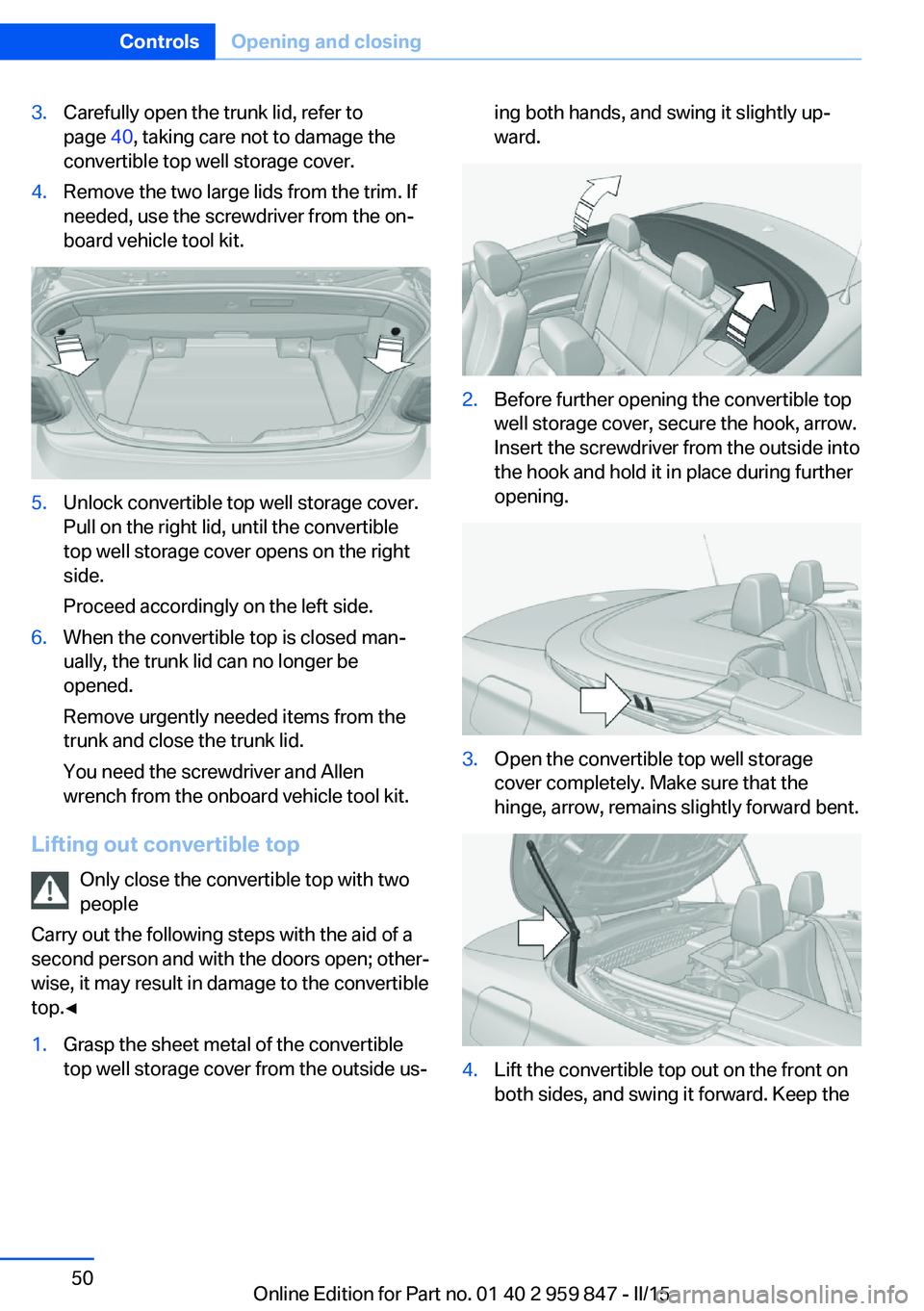
3.Carefully open the trunk lid, refer to
page 40, taking care not to damage the
convertible top well storage cover.4.Remove the two large lids from the trim. If
needed, use the screwdriver from the on‐
board vehicle tool kit.5.Unlock convertible top well storage cover.
Pull on the right lid, until the convertible
top well storage cover opens on the right
side.
Proceed accordingly on the left side.6.When the convertible top is closed man‐
ually, the trunk lid can no longer be
opened.
Remove urgently needed items from the
trunk and close the trunk lid.
You need the screwdriver and Allen
wrench from the onboard vehicle tool kit.
Lifting out convertible top
Only close the convertible top with two
people
Carry out the following steps with the aid of a second person and with the doors open; other‐
wise, it may result in damage to the convertible
top.◀
1.Grasp the sheet metal of the convertible
top well storage cover from the outside us‐ing both hands, and swing it slightly up‐
ward.2.Before further opening the convertible top
well storage cover, secure the hook, arrow.
Insert the screwdriver from the outside into
the hook and hold it in place during further
opening.3.Open the convertible top well storage
cover completely. Make sure that the
hinge, arrow, remains slightly forward bent.4.Lift the convertible top out on the front on
both sides, and swing it forward. Keep theSeite 50ControlsOpening and closing50
Online Edition for Part no. 01 40 2 959 847 - II/15
Page 55 of 234
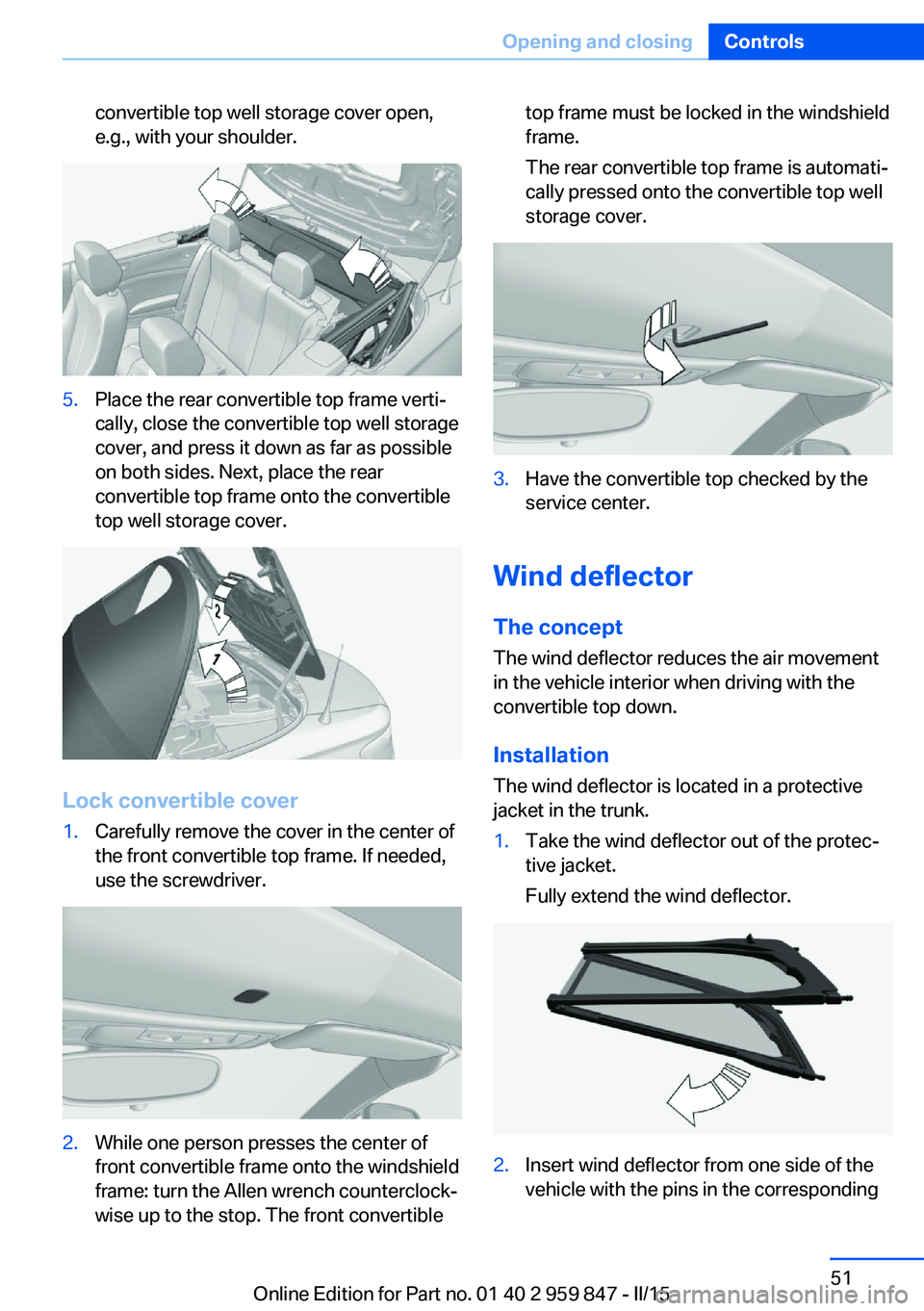
convertible top well storage cover open,
e.g., with your shoulder.5.Place the rear convertible top frame verti‐
cally, close the convertible top well storage
cover, and press it down as far as possible
on both sides. Next, place the rear
convertible top frame onto the convertible
top well storage cover.
Lock convertible cover
1.Carefully remove the cover in the center of
the front convertible top frame. If needed,
use the screwdriver.2.While one person presses the center of
front convertible frame onto the windshield
frame: turn the Allen wrench counterclock‐
wise up to the stop. The front convertibletop frame must be locked in the windshield
frame.
The rear convertible top frame is automati‐
cally pressed onto the convertible top well
storage cover.3.Have the convertible top checked by the
service center.
Wind deflector
The concept The wind deflector reduces the air movement
in the vehicle interior when driving with the
convertible top down.
Installation
The wind deflector is located in a protective
jacket in the trunk.
1.Take the wind deflector out of the protec‐
tive jacket.
Fully extend the wind deflector.2.Insert wind deflector from one side of the
vehicle with the pins in the correspondingSeite 51Opening and closingControls51
Online Edition for Part no. 01 40 2 959 847 - II/15
Page 65 of 234
Calling up of a seat position
deactivated
After a brief period, calling up stored seat posi‐
tions is deactivated to save battery power.
To reactivate calling up of a seat position:▷Open and close the door or trunk lid.▷Press a button on the remote control.▷Press the Start/Stop button.
Mirrors
Exterior mirrors
General information The mirror on the passenger side is more
curved than the driver's side mirror.
Depending on the vehicle equipment, the mir‐
ror setting is stored for the profile currently in
use. When the vehicle is unlocked via the re‐
mote control, the position is automatically re‐
trieved if this function is active.
Note Estimating distances correctly
Objects reflected in the mirror are closer
than they appear. Do not estimate the distance
to the traffic behind you based on what you
see in the mirror, as this will increase your risk
of an accident.◀
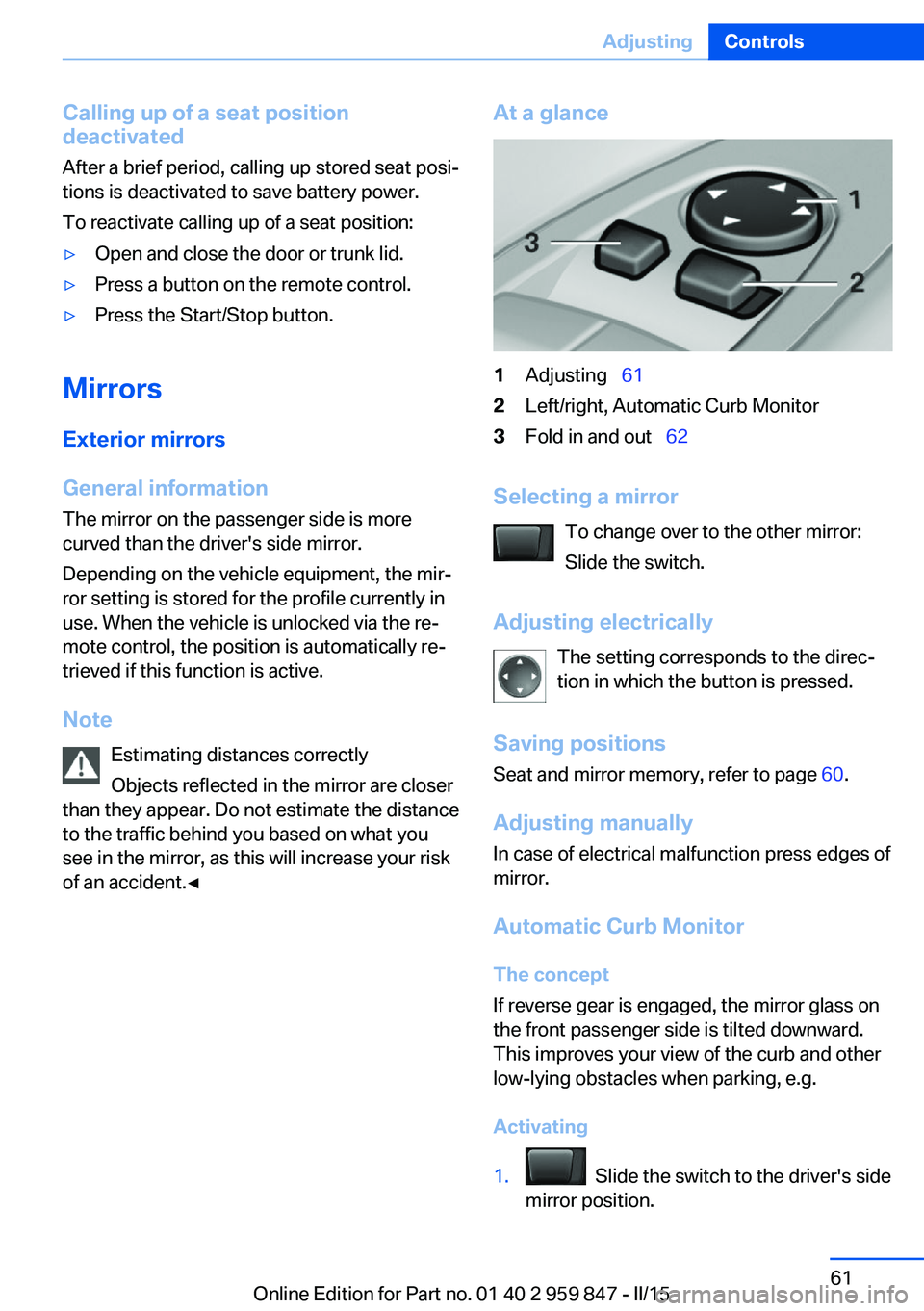
At a glance1Adjusting 612Left/right, Automatic Curb Monitor3Fold in and out 62
Selecting a mirror
To change over to the other mirror:
Slide the switch.
Adjusting electrically The setting corresponds to the direc‐
tion in which the button is pressed.
Saving positions
Seat and mirror memory, refer to page 60.
Adjusting manually
In case of electrical malfunction press edges of
mirror.
Automatic Curb MonitorThe concept
If reverse gear is engaged, the mirror glass on
the front passenger side is tilted downward.
This improves your view of the curb and other
low-lying obstacles when parking, e.g.
Activating
1. Slide the switch to the driver's side
mirror position.
Seite 61AdjustingControls61
Online Edition for Part no. 01 40 2 959 847 - II/15
Page 132 of 234
Rearview cameraThe concept The rearview camera provides assistance in
parking and maneuvering backwards. The area
behind the vehicle is shown on the Control
Display.
Hints Check the traffic situation as well
Check the traffic situation around the ve‐
hicle with your own eyes. Otherwise, an acci‐
dent could result from road users or objects
that are not lidtured by the camera.◀
At a glance
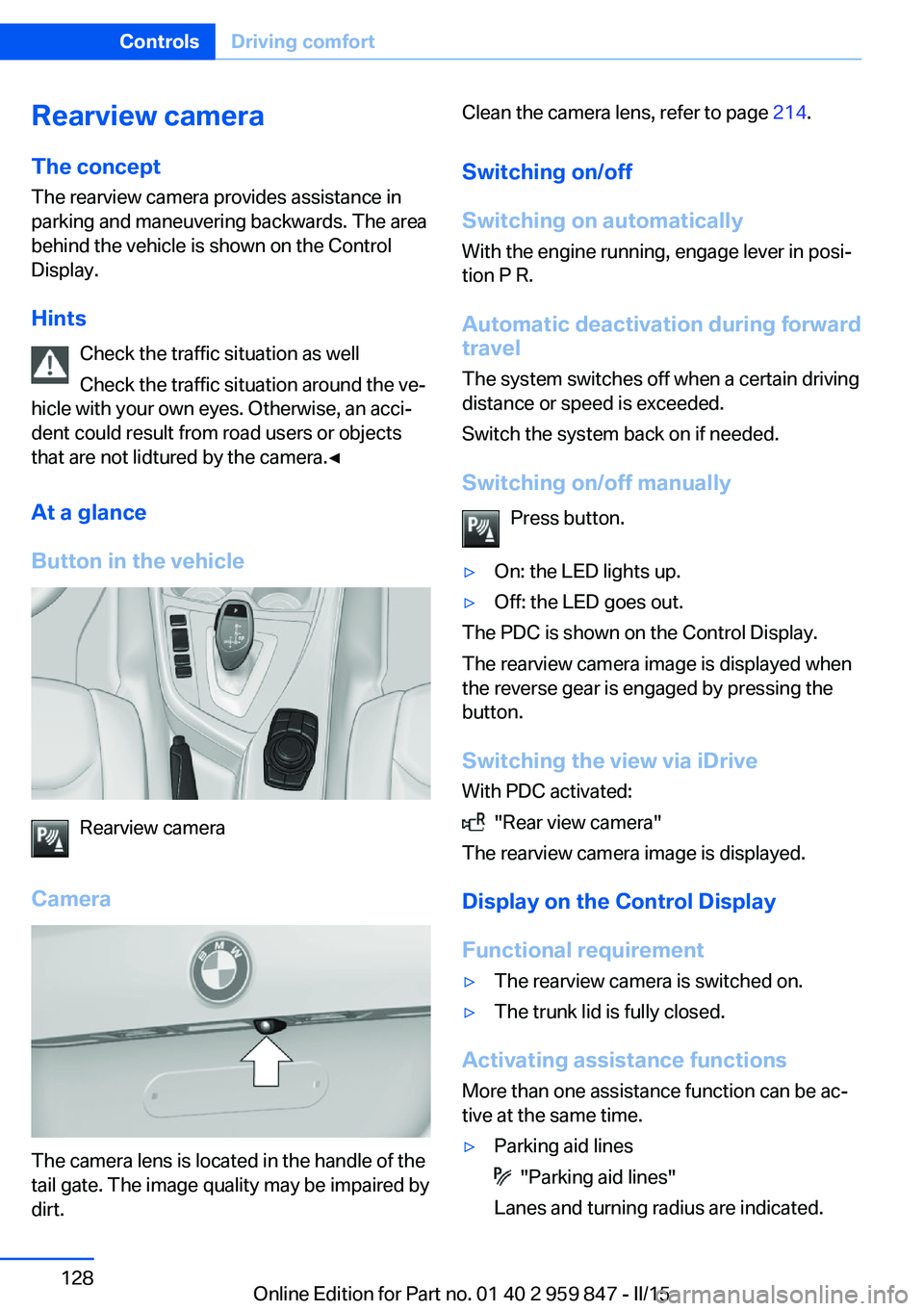
Button in the vehicle
Rearview camera
Camera
The camera lens is located in the handle of the
tail gate. The image quality may be impaired by
dirt.
Clean the camera lens, refer to page 214.
Switching on/off
Switching on automatically With the engine running, engage lever in posi‐
tion P R.
Automatic deactivation during forward travel
The system switches off when a certain driving
distance or speed is exceeded.
Switch the system back on if needed.
Switching on/off manually Press button.▷On: the LED lights up.▷Off: the LED goes out.
The PDC is shown on the Control Display.
The rearview camera image is displayed when
the reverse gear is engaged by pressing the
button.
Switching the view via iDrive With PDC activated:
"Rear view camera"
The rearview camera image is displayed.
Display on the Control Display
Functional requirement
▷The rearview camera is switched on.▷The trunk lid is fully closed.
Activating assistance functions
More than one assistance function can be ac‐
tive at the same time.
▷Parking aid lines
"Parking aid lines"
Lanes and turning radius are indicated.
Seite 128ControlsDriving comfort128
Online Edition for Part no. 01 40 2 959 847 - II/15
Page 135 of 234
Curbs
The parking assistant may steer the vehi‐
cle over or onto curb if need be.
Therefore, always be alert and ready to inter‐
vene; otherwise, the wheels, tires, or the vehi‐
cle may become damaged.◀
An engine that has been switched off by the
Auto Start Stop function is restarted automati‐
cally when the parking assistant is activated.
Requirements
For measuring parking spaces▷Maximum speed while driving forward ap‐
prox. 22 mph/35 km/h.▷Maximum distance to row of parked vehi‐
cles: 5 ft/1.5 m.
Suitable parking space
General information:
▷Gap behind an object that has a min. length
of 1.7 ft/0.5 m.▷Gap between two objects with a minimum
length of approx. 1.7 ft/0.5 m.
Parallel parking to the road:
▷Min. length of gap between two objects:
your vehicle's length plus approx.
2.6 ft/0.8 m.▷Minimum depth: approx. 5 ft/1.5 m.
Diagonal parking:
▷Width of gap between two objects: your
vehicle's width plus approx. 2.3 ft/0.7 m up
to maximum 16 ft/5 m.▷Minimum depth: your vehicle's length.
The depth of diagonal parking spaces must
be estimated by the driver. Dur to technical
limitations, the system can approximate
the depth of diagonal parking spaces only.
Regarding the parking procedure
▷Doors and trunk lid closed.▷Parking brake released.▷When parking in parking spaces on the
driver's side, the corresponding turn signal
must be set where applicable.
Overview
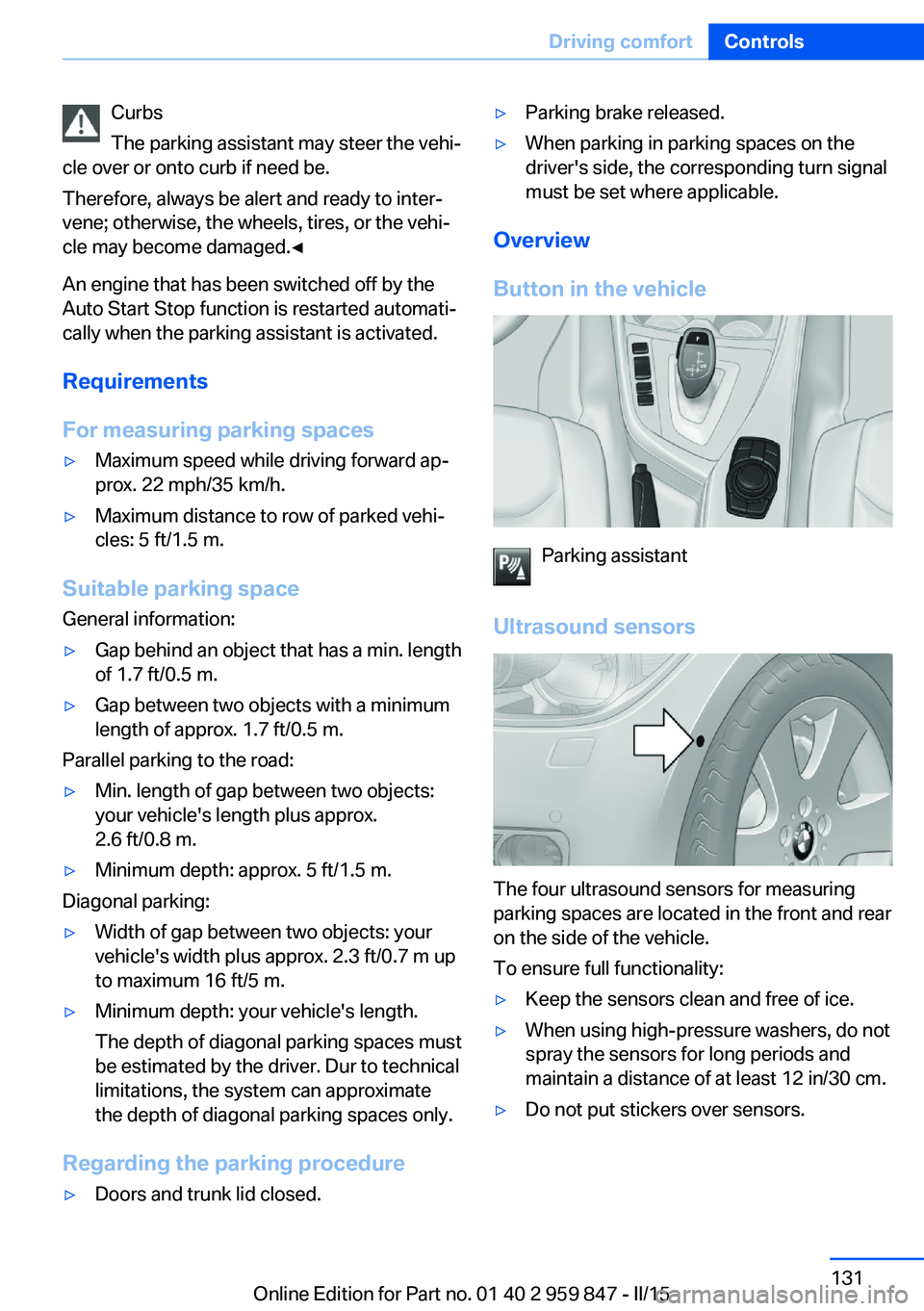
Button in the vehicle
Parking assistant
Ultrasound sensors
The four ultrasound sensors for measuring
parking spaces are located in the front and rear
on the side of the vehicle.
To ensure full functionality:
▷Keep the sensors clean and free of ice.▷When using high-pressure washers, do not
spray the sensors for long periods and
maintain a distance of at least 12 in/30 cm.▷Do not put stickers over sensors.Seite 131Driving comfortControls131
Online Edition for Part no. 01 40 2 959 847 - II/15
Page 152 of 234
Sockets
General information
The lighter socket can be used as a socket for
electrical equipment while the engine is run‐
ning or when the ignition is switched on.
NoteThe total load of all sockets must not exceed
140 watts at 12 volts.
Do not damage the socket by using unsuitable
connectors.
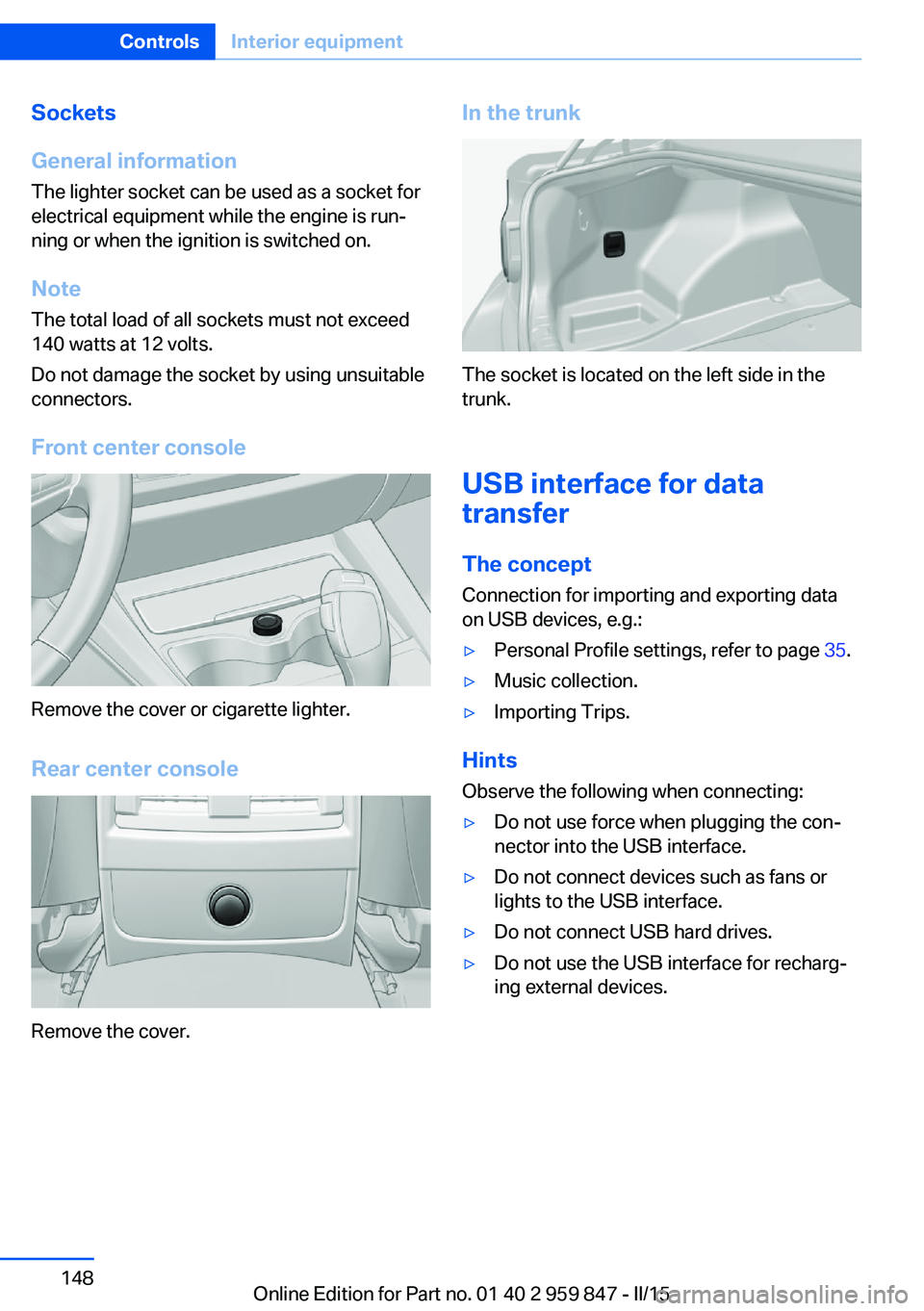
Front center console
Remove the cover or cigarette lighter.
Rear center console
Remove the cover.
In the trunk
The socket is located on the left side in the
trunk.
USB interface for data
transfer
The concept
Connection for importing and exporting data
on USB devices, e.g.:
▷Personal Profile settings, refer to page 35.▷Music collection.▷Importing Trips.
Hints
Observe the following when connecting:
▷Do not use force when plugging the con‐
nector into the USB interface.▷Do not connect devices such as fans or
lights to the USB interface.▷Do not connect USB hard drives.▷Do not use the USB interface for recharg‐
ing external devices.Seite 148ControlsInterior equipment148
Online Edition for Part no. 01 40 2 959 847 - II/15
Page 156 of 234
LockingThe glove compartment can be locked with an
integrated key to separately secure the trunk
lid, refer to page 41, e.g.
This prevents access to the glove compart‐ ment and to the trunk.
After the glove compartment is locked, the re‐
mote control can be handed over, such as at a
hotel, without the integrated key.
Driver's side
Note Close the glove compartment again im‐
mediately
Close the glove compartment immediately af‐
ter use while driving; otherwise, injury may oc‐
cur during accidents.◀
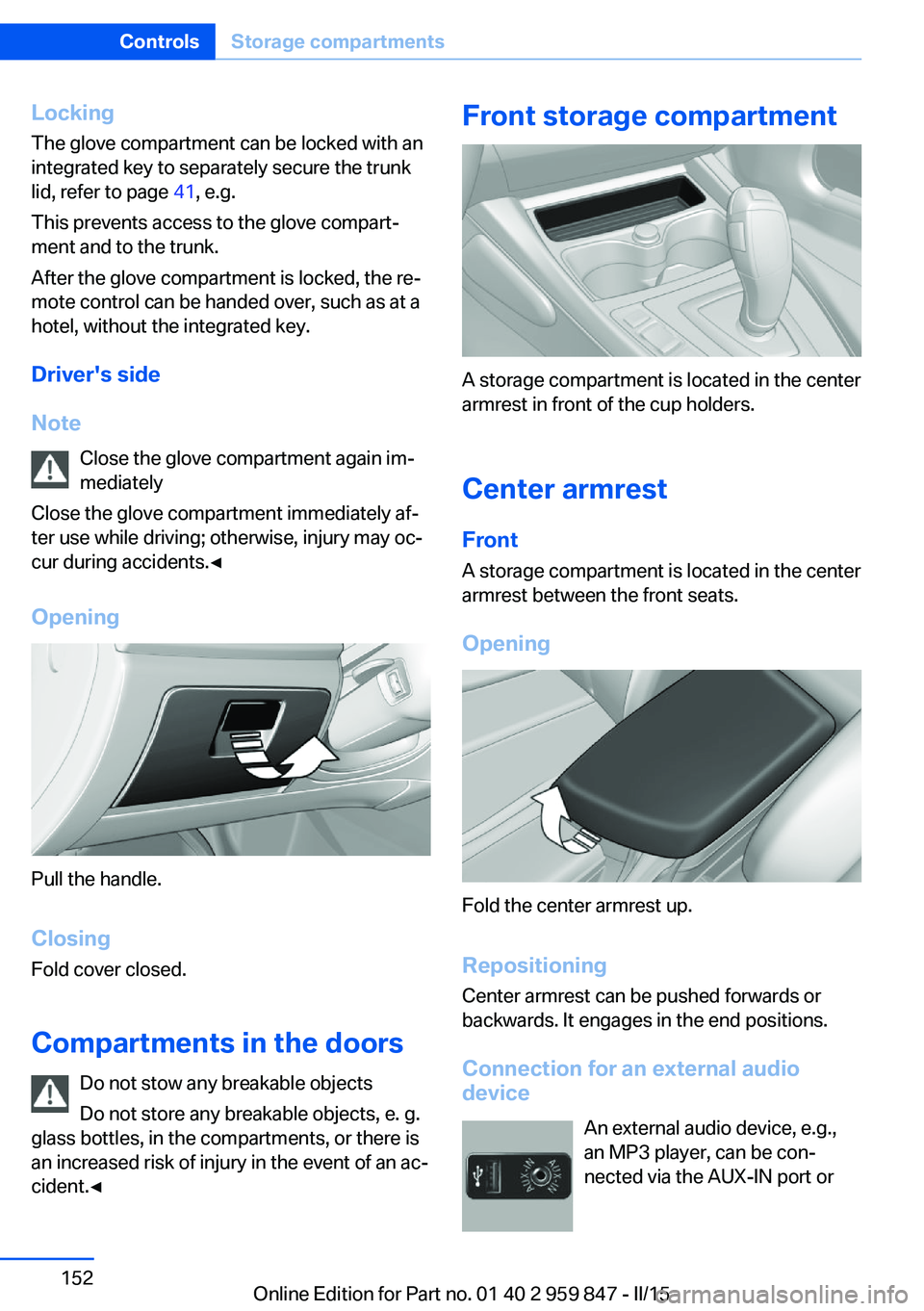
Opening
Pull the handle.
ClosingFold cover closed.
Compartments in the doors Do not stow any breakable objects
Do not store any breakable objects, e. g.
glass bottles, in the compartments, or there is
an increased risk of injury in the event of an ac‐
cident.◀
Front storage compartment
A storage compartment is located in the center
armrest in front of the cup holders.
Center armrest
Front A storage compartment is located in the center
armrest between the front seats.
Opening
Fold the center armrest up.
Repositioning
Center armrest can be pushed forwards or
backwards. It engages in the end positions.
Connection for an external audio
device
An external audio device, e.g.,
an MP3 player, can be con‐
nected via the AUX-IN port or
Seite 152ControlsStorage compartments152
Online Edition for Part no. 01 40 2 959 847 - II/15
Page 157 of 234
the USB audio interface in the center armrest.Storage compartment in the
rear
A storage compartment is located in the center
armrest.
Storage compartment
between the rear seats
There is a storage compartment between the
rear seats.
Cupholders
Hints Shatter-proof containers and no hot
drinks
Use light and shatter-proof containers and do
not transport hot drinks. Otherwise, there is
the increased danger of injury in an accident.◀
Unsuitable containers
Do not forcefully push unsuitable con‐
tainers into the cupholders. This may result in
damage.◀
Front
Rear
Between the seats.
Storage compartments in the
trunk
Storage compartmentA storage compartment is located on the left
side.
Located on the right side is a storage compart‐
ment for the first aid kit, refer to page 205.
Net for storage compartment Smaller objects can be stored in the net of
right storage compartment.
Multi-function hook Lightweight objects only
Only hang lightweight objects, e.g. shop‐
ping bags, from the multifunction hooks. Oth‐
erwise, there is a danger of objects flying about
during braking and evasive maneuvers.
Only transport heavy luggage in the trunk if it
has been appropriately secured.◀
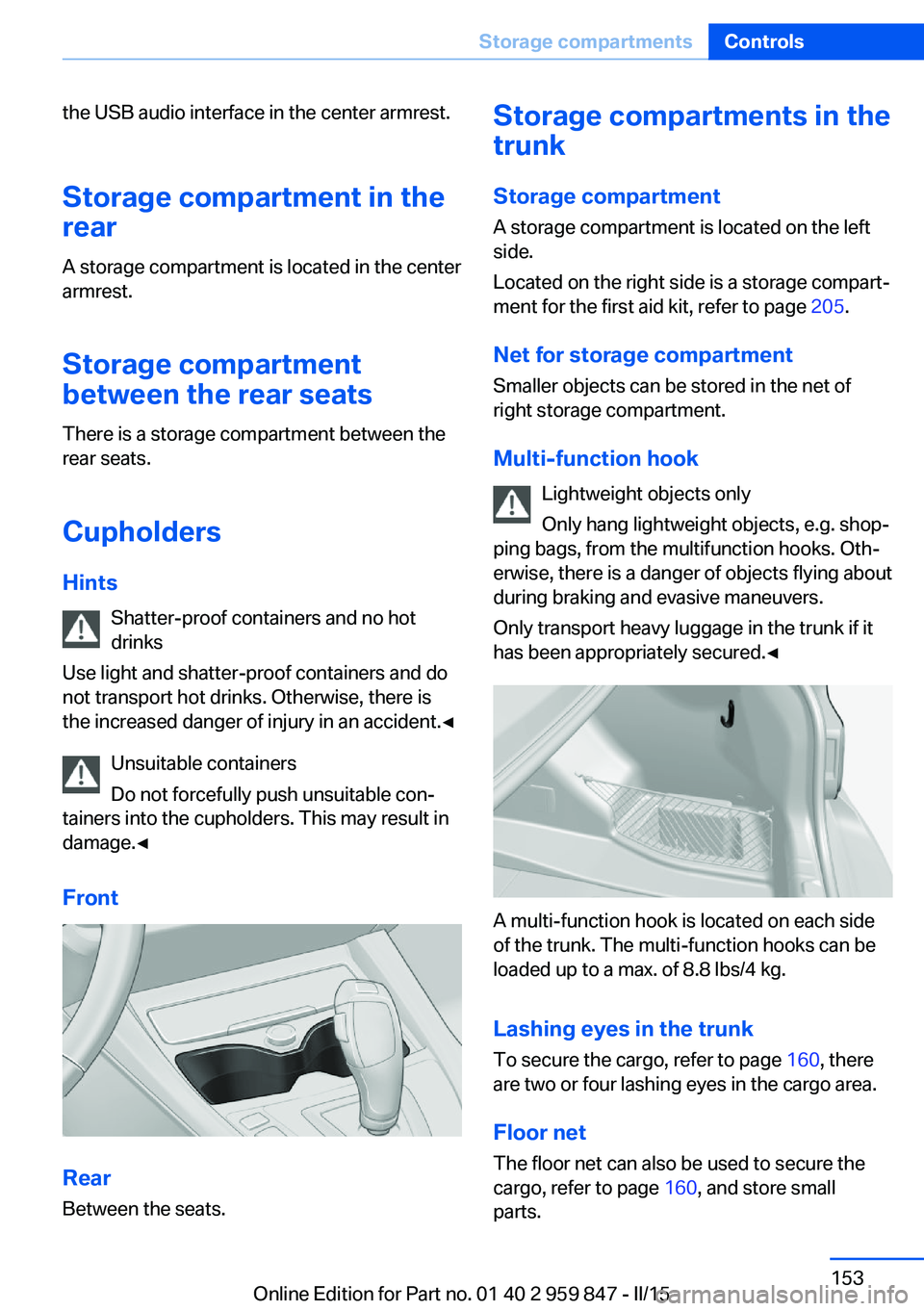
A multi-function hook is located on each side
of the trunk. The multi-function hooks can be
loaded up to a max. of 8.8 lbs/4 kg.
Lashing eyes in the trunk To secure the cargo, refer to page 160, there
are two or four lashing eyes in the cargo area.
Floor net
The floor net can also be used to secure the
cargo, refer to page 160, and store small
parts.
Seite 153Storage compartmentsControls153
Online Edition for Part no. 01 40 2 959 847 - II/15
Page 160 of 234
Things to remember when drivingVehicle features and options
This chapter describes all standard, country-
specific and optional features offered with the
series. It also describes features that are not
necessarily available in your car, e. g., due to
the selected options or country versions. This
also applies to safety-related functions and
systems. The respectively applicable country
provisions must be observed when using the
respective features and systems.
Breaking-in period General information
Moving parts need time to adjust to one an‐
other (break-in time).
The following instructions will help accomplish
a long vehicle life and good efficiency.
During break-in, do not use the Launch Con‐
trol, refer to page 78.
Engine, transmission, and axle drive
Up to 1,200 miles/2,000 km
Do not exceed the maximum engine and road
speed:▷For gasoline engine 4,500 rpm and
100 mph/160 km/h.
Avoid full load or kickdown under all circum‐
stances.
From 1,200 miles/2,000 km The engine and vehicle speed can gradually be
increased.
Tires
Tire traction is not optimal due to manufactur‐
ing circumstances when tires are brand-new;
they achieve their full traction potential after a
break-in time.
Drive conservatively for the first
200 miles/300 km.
Brake system
Brakes require an initial break-in period of ap‐
prox. 300 miles/500 km to achieve optimal per‐
formance between brake discs and brake
pads. Drive moderately during this break-in pe‐
riod.
Clutch The function of the clutch reaches its optimal
level only after a distance driven of approx.
300 miles/500 km. During this break-in period,
engage the clutch gently.
Following part replacement
The same break-in procedures should be ob‐
served if any of the components above-men‐
tioned have to be renewed in the course of the
vehicle's operating life.
General driving notes
Closing the trunk lid Drive with the trunk lid closed
Only drive with the tailgate closed; other‐
wise, in the event of an accident or braking and
evasive maneuvers, passengers and other traf‐
fic may be injured, and the vehicle may be
damaged. In addition, exhaust fumes may en‐
ter the vehicle interior.◀
If driving with the tailgate open cannot be
avoided:▷If the convertible top is closed, close all
windows.▷Greatly increase the air flow from the vents.Seite 156Driving tipsThings to remember when driving156
Online Edition for Part no. 01 40 2 959 847 - II/15