rearview camera BMW 228I COUPE 2015 User Guide
[x] Cancel search | Manufacturer: BMW, Model Year: 2015, Model line: 228I COUPE, Model: BMW 228I COUPE 2015Pages: 232, PDF Size: 5.76 MB
Page 125 of 232
Overview
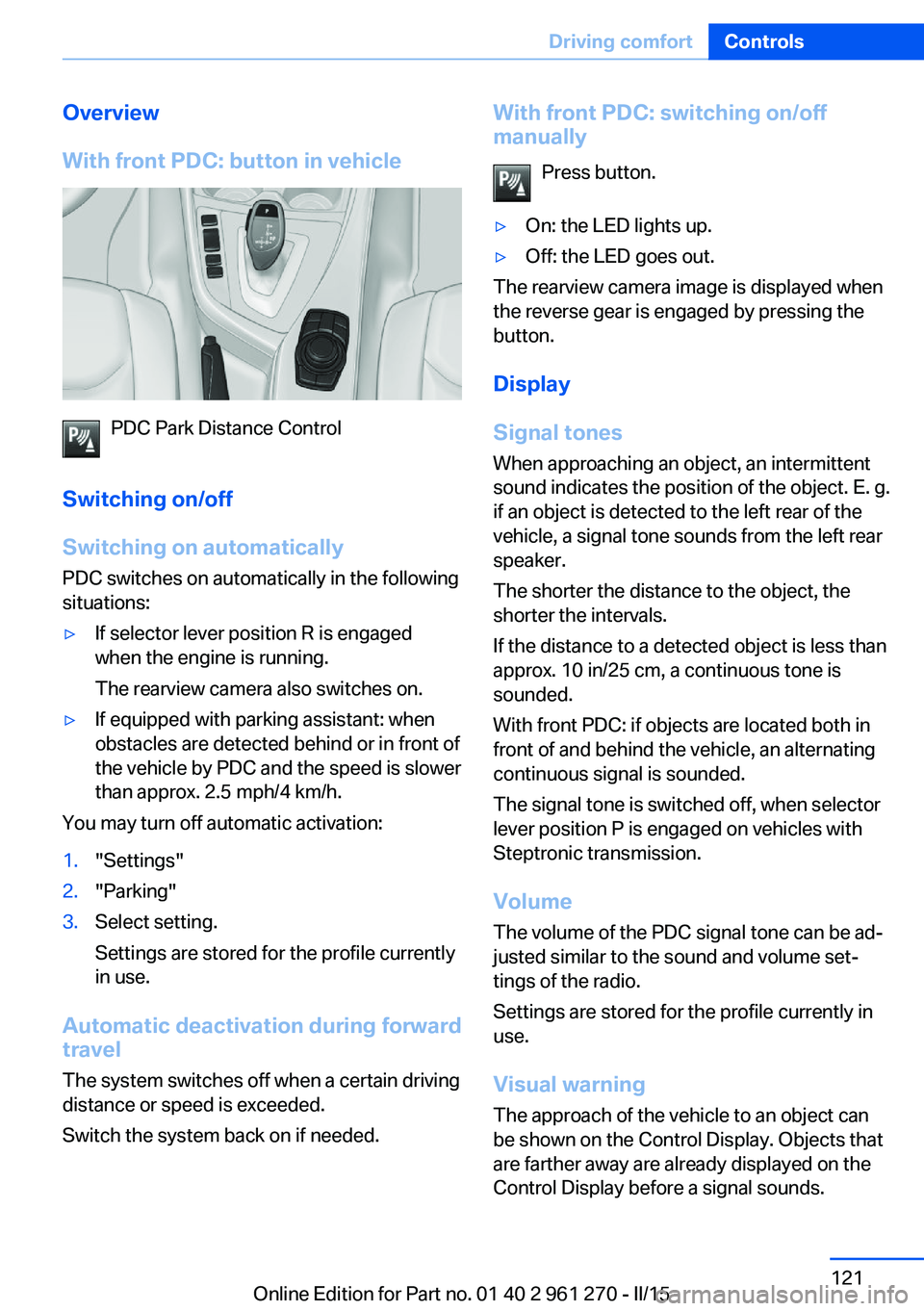
With front PDC: button in vehicle
PDC Park Distance Control
Switching on/off
Switching on automatically PDC switches on automatically in the following
situations:
▷If selector lever position R is engaged
when the engine is running.
The rearview camera also switches on.▷If equipped with parking assistant: when
obstacles are detected behind or in front of
the vehicle by PDC and the speed is slower
than approx. 2.5 mph/4 km/h.
You may turn off automatic activation:
1."Settings"2."Parking"3.Select setting.
Settings are stored for the profile currently
in use.
Automatic deactivation during forward
travel
The system switches off when a certain driving
distance or speed is exceeded.
Switch the system back on if needed.
With front PDC: switching on/off
manually
Press button.▷On: the LED lights up.▷Off: the LED goes out.
The rearview camera image is displayed when
the reverse gear is engaged by pressing the
button.
Display
Signal tones When approaching an object, an intermittent
sound indicates the position of the object. E. g.
if an object is detected to the left rear of the
vehicle, a signal tone sounds from the left rear
speaker.
The shorter the distance to the object, the
shorter the intervals.
If the distance to a detected object is less than
approx. 10 in/25 cm, a continuous tone is
sounded.
With front PDC: if objects are located both in
front of and behind the vehicle, an alternating
continuous signal is sounded.
The signal tone is switched off, when selector
lever position P is engaged on vehicles with
Steptronic transmission.
Volume
The volume of the PDC signal tone can be ad‐
justed similar to the sound and volume set‐
tings of the radio.
Settings are stored for the profile currently in
use.
Visual warning
The approach of the vehicle to an object can
be shown on the Control Display. Objects that
are farther away are already displayed on the
Control Display before a signal sounds.
Seite 121Driving comfortControls121
Online Edition for Part no. 01 40 2 961 270 - II/15
Page 126 of 232
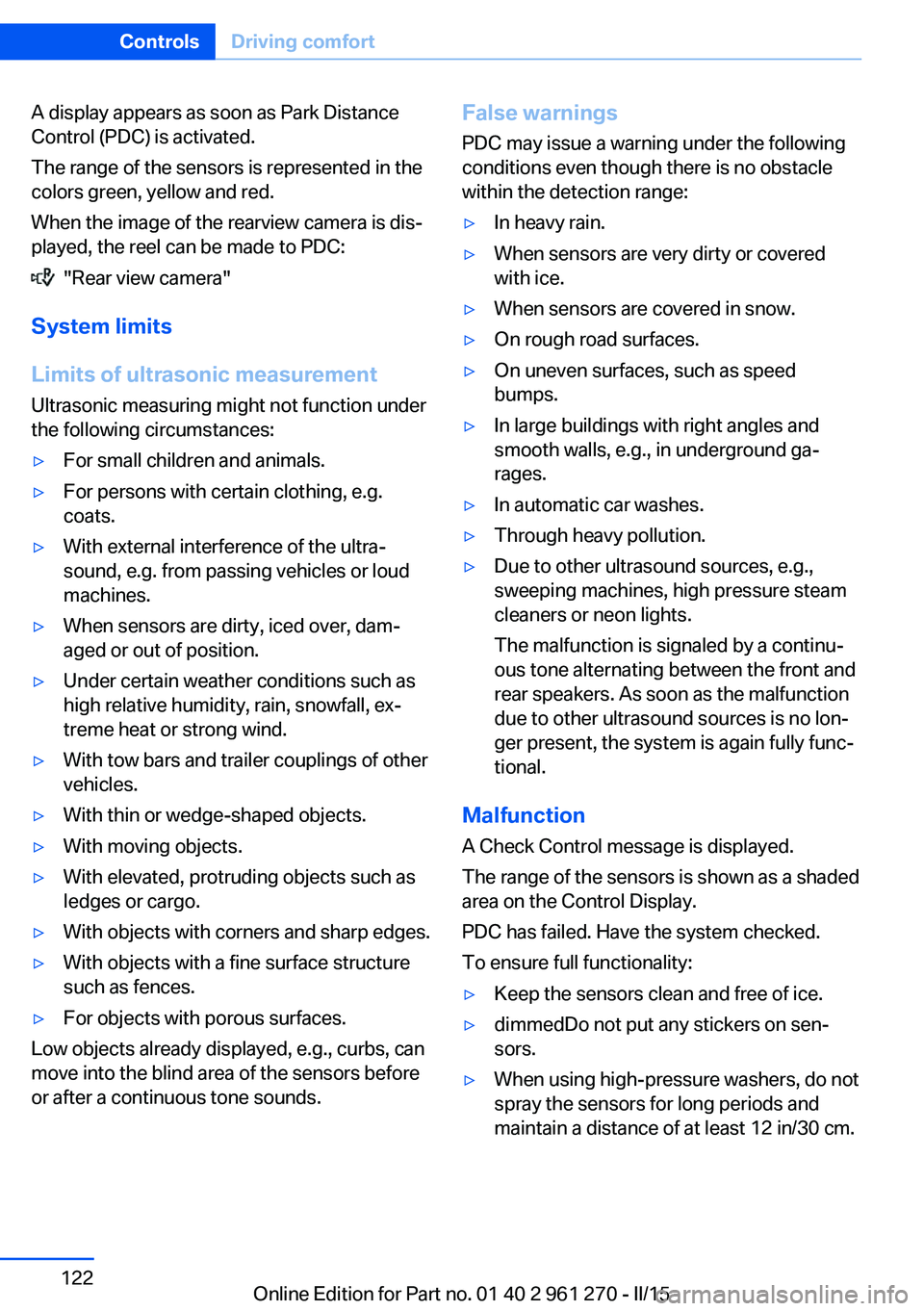
A display appears as soon as Park Distance
Control (PDC) is activated.
The range of the sensors is represented in the
colors green, yellow and red.
When the image of the rearview camera is dis‐
played, the reel can be made to PDC:
"Rear view camera"
System limits
Limits of ultrasonic measurement
Ultrasonic measuring might not function under
the following circumstances:
▷For small children and animals.▷For persons with certain clothing, e.g.
coats.▷With external interference of the ultra‐
sound, e.g. from passing vehicles or loud
machines.▷When sensors are dirty, iced over, dam‐
aged or out of position.▷Under certain weather conditions such as
high relative humidity, rain, snowfall, ex‐
treme heat or strong wind.▷With tow bars and trailer couplings of other
vehicles.▷With thin or wedge-shaped objects.▷With moving objects.▷With elevated, protruding objects such as
ledges or cargo.▷With objects with corners and sharp edges.▷With objects with a fine surface structure
such as fences.▷For objects with porous surfaces.
Low objects already displayed, e.g., curbs, can
move into the blind area of the sensors before
or after a continuous tone sounds.
False warnings
PDC may issue a warning under the following
conditions even though there is no obstacle
within the detection range:▷In heavy rain.▷When sensors are very dirty or covered
with ice.▷When sensors are covered in snow.▷On rough road surfaces.▷On uneven surfaces, such as speed
bumps.▷In large buildings with right angles and
smooth walls, e.g., in underground ga‐
rages.▷In automatic car washes.▷Through heavy pollution.▷Due to other ultrasound sources, e.g.,
sweeping machines, high pressure steam
cleaners or neon lights.
The malfunction is signaled by a continu‐
ous tone alternating between the front and
rear speakers. As soon as the malfunction
due to other ultrasound sources is no lon‐
ger present, the system is again fully func‐
tional.
Malfunction
A Check Control message is displayed.
The range of the sensors is shown as a shaded
area on the Control Display.
PDC has failed. Have the system checked.
To ensure full functionality:
▷Keep the sensors clean and free of ice.▷dimmedDo not put any stickers on sen‐
sors.▷When using high-pressure washers, do not
spray the sensors for long periods and
maintain a distance of at least 12 in/30 cm.Seite 122ControlsDriving comfort122
Online Edition for Part no. 01 40 2 961 270 - II/15
Page 127 of 232
Rearview cameraThe concept The rearview camera provides assistance in
parking and maneuvering backwards. The area
behind the vehicle is shown on the Control
Display.
Hints Check the traffic situation as well
Check the traffic situation around the ve‐
hicle with your own eyes. Otherwise, an acci‐
dent could result from road users or objects
that are not lidtured by the camera.◀
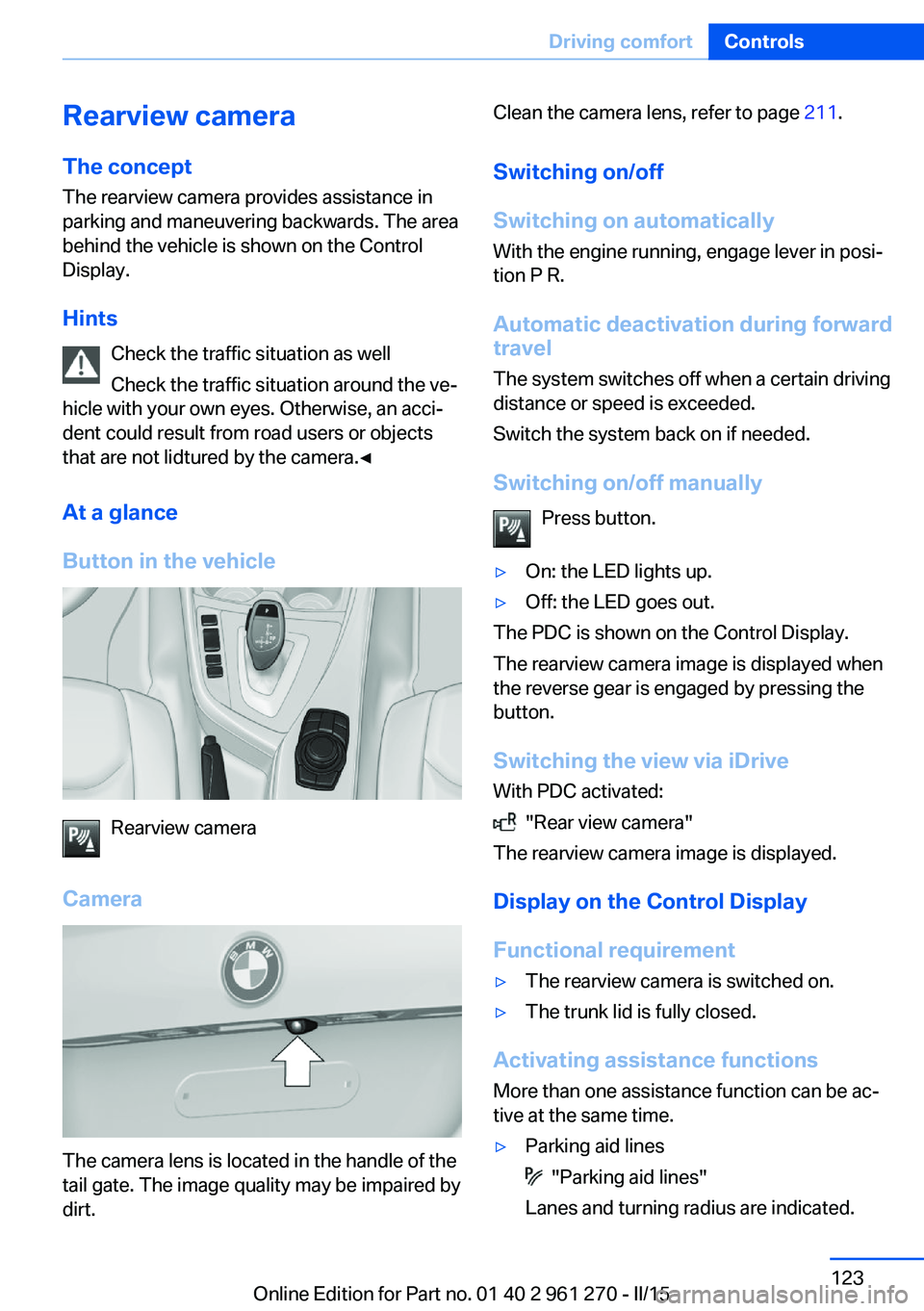
At a glance
Button in the vehicle
Rearview camera
Camera
The camera lens is located in the handle of the
tail gate. The image quality may be impaired by
dirt.
Clean the camera lens, refer to page 211.
Switching on/off
Switching on automatically With the engine running, engage lever in posi‐
tion P R.
Automatic deactivation during forward travel
The system switches off when a certain driving
distance or speed is exceeded.
Switch the system back on if needed.
Switching on/off manually Press button.▷On: the LED lights up.▷Off: the LED goes out.
The PDC is shown on the Control Display.
The rearview camera image is displayed when
the reverse gear is engaged by pressing the
button.
Switching the view via iDrive With PDC activated:
"Rear view camera"
The rearview camera image is displayed.
Display on the Control Display
Functional requirement
▷The rearview camera is switched on.▷The trunk lid is fully closed.
Activating assistance functions
More than one assistance function can be ac‐
tive at the same time.
▷Parking aid lines
"Parking aid lines"
Lanes and turning radius are indicated.
Seite 123Driving comfortControls123
Online Edition for Part no. 01 40 2 961 270 - II/15
Page 128 of 232
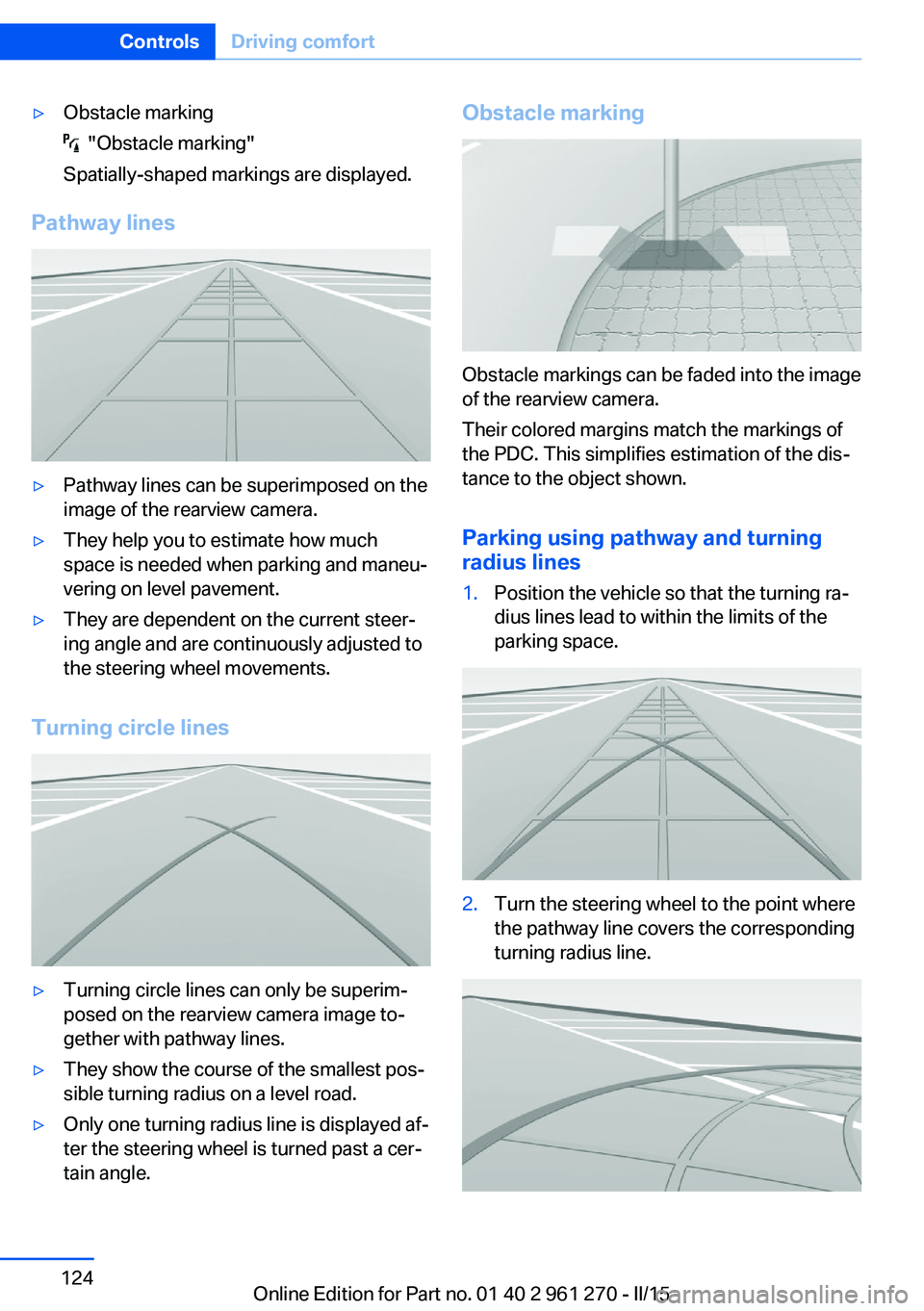
▷Obstacle marking
"Obstacle marking"
Spatially-shaped markings are displayed.
Pathway lines
▷Pathway lines can be superimposed on the
image of the rearview camera.▷They help you to estimate how much
space is needed when parking and maneu‐
vering on level pavement.▷They are dependent on the current steer‐
ing angle and are continuously adjusted to
the steering wheel movements.
Turning circle lines
▷Turning circle lines can only be superim‐
posed on the rearview camera image to‐
gether with pathway lines.▷They show the course of the smallest pos‐
sible turning radius on a level road.▷Only one turning radius line is displayed af‐
ter the steering wheel is turned past a cer‐
tain angle.Obstacle marking
Obstacle markings can be faded into the image
of the rearview camera.
Their colored margins match the markings of
the PDC. This simplifies estimation of the dis‐
tance to the object shown.
Parking using pathway and turning
radius lines
1.Position the vehicle so that the turning ra‐
dius lines lead to within the limits of the
parking space.2.Turn the steering wheel to the point where
the pathway line covers the corresponding
turning radius line.Seite 124ControlsDriving comfort124
Online Edition for Part no. 01 40 2 961 270 - II/15
Page 129 of 232
Display settings
Brightness
With the rearview camera switched on:1. Select the symbol.2.Turn the controller until the desired setting
is reached, and press the controller.
Contrast
With the rearview camera switched on:
1. Select the symbol.2.Turn the controller until the desired setting
is reached, and press the controller.
System limits
Detection of objects
Very low obstacles as well as high, protruding
objects such as ledges may not be detected by
the system.
Assistance functions also take into account
data of the PDC.
Follow instructions in the PDC chapter, refer to
page 120.
The objects displayed on the Control Display
under certain circumstances are closer than
they appear. Do not estimate the distance from
the objects on the display.
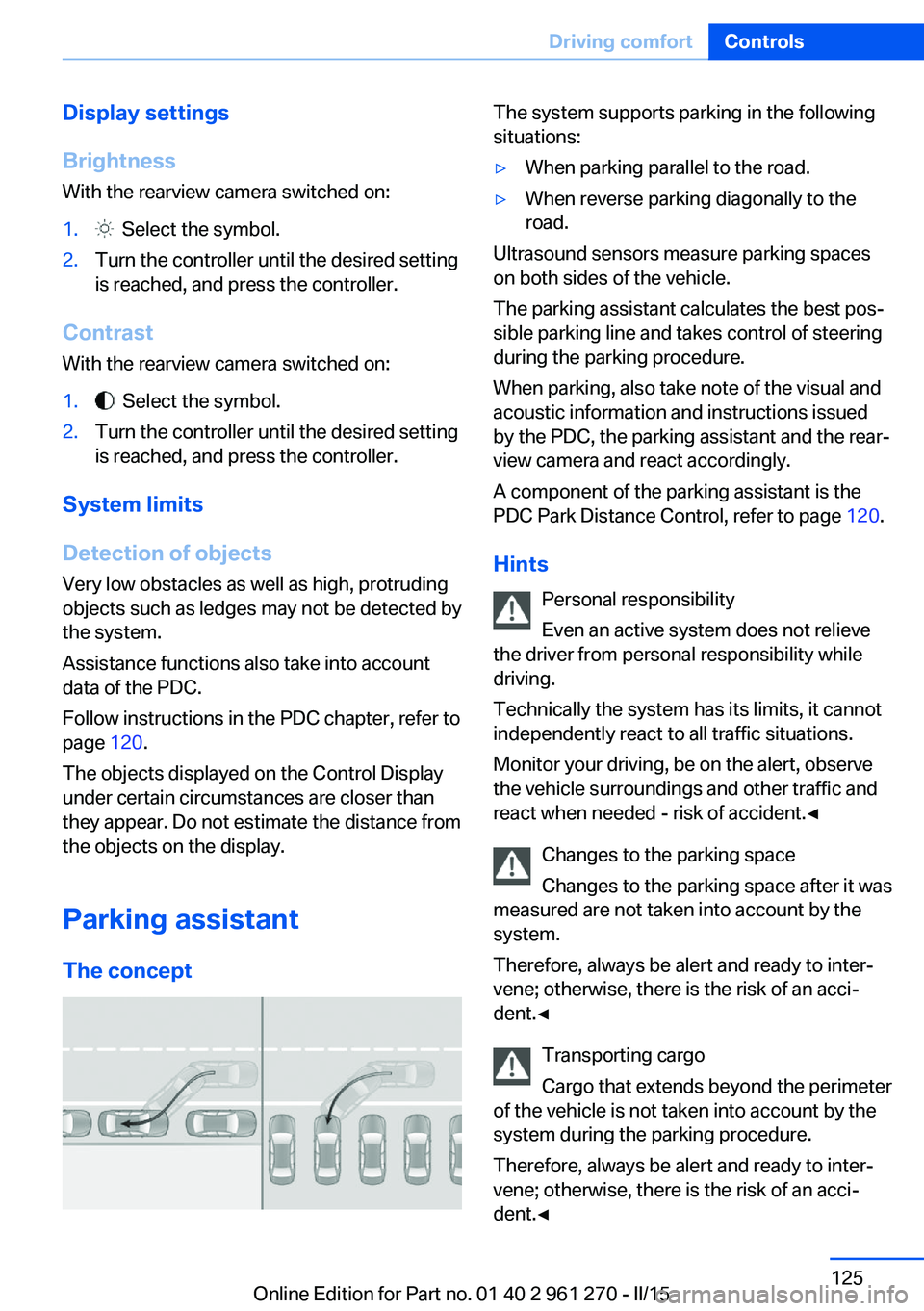
Parking assistant The concept
The system supports parking in the following
situations:▷When parking parallel to the road.▷When reverse parking diagonally to the
road.
Ultrasound sensors measure parking spaces
on both sides of the vehicle.
The parking assistant calculates the best pos‐
sible parking line and takes control of steering
during the parking procedure.
When parking, also take note of the visual and
acoustic information and instructions issued
by the PDC, the parking assistant and the rear‐
view camera and react accordingly.
A component of the parking assistant is the
PDC Park Distance Control, refer to page 120.
Hints Personal responsibility
Even an active system does not relieve
the driver from personal responsibility while
driving.
Technically the system has its limits, it cannot
independently react to all traffic situations.
Monitor your driving, be on the alert, observe
the vehicle surroundings and other traffic and
react when needed - risk of accident.◀
Changes to the parking space
Changes to the parking space after it was
measured are not taken into account by the
system.
Therefore, always be alert and ready to inter‐
vene; otherwise, there is the risk of an acci‐
dent.◀
Transporting cargo
Cargo that extends beyond the perimeter
of the vehicle is not taken into account by the
system during the parking procedure.
Therefore, always be alert and ready to inter‐
vene; otherwise, there is the risk of an acci‐
dent.◀
Seite 125Driving comfortControls125
Online Edition for Part no. 01 40 2 961 270 - II/15
Page 223 of 232
Break-in 152
Brightness of Control Dis‐ play 88
Bulb replacement 193
Bulb replacement, front 194
Bulb replacement, rear 198
Bulbs and lights 193
Button, Start/Stop 63
Bypassing, refer to Jump- starting 203
C
California Proposition 65 Warning 7
Camera lenses, care 211
Camera, rearview cam‐ era 123
Can holder, refer to Cu‐ pholder 147
Car battery 200
Car care products 209
Care, displays 211
Care, vehicle 209
Cargo 155
Cargo area, enlarging 143
Cargo area, storage compart‐ ments 147
Cargo, securing 156
Cargo straps, securing cargo 156
Car key, refer to Remote con‐ trol 34
Carpet, care 211
Car wash 208
Catalytic converter, refer to Hot exhaust system 153
CBS Condition Based Serv‐ ice 191
CD/Multimedia, see user's manual for Navigation, En‐
tertainment and Communi‐
cation
Center armrest 146
Center console 16
Central locking system 39 Central screen, refer to Con‐
trol Display 18
Changes, technical, refer to Safety 7
Changing parts 193
Changing wheels 199
Changing wheels/tires 178
Chassis number, see vehicle identification number 9
Check Control 77
Checking the oil level elec‐ tronically 187
Children, seating position 59
Children, transporting safely 59
Child restraint fixing sys‐ tem 59
Child restraint fixing system LATCH 61
Child restraint fixing systems, mounting 59
Child seat, mounting 59
Child seats 59
Chrome parts, care 210
Cigarette lighter 141
Cleaning displays 211
Climate control 130, 132
Clock 81
Closing/opening via door lock 39
Closing/opening with remote control 37
Clothes hooks 147
Coasting 162
Coasting with engine decou‐ pled, coasting 162
Coasting with idling en‐ gine 162
Cockpit 14
Combination reel, refer to Turn signals 67
Combination switch, refer to Wiper system 68
Comfort Access 41
COMFORT program, Dy‐ namic Driving Control 116 Compartments in the
doors 146
Compass 139
Compressor 180
Condensation on win‐ dows 135
Condensation under the vehi‐ cle 154
Condition Based Service CBS 191
Configuring driving pro‐ gram 116
Confirmation signal 43
ConnectedDrive, see user's manual for Navigation, En‐
tertainment and Communi‐
cation
ConnectedDrive Services
Connecting electrical devi‐ ces 141
Continued driving with a flat tire 100 , 103
Control Display 18
Control Display, settings 87
Controller 18, 19
Control systems, driving sta‐ bility 112
Convenient opening with the remote control 37
Coolant 190
Coolant level 190
Coolant temperature 80
Cooling function 131, 134
Cooling, maximum 133
Cooling system 190
Cornering light 91
Corrosion on brake discs 154
Cosmetic mirror 141
Courtesy lamps during un‐ locking 37
Courtesy lamps with the vehi‐ cle locked 38
Cruise control 118
Cruising range 81
Cupholder 147
Current fuel consumption 81 Seite 219Everything from A to ZReference219
Online Edition for Part no. 01 40 2 961 270 - II/15
Page 227 of 232
Manual operation, rearviewcamera 123
Manual transmission 71
Marking on approved tires 179
Marking, run-flat tires 180
Master key, refer to Remote control 34
Maximum cooling 133
Maximum speed, display 83
Maximum speed, winter tires 179
Measure, units of 88
Medical kit 203
Memory, seat, mirror 55
Menu, EfficientDynamics 162
Menu in instrument clus‐ ter 84
Menus, operating, iDrive 18
Menus, refer to iDrive operat‐ ing concept 20
Messages, see Check Con‐ trol 77
Microfilter 132, 135
Minimum tread, tires 178
Mirror 55
Mirror memory 55
Mobile communication devi‐ ces in the vehicle 153
Mobility System 180
Modifications, technical, refer to Safety 7
Moisture in headlight 194
Monitor, refer to Control Dis‐ play 18
Mounting of child restraint systems 59
Multifunction steering wheel, buttons 14
N Navigation, see user's manual for Navigation, Entertain‐
ment and Communication Neck restraints, front, refer to Head restraints 53
Neck restraints, rear, refer to Head restraints 54
Neutral cleaner, see wheel cleaner 210
New wheels and tires 178
Nylon rope for tow-starting/ towing 206
O OBD Onboard Diagnosis 192
OBD, see OBD Onboard Di‐ agnosis 192
Obstacle marking, rearview camera 124
Octane rating, refer to Rec‐ ommended fuel grade 170
Odometer 80
Office, see user's manual for Navigation, Entertainment
and Communication
Oil 187
Oil, adding 188
Oil additives 188
Oil change 189
Oil change interval, service requirements 82
Oil filler neck 188
Oil types, alternative 189
Oil types, approved 189
Old batteries, disposal 200
On-board computer 85
On-board computer, refer to On-board computer 85
Onboard monitor, refer to Control Display 18
Onboard vehicle tool kit 193
Opening/closing via door lock 39
Opening and closing 34
Opening and closing, without remote control 39
Opening and closing, with re‐ mote control 37 Operating concept, iDrive 18
Optional equipment, standard equipment 6
Outside air, refer to Auto‐ matic recirculated-air con‐
trol 134
Overheating of engine, refer to Coolant temperature 80
P Paint, vehicle 209
Parallel parking assistant 125
Park Distance Control PDC 120
Parked-car ventilation 136
Parked vehicle, condensa‐ tion 154
Parking aid, refer to PDC 120
Parking assistant 125
Parking brake 67
Parking lights 90
Parking lights, bulb replace‐ ment 196
Parts and accessories 7
Passenger side mirror, tilting downward 56
Pathway lines, rearview cam‐ era 124
PDC Park Distance Con‐ trol 120
Pedestrian warning with city braking function 107
Personal Profile 35
Personal Profile, exporting profiles 36
Personal Profile, importing profiles 37
Pinch protection system, glass sunroof 47
Pinch protection system, win‐ dows 46
Plastic, care 210
Power failure 200
Power sunroof, glass 46
Power windows 45 Seite 223Everything from A to ZReference223
Online Edition for Part no. 01 40 2 961 270 - II/15
Page 228 of 232
Pressure, tire air pres‐sure 172
Pressure warning, tires 102
Profile, refer to Personal Pro‐ file 35
Programmable memory but‐ tons, iDrive 24
Protective function, glass sunroof 47
Protective function, win‐ dows 46
Push-and-turn switch, refer to Controller 18, 19
R Radiator fluid 190
Radio-operated key, refer to Remote control 34
Radio ready state 63
Radio, see user's manual for Navigation, Entertainment
and Communication
Rain sensor 69
Rear lights 198
Rear socket 142
Rearview camera 123
Rearview mirror 55
Rear window de‐ froster 131, 134
Recirculated-air filter 135
Recirculated-air mode 131, 134
Recommended fuel grade 170
Recommended tire brands 179
Refueling 168
Remaining range 81
Remote control/key 34
Remote control, malfunc‐ tion 38
Remote control, univer‐ sal 137
Replacement fuse 201
Replacing parts 193 Replacing wheels/tires 178
Reporting safety defects 9
RES button, see Cruise con‐ trol 118
Reserve warning, refer to Range 81
Reset, Tire Pressure Monitor TPM 99
Retaining straps, securing cargo 156
Retreaded tires 179
Roadside parking lights 91
RON recommended fuel grade 170
Roofliner 17
Roof load capacity 214
Roof-mounted luggage rack 157
Rope for tow-starting/ towing 206
RSC Run Flat System Com‐ ponent, refer to Run-flat
tires 180
Rubber components, care 210
Run-flat tires 180
S Safe braking 153
Safety 7
Safety belt reminder for driv‐ er's seat and front passen‐
ger seat 53
Safety belts 52
Safety belts, care 211
Safety systems, airbags 95
Saving fuel 158
Screen, refer to Control Dis‐ play 18
Screwdriver, see Onboard ve‐ hicle tool kit 193
Screw thread, see screw thread for tow fitting, screw
thread for tow fitting 207
Sealant 180 Seat and mirror memory 55
Seat belts, refer to Safety belts 52
Seat heating, front 51
Seating position for chil‐ dren 59
Seats 48
Selection list in instrument cluster 84
Selector lever, Steptronic transmission 72
Sensors, care 211
Service and warranty 8
Service requirements, Condi‐ tion Based Service
CBS 191
Service requirements, dis‐ play 82
Services, ConnectedDrive
Servotronic 114
SET button, see Cruise con‐ trol 118
Settings, locking/unlock‐ ing 43
Settings on Control Dis‐ play 87
Settings, storing for seat, mir‐ ror 55
Shift paddles on the steering wheel 73
Side airbags 95
Signaling, horn 14
Signals when unlocking 43
Sitting safely 48
Size 214
Slide/tilt glass roof 46
Snow chains 183
Socket 141
Socket, OBD Onboard Diag‐ nostics 192
SOS button 202
Spare fuse 201
Specified engine oil types 189
Speed, average 86 Seite 224ReferenceEverything from A to Z224
Online Edition for Part no. 01 40 2 961 270 - II/15
Page 229 of 232
Speed limit detection, on-board computer 86
Speed limiter, display 83
Speed Limit Information 83
Speed warning 87
Split screen 23
SPORT+ - program, Dynamic Driving Control 115
Sport displays, torque dis‐ play, performance dis‐
play 87
SPORT program, Dynamic Driving Control 115
Sport program, transmis‐ sion 72
Sport steering, variable 114
Stability control systems 112
Start/stop, automatic func‐ tion 65
Start/Stop button 63
Start function during malfunc‐ tion 35
Starting the engine 64
Status control display, tires 99
Status information, iDrive 23
Status of Owner's Manual 7
Steering assistance 114
Steering wheel, adjusting 57
Steering wheel heating 58
Steptronic Sport transmis‐ sion, refer to Steptronic
transmission 71
Steptronic transmission 71
Stopping the engine 64
Storage compartment in the rear 147
Storage compartments 145
Storage, tires 180
Storing the vehicle 211
Suitable engine oils 189
Summer tires, tread 177
Sun visor 141
Supplementary text mes‐ sages 79 Switch for Dynamic Driv‐
ing 114
Switch-on times, parked-car ventilation 136
Switch, refer to Cockpit 14
Symbols 6
Symbols in the status field 23
T Tachometer 80
Tail lights 198
Technical changes, refer to Safety 7
Technical data 214
Telephone, see user's manual for Navigation, Entertain‐
ment and Communication
Temperature, automatic cli‐ mate control 131, 133
Temperature display for ex‐ ternal temperature 81
Terminal, starting aid 204
Text messages, supplemen‐ tary 79
Theft alarm system, refer to Alarm system 44
Thigh support 50
Through-loading system 143
Tilt alarm sensor 44
Time of arrival 86
Tire damage 178
Tire identification marks 176
Tire inflation pressure 172
Tire inflation pressure moni‐ tor, refer to FTM 102
Tire Pressure Monitor TPM 98
Tires, changing 178
Tire sealant 180
Tires, everything on wheels and tires 172
Tires, run-flat tires 180
Tire tread 177 Tone, see user's manual for
Navigation, Entertainment
and Communication
Tool 193
Total vehicle weight 214
Touchpad 21
Tow fitting 206
Towing 205
Tow lug, see Tow fitting 206
Tow-starting 205
Tow truck 205
TPM Tire Pressure Moni‐ tor 98
Traction control 113
TRACTION, driving dynam‐ ics 113
Transmission lock, electronic unlocking 74
Transmission, manual trans‐ mission 71
Transmission, Steptronic transmission 71
Transporting children safely 59
Tread, tires 177
Trip computer 86
Triple turn signal activa‐ tion 68
Trip odometer 80
Truck for tow-starting/ towing 205
Trunk lid closing 40
Trunk lid, emergency unlock‐ ing 41
Trunk lid, hotel function 41
Trunk lid opening 40
Trunk lid via remote con‐ trol 38
Turning circle lines, rearview camera 124
Turn signals, operation 67
Turn signals, rear, bulb re‐ placement 198 Seite 225Everything from A to ZReference225
Online Edition for Part no. 01 40 2 961 270 - II/15