battery BMW 3 SERIES 2011 User Guide
[x] Cancel search | Manufacturer: BMW, Model Year: 2011, Model line: 3 SERIES, Model: BMW 3 SERIES 2011Pages: 325, PDF Size: 12.94 MB
Page 77 of 325
3."Additional indicators"
The range is displayed in the instrument cluster.
Current fuel consumption
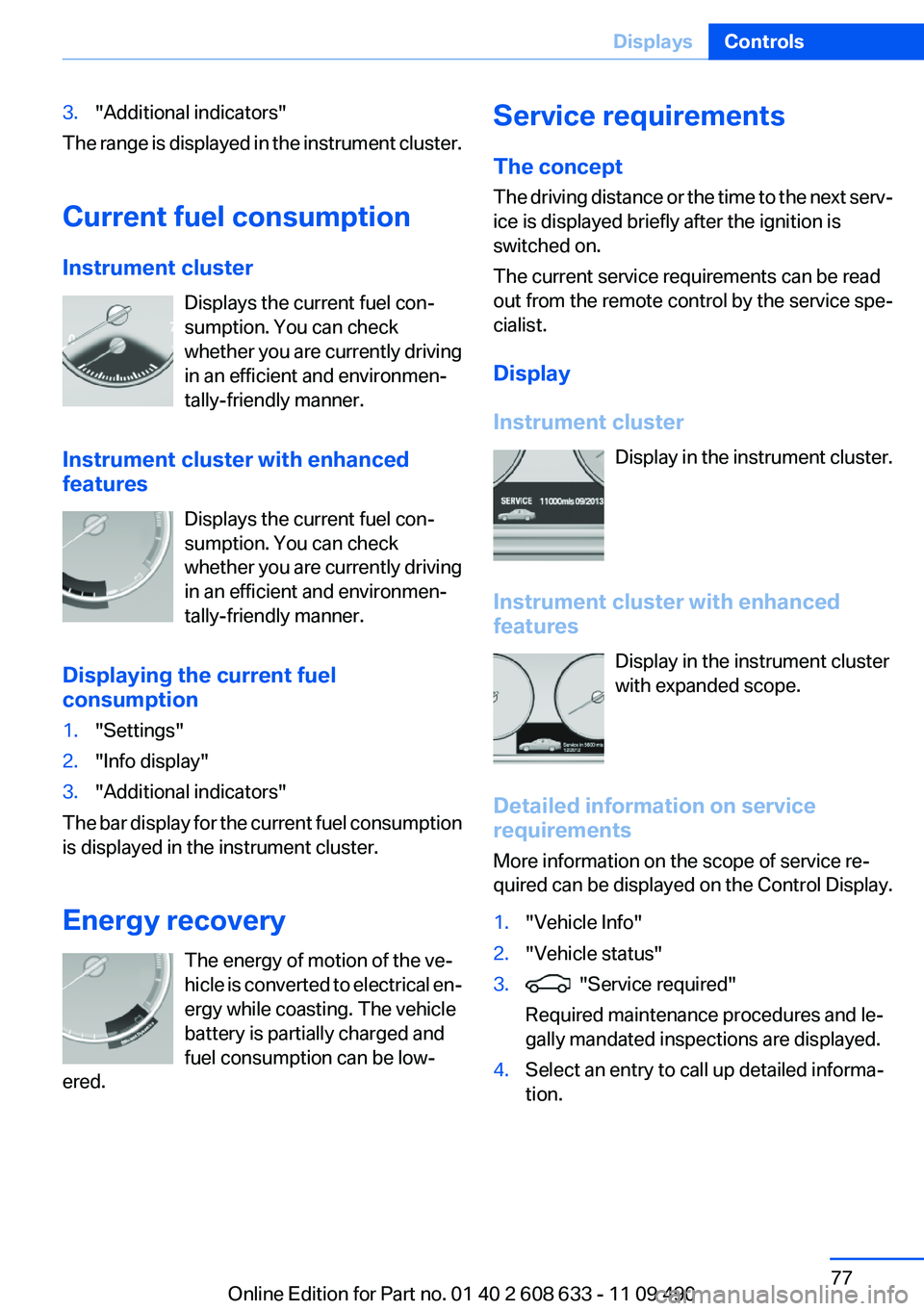
Instrument cluster
Displays the current fuel con‐
sumption. You can check
whether you are currently driving
in an efficient and environmen‐
tally-friendly manner.
Instrument cluster with enhanced
features
Displays the current fuel con‐
sumption. You can check
whether you are currently driving
in an efficient and environmen‐
tally-friendly manner.
Displaying the current fuel
consumption
1."Settings"
2."Info display"
3."Additional indicators"
The bar display for the current fuel consumption
is displayed in the instrument cluster.
Energy recovery
The energy of motion of the ve‐
hicle is converted to electrical en‐
ergy while coasting. The vehicle
battery is partially charged and
fuel consumption can be low‐
ered.
Service requirements
The concept
The driving distance or the time to the next serv‐
ice is displayed briefly after the ignition is
switched on.
The current service requirements can be read
out from the remote control by the service spe‐
cialist.
Display
Instrument cluster
Display in the instrument cluster.
Instrument cluster with enhanced
features
Display in the instrument cluster
with expanded scope.
Detailed information on service
requirements
More information on the scope of service re‐
quired can be displayed on the Control Display.
1."Vehicle Info"
2."Vehicle status"
3. "Service required"
Required maintenance procedures and le‐
gally mandated inspections are displayed.
4.Select an entry to call up detailed informa‐
tion.
Seite 77
DisplaysControls
77Online Edition for Part no. 01 40 2 608 633 - 11 09 490
Page 86 of 325
Lamps
Vehicle equipment
All standard, country-specific and optional
equipment that is offered in the model series is
described in this chapter. Therefore, equipment
is also described that is not available in a vehicle,
e. g., because of the selected optional equip‐
ment or country variant. This also applies for
safety-related functions and systems.
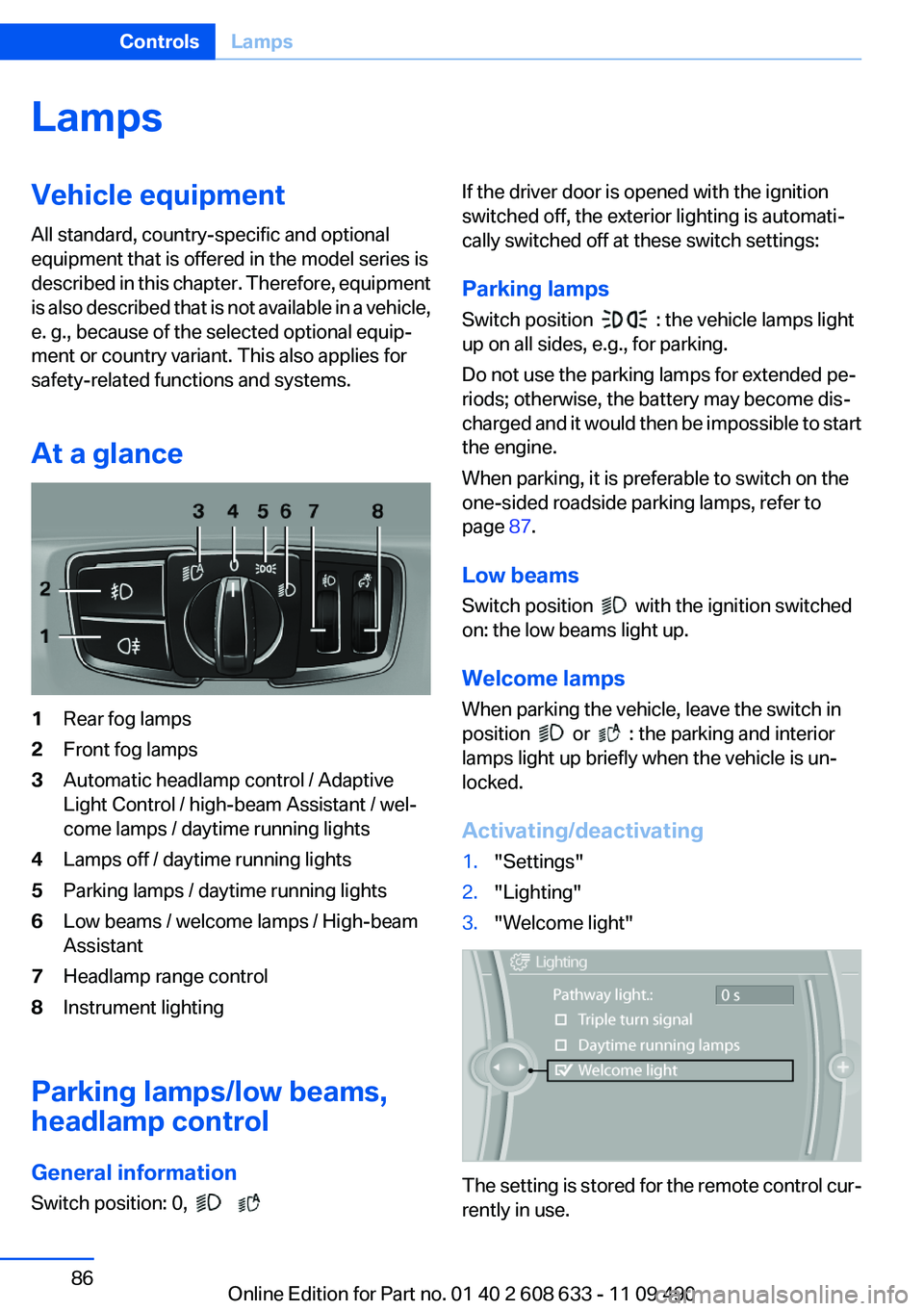
At a glance
1Rear fog lamps
2Front fog lamps
3Automatic headlamp control / Adaptive
Light Control / high-beam Assistant / wel‐
come lamps / daytime running lights
4Lamps off / daytime running lights
5Parking lamps / daytime running lights
6Low beams / welcome lamps / High-beam
Assistant
7Headlamp range control
8Instrument lighting
Parking lamps/low beams,
headlamp control
General information
Switch position: 0,
If the driver door is opened with the ignition
switched off, the exterior lighting is automati‐
cally switched off at these switch settings:
Parking lamps
Switch position : the vehicle lamps light
up on all sides, e.g., for parking.
Do not use the parking lamps for extended pe‐
riods; otherwise, the battery may become dis‐
charged and it would then be impossible to start
the engine.
When parking, it is preferable to switch on the
one-sided roadside parking lamps, refer to
page 87.
Low beams
Switch position with the ignition switched
on: the low beams light up.
Welcome lamps
When parking the vehicle, leave the switch in
position or : the parking and interior
lamps light up briefly when the vehicle is un‐
locked.
Activating/deactivating
1."Settings"
2."Lighting"
3."Welcome light"
The setting is stored for the remote control cur‐
rently in use.
Seite 86
ControlsLamps
86Online Edition for Part no. 01 40 2 608 633 - 11 09 490
Page 135 of 325
Climate control functions in detail
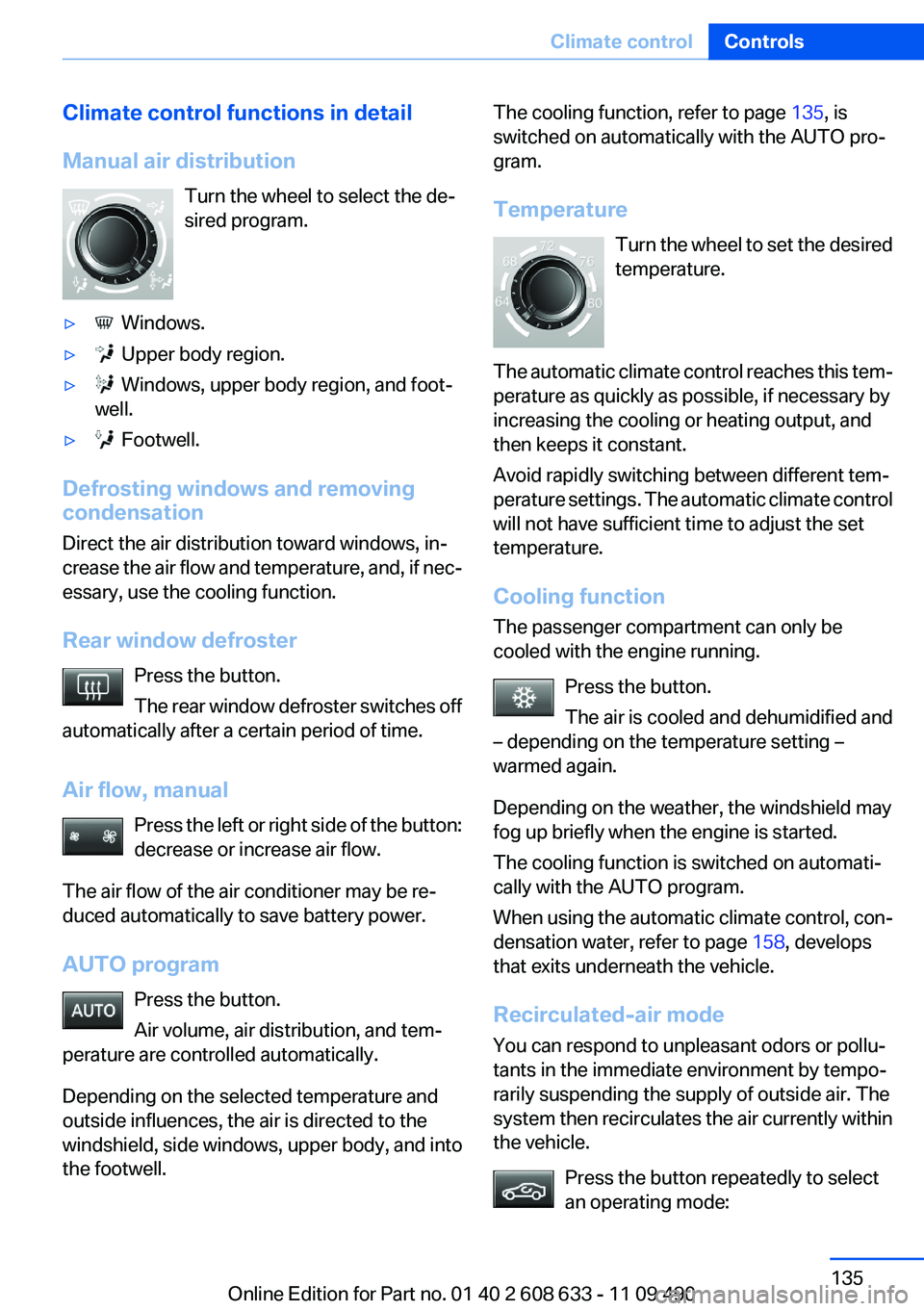
Manual air distribution
Turn the wheel to select the de‐
sired program.
▷ Windows.
▷ Upper body region.
▷ Windows, upper body region, and foot‐
well.
▷ Footwell.
Defrosting windows and removing
condensation
Direct the air distribution toward windows, in‐
crease the air flow and temperature, and, if nec‐
essary, use the cooling function.
Rear window defroster
Press the button.
The rear window defroster switches off
automatically after a certain period of time.
Air flow, manual
Press the left or right side of the button:
decrease or increase air flow.
The air flow of the air conditioner may be re‐
duced automatically to save battery power.
AUTO program
Press the button.
Air volume, air distribution, and tem‐
perature are controlled automatically.
Depending on the selected temperature and
outside influences, the air is directed to the
windshield, side windows, upper body, and into
the footwell.
The cooling function, refer to page 135, is
switched on automatically with the AUTO pro‐
gram.
Temperature
Turn the wheel to set the desired
temperature.
The automatic climate control reaches this tem‐
perature as quickly as possible, if necessary by
increasing the cooling or heating output, and
then keeps it constant.
Avoid rapidly switching between different tem‐
perature settings. The automatic climate control
will not have sufficient time to adjust the set
temperature.
Cooling function
The passenger compartment can only be
cooled with the engine running.
Press the button.
The air is cooled and dehumidified and
– depending on the temperature setting –
warmed again.
Depending on the weather, the windshield may
fog up briefly when the engine is started.
The cooling function is switched on automati‐
cally with the AUTO program.
When using the automatic climate control, con‐
densation water, refer to page 158, develops
that exits underneath the vehicle.
Recirculated-air mode
You can respond to unpleasant odors or pollu‐
tants in the immediate environment by tempo‐
rarily suspending the supply of outside air. The
system then recirculates the air currently within
the vehicle.
Press the button repeatedly to select
an operating mode:
Seite 135
Climate controlControls
135Online Edition for Part no. 01 40 2 608 633 - 11 09 490
Page 138 of 325
When using the automatic climate control, con‐
densation water, refer to page 158, develops
that exits underneath the vehicle.
Automatic recirculated-air control/
recirculated-air mode
You can respond to unpleasant odors or pollu‐
tants in the immediate environment by tempo‐
rarily suspending the supply of outside air. The
system then recirculates the air currently within
the vehicle.
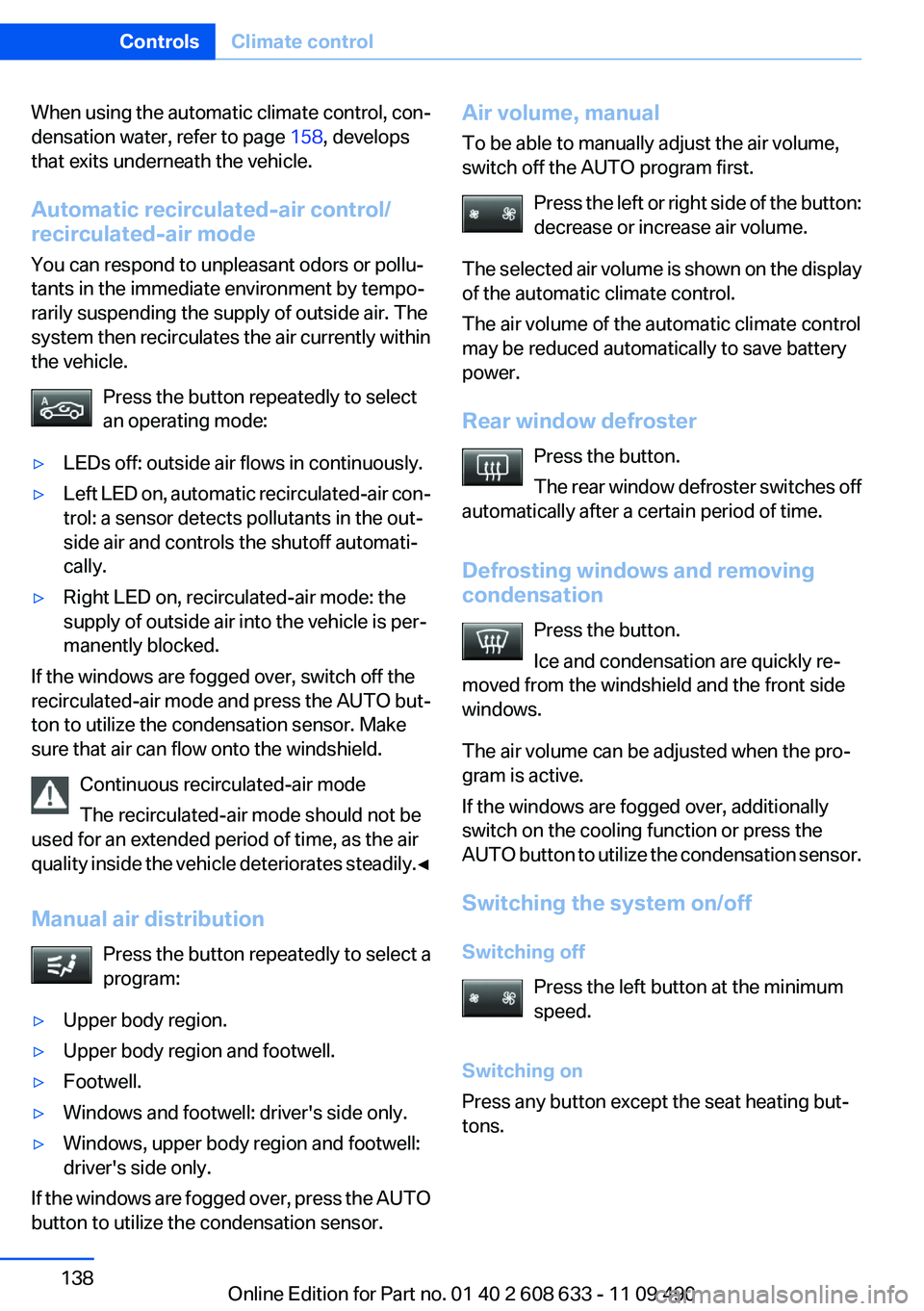
Press the button repeatedly to select
an operating mode:
▷LEDs off: outside air flows in continuously.
▷Left LED on, automatic recirculated-air con‐
trol: a sensor detects pollutants in the out‐
side air and controls the shutoff automati‐
cally.
▷Right LED on, recirculated-air mode: the
supply of outside air into the vehicle is per‐
manently blocked.
If the windows are fogged over, switch off the
recirculated-air mode and press the AUTO but‐
ton to utilize the condensation sensor. Make
sure that air can flow onto the windshield.
Continuous recirculated-air mode
The recirculated-air mode should not be
used for an extended period of time, as the air
quality inside the vehicle deteriorates steadily.◀
Manual air distribution
Press the button repeatedly to select a
program:
▷Upper body region.
▷Upper body region and footwell.
▷Footwell.
▷Windows and footwell: driver's side only.
▷Windows, upper body region and footwell:
driver's side only.
If the windows are fogged over, press the AUTO
button to utilize the condensation sensor.
Air volume, manual
To be able to manually adjust the air volume,
switch off the AUTO program first.
Press the left or right side of the button:
decrease or increase air volume.
The selected air volume is shown on the display
of the automatic climate control.
The air volume of the automatic climate control
may be reduced automatically to save battery
power.
Rear window defroster
Press the button.
The rear window defroster switches off
automatically after a certain period of time.
Defrosting windows and removing
condensation
Press the button.
Ice and condensation are quickly re‐
moved from the windshield and the front side
windows.
The air volume can be adjusted when the pro‐
gram is active.
If the windows are fogged over, additionally
switch on the cooling function or press the
AUTO button to utilize the condensation sensor.
Switching the system on/off
Switching off
Press the left button at the minimum
speed.
Switching on
Press any button except the seat heating but‐
tons.
Seite 138
ControlsClimate control
138Online Edition for Part no. 01 40 2 608 633 - 11 09 490
Page 183 of 325
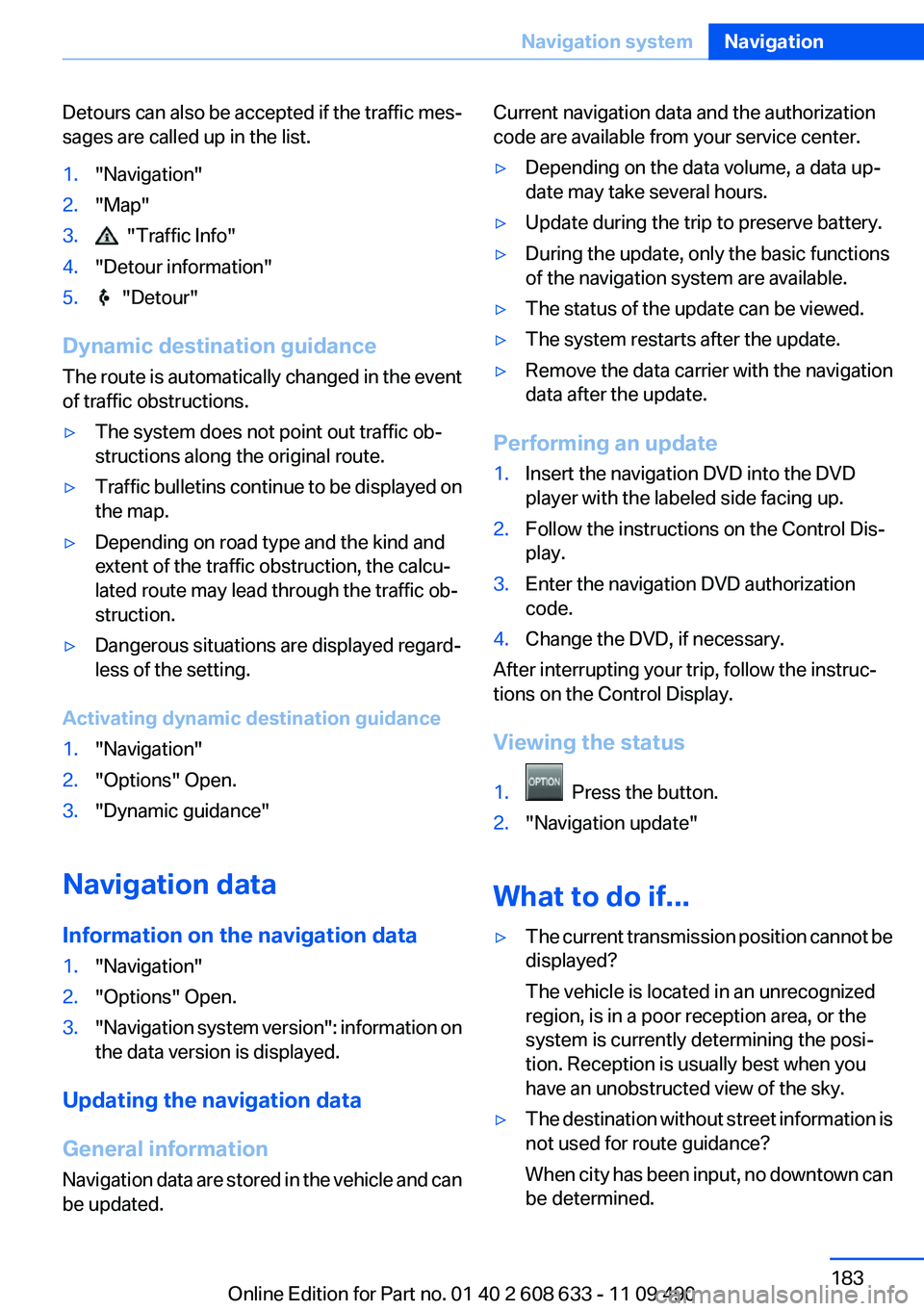
Detours can also be accepted if the traffic mes‐
sages are called up in the list.
1."Navigation"
2."Map"
3. "Traffic Info"
4."Detour information"
5. "Detour"
Dynamic destination guidance
The route is automatically changed in the event
of traffic obstructions.
▷The system does not point out traffic ob‐
structions along the original route.
▷Traffic bulletins continue to be displayed on
the map.
▷Depending on road type and the kind and
extent of the traffic obstruction, the calcu‐
lated route may lead through the traffic ob‐
struction.
▷Dangerous situations are displayed regard‐
less of the setting.
Activating dynamic destination guidance
1."Navigation"
2."Options" Open.
3."Dynamic guidance"
Navigation data
Information on the navigation data
1."Navigation"
2."Options" Open.
3."Navigation system version": information on
the data version is displayed.
Updating the navigation data
General information
Navigation data are stored in the vehicle and can
be updated.
Current navigation data and the authorization
code are available from your service center.
▷Depending on the data volume, a data up‐
date may take several hours.
▷Update during the trip to preserve battery.
▷During the update, only the basic functions
of the navigation system are available.
▷The status of the update can be viewed.
▷The system restarts after the update.
▷Remove the data carrier with the navigation
data after the update.
Performing an update
1.Insert the navigation DVD into the DVD
player with the labeled side facing up.
2.Follow the instructions on the Control Dis‐
play.
3.Enter the navigation DVD authorization
code.
4.Change the DVD, if necessary.
After interrupting your trip, follow the instruc‐
tions on the Control Display.
Viewing the status
1. Press the button.
2."Navigation update"
What to do if...
▷The current transmission position cannot be
displayed?
The vehicle is located in an unrecognized
region, is in a poor reception area, or the
system is currently determining the posi‐
tion. Reception is usually best when you
have an unobstructed view of the sky.
▷The destination without street information is
not used for route guidance?
When city has been input, no downtown can
be determined.
Seite 183
Navigation systemNavigation
183Online Edition for Part no. 01 40 2 608 633 - 11 09 490
Page 216 of 325
Playback menu
Depending on the particular device, some of the
functions may not be available.
Symbol Function
Next track
Fast forward: press and hold the
symbol.
Previous music track
Reverse: press and hold the symbol.
Disconnecting the audio connection
1."CD/Multimedia"
2."Bluetooth® (audio)"
3.Highlight the desired device.
4.Open "Options".
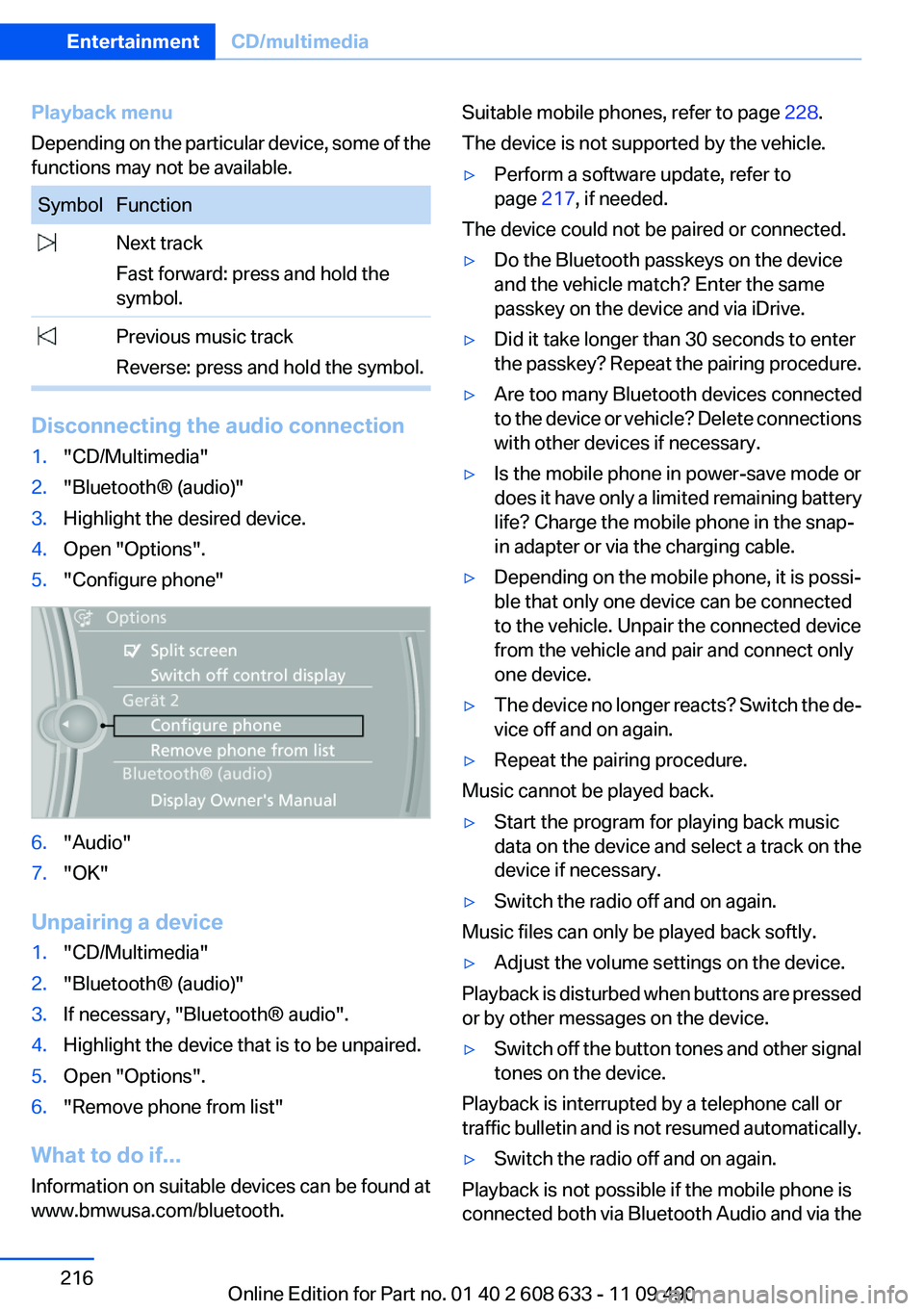
5."Configure phone"
6."Audio"
7."OK"
Unpairing a device
1."CD/Multimedia"
2."Bluetooth® (audio)"
3.If necessary, "Bluetooth® audio".
4.Highlight the device that is to be unpaired.
5.Open "Options".
6."Remove phone from list"
What to do if...
Information on suitable devices can be found at
www.bmwusa.com/bluetooth.
Suitable mobile phones, refer to page 228.
The device is not supported by the vehicle.
▷Perform a software update, refer to
page 217, if needed.
The device could not be paired or connected.
▷Do the Bluetooth passkeys on the device
and the vehicle match? Enter the same
passkey on the device and via iDrive.
▷Did it take longer than 30 seconds to enter
the passkey? Repeat the pairing procedure.
▷Are too many Bluetooth devices connected
to the device or vehicle? Delete connections
with other devices if necessary.
▷Is the mobile phone in power-save mode or
does it have only a limited remaining battery
life? Charge the mobile phone in the snap-
in adapter or via the charging cable.
▷Depending on the mobile phone, it is possi‐
ble that only one device can be connected
to the vehicle. Unpair the connected device
from the vehicle and pair and connect only
one device.
▷The device no longer reacts? Switch the de‐
vice off and on again.
▷Repeat the pairing procedure.
Music cannot be played back.
▷Start the program for playing back music
data on the device and select a track on the
device if necessary.
▷Switch the radio off and on again.
Music files can only be played back softly.
▷Adjust the volume settings on the device.
Playback is disturbed when buttons are pressed
or by other messages on the device.
▷Switch off the button tones and other signal
tones on the device.
Playback is interrupted by a telephone call or
traffic bulletin and is not resumed automatically.
▷Switch the radio off and on again.
Playback is not possible if the mobile phone is
connected both via Bluetooth Audio and via the
Seite 216
EntertainmentCD/multimedia
216Online Edition for Part no. 01 40 2 608 633 - 11 09 490
Page 222 of 325
Activating/deactivating Bluetooth
Bluetooth is not permitted everywhere. Comply
with all safety guidelines and regulations.
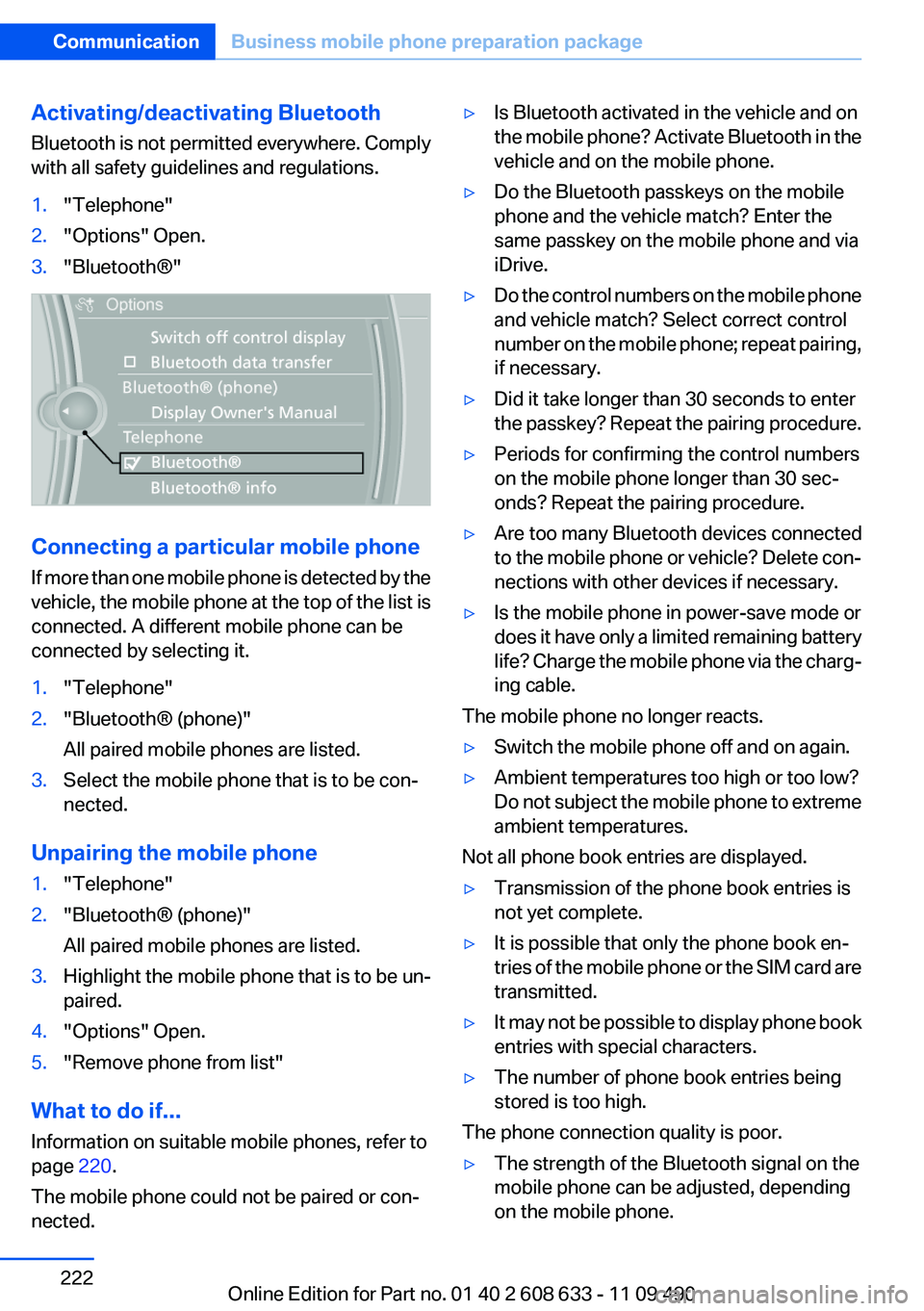
1."Telephone"
2."Options" Open.
3."Bluetooth®"
Connecting a particular mobile phone
If more than one mobile phone is detected by the
vehicle, the mobile phone at the top of the list is
connected. A different mobile phone can be
connected by selecting it.
1."Telephone"
2."Bluetooth® (phone)"
All paired mobile phones are listed.
3.Select the mobile phone that is to be con‐
nected.
Unpairing the mobile phone
1."Telephone"
2."Bluetooth® (phone)"
All paired mobile phones are listed.
3.Highlight the mobile phone that is to be un‐
paired.
4."Options" Open.
5."Remove phone from list"
What to do if...
Information on suitable mobile phones, refer to
page 220.
The mobile phone could not be paired or con‐
nected.
▷Is Bluetooth activated in the vehicle and on
the mobile phone? Activate Bluetooth in the
vehicle and on the mobile phone.
▷Do the Bluetooth passkeys on the mobile
phone and the vehicle match? Enter the
same passkey on the mobile phone and via
iDrive.
▷Do the control numbers on the mobile phone
and vehicle match? Select correct control
number on the mobile phone; repeat pairing,
if necessary.
▷Did it take longer than 30 seconds to enter
the passkey? Repeat the pairing procedure.
▷Periods for confirming the control numbers
on the mobile phone longer than 30 sec‐
onds? Repeat the pairing procedure.
▷Are too many Bluetooth devices connected
to the mobile phone or vehicle? Delete con‐
nections with other devices if necessary.
▷Is the mobile phone in power-save mode or
does it have only a limited remaining battery
life? Charge the mobile phone via the charg‐
ing cable.
The mobile phone no longer reacts.
▷Switch the mobile phone off and on again.
▷Ambient temperatures too high or too low?
Do not subject the mobile phone to extreme
ambient temperatures.
Not all phone book entries are displayed.
▷Transmission of the phone book entries is
not yet complete.
▷It is possible that only the phone book en‐
tries of the mobile phone or the SIM card are
transmitted.
▷It may not be possible to display phone book
entries with special characters.
▷The number of phone book entries being
stored is too high.
The phone connection quality is poor.
▷The strength of the Bluetooth signal on the
mobile phone can be adjusted, depending
on the mobile phone.
Seite 222
CommunicationBusiness mobile phone preparation package
222Online Edition for Part no. 01 40 2 608 633 - 11 09 490
Page 228 of 325
Professional mobile phone preparation
package
Vehicle equipment
All standard, country-specific and optional
equipment that is offered in the model series is
described in this chapter. Therefore, equipment
is also described that is not available in a vehicle,
e. g., because of the selected optional equip‐
ment or country variant. This also applies for
safety-related functions and systems.
At a glance
The concept
Mobile phones or other external devices such as
audio players can be connected to the vehicle
via Bluetooth.
After these devices are paired once, they are
recognized automatically when the ignition is
switched on as soon as they are inside the ve‐
hicle and can be operated via iDrive, the buttons
on the steering wheel, and via voice activation.
Depending on their functionality, external devi‐
ces can be used via the vehicle as a telephone
or as an audio source.
The telephone functions are described in the
following. Operation of the audio functions, refer
to page 213.
Up to four external devices can be paired.
Certain functions may need to be enabled by the
mobile phone provider or service provider.
Using the mobile phone while driving
Make entries only when traffic and road
conditions allow. Do not hold the mobile phone
in your hand while you are driving; use the
hands-free system instead. If you do not ob‐
serve this precaution, you can endanger the ve‐
hicle occupants and other road users.◀
Snap-in adapter
The snap-in adapter is used to:
▷Hold the mobile phone.
▷Recharge the battery.
▷Connect the mobile phone to an outside an‐
tenna of the vehicle.
This provides for better network reception
and consistent sound quality.
Approved mobile phones
Details on which mobile phones and external
devices with a Bluetooth interface are sup‐
ported by the mobile phone preparation pack‐
age can be obtained at www.bmwusa.com/blue‐
tooth.
Displaying the vehicle identification
number and software part number
The vehicle identification number and software
part number are needed to determine which mo‐
bile phones are supported by the mobile phone
preparation package. The software version of
the mobile phone may also be required.
1."Telephone"
2."Options" Open.
3."Bluetooth® info"
4."Display system information"
These approved mobile phones with a certain
software version, support the vehicle functions
described below.
Malfunctions may occur with other mobile
phones or software versions.
Do not operate a mobile phone that is connected
to the vehicle on the mobile phone keypad, as
this may lead to a malfunction.
Seite 228
CommunicationProfessional mobile phone preparation package
228Online Edition for Part no. 01 40 2 608 633 - 11 09 490
Page 231 of 325
3.Highlight the mobile phone to be config‐
ured.
4."Options" Open.
5."Configure phone"
6.At least one function must be selected.
▷"Telephone"
▷"Additional telephone"
▷"Audio"
7."OK"
If a function is assigned to a mobile phone, the
function will be deactivated where appropriate
for a mobile phone that is already connected and
the mobile phone will be unpaired.
Swapping the telephone and additional
telephone
The function of the telephone and additional tel‐
ephone can be swapped automatically.
1."Telephone"
2."Bluetooth® (phone)"
3."Swap phone/addit. phone"
Unpairing the mobile phone
1."Telephone"
2."Bluetooth® (phone)"
3.Highlight the mobile phone that is to be un‐
paired.
4."Options" Open.
5."Remove phone from list"
What to do if...
Information on suitable mobile phones, refer to
page 228.
The mobile phone could not be paired or con‐
nected.
▷Is Bluetooth activated in the vehicle and on
the mobile phone? Activate Bluetooth in the
vehicle and on the mobile phone.
▷Do the Bluetooth passkeys on the mobile
phone and the vehicle match? Enter the
same passkey on the mobile phone and via
iDrive.
▷Did it take longer than 30 seconds to enter
the passkey? Repeat the pairing procedure.
▷Are too many Bluetooth devices connected
to the mobile phone or vehicle? Delete con‐
nections with other devices if necessary.
▷Is the audio connection activated? Deacti‐
vate the audio connection.
▷Is the mobile phone in power-save mode or
does it have only a limited remaining battery
life? Charge the mobile phone in the snap-
in adapter or via the charging cable.
▷Depending on the mobile phone, it is possi‐
ble that only one cell phone can be con‐
nected to the vehicle. Unpair the connected
cell phone from the vehicle and pair and con‐
nect only one cell phone.
The mobile phone no longer reacts.
▷Switch the mobile phone off and on again.
▷Ambient temperatures too high or too low?
Do not subject the mobile phone to extreme
ambient temperatures.
The telephone functions are not available.
▷Is the mobile phone paired as an additional
telephone and is the additional telephone
function deactivated? Activate the function.
▷Is an outgoing call not possible? Connect
the mobile phone as a telephone.
No or not all phone book entries are displayed,
or they are incomplete.
▷Transmission of the phone book entries is
not yet complete.
▷It is possible that only the phone book en‐
tries of the mobile phone or the SIM card are
transmitted.
▷It may not be possible to display phone book
entries with special characters.
▷The number of phone book entries being
stored is too high.
▷Is the data volume of the contact too large,
e.g., due to stored information such as
Seite 231
Professional mobile phone preparation packageCommunication
231Online Edition for Part no. 01 40 2 608 633 - 11 09 490
Page 254 of 325
Automatic Service Request
The TeleService data necessary for servicing
the vehicle are automatically sent to your service
partner prior to the service deadline. If possible,
the service partner will contact you and a service
appointment can be arranged.
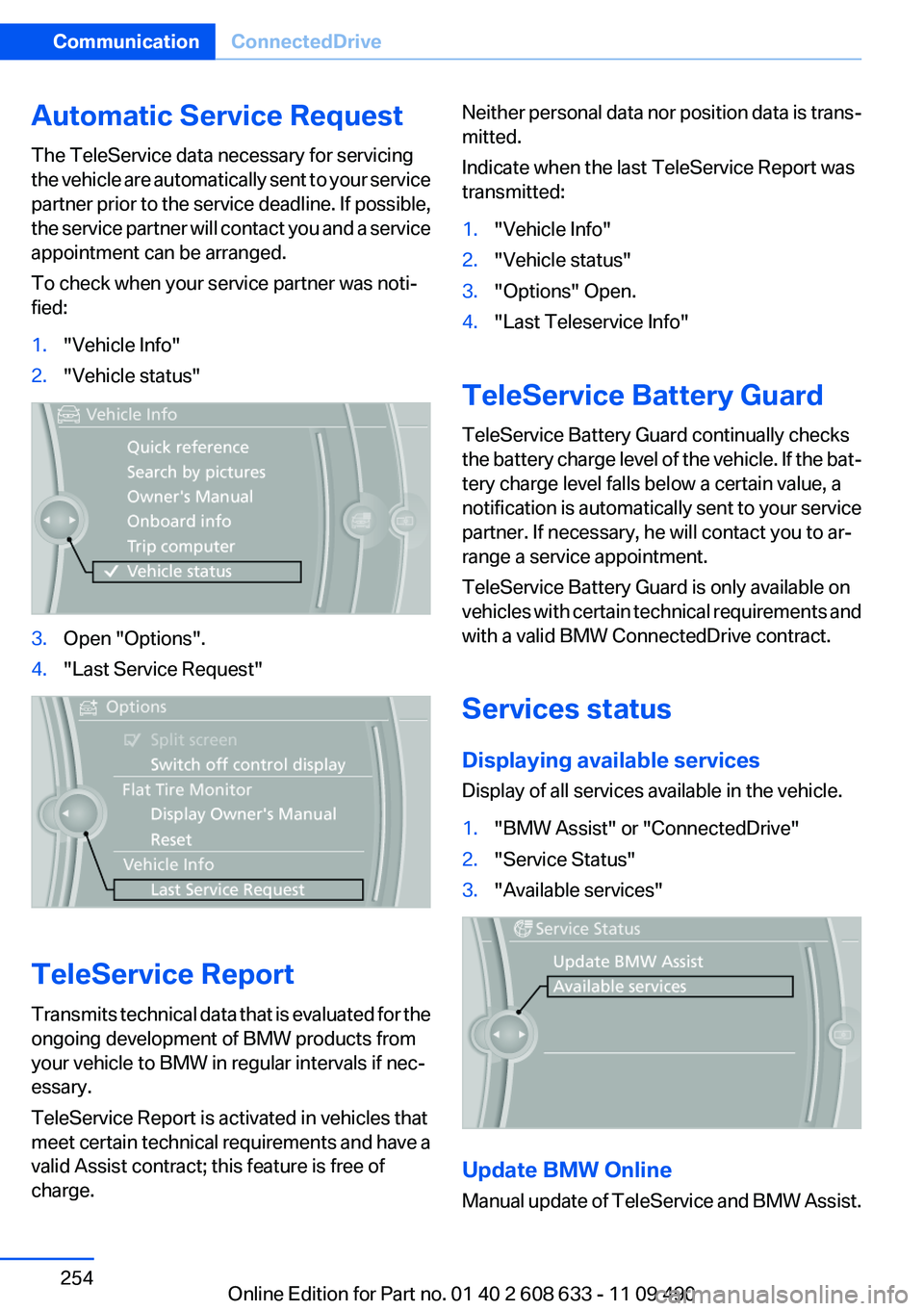
To check when your service partner was noti‐
fied:
1."Vehicle Info"
2."Vehicle status"
3.Open "Options".
4."Last Service Request"
TeleService Report
Transmits technical data that is evaluated for the
ongoing development of BMW products from
your vehicle to BMW in regular intervals if nec‐
essary.
TeleService Report is activated in vehicles that
meet certain technical requirements and have a
valid Assist contract; this feature is free of
charge.
Neither personal data nor position data is trans‐
mitted.
Indicate when the last TeleService Report was
transmitted:
1."Vehicle Info"
2."Vehicle status"
3."Options" Open.
4."Last Teleservice Info"
TeleService Battery Guard
TeleService Battery Guard continually checks
the battery charge level of the vehicle. If the bat‐
tery charge level falls below a certain value, a
notification is automatically sent to your service
partner. If necessary, he will contact you to ar‐
range a service appointment.
TeleService Battery Guard is only available on
vehicles with certain technical requirements and
with a valid BMW ConnectedDrive contract.
Services status
Displaying available services
Display of all services available in the vehicle.
1."BMW Assist" or "ConnectedDrive"
2."Service Status"
3."Available services"
Update BMW Online
Manual update of TeleService and BMW Assist.
Seite 254
CommunicationConnectedDrive
254Online Edition for Part no. 01 40 2 608 633 - 11 09 490