radio BMW 3 SERIES ACTIVE HYBRID 2015 Owner's Manual
[x] Cancel search | Manufacturer: BMW, Model Year: 2015, Model line: 3 SERIES ACTIVE HYBRID, Model: BMW 3 SERIES ACTIVE HYBRID 2015Pages: 251, PDF Size: 5.49 MB
Page 143 of 251
▷By the rear middle sensors at approx.
5 ft/1.50 m.
To ensure full functionality:
▷Do not cover sensors, e.g., with stickers,
bicycle racks.▷Keep the sensors clean and free of ice.▷When using high-pressure washers, do not
spray the sensors for long periods and
maintain a distance of at least 12 in/30 cm.
Hints
Personal responsibility
Even an active system does not relieve
the driver from personal responsibility while
driving.
Technically the system has its limits, it cannot
independently react to all traffic situations.
Monitor your driving, be on the alert, observe
the vehicle surroundings and other traffic and
react when needed - risk of accident.◀
Avoid driving fast with PDC
Avoid approaching an object too fast.
Avoid driving off fast while PDC is not yet ac‐
tive.
For technical reasons, the system may other‐
wise be too late in issuing a warning.◀
Overview
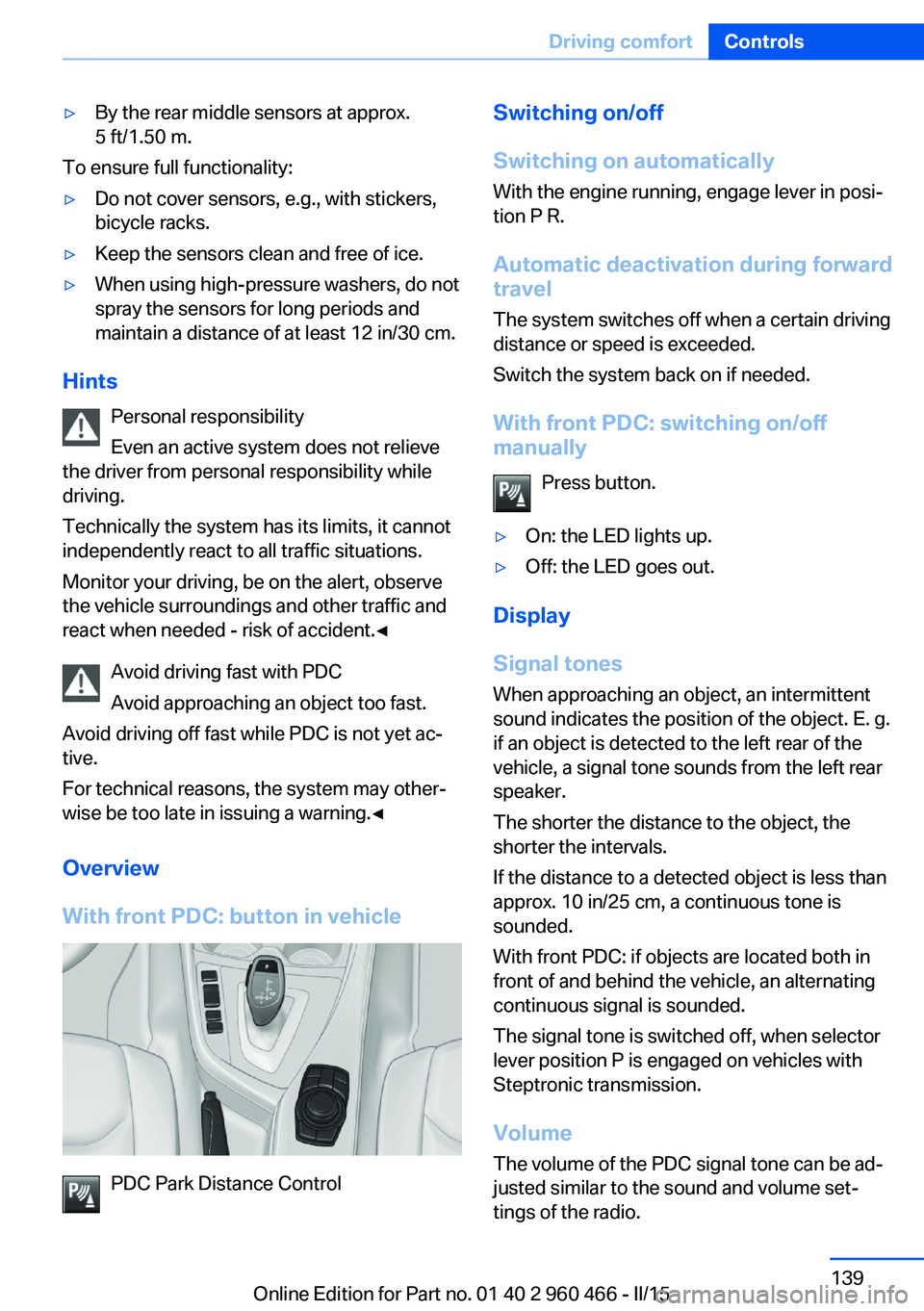
With front PDC: button in vehicle
PDC Park Distance Control
Switching on/off
Switching on automatically With the engine running, engage lever in posi‐
tion P R.
Automatic deactivation during forward travel
The system switches off when a certain driving
distance or speed is exceeded.
Switch the system back on if needed.
With front PDC: switching on/off
manually
Press button.▷On: the LED lights up.▷Off: the LED goes out.
Display
Signal tones When approaching an object, an intermittent
sound indicates the position of the object. E. g.
if an object is detected to the left rear of the
vehicle, a signal tone sounds from the left rear
speaker.
The shorter the distance to the object, the shorter the intervals.
If the distance to a detected object is less than
approx. 10 in/25 cm, a continuous tone is
sounded.
With front PDC: if objects are located both in
front of and behind the vehicle, an alternating
continuous signal is sounded.
The signal tone is switched off, when selector
lever position P is engaged on vehicles with
Steptronic transmission.
Volume The volume of the PDC signal tone can be ad‐
justed similar to the sound and volume set‐
tings of the radio.
Seite 139Driving comfortControls139
Online Edition for Part no. 01 40 2 960 466 - II/15
Page 159 of 251
The symbol on the automatic climate con‐
trol flashes if the system is switched on.
Preselecting the reel-on time
On the Control Display:1."Settings"2."Climate"3."Timer 1:" or "Timer 2:"4.Set the desired time.
Activating the reel-on time
On the Control Display:
1."Settings"2."Climate"3."Activate timer 1" or "Activate timer 2"
The symbol on the automatic climate con‐
trol lights up when the reel-on time is acti‐
vated.
The symbol on the automatic climate con‐
trol flashes when the system has been
switched on.
The system will only be switched on within the
next 24 hours. After that, it needs to be reacti‐
vated.
Residual cooling
When the automatic climate control has re‐
duced the interior temperature, this tempera‐
ture can be maintained after the engine has
been switched off. This function can be acti‐
vated up to 15 minutes after the engine is
switched off and for a maximum period of 6 mi‐
nutes.
Functional requirement
▷The high-voltage battery is sufficiently
charged.▷External temperature at least ap‐
prox. 59 ℉/15 ℃.Switching on1.Switch off the ignition.2. Press the right side of the button
on the driver's side.
The symbol appears on the automatic cli‐
mate Control Display.
The interior temperature, air flow and air distri‐
bution can be adjusted with the radio-ready
state switched on.
Switch off At the lowest fan speed, press the left
side of the button on the driver's side.
The symbol on the automatic climate Con‐
trol Display disappears.
Auxiliary air conditioning The conceptAuxiliary air conditioning cools the heated ve‐
hicle interior immediately prior to driving off.
The automatic climate control lowers the inte‐
rior temperature with high cooling output.
The auxiliary air conditioning can be switched
on or off using the remote control.
The system is activated for approx. two mi‐
nutes.
Functional requirement
Auxiliary air conditioning
▷With remote control: external temperature
above approx. 59 ℉/15 ℃.▷The high-voltage battery is sufficiently
charged.Seite 155Climate controlControls155
Online Edition for Part no. 01 40 2 960 466 - II/15
Page 226 of 251
Breakdown assistanceVehicle features and options
This chapter describes all standard, country-
specific and optional features offered with the
series. It also describes features that are not
necessarily available in your car, e. g., due to
the selected options or country versions. This
also applies to safety-related functions and
systems. The respectively applicable country
provisions must be observed when using the
respective features and systems.
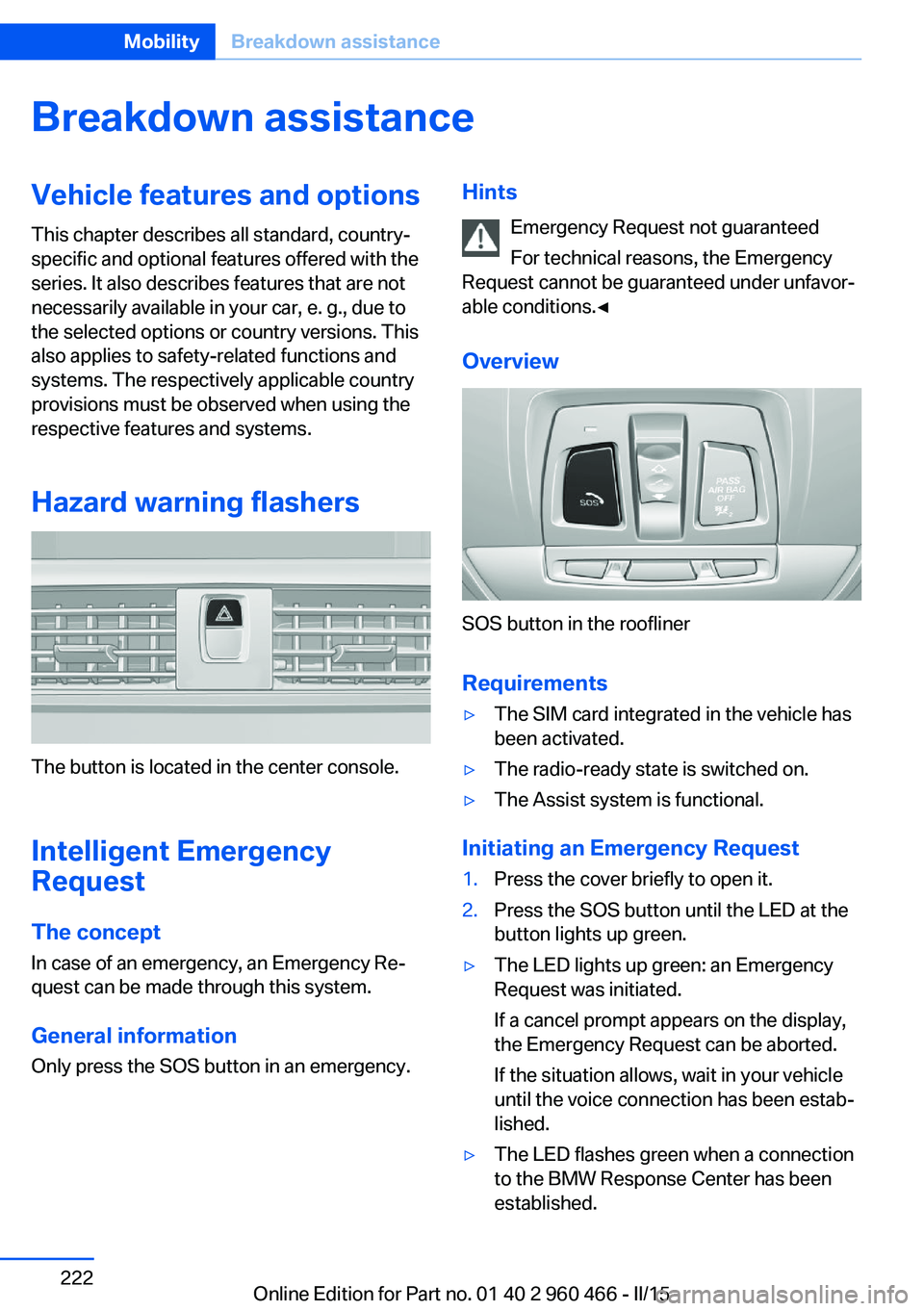
Hazard warning flashers
The button is located in the center console.
Intelligent Emergency
Request
The concept In case of an emergency, an Emergency Re‐
quest can be made through this system.
General information
Only press the SOS button in an emergency.
Hints
Emergency Request not guaranteed
For technical reasons, the Emergency
Request cannot be guaranteed under unfavor‐
able conditions.◀
Overview
SOS button in the roofliner
Requirements
▷The SIM card integrated in the vehicle has
been activated.▷The radio-ready state is switched on.▷The Assist system is functional.
Initiating an Emergency Request
1.Press the cover briefly to open it.2.Press the SOS button until the LED at the
button lights up green.▷The LED lights up green: an Emergency
Request was initiated.
If a cancel prompt appears on the display,
the Emergency Request can be aborted.
If the situation allows, wait in your vehicle
until the voice connection has been estab‐
lished.▷The LED flashes green when a connection
to the BMW Response Center has been
established.Seite 222MobilityBreakdown assistance222
Online Edition for Part no. 01 40 2 960 466 - II/15
Page 228 of 251
PreparationBodywork contact between vehicles
Make sure that there is no contact be‐
tween the bodywork of the two vehicles; other‐
wise, there is a danger of short circuits.◀1.Check whether the battery of the other ve‐
hicle has a voltage of 12 volts. This infor‐
mation can be found on the battery.2.Switch off the engine of the assisting vehi‐
cle.3.Switch off any electronic systems/power
consumers in both vehicles.
Starting aid terminals
Connecting order
Connect the jumper cables in the correct
order to prevent risk of injury from arcing.◀
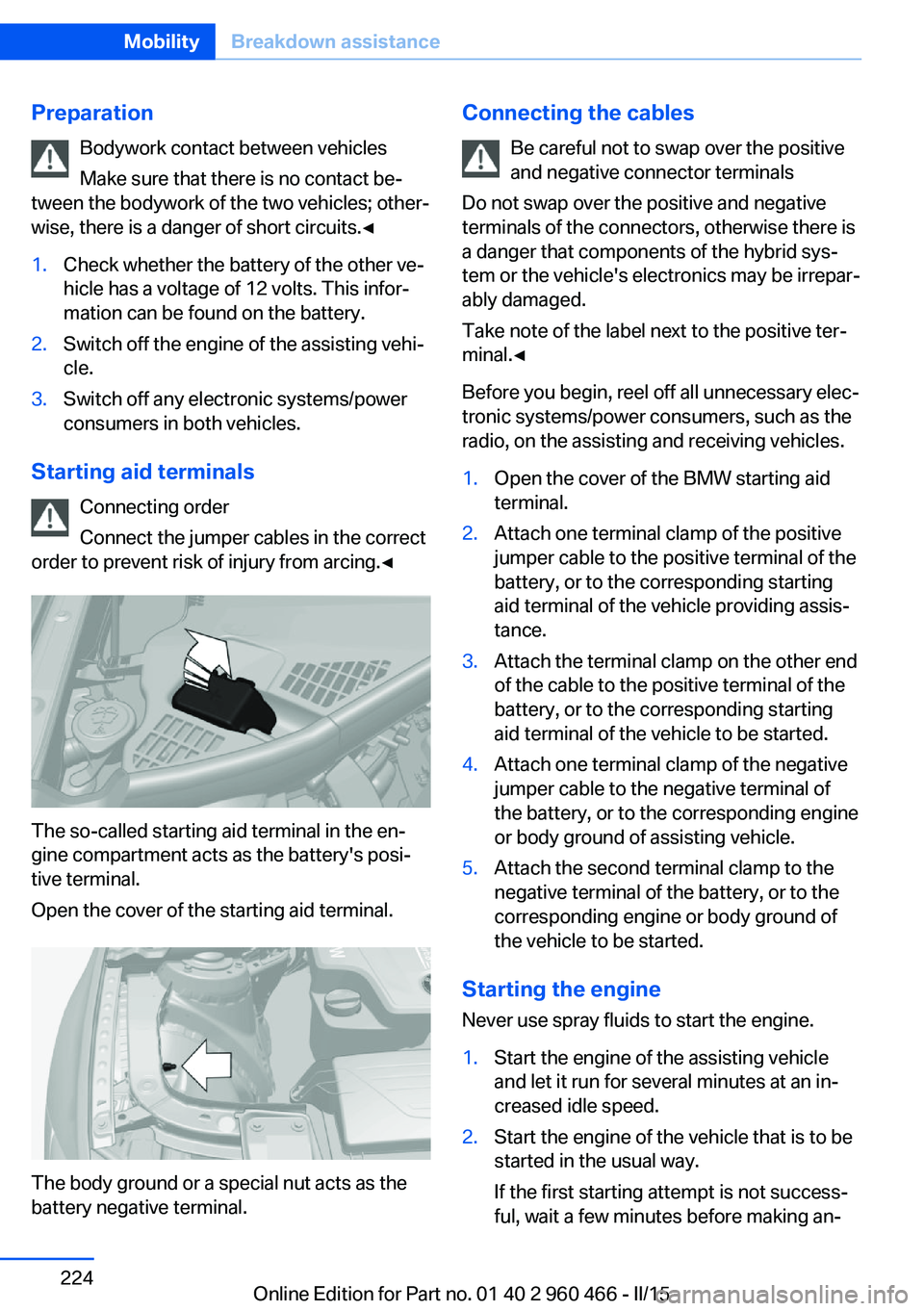
The so-called starting aid terminal in the en‐
gine compartment acts as the battery's posi‐
tive terminal.
Open the cover of the starting aid terminal.
The body ground or a special nut acts as the
battery negative terminal.
Connecting the cables
Be careful not to swap over the positive
and negative connector terminals
Do not swap over the positive and negative
terminals of the connectors, otherwise there is
a danger that components of the hybrid sys‐
tem or the vehicle's electronics may be irrepar‐
ably damaged.
Take note of the label next to the positive ter‐
minal.◀
Before you begin, reel off all unnecessary elec‐
tronic systems/power consumers, such as the
radio, on the assisting and receiving vehicles.1.Open the cover of the BMW starting aid
terminal.2.Attach one terminal clamp of the positive
jumper cable to the positive terminal of the
battery, or to the corresponding starting
aid terminal of the vehicle providing assis‐
tance.3.Attach the terminal clamp on the other end
of the cable to the positive terminal of the
battery, or to the corresponding starting
aid terminal of the vehicle to be started.4.Attach one terminal clamp of the negative
jumper cable to the negative terminal of
the battery, or to the corresponding engine
or body ground of assisting vehicle.5.Attach the second terminal clamp to the
negative terminal of the battery, or to the
corresponding engine or body ground of
the vehicle to be started.
Starting the engine
Never use spray fluids to start the engine.
1.Start the engine of the assisting vehicle
and let it run for several minutes at an in‐
creased idle speed.2.Start the engine of the vehicle that is to be
started in the usual way.
If the first starting attempt is not success‐
ful, wait a few minutes before making an‐Seite 224MobilityBreakdown assistance224
Online Edition for Part no. 01 40 2 960 466 - II/15
Page 246 of 251
Oil, adding 206
Oil additives 206
Oil change 207
Oil change interval, service requirements 89
Oil filler neck 206
Oil types, alternative 207
Oil types, approved 207
Old batteries, disposal 220
On-board computer 92
Onboard monitor, refer to Control Display 18
Onboard vehicle tool kit 211
Opening/closing via door lock 43
Opening and closing 38
Opening and closing, without remote control 43
Opening and closing, with re‐ mote control 41
Opening the trunk lid with no- touch activation 46
Operating concept, iDrive 18
Optional equipment, standard equipment 7
Outside air, refer to Auto‐ matic recirculated-air con‐
trol 153
Overheating of engine, refer to Coolant temperature 88
P Paint, vehicle 229
Parallel parking assistant 146
Park Distance Control PDC 138
Parked-car ventilation 154
Parked vehicle, condensa‐ tion 176
Parking aid, refer to PDC 138
Parking assistant 146
Parking brake 73
Parking lights 98
Parts and accessories 8 Passenger side mirror, tilting
downward 62
Pathway lines, rearview cam‐ era 142
PDC Park Distance Con‐ trol 138
Pedestrian warning with city braking function 118
Personal Profile 39
Personal Profile, exporting profiles 40
Personal Profile, importing profiles 41
Pinch protection system, glass sunroof 52
Pinch protection system, win‐ dows 50
Plastic, care 230
Power failure 220
Power sunroof, glass 51
Power windows 50
Pressure, tire air pres‐ sure 192
Pressure warning FTM, tires 110
Profile, refer to Personal Pro‐ file 39
Programmable memory but‐ tons, iDrive 24
Protective function, glass sunroof 52
Protective function, win‐ dows 50
Push-and-turn switch, refer to Controller 18, 19
R Radiator fluid 208
Radio-operated key, refer to Remote control 38
Radio ready state 68
Radio, see user's manual for Navigation, Entertainment
and Communication
Rain sensor 75 Rear lights 219
Rear socket 162
Rear turn signal, bulb replace‐ ment 217
Rearview camera 141
Rearview mirror 61
Rear window defroster 153
Recirculated-air filter 154
Recirculated-air mode 153
Recommended fuel grade 190
Recommended tire brands 197
Refueling 188
Remaining range 89
Remote control/key 38
Remote control, auxiliary air conditioning, key 156
Remote control, malfunc‐ tion 42
Remote control, univer‐ sal 157
Replacement fuse 220
Replacing parts 211
Replacing wheels/tires 197
Reporting safety defects 10
RES button 133
RES button, see Active Cruise Control, ACC 130
RES button, see Cruise con‐ trol 136
Reserve warning, refer to Range 89
Reset, Tire Pressure Monitor TPM 107
Residual cooling 155
Retaining straps, securing cargo 178
Retreaded tires 197
Roadside parking lights 99
Roller sunblinds 51
RON recommended fuel grade 190
Roofliner 17
Roof load lidacity 235 Seite 242ReferenceEverything from A to Z242
Online Edition for Part no. 01 40 2 960 466 - II/15