ECU BMW 3 SERIES ACTIVE HYBRID 2015 Owner's Guide
[x] Cancel search | Manufacturer: BMW, Model Year: 2015, Model line: 3 SERIES ACTIVE HYBRID, Model: BMW 3 SERIES ACTIVE HYBRID 2015Pages: 251, PDF Size: 5.49 MB
Page 224 of 251
Vehicle batteryMaintenance
The battery is maintenance-free.
The added amount of acid is sufficient for the
service life of the battery.
Further information about the battery can be
obtained from your service center.
Battery replacement Use approved vehicle batteries only
Only use vehicle batteries that have been
approved for your vehicle by the manufacturer;
otherwise, the vehicle could be damaged and
systems or functions may not be fully availa‐
ble.◀
After a battery replacement, have the battery
registered on the vehicle by the service center
to ensure that all comfort features are fully
available and that any Check Control mes‐
sages of these comfort features are no longer
displayed.
Charging the battery
General information Make sure that the battery is always suffi‐
ciently charged to guarantee that the battery
remains usable for its full service life.
The battery may need to be charged in the fol‐
lowing cases:▷When making frequent short-distance
drives.▷If the vehicle is not used for prolonged pe‐
riods, longer than a month.
Hints
Do not connect charging devices to the
12 volt socket in the vehicle
Do not connect battery chargers to the fac‐
tory-installed 12 volt sockets in the vehicle as
this may damage the vehicle battery due to an
increased power consumption.◀
Starting aid terminals In the vehicle, only charge the battery via thestarting aid terminals, refer to page 224, in the
engine compartment with the engine off.
Power failure After a temporary power loss, some equipment
needs to be newly initialized or individual set‐
tings updated, e. g.:▷Seat and mirror memory: store the posi‐
tions again.▷Time: update.▷Date: update.▷Glass sunroof and sliding visor: initialize
the system, refer to page 53.
Disposing of old batteries
Have old batteries disposed of by your
service center or bring them to a recy‐
cling center.
Maintain the battery in an upright position for
transport and storage. Secure the battery so
that it does not tip over during transport.
Fuses Hints Replacing fuses
Never attempt to repair a blown fuse and
do not replace a defective fuse with a substi‐
tute of another color or amperage rating; this
could lead to a circuit overload, ultimately re‐
sulting in a fire in the vehicle.◀
Plastic tweezers and information on the fuse
types and locations are stored in the fuse box
in the trunk.
Seite 220MobilityReplacing components220
Online Edition for Part no. 01 40 2 960 466 - II/15
Page 229 of 251
other attempt in order to allow the dis‐
charged battery to recharge.3.Let both engines run for several minutes.4.Disconnect the jumper cables in the re‐
verse order.
Check the battery and recharge if needed.
Tow-starting and towing Note Tow-starting and towing
For tow-starting or towing, switch off the
Intelligent Safety systems; otherwise malfunc‐
tions of the individual braking systems might
lead to accidents.◀
Steptronic transmission: transporting
your vehicle
Note Your vehicle is not permitted to be towed.
Therefore, contact a service center in the
event of a breakdown.
Do not have the vehicle towed
Have your vehicle transported on a load‐
ing platform only; otherwise, damage may oc‐
cur.◀
Tow truck
The vehicle should only be transported on a
loading platform.
Do not lift the vehicle
Do not lift the vehicle by the tow fitting or
body and chassis parts; otherwise, damage
may result.◀
Use tow fitting located in the front only for po‐
sitioning the vehicle.
Towing other vehicles
Hints Light towing vehicle
The towing vehicle must not be lighter
than the vehicle being towed; otherwise, it will
not be possible to control the vehicle's re‐
sponse.◀
Attaching the tow bar/tow rope correctly
Attach the tow bar or tow rope to the tow
fitting; connecting it to other vehicle parts may
cause damage.◀▷Switch on the hazard warning system, de‐
pending on local regulations.▷If the electrical system has failed, clearly
identify the vehicle being towed by placing
a sign or a warning triangle in the rear win‐
dow.
Tow bar
The tow fittings used should be on the same
side on both vehicles.
Should it prove impossible to avoid mounting
the tow bar at an offset angle, please observe
the following:
▷Maneuvering capability is limited going
around corners.▷The tow bar will generate lateral forces if it
is secured with an offset.
Tow rope
When starting to tow the vehicle, make sure
that the tow rope is taut.
Seite 225Breakdown assistanceMobility225
Online Edition for Part no. 01 40 2 960 466 - II/15
Page 231 of 251
▷Secure the crash site.▷Immediately notify rescue forces, police, or
firefighters of the fact that your vehicle is
equipped with a high-voltage system.▷Engage selector lever position P, apply the
parking brake, and reel off the ignition or
deactivate drive readiness.▷Lock the vehicle after exiting.▷Do not inhale any gases esliding from the
high-voltage battery; if needed, maintain a
safe distance from the vehicle.Seite 227Breakdown assistanceMobility227
Online Edition for Part no. 01 40 2 960 466 - II/15
Page 235 of 251
Carpets and floor matsNo objects in the area around the pedals
Keep floor mats, carpets, and any other
objects out of the pedal area; otherwise, the
function of the pedals could be impeded while driving and create the risk of an accident.
Do not place additional floor mats over existing
mats or other objects.
Only use floor mats that have been approved
for the vehicle and can be properly attached to
floor.
Ensure that the floor mats are securely fas‐
tened again after they were removed for clean‐
ing, e.g.◀
Floor mats can be removed from the car's inte‐
rior for cleaning.
If the floor carpets are very dirty, clean with a microfiber cloth and water or a textile cleaner.
To prevent matting of the carpet, rub back and
forth in the direction of travel only.
Sensor/camera lenses To clean sensors and camera lenses, use a
cloth moistened with a small amount of glass
detergent.
Displays/monitors Cleaning displays and screens
Do not use any chemical or household
cleaning agents; otherwise, surfaces can be af‐
fected.◀
Keeping out moisture
Keep all fluids and moisture away from
the unit; otherwise, electrical components can
be damaged.◀
Avoid pressure
Avoid pressing too hard when cleaning
and do not use abrasive materials; otherwise,
damage can result.◀
Clean with a clean, antistatic microfiber cloth.Long-term For idle phases that last several weeks, park
the vehicle with a fully charged battery if possi‐
ble. Your service center can advise you on
what to consider when storing the vehicle for
longer than six weeks.
Do not allow the vehicle to sit idle for ex‐
tended periods with a low charging state
Before storing the vehicle for an extended pe‐
riod, check the battery charge indicator to en‐
sure that the high-voltage battery is fully
charged. If necessary, charge the high-voltage
battery by driving the vehicle. Check the
charge level regularly, and if needed recharge
the high-voltage battery by driving the vehicle.
Don't allow battery charge status to drop too
low - it will damage the battery.◀
Note Follow the instructions for discharging thehigh-voltage battery, refer to page 173.Seite 231CareMobility231
Online Edition for Part no. 01 40 2 960 466 - II/15
Page 241 of 251
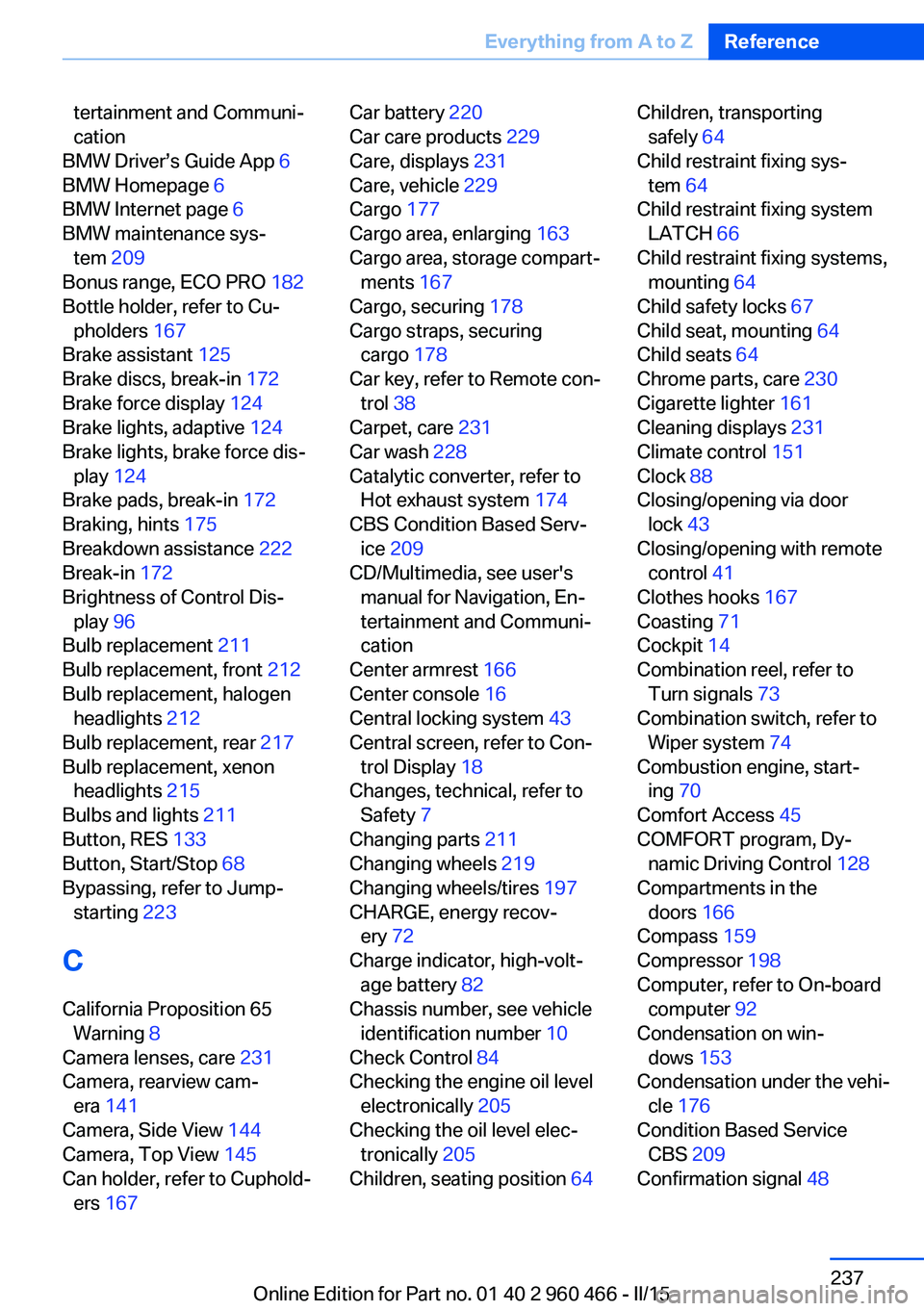
tertainment and Communi‐
cation
BMW Driver’s Guide App 6
BMW Homepage 6
BMW Internet page 6
BMW maintenance sys‐ tem 209
Bonus range, ECO PRO 182
Bottle holder, refer to Cu‐ pholders 167
Brake assistant 125
Brake discs, break-in 172
Brake force display 124
Brake lights, adaptive 124
Brake lights, brake force dis‐ play 124
Brake pads, break-in 172
Braking, hints 175
Breakdown assistance 222
Break-in 172
Brightness of Control Dis‐ play 96
Bulb replacement 211
Bulb replacement, front 212
Bulb replacement, halogen headlights 212
Bulb replacement, rear 217
Bulb replacement, xenon headlights 215
Bulbs and lights 211
Button, RES 133
Button, Start/Stop 68
Bypassing, refer to Jump- starting 223
C
California Proposition 65 Warning 8
Camera lenses, care 231
Camera, rearview cam‐ era 141
Camera, Side View 144
Camera, Top View 145
Can holder, refer to Cuphold‐ ers 167 Car battery 220
Car care products 229
Care, displays 231
Care, vehicle 229
Cargo 177
Cargo area, enlarging 163
Cargo area, storage compart‐ ments 167
Cargo, securing 178
Cargo straps, securing cargo 178
Car key, refer to Remote con‐ trol 38
Carpet, care 231
Car wash 228
Catalytic converter, refer to Hot exhaust system 174
CBS Condition Based Serv‐ ice 209
CD/Multimedia, see user's manual for Navigation, En‐
tertainment and Communi‐
cation
Center armrest 166
Center console 16
Central locking system 43
Central screen, refer to Con‐ trol Display 18
Changes, technical, refer to Safety 7
Changing parts 211
Changing wheels 219
Changing wheels/tires 197
CHARGE, energy recov‐ ery 72
Charge indicator, high-volt‐ age battery 82
Chassis number, see vehicle identification number 10
Check Control 84
Checking the engine oil level electronically 205
Checking the oil level elec‐ tronically 205
Children, seating position 64 Children, transporting
safely 64
Child restraint fixing sys‐ tem 64
Child restraint fixing system LATCH 66
Child restraint fixing systems, mounting 64
Child safety locks 67
Child seat, mounting 64
Child seats 64
Chrome parts, care 230
Cigarette lighter 161
Cleaning displays 231
Climate control 151
Clock 88
Closing/opening via door lock 43
Closing/opening with remote control 41
Clothes hooks 167
Coasting 71
Cockpit 14
Combination reel, refer to Turn signals 73
Combination switch, refer to Wiper system 74
Combustion engine, start‐ ing 70
Comfort Access 45
COMFORT program, Dy‐ namic Driving Control 128
Compartments in the doors 166
Compass 159
Compressor 198
Computer, refer to On-board computer 92
Condensation on win‐ dows 153
Condensation under the vehi‐ cle 176
Condition Based Service CBS 209
Confirmation signal 48 Seite 237Everything from A to ZReference237
Online Edition for Part no. 01 40 2 960 466 - II/15
Page 243 of 251
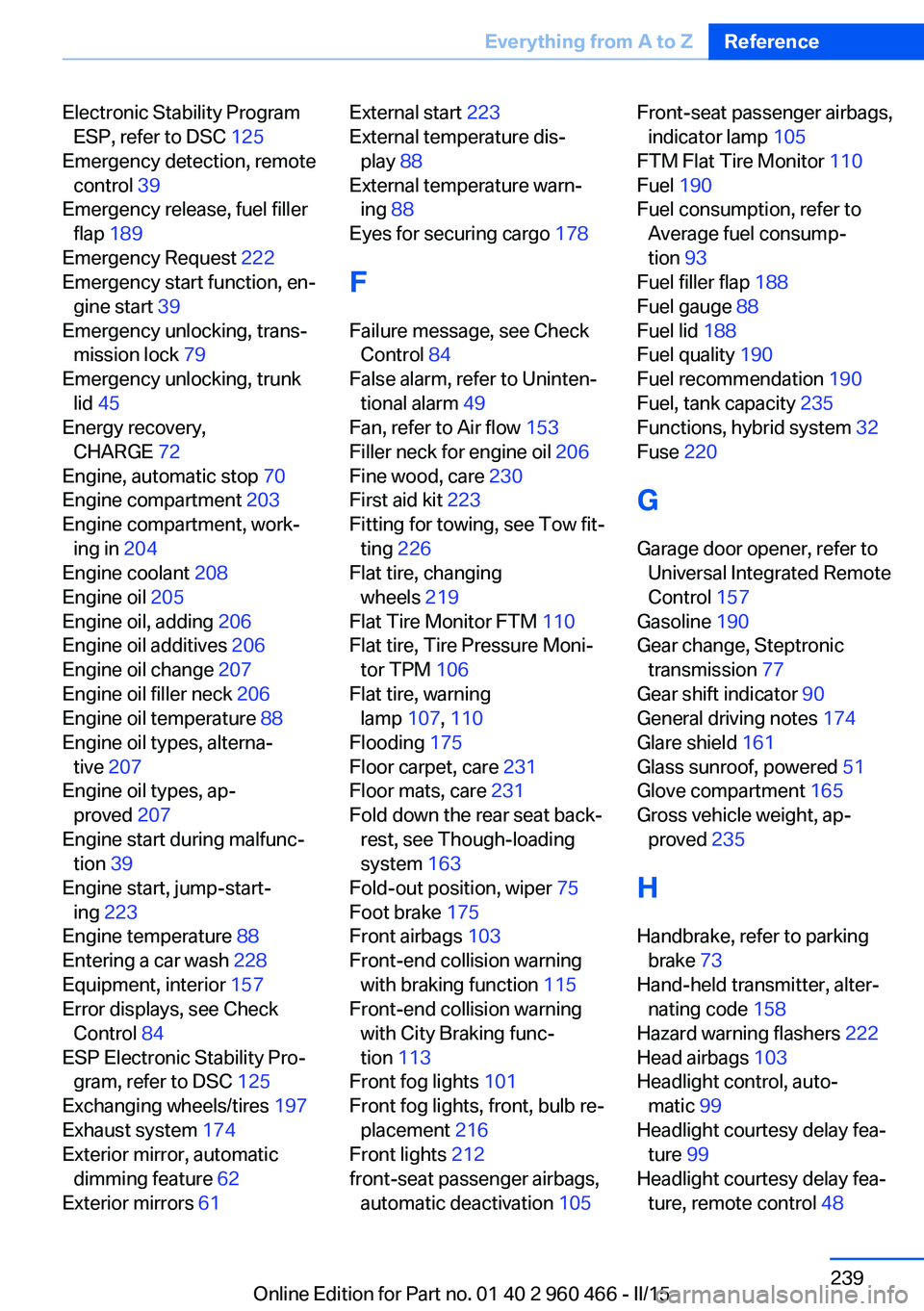
Electronic Stability ProgramESP, refer to DSC 125
Emergency detection, remote control 39
Emergency release, fuel filler flap 189
Emergency Request 222
Emergency start function, en‐ gine start 39
Emergency unlocking, trans‐ mission lock 79
Emergency unlocking, trunk lid 45
Energy recovery, CHARGE 72
Engine, automatic stop 70
Engine compartment 203
Engine compartment, work‐ ing in 204
Engine coolant 208
Engine oil 205
Engine oil, adding 206
Engine oil additives 206
Engine oil change 207
Engine oil filler neck 206
Engine oil temperature 88
Engine oil types, alterna‐ tive 207
Engine oil types, ap‐ proved 207
Engine start during malfunc‐ tion 39
Engine start, jump-start‐ ing 223
Engine temperature 88
Entering a car wash 228
Equipment, interior 157
Error displays, see Check Control 84
ESP Electronic Stability Pro‐ gram, refer to DSC 125
Exchanging wheels/tires 197
Exhaust system 174
Exterior mirror, automatic dimming feature 62
Exterior mirrors 61 External start 223
External temperature dis‐ play 88
External temperature warn‐ ing 88
Eyes for securing cargo 178
F
Failure message, see Check Control 84
False alarm, refer to Uninten‐ tional alarm 49
Fan, refer to Air flow 153
Filler neck for engine oil 206
Fine wood, care 230
First aid kit 223
Fitting for towing, see Tow fit‐ ting 226
Flat tire, changing wheels 219
Flat Tire Monitor FTM 110
Flat tire, Tire Pressure Moni‐ tor TPM 106
Flat tire, warning lamp 107, 110
Flooding 175
Floor carpet, care 231
Floor mats, care 231
Fold down the rear seat back‐ rest, see Though-loading
system 163
Fold-out position, wiper 75
Foot brake 175
Front airbags 103
Front-end collision warning with braking function 115
Front-end collision warning with City Braking func‐
tion 113
Front fog lights 101
Front fog lights, front, bulb re‐ placement 216
Front lights 212
front-seat passenger airbags, automatic deactivation 105 Front-seat passenger airbags,
indicator lamp 105
FTM Flat Tire Monitor 110
Fuel 190
Fuel consumption, refer to Average fuel consump‐
tion 93
Fuel filler flap 188
Fuel gauge 88
Fuel lid 188
Fuel quality 190
Fuel recommendation 190
Fuel, tank capacity 235
Functions, hybrid system 32
Fuse 220
G
Garage door opener, refer to Universal Integrated Remote
Control 157
Gasoline 190
Gear change, Steptronic transmission 77
Gear shift indicator 90
General driving notes 174
Glare shield 161
Glass sunroof, powered 51
Glove compartment 165
Gross vehicle weight, ap‐ proved 235
H
Handbrake, refer to parking brake 73
Hand-held transmitter, alter‐ nating code 158
Hazard warning flashers 222
Head airbags 103
Headlight control, auto‐ matic 99
Headlight courtesy delay fea‐ ture 99
Headlight courtesy delay fea‐ ture, remote control 48 Seite 239Everything from A to ZReference239
Online Edition for Part no. 01 40 2 960 466 - II/15
Page 245 of 251
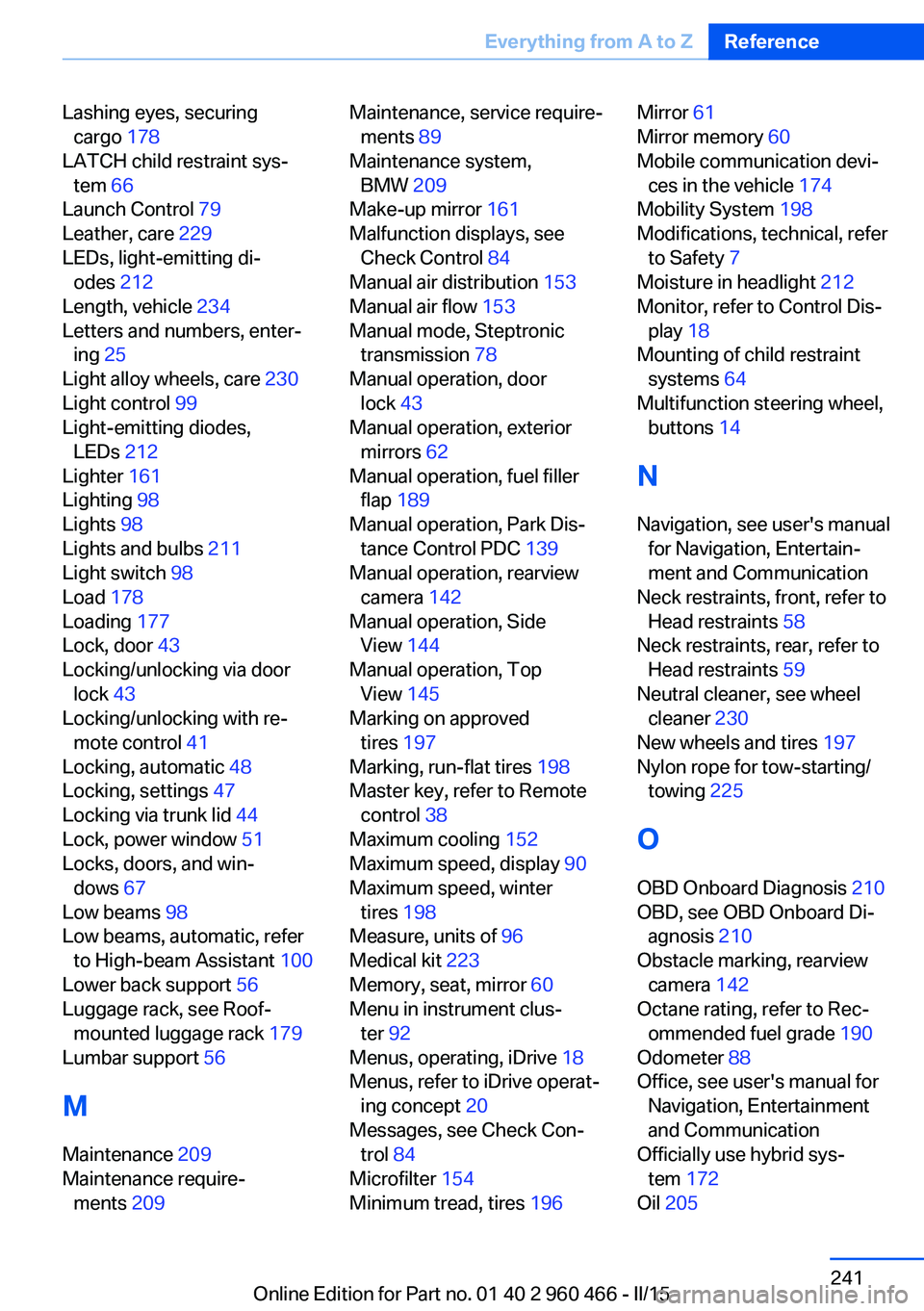
Lashing eyes, securingcargo 178
LATCH child restraint sys‐ tem 66
Launch Control 79
Leather, care 229
LEDs, light-emitting di‐ odes 212
Length, vehicle 234
Letters and numbers, enter‐ ing 25
Light alloy wheels, care 230
Light control 99
Light-emitting diodes, LEDs 212
Lighter 161
Lighting 98
Lights 98
Lights and bulbs 211
Light switch 98
Load 178
Loading 177
Lock, door 43
Locking/unlocking via door lock 43
Locking/unlocking with re‐ mote control 41
Locking, automatic 48
Locking, settings 47
Locking via trunk lid 44
Lock, power window 51
Locks, doors, and win‐ dows 67
Low beams 98
Low beams, automatic, refer to High-beam Assistant 100
Lower back support 56
Luggage rack, see Roof- mounted luggage rack 179
Lumbar support 56
M
Maintenance 209
Maintenance require‐ ments 209 Maintenance, service require‐
ments 89
Maintenance system, BMW 209
Make-up mirror 161
Malfunction displays, see Check Control 84
Manual air distribution 153
Manual air flow 153
Manual mode, Steptronic transmission 78
Manual operation, door lock 43
Manual operation, exterior mirrors 62
Manual operation, fuel filler flap 189
Manual operation, Park Dis‐ tance Control PDC 139
Manual operation, rearview camera 142
Manual operation, Side View 144
Manual operation, Top View 145
Marking on approved tires 197
Marking, run-flat tires 198
Master key, refer to Remote control 38
Maximum cooling 152
Maximum speed, display 90
Maximum speed, winter tires 198
Measure, units of 96
Medical kit 223
Memory, seat, mirror 60
Menu in instrument clus‐ ter 92
Menus, operating, iDrive 18
Menus, refer to iDrive operat‐ ing concept 20
Messages, see Check Con‐ trol 84
Microfilter 154
Minimum tread, tires 196 Mirror 61
Mirror memory 60
Mobile communication devi‐ ces in the vehicle 174
Mobility System 198
Modifications, technical, refer to Safety 7
Moisture in headlight 212
Monitor, refer to Control Dis‐ play 18
Mounting of child restraint systems 64
Multifunction steering wheel, buttons 14
N Navigation, see user's manual for Navigation, Entertain‐
ment and Communication
Neck restraints, front, refer to Head restraints 58
Neck restraints, rear, refer to Head restraints 59
Neutral cleaner, see wheel cleaner 230
New wheels and tires 197
Nylon rope for tow-starting/ towing 225
O OBD Onboard Diagnosis 210
OBD, see OBD Onboard Di‐ agnosis 210
Obstacle marking, rearview camera 142
Octane rating, refer to Rec‐ ommended fuel grade 190
Odometer 88
Office, see user's manual for Navigation, Entertainment
and Communication
Officially use hybrid sys‐ tem 172
Oil 205 Seite 241Everything from A to ZReference241
Online Edition for Part no. 01 40 2 960 466 - II/15
Page 246 of 251
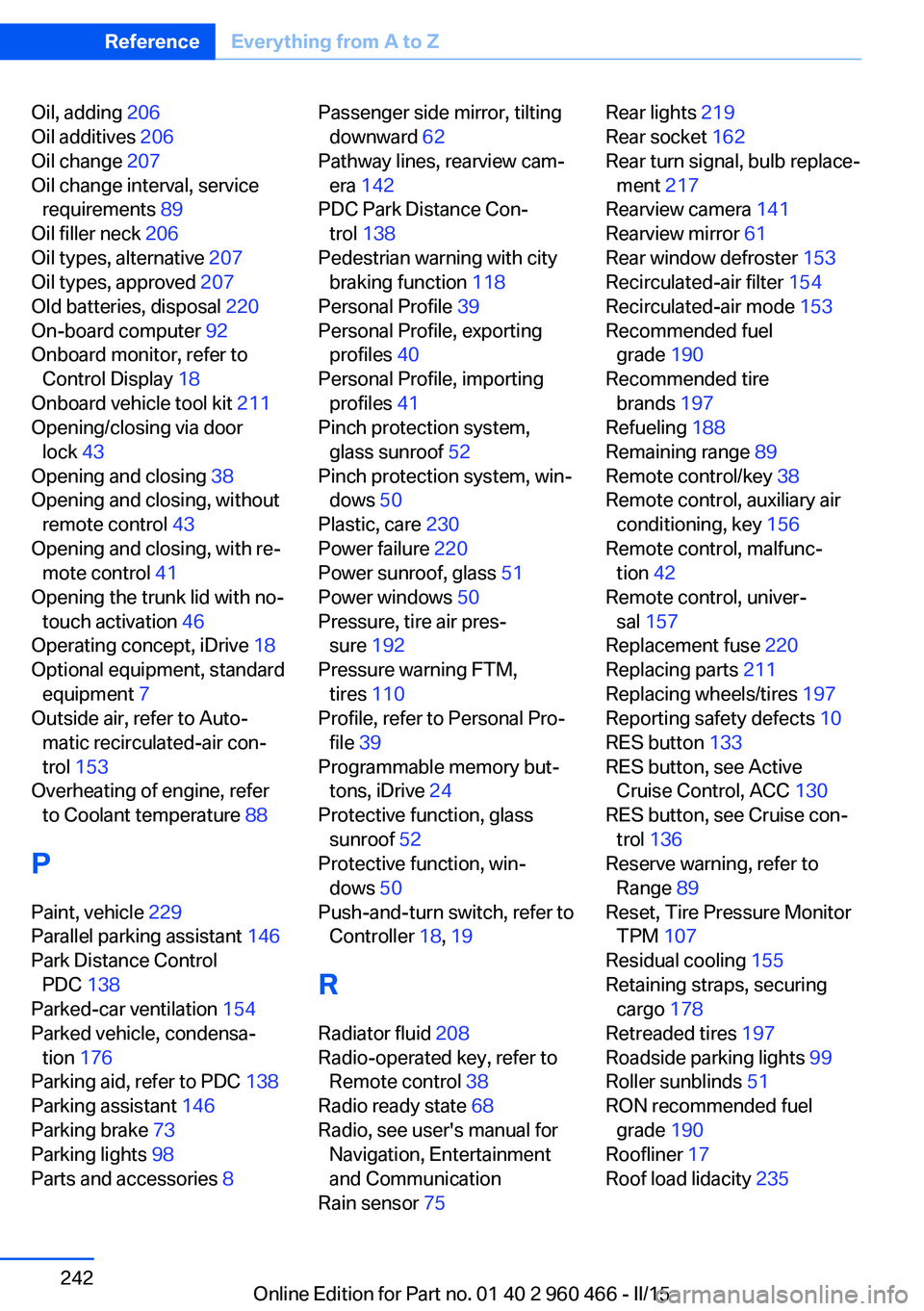
Oil, adding 206
Oil additives 206
Oil change 207
Oil change interval, service requirements 89
Oil filler neck 206
Oil types, alternative 207
Oil types, approved 207
Old batteries, disposal 220
On-board computer 92
Onboard monitor, refer to Control Display 18
Onboard vehicle tool kit 211
Opening/closing via door lock 43
Opening and closing 38
Opening and closing, without remote control 43
Opening and closing, with re‐ mote control 41
Opening the trunk lid with no- touch activation 46
Operating concept, iDrive 18
Optional equipment, standard equipment 7
Outside air, refer to Auto‐ matic recirculated-air con‐
trol 153
Overheating of engine, refer to Coolant temperature 88
P Paint, vehicle 229
Parallel parking assistant 146
Park Distance Control PDC 138
Parked-car ventilation 154
Parked vehicle, condensa‐ tion 176
Parking aid, refer to PDC 138
Parking assistant 146
Parking brake 73
Parking lights 98
Parts and accessories 8 Passenger side mirror, tilting
downward 62
Pathway lines, rearview cam‐ era 142
PDC Park Distance Con‐ trol 138
Pedestrian warning with city braking function 118
Personal Profile 39
Personal Profile, exporting profiles 40
Personal Profile, importing profiles 41
Pinch protection system, glass sunroof 52
Pinch protection system, win‐ dows 50
Plastic, care 230
Power failure 220
Power sunroof, glass 51
Power windows 50
Pressure, tire air pres‐ sure 192
Pressure warning FTM, tires 110
Profile, refer to Personal Pro‐ file 39
Programmable memory but‐ tons, iDrive 24
Protective function, glass sunroof 52
Protective function, win‐ dows 50
Push-and-turn switch, refer to Controller 18, 19
R Radiator fluid 208
Radio-operated key, refer to Remote control 38
Radio ready state 68
Radio, see user's manual for Navigation, Entertainment
and Communication
Rain sensor 75 Rear lights 219
Rear socket 162
Rear turn signal, bulb replace‐ ment 217
Rearview camera 141
Rearview mirror 61
Rear window defroster 153
Recirculated-air filter 154
Recirculated-air mode 153
Recommended fuel grade 190
Recommended tire brands 197
Refueling 188
Remaining range 89
Remote control/key 38
Remote control, auxiliary air conditioning, key 156
Remote control, malfunc‐ tion 42
Remote control, univer‐ sal 157
Replacement fuse 220
Replacing parts 211
Replacing wheels/tires 197
Reporting safety defects 10
RES button 133
RES button, see Active Cruise Control, ACC 130
RES button, see Cruise con‐ trol 136
Reserve warning, refer to Range 89
Reset, Tire Pressure Monitor TPM 107
Residual cooling 155
Retaining straps, securing cargo 178
Retreaded tires 197
Roadside parking lights 99
Roller sunblinds 51
RON recommended fuel grade 190
Roofliner 17
Roof load lidacity 235 Seite 242ReferenceEverything from A to Z242
Online Edition for Part no. 01 40 2 960 466 - II/15