radio controls BMW 3 SERIES COUPE 2013 E92 User Guide
[x] Cancel search | Manufacturer: BMW, Model Year: 2013, Model line: 3 SERIES COUPE, Model: BMW 3 SERIES COUPE 2013 E92Pages: 311, PDF Size: 7.05 MB
Page 109 of 311
104
ControlsTechnology for driving comfort and safety
When driving with damaged tires, the handling
characteristics ch ange, e.g. the vehicle will skid
sooner when braking, braking distances will be
longer, or self-steerin g response will change.
Adapt your driving style accordingly. Avoid
turning abruptly and driving over obstacles
such as curbs, potholes, etc.
Since the possible driving distance depends to
a considerable degree on the strain exerted on
the vehicle while driving, it can be shorter or,
with a gentle driving style, can also be longer,
depending on the speed, road condition, out-
side temperature, vehicle load, etc.
Drive cautiously and do not exceed a
speed of 50 mph/80 km/h.
When there is a tire pressure loss, the handling
characteristics change, e.g. there will be
reduced directional stability during braking,
braking distances will be longer, and self-
steering response will change. <
Vibrations or loud noises while driving can
indicate complete fa ilure of the tire.
Reduce your speed and bring the vehicle to a
stop; otherwise, tire components may become
detached, which could result in an accident. Do
not continue driving; instead, contact your
BMW center. <
Message for unsuccessful system
reset
Yellow warning lamp lights up. A
message appears on the Control Dis-
play.
The system has detected a wheel change, but
was not reset. A reliable warning is not possible
at the current inflation pressures.
Check the tire inflation pressure and reset the
system, refer to page 103.
Malfunction
The small warning lamp flashes in
yellow and then lights up continu-
ously; the large warning lamp lights
up in yellow. The tires appear in gray
in the Control Display. No punctures can be
detected.
Display in the follo wing situations:
> A wheel without TPM electronics has been
installed:
Have it checked by your BMW center.
> Malfunction
Have the system checked.
> Tire Pressure Monitor was unable to
complete the resetting process. Reset the
system again.
The small warning lamp flashes in
yellow and then lights up continu-
ously; the large warning lamp lights
up in yellow. The tires appear in gray
in the Control Display. No punctures can be
detected.
Display in the follo wing situations:
> Interference from systems or devices that
use the same radio frequency:
The system automatica lly becomes active
again when the vehicl e moves out of the
interference zone.
Declaration according to NHTSA/
FMVSS 138
Tire Pressure Monitoring Systems
Each tire should be checked monthly when cold
and inflated to the inflation pressure recom-
mended by the vehicle manufacturer on the
vehicle placard or tire infl ation pressure label. If
your vehicle has tires of a different size than the
size indicated on the vehicle placard or tire infla-
tion pressure label, yo u should determine the
proper tire inflation pressure for those tires. As
an added safety feature, your vehicle has been
equipped with a tire pressure monitoring sys-
tem, TPMS, that illuminate s a low tire pressure
telltale when one or more of your tires are signif-
00320051004F004C00510048000300280047004C0057004C005200510003
Page 113 of 311
108
ControlsTechnology for driving comfort and safety
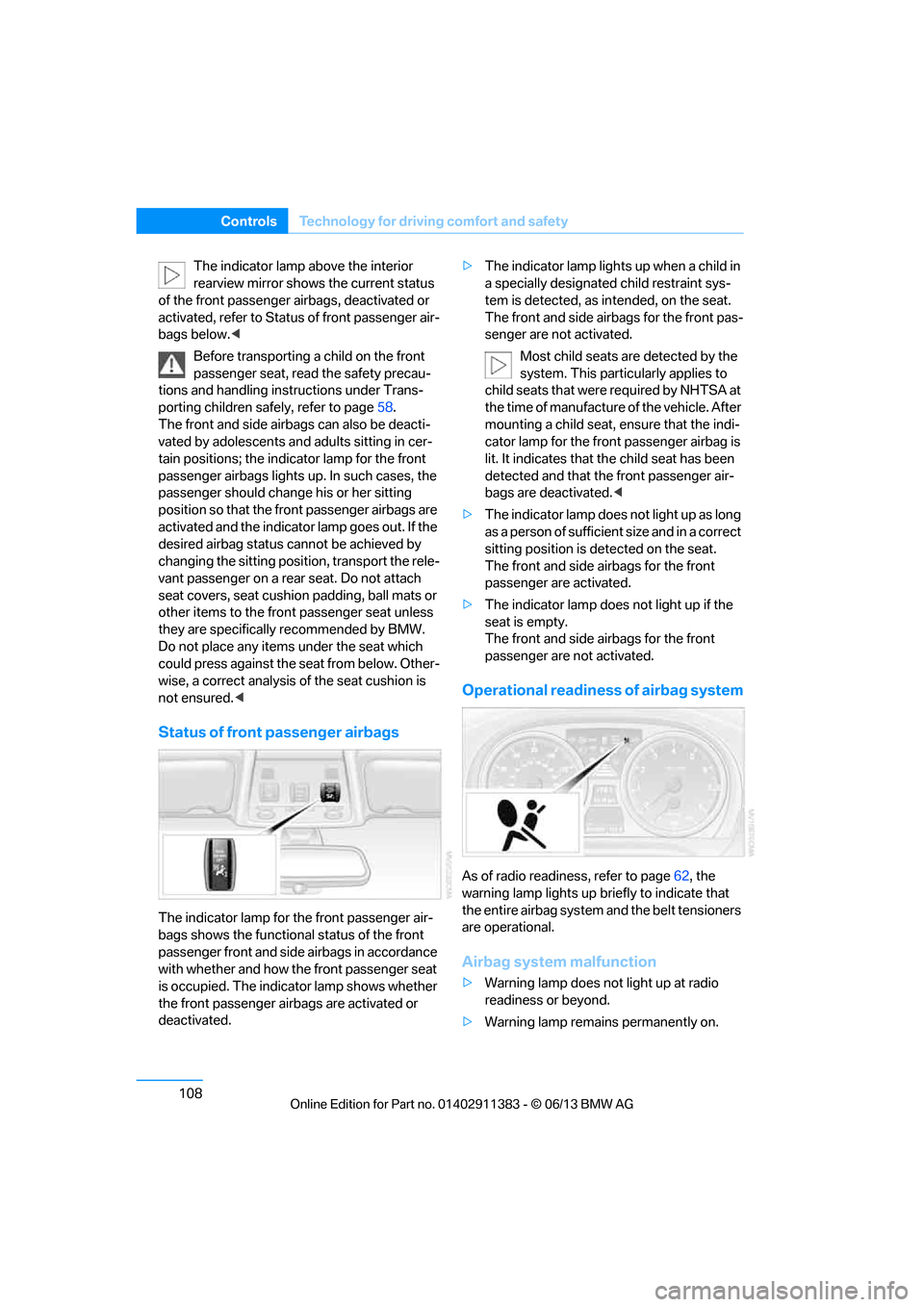
The indicator lamp above the interior
rearview mirror shows the current status
of the front passenger airbags, deactivated or
activated, refer to Status of front passenger air-
bags below. <
Before transporting a child on the front
passenger seat, read the safety precau-
tions and handling inst ructions under Trans-
porting children safely, refer to page 58.
The front and side airbags can also be deacti-
vated by adolescents and adults sitting in cer-
tain positions; the indi cator lamp for the front
passenger airbags lights up. In such cases, the
passenger should change his or her sitting
position so that the fr ont passenger airbags are
activated and the indicator lamp goes out. If the
desired airbag status cannot be achieved by
changing the sitting position, transport the rele-
vant passenger on a rear seat. Do not attach
seat covers, seat cushion padding, ball mats or
other items to the front passenger seat unless
they are specifically recommended by BMW.
Do not place any items under the seat which
could press against the seat from below. Other-
wise, a correct analysis of the seat cushion is
not ensured. <
Status of front passenger airbags
The indicator lamp for the front passenger air-
bags shows the functional status of the front
passenger front and side airbags in accordance
with whether and how the front passenger seat
is occupied. The indicator lamp shows whether
the front passenger airbags are activated or
deactivated. >
The indicator lamp light s up when a child in
a specially designated child restraint sys-
tem is detected, as in tended, on the seat.
The front and side airbags for the front pas-
senger are not activated.
Most child seats are detected by the
system. This partic ularly applies to
child seats that were required by NHTSA at
the time of manufacture of the vehicle. After
mounting a child seat, ensure that the indi-
cator lamp for the fron t passenger airbag is
lit. It indicates that th e child seat has been
detected and that the front passenger air-
bags are deactivated. <
> The indicator lamp does not light up as long
as a person of sufficient size and in a correct
sitting position is detected on the seat.
The front and side airbags for the front
passenger are activated.
> The indicator lamp does not light up if the
seat is empty.
The front and side airbags for the front
passenger are not activated.
Operational readine ss of airbag system
As of radio readiness, refer to page 62, the
warning lamp lights up br iefly to indicate that
the entire airbag system and the belt tensioners
are operational.
Airbag system malfunction
> Warning lamp does not light up at radio
readiness or beyond.
> Warning lamp remains permanently on.
00320051004F004C00510048000300280047004C0057004C005200510003
Page 119 of 311
114
ControlsLamps
Instrument lighting
You can adjust the brightness of the instrument
lighting only when the parking lamps or the low
beams are switched on.
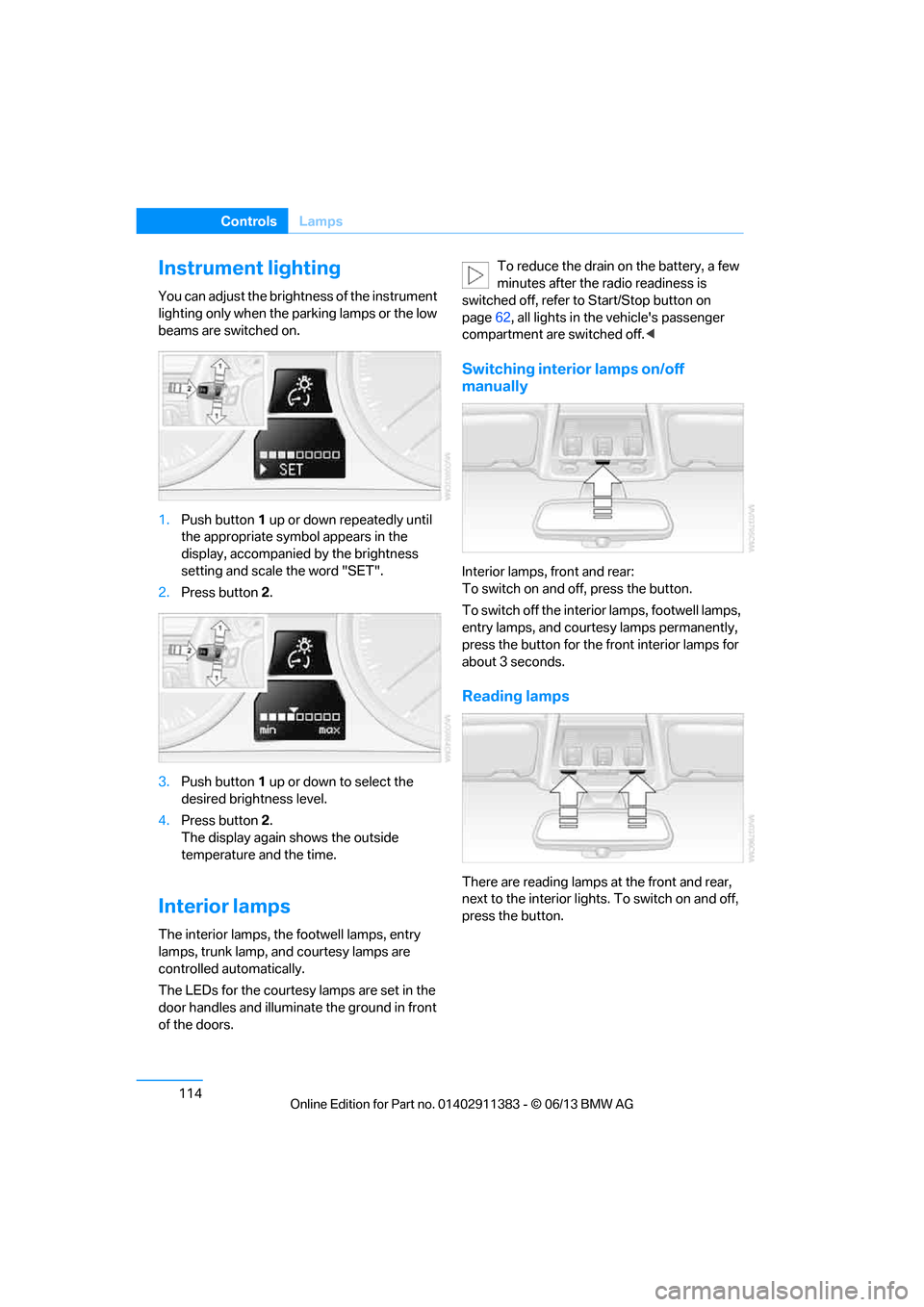
1.Push button 1 up or down repeatedly until
the appropriate symbol appears in the
display, accompanie d by the brightness
setting and scale the word "SET".
2. Press button 2.
3. Push button 1 up or down to select the
desired brightness level.
4. Press button 2.
The display again shows the outside
temperature and the time.
Interior lamps
The interior lamps, the footwell lamps, entry
lamps, trunk lamp, and courtesy lamps are
controlled automatically.
The LEDs for the courtesy lamps are set in the
door handles and illuminate the ground in front
of the doors. To reduce the drain on the battery, a few
minutes after the radio readiness is
switched off, refer to Start/Stop button on
page 62, all lights in the vehicle's passenger
compartment are switched off. <
Switching interior lamps on/off
manually
Interior lamps, front and rear:
To switch on and off, press the button.
To switch off the interior lamps, footwell lamps,
entry lamps, and courtesy lamps permanently,
press the button for the front interior lamps for
about 3 seconds.
Reading lamps
There are reading lamps at the front and rear,
next to the interior lights. To switch on and off,
press the button.
00320051004F004C00510048000300280047004C0057004C005200510003
Page 127 of 311
122
ControlsPractical interior accessories
Canada: if the LED does not flash rapidly
after approx. 60 seconds, alter the distance
and repeat this step or, if the programming
by means of the hand-held transmitter was
interrupted, hold down the button on the
inside mirror and then press and release the
button on the hand-hel d transmitter several
times, holding it down for 2 seconds each
time.
Operation
To prevent possible damage or injury,
before programming or using the inte-
grated universal remote control to operate a
device, always inspect the immediate area to
make certain that no people, animals or objects
are within the pivoting or travel range of the
device being operated.
Also follow the safety in structions supplied with
the hand-held transmitter. <
The button on the inside mirror can be used to
operate the device, for example the garage
door, if the engine is running or the ignition is
switched on. To do so, within the reception
range of the device, press the button of the
device until the function is triggered. The LED
on the inside mirror remains lit during transmis-
sion of the radio signal.
Deleting stored functions
Simultaneously hold down the right and left
buttons on the inside mi rror for approx. 20 sec-
onds until the LED on the inside mirror flashes
rapidly. All stored functions are deleted. The
functions cannot be de leted individually.
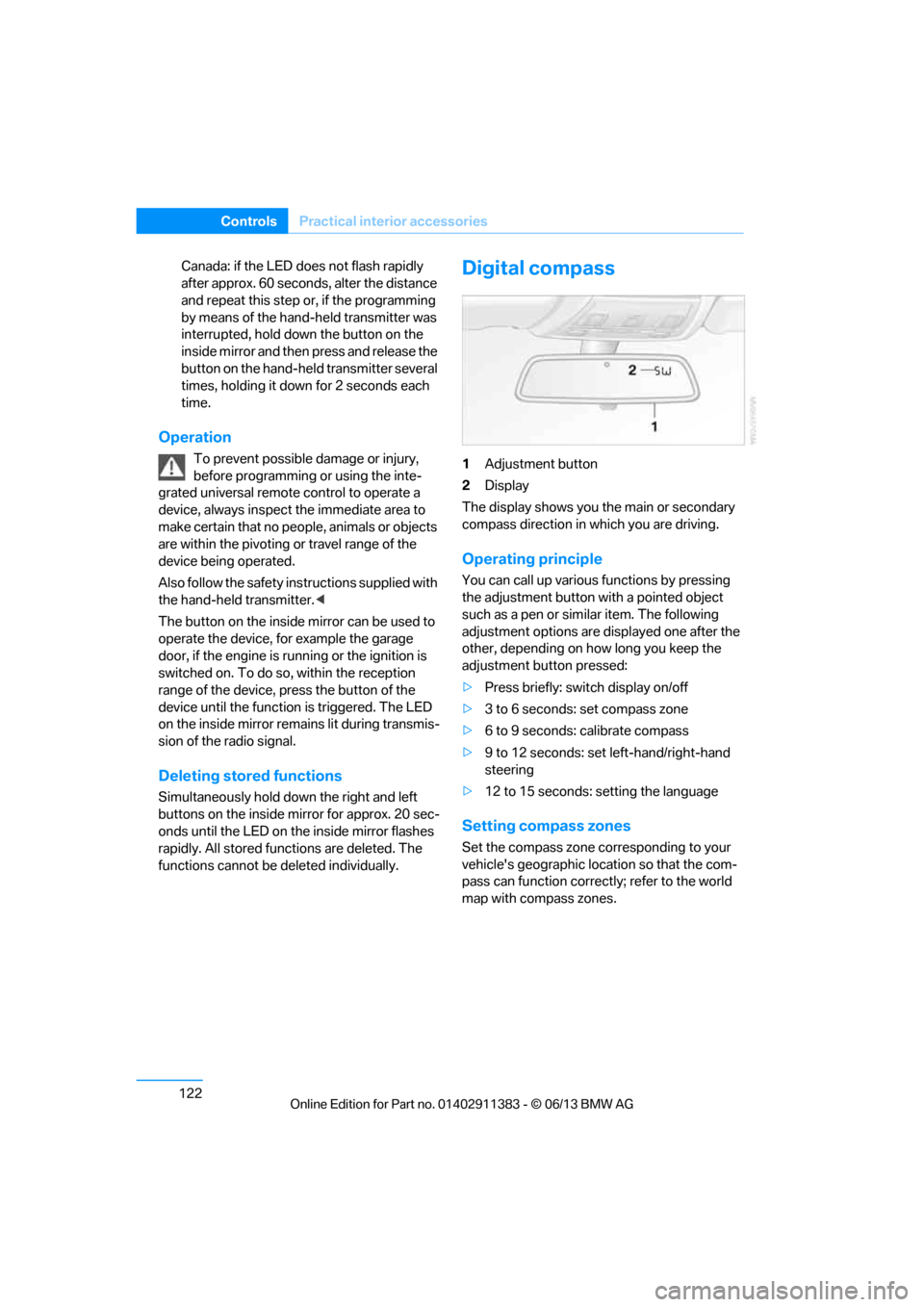
Digital compass
1Adjustment button
2 Display
The display shows you the main or secondary
compass direction in which you are driving.
Operating principle
You can call up various functions by pressing
the adjustment button with a pointed object
such as a pen or similar item. The following
adjustment options are displayed one after the
other, depending on how long you keep the
adjustment button pressed:
> Press briefly: switch display on/off
> 3 to 6 seconds: set compass zone
> 6 to 9 seconds: calibrate compass
> 9 to 12 seconds: set left-hand/right-hand
steering
> 12 to 15 seconds: setting the language
Setting compass zones
Set the compass zone corresponding to your
vehicle's geographic loca tion so that the com-
pass can function correctly; refer to the world
map with compass zones.
00320051004F004C00510048000300280047004C0057004C005200510003
Page 171 of 311
166
EntertainmentOn/off and tone
On/off and tone
Vehicle equipment
In this chapter, all pr oduction, country, and
optional equipment that is offered in the model
range is described. Equipment is also described
that is not available because of, for example,
selected options or country version. This also
applies to safety related functions and systems.
General information
The following audio and video sources share
the same control elements and adjustments:
> Radio
> CD/DVD player
> Video
> External devices, e.g. MP3 player
Controls
The audio and video sources can be controlled
using the:
>Buttons near th e CD/DVD player
> iDrive
> Buttons on the steering wheel, refer to
page 13
> Programmable memory keys, refer to
page 25
> Voice activation system
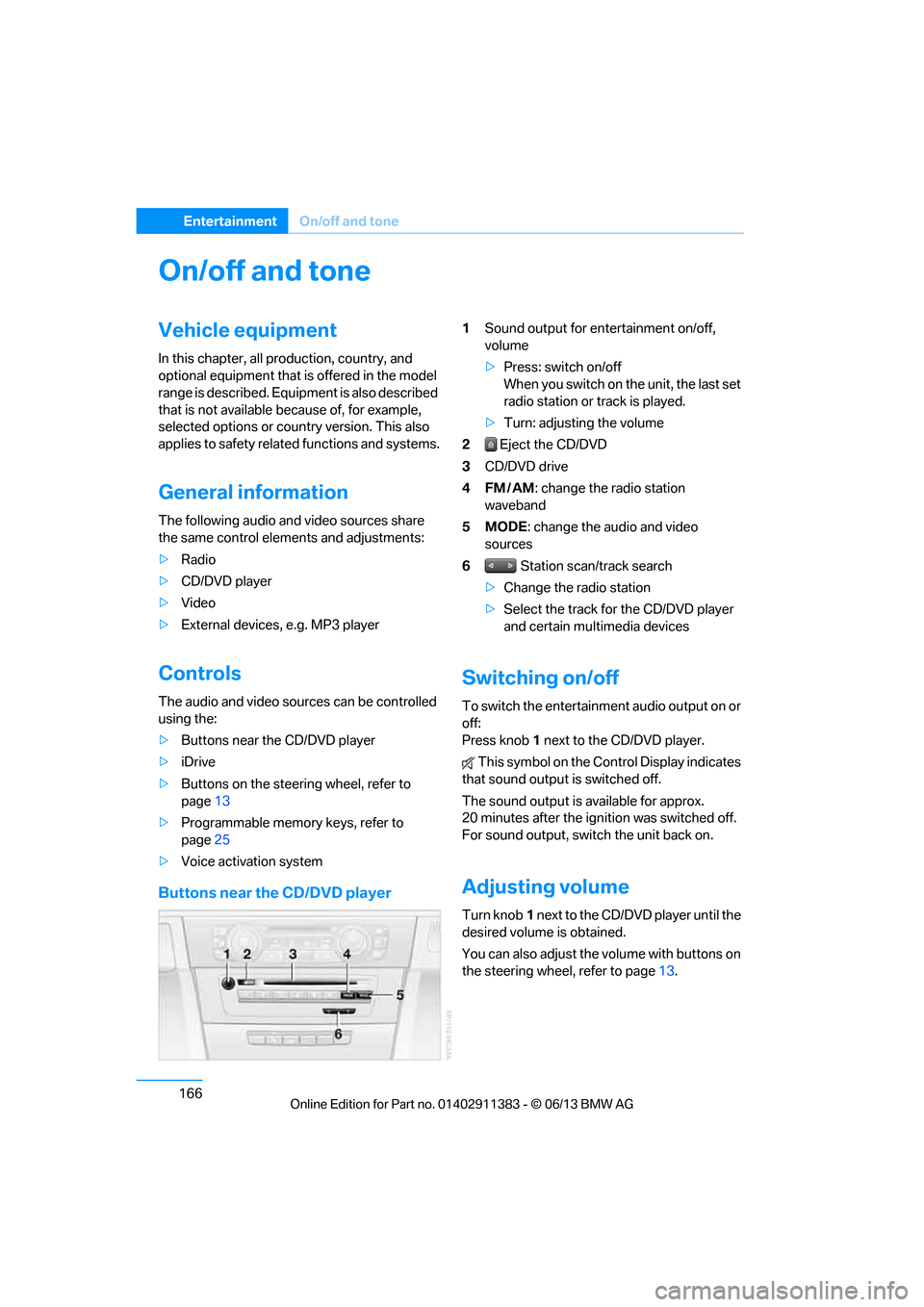
Buttons near the CD/DVD player
1Sound output for entertainment on/off,
volume
>Press: switch on/off
When you switch on the unit, the last set
radio station or track is played.
> Turn: adjusting the volume
2 Eject the CD/DVD
3 CD/DVD drive
4FM/AM : change the radio station
waveband
5MODE : change the audio and video
sources
6 Station scan/track search
> Change the radio station
> Select the track for the CD/DVD player
and certain multimedia devices
Switching on/off
To switch the entertainment audio output on or
off:
Press knob 1 next to the CD/DVD player.
This symbol on the Co ntrol Display indicates
that sound output is switched off.
The sound output is available for approx.
20 minutes after the ignition was switched off.
For sound output, switch the unit back on.
Adjusting volume
Turn knob 1 next to the CD/DVD player until the
desired volume is obtained.
You can also adjust the volume with buttons on
the steering wheel, refer to page 13.
00320051004F004C00510048000300280047004C0057004C005200510003
Page 172 of 311
167
On/off and tone
Entertainment
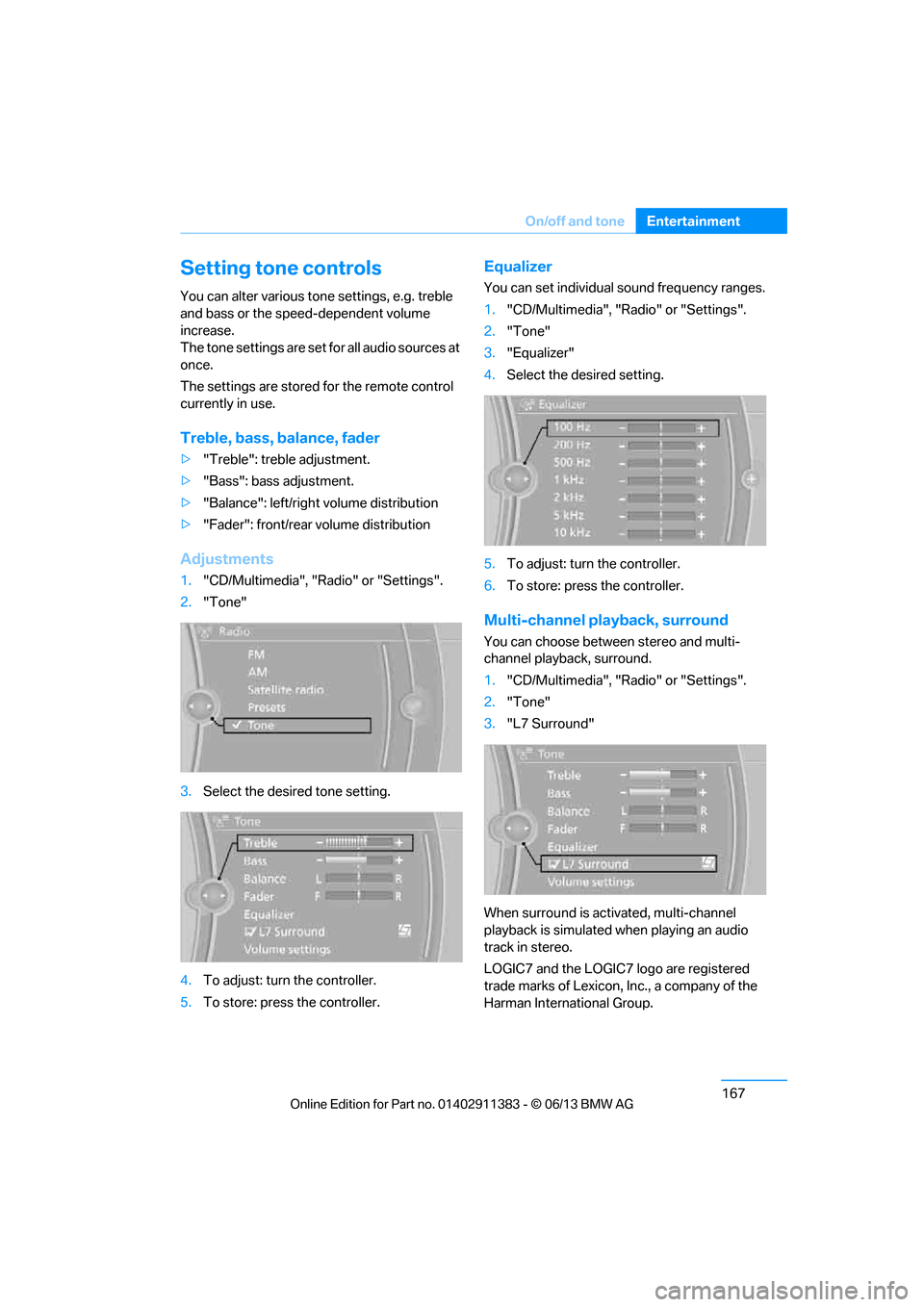
Setting tone controls
You can alter various tone settings, e.g. treble
and bass or the speed-dependent volume
increase.
The tone settings are set for all audio sources at
once.
The settings are stored
for the remote control
currently in use.
Treble, bass, balance, fader
> "Treble": treble adjustment.
> "Bass": bass adjustment.
> "Balance": left/right volume distribution
> "Fader": front/rear volume distribution
Adjustments
1."CD/Multimedia", "Radio" or "Settings".
2. "Tone"
3. Select the desired tone setting.
4. To adjust: turn the controller.
5. To store: press the controller.
Equalizer
You can set individual sound frequency ranges.
1."CD/Multimedia", "Radio" or "Settings".
2. "Tone"
3. "Equalizer"
4. Select the desired setting.
5. To adjust: turn the controller.
6. To store: press the controller.
Multi-channel playback, surround
You can choose between stereo and multi-
channel playback, surround.
1."CD/Multimedia", "Radio" or "Settings".
2. "Tone"
3. "L7 Surround"
When surround is activated, multi-channel
playback is simulated when playing an audio
track in stereo.
LOGIC7 and the LOGIC7 logo are registered
trade marks of Lexicon, Inc., a company of the
Harman International Group.
00320051004F004C00510048000300280047004C0057004C005200510003
Page 297 of 311
292
ReferenceEverything from A to Z
C
Calendar219
– displaying appointment 219
– selecting calendar day 219
California Proposition 65 warning 6
Call
– accepting 205
– ending 205
– muting the microphone 207
– rejecting 205
Calling, refer to Phone numbers, dialing 206
Calling, refer to Telephone owner's manual
Calls
– with multiple parties 206
Can holders, refer to
Cupholders 125
Capacities 282
Capacity of the trunk 281
Car battery, refer to Vehicle battery 270
Car care, refer to Care 262
Care 262
– automatic car washes 262
– care products 263
– carpets 264
– chrome parts 264
– displays 265
– fine wood parts 264
– headlamps 263
– leather 263
– light-alloy wheels 264
– paintwork 263
– plastic parts 264
– retractable hardtop 262
– rubber seals 264
– safety belts 264
– sensors and cameras 265
– upholstery and cloth trim 264
Cargo, securing 140 Cargo loading
139
– securing cargo 140
– stowing cargo 140
– vehicle 139
Car jack
– jacking points 270
Car key, refer to Integrated key/remote control 32
Car phone
– installation location, refer to Center armrest 124
– refer to separate Owner's Manual
Car phone, refer to
Telephone 200
Car radio, refer to Radio 169
Catalytic converter, refer to Hot exhaust system 138
CD
, audio playback 178
CD player 178
– controls 166
– fast forward/reverse 180
– random sequence 179
– selecting a track 178
– switching on/off 166
– tone control 167
– volume 166
Center armrest 124
Center brake lamp
– replacing bulb 269
Center console, refer to
Around the center
console 16
Central locking
– from inside 36
– from outside 33
Central locking system 33
– comfort access 40
– hotel function 37
– setting unlocking
characteristics 34
Changes, technical, refer to For your own safety 5
Changing bulbs, refer to Lamps and bulbs 266Changing gears
69
Changing the language on the
Control Display 95
Changing the measurement units on the Control
Display 88
Changing wheels 269
Chassis number, refer to
Engine compartment 255
Check Control 92
Child restraint fixing system
LATCH 59
Child restraint systems 58
Child seats, refer to
Transporting children
safely 58
Cigarette lighter, refer to Lighter 126
Cleaning headlamps 73
– washer fluid 74
Cleaning your BMW, refer to Care 262
Climate control
– automatic air distribution 116
Clock 83
– 12h/24h mode 91
– setting the time and date 91
– setting time 90
Closing
– from inside 36
– from outside 33
Clothes hooks 125
Cockpit 12
Cold start, refer to Starting t
he
engine 63
Comfort Access 40
– replacing the battery 41
Comfort area, refer to Around the center console 16
Compartment for remote control, refer to Ignition
lock 62
Compass 122
00320051004F004C00510048000300280047004C0057004C005200510003
Page 299 of 311
294
ReferenceEverything from A to Z
Destination for navigation
– entering by voice 152
– entering via map 151
– entry 146
– home address 149
– manual entry 146
Destination guidance 155
– bypassing a route
section 156
– changing specified route 155
– continuing 155
– starting 155
– voice instructions 157
– volume of voice instructions 157
Digital clock 83
Digital compass 122
Digital radio, refer to HD
Radio 171
Dimensions 280
Directional indicators, refer to
Turn signals 72
Direction instructions, refer to Voice instructions 157
Directory for navigation, refer to Address book 148
Display, refer to iDrive
controls 20
Displaying contact pictures 215
Display lighting, refer to Instrument lighting 114
Displays
– on the Control Display 20
Displays, refer to Instrument cluster 14
Displays and controls 12
Disposal
– coolant 259
– remote control battery 41
– vehicle battery 271
Distance remaining to service,
refer to Service
requirements 88 Distance warning, refer to
Park Distance Control
PDC 96
Door key, refer to Remote control with integrated
key 32
Door lock 36
Doors, emergency
operation 36
DOT Quality Grades 250
Draft-free ventilation 118
Drinks holders, refer to Cupholders 125
Drive mode 69
Drive-off assistance, refer to Dynamic Stability Control
DSC 97
Drive-off assistant 100
Driving dynamics control 70
Driving lamps, ref e
r to Parking
lamps/low beams 110
Driving notes 136
Driving off on hills, refer to Drive-off assistant 100
Driving stability control
systems 97
Driving through water 138
Driving tips, refer to Driving
notes 136
Dry air, refer to Air conditioning 118
DSC Dynamic Stability Control 97
DTC Dynamic Traction
Control 98
– indicator/warning lamp 98
DVD
– country codes 180
– settings 181
– video playback 180
DVD menu 181
DVD player, refer to CD player 178
DVD video 180
Dynamic Brake Control DBC 97 Dynamic destination
guidance 162
Dynamic Stability Control DSC 97
– indicator/warning lamp 98
Dynamic Traction Control DTC 98
– indicator/warning lamp 98
E
EBV Electronic brake-force
distribution 97
Eject button, see buttons on
the CD/DVD player 166
Electrical defect
– 7-gear Sport automatic transmission with double
clutch 70
Electrical malfunction
– door lock 36
– driver's door 36
– fuel filler flap 232
Electric seat adjustment 50
Electric steering wheel lock
– with Comfort Access 40
Electronic brake-force distribution EBV 97
Electronic oil level check 256
Electronic Stability Program ESP, refer to Dynamic
Stability Control DSC 97
E-mail 218
Emergency actuation,
automatic transmission,
refer to Overriding selector
lever lock 67
Emergency operation
– fuel filler flap, manual release 232
Emergency operation, refer to Manual operation
– door lock 36
Emergency release
– trunk lid from inside 38
Emergency Request 272
00320051004F004C00510048000300280047004C0057004C005200510003
Page 301 of 311
296
ReferenceEverything from A to Z
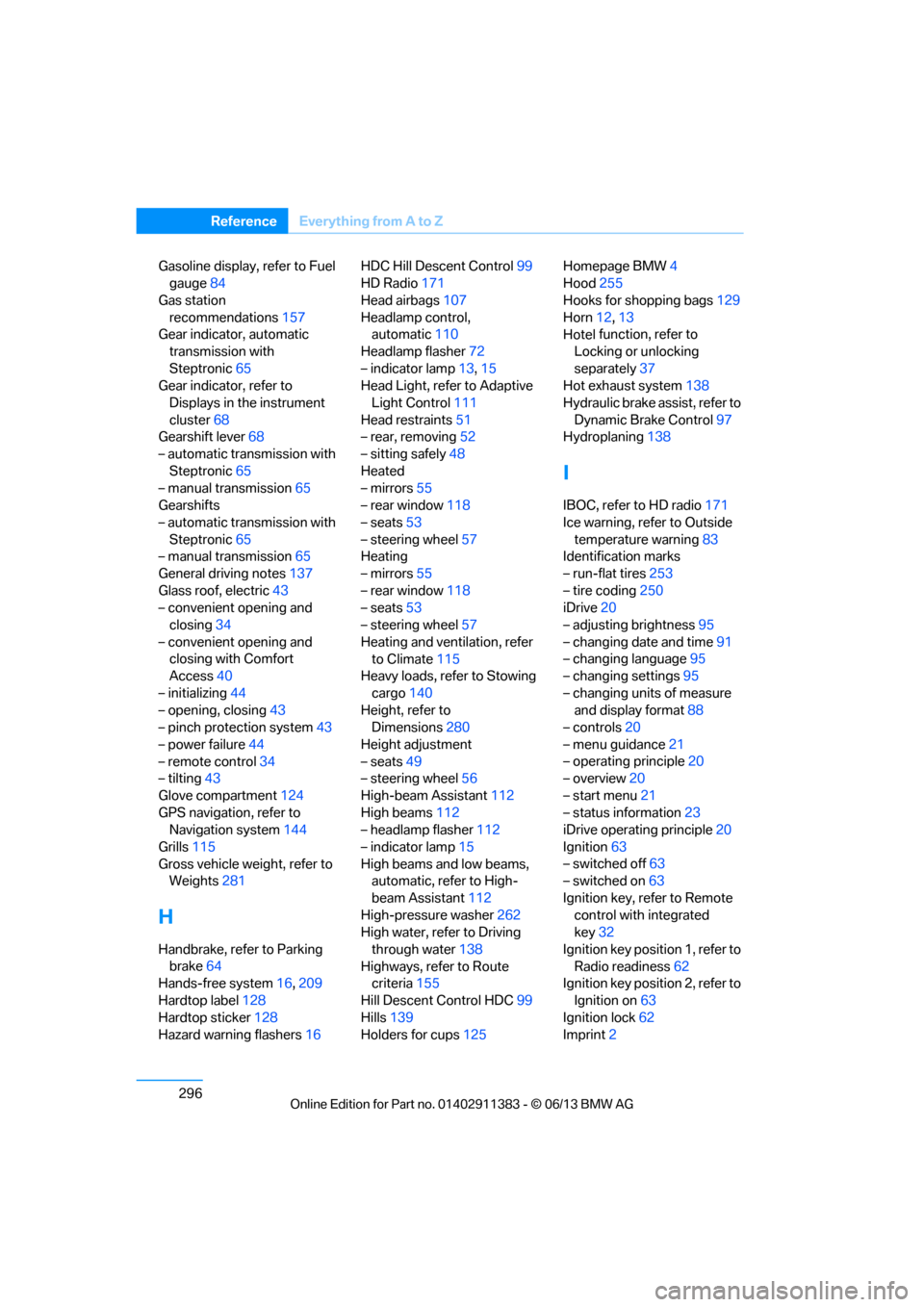
Gasoline display, refer to Fuel
gauge 84
Gas station recommendations 157
Gear indicator, automatic
transmission with
Steptronic 65
Gear indicator, refer to
Displays in the instrument
cluster 68
Gearshift lever 68
– automatic transmission with Steptronic 65
– manual transmission 65
Gearshifts
– automatic transmission with Steptronic 65
– manual transmission 65
General driving notes 137
Glass roof, electric 43
– convenient opening and closing 34
– convenient opening and closing with Comfort
Access 40
– initializing 44
– opening, closing 43
– pinch protection system 43
– power failure 44
– remote control 34
– tilting 43
Glove compartment 124
GPS navigation, refer to Navigation system 144
Grills 115
Gross vehicle weight, refer to Weights 281
H
Handbrake, refer to Parking
brake 64
Hands-free system 16,209
Hardtop label 128
Hardtop sticker 128
Hazard warning flashers 16HDC Hill Descent Control
99
HD Radio 171
Head airbags 107
Headlamp control, automatic 110
Headlamp flasher 72
– indicator lamp 13,15
Head Light, refer to Adaptive
Light Control 111
Head restraints 51
– rear, removing 52
– sitting safely 48
Heated
– mirrors 55
– rear window 118
– seats 53
– steering wheel 57
Heating
– mirrors 55
– rear window 118
– seats 53
– steering wheel 57
Heating and ventilation, refer to Climate 115
Heavy loads, refer to Stowing
cargo 140
Height, refer to Dimensions 280
Height adjustment
– seats 49
– steering wheel 56
High-beam Assistant 112
High beams 112
– headlamp flasher 112
– indicator lamp 15
High beams and low beams, automatic, refer to High-
beam Assistant 112
High-pressure washer 262
High water, refer to Driving
through water 138
Highways, refer to Route criteria 155
Hill Descent Control HDC 99
Hills 139
Holders for cups 125Homepage BMW
4
Hood 255
Hooks for shopping bags 129
Horn 12,
13
Hotel function, refer to
Locking o
r unlocking
separately 37
Hot exhaust system 138
Hydraulic brake assist, refer to Dynamic Brake Control 97
Hydroplaning 138
I
IBOC, refer to HD radio 171
Ice warning, refer to Outside
temperature warning 83
Identification marks
– run-flat tires 253
– tire coding 250
iDrive 20
– adjusting brightness 95
– changing date and time 91
– changing language 95
– changing settings 95
– changing units of measure and display format 88
– controls 20
– menu guidance 21
– operating principle 20
– overview 20
– start menu 21
– status information 23
iDrive operating principle 20
Ignition 63
– switched off 63
– switched on 63
Ignition key, refer to Remote control with integrated
key 32
Ignition key position 1, refer to Radio readiness 62
Ignition key position 2, refer to
Ignition on 63
Ignition lock 62
Imprint 2
00320051004F004C00510048000300280047004C0057004C005200510003
Page 305 of 311
300
ReferenceEverything from A to Z
Pressure monitoring of tires,
refer to Tire Pressure
Monitor TPM 102
Programmable buttons on the steering wheel 13
Programmable memory keys 25
Protection function, refer to
Pinch protection system
– glass roof, electric 43
– windows 42
Providing medical assistance, refer to First aid pouch 273
Puncture
– flat Tire Monitor 100
R
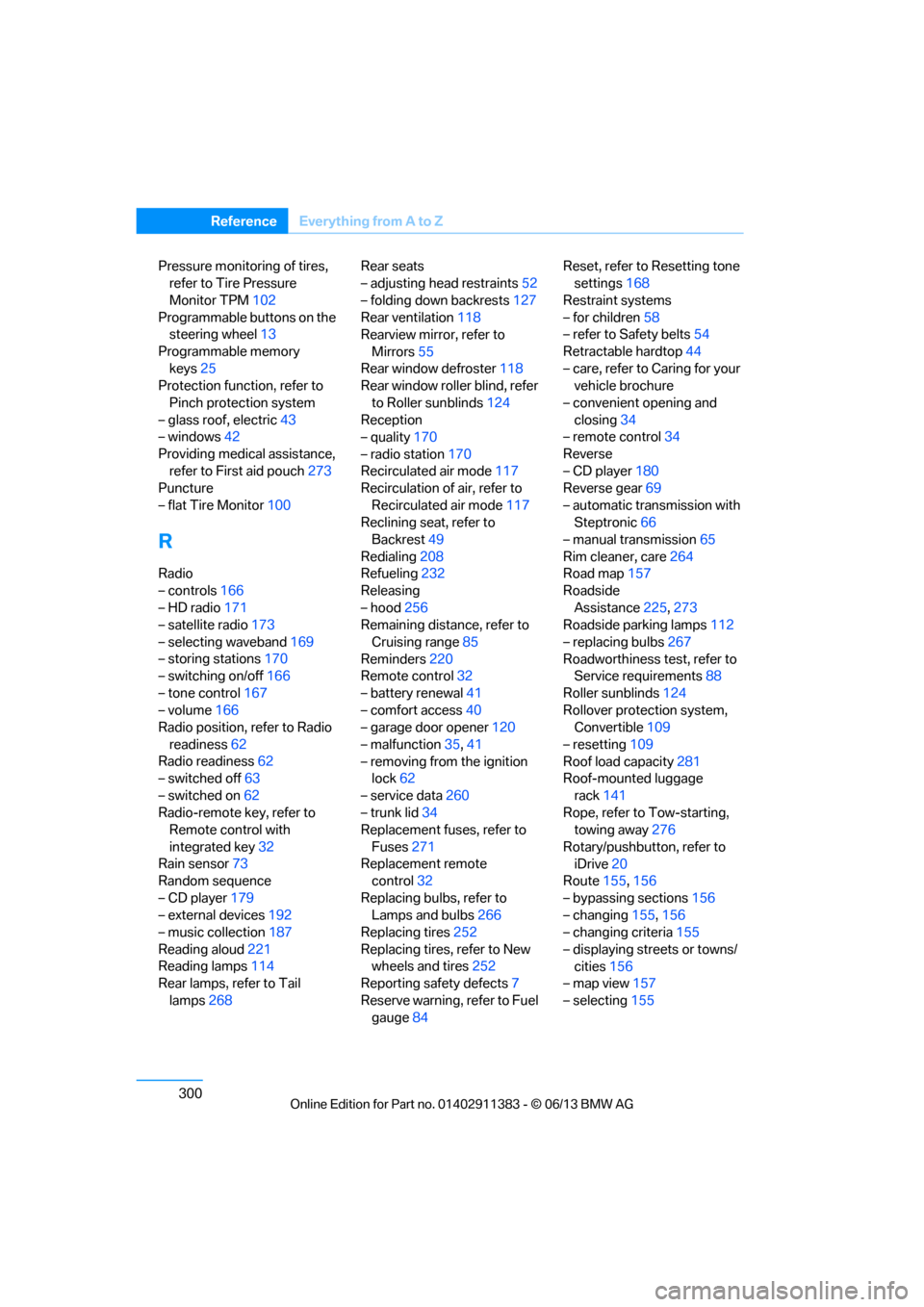
Radio
– controls166
– HD radio 171
– satellite radio 173
– selecting waveband 169
– storing stations 170
– switching on/off 166
– tone control 167
– volume 166
Radio position, refer to Radio
readiness 62
Radio readiness 62
– switched off 63
– switched on 62
Radio-remote key, refer to Remote control with
integrated key 32
Rain sensor 73
Random sequence
– CD player 179
– external devices 192
– music collection 187
Reading aloud 221
Reading lamps 114
Rear lamps, refer to Tail
lamps 268 Rear seats
– adjusting head restraints
52
– folding down backrests 127
Rear ventilation 118
Rearview mirror, refer to
Mirrors 55
Rear window defroster 118
Rear window roller blind, refer
to Roller sunblinds 124
Reception
– quality 170
– radio station 170
Recirculated air mode 117
Recirculation of air, refer to
Recirculated air mode 117
Reclining seat, refer to
Backrest 49
Redialing 208
Refueling 232
Releasing
– hood 256
Remaining distance, refer to
Cruising range 85
Reminders 220
Remote control 32
– battery renewal 41
– comfort access 40
– garage door opener 120
– malfunction 35,41
– removing from the ignition lock 62
– service data 260
– trunk
lid 34
Replacement fuses, refer to
Fuses 271
Replacement remote control 32
Replacing bulbs, refer to Lamps and bulbs 266
Replacing tires 252
Replacing tires, refer to New wheels and tires 252
Reporting safety defects 7
Reserve warning, refer to Fuel gauge 84 Reset, refer to Resetting tone
settings 168
Restraint systems
– for children 58
– refer to Safety belts 54
Retractable hardtop 44
– care, refer to Caring for your vehicle brochure
– convenient opening and closing 34
– remote control 34
Reverse
– CD player 180
Reverse gear 69
– automatic transmission with Steptronic 66
– manual transmission 65
Rim cleaner, care 264
Road map 157
Roadside Assistance 225,273
Roadside parking lamps 112
– replacing bulbs 267
Roadworthiness test, refer to Service requirements 88
Roller sunblinds 124
Rollover protection system, Convertible 109
– resetting 109
Roof load capacity 281
Roof-mounted luggage
rack 141
Rope, refer to Tow-starting, towing away 276
Rotary/pushbutton, refer to iDrive 20
Route 155,156
– bypassing sections 156
– changing 155,156
– changing criteria 155
– displaying streets or towns/ cities 156
– map view 157
– selecting 155
00320051004F004C00510048000300280047004C0057004C005200510003