automatic transmission BMW 3 SERIES SPORTS WAGON 2015 F31 User Guide
[x] Cancel search | Manufacturer: BMW, Model Year: 2015, Model line: 3 SERIES SPORTS WAGON, Model: BMW 3 SERIES SPORTS WAGON 2015 F31Pages: 255, PDF Size: 5.6 MB
Page 117 of 255
a collision. The intervention can bring the vehi‐
cle to a complete stop.
Manual transmission: During a braking inter‐
vention up to a complete stop, the engine may
be shut down.
The braking intervention is executed only if
DSC Dynamic Stability Control is switched on
and Dynamic Traction Control DTC is acti‐
vated.
Above approx. 130 mph/210 km/h the braking
intervention occurs as a brief braking pressure.
No automatic delay occurs.
The braking intervention can be interrupted by
stepping on the accelerator pedal or by ac‐
tively moving the steering wheel.
System limits
Detection range
The system's detection potential is limited.
Thus a warning might not be issued or be is‐
sued late.
E. g. the following situations may not be de‐
tected:▷Slow moving vehicles when you approach
them at high speed.▷Vehicles that suddenly swerve in front of
you, or sharply decelerating vehicles.▷Vehicles with an unusual rear appearance.▷Two-wheeled vehicles ahead of you.▷Pedestrians.▷Stationary objects.
Functional limitations
The system may not be fully functional in the
following situations:
▷In heavy fog, rain, sprayed water or snow‐
fall.▷In tight curves.▷If the driving stability control systems are
limited or deactivated, e.g., DSC OFF.▷If the radar sensor is dirty or obscured.
Warning sensitivity
The more sensitive the warning settings are,
e.g. the warning time, the more warnings are
displayed. However, there may also be an ex‐
cess of false warnings.
Pedestrian warning with city
braking function
The concept The ystem can help prevent accidents with pe‐
destrians.
The system issues a warning in the city driving
speed area if there is imminent danger of a col‐
lision with pedestrians and includes a braking
function.
The camera in the area of the rearview mirror
controls the system.
General information In daylight the system warns of possible colli‐
sions with pedestrians at speeds from about
6 mph/10 km/h to about 35 mph/60 km/h
shortly before a collision the system supports
you with a braking intervention.
Under those circumstances it reacts to people
who are within the detection range of the sys‐
tem.
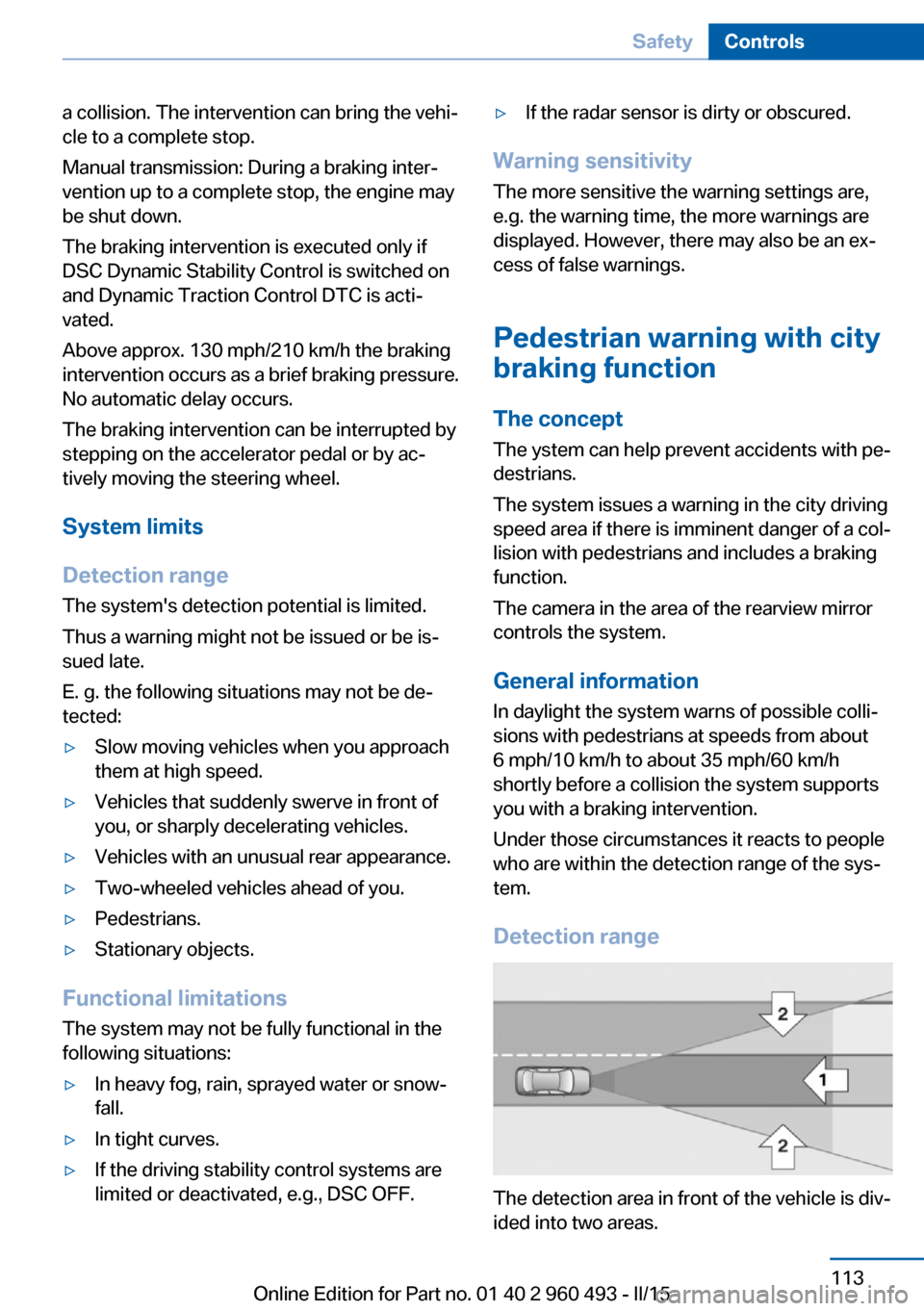
Detection range
The detection area in front of the vehicle is div‐
ided into two areas.
Seite 113SafetyControls113
Online Edition for Part no. 01 40 2 960 493 - II/15
Page 138 of 255
▷By the rear middle sensors at approx.
5 ft/1.50 m.
To ensure full functionality:
▷Do not cover sensors, e.g., with stickers,
bicycle racks.▷Keep the sensors clean and free of ice.▷When using high-pressure washers, do not
spray the sensors for long periods and
maintain a distance of at least 12 in/30 cm.
Hints
Personal responsibility
Even an active system does not relieve
the driver from personal responsibility while
driving.
Technically the system has its limits, it cannot
independently react to all traffic situations.
Monitor your driving, be on the alert, observe
the vehicle surroundings and other traffic and
react when needed - risk of accident.◀
Avoid driving fast with PDC
Avoid approaching an object too fast.
Avoid driving off fast while PDC is not yet ac‐
tive.
For technical reasons, the system may other‐
wise be too late in issuing a warning.◀
Overview
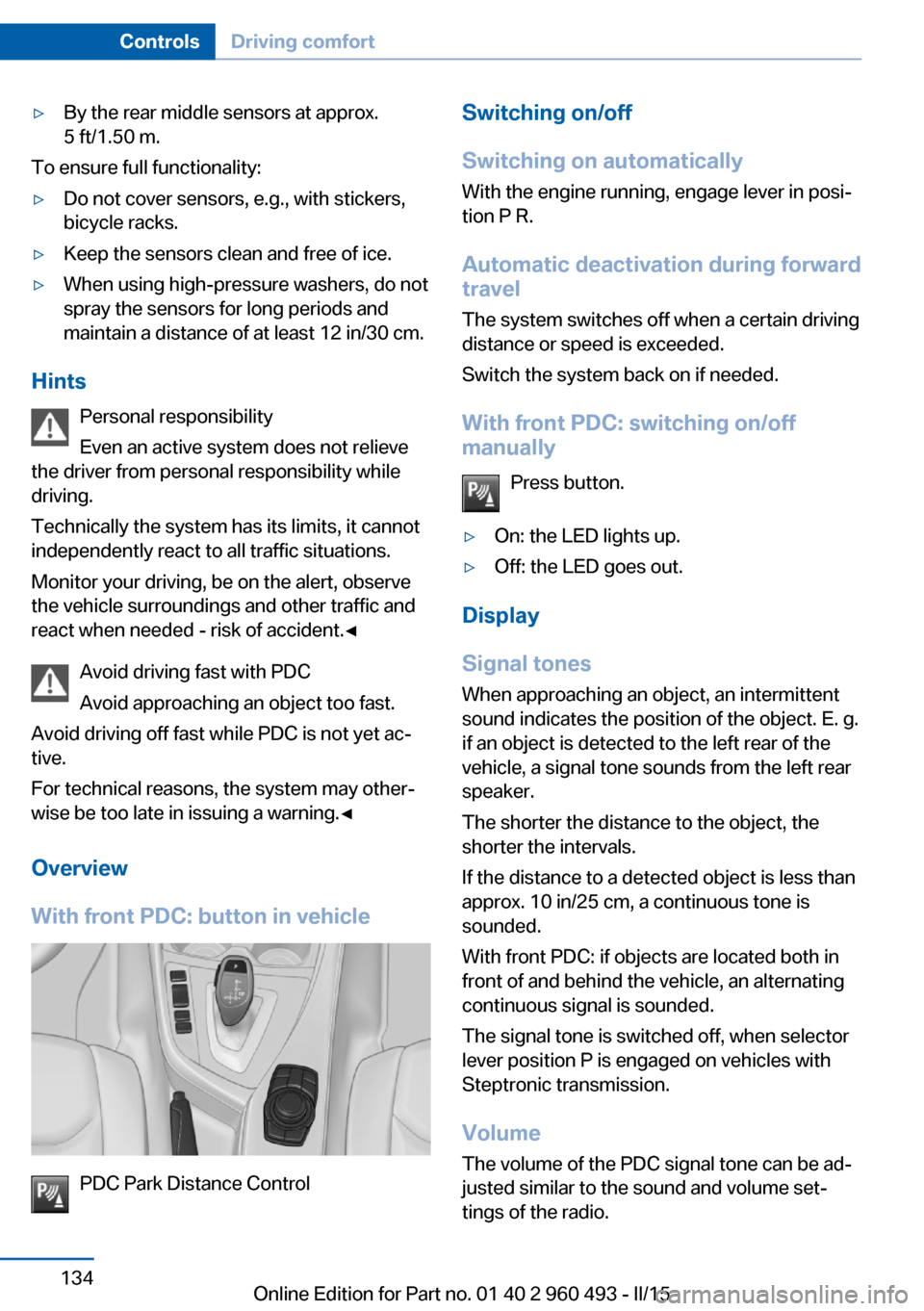
With front PDC: button in vehicle
PDC Park Distance Control
Switching on/off
Switching on automatically With the engine running, engage lever in posi‐
tion P R.
Automatic deactivation during forward travel
The system switches off when a certain driving
distance or speed is exceeded.
Switch the system back on if needed.
With front PDC: switching on/off
manually
Press button.▷On: the LED lights up.▷Off: the LED goes out.
Display
Signal tones When approaching an object, an intermittent
sound indicates the position of the object. E. g.
if an object is detected to the left rear of the
vehicle, a signal tone sounds from the left rear
speaker.
The shorter the distance to the object, the shorter the intervals.
If the distance to a detected object is less than
approx. 10 in/25 cm, a continuous tone is
sounded.
With front PDC: if objects are located both in
front of and behind the vehicle, an alternating
continuous signal is sounded.
The signal tone is switched off, when selector
lever position P is engaged on vehicles with
Steptronic transmission.
Volume The volume of the PDC signal tone can be ad‐
justed similar to the sound and volume set‐
tings of the radio.
Seite 134ControlsDriving comfort134
Online Edition for Part no. 01 40 2 960 493 - II/15
Page 181 of 255
Avoid high engine speeds
As a rule: driving at low engine speeds lowers
fuel consumption and reduces wear.
Use 1st gear to get the vehicle moving. Start‐
ing with the 2nd gear, accelerate rapidly. When
accelerating, shift up before reaching high en‐
gine speeds.
When you reach the desired speed, shift into
the highest applicable gear and drive with the
engine speed as low as possible and at a con‐
stant speed.
If necessary, observe the gear shift indicator of
the vehicle, refer to page 85.
Use coasting
When approaching a red light, take your foot
off the accelerator and let the vehicle coast to
a halt.
For going downhill take your foot off the accel‐
erator and let the vehicle roll.
The flow of fuel is interrupted while coasting.
Switch off the engine during longer stops
Switch off the engine during longer stops, e.g.,
at traffic lights, railroad crossings or in traffic
congestion.
Auto Start/Stop function The Auto Start/Stop function of your vehicle
automatically switches off the engine during a
stop.
If the engine is switched off and then restarted
rather than leaving the engine running con‐
stantly, fuel consumption and emissions are
reduced. Savings can begin within a few sec‐
onds of switching off the engine.
In addition, fuel consumption is also deter‐
mined by other factors, such as driving style,road conditions, maintenance or environmental
factors.
Switch off any functions that
are not currently needed
Functions such as seat heating and the rear
window defroster require a lot of energy and
reduce the range, especially in city and stop-
and-go traffic.
Reel off these functions if they are not needed. The ECO PRO driving program supports the
energy conserving use of comfort features.
These functions are automatically deactivated
partially or completely.
Have maintenance carriedout
Have vehicles maintained regularly to achieve
optimal vehicle efficiency and operating life.
The maintenance should be carried out by
your service center.
Also note the BMW Maintenance System, refer
to page 210.
ECO PRO
The concept ECO PRO supports a driving style that saves
on fuel consumption. For this purpose, the en‐
gine control and comfort features, e. g. the cli‐
mate control output, are adjusted.
Under certain conditions the engine is auto‐
matically decoupled from the transmission in
the D selector lever position. The vehicle con‐
tinues traveling with the engine idling to re‐
duce fuel consumption. Selector lever position
D remains engaged.
In addition, context-sensitive instructions are
displayed to assist with an optimized fuel con‐
sumption driving style.Seite 177Saving fuelDriving tips177
Online Edition for Part no. 01 40 2 960 493 - II/15
Page 234 of 255
CareVehicle features and optionsThis chapter describes all standard, country-
specific and optional features offered with the
series. It also describes features that are not
necessarily available in your car, e. g., due to
the selected options or country versions. This
also applies to safety-related functions and
systems. The respectively applicable country
provisions must be observed when using the
respective features and systems.
Car washes General information
Regularly remove foreign objects such as
leaves in the area below the windshield when
the hood is raised.
Wash your vehicle frequently, particularly in
winter. Intense soiling and road salt can dam‐
age the vehicle.
Hints Steam jets or high-pressure washers
When using steam jets or high-pressure
washers, hold them a sufficient distance away
and use a maximum temperature of
140 ℉/60 ℃.
If the vehicle has a glass sunroof, ensure that a
distance of at least 31.5 inches/80 cm is main‐
tained. Holding them too close or using exces‐
sively high pressures or temperatures can
cause damage or preliminary damage that may
then lead to long-term damage.
Follow the user's manual for the high-pressure
washer.◀Cleaning sensors/camera lenses with
high-pressure washers
When using high-pressure washers, do not
spray the sensors and camera lenses on the
outside of the vehicle for long periods and
maintain a distance of at least 12 in/30 cm.◀
Automatic car washes
Hints▷Give preference to cloth car washes or
those that use soft brushes in order to
avoid paint damage.▷Make sure that the wheels and tires are not
damaged by the transport mechanisms.▷Fold in the exterior mirrors; otherwise, they
may be damaged, depending on the width
of the vehicle.▷Deactivate the rain sensor, refer to
page 71, to avoid unintentional wiper acti‐
vation.▷In some cases, an unintentional alarm can
be triggered by the interior motion sensor
of the alarm system. Follow the instruc‐
tions on avoiding an unintentional alarm,
refer to page 47.
Guide rails in car washes
Avoid car washes with guide rails higher
than 4 in/10 cm; otherwise, the vehicle body
could be damaged.◀
Before driving into a car wash In order to ensure that the vehicle can roll in a
car wash, take the following steps:
Manual transmission:
1.Drive into the car wash.2.Shift to neutral.Seite 230MobilityCare230
Online Edition for Part no. 01 40 2 960 493 - II/15
Page 244 of 255
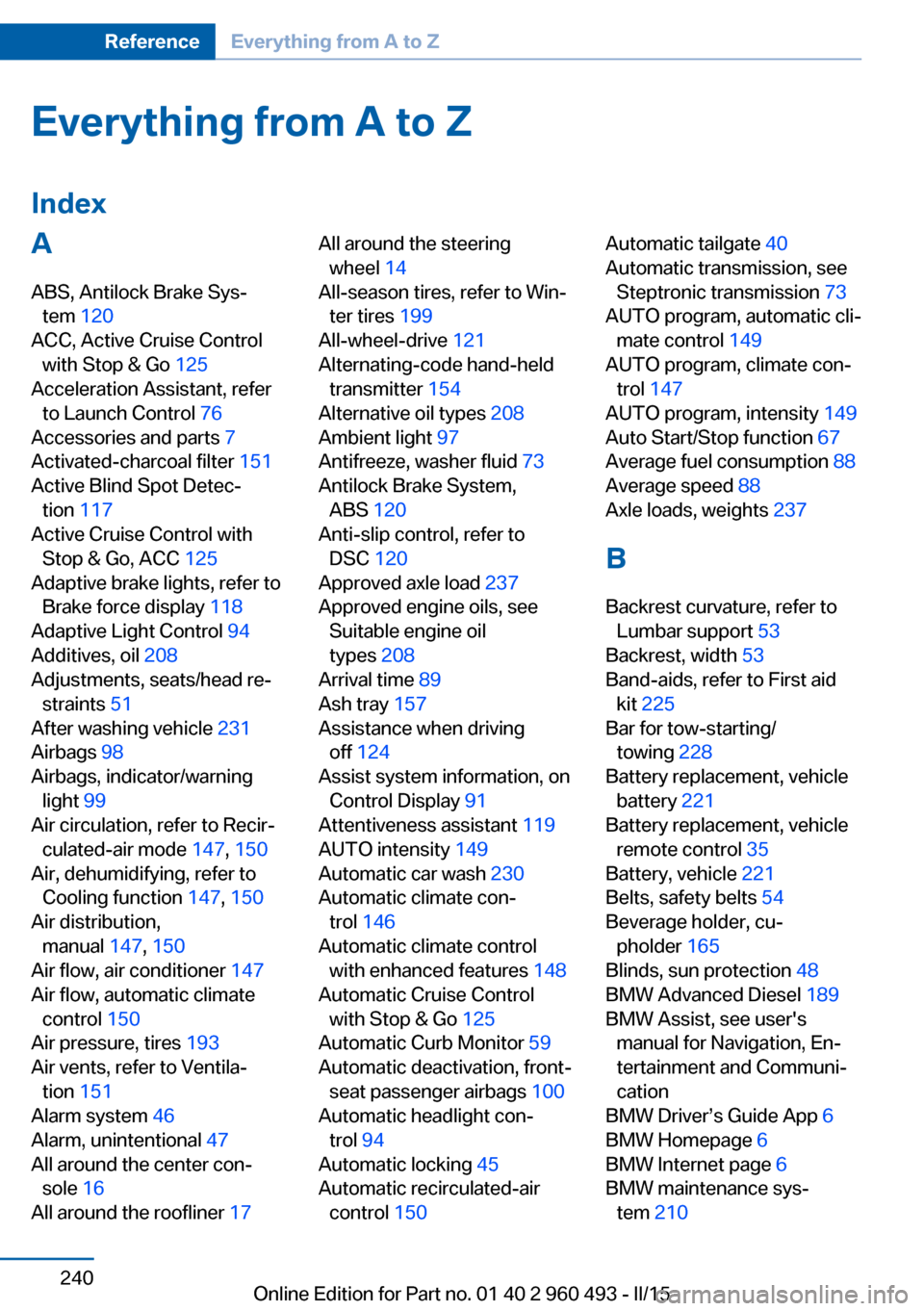
Everything from A to Z
IndexA ABS, Antilock Brake Sys‐ tem 120
ACC, Active Cruise Control with Stop & Go 125
Acceleration Assistant, refer to Launch Control 76
Accessories and parts 7
Activated-charcoal filter 151
Active Blind Spot Detec‐ tion 117
Active Cruise Control with Stop & Go, ACC 125
Adaptive brake lights, refer to Brake force display 118
Adaptive Light Control 94
Additives, oil 208
Adjustments, seats/head re‐ straints 51
After washing vehicle 231
Airbags 98
Airbags, indicator/warning light 99
Air circulation, refer to Recir‐ culated-air mode 147, 150
Air, dehumidifying, refer to Cooling function 147, 150
Air distribution, manual 147, 150
Air flow, air conditioner 147
Air flow, automatic climate control 150
Air pressure, tires 193
Air vents, refer to Ventila‐ tion 151
Alarm system 46
Alarm, unintentional 47
All around the center con‐ sole 16
All around the roofliner 17 All around the steering
wheel 14
All-season tires, refer to Win‐ ter tires 199
All-wheel-drive 121
Alternating-code hand-held transmitter 154
Alternative oil types 208
Ambient light 97
Antifreeze, washer fluid 73
Antilock Brake System, ABS 120
Anti-slip control, refer to DSC 120
Approved axle load 237
Approved engine oils, see Suitable engine oil
types 208
Arrival time 89
Ash tray 157
Assistance when driving off 124
Assist system information, on Control Display 91
Attentiveness assistant 119
AUTO intensity 149
Automatic car wash 230
Automatic climate con‐ trol 146
Automatic climate control with enhanced features 148
Automatic Cruise Control with Stop & Go 125
Automatic Curb Monitor 59
Automatic deactivation, front- seat passenger airbags 100
Automatic headlight con‐ trol 94
Automatic locking 45
Automatic recirculated-air control 150 Automatic tailgate 40
Automatic transmission, see Steptronic transmission 73
AUTO program, automatic cli‐ mate control 149
AUTO program, climate con‐ trol 147
AUTO program, intensity 149
Auto Start/Stop function 67
Average fuel consumption 88
Average speed 88
Axle loads, weights 237
B Backrest curvature, refer to Lumbar support 53
Backrest, width 53
Band-aids, refer to First aid kit 225
Bar for tow-starting/ towing 228
Battery replacement, vehicle battery 221
Battery replacement, vehicle remote control 35
Battery, vehicle 221
Belts, safety belts 54
Beverage holder, cu‐ pholder 165
Blinds, sun protection 48
BMW Advanced Diesel 189
BMW Assist, see user's manual for Navigation, En‐
tertainment and Communi‐
cation
BMW Driver’s Guide App 6
BMW Homepage 6
BMW Internet page 6
BMW maintenance sys‐ tem 210 Seite 240ReferenceEverything from A to Z240
Online Edition for Part no. 01 40 2 960 493 - II/15
Page 247 of 255
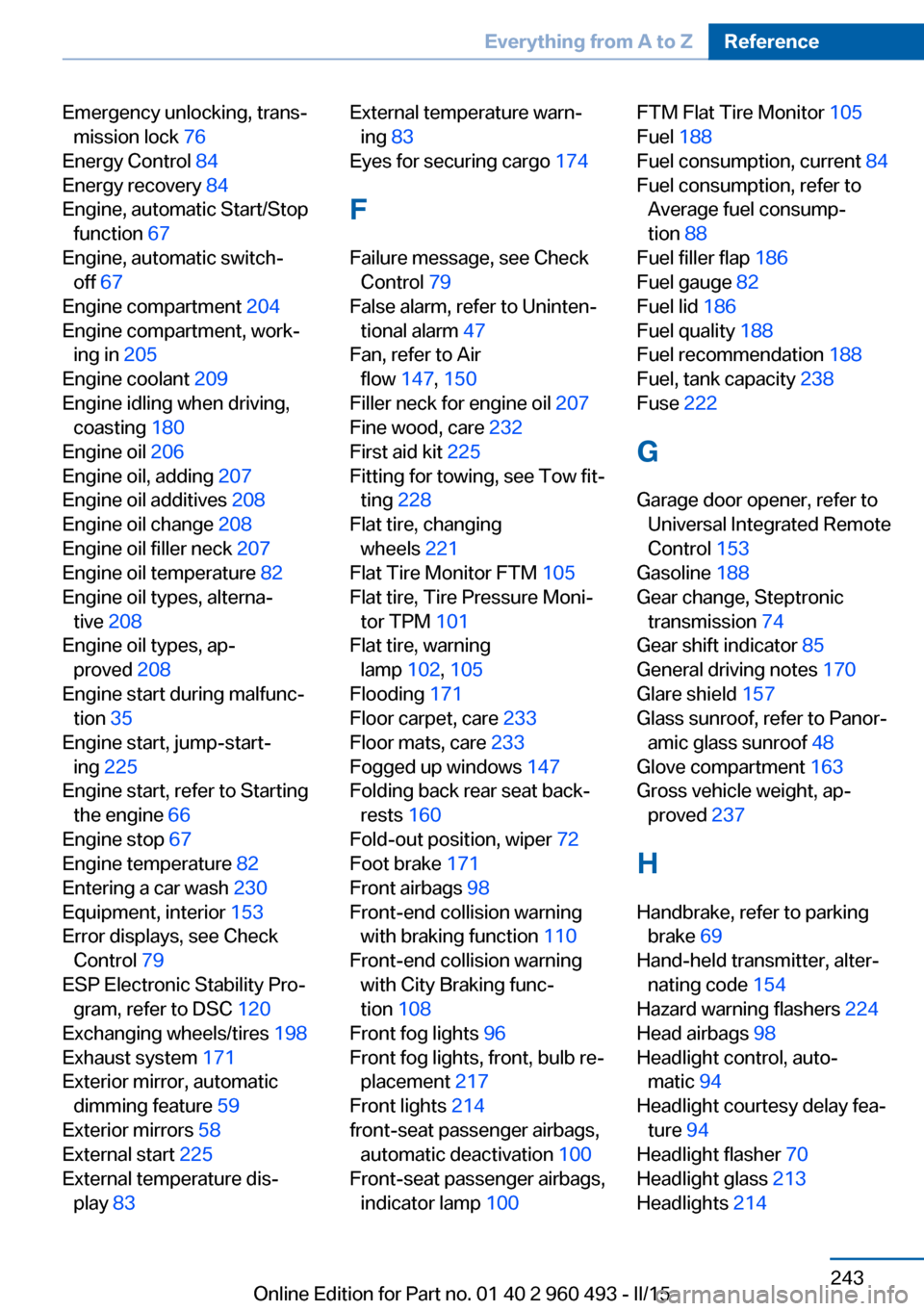
Emergency unlocking, trans‐mission lock 76
Energy Control 84
Energy recovery 84
Engine, automatic Start/Stop function 67
Engine, automatic switch- off 67
Engine compartment 204
Engine compartment, work‐ ing in 205
Engine coolant 209
Engine idling when driving, coasting 180
Engine oil 206
Engine oil, adding 207
Engine oil additives 208
Engine oil change 208
Engine oil filler neck 207
Engine oil temperature 82
Engine oil types, alterna‐ tive 208
Engine oil types, ap‐ proved 208
Engine start during malfunc‐ tion 35
Engine start, jump-start‐ ing 225
Engine start, refer to Starting the engine 66
Engine stop 67
Engine temperature 82
Entering a car wash 230
Equipment, interior 153
Error displays, see Check Control 79
ESP Electronic Stability Pro‐ gram, refer to DSC 120
Exchanging wheels/tires 198
Exhaust system 171
Exterior mirror, automatic dimming feature 59
Exterior mirrors 58
External start 225
External temperature dis‐ play 83 External temperature warn‐
ing 83
Eyes for securing cargo 174
F
Failure message, see Check Control 79
False alarm, refer to Uninten‐ tional alarm 47
Fan, refer to Air flow 147, 150
Filler neck for engine oil 207
Fine wood, care 232
First aid kit 225
Fitting for towing, see Tow fit‐ ting 228
Flat tire, changing wheels 221
Flat Tire Monitor FTM 105
Flat tire, Tire Pressure Moni‐ tor TPM 101
Flat tire, warning lamp 102, 105
Flooding 171
Floor carpet, care 233
Floor mats, care 233
Fogged up windows 147
Folding back rear seat back‐ rests 160
Fold-out position, wiper 72
Foot brake 171
Front airbags 98
Front-end collision warning with braking function 110
Front-end collision warning with City Braking func‐
tion 108
Front fog lights 96
Front fog lights, front, bulb re‐ placement 217
Front lights 214
front-seat passenger airbags, automatic deactivation 100
Front-seat passenger airbags, indicator lamp 100 FTM Flat Tire Monitor 105
Fuel 188
Fuel consumption, current 84
Fuel consumption, refer to Average fuel consump‐
tion 88
Fuel filler flap 186
Fuel gauge 82
Fuel lid 186
Fuel quality 188
Fuel recommendation 188
Fuel, tank capacity 238
Fuse 222
G
Garage door opener, refer to Universal Integrated Remote
Control 153
Gasoline 188
Gear change, Steptronic transmission 74
Gear shift indicator 85
General driving notes 170
Glare shield 157
Glass sunroof, refer to Panor‐ amic glass sunroof 48
Glove compartment 163
Gross vehicle weight, ap‐ proved 237
H
Handbrake, refer to parking brake 69
Hand-held transmitter, alter‐ nating code 154
Hazard warning flashers 224
Head airbags 98
Headlight control, auto‐ matic 94
Headlight courtesy delay fea‐ ture 94
Headlight flasher 70
Headlight glass 213
Headlights 214 Seite 243Everything from A to ZReference243
Online Edition for Part no. 01 40 2 960 493 - II/15
Page 249 of 255
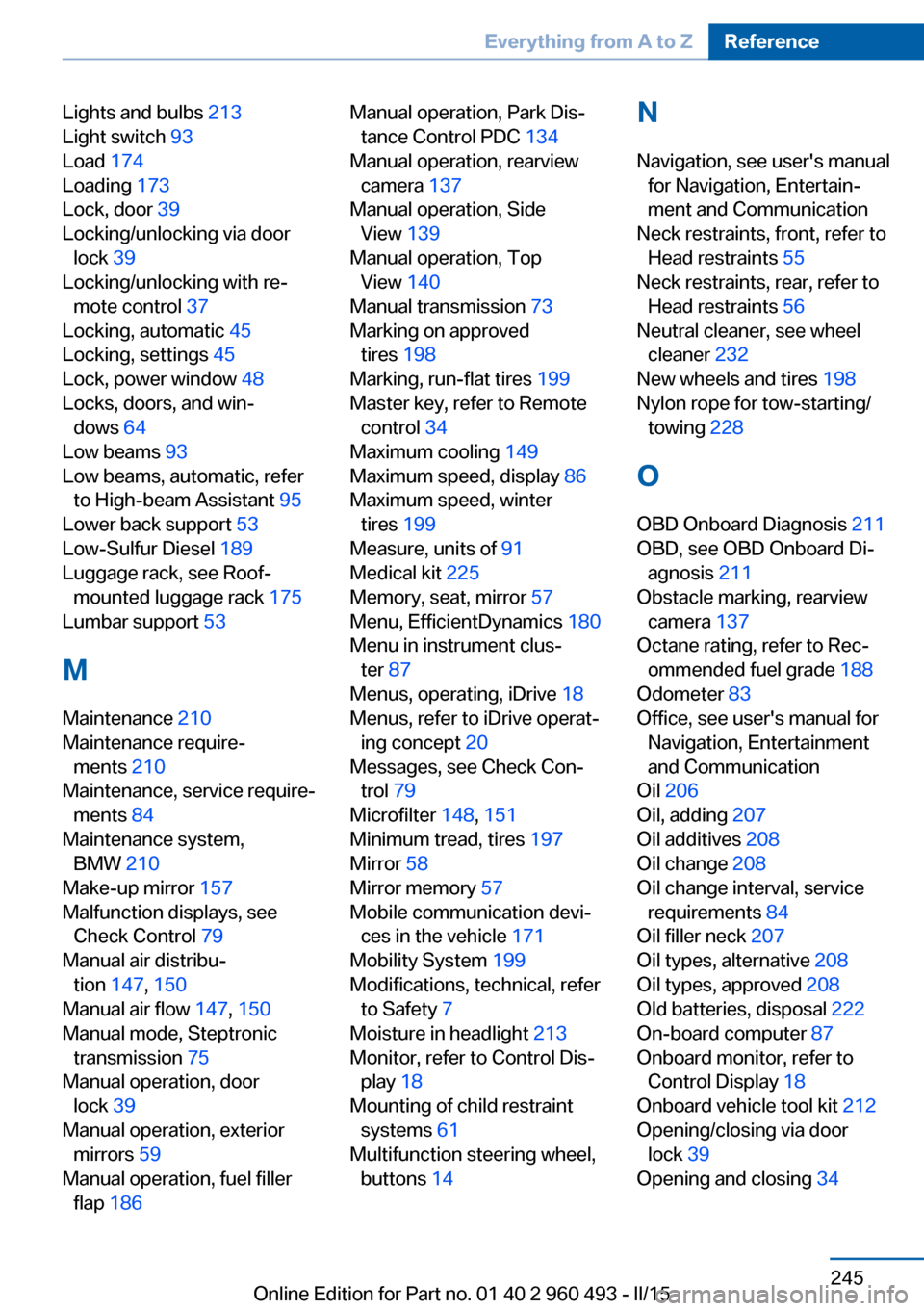
Lights and bulbs 213
Light switch 93
Load 174
Loading 173
Lock, door 39
Locking/unlocking via door lock 39
Locking/unlocking with re‐ mote control 37
Locking, automatic 45
Locking, settings 45
Lock, power window 48
Locks, doors, and win‐ dows 64
Low beams 93
Low beams, automatic, refer to High-beam Assistant 95
Lower back support 53
Low-Sulfur Diesel 189
Luggage rack, see Roof- mounted luggage rack 175
Lumbar support 53
M
Maintenance 210
Maintenance require‐ ments 210
Maintenance, service require‐ ments 84
Maintenance system, BMW 210
Make-up mirror 157
Malfunction displays, see Check Control 79
Manual air distribu‐ tion 147, 150
Manual air flow 147, 150
Manual mode, Steptronic transmission 75
Manual operation, door lock 39
Manual operation, exterior mirrors 59
Manual operation, fuel filler flap 186 Manual operation, Park Dis‐
tance Control PDC 134
Manual operation, rearview camera 137
Manual operation, Side View 139
Manual operation, Top View 140
Manual transmission 73
Marking on approved tires 198
Marking, run-flat tires 199
Master key, refer to Remote control 34
Maximum cooling 149
Maximum speed, display 86
Maximum speed, winter tires 199
Measure, units of 91
Medical kit 225
Memory, seat, mirror 57
Menu, EfficientDynamics 180
Menu in instrument clus‐ ter 87
Menus, operating, iDrive 18
Menus, refer to iDrive operat‐ ing concept 20
Messages, see Check Con‐ trol 79
Microfilter 148, 151
Minimum tread, tires 197
Mirror 58
Mirror memory 57
Mobile communication devi‐ ces in the vehicle 171
Mobility System 199
Modifications, technical, refer to Safety 7
Moisture in headlight 213
Monitor, refer to Control Dis‐ play 18
Mounting of child restraint systems 61
Multifunction steering wheel, buttons 14 N
Navigation, see user's manual for Navigation, Entertain‐
ment and Communication
Neck restraints, front, refer to Head restraints 55
Neck restraints, rear, refer to Head restraints 56
Neutral cleaner, see wheel cleaner 232
New wheels and tires 198
Nylon rope for tow-starting/ towing 228
O OBD Onboard Diagnosis 211
OBD, see OBD Onboard Di‐ agnosis 211
Obstacle marking, rearview camera 137
Octane rating, refer to Rec‐ ommended fuel grade 188
Odometer 83
Office, see user's manual for Navigation, Entertainment
and Communication
Oil 206
Oil, adding 207
Oil additives 208
Oil change 208
Oil change interval, service requirements 84
Oil filler neck 207
Oil types, alternative 208
Oil types, approved 208
Old batteries, disposal 222
On-board computer 87
Onboard monitor, refer to Control Display 18
Onboard vehicle tool kit 212
Opening/closing via door lock 39
Opening and closing 34 Seite 245Everything from A to ZReference245
Online Edition for Part no. 01 40 2 960 493 - II/15
Page 251 of 255
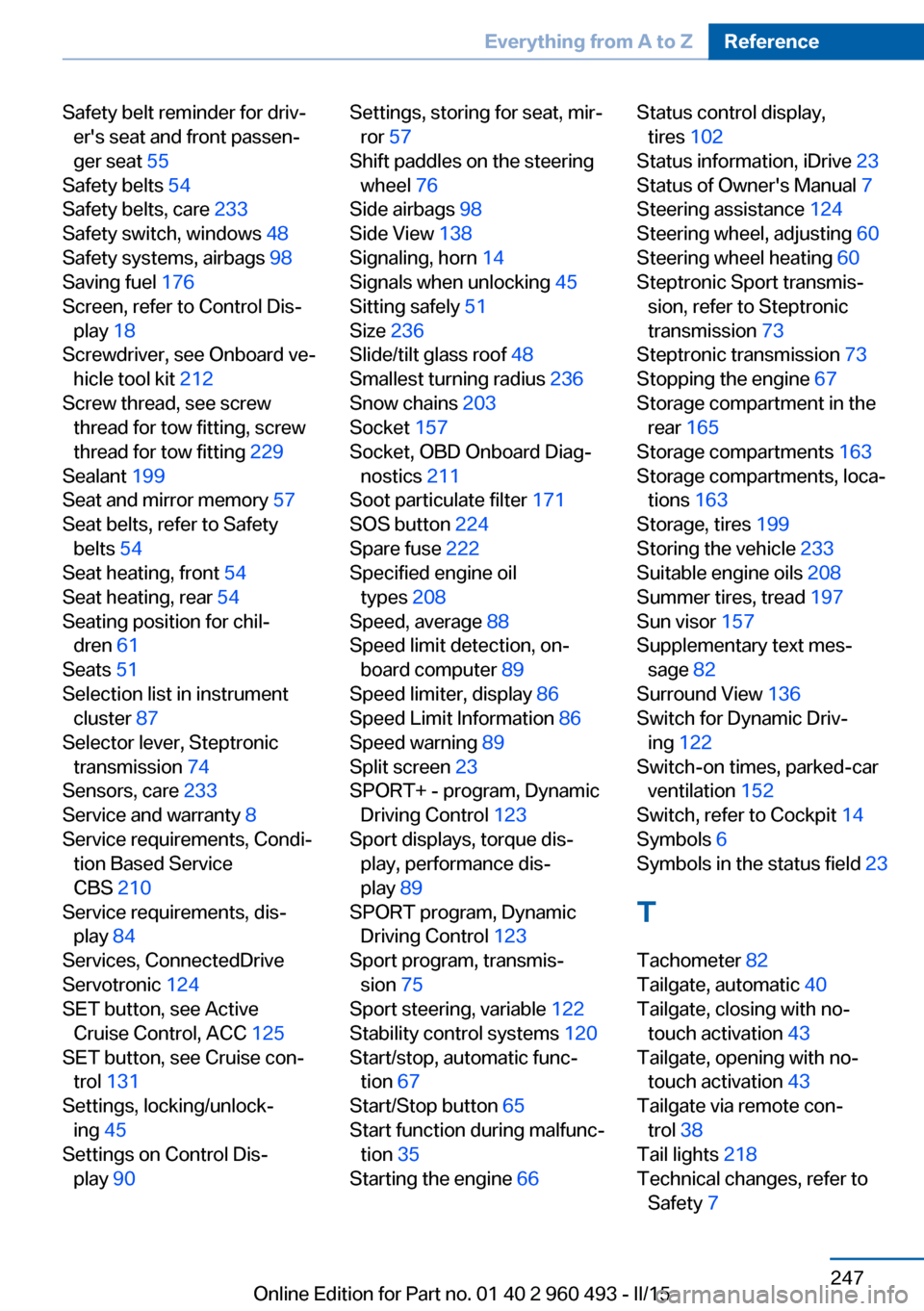
Safety belt reminder for driv‐er's seat and front passen‐
ger seat 55
Safety belts 54
Safety belts, care 233
Safety switch, windows 48
Safety systems, airbags 98
Saving fuel 176
Screen, refer to Control Dis‐ play 18
Screwdriver, see Onboard ve‐ hicle tool kit 212
Screw thread, see screw thread for tow fitting, screw
thread for tow fitting 229
Sealant 199
Seat and mirror memory 57
Seat belts, refer to Safety belts 54
Seat heating, front 54
Seat heating, rear 54
Seating position for chil‐ dren 61
Seats 51
Selection list in instrument cluster 87
Selector lever, Steptronic transmission 74
Sensors, care 233
Service and warranty 8
Service requirements, Condi‐ tion Based Service
CBS 210
Service requirements, dis‐ play 84
Services, ConnectedDrive
Servotronic 124
SET button, see Active Cruise Control, ACC 125
SET button, see Cruise con‐ trol 131
Settings, locking/unlock‐ ing 45
Settings on Control Dis‐ play 90 Settings, storing for seat, mir‐
ror 57
Shift paddles on the steering wheel 76
Side airbags 98
Side View 138
Signaling, horn 14
Signals when unlocking 45
Sitting safely 51
Size 236
Slide/tilt glass roof 48
Smallest turning radius 236
Snow chains 203
Socket 157
Socket, OBD Onboard Diag‐ nostics 211
Soot particulate filter 171
SOS button 224
Spare fuse 222
Specified engine oil types 208
Speed, average 88
Speed limit detection, on- board computer 89
Speed limiter, display 86
Speed Limit Information 86
Speed warning 89
Split screen 23
SPORT+ - program, Dynamic Driving Control 123
Sport displays, torque dis‐ play, performance dis‐
play 89
SPORT program, Dynamic Driving Control 123
Sport program, transmis‐ sion 75
Sport steering, variable 122
Stability control systems 120
Start/stop, automatic func‐ tion 67
Start/Stop button 65
Start function during malfunc‐ tion 35
Starting the engine 66 Status control display,
tires 102
Status information, iDrive 23
Status of Owner's Manual 7
Steering assistance 124
Steering wheel, adjusting 60
Steering wheel heating 60
Steptronic Sport transmis‐ sion, refer to Steptronic
transmission 73
Steptronic transmission 73
Stopping the engine 67
Storage compartment in the rear 165
Storage compartments 163
Storage compartments, loca‐ tions 163
Storage, tires 199
Storing the vehicle 233
Suitable engine oils 208
Summer tires, tread 197
Sun visor 157
Supplementary text mes‐ sage 82
Surround View 136
Switch for Dynamic Driv‐ ing 122
Switch-on times, parked-car ventilation 152
Switch, refer to Cockpit 14
Symbols 6
Symbols in the status field 23
T Tachometer 82
Tailgate, automatic 40
Tailgate, closing with no- touch activation 43
Tailgate, opening with no- touch activation 43
Tailgate via remote con‐ trol 38
Tail lights 218
Technical changes, refer to Safety 7 Seite 247Everything from A to ZReference247
Online Edition for Part no. 01 40 2 960 493 - II/15
Page 252 of 255
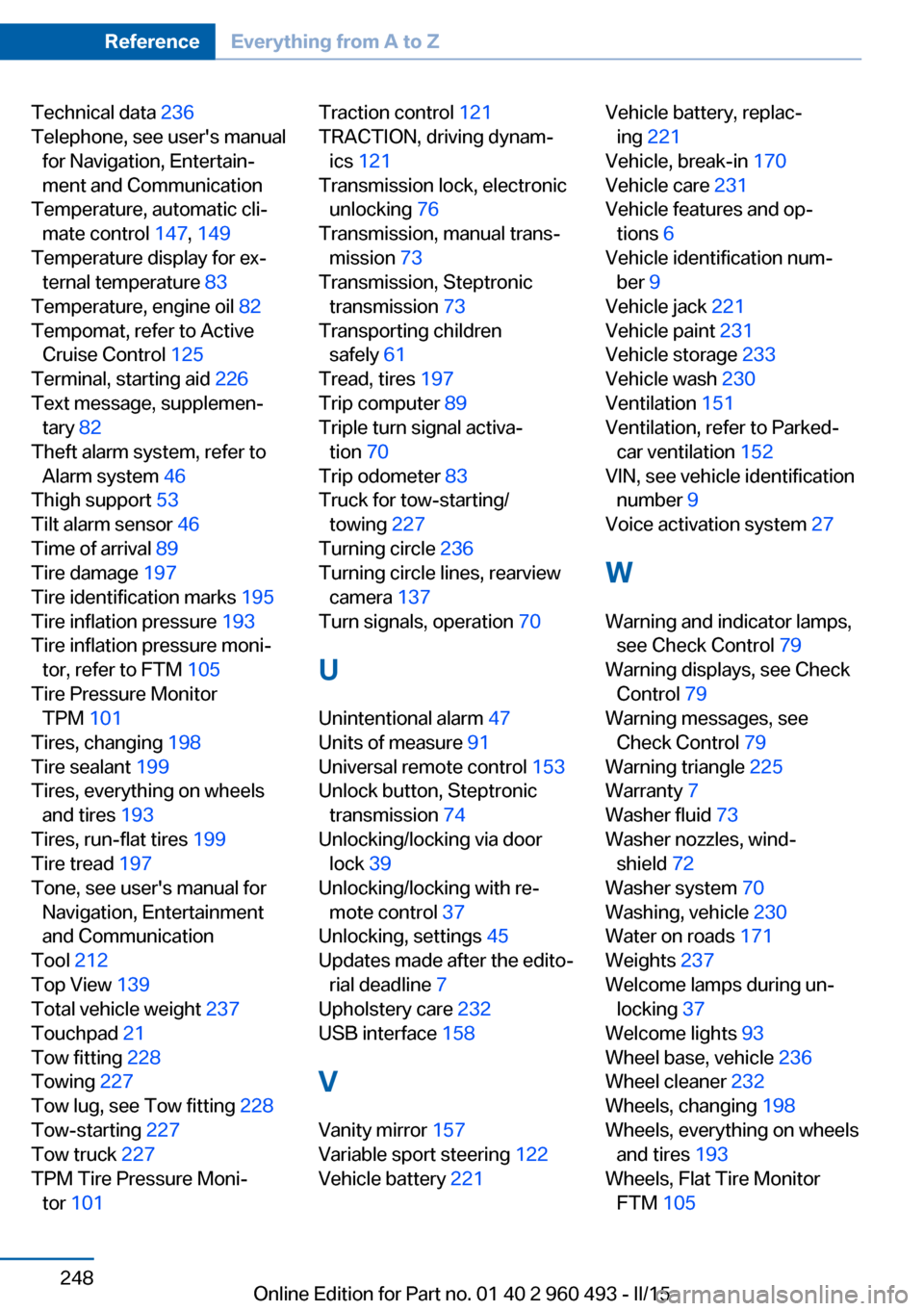
Technical data 236
Telephone, see user's manual for Navigation, Entertain‐
ment and Communication
Temperature, automatic cli‐ mate control 147, 149
Temperature display for ex‐ ternal temperature 83
Temperature, engine oil 82
Tempomat, refer to Active Cruise Control 125
Terminal, starting aid 226
Text message, supplemen‐ tary 82
Theft alarm system, refer to Alarm system 46
Thigh support 53
Tilt alarm sensor 46
Time of arrival 89
Tire damage 197
Tire identification marks 195
Tire inflation pressure 193
Tire inflation pressure moni‐ tor, refer to FTM 105
Tire Pressure Monitor TPM 101
Tires, changing 198
Tire sealant 199
Tires, everything on wheels and tires 193
Tires, run-flat tires 199
Tire tread 197
Tone, see user's manual for Navigation, Entertainment
and Communication
Tool 212
Top View 139
Total vehicle weight 237
Touchpad 21
Tow fitting 228
Towing 227
Tow lug, see Tow fitting 228
Tow-starting 227
Tow truck 227
TPM Tire Pressure Moni‐ tor 101 Traction control 121
TRACTION, driving dynam‐ ics 121
Transmission lock, electronic unlocking 76
Transmission, manual trans‐ mission 73
Transmission, Steptronic transmission 73
Transporting children safely 61
Tread, tires 197
Trip computer 89
Triple turn signal activa‐ tion 70
Trip odometer 83
Truck for tow-starting/ towing 227
Turning circle 236
Turning circle lines, rearview camera 137
Turn signals, operation 70
U Unintentional alarm 47
Units of measure 91
Universal remote control 153
Unlock button, Steptronic transmission 74
Unlocking/locking via door lock 39
Unlocking/locking with re‐ mote control 37
Unlocking, settings 45
Updates made after the edito‐ rial deadline 7
Upholstery care 232
USB interface 158
V Vanity mirror 157
Variable sport steering 122
Vehicle battery 221 Vehicle battery, replac‐
ing 221
Vehicle, break-in 170
Vehicle care 231
Vehicle features and op‐ tions 6
Vehicle identification num‐ ber 9
Vehicle jack 221
Vehicle paint 231
Vehicle storage 233
Vehicle wash 230
Ventilation 151
Ventilation, refer to Parked- car ventilation 152
VIN, see vehicle identification number 9
Voice activation system 27
W Warning and indicator lamps, see Check Control 79
Warning displays, see Check Control 79
Warning messages, see Check Control 79
Warning triangle 225
Warranty 7
Washer fluid 73
Washer nozzles, wind‐ shield 72
Washer system 70
Washing, vehicle 230
Water on roads 171
Weights 237
Welcome lamps during un‐ locking 37
Welcome lights 93
Wheel base, vehicle 236
Wheel cleaner 232
Wheels, changing 198
Wheels, everything on wheels and tires 193
Wheels, Flat Tire Monitor FTM 105 Seite 248ReferenceEverything from A to Z248
Online Edition for Part no. 01 40 2 960 493 - II/15