trunk BMW 320i SEDAN 2015 Owner's Manual
[x] Cancel search | Manufacturer: BMW, Model Year: 2015, Model line: 320i SEDAN, Model: BMW 320i SEDAN 2015Pages: 257, PDF Size: 5.55 MB
Page 216 of 257
Replacing componentsVehicle features and optionsThis chapter describes all standard, country-
specific and optional features offered with the
series. It also describes features that are not
necessarily available in your car, e. g., due to
the selected options or country versions. This
also applies to safety-related functions and
systems. The respectively applicable country
provisions must be observed when using the
respective features and systems.
Onboard vehicle tool kit
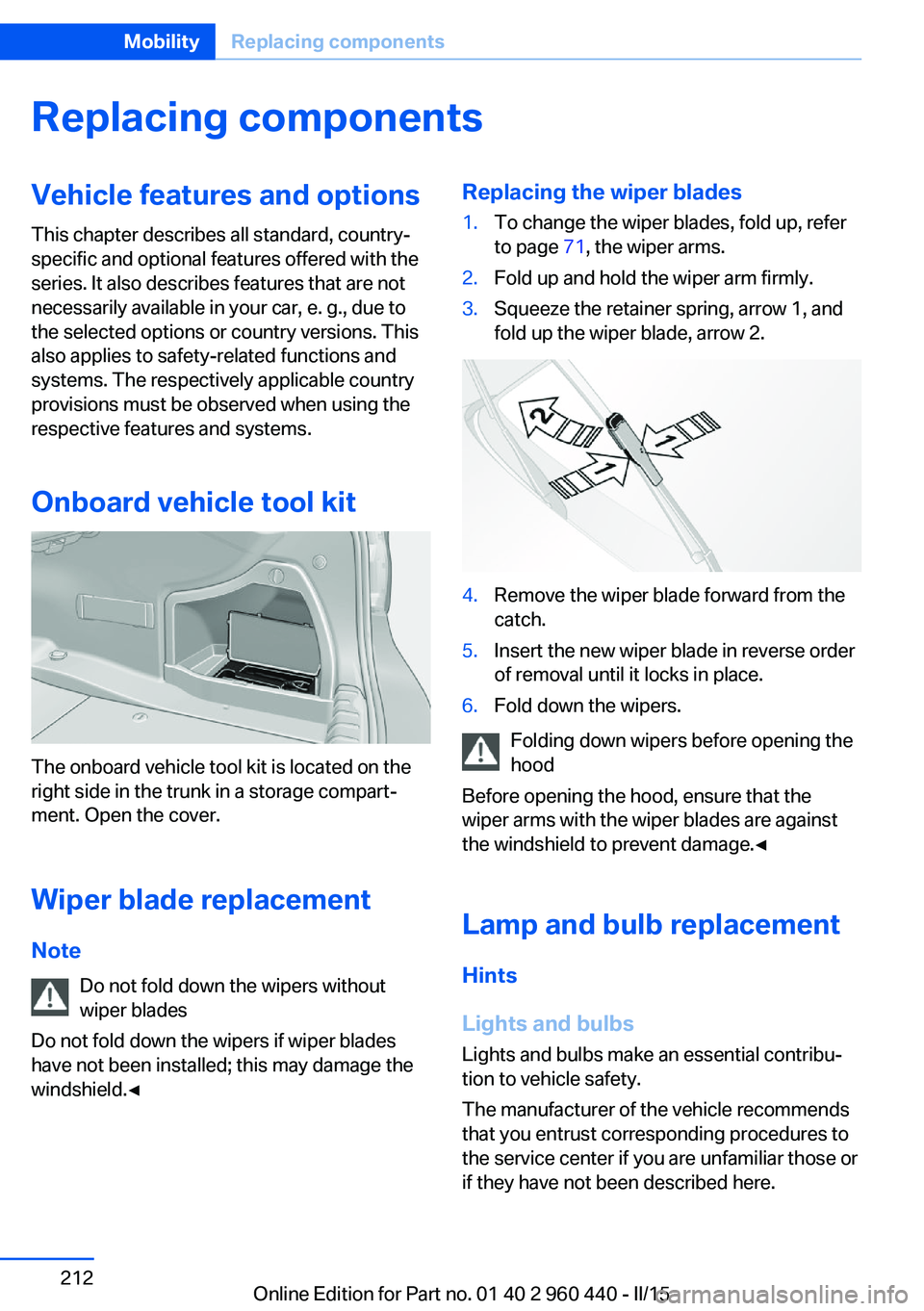
The onboard vehicle tool kit is located on the
right side in the trunk in a storage compart‐
ment. Open the cover.
Wiper blade replacement
Note Do not fold down the wipers without
wiper blades
Do not fold down the wipers if wiper blades
have not been installed; this may damage the
windshield.◀
Replacing the wiper blades1.To change the wiper blades, fold up, refer
to page 71, the wiper arms.2.Fold up and hold the wiper arm firmly.3.Squeeze the retainer spring, arrow 1, and
fold up the wiper blade, arrow 2.4.Remove the wiper blade forward from the
catch.5.Insert the new wiper blade in reverse order
of removal until it locks in place.6.Fold down the wipers.
Folding down wipers before opening the hood
Before opening the hood, ensure that the
wiper arms with the wiper blades are against
the windshield to prevent damage.◀
Lamp and bulb replacement
Hints
Lights and bulbs Lights and bulbs make an essential contribu‐
tion to vehicle safety.
The manufacturer of the vehicle recommends
that you entrust corresponding procedures to
the service center if you are unfamiliar those or
if they have not been described here.
Seite 212MobilityReplacing components212
Online Edition for Part no. 01 40 2 960 440 - II/15
Page 222 of 257
Tail lights, bulb replacement
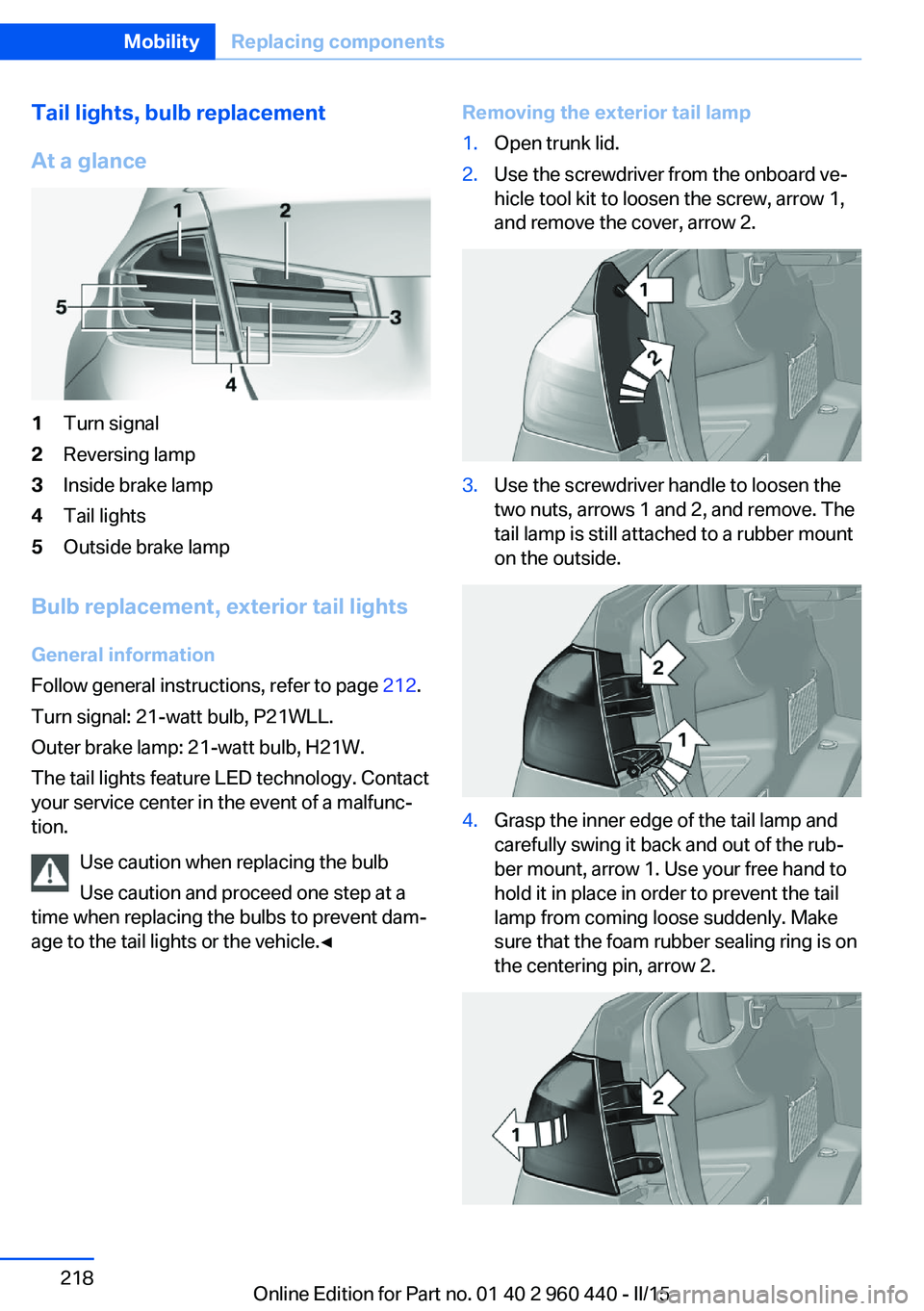
At a glance1Turn signal2Reversing lamp3Inside brake lamp4Tail lights5Outside brake lamp
Bulb replacement, exterior tail lights General information
Follow general instructions, refer to page 212.
Turn signal: 21-watt bulb, P21WLL.
Outer brake lamp: 21-watt bulb, H21W.
The tail lights feature LED technology. Contact
your service center in the event of a malfunc‐
tion.
Use caution when replacing the bulb
Use caution and proceed one step at a
time when replacing the bulbs to prevent dam‐
age to the tail lights or the vehicle.◀
Removing the exterior tail lamp1.Open trunk lid.2.Use the screwdriver from the onboard ve‐
hicle tool kit to loosen the screw, arrow 1,
and remove the cover, arrow 2.3.Use the screwdriver handle to loosen the
two nuts, arrows 1 and 2, and remove. The
tail lamp is still attached to a rubber mount
on the outside.4.Grasp the inner edge of the tail lamp and
carefully swing it back and out of the rub‐
ber mount, arrow 1. Use your free hand to
hold it in place in order to prevent the tail
lamp from coming loose suddenly. Make
sure that the foam rubber sealing ring is on
the centering pin, arrow 2.Seite 218MobilityReplacing components218
Online Edition for Part no. 01 40 2 960 440 - II/15
Page 223 of 257
5.Remove the connecting line from the clip
on the bulb holder.6.Press and hold the catch at the top on the
connector of the connecting line and re‐
move the connector from the bulb holder.
Replacing the bulbs
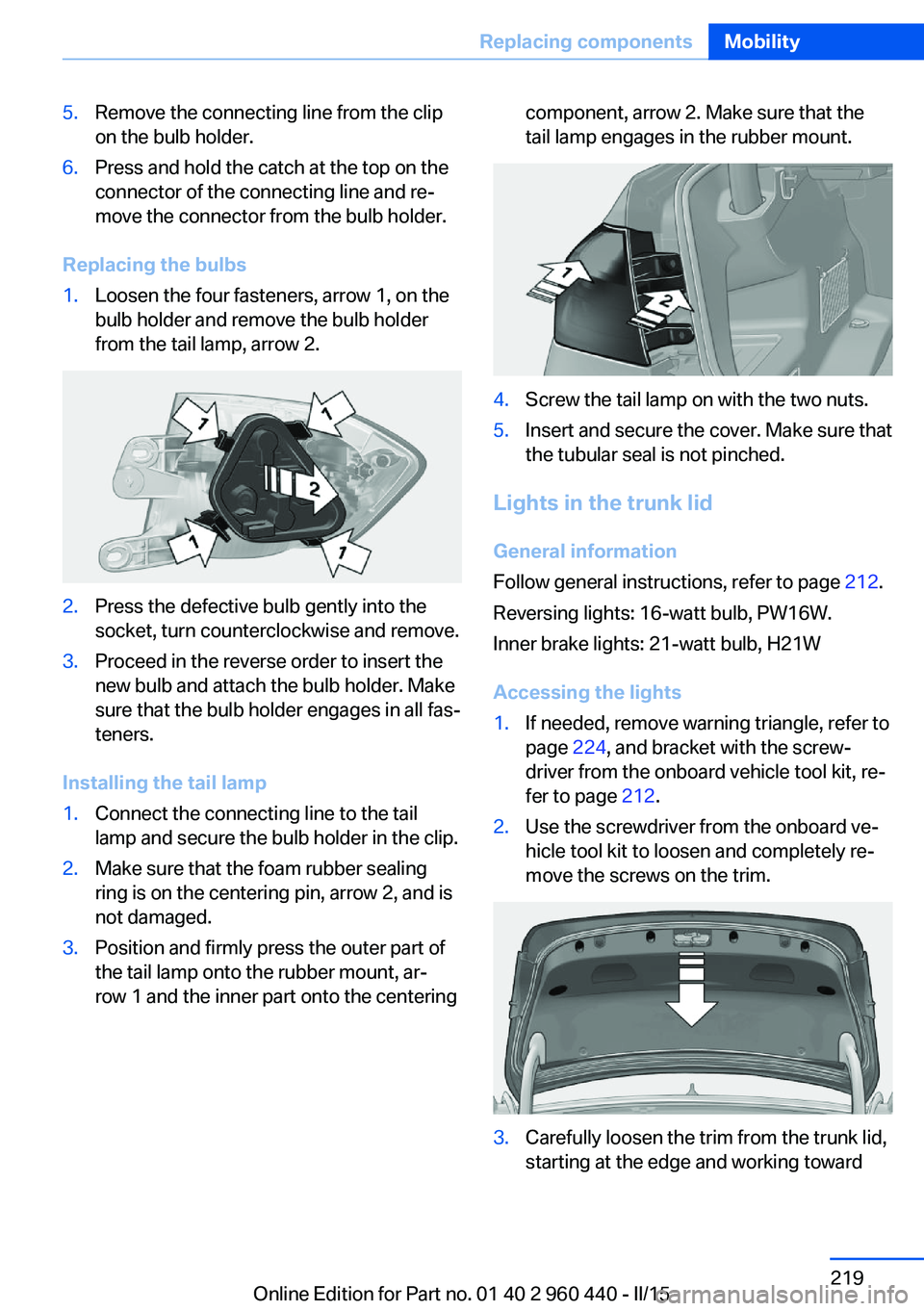
1.Loosen the four fasteners, arrow 1, on the
bulb holder and remove the bulb holder
from the tail lamp, arrow 2.2.Press the defective bulb gently into the
socket, turn counterclockwise and remove.3.Proceed in the reverse order to insert the
new bulb and attach the bulb holder. Make
sure that the bulb holder engages in all fas‐
teners.
Installing the tail lamp
1.Connect the connecting line to the tail
lamp and secure the bulb holder in the clip.2.Make sure that the foam rubber sealing
ring is on the centering pin, arrow 2, and is
not damaged.3.Position and firmly press the outer part of
the tail lamp onto the rubber mount, ar‐
row 1 and the inner part onto the centeringcomponent, arrow 2. Make sure that the
tail lamp engages in the rubber mount.4.Screw the tail lamp on with the two nuts.5.Insert and secure the cover. Make sure that
the tubular seal is not pinched.
Lights in the trunk lid
General information
Follow general instructions, refer to page 212.
Reversing lights: 16-watt bulb, PW16W.
Inner brake lights: 21-watt bulb, H21W
Accessing the lights
1.If needed, remove warning triangle, refer to
page 224, and bracket with the screw‐
driver from the onboard vehicle tool kit, re‐
fer to page 212.2.Use the screwdriver from the onboard ve‐
hicle tool kit to loosen and completely re‐
move the screws on the trim.3.Carefully loosen the trim from the trunk lid,
starting at the edge and working towardSeite 219Replacing componentsMobility219
Online Edition for Part no. 01 40 2 960 440 - II/15
Page 224 of 257
the area around the recessed grips. Make
sure that the trim does not become stuck.4.Carefully swing out the trim.
Replacing the reversing lamp and inner
brake lamp
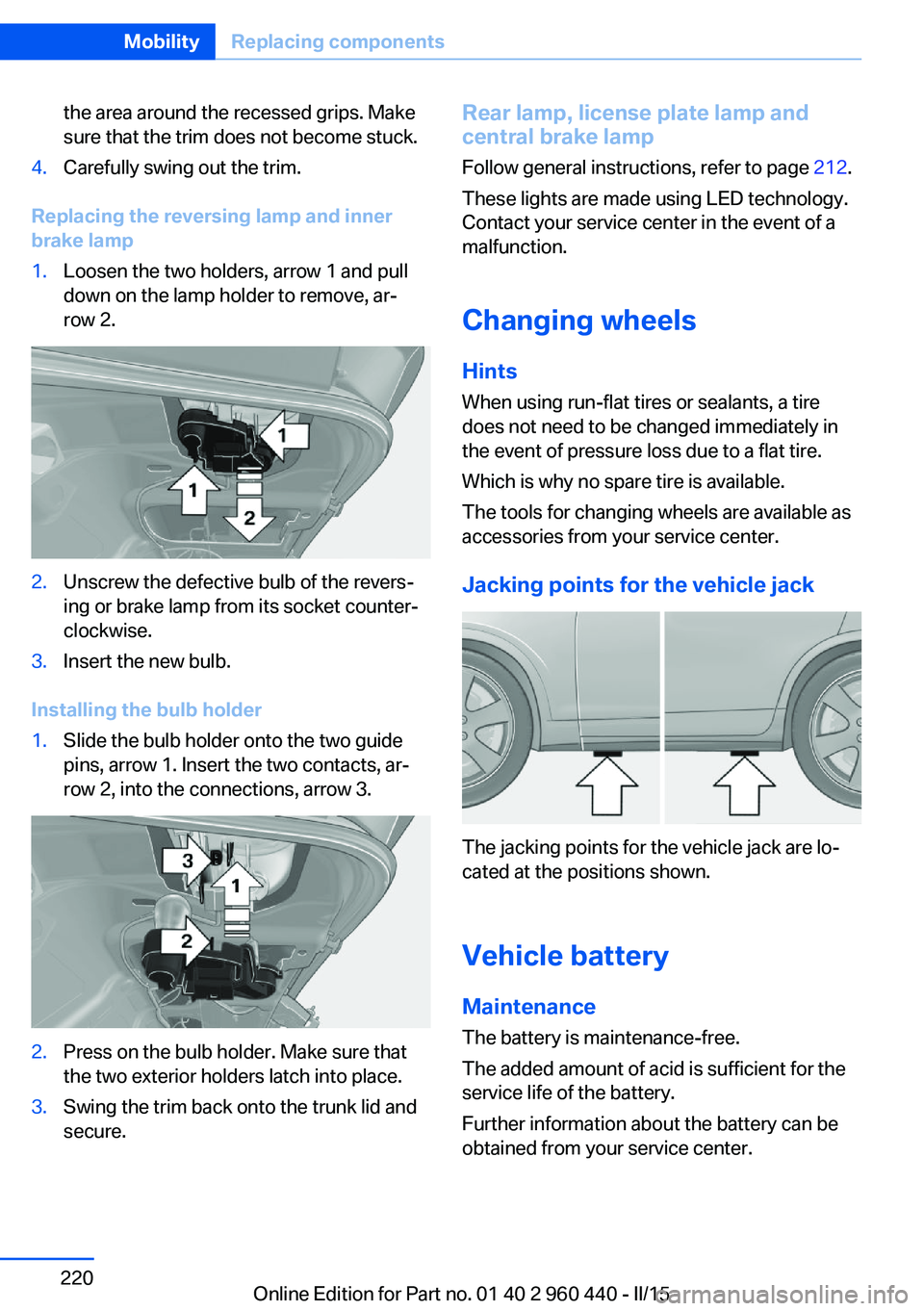
1.Loosen the two holders, arrow 1 and pull
down on the lamp holder to remove, ar‐
row 2.2.Unscrew the defective bulb of the revers‐
ing or brake lamp from its socket counter‐
clockwise.3.Insert the new bulb.
Installing the bulb holder
1.Slide the bulb holder onto the two guide
pins, arrow 1. Insert the two contacts, ar‐
row 2, into the connections, arrow 3.2.Press on the bulb holder. Make sure that
the two exterior holders latch into place.3.Swing the trim back onto the trunk lid and
secure.Rear lamp, license plate lamp and
central brake lamp
Follow general instructions, refer to page 212.
These lights are made using LED technology.
Contact your service center in the event of a
malfunction.
Changing wheels
Hints When using run-flat tires or sealants, a tire
does not need to be changed immediately in
the event of pressure loss due to a flat tire.
Which is why no spare tire is available.
The tools for changing wheels are available as
accessories from your service center.
Jacking points for the vehicle jack
The jacking points for the vehicle jack are lo‐
cated at the positions shown.
Vehicle battery Maintenance
The battery is maintenance-free.
The added amount of acid is sufficient for the
service life of the battery.
Further information about the battery can be
obtained from your service center.
Seite 220MobilityReplacing components220
Online Edition for Part no. 01 40 2 960 440 - II/15
Page 225 of 257
Battery replacementUse approved vehicle batteries only
Only use vehicle batteries that have been
approved for your vehicle by the manufacturer;
otherwise, the vehicle could be damaged and
systems or functions may not be fully availa‐
ble.◀
After a battery replacement, have the battery registered on the vehicle by the service center
to ensure that all comfort features are fully
available and that any Check Control mes‐
sages of these comfort features are no longer
displayed.
Charging the battery
General information Make sure that the battery is always suffi‐
ciently charged to guarantee that the battery
remains usable for its full service life.
The battery may need to be charged in the fol‐
lowing cases:▷When making frequent short-distance
drives.▷If the vehicle is not used for prolonged pe‐
riods, longer than a month.
Hints
Do not connect charging devices to the
12 volt socket in the vehicle
Do not connect battery chargers to the fac‐
tory-installed 12 volt sockets in the vehicle as
this may damage the vehicle battery due to an
increased power consumption.◀
Starting aid terminals
In the vehicle, only charge the battery via the
starting aid terminals, refer to page 225, in the
engine compartment with the engine off.
Power failure
After a temporary power loss, some equipment
needs to be newly initialized or individual set‐
tings updated, e. g.:▷Seat and mirror memory: store the posi‐
tions again.▷Time: update.▷Date: update.▷Glass sunroof and sliding visor: initialize
the system, refer to page 48.
Disposing of old batteries
Have old batteries disposed of by your
service center or bring them to a recy‐
cling center.
Maintain the battery in an upright position for
transport and storage. Secure the battery so
that it does not tip over during transport.
Fuses Hints Replacing fuses
Never attempt to repair a blown fuse and
do not replace a defective fuse with a substi‐
tute of another color or amperage rating; this
could lead to a circuit overload, ultimately re‐
sulting in a fire in the vehicle.◀
Plastic tweezers and information on the fuse
types and locations are stored in the fuse box
in the trunk.
Seite 221Replacing componentsMobility221
Online Edition for Part no. 01 40 2 960 440 - II/15
Page 226 of 257
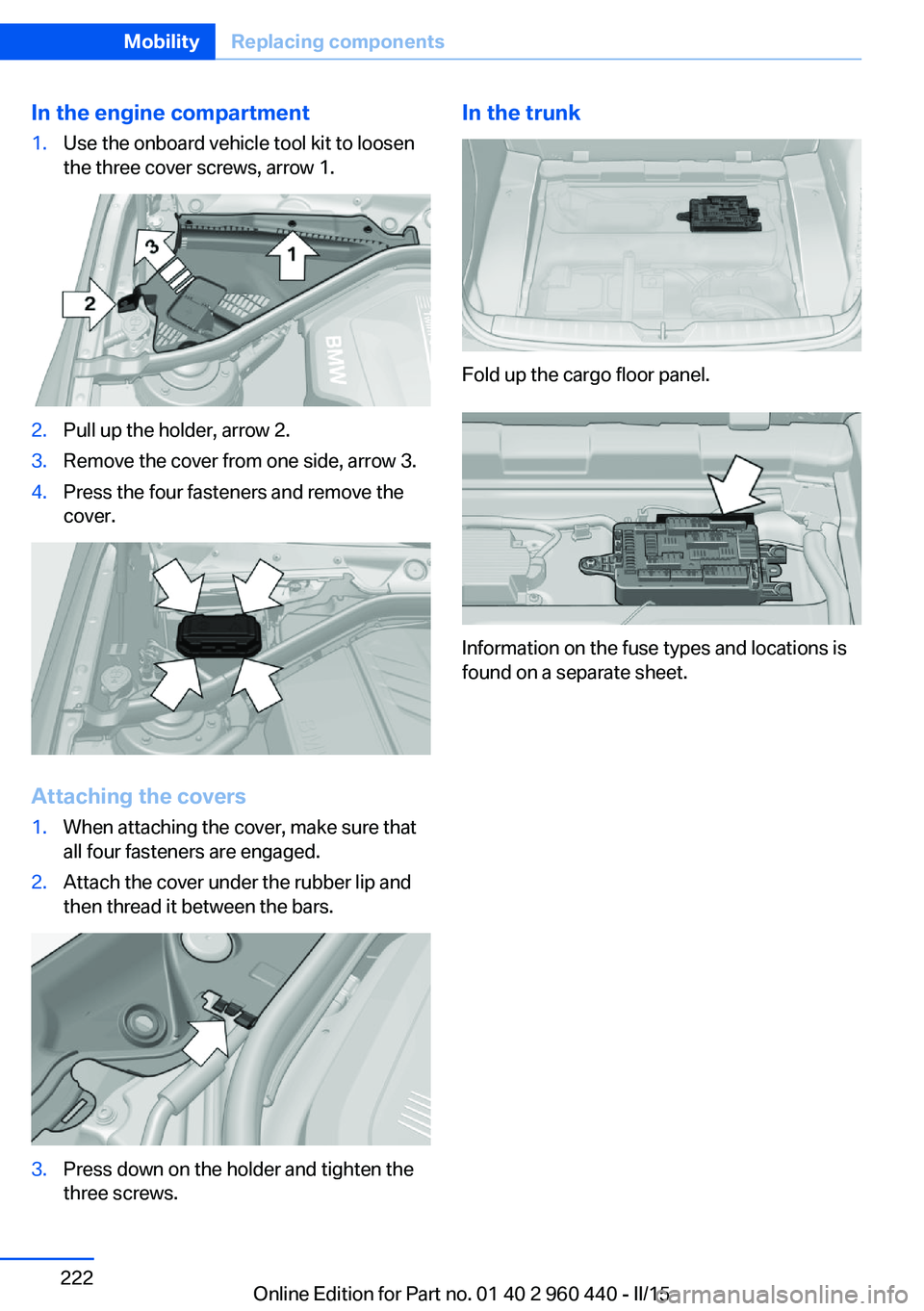
In the engine compartment1.Use the onboard vehicle tool kit to loosen
the three cover screws, arrow 1.2.Pull up the holder, arrow 2.3.Remove the cover from one side, arrow 3.4.Press the four fasteners and remove the
cover.
Attaching the covers
1.When attaching the cover, make sure that
all four fasteners are engaged.2.Attach the cover under the rubber lip and
then thread it between the bars.3.Press down on the holder and tighten the
three screws.In the trunk
Fold up the cargo floor panel.
Information on the fuse types and locations is
found on a separate sheet.
Seite 222MobilityReplacing components222
Online Edition for Part no. 01 40 2 960 440 - II/15
Page 228 of 257
When the emergency request is received
at the BMW Response Center, the BMW
Response Center contacts you and takes
further steps to help you.
Even if you are unable to respond, the
BMW Response Center can take further
steps to help you under certain circum‐
stances.
For this, data are transmitted to the BMW
Response Center which serve to deter‐
mine the necessary rescue measures. E. g.
the current position of the vehicle, if it can
be established.▷If the LED is flashing green, but the BMW
Response Center can no longer be heard
via the speaker, you can nevertheless still
be heard at the BMW Response Center.
Initiating an Emergency Request
automatically
Under certain conditions, an Emergency Re‐
quest is automatically initiated immediately af‐
ter a severe accident. Automatic Collision Noti‐
fication is not affected by pressing the SOS
button.
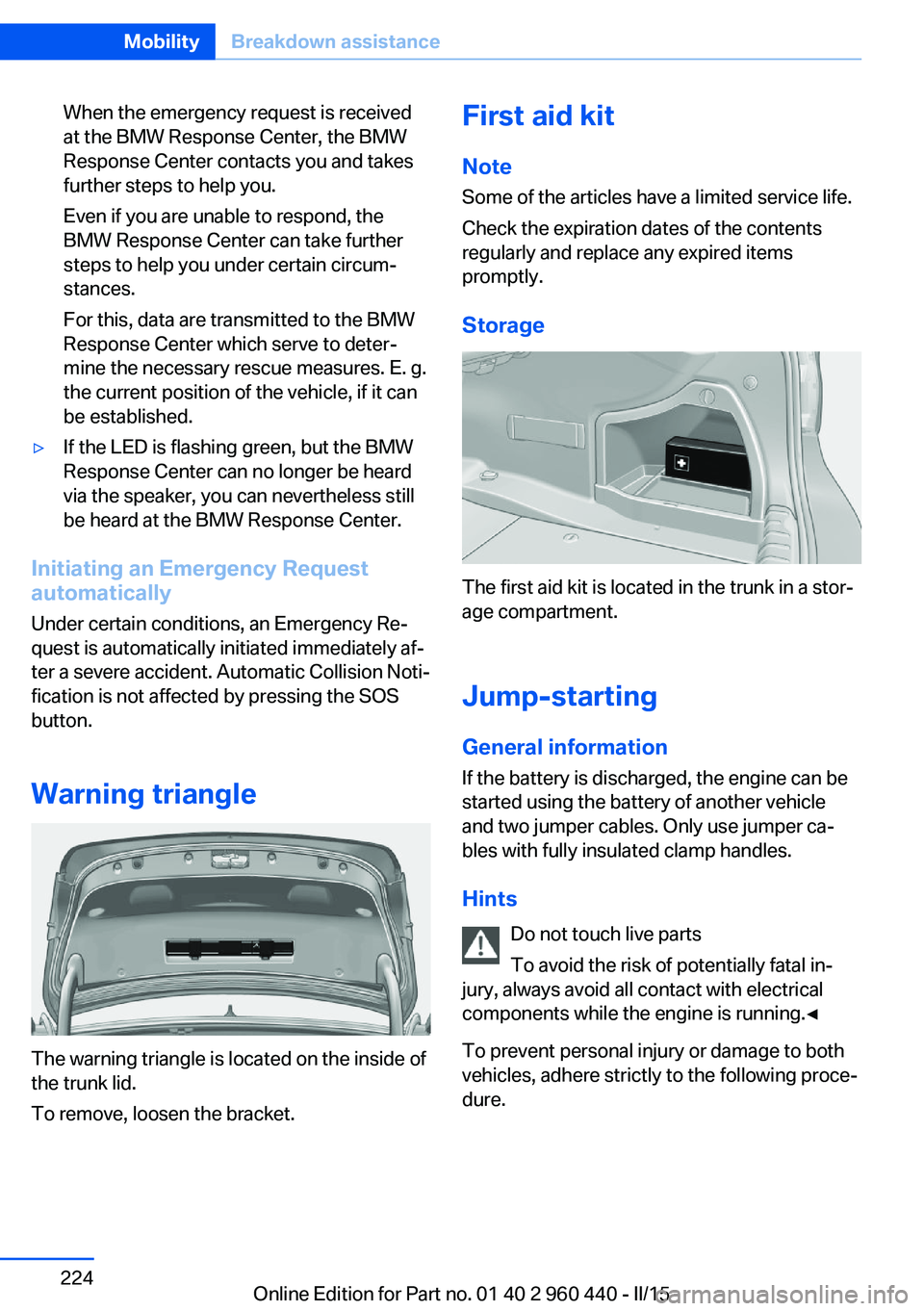
Warning triangle
The warning triangle is located on the inside of
the trunk lid.
To remove, loosen the bracket.
First aid kit
Note
Some of the articles have a limited service life.
Check the expiration dates of the contents
regularly and replace any expired items
promptly.
Storage
The first aid kit is located in the trunk in a stor‐
age compartment.
Jump-starting General information
If the battery is discharged, the engine can be
started using the battery of another vehicle
and two jumper cables. Only use jumper ca‐
bles with fully insulated clamp handles.
Hints Do not touch live parts
To avoid the risk of potentially fatal in‐
jury, always avoid all contact with electrical
components while the engine is running.◀
To prevent personal injury or damage to both
vehicles, adhere strictly to the following proce‐
dure.
Seite 224MobilityBreakdown assistance224
Online Edition for Part no. 01 40 2 960 440 - II/15
Page 232 of 257
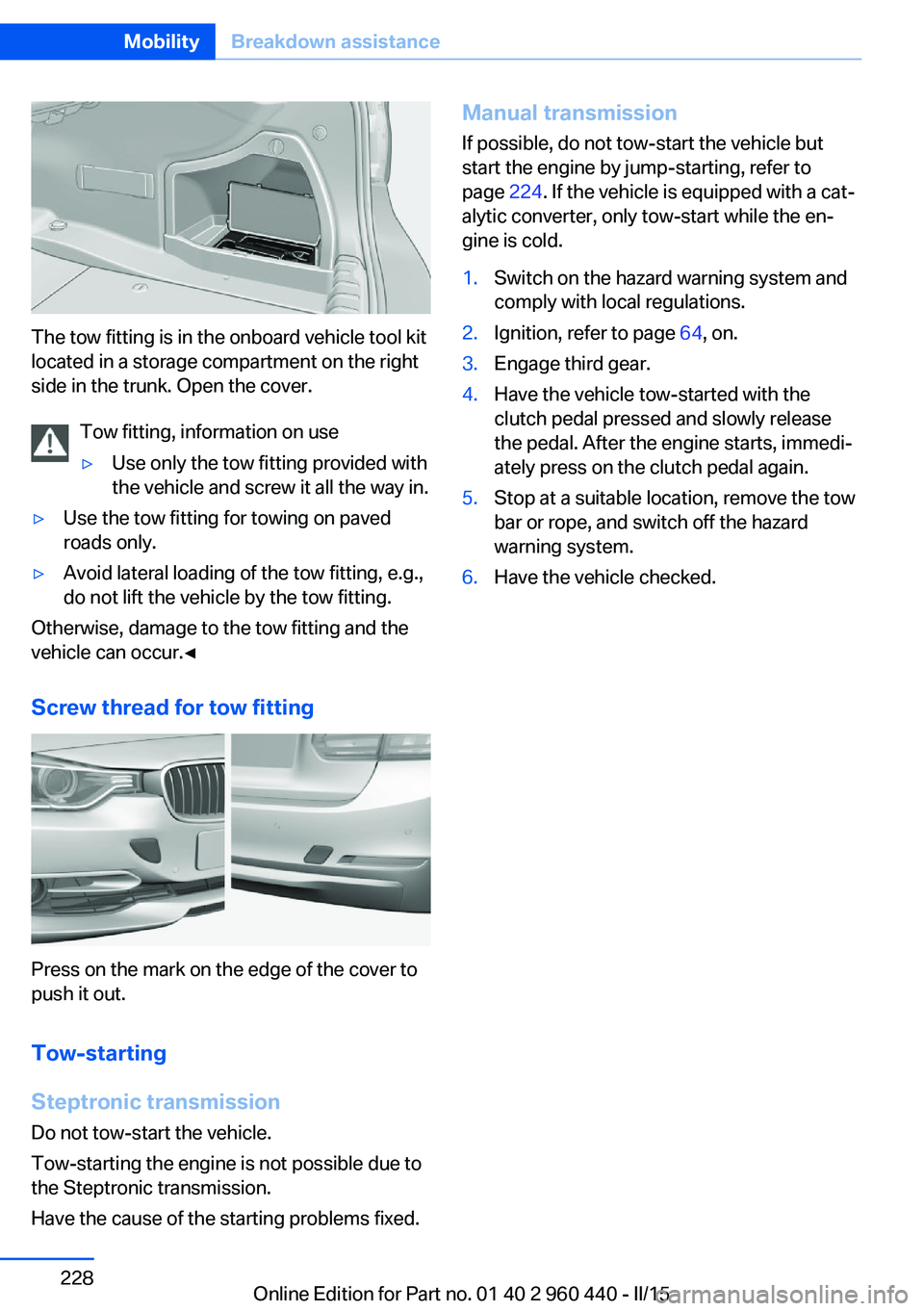
The tow fitting is in the onboard vehicle tool kit
located in a storage compartment on the right
side in the trunk. Open the cover.
Tow fitting, information on use
▷Use only the tow fitting provided with
the vehicle and screw it all the way in.▷Use the tow fitting for towing on paved
roads only.▷Avoid lateral loading of the tow fitting, e.g.,
do not lift the vehicle by the tow fitting.
Otherwise, damage to the tow fitting and the
vehicle can occur.◀
Screw thread for tow fitting
Press on the mark on the edge of the cover to
push it out.
Tow-starting
Steptronic transmission
Do not tow-start the vehicle.
Tow-starting the engine is not possible due to
the Steptronic transmission.
Have the cause of the starting problems fixed.
Manual transmission If possible, do not tow-start the vehicle but
start the engine by jump-starting, refer to
page 224. If the vehicle is equipped with a cat‐
alytic converter, only tow-start while the en‐
gine is cold.1.Switch on the hazard warning system and
comply with local regulations.2.Ignition, refer to page 64, on.3.Engage third gear.4.Have the vehicle tow-started with the
clutch pedal pressed and slowly release
the pedal. After the engine starts, immedi‐
ately press on the clutch pedal again.5.Stop at a suitable location, remove the tow
bar or rope, and switch off the hazard
warning system.6.Have the vehicle checked.Seite 228MobilityBreakdown assistance228
Online Edition for Part no. 01 40 2 960 440 - II/15
Page 248 of 257
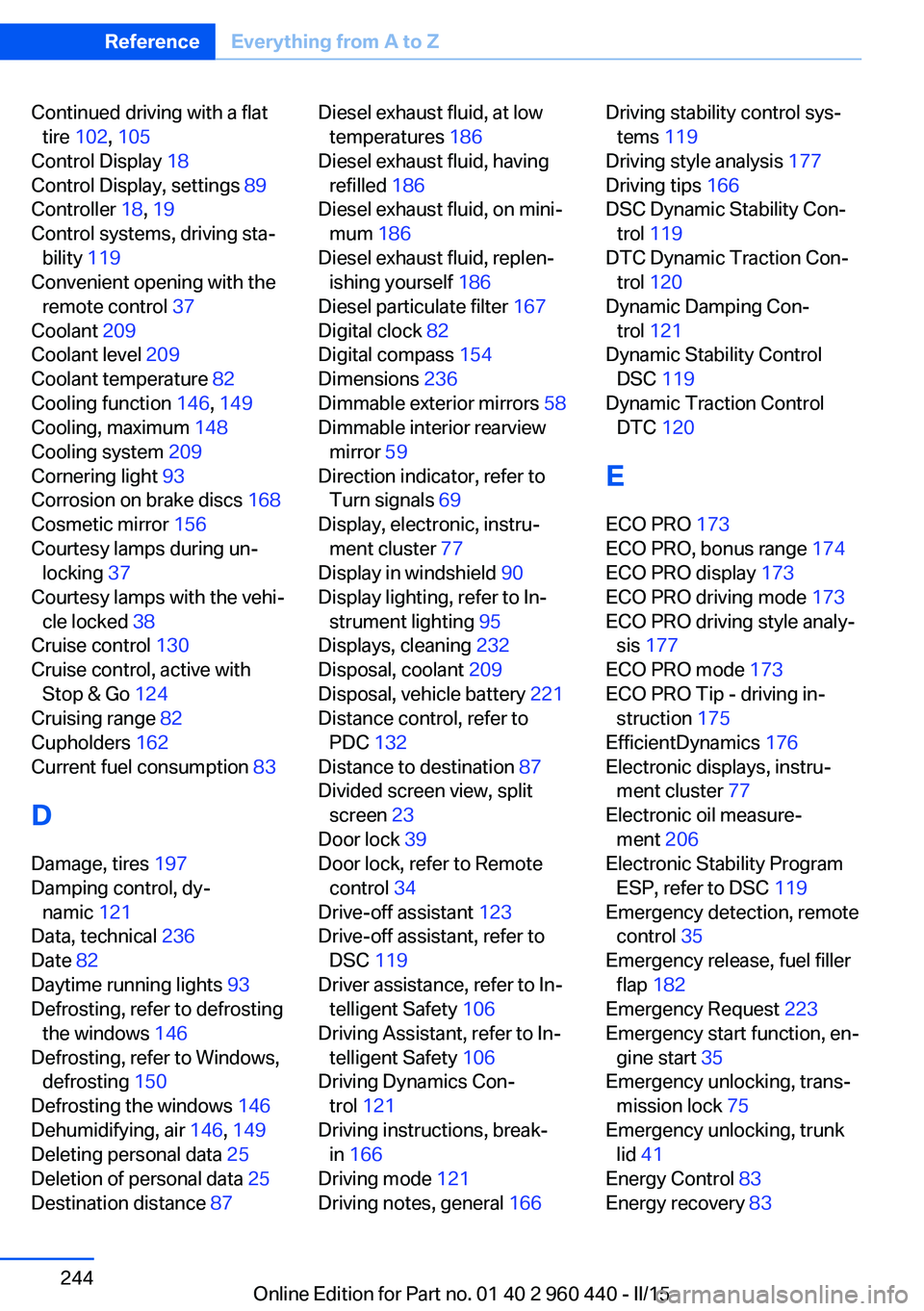
Continued driving with a flattire 102 , 105
Control Display 18
Control Display, settings 89
Controller 18, 19
Control systems, driving sta‐ bility 119
Convenient opening with the remote control 37
Coolant 209
Coolant level 209
Coolant temperature 82
Cooling function 146, 149
Cooling, maximum 148
Cooling system 209
Cornering light 93
Corrosion on brake discs 168
Cosmetic mirror 156
Courtesy lamps during un‐ locking 37
Courtesy lamps with the vehi‐ cle locked 38
Cruise control 130
Cruise control, active with Stop & Go 124
Cruising range 82
Cupholders 162
Current fuel consumption 83
D
Damage, tires 197
Damping control, dy‐ namic 121
Data, technical 236
Date 82
Daytime running lights 93
Defrosting, refer to defrosting the windows 146
Defrosting, refer to Windows, defrosting 150
Defrosting the windows 146
Dehumidifying, air 146, 149
Deleting personal data 25
Deletion of personal data 25
Destination distance 87 Diesel exhaust fluid, at low
temperatures 186
Diesel exhaust fluid, having refilled 186
Diesel exhaust fluid, on mini‐ mum 186
Diesel exhaust fluid, replen‐ ishing yourself 186
Diesel particulate filter 167
Digital clock 82
Digital compass 154
Dimensions 236
Dimmable exterior mirrors 58
Dimmable interior rearview mirror 59
Direction indicator, refer to Turn signals 69
Display, electronic, instru‐ ment cluster 77
Display in windshield 90
Display lighting, refer to In‐ strument lighting 95
Displays, cleaning 232
Disposal, coolant 209
Disposal, vehicle battery 221
Distance control, refer to PDC 132
Distance to destination 87
Divided screen view, split screen 23
Door lock 39
Door lock, refer to Remote control 34
Drive-off assistant 123
Drive-off assistant, refer to DSC 119
Driver assistance, refer to In‐ telligent Safety 106
Driving Assistant, refer to In‐ telligent Safety 106
Driving Dynamics Con‐ trol 121
Driving instructions, break- in 166
Driving mode 121
Driving notes, general 166 Driving stability control sys‐
tems 119
Driving style analysis 177
Driving tips 166
DSC Dynamic Stability Con‐ trol 119
DTC Dynamic Traction Con‐ trol 120
Dynamic Damping Con‐ trol 121
Dynamic Stability Control DSC 119
Dynamic Traction Control DTC 120
E ECO PRO 173
ECO PRO, bonus range 174
ECO PRO display 173
ECO PRO driving mode 173
ECO PRO driving style analy‐ sis 177
ECO PRO mode 173
ECO PRO Tip - driving in‐ struction 175
EfficientDynamics 176
Electronic displays, instru‐ ment cluster 77
Electronic oil measure‐ ment 206
Electronic Stability Program ESP, refer to DSC 119
Emergency detection, remote control 35
Emergency release, fuel filler flap 182
Emergency Request 223
Emergency start function, en‐ gine start 35
Emergency unlocking, trans‐ mission lock 75
Emergency unlocking, trunk lid 41
Energy Control 83
Energy recovery 83 Seite 244ReferenceEverything from A to Z244
Online Edition for Part no. 01 40 2 960 440 - II/15
Page 250 of 257
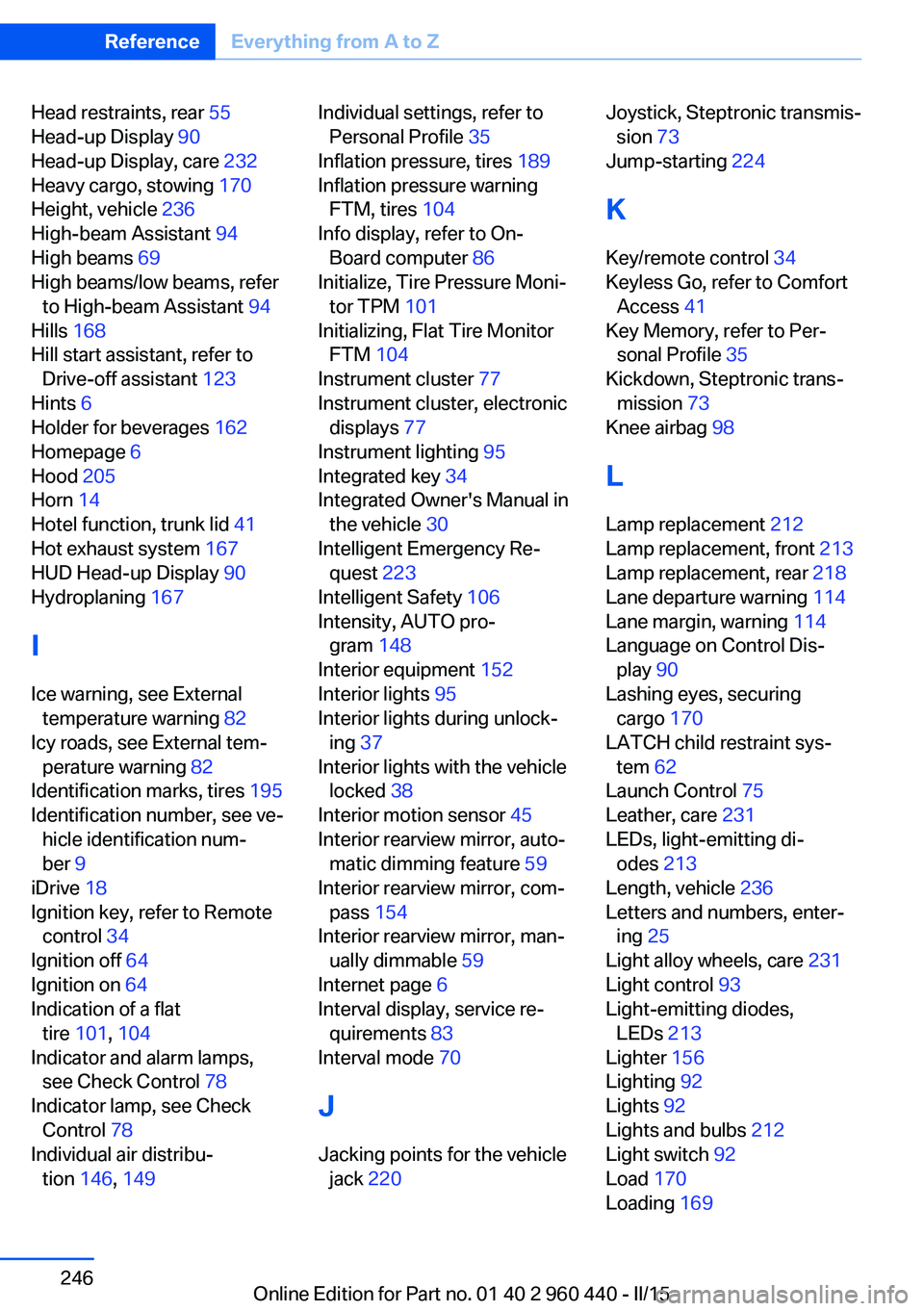
Head restraints, rear 55
Head-up Display 90
Head-up Display, care 232
Heavy cargo, stowing 170
Height, vehicle 236
High-beam Assistant 94
High beams 69
High beams/low beams, refer to High-beam Assistant 94
Hills 168
Hill start assistant, refer to Drive-off assistant 123
Hints 6
Holder for beverages 162
Homepage 6
Hood 205
Horn 14
Hotel function, trunk lid 41
Hot exhaust system 167
HUD Head-up Display 90
Hydroplaning 167
I Ice warning, see External temperature warning 82
Icy roads, see External tem‐ perature warning 82
Identification marks, tires 195
Identification number, see ve‐ hicle identification num‐
ber 9
iDrive 18
Ignition key, refer to Remote control 34
Ignition off 64
Ignition on 64
Indication of a flat tire 101 , 104
Indicator and alarm lamps, see Check Control 78
Indicator lamp, see Check Control 78
Individual air distribu‐ tion 146, 149 Individual settings, refer to
Personal Profile 35
Inflation pressure, tires 189
Inflation pressure warning FTM, tires 104
Info display, refer to On- Board computer 86
Initialize, Tire Pressure Moni‐ tor TPM 101
Initializing, Flat Tire Monitor FTM 104
Instrument cluster 77
Instrument cluster, electronic displays 77
Instrument lighting 95
Integrated key 34
Integrated Owner's Manual in the vehicle 30
Intelligent Emergency Re‐ quest 223
Intelligent Safety 106
Intensity, AUTO pro‐ gram 148
Interior equipment 152
Interior lights 95
Interior lights during unlock‐ ing 37
Interior lights with the vehicle locked 38
Interior motion sensor 45
Interior rearview mirror, auto‐ matic dimming feature 59
Interior rearview mirror, com‐ pass 154
Interior rearview mirror, man‐ ually dimmable 59
Internet page 6
Interval display, service re‐ quirements 83
Interval mode 70
J
Jacking points for the vehicle jack 220 Joystick, Steptronic transmis‐
sion 73
Jump-starting 224
K
Key/remote control 34
Keyless Go, refer to Comfort Access 41
Key Memory, refer to Per‐ sonal Profile 35
Kickdown, Steptronic trans‐ mission 73
Knee airbag 98
L
Lamp replacement 212
Lamp replacement, front 213
Lamp replacement, rear 218
Lane departure warning 114
Lane margin, warning 114
Language on Control Dis‐ play 90
Lashing eyes, securing cargo 170
LATCH child restraint sys‐ tem 62
Launch Control 75
Leather, care 231
LEDs, light-emitting di‐ odes 213
Length, vehicle 236
Letters and numbers, enter‐ ing 25
Light alloy wheels, care 231
Light control 93
Light-emitting diodes, LEDs 213
Lighter 156
Lighting 92
Lights 92
Lights and bulbs 212
Light switch 92
Load 170
Loading 169 Seite 246ReferenceEverything from A to Z246
Online Edition for Part no. 01 40 2 960 440 - II/15