brake BMW 323Ci 2000 User Guide
[x] Cancel search | Manufacturer: BMW, Model Year: 2000, Model line: 323Ci, Model: BMW 323Ci 2000Pages: 189, PDF Size: 1.68 MB
Page 65 of 189
63n
RepairsIndexOverview Controls Car care Technology Data
Starting the engine Switching off the engine
Do not operate the starter too
briefly, but not longer than
approx. 20 seconds. Release the igni-
tion key immediately as soon as the
engine starts.
Do not allow the engine to warm up by
leaving it running while the vehicle re-
mains stationary. Instead, drive off
immediately at a moderate engine
speed.<
Should the engine fail to start on the
first attempt, e.g. if it is very hot or cold:
>Press the accelerator pedal halfway
down while engaging the starter.
Cold start at extremely low tempera-
tures, from approx. + 57 (– 156)
and at elevations above 3300 feet
(1000 meters):
>On the first start attempt, engage the
starter for a longer period (approx.
10 seconds)
>Press the accelerator pedal halfway
down while engaging the starter.
Turn the ignition key to position 1 or 0.
Do not pull the ignition key out of a
rolling vehicle, otherwise the igni-
tion switch could lock and it is impossi-
ble to steer the vehicle.
When you leave the vehicle, always
remove the ignition key and engage the
steering lock.
Vehicles with manual transmission:
Always engage the parking brake when
parking on slopes and inclined sur-
faces, as placing the lever in 1st gear or
reverse may not provide adequate re-
sistance to rolling.
Vehicles with automatic transmission:
Place the selector lever in "Park".<
Page 66 of 189
64n
Parking brake To engageThe lock engages automatically when
you lift the lever, and the indicator lamp
in the instrument cluster will light up in
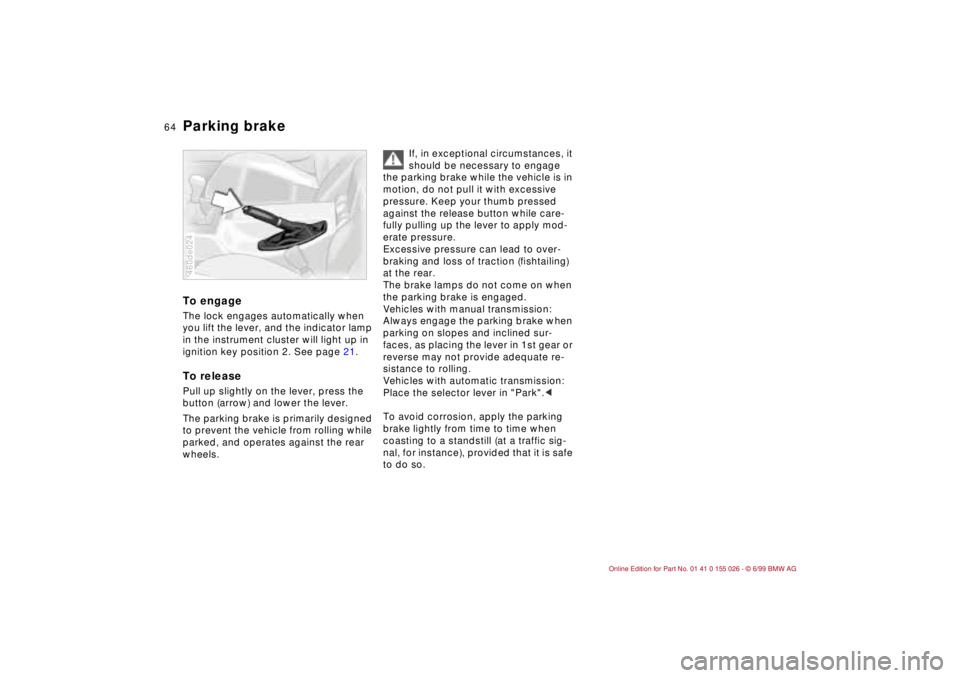
ignition key position 2. See page 21.To releasePull up slightly on the lever, press the
button (arrow) and lower the lever.
The parking brake is primarily designed
to prevent the vehicle from rolling while
parked, and operates against the rear
wheels.460de024
If, in exceptional circumstances, it
should be necessary to engage
the parking brake while the vehicle is in
motion, do not pull it with excessive
pressure. Keep your thumb pressed
against the release button while care-
fully pulling up the lever to apply mod-
erate pressure.
Excessive pressure can lead to over-
braking and loss of traction (fishtailing)
at the rear.
The brake lamps do not come on when
the parking brake is engaged.
Vehicles with manual transmission:
Always engage the parking brake when
parking on slopes and inclined sur-
faces, as placing the lever in 1st gear or
reverse may not provide adequate re-
sistance to rolling.
Vehicles with automatic transmission:
Place the selector lever in "Park".<
To avoid corrosion, apply the parking
brake lightly from time to time when
coasting to a standstill (at a traffic sig-
nal, for instance), provided that it is safe
to do so.
Page 67 of 189
65n
RepairsIndexOverview Controls Car care Technology Data
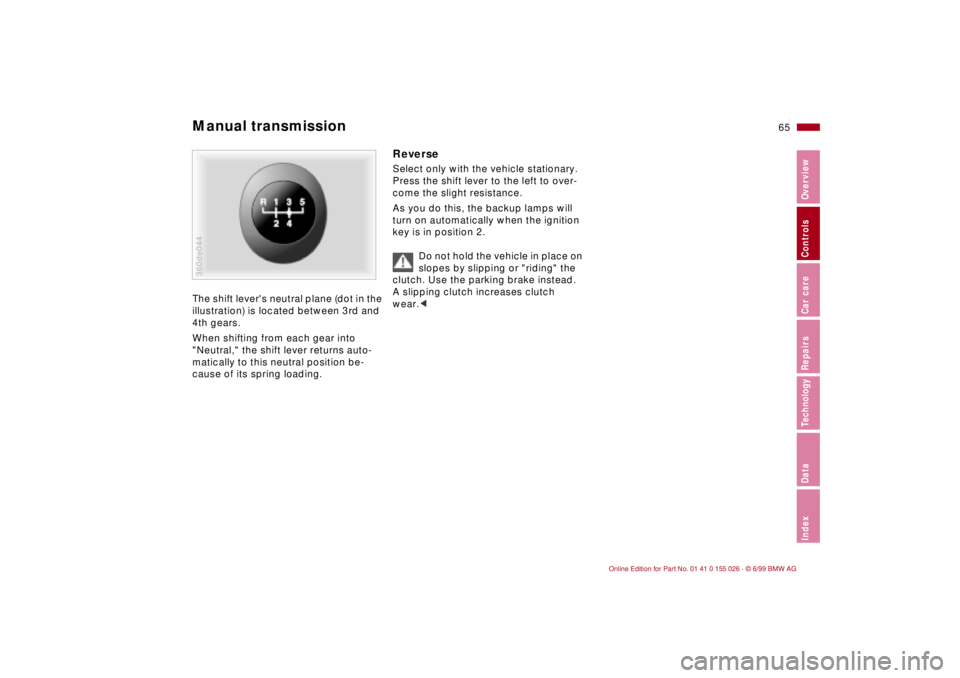
Manual transmission The shift lever's neutral plane (dot in the
illustration) is located between 3rd and
4th gears.
When shifting from each gear into
"Neutral," the shift lever returns auto-
matically to this neutral position be-
cause of its spring loading.360de044
Reverse Select only with the vehicle stationary.
Press the shift lever to the left to over-
come the slight resistance.
As you do this, the backup lamps will
turn on automatically when the ignition
key is in position 2.
Do not hold the vehicle in place on
slopes by slipping or "riding" the
clutch. Use the parking brake instead.
A slipping clutch increases clutch
wear.<
Page 68 of 189
66n
Automatic transmission with Steptronic
*
You have the option of driving a normal
automatic transmission or switching to
manual.
Whenever you shift the selector lever
out of position D toward the left and
into the M/S gate, the automatic trans-
mission's sports-emphasized shift pro-
gram activates. As soon as you even
begin to move the selector lever in the
direction "+" or "–", Steptronic shifts the
gear and manual operation becomes
active. Whenever you want to use auto-
matic again, just shift the selector lever
toward the right to position D.
The Steptronic automatic transmission
is equipped with ATC (Adaptive Trans-
mission Control). ATC reacts with preci-
sion to your individual driving style and
the current driving conditions. This is
the reason why various shift programs
are used.
For details concerning ATC, please
refer to the chapter "Advanced Tech-
nology" on page 160.
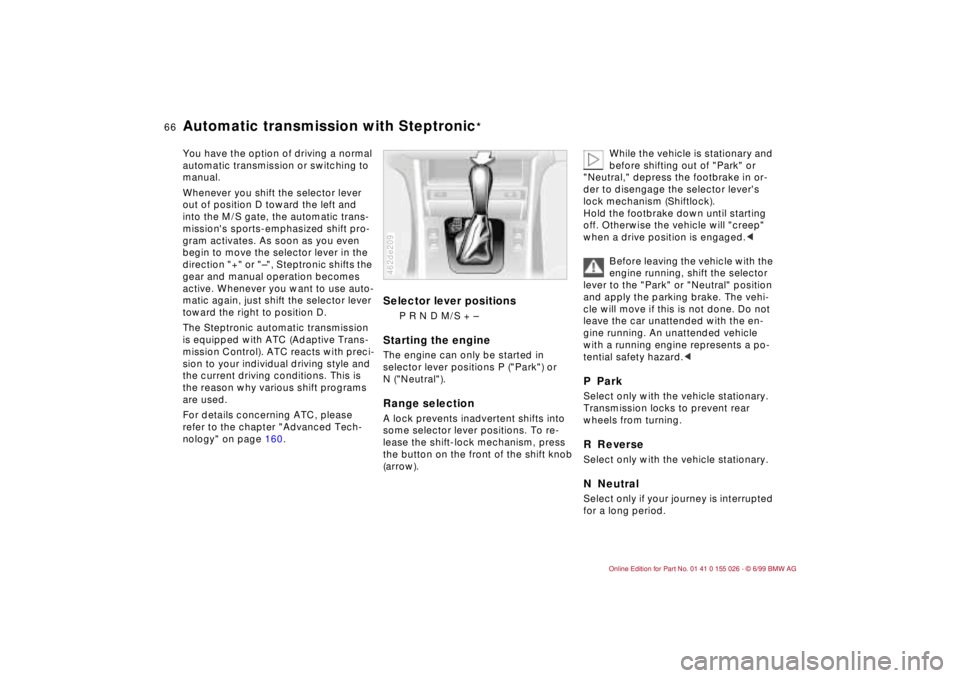
Selector lever positions
P R N D M/S + –
Starting the engineThe engine can only be started in
selector lever positions P ("Park") or
N ("Neutral").Range selectionA lock prevents inadvertent shifts into
some selector lever positions. To re-
lease the shift-lock mechanism, press
the button on the front of the shift knob
(arrow).462de209
While the vehicle is stationary and
before shifting out of "Park" or
"Neutral," depress the footbrake in or-
der to disengage the selector lever's
lock mechanism (Shiftlock).
Hold the footbrake down until starting
off. Otherwise the vehicle will "creep"
when a drive position is engaged.<
Before leaving the vehicle with the
engine running, shift the selector
lever to the "Park" or "Neutral" position
and apply the parking brake. The vehi-
cle will move if this is not done. Do not
leave the car unattended with the en-
gine running. An unattended vehicle
with a running engine represents a po-
tential safety hazard.<
P ParkSelect only with the vehicle stationary.
Transmission locks to prevent rear
wheels from turning.R ReverseSelect only with the vehicle stationary.N NeutralSelect only if your journey is interrupted
for a long period.
Page 70 of 189
68n
Automatic transmission with Steptronic
*
The Steptronic will "think" for you in the
following situations:
>In order to keep the engine from
overrevving, it will automatically shift
into the next higher gear shortly be-
fore the governed speed.
>If you do not do anything to interfere,
it will automatically downshift at
lower speeds.
>In kickdown, it will downshift into the
lowest gear possible, depending on
the engine speed.
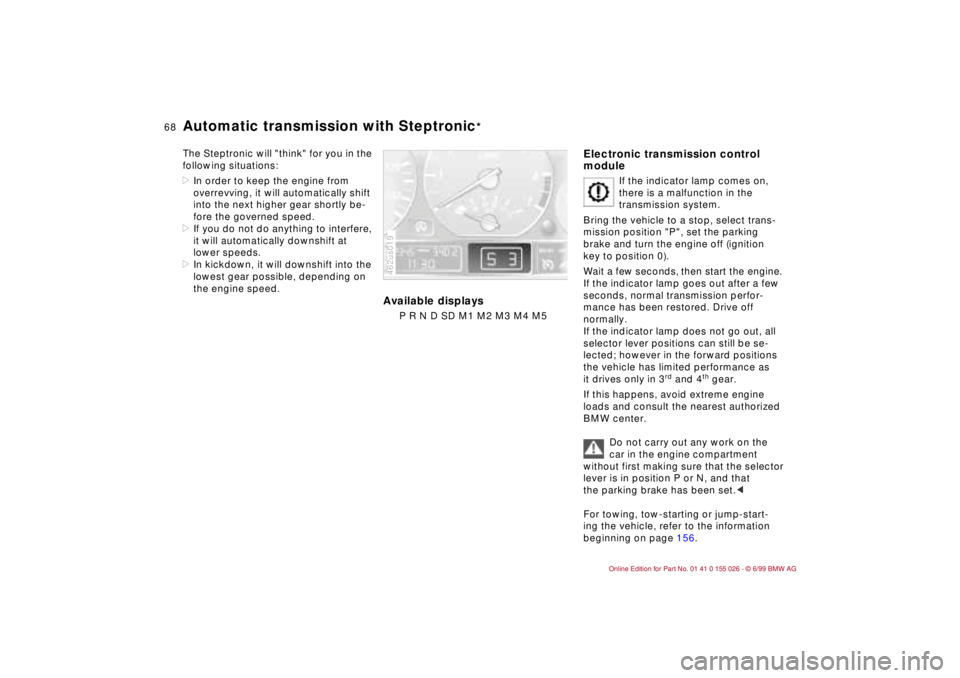
Available displays
P R N D SD M1 M2 M3 M4 M5462us019
Electronic transmission control
module
If the indicator lamp comes on,
there is a malfunction in the
transmission system.
Bring the vehicle to a stop, select trans-
mission position "P", set the parking
brake and turn the engine off (ignition
key to position 0).
Wait a few seconds, then start the engine.
If the indicator lamp goes out after a few
seconds, normal transmission perfor-
mance has been restored. Drive off
normally.
If the indicator lamp does not go out, all
selector lever positions can still be se-
lected; however in the forward positions
the vehicle has limited performance as
it drives only in 3
rd and 4
th gear.
If this happens, avoid extreme engine
loads and consult the nearest authorized
BMW center.
Do not carry out any work on the
car in the engine compartment
without first making sure that the selector
lever is in position P or N, and that
the parking brake has been set.<
For towing, tow-starting or jump-start-
ing the vehicle, refer to the information
beginning on page 156.
Page 75 of 189

73n
RepairsIndexOverview Controls Car care Technology Data
Cruise control In addition, cruise control is canceled
automatically:
>if the brakes are applied
>if the clutch is depressed or the auto-
matic transmission selector lever is
moved from "Drive" to "Neutral"
>if the cruise speed is either exceeded
or not met for an extended length of
time, e. g., when you step on the
accelerator pedal.
To resume the stored settingPress button 4:
The vehicle accelerates to and main-
tains the last speed stored. When you
turn the ignition key to position 0, the
stored speed is deleted from the sys-
tem's memory and the system is deacti-
vated.To deactivate the system When the cruise control has been can-
celed, press button 1 again. The indica-
tor lamp goes out and the stored speed
is deleted.Do not use cruise control on twist-
ing roads, when high traffic density
prevents driving at a constant speed,
when the road surface is slick (snow,
rain, ice), or when the road surface is
loose (rocks, sand).<
Page 79 of 189
77n
RepairsIndexOverview Controls Car care Technology Data
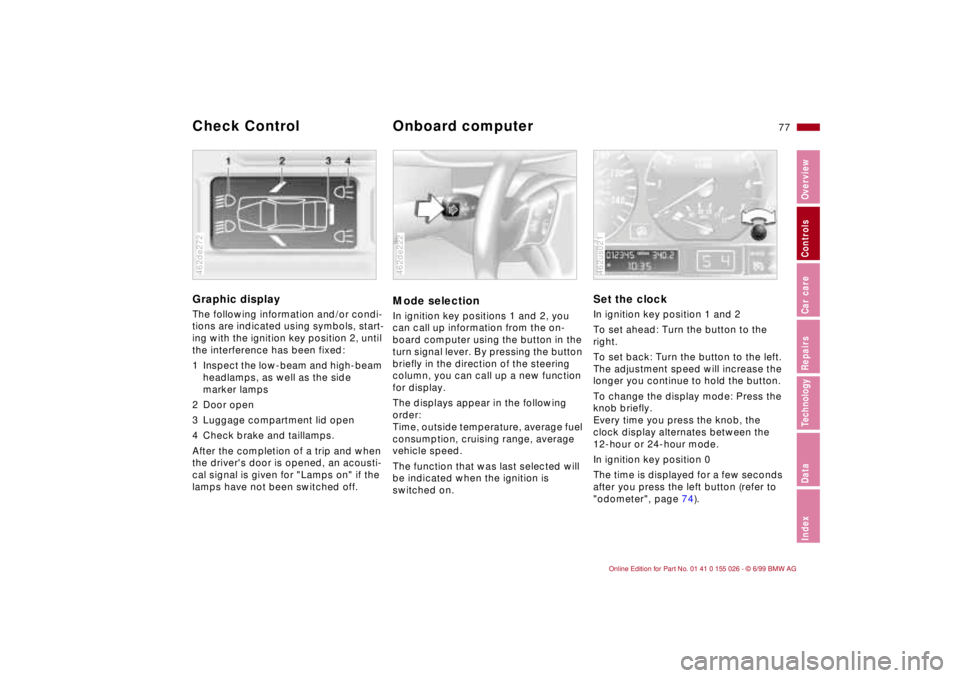
Graphic display
The following information and/or condi-
tions are indicated using symbols, start-
ing with the ignition key position 2, until
the interference has been fixed:
1 Inspect the low-beam and high-beam
headlamps, as well as the side
marker lamps
2 Door open
3 Luggage compartment lid open
4 Check brake and taillamps.
After the completion of a trip and when
the driver's door is opened, an acousti-
cal signal is given for "Lamps on" if the
lamps have not been switched off.462de272
Mode selectionIn ignition key positions 1 and 2, you
can call up information from the on-
board computer using the button in the
turn signal lever. By pressing the button
briefly in the direction of the steering
column, you can call up a new function
for display.
The displays appear in the following
order:
Time, outside temperature, average fuel
consumption, cruising range, average
vehicle speed.
The function that was last selected will
be indicated when the ignition is
switched on.462de222
Set the clockIn ignition key position 1 and 2
To set ahead: Turn the button to the
right.
To set back: Turn the button to the left.
The adjustment speed will increase the
longer you continue to hold the button.
To change the display mode: Press the
knob briefly.
Every time you press the knob, the
clock display alternates between the
12-hour or 24-hour mode.
In ignition key position 0
The time is displayed for a few seconds
after you press the left button (refer to
"odometer", page 74).462us021
Check Control
Onboard computer
Page 85 of 189
83n
RepairsIndexOverview Controls Car care Technology Data
Tire Pressure Control (RDC)
*
Flat tireIf there is a tire failure with loss of pres-
sure, the indicator lamp comes on with
a red lamp. In addition, there is an
acoustical warning signal.
If this occurs, reduce vehicle speed im-
mediately and stop the vehicle in a save
location. Avoid hard brake applications.
Do not oversteer. Replace the wheel
and flat tire.
The space-saver spare tire
* is
provided for temporary use only in
the case of a tire failure. It does not
have RDC electronics and is not moni-
tored. A full-size spare tire
* that has the
same dimensions as the tires already
mounted on the vehicle is equipped
with the necessary RDC electronics,
and will also be monitored once the
tires have been mounted and the sys-
tem activated.<
The RDC cannot alert you to
severe and sudden tire damage
caused by external factors.<
Have the tires changed by your
authorized BMW center.
Your authorized BMW center has been
trained to work with the RDC system
and is equipped with the necessary
special tools.<
System interferenceThe RDC can be subjected to interfer-
ence locally by outside equipment or
devices which use the same radio fre-
quency.
The indicator lamp will come on with
a yellow lamp during the malfunction.
The indicator lamp also comes on
>in the event of a system fault
>if a wheel is mounted without the
appropriate electronics
>if, in addition to the spare tire
*, addi-
tional wheels with RDC electronics
are on board.
Please contact your authorized BMW
center for additional information.
Page 100 of 189
98n
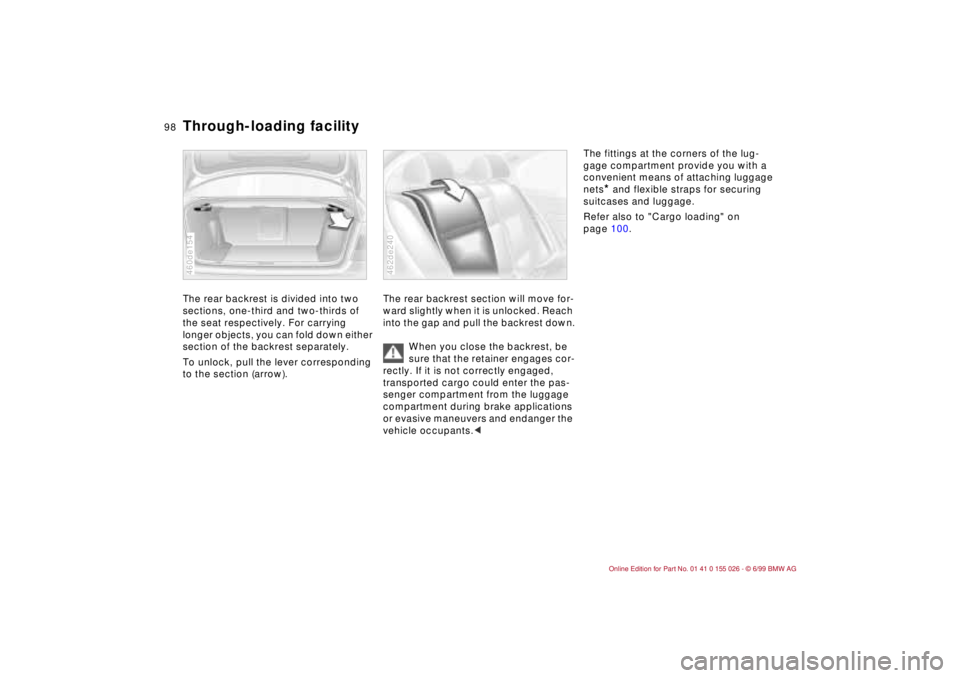
Through-loading facility The rear backrest is divided into two
sections, one-third and two-thirds of
the seat respectively. For carrying
longer objects, you can fold down either
section of the backrest separately.
To unlock, pull the lever corresponding
to the section (arrow).460de154
The rear backrest section will move for-
ward slightly when it is unlocked. Reach
into the gap and pull the backrest down.
When you close the backrest, be
sure that the retainer engages cor-
rectly. If it is not correctly engaged,
transported cargo could enter the pas-
senger compartment from the luggage
compartment during brake applications
or evasive maneuvers and endanger the
vehicle occupants.<462de240
The fittings at the corners of the lug-
gage compartment provide you with a
convenient means of attaching luggage
nets
* and flexible straps for securing
suitcases and luggage.
Refer also to "Cargo loading" on
page 100.
Page 105 of 189
Overview
Controls and features
Operation, care
and maintenance
Owner service procedures
Technical data
Index Advanced technology
103n
RepairsIndexOverview Controls Car care Technology Data
Special operating instructions:
Break-in procedures104
Driving notes104
Catalytic converter105
Antilock Brake System
(ABS)106
Disc brakes108
Brake system109
Winter operation110
Power steering112
Cellular phones112
Radio reception112
Wheels and tires:
Tire inflation pressures113
Tire condition113
Tire replacement114
Tire rotation114
Wheel and tire
combinations115
Winter tires116
Snow chains116
Approved wheel and tire
specifications117Under the hood:
Hood119
Engine compartment120
Washer fluids122
Washer nozzles122
Engine oil123
Coolant126
Brake fluid127
Vehicle Identification
Number128
Care and maintenance:
The BMW Maintenance
System129
Caring for your car130
Airbags135
Vehicle storage136
Laws and regulations:
Technical modifications to the
vehicle136
OBD connector137