key BMW 325Ci 2003 Owner's Manual
[x] Cancel search | Manufacturer: BMW, Model Year: 2003, Model line: 325Ci, Model: BMW 325Ci 2003Pages: 178, PDF Size: 4.59 MB
Page 62 of 178
62
place their heads on or near the side
airbag. Therefore, we recommend that
the rear-seat side airbags, if installed in
the vehicle, be deactivated if children
will travel in the rear seat.
The rear-seat side airbags may already
have been deactivated, either at the
time of manufacture or by a BMW cen-
ter. Labels in the door opening should
indicate the status of your rear-seat
side airbags. If you are uncertain of
their status, or wish to have the airbags
activated or deactivated, please con-
tact your BMW center.<
Even when all these guidelines are fol-
lowed, there is still a small residual risk
of injuries to the face, hands and arms
occurring from airbag deployment in
isolated instances.
The ignition and inflation noise may
induce a mild temporary hearing loss in
sensitive individuals.
Corresponding airbag warning labels
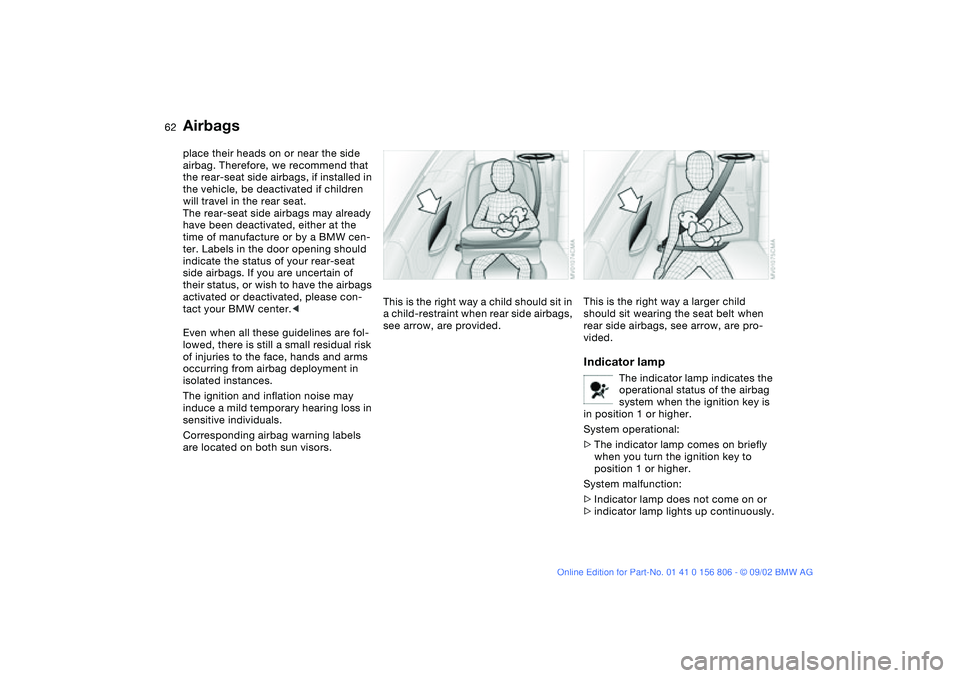
are located on both sun visors.This is the right way a child should sit in
a child-restraint when rear side airbags,
see arrow, are provided.
This is the right way a larger child
should sit wearing the seat belt when
rear side airbags, see arrow, are pro-
vided.Indicator lamp
The indicator lamp indicates the
operational status of the airbag
system when the ignition key is
in position 1 or higher.
System operational:
>The indicator lamp comes on briefly
when you turn the ignition key to
position 1 or higher.
System malfunction:
>Indicator lamp does not come on or
>indicator lamp lights up continuously.
Airbags
handbook.book Page 62 Wednesday, July 31, 2002 9:29 AM
Page 69 of 178
69
Vehicle Memory, Key MemoryHow the system functionsNo doubt you have reflected at one
time or another on how great it would
be if you could permanently configure
your vehicle's various features and
adjustments to mirror your own individ-
ual preferences. In engineering your
vehicle, BMW has provided for a num-
ber of options for personal adjustment
that can be programmed into your vehi-
cle at your BMW center.
The available configuration data fall into
two categories, according to whether
their primary orientation is the vehicle –
Vehicle Memory – or the individual –
Key Memory. Provided that each per-
son has a separate remote-control key,
you can have your BMW center enter
basic adjustment data for up to four
individuals in the system.
The system then relies on a bilateral
data exchange to identify the individual
user and executes the selected settings
whenever the remote control unit is
used to disengage the door locks.
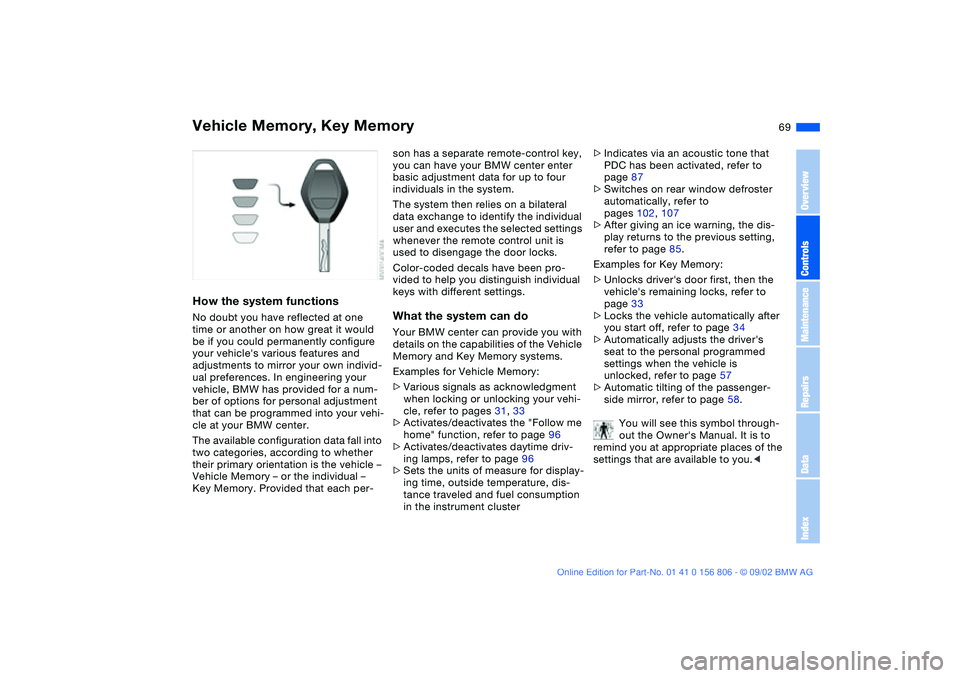
Color-coded decals have been pro-
vided to help you distinguish individual
keys with different settings.What the system can doYour BMW center can provide you with
details on the capabilities of the Vehicle
Memory and Key Memory systems.
Examples for Vehicle Memory:
>Various signals as acknowledgment
when locking or unlocking your vehi-
cle, refer to pages 31, 33
>Activates/deactivates the "Follow me
home" function, refer to page 96
>Activates/deactivates daytime driv-
ing lamps, refer to page 96
>Sets the units of measure for display-
ing time, outside temperature, dis-
tance traveled and fuel consumption
in the instrument cluster>Indicates via an acoustic tone that
PDC has been activated, refer to
page 87
>Switches on rear window defroster
automatically, refer to
pages 102, 107
>After giving an ice warning, the dis-
play returns to the previous setting,
refer to page 85.
Examples for Key Memory:
>Unlocks driver's door first, then the
vehicle's remaining locks, refer to
page 33
>Locks the vehicle automatically after
you start off, refer to page 34
>Automatically adjusts the driver's
seat to the personal programmed
settings when the vehicle is
unlocked, refer to page 57
>Automatic tilting of the passenger-
side mirror, refer to page 58.
You will see this symbol through-
out the Owner's Manual. It is to
remind you at appropriate places of the
settings that are available to you.<
OverviewControlsMaintenanceRepairsDataIndex
handbook.book Page 69 Wednesday, July 31, 2002 9:29 AM
Page 70 of 178
70Driving
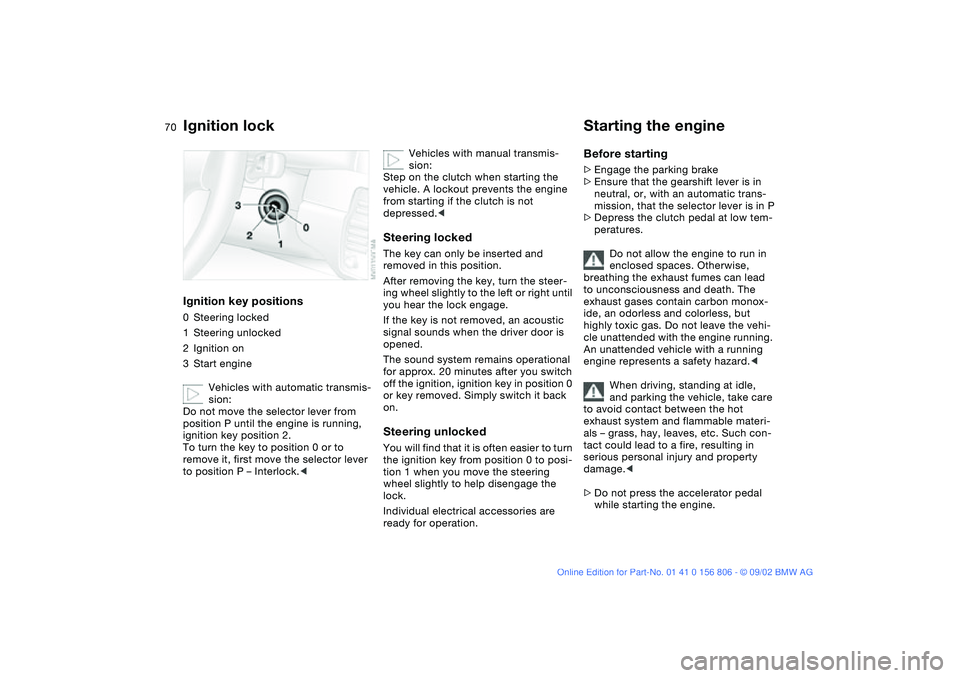
Ignition lockIgnition key positions0Steering locked
1Steering unlocked
2Ignition on
3Start engine
Vehicles with automatic transmis-
sion:
Do not move the selector lever from
position P until the engine is running,
ignition key position 2.
To turn the key to position 0 or to
remove it, first move the selector lever
to position P – Interlock.<
Vehicles with manual transmis-
sion:
Step on the clutch when starting the
vehicle. A lockout prevents the engine
from starting if the clutch is not
depressed.<
Steering lockedThe key can only be inserted and
removed in this position.
After removing the key, turn the steer-
ing wheel slightly to the left or right until
you hear the lock engage.
If the key is not removed, an acoustic
signal sounds when the driver door is
opened.
The sound system remains operational
for approx. 20 minutes after you switch
off the ignition, ignition key in position 0
or key removed. Simply switch it back
on.Steering unlockedYou will find that it is often easier to turn
the ignition key from position 0 to posi-
tion 1 when you move the steering
wheel slightly to help disengage the
lock.
Individual electrical accessories are
ready for operation.
Starting the engineBefore starting>Engage the parking brake
>Ensure that the gearshift lever is in
neutral, or, with an automatic trans-
mission, that the selector lever is in P
>Depress the clutch pedal at low tem-
peratures.
Do not allow the engine to run in
enclosed spaces. Otherwise,
breathing the exhaust fumes can lead
to unconsciousness and death. The
exhaust gases contain carbon monox-
ide, an odorless and colorless, but
highly toxic gas. Do not leave the vehi-
cle unattended with the engine running.
An unattended vehicle with a running
engine represents a safety hazard.<
When driving, standing at idle,
and parking the vehicle, take care
to avoid contact between the hot
exhaust system and flammable materi-
als – grass, hay, leaves, etc. Such con-
tact could lead to a fire, resulting in
serious personal injury and property
damage.<
>Do not press the accelerator pedal
while starting the engine.
handbook.book Page 70 Wednesday, July 31, 2002 9:29 AM
Page 71 of 178
71
Do not actuate the starter for too
short a time, but do not actuate it
for more than approx. 20 seconds.
Release the ignition key immediately
when the engine starts.
Do not allow the engine to warm up by
leaving it running while the vehicle
remains stationary. Instead, drive off
immediately at a moderate engine
speed.<
If the engine does not start on the first
attempt – if it is very hot or cold, for
instance:
>Press the accelerator pedal halfway
down while engaging the starter.
Cold starts at extremely low tempera-
tures below approx. +57/–156 and at
altitudes over 3,300 ft/1,000 m:
>On the first start attempt, it may be
necessary to engage the starter for a
longer period – but no longer than
20 seconds
>Press the accelerator pedal halfway
down while engaging the starter.
Engine idle speed is controlled by the
engine computer system. Increased
speeds at start-up are normal and
should decrease as the engine warms
up. If engine speed does not decrease,
service is required.
To prevent the battery from discharg-
ing, always deactivate electrical
devices that are not in use. Switch the
ignition off when the vehicle is not
being driven.
Extended starting attempts, char-
acterized by excessively frequent
or long periods with the starter
engaged, can damage the catalytic
converter.<
Starting the engine
OverviewControlsMaintenanceRepairsDataIndex
handbook.book Page 71 Wednesday, July 31, 2002 9:29 AM
Page 72 of 178
72
Switching off the engineTurn the ignition key to position 1 or 0.
You should never remove the igni-
tion key when the vehicle is in
motion, as the steering lock could
engage.
When you leave the vehicle, always
remove the ignition key and engage the
steering lock.<
Vehicles with manual transmis-
sion:
Always engage the parking brake when
parking on slopes and inclined sur-
faces. Placing the lever in gear may not
provide adequate resistance to rolling.
Vehicles with automatic transmission:
place the selector lever in P.<
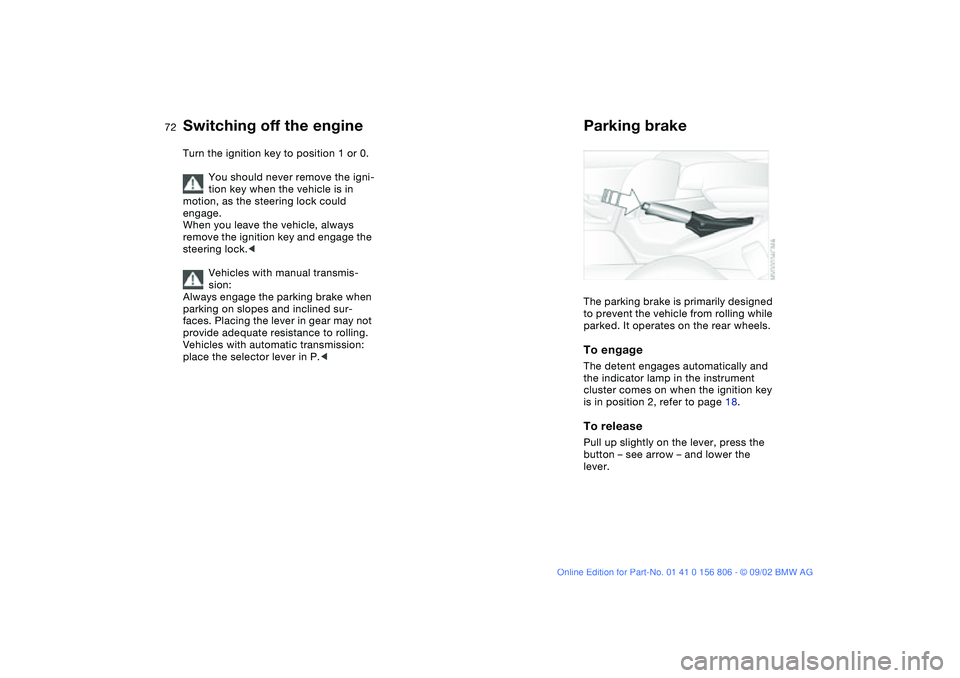
Parking brakeThe parking brake is primarily designed
to prevent the vehicle from rolling while
parked. It operates on the rear wheels.To engageThe detent engages automatically and
the indicator lamp in the instrument
cluster comes on when the ignition key
is in position 2, refer to page 18.To releasePull up slightly on the lever, press the
button – see arrow – and lower the
lever.
handbook.book Page 72 Wednesday, July 31, 2002 9:29 AM
Page 73 of 178
73
If exceptional circumstances
make it necessary to engage the
parking brake while the vehicle is in
motion, do not pull it with excessive
pressure. Keep your thumb pressed
against the release button while care-
fully pulling the lever up.
Excessive pressure can lead to over-
braking and loss of traction – fishtailing
– at the rear axle.
The brake lamps do not come on when
the parking brake is engaged.
Vehicles with manual transmission:
Always engage the parking brake when
parking on slopes and inclined sur-
faces. Placing the lever in gear may not
provide adequate resistance to rolling.
Vehicles with automatic transmission:
place the selector lever in P.<
To avoid corrosion and one-sided
braking, apply the parking brake
lightly from time to time when coasting
to a standstill – at a traffic signal, for
instance – provided that it is safe to do
so.<
Manual transmission
Do not hold the vehicle in place on
slopes by slipping or "riding" the
clutch. Use the parking brake instead.
Riding the clutch leads to severe and
premature clutch wear.<
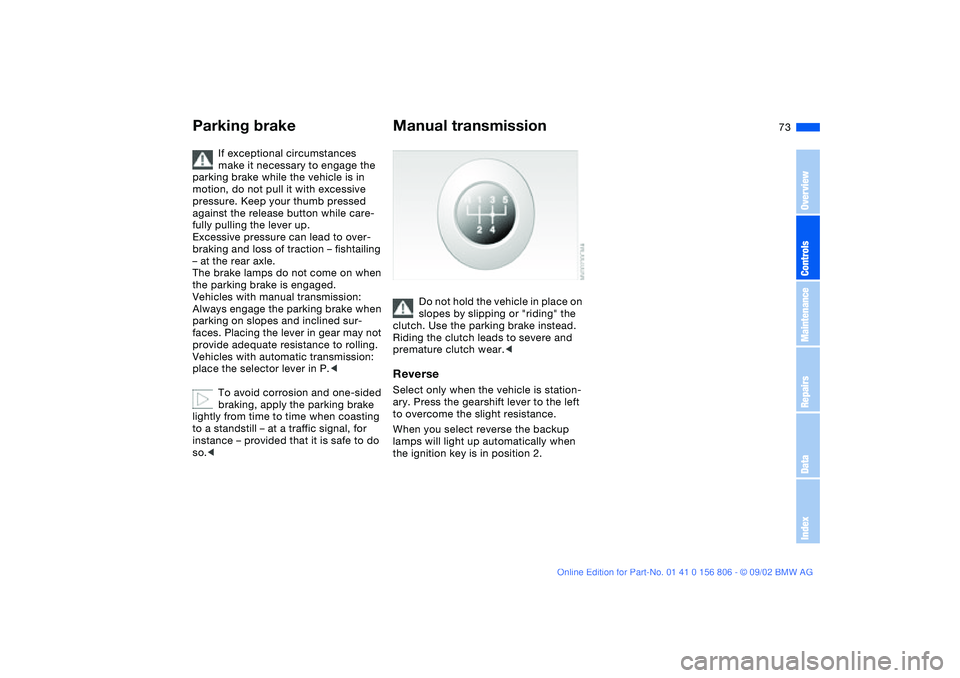
ReverseSelect only when the vehicle is station-
ary. Press the gearshift lever to the left
to overcome the slight resistance.
When you select reverse the backup
lamps will light up automatically when
the ignition key is in position 2.
Parking brake
OverviewControlsMaintenanceRepairsDataIndex
handbook.book Page 73 Wednesday, July 31, 2002 9:29 AM
Page 76 of 178
76
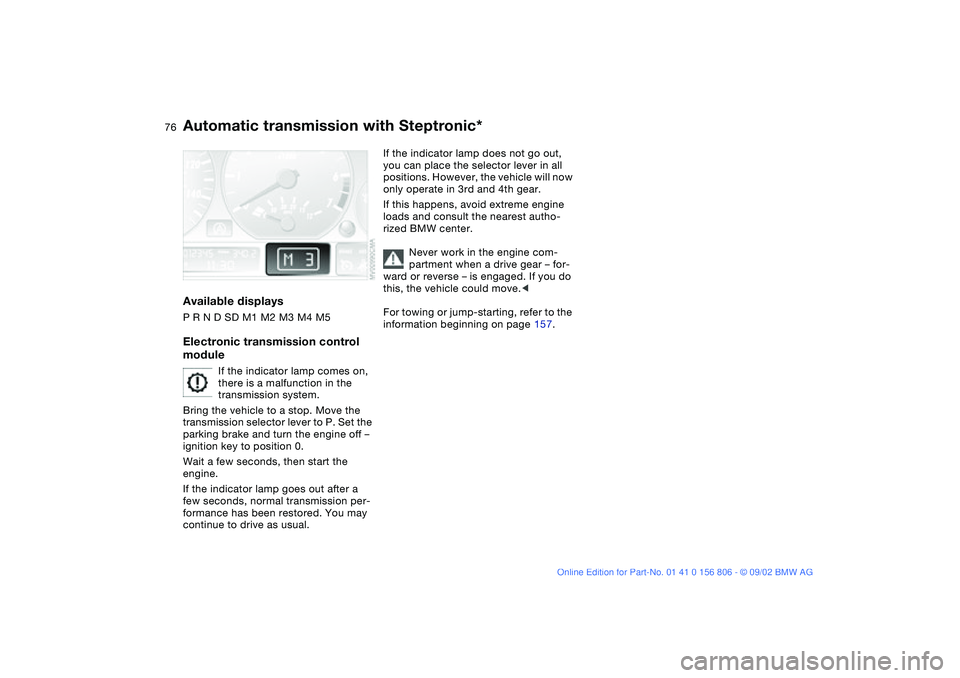
Available displaysP R N D SD M1 M2 M3 M4 M5Electronic transmission control
module
If the indicator lamp comes on,
there is a malfunction in the
transmission system.
Bring the vehicle to a stop. Move the
transmission selector lever to P. Set the
parking brake and turn the engine off –
ignition key to position 0.
Wait a few seconds, then start the
engine.
If the indicator lamp goes out after a
few seconds, normal transmission per-
formance has been restored. You may
continue to drive as usual.
If the indicator lamp does not go out,
you can place the selector lever in all
positions. However, the vehicle will now
only operate in 3rd and 4th gear.
If this happens, avoid extreme engine
loads and consult the nearest autho-
rized BMW center.
Never work in the engine com-
partment when a drive gear – for-
ward or reverse – is engaged. If you do
this, the vehicle could move.<
For towing or jump-starting, refer to the
information beginning on page 157.
Automatic transmission with Steptronic*
handbook.book Page 76 Wednesday, July 31, 2002 9:29 AM
Page 78 of 178
78
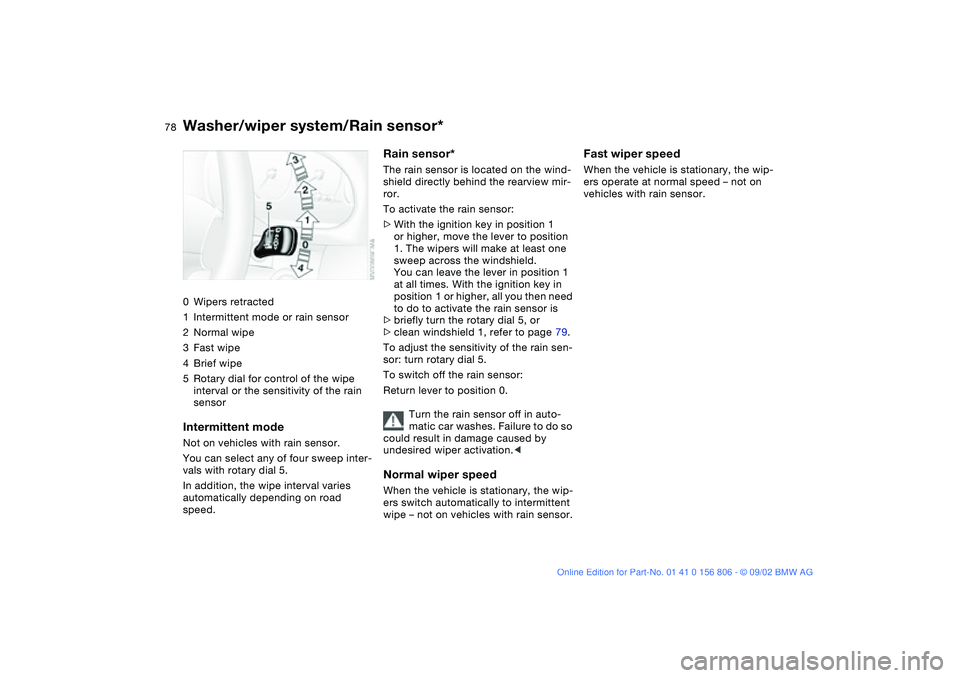
Washer/wiper system/Rain sensor*0Wipers retracted
1Intermittent mode or rain sensor
2Normal wipe
3Fast wipe
4Brief wipe
5Rotary dial for control of the wipe
interval or the sensitivity of the rain
sensorIntermittent modeNot on vehicles with rain sensor.
You can select any of four sweep inter-
vals with rotary dial 5.
In addition, the wipe interval varies
automatically depending on road
speed.
Rain sensor*The rain sensor is located on the wind-
shield directly behind the rearview mir-
ror.
To activate the rain sensor:
>With the ignition key in position 1
or higher, move the lever to position
1. The wipers will make at least one
sweep across the windshield.
You can leave the lever in position 1
at all times. With the ignition key in
position 1 or higher, all you then need
to do to activate the rain sensor is
>briefly turn the rotary dial 5, or
>clean windshield 1, refer to page 79.
To adjust the sensitivity of the rain sen-
sor: turn rotary dial 5.
To switch off the rain sensor:
Return lever to position 0.
Turn the rain sensor off in auto-
matic car washes. Failure to do so
could result in damage caused by
undesired wiper activation.
wipe – not on vehicles with rain sensor.
Fast wiper speedWhen the vehicle is stationary, the wip-
ers operate at normal speed – not on
vehicles with rain sensor.
handbook.book Page 78 Wednesday, July 31, 2002 9:29 AM
Page 79 of 178
79
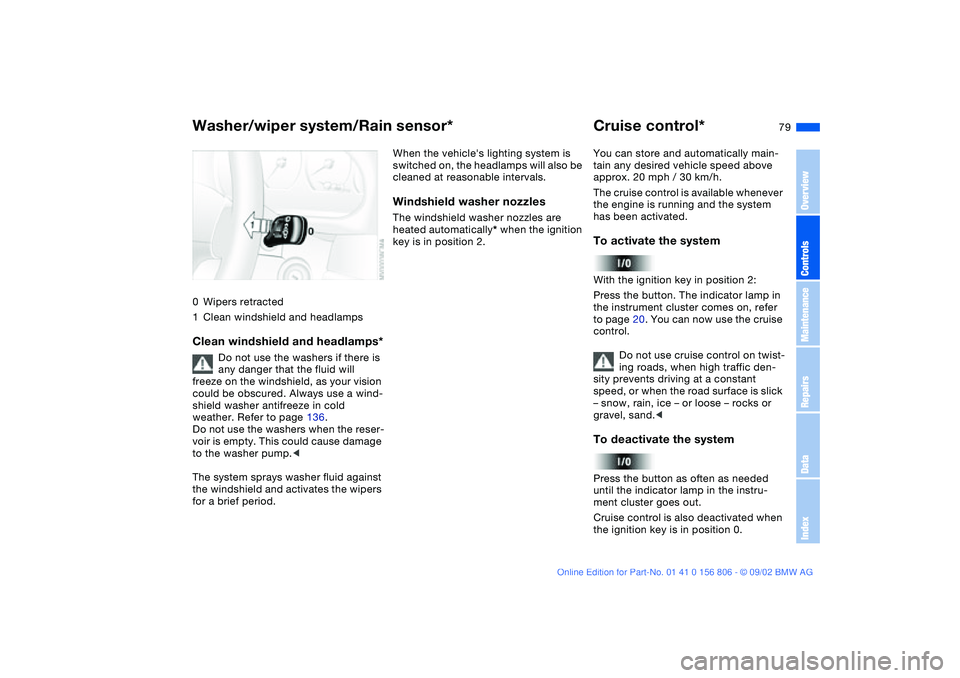
0Wipers retracted
1Clean windshield and headlampsClean windshield and headlamps*
Do not use the washers if there is
any danger that the fluid will
freeze on the windshield, as your vision
could be obscured. Always use a wind-
shield washer antifreeze in cold
weather. Refer to page 136.
Do not use the washers when the reser-
voir is empty. This could cause damage
to the washer pump.<
The system sprays washer fluid against
the windshield and activates the wipers
for a brief period.
When the vehicle's lighting system is
switched on, the headlamps will also be
cleaned at reasonable intervals.Windshield washer nozzlesThe windshield washer nozzles are
heated automatically* when the ignition
key is in position 2.
Cruise control*You can store and automatically main-
tain any desired vehicle speed above
approx. 20 mph / 30 km/h.
The cruise control is available whenever
the engine is running and the system
has been activated.To activate the systemWith the ignition key in position 2:
Press the button. The indicator lamp in
the instrument cluster comes on, refer
to page 20. You can now use the cruise
control.
Do not use cruise control on twist-
ing roads, when high traffic den-
sity prevents driving at a constant
speed, or when the road surface is slick
– snow, rain, ice – or loose – rocks or
gravel, sand.
ment cluster goes out.
Cruise control is also deactivated when
the ignition key is in position 0.
Washer/wiper system/Rain sensor*
OverviewControlsMaintenanceRepairsDataIndex
handbook.book Page 79 Wednesday, July 31, 2002 9:29 AM
Page 81 of 178
81 Everything under control
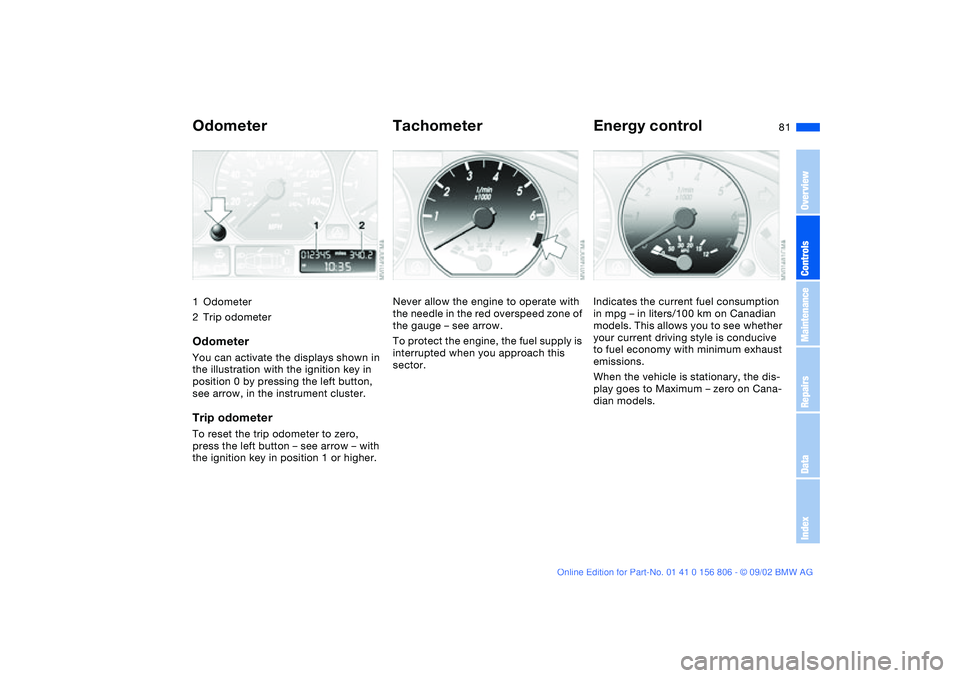
Odometer1Odometer
2Trip odometerOdometerYou can activate the displays shown in
the illustration with the ignition key in
position 0 by pressing the left button,
see arrow, in the instrument cluster.Trip odometerTo reset the trip odometer to zero,
press the left button – see arrow – with
the ignition key in position 1 or higher.
TachometerNever allow the engine to operate with
the needle in the red overspeed zone of
the gauge – see arrow.
To protect the engine, the fuel supply is
interrupted when you approach this
sector.
Energy controlIndicates the current fuel consumption
in mpg – in liters/100 km on Canadian
models. This allows you to see whether
your current driving style is conducive
to fuel economy with minimum exhaust
emissions.
When the vehicle is stationary, the dis-
play goes to Maximum – zero on Cana-
dian models.
OverviewControlsMaintenanceRepairsDataIndex
handbook.book Page 81 Wednesday, July 31, 2002 9:29 AM