light BMW 325Ci 2003 Owner's Manual
[x] Cancel search | Manufacturer: BMW, Model Year: 2003, Model line: 325Ci, Model: BMW 325Ci 2003Pages: 178, PDF Size: 4.59 MB
Page 91 of 178
91
Under these special circumstances
traction is increased by deactivating the
control systems that enhance traction
under normal conditions.To switch DSC and ADB offHold the DSC button down for at least
3 seconds. The indicator lamp and the
yellow brake warning lamps light up
and remain on continuously.
The systems for enhancing stability and
traction are deactivated, and there is no
active braking intervention or torque
control.
To maintain vehicle stability,
always drive with the DSC acti-
vated whenever possible.
DTC is deactivated.
The laws of physics cannot be
repealed even with DSC. An
appropriate driving style always
remains the responsibility of the driver.
We therefore urge you to avoid using
the additional safety margin of the sys-
tem as an excuse for taking risks.
Whenever the DTC is activated, the
DSC is switched off and performs minor
stabilizing intervention.
Do not make any modifications to the
DSC system. Allow only authorized
technicians to perform service proce-
dures on the DSC.<
Dynamic Stability Control (DSC)*
OverviewControlsMaintenanceRepairsDataIndex
handbook.book Page 91 Wednesday, July 31, 2002 9:29 AM
Page 92 of 178
92
Tire Pressure Monitor (TPM)*The conceptTPM monitors the tire pressures at all
four tires even while the vehicle is mov-
ing. The system provides an alert when-
ever the inflation pressure drops signifi-
cantly below the specified pressure in
one or more tires.
This indicator lamp in the instru-
ment cluster informs you when
the tire pressure deviates from
the target values.
Initializing the systemInitializing is necessary to familiarize the
system with the correct inflation pres-
sures.
Repeat this process after tire replace-
ment, tire rotation or any changes in tire
inflation pressure.
1. Check the tire inflation pressures in
all the tires, comparing them with the
inflation pressure chart on page 25,
and adjust them if necessary
2. Turn the ignition key to position 2, do
not start the engine
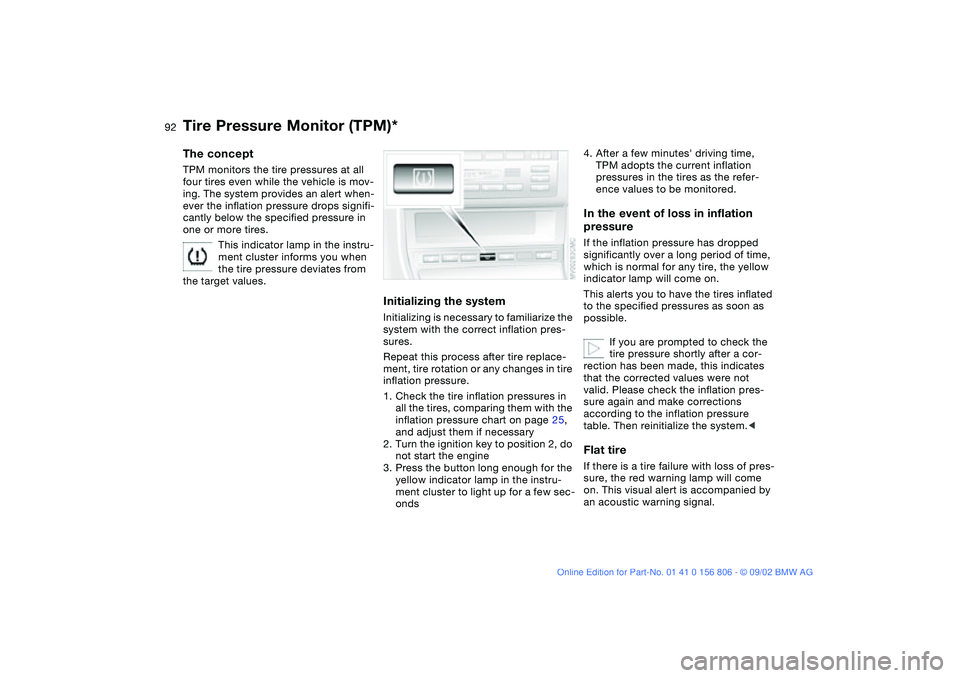
3. Press the button long enough for the
yellow indicator lamp in the instru-
ment cluster to light up for a few sec-
onds
4. After a few minutes' driving time,
TPM adopts the current inflation
pressures in the tires as the refer-
ence values to be monitored.In the event of loss in inflation
pressureIf the inflation pressure has dropped
significantly over a long period of time,
which is normal for any tire, the yellow
indicator lamp will come on.
This alerts you to have the tires inflated
to the specified pressures as soon as
possible.
If you are prompted to check the
tire pressure shortly after a cor-
rection has been made, this indicates
that the corrected values were not
valid. Please check the inflation pres-
sure again and make corrections
according to the inflation pressure
table. Then reinitialize the system.
on. This visual alert is accompanied by
an acoustic warning signal.
handbook.book Page 92 Wednesday, July 31, 2002 9:29 AM
Page 94 of 178
94
Initializing the systemInitializing is necessary to familiarize the
system with the correct inflation pres-
sures.
Repeat this process after any changes
in tire inflation pressure, tire rotation or
replacement. Do not carry out further
system initialization after adjusting the
inflation pressure and letting the system
"learn" the correct pressures.
1. Check the tire inflation pressures in
all the tires, comparing them with the
inflation pressure chart on page 25
and adjusting their pressure if neces-
sary
2. Turn the ignition key to position 2
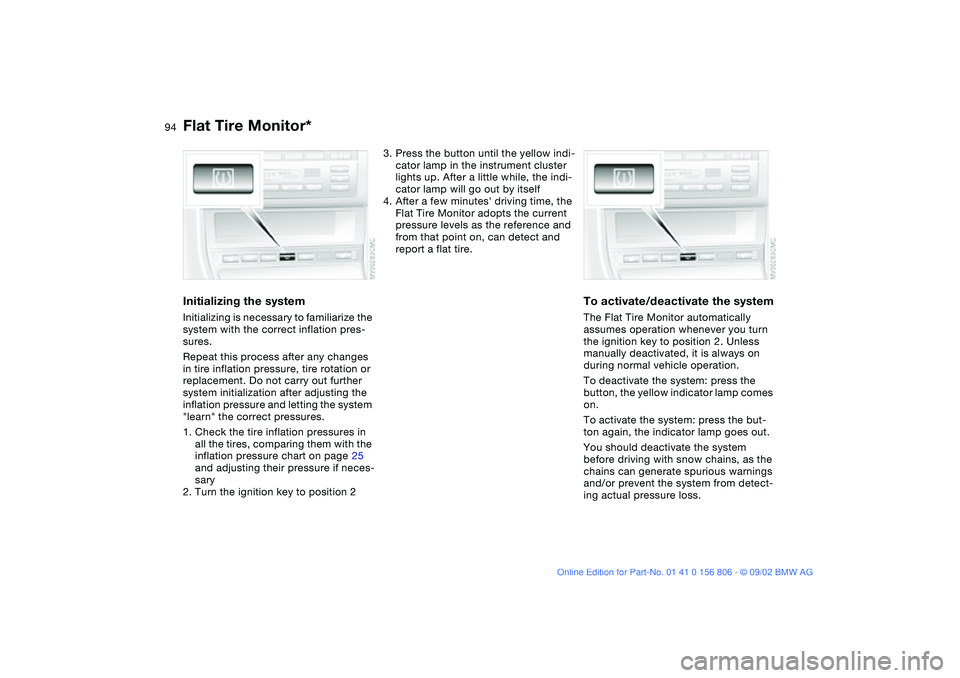
3. Press the button until the yellow indi-
cator lamp in the instrument cluster
lights up. After a little while, the indi-
cator lamp will go out by itself
4. After a few minutes' driving time, the
Flat Tire Monitor adopts the current
pressure levels as the reference and
from that point on, can detect and
report a flat tire.
To activate/deactivate the systemThe Flat Tire Monitor automatically
assumes operation whenever you turn
the ignition key to position 2. Unless
manually deactivated, it is always on
during normal vehicle operation.
To deactivate the system: press the
button, the yellow indicator lamp comes
on.
To activate the system: press the but-
ton again, the indicator lamp goes out.
You should deactivate the system
before driving with snow chains, as the
chains can generate spurious warnings
and/or prevent the system from detect-
ing actual pressure loss.
Flat Tire Monitor*
handbook.book Page 94 Wednesday, July 31, 2002 9:29 AM
Page 95 of 178
95
Flat tire
The red warning lamp in the
instrument cluster lights up to
warn of pressure loss and tire
failure. This visual alert is accompanied
by an acoustic warning signal. Reduce
your speed immediately, and steer and
brake gently as you bring the vehicle to
a stop.
To reset the warning lamp: after replac-
ing the damaged tire you will need to
reset the red warning lamp manually:
maintain pressure on the Flat Tire Moni-
tor button until the warning lamp goes
out. Then reinitialize the system.
The Flat Tire Monitor cannot pro-
vide you with advance warning of
sudden and severe tire damage caused
by external factors.
The system also does not detect the
gradual and minor loss of pressure that
all tires display over extended periods
of time.<
Check tire inflation pressures on a
regular basis, correcting them as
necessary, refer to page 25.
The system may respond to operation
on slippery or snow-covered road sur-
faces with false warnings or delays in
detecting actual pressure loss.
Performance-oriented driving, slip at
the drive wheels and high rates of lat-
eral acceleration can also increase the
time that the Flat Tire Monitor requires
to detect a flat.<
System malfunctionsThe yellow indicator lamp in the instru-
ment cluster lights up and remains on
until the problem is corrected.
Please refer the problem to your BMW
center.
Flat Tire Monitor*
OverviewControlsMaintenanceRepairsDataIndex
handbook.book Page 95 Wednesday, July 31, 2002 9:29 AM
Page 96 of 178
96Lamps
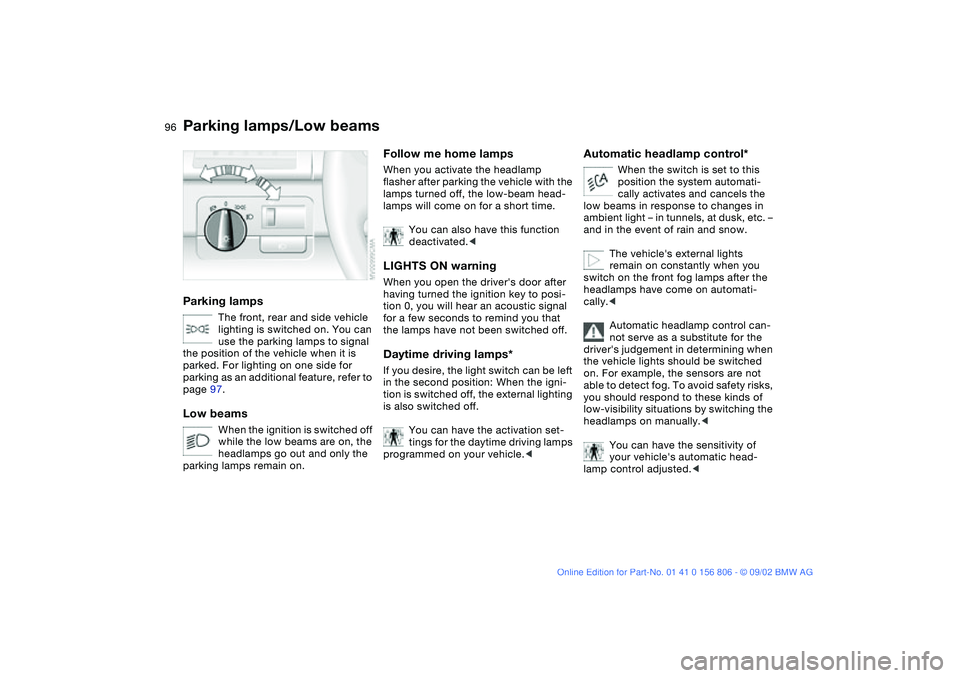
Parking lamps/Low beamsParking lamps
The front, rear and side vehicle
lighting is switched on. You can
use the parking lamps to signal
the position of the vehicle when it is
parked. For lighting on one side for
parking as an additional feature, refer to
page 97.
Low beams
When the ignition is switched off
while the low beams are on, the
headlamps go out and only the
parking lamps remain on.
Follow me home lampsWhen you activate the headlamp
flasher after parking the vehicle with the
lamps turned off, the low-beam head-
lamps will come on for a short time.
You can also have this function
deactivated.
tion 0, you will hear an acoustic signal
for a few seconds to remind you that
the lamps have not been switched off.Daytime driving lamps*If you desire, the light switch can be left
in the second position: When the igni-
tion is switched off, the external lighting
is also switched off.
You can have the activation set-
tings for the daytime driving lamps
programmed on your vehicle.<
Automatic headlamp control*
When the switch is set to this
position the system automati-
cally activates and cancels the
low beams in response to changes in
ambient light – in tunnels, at dusk, etc. –
and in the event of rain and snow.
The vehicle's external lights
remain on constantly when you
switch on the front fog lamps after the
headlamps have come on automati-
cally.<
Automatic headlamp control can-
not serve as a substitute for the
driver's judgement in determining when
the vehicle lights should be switched
on. For example, the sensors are not
able to detect fog. To avoid safety risks,
you should respond to these kinds of
low-visibility situations by switching the
headlamps on manually.<
You can have the sensitivity of
your vehicle's automatic head-
lamp control adjusted.<
handbook.book Page 96 Wednesday, July 31, 2002 9:29 AM
Page 97 of 178
97
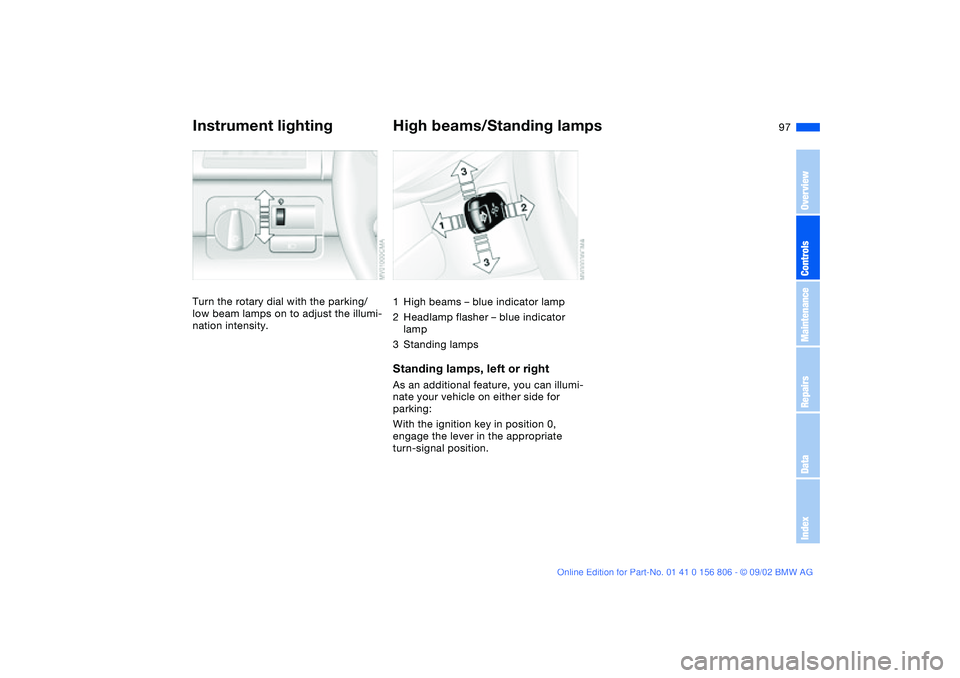
Instrument lightingTurn the rotary dial with the parking/
low beam lamps on to adjust the illumi-
nation intensity.
High beams/Standing lamps1High beams – blue indicator lamp
2Headlamp flasher – blue indicator
lamp
3Standing lampsStanding lamps, left or rightAs an additional feature, you can illumi-
nate your vehicle on either side for
parking:
With the ignition key in position 0,
engage the lever in the appropriate
turn-signal position.
OverviewControlsMaintenanceRepairsDataIndex
handbook.book Page 97 Wednesday, July 31, 2002 9:29 AM
Page 98 of 178
98
Fog lamps*Front fog lamps
The green indicator lamp in the
instrument cluster lights up to
indicate that the front fog lamps
are on.
If the automatic headlamp control
is on, the low beams will come on
automatically whenever you activate
the front fog lamps.<
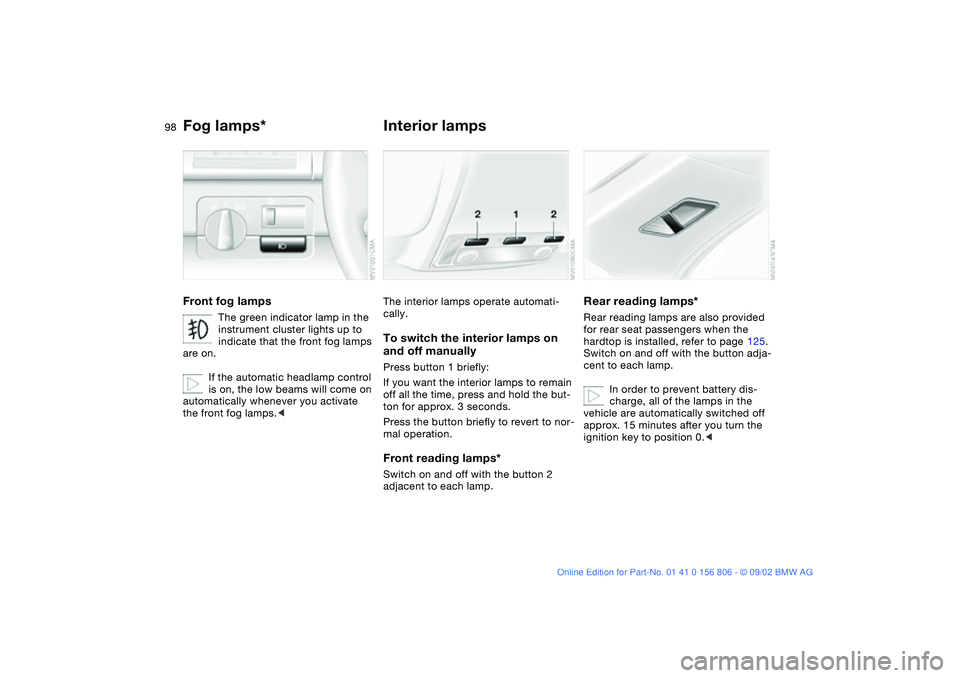
Interior lampsThe interior lamps operate automati-
cally.To switch the interior lamps on
and off manuallyPress button 1 briefly:
If you want the interior lamps to remain
off all the time, press and hold the but-
ton for approx. 3 seconds.
Press the button briefly to revert to nor-
mal operation.Front reading lamps*Switch on and off with the button 2
adjacent to each lamp.
Rear reading lamps*Rear reading lamps are also provided
for rear seat passengers when the
hardtop is installed, refer to page 125.
Switch on and off with the button adja-
cent to each lamp.
In order to prevent battery dis-
charge, all of the lamps in the
vehicle are automatically switched off
approx. 15 minutes after you turn the
ignition key to position 0.<
handbook.book Page 98 Wednesday, July 31, 2002 9:29 AM
Page 109 of 178
109 Interior conveniences
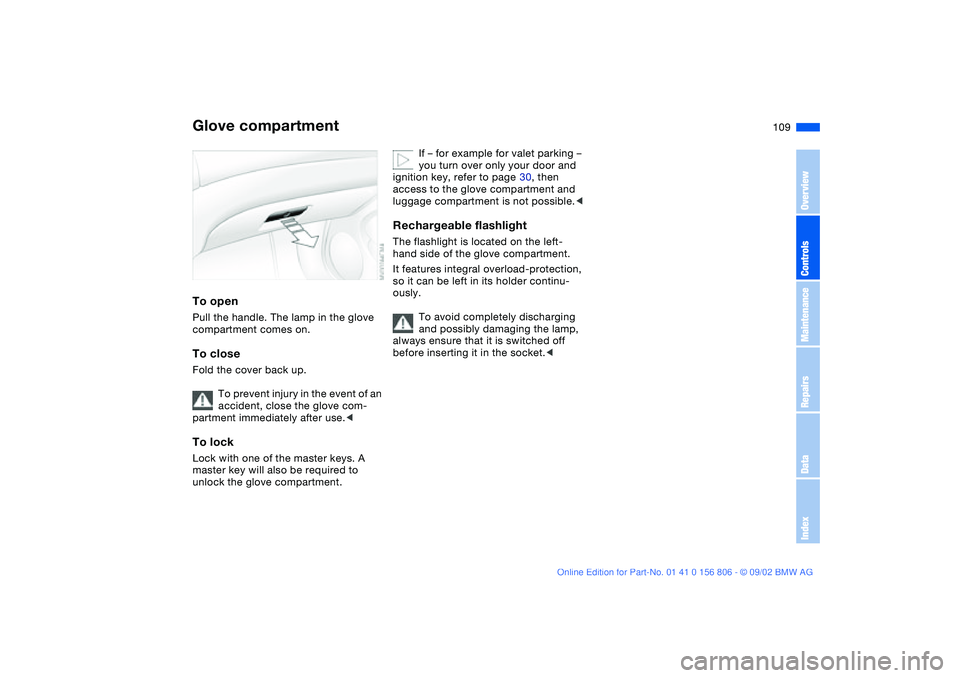
Glove compartmentTo openPull the handle. The lamp in the glove
compartment comes on.To closeFold the cover back up.
To prevent injury in the event of an
accident, close the glove com-
partment immediately after use.
unlock the glove compartment.
If – for example for valet parking –
you turn over only your door and
ignition key, refer to page 30, then
access to the glove compartment and
luggage compartment is not possible.<
Rechargeable flashlightThe flashlight is located on the left-
hand side of the glove compartment.
It features integral overload-protection,
so it can be left in its holder continu-
ously.
To avoid completely discharging
and possibly damaging the lamp,
always ensure that it is switched off
before inserting it in the socket.<
OverviewControlsMaintenanceRepairsDataIndex
handbook.book Page 109 Wednesday, July 31, 2002 9:29 AM
Page 110 of 178
110
BMW Universal Transmitter*The conceptThe BMW Universal Transmitter
replaces up to three hand-held trans-
mitters of different devices such as
garage-door openers, alarm systems,
or door locking systems. The BMW Uni-
versal Transmitter recognizes and
learns the transmitted signal of each of
the original hand-held transmitters.
The signal of an original hand-held
transmitter can be programmed on one
of the three channel keys. Following
that, each of the devices can be actu-
ated with the appropriately-pro-
grammed channel key. The indicator
lamp flashes to confirm transmission of
the signal.
If the vehicle is sold, the memory of the
channel keys should be cleared as
described on page 112.
During programming and before
every remote actuation of a pro-
grammed device by the BMW Universal
Transmitter, check to be sure that there
are no persons, animals or objects
within the actuation range of the device
in order to prevent possible injuries or
damage. Also, comply with the safety
precautions of the original hand-held
transmitter.<
To Canadian residents:
During programming, your hand-
held transmitter may automatically stop
transmitting after two seconds. This
may not be long enough to program the
BMW Universal Transmitter. If you are
programming from one of these hand-
held transmitters, the Universal Trans-
mitter's light may begin to flash in a
series of double-blinks. If this occurs,
continue to hold the key of the Univer-
sal Transmitter while you reactivate
your hand-held transmitter. You may
have to repeat this function several
times while programming.<
Before programming, read the
User information section on
page 112.<
Original hand-held transmitter
If this symbol is present on the
packaging or in the instructions
of the original hand-held trans-
mitter, it may be assumed that this
hand-held transmitter is compatible
with the BMW Universal Transmitter.
Checking for the conversion codeTo determine whether the original
hand-held transmitter is provided with a
conversion-code system, you may
either read the instructions for the origi-
nal hand-held transmitter or program a
channel key as described on the next
page, left-hand column under Program-
ming.
Then press and hold the programmed
channel key of the BMW Universal
Transmitter. If the indicator lamp of the
BMW Universal Transmitter flashes for
two seconds and then comes on
steadily, the original hand-held trans-
mitter is provided with a conversion-
code system. With a conversion-code
system, program the channel keys as
described on the next page, right-hand
column under Programming a hand-
held transmitter with conversion code.
If you have additional questions,
please consult your BMW center
or call toll-free 1-800-355-3515.
You can also visit the website
www.bmwusa.com.<
handbook.book Page 110 Wednesday, July 31, 2002 9:29 AM
Page 113 of 178
113
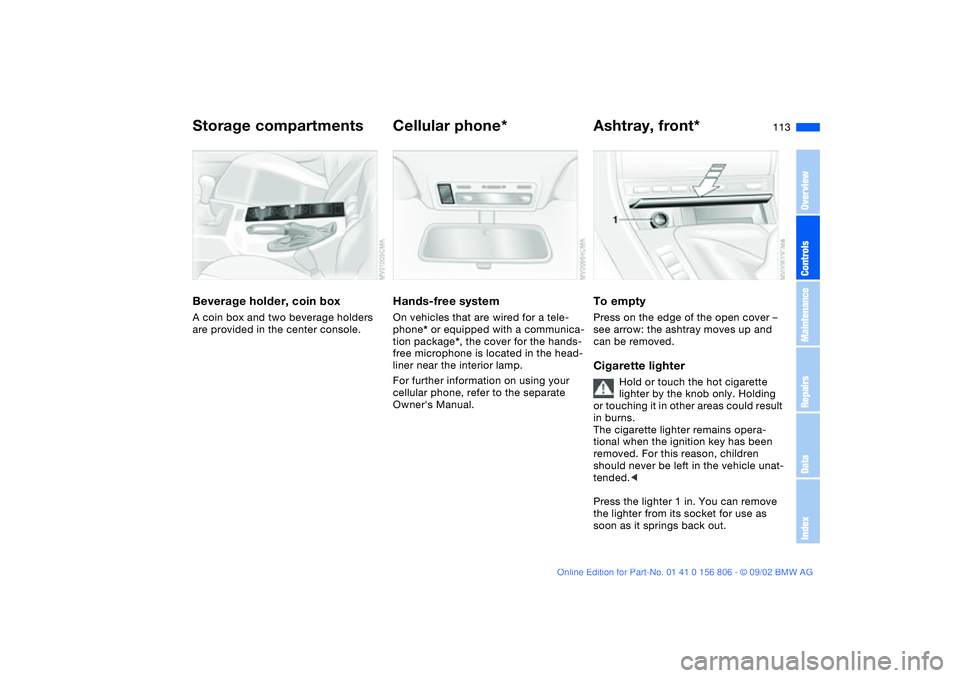
Beverage holder, coin boxA coin box and two beverage holders
are provided in the center console.
Cellular phone*Hands-free systemOn vehicles that are wired for a tele-
phone* or equipped with a communica-
tion package*, the cover for the hands-
free microphone is located in the head-
liner near the interior lamp.
For further information on using your
cellular phone, refer to the separate
Owner's Manual.
Ashtray, front*To emptyPress on the edge of the open cover –
see arrow: the ashtray moves up and
can be removed.Cigarette lighter
Hold or touch the hot cigarette
lighter by the knob only. Holding
or touching it in other areas could result
in burns.
The cigarette lighter remains opera-
tional when the ignition key has been
removed. For this reason, children
should never be left in the vehicle unat-
tended.<
Press the lighter 1 in. You can remove
the lighter from its socket for use as
soon as it springs back out.
Storage compartments
OverviewControlsMaintenanceRepairsDataIndex
handbook.book Page 113 Wednesday, July 31, 2002 9:29 AM