buttons BMW 325CI 2004 User Guide
[x] Cancel search | Manufacturer: BMW, Model Year: 2004, Model line: 325CI, Model: BMW 325CI 2004Pages: 186, PDF Size: 2.76 MB
Page 113 of 186
113
3. Hold the original control device
approx. 2 to 8 in / 5 to 20 cm away
from memory buttons 1.
The required distance between
the control device and the mem-
ory buttons 1 may vary, depending on
the system of the original control device
in question.<
4. Simultaneously press the command
button of the original control device
and the desired memory button 1 on
the integrated universal remote con-
trol. Indicator lamp 2 starts to flash
slowly. When indicator lamp 2
flashes rapidly, release both but-
tons. If the indicator lamp 2 does not
flash rapidly after approx.
15 seconds, select a different dis-
tance between the two devices
5. To program other original control
devices, repeat steps 3 and 4.
The corresponding memory button 1 is
now programmed with the signal of the
original control device.
The system can be operated from igni-
tion key position 2.
If the system cannot be operated
after repeated attempts at pro-
gramming, check whether the original
control device is equipped with an
alternating-code system. You can either
check the operating instructions of the
original control device for this informa-
tion, or you can press and hold down
the programmed memory button 1 of
the integrated universal remote control.
If indicator lamp 2 of the integrated uni-
versal remote control flashes rapidly for
a brief period and then remains on for
approx. 2 seconds, the original control
device is equipped with an alternating-
code system. In this case, you have to
program the memory buttons 1 as
described below for an alternating-
code control device.<
Programming an alternating-code
control deviceYou will need to follow the operating
instructions of the system in question in
order to program the integrated univer-
sal remote control. Read through the
operating instructions for information
on synchronization. Comply with the
following additional instructions when
you program an alternating-code con-
trol device:
You will find programming easier if
you have the assistance of
another person.<
1. Park the vehicle within range of the
radio remote controlled device
2. Program the integrated universal
remote control as described above in
the section on fixed-code program-
ming
3. Locate the button on the receiver of
the target device, for example on the
drive
4. Press the button on the receiver of
the target device. Once you have
completed step 4, you have approx.
30 seconds to complete step 5
5. Press the programmed memory
button 1 of the integrated universal
remote control three times.
The corresponding memory button 1 is
now programmed with the signal of the
original control device.
Please contact your BMW center
if you have any questions.<
Integrated universal remote control*
OverviewControlsMaintenanceRepairsDataIndex
Page 114 of 186
114
Deleting memory buttonsPress and hold down both outer
buttons 1 of the integrated universal
remote control for approx. 20 seconds
until the indicator lamp 2 flashes: All
threee memory buttons are cleared.
It is not possible to delete individual
memory buttons 1.
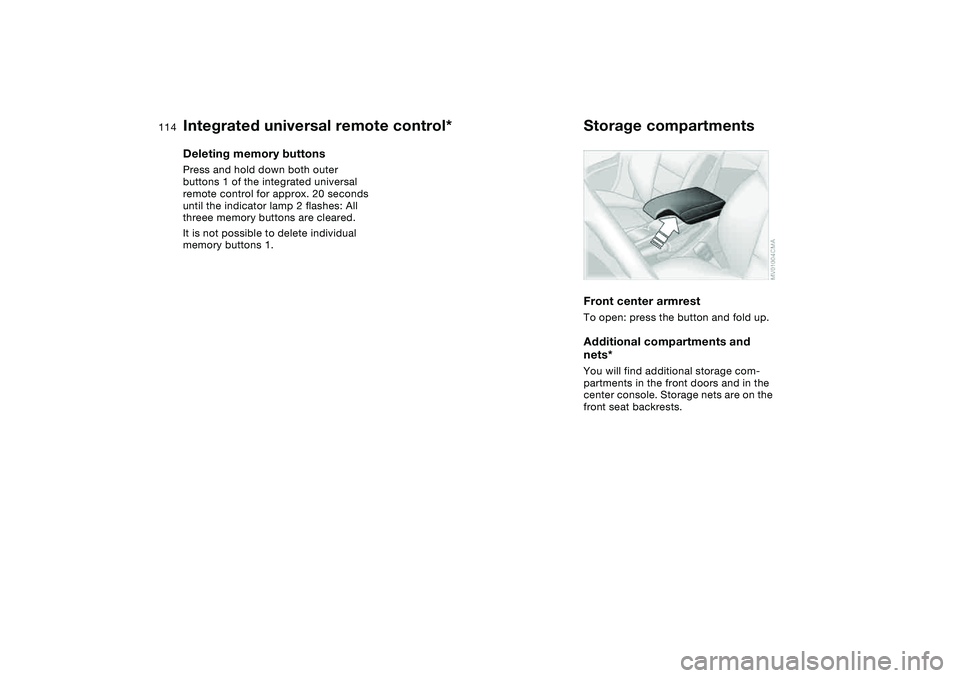
Storage compartmentsFront center armrestTo open: press the button and fold up.Additional compartments and
nets*You will find additional storage com-
partments in the front doors and in the
center console. Storage nets are on the
front seat backrests.
Integrated universal remote control*
Page 128 of 186
128
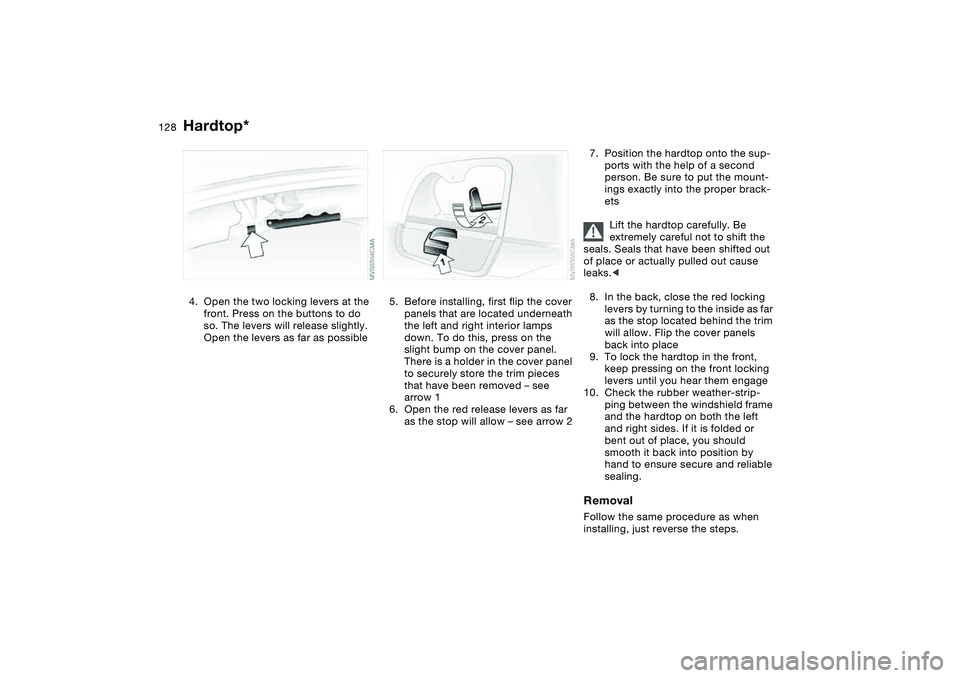
4. Open the two locking levers at the
front. Press on the buttons to do
so. The levers will release slightly.
Open the levers as far as possible
5. Before installing, first flip the cover
panels that are located underneath
the left and right interior lamps
down. To do this, press on the
slight bump on the cover panel.
There is a holder in the cover panel
to securely store the trim pieces
that have been removed – see
arrow 1
6. Open the red release levers as far
as the stop will allow – see arrow 2
7. Position the hardtop onto the sup-
ports with the help of a second
person. Be sure to put the mount-
ings exactly into the proper brack-
ets
Lift the hardtop carefully. Be
extremely careful not to shift the
seals. Seals that have been shifted out
of place or actually pulled out cause
leaks.<
8. In the back, close the red locking
levers by turning to the inside as far
as the stop located behind the trim
will allow. Flip the cover panels
back into place
9. To lock the hardtop in the front,
keep pressing on the front locking
levers until you hear them engage
10. Check the rubber weather-strip-
ping between the windshield frame
and the hardtop on both the left
and right sides. If it is folded or
bent out of place, you should
smooth it back into position by
hand to ensure secure and reliable
sealing.RemovalFollow the same procedure as when
installing, just reverse the steps.
Hardtop*
Page 158 of 186
158Giving and receiving assistance
Receiving assistanceThe BMW Group's Mobile Service
offers you 24-hour assistance in the
event of a breakdown, even on week-
ends and holidays.
The telephone numbers of the Mobile
Service control center in your country
are listed in the BMW Dealer Directory.
If your vehicle has the necessary equip-
ment, you can contact the Mobile Ser-
vice or issue an emergency call using
buttons in the interior rearview mirror.
When an emergency call is initiated, a
telephone connection is established
with the general emergency call center.
In vehicles with activated BMW Assist
function, a telephone connection is set
up to the BMW Assist emergency call
center. If the current location of your
vehicle can be determined, this location
is transmitted to the BMW Assist emer-
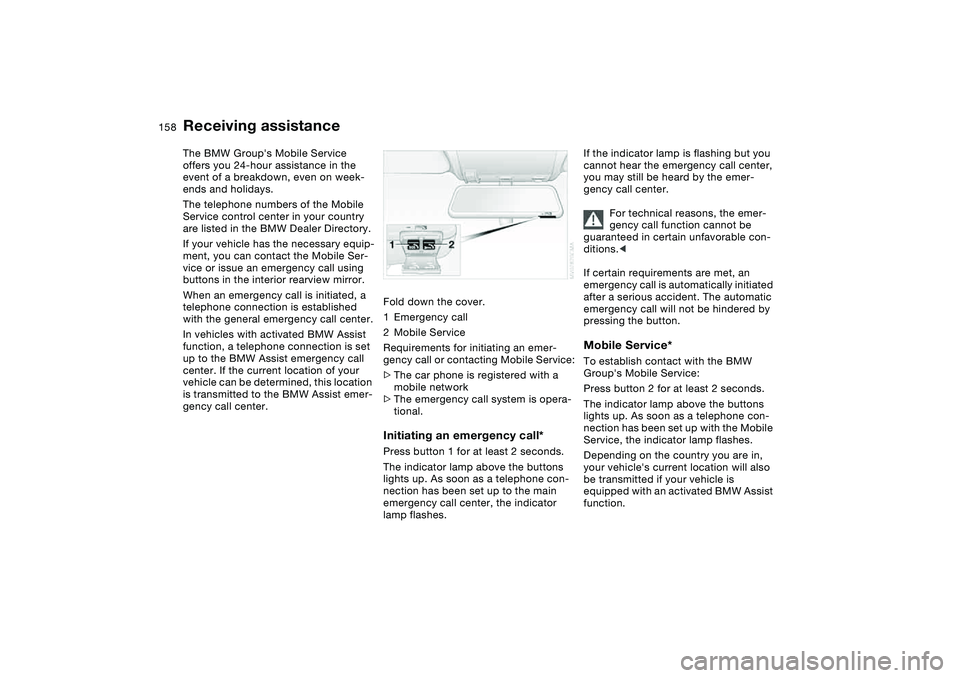
gency call center.Fold down the cover.
1Emergency call
2Mobile Service
Requirements for initiating an emer-
gency call or contacting Mobile Service:
>The car phone is registered with a
mobile network
>The emergency call system is opera-
tional.
Initiating an emergency call*Press button 1 for at least 2 seconds.
The indicator lamp above the buttons
lights up. As soon as a telephone con-
nection has been set up to the main
emergency call center, the indicator
lamp flashes.
If the indicator lamp is flashing but you
cannot hear the emergency call center,
you may still be heard by the emer-
gency call center.
For technical reasons, the emer-
gency call function cannot be
guaranteed in certain unfavorable con-
ditions.<
If certain requirements are met, an
emergency call is automatically initiated
after a serious accident. The automatic
emergency call will not be hindered by
pressing the button.Mobile Service*To establish contact with the BMW
Group's Mobile Service:
Press button 2 for at least 2 seconds.
The indicator lamp above the buttons
lights up. As soon as a telephone con-
nection has been set up with the Mobile
Service, the indicator lamp flashes.
Depending on the country you are in,
your vehicle's current location will also
be transmitted if your vehicle is
equipped with an activated BMW Assist
function.
Page 173 of 186
Everything from A to Z
173
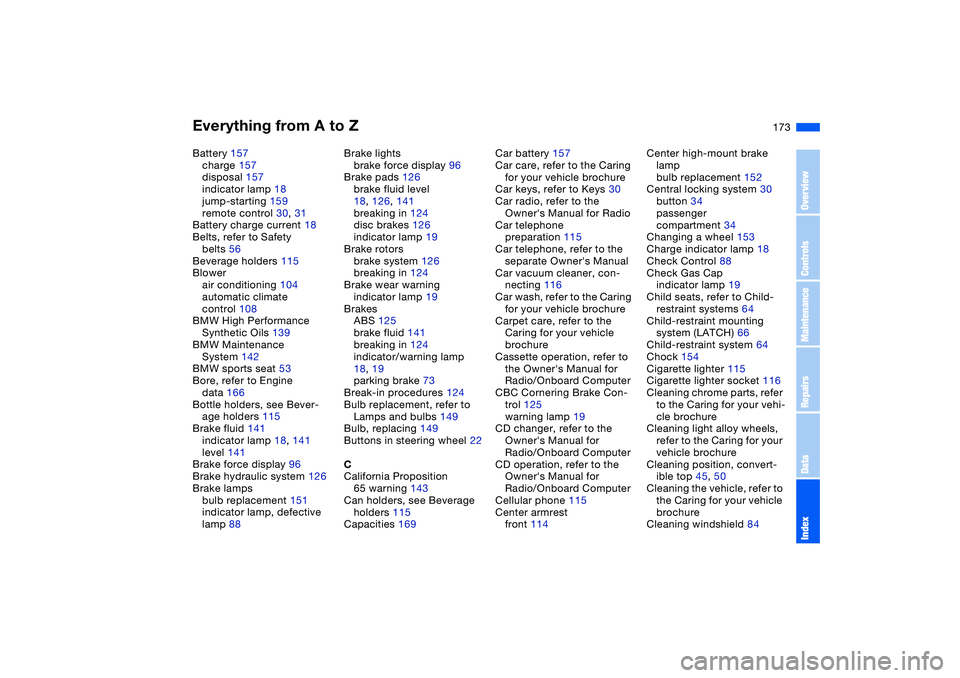
Battery 157
charge 157
disposal 157
indicator lamp 18
jump-starting 159
remote control 30, 31
Battery charge current 18
Belts, refer to Safety
belts 56
Beverage holders 115
Blower
air conditioning 104
automatic climate
control 108
BMW High Performance
Synthetic Oils 139
BMW Maintenance
System 142
BMW sports seat 53
Bore, refer to Engine
data 166
Bottle holders, see Bever-
age holders 115
Brake fluid 141
indicator lamp 18, 141
level 141
Brake force display 96
Brake hydraulic system 126
Brake lamps
bulb replacement 151
indicator lamp, defective
lamp 88Brake lights
brake force display 96
Brake pads 126
brake fluid level
18, 126, 141
breaking in 124
disc brakes 126
indicator lamp 19
Brake rotors
brake system 126
breaking in 124
Brake wear warning
indicator lamp 19
Brakes
ABS 125
brake fluid 141
breaking in 124
indicator/warning lamp
18, 19
parking brake 73
Break-in procedures 124
Bulb replacement, refer to
Lamps and bulbs 149
Bulb, replacing 149
Buttons in steering wheel 22
C
California Proposition
65 warning 143
Can holders, see Beverage
holders 115
Capacities 169Car battery 157
Car care, refer to the Caring
for your vehicle brochure
Car keys, refer to Keys 30
Car radio, refer to the
Owner's Manual for Radio
Car telephone
preparation 115
Car telephone, refer to the
separate Owner's Manual
Car vacuum cleaner, con-
necting 116
Car wash, refer to the Caring
for your vehicle brochure
Carpet care, refer to the
Caring for your vehicle
brochure
Cassette operation, refer to
the Owner's Manual for
Radio/Onboard Computer
CBC Cornering Brake Con-
trol 125
warning lamp 19
CD changer, refer to the
Owner's Manual for
Radio/Onboard Computer
CD operation, refer to the
Owner's Manual for
Radio/Onboard Computer
Cellular phone 115
Center armrest
front 114Center high-mount brake
lamp
bulb replacement 152
Central locking system 30
button 34
passenger
compartment 34
Changing a wheel 153
Charge indicator lamp 18
Check Control 88
Check Gas Cap
indicator lamp 19
Child seats, refer to Child-
restraint systems 64
Child-restraint mounting
system (LATCH) 66
Child-restraint system 64
Chock 154
Cigarette lighter 115
Cigarette lighter socket 116
Cleaning chrome parts, refer
to the Caring for your vehi-
cle brochure
Cleaning light alloy wheels,
refer to the Caring for your
vehicle brochure
Cleaning position, convert-
ible top 45, 50
Cleaning the vehicle, refer to
the Caring for your vehicle
brochure
Cleaning windshield 84
OverviewControlsMaintenanceRepairsDataIndex
Page 177 of 186
Everything from A to Z
177
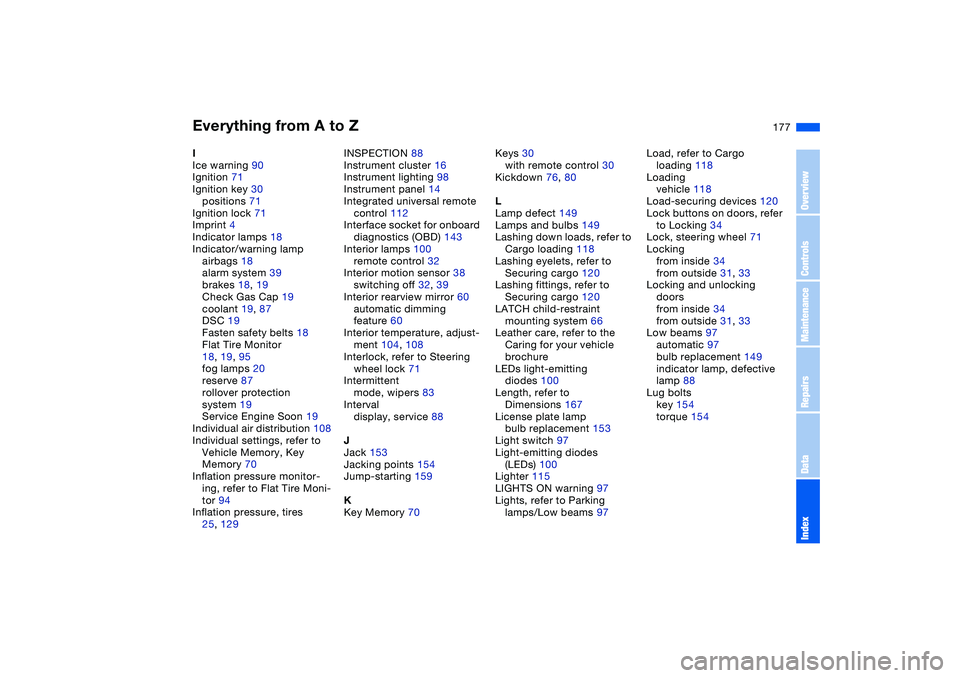
I
Ice warning 90
Ignition 71
Ignition key 30
positions 71
Ignition lock 71
Imprint 4
Indicator lamps 18
Indicator/warning lamp
airbags 18
alarm system 39
brakes 18, 19
Check Gas Cap 19
coolant 19, 87
DSC 19
Fasten safety belts 18
Flat Tire Monitor
18, 19, 95
fog lamps 20
reserve 87
rollover protection
system 19
Service Engine Soon 19
Individual air distribution 108
Individual settings, refer to
Vehicle Memory, Key
Memory 70
Inflation pressure monitor-
ing, refer to Flat Tire Moni-
tor 94
Inflation pressure, tires
25, 129INSPECTION 88
Instrument cluster 16
Instrument lighting 98
Instrument panel 14
Integrated universal remote
control 112
Interface socket for onboard
diagnostics (OBD) 143
Interior lamps 100
remote control 32
Interior motion sensor 38
switching off 32, 39
Interior rearview mirror 60
automatic dimming
feature 60
Interior temperature, adjust-
ment 104, 108
Interlock, refer to Steering
wheel lock 71
Intermittent
mode, wipers 83
Interval
display, service 88
J
Jack 153
Jacking points 154
Jump-starting 159
K
Key Memory 70Keys 30
with remote control 30
Kickdown 76, 80
L
Lamp defect 149
Lamps and bulbs 149
Lashing down loads, refer to
Cargo loading 118
Lashing eyelets, refer to
Securing cargo 120
Lashing fittings, refer to
Securing cargo 120
LATCH child-restraint
mounting system 66
Leather care, refer to the
Caring for your vehicle
brochure
LEDs light-emitting
diodes 100
Length, refer to
Dimensions 167
License plate lamp
bulb replacement 153
Light switch 97
Light-emitting diodes
(LEDs) 100
Lighter 115
LIGHTS ON warning 97
Lights, refer to Parking
lamps/Low beams 97Load, refer to Cargo
loading 118
Loading
vehicle 118
Load-securing devices 120
Lock buttons on doors, refer
to Locking 34
Lock, steering wheel 71
Locking
from inside 34
from outside 31, 33
Locking and unlocking
doors
from inside 34
from outside 31, 33
Low beams 97
automatic 97
bulb replacement 149
indicator lamp, defective
lamp 88
Lug bolts
key 154
torque 154
OverviewControlsMaintenanceRepairsDataIndex