door lock BMW 325CI 2004 User Guide
[x] Cancel search | Manufacturer: BMW, Model Year: 2004, Model line: 325CI, Model: BMW 325CI 2004Pages: 186, PDF Size: 2.76 MB
Page 41 of 186
41
After the ignition has been
switched offYou can still use the electric power win-
dows for up to 15 minutes, as long as
no one opens any of the doors.Safety featureIf the closing force of a front window
exceeds a certain value as the window
is being closed, the closing procedure
is immediately interrupted and the win-
dow opens again slightly.
Despite this protective function,
you must still make sure that there
are no obstacles within the closing
range of the windows. Otherwise, it
cannot be guaranteed that the closing
procedure will be interrupted in certain
cases, e.g. when very thin objects are
in the closing range.
This protective function is deactivated
when the switch is pulled past the
resistance point and held there.
reinitialized. Please refer the problem to
your BMW center.
Manual convertible topThe fabric top offers the perfect protec-
tion against weather and one person
can open and close it easily and simply.
To gain maximum satisfaction from your
convertible, please observe the follow-
ing: we strongly recommend that you
close the convertible top before leaving
the vehicle parked. When closed, the
top not only guards the passenger
compartment from unforeseeable dam-
age from the weather, but also affords a
degree of protection against theft.
However, even when the top is closed
valuables should always be stored in
the locked luggage compartment.
Never attempt to mount any kind of roof
rack or luggage carrier on the convert-
ible top.
Closing the electric power win-
dows: to help ensure that the win-
dows seal securely, you should either
close the rear windows first or close all
four windows at the same time.<
Electric power windows
OverviewControlsMaintenanceRepairsDataIndex
Page 48 of 186

48
panel has been raised and the top
cannot be moved.
The side windows move down slightly
whenever the button for operating the
convertible top is pressed.
They will go back up if you keep holding
the button down for more than
2 seconds after the opening or closing
process has been completed and the
indicator lamp has gone out.InterruptionThe convertible top stops moving
immediately when the button is
released. You can resume operation in
the desired direction by pressing the
button again
Do not close the side windows
using the power window switches
if the convertible top has not been
closed completely. Otherwise, the side
windows may not seal properly with the
rubber seals of the convertible top.<
If the opening or closing operation is
interrupted by releasing the buttons,
the convertible top remains in the
respective position for 15 minutes
before it slowly moves into a stable
position. The operation can be contin-
ued by pressing the buttons.
Do not repeatedly interrupt and
resume the closing procedure, as
otherwise the fully-automatic convert-
ible top mechanism could be dam-
aged.<
In certain cases, the luggage compart-
ment lid cannot be opened if the open-
ing or closing operation has been inter-
rupted.
Operate the convertible top manu-
ally in emergency situations only
to avoid causing damage due to incor-
rect operation.
lockRefer to pages 32 and 33.
Manual closing in the event of an
electrical malfunction1Emergency operation
2Allen wrench
3Recess
Only operate the convertible top
manually when closing it. Never
open it manually since the convertible
top compartment lid cannot be locked,
and would open while you are driving.<
Manual closing is best carried out
by two persons from outside with
the driver's door open and the driver's
seat folded forward. No one is to be in
the rear seat while you are doing this.<
Fully-automatic convertible top*
Page 57 of 186
57
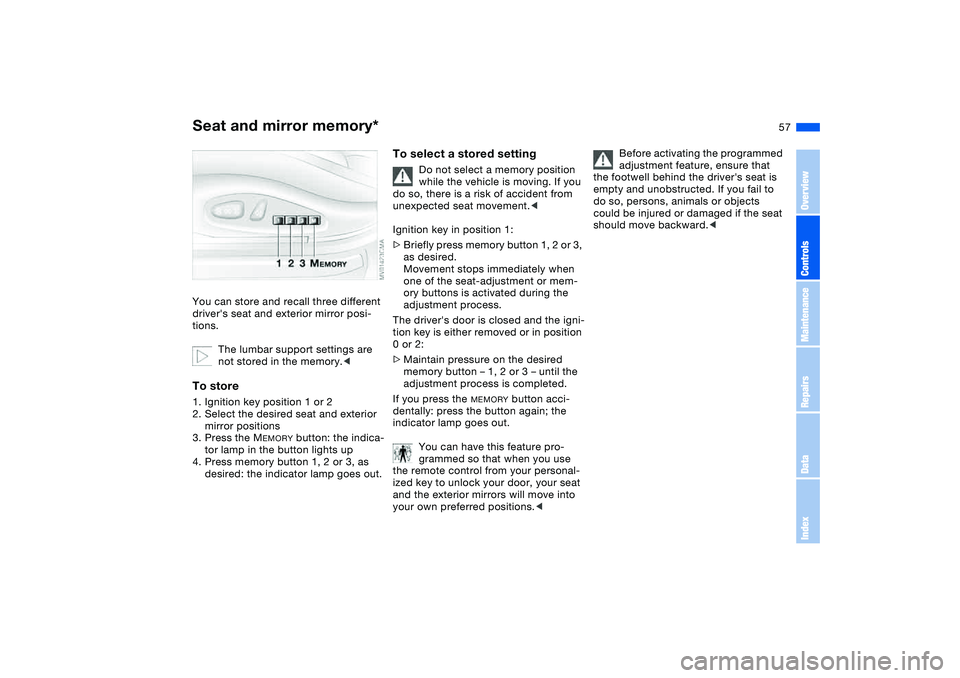
Seat and mirror memory*You can store and recall three different
driver's seat and exterior mirror posi-
tions.
The lumbar support settings are
not stored in the memory.
mirror positions
3. Press the M
EMORY
button: the indica-
tor lamp in the button lights up
4. Press memory button 1, 2 or 3, as
desired: the indicator lamp goes out.
To select a stored setting
Do not select a memory position
while the vehicle is moving. If you
do so, there is a risk of accident from
unexpected seat movement.<
Ignition key in position 1:
>Briefly press memory button 1, 2 or 3,
as desired.
Movement stops immediately when
one of the seat-adjustment or mem-
ory buttons is activated during the
adjustment process.
The driver's door is closed and the igni-
tion key is either removed or in position
0 or 2:
>Maintain pressure on the desired
memory button – 1, 2 or 3 – until the
adjustment process is completed.
If you press the
MEMORY
button acci-
dentally: press the button again; the
indicator lamp goes out.
You can have this feature pro-
grammed so that when you use
the remote control from your personal-
ized key to unlock your door, your seat
and the exterior mirrors will move into
your own preferred positions.<
Before activating the programmed
adjustment feature, ensure that
the footwell behind the driver's seat is
empty and unobstructed. If you fail to
do so, persons, animals or objects
could be injured or damaged if the seat
should move backward.<
OverviewControlsMaintenanceRepairsDataIndex
Page 70 of 186
70
Vehicle Memory, Key MemoryHow the system functionsNo doubt you have reflected at one
time or another on how great it would
be if you could permanently configure
your vehicle's various features and
adjustments to mirror your own individ-
ual preferences. In engineering your
vehicle, BMW has provided for a num-
ber of options for personal adjustment
that can be programmed into your vehi-
cle at your BMW center.
The available configuration data fall into
two categories, according to whether
their primary orientation is the vehicle –
Vehicle Memory – or the individual –
Key Memory. Provided that each per-
son has a separate remote-control key,
you can have your BMW center enter
basic adjustment data for up to four
individuals in the system.
The system then relies on a bilateral
data exchange to identify the individual
user and executes the selected settings
whenever the remote control unit is
used to disengage the door locks.
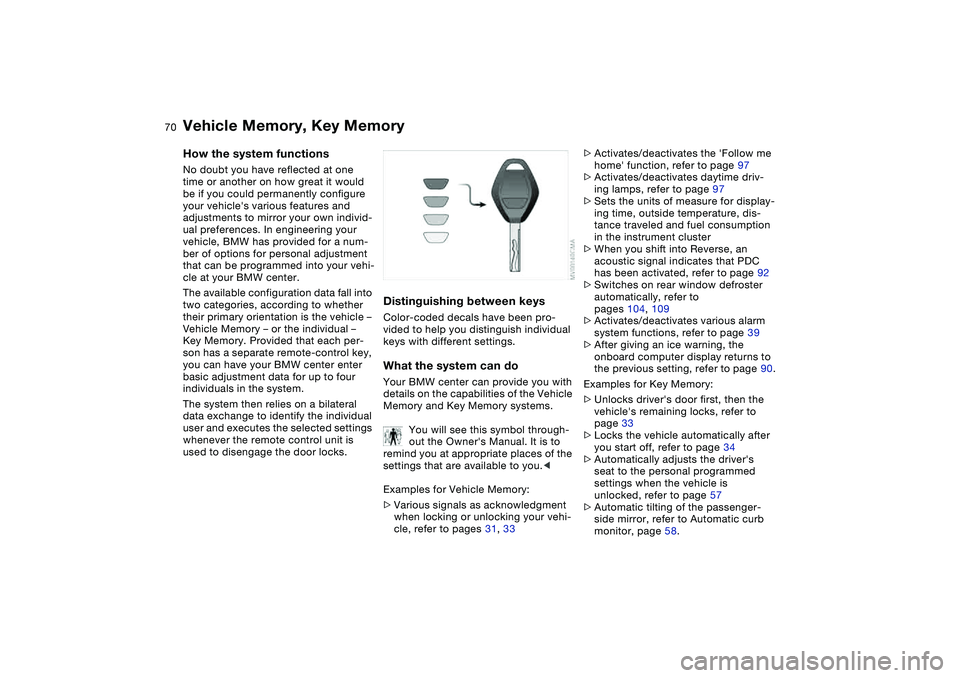
Distinguishing between keysColor-coded decals have been pro-
vided to help you distinguish individual
keys with different settings.What the system can doYour BMW center can provide you with
details on the capabilities of the Vehicle
Memory and Key Memory systems.
You will see this symbol through-
out the Owner's Manual. It is to
remind you at appropriate places of the
settings that are available to you.<
Examples for Vehicle Memory:
>Various signals as acknowledgment
when locking or unlocking your vehi-
cle, refer to pages 31, 33
>Activates/deactivates the 'Follow me
home' function, refer to page 97
>Activates/deactivates daytime driv-
ing lamps, refer to page 97
>Sets the units of measure for display-
ing time, outside temperature, dis-
tance traveled and fuel consumption
in the instrument cluster
>When you shift into Reverse, an
acoustic signal indicates that PDC
has been activated, refer to page 92
>Switches on rear window defroster
automatically, refer to
pages 104, 109
>Activates/deactivates various alarm
system functions, refer to page 39
>After giving an ice warning, the
onboard computer display returns to
the previous setting, refer to page 90.
Examples for Key Memory:
>Unlocks driver's door first, then the
vehicle's remaining locks, refer to
page 33
>Locks the vehicle automatically after
you start off, refer to page 34
>Automatically adjusts the driver's
seat to the personal programmed
settings when the vehicle is
unlocked, refer to page 57
>Automatic tilting of the passenger-
side mirror, refer to Automatic curb
monitor, page 58.
Page 71 of 186
71 Driving
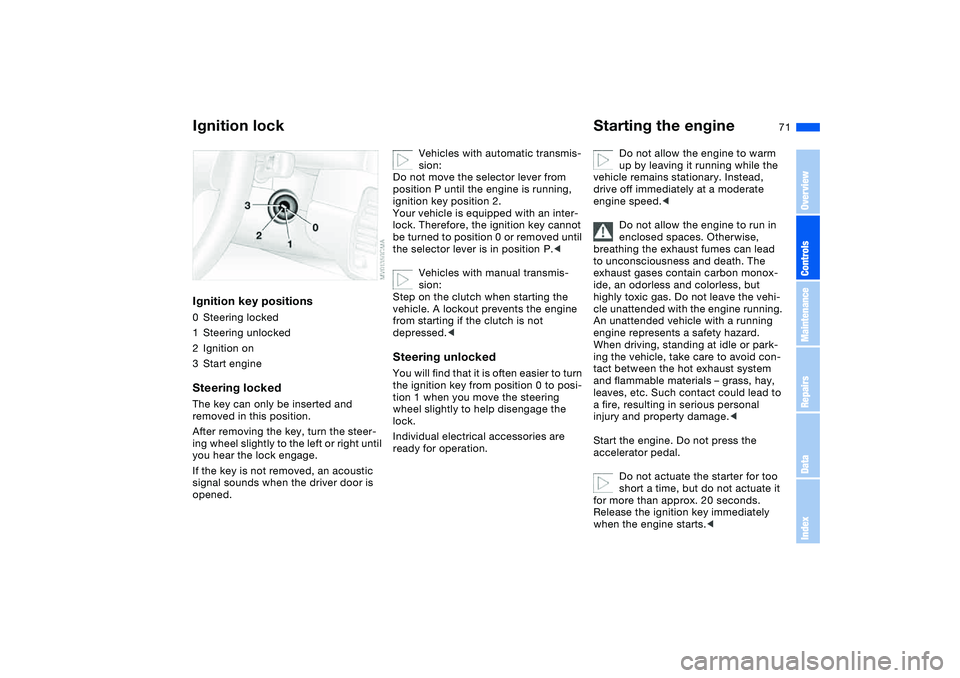
Ignition lockIgnition key positions0Steering locked
1Steering unlocked
2Ignition on
3Start engineSteering lockedThe key can only be inserted and
removed in this position.
After removing the key, turn the steer-
ing wheel slightly to the left or right until
you hear the lock engage.
If the key is not removed, an acoustic
signal sounds when the driver door is
opened.
Vehicles with automatic transmis-
sion:
Do not move the selector lever from
position P until the engine is running,
ignition key position 2.
Your vehicle is equipped with an inter-
lock. Therefore, the ignition key cannot
be turned to position 0 or removed until
the selector lever is in position P.<
Vehicles with manual transmis-
sion:
Step on the clutch when starting the
vehicle. A lockout prevents the engine
from starting if the clutch is not
depressed.<
Steering unlockedYou will find that it is often easier to turn
the ignition key from position 0 to posi-
tion 1 when you move the steering
wheel slightly to help disengage the
lock.
Individual electrical accessories are
ready for operation.
Starting the engine
Do not allow the engine to warm
up by leaving it running while the
vehicle remains stationary. Instead,
drive off immediately at a moderate
engine speed.<
Do not allow the engine to run in
enclosed spaces. Otherwise,
breathing the exhaust fumes can lead
to unconsciousness and death. The
exhaust gases contain carbon monox-
ide, an odorless and colorless, but
highly toxic gas. Do not leave the vehi-
cle unattended with the engine running.
An unattended vehicle with a running
engine represents a safety hazard.
When driving, standing at idle or park-
ing the vehicle, take care to avoid con-
tact between the hot exhaust system
and flammable materials – grass, hay,
leaves, etc. Such contact could lead to
a fire, resulting in serious personal
injury and property damage.<
Start the engine. Do not press the
accelerator pedal.
Do not actuate the starter for too
short a time, but do not actuate it
for more than approx. 20 seconds.
Release the ignition key immediately
when the engine starts.<
OverviewControlsMaintenanceRepairsDataIndex
Page 75 of 186
75
Sequential manual gearbox SMG*The conceptThe sequential manual gearbox SMG is
an automated manual gearbox with
which clutching and shifting is assumed
by an electro-hydraulic system.
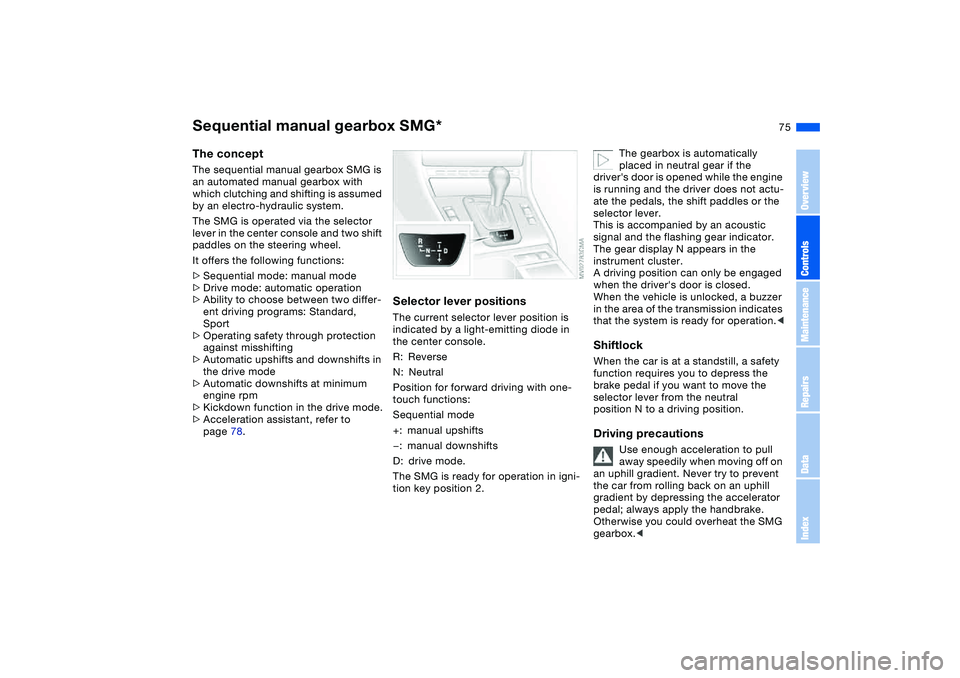
The SMG is operated via the selector
lever in the center console and two shift
paddles on the steering wheel.
It offers the following functions:
>Sequential mode: manual mode
>Drive mode: automatic operation
>Ability to choose between two differ-
ent driving programs: Standard,
Sport
>Operating safety through protection
against misshifting
>Automatic upshifts and downshifts in
the drive mode
>Automatic downshifts at minimum
engine rpm
>Kickdown function in the drive mode.
>Acceleration assistant, refer to
page 78.
Selector lever positionsThe current selector lever position is
indicated by a light-emitting diode in
the center console.
R: Reverse
N: Neutral
Position for forward driving with one-
touch functions:
Sequential mode
+: manual upshifts
—: manual downshifts
D: drive mode.
The SMG is ready for operation in igni-
tion key position 2.
The gearbox is automatically
placed in neutral gear if the
driver's door is opened while the engine
is running and the driver does not actu-
ate the pedals, the shift paddles or the
selector lever.
This is accompanied by an acoustic
signal and the flashing gear indicator.
The gear display N appears in the
instrument cluster.
A driving position can only be engaged
when the driver's door is closed.
When the vehicle is unlocked, a buzzer
in the area of the transmission indicates
that the system is ready for operation.<
ShiftlockWhen the car is at a standstill, a safety
function requires you to depress the
brake pedal if you want to move the
selector lever from the neutral
position N to a driving position.Driving precautions
Use enough acceleration to pull
away speedily when moving off on
an uphill gradient. Never try to prevent
the car from rolling back on an uphill
gradient by depressing the accelerator
pedal; always apply the handbrake.
Otherwise you could overheat the SMG
gearbox.<
OverviewControlsMaintenanceRepairsDataIndex
Page 175 of 186
Everything from A to Z
175
Disposal
oil 139
vehicle battery 157
Distance warning, refer to
Park Distance Control
(PDC) 92
Door key 30
Door lock 33
Doors
emergency operation 33
Draft-free ventilation
105, 109
Driving light, refer to Parking
lamps/Low beams 97
Driving notes 125
Dry air, refer to Air condi-
tioning mode 104, 108
DSC Dynamic Stability Con-
trol 93
indicator lamp 19, 93
DTC Dynamic Traction Con-
trol 93
indicator lamp 19, 93
Dynamic Brake Control
(DBC) 19, 125
indicator lamp 19
Dynamic Stability Control
(DSC) 19, 93
Dynamic Traction Control
(DTC) 93
indicator lamp 19, 93E
Easy entry, refer to Entering
the rear 55
Electric power windows 40
Electrical accessories, fail-
ure 157
Electrical malfunction
automatic transmission
with Steptronic 81
door lock 33
driver's door 33
fuel filler door 24
luggage compartment
lid 35
Electronic Stability Program
(ESP), refer to Dynamic
Stability Control (DSC) 93
Emergency call 158
Emergency operation
closing the convertible
top 48
doors 33
driver's door 33
fuel filler door 24
Emergency release
luggage compartment lid
35, 36
Emissions, minimum, refer
to Energy control 86
Energy control 86Engine
breaking in 124
data 166
electronics 19
indicator lamp 19
speed 86, 166
starting 71
switching off 73
Engine compartment 136
Engine coolant 140
adding 140
Engine oil
adding 139
additives, refer to Adding
engine oil 139
capacity 169
consumption 138
indicator/warning lamp 19
quality 139
specified oils 139
viscosity 139
Engine oil level 19
check 138
indicator/warning lamp 18
Engine oil pressure
indicator/warning lamp 18
Engine oil types 139
Engine output, refer to
Engine data 166
Engine speed 86, 166
Entering the rear 55Environmentally-friendly
driving, refer to Energy
control 86
Equipment range, refer to
the Service and Warranty
Information Booklet for US
models / Warranty and
Service Guide Booklet for
Canadian models
ESP Electronic Stability Pro-
gram, refer to Dynamic
Stability Control (DSC) 93
Exterior mirrors 59
Eyelets, towing 161
F
False alarm, refer to
Avoiding unintentional
alarms 39
Fasten safety belts
warning lamp 18, 56
Fault displays 88
Filling the windshield washer
reservoir 169
First aid, refer to First-aid
kit 23
First-aid kit 23
Flashlight 111
Flashlight, refer to
Rechargeable
flashlight 111
OverviewControlsMaintenanceRepairsDataIndex
Page 177 of 186
Everything from A to Z
177
I
Ice warning 90
Ignition 71
Ignition key 30
positions 71
Ignition lock 71
Imprint 4
Indicator lamps 18
Indicator/warning lamp
airbags 18
alarm system 39
brakes 18, 19
Check Gas Cap 19
coolant 19, 87
DSC 19
Fasten safety belts 18
Flat Tire Monitor
18, 19, 95
fog lamps 20
reserve 87
rollover protection
system 19
Service Engine Soon 19
Individual air distribution 108
Individual settings, refer to
Vehicle Memory, Key
Memory 70
Inflation pressure monitor-
ing, refer to Flat Tire Moni-
tor 94
Inflation pressure, tires
25, 129INSPECTION 88
Instrument cluster 16
Instrument lighting 98
Instrument panel 14
Integrated universal remote
control 112
Interface socket for onboard
diagnostics (OBD) 143
Interior lamps 100
remote control 32
Interior motion sensor 38
switching off 32, 39
Interior rearview mirror 60
automatic dimming
feature 60
Interior temperature, adjust-
ment 104, 108
Interlock, refer to Steering
wheel lock 71
Intermittent
mode, wipers 83
Interval
display, service 88
J
Jack 153
Jacking points 154
Jump-starting 159
K
Key Memory 70Keys 30
with remote control 30
Kickdown 76, 80
L
Lamp defect 149
Lamps and bulbs 149
Lashing down loads, refer to
Cargo loading 118
Lashing eyelets, refer to
Securing cargo 120
Lashing fittings, refer to
Securing cargo 120
LATCH child-restraint
mounting system 66
Leather care, refer to the
Caring for your vehicle
brochure
LEDs light-emitting
diodes 100
Length, refer to
Dimensions 167
License plate lamp
bulb replacement 153
Light switch 97
Light-emitting diodes
(LEDs) 100
Lighter 115
LIGHTS ON warning 97
Lights, refer to Parking
lamps/Low beams 97Load, refer to Cargo
loading 118
Loading
vehicle 118
Load-securing devices 120
Lock buttons on doors, refer
to Locking 34
Lock, steering wheel 71
Locking
from inside 34
from outside 31, 33
Locking and unlocking
doors
from inside 34
from outside 31, 33
Low beams 97
automatic 97
bulb replacement 149
indicator lamp, defective
lamp 88
Lug bolts
key 154
torque 154
OverviewControlsMaintenanceRepairsDataIndex
Page 178 of 186
Everything from A to ZLuggage compartment
capacity 168
emergency operation,
refer to Manual
operation 35
enlarge volume 37
floor panel 37
lid 35
opening from outside 35
opening, remote
control 32
opening/closing, refer
to Luggage compartment
lid 35
remote control 32
volume 168
Luggage compartment lid 35
emergency operation 35
emergency release 36
indicator lamp 88
opening from inside the
vehicle 35
opening from outside 35
remote control 32
securing separately 35
unlocking manually 35
Luggage compartment light-
ing 35
Luggage rack, refer to Roof-
mounted luggage rack 121
Lumbar support 54M
Maintenance 88, 142
Maintenance system 142
Making telephone calls,
refer to the telephone
Owner's Manual
Malfunction
convertible top 48
door lock 33
fuel filler door 24
Malfunction displays 88
Manual convertible top 41
closing 44
opening 42
operation 41
Manual operation
door lock 33
driver's door 33
fuel filler door 24
luggage compartment
lid 35
power convertible top 48
Manual transmission 74
Master keys 30
MC operation, refer to the
Owner's Manual for
Radio/Onboard Computer
MD operation, refer to the
Owner's Manual for
Radio/Onboard Computer
Memory, refer to Seat and
mirror memory 57Memory, refer to Vehicle
Memory, Key Memory 70
Microfilter
air conditioning 105
automatic climate
control 110
Microphone, refer to Cellular
phone 115
Mini disc operation, refer to
the Owner's Manual for
Radio/Onboard Computer
Mirrors 59
heated 59
memory, refer to Seat and
mirror memory 57
Mobile Service 158
Modifications, technical,
refer to For your own
safety 5
Multifunction steering
wheel 22
Multifunction switch
turn signal indicator/head-
lamp flasher 82, 83
N
Navigation system, refer to
the Owner's Manual for
Radio/Onboard Computer
Neck restraints, refer to
Head restraints 54
Nets 114Nozzles, refer to Ventilation
102, 106
Nylon rope, refer to Towing
the vehicle 161
O
OBD interface socket 143
Odometer 86
Oil
additives, refer to Adding
engine oil 139
capacity 169
dipstick 138
quality 139
specified engine oils 139
viscosity 139
Oil change intervals, refer
to Service interval
display 142
Oil change intervals, refer to
the Service and Warranty
Information Booklet for US
models/Warranty and Ser-
vice Guide Booklet for
Canadian models
Oil consumption 138
Oil dipstick 138
Oil filter change 169
Oil level
checking 138
indicator lamp 18
Page 179 of 186
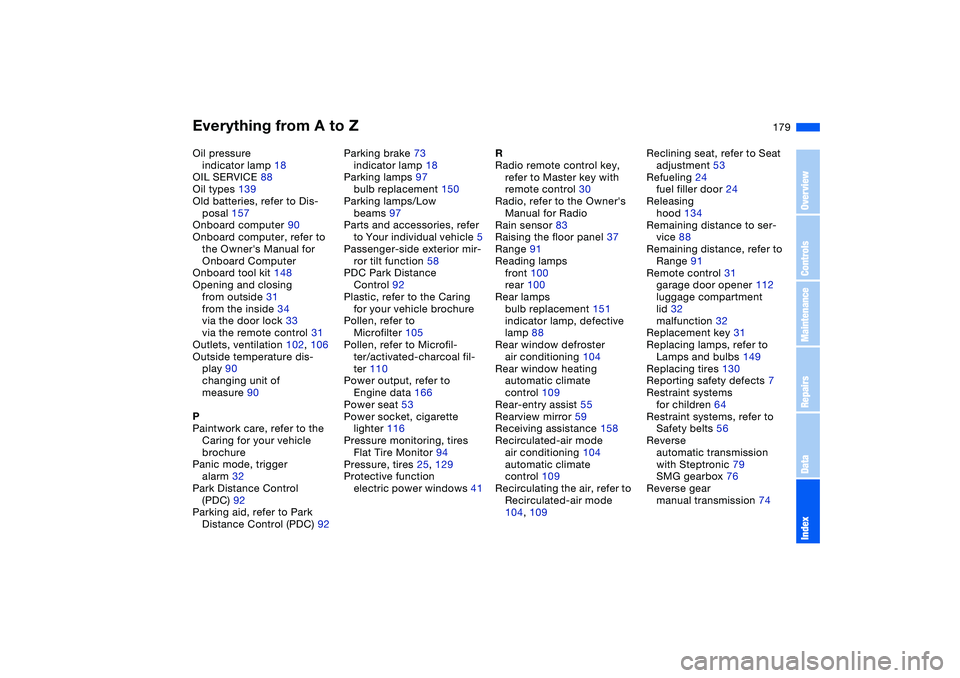
Everything from A to Z
179
Oil pressure
indicator lamp 18
OIL SERVICE 88
Oil types 139
Old batteries, refer to Dis-
posal 157
Onboard computer 90
Onboard computer, refer to
the Owner's Manual for
Onboard Computer
Onboard tool kit 148
Opening and closing
from outside 31
from the inside 34
via the door lock 33
via the remote control 31
Outlets, ventilation 102, 106
Outside temperature dis-
play 90
changing unit of
measure 90
P
Paintwork care, refer to the
Caring for your vehicle
brochure
Panic mode, trigger
alarm 32
Park Distance Control
(PDC) 92
Parking aid, refer to Park
Distance Control (PDC) 92Parking brake 73
indicator lamp 18
Parking lamps 97
bulb replacement 150
Parking lamps/Low
beams 97
Parts and accessories, refer
to Your individual vehicle 5
Passenger-side exterior mir-
ror tilt function 58
PDC Park Distance
Control 92
Plastic, refer to the Caring
for your vehicle brochure
Pollen, refer to
Microfilter 105
Pollen, refer to Microfil-
ter/activated-charcoal fil-
ter 110
Power output, refer to
Engine data 166
Power seat 53
Power socket, cigarette
lighter 116
Pressure monitoring, tires
Flat Tire Monitor 94
Pressure, tires 25, 129
Protective function
electric power windows 41R
Radio remote control key,
refer to Master key with
remote control 30
Radio, refer to the Owner's
Manual for Radio
Rain sensor 83
Raising the floor panel 37
Range 91
Reading lamps
front 100
rear 100
Rear lamps
bulb replacement 151
indicator lamp, defective
lamp 88
Rear window defroster
air conditioning 104
Rear window heating
automatic climate
control 109
Rear-entry assist 55
Rearview mirror 59
Receiving assistance 158
Recirculated-air mode
air conditioning 104
automatic climate
control 109
Recirculating the air, refer to
Recirculated-air mode
104, 109Reclining seat, refer to Seat
adjustment 53
Refueling 24
fuel filler door 24
Releasing
hood 134
Remaining distance to ser-
vice 88
Remaining distance, refer to
Range 91
Remote control 31
garage door opener 112
luggage compartment
lid 32
malfunction 32
Replacement key 31
Replacing lamps, refer to
Lamps and bulbs 149
Replacing tires 130
Reporting safety defects 7
Restraint systems
for children 64
Restraint systems, refer to
Safety belts 56
Reverse
automatic transmission
with Steptronic 79
SMG gearbox 76
Reverse gear
manual transmission 74
OverviewControlsMaintenanceRepairsDataIndex