remote control BMW 325CI 2004 User Guide
[x] Cancel search | Manufacturer: BMW, Model Year: 2004, Model line: 325CI, Model: BMW 325CI 2004Pages: 186, PDF Size: 2.76 MB
Page 57 of 186
57
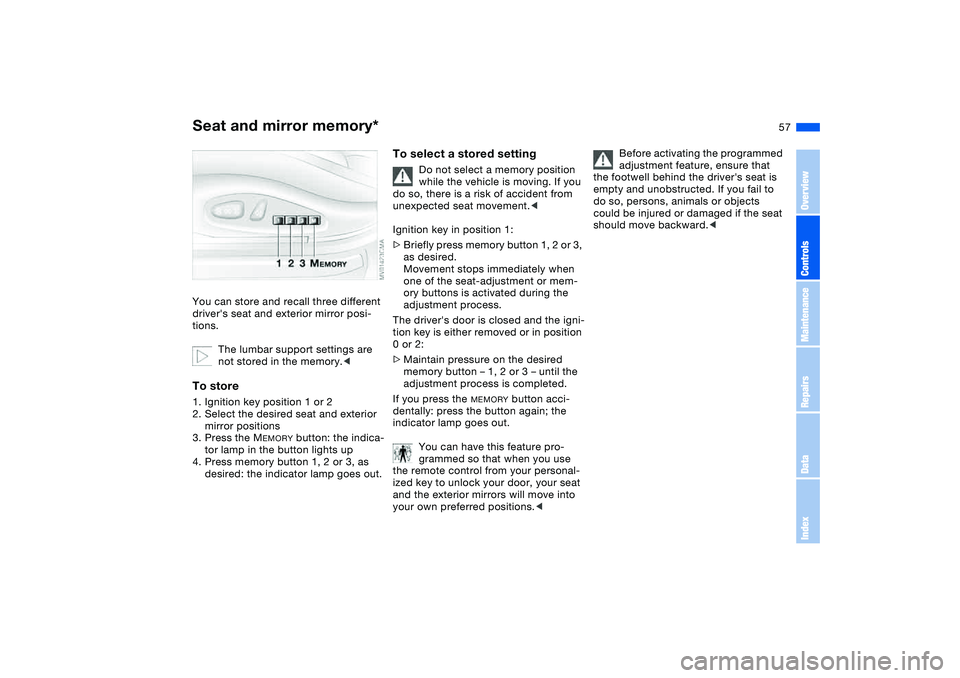
Seat and mirror memory*You can store and recall three different
driver's seat and exterior mirror posi-
tions.
The lumbar support settings are
not stored in the memory.
mirror positions
3. Press the M
EMORY
button: the indica-
tor lamp in the button lights up
4. Press memory button 1, 2 or 3, as
desired: the indicator lamp goes out.
To select a stored setting
Do not select a memory position
while the vehicle is moving. If you
do so, there is a risk of accident from
unexpected seat movement.<
Ignition key in position 1:
>Briefly press memory button 1, 2 or 3,
as desired.
Movement stops immediately when
one of the seat-adjustment or mem-
ory buttons is activated during the
adjustment process.
The driver's door is closed and the igni-
tion key is either removed or in position
0 or 2:
>Maintain pressure on the desired
memory button – 1, 2 or 3 – until the
adjustment process is completed.
If you press the
MEMORY
button acci-
dentally: press the button again; the
indicator lamp goes out.
You can have this feature pro-
grammed so that when you use
the remote control from your personal-
ized key to unlock your door, your seat
and the exterior mirrors will move into
your own preferred positions.<
Before activating the programmed
adjustment feature, ensure that
the footwell behind the driver's seat is
empty and unobstructed. If you fail to
do so, persons, animals or objects
could be injured or damaged if the seat
should move backward.<
OverviewControlsMaintenanceRepairsDataIndex
Page 70 of 186
70
Vehicle Memory, Key MemoryHow the system functionsNo doubt you have reflected at one
time or another on how great it would
be if you could permanently configure
your vehicle's various features and
adjustments to mirror your own individ-
ual preferences. In engineering your
vehicle, BMW has provided for a num-
ber of options for personal adjustment
that can be programmed into your vehi-
cle at your BMW center.
The available configuration data fall into
two categories, according to whether
their primary orientation is the vehicle –
Vehicle Memory – or the individual –
Key Memory. Provided that each per-
son has a separate remote-control key,
you can have your BMW center enter
basic adjustment data for up to four
individuals in the system.
The system then relies on a bilateral
data exchange to identify the individual
user and executes the selected settings
whenever the remote control unit is
used to disengage the door locks.
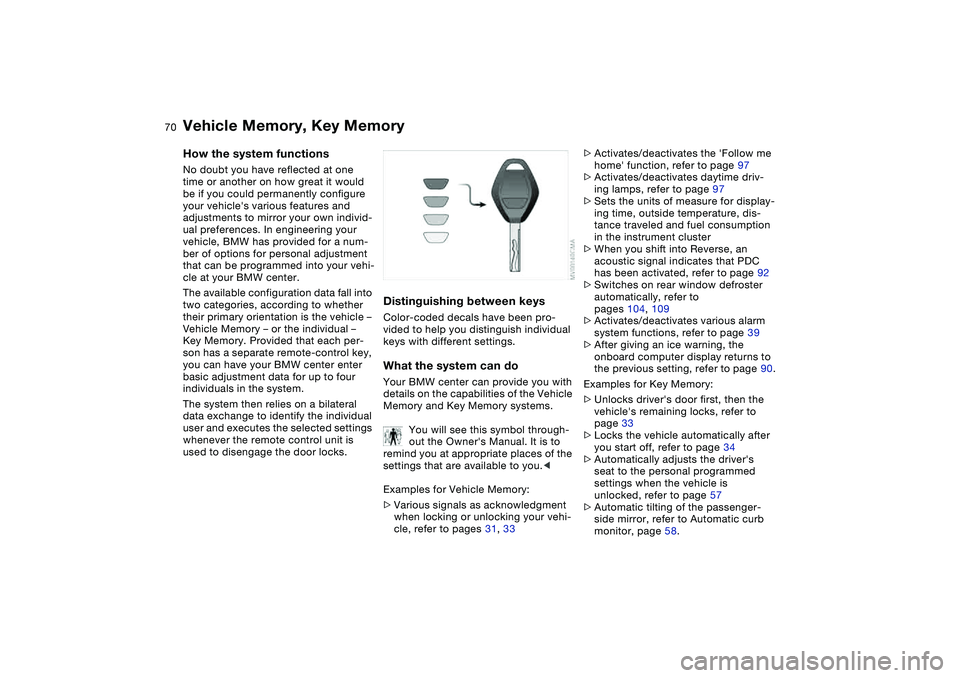
Distinguishing between keysColor-coded decals have been pro-
vided to help you distinguish individual
keys with different settings.What the system can doYour BMW center can provide you with
details on the capabilities of the Vehicle
Memory and Key Memory systems.
You will see this symbol through-
out the Owner's Manual. It is to
remind you at appropriate places of the
settings that are available to you.<
Examples for Vehicle Memory:
>Various signals as acknowledgment
when locking or unlocking your vehi-
cle, refer to pages 31, 33
>Activates/deactivates the 'Follow me
home' function, refer to page 97
>Activates/deactivates daytime driv-
ing lamps, refer to page 97
>Sets the units of measure for display-
ing time, outside temperature, dis-
tance traveled and fuel consumption
in the instrument cluster
>When you shift into Reverse, an
acoustic signal indicates that PDC
has been activated, refer to page 92
>Switches on rear window defroster
automatically, refer to
pages 104, 109
>Activates/deactivates various alarm
system functions, refer to page 39
>After giving an ice warning, the
onboard computer display returns to
the previous setting, refer to page 90.
Examples for Key Memory:
>Unlocks driver's door first, then the
vehicle's remaining locks, refer to
page 33
>Locks the vehicle automatically after
you start off, refer to page 34
>Automatically adjusts the driver's
seat to the personal programmed
settings when the vehicle is
unlocked, refer to page 57
>Automatic tilting of the passenger-
side mirror, refer to Automatic curb
monitor, page 58.
Page 108 of 186
108
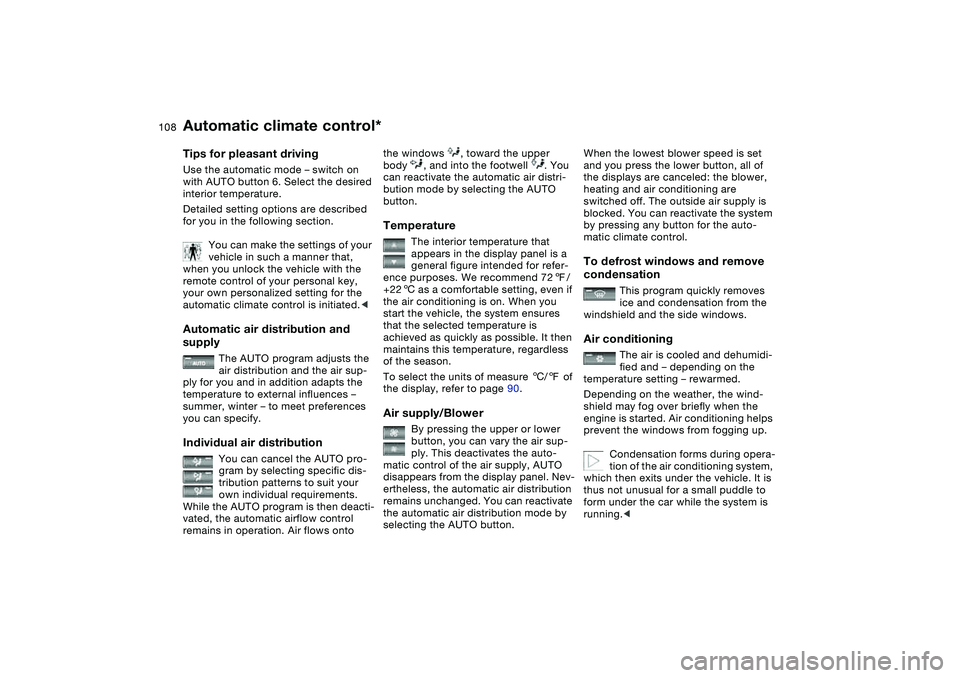
Tips for pleasant drivingUse the automatic mode – switch on
with AUTO button 6. Select the desired
interior temperature.
Detailed setting options are described
for you in the following section.
You can make the settings of your
vehicle in such a manner that,
when you unlock the vehicle with the
remote control of your personal key,
your own personalized setting for the
automatic climate control is initiated.
The AUTO program adjusts the
air distribution and the air sup-
ply for you and in addition adapts the
temperature to external influences –
summer, winter – to meet preferences
you can specify.
Individual air distribution
You can cancel the AUTO pro-
gram by selecting specific dis-
tribution patterns to suit your
own individual requirements.
While the AUTO program is then deacti-
vated, the automatic airflow control
remains in operation. Air flows onto
the windows , toward the upper
body , and into the footwell . You
can reactivate the automatic air distri-
bution mode by selecting the AUTO
button.Temperature
The interior temperature that
appears in the display panel is a
general figure intended for refer-
ence purposes. We recommend 727/
+226 as a comfortable setting, even if
the air conditioning is on. When you
start the vehicle, the system ensures
that the selected temperature is
achieved as quickly as possible. It then
maintains this temperature, regardless
of the season.
To select the units of measure 6/7 of
the display, refer to page 90.
Air supply/Blower
By pressing the upper or lower
button, you can vary the air sup-
ply. This deactivates the auto-
matic control of the air supply, AUTO
disappears from the display panel. Nev-
ertheless, the automatic air distribution
remains unchanged. You can reactivate
the automatic air distribution mode by
selecting the AUTO button.
When the lowest blower speed is set
and you press the lower button, all of
the displays are canceled: the blower,
heating and air conditioning are
switched off. The outside air supply is
blocked. You can reactivate the system
by pressing any button for the auto-
matic climate control.To defrost windows and remove
condensation
This program quickly removes
ice and condensation from the
windshield and the side windows.
Air conditioning
The air is cooled and dehumidi-
fied and – depending on the
temperature setting – rewarmed.
Depending on the weather, the wind-
shield may fog over briefly when the
engine is started. Air conditioning helps
prevent the windows from fogging up.
Condensation forms during opera-
tion of the air conditioning system,
which then exits under the vehicle. It is
thus not unusual for a small puddle to
form under the car while the system is
running.<
Automatic climate control*
Page 112 of 186
112
Integrated universal remote control*The conceptThe integrated universal remote control
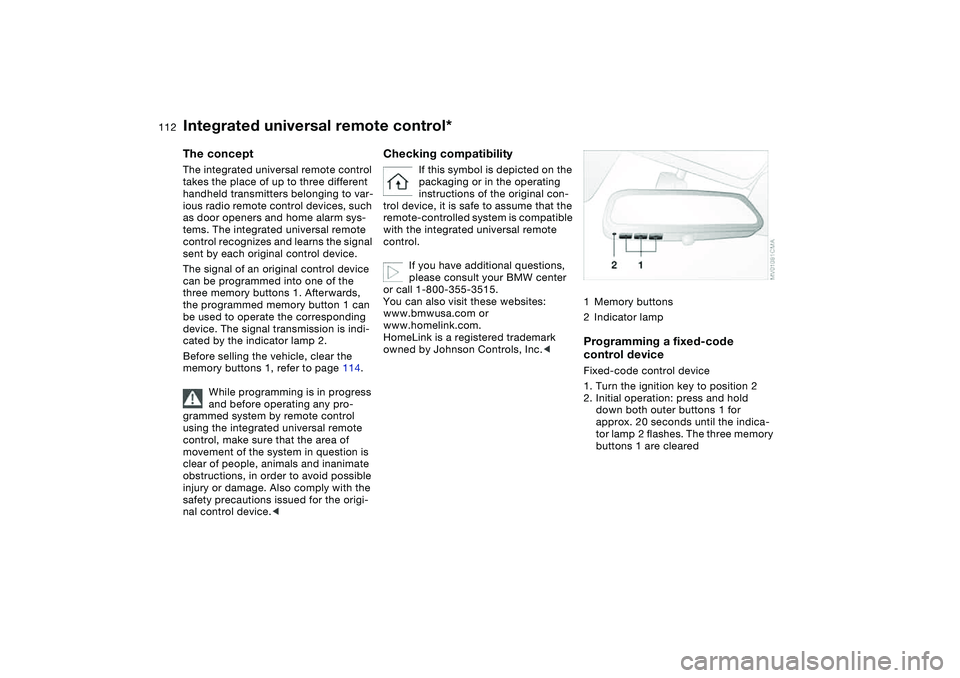
takes the place of up to three different
handheld transmitters belonging to var-
ious radio remote control devices, such
as door openers and home alarm sys-
tems. The integrated universal remote
control recognizes and learns the signal
sent by each original control device.
The signal of an original control device
can be programmed into one of the
three memory buttons 1. Afterwards,
the programmed memory button 1 can
be used to operate the corresponding
device. The signal transmission is indi-
cated by the indicator lamp 2.
Before selling the vehicle, clear the
memory buttons 1, refer to page 114.
While programming is in progress
and before operating any pro-
grammed system by remote control
using the integrated universal remote
control, make sure that the area of
movement of the system in question is
clear of people, animals and inanimate
obstructions, in order to avoid possible
injury or damage. Also comply with the
safety precautions issued for the origi-
nal control device.<
Checking compatibility
If this symbol is depicted on the
packaging or in the operating
instructions of the original con-
trol device, it is safe to assume that the
remote-controlled system is compatible
with the integrated universal remote
control.
If you have additional questions,
please consult your BMW center
or call 1-800-355-3515.
You can also visit these websites:
www.bmwusa.com or
www.homelink.com.
HomeLink is a registered trademark
owned by Johnson Controls, Inc.<
1Memory buttons
2Indicator lampProgramming a fixed-code
control deviceFixed-code control device
1. Turn the ignition key to position 2
2. Initial operation: press and hold
down both outer buttons 1 for
approx. 20 seconds until the indica-
tor lamp 2 flashes. The three memory
buttons 1 are cleared
Page 113 of 186
113
3. Hold the original control device
approx. 2 to 8 in / 5 to 20 cm away
from memory buttons 1.
The required distance between
the control device and the mem-
ory buttons 1 may vary, depending on
the system of the original control device
in question.<
4. Simultaneously press the command
button of the original control device
and the desired memory button 1 on
the integrated universal remote con-
trol. Indicator lamp 2 starts to flash
slowly. When indicator lamp 2
flashes rapidly, release both but-
tons. If the indicator lamp 2 does not
flash rapidly after approx.
15 seconds, select a different dis-
tance between the two devices
5. To program other original control
devices, repeat steps 3 and 4.
The corresponding memory button 1 is
now programmed with the signal of the
original control device.
The system can be operated from igni-
tion key position 2.
If the system cannot be operated
after repeated attempts at pro-
gramming, check whether the original
control device is equipped with an
alternating-code system. You can either
check the operating instructions of the
original control device for this informa-
tion, or you can press and hold down
the programmed memory button 1 of
the integrated universal remote control.
If indicator lamp 2 of the integrated uni-
versal remote control flashes rapidly for
a brief period and then remains on for
approx. 2 seconds, the original control
device is equipped with an alternating-
code system. In this case, you have to
program the memory buttons 1 as
described below for an alternating-
code control device.<
Programming an alternating-code
control deviceYou will need to follow the operating
instructions of the system in question in
order to program the integrated univer-
sal remote control. Read through the
operating instructions for information
on synchronization. Comply with the
following additional instructions when
you program an alternating-code con-
trol device:
You will find programming easier if
you have the assistance of
another person.<
1. Park the vehicle within range of the
radio remote controlled device
2. Program the integrated universal
remote control as described above in
the section on fixed-code program-
ming
3. Locate the button on the receiver of
the target device, for example on the
drive
4. Press the button on the receiver of
the target device. Once you have
completed step 4, you have approx.
30 seconds to complete step 5
5. Press the programmed memory
button 1 of the integrated universal
remote control three times.
The corresponding memory button 1 is
now programmed with the signal of the
original control device.
Please contact your BMW center
if you have any questions.<
Integrated universal remote control*
OverviewControlsMaintenanceRepairsDataIndex
Page 114 of 186
114
Deleting memory buttonsPress and hold down both outer
buttons 1 of the integrated universal
remote control for approx. 20 seconds
until the indicator lamp 2 flashes: All
threee memory buttons are cleared.
It is not possible to delete individual
memory buttons 1.
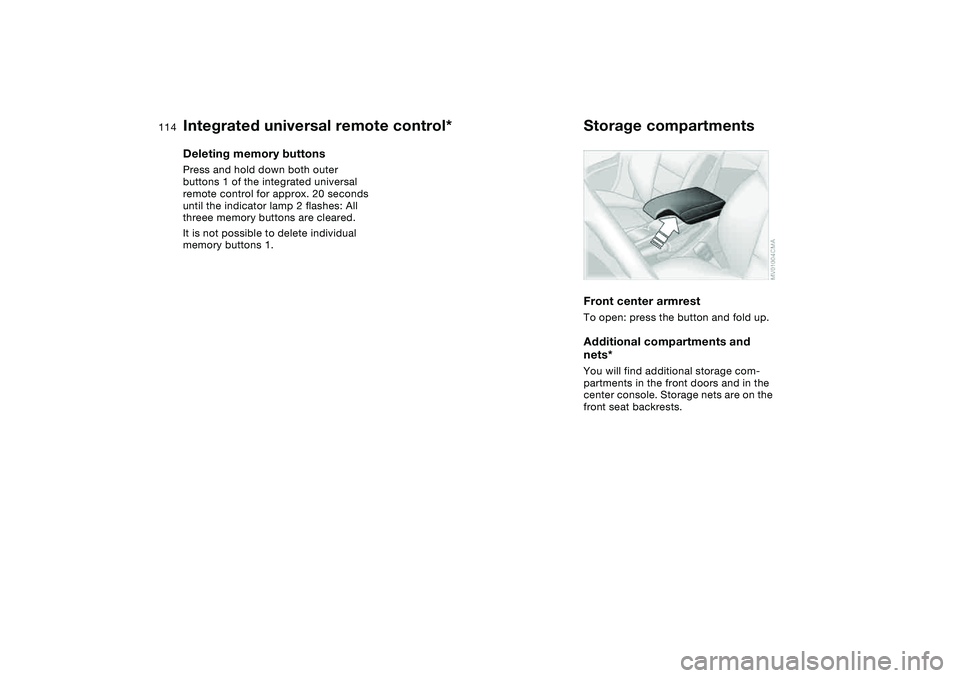
Storage compartmentsFront center armrestTo open: press the button and fold up.Additional compartments and
nets*You will find additional storage com-
partments in the front doors and in the
center console. Storage nets are on the
front seat backrests.
Integrated universal remote control*
Page 173 of 186
Everything from A to Z
173
Battery 157
charge 157
disposal 157
indicator lamp 18
jump-starting 159
remote control 30, 31
Battery charge current 18
Belts, refer to Safety
belts 56
Beverage holders 115
Blower
air conditioning 104
automatic climate
control 108
BMW High Performance
Synthetic Oils 139
BMW Maintenance
System 142
BMW sports seat 53
Bore, refer to Engine
data 166
Bottle holders, see Bever-
age holders 115
Brake fluid 141
indicator lamp 18, 141
level 141
Brake force display 96
Brake hydraulic system 126
Brake lamps
bulb replacement 151
indicator lamp, defective
lamp 88Brake lights
brake force display 96
Brake pads 126
brake fluid level
18, 126, 141
breaking in 124
disc brakes 126
indicator lamp 19
Brake rotors
brake system 126
breaking in 124
Brake wear warning
indicator lamp 19
Brakes
ABS 125
brake fluid 141
breaking in 124
indicator/warning lamp
18, 19
parking brake 73
Break-in procedures 124
Bulb replacement, refer to
Lamps and bulbs 149
Bulb, replacing 149
Buttons in steering wheel 22
C
California Proposition
65 warning 143
Can holders, see Beverage
holders 115
Capacities 169Car battery 157
Car care, refer to the Caring
for your vehicle brochure
Car keys, refer to Keys 30
Car radio, refer to the
Owner's Manual for Radio
Car telephone
preparation 115
Car telephone, refer to the
separate Owner's Manual
Car vacuum cleaner, con-
necting 116
Car wash, refer to the Caring
for your vehicle brochure
Carpet care, refer to the
Caring for your vehicle
brochure
Cassette operation, refer to
the Owner's Manual for
Radio/Onboard Computer
CBC Cornering Brake Con-
trol 125
warning lamp 19
CD changer, refer to the
Owner's Manual for
Radio/Onboard Computer
CD operation, refer to the
Owner's Manual for
Radio/Onboard Computer
Cellular phone 115
Center armrest
front 114Center high-mount brake
lamp
bulb replacement 152
Central locking system 30
button 34
passenger
compartment 34
Changing a wheel 153
Charge indicator lamp 18
Check Control 88
Check Gas Cap
indicator lamp 19
Child seats, refer to Child-
restraint systems 64
Child-restraint mounting
system (LATCH) 66
Child-restraint system 64
Chock 154
Cigarette lighter 115
Cigarette lighter socket 116
Cleaning chrome parts, refer
to the Caring for your vehi-
cle brochure
Cleaning light alloy wheels,
refer to the Caring for your
vehicle brochure
Cleaning position, convert-
ible top 45, 50
Cleaning the vehicle, refer to
the Caring for your vehicle
brochure
Cleaning windshield 84
OverviewControlsMaintenanceRepairsDataIndex
Page 174 of 186
Everything from A to ZClock 89
12-/24-hour mode 89
setting, refer also to the
Owner's Manual for
Radio/Onboard Computer
Closing
from inside 34
from outside 31
Clothes hooks 125
Clutch
breaking in 124
Cockpit 14
Code, refer to the Owner's
Manual for Radio/Onboard
Computer
Coin box 115
Cold start, refer to Starting
the engine 71
Compact disc operation,
refer to the Owner's Man-
ual for Radio/Onboard
Computer
Compartments 114
Compression ratio, refer to
Engine data 166
Computer 90
Condensation, refer to Air
conditioning mode
104, 108
Configuring settings, refer to
Vehicle Memory, Key
Memory 70Connecting a vacuum
cleaner, refer to Cigarette
lighter 116
Consumption
display 86
Consumption, refer to Aver-
age fuel consumption 91
Control elements, refer to
Cockpit 14
Convenience operation
from outside 33
windows 32
Convertible top
cleaning position 45, 50
closing in an
emergency 48
electrical fault 48
indicator lamps 47
remote control 31
Convertible top activation
fully automatic top 46
manual top 41
Convertible top compart-
ment panel 37
Coolant 140
indicator lamp 19, 87
level 140
temperature gauge 87
Coolant water, refer to Cool-
ant 140
Cooling, refer to Tempera-
ture 104, 108Copyright 4
Cornering Brake Control
(CBC) 125
warning lamp 19
Correct tires 132
Cruise control 84
indicator lamp 20
Cup holders, see Beverage
holders 115
Curb weight, refer to
Weights 168
Current consumption, refer
to Energy control 86
Curve lighting, refer to
Adaptive headlights 98
Cylinders, refer to Engine
data 166
D
Dashboard, refer to
Cockpit 14
Data
capacities 169
dimensions 167
engine 166
technical 166
weights 168
Daytime driving lamps 97
DBC Dynamic Brake Control
19, 125
Deep water, refer to Water
on roadways 125Defrost position, refer
to Defrosting windows
105, 108
Defrosting and demisting
windows
air conditioning 105
automatic climate
control 108
Defrosting windows
105, 108
Defrosting windshield, refer
to Defrosting windows
105, 108
Demisting windows
air conditioning 105
automatic climate
control 108
Determining the maximum
load 118
Differential
breaking in 124
Digital clock 89
Dimensions 167
Dipstick, engine oil 138
Disc brakes 126
Displacement, refer to
Engine data 166
Display lighting, refer to
Instrument lighting 98
Displays, refer to Instrument
cluster 16
Page 176 of 186
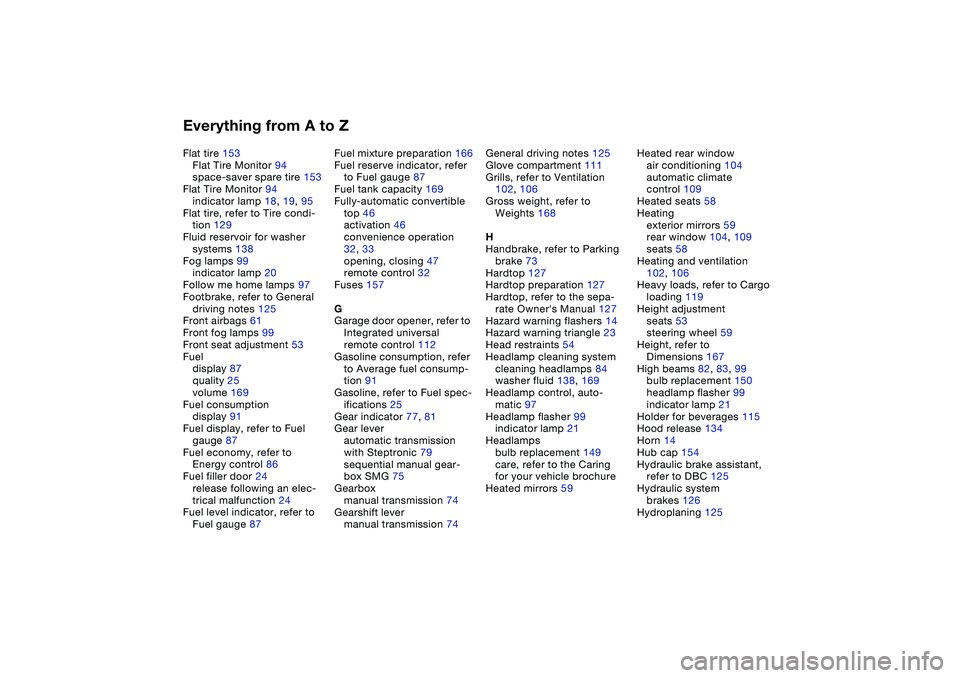
Everything from A to ZFlat tire 153
Flat Tire Monitor 94
space-saver spare tire 153
Flat Tire Monitor 94
indicator lamp 18, 19, 95
Flat tire, refer to Tire condi-
tion 129
Fluid reservoir for washer
systems 138
Fog lamps 99
indicator lamp 20
Follow me home lamps 97
Footbrake, refer to General
driving notes 125
Front airbags 61
Front fog lamps 99
Front seat adjustment 53
Fuel
display 87
quality 25
volume 169
Fuel consumption
display 91
Fuel display, refer to Fuel
gauge 87
Fuel economy, refer to
Energy control 86
Fuel filler door 24
release following an elec-
trical malfunction 24
Fuel level indicator, refer to
Fuel gauge 87Fuel mixture preparation 166
Fuel reserve indicator, refer
to Fuel gauge 87
Fuel tank capacity 169
Fully-automatic convertible
top 46
activation 46
convenience operation
32, 33
opening, closing 47
remote control 32
Fuses 157
G
Garage door opener, refer to
Integrated universal
remote control 112
Gasoline consumption, refer
to Average fuel consump-
tion 91
Gasoline, refer to Fuel spec-
ifications 25
Gear indicator 77, 81
Gear lever
automatic transmission
with Steptronic 79
sequential manual gear-
box SMG 75
Gearbox
manual transmission 74
Gearshift lever
manual transmission 74General driving notes 125
Glove compartment 111
Grills, refer to Ventilation
102, 106
Gross weight, refer to
Weights 168
H
Handbrake, refer to Parking
brake 73
Hardtop 127
Hardtop preparation 127
Hardtop, refer to the sepa-
rate Owner's Manual 127
Hazard warning flashers 14
Hazard warning triangle 23
Head restraints 54
Headlamp cleaning system
cleaning headlamps 84
washer fluid 138, 169
Headlamp control, auto-
matic 97
Headlamp flasher 99
indicator lamp 21
Headlamps
bulb replacement 149
care, refer to the Caring
for your vehicle brochure
Heated mirrors 59Heated rear window
air conditioning 104
automatic climate
control 109
Heated seats 58
Heating
exterior mirrors 59
rear window 104, 109
seats 58
Heating and ventilation
102, 106
Heavy loads, refer to Cargo
loading 119
Height adjustment
seats 53
steering wheel 59
Height, refer to
Dimensions 167
High beams 82, 83, 99
bulb replacement 150
headlamp flasher 99
indicator lamp 21
Holder for beverages 115
Hood release 134
Horn 14
Hub cap 154
Hydraulic brake assistant,
refer to DBC 125
Hydraulic system
brakes 126
Hydroplaning 125
Page 177 of 186
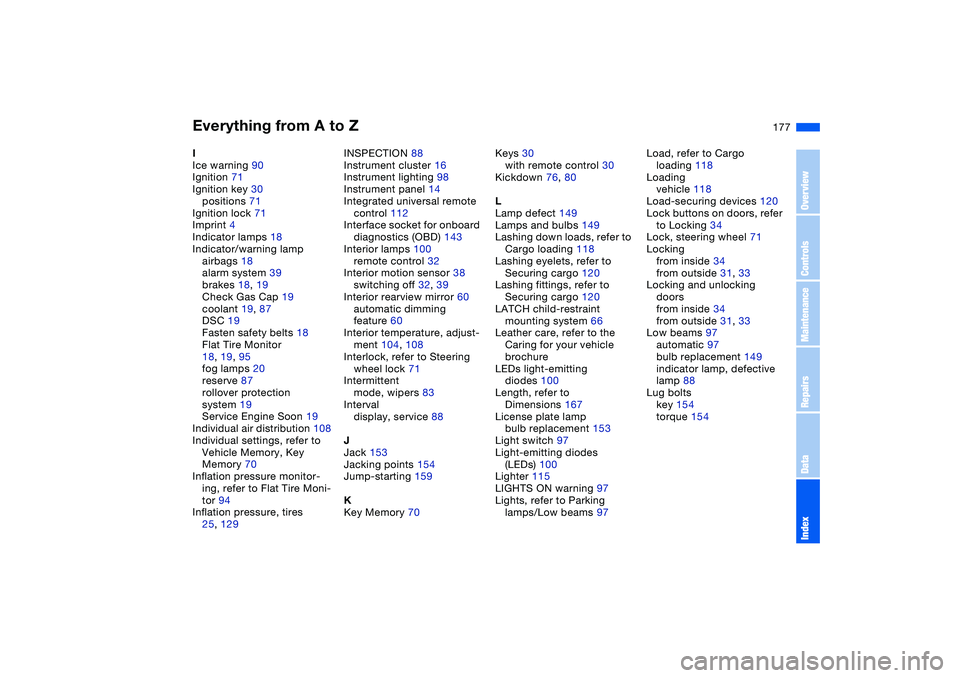
Everything from A to Z
177
I
Ice warning 90
Ignition 71
Ignition key 30
positions 71
Ignition lock 71
Imprint 4
Indicator lamps 18
Indicator/warning lamp
airbags 18
alarm system 39
brakes 18, 19
Check Gas Cap 19
coolant 19, 87
DSC 19
Fasten safety belts 18
Flat Tire Monitor
18, 19, 95
fog lamps 20
reserve 87
rollover protection
system 19
Service Engine Soon 19
Individual air distribution 108
Individual settings, refer to
Vehicle Memory, Key
Memory 70
Inflation pressure monitor-
ing, refer to Flat Tire Moni-
tor 94
Inflation pressure, tires
25, 129INSPECTION 88
Instrument cluster 16
Instrument lighting 98
Instrument panel 14
Integrated universal remote
control 112
Interface socket for onboard
diagnostics (OBD) 143
Interior lamps 100
remote control 32
Interior motion sensor 38
switching off 32, 39
Interior rearview mirror 60
automatic dimming
feature 60
Interior temperature, adjust-
ment 104, 108
Interlock, refer to Steering
wheel lock 71
Intermittent
mode, wipers 83
Interval
display, service 88
J
Jack 153
Jacking points 154
Jump-starting 159
K
Key Memory 70Keys 30
with remote control 30
Kickdown 76, 80
L
Lamp defect 149
Lamps and bulbs 149
Lashing down loads, refer to
Cargo loading 118
Lashing eyelets, refer to
Securing cargo 120
Lashing fittings, refer to
Securing cargo 120
LATCH child-restraint
mounting system 66
Leather care, refer to the
Caring for your vehicle
brochure
LEDs light-emitting
diodes 100
Length, refer to
Dimensions 167
License plate lamp
bulb replacement 153
Light switch 97
Light-emitting diodes
(LEDs) 100
Lighter 115
LIGHTS ON warning 97
Lights, refer to Parking
lamps/Low beams 97Load, refer to Cargo
loading 118
Loading
vehicle 118
Load-securing devices 120
Lock buttons on doors, refer
to Locking 34
Lock, steering wheel 71
Locking
from inside 34
from outside 31, 33
Locking and unlocking
doors
from inside 34
from outside 31, 33
Low beams 97
automatic 97
bulb replacement 149
indicator lamp, defective
lamp 88
Lug bolts
key 154
torque 154
OverviewControlsMaintenanceRepairsDataIndex