light BMW 325CI 2005 Owner's Manual
[x] Cancel search | Manufacturer: BMW, Model Year: 2005, Model line: 325CI, Model: BMW 325CI 2005Pages: 190, PDF Size: 2.79 MB
Page 69 of 190
69 Driving
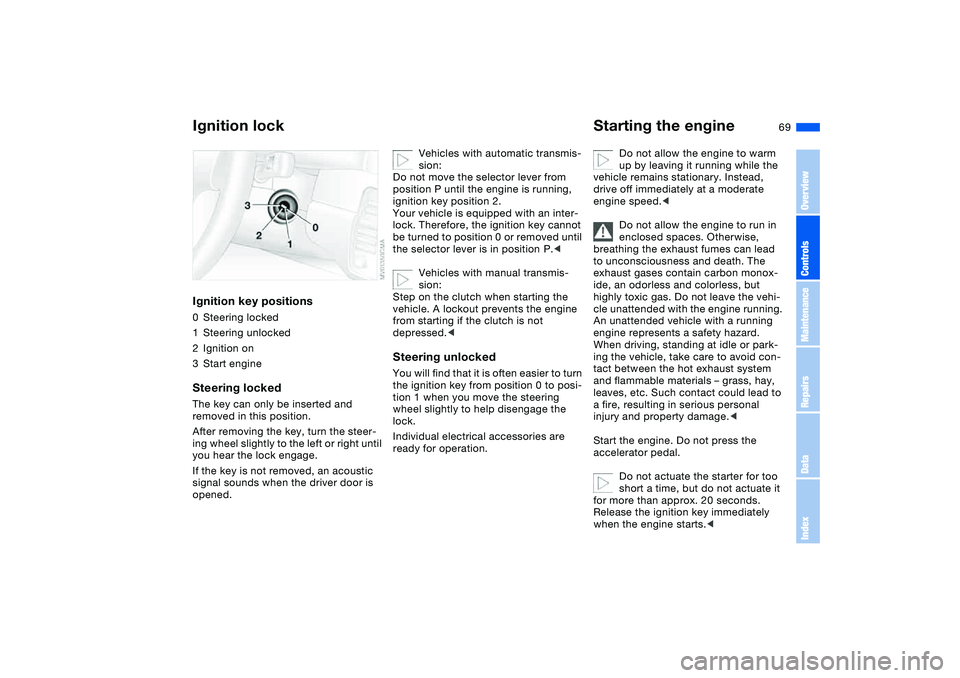
Ignition lockIgnition key positions0Steering locked
1Steering unlocked
2Ignition on
3Start engineSteering lockedThe key can only be inserted and
removed in this position.
After removing the key, turn the steer-
ing wheel slightly to the left or right until
you hear the lock engage.
If the key is not removed, an acoustic
signal sounds when the driver door is
opened.
Vehicles with automatic transmis-
sion:
Do not move the selector lever from
position P until the engine is running,
ignition key position 2.
Your vehicle is equipped with an inter-
lock. Therefore, the ignition key cannot
be turned to position 0 or removed until
the selector lever is in position P.<
Vehicles with manual transmis-
sion:
Step on the clutch when starting the
vehicle. A lockout prevents the engine
from starting if the clutch is not
depressed.<
Steering unlockedYou will find that it is often easier to turn
the ignition key from position 0 to posi-
tion 1 when you move the steering
wheel slightly to help disengage the
lock.
Individual electrical accessories are
ready for operation.
Starting the engine
Do not allow the engine to warm
up by leaving it running while the
vehicle remains stationary. Instead,
drive off immediately at a moderate
engine speed.<
Do not allow the engine to run in
enclosed spaces. Otherwise,
breathing the exhaust fumes can lead
to unconsciousness and death. The
exhaust gases contain carbon monox-
ide, an odorless and colorless, but
highly toxic gas. Do not leave the vehi-
cle unattended with the engine running.
An unattended vehicle with a running
engine represents a safety hazard.
When driving, standing at idle or park-
ing the vehicle, take care to avoid con-
tact between the hot exhaust system
and flammable materials – grass, hay,
leaves, etc. Such contact could lead to
a fire, resulting in serious personal
injury and property damage.<
Start the engine. Do not press the
accelerator pedal.
Do not actuate the starter for too
short a time, but do not actuate it
for more than approx. 20 seconds.
Release the ignition key immediately
when the engine starts.<
OverviewControlsMaintenanceRepairsDataIndex
Page 71 of 190
71
Switching off the engine
You should never remove the igni-
tion key when the vehicle is in
motion, as the steering lock could
engage.
When you leave the vehicle, always
remove the ignition key and engage the
steering lock.
Always engage the parking brake when
parking on slopes and inclined sur-
faces. Engaging a gear may not provide
adequate resistance to rolling.<
Vehicles with manual
transmissionTurn the ignition key to position 1 or 0.Automatic transmissionMove the selector lever into position P,
and turn the ignition key to position 1 or
0.SMG gearboxIf you turn the ignition key to position 1
or 0 with the selector lever in position
R, or in sequential mode, a gear auto-
matically remains engaged.
If you turn the ignition key to position 1
or 0 with the selector lever in neutral
position N, a warning tone and the
flashing gear indicator in the display
remind you that no gear is engaged to
secure the vehicle against rolling.
The warning stops after approx.
9 seconds.
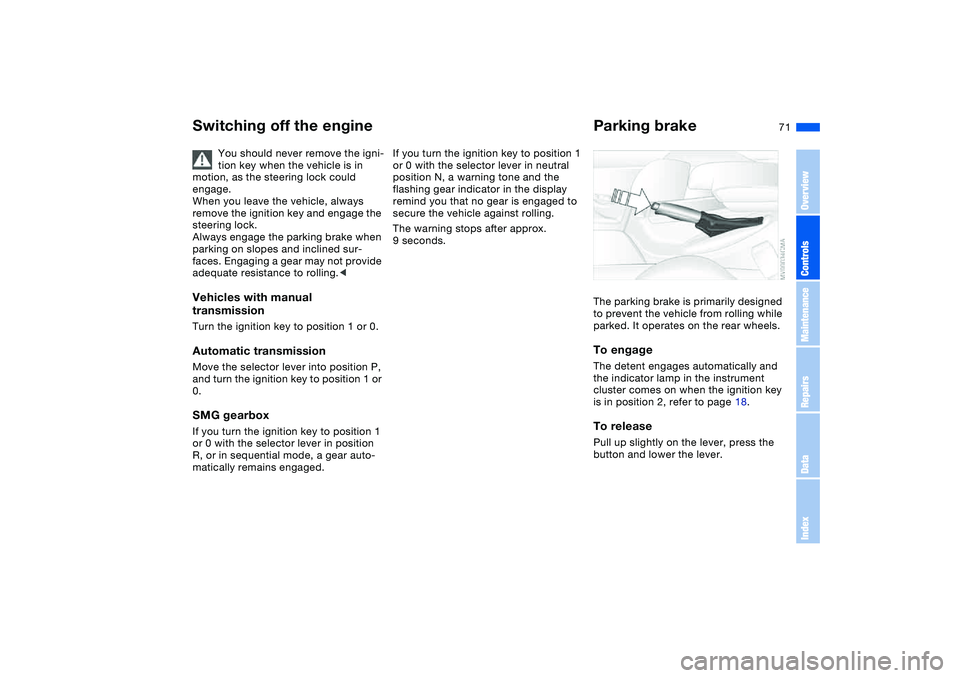
Parking brakeThe parking brake is primarily designed
to prevent the vehicle from rolling while
parked. It operates on the rear wheels.To engageThe detent engages automatically and
the indicator lamp in the instrument
cluster comes on when the ignition key
is in position 2, refer to page 18.To releasePull up slightly on the lever, press the
button and lower the lever.
OverviewControlsMaintenanceRepairsDataIndex
Page 72 of 190
72
If exceptional circumstances
make it necessary to engage the
parking brake while the vehicle is in
motion, do not pull it with excessive
pressure. Keep your thumb pressed
against the release button while care-
fully pulling the lever up.
Excessive pressure can lead to over-
braking and loss of traction – fishtailing
– at the rear axle.
The brake lamps do not come on when
the parking brake is engaged.
Vehicles with manual or SMG gearbox:
Engage the parking brake when parking
on downhill roads, since engaging a
gear may not provide adequate resis-
tance to rolling, not even in first or
reverse gear.
Vehicles with automatic transmission:
place the selector lever in P.<
To avoid corrosion and one-sided
braking, apply the parking brake
from time to time when coasting to a
standstill – at a traffic signal, for exam-
ple – provided that it is safe to do so.<
Manual transmission
Do not hold the vehicle in place on
slopes by slipping or 'riding' the
clutch. Use the parking brake instead.
Riding the clutch leads to severe and
premature clutch wear.<
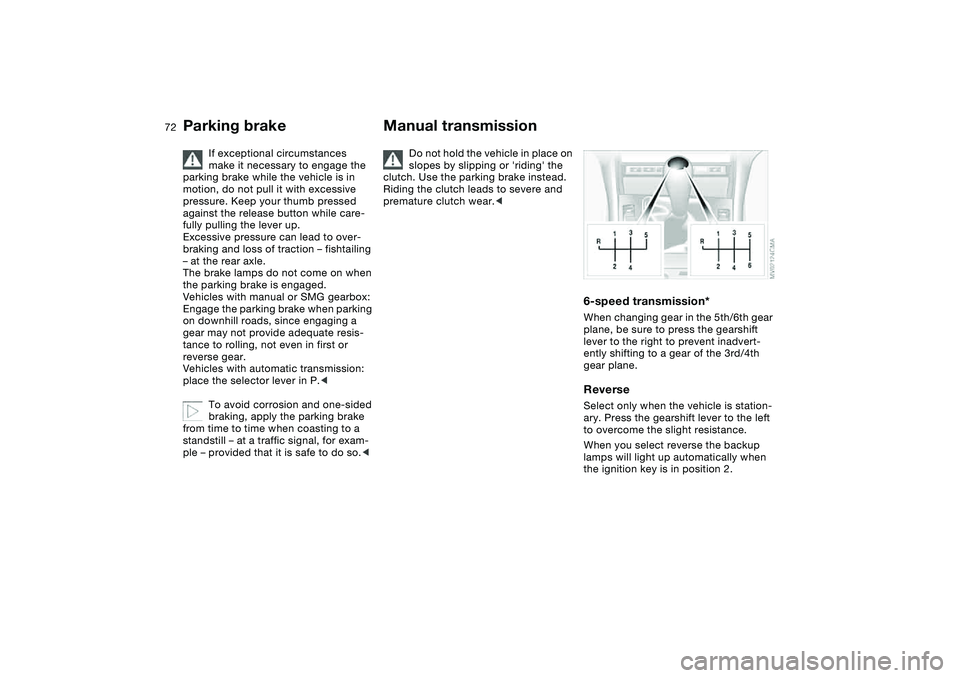
6-speed transmission*When changing gear in the 5th/6th gear
plane, be sure to press the gearshift
lever to the right to prevent inadvert-
ently shifting to a gear of the 3rd/4th
gear plane.ReverseSelect only when the vehicle is station-
ary. Press the gearshift lever to the left
to overcome the slight resistance.
When you select reverse the backup
lamps will light up automatically when
the ignition key is in position 2.
Parking brake
Page 73 of 190
73
Sequential manual gearbox SMG*The conceptThe sequential manual gearbox SMG is
an automated manual gearbox with
which clutching and shifting is assumed
by an electro-hydraulic system.
The SMG is operated via the selector
lever in the center console and two shift
paddles on the steering wheel.
It offers the following functions:
>Sequential mode: manual mode
>Drive mode: automatic operation
>Ability to choose between two differ-
ent driving programs: Standard,
Sport
>Operating safety through protection
against misshifting
>Automatic upshifts and downshifts in
the drive mode
>Automatic downshifts at minimum
engine rpm
>Kickdown function in the drive mode.
>Acceleration assistant, refer to
page 76.
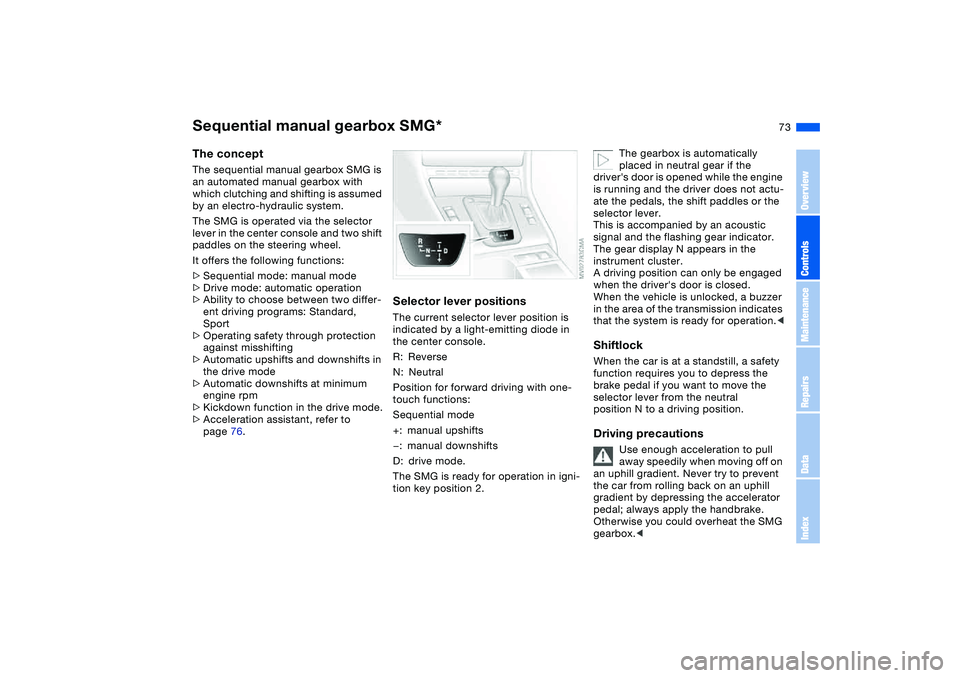
Selector lever positionsThe current selector lever position is
indicated by a light-emitting diode in
the center console.
R: Reverse
N: Neutral
Position for forward driving with one-
touch functions:
Sequential mode
+: manual upshifts
—: manual downshifts
D: drive mode.
The SMG is ready for operation in igni-
tion key position 2.
The gearbox is automatically
placed in neutral gear if the
driver's door is opened while the engine
is running and the driver does not actu-
ate the pedals, the shift paddles or the
selector lever.
This is accompanied by an acoustic
signal and the flashing gear indicator.
The gear display N appears in the
instrument cluster.
A driving position can only be engaged
when the driver's door is closed.
When the vehicle is unlocked, a buzzer
in the area of the transmission indicates
that the system is ready for operation.<
ShiftlockWhen the car is at a standstill, a safety
function requires you to depress the
brake pedal if you want to move the
selector lever from the neutral
position N to a driving position.Driving precautions
Use enough acceleration to pull
away speedily when moving off on
an uphill gradient. Never try to prevent
the car from rolling back on an uphill
gradient by depressing the accelerator
pedal; always apply the handbrake.
Otherwise you could overheat the SMG
gearbox.<
OverviewControlsMaintenanceRepairsDataIndex
Page 76 of 190
76
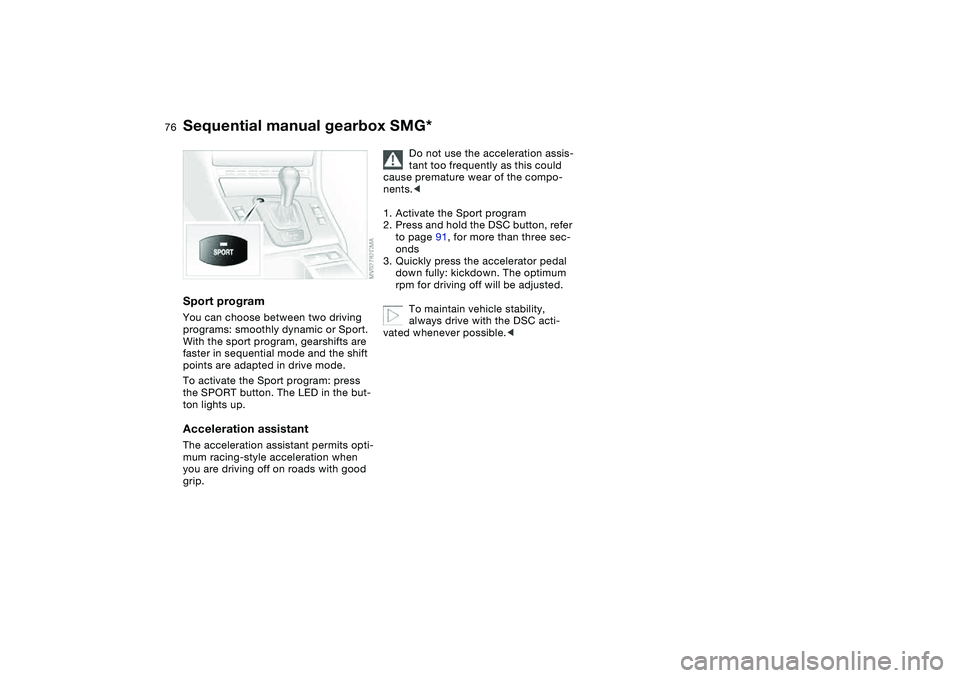
Sport programYou can choose between two driving
programs: smoothly dynamic or Sport.
With the sport program, gearshifts are
faster in sequential mode and the shift
points are adapted in drive mode.
To activate the Sport program: press
the SPORT button. The LED in the but-
ton lights up.Acceleration assistantThe acceleration assistant permits opti-
mum racing-style acceleration when
you are driving off on roads with good
grip.
Do not use the acceleration assis-
tant too frequently as this could
cause premature wear of the compo-
nents.<
1. Activate the Sport program
2. Press and hold the DSC button, refer
to page 91, for more than three sec-
onds
3. Quickly press the accelerator pedal
down fully: kickdown. The optimum
rpm for driving off will be adjusted.
To maintain vehicle stability,
always drive with the DSC acti-
vated whenever possible.<
Sequential manual gearbox SMG*
Page 82 of 190
82
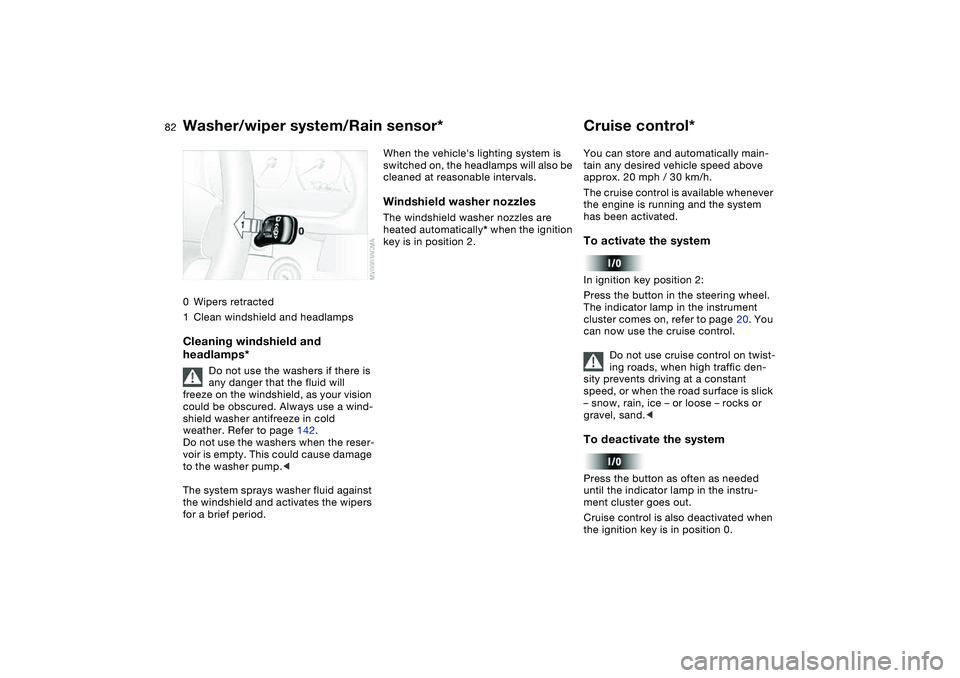
0Wipers retracted
1Clean windshield and headlampsCleaning windshield and
headlamps*
Do not use the washers if there is
any danger that the fluid will
freeze on the windshield, as your vision
could be obscured. Always use a wind-
shield washer antifreeze in cold
weather. Refer to page 142.
Do not use the washers when the reser-
voir is empty. This could cause damage
to the washer pump.<
The system sprays washer fluid against
the windshield and activates the wipers
for a brief period.
When the vehicle's lighting system is
switched on, the headlamps will also be
cleaned at reasonable intervals.Windshield washer nozzlesThe windshield washer nozzles are
heated automatically* when the ignition
key is in position 2.
Cruise control*You can store and automatically main-
tain any desired vehicle speed above
approx. 20 mph / 30 km/h.
The cruise control is available whenever
the engine is running and the system
has been activated.To activate the systemIn ignition key position 2:
Press the button in the steering wheel.
The indicator lamp in the instrument
cluster comes on, refer to page 20. You
can now use the cruise control.
Do not use cruise control on twist-
ing roads, when high traffic den-
sity prevents driving at a constant
speed, or when the road surface is slick
– snow, rain, ice – or loose – rocks or
gravel, sand.
ment cluster goes out.
Cruise control is also deactivated when
the ignition key is in position 0.
Washer/wiper system/Rain sensor*
Page 85 of 190
85
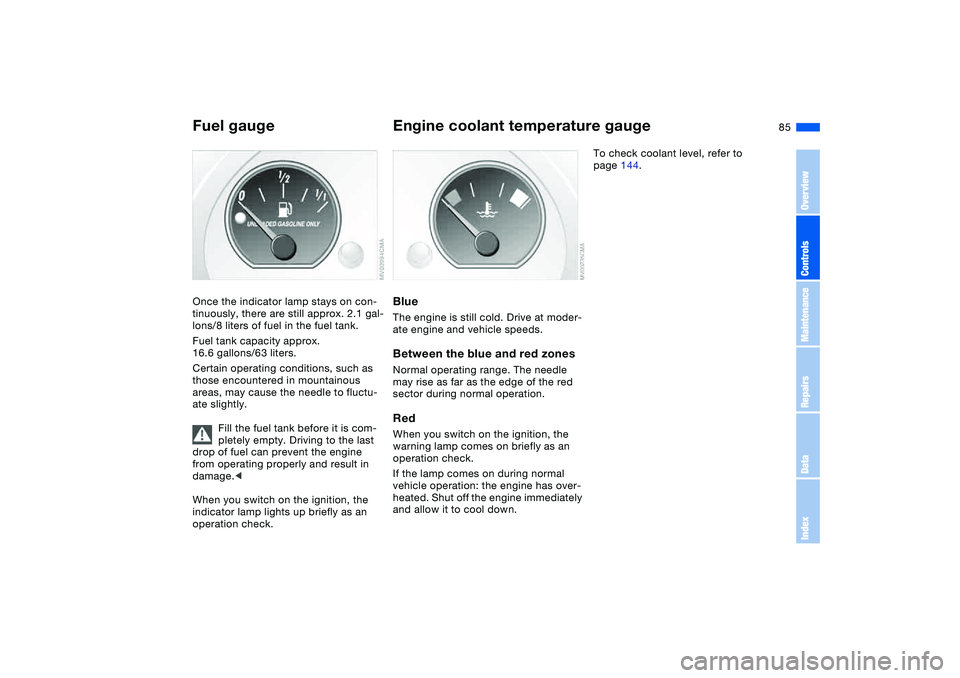
Fuel gaugeOnce the indicator lamp stays on con-
tinuously, there are still approx. 2.1 gal-
lons/8 liters of fuel in the fuel tank.
Fuel tank capacity approx.
16.6 gallons/63 liters.
Certain operating conditions, such as
those encountered in mountainous
areas, may cause the needle to fluctu-
ate slightly.
Fill the fuel tank before it is com-
pletely empty. Driving to the last
drop of fuel can prevent the engine
from operating properly and result in
damage.<
When you switch on the ignition, the
indicator lamp lights up briefly as an
operation check.
Engine coolant temperature gaugeBlueThe engine is still cold. Drive at moder-
ate engine and vehicle speeds.Between the blue and red zonesNormal operating range. The needle
may rise as far as the edge of the red
sector during normal operation.RedWhen you switch on the ignition, the
warning lamp comes on briefly as an
operation check.
If the lamp comes on during normal
vehicle operation: the engine has over-
heated. Shut off the engine immediately
and allow it to cool down.
To check coolant level, refer to
page 144.
OverviewControlsMaintenanceRepairsDataIndex
Page 91 of 190
91
Dynamic Stability Control (DSC)The conceptDSC supports vehicle stability, even in
critical driving situations.
DSC is operational every time you start
the engine.
DSC contains the Dynamic Traction
Control (DTC) and Cornering Brake
Control (CBC) functions.Indicator lamps
The indicator lamp in the instru-
ment cluster goes out shortly
after you switch on the ignition,
refer to page 19.
>The indicator lamp flashes: DSC is
actively controlling drive torque and
braking intervention
>The indicator lamp stays lit: DSC has
been switched off with the button;
DTC and DBC are operational. DTC
control intervention is not indicated.
The indicator lamp and the
brake warning lamp continu-
ously light up in yellow:
The DSC, DTC and DBC have
been switched off manually or
there is a system malfunction.
The vehicle will remain completely
operational, however, without DSC. In
the event of a fault, please consult your
BMW center.
Indicator and warning lamps for
Canadian models.
Deactivating the DSC/activating
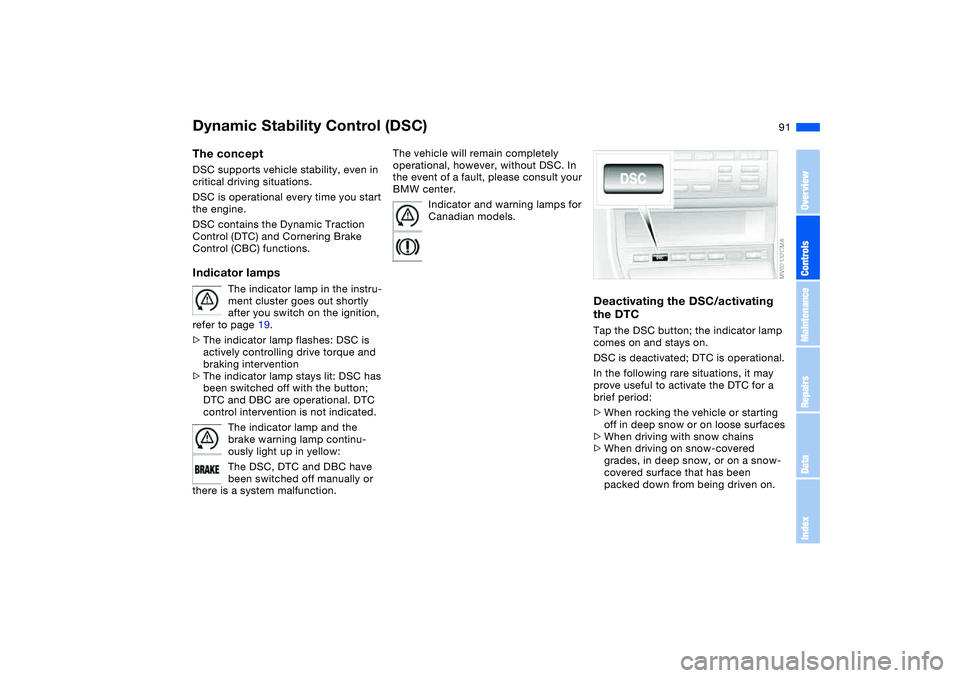
the DTCTap the DSC button; the indicator lamp
comes on and stays on.
DSC is deactivated; DTC is operational.
In the following rare situations, it may
prove useful to activate the DTC for a
brief period:
>When rocking the vehicle or starting
off in deep snow or on loose surfaces
>When driving with snow chains
>When driving on snow-covered
grades, in deep snow, or on a snow-
covered surface that has been
packed down from being driven on.
OverviewControlsMaintenanceRepairsDataIndex
Page 92 of 190
92
Under these special circumstances
traction is increased by deactivating the
control systems that enhance traction
under normal conditions.Deactivating the DSC and the
DTCPress the DSC button as long as you
need to until the indicator lamp and the
yellow brake warning lamp light up, but
no more than 10 seconds.
The systems for enhancing stability and
traction are deactivated, and there is no
active braking intervention or torque
control.
To maintain vehicle stability,
always drive with the DSC acti-
vated whenever possible.
is deactivated.
The laws of physics cannot be
repealed even with DSC. An
appropriate driving style always
remains the responsibility of the driver.
We therefore urge you to avoid using
the additional safety margin of the sys-
tem as an excuse for taking risks.
Whenever the DTC is activated, the
DSC is switched off and performs minor
stabilizing intervention.
Do not make any modifications to the
DSC system. Allow only authorized
technicians to perform service proce-
dures on the DSC.<
Flat Tire Monitor*The conceptAs you drive, the Flat Tire Monitor
keeps track of pressure levels in all four
tires. The system alerts you whenever
the inflation pressure of a tire falls sig-
nificantly below the pressure of another
tire.
The system actually detects pressure
loss by monitoring differences in the
relative speeds of the four wheels. It
interprets variations outside specified
limits as severe pressure loss, and then
responds by generating a warning.Functional requirementsIn order for the Flat Tire Monitor to learn
the correct tire inflation pressure,
please do the following:
1. Check the tire inflation pressures in
all tires
2. Compare them with the tire inflation
pressure table, refer to page 130,
and correct them if necessary
3. Initialize the system.
Dynamic Stability Control (DSC)
Page 93 of 190
93
System limitations
The Flat Tire Monitor cannot pro-
vide you with advance warning of
sudden and severe tire damage caused
by external factors and does not detect
the balanced and very gradual pressure
loss that takes place in all four tires
over an extended period of time.<
On the other hand, the following situa-
tions can lead to a delayed detection of
pressure loss and even to the system
not functioning:
>Driving on snow-covered or slippery
roads
>Performance-oriented driving: slip at
the drive wheels, high levels of lateral
acceleration
>When driving with snow chains, false
warnings and undetected pressure
losses may occur
>When driving with a space-saver
spare tire, the Flat Tire Monitor can-
not function.
Initializing the system
Each time you correct the pres-
sure in a tire, or change a wheel or
tire, reinitialize the system immediately
afterwards. This requires a bit of driv-
ing.<
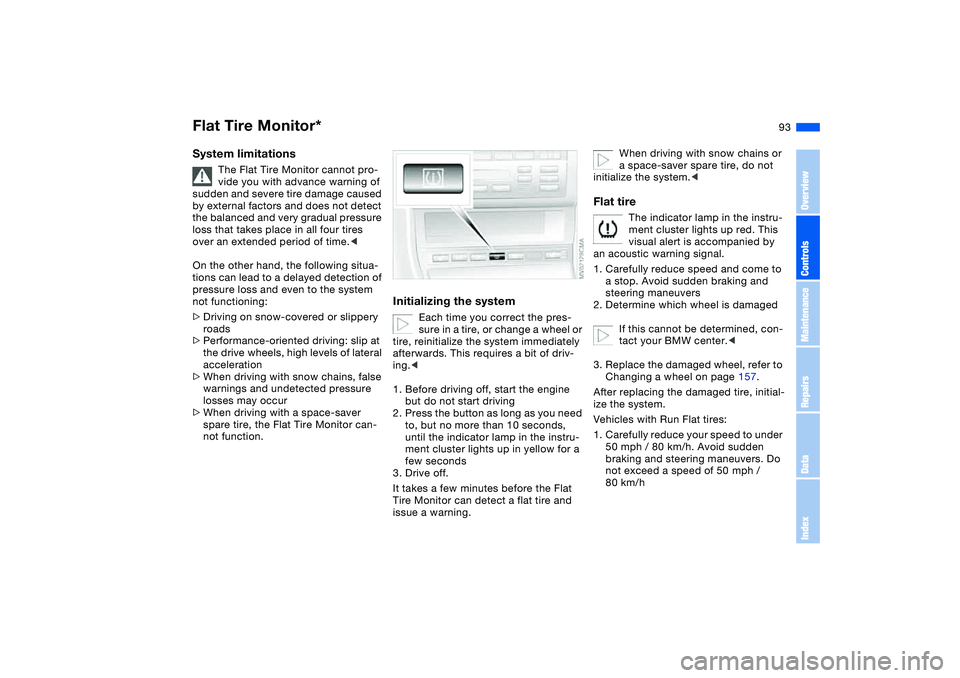
1. Before driving off, start the engine
but do not start driving
2. Press the button as long as you need
to, but no more than 10 seconds,
until the indicator lamp in the instru-
ment cluster lights up in yellow for a
few seconds
3. Drive off.
It takes a few minutes before the Flat
Tire Monitor can detect a flat tire and
issue a warning.
When driving with snow chains or
a space-saver spare tire, do not
initialize the system.<
Flat tire
The indicator lamp in the instru-
ment cluster lights up red. This
visual alert is accompanied by
an acoustic warning signal.
1. Carefully reduce speed and come to
a stop. Avoid sudden braking and
steering maneuvers
2. Determine which wheel is damaged
If this cannot be determined, con-
tact your BMW center.<
3. Replace the damaged wheel, refer to
Changing a wheel on page 157.
After replacing the damaged tire, initial-
ize the system.
Vehicles with Run Flat tires:
1. Carefully reduce your speed to under
50 mph / 80 km/h. Avoid sudden
braking and steering maneuvers. Do
not exceed a speed of 50 mph /
80 km/h
Flat Tire Monitor*
OverviewControlsMaintenanceRepairsDataIndex