battery BMW 325CI 2006 User Guide
[x] Cancel search | Manufacturer: BMW, Model Year: 2006, Model line: 325CI, Model: BMW 325CI 2006Pages: 174, PDF Size: 2.73 MB
Page 147 of 174
147
Mobile Service*To establish contact with the BMW
Group's Mobile Service:
Press button 2 for at least 2 seconds.
The indicator lamp above the buttons
lights up. As soon as a telephone con-
nection has been set up with the Mobile
Service, the indicator lamp flashes.
Depending on the country you are in,
your vehicle's current location will also
be transmitted if your vehicle is
equipped with an activated BMW Assist
function.
Jump-startingWhen your battery is discharged, you
can use two jumper cables to start your
vehicle with power from the battery in a
second vehicle. You can also use the
same method to help start another
vehicle. Only use jumper cables with
fully insulated handles on the terminal
clamps.
Do not touch high-voltage wiring
and cables on a running engine.
Contact with components carrying high
voltage can be harmful or fatal. Care-
fully observe the following instructions
to avoid personal injury and/or damage
to one or both vehicles.
approximately the same capacity –
measured in Ah. This information is
provided on the battery
2. Stop the engine of the support vehi-
cle
3. Switch off all electrical components
in both vehicles.
Make absolutely certain that there
is no contact between the body-
work of the two vehicles, otherwise
there is a short circuit hazard.<
Connecting the jumper cables
Always adhere to this sequence
when connecting jumper cables;
failure to observe this procedure can
lead to sparks at the battery terminals
and pose an injury hazard.<
The auxiliary jump-starting terminal
located in your BMW's engine compart-
ment acts as the positive battery termi-
nal. Refer to the engine compartment
overview on page 124. The cover of this
auxiliary terminal is marked with a +.
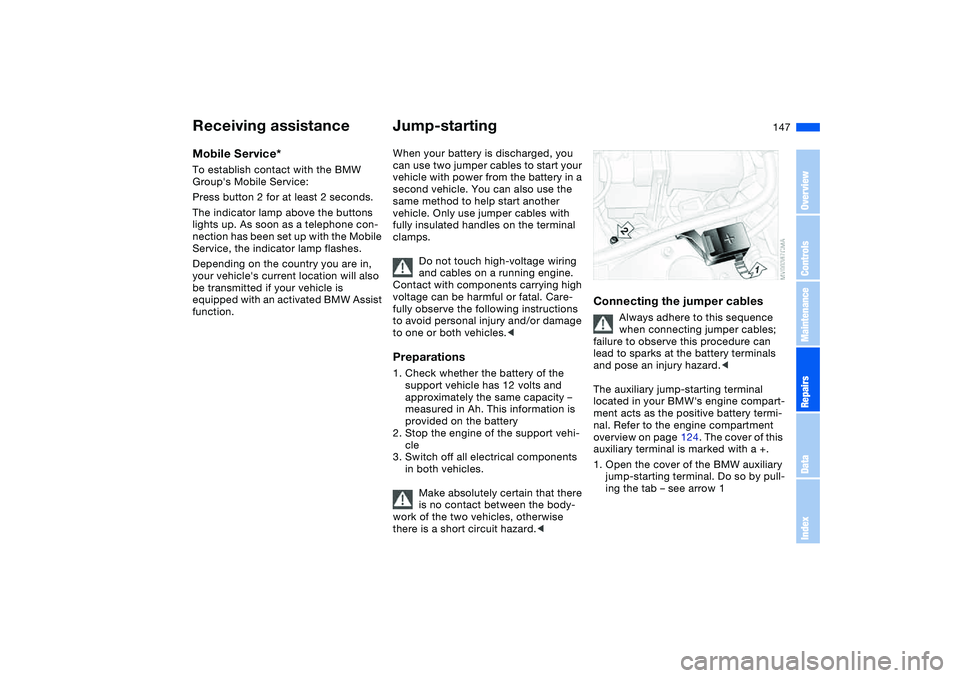
1. Open the cover of the BMW auxiliary
jump-starting terminal. Do so by pull-
ing the tab – see arrow 1
Receiving assistance
OverviewControlsMaintenanceRepairsDataIndex
Page 148 of 174
148
2. Connect one terminal clamp of the
plus/+ jumper cable to the positive
terminal of the battery or to an auxil-
iary jump-starting terminal of the
support vehicle
3. Connect the second terminal clamp
of the plus/+ jumper cable to the
positive terminal of the battery or to
an auxiliary jump-starting terminal of
the vehicle to be started
4. Your BMW is equipped with a special
nut – see arrow 2 – to serve as the
ground or negative terminal.
Attach a terminal clamp of the
minus/– jumper cable to the negative
terminal of the support vehicle's bat-
tery or to a suitable ground on its
engine or bodywork
5. Attach the second terminal clamp of
the minus/– jumper cable to the neg-
ative terminal of the battery or to a
suitable ground on the engine or
bodywork of the vehicle to be
started.Starting the engine1. Start the engine of the support vehi-
cle and let it run for several minutes
at a slightly elevated engine idle
speed2. Start the engine of the other vehicle
as usual.
If the first start attempt is not suc-
cessful, wait a few minutes before
another attempt in order to allow the
discharged battery to recharge
3. Allow the engines to run for several
minutes
4. Disconnect the jumper cables in
reverse sequence.
Depending on the cause of the fault,
have the battery checked and
recharged by your BMW center.
Do not use spray starter fluids to
start the engine.
Page 161 of 174
Everything from A to Z
161
Battery 145
charge 145
charge current 18
disposal 145
indicator lamp 18
jump-starting 147
remote control 28, 29
Belts, refer to Safety
belts 46
Beverage holders 100, 101
Blower
air conditioning 92
automatic climate
control 96
BMW High Performance
Synthetic Oils 127
BMW Maintenance
System 130
BMW sports seat 43
Bottle holders, see Bever-
age holders 100, 101
Brake fluid 128
indicator lamp 18, 128
level 128
Brake force display 84
Brake lamps
bulb replacement 139
indicator lamp, defective
lamp 76
Brake lamps, refer to Brake
force display 84Brake pads
brake fluid level 18, 129
breaking in 112
Brake rotors
breaking in 112
Brake system
brake pads, indicator
lamp 19
Brake wear warning
indicator lamp 19
Brakes
ABS 115
brake fluid 128
brake force display 84
brake pads 114
breaking in 112
driving notes 113
indicator/warning lamp
18, 19
parking brake 61
Break-in procedures 112
Bulb replacement, refer to
Lamps and bulbs 137
Bulb, replacing 137
Buttons in steering wheel 21
C
California laws
event data recorders 132
Proposition 65
warning 132Can holders, see Beverage
holders 100, 101
Capacities 157
Car battery 145
Car care, refer to the Caring
for your vehicle brochure
Car keys, refer to Keys 28
Car radio, refer to the
Owner's Manual for Radio
Car telephone
preparation 101
Car telephone, refer to the
separate Owner's Manual
Car vacuum cleaner, con-
necting 102
Car wash, refer to the Caring
for your vehicle brochure
Carpet care, refer to the
Caring for your vehicle
brochure
Cassette operation, refer to
the Owner's Manual for
Radio/Onboard Computer
CBC Cornering Brake Con-
trol 115
warning lamp 18
CD changer, refer to the
Owner's Manual for
Radio/Onboard Computer
CD operation, refer to the
Owner's Manual for
Radio/Onboard ComputerCenter high-mount brake
lamp
bulb replacement 140
Central locking system 28
button 32
passenger
compartment 32
Charge indicator lamp 18
Check Control 76
Check Gas Cap
indicator lamp 19
Child seats, refer to Child-
restraint systems 54
Child-restraint mounting
system (LATCH) 56
Child-restraint systems 54
Chock 142
Cigarette lighter 102
Cleaning chrome parts, refer
to the Caring for your vehi-
cle brochure
Cleaning light alloy wheels,
refer to the Caring for your
vehicle brochure
Cleaning the vehicle, refer to
the Caring for your vehicle
brochure
Cleaning windshield 72
OverviewControlsMaintenanceRepairsDataIndex
Page 162 of 174
Everything from A to ZClock 77
12-/24-hour mode 77
setting, refer also to the
Owner's Manual for
Radio/Onboard Computer
Closing
from inside 32
from outside 29
Clothes hooks 103
Clutch
breaking in 112
Cockpit 14
Code, refer to the Owner's
Manual for Radio/Onboard
Computer
Coin box 100
Cold start, refer to Starting
the engine 59
Compact disc operation,
refer to the Owner's Man-
ual for Radio/Onboard
Computer
Compartments 100
Computer 78
Condensation, refer to Air
conditioning mode 92, 96
Configuring settings, refer to
Vehicle Memory, Key
Memory 58
Connecting a vacuum
cleaner, refer to Power
socket 102Consumption
display 74
Consumption, refer to Aver-
age fuel consumption 79
Control elements, refer to
Cockpit 14
Convenience operation
from outside 31
glass sunroof 30
windows 30
Coolant 128
indicator lamp 19, 75
level 128
temperature gauge 75
Coolant water, refer to Cool-
ant 128
Cooling, refer to Tempera-
ture 92, 96
Copyright 4
Cornering Brake Control
(CBC) 115
warning lamp 18
Cruise control 72
indicator lamp 20
Cup holders, see Beverage
holders 100, 101
Curb weight, refer to
Weights 156
Current consumption, refer
to Energy control 74
Curve lighting, refer to
Adaptive headlights 86Cylinders, refer to Engine
data 154
D
Dashboard, refer to
Cockpit 14
Data
capacities 157
dimensions 155
engine 154
technical 154
weights 156
Daytime driving lamps 85
DBC Dynamic Brake Control
19, 115
Deep water, refer to Driving
through water 113
Defrost position, refer to
Defrosting windows 93, 96
Defrosting and demisting
windows
air conditioning 93
automatic climate
control 96
Defrosting windows 93, 96
Defrosting windshield,
refer to Defrosting win-
dows 93, 96
Demisting windows
air conditioning 93
automatic climate
control 96Differential
breaking in 112
Digital clock 77
Dimensions 155
Dipstick, engine oil 126
Displacement, refer to
Engine data 154
Display lighting, refer to
Instrument lighting 86
Displays, refer to Instrument
cluster 16
Disposal
oil 127
vehicle battery 145
Distance warning, refer to
Park Distance Control
(PDC) 80
Divided rear backrest 104
Door key 28
Door lock 31
Doors
emergency operation 31
Draft-free ventilation 93, 97
Driving light, refer to Parking
lamps/Low beams 85
Driving notes 113
Driving through water, deep
water 113
Dry air, refer to Air condi-
tioning mode 92, 96
Page 170 of 174
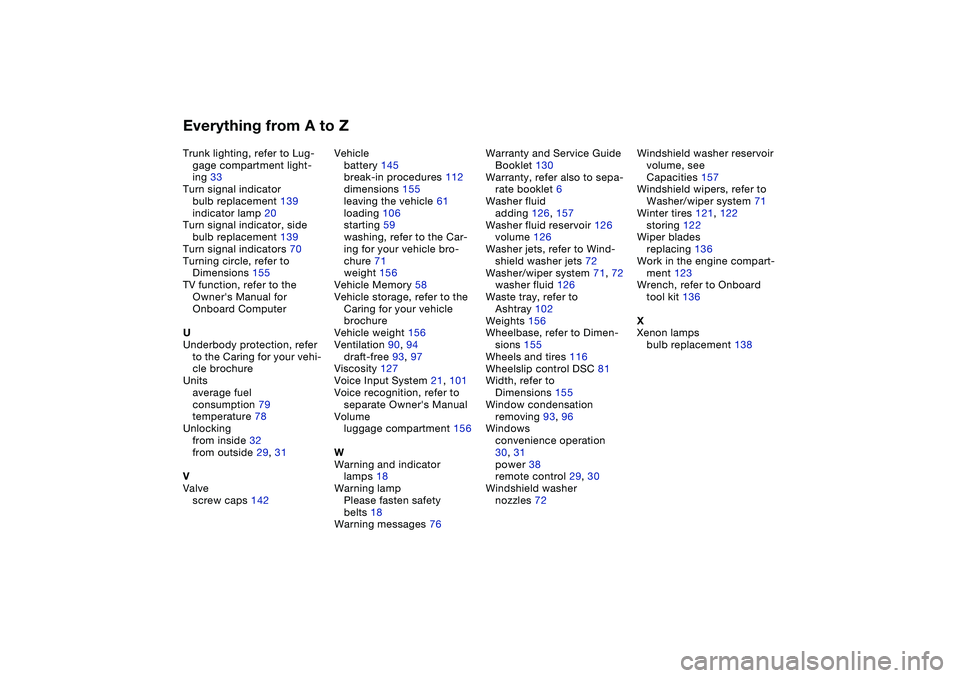
Everything from A to ZTrunk lighting, refer to Lug-
gage compartment light-
ing 33
Turn signal indicator
bulb replacement 139
indicator lamp 20
Turn signal indicator, side
bulb replacement 139
Turn signal indicators 70
Turning circle, refer to
Dimensions 155
TV function, refer to the
Owner's Manual for
Onboard Computer
U
Underbody protection, refer
to the Caring for your vehi-
cle brochure
Units
average fuel
consumption 79
temperature 78
Unlocking
from inside 32
from outside 29, 31
V
Valve
screw caps 142Vehicle
battery 145
break-in procedures 112
dimensions 155
leaving the vehicle 61
loading 106
starting 59
washing, refer to the Car-
ing for your vehicle bro-
chure 71
weight 156
Vehicle Memory 58
Vehicle storage, refer to the
Caring for your vehicle
brochure
Vehicle weight 156
Ventilation 90, 94
draft-free 93, 97
Viscosity 127
Voice Input System 21, 101
Voice recognition, refer to
separate Owner's Manual
Volume
luggage compartment 156
W
Warning and indicator
lamps 18
Warning lamp
Please fasten safety
belts 18
Warning messages 76Warranty and Service Guide
Booklet 130
Warranty, refer also to sepa-
rate booklet 6
Washer fluid
adding 126, 157
Washer fluid reservoir 126
volume 126
Washer jets, refer to Wind-
shield washer jets 72
Washer/wiper system 71, 72
washer fluid 126
Waste tray, refer to
Ashtray 102
Weights 156
Wheelbase, refer to Dimen-
sions 155
Wheels and tires 116
Wheelslip control DSC 81
Width, refer to
Dimensions 155
Window condensation
removing 93, 96
Windows
convenience operation
30, 31
power 38
remote control 29, 30
Windshield washer
nozzles 72Windshield washer reservoir
volume, see
Capacities 157
Windshield wipers, refer to
Washer/wiper system 71
Winter tires 121, 122
storing 122
Wiper blades
replacing 136
Work in the engine compart-
ment 123
Wrench, refer to Onboard
tool kit 136
X
Xenon lamps
bulb replacement 138