lamp BMW 325CI 2006 User Guide
[x] Cancel search | Manufacturer: BMW, Model Year: 2006, Model line: 325CI, Model: BMW 325CI 2006Pages: 174, PDF Size: 2.73 MB
Page 28 of 174
28Opening and closing
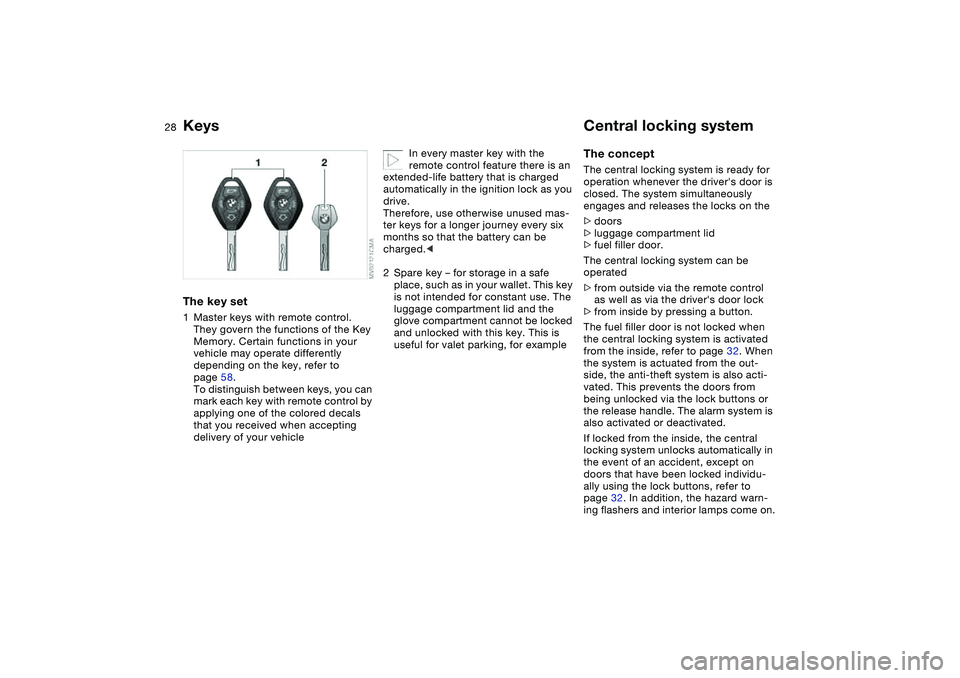
KeysThe key set1Master keys with remote control.
They govern the functions of the Key
Memory. Certain functions in your
vehicle may operate differently
depending on the key, refer to
page 58.
To distinguish between keys, you can
mark each key with remote control by
applying one of the colored decals
that you received when accepting
delivery of your vehicle
In every master key with the
remote control feature there is an
extended-life battery that is charged
automatically in the ignition lock as you
drive.
Therefore, use otherwise unused mas-
ter keys for a longer journey every six
months so that the battery can be
charged.<
2Spare key – for storage in a safe
place, such as in your wallet. This key
is not intended for constant use. The
luggage compartment lid and the
glove compartment cannot be locked
and unlocked with this key. This is
useful for valet parking, for example
Central locking systemThe conceptThe central locking system is ready for
operation whenever the driver's door is
closed. The system simultaneously
engages and releases the locks on the
>doors
>luggage compartment lid
>fuel filler door.
The central locking system can be
operated
>from outside via the remote control
as well as via the driver's door lock
>from inside by pressing a button.
The fuel filler door is not locked when
the central locking system is activated
from the inside, refer to page 32. When
the system is actuated from the out-
side, the anti-theft system is also acti-
vated. This prevents the doors from
being unlocked via the lock buttons or
the release handle. The alarm system is
also activated or deactivated.
If locked from the inside, the central
locking system unlocks automatically in
the event of an accident, except on
doors that have been locked individu-
ally using the lock buttons, refer to
page 32. In addition, the hazard warn-
ing flashers and interior lamps come on.
Page 29 of 174
29
Opening and closing – via the remote controlThe conceptThe remote control also provides two
additional functions beyond the central
locking feature:
>To switch on interior lamps, refer to
page 30.
With this function you can also
search for your vehicle when parked
in an underground garage, for
instance
>To open the luggage compartment
lid, refer to page 30.
The luggage compartment lid will
open slightly, regardless of whether it
was previously locked or unlocked.
Whenever you unlock or lock the vehi-
cle, you simultaneously deactivate/acti-
vate the anti-theft system, disarm/arm
the alarm system and switch the interior
lamps on/off.
You can have a signal set to con-
firm that the vehicle's locks have
engaged securely.<
Master keys with remote control
Persons or animals inside the
vehicle may be able to lock the
doors from the inside. For this reason,
always take the vehicle keys with you
so that the vehicle can be opened again
from the outside at any time.<
If it is no longer possible to lock
the vehicle via the remote control,
the battery is discharged. Use this key
while driving for an extended period in
order to recharge the battery.
To prevent unauthorized use of the
remote control, surrender only the
spare key when leaving the vehicle for
valet parking, for example.
In the event of a system malfunction,
please contact your BMW center. You
can also obtain replacement keys
there.<
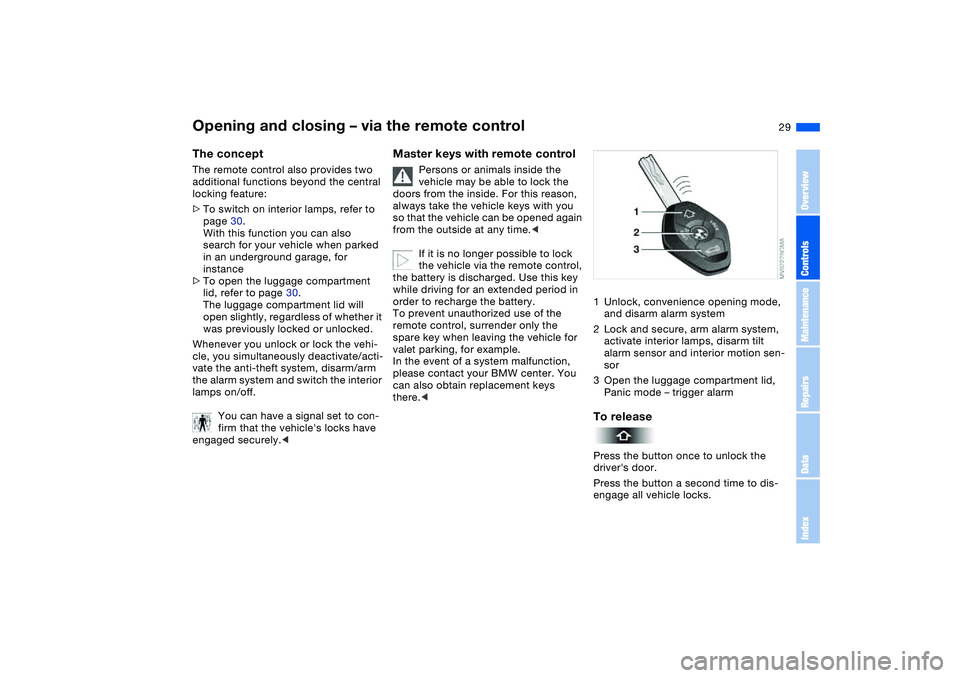
1Unlock, convenience opening mode,
and disarm alarm system
2Lock and secure, arm alarm system,
activate interior lamps, disarm tilt
alarm sensor and interior motion sen-
sor
3Open the luggage compartment lid,
Panic mode – trigger alarmTo releasePress the button once to unlock the
driver's door.
Press the button a second time to dis-
engage all vehicle locks.
OverviewControlsMaintenanceRepairsDataIndex
Page 30 of 174
30
Convenience opening modePress the button briefly and then keep it
pressed. The electric power windows
and the glass sunroof open.To lock and securePress button.To switch on the interior lampsWith the vehicle locked, press button.
With this function, you can also search
for your vehicle when parked in an
underground garage, for instance.To open the luggage
compartment lidPress button briefly.
The luggage compartment lid will open
slightly, regardless of whether it was
previously locked or unlocked.
If the vehicle was previously
locked, the luggage compartment
is also locked again after it is closed.
Before and after a trip, be sure that the
luggage compartment lid has not been
opened unintentionally.<
Panic mode* – trigger alarmBy pressing the button for more than
2 seconds, the alarm system* can be
triggered in the event of danger, if the
system is armed.
To switch off the alarm:
Press button.External systemsMalfunctions:
Local radio waves can impede the func-
tioning of the remote control.
If this occurs, open and close the vehi-
cle using a master key in the door lock.
For US owners onlyThe transmitter and receiver units com-
ply with part 15 of the FCC Federal
Communications Commission regula-
tions. Operation is governed by the fol-
lowing:
FCC ID:
>LX8EWS
>LX8FZVS
>LX8FZVE.
Compliance statement:
This device complies with part 15 of the
FCC Rules. Operation is subject to the
following two conditions:
>This device may not cause harmful
interference, and
>this device must accept any interfer-
ence received, including interference
that may cause undesired operation.
Any unauthorized modifications to
these devices could void the
user's authority to operate the equip-
ment.<
Opening and closing – via the remote control
Page 37 of 174
37
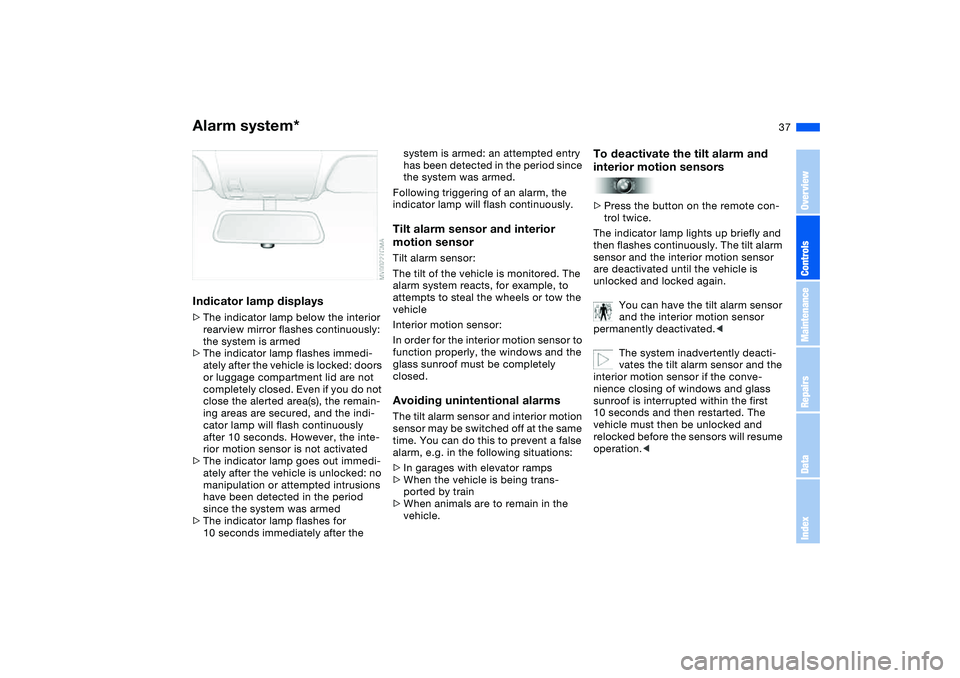
Indicator lamp displays>The indicator lamp below the interior
rearview mirror flashes continuously:
the system is armed
>The indicator lamp flashes immedi-
ately after the vehicle is locked: doors
or luggage compartment lid are not
completely closed. Even if you do not
close the alerted area(s), the remain-
ing areas are secured, and the indi-
cator lamp will flash continuously
after 10 seconds. However, the inte-
rior motion sensor is not activated
>The indicator lamp goes out immedi-
ately after the vehicle is unlocked: no
manipulation or attempted intrusions
have been detected in the period
since the system was armed
>The indicator lamp flashes for
10 seconds immediately after the
system is armed: an attempted entry
has been detected in the period since
the system was armed.
Following triggering of an alarm, the
indicator lamp will flash continuously.Tilt alarm sensor and interior
motion sensorTilt alarm sensor:
The tilt of the vehicle is monitored. The
alarm system reacts, for example, to
attempts to steal the wheels or tow the
vehicle
Interior motion sensor:
In order for the interior motion sensor to
function properly, the windows and the
glass sunroof must be completely
closed.Avoiding unintentional alarmsThe tilt alarm sensor and interior motion
sensor may be switched off at the same
time. You can do this to prevent a false
alarm, e.g. in the following situations:
>In garages with elevator ramps
>When the vehicle is being trans-
ported by train
>When animals are to remain in the
vehicle.
To deactivate the tilt alarm and
interior motion sensors>Press the button on the remote con-
trol twice.
The indicator lamp lights up briefly and
then flashes continuously. The tilt alarm
sensor and the interior motion sensor
are deactivated until the vehicle is
unlocked and locked again.
You can have the tilt alarm sensor
and the interior motion sensor
permanently deactivated.<
The system inadvertently deacti-
vates the tilt alarm sensor and the
interior motion sensor if the conve-
nience closing of windows and glass
sunroof is interrupted within the first
10 seconds and then restarted. The
vehicle must then be unlocked and
relocked before the sensors will resume
operation.<
Alarm system*
OverviewControlsMaintenanceRepairsDataIndex
Page 46 of 174
46
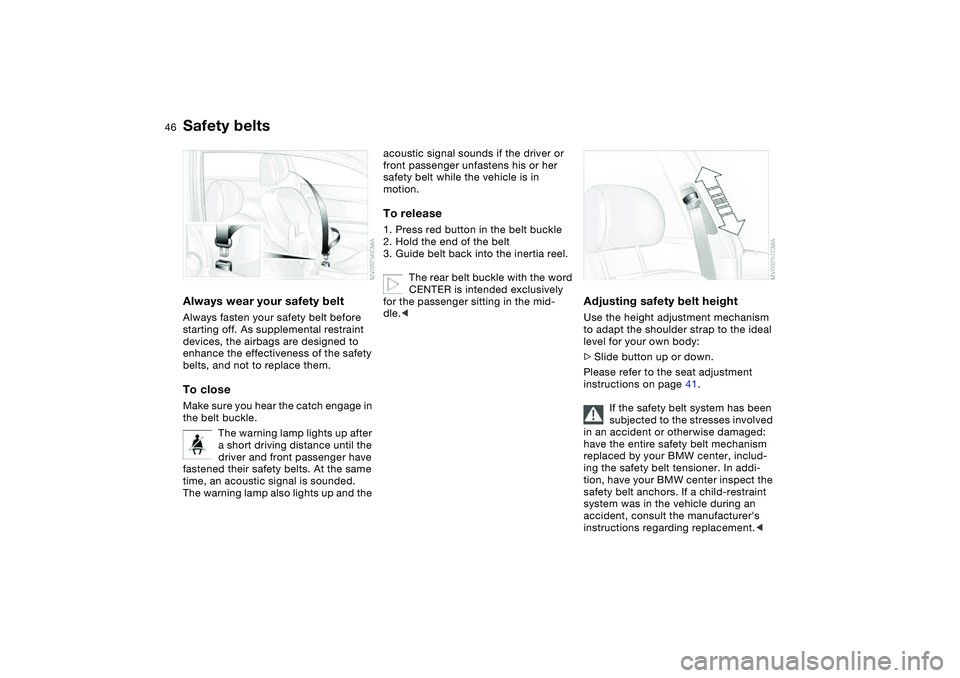
Safety beltsAlways wear your safety beltAlways fasten your safety belt before
starting off. As supplemental restraint
devices, the airbags are designed to
enhance the effectiveness of the safety
belts, and not to replace them.To closeMake sure you hear the catch engage in
the belt buckle.
The warning lamp lights up after
a short driving distance until the
driver and front passenger have
fastened their safety belts. At the same
time, an acoustic signal is sounded.
The warning lamp also lights up and the
acoustic signal sounds if the driver or
front passenger unfastens his or her
safety belt while the vehicle is in
motion.To release1. Press red button in the belt buckle
2. Hold the end of the belt
3. Guide belt back into the inertia reel.
The rear belt buckle with the word
CENTER is intended exclusively
for the passenger sitting in the mid-
dle.<
Adjusting safety belt heightUse the height adjustment mechanism
to adapt the shoulder strap to the ideal
level for your own body:
>Slide button up or down.
Please refer to the seat adjustment
instructions on page 41.
If the safety belt system has been
subjected to the stresses involved
in an accident or otherwise damaged:
have the entire safety belt mechanism
replaced by your BMW center, includ-
ing the safety belt tensioner. In addi-
tion, have your BMW center inspect the
safety belt anchors. If a child-restraint
system was in the vehicle during an
accident, consult the manufacturer's
instructions regarding replacement.<
Page 47 of 174
47
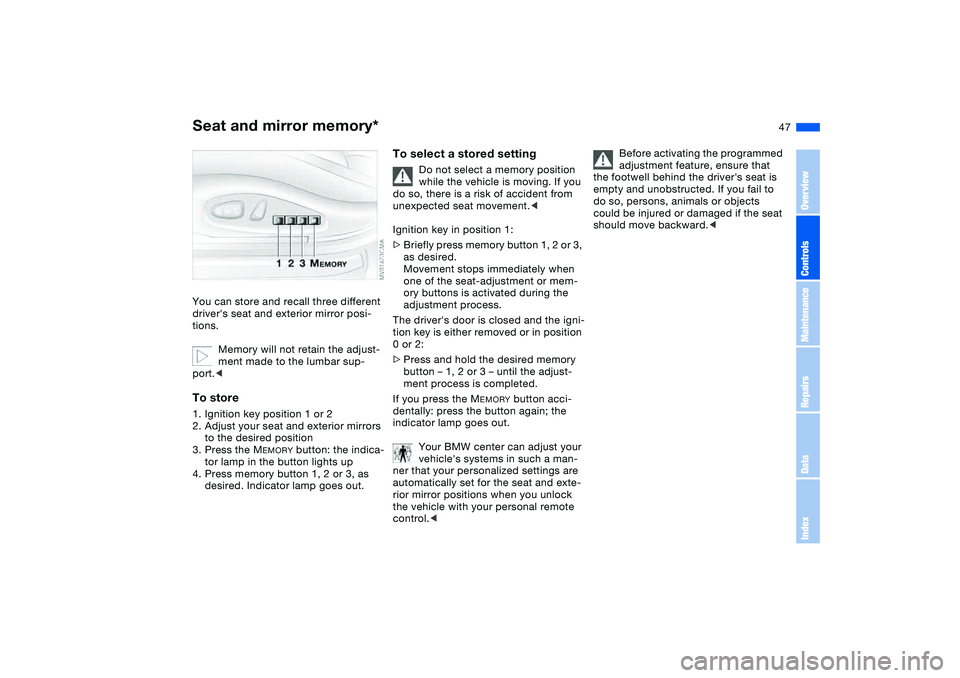
Seat and mirror memory*You can store and recall three different
driver's seat and exterior mirror posi-
tions.
Memory will not retain the adjust-
ment made to the lumbar sup-
port.
to the desired position
3. Press the M
EMORY
button: the indica-
tor lamp in the button lights up
4. Press memory button 1, 2 or 3, as
desired. Indicator lamp goes out.
To select a stored setting
Do not select a memory position
while the vehicle is moving. If you
do so, there is a risk of accident from
unexpected seat movement.<
Ignition key in position 1:
>Briefly press memory button 1, 2 or 3,
as desired.
Movement stops immediately when
one of the seat-adjustment or mem-
ory buttons is activated during the
adjustment process.
The driver's door is closed and the igni-
tion key is either removed or in position
0 or 2:
>Press and hold the desired memory
button – 1, 2 or 3 – until the adjust-
ment process is completed.
If you press the M
EMORY
button acci-
dentally: press the button again; the
indicator lamp goes out.
Your BMW center can adjust your
vehicle's systems in such a man-
ner that your personalized settings are
automatically set for the seat and exte-
rior mirror positions when you unlock
the vehicle with your personal remote
control.<
Before activating the programmed
adjustment feature, ensure that
the footwell behind the driver's seat is
empty and unobstructed. If you fail to
do so, persons, animals or objects
could be injured or damaged if the seat
should move backward.<
OverviewControlsMaintenanceRepairsDataIndex
Page 53 of 174
53
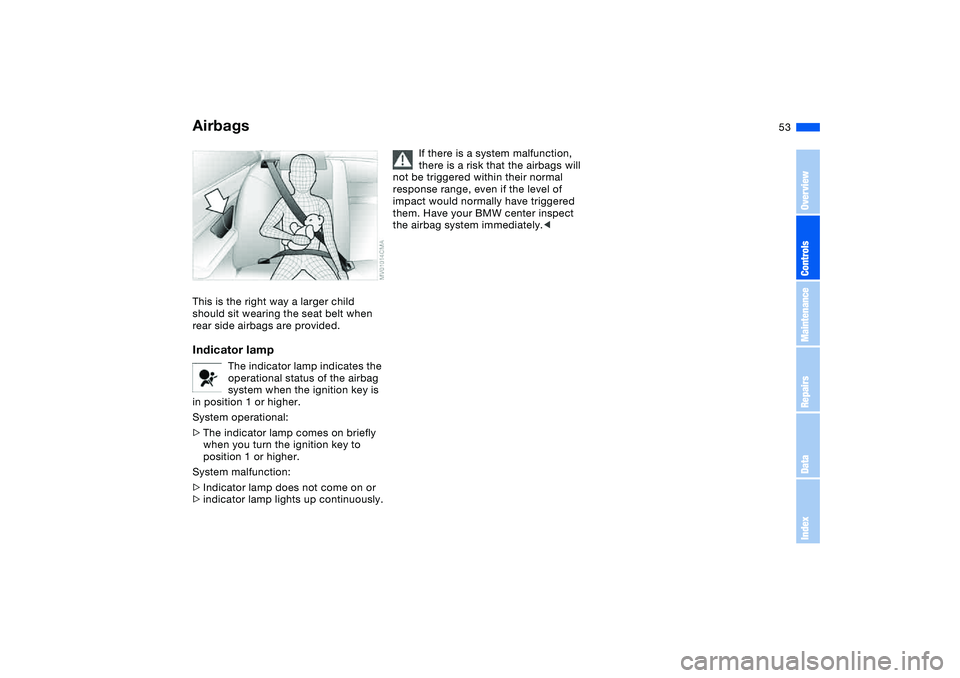
This is the right way a larger child
should sit wearing the seat belt when
rear side airbags are provided.Indicator lamp
The indicator lamp indicates the
operational status of the airbag
system when the ignition key is
in position 1 or higher.
System operational:
>The indicator lamp comes on briefly
when you turn the ignition key to
position 1 or higher.
System malfunction:
>Indicator lamp does not come on or
>indicator lamp lights up continuously.
If there is a system malfunction,
there is a risk that the airbags will
not be triggered within their normal
response range, even if the level of
impact would normally have triggered
them. Have your BMW center inspect
the airbag system immediately.<
Airbags
OverviewControlsMaintenanceRepairsDataIndex
Page 58 of 174
58
Vehicle Memory, Key MemoryHow the system functionsNo doubt you have reflected at one
time or another on how great it would
be if you could permanently configure
your vehicle's various features and
adjustments to mirror your own individ-
ual preferences. In engineering your
vehicle, BMW has provided for a num-
ber of options for personal adjustment
that can be programmed into your vehi-
cle at your BMW center.
The available configuration data fall into
two categories, according to whether
their primary orientation is the vehicle –
Vehicle Memory – or the individual –
Key Memory. Provided that each per-
son has a separate remote-control key,
you can have your BMW center enter
adjustment data for as many as four dif-
ferent individuals into the system.
The system then relies on a bilateral
data exchange to identify the individual
user and executes the selected settings
whenever the remote control unit is
used to disengage the door locks.
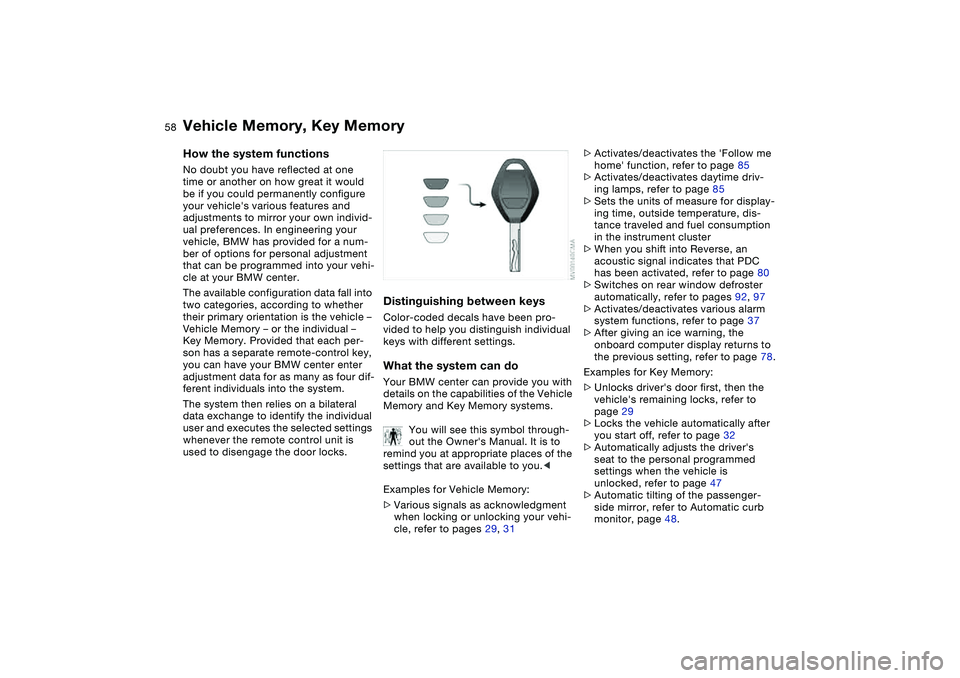
Distinguishing between keysColor-coded decals have been pro-
vided to help you distinguish individual
keys with different settings.What the system can doYour BMW center can provide you with
details on the capabilities of the Vehicle
Memory and Key Memory systems.
You will see this symbol through-
out the Owner's Manual. It is to
remind you at appropriate places of the
settings that are available to you.<
Examples for Vehicle Memory:
>Various signals as acknowledgment
when locking or unlocking your vehi-
cle, refer to pages 29, 31
>Activates/deactivates the 'Follow me
home' function, refer to page 85
>Activates/deactivates daytime driv-
ing lamps, refer to page 85
>Sets the units of measure for display-
ing time, outside temperature, dis-
tance traveled and fuel consumption
in the instrument cluster
>When you shift into Reverse, an
acoustic signal indicates that PDC
has been activated, refer to page 80
>Switches on rear window defroster
automatically, refer to pages 92, 97
>Activates/deactivates various alarm
system functions, refer to page 37
>After giving an ice warning, the
onboard computer display returns to
the previous setting, refer to page 78.
Examples for Key Memory:
>Unlocks driver's door first, then the
vehicle's remaining locks, refer to
page 29
>Locks the vehicle automatically after
you start off, refer to page 32
>Automatically adjusts the driver's
seat to the personal programmed
settings when the vehicle is
unlocked, refer to page 47
>Automatic tilting of the passenger-
side mirror, refer to Automatic curb
monitor, page 48.
Page 61 of 174
61
Switching off the engine
You should never remove the igni-
tion key when the vehicle is in
motion, as the steering lock could
engage.
When you leave the vehicle, always
remove the ignition key and engage the
steering lock.
Always engage the parking brake when
parking on slopes and inclined sur-
faces. Engaging a gear may not provide
adequate resistance to rolling.<
Vehicles with manual
transmissionTurn the ignition key to position 1 or 0.Automatic transmissionMove the selector lever into position P,
and turn the ignition key to position 1 or
0.SMG gearboxIf you turn the ignition key to position 1
or 0 with the selector lever in position
R, or in sequential mode, a gear auto-
matically remains engaged.
If you turn the ignition key to position 1
or 0 with the selector lever in neutral
position N, a warning tone and the
flashing gear indicator in the display
remind you that no gear is engaged to
secure the vehicle against rolling.
The warning stops after approx.
9 seconds.
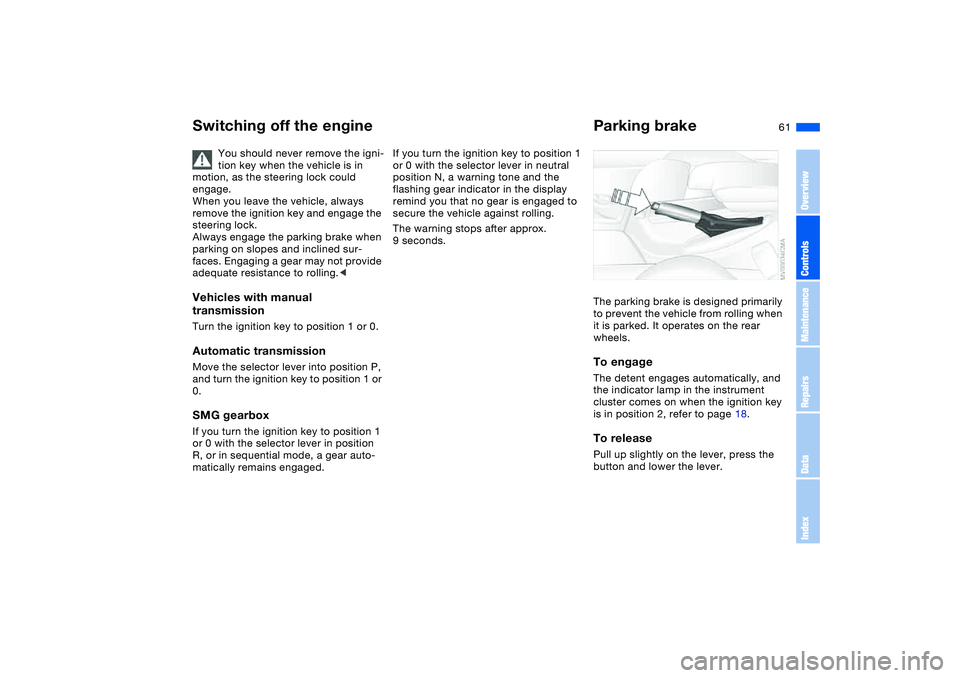
Parking brakeThe parking brake is designed primarily
to prevent the vehicle from rolling when
it is parked. It operates on the rear
wheels.To engageThe detent engages automatically, and
the indicator lamp in the instrument
cluster comes on when the ignition key
is in position 2, refer to page 18.To releasePull up slightly on the lever, press the
button and lower the lever.
OverviewControlsMaintenanceRepairsDataIndex
Page 62 of 174
62
If exceptional circumstances
make it necessary to engage the
parking brake while the vehicle is in
motion, do not pull it with excessive
pressure. Keep your thumb pressed
against the release button while care-
fully pulling the lever up.
Excessive pressure can lead to over-
braking and loss of traction – fishtailing
– at the rear axle.
The brake lamps do not come on when
the parking brake is engaged.
Vehicles with manual or SMG gearbox:
Engage the parking brake when parking
on downhill roads, since engaging a
gear may not provide adequate resis-
tance to rolling, not even in first or
reverse gear.
Vehicles with automatic transmission:
place the selector lever in Park.<
To avoid corrosion and one-sided
braking, apply the parking brake
from time to time when coasting to a
standstill – at a traffic signal, for exam-
ple – provided that it is safe to do so.<
Manual transmission
Do not hold the vehicle in place on
slopes by slipping or 'riding' the
clutch. Use the parking brake instead.
Riding the clutch leads to severe and
premature clutch wear.<
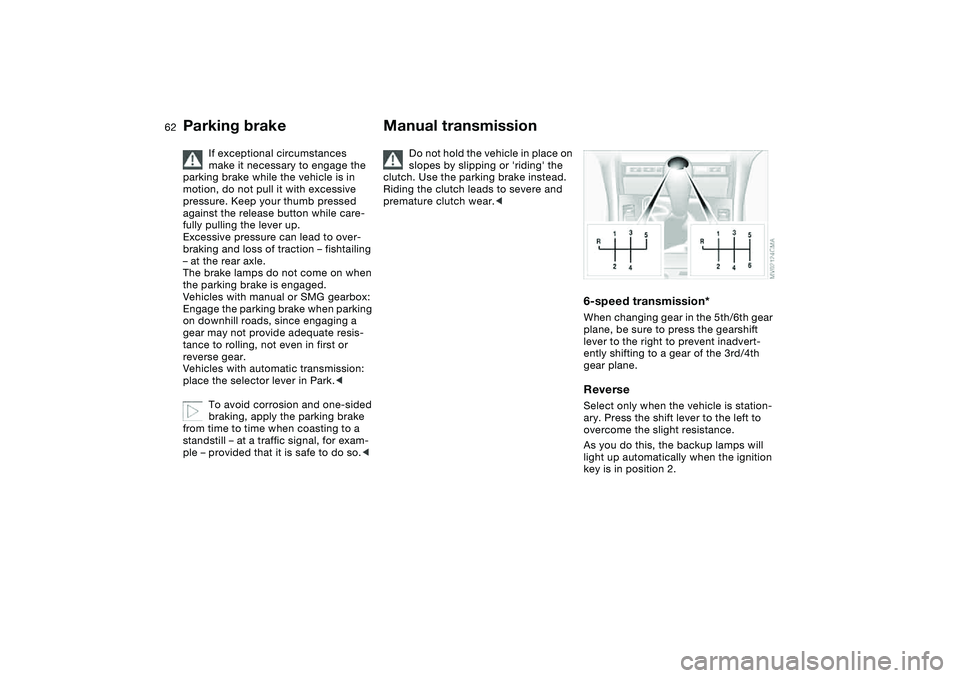
6-speed transmission*When changing gear in the 5th/6th gear
plane, be sure to press the gearshift
lever to the right to prevent inadvert-
ently shifting to a gear of the 3rd/4th
gear plane.ReverseSelect only when the vehicle is station-
ary. Press the shift lever to the left to
overcome the slight resistance.
As you do this, the backup lamps will
light up automatically when the ignition
key is in position 2.
Parking brake