ECU BMW 325Ci COUPE 2003 E46 User Guide
[x] Cancel search | Manufacturer: BMW, Model Year: 2003, Model line: 325Ci COUPE, Model: BMW 325Ci COUPE 2003 E46Pages: 162, PDF Size: 4.23 MB
Page 58 of 162
58
Vehicle Memory, Key MemoryHow the system functionsNo doubt you have reflected at one
time or another on how great it would
be if you could permanently configure
your vehicle's various features and
adjustments to mirror your own individ-
ual preferences. In engineering your
vehicle, BMW has provided for a num-
ber of options for personal adjustment
that can be programmed into your vehi-
cle at your BMW center.
The available configuration data fall into
two categories, according to whether
their primary orientation is the vehicle –
Vehicle Memory – or the individual –
Key Memory. Provided that each per-
son has a separate remote-control key,
you can have your BMW center enter
adjustment data for as many as four dif-
ferent individuals into the system.
The system then relies on a bilateral
data exchange to identify the individual
user and executes the selected settings
whenever the remote control unit is
used to disengage the door locks.
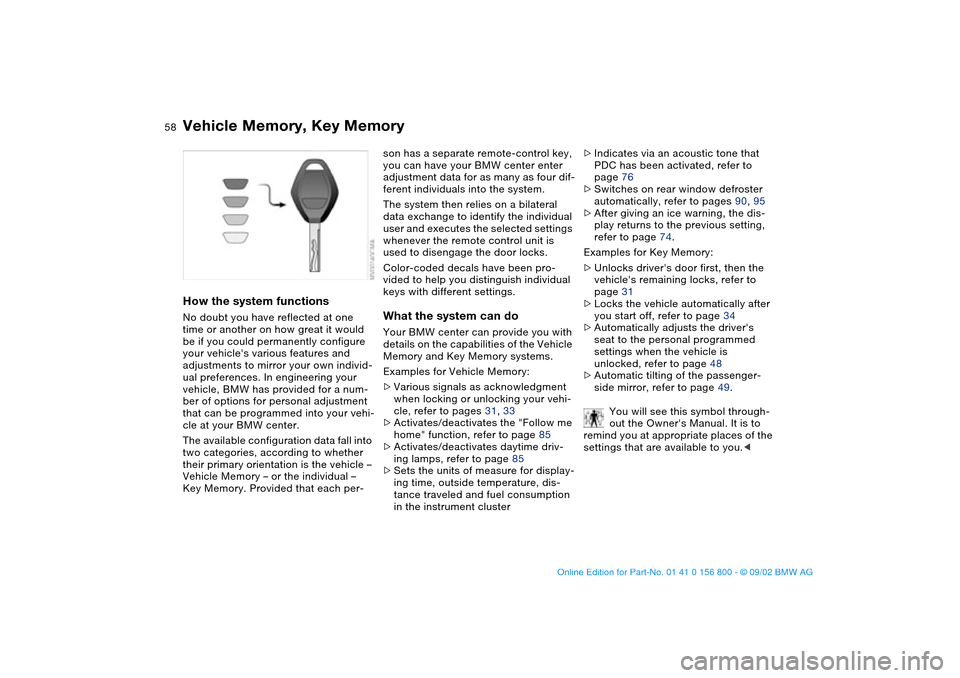
Color-coded decals have been pro-
vided to help you distinguish individual
keys with different settings.What the system can doYour BMW center can provide you with
details on the capabilities of the Vehicle
Memory and Key Memory systems.
Examples for Vehicle Memory:
>Various signals as acknowledgment
when locking or unlocking your vehi-
cle, refer to pages 31, 33
>Activates/deactivates the "Follow me
home" function, refer to page 85
>Activates/deactivates daytime driv-
ing lamps, refer to page 85
>Sets the units of measure for display-
ing time, outside temperature, dis-
tance traveled and fuel consumption
in the instrument cluster>Indicates via an acoustic tone that
PDC has been activated, refer to
page 76
>Switches on rear window defroster
automatically, refer to pages 90, 95
>After giving an ice warning, the dis-
play returns to the previous setting,
refer to page 74.
Examples for Key Memory:
>Unlocks driver's door first, then the
vehicle's remaining locks, refer to
page 31
>Locks the vehicle automatically after
you start off, refer to page 34
>Automatically adjusts the driver's
seat to the personal programmed
settings when the vehicle is
unlocked, refer to page 48
>Automatic tilting of the passenger-
side mirror, refer to page 49.
You will see this symbol through-
out the Owner's Manual. It is to
remind you at appropriate places of the
settings that are available to you.<
handbook.book Page 58 Tuesday, July 30, 2002 12:16 PM
Page 63 of 162
63
Automatic transmission with Steptronic*You can drive as with a normal auto-
matic transmission. In addition, you can
also shift manually.
When you move the selector lever from
the D position to the left into the M/S
range, the performance-oriented shift
programs of the automatic transmission
are engaged. Steptronic enters the
manual selection mode and executes
the desired shift whenever you tap the
selector lever in the direction indicated
by + or –. Whenever you want to use
the automatic mode again, just shift the
selector lever toward the right to posi-
tion D.
Under normal operating conditions, fuel
consumption is lowest when driving in
position D.Selector lever positionsP R N D M/S + –Starting the engineThe engine can only be started in selec-
tor lever positions P – for Park – or N –
for Neutral.
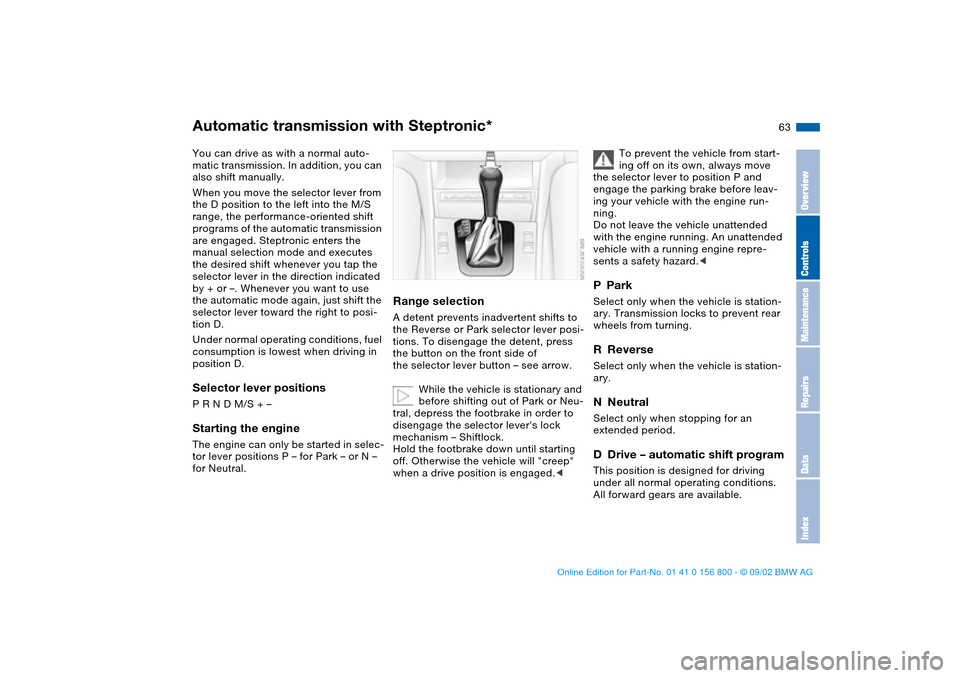
Range selectionA detent prevents inadvertent shifts to
the Reverse or Park selector lever posi-
tions. To disengage the detent, press
the button on the front side of
the selector lever button – see arrow.
While the vehicle is stationary and
before shifting out of Park or Neu-
tral, depress the footbrake in order to
disengage the selector lever's lock
mechanism – Shiftlock.
Hold the footbrake down until starting
off. Otherwise the vehicle will "creep"
when a drive position is engaged.<
To prevent the vehicle from start-
ing off on its own, always move
the selector lever to position P and
engage the parking brake before leav-
ing your vehicle with the engine run-
ning.
Do not leave the vehicle unattended
with the engine running. An unattended
vehicle with a running engine repre-
sents a safety hazard.<
PParkSelect only when the vehicle is station-
ary. Transmission locks to prevent rear
wheels from turning.RReverseSelect only when the vehicle is station-
ary.NNeutralSelect only when stopping for an
extended period.DDrive – automatic shift programThis position is designed for driving
under all normal operating conditions.
All forward gears are available.
OverviewControlsMaintenanceRepairsDataIndex
handbook.book Page 63 Tuesday, July 30, 2002 12:16 PM
Page 64 of 162
64
KickdownIn the kickdown mode, you achieve
maximum acceleration and top speed
in position D.
Depress the accelerator pedal past the
increased resistance point at the full-
throttle position.
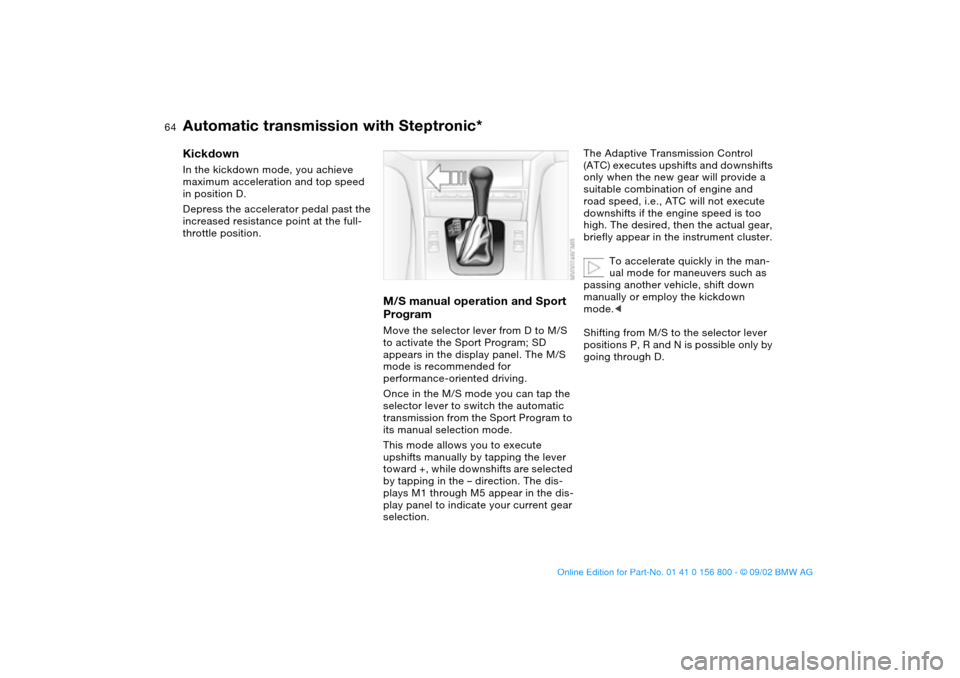
M/S manual operation and Sport
ProgramMove the selector lever from D to M/S
to activate the Sport Program; SD
appears in the display panel. The M/S
mode is recommended for
performance-oriented driving.
Once in the M/S mode you can tap the
selector lever to switch the automatic
transmission from the Sport Program to
its manual selection mode.
This mode allows you to execute
upshifts manually by tapping the lever
toward +, while downshifts are selected
by tapping in the – direction. The dis-
plays M1 through M5 appear in the dis-
play panel to indicate your current gear
selection.
The Adaptive Transmission Control
(ATC) executes upshifts and downshifts
only when the new gear will provide a
suitable combination of engine and
road speed, i.e., ATC will not execute
downshifts if the engine speed is too
high. The desired, then the actual gear,
briefly appear in the instrument cluster.
To accelerate quickly in the man-
ual mode for maneuvers such as
passing another vehicle, shift down
manually or employ the kickdown
mode.<
Shifting from M/S to the selector lever
positions P, R and N is possible only by
going through D.
Automatic transmission with Steptronic*
handbook.book Page 64 Tuesday, July 30, 2002 12:16 PM
Page 102 of 162
102Loading and transporting
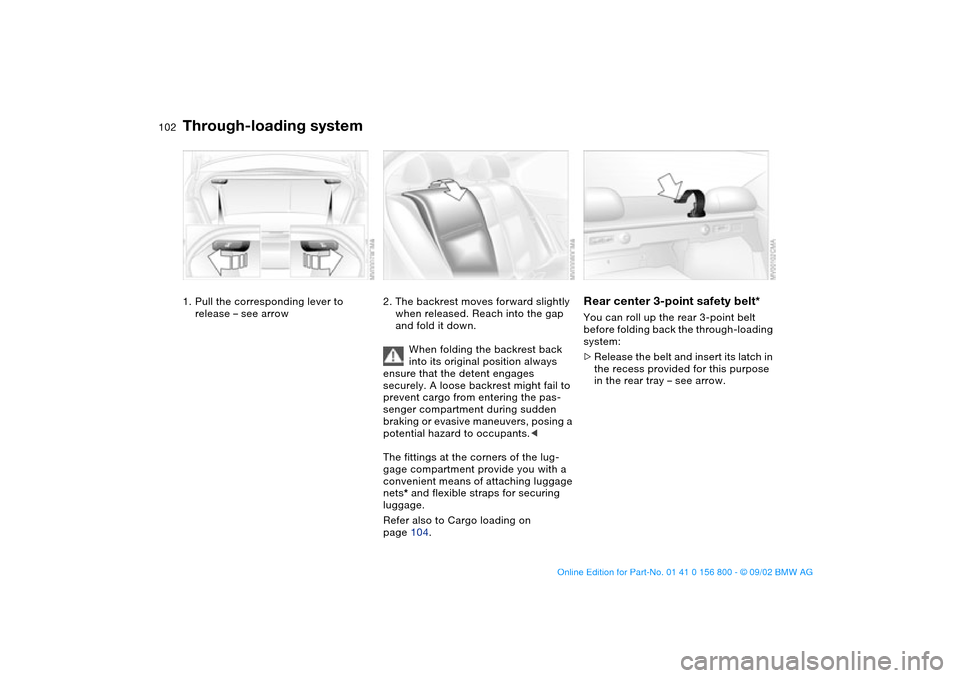
Through-loading system1. Pull the corresponding lever to
release – see arrow
2. The backrest moves forward slightly
when released. Reach into the gap
and fold it down.
When folding the backrest back
into its original position always
ensure that the detent engages
securely. A loose backrest might fail to
prevent cargo from entering the pas-
senger compartment during sudden
braking or evasive maneuvers, posing a
potential hazard to occupants.<
The fittings at the corners of the lug-
gage compartment provide you with a
convenient means of attaching luggage
nets* and flexible straps for securing
luggage.
Refer also to Cargo loading on
page 104.
Rear center 3-point safety belt*You can roll up the rear 3-point belt
before folding back the through-loading
system:
>Release the belt and insert its latch in
the recess provided for this purpose
in the rear tray – see arrow.
handbook.book Page 102 Tuesday, July 30, 2002 12:16 PM
Page 103 of 162
103
Ski bag*The ski bag allows the safe and clean
transport of up to 4 pairs of standard
skis or up to two snowboards.
The length of the ski bag and the addi-
tional space provided in the luggage
compartment make it possible to carry
skis up to 6 ft 10 in / 2.10 m long.
Because of the tapered shape of the
bag, only two pairs of skis longer than
6 ft 10 in / 2.10 m can be carried.
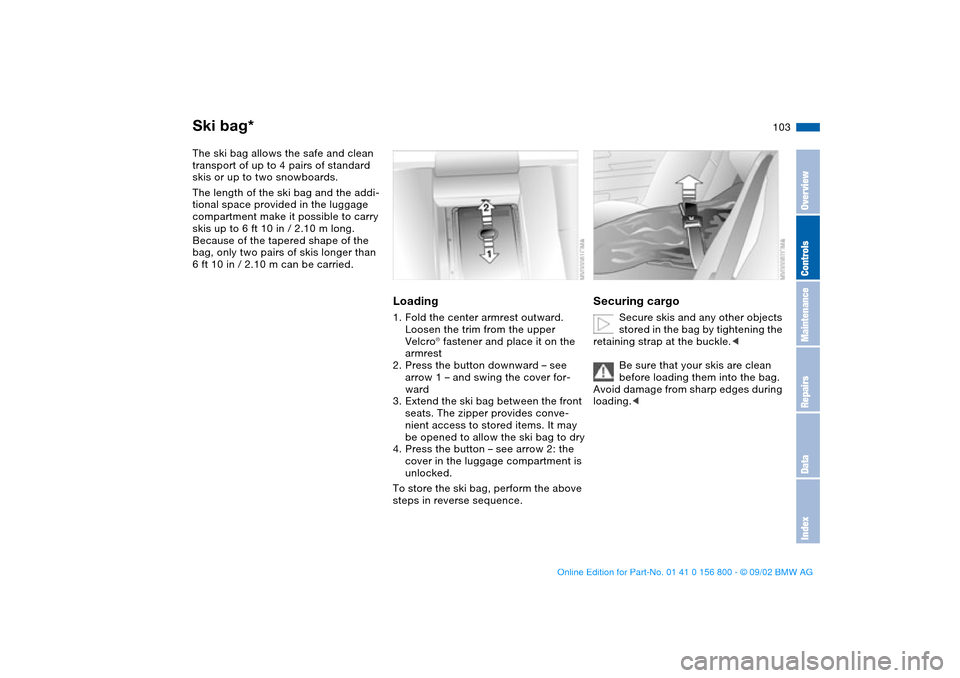
Loading1. Fold the center armrest outward.
Loosen the trim from the upper
Velcro® fastener and place it on the
armrest
2. Press the button downward – see
arrow 1 – and swing the cover for-
ward
3. Extend the ski bag between the front
seats. The zipper provides conve-
nient access to stored items. It may
be opened to allow the ski bag to dry
4. Press the button – see arrow 2: the
cover in the luggage compartment is
unlocked.
To store the ski bag, perform the above
steps in reverse sequence.
Securing cargo
Secure skis and any other objects
stored in the bag by tightening the
retaining strap at the buckle.<
Be sure that your skis are clean
before loading them into the bag.
Avoid damage from sharp edges during
loading.<
OverviewControlsMaintenanceRepairsDataIndex
handbook.book Page 103 Tuesday, July 30, 2002 12:16 PM
Page 104 of 162
104
Cargo loading
Always position and secure the
load correctly. If you do not, it can
endanger the passengers during brak-
ing or evasive maneuvers.
Do not exceed the approved gross
weight or the approved maximum axle
loads, refer to page 148, otherwise the
vehicle's operating safety is no longer
assured and you are in violation of the
law.
Do not stow heavy or hard objects in
the passenger compartment without
securing them. Otherwise they would
be thrown around during braking and
evasive maneuvers and endanger the
passengers.<
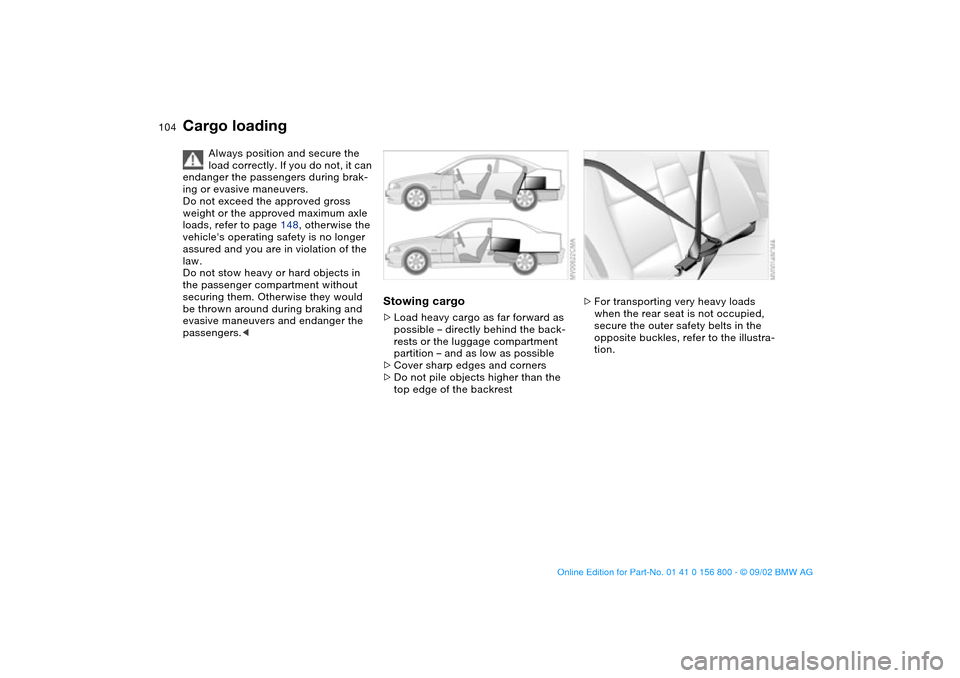
Stowing cargo>Load heavy cargo as far forward as
possible – directly behind the back-
rests or the luggage compartment
partition – and as low as possible
>Cover sharp edges and corners
>Do not pile objects higher than the
top edge of the backrest
>For transporting very heavy loads
when the rear seat is not occupied,
secure the outer safety belts in the
opposite buckles, refer to the illustra-
tion.
handbook.book Page 104 Tuesday, July 30, 2002 12:16 PM
Page 105 of 162
105
Securing cargo>For small, light items, use the rubber-
lined, non-skid side of the floor mat
or secure using the luggage compart-
ment net* or elastic straps, refer to
page 37
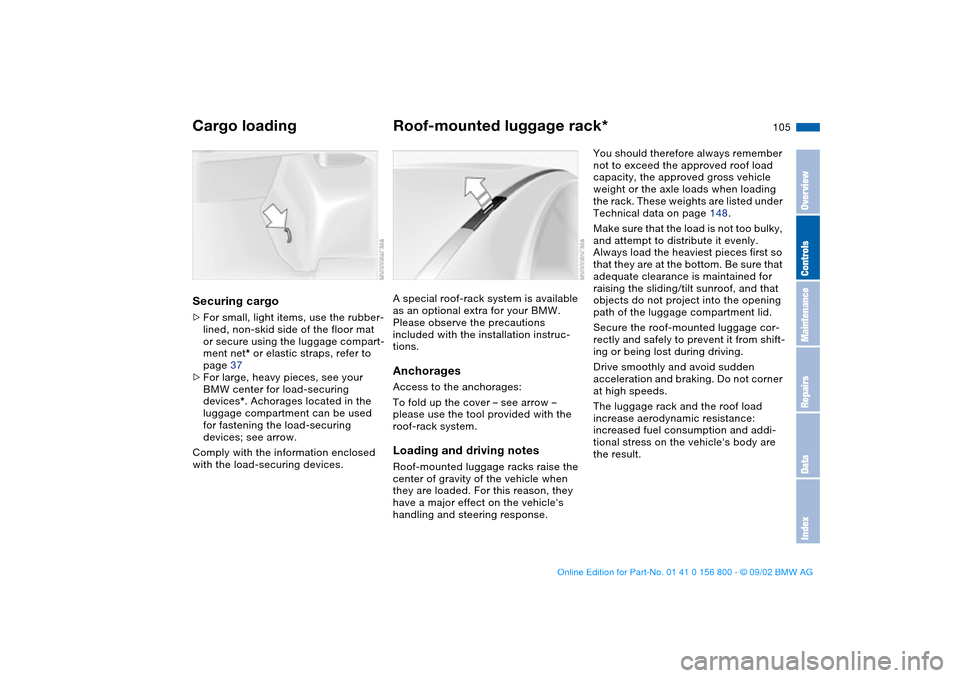
>For large, heavy pieces, see your
BMW center for load-securing
devices*. Achorages located in the
luggage compartment can be used
for fastening the load-securing
devices; see arrow.
Comply with the information enclosed
with the load-securing devices.
Roof-mounted luggage rack*A special roof-rack system is available
as an optional extra for your BMW.
Please observe the precautions
included with the installation instruc-
tions.AnchoragesAccess to the anchorages:
To fold up the cover – see arrow –
please use the tool provided with the
roof-rack system.Loading and driving notesRoof-mounted luggage racks raise the
center of gravity of the vehicle when
they are loaded. For this reason, they
have a major effect on the vehicle's
handling and steering response.
You should therefore always remember
not to exceed the approved roof load
capacity, the approved gross vehicle
weight or the axle loads when loading
the rack. These weights are listed under
Technical data on page 148.
Make sure that the load is not too bulky,
and attempt to distribute it evenly.
Always load the heaviest pieces first so
that they are at the bottom. Be sure that
adequate clearance is maintained for
raising the sliding/tilt sunroof, and that
objects do not project into the opening
path of the luggage compartment lid.
Secure the roof-mounted luggage cor-
rectly and safely to prevent it from shift-
ing or being lost during driving.
Drive smoothly and avoid sudden
acceleration and braking. Do not corner
at high speeds.
The luggage rack and the roof load
increase aerodynamic resistance:
increased fuel consumption and addi-
tional stress on the vehicle's body are
the result.
Cargo loading
OverviewControlsMaintenanceRepairsDataIndex
handbook.book Page 105 Tuesday, July 30, 2002 12:16 PM
Page 116 of 162
116In the engine compartment
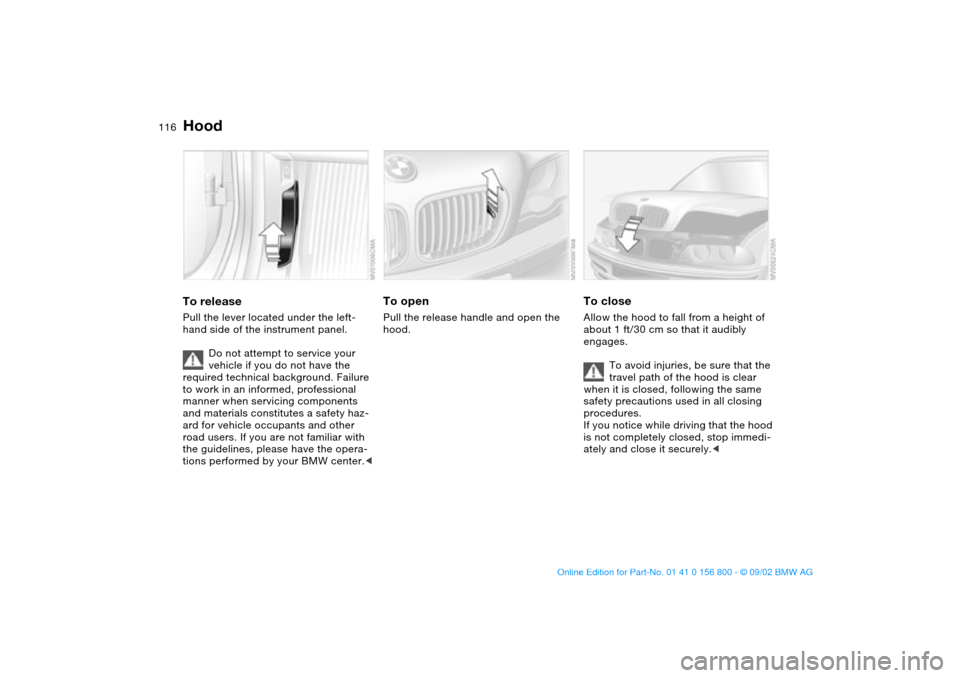
HoodTo releasePull the lever located under the left-
hand side of the instrument panel.
Do not attempt to service your
vehicle if you do not have the
required technical background. Failure
to work in an informed, professional
manner when servicing components
and materials constitutes a safety haz-
ard for vehicle occupants and other
road users. If you are not familiar with
the guidelines, please have the opera-
tions performed by your BMW center.<
To openPull the release handle and open the
hood.
To closeAllow the hood to fall from a height of
about 1 ft/30 cm so that it audibly
engages.
To avoid injuries, be sure that the
travel path of the hood is clear
when it is closed, following the same
safety precautions used in all closing
procedures.
If you notice while driving that the hood
is not completely closed, stop immedi-
ately and close it securely.<
handbook.book Page 116 Tuesday, July 30, 2002 12:16 PM
Page 136 of 162
136
Your BMW is equipped with a spare tire
or a space-saver tire designed for tem-
porary use in maintaining the vehicle's
mobility in an emergency.
To remove the spare tire, lift the
floor panel in the luggage com-
partment completely out, refer to
page 37.<
What you will needIn order to avoid rattling noises later,
note the position of the tools when you
remove them and return them to their
original position when you are done
using them.
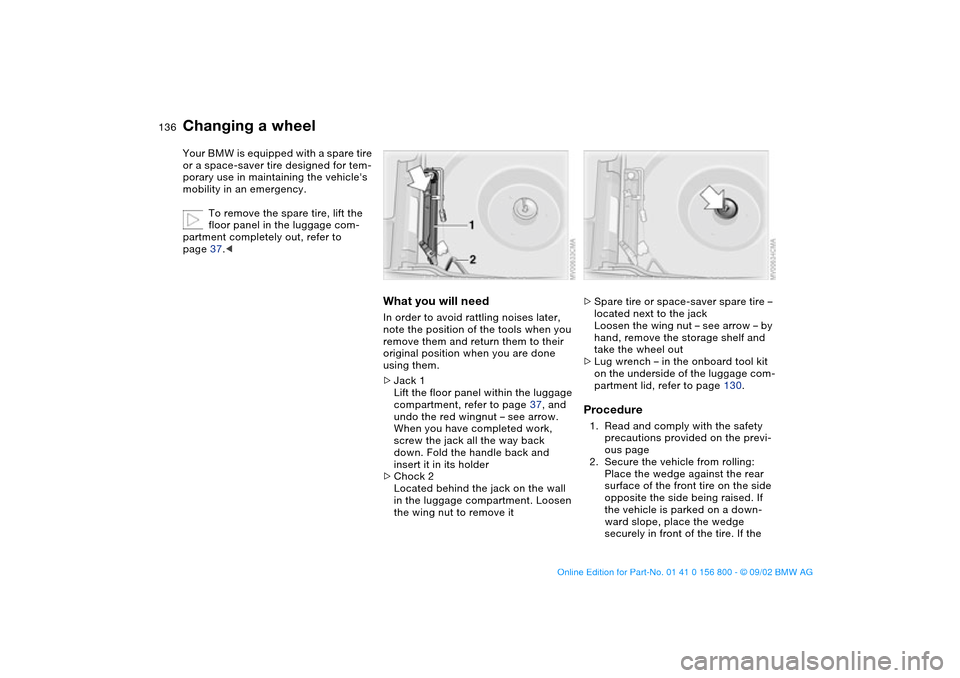
>Jack 1
Lift the floor panel within the luggage
compartment, refer to page 37, and
undo the red wingnut – see arrow.
When you have completed work,
screw the jack all the way back
down. Fold the handle back and
insert it in its holder
>Chock 2
Located behind the jack on the wall
in the luggage compartment. Loosen
the wing nut to remove it
>Spare tire or space-saver spare tire –
located next to the jack
Loosen the wing nut – see arrow – by
hand, remove the storage shelf and
take the wheel out
>Lug wrench – in the onboard tool kit
on the underside of the luggage com-
partment lid, refer to page 130.Procedure1. Read and comply with the safety
precautions provided on the previ-
ous page
2. Secure the vehicle from rolling:
Place the wedge against the rear
surface of the front tire on the side
opposite the side being raised. If
the vehicle is parked on a down-
ward slope, place the wedge
securely in front of the tire. If the
Changing a wheel
handbook.book Page 136 Tuesday, July 30, 2002 12:16 PM
Page 137 of 162
137
wheel must be changed on a sur-
face with a more severe slope, take
additional precautions to secure
the vehicle from rolling
3. Wheels with full wheel covers*:
reach into the ventilation openings
and pull the cover off
4. Loosen the lug bolts by rotating
half a turn
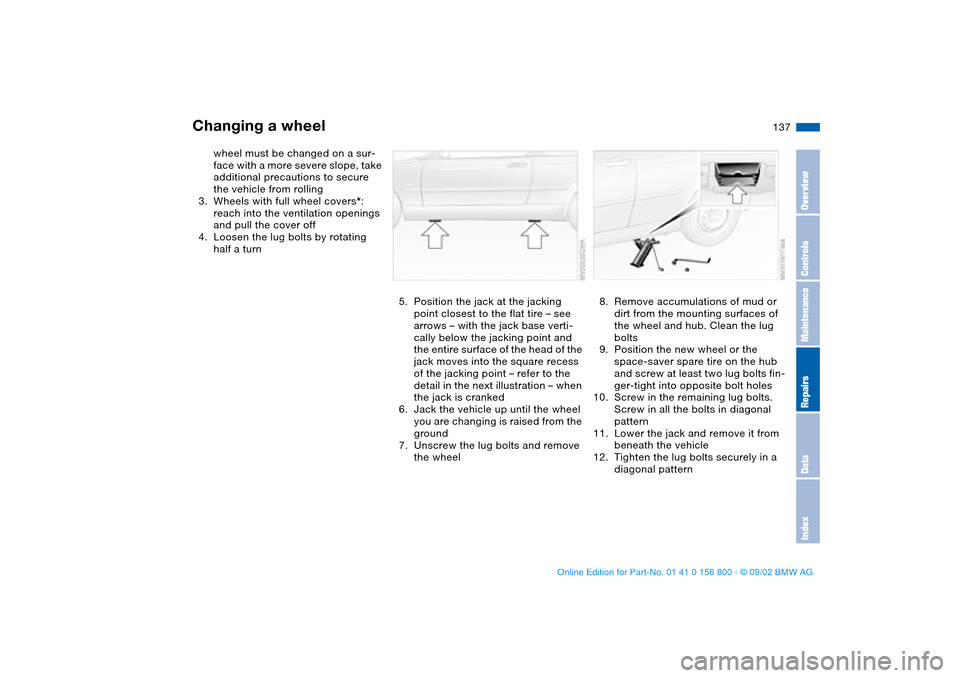
5. Position the jack at the jacking
point closest to the flat tire – see
arrows – with the jack base verti-
cally below the jacking point and
the entire surface of the head of the
jack moves into the square recess
of the jacking point – refer to the
detail in the next illustration – when
the jack is cranked
6. Jack the vehicle up until the wheel
you are changing is raised from the
ground
7. Unscrew the lug bolts and remove
the wheel
8. Remove accumulations of mud or
dirt from the mounting surfaces of
the wheel and hub. Clean the lug
bolts
9. Position the new wheel or the
space-saver spare tire on the hub
and screw at least two lug bolts fin-
ger-tight into opposite bolt holes
10. Screw in the remaining lug bolts.
Screw in all the bolts in diagonal
pattern
11. Lower the jack and remove it from
beneath the vehicle
12. Tighten the lug bolts securely in a
diagonal pattern
Changing a wheel
OverviewControlsMaintenanceRepairsDataIndex
handbook.book Page 137 Tuesday, July 30, 2002 12:16 PM