display BMW 325CI COUPE 2004 E46 User Guide
[x] Cancel search | Manufacturer: BMW, Model Year: 2004, Model line: 325CI COUPE, Model: BMW 325CI COUPE 2004 E46Pages: 174, PDF Size: 2.73 MB
Page 74 of 174
74Everything under control
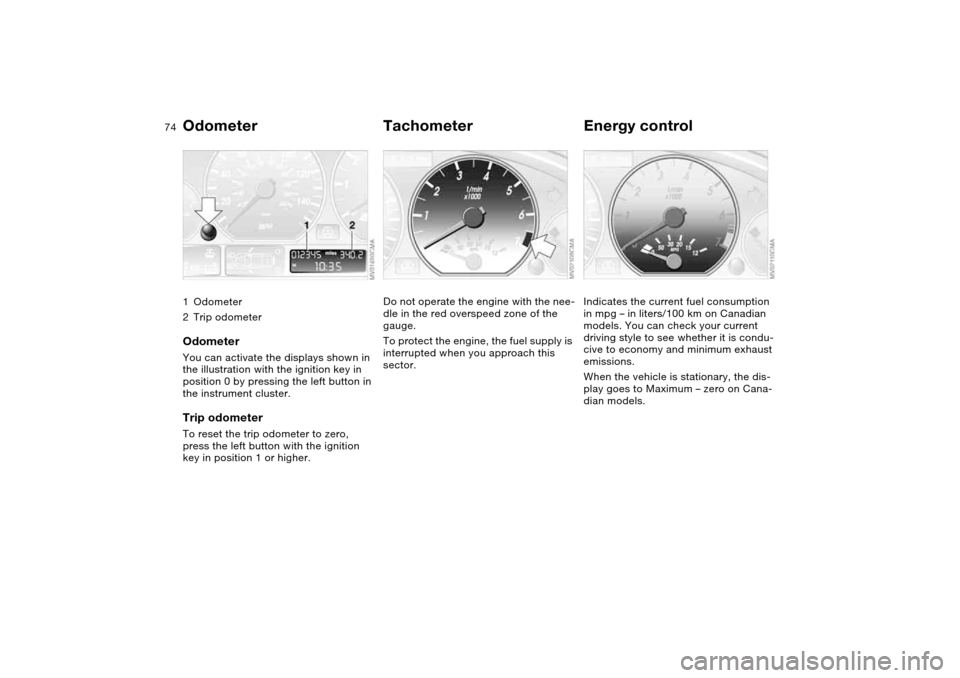
Odometer1Odometer
2Trip odometerOdometerYou can activate the displays shown in
the illustration with the ignition key in
position 0 by pressing the left button in
the instrument cluster.Trip odometerTo reset the trip odometer to zero,
press the left button with the ignition
key in position 1 or higher.
TachometerDo not operate the engine with the nee-
dle in the red overspeed zone of the
gauge.
To protect the engine, the fuel supply is
interrupted when you approach this
sector.
Energy controlIndicates the current fuel consumption
in mpg – in liters/100 km on Canadian
models. You can check your current
driving style to see whether it is condu-
cive to economy and minimum exhaust
emissions.
When the vehicle is stationary, the dis-
play goes to Maximum – zero on Cana-
dian models.
Page 76 of 174
76
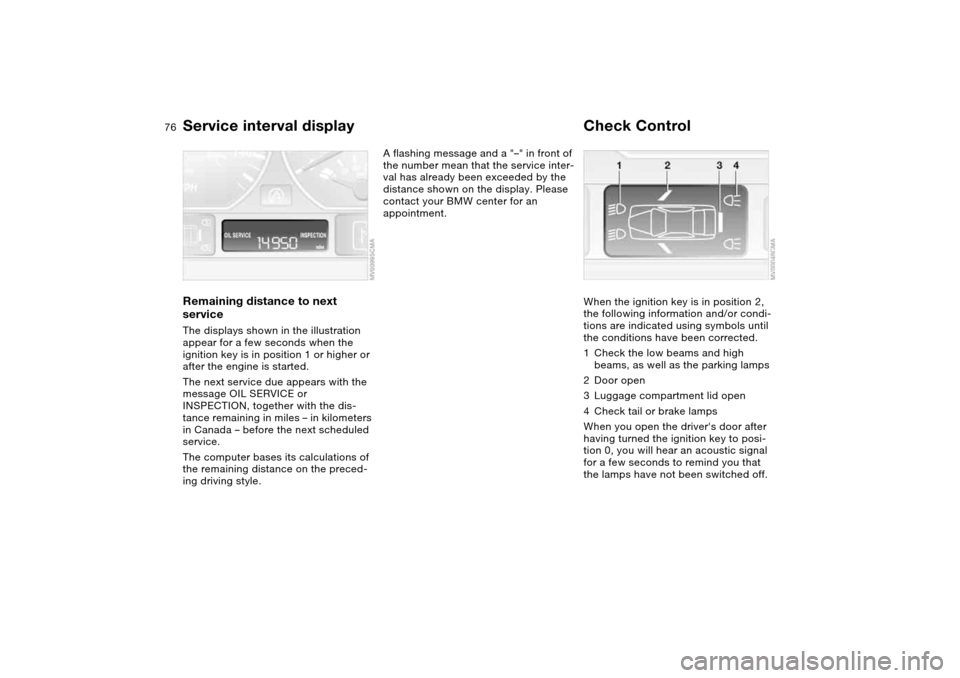
Service interval displayRemaining distance to next
serviceThe displays shown in the illustration
appear for a few seconds when the
ignition key is in position 1 or higher or
after the engine is started.
The next service due appears with the
message OIL SERVICE or
INSPECTION, together with the dis-
tance remaining in miles – in kilometers
in Canada – before the next scheduled
service.
The computer bases its calculations of
the remaining distance on the preced-
ing driving style.
A flashing message and a "–" in front of
the number mean that the service inter-
val has already been exceeded by the
distance shown on the display. Please
contact your BMW center for an
appointment.
Check ControlWhen the ignition key is in position 2,
the following information and/or condi-
tions are indicated using symbols until
the conditions have been corrected.
1Check the low beams and high
beams, as well as the parking lamps
2Door open
3Luggage compartment lid open
4Check tail or brake lamps
When you open the driver's door after
having turned the ignition key to posi-
tion 0, you will hear an acoustic signal
for a few seconds to remind you that
the lamps have not been switched off.
Page 77 of 174
77
ClockIf you wish to have a permanent time
display, you can make this adjustment
in the radio display, refer to the Owner's
Manual for Radio.
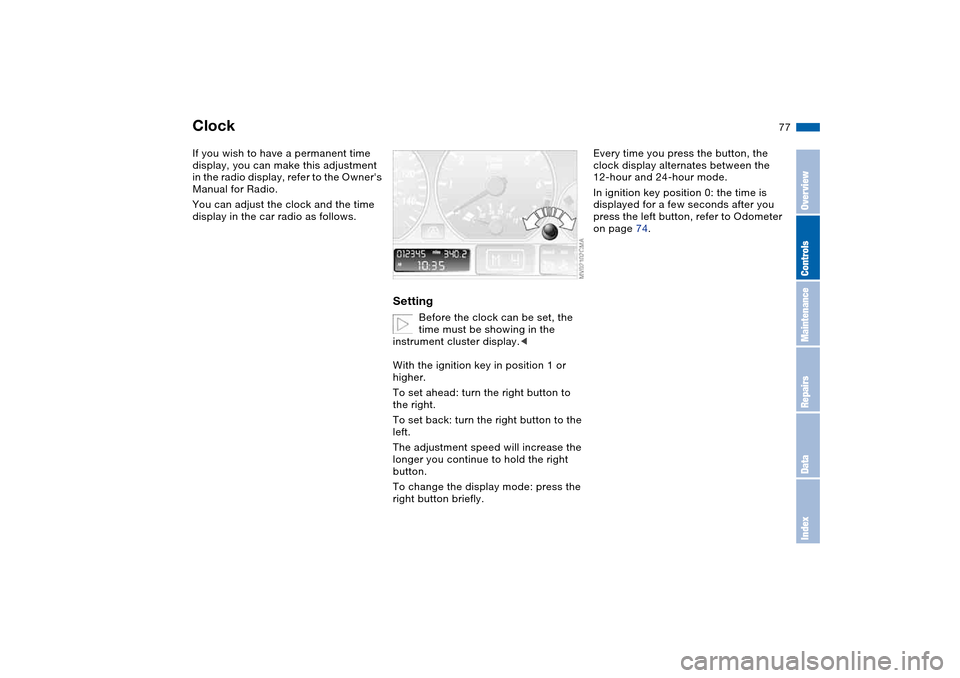
You can adjust the clock and the time
display in the car radio as follows.
Setting
Before the clock can be set, the
time must be showing in the
instrument cluster display.<
With the ignition key in position 1 or
higher.
To set ahead: turn the right button to
the right.
To set back: turn the right button to the
left.
The adjustment speed will increase the
longer you continue to hold the right
button.
To change the display mode: press the
right button briefly.
Every time you press the button, the
clock display alternates between the
12-hour and 24-hour mode.
In ignition key position 0: the time is
displayed for a few seconds after you
press the left button, refer to Odometer
on page 74.
OverviewControlsMaintenanceRepairsDataIndex
Page 78 of 174
78
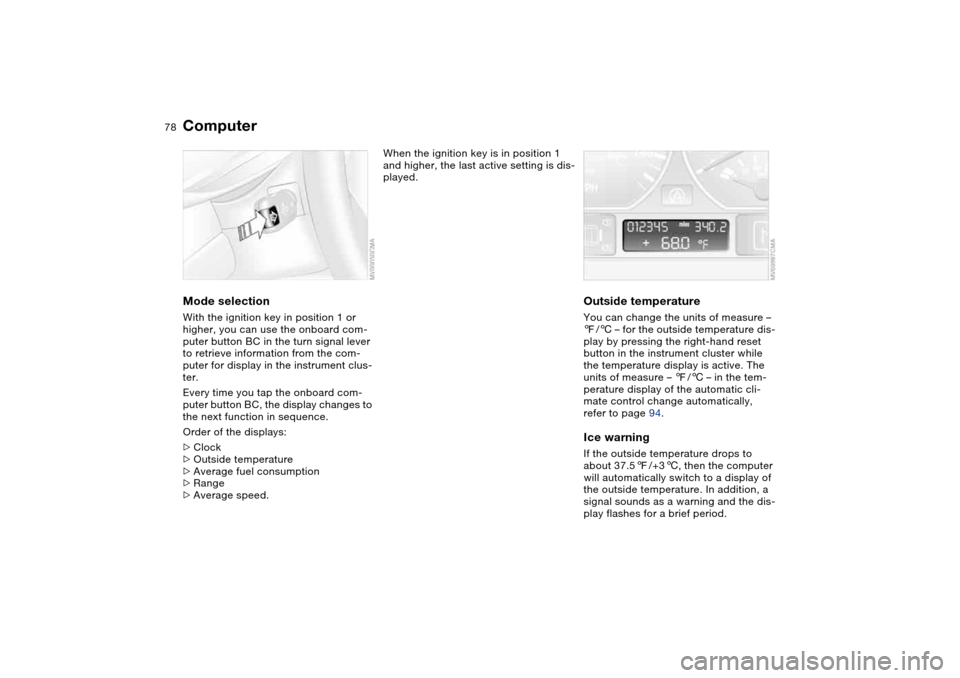
ComputerMode selectionWith the ignition key in position 1 or
higher, you can use the onboard com-
puter button BC in the turn signal lever
to retrieve information from the com-
puter for display in the instrument clus-
ter.
Every time you tap the onboard com-
puter button BC, the display changes to
the next function in sequence.
Order of the displays:
>Clock
>Outside temperature
>Average fuel consumption
>Range
>Average speed.
When the ignition key is in position 1
and higher, the last active setting is dis-
played.
Outside temperatureYou can change the units of measure –
7/6 – for the outside temperature dis-
play by pressing the right-hand reset
button in the instrument cluster while
the temperature display is active. The
units of measure – 7/6 – in the tem-
perature display of the automatic cli-
mate control change automatically,
refer to page 94.Ice warningIf the outside temperature drops to
about 37.57/+36, then the computer
will automatically switch to a display of
the outside temperature. In addition, a
signal sounds as a warning and the dis-
play flashes for a brief period.
Page 79 of 174
79
After giving an ice warning, the
display returns to the previous
setting.<
The ice warning does not alter to
the fact that surface ice can form
at temperatures above 37.57/+36,
on bridges or shaded road surfaces, for
instance.<
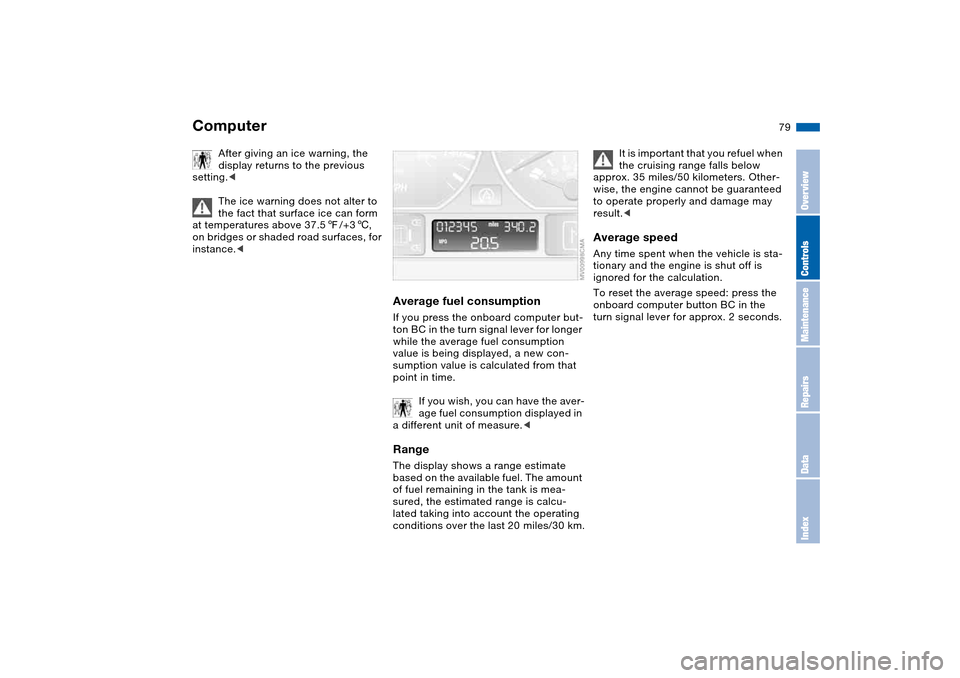
Average fuel consumptionIf you press the onboard computer but-
ton BC in the turn signal lever for longer
while the average fuel consumption
value is being displayed, a new con-
sumption value is calculated from that
point in time.
If you wish, you can have the aver-
age fuel consumption displayed in
a different unit of measure.
of fuel remaining in the tank is mea-
sured, the estimated range is calcu-
lated taking into account the operating
conditions over the last 20 miles/30 km.
It is important that you refuel when
the cruising range falls below
approx. 35 miles/50 kilometers. Other-
wise, the engine cannot be guaranteed
to operate properly and damage may
result.<
Average speedAny time spent when the vehicle is sta-
tionary and the engine is shut off is
ignored for the calculation.
To reset the average speed: press the
onboard computer button BC in the
turn signal lever for approx. 2 seconds.
Computer
OverviewControlsMaintenanceRepairsDataIndex
Page 84 of 174
84
Because the sides of Run Flat
tires are reinforced, a drop in infla-
tion pressure usually cannot be
detected from the outside, refer to Run
Flat tires, page 120.<
2. To continue driving, follow the
instructions under Driving with a
damaged tire on page 120.
System malfunction
The indicator lamp in the instru-
ment cluster lights up yellow.
The Flat Tire Monitor is malfunc-
tioning or out of order. Please refer the
problem to your BMW center.
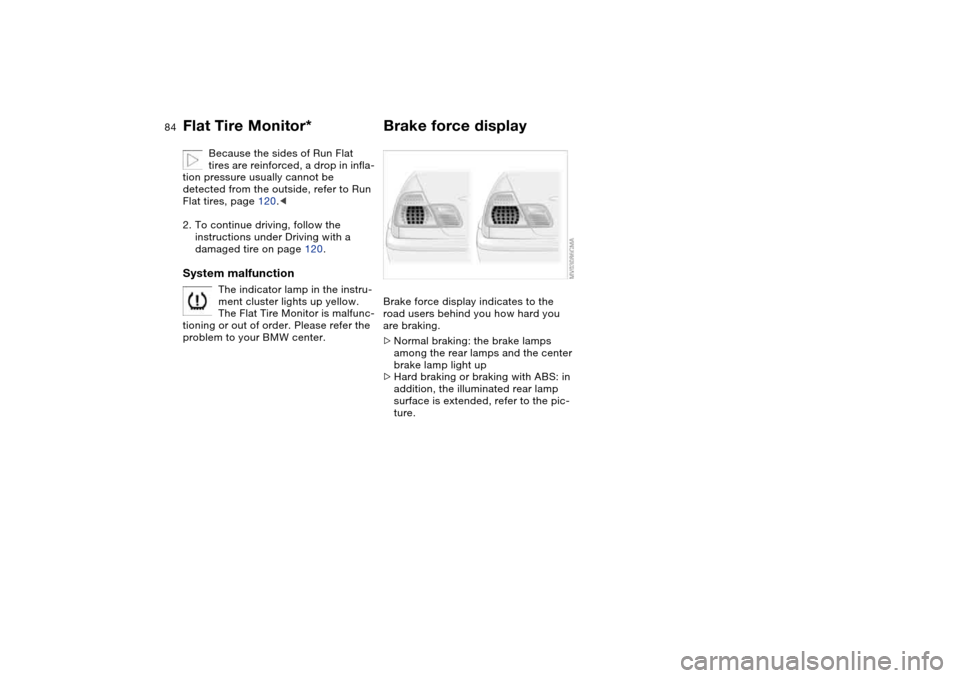
Brake force displayBrake force display indicates to the
road users behind you how hard you
are braking.
>Normal braking: the brake lamps
among the rear lamps and the center
brake lamp light up
>Hard braking or braking with ABS: in
addition, the illuminated rear lamp
surface is extended, refer to the pic-
ture.
Flat Tire Monitor*
Page 95 of 174
95
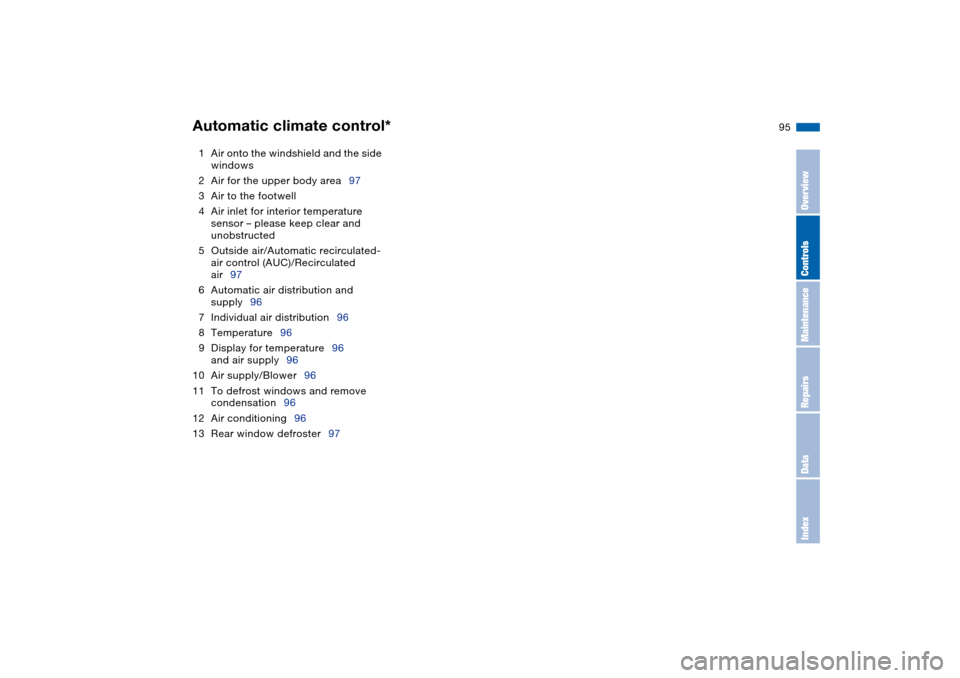
1Air onto the windshield and the side
windows
2Air for the upper body area97
3Air to the footwell
4Air inlet for interior temperature
sensor – please keep clear and
unobstructed
5Outside air/Automatic recirculated-
air control (AUC)/Recirculated
air97
6Automatic air distribution and
supply96
7Individual air distribution96
8Temperature96
9Display for temperature96
and air supply96
10 Air supply/Blower96
11 To defrost windows and remove
condensation96
12 Air conditioning96
13 Rear window defroster97Automatic climate control*
OverviewControlsMaintenanceRepairsDataIndex
Page 96 of 174
96
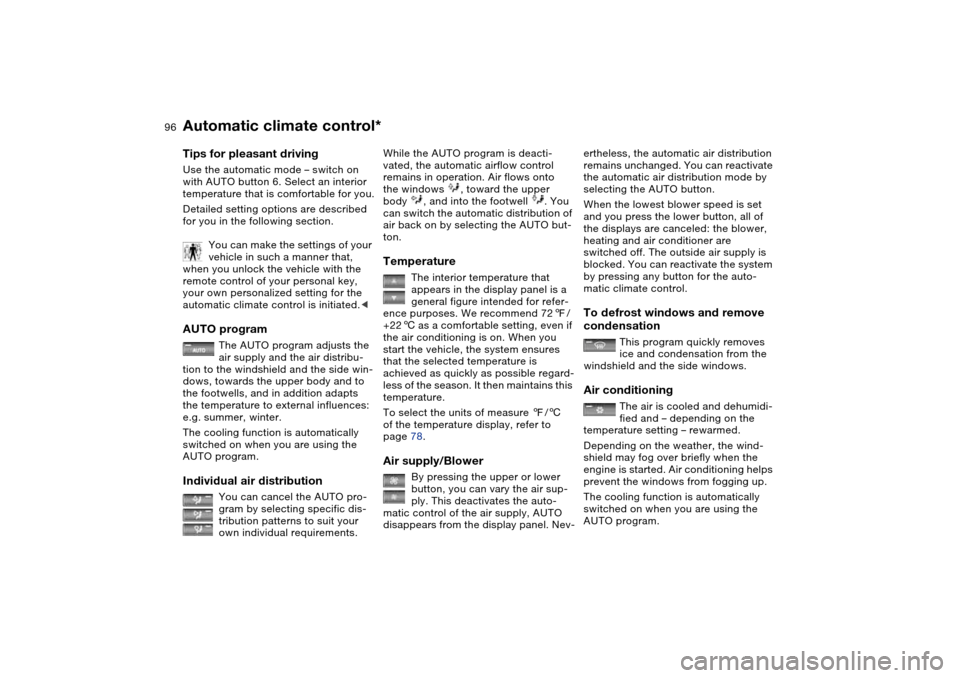
Tips for pleasant drivingUse the automatic mode – switch on
with AUTO button 6. Select an interior
temperature that is comfortable for you.
Detailed setting options are described
for you in the following section.
You can make the settings of your
vehicle in such a manner that,
when you unlock the vehicle with the
remote control of your personal key,
your own personalized setting for the
automatic climate control is initiated.
air supply and the air distribu-
tion to the windshield and the side win-
dows, towards the upper body and to
the footwells, and in addition adapts
the temperature to external influences:
e.g. summer, winter.
The cooling function is automatically
switched on when you are using the
AUTO program.
Individual air distribution
You can cancel the AUTO pro-
gram by selecting specific dis-
tribution patterns to suit your
own individual requirements.
While the AUTO program is deacti-
vated, the automatic airflow control
remains in operation. Air flows onto
the windows , toward the upper
body , and into the footwell . You
can switch the automatic distribution of
air back on by selecting the AUTO but-
ton.Temperature
The interior temperature that
appears in the display panel is a
general figure intended for refer-
ence purposes. We recommend 727/
+226 as a comfortable setting, even if
the air conditioning is on. When you
start the vehicle, the system ensures
that the selected temperature is
achieved as quickly as possible regard-
less of the season. It then maintains this
temperature.
To select the units of measure 7/6
of the temperature display, refer to
page 78.
Air supply/Blower
By pressing the upper or lower
button, you can vary the air sup-
ply. This deactivates the auto-
matic control of the air supply, AUTO
disappears from the display panel. Nev-
ertheless, the automatic air distribution
remains unchanged. You can reactivate
the automatic air distribution mode by
selecting the AUTO button.
When the lowest blower speed is set
and you press the lower button, all of
the displays are canceled: the blower,
heating and air conditioner are
switched off. The outside air supply is
blocked. You can reactivate the system
by pressing any button for the auto-
matic climate control.To defrost windows and remove
condensation
This program quickly removes
ice and condensation from the
windshield and the side windows.
Air conditioning
The air is cooled and dehumidi-
fied and – depending on the
temperature setting – rewarmed.
Depending on the weather, the wind-
shield may fog over briefly when the
engine is started. Air conditioning helps
prevent the windows from fogging up.
The cooling function is automatically
switched on when you are using the
AUTO program.
Automatic climate control*
Page 130 of 174
130Maintenance
BMW Maintenance SystemThe BMW Maintenance System helps
maintain your vehicle's road safety and
operational safety. Comfort-related
aspects, such as the timely change of
filters for the air inside the vehicle, are
taken into consideration. The goal is to
optimize maintenance with respect to
low total cost of ownership.
If you should sell your BMW one day,
consistent service and maintenance will
prove to your advantage.
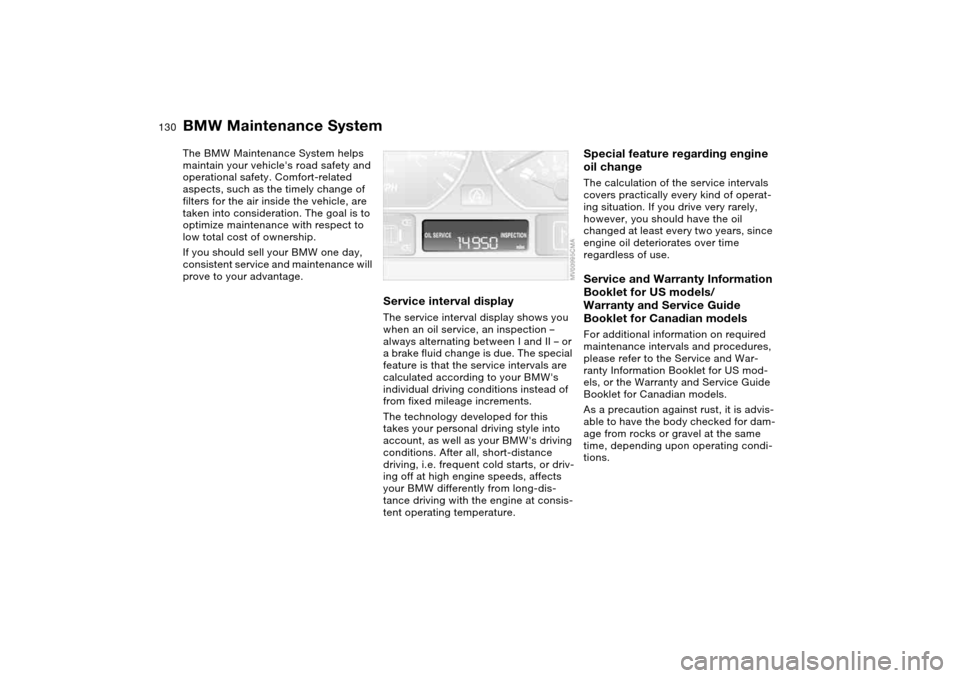
Service interval displayThe service interval display shows you
when an oil service, an inspection –
always alternating between I and II – or
a brake fluid change is due. The special
feature is that the service intervals are
calculated according to your BMW's
individual driving conditions instead of
from fixed mileage increments.
The technology developed for this
takes your personal driving style into
account, as well as your BMW's driving
conditions. After all, short-distance
driving, i.e. frequent cold starts, or driv-
ing off at high engine speeds, affects
your BMW differently from long-dis-
tance driving with the engine at consis-
tent operating temperature.
Special feature regarding engine
oil changeThe calculation of the service intervals
covers practically every kind of operat-
ing situation. If you drive very rarely,
however, you should have the oil
changed at least every two years, since
engine oil deteriorates over time
regardless of use.Service and Warranty Information
Booklet for US models/
Warranty and Service Guide
Booklet for Canadian modelsFor additional information on required
maintenance intervals and procedures,
please refer to the Service and War-
ranty Information Booklet for US mod-
els, or the Warranty and Service Guide
Booklet for Canadian models.
As a precaution against rust, it is advis-
able to have the body checked for dam-
age from rocks or gravel at the same
time, depending upon operating condi-
tions.
Page 141 of 174
141
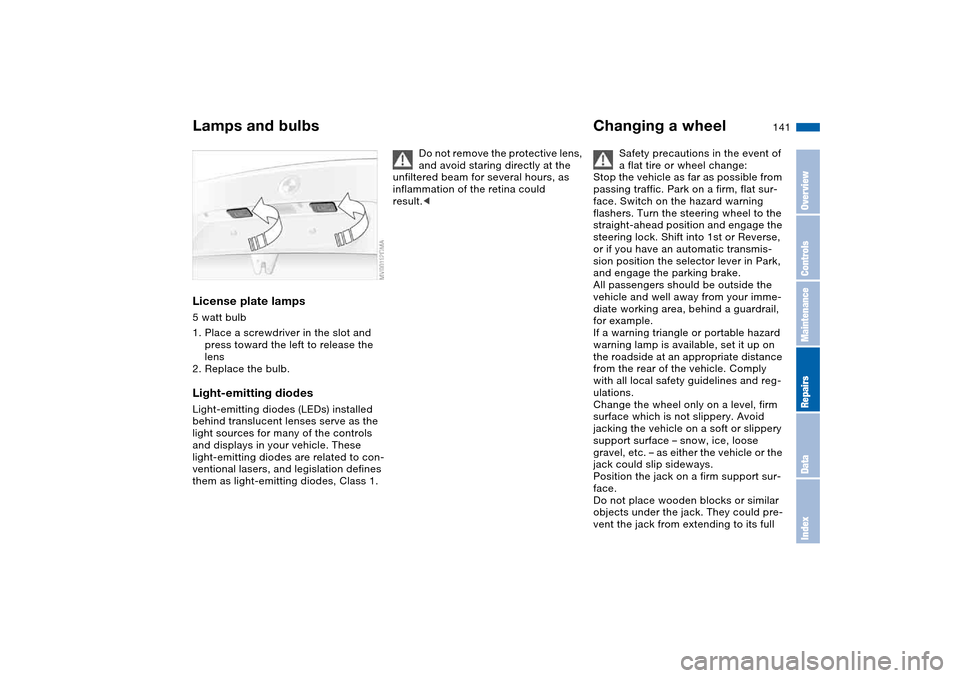
License plate lamps5 watt bulb
1. Place a screwdriver in the slot and
press toward the left to release the
lens
2. Replace the bulb.Light-emitting diodesLight-emitting diodes (LEDs) installed
behind translucent lenses serve as the
light sources for many of the controls
and displays in your vehicle. These
light-emitting diodes are related to con-
ventional lasers, and legislation defines
them as light-emitting diodes, Class 1.
Do not remove the protective lens,
and avoid staring directly at the
unfiltered beam for several hours, as
inflammation of the retina could
result.<
Changing a wheel
Safety precautions in the event of
a flat tire or wheel change:
Stop the vehicle as far as possible from
passing traffic. Park on a firm, flat sur-
face. Switch on the hazard warning
flashers. Turn the steering wheel to the
straight-ahead position and engage the
steering lock. Shift into 1st or Reverse,
or if you have an automatic transmis-
sion position the selector lever in Park,
and engage the parking brake.
All passengers should be outside the
vehicle and well away from your imme-
diate working area, behind a guardrail,
for example.
If a warning triangle or portable hazard
warning lamp is available, set it up on
the roadside at an appropriate distance
from the rear of the vehicle. Comply
with all local safety guidelines and reg-
ulations.
Change the wheel only on a level, firm
surface which is not slippery. Avoid
jacking the vehicle on a soft or slippery
support surface – snow, ice, loose
gravel, etc. – as either the vehicle or the
jack could slip sideways.
Position the jack on a firm support sur-
face.
Do not place wooden blocks or similar
objects under the jack. They could pre-
vent the jack from extending to its full
Lamps and bulbs
OverviewControlsMaintenanceRepairsDataIndex