door lock BMW 325CI COUPE 2004 E46 User Guide
[x] Cancel search | Manufacturer: BMW, Model Year: 2004, Model line: 325CI COUPE, Model: BMW 325CI COUPE 2004 E46Pages: 174, PDF Size: 2.73 MB
Page 38 of 174
38
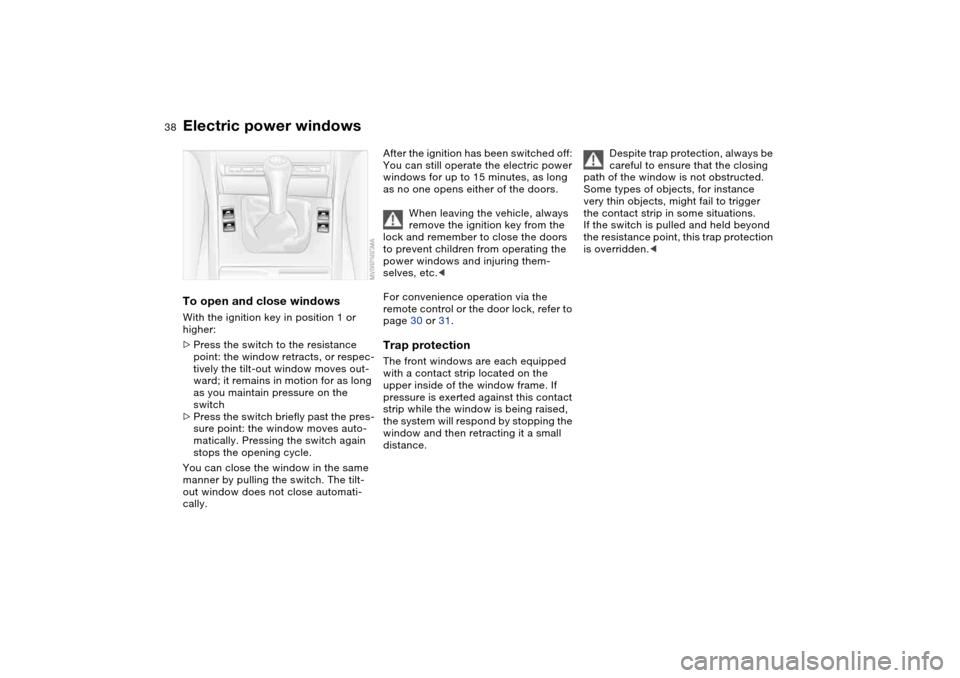
Electric power windowsTo open and close windowsWith the ignition key in position 1 or
higher:
>Press the switch to the resistance
point: the window retracts, or respec-
tively the tilt-out window moves out-
ward; it remains in motion for as long
as you maintain pressure on the
switch
>Press the switch briefly past the pres-
sure point: the window moves auto-
matically. Pressing the switch again
stops the opening cycle.
You can close the window in the same
manner by pulling the switch. The tilt-
out window does not close automati-
cally.
After the ignition has been switched off:
You can still operate the electric power
windows for up to 15 minutes, as long
as no one opens either of the doors.
When leaving the vehicle, always
remove the ignition key from the
lock and remember to close the doors
to prevent children from operating the
power windows and injuring them-
selves, etc.<
For convenience operation via the
remote control or the door lock, refer to
page 30 or 31.Trap protectionThe front windows are each equipped
with a contact strip located on the
upper inside of the window frame. If
pressure is exerted against this contact
strip while the window is being raised,
the system will respond by stopping the
window and then retracting it a small
distance.
Despite trap protection, always be
careful to ensure that the closing
path of the window is not obstructed.
Some types of objects, for instance
very thin objects, might fail to trigger
the contact strip in some situations.
If the switch is pulled and held beyond
the resistance point, this trap protection
is overridden.<
Page 39 of 174
39
Glass sunroof, electric*
To prevent injuries, exercise care
when closing the glass sunroof
and keep it in your field of vision until it
is shut.
When leaving the vehicle, always
remove the ignition key from the lock
and remember to close the doors to
prevent children from operating the
glass sunroof and injuring themselves,
etc.<
Opening and closingWith the ignition key in position 1 or
higher.
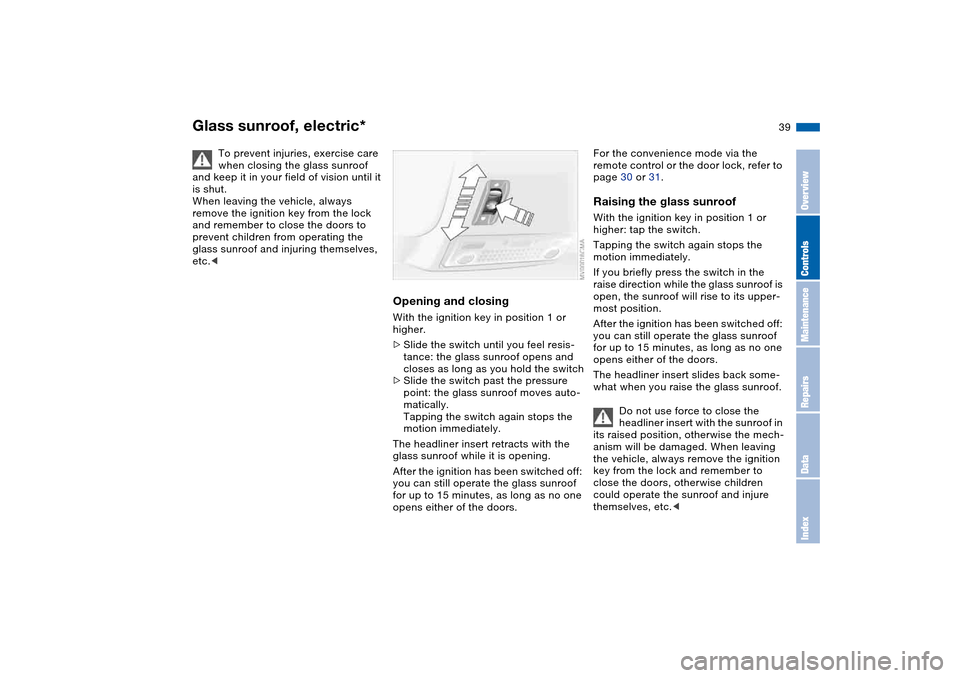
>Slide the switch until you feel resis-
tance: the glass sunroof opens and
closes as long as you hold the switch
>Slide the switch past the pressure
point: the glass sunroof moves auto-
matically.
Tapping the switch again stops the
motion immediately.
The headliner insert retracts with the
glass sunroof while it is opening.
After the ignition has been switched off:
you can still operate the glass sunroof
for up to 15 minutes, as long as no one
opens either of the doors.
For the convenience mode via the
remote control or the door lock, refer to
page 30 or 31.Raising the glass sunroofWith the ignition key in position 1 or
higher: tap the switch.
Tapping the switch again stops the
motion immediately.
If you briefly press the switch in the
raise direction while the glass sunroof is
open, the sunroof will rise to its upper-
most position.
After the ignition has been switched off:
you can still operate the glass sunroof
for up to 15 minutes, as long as no one
opens either of the doors.
The headliner insert slides back some-
what when you raise the glass sunroof.
Do not use force to close the
headliner insert with the sunroof in
its raised position, otherwise the mech-
anism will be damaged. When leaving
the vehicle, always remove the ignition
key from the lock and remember to
close the doors, otherwise children
could operate the sunroof and injure
themselves, etc.<
OverviewControlsMaintenanceRepairsDataIndex
Page 47 of 174
47
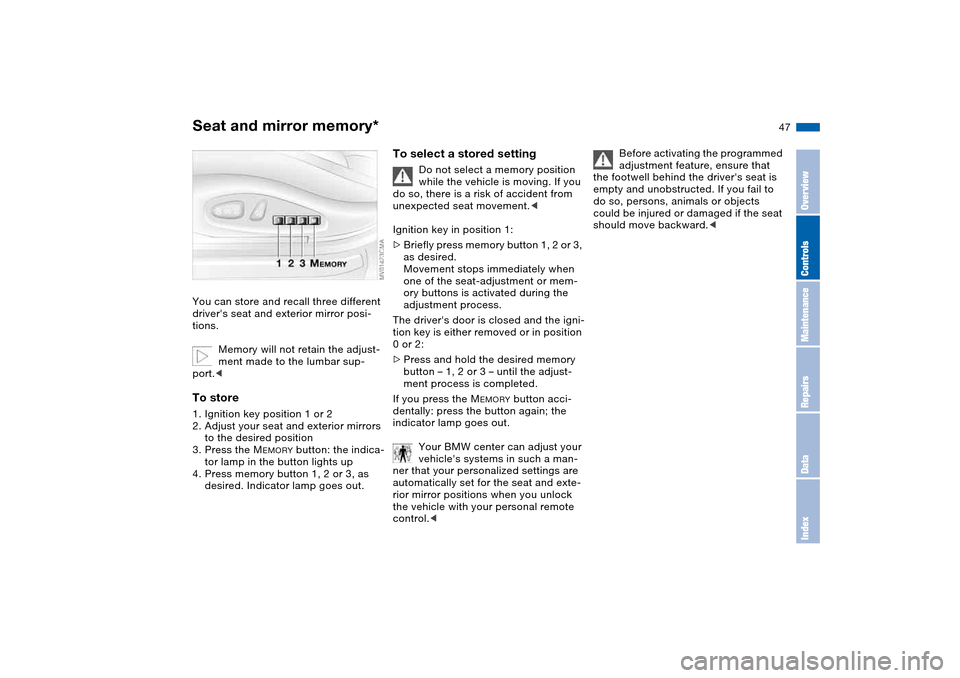
Seat and mirror memory*You can store and recall three different
driver's seat and exterior mirror posi-
tions.
Memory will not retain the adjust-
ment made to the lumbar sup-
port.
to the desired position
3. Press the M
EMORY
button: the indica-
tor lamp in the button lights up
4. Press memory button 1, 2 or 3, as
desired. Indicator lamp goes out.
To select a stored setting
Do not select a memory position
while the vehicle is moving. If you
do so, there is a risk of accident from
unexpected seat movement.<
Ignition key in position 1:
>Briefly press memory button 1, 2 or 3,
as desired.
Movement stops immediately when
one of the seat-adjustment or mem-
ory buttons is activated during the
adjustment process.
The driver's door is closed and the igni-
tion key is either removed or in position
0 or 2:
>Press and hold the desired memory
button – 1, 2 or 3 – until the adjust-
ment process is completed.
If you press the M
EMORY
button acci-
dentally: press the button again; the
indicator lamp goes out.
Your BMW center can adjust your
vehicle's systems in such a man-
ner that your personalized settings are
automatically set for the seat and exte-
rior mirror positions when you unlock
the vehicle with your personal remote
control.<
Before activating the programmed
adjustment feature, ensure that
the footwell behind the driver's seat is
empty and unobstructed. If you fail to
do so, persons, animals or objects
could be injured or damaged if the seat
should move backward.<
OverviewControlsMaintenanceRepairsDataIndex
Page 58 of 174
58
Vehicle Memory, Key MemoryHow the system functionsNo doubt you have reflected at one
time or another on how great it would
be if you could permanently configure
your vehicle's various features and
adjustments to mirror your own individ-
ual preferences. In engineering your
vehicle, BMW has provided for a num-
ber of options for personal adjustment
that can be programmed into your vehi-
cle at your BMW center.
The available configuration data fall into
two categories, according to whether
their primary orientation is the vehicle –
Vehicle Memory – or the individual –
Key Memory. Provided that each per-
son has a separate remote-control key,
you can have your BMW center enter
adjustment data for as many as four dif-
ferent individuals into the system.
The system then relies on a bilateral
data exchange to identify the individual
user and executes the selected settings
whenever the remote control unit is
used to disengage the door locks.
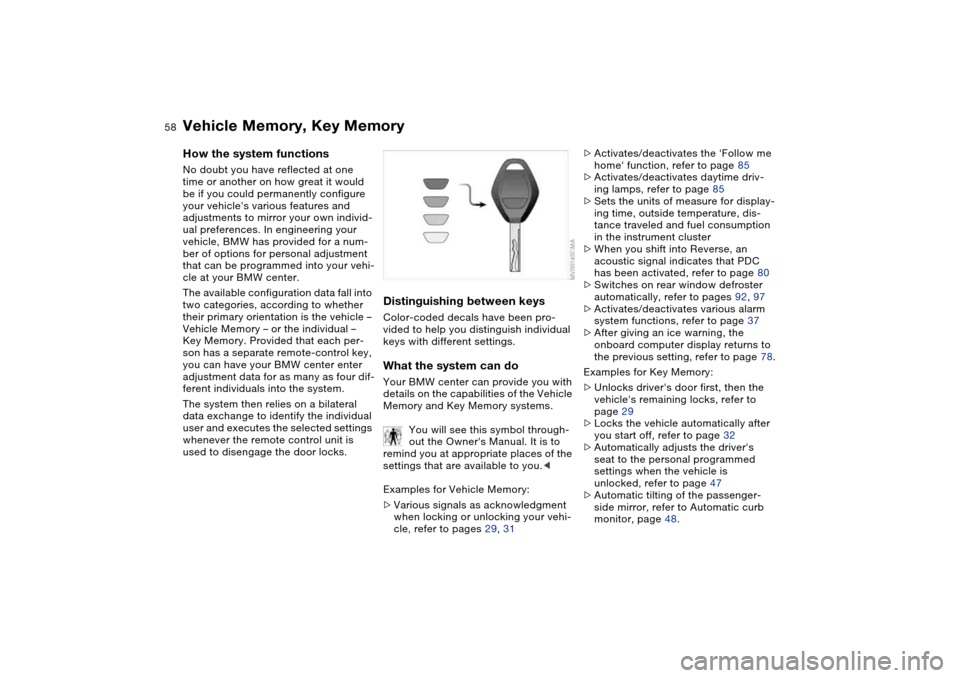
Distinguishing between keysColor-coded decals have been pro-
vided to help you distinguish individual
keys with different settings.What the system can doYour BMW center can provide you with
details on the capabilities of the Vehicle
Memory and Key Memory systems.
You will see this symbol through-
out the Owner's Manual. It is to
remind you at appropriate places of the
settings that are available to you.<
Examples for Vehicle Memory:
>Various signals as acknowledgment
when locking or unlocking your vehi-
cle, refer to pages 29, 31
>Activates/deactivates the 'Follow me
home' function, refer to page 85
>Activates/deactivates daytime driv-
ing lamps, refer to page 85
>Sets the units of measure for display-
ing time, outside temperature, dis-
tance traveled and fuel consumption
in the instrument cluster
>When you shift into Reverse, an
acoustic signal indicates that PDC
has been activated, refer to page 80
>Switches on rear window defroster
automatically, refer to pages 92, 97
>Activates/deactivates various alarm
system functions, refer to page 37
>After giving an ice warning, the
onboard computer display returns to
the previous setting, refer to page 78.
Examples for Key Memory:
>Unlocks driver's door first, then the
vehicle's remaining locks, refer to
page 29
>Locks the vehicle automatically after
you start off, refer to page 32
>Automatically adjusts the driver's
seat to the personal programmed
settings when the vehicle is
unlocked, refer to page 47
>Automatic tilting of the passenger-
side mirror, refer to Automatic curb
monitor, page 48.
Page 59 of 174
59 Driving
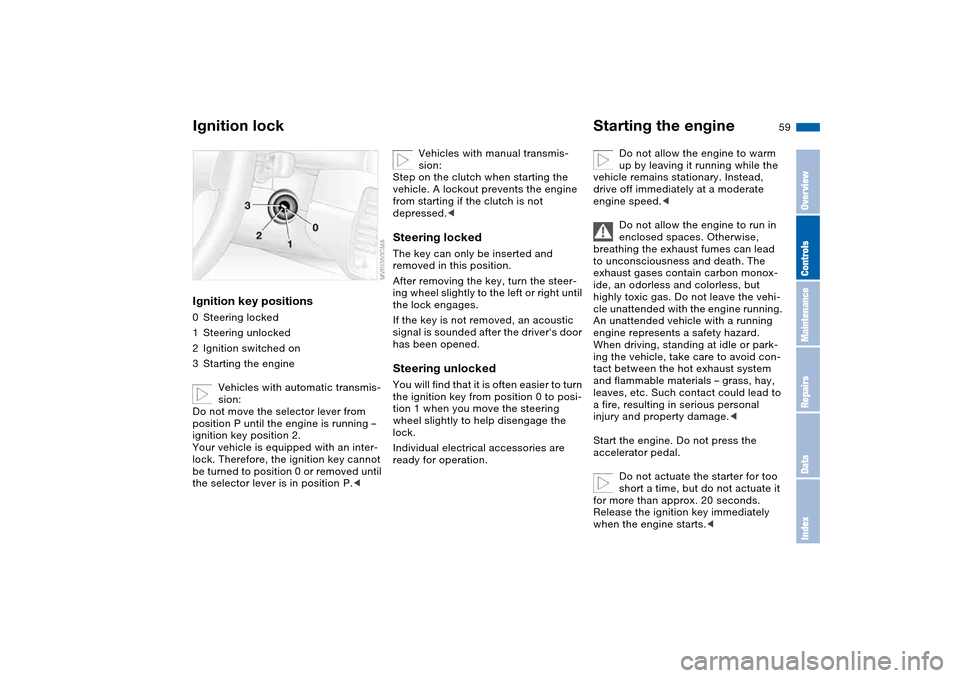
Ignition lockIgnition key positions0Steering locked
1Steering unlocked
2Ignition switched on
3Starting the engine
Vehicles with automatic transmis-
sion:
Do not move the selector lever from
position P until the engine is running –
ignition key position 2.
Your vehicle is equipped with an inter-
lock. Therefore, the ignition key cannot
be turned to position 0 or removed until
the selector lever is in position P.<
Vehicles with manual transmis-
sion:
Step on the clutch when starting the
vehicle. A lockout prevents the engine
from starting if the clutch is not
depressed.<
Steering lockedThe key can only be inserted and
removed in this position.
After removing the key, turn the steer-
ing wheel slightly to the left or right until
the lock engages.
If the key is not removed, an acoustic
signal is sounded after the driver's door
has been opened.Steering unlockedYou will find that it is often easier to turn
the ignition key from position 0 to posi-
tion 1 when you move the steering
wheel slightly to help disengage the
lock.
Individual electrical accessories are
ready for operation.
Starting the engine
Do not allow the engine to warm
up by leaving it running while the
vehicle remains stationary. Instead,
drive off immediately at a moderate
engine speed.<
Do not allow the engine to run in
enclosed spaces. Otherwise,
breathing the exhaust fumes can lead
to unconsciousness and death. The
exhaust gases contain carbon monox-
ide, an odorless and colorless, but
highly toxic gas. Do not leave the vehi-
cle unattended with the engine running.
An unattended vehicle with a running
engine represents a safety hazard.
When driving, standing at idle or park-
ing the vehicle, take care to avoid con-
tact between the hot exhaust system
and flammable materials – grass, hay,
leaves, etc. Such contact could lead to
a fire, resulting in serious personal
injury and property damage.<
Start the engine. Do not press the
accelerator pedal.
Do not actuate the starter for too
short a time, but do not actuate it
for more than approx. 20 seconds.
Release the ignition key immediately
when the engine starts.<
OverviewControlsMaintenanceRepairsDataIndex
Page 63 of 174
63
Sequential manual gearbox SMG*The conceptThe sequential manual gearbox SMG is
an automated manual gearbox with
which clutching and shifting is assumed
by an electro-hydraulic system.
The SMG is operated via the selector
lever in the center console and two shift
paddles on the steering wheel.
It offers the following functions:
>Sequential mode: manual mode
>Drive mode: automatic operation
>Ability to choose between two differ-
ent driving programs: Standard,
Sport
>Operating safety through protection
against misshifting
>Automatic upshifts and downshifts in
the drive mode
>Automatic downshifts at minimum
engine rpm
>Kickdown function in the drive mode.
>Acceleration assistant, refer to
page 66
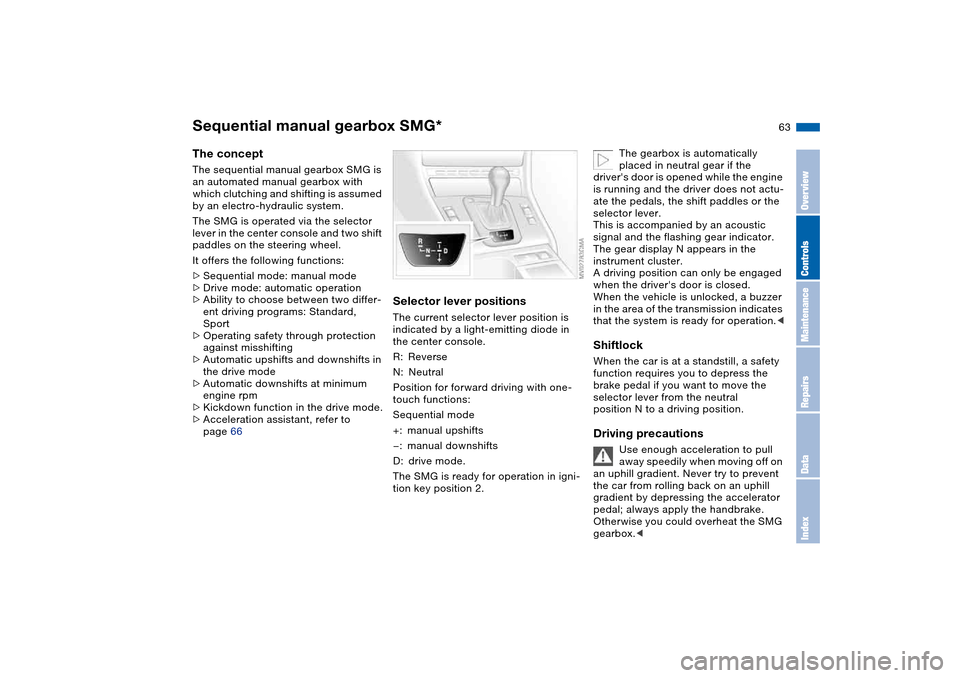
Selector lever positionsThe current selector lever position is
indicated by a light-emitting diode in
the center console.
R: Reverse
N: Neutral
Position for forward driving with one-
touch functions:
Sequential mode
+: manual upshifts
—: manual downshifts
D: drive mode.
The SMG is ready for operation in igni-
tion key position 2.
The gearbox is automatically
placed in neutral gear if the
driver's door is opened while the engine
is running and the driver does not actu-
ate the pedals, the shift paddles or the
selector lever.
This is accompanied by an acoustic
signal and the flashing gear indicator.
The gear display N appears in the
instrument cluster.
A driving position can only be engaged
when the driver's door is closed.
When the vehicle is unlocked, a buzzer
in the area of the transmission indicates
that the system is ready for operation.<
ShiftlockWhen the car is at a standstill, a safety
function requires you to depress the
brake pedal if you want to move the
selector lever from the neutral
position N to a driving position.Driving precautions
Use enough acceleration to pull
away speedily when moving off on
an uphill gradient. Never try to prevent
the car from rolling back on an uphill
gradient by depressing the accelerator
pedal; always apply the handbrake.
Otherwise you could overheat the SMG
gearbox.<
OverviewControlsMaintenanceRepairsDataIndex
Page 100 of 174
100
If – for example for valet parking –
you turn over only your spare key,
refer to page 28, then access to the
locked glove compartment is not possi-
ble.<
Rechargeable flashlightThe flashlight is located on the left side
of the glove compartment.
It features integral overload protection,
so it can be left in its holder continu-
ously.
To avoid completely discharging
and possibly damaging the flash-
light, always ensure that it is switched
off before inserting it in the socket.<
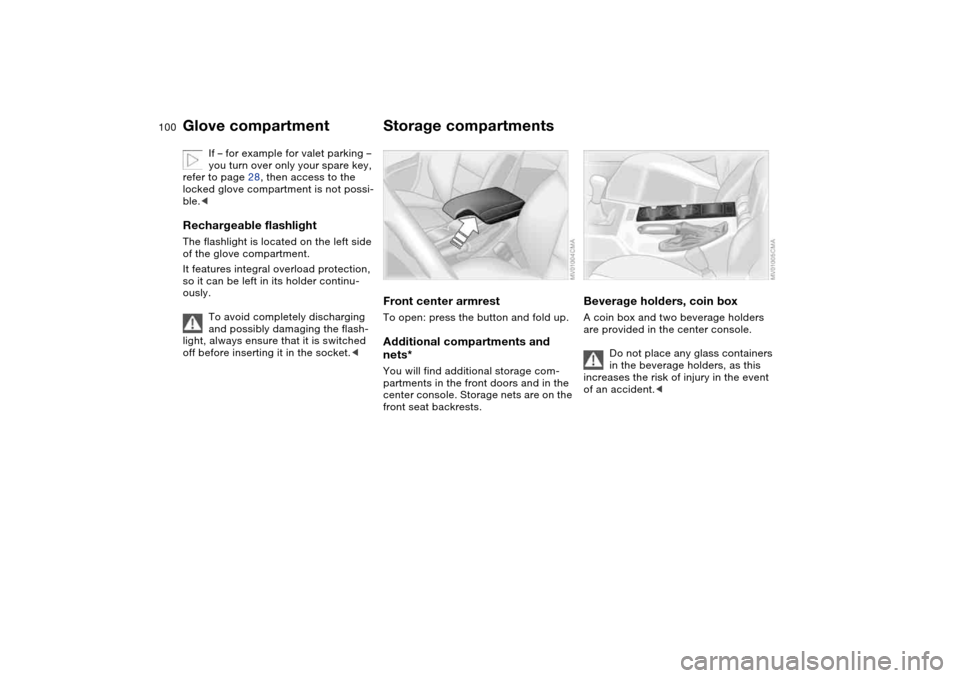
Storage compartmentsFront center armrestTo open: press the button and fold up.Additional compartments and
nets*You will find additional storage com-
partments in the front doors and in the
center console. Storage nets are on the
front seat backrests.
Beverage holders, coin boxA coin box and two beverage holders
are provided in the center console.
Do not place any glass containers
in the beverage holders, as this
increases the risk of injury in the event
of an accident.<
Glove compartment
Page 162 of 174
Everything from A to ZClock 77
12-/24-hour mode 77
setting, refer also to the
Owner's Manual for
Radio/Onboard Computer
Closing
from inside 32
from outside 29
Clothes hooks 103
Clutch
breaking in 112
Cockpit 14
Code, refer to the Owner's
Manual for Radio/Onboard
Computer
Coin box 100
Cold start, refer to Starting
the engine 59
Compact disc operation,
refer to the Owner's Man-
ual for Radio/Onboard
Computer
Compartments 100
Computer 78
Condensation, refer to Air
conditioning mode 92, 96
Configuring settings, refer to
Vehicle Memory, Key
Memory 58
Connecting a vacuum
cleaner, refer to Power
socket 102Consumption
display 74
Consumption, refer to Aver-
age fuel consumption 79
Control elements, refer to
Cockpit 14
Convenience operation
from outside 31
glass sunroof 30
windows 30
Coolant 128
indicator lamp 19, 75
level 128
temperature gauge 75
Coolant water, refer to Cool-
ant 128
Cooling, refer to Tempera-
ture 92, 96
Copyright 4
Cornering Brake Control
(CBC) 115
warning lamp 18
Cruise control 72
indicator lamp 20
Cup holders, see Beverage
holders 100, 101
Curb weight, refer to
Weights 156
Current consumption, refer
to Energy control 74
Curve lighting, refer to
Adaptive headlights 86Cylinders, refer to Engine
data 154
D
Dashboard, refer to
Cockpit 14
Data
capacities 157
dimensions 155
engine 154
technical 154
weights 156
Daytime driving lamps 85
DBC Dynamic Brake Control
19, 115
Deep water, refer to Driving
through water 113
Defrost position, refer to
Defrosting windows 93, 96
Defrosting and demisting
windows
air conditioning 93
automatic climate
control 96
Defrosting windows 93, 96
Defrosting windshield,
refer to Defrosting win-
dows 93, 96
Demisting windows
air conditioning 93
automatic climate
control 96Differential
breaking in 112
Digital clock 77
Dimensions 155
Dipstick, engine oil 126
Displacement, refer to
Engine data 154
Display lighting, refer to
Instrument lighting 86
Displays, refer to Instrument
cluster 16
Disposal
oil 127
vehicle battery 145
Distance warning, refer to
Park Distance Control
(PDC) 80
Divided rear backrest 104
Door key 28
Door lock 31
Doors
emergency operation 31
Draft-free ventilation 93, 97
Driving light, refer to Parking
lamps/Low beams 85
Driving notes 113
Driving through water, deep
water 113
Dry air, refer to Air condi-
tioning mode 92, 96
Page 163 of 174
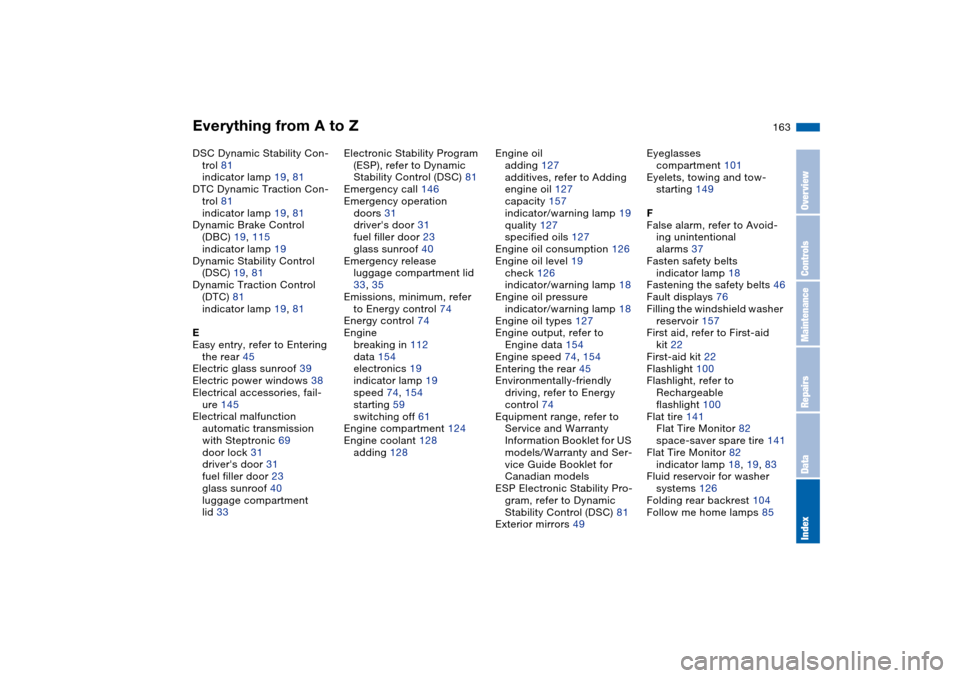
Everything from A to Z
163
DSC Dynamic Stability Con-
trol 81
indicator lamp 19, 81
DTC Dynamic Traction Con-
trol 81
indicator lamp 19, 81
Dynamic Brake Control
(DBC) 19, 115
indicator lamp 19
Dynamic Stability Control
(DSC) 19, 81
Dynamic Traction Control
(DTC) 81
indicator lamp 19, 81
E
Easy entry, refer to Entering
the rear 45
Electric glass sunroof 39
Electric power windows 38
Electrical accessories, fail-
ure 145
Electrical malfunction
automatic transmission
with Steptronic 69
door lock 31
driver's door 31
fuel filler door 23
glass sunroof 40
luggage compartment
lid 33Electronic Stability Program
(ESP), refer to Dynamic
Stability Control (DSC) 81
Emergency call 146
Emergency operation
doors 31
driver's door 31
fuel filler door 23
glass sunroof 40
Emergency release
luggage compartment lid
33, 35
Emissions, minimum, refer
to Energy control 74
Energy control 74
Engine
breaking in 112
data 154
electronics 19
indicator lamp 19
speed 74, 154
starting 59
switching off 61
Engine compartment 124
Engine coolant 128
adding 128Engine oil
adding 127
additives, refer to Adding
engine oil 127
capacity 157
indicator/warning lamp 19
quality 127
specified oils 127
Engine oil consumption 126
Engine oil level 19
check 126
indicator/warning lamp 18
Engine oil pressure
indicator/warning lamp 18
Engine oil types 127
Engine output, refer to
Engine data 154
Engine speed 74, 154
Entering the rear 45
Environmentally-friendly
driving, refer to Energy
control 74
Equipment range, refer to
Service and Warranty
Information Booklet for US
models/Warranty and Ser-
vice Guide Booklet for
Canadian models
ESP Electronic Stability Pro-
gram, refer to Dynamic
Stability Control (DSC) 81
Exterior mirrors 49Eyeglasses
compartment 101
Eyelets, towing and tow-
starting 149
F
False alarm, refer to Avoid-
ing unintentional
alarms 37
Fasten safety belts
indicator lamp 18
Fastening the safety belts 46
Fault displays 76
Filling the windshield washer
reservoir 157
First aid, refer to First-aid
kit 22
First-aid kit 22
Flashlight 100
Flashlight, refer to
Rechargeable
flashlight 100
Flat tire 141
Flat Tire Monitor 82
space-saver spare tire 141
Flat Tire Monitor 82
indicator lamp 18, 19, 83
Fluid reservoir for washer
systems 126
Folding rear backrest 104
Follow me home lamps 85
OverviewControlsMaintenanceRepairsDataIndex
Page 164 of 174
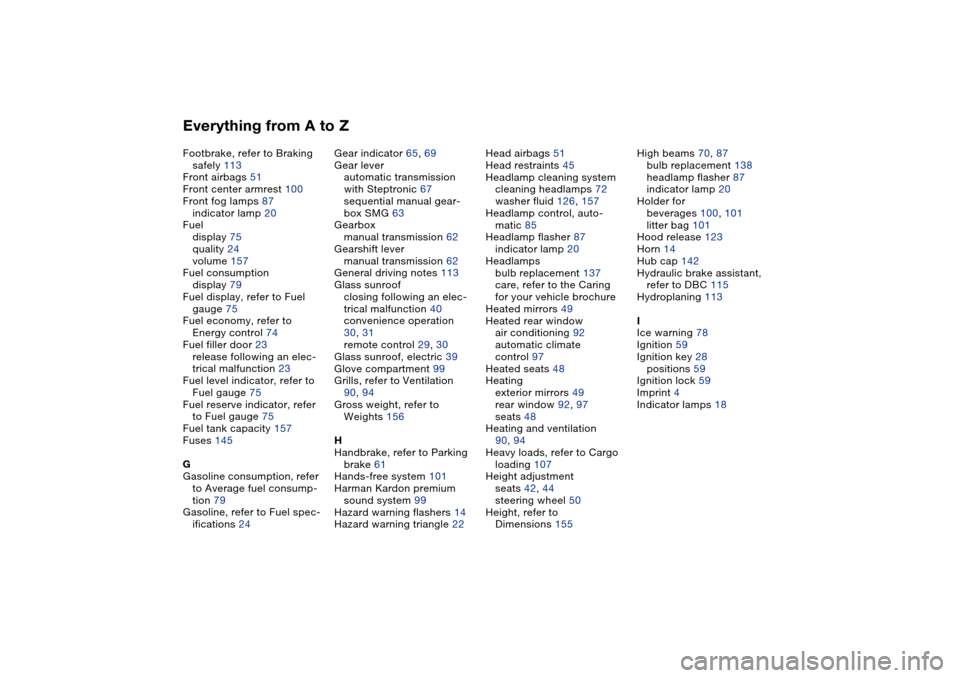
Everything from A to ZFootbrake, refer to Braking
safely 113
Front airbags 51
Front center armrest 100
Front fog lamps 87
indicator lamp 20
Fuel
display 75
quality 24
volume 157
Fuel consumption
display 79
Fuel display, refer to Fuel
gauge 75
Fuel economy, refer to
Energy control 74
Fuel filler door 23
release following an elec-
trical malfunction 23
Fuel level indicator, refer to
Fuel gauge 75
Fuel reserve indicator, refer
to Fuel gauge 75
Fuel tank capacity 157
Fuses 145
G
Gasoline consumption, refer
to Average fuel consump-
tion 79
Gasoline, refer to Fuel spec-
ifications 24Gear indicator 65, 69
Gear lever
automatic transmission
with Steptronic 67
sequential manual gear-
box SMG 63
Gearbox
manual transmission 62
Gearshift lever
manual transmission 62
General driving notes 113
Glass sunroof
closing following an elec-
trical malfunction 40
convenience operation
30, 31
remote control 29, 30
Glass sunroof, electric 39
Glove compartment 99
Grills, refer to Ventilation
90, 94
Gross weight, refer to
Weights 156
H
Handbrake, refer to Parking
brake 61
Hands-free system 101
Harman Kardon premium
sound system 99
Hazard warning flashers 14
Hazard warning triangle 22Head airbags 51
Head restraints 45
Headlamp cleaning system
cleaning headlamps 72
washer fluid 126, 157
Headlamp control, auto-
matic 85
Headlamp flasher 87
indicator lamp 20
Headlamps
bulb replacement 137
care, refer to the Caring
for your vehicle brochure
Heated mirrors 49
Heated rear window
air conditioning 92
automatic climate
control 97
Heated seats 48
Heating
exterior mirrors 49
rear window 92, 97
seats 48
Heating and ventilation
90, 94
Heavy loads, refer to Cargo
loading 107
Height adjustment
seats 42, 44
steering wheel 50
Height, refer to
Dimensions 155High beams 70, 87
bulb replacement 138
headlamp flasher 87
indicator lamp 20
Holder for
beverages 100, 101
litter bag 101
Hood release 123
Horn 14
Hub cap 142
Hydraulic brake assistant,
refer to DBC 115
Hydroplaning 113
I
Ice warning 78
Ignition 59
Ignition key 28
positions 59
Ignition lock 59
Imprint 4
Indicator lamps 18