display BMW 325I 2001 User Guide
[x] Cancel search | Manufacturer: BMW, Model Year: 2001, Model line: 325I, Model: BMW 325I 2001Pages: 203, PDF Size: 2.07 MB
Page 76 of 203
76n
Computer
*
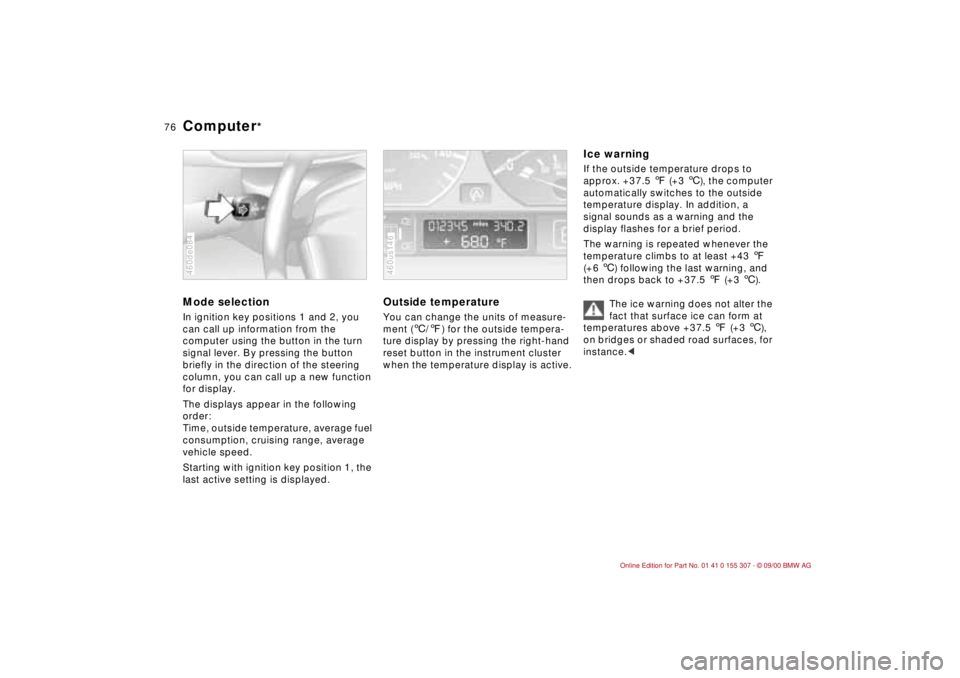
Mode selectionIn ignition key positions 1 and 2, you
can call up information from the
computer using the button in the turn
signal lever. By pressing the button
briefly in the direction of the steering
column, you can call up a new function
for display.
The displays appear in the following
order:
Time, outside temperature, average fuel
consumption, cruising range, average
vehicle speed.
Starting with ignition key position 1, the
last active setting is displayed.460de084
Outside temperature You can change the units of measure-
ment (6/7) for the outside tempera-
ture display by pressing the right-hand
reset button in the instrument cluster
when the temperature display is active. 460us146
Ice warning If the outside temperature drops to
approx. +37.5 7 (+3 6), the computer
automatically switches to the outside
temperature display. In addition, a
signal sounds as a warning and the
display flashes for a brief period.
The warning is repeated whenever the
temperature climbs to at least +43 7
(+6 6) following the last warning, and
then drops back to +37.5 7 (+3 6).
The ice warning does not alter the
fact that surface ice can form at
temperatures above +37.5 7 (+3 6),
on bridges or shaded road surfaces, for
instance.<
Page 77 of 203
77n
IndexDataTechnologyRepairsCar careControlsOverview
Computer
*
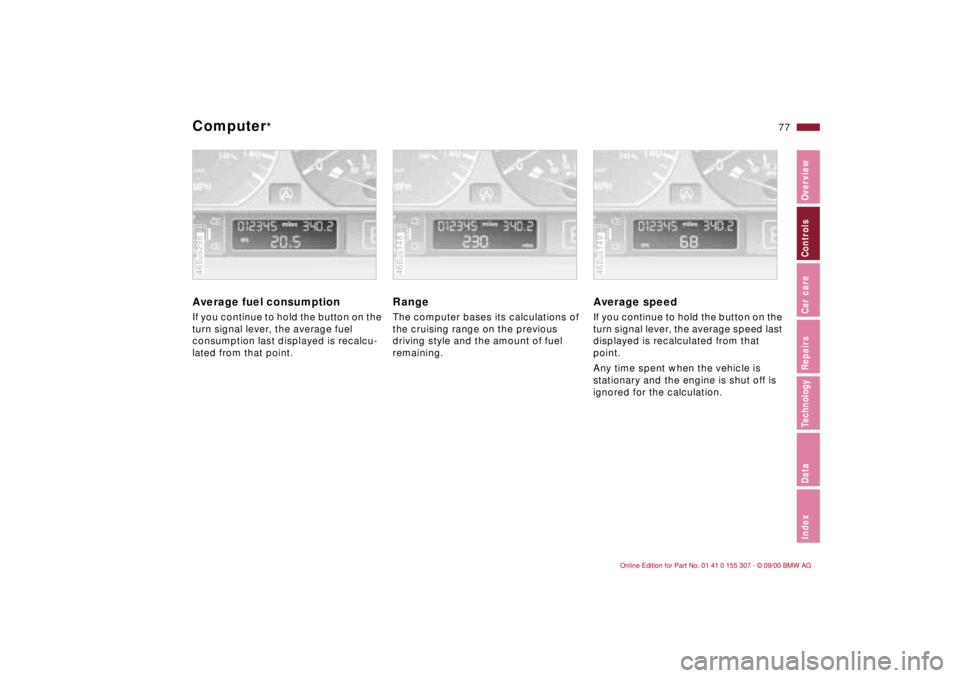
Average fuel consumption If you continue to hold the button on the
turn signal lever, the average fuel
consumption last displayed is recalcu-
lated from that point.460us296
Range The computer bases its calculations of
the cruising range on the previous
driving style and the amount of fuel
remaining.460us148
Average speed If you continue to hold the button on the
turn signal lever, the average speed last
displayed is recalculated from that
point.
Any time spent when the vehicle is
stationary and the engine is shut off is
ignored for the calculation.460us149
Page 97 of 203

97n
IndexDataTechnologyRepairsCar careControlsOverview
Automatic climate control
*
1 Air onto the windshield and the side
windows
2 Air flow toward the upper body
The side rotary dials provide infi-
nitely-variable regulation of the air
supply, while the levers change the
air-flow direction. The center rotary
dial controls the temperature of the
air as it flows out. Refer to page 100
3 Front footwell ventilation
There are corresponding air vents in
the rear footwell as well
4 Recirculated air mode/Automatic
recirculated air control (AUC)99
5 Air supply99
6 Temperature98
7 Automatic air distribution98
8 Individual air distribution98
9 Air grill for interior temperature
sensor Ð please keep clear and
unobstructed
10 Display for temperature and air
supply98
11 Defrost windows and remove
condensation99
12 Air conditioner99
13 Rear window defroster70, 99
Page 98 of 203
98n
Automatic climate control
*
Tips for pleasant drivingUse the automatic system (switch on
AUTO button 7). Select an interior
temperature that is comfortable for
you Ð we recommend +72 7 (+22 6).
When the outside temperature is above
+41 7 (+5 6), you can also use the air
conditioner 12. This will dry the air as
well as preventing condensation on the
window surfaces Ð if there are passen-
gers with damp clothing, for example.
Set the outlets 2 so that the air flows
past you and is not directed straight at
you. Set the rotary dial between the air
outlets 2 for the upper body to a
medium position, since air that is some-
what cooler promotes driving without
fatigue.
Detailed setting options are described
for you in the following section.
Automatic air distribution
The AUTO program assumes
the adjustment of the air distri-
bution and the air supply for you and
adapts the temperature to external
influences (summer, winter) to meet
preferences you can specify. This
program maintains a comfortable in-car
climate regardless of the season. Select
an interior temperature that is comfort-
able for you Ð we recommend +72 7
(+22 6). The selected temperature
and AUTO for the air flow appear in
the display 10 (refer to the overview on
page 96). Open the air outlets for the
upper body area. Switch on the air
conditioner in warm weather. The
maximum cooling capacity is achieved
when you set rotary dial 3 (refer to
page 100) to cold.
Individual air distribution
You can cancel the AUTO
program by selecting specific
distribution patterns to suit your
own individual requirements.
You can direct air to flow onto the
windows , toward the upper body
and into the footwell .
Temperature
The figures in the display
provide a general indication of
interior temperature. We recommend
+72 7 (+22 6) as a comfortable
setting, whether the air conditioner is
operating or not. When you start the
vehicle, the system ensures that the
selected temperature is reached as
quickly as possible. It then maintains
this temperature, regardless of the
season.
Set rotary dial 3 (refer to "Draft-free
ventilation" on page 100) to a medium
setting, since air that is somewhat
cooler promotes driving without fatigue.
You can use this setting for mixing air to
make minor comfort modifications.
You can set uncontrolled heater
output up to +90 7 (+32 6). At
+60 7 (+16 6), full cooling output is
available from an activated air condi-
tioner.<
Page 99 of 203
99n
IndexDataTechnologyRepairsCar careControlsOverview
Automatic climate control
*
Air supply
By pressing the left or right half
of the button, you can vary the
air supply. By doing this, you switch off
the automatic control for the air supply.
Nevertheless, the automatic air distri-
bution remains unchanged.
When you set the lowest blower speed
by pressing the left half of the button,
all of the displays are canceled: the
blower, heating and air conditioner are
switched off, and the air supply stops.
You can reactivate the system by
pressing any button of the automatic
climate control.
Defrost windows and remove
condensation
This program quickly removes
ice and condensation from the
windshield and side windows.
Air conditioner
The air is cooled and dehumidi-
fied and Ð depending on the
temperature setting Ð rewarmed when
the air conditioner system is switched
on.
Depending on the weather, the wind-
shield may fog over briefly when the
engine is started.
Use the button to switch the air condi-
tioner off when outside air temperatures
are below approx. +41 7 (+5 6). This
will help to prevent the windows from
fogging up.
If the windows fog over after switching
the air conditioner off, switch it back on.
Condensation forms in the air
conditioner system during opera-
tion, that then exits under the vehicle.
Traces of condensed water of this kind
are thus normal.<
Automatic recirculated air control
(AUC)
You can respond to unpleasant
external odors by temporarily
blocking the outside air. The system
then recirculates the air already within
the vehicle. By repeated actuation of
the button, you can select one of three
different operation modes.
>Indicator lamps off: fresh air flows
into the vehicle.
>Left-hand indicator lamp on Ð AUC
mode: the system detects pollutants
in the outside air and responds by
deactivating the outside air flow as
required. The system then recircu-
lates the air already within the vehicle.
Depending on air quality require-
ments, the system automatically
switches between outside air supply
and recirculation of the air already
within the vehicle.
>Right-hand indicator lamp on: the
flow of outside air is permanently
blocked. The system recirculates the
air already within the vehicle.
If the windows fog over in the
recirculated air mode, switch this
mode off and increase the air supply as
required.
is turned on, the indicator lamp
comes on; refer to page 70.
Page 128 of 203

128n
Winter tiresChoosing the right tireBMW recommends winter tires (M+S
radial tires) for driving in adverse winter
road conditions. So-called all-season
tires with the M+S-identification mark
do indeed possess better winter trac-
tion than summer tires with the load
rating H, V, W, Y und ZR, but usually do
not achieve the same level of perfor-
mance as winter tires.
In the interests of safe tracking and
steering response, install radial tires
made by the same manufacturer and
with the same tread configuration on all
four wheels if you elect to mount winter
tires.
Mount only winter tires which have
been approved by BMW. Any BMW
center will be glad to provide you with
information on the best winter tires for
your particular driving conditions.
Do not exceed specified
maximum speeds
Never exceed the maximum speed
for which the tires are rated.
Unprofessional attempts by laymen to
service tires can lead to damage and
accidents.
Have this work performed by skilled
professionals only. Any BMW center
has the required technical knowledge
and the proper equipment and will be
happy to assist you.<
Tire condition, tire pressureOnce the tire wears to below 0.16 in
(4 mm), winter tires display a percep-
tible decrease in their ability to cope
with winter driving conditions, and
should be replaced in the interest of
safety.
Comply with the specified tire inflation
pressures Ð and be sure to have the
wheel and tire assemblies balanced
every time you change the tires.
StorageAlways store tires in a cool, dry place.
Store them away from light whenever
possible. Protect the tires against
contact with oil, grease and fuel.Snow chains
*
The use of narrow-link BMW snow
chains on summer or winter tires is
approved only in pairs and only on the
rear wheels. Comply with all manufac-
turer's safety precautions when
mounting the chains.
BMW 325xi: in a worst-case scenario,
i.e. if your vehicle is stuck on one side
or you cannot access one tire, then only
one chain may be attached to a rear
wheel for a short period of time.
Comply with all manufacturer's safety
precautions when mounting the chains.
Page 140 of 203
140n
The BMW Maintenance System has
been designed as a reliable means for
providing maximum driving and operat-
ing safety Ð and as cost effectively as
possible for you.
Please keep in mind that regular main-
tenance is not only necessary for the
safety of your vehicle, but also plays a
significant role in maintaining the resale
value of the vehicle.
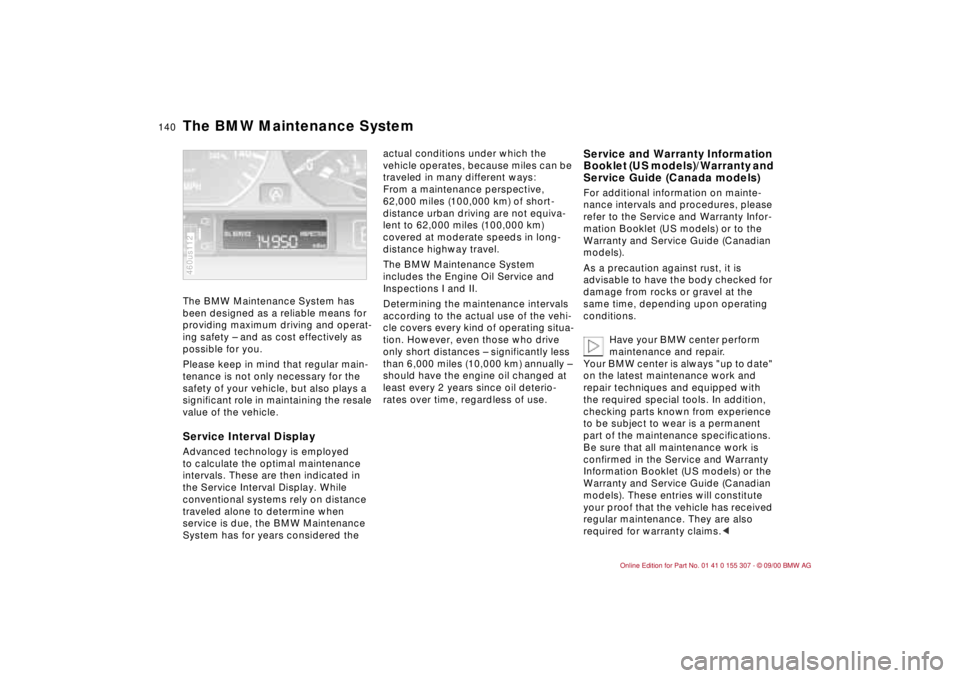
Service Interval DisplayAdvanced technology is employed
to calculate the optimal maintenance
intervals. These are then indicated in
the Service Interval Display. While
conventional systems rely on distance
traveled alone to determine when
service is due, the BMW Maintenance
System has for years considered the 460us112
actual conditions under which the
vehicle operates, because miles can be
traveled in many different ways:
From a maintenance perspective,
62,000 miles (100,000 km) of short-
distance urban driving are not equiva-
lent to 62,000 miles (100,000 km)
covered at moderate speeds in long-
distance highway travel.
The BMW Maintenance System
includes the Engine Oil Service and
Inspections I and II.
Determining the maintenance intervals
according to the actual use of the vehi-
cle covers every kind of operating situa-
tion. However, even those who drive
only short distances Ð significantly less
than 6,000 miles (10,000 km) annually Ð
should have the engine oil changed at
least every 2 years since oil deterio-
rates over time, regardless of use.
Service and Warranty Information
Booklet (US models)/Warranty and
Service Guide (Canada models)For additional information on mainte-
nance intervals and procedures, please
refer to the Service and Warranty Infor-
mation Booklet (US models) or to the
Warranty and Service Guide (Canadian
models).
As a precaution against rust, it is
advisable to have the body checked for
damage from rocks or gravel at the
same time, depending upon operating
conditions.
Have your BMW center perform
maintenance and repair.
Your BMW center is always "up to date"
on the latest maintenance work and
repair techniques and equipped with
the required special tools. In addition,
checking parts known from experience
to be subject to wear is a permanent
part of the maintenance specifications.
Be sure that all maintenance work is
confirmed in the Service and Warranty
Information Booklet (US models) or the
Warranty and Service Guide (Canadian
models). These entries will constitute
your proof that the vehicle has received
regular maintenance. They are also
required for warranty claims.<
The BMW Maintenance System
Page 164 of 203
164n
Battery FusesCharging the battery Charge the battery in the vehicle only
when the engine is not running.
Before performing any work on
the electrical system, disconnect
the cable from the negative terminal. If
you do not, short circuits can cause fire
or personal injury.<
If you plan to park the vehicle for longer
than 4 weeks, disconnect the battery
from the vehicle electrical system by
disconnecting the cable at the negative
terminal. Then recharge the battery with
an appropriate battery charger.
If you intend to store the vehicle for
longer than 12 weeks, remove the
battery, charge it and store it in a cool
and dust-free room where there is no
danger of freezing. During storage,
have the battery recharged every
3 months. Also recharge the battery
before it is reinstalled. If this is not
done, the battery will not be service-
able. Every time the battery is drained,
especially over extended periods, its
service life is reduced.
Return used batteries to a recy-
cling point or your BMW center.
Maintain the battery in an upright
position for transport and storage.
Secure the battery to prevent it from
tilting during transport.<
Storage periods during which
the battery is disconnected are
not taken into consideration by the
Service Interval Display for changing
the brake fluid.
For this reason, be sure that the brake
fluid is changed every two years,
regardless of the information displayed.
Read and comply with the information
on page 138 covering this subject.<
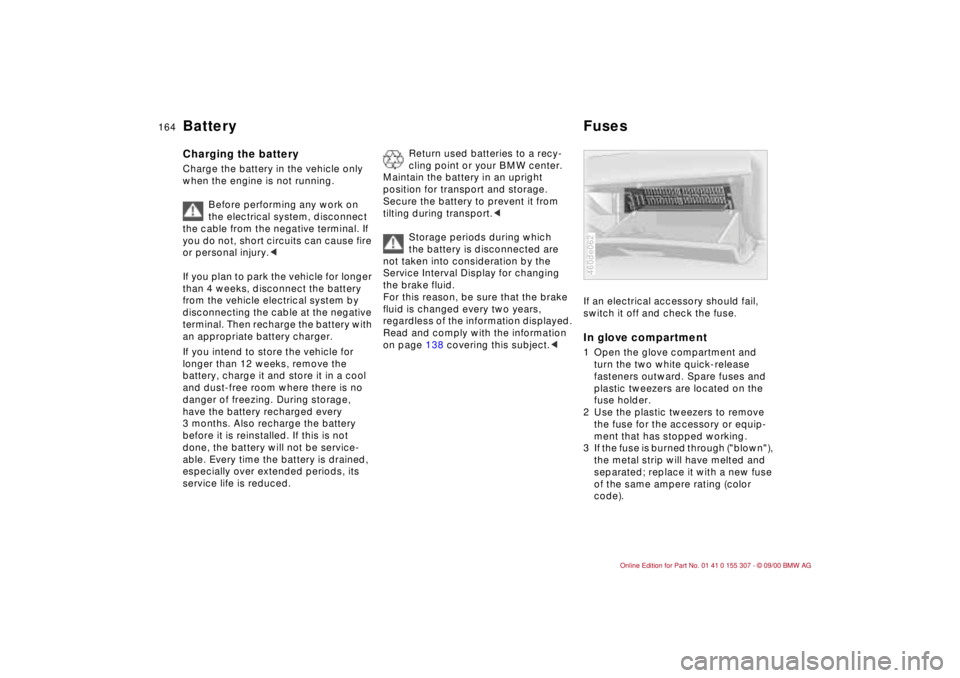
If an electrical accessory should fail,
switch it off and check the fuse. In glove compartment1 Open the glove compartment and
turn the two white quick-release
fasteners outward. Spare fuses and
plastic tweezers are located on the
fuse holder.
2 Use the plastic tweezers to remove
the fuse for the accessory or equip-
ment that has stopped working.
3 If the fuse is burned through ("blown"),
the metal strip will have melted and
separated; replace it with a new fuse
of the same ampere rating (color
code).460de062
Page 193 of 203
Everything from A to Z
193n
IndexDataTechnologyRepairsCar careControlsOverview
Changing a wheel159
Charge indicator lamp20
Check air pressure28
Check Control75
Check engine oil level135
Child restraint
systems54,60
Child-safety locks58
Child's seat54
Cigarette lighter104
Cleaning windshield68
Clock75
refer also to the Radio or
Computer Owner's Manual
Cockpit16
Coin holder102
Combination switch68
Compression184
Computer76
Configure settings52
Consumption77
display74
Contents10
Control elements20
Coolant121,137,187
antifreeze121
Coolant temperature
gauge74
Cooling system187
Copyright4
Cornering Brake Control
(CBC)21,117 Cruise control71
Cruising range77
Cup holder, refer to
beverage holder102
Curb weight186
Current check indicator20
D
Dashboard16
Data
dimensions185
engine184
technical184
weights186
Daytime-driving lamp
switch87
DBC (Dynamic Brake
Control)118
Defrost position94,98
Defrostable rear window99
Defrosting
rear window92
windows94,98
Digital clock75
Dimensions185
Dipstick, engine oil135
Disc brakes118
Displacement184
Display lighting87
Displays18
Distance warning78 Diversity Antenna
system174
Door key32,35
Door locks, care121
Doors
child-safety locks58
emergency operation34
unlocking and locking34
DOT Quality Grades125
Draft-free ventilation93
Drive belts188
Driving hints115
Driving in winter121
Driving lamps87
DSC (Dynamic Stability
Control)81,173
Dynamic Brake Control
(DBC)118
Dynamic Stability Control
(DSC)22,81,173
E
Electric power seat48
Electric power windows43
Electrical accessories,
failure164
Electrical system188
Electronic vehicle
immobilizer33
Elements of operation16 Emergency operation,
doors34
Energy Control73
Engine
coolant137,187
data184
starting61
Engine oil
capacity187
consumption135
pressure20
quality136
specifications136
viscosity136
Engine speed184
Exterior mirrors51
F
Failure messages75
Fault displays75
Fault, ABS117
Filler cap cover27
Filling capacities187
Filling the washer
reservoir187
First-aid kit26
Fittings, tow starting and
towing168
Flashlight101
Flat tire124,159
Fog lamps88
Page 194 of 203

Everything from A to ZFolding rear backrest108
Footbrake118
Footwell lamps88
bulb replacement158
Four-wheel drive175
Front fog lamps, bulb
replacement155
Front seat adjustment46
Frost protection,
radiator137
Fuel28
consumption77
consumption display74
gauge74
preparation184
quality28
Fuel filler door
releasing following an
electrical malfunction166
Fuel reserve indicator
lamp74
Fuel tank capacity187
Fuel tank gauge74
Functional status179
Fuses164 G
Gasoline28
Gasoline gauge74
Gasoline quality28
Glove compartment101 Glove compartment lamp,
bulb replacement158
Gross vehicle weight186
H
Handbrake63
Hands-free system103
Hazard warning flashers26
Hazard warning triangle26
Head restraint47
Headlamp covers,
care141,153
Headlamp flasher88
Headlamp washer
system70,134,187
Heated seats100
Heating, rapid94
Heavy loads110
Height185
HiFi system101
High beams23,68,88
bulb replacement153
High Performance Synthetic
Oils136
High-mount brake lamp157
Hood release130
Horn17
Hubcap160
Hydraulic Brake assistant,
refer to DBC118
I
Ice warning76
Icy roads76,121
Identification, tires127
Ignition key32,35
Ignition lock61
Imprint4
Indicator lamps20
Inflation pressure28,124
monitoring85,178
INSPECTION74
Installation child restraint
systems60
Instrument cluster18
Instrument lighting87
Interaxle tire rotation126
Interface socket for Onboard
Diagnostics149
Interference, cellular
phone123
Interior lamps36,88
bulb replacement158
remote control36
Interior motion sensor41
Interior rearview mirror51
automatic dimming
feature52,176
Interlock61
Intermittent wipe68
J
Jack159
Jump-starting167 K
Key32,35
Key Memory52 L
Lamps and bulbs153
Lashing eyes110
LATCH attachment of the
child seat58
Leather care145
Length185
License plate lamp
bulb replacement157
Light switch87
Light-alloy wheels129
Lighter104
Load-securing devices110
Louvers90,96
Low beam headlamps87
bulb replacement153
Lug bolts160
Lug wrench159