brake light BMW 325I 2003 User Guide
[x] Cancel search | Manufacturer: BMW, Model Year: 2003, Model line: 325I, Model: BMW 325I 2003Pages: 166, PDF Size: 4.29 MB
Page 116 of 166
116
Brake systemBrake fluid levelIf the brake fluid level is too low and
brake pedal travel has become longer,
there may be a defect in one of the two
brake system's hydraulic circuits.
Proceed to the nearest BMW cen-
ter. It may be necessary to apply
higher levels of pressure to the pedal
when stopping and braking distances
may also be longer. Please remember
to adapt your driving style accord-
ingly.
and operating conditions in which brak-
ing is restricted to gentle, low-pressure
applications will all increase the ten-
dency for corrosion to form on the
rotors; this is often accompanied by a
simultaneous accumulation of contami-
nation on the brake pads. The pads
must exert a certain minimal level of
pressure against the rotors for the disc
brakes' inherent self-cleaning effect to
remain effective; the pressure available
under the above conditions may not
provide adequate cleansing.
If the brake rotors are corroded, they
will tend to respond to braking with a
pulsating effect that even extended
brake applications will fail to cure.
When driving in heavy rain and on wet
roads it is useful to apply light pressure
to the brake pedal every few miles.
Monitor traffic conditions to ensure that
this maneuver does not pose a hazard
to you or to other road users. The heat
generated in this process helps dry the
pads and rotors to ensure that your
brake system will respond with undi-
minished efficiency when you need it.
When descending steep hills and
extended grades, downshift to a gear
that will allow you to continue safely
with only a minimal amount of braking.
By minimizing the loads placed on the
brake system, this strategy helps
ensure that optimal brake system
response will remain available at all
times. Use care to avoid exceeding the
approved engine-speed range, refer to
page 71.
Do not coast with the clutch
depressed or with the transmis-
sion or selector lever in Neutral. Do not
coast with the engine shut off. The
engine provides no braking effect when
the clutch is depressed and there is no
power-assist for braking or steering
when the engine is not running.
BMW 325xi: always refer all brake
inspection and service work to your
BMW center, as failure to observe the
special procedures could result in dam-
age to components of the all-wheel
drive.
Never allow floor mats, carpets or any
other objects to protrude into the area
around the accelerator, clutch and
brake pedals and obstruct their move-
ment.
brake pads that BMW has
released for your particular vehicle
model. BMW cannot evaluate non-
approved brake pads to determine if
they are suitable for use, and therefore
cannot ensure the operating safety of
the vehicle if they are installed.<
handbook.book Page 116 Saturday, July 27, 2002 1:36 PM
Page 139 of 166
139
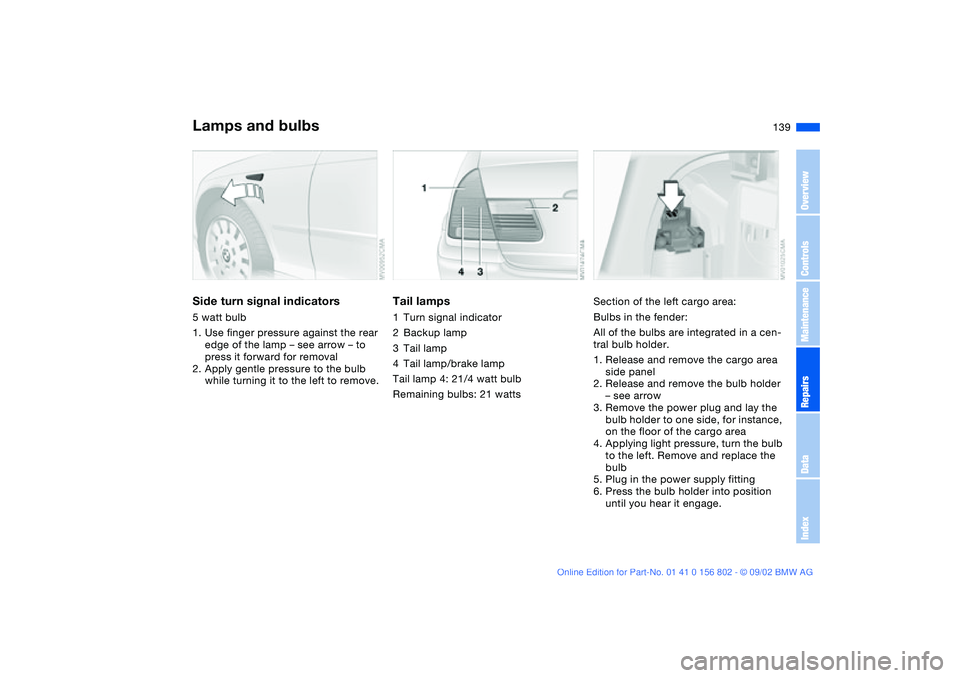
Side turn signal indicators5 watt bulb
1. Use finger pressure against the rear
edge of the lamp – see arrow – to
press it forward for removal
2. Apply gentle pressure to the bulb
while turning it to the left to remove.
Tail lamps1Turn signal indicator
2Backup lamp
3Tail lamp
4Tail lamp/brake lamp
Tail lamp 4: 21/4 watt bulb
Remaining bulbs: 21 watts
Section of the left cargo area:
Bulbs in the fender:
All of the bulbs are integrated in a cen-
tral bulb holder.
1. Release and remove the cargo area
side panel
2. Release and remove the bulb holder
– see arrow
3. Remove the power plug and lay the
bulb holder to one side, for instance,
on the floor of the cargo area
4. Applying light pressure, turn the bulb
to the left. Remove and replace the
bulb
5. Plug in the power supply fitting
6. Press the bulb holder into position
until you hear it engage.
Lamps and bulbs
OverviewControlsMaintenanceRepairsDataIndex
handbook.book Page 139 Saturday, July 27, 2002 1:36 PM
Page 140 of 166
140
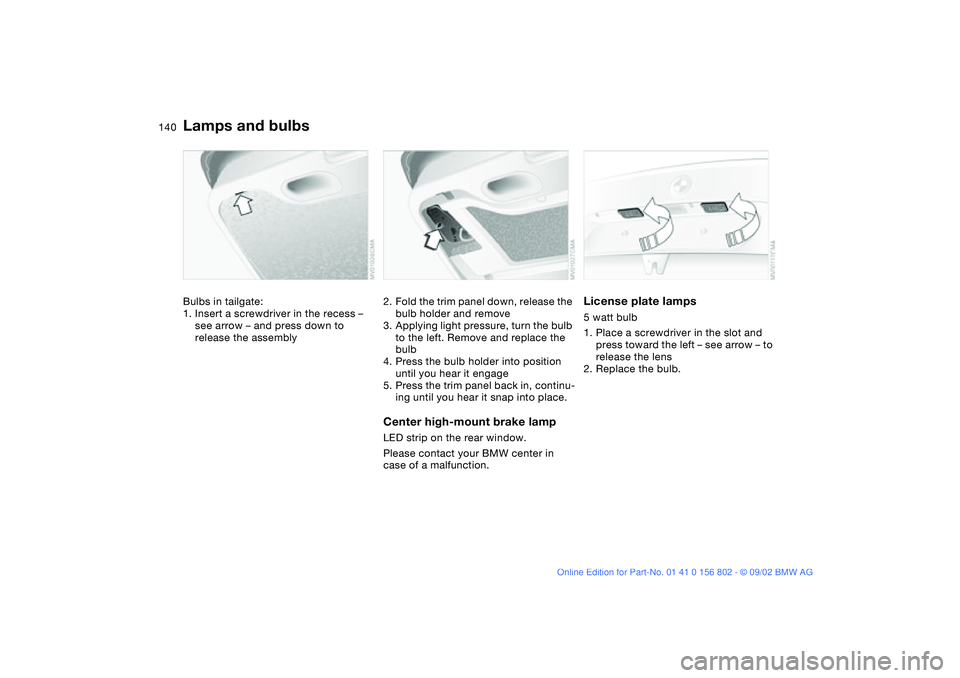
Bulbs in tailgate:
1. Insert a screwdriver in the recess –
see arrow – and press down to
release the assembly
2. Fold the trim panel down, release the
bulb holder and remove
3. Applying light pressure, turn the bulb
to the left. Remove and replace the
bulb
4. Press the bulb holder into position
until you hear it engage
5. Press the trim panel back in, continu-
ing until you hear it snap into place.Center high-mount brake lampLED strip on the rear window.
Please contact your BMW center in
case of a malfunction.
License plate lamps5 watt bulb
1. Place a screwdriver in the slot and
press toward the left – see arrow – to
release the lens
2. Replace the bulb.
Lamps and bulbs
handbook.book Page 140 Saturday, July 27, 2002 1:36 PM
Page 145 of 166
145
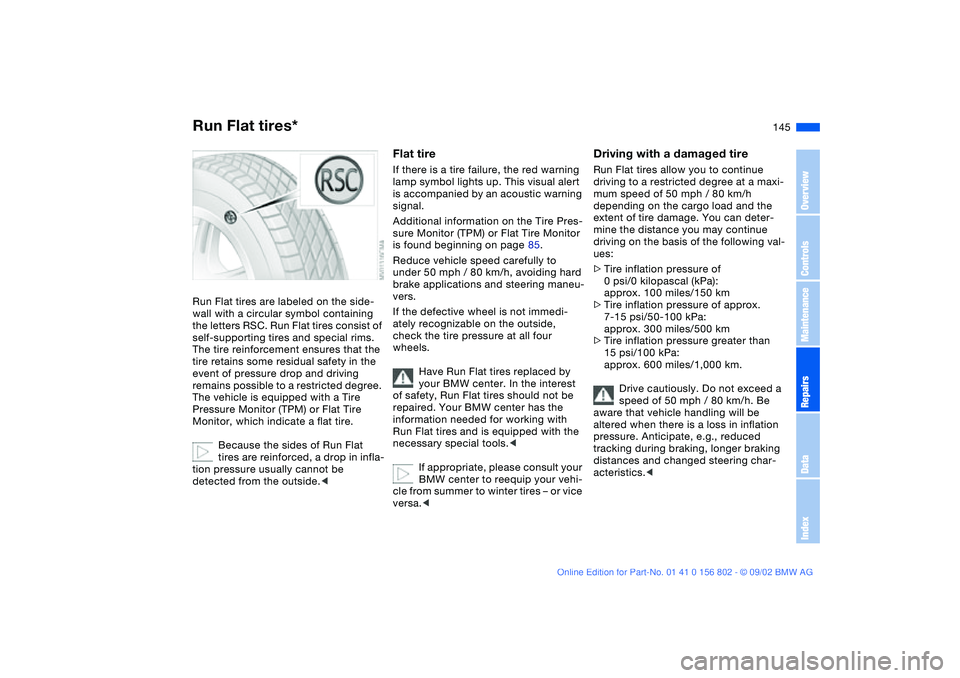
Run Flat tires*Run Flat tires are labeled on the side-
wall with a circular symbol containing
the letters RSC. Run Flat tires consist of
self-supporting tires and special rims.
The tire reinforcement ensures that the
tire retains some residual safety in the
event of pressure drop and driving
remains possible to a restricted degree.
The vehicle is equipped with a Tire
Pressure Monitor (TPM) or Flat Tire
Monitor, which indicate a flat tire.
Because the sides of Run Flat
tires are reinforced, a drop in infla-
tion pressure usually cannot be
detected from the outside.<
Flat tireIf there is a tire failure, the red warning
lamp symbol lights up. This visual alert
is accompanied by an acoustic warning
signal.
Additional information on the Tire Pres-
sure Monitor (TPM) or Flat Tire Monitor
is found beginning on page 85.
Reduce vehicle speed carefully to
under 50 mph / 80 km/h, avoiding hard
brake applications and steering maneu-
vers.
If the defective wheel is not immedi-
ately recognizable on the outside,
check the tire pressure at all four
wheels.
Have Run Flat tires replaced by
your BMW center. In the interest
of safety, Run Flat tires should not be
repaired. Your BMW center has the
information needed for working with
Run Flat tires and is equipped with the
necessary special tools.<
If appropriate, please consult your
BMW center to reequip your vehi-
cle from summer to winter tires – or vice
versa.<
Driving with a damaged tireRun Flat tires allow you to continue
driving to a restricted degree at a maxi-
mum speed of 50 mph / 80 km/h
depending on the cargo load and the
extent of tire damage. You can deter-
mine the distance you may continue
driving on the basis of the following val-
ues:
>Tire inflation pressure of
0 psi/0 kilopascal (kPa):
approx. 100 miles/150 km
>Tire inflation pressure of approx.
7-15 psi/50-100 kPa:
approx. 300 miles/500 km
>Tire inflation pressure greater than
15 psi/100 kPa:
approx. 600 miles/1,000 km.
Drive cautiously. Do not exceed a
speed of 50 mph / 80 km/h. Be
aware that vehicle handling will be
altered when there is a loss in inflation
pressure. Anticipate, e.g., reduced
tracking during braking, longer braking
distances and changed steering char-
acteristics.<
OverviewControlsMaintenanceRepairsDataIndex
handbook.book Page 145 Saturday, July 27, 2002 1:36 PM
Page 159 of 166
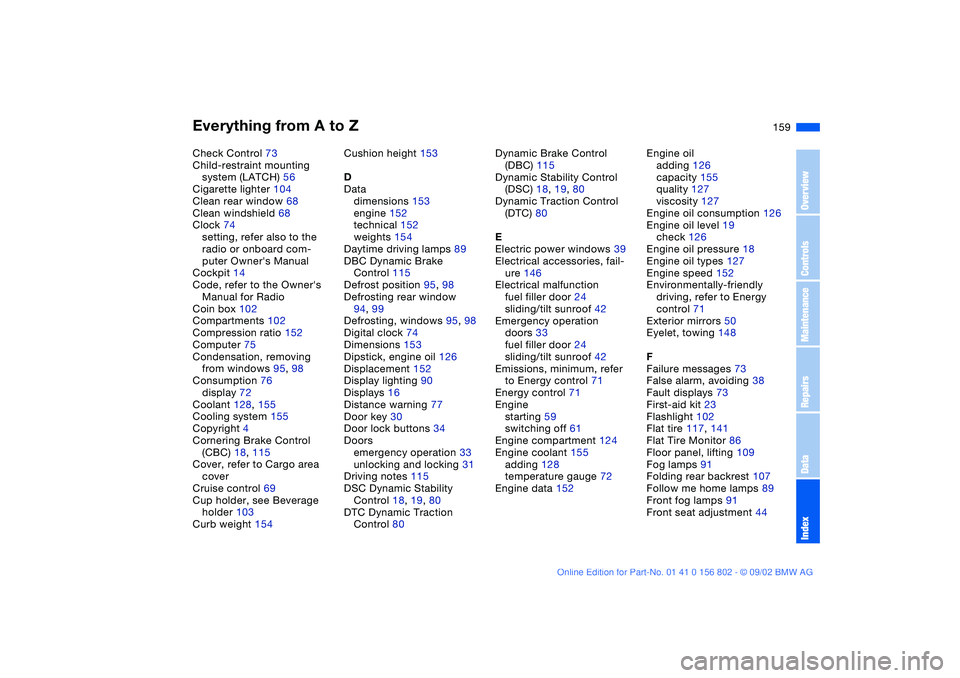
Everything from A to Z
159
Check Control 73
Child-restraint mounting
system (LATCH) 56
Cigarette lighter 104
Clean rear window 68
Clean windshield 68
Clock 74
setting, refer also to the
radio or onboard com-
puter Owner's Manual
Cockpit 14
Code, refer to the Owner's
Manual for Radio
Coin box 102
Compartments 102
Compression ratio 152
Computer 75
Condensation, removing
from windows 95, 98
Consumption 76
display 72
Coolant 128, 155
Cooling system 155
Copyright 4
Cornering Brake Control
(CBC) 18, 115
Cover, refer to Cargo area
cover
Cruise control 69
Cup holder, see Beverage
holder 103
Curb weight 154Cushion height 153
D
Data
dimensions 153
engine 152
technical 152
weights 154
Daytime driving lamps 89
DBC Dynamic Brake
Control 115
Defrost position 95, 98
Defrosting rear window
94, 99
Defrosting, windows 95, 98
Digital clock 74
Dimensions 153
Dipstick, engine oil 126
Displacement 152
Display lighting 90
Displays 16
Distance warning 77
Door key 30
Door lock buttons 34
Doors
emergency operation 33
unlocking and locking 31
Driving notes 115
DSC Dynamic Stability
Control 18, 19, 80
DTC Dynamic Traction
Control 80Dynamic Brake Control
(DBC) 115
Dynamic Stability Control
(DSC) 18, 19, 80
Dynamic Traction Control
(DTC) 80
E
Electric power windows 39
Electrical accessories, fail-
ure 146
Electrical malfunction
fuel filler door 24
sliding/tilt sunroof 42
Emergency operation
doors 33
fuel filler door 24
sliding/tilt sunroof 42
Emissions, minimum, refer
to Energy control 71
Energy control 71
Engine
starting 59
switching off 61
Engine compartment 124
Engine coolant 155
adding 128
temperature gauge 72
Engine data 152Engine oil
adding 126
capacity 155
quality 127
viscosity 127
Engine oil consumption 126
Engine oil level 19
check 126
Engine oil pressure 18
Engine oil types 127
Engine speed 152
Environmentally-friendly
driving, refer to Energy
control 71
Exterior mirrors 50
Eyelet, towing 148
F
Failure messages 73
False alarm, avoiding 38
Fault displays 73
First-aid kit 23
Flashlight 102
Flat tire 117, 141
Flat Tire Monitor 86
Floor panel, lifting 109
Fog lamps 91
Folding rear backrest 107
Follow me home lamps 89
Front fog lamps 91
Front seat adjustment 44
OverviewControlsMaintenanceRepairsDataIndex
handbook.book Page 159 Saturday, July 27, 2002 1:36 PM
Page 161 of 166
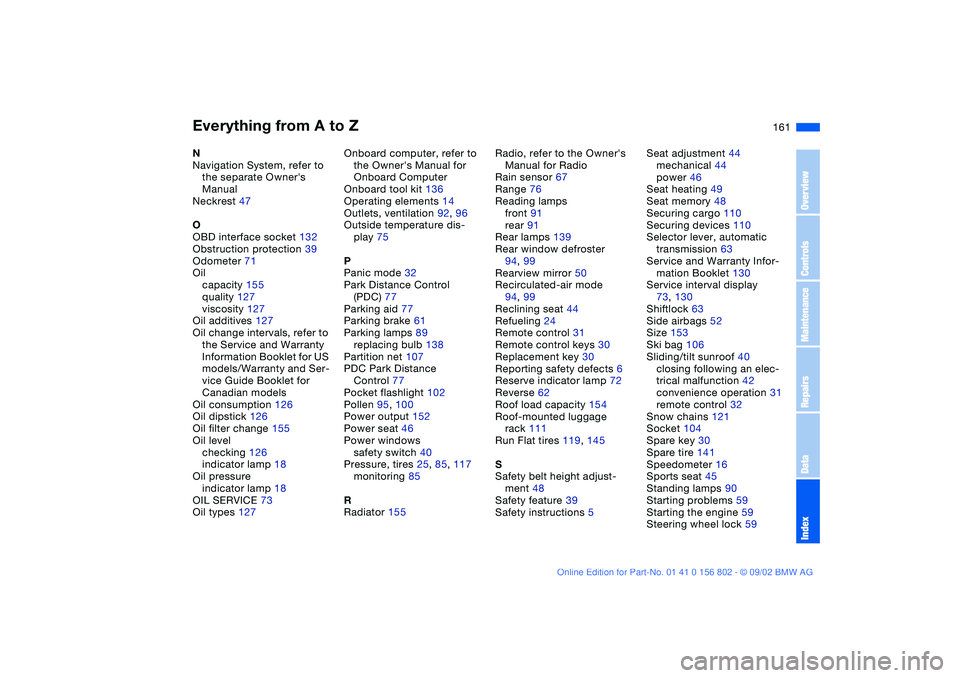
Everything from A to Z
161
N
Navigation System, refer to
the separate Owner's
Manual
Neckrest 47
O
OBD interface socket 132
Obstruction protection 39
Odometer 71
Oil
capacity 155
quality 127
viscosity 127
Oil additives 127
Oil change intervals, refer to
the Service and Warranty
Information Booklet for US
models/Warranty and Ser-
vice Guide Booklet for
Canadian models
Oil consumption 126
Oil dipstick 126
Oil filter change 155
Oil level
checking 126
indicator lamp 18
Oil pressure
indicator lamp 18
OIL SERVICE 73
Oil types 127Onboard computer, refer to
the Owner's Manual for
Onboard Computer
Onboard tool kit 136
Operating elements 14
Outlets, ventilation 92, 96
Outside temperature dis-
play 75
P
Panic mode 32
Park Distance Control
(PDC) 77
Parking aid 77
Parking brake 61
Parking lamps 89
replacing bulb 138
Partition net 107
PDC Park Distance
Control 77
Pocket flashlight 102
Pollen 95, 100
Power output 152
Power seat 46
Power windows
safety switch 40
Pressure, tires 25, 85, 117
monitoring 85
R
Radiator 155Radio, refer to the Owner's
Manual for Radio
Rain sensor 67
Range 76
Reading lamps
front 91
rear 91
Rear lamps 139
Rear window defroster
94, 99
Rearview mirror 50
Recirculated-air mode
94, 99
Reclining seat 44
Refueling 24
Remote control 31
Remote control keys 30
Replacement key 30
Reporting safety defects 6
Reserve indicator lamp 72
Reverse 62
Roof load capacity 154
Roof-mounted luggage
rack 111
Run Flat tires 119, 145
S
Safety belt height adjust-
ment 48
Safety feature 39
Safety instructions 5Seat adjustment 44
mechanical 44
power 46
Seat heating 49
Seat memory 48
Securing cargo 110
Securing devices 110
Selector lever, automatic
transmission 63
Service and Warranty Infor-
mation Booklet 130
Service interval display
73, 130
Shiftlock 63
Side airbags 52
Size 153
Ski bag 106
Sliding/tilt sunroof 40
closing following an elec-
trical malfunction 42
convenience operation 31
remote control 32
Snow chains 121
Socket 104
Spare key 30
Spare tire 141
Speedometer 16
Sports seat 45
Standing lamps 90
Starting problems 59
Starting the engine 59
Steering wheel lock 59
OverviewControlsMaintenanceRepairsDataIndex
handbook.book Page 161 Saturday, July 27, 2002 1:36 PM