Control BMW 325I SEDAN 2005 E90 User Guide
[x] Cancel search | Manufacturer: BMW, Model Year: 2005, Model line: 325I SEDAN, Model: BMW 325I SEDAN 2005 E90Pages: 223, PDF Size: 7.49 MB
Page 14 of 223
At a glance
13Reference
Controls
Driving tips
Communications
Navigation
Entertainment
Mobility
Indicator and warning lamps
The concept
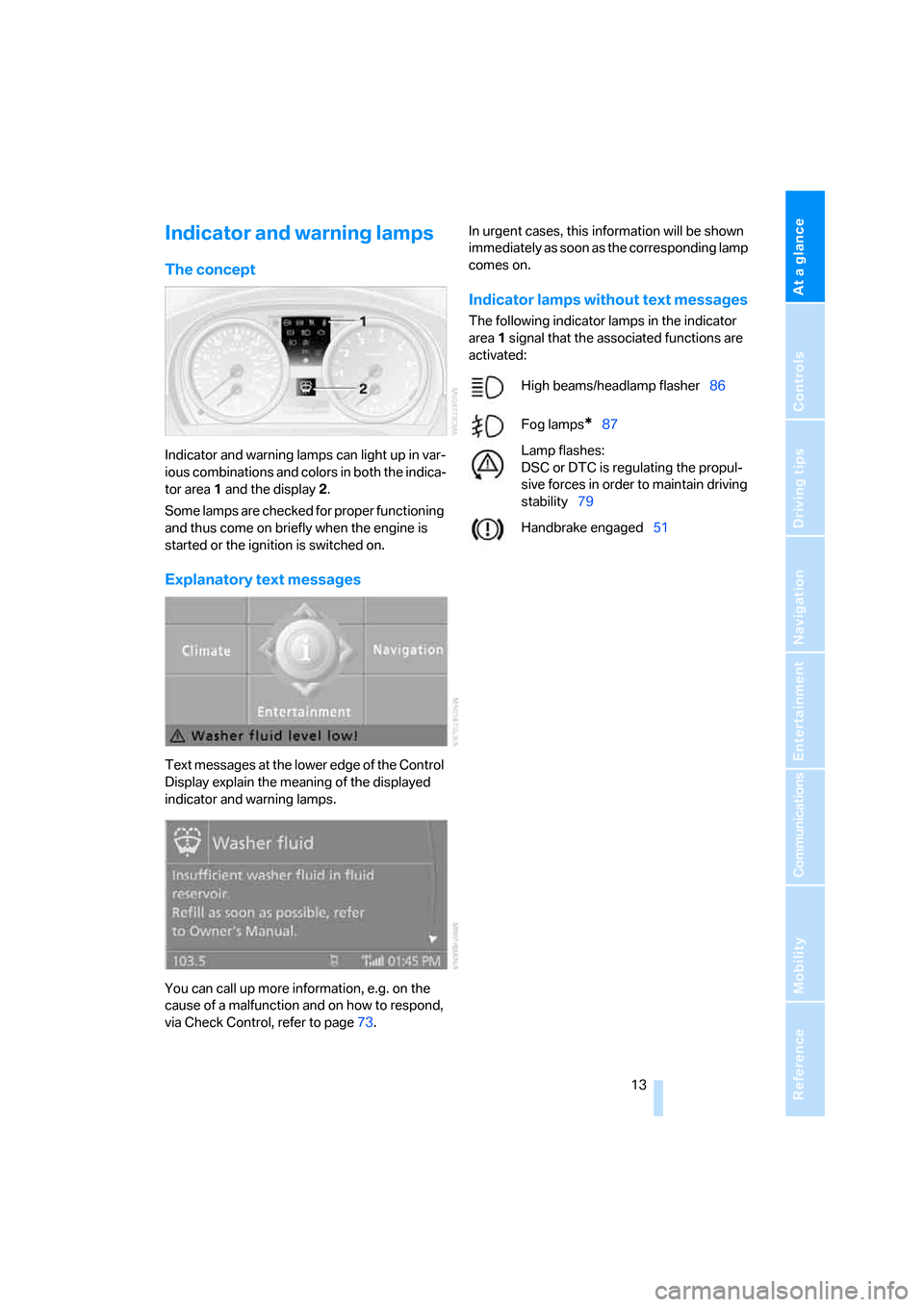
Indicator and warning lamps can light up in var-
ious combinations and colors in both the indica-
tor area 1 and the display 2.
Some lamps are checked for proper functioning
and thus come on briefly when the engine is
started or the ignition is switched on.
Explanatory text messages
Text messages at the lower edge of the Control
Display explain the meaning of the displayed
indicator and warning lamps.
You can call up more information, e.g. on the
cause of a malfunction and on how to respond,
via Check Control, refer to page73.In urgent cases, this information will be shown
immediately as soon as the corresponding lamp
comes on.
Indicator lamps without text messages
The following indicator lamps in the indicator
area1 signal that the associated functions are
activated:
High beams/headlamp flasher86
Fog lamps
*87
Lamp flashes:
DSC or DTC is regulating the propul-
sive forces in order to maintain driving
stability79
Handbrake engaged51
Page 15 of 223
Cockpit
14
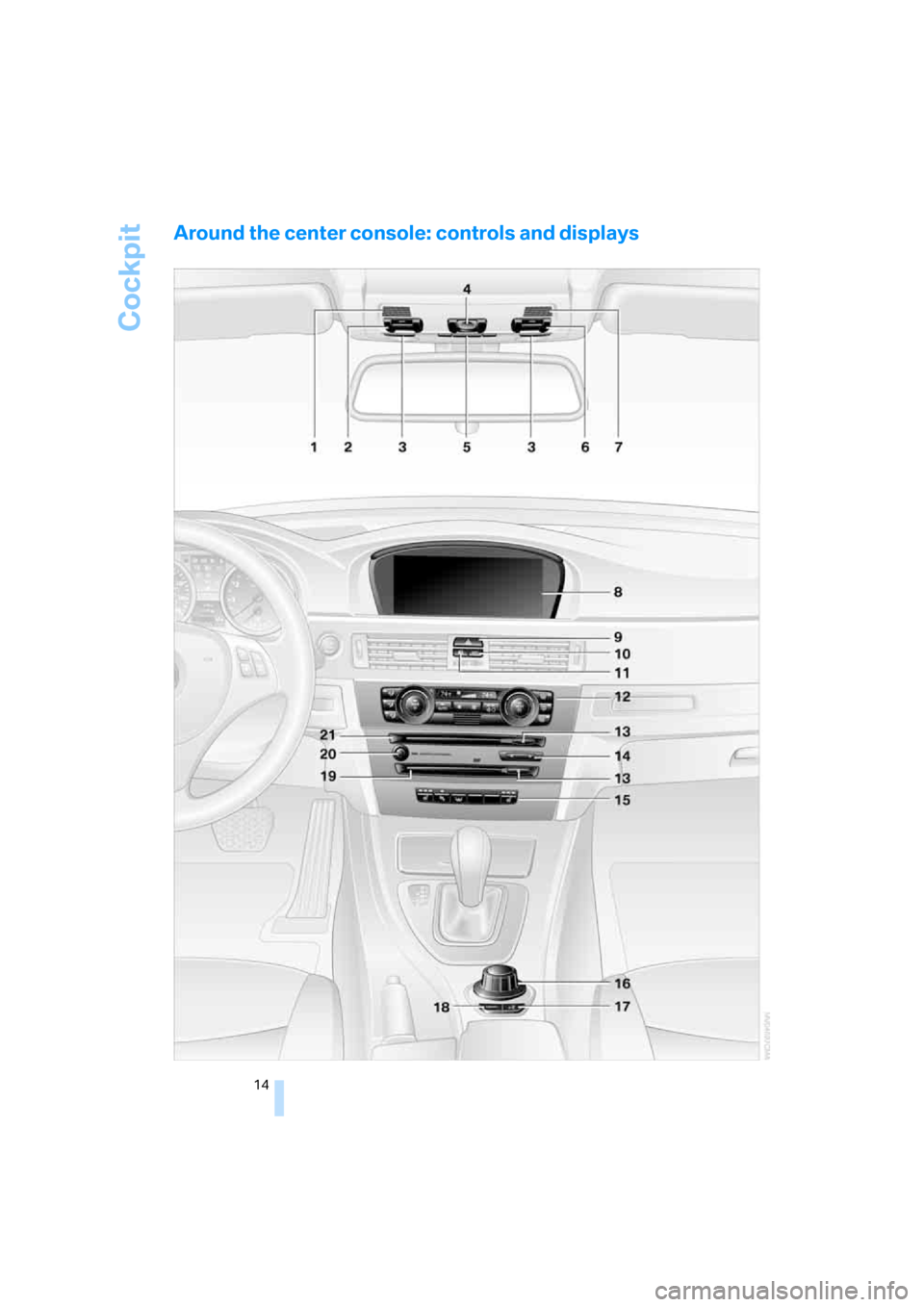
Around the center console: controls and displays
Page 16 of 223
At a glance
15Reference
Controls
Driving tips
Communications
Navigation
Entertainment
Mobility
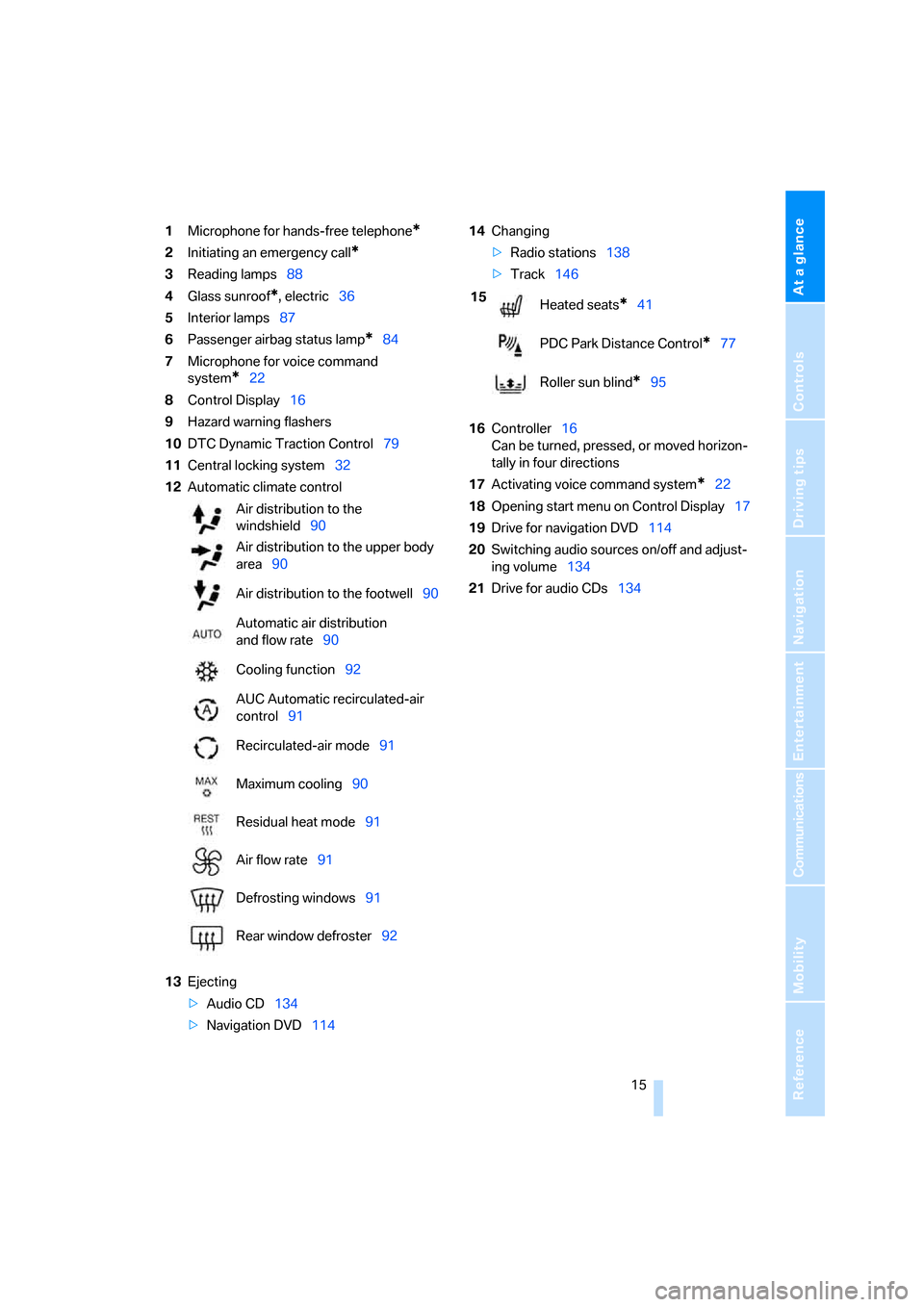
1Microphone for hands-free telephone*
2Initiating an emergency call*
3Reading lamps88
4Glass sunroof
*, electric36
5Interior lamps87
6Passenger airbag status lamp
*84
7Microphone for voice command
system
*22
8Control Display16
9Hazard warning flashers
10DTC Dynamic Traction Control79
11Central locking system32
12Automatic climate control
13Ejecting
>Audio CD134
>Navigation DVD11414Changing
>Radio stations138
>Track146
16Controller16
Can be turned, pressed, or moved horizon-
tally in four directions
17Activating voice command system
*22
18Opening start menu on Control Display17
19Drive for navigation DVD114
20Switching audio sources on/off and adjust-
ing volume134
21Drive for audio CDs134 Air distribution to the
windshield90
Air distribution to the upper body
area90
Air distribution to the footwell90
Automatic air distribution
and flow rate90
Cooling function92
AUC Automatic recirculated-air
control91
Recirculated-air mode91
Maximum cooling90
Residual heat mode91
Air flow rate91
Defrosting windows91
Rear window defroster92
15
Heated seats*41
PDC Park Distance Control
*77
Roller sun blind
*95
Page 17 of 223
iDrive
16
iDrive
iDrive integrates the functions of a large num-
ber of switches. This allows these functions to
be operated from a single central position. The
following section provides an introduction to basic menu navigation. The control of the indi-
vidual functions is described in connection with
the relevant equipment.
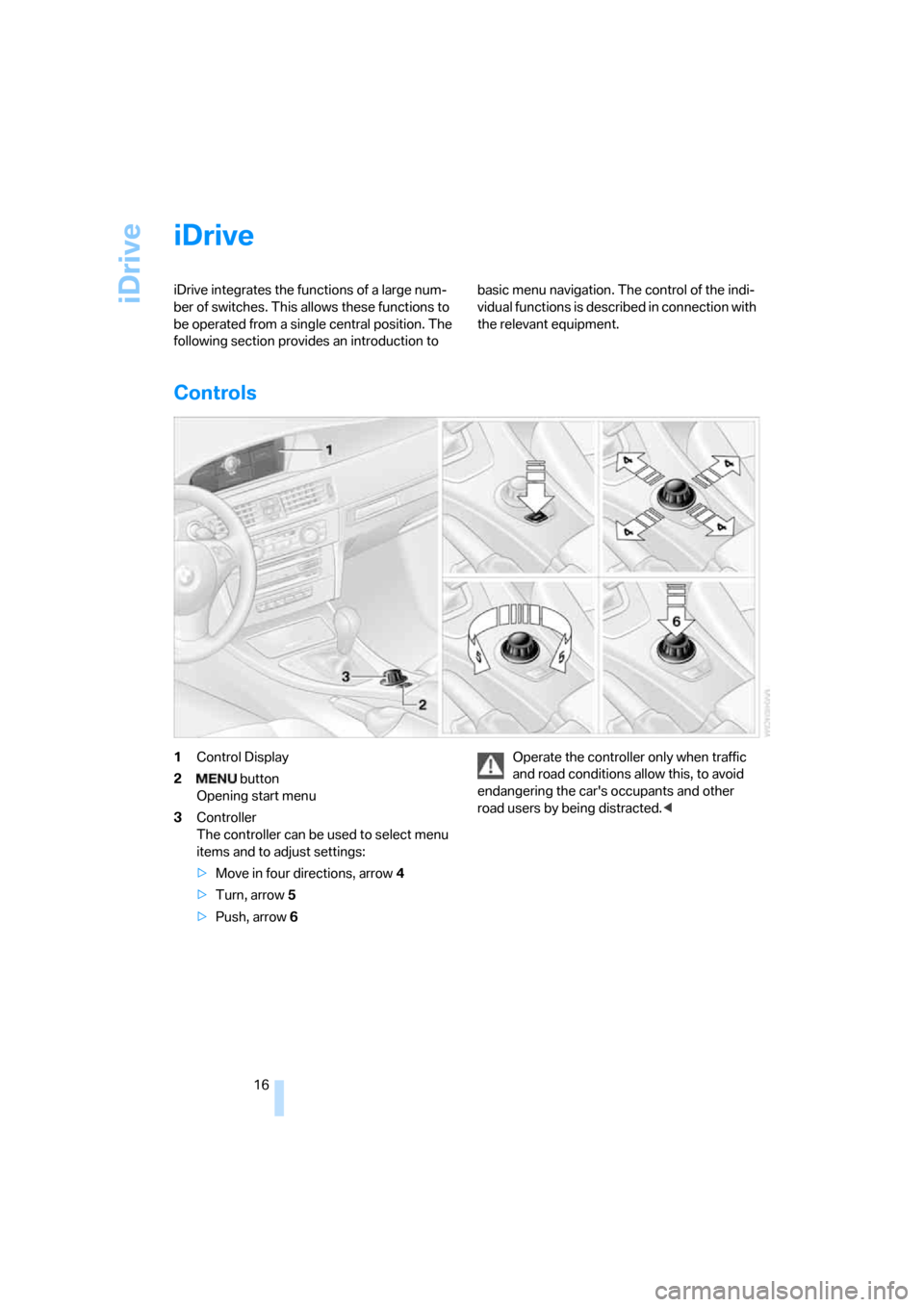
Controls
1Control Display
2 button
Opening start menu
3Controller
The controller can be used to select menu
items and to adjust settings:
>Move in four directions, arrow 4
>Turn, arrow 5
>Push, arrow 6Operate the controller only when traffic
and road conditions allow this, to avoid
endangering the car's occupants and other
road users by being distracted.<
Page 18 of 223
At a glance
17Reference
Controls
Driving tips
Communications
Navigation
Entertainment
Mobility
Menu overview
Communication
>Telephone*
>BMW Assist* or TeleService*
Navigation
>Navigation system
>Onboard information, e.g. for displaying the
average fuel consumption.
Entertainment
>Radio
>CD player and CD changer
*
>External audio device
Climate
>Air distribution
>Automatic program
menu
>Switching off Control Display
>Tone and display settings
>Settings for traffic information
>Settings for your vehicle, e.g. for the central
locking system
>Display of service requirements and dates
for statutory emissions and vehicle inspec-
tions
>Settings for telephone
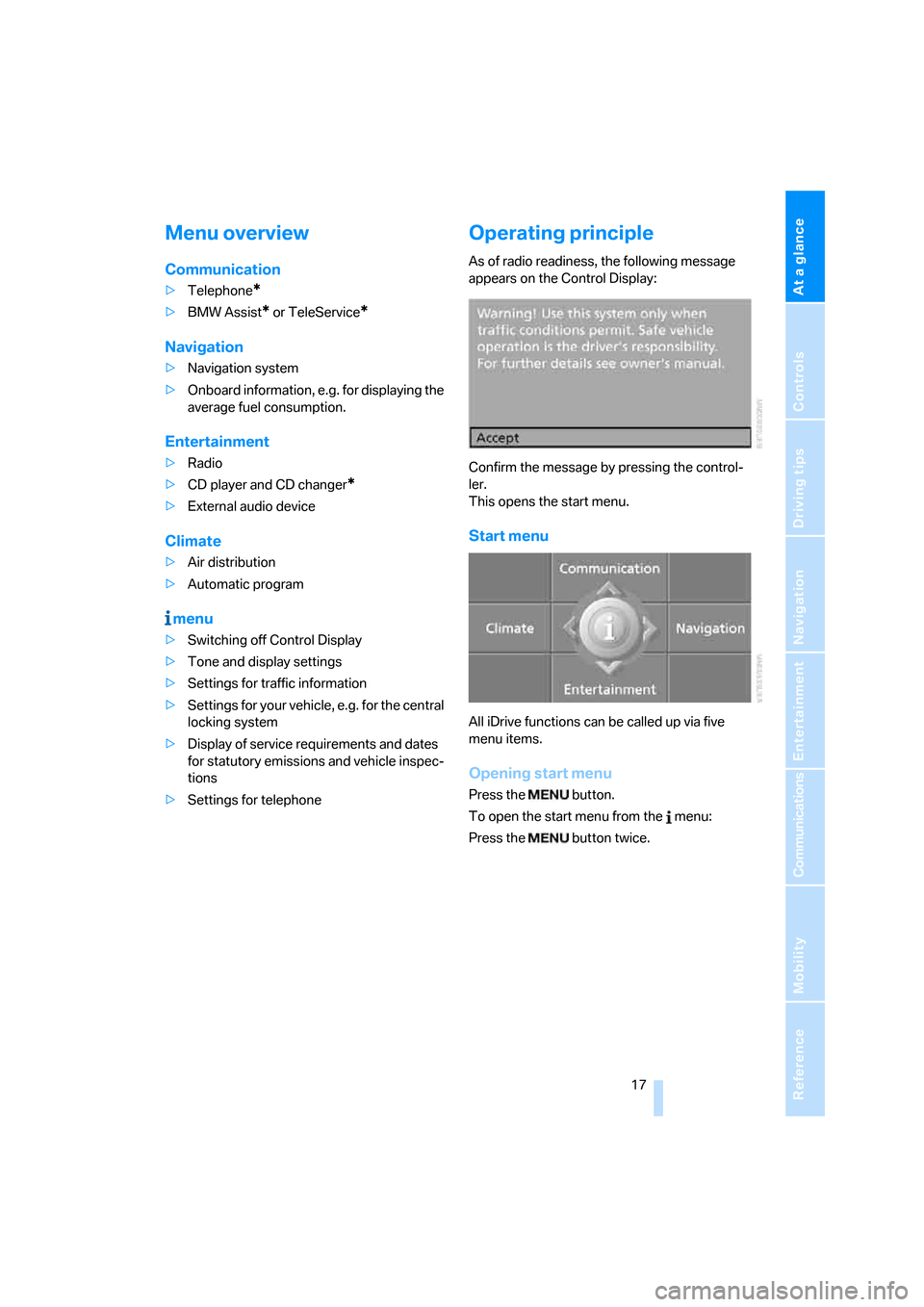
Operating principle
As of radio readiness, the following message
appears on the Control Display:
Confirm the message by pressing the control-
ler.
This opens the start menu.
Start menu
All iDrive functions can be called up via five
menu items.
Opening start menu
Press the button.
To open the start menu from the menu:
Press the button twice.
Page 19 of 223
iDrive
18
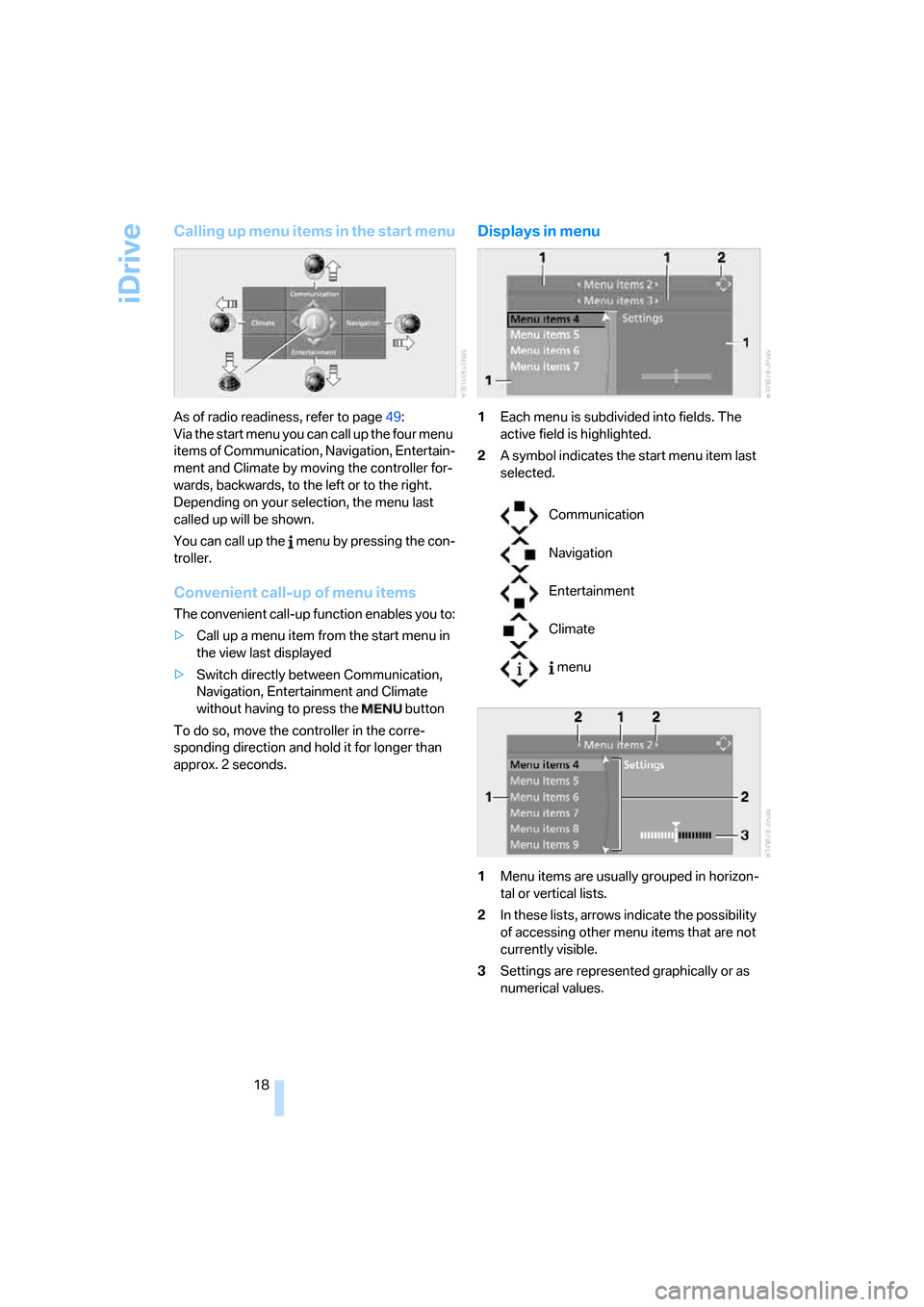
Calling up menu items in the start menu
As of radio readiness, refer to page49:
Via the start menu you can call up the four menu
items of Communication, Navigation, Entertain-
ment and Climate by moving the controller for-
wards, backwards, to the left or to the right.
Depending on your selection, the menu last
called up will be shown.
You can call up the menu by pressing the con-
troller.
Convenient call-up of menu items
The convenient call-up function enables you to:
>Call up a menu item from the start menu in
the view last displayed
>Switch directly between Communication,
Navigation, Entertainment and Climate
without having to press the button
To do so, move the controller in the corre-
sponding direction and hold it for longer than
approx. 2 seconds.
Displays in menu
1Each menu is subdivided into fields. The
active field is highlighted.
2A symbol indicates the start menu item last
selected.
1Menu items are usually grouped in horizon-
tal or vertical lists.
2In these lists, arrows indicate the possibility
of accessing other menu items that are not
currently visible.
3Settings are represented graphically or as
numerical values.
Communication
Navigation
Entertainment
Climate
menu
Page 20 of 223
At a glance
19Reference
Controls
Driving tips
Communications
Navigation
Entertainment
Mobility
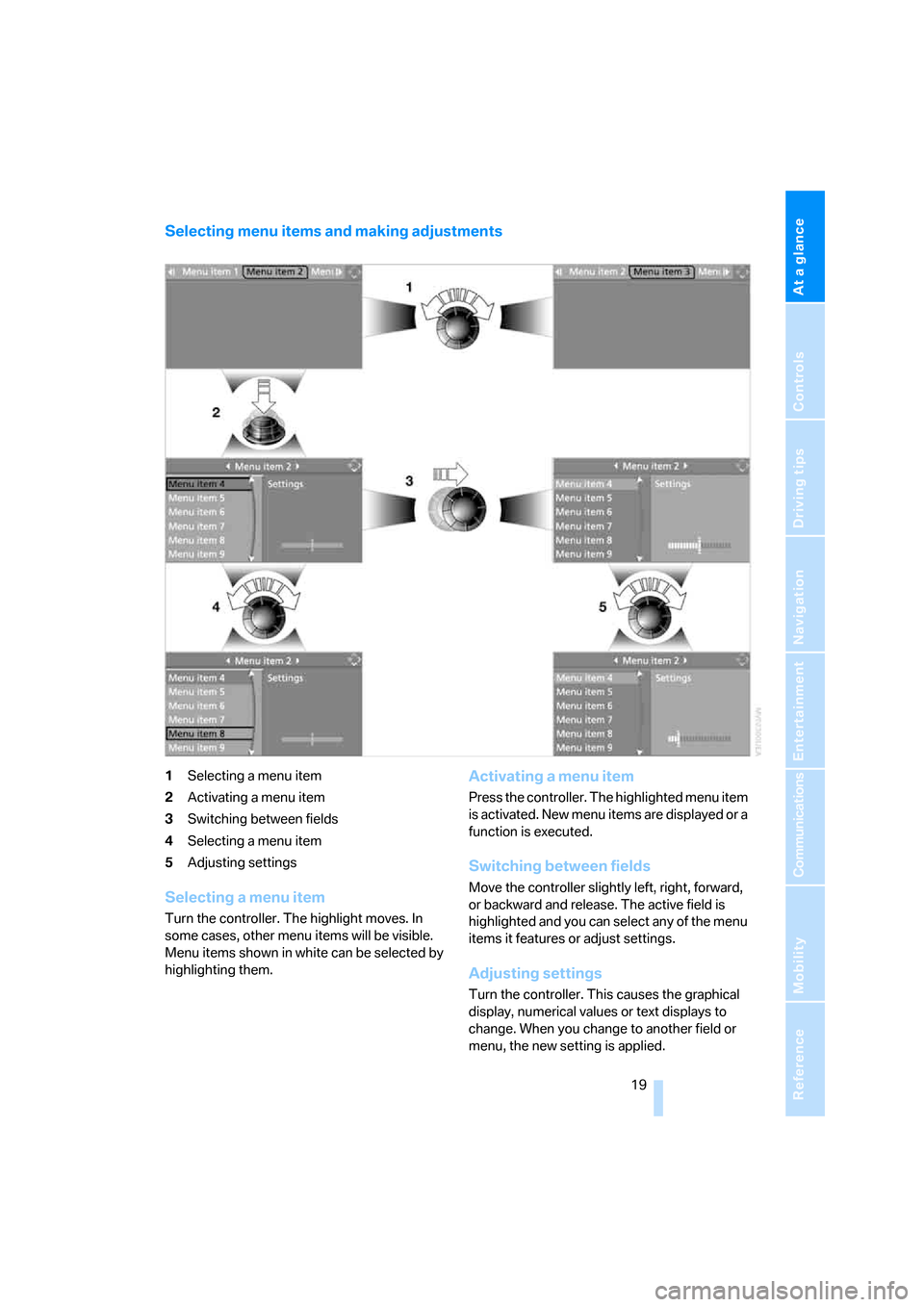
Selecting menu items and making adjustments
1Selecting a menu item
2Activating a menu item
3Switching between fields
4Selecting a menu item
5Adjusting settings
Selecting a menu item
Turn the controller. The highlight moves. In
some cases, other menu items will be visible.
Menu items shown in white can be selected by
highlighting them.
Activating a menu item
Press the controller. The highlighted menu item
is activated. New menu items are displayed or a
function is executed.
Switching between fields
Move the controller slightly left, right, forward,
or backward and release. The active field is
highlighted and you can select any of the menu
items it features or adjust settings.
Adjusting settings
Turn the controller. This causes the graphical
display, numerical values or text displays to
change. When you change to another field or
menu, the new setting is applied.
Page 21 of 223
iDrive
20
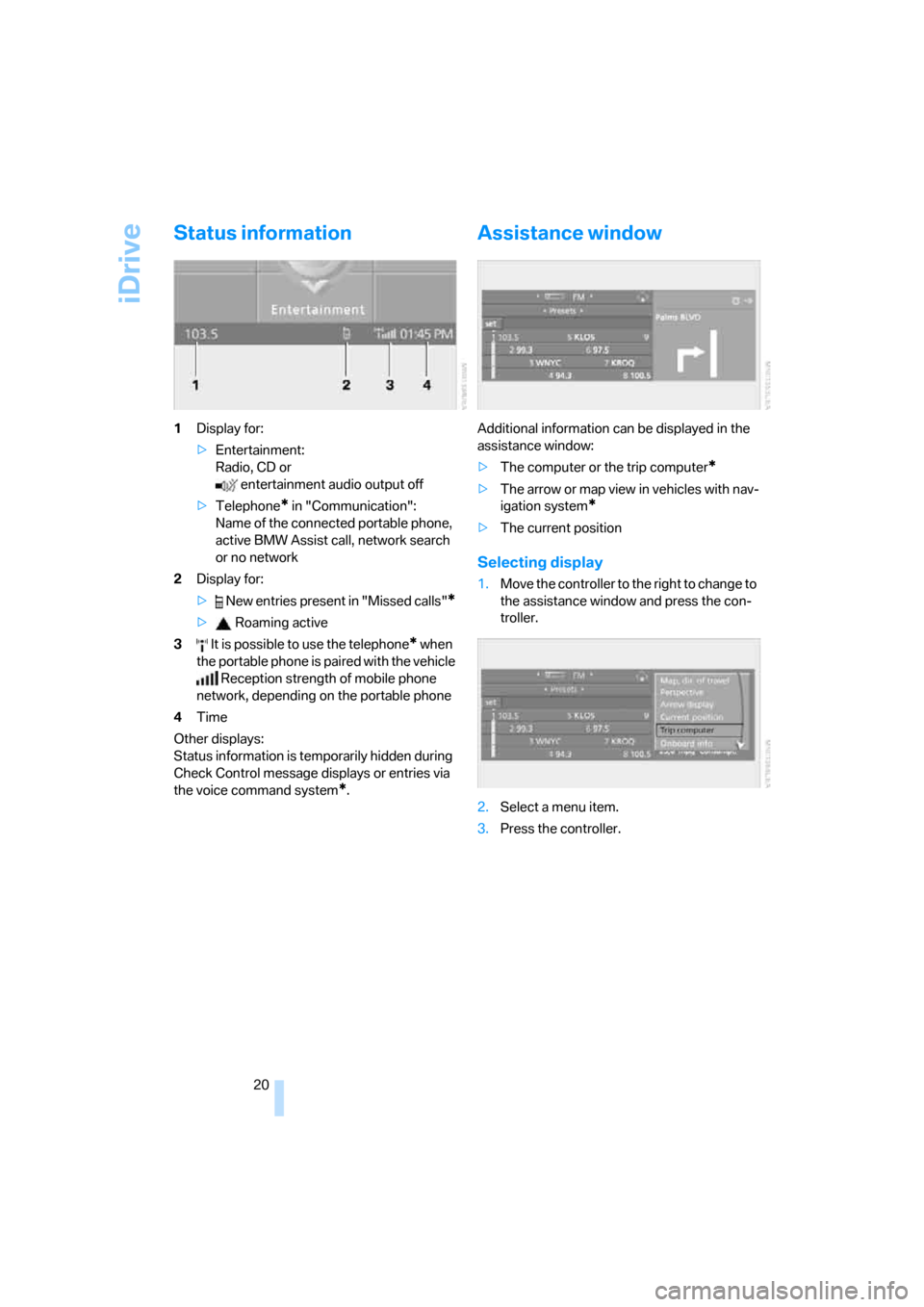
Status information
1Display for:
>Entertainment:
Radio, CD or
entertainment audio output off
>Telephone
* in "Communication":
Name of the connected portable phone,
active BMW Assist call, network search
or no network
2Display for:
> New entries present in "Missed calls"
*
> Roaming active
3 It is possible to use the telephone
* when
the portable phone is paired with the vehicle
Reception strength of mobile phone
network, depending on the portable phone
4Time
Other displays:
Status information is temporarily hidden during
Check Control message displays or entries via
the voice command system
*.
Assistance window
Additional information can be displayed in the
assistance window:
>The computer or the trip computer
*
>The arrow or map view in vehicles with nav-
igation system
*
>The current position
Selecting display
1.Move the controller to the right to change to
the assistance window and press the con-
troller.
2.Select a menu item.
3.Press the controller.
Page 22 of 223
At a glance
21Reference
Controls
Driving tips
Communications
Navigation
Entertainment
Mobility
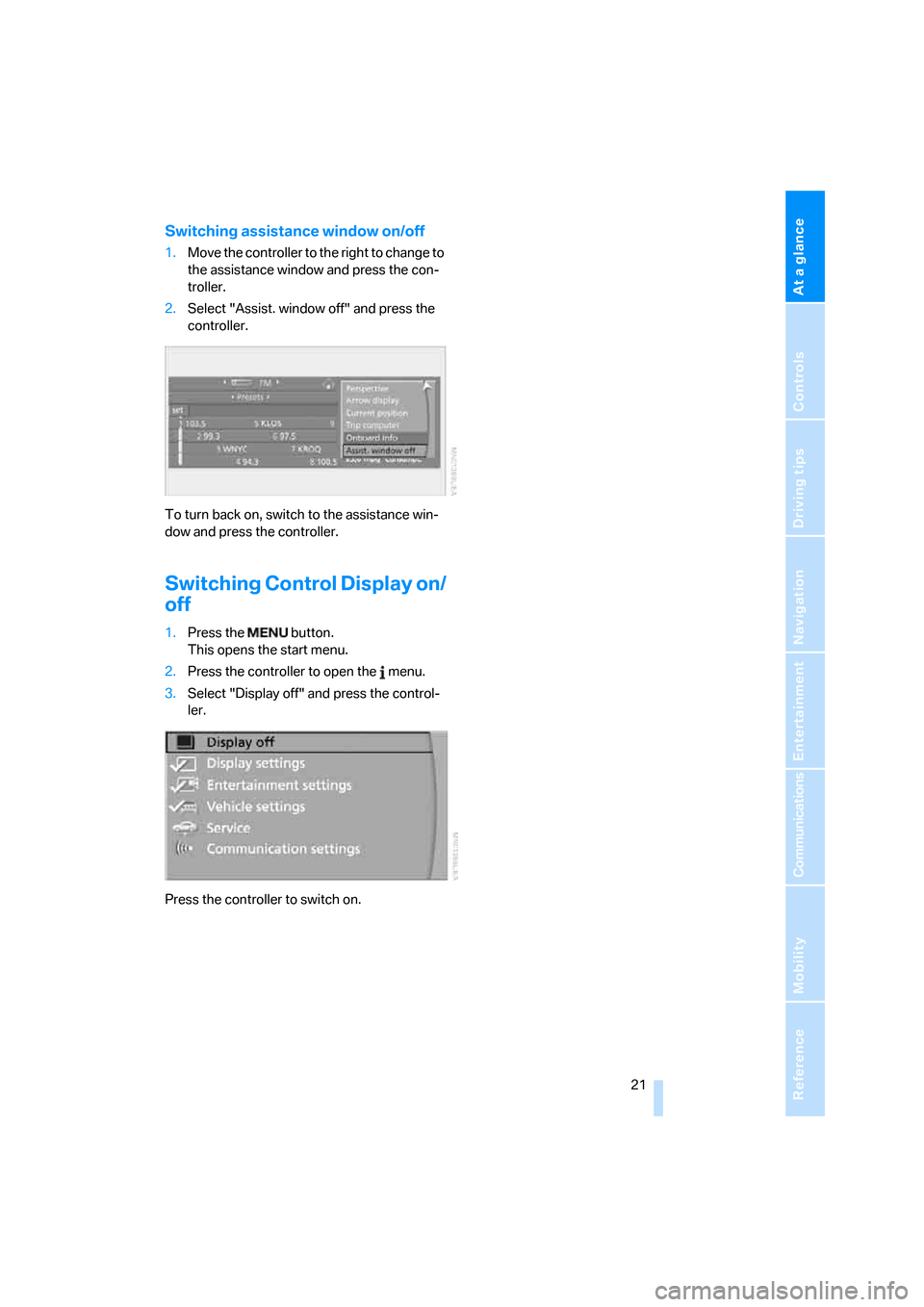
Switching assistance window on/off
1.Move the controller to the right to change to
the assistance window and press the con-
troller.
2.Select "Assist. window off" and press the
controller.
To turn back on, switch to the assistance win-
dow and press the controller.
Switching Control Display on/
off
1.Press the button.
This opens the start menu.
2.Press the controller to open the menu.
3.Select "Display off" and press the control-
ler.
Press the controller to switch on.
Page 23 of 223
Voice command system
22
Voice command system
The concept
The voice command system allows you to con-
trol operation of various vehicle systems with-
out removing your hands from the steering
wheel.
Individual menu items on the Control Display
can be spoken as commands. It is not neces-
sary to use the controller.
The voice command system transforms your
oral commands into control signals for the
selected systems and provides support in the
form of instructions or questions.
The voice command system uses a special
microphone located in the area of the interior
rearview mirror, refer to page14.
Precondition
Via iDrive, select the language in which the
voice command system is operating, so that the
spoken commands can be identified. Selecting
the language for iDrive, refer to page76.
Symbol in the Owner's Manual
Saying commands
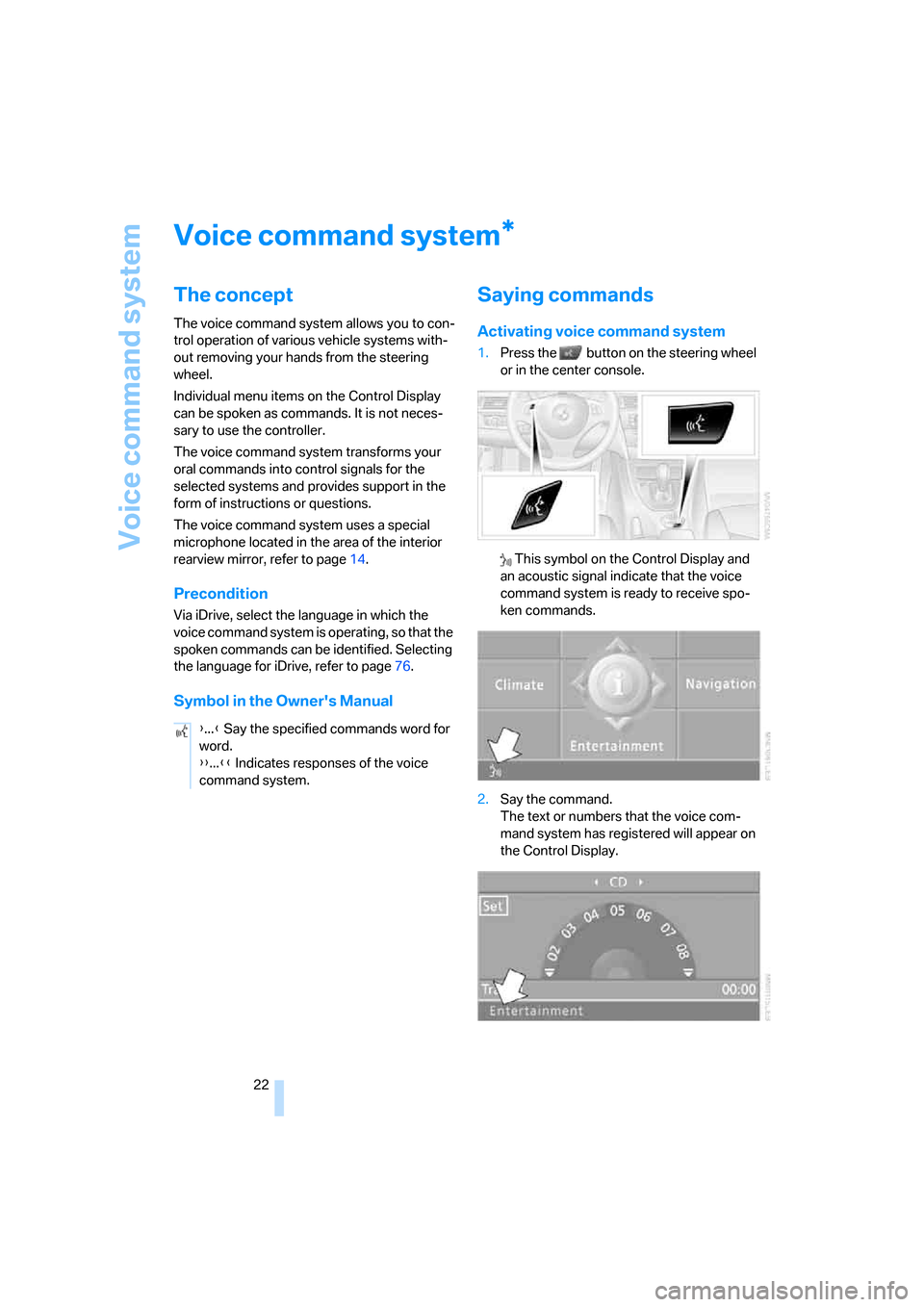
Activating voice command system
1.Press the button on the steering wheel
or in the center console.
This symbol on the Control Display and
an acoustic signal indicate that the voice
command system is ready to receive spo-
ken commands.
2.Say the command.
The text or numbers that the voice com-
mand system has registered will appear on
the Control Display.
*
{...} Say the specified commands word for
word.
{{...}} Indicates responses of the voice
command system.