door lock BMW 325I WAGON 2002 User Guide
[x] Cancel search | Manufacturer: BMW, Model Year: 2002, Model line: 325I WAGON, Model: BMW 325I WAGON 2002Pages: 155, PDF Size: 2.17 MB
Page 38 of 155
38n
Electric power windows Sliding/tilt sunroof
*
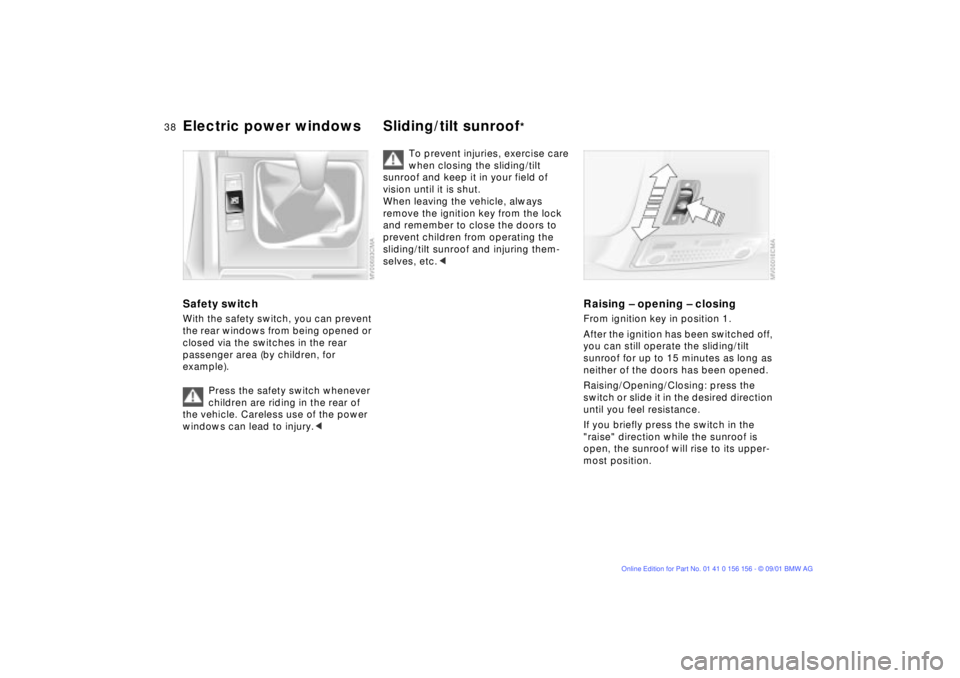
Safety switch With the safety switch, you can prevent
the rear windows from being opened or
closed via the switches in the rear
passenger area (by children, for
example).
Press the safety switch whenever
children are riding in the rear of
the vehicle. Careless use of the power
windows can lead to injury.<
To prevent injuries, exercise care
when closing the sliding/tilt
sunroof and keep it in your field of
vision until it is shut.
When leaving the vehicle, always
remove the ignition key from the lock
and remember to close the doors to
prevent children from operating the
sliding/tilt sunroof and injuring them-
selves, etc.<
Raising Ð opening Ð closingFrom ignition key in position 1.
After the ignition has been switched off,
you can still operate the sliding/tilt
sunroof for up to 15 minutes as long as
neither of the doors has been opened.
Raising/Opening/Closing: press the
switch or slide it in the desired direction
until you feel resistance.
If you briefly press the switch in the
"raise" direction while the sunroof is
open, the sunroof will rise to its upper-
most position.
Page 39 of 155
39n
OverviewControlsMaintenanceRepairsDataIndex
Sliding/tilt sunroof
*
The headliner insert slides back some-
what when you raise the sunroof. When
the sunroof is opened, the headliner
retracts with it.
Do not use force to close the
headliner insert with the sunroof in
its raised position, as damage to the
mechanism could result.<
For the convenience mode via the door
lock, refer to page 31.Automatic opening and closingPress the switch briefly past the pres-
sure point: the sunroof travels to either
the fully-closed or fully-open position.
Pressing the switch again stops the
motion immediately.
Safety featureIf the sliding/tilt sunroof encounters
resistance
>when it is closing from the raised
position
>when it is closing from a point
roughly past the middle of its travel,
the closing cycle is interrupted and the
sliding/tilt sunroof will open again
slightly.
Despite this safety feature, be
extremely careful that the travel
path of the sunroof is not obstructed
whenever it is closed. Remember that
the safety mechanism may not be able
to detect obstructions under all circum-
stances (with very thin objects, for
instance).
You can disable this safety feature by
pressing the switch beyond the pres-
sure point and holding it.<
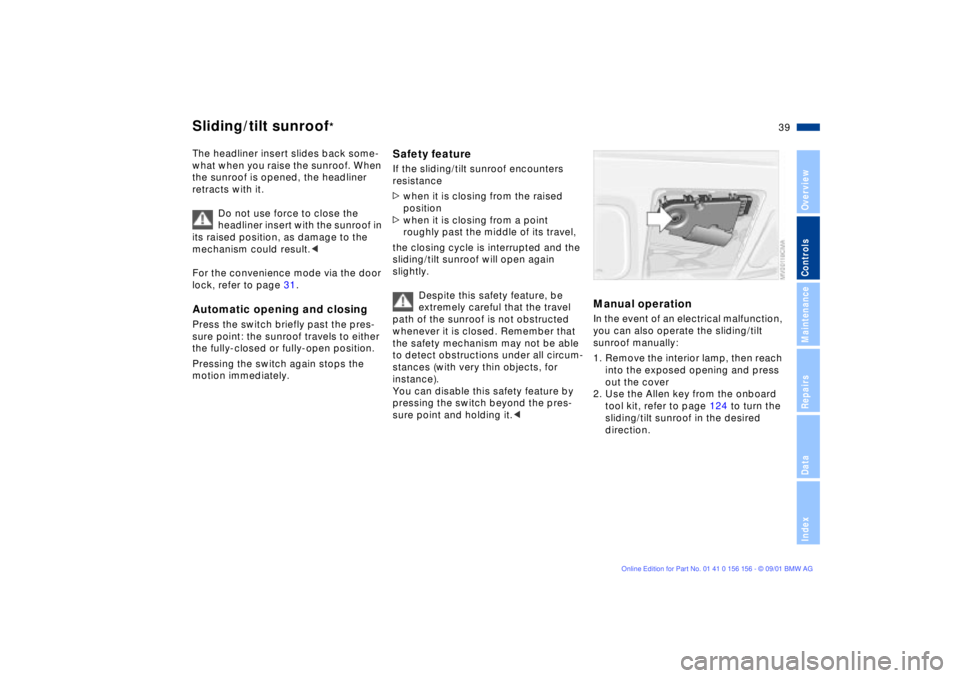
Manual operation In the event of an electrical malfunction,
you can also operate the sliding/tilt
sunroof manually:
1. Remove the interior lamp, then reach
into the exposed opening and press
out the cover
2. Use the Allen key from the onboard
tool kit, refer to page 124 to turn the
sliding/tilt sunroof in the desired
direction.
Page 45 of 155
45n
OverviewControlsMaintenanceRepairsDataIndex
Seat and mirror memory
*
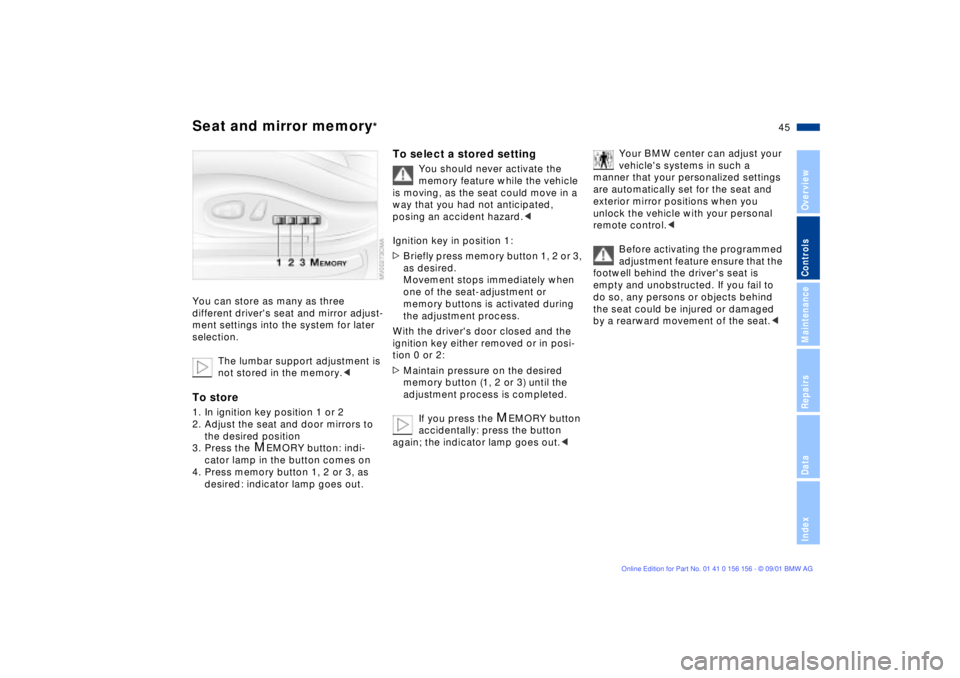
You can store as many as three
different driver's seat and mirror adjust-
ment settings into the system for later
selection.
The lumbar support adjustment is
not stored in the memory.
the desired position
3. Press the
M
EMORY button: indi-
cator lamp in the button comes on
4. Press memory button 1, 2 or 3, as
desired: indicator lamp goes out.
To select a stored setting
You should never activate the
memory feature while the vehicle
is moving, as the seat could move in a
way that you had not anticipated,
posing an accident hazard.<
Ignition key in position 1:
>Briefly press memory button 1, 2 or 3,
as desired.
Movement stops immediately when
one of the seat-adjustment or
memory buttons is activated during
the adjustment process.
With the driver's door closed and the
ignition key either removed or in posi-
tion 0 or 2:
>Maintain pressure on the desired
memory button (1, 2 or 3) until the
adjustment process is completed.
If you press the
M
EMORY button
accidentally: press the button
again; the indicator lamp goes out.<
Your BMW center can adjust your
vehicle's systems in such a
manner that your personalized settings
are automatically set for the seat and
exterior mirror positions when you
unlock the vehicle with your personal
remote control.<
Before activating the programmed
adjustment feature ensure that the
footwell behind the driver's seat is
empty and unobstructed. If you fail to
do so, any persons or objects behind
the seat could be injured or damaged
by a rearward movement of the seat.<
Page 46 of 155
46n
Seat and mirror memory
*
Seat heating
*
Steering wheel
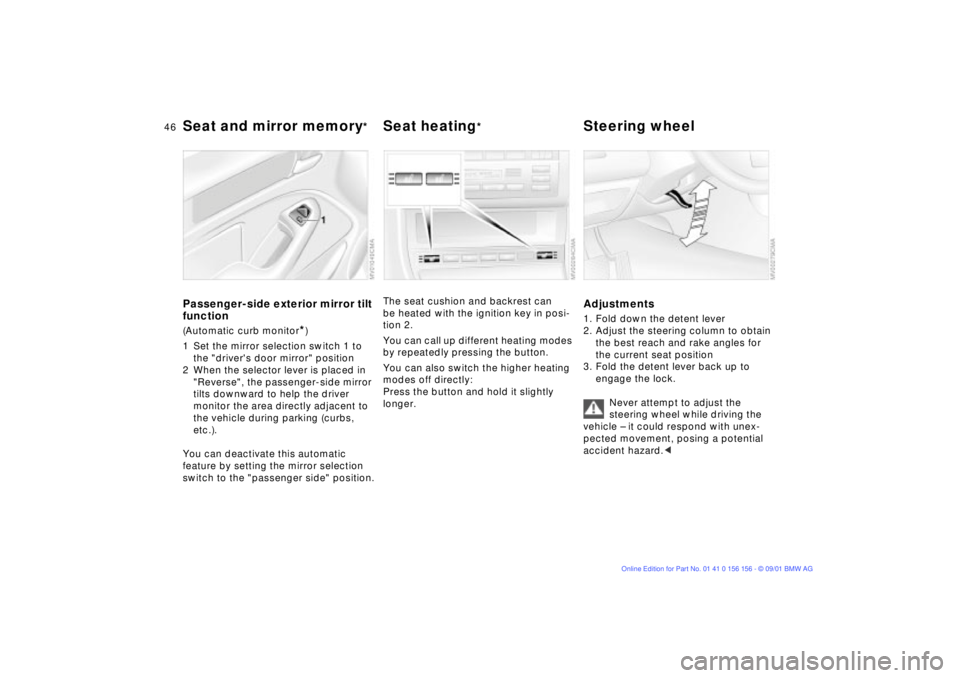
Passenger-side exterior mirror tilt
function(Automatic curb monitor
*)
1 Set the mirror selection switch 1 to
the "driver's door mirror" position
2 When the selector lever is placed in
"Reverse", the passenger-side mirror
tilts downward to help the driver
monitor the area directly adjacent to
the vehicle during parking (curbs,
etc.).
You can deactivate this automatic
feature by setting the mirror selection
switch to the "passenger side" position.
The seat cushion and backrest can
be heated with the ignition key in posi-
tion 2.
You can call up different heating modes
by repeatedly pressing the button.
You can also switch the higher heating
modes off directly:
Press the button and hold it slightly
longer.
Adjustments1. Fold down the detent lever
2. Adjust the steering column to obtain
the best reach and rake angles for
the current seat position
3. Fold the detent lever back up to
engage the lock.
Never attempt to adjust the
steering wheel while driving the
vehicle Ð it could respond with unex-
pected movement, posing a potential
accident hazard.<
Page 49 of 155
49n
OverviewControlsMaintenanceRepairsDataIndex
Airbags
The airbags do not respond to
minor collisions, rear impacts, or
to some kinds of vehicle rollovers.<
For your safety, comply with the
following instructions for the
airbags. If you do not, the airbags may
not be able to provide their maximum
protection. All passengers in the vehicle
should be aware of and comply with
this information:
The airbags are supplemental restraint
devices designed to provide extra
protection; they are not a substitute for
safety belts. Wear your safety belt at all
times. The airbags will not be triggered
in the event of a minor accident, a
vehicle rollover, or collisions from the
rear. In these instances, the safety belt
provides optimal protection.
Airbags are located under cover panels
in the steering wheel, in the instrument
panel, in the side trim panels in the
front and rear
*, in the roof panels, and
in the sides of the inside roof lining.
Adjust your seat to a position that
provides maximum distance between
you and the steering wheel, the instru-
ment panel and the door while still
allowing comfortable and safe access
to all vehicle controls.
To avoid sustaining hand and arm inju-
ries, always grasp the steering wheel
on the rim with the hands at the 9 and
3 o'clock positions. Do not place your
hands on the center pad.
Never allow any objects to obstruct the
area between the airbag and an occu-
pant.
Do not use the cover panel above the
passenger-side airbag as a storage
area.
Do not apply adhesive materials to the
cover panels of the airbags, cover them
or modify them in any other way.
Do not install a rear-facing child-
restraint system in the front passenger
seat of this vehicle.
Children under 13 years of age and less
than 5 ft (150 cm) tall should ride only in
the rear seat.
Infants or small children should never
be held on the lap of a passenger.
If your vehicle is equipped with side
airbags in the rear passenger area
*, be
sure that child restraints are mounted
correctly with the greatest-possible
distance between them and the airbags
in the side trim panels. Do not allow
children to lean out of the child's seat in
the direction of the side trim panels. If
they do so, serious injuries can occur if
the airbag is triggered.
(infants and small children in appro-
priate child-restraint systems; larger
children and adults using the safety
belts). Never let an occupant's head
rest near or on a side airbag because
the inflating airbag could cause a
serious or fatal injury. Please note that
the word Airbag imprinted on the door
trim panel indicates the airbag's loca-
tion.
Accident research shows that the
safest place for children in an
automobile is in the rear seat. However,
a child sitting in the rear seat and not
properly restrained may place his or her
head on or near the airbag, if so
equipped. For example, a child Ñ even
though belted Ñ may fall asleep with his
or her head against the side airbag. It
may be difficult for a driver to ensure
that children in the rear seat will remain
properly positioned at all times and not
place their heads on or near the side
airbag.
Therefore, we recommend that the
rear-seat side airbags, if installed in the
vehicle, be deactivated if children will
travel in the rear seat.
The rear side airbags may already have
been deactivated, either at the time of
Page 51 of 155
51n
OverviewControlsMaintenanceRepairsDataIndex
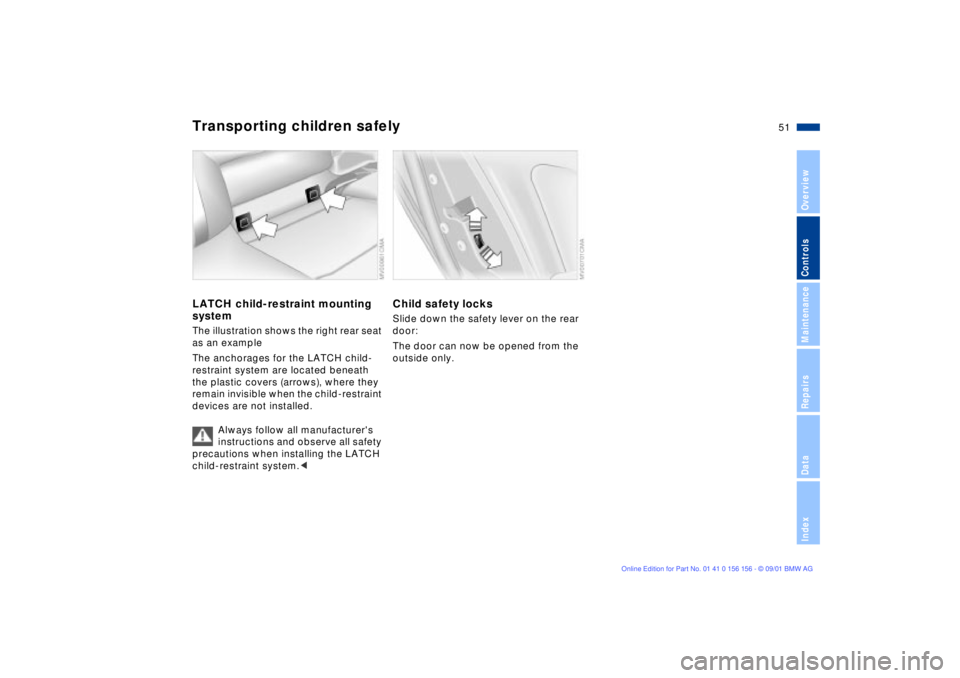
Transporting children safelyLATCH child-restraint mounting
systemThe illustration shows the right rear seat
as an example
The anchorages for the LATCH child-
restraint system are located beneath
the plastic covers (arrows), where they
remain invisible when the child-restraint
devices are not installed.
Always follow all manufacturer's
instructions and observe all safety
precautions when installing the LATCH
child-restraint system.<
Child safety locksSlide down the safety lever on the rear
door:
The door can now be opened from the
outside only.
Page 54 of 155
54n
Vehicle Memory, Key Memory How it worksNo doubt you have often reflected on
how great it would be if you could
permanently configure your vehicle's
various features and adjustments to
mirror your own personal preferences.
In engineering your vehicle, BMW has
included a number of options for
storing personal adjustment data.
These can be programmed at your
BMW center.
The available configuration data fall into
two categories, according to whether
their primary orientation is the vehicle
(Vehicle Memory) or the individual (Key
Memory). Provided that each person
has a separate remote-control key, you
can have your BMW center enter basic
adjustment data for up to four individ-
uals in the system.
The system relies on a bilateral data
exchange to identify the individual user
and dial in the selected settings when-
ever the remote control unit is used to
disengage the locks.
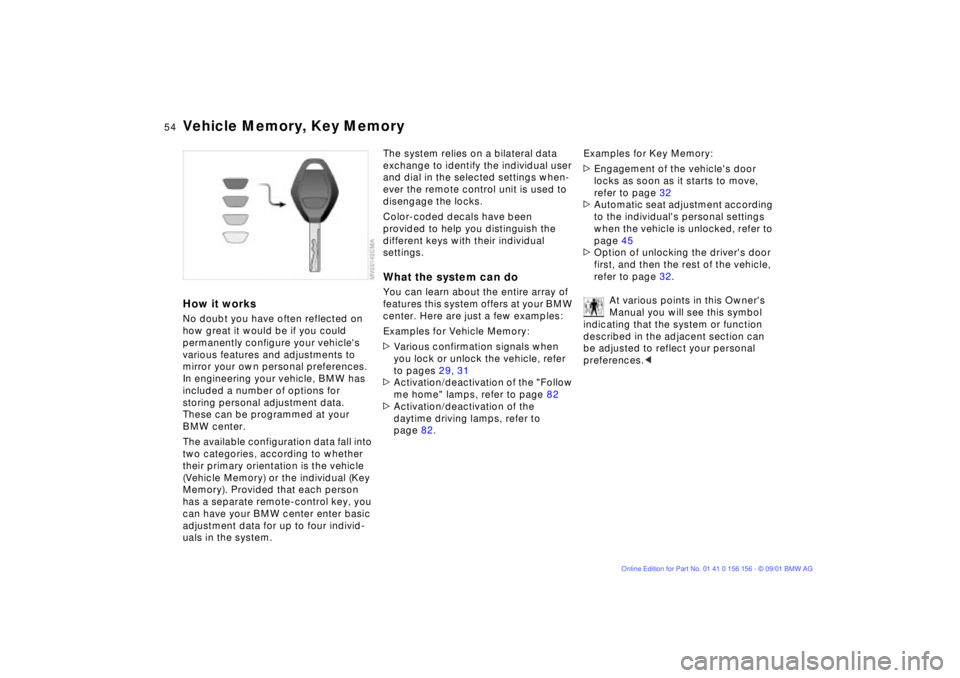
Color-coded decals have been
provided to help you distinguish the
different keys with their individual
settings.What the system can doYou can learn about the entire array of
features this system offers at your BMW
center. Here are just a few examples:
Examples for Vehicle Memory:
>Various confirmation signals when
you lock or unlock the vehicle, refer
to pages 29, 31
>Activation/deactivation of the "Follow
me home" lamps, refer to page 82
>Activation/deactivation of the
daytime driving lamps, refer to
page 82.Examples for Key Memory:
>Engagement of the vehicle's door
locks as soon as it starts to move,
refer to page 32
>Automatic seat adjustment according
to the individual's personal settings
when the vehicle is unlocked, refer to
page 45
>Option of unlocking the driver's door
first, and then the rest of the vehicle,
refer to page 32.
At various points in this Owner's
Manual you will see this symbol
indicating that the system or function
described in the adjacent section can
be adjusted to reflect your personal
preferences.<
Page 67 of 155
67n
OverviewControlsMaintenanceRepairsDataIndex
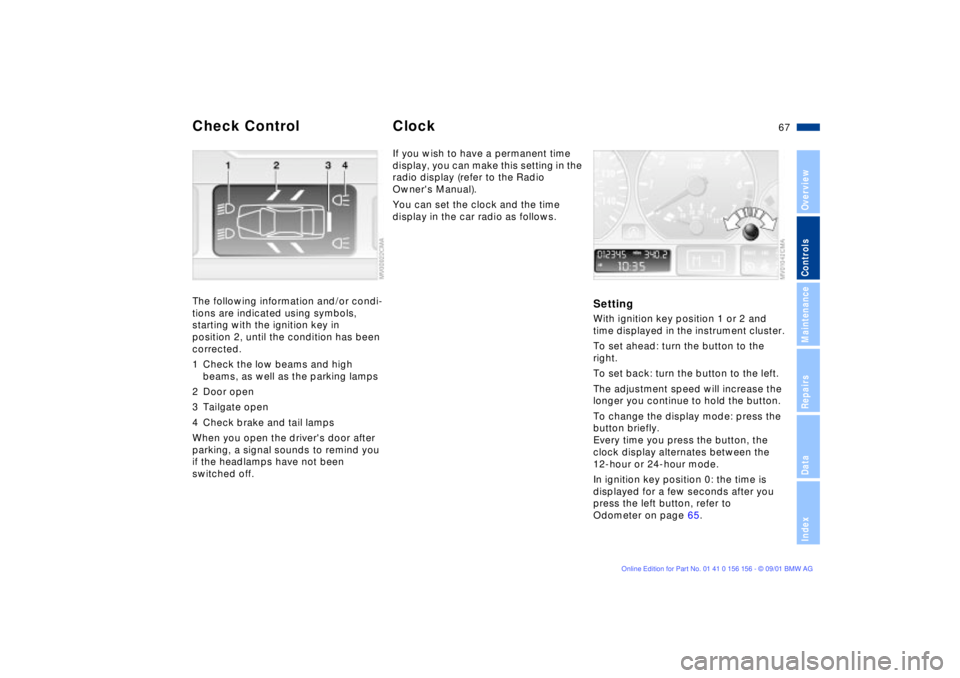
Check Control ClockThe following information and/or condi-
tions are indicated using symbols,
starting with the ignition key in
position 2, until the condition has been
corrected.
1 Check the low beams and high
beams, as well as the parking lamps
2 Door open
3 Tailgate open
4 Check brake and tail lamps
When you open the driver's door after
parking, a signal sounds to remind you
if the headlamps have not been
switched off.
If you wish to have a permanent time
display, you can make this setting in the
radio display (refer to the Radio
Owner's Manual).
You can set the clock and the time
display in the car radio as follows.
SettingWith ignition key position 1 or 2 and
time displayed in the instrument cluster.
To set ahead: turn the button to the
right.
To set back: turn the button to the left.
The adjustment speed will increase the
longer you continue to hold the button.
To change the display mode: press the
button briefly.
Every time you press the button, the
clock display alternates between the
12-hour or 24-hour mode.
In ignition key position 0: the time is
displayed for a few seconds after you
press the left button, refer to
Odometer on page 65.
Page 92 of 155
92n
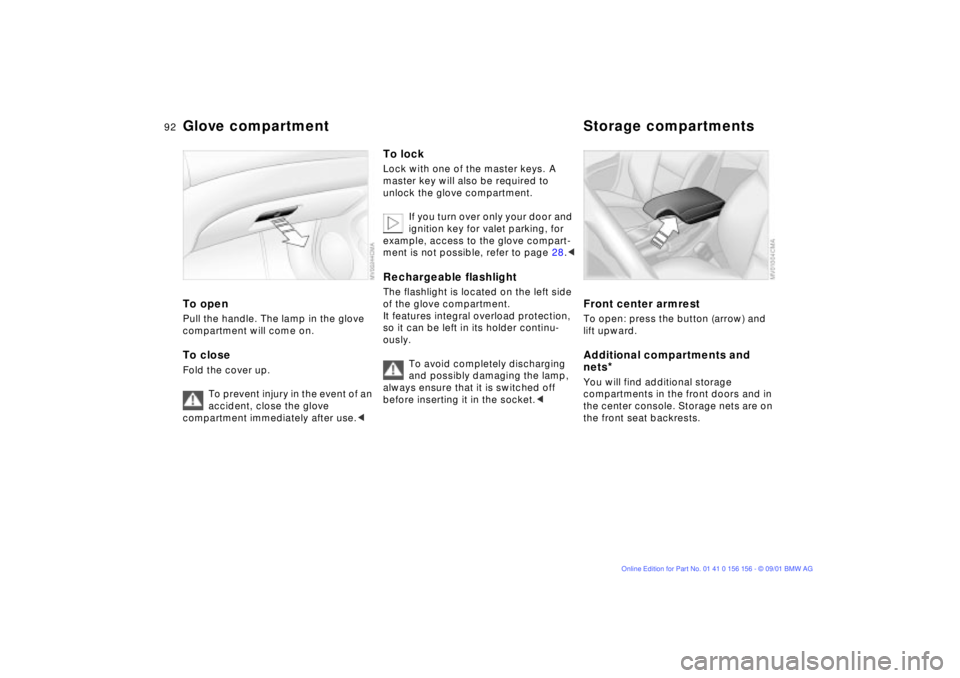
Glove compartment Storage compartmentsTo openPull the handle. The lamp in the glove
compartment will come on.To closeFold the cover up.
To prevent injury in the event of an
accident, close the glove
compartment immediately after use.<
To lockLock with one of the master keys. A
master key will also be required to
unlock the glove compartment.
If you turn over only your door and
ignition key for valet parking, for
example, access to the glove compart-
ment is not possible, refer to page 28.
It features integral overload protection,
so it can be left in its holder continu-
ously.
To avoid completely discharging
and possibly damaging the lamp,
always ensure that it is switched off
before inserting it in the socket.<
Front center armrest To open: press the button (arrow) and
lift upward.Additional compartments and
nets
*
You will find additional storage
compartments in the front doors and in
the center console. Storage nets are on
the front seat backrests.
Page 147 of 155
Everything from A to Z
147n
OverviewControlsMaintenanceRepairsDataIndex
Break-in procedures104
Bulbs and lamps
replacement125 C
California Proposition
65 Warning120
Can holder, refer to
beverage holder93
Capacities143
Car care, refer to the "Caring
for your vehicle" manual
Car phone94
Car wash systems, refer to
the "Caring for your
vehicle" manual
Care of upholstery materials,
refer to the "Caring for your
vehicle" manual
Cargo area35, 97
capacity142
Cargo area cover97
Cargo area lighting33
Cargo loading99 CBC (Cornering Brake
Control)18, 73
Cellular phone94
refer also to the separate
"Owner's Manual"94
Center (high-mount) brake
lamp128
Center armrest92
Central locking system28
control button32
Changing a wheel129
Check Control67
Checking engine oil
level115
Checking tire pressures24
Child-restraint systems51
Cigarette lighter94
Cigarette lighter socket94
Clean rear window62
Clean the headlamps62
Cleaning windshield62
Clock67
refer also to the "Radio
Owner's Manual" Clothes hooks105
Clutch104
Cockpit14
Coin box93
Compartments92
Compression ratio140
Computer68
refer also to the "Owner's
Manual Onboard
Computer"
Configuring individual
settings via Vehicle and
Key Memory54
Convenience operation via
the door lock
power windows31
sliding/tilt sunroof31
Coolant117, 143
Coolant temperature
gauge66
Cooling system including
heating circuit,
capacity143
Copyright4
Cornering Brake Control
(CBC)18, 73 Correct sitting posture40
Cruise control63
Cruising range69
Curb weight142
D
Data
dimensions141
technical140
weights142
Daytime driving lamps82
DBC (Dynamic Brake
Control)74
Deep water105
Defrost windows87, 89
Defroster, rear
window86, 90
Digital clock67
Dimming rearview mirror48
Dipstick, engine oil115
Displacement140
Display lighting83
Displays15
Disposal
antifreeze and anti-
corrosion agents117
battery133
brake fluid118
engine oil116